ignition FORD F450 2010 Repair Manual
[x] Cancel search | Manufacturer: FORD, Model Year: 2010, Model line: F450, Model: FORD F450 2010Pages: 408, PDF Size: 5.46 MB
Page 191 of 408
WARNING: An infant in a rear-facing seat faces a high risk of
serious or fatal injuries from a deploying passenger airbag. Rear
facing infant seats should NEVER be placed in the front seats, unless
the passenger airbag is turned off.
Turning the passenger airbag back on
The passenger airbag remains OFF until you turn it back ON.
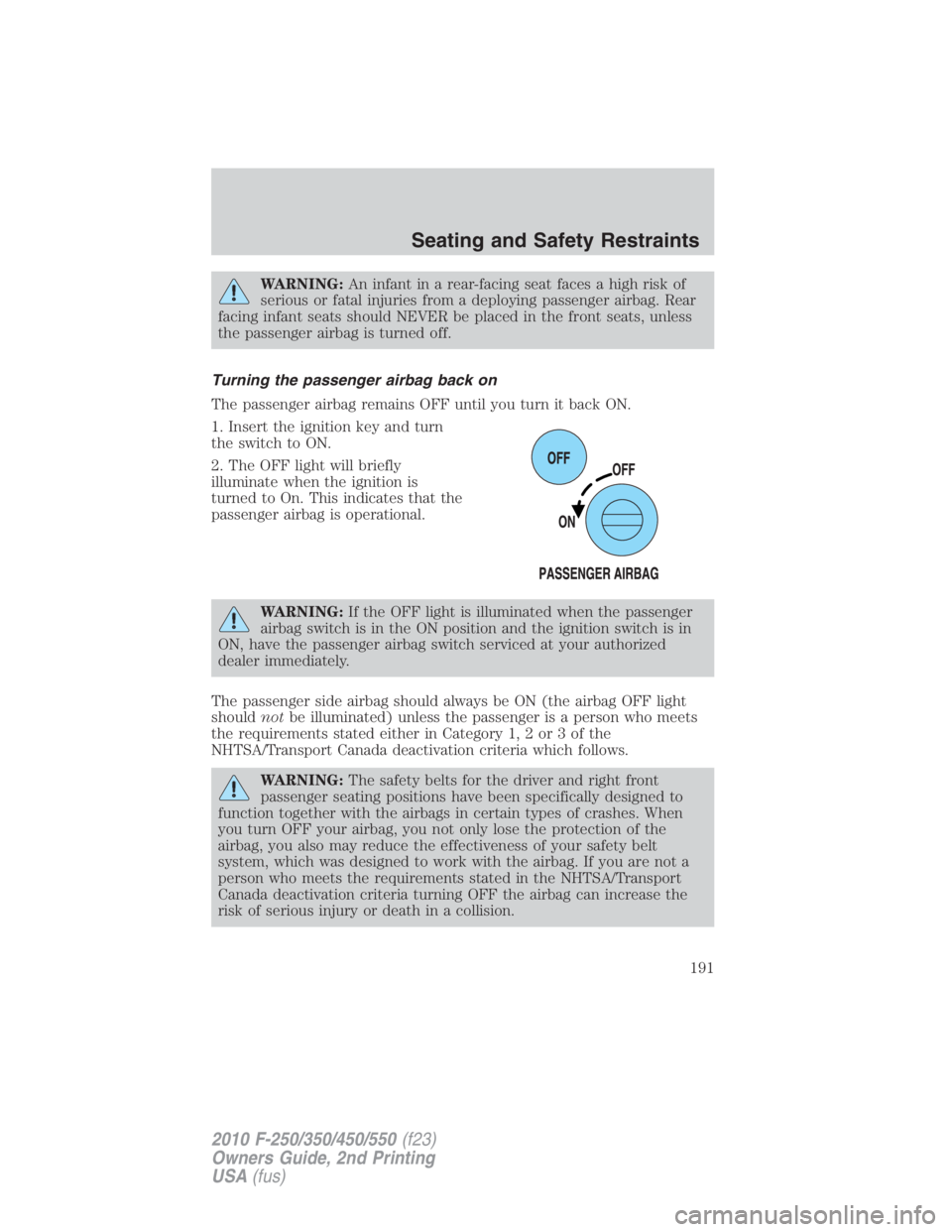
1. Insert the ignition key and turn
the switch to ON.
2. The OFF light will briefly
illuminate when the ignition is
turned to On. This indicates that the
passenger airbag is operational.
WARNING: If the OFF light is illuminated when the passenger
airbag switch is in the ON position and the ignition switch is in
ON, have the passenger airbag switch serviced at your authorized
dealer immediately.
The passenger side airbag should always be ON (the airbag OFF light
should not be illuminated) unless the passenger is a person who meets
the requirements stated either in Category 1, 2 or 3 of the
NHTSA/Transport Canada deactivation criteria which follows.
WARNING: The safety belts for the driver and right front
passenger seating positions have been specifically designed to
function together with the airbags in certain types of crashes. When
you turn OFF your airbag, you not only lose the protection of the
airbag, you also may reduce the effectiveness of your safety belt
system, which was designed to work with the airbag. If you are not a
person who meets the requirements stated in the NHTSA/Transport
Canada deactivation criteria turning OFF the airbag can increase the
risk of serious injury or death in a collision. Seating and Safety Restraints
191
2010 F-250/350/450/550 (f23)
Owners Guide, 2nd Printing
USA (fus)
Page 241 of 408
TPMS reset procedure
The TPMS reset procedure needs to be performed after each tire
rotation on vehicles that require different recommended tire
pressures in the front tires as compared to the rear tires.
WARNING: To determine the required pressure(s) for your
vehicle – refer to the Safety Compliance Certification Label or
Tire Label located on the B-Pillar or the edge of the driver’s door. See
Vehicle loading in this chapter for more information.
Overview
To provide the vehicle’s load carrying capability, some vehicles require
different recommended tire pressures in the front tires as compared to
the rear tires. The Tire Pressure Monitoring System (TPMS) equipped on
these vehicles is designed to illuminate the Low Tire Pressure Warning
indicator at two different pressures; one for the front tires and one for
the rear tires.
Since tires need to be rotated to provide consistent performance and
maximum tire life, the Tire Pressure Monitoring System needs to know
when the tires are rotated to determine which set of tires are on the
front and which are on the rear. With this information, the system can
detect and properly warn of low tire pressures.
TPMS reset tips:
• To reduce the chances of interference from another vehicle, the TPMS
reset procedure should be performed at least 3 feet (1 meter) away
from another Ford Motor Company vehicle undergoing the TPMS reset
procedure at the same time.
• Do not wait more than two (2) minutes between resetting each tire
sensor or the system will timeout and the entire procedure will have
to be repeated on all four wheels.
• A double horn chirp indicates the need to repeat the procedure.
Performing the TPMS reset procedure
It is recommended that you read the entire procedure before attempting.
1. Drive the vehicle above 20 mph (32 km/h) for at least 2 minutes and
then park in a safe location where you can easily get to all four tires and
have access to an air pump.
2. Place the ignition in the off position and keep the key in the ignition. Tires, Wheels and Loading
241
2010 F-250/350/450/550 (f23)
Owners Guide, 2nd Printing
USA (fus)
Page 242 of 408
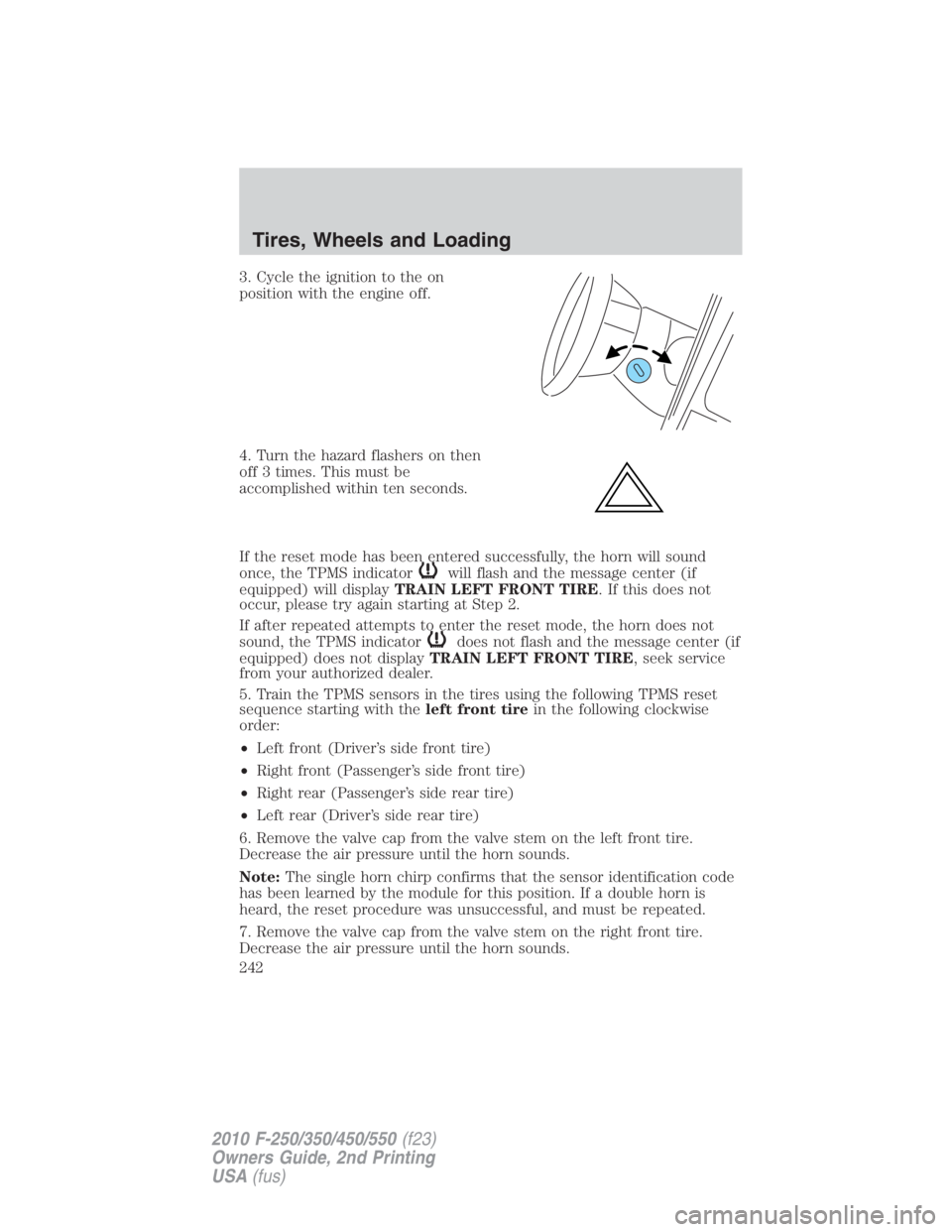
3. Cycle the ignition to the on
position with the engine off.
4. Turn the hazard flashers on then
off 3 times. This must be
accomplished within ten seconds.
If the reset mode has been entered successfully, the horn will sound
once, the TPMS indicator will flash and the message center (if
equipped) will display TRAIN LEFT FRONT TIRE . If this does not
occur, please try again starting at Step 2.
If after repeated attempts to enter the reset mode, the horn does not
sound, the TPMS indicator does not flash and the message center (if
equipped) does not display TRAIN LEFT FRONT TIRE , seek service
from your authorized dealer.
5. Train the TPMS sensors in the tires using the following TPMS reset
sequence starting with the left front tire in the following clockwise
order:
• Left front (Driver’s side front tire)
• Right front (Passenger’s side front tire)
• Right rear (Passenger’s side rear tire)
• Left rear (Driver’s side rear tire)
6. Remove the valve cap from the valve stem on the left front tire.
Decrease the air pressure until the horn sounds.
Note: The single horn chirp confirms that the sensor identification code
has been learned by the module for this position. If a double horn is
heard, the reset procedure was unsuccessful, and must be repeated.
7. Remove the valve cap from the valve stem on the right front tire.
Decrease the air pressure until the horn sounds.Tires, Wheels and Loading
242
2010 F-250/350/450/550 (f23)
Owners Guide, 2nd Printing
USA (fus)
Page 243 of 408
8. Remove the valve cap from the valve stem on the right rear tire.
Decrease the air pressure until the horn sounds.
9. Remove the valve cap from the valve stem on the left rear tire.
Decrease the air pressure until the horn sounds.
Training is complete after the horn sounds for the last tire trained
(driver’s side rear tire), the TPMS tell tale stops flashing, and the
message center (if equipped) displays:
TRAINING COMPLETE .
10. Turn the ignition off. If two short horn beeps are heard, the reset
procedure was unsuccessful and must be repeated.
If after repeating the procedure and two short beeps are heard when the
ignition is turned to off, seek assistance from your authorized dealer.
11. Set all four tires to the recommended air pressure as indicated on
the Safety Compliance Certification Label or Tire Label located on the
B-Pillar or the edge of the driver’s door. See Vehicle loading - with and
without a trailer in this chapter for more information.
SNOW TIRES AND CHAINS
WARNING: Snow tires must be the same size, load index, speed
rating as those originally provided by Ford. Use of any tire or
wheel not recommended by Ford can affect the safety and
performance of your vehicle, which could result in an increased risk of
loss of vehicle control, vehicle rollover, personal injury and death.
Additionally, the use of non-recommended tires and wheels could
cause steering, suspension, axle or transfer case/power transfer unit
failure.
Note: Do not use snow chains on vehicles with 20 inch wheels and tires.
The tires on your vehicle have all weather treads to provide traction in
rain and snow. However, in some climates, you may need to use snow
tires and chains. If you need to use chains, it is recommended that steel
wheels (of the same size and specifications) be used, as chains may chip
aluminum wheels. Tires, Wheels and Loading
243
2010 F-250/350/450/550 (f23)
Owners Guide, 2nd Printing
USA (fus)
Page 255 of 408
WARNING: Towing trailers beyond the maximum tongue weight
exceeds the limit of the towing system and could result in
vehicle structural damage, loss of vehicle control and personal injury.
Weight-distributing hitch
When hooking-up a trailer using a load-equalizing hitch, always use the
following procedure:
1. Park the unloaded vehicle on a level surface. With the ignition on and
all doors closed, allow the vehicle to stand for several minutes so that it
can level.
2. Measure the height of a reference point on the front and rear bumpers
at the center of the vehicle.
3. Attach the trailer to the vehicle and adjust the hitch equalizers so that
the front bumper height is within 1
2
” (13 mm) of the reference point.
After proper adjustment, the rear bumper should be no higher than in
Step 2.
WARNING: Do not adjust a weight-distributing hitch to any
position where the rear bumper of the vehicle is higher than it
was before attaching the trailer. Doing so will defeat the function of
the weight-distributing hitch, which may cause unpredictable handling,
and could result in serious personal injury.
Safety chains
Always connect the trailer’s safety chains to the frame or hook retainers
of the vehicle hitch. To connect the trailer’s safety chains, cross the
chains under the trailer tongue and allow slack for turning corners.
If you use a rental trailer, follow the instructions that the rental agency
gives to you.
Do not attach safety chains to the bumper.
Trailer brakes
Electric brakes and manual, automatic or surge-type trailer brakes are
safe if installed properly and adjusted to the manufacturer’s
specifications. The trailer brakes must meet local and Federal
regulations. Tires, Wheels and Loading
255
2010 F-250/350/450/550 (f23)
Owners Guide, 2nd Printing
USA (fus)
Page 256 of 408
WARNING: If you own a trailer with a hydraulic brake system,
do not connect the trailer’s hydraulic brake system directly to
your vehicle’s brake system. The vehicle’s brake system is only
designed to carry the appropriate amount of brake fluid for the vehicle
alone. Connecting a hydraulic trailer braking system could adversely
affect your vehicle’s braking performance.
The braking system of the tow vehicle is rated for operation at the
GVWR not GCWR.
Integrated trailer brake controller (if equipped)
Your vehicle may be equipped with a fully integrated electronic trailer
brake controller (TBC). When used properly, the TBC helps ensure
smooth and effective trailer braking by powering the trailer’s electric
brakes with a proportional output based on the towing vehicle’s brake
pressure.
WARNING: The Ford TBC has only been verified to be
compatible with trailers having electric-actuated drum brakes
(one to four axles) and not hydraulic surge or electric-over-hydraulic
types. It is the responsibility of the customer to ensure that the trailer
brakes are adjusted appropriately, functioning normally and all electric
connections are properly made.
The TBC user interface consists of
the following:
1. +/- (GAIN adjustment
buttons): Pressing these buttons
will adjust the TBC’s power output
to the trailer brakes (in
0.5 increments). The GAIN setting
can be increased to a maximum of
10.0 or decreased to a minimum of 0 (no trailer braking). Pressing and
holding a button will raise or lower the setting continuously. The gain
setting will display in the message center as follows: TBC GAIN = XX.X.
The trailer brake controller (TBC) is designed to display three items of
information in the instrument cluster message center. These are: gain
setting, output bar graph, and trailer connectivity status. They will
appear as follows in the message center.
• TBC GAIN = XX.X NO TRAILER : The instrument cluster message
center will display the current gain setting during a given ignitionTires, Wheels and Loading
256
2010 F-250/350/450/550 (f23)
Owners Guide, 2nd Printing
USA (fus)
Page 257 of 408
cycle and when adjusting the gain. This message is also displayed
during manual activation without a trailer connected or when gain
adjustments are made with no trailer connected.
• TBC GAIN = XX.X OUTPUT = ////// : When the vehicle’s brake pedal
is pushed, or when the manual control is activated, bar indicators will
illuminate in the instrument cluster message center to indicate the
amount of power going to the trailer brakes relative to the brake pedal
or manual control input. One bar indicates the least amount of output
with six bars indicating maximum output.
• TRAILER CONNECTED: This message is displayed when a correct
trailer wiring connection (a trailer with electric trailer brakes) has
been sensed during a given ignition cycle.
• TRAILER DISCONNECTED: This message is displayed and
accompanied by a single chime, when a trailer connection was
determined and then a disconnection, either intentionally or
unintentionally, has been sensed during a given ignition cycle. It is also
displayed if a truck or trailer wiring fault occurs causing the trailer to
appear disconnected. This message is also displayed during manual
activation without a trailer connected.
2. Manual control lever: Slide the control lever to the left to activate
power to the trailer’s electric brakes independent of the tow vehicle’s
brakes (see the following Procedure for adjusting GAIN section for
instructions on proper use of this feature). If the manual control is
activated while the brake is also applied, the greater of the two inputs
determines the power sent to the trailer brakes.
• Stop Lamps: Activating the TBC manual control lever will illuminate
both the trailer brake lamps and the tow vehicle brake lamps except
the center high-mount stop lamp (presuming proper trailer electrical
connection). Pressing the vehicle brake pedal will also illuminate both
trailer and vehicle brake lamps.
Procedure for adjusting GAIN:
The GAIN setting is used to set the TBC for the specific towing
condition and should be changed as towing conditions change. Changes
to towing conditions include trailer load, vehicle load, road conditions
and weather.
The GAIN should be set to provide the maximum trailer braking
assistance while ensuring the trailer wheels do not lock when braking.
Locked trailer wheels may lead to trailer instability.
Note: This should only be performed in a traffic free environment at
speeds of approximately 20–25 mph (30–40 km/h). Tires, Wheels and Loading
257
2010 F-250/350/450/550 (f23)
Owners Guide, 2nd Printing
USA (fus)
Page 259 of 408
Points to Remember:
• Remember to adjust gain setting before using the TBC for the first
time.
• Readjust GAIN setting on the TBC (according to procedure above)
whenever road, weather and trailer or vehicle loading conditions
change from those that existed when the gain was initially set.
• The sliding lever on the TBC should be used only for manual
activation of trailer brakes to assist with proper adjustment of the
GAIN. Misuse, such as application during trailer sway, could cause
instability of trailer and/or tow vehicle.
• Avoid towing in adverse weather conditions. The TBC does not
provide anti-lock control of the trailer wheels. Trailer wheels can
lock-up on slippery surfaces, resulting in reduced stability of trailer
and tow vehicle.
• The TBC interacts with the brake system of the vehicle, including
ABS, in order to reduce the likelihood of trailer wheel lockup.
Therefore, if these systems are not functioning properly the TBC may
not function at full performance.
• When the vehicle is turned off, the TBC Output is disabled and the
display is shut down. Reactivation of the ignition from OFF to ON will
awaken the TBC module.
• The TBC is only a factory or dealer installed item. Ford is not
responsible for warranty or performance of the TBC due to misuse or
customer installation.
• Do not attempt removal of the TBC without consulting the
Workshop Manual. Damage to the unit may result.
Trailer lamps
Trailer lamps are required on most towed vehicles. Make sure all running
lights, brake lights, turn signals and hazard lights are working. Contact
your authorized dealer or trailer rental agency for proper instructions
and equipment for hooking-up trailer lamps.
Driving while you tow
When towing a trailer:
• Do not drive faster than 70 mph (113 km/h) during the first 500 miles
(800 km) of trailer towing and don’t make full-throttle starts.
• Consult your local motor vehicle speed regulations for towing a trailer. Tires, Wheels and Loading
259
2010 F-250/350/450/550 (f23)
Owners Guide, 2nd Printing
USA (fus)
Page 264 of 408
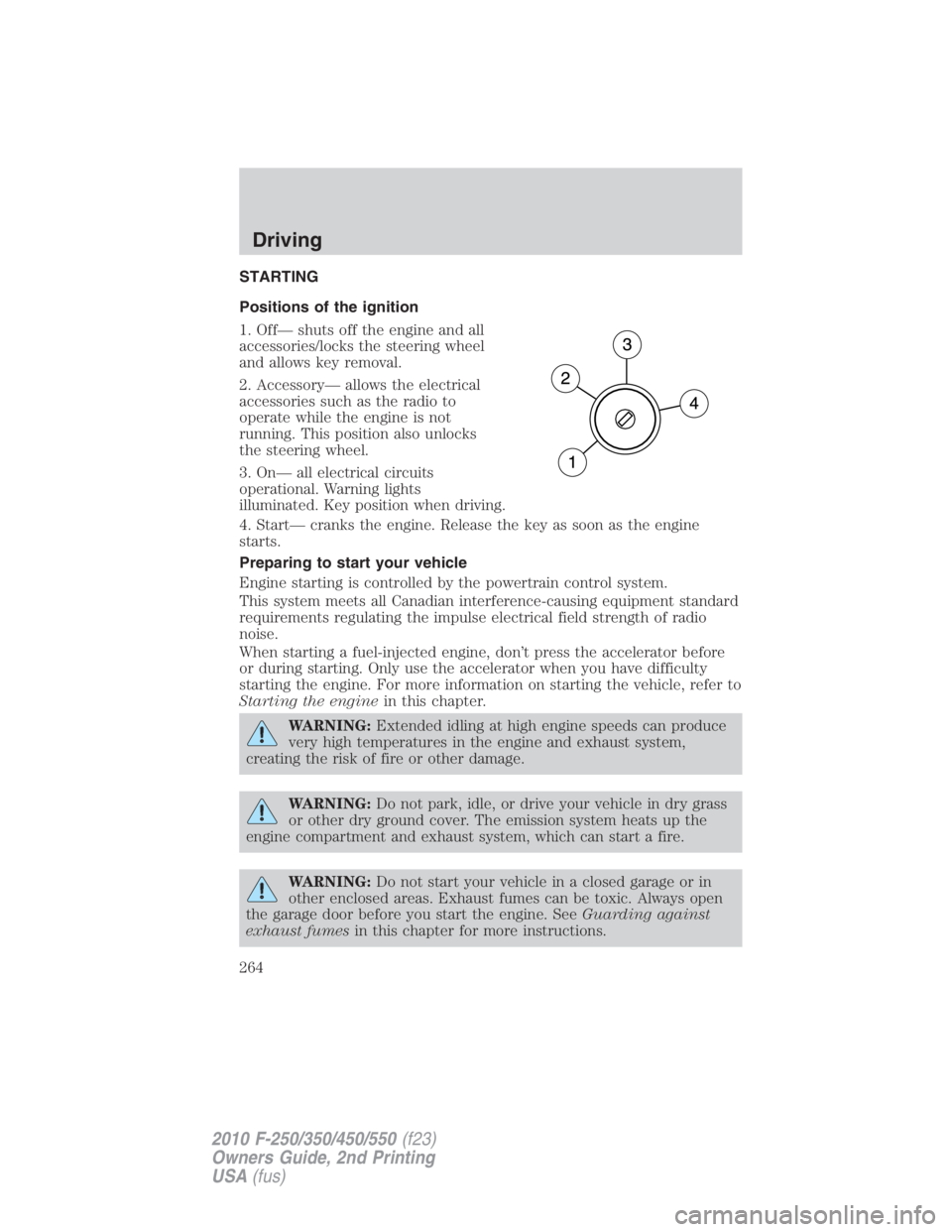
STARTING
Positions of the ignition
1. Off— shuts off the engine and all
accessories/locks the steering wheel
and allows key removal.
2. Accessory— allows the electrical
accessories such as the radio to
operate while the engine is not
running. This position also unlocks
the steering wheel.
3. On— all electrical circuits
operational. Warning lights
illuminated. Key position when driving.
4. Start— cranks the engine. Release the key as soon as the engine
starts.
Preparing to start your vehicle
Engine starting is controlled by the powertrain control system.
This system meets all Canadian interference-causing equipment standard
requirements regulating the impulse electrical field strength of radio
noise.
When starting a fuel-injected engine, don’t press the accelerator before
or during starting. Only use the accelerator when you have difficulty
starting the engine. For more information on starting the vehicle, refer to
Starting the engine in this chapter.
WARNING: Extended idling at high engine speeds can produce
very high temperatures in the engine and exhaust system,
creating the risk of fire or other damage.
WARNING: Do not park, idle, or drive your vehicle in dry grass
or other dry ground cover. The emission system heats up the
engine compartment and exhaust system, which can start a fire.
WARNING: Do not start your vehicle in a closed garage or in
other enclosed areas. Exhaust fumes can be toxic. Always open
the garage door before you start the engine. See Guarding against
exhaust fumes in this chapter for more instructions.Driving
264
2010 F-250/350/450/550 (f23)
Owners Guide, 2nd Printing
USA (fus)
Page 270 of 408
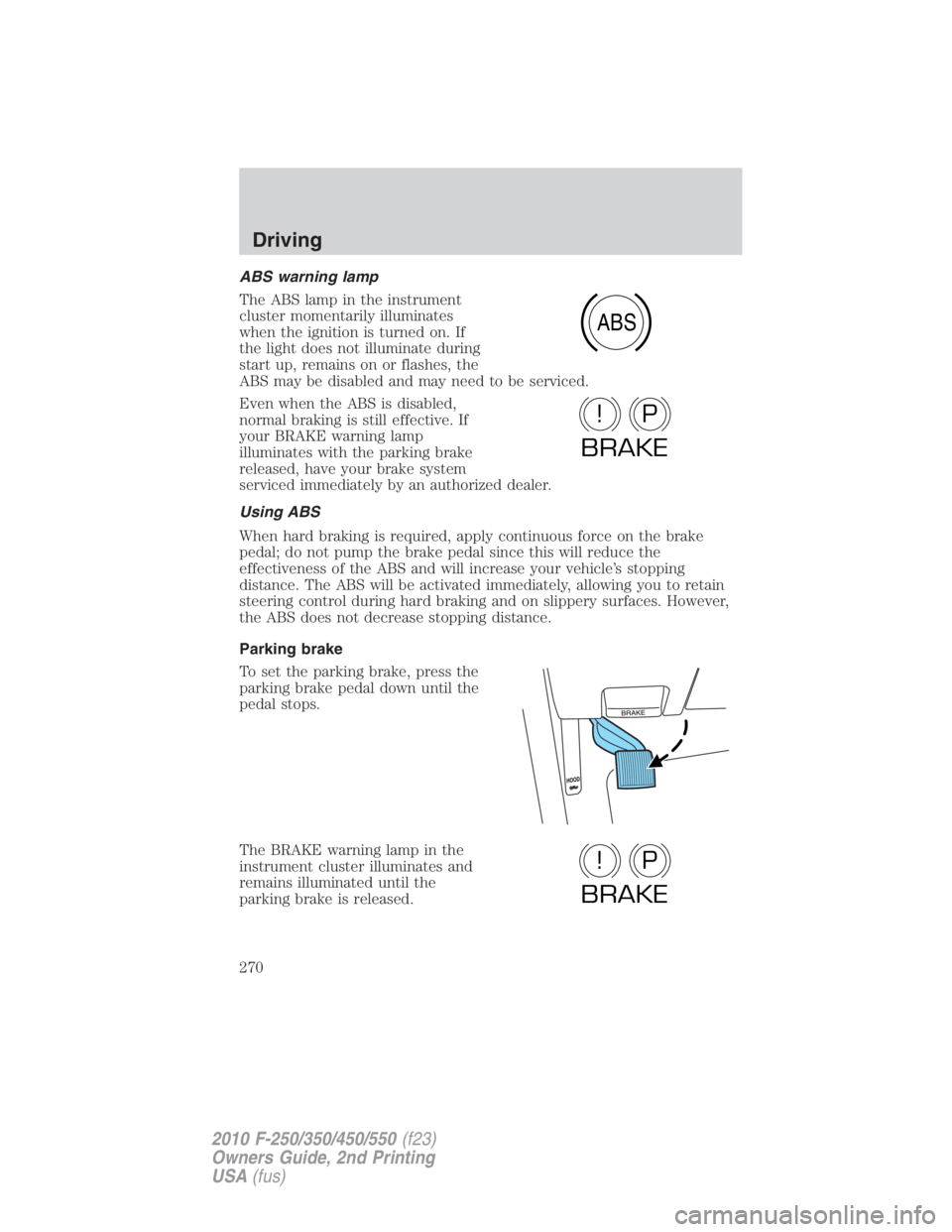
ABS warning lamp
The ABS lamp in the instrument
cluster momentarily illuminates
when the ignition is turned on. If
the light does not illuminate during
start up, remains on or flashes, the
ABS may be disabled and may need to be serviced.
Even when the ABS is disabled,
normal braking is still effective. If
your BRAKE warning lamp
illuminates with the parking brake
released, have your brake system
serviced immediately by an authorized dealer.
Using ABS
When hard braking is required, apply continuous force on the brake
pedal; do not pump the brake pedal since this will reduce the
effectiveness of the ABS and will increase your vehicle’s stopping
distance. The ABS will be activated immediately, allowing you to retain
steering control during hard braking and on slippery surfaces. However,
the ABS does not decrease stopping distance.
Parking brake
To set the parking brake, press the
parking brake pedal down until the
pedal stops.
The BRAKE warning lamp in the
instrument cluster illuminates and
remains illuminated until the
parking brake is released. ABS
P!
BRAKE
P!
BRAKEDriving
270
2010 F-250/350/450/550 (f23)
Owners Guide, 2nd Printing
USA (fus)