brake sensor FORD F450 SUPER DUTY 2017 Owners Manual
[x] Cancel search | Manufacturer: FORD, Model Year: 2017, Model line: F450 SUPER DUTY, Model: FORD F450 SUPER DUTY 2017Pages: 642, PDF Size: 12.35 MB
Page 145 of 642
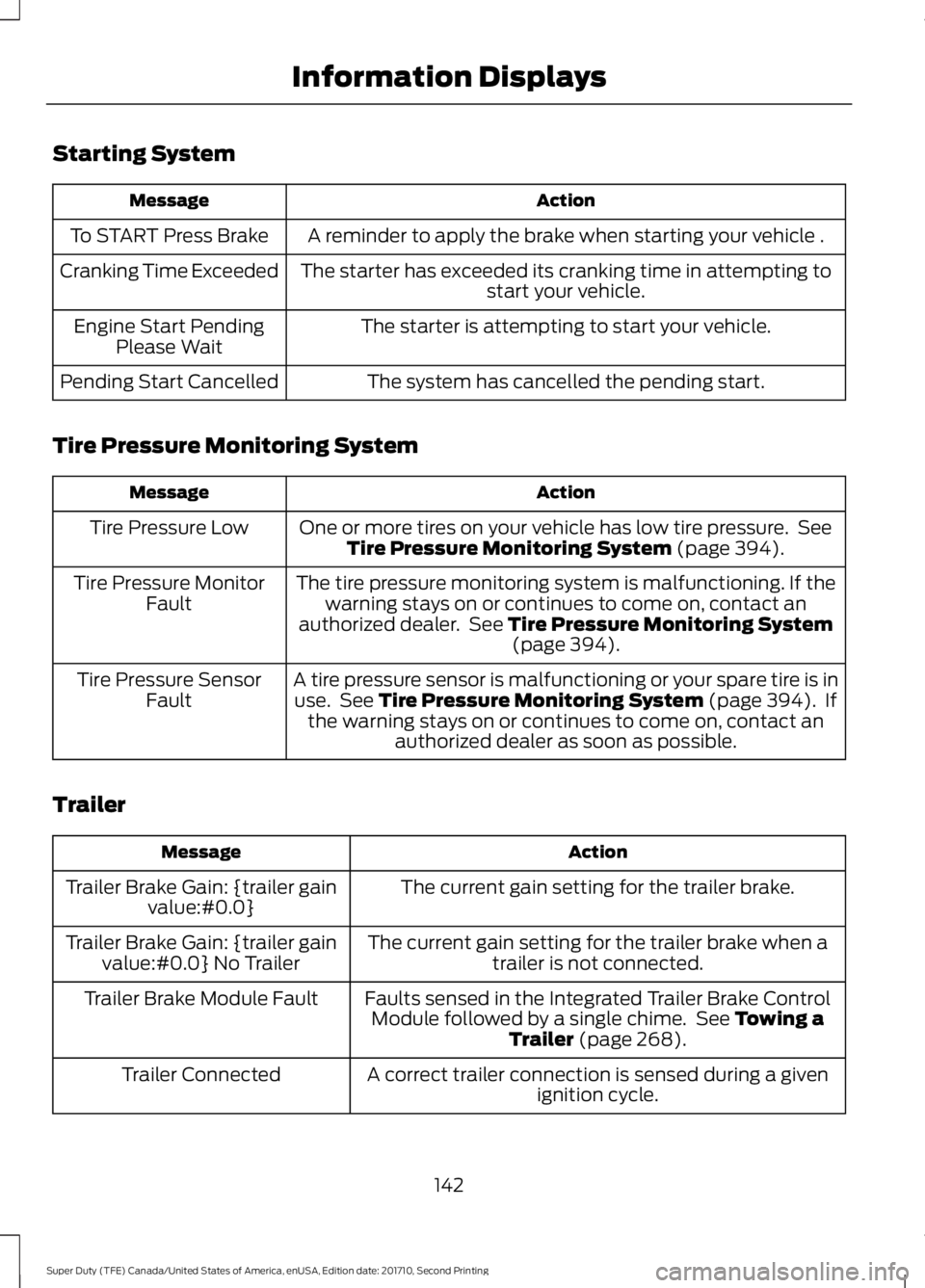
Starting System
ActionMessage
A reminder to apply the brake when starting your vehicle .To START Press Brake
The starter has exceeded its cranking time in attempting tostart your vehicle.Cranking Time Exceeded
The starter is attempting to start your vehicle.Engine Start PendingPlease Wait
The system has cancelled the pending start.Pending Start Cancelled
Tire Pressure Monitoring System
ActionMessage
One or more tires on your vehicle has low tire pressure. SeeTire Pressure Monitoring System (page 394).Tire Pressure Low
The tire pressure monitoring system is malfunctioning. If thewarning stays on or continues to come on, contact anauthorized dealer. See Tire Pressure Monitoring System(page 394).
Tire Pressure MonitorFault
A tire pressure sensor is malfunctioning or your spare tire is inuse. See Tire Pressure Monitoring System (page 394). Ifthe warning stays on or continues to come on, contact anauthorized dealer as soon as possible.
Tire Pressure SensorFault
Trailer
ActionMessage
The current gain setting for the trailer brake.Trailer Brake Gain: {trailer gainvalue:#0.0}
The current gain setting for the trailer brake when atrailer is not connected.Trailer Brake Gain: {trailer gainvalue:#0.0} No Trailer
Faults sensed in the Integrated Trailer Brake ControlModule followed by a single chime. See Towing aTrailer (page 268).
Trailer Brake Module Fault
A correct trailer connection is sensed during a givenignition cycle.Trailer Connected
142
Super Duty (TFE) Canada/United States of America, enUSA, Edition date: 201710, Second Printing
Information Displays
Page 146 of 642
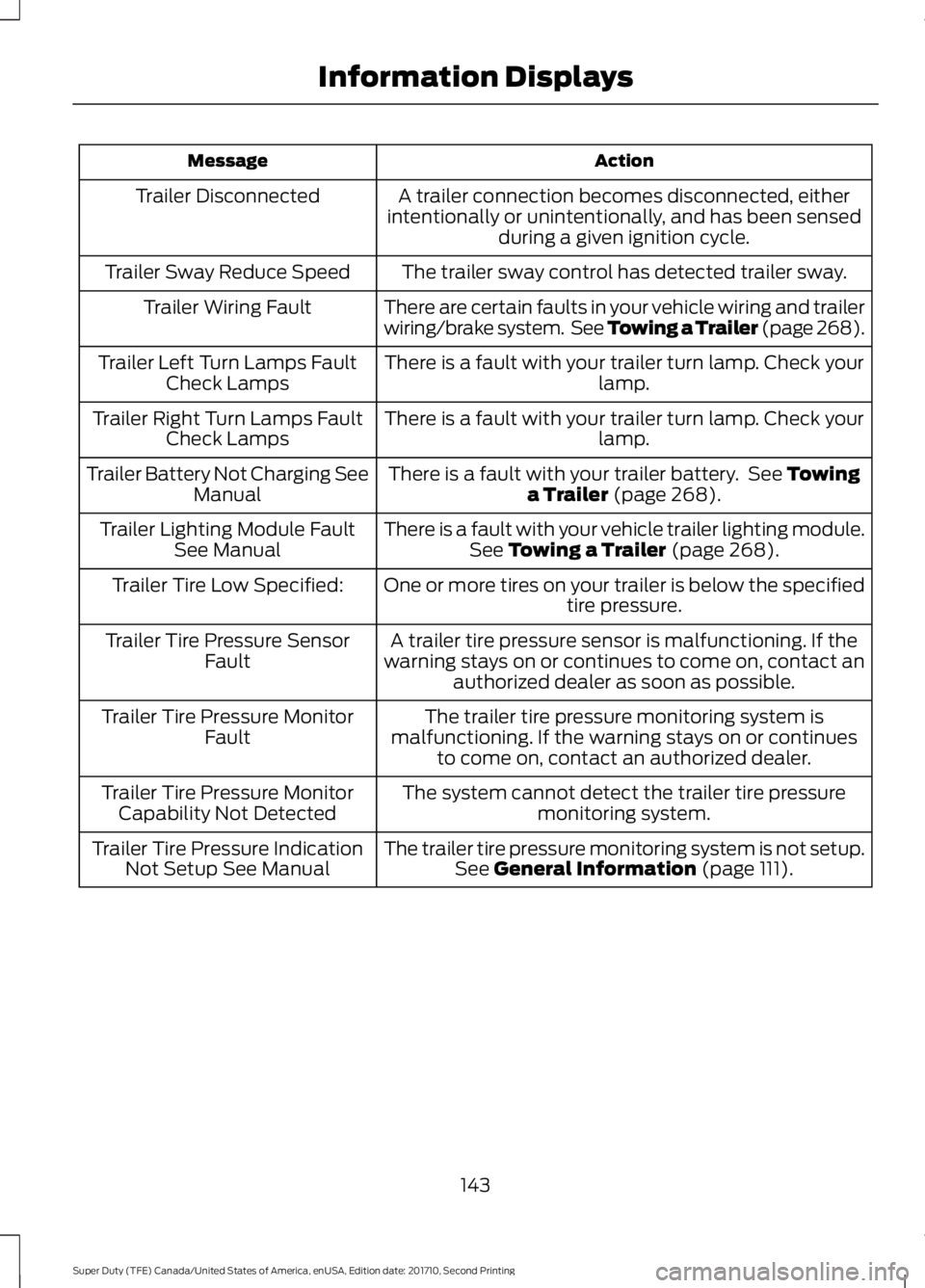
ActionMessage
A trailer connection becomes disconnected, eitherintentionally or unintentionally, and has been sensedduring a given ignition cycle.
Trailer Disconnected
The trailer sway control has detected trailer sway.Trailer Sway Reduce Speed
There are certain faults in your vehicle wiring and trailerwiring/brake system. See Towing a Trailer (page 268).Trailer Wiring Fault
There is a fault with your trailer turn lamp. Check yourlamp.Trailer Left Turn Lamps FaultCheck Lamps
There is a fault with your trailer turn lamp. Check yourlamp.Trailer Right Turn Lamps FaultCheck Lamps
There is a fault with your trailer battery. See Towinga Trailer (page 268).Trailer Battery Not Charging SeeManual
There is a fault with your vehicle trailer lighting module.See Towing a Trailer (page 268).Trailer Lighting Module FaultSee Manual
One or more tires on your trailer is below the specifiedtire pressure.Trailer Tire Low Specified:
A trailer tire pressure sensor is malfunctioning. If thewarning stays on or continues to come on, contact anauthorized dealer as soon as possible.
Trailer Tire Pressure SensorFault
The trailer tire pressure monitoring system ismalfunctioning. If the warning stays on or continuesto come on, contact an authorized dealer.
Trailer Tire Pressure MonitorFault
The system cannot detect the trailer tire pressuremonitoring system.Trailer Tire Pressure MonitorCapability Not Detected
The trailer tire pressure monitoring system is not setup.See General Information (page 111).Trailer Tire Pressure IndicationNot Setup See Manual
143
Super Duty (TFE) Canada/United States of America, enUSA, Edition date: 201710, Second Printing
Information Displays
Page 179 of 642
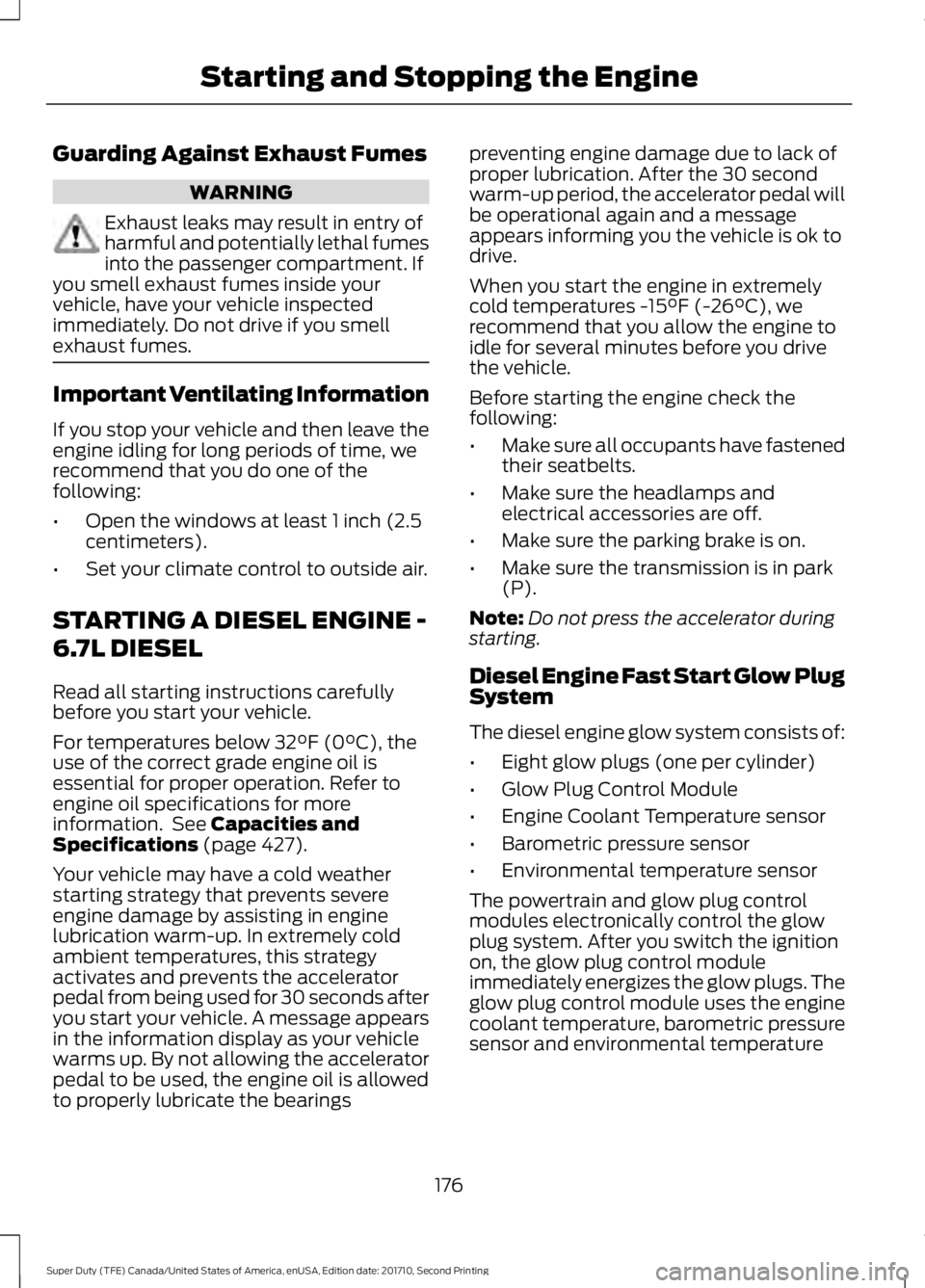
Guarding Against Exhaust Fumes
WARNING
Exhaust leaks may result in entry ofharmful and potentially lethal fumesinto the passenger compartment. Ifyou smell exhaust fumes inside yourvehicle, have your vehicle inspectedimmediately. Do not drive if you smellexhaust fumes.
Important Ventilating Information
If you stop your vehicle and then leave theengine idling for long periods of time, werecommend that you do one of thefollowing:
•Open the windows at least 1 inch (2.5centimeters).
•Set your climate control to outside air.
STARTING A DIESEL ENGINE -
6.7L DIESEL
Read all starting instructions carefullybefore you start your vehicle.
For temperatures below 32°F (0°C), theuse of the correct grade engine oil isessential for proper operation. Refer toengine oil specifications for moreinformation. See Capacities andSpecifications (page 427).
Your vehicle may have a cold weatherstarting strategy that prevents severeengine damage by assisting in enginelubrication warm-up. In extremely coldambient temperatures, this strategyactivates and prevents the acceleratorpedal from being used for 30 seconds afteryou start your vehicle. A message appearsin the information display as your vehiclewarms up. By not allowing the acceleratorpedal to be used, the engine oil is allowedto properly lubricate the bearings
preventing engine damage due to lack ofproper lubrication. After the 30 secondwarm-up period, the accelerator pedal willbe operational again and a messageappears informing you the vehicle is ok todrive.
When you start the engine in extremelycold temperatures -15°F (-26°C), werecommend that you allow the engine toidle for several minutes before you drivethe vehicle.
Before starting the engine check thefollowing:
•Make sure all occupants have fastenedtheir seatbelts.
•Make sure the headlamps andelectrical accessories are off.
•Make sure the parking brake is on.
•Make sure the transmission is in park(P).
Note:Do not press the accelerator duringstarting.
Diesel Engine Fast Start Glow PlugSystem
The diesel engine glow system consists of:
•Eight glow plugs (one per cylinder)
•Glow Plug Control Module
•Engine Coolant Temperature sensor
•Barometric pressure sensor
•Environmental temperature sensor
The powertrain and glow plug controlmodules electronically control the glowplug system. After you switch the ignitionon, the glow plug control moduleimmediately energizes the glow plugs. Theglow plug control module uses the enginecoolant temperature, barometric pressuresensor and environmental temperature
176
Super Duty (TFE) Canada/United States of America, enUSA, Edition date: 201710, Second Printing
Starting and Stopping the Engine
Page 226 of 642
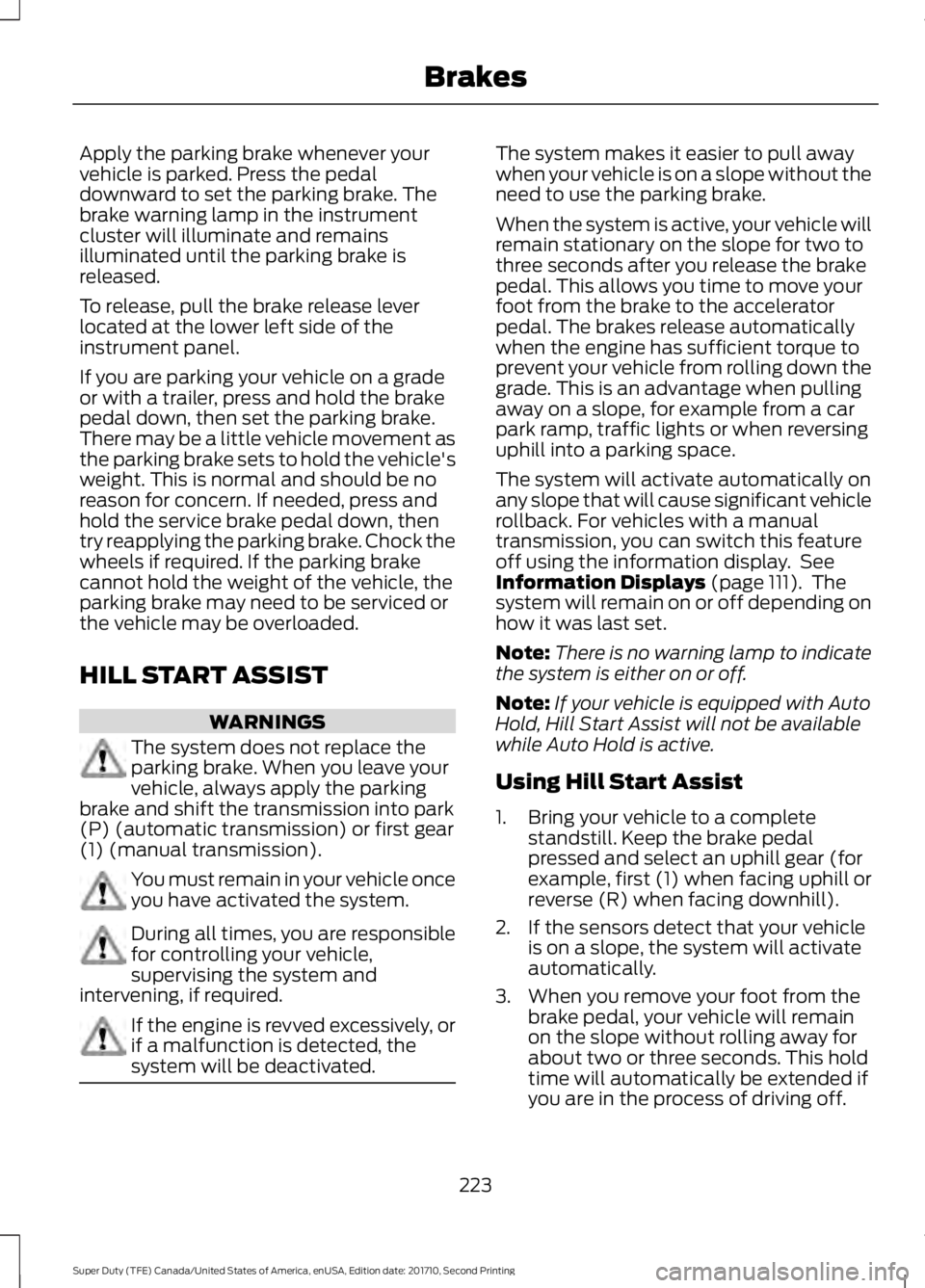
Apply the parking brake whenever yourvehicle is parked. Press the pedaldownward to set the parking brake. Thebrake warning lamp in the instrumentcluster will illuminate and remainsilluminated until the parking brake isreleased.
To release, pull the brake release leverlocated at the lower left side of theinstrument panel.
If you are parking your vehicle on a gradeor with a trailer, press and hold the brakepedal down, then set the parking brake.There may be a little vehicle movement asthe parking brake sets to hold the vehicle'sweight. This is normal and should be noreason for concern. If needed, press andhold the service brake pedal down, thentry reapplying the parking brake. Chock thewheels if required. If the parking brakecannot hold the weight of the vehicle, theparking brake may need to be serviced orthe vehicle may be overloaded.
HILL START ASSIST
WARNINGS
The system does not replace theparking brake. When you leave yourvehicle, always apply the parkingbrake and shift the transmission into park(P) (automatic transmission) or first gear(1) (manual transmission).
You must remain in your vehicle onceyou have activated the system.
During all times, you are responsiblefor controlling your vehicle,supervising the system andintervening, if required.
If the engine is revved excessively, orif a malfunction is detected, thesystem will be deactivated.
The system makes it easier to pull awaywhen your vehicle is on a slope without theneed to use the parking brake.
When the system is active, your vehicle willremain stationary on the slope for two tothree seconds after you release the brakepedal. This allows you time to move yourfoot from the brake to the acceleratorpedal. The brakes release automaticallywhen the engine has sufficient torque toprevent your vehicle from rolling down thegrade. This is an advantage when pullingaway on a slope, for example from a carpark ramp, traffic lights or when reversinguphill into a parking space.
The system will activate automatically onany slope that will cause significant vehiclerollback. For vehicles with a manualtransmission, you can switch this featureoff using the information display. SeeInformation Displays (page 111). Thesystem will remain on or off depending onhow it was last set.
Note:There is no warning lamp to indicatethe system is either on or off.
Note:If your vehicle is equipped with AutoHold, Hill Start Assist will not be availablewhile Auto Hold is active.
Using Hill Start Assist
1. Bring your vehicle to a completestandstill. Keep the brake pedalpressed and select an uphill gear (forexample, first (1) when facing uphill orreverse (R) when facing downhill).
2. If the sensors detect that your vehicleis on a slope, the system will activateautomatically.
3. When you remove your foot from thebrake pedal, your vehicle will remainon the slope without rolling away forabout two or three seconds. This holdtime will automatically be extended ifyou are in the process of driving off.
223
Super Duty (TFE) Canada/United States of America, enUSA, Edition date: 201710, Second Printing
Brakes
Page 229 of 642
PRINCIPLE OF OPERATION
WARNINGS
Vehicle modifications involvingbraking system, aftermarket roofracks, suspension, steering system,tire construction and wheel and tire sizemay change the handling characteristicsof your vehicle and may adversely affectthe performance of the electronic stabilitycontrol system. In addition, installing anystereo loudspeakers may interfere withand adversely affect the electronic stabilitycontrol system. Install any aftermarketstereo loudspeaker as far as possible fromthe front center console, the tunnel, andthe front seats in order to minimize the riskof interfering with the electronic stabilitycontrol sensors. Reducing theeffectiveness of the electronic stabilitycontrol system could lead to an increasedrisk of loss of vehicle control, vehiclerollover, personal injury and death.
Remember that even advancedtechnology cannot defy the laws ofphysics. It’s always possible to losecontrol of a vehicle due to inappropriatedriver input for the conditions. Aggressivedriving on any road condition can causeyou to lose control of your vehicleincreasing the risk of personal injury orproperty damage. Activation of theelectronic stability control system is anindication that at least some of the tireshave exceeded their ability to grip the road;this could reduce the operator’s ability tocontrol the vehicle potentially resulting ina loss of vehicle control, vehicle rollover,personal injury and death. If your electronicstability control system activates, SLOWDOWN.
The system automatically turns on eachtime you switch the ignition on.
If a fault occurs in either the stabilitycontrol or the traction control system, youmay experience the following conditions:
•The stability and traction control lightilluminates steadily.
•The stability control and tractioncontrol systems do not enhance yourvehicle's ability to maintain traction ofthe wheels.
•The Adaptive Steering system (ifequipped) automatically changes thesteering function to a fixed steeringratio. See Steering (page 256).
If a driving condition activates either thestability control or the traction controlsystem you may experience the followingconditions:
•The stability and traction control lightflashes.
•Your vehicle slows down.
•Reduced engine power.
•A vibration in the brake pedal.
•The brake pedal is stiffer than usual.
•If the driving condition is severe andyour foot is not on the brake, the brakepedal may move as the system applieshigher brake force.
The stability control system has severalfeatures built into it to help you maintaincontrol of your vehicle:
Electronic Stability Control
The system enhances your vehicle’s abilityto prevent skids or lateral slides byapplying brakes to one or more of thewheels individually and, if necessary,reducing engine power.
226
Super Duty (TFE) Canada/United States of America, enUSA, Edition date: 201710, Second Printing
Stability Control
Page 234 of 642
PRINCIPLE OF OPERATION
WARNINGS
To help avoid personal injury, pleaseread and understand the limitationsof the system as contained in thissection. Sensing is only an aid for some(generally large and fixed) objects whenmoving on a flat surface at parking speeds.Certain objects with surfaces that absorbultrasonic waves, surrounding vehicle'sparking aid systems, traffic controlsystems, fluorescent lamps, inclementweather, air brakes, and external motorsand fans may also affect the function ofthe sensing system. This may includereduced performance or a false activation.
To help avoid personal injury, alwaysuse caution when in reverse (R) andwhen using the sensing system.
This system is not designed toprevent contact with small or movingobjects. The system is designed toprovide a warning to assist the driver indetecting large stationary objects to avoiddamaging your vehicle. The system maynot detect smaller objects, particularlythose close to the ground.
Certain add-on devices such as largetrailer hitches, bike or surfboard racksand any device that may block thenormal detection zone of the system, maycreate false beeps.
Note:Keep the sensors, located on thebumper or fascia, free from snow, ice andlarge accumulations of dirt. If the sensorsare covered, the system’s accuracy can beaffected. Do not clean the sensors withsharp objects.
Note:If your vehicle sustains damage tothe bumper or fascia, leaving it misalignedor bent, the sensing zone may be alteredcausing inaccurate measurement ofobstacles or false alarms.
Note:The sensing system cannot be turnedoff when a MyKey is present. See Principleof Operation (page 61).
Note:If your vehicle is equipped with atrailer tow package and a trailer isconnected to your vehicle, the rear sensingsystem disables and you cannot switch thesystem on through the information display.
The sensing system warns the driver ofobstacles within a certain range of yourvehicle. The system turns on automaticallywhenever you switch the ignition on.
When receiving a detection warning, theradio volume reduces to a predeterminedlevel. After the warning goes away, theradio volume returns to the previous level.
You can turn the system on oroff by pressing the parking aidbutton. If your vehicle does nothave a parking aid button, the system canbe switched off through the informationdisplay menu or from the pop-up messagethat appears once you shift thetransmission into reverse (R). See GeneralInformation (page 111).
If a fault is present in the system, a warningmessage appears in the informationdisplay and you cannot switch the systemon through the pop-up message. SeeInformation Messages (page 128).
REAR PARKING AID
The rear sensors are only active when thetransmission is in reverse (R). As yourvehicle moves closer to the obstacle, therate of the audible warning increases.When the obstacle is less than 12 in(30 cm) away, the warning soundscontinuously. If the system detects a
231
Super Duty (TFE) Canada/United States of America, enUSA, Edition date: 201710, Second Printing
Parking AidsE139213
Page 244 of 642
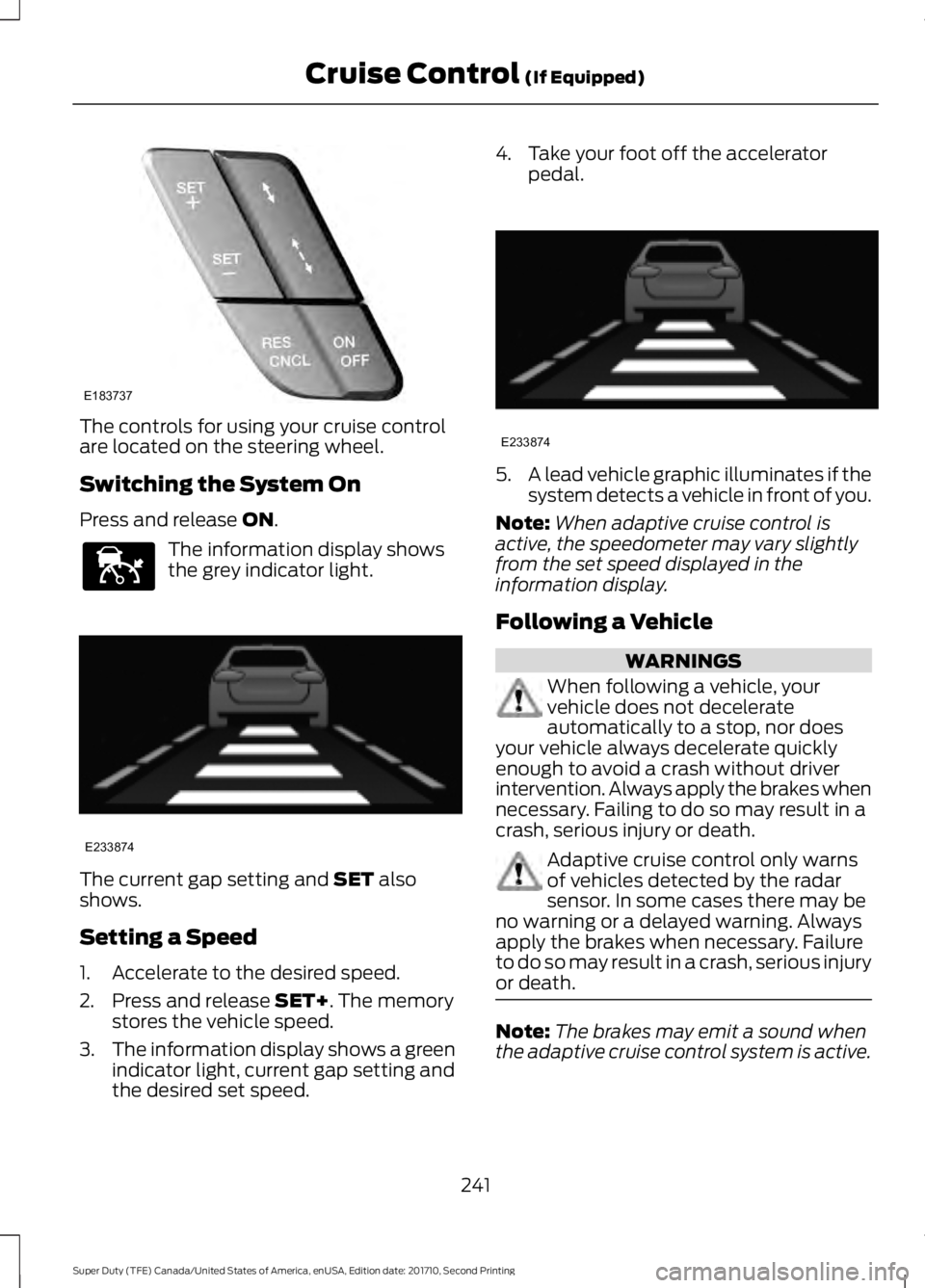
The controls for using your cruise controlare located on the steering wheel.
Switching the System On
Press and release ON.
The information display showsthe grey indicator light.
The current gap setting and SET alsoshows.
Setting a Speed
1. Accelerate to the desired speed.
2. Press and release SET+. The memorystores the vehicle speed.
3.The information display shows a greenindicator light, current gap setting andthe desired set speed.
4. Take your foot off the acceleratorpedal.
5.A lead vehicle graphic illuminates if thesystem detects a vehicle in front of you.
Note:When adaptive cruise control isactive, the speedometer may vary slightlyfrom the set speed displayed in theinformation display.
Following a Vehicle
WARNINGS
When following a vehicle, yourvehicle does not decelerateautomatically to a stop, nor doesyour vehicle always decelerate quicklyenough to avoid a crash without driverintervention. Always apply the brakes whennecessary. Failing to do so may result in acrash, serious injury or death.
Adaptive cruise control only warnsof vehicles detected by the radarsensor. In some cases there may beno warning or a delayed warning. Alwaysapply the brakes when necessary. Failureto do so may result in a crash, serious injuryor death.
Note:The brakes may emit a sound whenthe adaptive cruise control system is active.
241
Super Duty (TFE) Canada/United States of America, enUSA, Edition date: 201710, Second Printing
Cruise Control (If Equipped)E183737 E144529 E233874 E233874
Page 247 of 642
Low Speed AutomaticCancellation
The system does not function at vehiclespeeds below 12.4 mph (20 km/h). Anaudible alarm sounds and the automaticbraking releases if the vehicle drops belowthis speed.
Hilly Condition and Trailer TowUsage
Note:An audible alarm sounds and thesystem shuts down if it applies brakes foran extended period of time. This allows thebrakes to cool. The system functionsnormally again when the brakes havecooled.
Note:When towing with adaptive cruisecontrol, turn on Tow/Haul Mode and DieselEngine Brake.
Select a lower gear when the system isactive in situations such as prolongeddownhill driving on steep grades, forexample in mountainous areas. Thesystem needs additional engine braking inthese situations to reduce the load on thevehicle’s regular brake system to preventit from overheating.
Switching the System Off
Note:The set speed memory erases whenyou switch off the system.
Press and release OFF or switch off theignition.
Detection Issues
WARNING
On rare occasions, detection issuescan occur due to the roadinfrastructures, for example bridges,tunnels and safety barriers. In these cases,the system may brake late orunexpectedly. At all times, you areresponsible for controlling your vehicle,supervising the system and intervening, ifrequired.
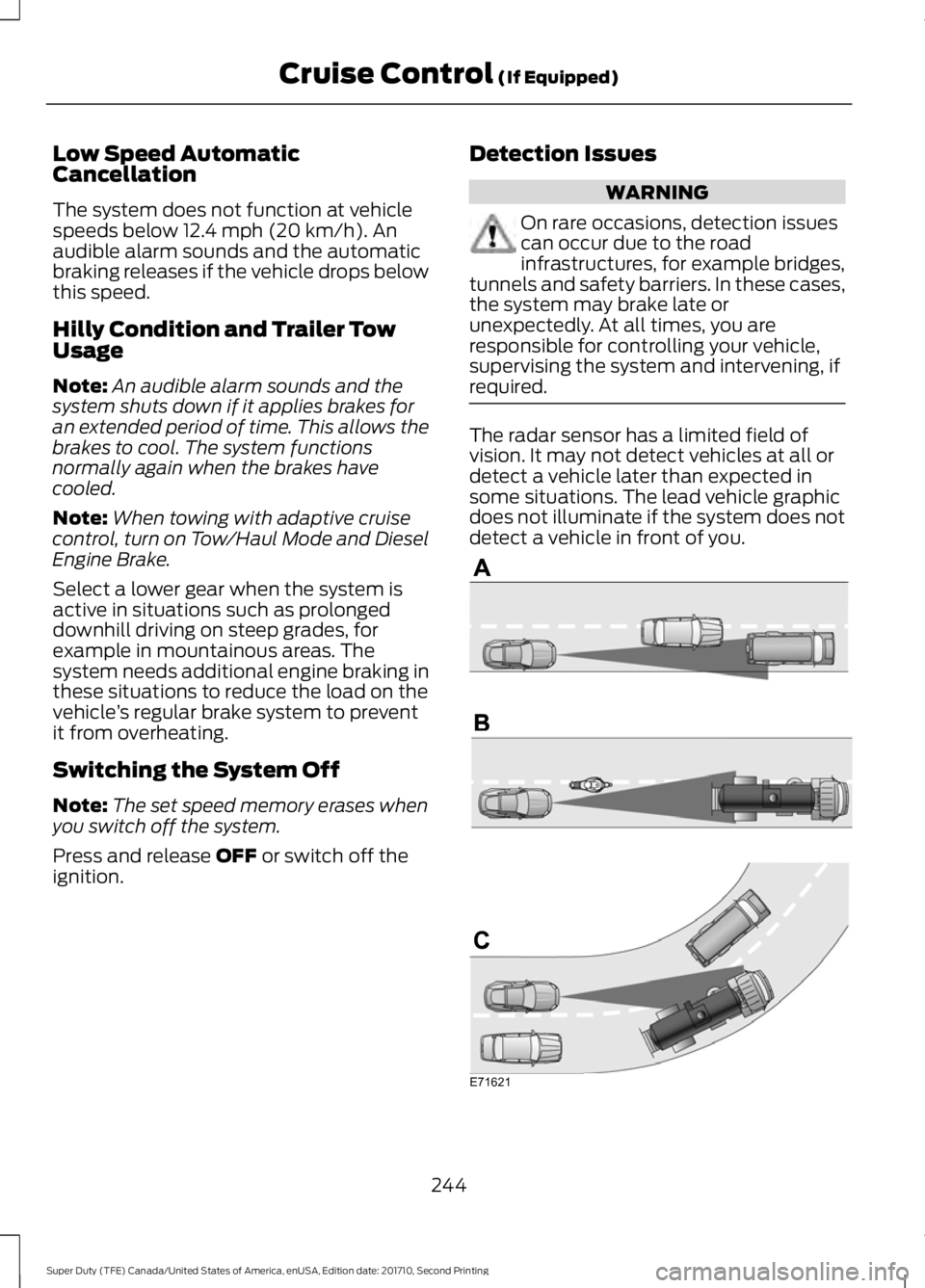
The radar sensor has a limited field ofvision. It may not detect vehicles at all ordetect a vehicle later than expected insome situations. The lead vehicle graphicdoes not illuminate if the system does notdetect a vehicle in front of you.
244
Super Duty (TFE) Canada/United States of America, enUSA, Edition date: 201710, Second Printing
Cruise Control (If Equipped)E71621
Page 248 of 642
Detection issues can occur:
When driving on a different linethan the vehicle in front.A
With vehicles that edge into yourlane. The system can only detectthese vehicles once they movefully into your lane.
B
There may be issues with thedetection of vehicles in frontwhen driving into and coming outof a bend or curve in the road.
C
In these cases the system may brake lateor unexpectedly. Stay alert and take actionwhen necessary.
If something hits the front end of yourvehicle or damage occurs, theradar-sensing zone may change. This couldcause missed or false vehicle detections.Contact an authorized dealer to have themcheck for proper coverage and operation.
System Not Available
Conditions that can cause the system todeactivate or prevent the system fromactivating when requested include:
•A blocked sensor.
•High brake temperature.
•A failure in the system or a relatedsystem.
Note:If you disable electronic stabilitycontrol, adaptive cruise control is notavailable. See Using Stability Control(page 227).
Blocked Sensor
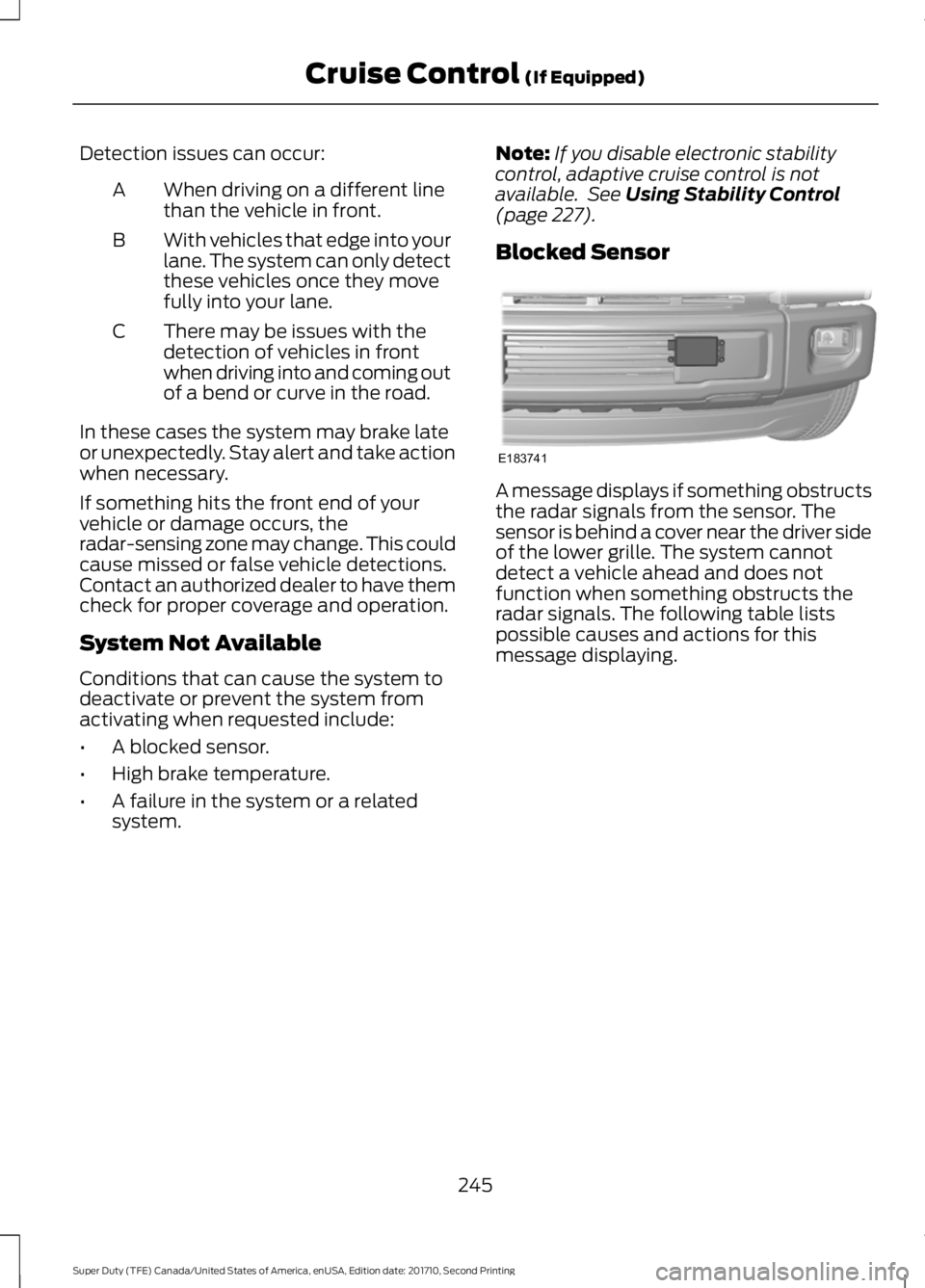
A message displays if something obstructsthe radar signals from the sensor. Thesensor is behind a cover near the driver sideof the lower grille. The system cannotdetect a vehicle ahead and does notfunction when something obstructs theradar signals. The following table listspossible causes and actions for thismessage displaying.
245
Super Duty (TFE) Canada/United States of America, enUSA, Edition date: 201710, Second Printing
Cruise Control (If Equipped)E183741
Page 261 of 642
COLLISION WARNING SYSTEM
(If Equipped)
Principle Of Operation (If Equipped)
WARNINGS
This system is an extra driving aid. Itdoes not replace your attention andjudgment, or the need to apply thebrakes. This system does NOTautomatically brake your vehicle. If you failto press the brake pedal when necessary,you may collide with another vehicle.
The collision warning system withbrake support cannot help preventall collisions. Do not rely on thissystem to replace your judgment and theneed to maintain correct distance andspeed.
Note:The system does not detect, warn orrespond to potential collisions with vehiclesto the rear or sides of your vehicle.
Note:The collision warning system is activeat speeds above approximately 5 mph(8 km/h).
Note:The collision warning system will beunavailable if you disable the electronicstability control. See Using StabilityControl (page 227).
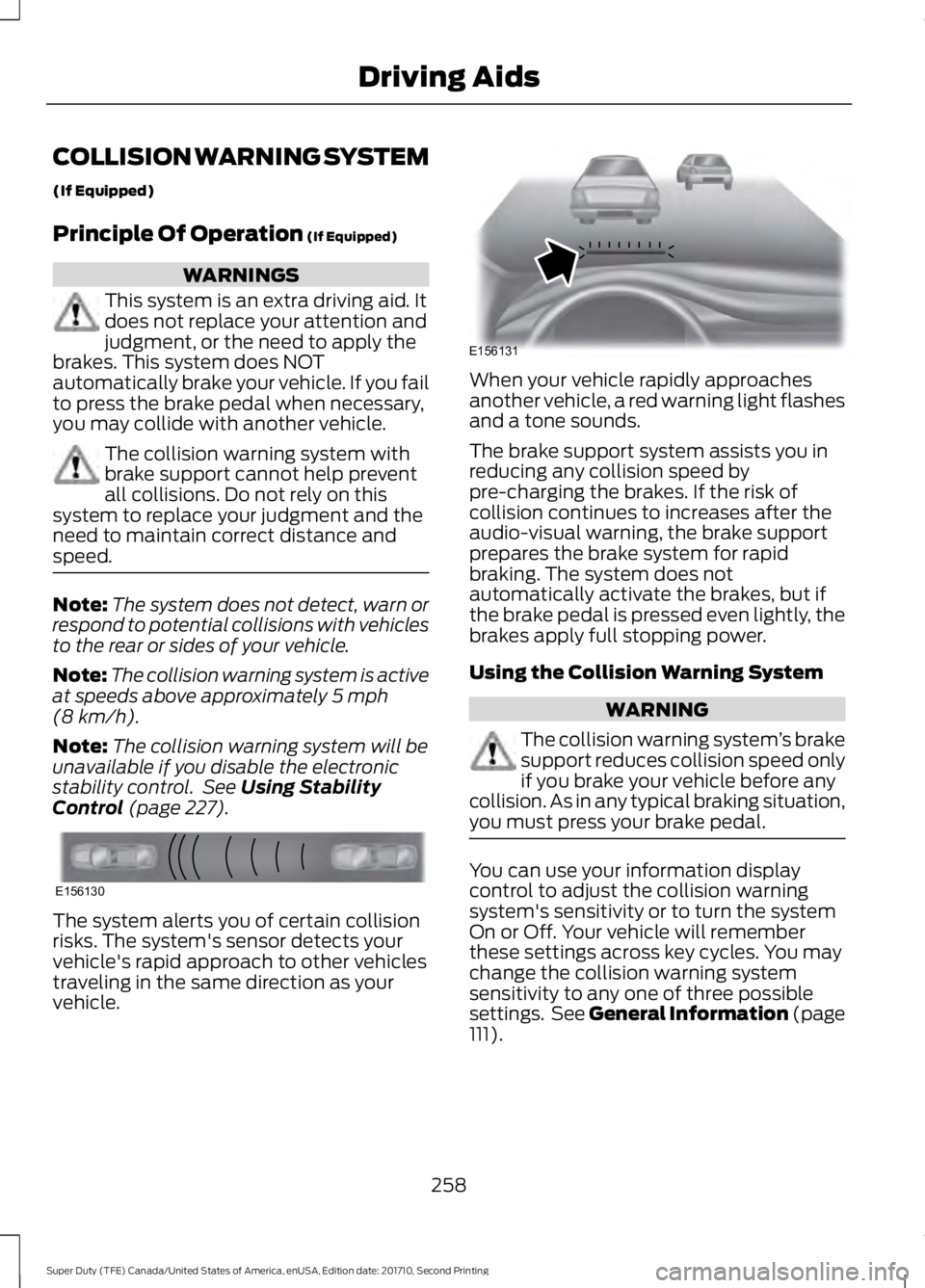
The system alerts you of certain collisionrisks. The system's sensor detects yourvehicle's rapid approach to other vehiclestraveling in the same direction as yourvehicle.
When your vehicle rapidly approachesanother vehicle, a red warning light flashesand a tone sounds.
The brake support system assists you inreducing any collision speed bypre-charging the brakes. If the risk ofcollision continues to increases after theaudio-visual warning, the brake supportprepares the brake system for rapidbraking. The system does notautomatically activate the brakes, but ifthe brake pedal is pressed even lightly, thebrakes apply full stopping power.
Using the Collision Warning System
WARNING
The collision warning system’s brakesupport reduces collision speed onlyif you brake your vehicle before anycollision. As in any typical braking situation,you must press your brake pedal.
You can use your information displaycontrol to adjust the collision warningsystem's sensitivity or to turn the systemOn or Off. Your vehicle will rememberthese settings across key cycles. You maychange the collision warning systemsensitivity to any one of three possiblesettings. See General Information (page111).
258
Super Duty (TFE) Canada/United States of America, enUSA, Edition date: 201710, Second Printing
Driving AidsE156130 E156131