differential FORD F450 SUPER DUTY 2017 Owners Manual
[x] Cancel search | Manufacturer: FORD, Model Year: 2017, Model line: F450 SUPER DUTY, Model: FORD F450 SUPER DUTY 2017Pages: 642, PDF Size: 12.35 MB
Page 6 of 642
Starting and Stopping theEngine
General Information.....................................173
Ignition Switch................................................173
Keyless Starting.............................................174
Starting a Gasoline Engine - 6.2L/6.8L................................................................174
Starting a Diesel Engine - 6.7LDiesel.............................................................176
Diesel Particulate Filter..............................180
Switching Off the Engine - 6.7LDiesel............................................................180
Engine Idle Shutdown..................................181
Engine Block Heater.....................................181
Fuel and Refueling
Safety Precautions......................................183
Fuel Quality - E85........................................184
Fuel Quality - Diesel....................................185
Fuel Quality - Gasoline...............................187
Running Out of Fuel....................................188
Selective Catalytic Reduction System -Diesel............................................................188
Refueling - Gasoline....................................192
Refueling - Diesel.........................................193
Fuel Consumption.......................................195
Emission Control System - Gasoline.....196
Emission Control System - Diesel.........199
Transmission
Automatic Transmission..........................205
Power Take-Off...........................................209
Four-Wheel Drive
Using Four-Wheel Drive.............................210
Rear Axle
Limited Slip Differential.............................219
Electronic Locking Differential................219
Brakes
General Information.....................................221
Hints on Driving With Anti-LockBrakes...........................................................222
Parking Brake.................................................222
Hill Start Assist.............................................223
Traction Control
Principle of Operation................................225
Using Traction Control...............................225
Stability Control
Principle of Operation................................226
Using Stability Control...............................227
Terrain Control
Principle of Operation................................229
Using Hill Descent Control.......................229
Parking Aids
Principle of Operation.................................231
Rear Parking Aid............................................231
Rear View Camera.......................................232
360 Degree Camera...................................235
Cruise Control
Principle of Operation................................239
Using Cruise Control...................................239
Using Adaptive Cruise Control...............240
Driving Aids
Lane Keeping System.................................247
Blind Spot Information System.............249
Cross Traffic Alert........................................254
Steering...........................................................256
Collision Warning System........................258
Load Carrying
Load Limit........................................................261
3
Super Duty (TFE) Canada/United States of America, enUSA, Edition date: 201710, Second Printing
Table of Contents
Page 110 of 642
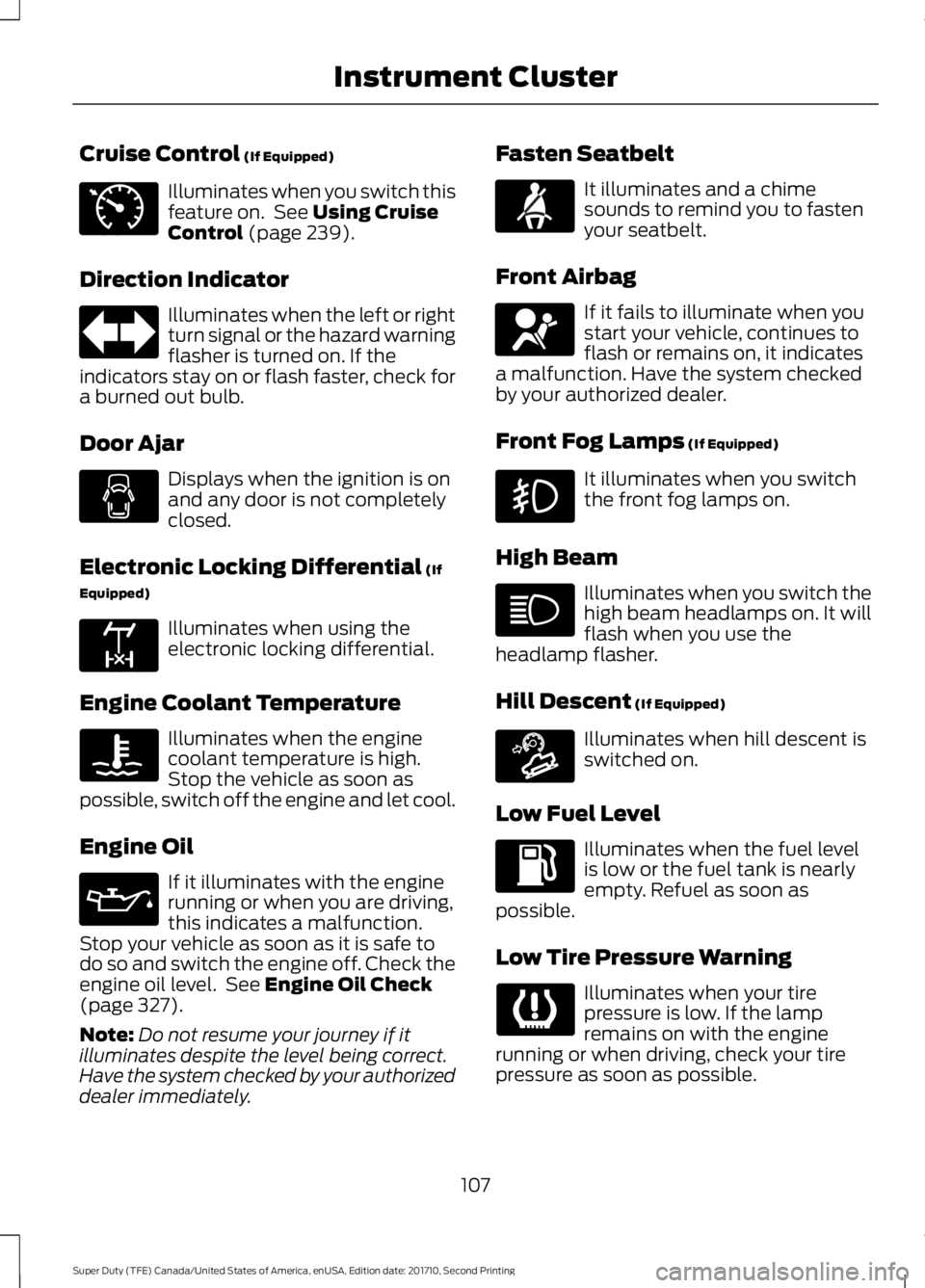
Cruise Control (If Equipped)
Illuminates when you switch thisfeature on. See Using CruiseControl (page 239).
Direction Indicator
Illuminates when the left or rightturn signal or the hazard warningflasher is turned on. If theindicators stay on or flash faster, check fora burned out bulb.
Door Ajar
Displays when the ignition is onand any door is not completelyclosed.
Electronic Locking Differential (If
Equipped)
Illuminates when using theelectronic locking differential.
Engine Coolant Temperature
Illuminates when the enginecoolant temperature is high.Stop the vehicle as soon aspossible, switch off the engine and let cool.
Engine Oil
If it illuminates with the enginerunning or when you are driving,this indicates a malfunction.Stop your vehicle as soon as it is safe todo so and switch the engine off. Check theengine oil level. See Engine Oil Check(page 327).
Note:Do not resume your journey if itilluminates despite the level being correct.Have the system checked by your authorizeddealer immediately.
Fasten Seatbelt
It illuminates and a chimesounds to remind you to fastenyour seatbelt.
Front Airbag
If it fails to illuminate when youstart your vehicle, continues toflash or remains on, it indicatesa malfunction. Have the system checkedby your authorized dealer.
Front Fog Lamps (If Equipped)
It illuminates when you switchthe front fog lamps on.
High Beam
Illuminates when you switch thehigh beam headlamps on. It willflash when you use theheadlamp flasher.
Hill Descent (If Equipped)
Illuminates when hill descent isswitched on.
Low Fuel Level
Illuminates when the fuel levelis low or the fuel tank is nearlyempty. Refuel as soon aspossible.
Low Tire Pressure Warning
Illuminates when your tirepressure is low. If the lampremains on with the enginerunning or when driving, check your tirepressure as soon as possible.
107
Super Duty (TFE) Canada/United States of America, enUSA, Edition date: 201710, Second Printing
Instrument ClusterE71340 E163170 E71880 E67017 E163171
Page 139 of 642
Driver Alert
ActionMessage
Stop and rest as soon as it is safe to do so.Driver Alert Warning RestNow
Take a rest soon.Driver Alert Warning RestSuggested
Drivetrain
ActionMessage
The electronic locking differential requests a certain speedrequirement to engage.To Engage LockingDifferential Slow to XXmph/km/h
The electronic locking differential requests the acceleratorto be released in order to engage.To Engage LockingDifferential ReleaseAccelerator Pedal
An electronic locking differential (ELD) system fault ispresent. Contact an authorized dealer as soon as possible.Check Locking Differen-tial
The transfer case is in the neutral position. This messageindicates that your vehicle is safe to be towed with all fourwheels on the ground.
Neutral Tow EnabledLeave Transmission inNeutral
The transfer case is NOT in the neutral position. This messageindicates that your vehicle is NOT safe to be towed with allfour wheels on the ground.
Neutral Tow Disabled
Engine
ActionMessage
The engine has reduced power to help reduce highengine temperature.Power Reduced to Lower EngineTemp
136
Super Duty (TFE) Canada/United States of America, enUSA, Edition date: 201710, Second Printing
Information Displays
Page 213 of 642
USING FOUR-WHEEL DRIVE
Note:For important information regardingthe safe operation of this type of vehicle,see General Information in the Wheels andTires chapter.
Note:Do not use 4H or 4L mode on dry,hard surfaced roads. Doing so can produceexcessive noise, increase tire wear and maydamage drive components. 4X4 mode isonly intended for consistently slippery orloose surfaces. Use of 4L mode on thesesurfaces may produce some noise (such asoccasional clunks), but will not damagedrive components.
Note:If 4X4 low is selected while thevehicle is moving above 3 mph (5 km/h),the 4WD system will not perform a shift.This is normal and should be no reason forconcern. Refer to Shifting to or from 4L (4X4Low) for proper operation.
Note:You can switch on and switch off theelectronic locking differential by pulling the4WD control (4WD vehicles) or turning theelectronic locking differential control (2WDvehicles). See Electronic LockingDifferential (page 219).
Manual Shift On Stop (MSOS)4WD system (If Equipped)
Note:The vehicle should not be driven in4X4 High or 4X4 Low modes with the hublocks set to FREE as this condition maydamage driveline system components.
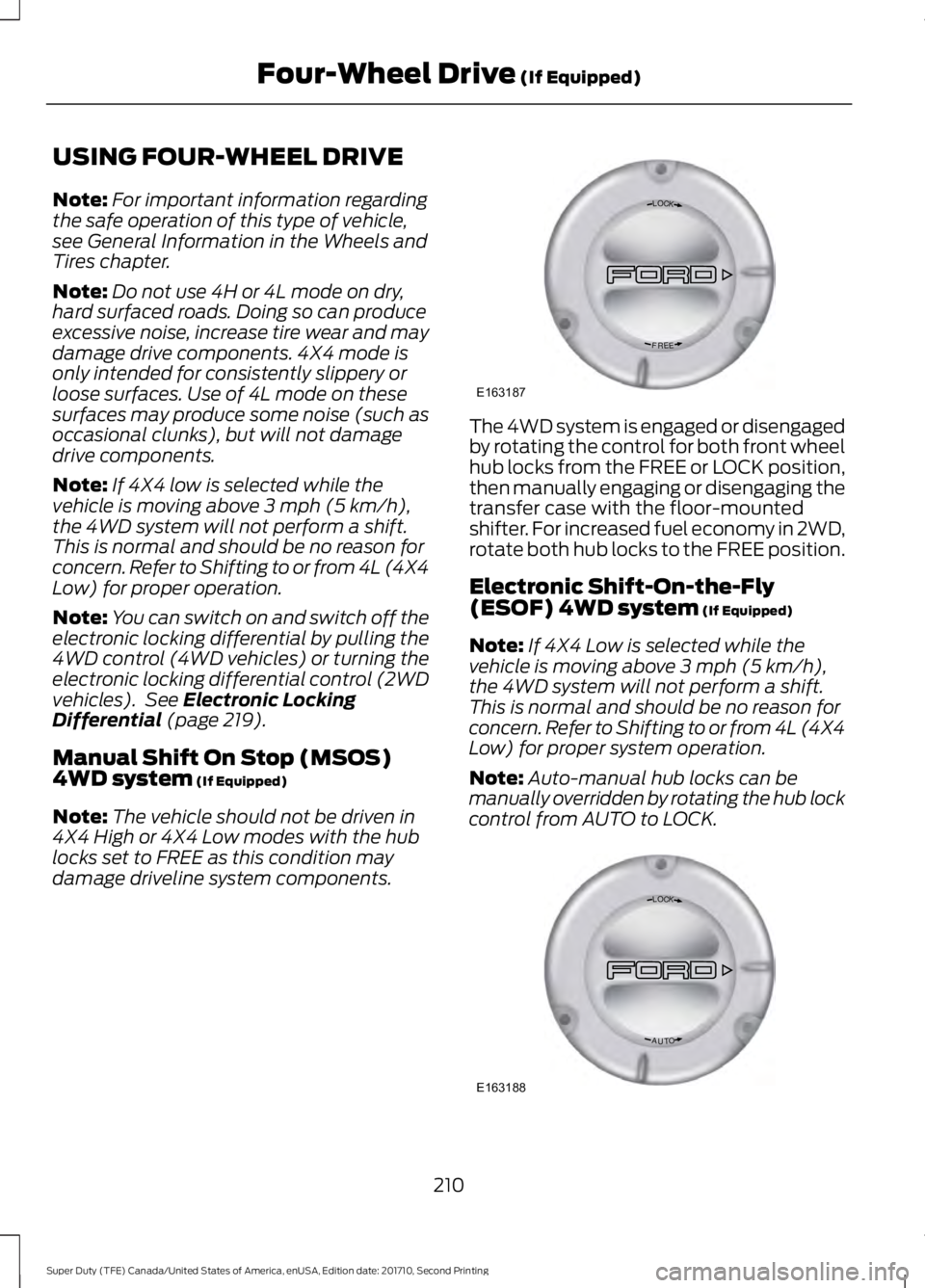
The 4WD system is engaged or disengagedby rotating the control for both front wheelhub locks from the FREE or LOCK position,then manually engaging or disengaging thetransfer case with the floor-mountedshifter. For increased fuel economy in 2WD,rotate both hub locks to the FREE position.
Electronic Shift-On-the-Fly(ESOF) 4WD system (If Equipped)
Note:If 4X4 Low is selected while thevehicle is moving above 3 mph (5 km/h),the 4WD system will not perform a shift.This is normal and should be no reason forconcern. Refer to Shifting to or from 4L (4X4Low) for proper system operation.
Note:Auto-manual hub locks can bemanually overridden by rotating the hub lockcontrol from AUTO to LOCK.
210
Super Duty (TFE) Canada/United States of America, enUSA, Edition date: 201710, Second Printing
Four-Wheel Drive (If Equipped)LOC K
EERF
E163187 LOC K
OTUA
E163188
Page 222 of 642
LIMITED SLIP DIFFERENTIAL
This axle provides added traction onslippery surfaces, particularly when onewheel is on a poor traction surface. Undernormal conditions, the limited-slip axlefunctions like a standard rear axle. The axlemay exhibit a slight noise or vibrationduring tight turns with low vehicle speed.This is normal behavior and indicates theaxle is working.
ELECTRONIC LOCKING
DIFFERENTIAL (If Equipped)
Note:The electronic locking differential isfor off-road use only and is not for use ondry pavement. Using the electronic lockingdifferential on dry pavement will result inincreased tire wear, noise and vibration.
The electronic locking differential is adevice housed in the rear axle that allowsboth rear wheels to turn at the samespeed. The electronic locking differentialcan provide additional traction should yourvehicle become stuck. You can activatethe differential electronically and shift iton the fly within the differential operatingspeed range. The differential is for use inmud, rocks, sand, or any off-road conditionwhere you need maximum traction. It isnot for use on dry pavement.
The following conditions will affect theelectronic locking differential:
•The electronic locking differential willnot engage if your vehicle speed isabove 20 mph (32 km/h) in 4x2, 4x4Auto, or 4x4 High modes.
•The electronic locking differential willnot engage if your vehicle speed isabove or 56 mph (90 km/h) in 4X4Low.
•The electronic locking differential maynot engage if you press youraccelerator pedal during anengagement attempt. A message maydisplay in the instrument displayguiding you to release the acceleratorpedal.
•In 4x2, 4x4 Auto, and 4x4 High modes,the electronic locking differential willautomatically disengage at speedsabove 25 mph (41 km/h) and willautomatically reengage at speedsbelow 20 mph (32 km/h).
•In 4L (4X4 low), the electronic lockingdifferential will automaticallydisengage at speeds above 62 mph(100 km/h) and will automaticallyreengage at speeds below 56 mph(90 km/h).
•The AdvanceTrac system has theability to take over control of theelectronic locking differential anddisable it during driving maneuverswhen necessary.
When you switch the system on, if you donot meet the required conditions forelectronic locking differential activation,the instrument cluster will display theappropriate information guiding youthrough the proper activation process.
Activating the Electronic LockingDifferential
Note:Do not use electronic lockingdifferential on dry, hard surfaced roads.Doing so will produce excessive noise,vibration and increase tire wear.
Note:If the electronic locking differentialhas difficulty disengaging, release theaccelerator pedal and turn the steeringwheel in the opposite direction while rolling.
219
Super Duty (TFE) Canada/United States of America, enUSA, Edition date: 201710, Second Printing
Rear Axle
Page 223 of 642
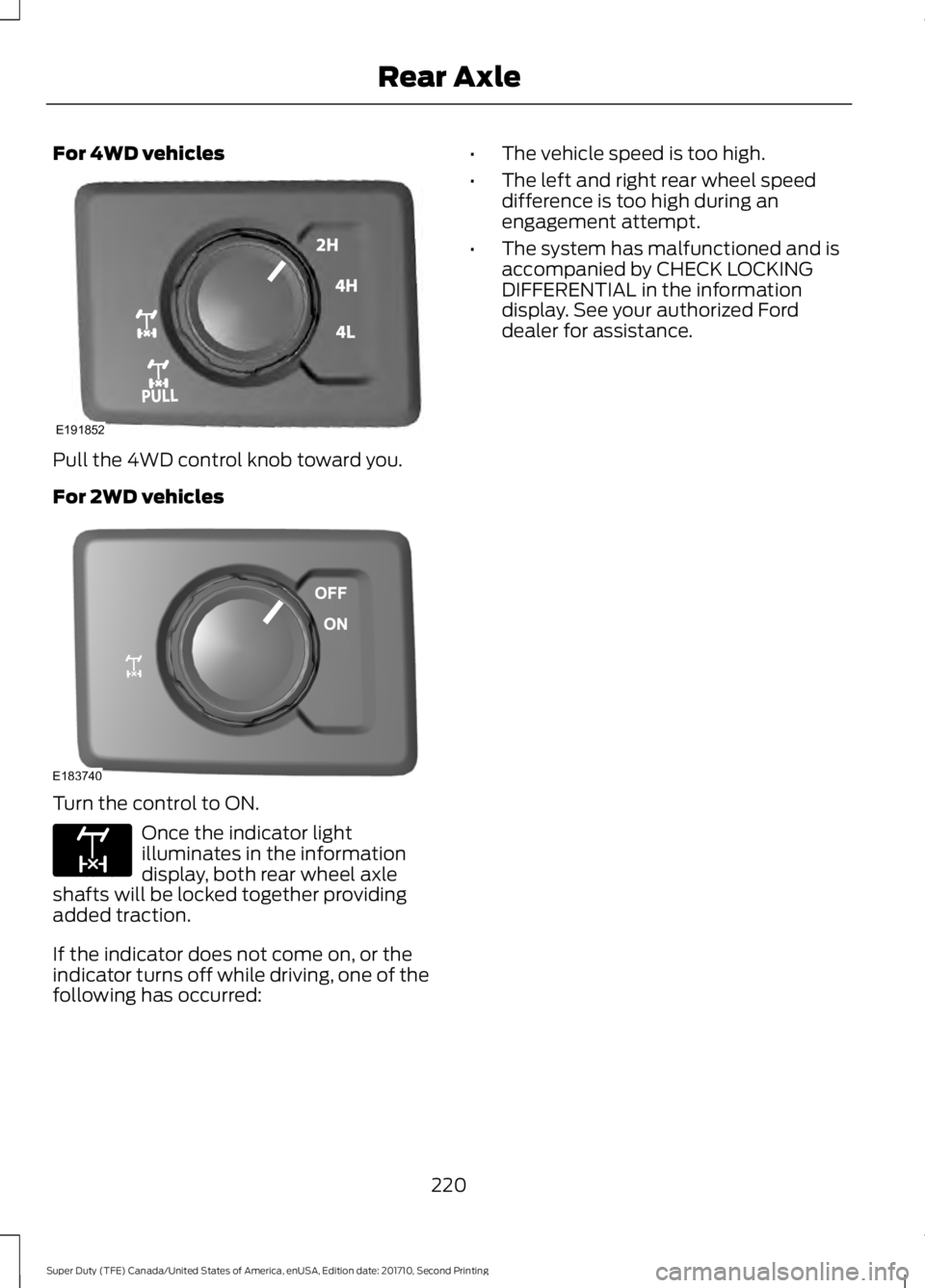
For 4WD vehicles
Pull the 4WD control knob toward you.
For 2WD vehicles
Turn the control to ON.
Once the indicator lightilluminates in the informationdisplay, both rear wheel axleshafts will be locked together providingadded traction.
If the indicator does not come on, or theindicator turns off while driving, one of thefollowing has occurred:
•The vehicle speed is too high.
•The left and right rear wheel speeddifference is too high during anengagement attempt.
•The system has malfunctioned and isaccompanied by CHECK LOCKINGDIFFERENTIAL in the informationdisplay. See your authorized Forddealer for assistance.
220
Super Duty (TFE) Canada/United States of America, enUSA, Edition date: 201710, Second Printing
Rear AxleE191852 E183740 E163170
Page 409 of 642
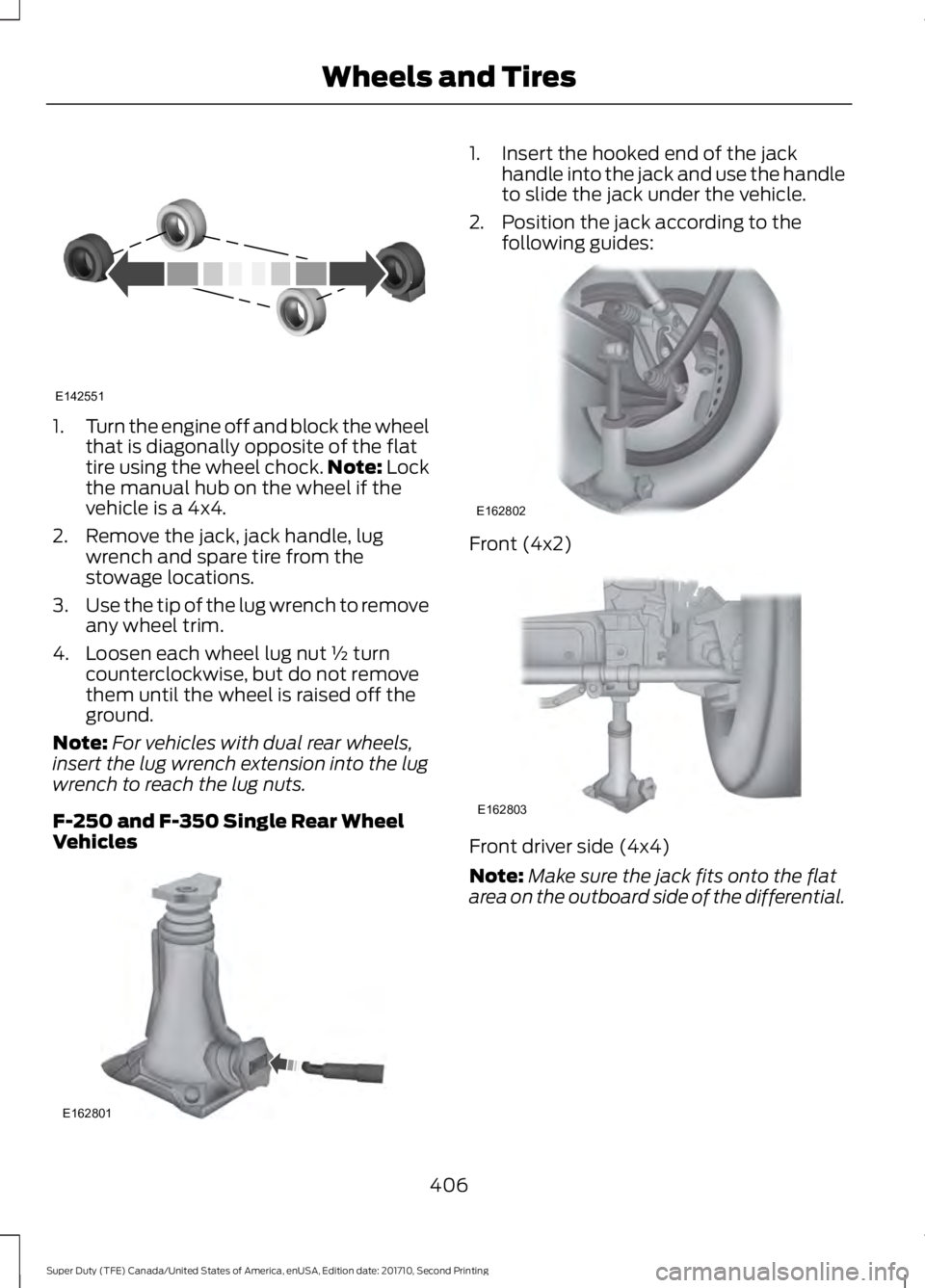
1.Turn the engine off and block the wheelthat is diagonally opposite of the flattire using the wheel chock.Note: Lockthe manual hub on the wheel if thevehicle is a 4x4.
2. Remove the jack, jack handle, lugwrench and spare tire from thestowage locations.
3.Use the tip of the lug wrench to removeany wheel trim.
4. Loosen each wheel lug nut ½ turncounterclockwise, but do not removethem until the wheel is raised off theground.
Note:For vehicles with dual rear wheels,insert the lug wrench extension into the lugwrench to reach the lug nuts.
F-250 and F-350 Single Rear WheelVehicles
1. Insert the hooked end of the jackhandle into the jack and use the handleto slide the jack under the vehicle.
2. Position the jack according to thefollowing guides:
Front (4x2)
Front driver side (4x4)
Note:Make sure the jack fits onto the flatarea on the outboard side of the differential.
406
Super Duty (TFE) Canada/United States of America, enUSA, Edition date: 201710, Second Printing
Wheels and TiresE142551 E162801 E162802 E162803
Page 412 of 642
1. Slide the notched end of the jackhandle over the release valve and usethe handle to slide the jack under thevehicle. Make sure the valve is closedby turning it clockwise.
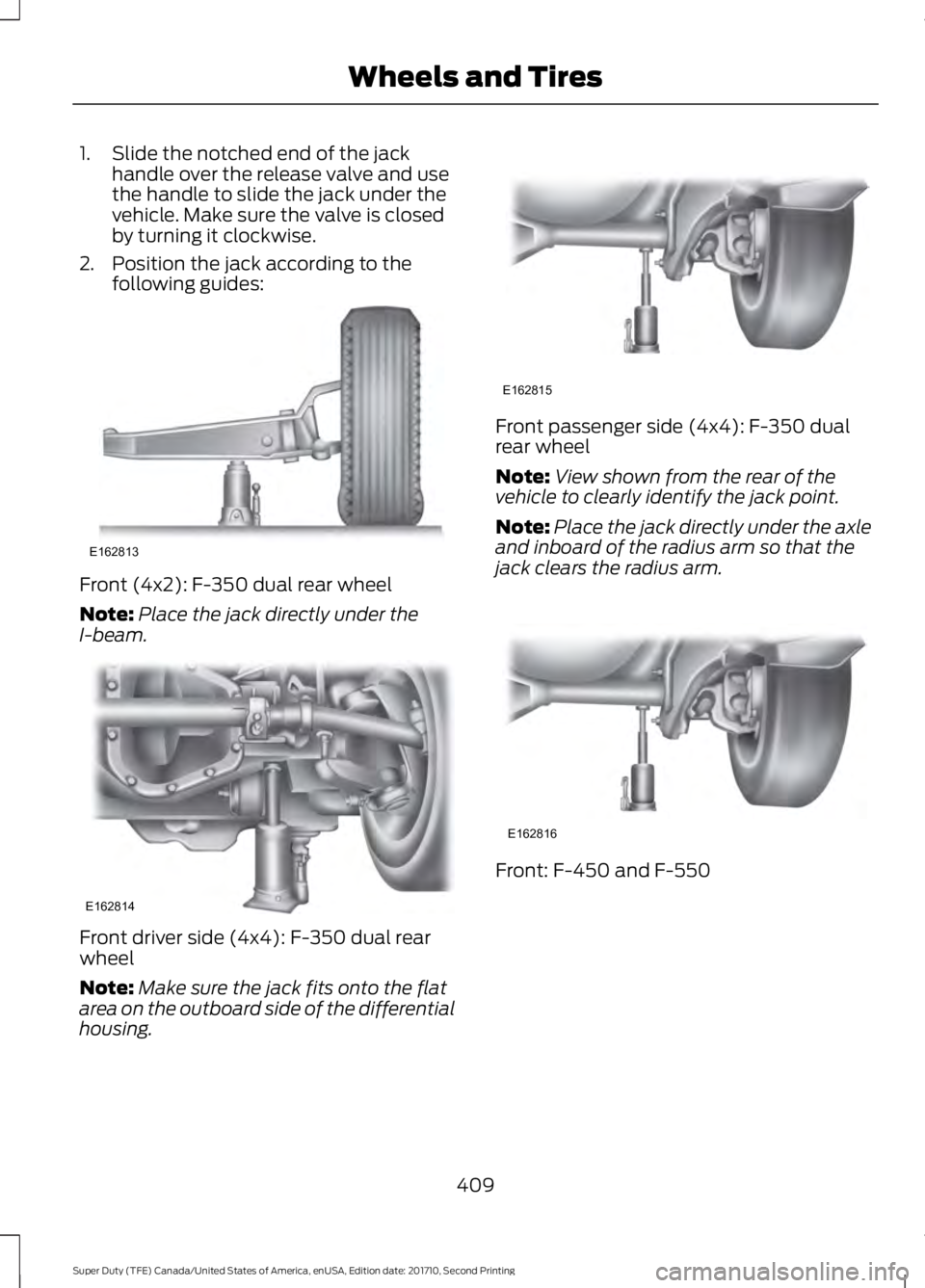
2. Position the jack according to thefollowing guides:
Front (4x2): F-350 dual rear wheel
Note:Place the jack directly under theI-beam.
Front driver side (4x4): F-350 dual rearwheel
Note:Make sure the jack fits onto the flatarea on the outboard side of the differentialhousing.
Front passenger side (4x4): F-350 dualrear wheel
Note:View shown from the rear of thevehicle to clearly identify the jack point.
Note:Place the jack directly under the axleand inboard of the radius arm so that thejack clears the radius arm.
Front: F-450 and F-550
409
Super Duty (TFE) Canada/United States of America, enUSA, Edition date: 201710, Second Printing
Wheels and TiresE162813 E162814 E162815 E162816
Page 633 of 642
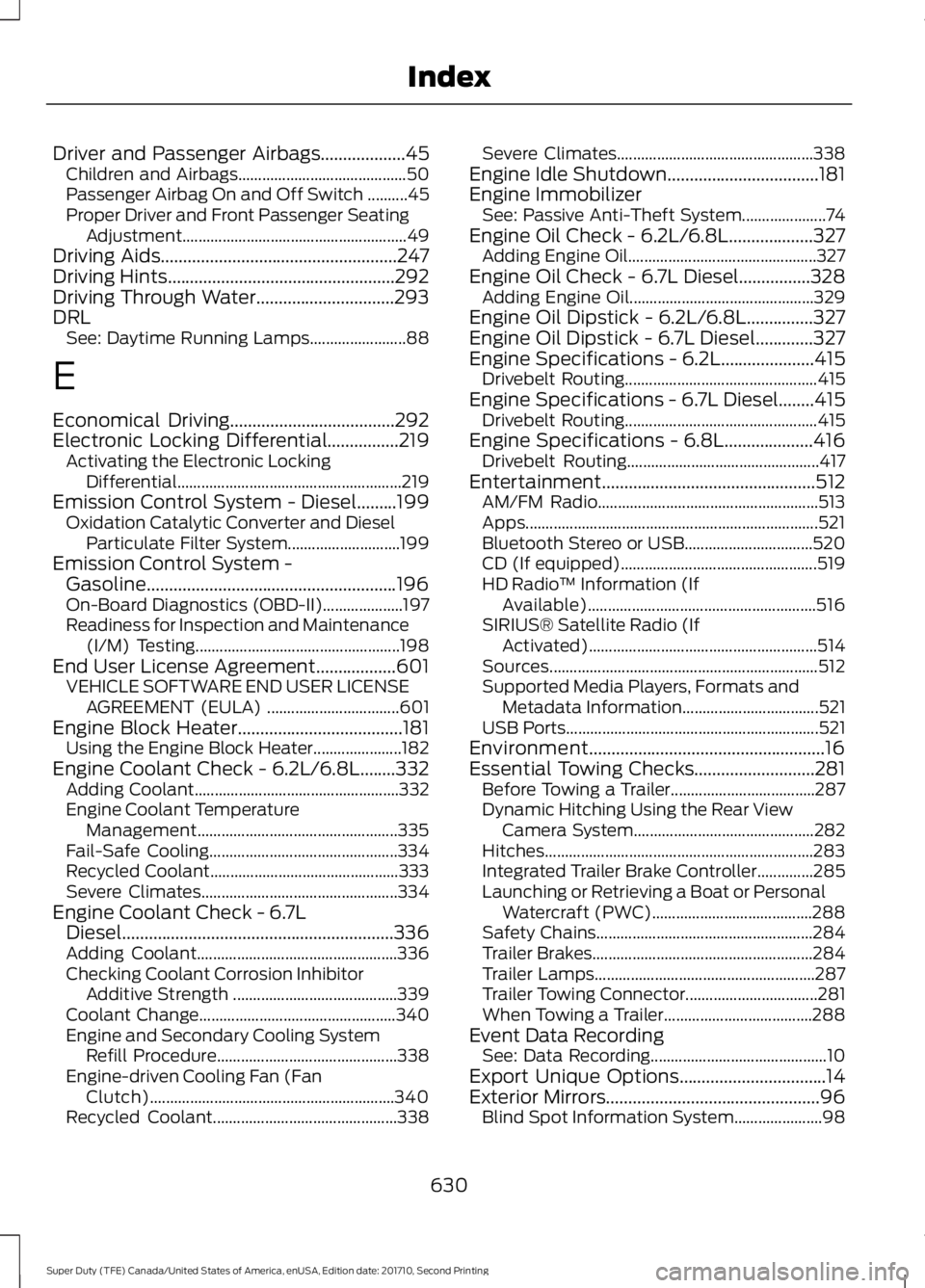
Driver and Passenger Airbags...................45Children and Airbags..........................................50Passenger Airbag On and Off Switch ..........45Proper Driver and Front Passenger SeatingAdjustment........................................................49Driving Aids.....................................................247Driving Hints...................................................292Driving Through Water...............................293DRLSee: Daytime Running Lamps........................88
E
Economical Driving.....................................292Electronic Locking Differential................219Activating the Electronic LockingDifferential........................................................219Emission Control System - Diesel.........199Oxidation Catalytic Converter and DieselParticulate Filter System............................199Emission Control System -Gasoline........................................................196On-Board Diagnostics (OBD-II)....................197Readiness for Inspection and Maintenance(I/M) Testing...................................................198End User License Agreement..................601VEHICLE SOFTWARE END USER LICENSEAGREEMENT (EULA) .................................601Engine Block Heater.....................................181Using the Engine Block Heater......................182Engine Coolant Check - 6.2L/6.8L........332Adding Coolant...................................................332Engine Coolant TemperatureManagement..................................................335Fail-Safe Cooling...............................................334Recycled Coolant...............................................333Severe Climates.................................................334Engine Coolant Check - 6.7LDiesel.............................................................336Adding Coolant..................................................336Checking Coolant Corrosion InhibitorAdditive Strength .........................................339Coolant Change.................................................340Engine and Secondary Cooling SystemRefill Procedure.............................................338Engine-driven Cooling Fan (FanClutch).............................................................340Recycled Coolant..............................................338
Severe Climates.................................................338Engine Idle Shutdown..................................181Engine ImmobilizerSee: Passive Anti-Theft System.....................74Engine Oil Check - 6.2L/6.8L...................327Adding Engine Oil...............................................327Engine Oil Check - 6.7L Diesel................328Adding Engine Oil..............................................329Engine Oil Dipstick - 6.2L/6.8L...............327Engine Oil Dipstick - 6.7L Diesel.............327Engine Specifications - 6.2L.....................415Drivebelt Routing................................................415Engine Specifications - 6.7L Diesel........415Drivebelt Routing................................................415Engine Specifications - 6.8L....................416Drivebelt Routing................................................417Entertainment................................................512AM/FM Radio.......................................................513Apps.........................................................................521Bluetooth Stereo or USB................................520CD (If equipped).................................................519HD Radio™ Information (IfAvailable).........................................................516SIRIUS® Satellite Radio (IfActivated).........................................................514Sources...................................................................512Supported Media Players, Formats andMetadata Information..................................521USB Ports...............................................................521Environment.....................................................16Essential Towing Checks...........................281Before Towing a Trailer....................................287Dynamic Hitching Using the Rear ViewCamera System.............................................282Hitches...................................................................283Integrated Trailer Brake Controller..............285Launching or Retrieving a Boat or PersonalWatercraft (PWC)........................................288Safety Chains......................................................284Trailer Brakes.......................................................284Trailer Lamps.......................................................287Trailer Towing Connector.................................281When Towing a Trailer.....................................288Event Data RecordingSee: Data Recording............................................10Export Unique Options.................................14Exterior Mirrors................................................96Blind Spot Information System......................98
630
Super Duty (TFE) Canada/United States of America, enUSA, Edition date: 201710, Second Printing
Index
Page 636 of 642
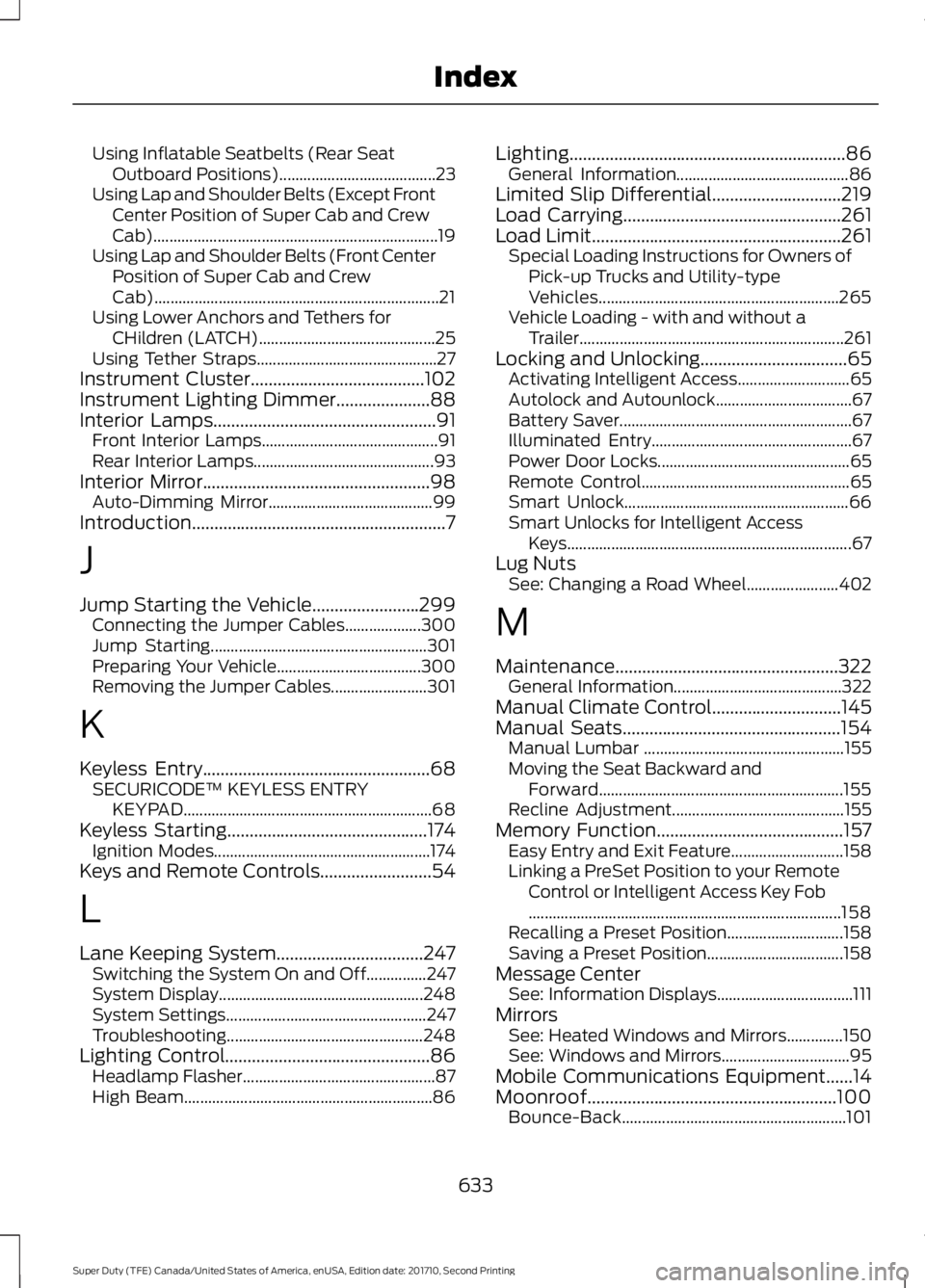
Using Inflatable Seatbelts (Rear SeatOutboard Positions).......................................23Using Lap and Shoulder Belts (Except FrontCenter Position of Super Cab and CrewCab).......................................................................19Using Lap and Shoulder Belts (Front CenterPosition of Super Cab and CrewCab).......................................................................21Using Lower Anchors and Tethers forCHildren (LATCH)............................................25Using Tether Straps.............................................27Instrument Cluster.......................................102Instrument Lighting Dimmer.....................88Interior Lamps..................................................91Front Interior Lamps............................................91Rear Interior Lamps.............................................93Interior Mirror...................................................98Auto-Dimming Mirror.........................................99Introduction.........................................................7
J
Jump Starting the Vehicle........................299Connecting the Jumper Cables...................300Jump Starting......................................................301Preparing Your Vehicle....................................300Removing the Jumper Cables........................301
K
Keyless Entry...................................................68SECURICODE™ KEYLESS ENTRYKEYPAD..............................................................68Keyless Starting.............................................174Ignition Modes......................................................174Keys and Remote Controls.........................54
L
Lane Keeping System.................................247Switching the System On and Off...............247System Display...................................................248System Settings..................................................247Troubleshooting.................................................248Lighting Control..............................................86Headlamp Flasher................................................87High Beam..............................................................86
Lighting..............................................................86General Information...........................................86Limited Slip Differential.............................219Load Carrying.................................................261Load Limit........................................................261Special Loading Instructions for Owners ofPick-up Trucks and Utility-typeVehicles............................................................265Vehicle Loading - with and without aTrailer..................................................................261Locking and Unlocking.................................65Activating Intelligent Access............................65Autolock and Autounlock..................................67Battery Saver..........................................................67Illuminated Entry..................................................67Power Door Locks................................................65Remote Control....................................................65Smart Unlock........................................................66Smart Unlocks for Intelligent AccessKeys.......................................................................67Lug NutsSee: Changing a Road Wheel.......................402
M
Maintenance..................................................322General Information..........................................322Manual Climate Control.............................145Manual Seats.................................................154Manual Lumbar ..................................................155Moving the Seat Backward andForward.............................................................155Recline Adjustment...........................................155Memory Function..........................................157Easy Entry and Exit Feature............................158Linking a PreSet Position to your RemoteControl or Intelligent Access Key Fob..............................................................................158Recalling a Preset Position.............................158Saving a Preset Position..................................158Message CenterSee: Information Displays..................................111MirrorsSee: Heated Windows and Mirrors..............150See: Windows and Mirrors................................95Mobile Communications Equipment......14Moonroof........................................................100Bounce-Back........................................................101
633
Super Duty (TFE) Canada/United States of America, enUSA, Edition date: 201710, Second Printing
Index