auxiliary FORD F450 SUPER DUTY 2020 Owners Manual
[x] Cancel search | Manufacturer: FORD, Model Year: 2020, Model line: F450 SUPER DUTY, Model: FORD F450 SUPER DUTY 2020Pages: 633, PDF Size: 9.18 MB
Page 6 of 633
Remote Start
.................................................147
Interior Air Quality
What Is the Cabin Air Filter ......................
149
Locating the Cabin Air Filter ....................
149
Replacing the Cabin Air Filter .................
149
Seats
Sitting in the Correct Position .................
150
Head Restraints ...........................................
150
Manual Seats ................................................
152
Power Seats ...................................................
153
Memory Function ........................................
156
Rear Seats .......................................................
157
Heated Seats ................................................
159
Ventilated Seats ..........................................
160
Rear Occupant Alert System
What is the Rear Occupant Alert System ........................................................................\
..
161
How Does the Rear Occupant Alert System Work ..............................................
161
Rear Occupant Alert System Precautions ........................................................................\
..
161
Rear Occupant Alert System Limitations ........................................................................\
..
161
Switching Rear Occupant Alert System On and Off - Vehicles With: SYNC
........................................................................\
..
161
Switching Rear Occupant Alert System On and Off - Vehicles With: SYNC 3
........................................................................\
..
161
Rear Occupant Alert System Indicators - Vehicles With: SYNC ...........................
162
Rear Occupant Alert System Indicators - Vehicles With: SYNC 3 ........................
162
Rear Occupant Alert System Audible Warnings .....................................................
162
Garage Door Opener
Universal Garage Door Opener ..............
163Auxiliary Power Points
Auxiliary Power Points
...............................
167
Wireless Accessory Charging ..................
168
Storage Compartments
Center Console ...............................................
171
Overhead Console ........................................
171
Under Seat Storage ......................................
171
Starting and Stopping the Engine
General Information ...................................
174
Ignition Switch ..............................................
174
Keyless Starting ............................................
175
Starting a Gasoline Engine - 6.2L/7.3L ........................................................................\
.
175
Starting a Diesel Engine - 6.7L Diesel ........................................................................\
..
177
Switching Off the Engine - 6.7L Diesel ........................................................................\
.
182
Engine Idle Shutdown ................................
182
Engine Block Heater ...................................
182
Fuel and Refueling
Safety Precautions .....................................
184
Fuel Quality - E85 .......................................
185
Fuel Quality - Gasoline .............................
186
Fuel Quality - Diesel ...................................
187
Running Out of Fuel ...................................
189
Refueling - Gasoline ...................................
189
Refueling - Diesel ........................................
190
Fuel Consumption .......................................
193
Engine Emission Control
Emission Law ................................................
194
Catalytic Converter .....................................
195
Selective Catalytic Reductant System - Diesel ............................................................
197
Diesel Particulate Filter ............................
202
3
Super Duty (TFE) Canada/United States of America, enUSA, Edition date: 201909, Second-Printing Table of Contents
Page 10 of 633
Accessories
Accessories
...................................................550
Auxiliary Switches .......................................
551
Ford Protect
Ford Protect ..................................................
555
Scheduled Maintenance
General Maintenance Information .......
557
Normal Scheduled Maintenance .........
560
Special Operating Conditions Scheduled Maintenance ............................................
566
Scheduled Maintenance Record ...........
575
Appendices
Electromagnetic Compatibility .............
585
End User License Agreement ................
588
Declaration of Conformity .......................
613
Declaration of Conformity - Vehicles With: SYNC 3 .............................................
613
7
Super Duty (TFE) Canada/United States of America, enUSA, Edition date: 201909, Second-Printing Table of Contents
Page 170 of 633
12 V DC Power Point
WARNING: Do not plug optional
electrical accessories into the cigar
lighter socket. Incorrect use of the cigar
lighter can cause damage not covered
by the vehicle warranty, and can result
in fire or serious injury.
Note: When you switch the ignition on, you
can use the socket to power
12 V appliances
with a maximum current rating of 20 A20
amps.
Note: Do not plug in any device that
supplies power to the vehicle through the
power points, this may result in damage to
vehicle systems.
Note: Do not hang any accessory from the
accessory plug.
Note: Do not use the power point over the
vehicle capacity of 12 V DC 240 W or a fuse
may blow.
Note: Always keep the power point caps
closed when not in use.
Do not insert objects other than an
accessory plug into the power point. This
damages the power point and may blow
the fuse.
Run the vehicle for full capacity use of the
power point.
To prevent the battery from running out of
charge:
• Do not use the power point longer than
necessary when the engine is off.
• Do not leave devices plugged in
overnight or when you park your vehicle
for extended periods. 110 V 400 Watt AC Power Point
(If
Equipped) WARNING:
Do not keep electrical
devices plugged in the power point
whenever the device is not in use. Do not
use any extension cord with the 110 volt
AC power point, since it will defeat the
safety protection design. Doing so may
cause the power point to overload due
to powering multiple devices that can
reach beyond the 400 watt load limit
and could result in fire or serious injury.
Note: This feature works only when you
have the ignition switched on.
Note: This feature has a maximum output
of 400 watts when the vehicle is in park (P).
Note: While in drive (D), the maximum
outlet output is 300 watts.
Note: When powering electric devices that
require more than 10 watts in vehicles
equipped with keyless start, the engine must
remain running. If the engine is turned off or
you switch the ignition to accessory mode,
plugged in devices will not be charged.
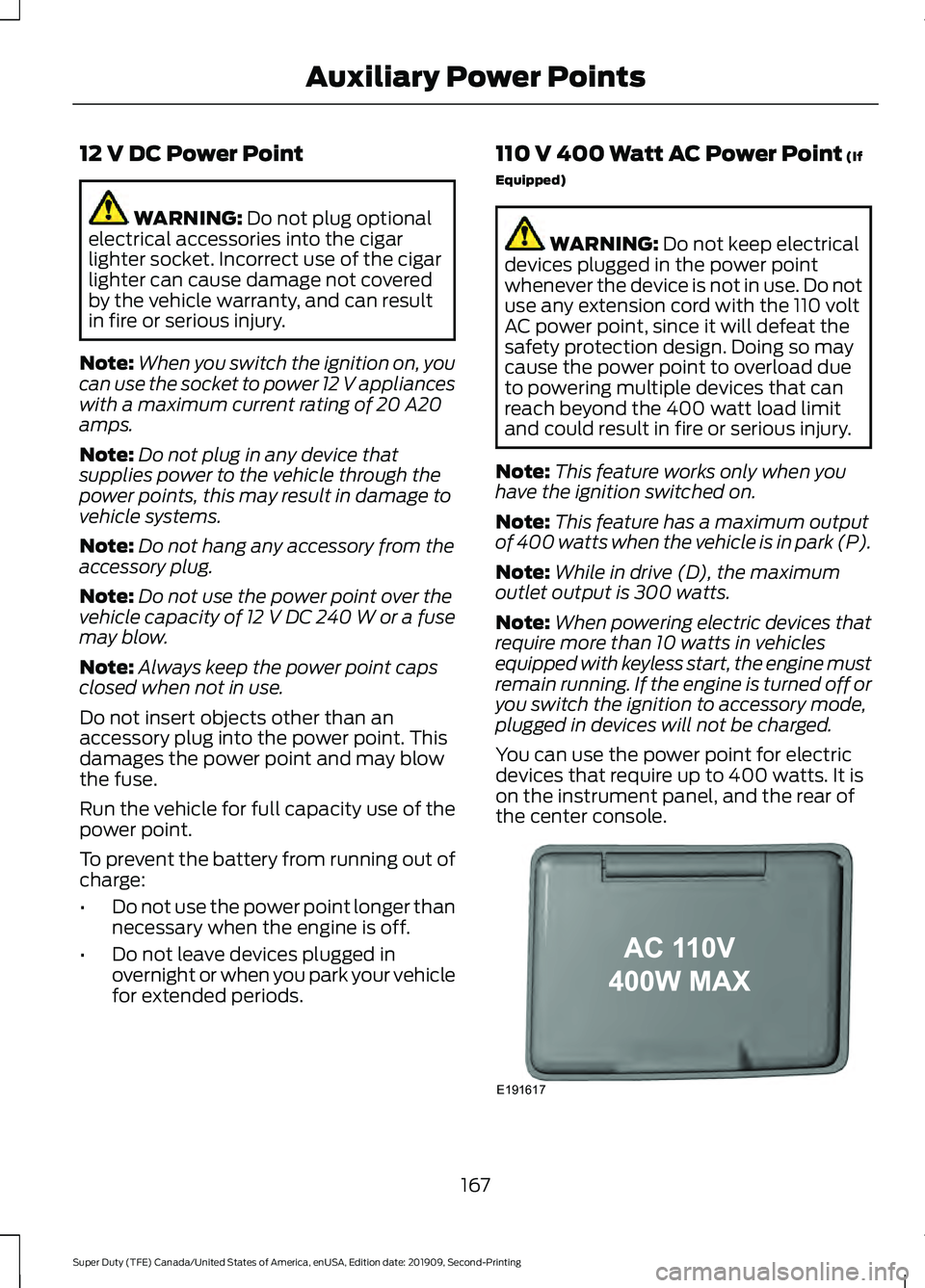
You can use the power point for electric
devices that require up to 400 watts. It is
on the instrument panel, and the rear of
the center console. 167
Super Duty (TFE) Canada/United States of America, enUSA, Edition date: 201909, Second-Printing Auxiliary Power PointsE191617
Page 171 of 633
When the indicator light on the power point
is:
•
On: The power point is working, the
ignition is on and a device is plugged
in.
• Off: The power point is off, the ignition
is off or no device is plugged in.
• Flashing: The power point is in fault
mode.
The power outlet temporarily turns off
power when in fault mode if the device
exceeds the 400 watt limit. Unplug your
device and switch the ignition off. Switch
the ignition back on, but do not plug your
device back in. Let the system cool off and
switch the ignition off to reset the fault
mode. Switch the ignition back on and
make sure the indicator light remains on.
You can use the 400 watt power outlet for
these types of electric devices:
• Electric hand drills.
• Rechargeable power tools.
• Video games.
• Laptops.
• Televisions.
Note: Max 400W - when the vehicle is
parked and 300W - when the vehicle is
driving.
Do not use the power point for certain
electric devices, including:
• Cathode-ray, tube-type televisions.
• Motor loads, such as vacuum cleaners,
electric saws and other electric power
tools or compressor-driven
refrigerators.
• Measuring devices, which process
precise data, such as medical
equipment or measuring equipment.
• Other appliances requiring an
extremely stable power supply such as
microcomputer-controlled electric
blankets or touch-sensor lamps. Locations
Note:
Timed power points remain on for 30
minutes if the vehicle is in accessory mode.
If you switch the vehicle off, the timed
power points remain on for 75 minutes.
Power points may be in the following
locations:
• On the instrument panel.
• Inside the center console.
• On the rear of the center console.
• In the seat bin.
WIRELESS ACCESSORY
CHARGING (IF EQUIPPED) WARNING:
Wireless charging
devices can affect the operation of
implanted medical devices, including
cardiac pacemakers. If you have any
implanted medical devices, we
recommend that you consult with your
physician. WARNING:
Changes or
modifications not expressively approved
by the party responsible for compliance
could void the user's authority to operate
the equipment. The term "IC:" before the
radio certification number only signifies
that Industry Canada technical
specifications were met.
Note: Devices without built-in Qi wireless
charging receivers require an additional Qi
receiver or sleeve.
Note: For compatible devices with built-in
Qi wireless charging capability, the charging
performance may be affected if your device
is in a case. It may be necessary to remove
the case to wirelessly charge your device.
168
Super Duty (TFE) Canada/United States of America, enUSA, Edition date: 201909, Second-Printing Auxiliary Power Points
Page 172 of 633
The system supports one Qi wireless
charging compatible device on the
charging area.
Keep the charging area clean and remove
foreign objects prior to charging a device.
Do not place items with a magnetic strip,
for example passports, parking tickets or
credit cards, near the charging area when
charging a device. Damage may occur to
the magnetic strip.
Do not place metal objects, for example
remote controls, coins and candy
wrappers, on or near the charging area
when charging a device. Metal objects may
heat up and degrade the charging
performance.
Note:
The device controls the rate of
charge, or charging power. During charging,
the device and the charger may heat up, this
is normal. If the battery gets hotter than
usual, the charger may stop charging. The charging area is on the
center console or lower
instrument panel. See Center
Console (page 171).
You can charge a device if the vehicle is
on, when in accessory mode, or anytime
SYNC is on.
To begin charging, place the device on the
center of the charging surface with the
charging side down. The charging stops
after your device reaches a full charge.
Note: If the system detects a foreign object
or if the device is misaligned on the charging
area, a message appears in the display.
Note: Software and firmware updates may
affect device compatibility, including the
use of unofficial software or firmware. You
should verify charging functionality with your
specific devices when in your vehicle. Description
Behavior
Message
This message appears whenwireless charging begins.
Message on screen display
or pop-up window.
Wireless Charger Active
The system stops chargingyour device if the system detects the phone is
misaligned, or a foreign
metal object is on the char- ging surface.
Pop-up window.
Charging Terminated
Phone misaligned or object
between phone and charger
detected. Correct the condi- tion to resume charging.
FCC ID: L2C0066T
169
Super Duty (TFE) Canada/United States of America, enUSA, Edition date: 201909, Second-Printing Auxiliary Power PointsE297549
Page 173 of 633
Tests on this equipment show that it
complies with part 18 of the FCC Rules.
•
This equipment generates, uses and
can radiate radio frequency energy and
may cause harmful interference to
radio communications. There is no
guarantee that the interference will not
occur in a particular installation. If this
equipment does cause harmful
interference to radio or television
reception, please consult the dealer.
• This product is not end-user
serviceable.
This device complies with Industry Canada
licence-exempt RSS standard(s).
Operation is subject to:
• This device may not cause interference.
• This device must accept any
interference, including interference that
may cause undesired operation of the
device.
Note: Changes or modifications not
expressively approved by the party
responsible for compliance could void the
user's authority to operate the equipment.
The term "IC" before the radio certification
number only signifies that Industry Canada
technical specifications were met.
170
Super Duty (TFE) Canada/United States of America, enUSA, Edition date: 201909, Second-Printing Auxiliary Power Points
Page 174 of 633
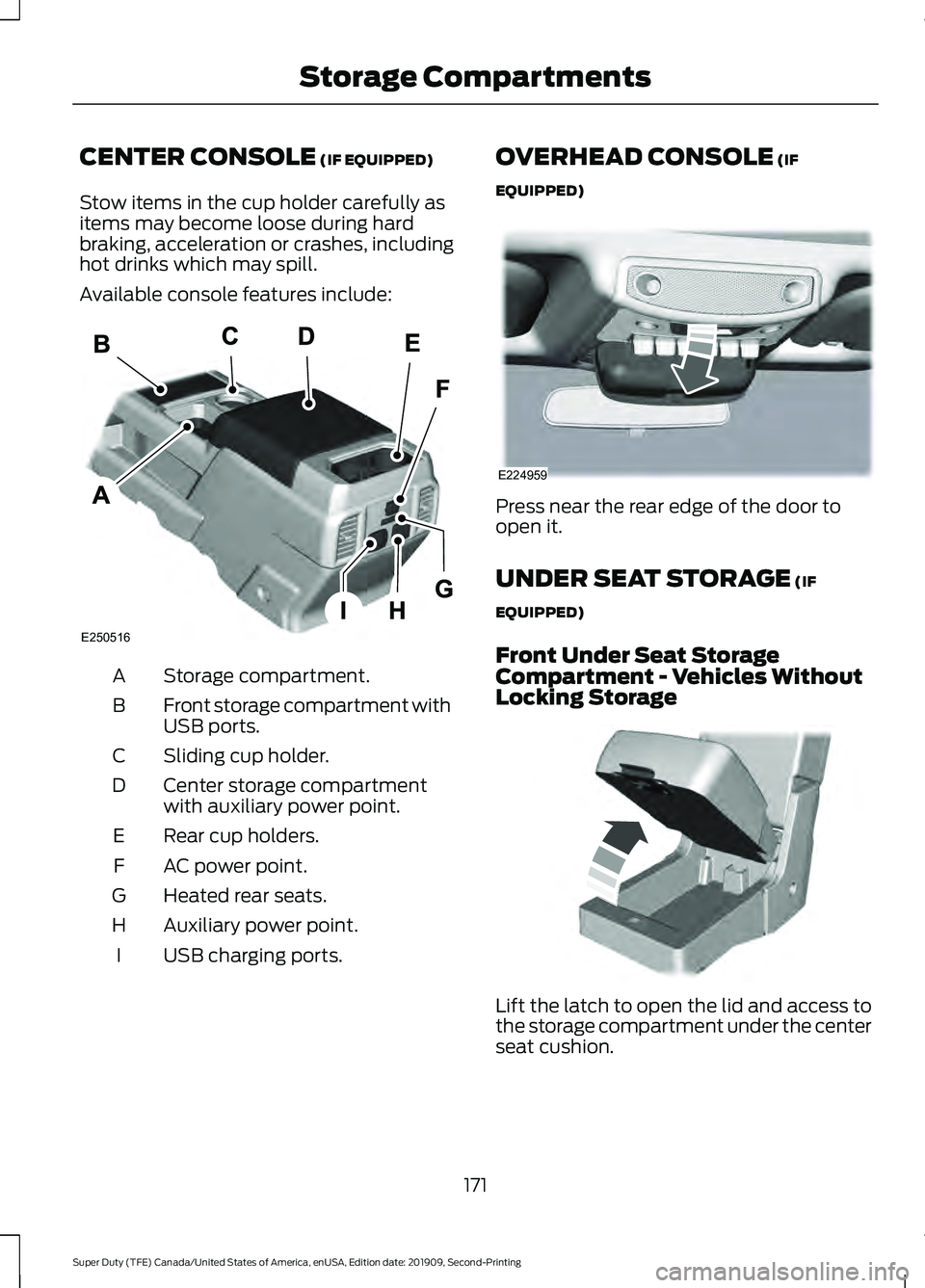
CENTER CONSOLE (IF EQUIPPED)
Stow items in the cup holder carefully as
items may become loose during hard
braking, acceleration or crashes, including
hot drinks which may spill.
Available console features include: Storage compartment.
A
Front storage compartment with
USB ports.
B
Sliding cup holder.
C
Center storage compartment
with auxiliary power point.
D
Rear cup holders.
E
AC power point.
F
Heated rear seats.
G
Auxiliary power point.
H
USB charging ports.
I OVERHEAD CONSOLE (IF
EQUIPPED) Press near the rear edge of the door to
open it.
UNDER SEAT STORAGE
(IF
EQUIPPED)
Front Under Seat Storage
Compartment - Vehicles Without
Locking Storage Lift the latch to open the lid and access to
the storage compartment under the center
seat cushion.
171
Super Duty (TFE) Canada/United States of America, enUSA, Edition date: 201909, Second-Printing Storage CompartmentsE250516 E224959 E306120
Page 214 of 633
If Your Vehicle Gets Stuck in Mud
or Snow
Note:
Do not rock your vehicle if the engine
is not at normal operating temperature or
damage to the transmission could occur.
Note: Do not rock your vehicle for more
than a minute or damage to the
transmission and tires could occur, or the
engine could overheat.
If your vehicle is stuck in mud or snow, you
can rock it out by shifting between forward
and reverse gears, stopping between shifts
in a steady pattern. Press lightly on the
accelerator in each gear.
POWER TAKE-OFF (IF EQUIPPED)
Note: Use of auxiliary equipment that
exceeds the maximum Power Take-Off
(PTO) load specified in our Truck Body
Builders Layout Book can adversely affect
the performance of the powertrain system.
Refer to the Body Builders Layout Book for
instructions about the appropriate
installation of additional equipment.
Auxiliary equipment called power take-off,
or PTO, is often added to the engine or
transmission to operate utility equipment.
Examples include a wheel-lift for tow
trucks, cranes, tools for construction or tire
service, and pumping fluids. PTO
applications draw auxiliary horsepower
from the powertrain, often while the
vehicle is stationary. In this condition, there
is limited cooling air flow through the
radiator and around the vehicle that
normally occurs when a vehicle is moving.
The aftermarket PTO system installer,
having the most knowledge of the final
application, is responsible for determining
whether additional chassis heat protection
or powertrain cooling is required, and
alerting the user to the safe and proper
operation. Split Shaft Capability
(If Equipped)
Our Super Duty vehicles are approved for
use as a stationary, including split shaft
capability with 6.7L diesel only, or mobile
power source, within limits and operating
guidelines detailed in our Truck Body
Builders Layout Book. For additional
information, visit
www .f or dbb a s. c om .
211
Super Duty (TFE) Canada/United States of America, enUSA, Edition date: 201909, Second-Printing Transmission
Page 241 of 633
•
Front Split View: Provides an
extended view of what is in front of
your vehicle.
• Rear High View:
Provides an image
of your truck bed and can be used to
assist you when backing up to align and
hitch a fifth wheel or gooseneck trailer.
• Auxiliary View:
Provides a rear view
image from the back of your trailer
while reversing.
The following camera views can be
accessed when you shift into reverse (R):
• Rear 360 + Normal:
Contains the
normal rear camera view next to a 360
degree camera view. Press the zoom
(+) button to quickly access Rear
Normal View from this screen.
• Rear Normal View: Provides an image
of what is directly behind your vehicle.
• Rear Split View:
Provides an
extended view of what is behind your
vehicle.
• Rear High View:
Provides an image
of your truck bed and can be used to
assist you when backing up to align and
hitch a fifth wheel or gooseneck trailer.
• Auxiliary View:
Provides a rear view
image from the back of your trailer
while reversing.
• Trailer Reverse Guidance View:
Provides an image of the rear of your
vehicle using the side cameras, useful
when reversing with a trailer. Use the
arrows at the bottom of the screen to
adjust the side camera position. See
Trailer Reversing Aids
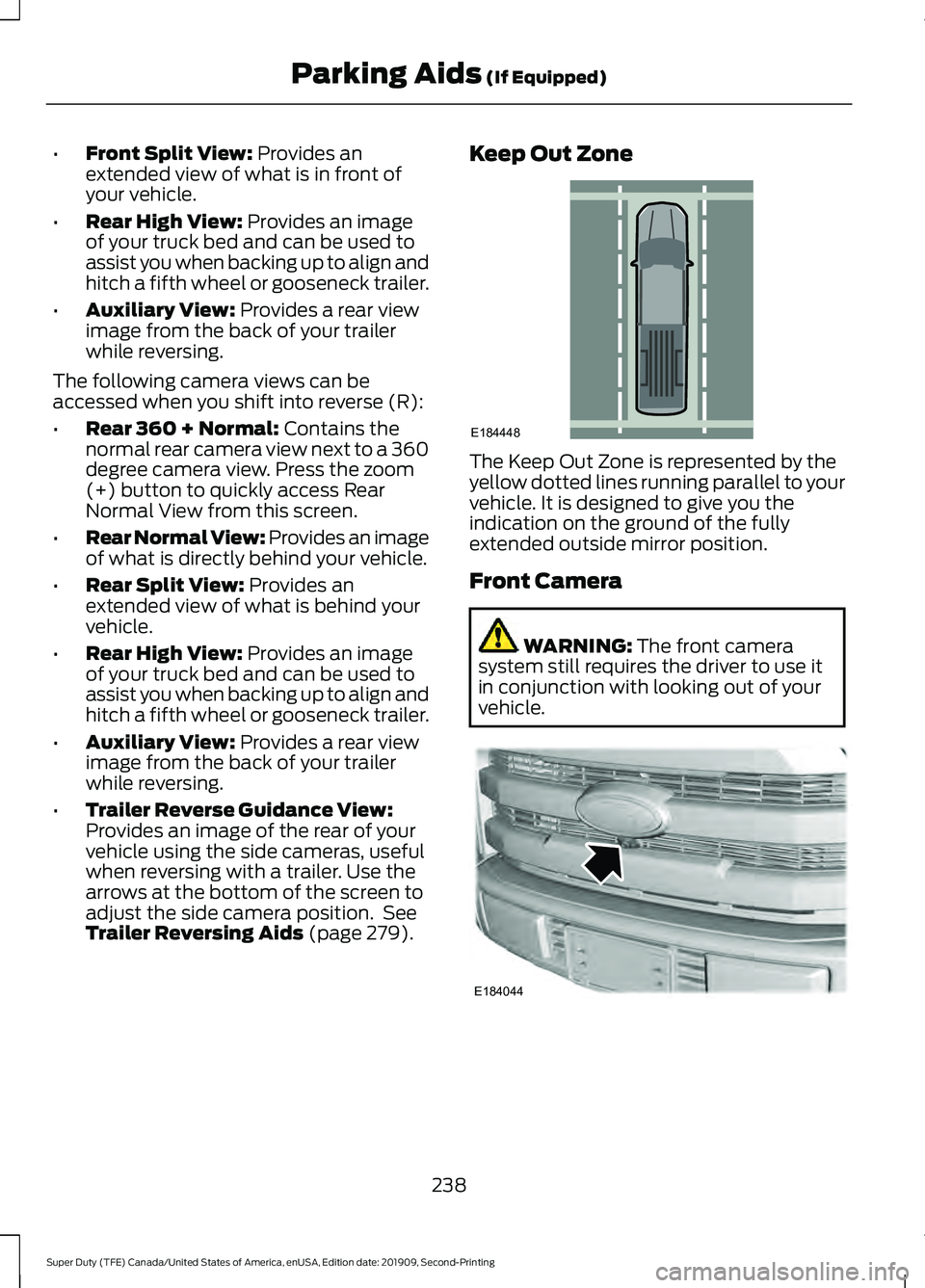
(page 279). Keep Out Zone
The Keep Out Zone is represented by the
yellow dotted lines running parallel to your
vehicle. It is designed to give you the
indication on the ground of the fully
extended outside mirror position.
Front Camera
WARNING:
The front camera
system still requires the driver to use it
in conjunction with looking out of your
vehicle. 238
Super Duty (TFE) Canada/United States of America, enUSA, Edition date: 201909, Second-Printing Parking Aids
(If Equipped)E184448 E184044
Page 242 of 633
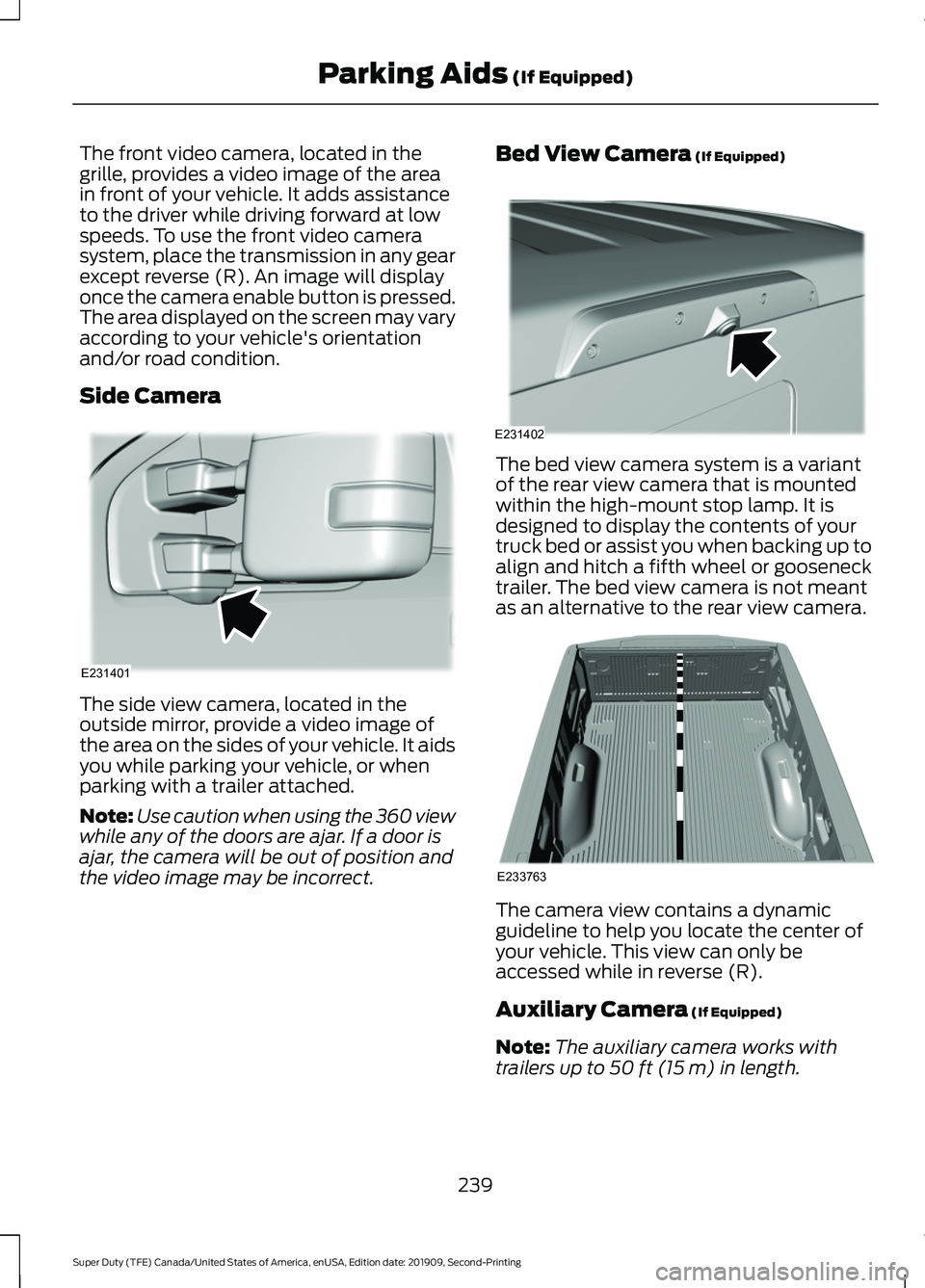
The front video camera, located in the
grille, provides a video image of the area
in front of your vehicle. It adds assistance
to the driver while driving forward at low
speeds. To use the front video camera
system, place the transmission in any gear
except reverse (R). An image will display
once the camera enable button is pressed.
The area displayed on the screen may vary
according to your vehicle's orientation
and/or road condition.
Side Camera
The side view camera, located in the
outside mirror, provide a video image of
the area on the sides of your vehicle. It aids
you while parking your vehicle, or when
parking with a trailer attached.
Note:
Use caution when using the 360 view
while any of the doors are ajar. If a door is
ajar, the camera will be out of position and
the video image may be incorrect. Bed View Camera (If Equipped) The bed view camera system is a variant
of the rear view camera that is mounted
within the high-mount stop lamp. It is
designed to display the contents of your
truck bed or assist you when backing up to
align and hitch a fifth wheel or gooseneck
trailer. The bed view camera is not meant
as an alternative to the rear view camera.
The camera view contains a dynamic
guideline to help you locate the center of
your vehicle. This view can only be
accessed while in reverse (R).
Auxiliary Camera
(If Equipped)
Note: The auxiliary camera works with
trailers up to
50 ft (15 m) in length.
239
Super Duty (TFE) Canada/United States of America, enUSA, Edition date: 201909, Second-Printing Parking Aids
(If Equipped)E231401 E231402 E233763