ECU FORD F650 2013 12.G Owner's Manual
[x] Cancel search | Manufacturer: FORD, Model Year: 2013, Model line: F650, Model: FORD F650 2013 12.GPages: 378, PDF Size: 3.82 MB
Page 227 of 378
Checking Fluid Level
1. Park the vehicle on level ground.
2. Set the parking brake, shift into first gear and turn the engine off.
3. Clean any dirt from around the filler plug.
4. Remove the filler plug and inspect the fluid level. The fluid level
should be at the bottom of the filler plug opening.
5. Add fluid, if necessary, through the filler plug opening.
6. Clean and install the filler plug securely.
Changing Fluid
Drain and refill your transmission fluid while it is warm.
1. Park the vehicle on level ground.
2. Set the parking brake, shift into first gear and turn the engine off.
3. Clean any dirt from around the filler and drain plugs.
4. Remove the filler and drain plugs and drain the fluid into a suitable
container. Dispose of all used automotive fluids in a responsible
manner following your local authorized standards.
5. Clean and install the drain plug securely.
6. Add fluid through the filler plug opening.
7. Clean and install the filler plug securely.
DRIVESHAFT
Check the universal joints for any evidence of wear or looseness at the
regular lubrication interval. Stop the vehicle immediately, should
driveshaft vibrations occur, to avoid possible hazardous consequences or
damage to other components.
REAR AXLE FLUID
Your rear axle may be filled with an optional synthetic lubricant which
allows the use of extended service intervals. A tag on the filler plug
identifies the use of the synthetic lubricant.
Only use a lubricant that meets manufacturer specifications. See the
Capacities and Specificationschapter.Use of a non-approved rear
axle lubricant may cause internal axle component damage.
226Maintenance
2013 F-650/750(f67)
Owners Guide gf, 2nd Printing, March 2013
USA(fus)
Page 228 of 378
Checking the Fluid Level
See theScheduled Maintenancechapter for rear axle lubricant level
check intervals.
1. Park the vehicle on level ground.
2. Set the parking brake and shift into positionNorP(automatic
transmission), or first gear (manual transmission). Turn the engine
off.
3. Clean any dirt from around the rear axle filler plug.
4. Remove the filler plug and inspect the lubricant level. It should be at
the bottom of the filler plug opening.
5. Add lubricant, if necessary, through the filler plug opening.
6. Clean and install the filler plug securely.
Changing the Fluid
See theScheduled Maintenancechapter for rear axle lubricant change
intervals.
1. Drain the rear axle while the lubricant is warm.
2. Park the vehicle on level ground.
3. Set the parking brake and shift into positionNorP(automatic
transmission), or first gear (manual transmission). Turn the engine
off.
4. Clean any dirt from around the rear axle filler and drain plugs.
5. Remove the filler and drain plugs. Drain the lubricant into a suitable
container. Dispose of all used automotive fluids in a responsible
manner following your local authorized standards.
6. Clean and install the drain plug securely.
7. Add lubricant through the filler plug opening.
8. Clean and install the filler plug securely.
Maintenance227
2013 F-650/750(f67)
Owners Guide gf, 2nd Printing, March 2013
USA(fus)
Page 232 of 378
POWER STEERING FLUID CHECK
Note:To avoid damage to the power steering system, do not operate the
vehicle with a low power steering fluid level.
Note:If adding fluid is necessary, use only the appropriate fluid. See the
Capacities and Specificationschapter. A low fluid level may indicate a
leak in the power steering system. Inspect the power steering system
and repair the leak or see your dealer or a qualified technician for
service. See theScheduled Maintenancechapter for the recommended
service intervals.
Check the fluid level when it is at ambient temperature, 20°F–80°F
(-7°C–25°C):
1. Set the parking brake, then start the engine.
2. Shift into positionNorP(if equipped) (automatic transmission) or
first gear (manual transmission) and turn the engine off.
3. Open the hood.
4. Clean the top of the power steering fluid reservoir.
5. Remove the dipstick from the reservoir and wipe the dipstick clean.
6. Reinstall the dipstick. Remove it again and check the fluid level.
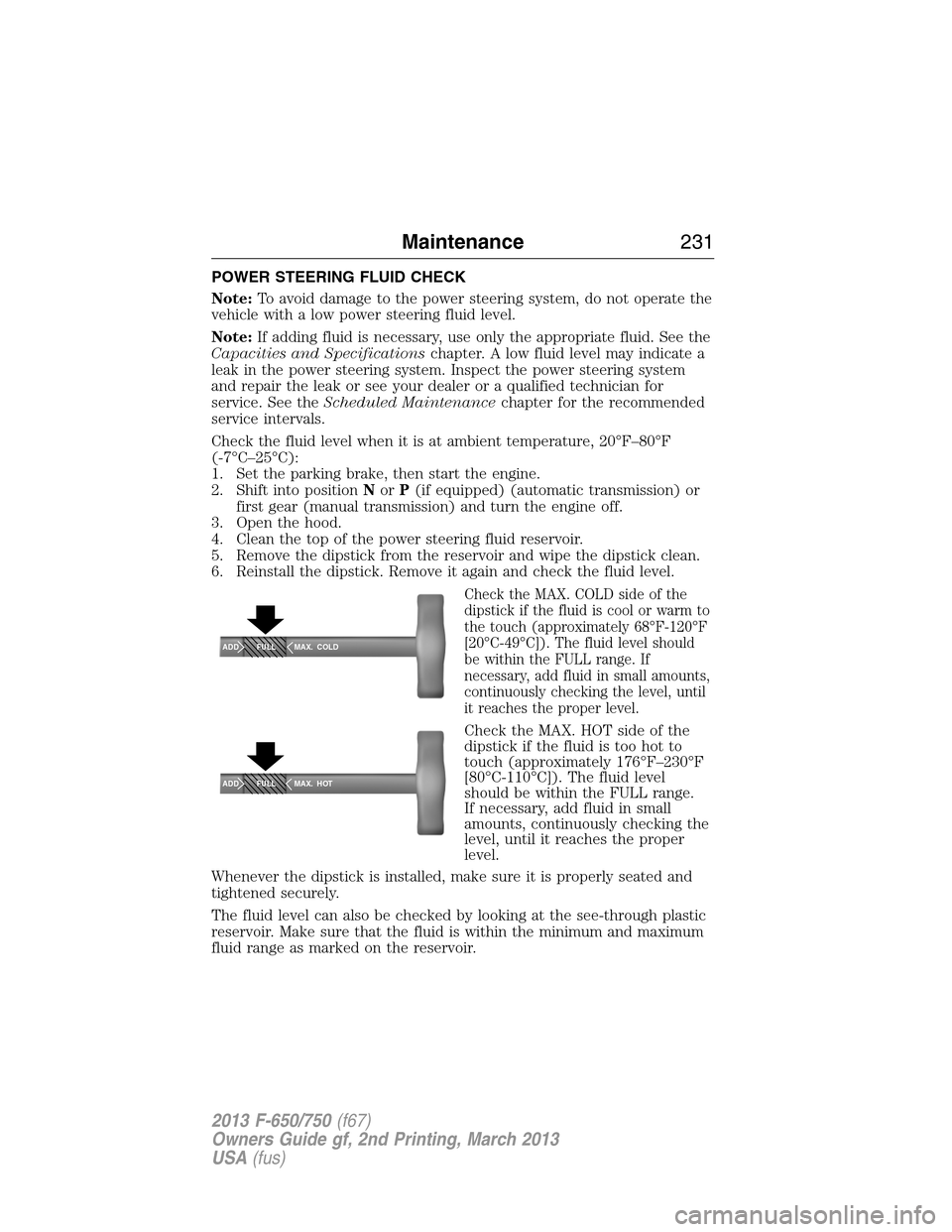
Check the MAX. COLD side of the
dipstick if the fluid is cool or warm to
the touch (approximately 68°F-120°F
[20°C-49°C]). The fluid level should
be within the FULL range. If
necessary, add fluid in small amounts,
continuously checking the level, until
it reaches the proper level.
Check the MAX. HOT side of the
dipstick if the fluid is too hot to
touch (approximately 176°F–230°F
[80°C-110°C]). The fluid level
should be within the FULL range.
If necessary, add fluid in small
amounts, continuously checking the
level, until it reaches the proper
level.
Whenever the dipstick is installed, make sure it is properly seated and
tightened securely.
The fluid level can also be checked by looking at the see-through plastic
reservoir. Make sure that the fluid is within the minimum and maximum
fluid range as marked on the reservoir.
ADD MAX. COLD
FULL
ADD MAX. HOT
FULL
Maintenance231
2013 F-650/750(f67)
Owners Guide gf, 2nd Printing, March 2013
USA(fus)
Page 239 of 378
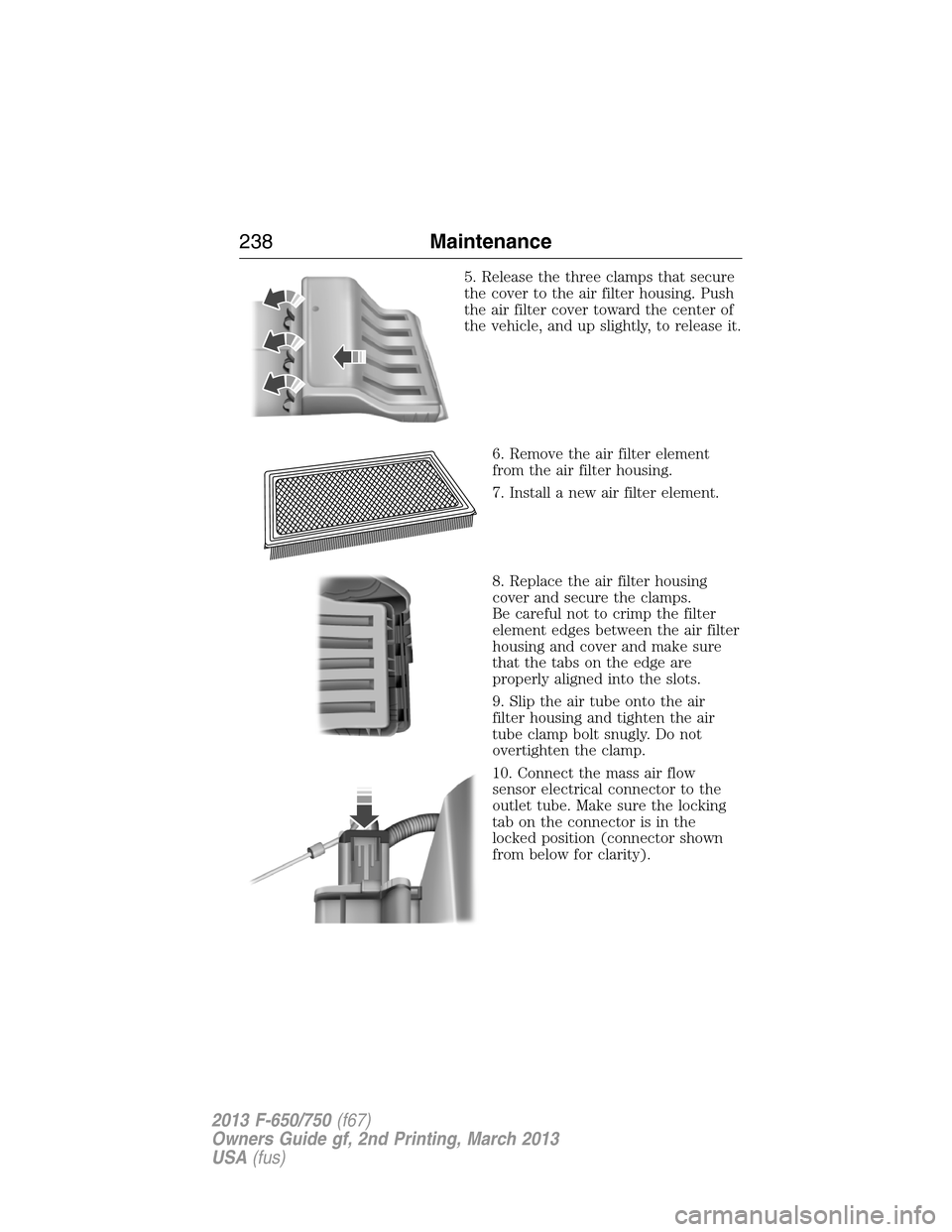
5. Release the three clamps that secure
the cover to the air filter housing. Push
the air filter cover toward the center of
the vehicle, and up slightly, to release it.
6. Remove the air filter element
from the air filter housing.
7. Install a new air filter element.
8. Replace the air filter housing
cover and secure the clamps.
Be careful not to crimp the filter
element edges between the air filter
housing and cover and make sure
that the tabs on the edge are
properly aligned into the slots.
9. Slip the air tube onto the air
filter housing and tighten the air
tube clamp bolt snugly. Do not
overtighten the clamp.
10. Connect the mass air flow
sensor electrical connector to the
outlet tube. Make sure the locking
tab on the connector is in the
locked position (connector shown
from below for clarity).
238Maintenance
2013 F-650/750(f67)
Owners Guide gf, 2nd Printing, March 2013
USA(fus)
Page 339 of 378
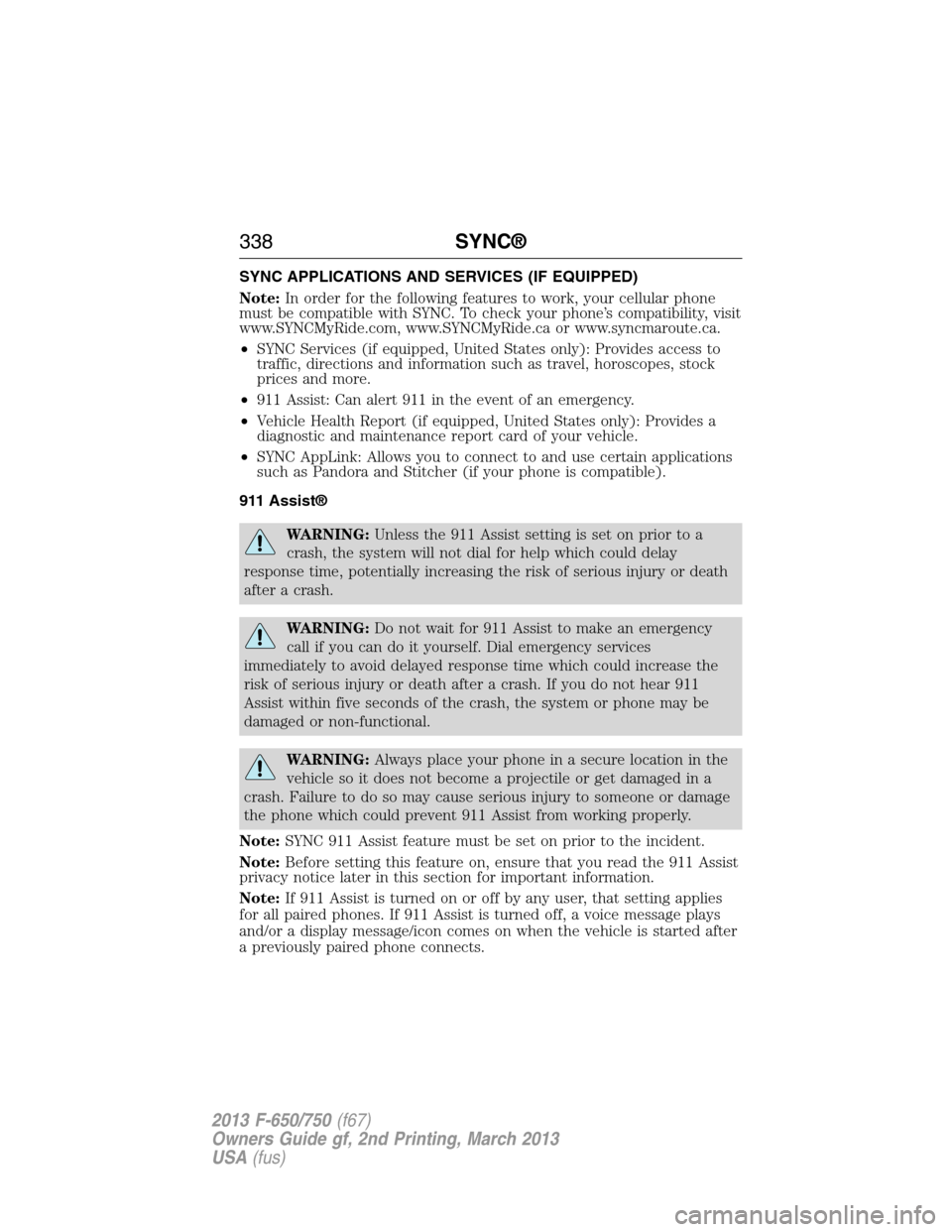
SYNC APPLICATIONS AND SERVICES (IF EQUIPPED)
Note:In order for the following features to work, your cellular phone
must be compatible with SYNC. To check your phone’s compatibility, visit
www.SYNCMyRide.com, www.SYNCMyRide.ca or www.syncmaroute.ca.
•SYNC Services (if equipped, United States only): Provides access to
traffic, directions and information such as travel, horoscopes, stock
prices and more.
•911 Assist: Can alert 911 in the event of an emergency.
•Vehicle Health Report (if equipped, United States only): Provides a
diagnostic and maintenance report card of your vehicle.
•SYNC AppLink: Allows you to connect to and use certain applications
such as Pandora and Stitcher (if your phone is compatible).
911 Assist®
WARNING:Unless the 911 Assist setting is set on prior to a
crash, the system will not dial for help which could delay
response time, potentially increasing the risk of serious injury or death
after a crash.
WARNING:Do not wait for 911 Assist to make an emergency
call if you can do it yourself. Dial emergency services
immediately to avoid delayed response time which could increase the
risk of serious injury or death after a crash. If you do not hear 911
Assist within five seconds of the crash, the system or phone may be
damaged or non-functional.
WARNING:Always place your phone in a secure location in the
vehicle so it does not become a projectile or get damaged in a
crash. Failure to do so may cause serious injury to someone or damage
the phone which could prevent 911 Assist from working properly.
Note:SYNC 911 Assist feature must be set on prior to the incident.
Note:Before setting this feature on, ensure that you read the 911 Assist
privacy notice later in this section for important information.
Note:If 911 Assist is turned on or off by any user, that setting applies
for all paired phones. If 911 Assist is turned off, a voice message plays
and/or a display message/icon comes on when the vehicle is started after
a previously paired phone connects.
338SYNC®
2013 F-650/750(f67)
Owners Guide gf, 2nd Printing, March 2013
USA(fus)
Page 360 of 378
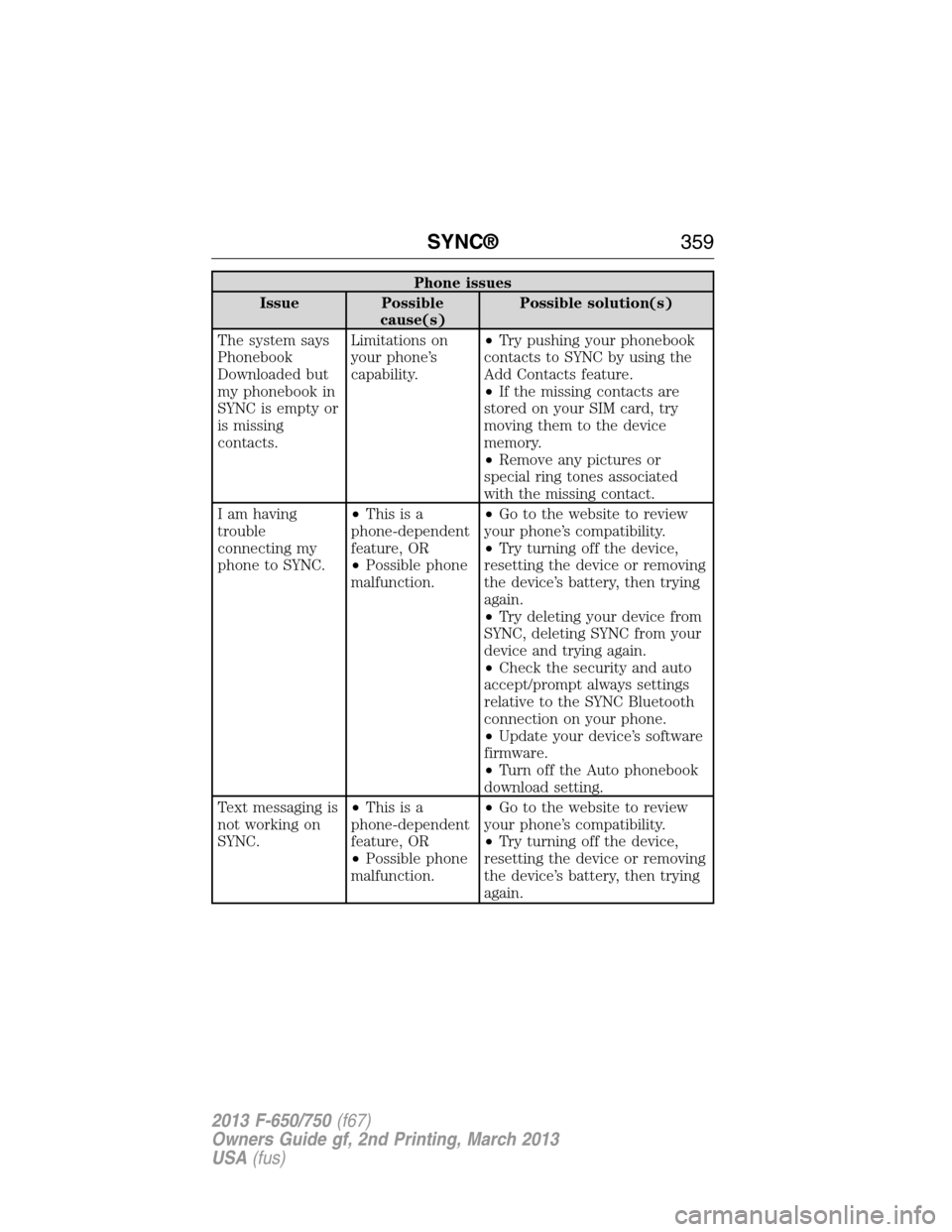
Phone issues
Issue Possible
cause(s)Possible solution(s)
The system says
Phonebook
Downloaded but
my phonebook in
SYNC is empty or
is missing
contacts.Limitations on
your phone’s
capability.•Try pushing your phonebook
contacts to SYNC by using the
Add Contacts feature.
•If the missing contacts are
stored on your SIM card, try
moving them to the device
memory.
•Remove any pictures or
special ring tones associated
with the missing contact.
I am having
trouble
connecting my
phone to SYNC.•Thisisa
phone-dependent
feature, OR
•Possible phone
malfunction.•Go to the website to review
your phone’s compatibility.
•Try turning off the device,
resetting the device or removing
the device’s battery, then trying
again.
•Try deleting your device from
SYNC, deleting SYNC from your
device and trying again.
•Check the security and auto
accept/prompt always settings
relative to the SYNC Bluetooth
connection on your phone.
•Update your device’s software
firmware.
•Turn off the Auto phonebook
download setting.
Text messaging is
not working on
SYNC.•Thisisa
phone-dependent
feature, OR
•Possible phone
malfunction.•Go to the website to review
your phone’s compatibility.
•Try turning off the device,
resetting the device or removing
the device’s battery, then trying
again.
SYNC®359
2013 F-650/750(f67)
Owners Guide gf, 2nd Printing, March 2013
USA(fus)
Page 361 of 378
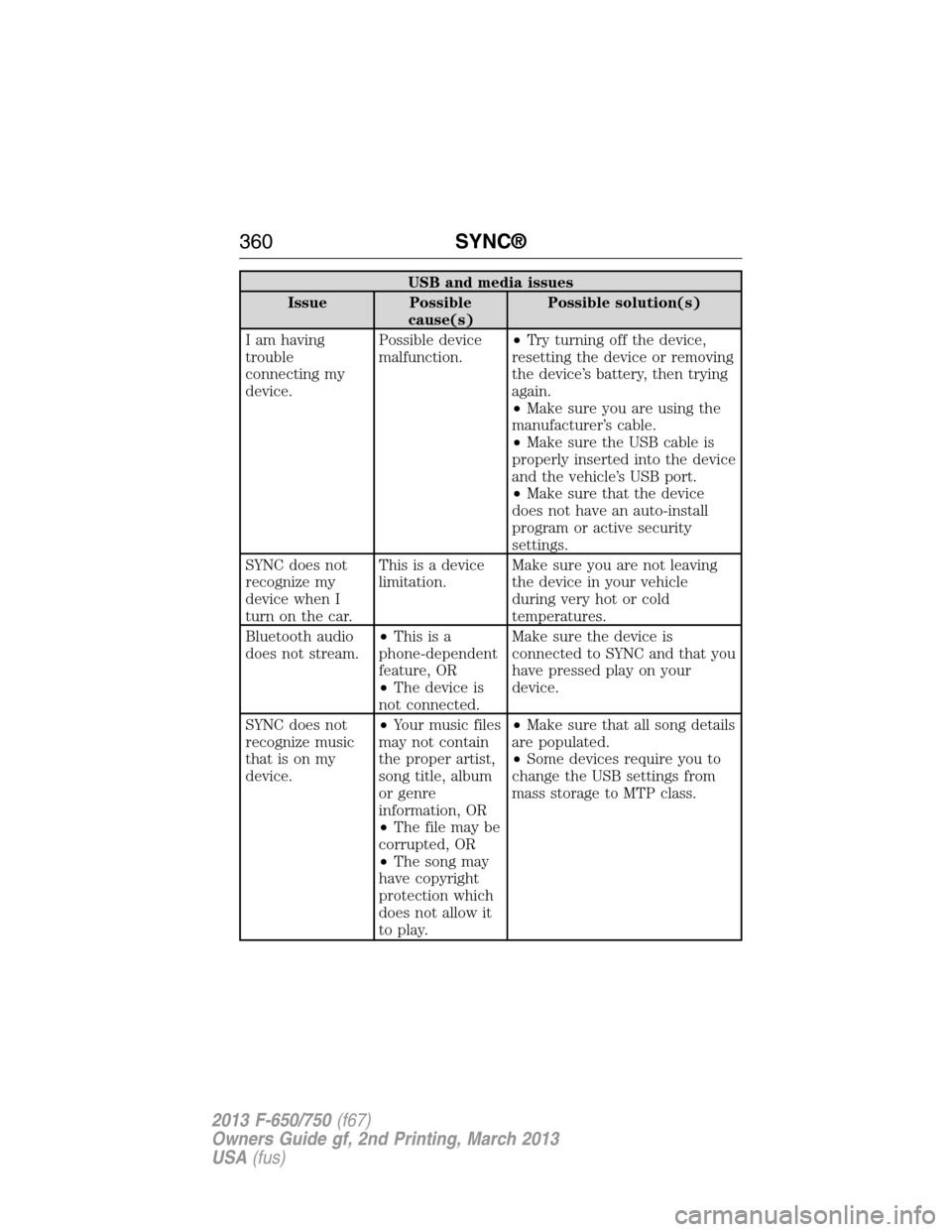
USB and media issues
Issue Possible
cause(s)Possible solution(s)
I am having
trouble
connecting my
device.Possible device
malfunction.•Try turning off the device,
resetting the device or removing
the device’s battery, then trying
again.
•Make sure you are using the
manufacturer’s cable.
•Make sure the USB cable is
properly inserted into the device
and the vehicle’s USB port.
•Make sure that the device
does not have an auto-install
program or active security
settings.
SYNC does not
recognize my
device when I
turn on the car.This is a device
limitation.Make sure you are not leaving
the device in your vehicle
during very hot or cold
temperatures.
Bluetooth audio
does not stream.•Thisisa
phone-dependent
feature, OR
•The device is
not connected.Make sure the device is
connected to SYNC and that you
have pressed play on your
device.
SYNC does not
recognize music
that is on my
device.•Your music files
may not contain
the proper artist,
song title, album
or genre
information, OR
•The file may be
corrupted, OR
•The song may
have copyright
protection which
does not allow it
to play.•Make sure that all song details
are populated.
•Some devices require you to
change the USB settings from
mass storage to MTP class.
360SYNC®
2013 F-650/750(f67)
Owners Guide gf, 2nd Printing, March 2013
USA(fus)
Page 367 of 378
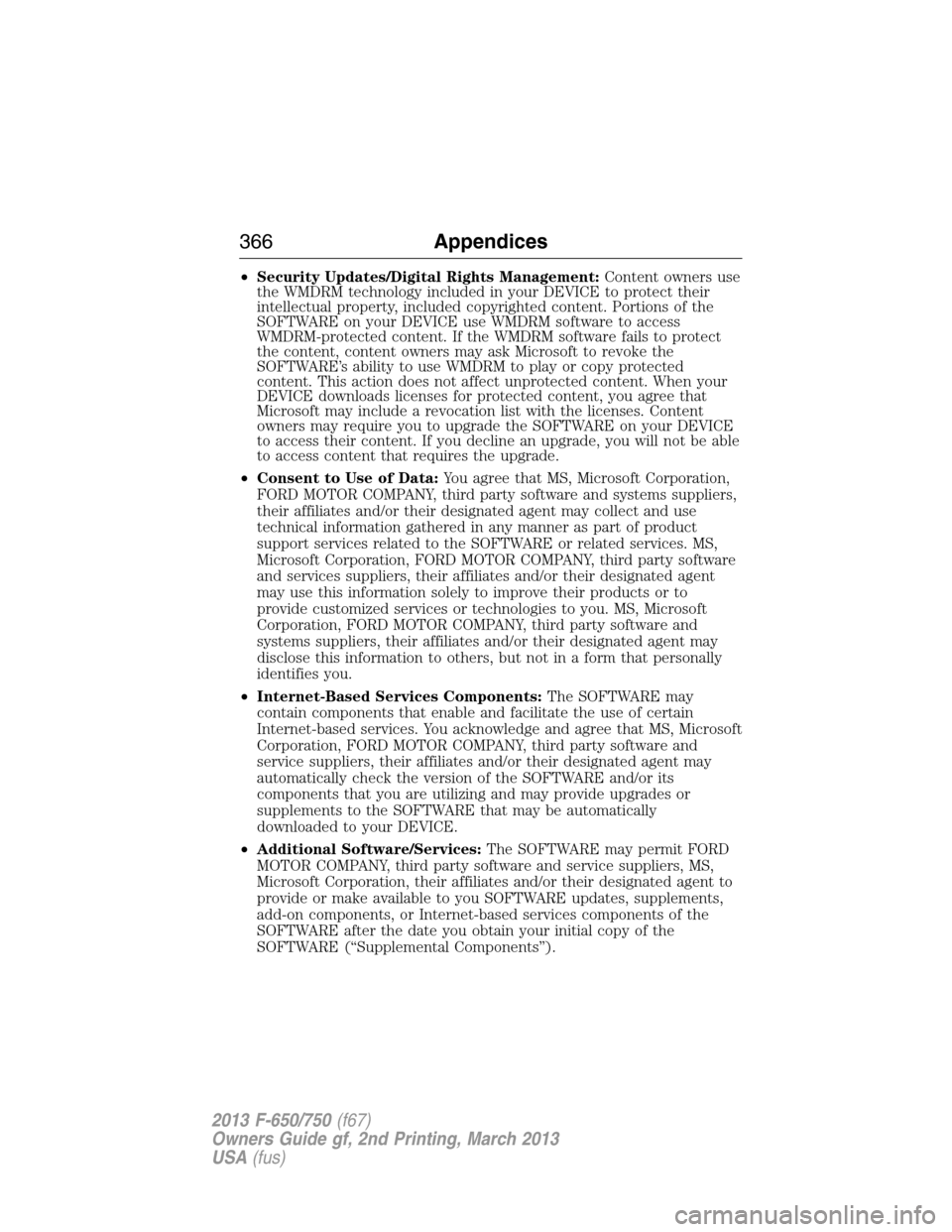
•Security Updates/Digital Rights Management:Content owners use
the WMDRM technology included in your DEVICE to protect their
intellectual property, included copyrighted content. Portions of the
SOFTWARE on your DEVICE use WMDRM software to access
WMDRM-protected content. If the WMDRM software fails to protect
the content, content owners may ask Microsoft to revoke the
SOFTWARE’s ability to use WMDRM to play or copy protected
content. This action does not affect unprotected content. When your
DEVICE downloads licenses for protected content, you agree that
Microsoft may include a revocation list with the licenses. Content
owners may require you to upgrade the SOFTWARE on your DEVICE
to access their content. If you decline an upgrade, you will not be able
to access content that requires the upgrade.
•Consent to Use of Data:You agree that MS, Microsoft Corporation,
FORD MOTOR COMPANY, third party software and systems suppliers,
their affiliates and/or their designated agent may collect and use
technical information gathered in any manner as part of product
support services related to the SOFTWARE or related services. MS,
Microsoft Corporation, FORD MOTOR COMPANY, third party software
and services suppliers, their affiliates and/or their designated agent
may use this information solely to improve their products or to
provide customized services or technologies to you. MS, Microsoft
Corporation, FORD MOTOR COMPANY, third party software and
systems suppliers, their affiliates and/or their designated agent may
disclose this information to others, but not in a form that personally
identifies you.
•Internet-Based Services Components:The SOFTWARE may
contain components that enable and facilitate the use of certain
Internet-based services. You acknowledge and agree that MS, Microsoft
Corporation, FORD MOTOR COMPANY, third party software and
service suppliers, their affiliates and/or their designated agent may
automatically check the version of the SOFTWARE and/or its
components that you are utilizing and may provide upgrades or
supplements to the SOFTWARE that may be automatically
downloaded to your DEVICE.
•Additional Software/Services:The SOFTWARE may permit FORD
MOTOR COMPANY, third party software and service suppliers, MS,
Microsoft Corporation, their affiliates and/or their designated agent to
provide or make available to you SOFTWARE updates, supplements,
add-on components, or Internet-based services components of the
SOFTWARE after the date you obtain your initial copy of the
SOFTWARE (“Supplemental Components”).
366Appendices
2013 F-650/750(f67)
Owners Guide gf, 2nd Printing, March 2013
USA(fus)