mirror FORD F650 2013 12.G Owners Manual
[x] Cancel search | Manufacturer: FORD, Model Year: 2013, Model line: F650, Model: FORD F650 2013 12.GPages: 378, PDF Size: 3.82 MB
Page 3 of 378
Windows and Mirrors 59
Power windows.......................................59
Exteriormirrors.......................................60
Instrument Cluster 64
Gauges.............................................64
Warning lamps and indicators.............................68
Audible warnings and indicators...........................73
Information Displays 74
Message center.......................................74
Information messages...................................76
Audio System 77
AM/FMstereo ........................................79
AM/FM/CD with SYNC..................................80
Auxiliary input jack....................................82
USB port............................................84
Satellite radio information................................84
Climate Control 88
Manual heating and air conditioning........................88
Seats 91
Sitting in the correct position.............................91
Head restraints........................................92
Manual seats.........................................94
Power seats..........................................96
Rear seats...........................................98
Heated seats.........................................99
Auxiliary Power Points 101
Starting and Stopping the Engine 102
Ignition switch.......................................103
Engine block heater...................................111
2Table of Contents
2013 F-650/750(f67)
Owners Guide gf, 2nd Printing, March 2013
USA(fus)
Page 60 of 378
POWER WINDOWS (IF EQUIPPED)
WARNING:Do not leave children unattended in your vehicle
and do not let them play with the power windows. They may
seriously injure themselves.
WARNING:When closing the power windows, you should verify
they are free of obstructions and make sure that children and
pets are not in the proximity of the window openings.
Note:You may hear a rumbling noise when one or both of the rear
windows are open. Lower a front window slightly to reduce this noise.
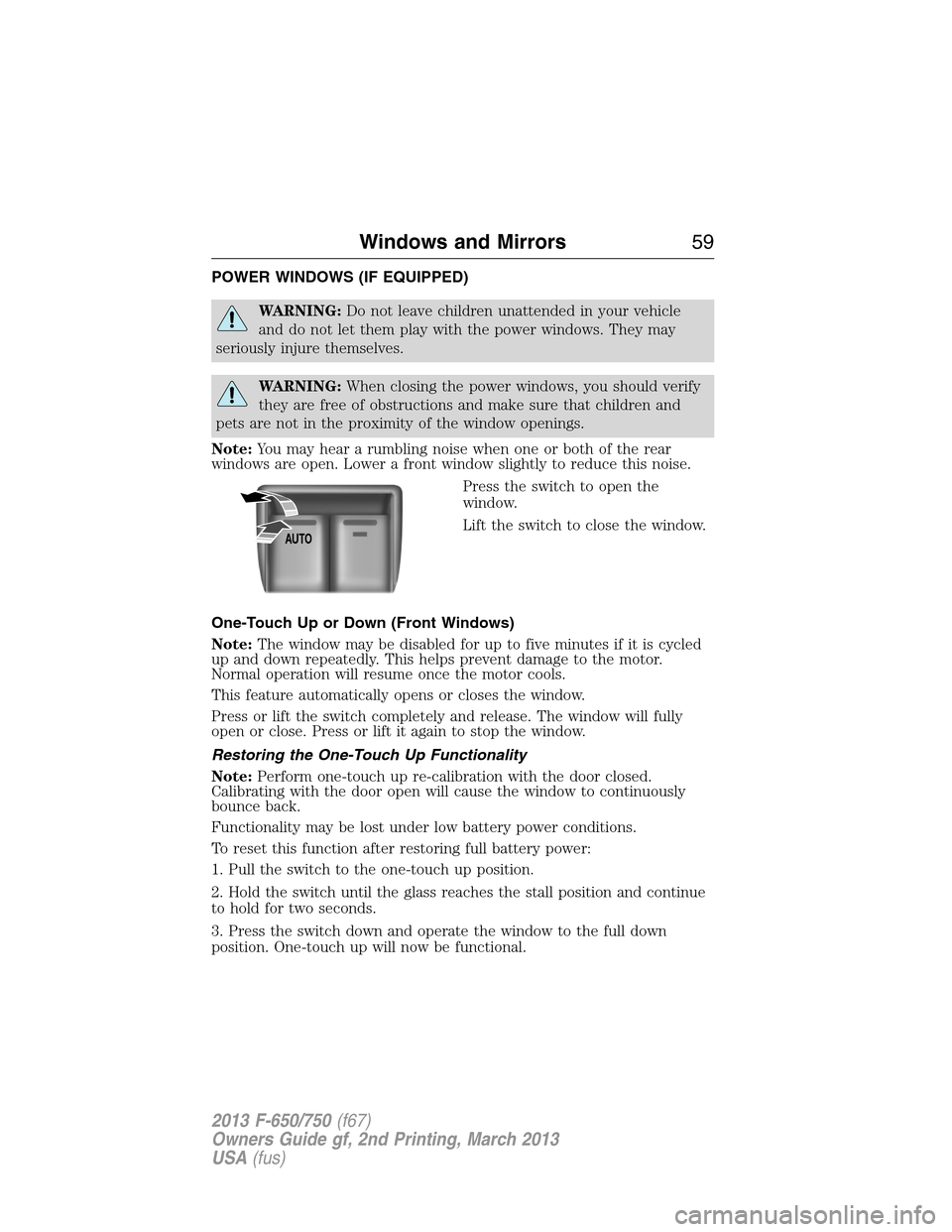
Press the switch to open the
window.
Lift the switch to close the window.
One-Touch Up or Down (Front Windows)
Note:The window may be disabled for up to five minutes if it is cycled
up and down repeatedly. This helps prevent damage to the motor.
Normal operation will resume once the motor cools.
This feature automatically opens or closes the window.
Press or lift the switch completely and release. The window will fully
open or close. Press or lift it again to stop the window.
Restoring the One-Touch Up Functionality
Note:Perform one-touch up re-calibration with the door closed.
Calibrating with the door open will cause the window to continuously
bounce back.
Functionality may be lost under low battery power conditions.
To reset this function after restoring full battery power:
1. Pull the switch to the one-touch up position.
2. Hold the switch until the glass reaches the stall position and continue
to hold for two seconds.
3. Press the switch down and operate the window to the full down
position. One-touch up will now be functional.
AUTO
Windows and Mirrors59
2013 F-650/750(f67)
Owners Guide gf, 2nd Printing, March 2013
USA(fus)
Page 61 of 378
Bounce-Back (One-Touch Up or Down Windows Only)
The window will stop automatically while closing and reverse some
distance if there is an obstacle in the way.
Overriding the Bounce-Back Feature
WARNING:When you override the bounce-back feature the
window will not reverse if it detects an obstacle. Take care when
closing the windows to avoid personal injury or damage to your vehicle.
Pull up the window switch and hold within two seconds of the window
reaching the bounce-back position. The window will travel up with no
bounce-back protection. The window will stop if you release the switch
before the window is fully closed.
Window Lock
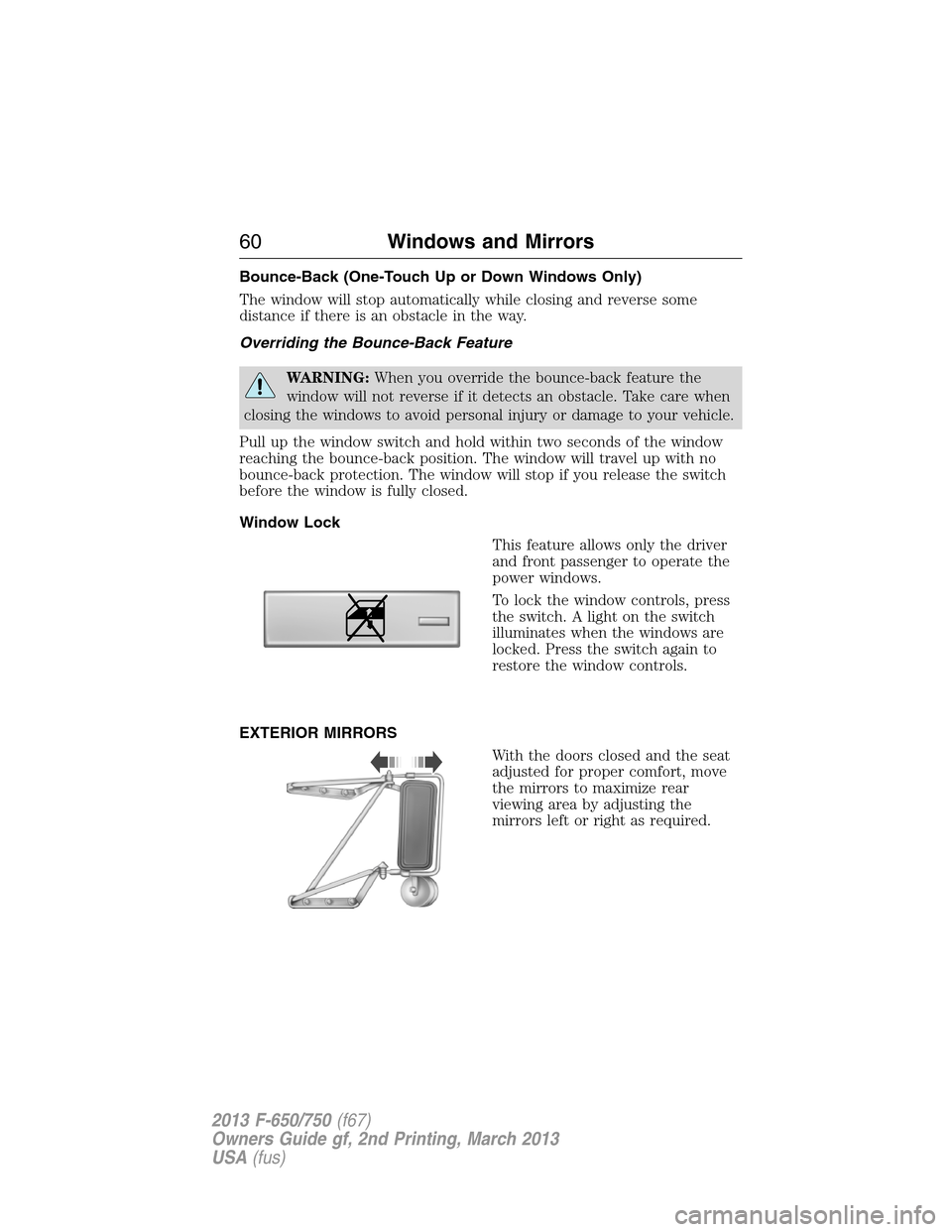
This feature allows only the driver
and front passenger to operate the
power windows.
To lock the window controls, press
the switch. A light on the switch
illuminates when the windows are
locked. Press the switch again to
restore the window controls.
EXTERIOR MIRRORS
With the doors closed and the seat
adjusted for proper comfort, move
the mirrors to maximize rear
viewing area by adjusting the
mirrors left or right as required.
60Windows and Mirrors
2013 F-650/750(f67)
Owners Guide gf, 2nd Printing, March 2013
USA(fus)
Page 62 of 378
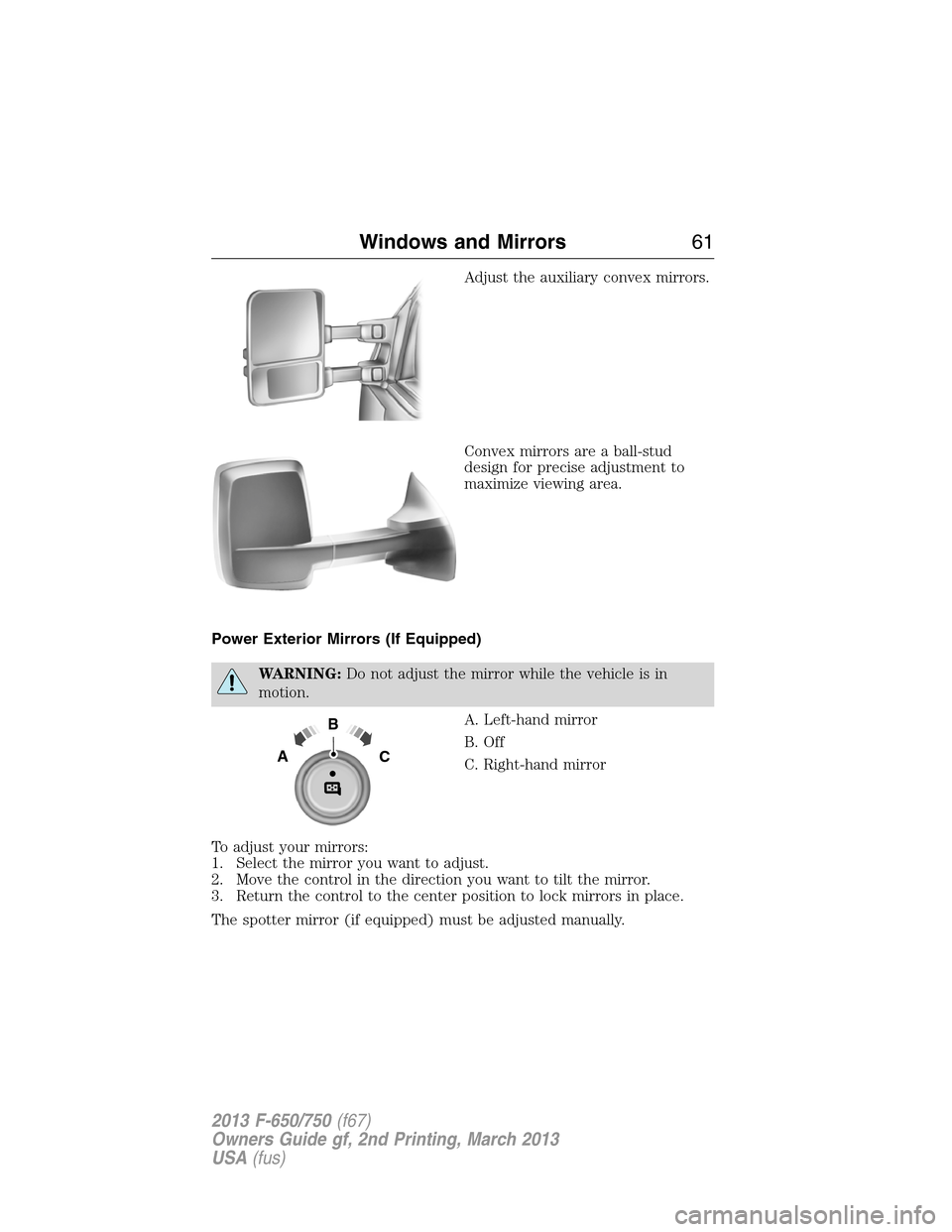
Adjust the auxiliary convex mirrors.
Convex mirrors are a ball-stud
design for precise adjustment to
maximize viewing area.
Power Exterior Mirrors (If Equipped)
WARNING:Do not adjust the mirror while the vehicle is in
motion.
A. Left-hand mirror
B. Off
C. Right-hand mirror
To adjust your mirrors:
1. Select the mirror you want to adjust.
2. Move the control in the direction you want to tilt the mirror.
3. Return the control to the center position to lock mirrors in place.
The spotter mirror (if equipped) must be adjusted manually.
B
AC
Windows and Mirrors61
2013 F-650/750(f67)
Owners Guide gf, 2nd Printing, March 2013
USA(fus)
Page 63 of 378
Fold-Away Exterior Mirrors
Push the mirror toward the door window glass. Make sure that you fully
engage the mirror in its support when returning it to its original position.
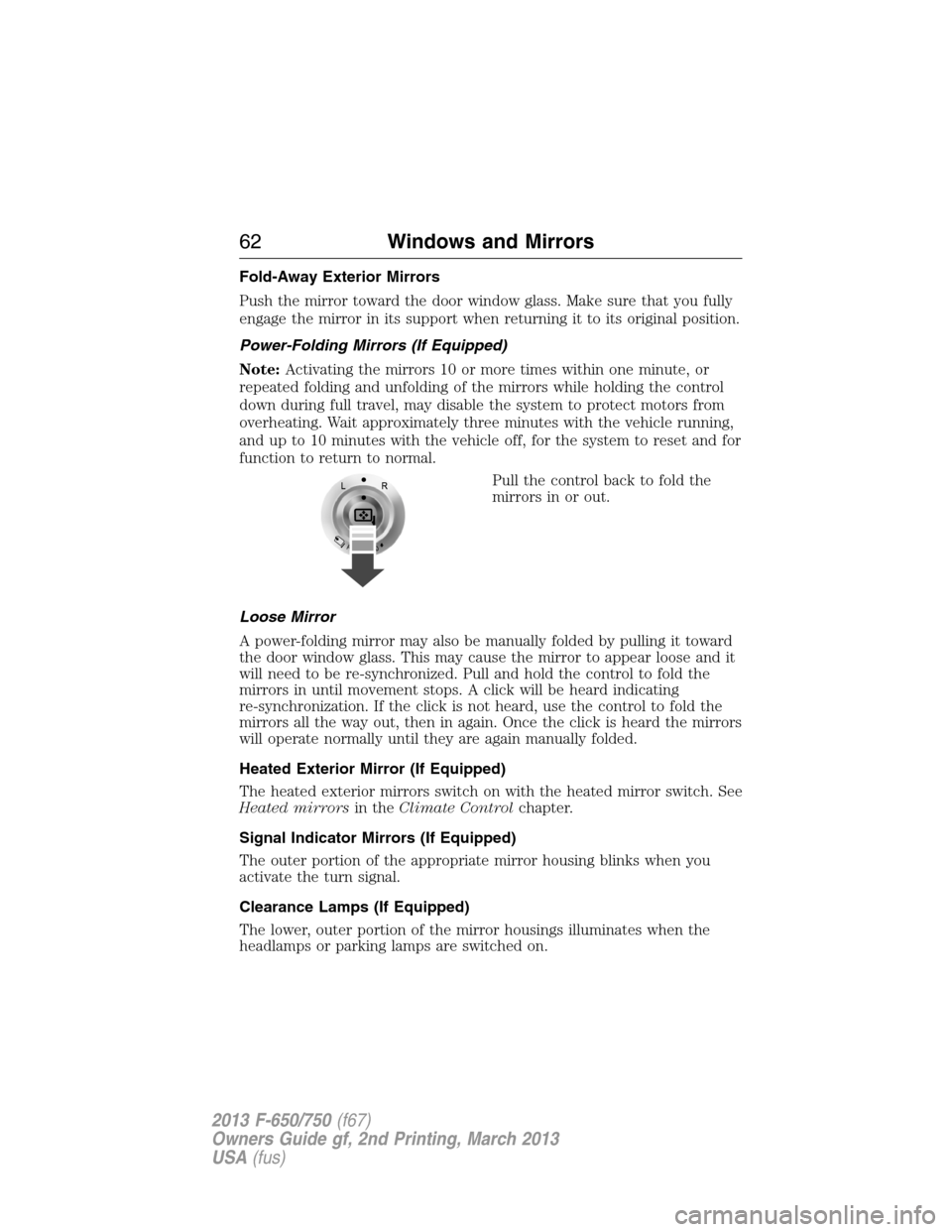
Power-Folding Mirrors (If Equipped)
Note:Activating the mirrors 10 or more times within one minute, or
repeated folding and unfolding of the mirrors while holding the control
down during full travel, may disable the system to protect motors from
overheating. Wait approximately three minutes with the vehicle running,
and up to 10 minutes with the vehicle off, for the system to reset and for
function to return to normal.
Pull the control back to fold the
mirrors in or out.
Loose Mirror
A power-folding mirror may also be manually folded by pulling it toward
the door window glass. This may cause the mirror to appear loose and it
will need to be re-synchronized. Pull and hold the control to fold the
mirrors in until movement stops. A click will be heard indicating
re-synchronization. If the click is not heard, use the control to fold the
mirrors all the way out, then in again. Once the click is heard the mirrors
will operate normally until they are again manually folded.
Heated Exterior Mirror (If Equipped)
The heated exterior mirrors switch on with the heated mirror switch. See
Heated mirrorsin theClimate Controlchapter.
Signal Indicator Mirrors (If Equipped)
The outer portion of the appropriate mirror housing blinks when you
activate the turn signal.
Clearance Lamps (If Equipped)
The lower, outer portion of the mirror housings illuminates when the
headlamps or parking lamps are switched on.
62Windows and Mirrors
2013 F-650/750(f67)
Owners Guide gf, 2nd Printing, March 2013
USA(fus)
Page 64 of 378
Telescoping Mirrors (If Equipped)
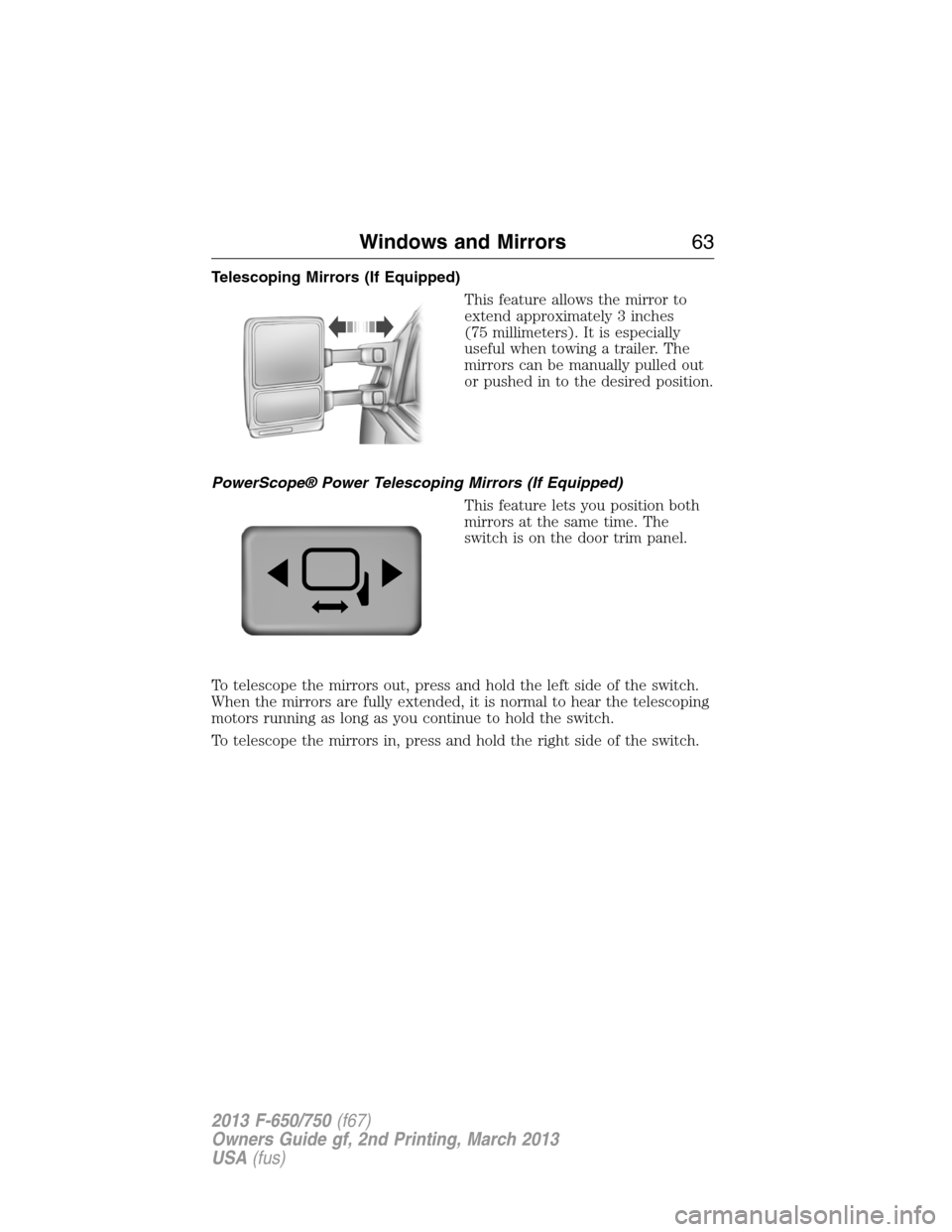
This feature allows the mirror to
extend approximately 3 inches
(75 millimeters). It is especially
useful when towing a trailer. The
mirrors can be manually pulled out
or pushed in to the desired position.
PowerScope® Power Telescoping Mirrors (If Equipped)
This feature lets you position both
mirrors at the same time. The
switch is on the door trim panel.
To telescope the mirrors out, press and hold the left side of the switch.
When the mirrors are fully extended, it is normal to hear the telescoping
motors running as long as you continue to hold the switch.
To telescope the mirrors in, press and hold the right side of the switch.
Windows and Mirrors63
2013 F-650/750(f67)
Owners Guide gf, 2nd Printing, March 2013
USA(fus)
Page 89 of 378
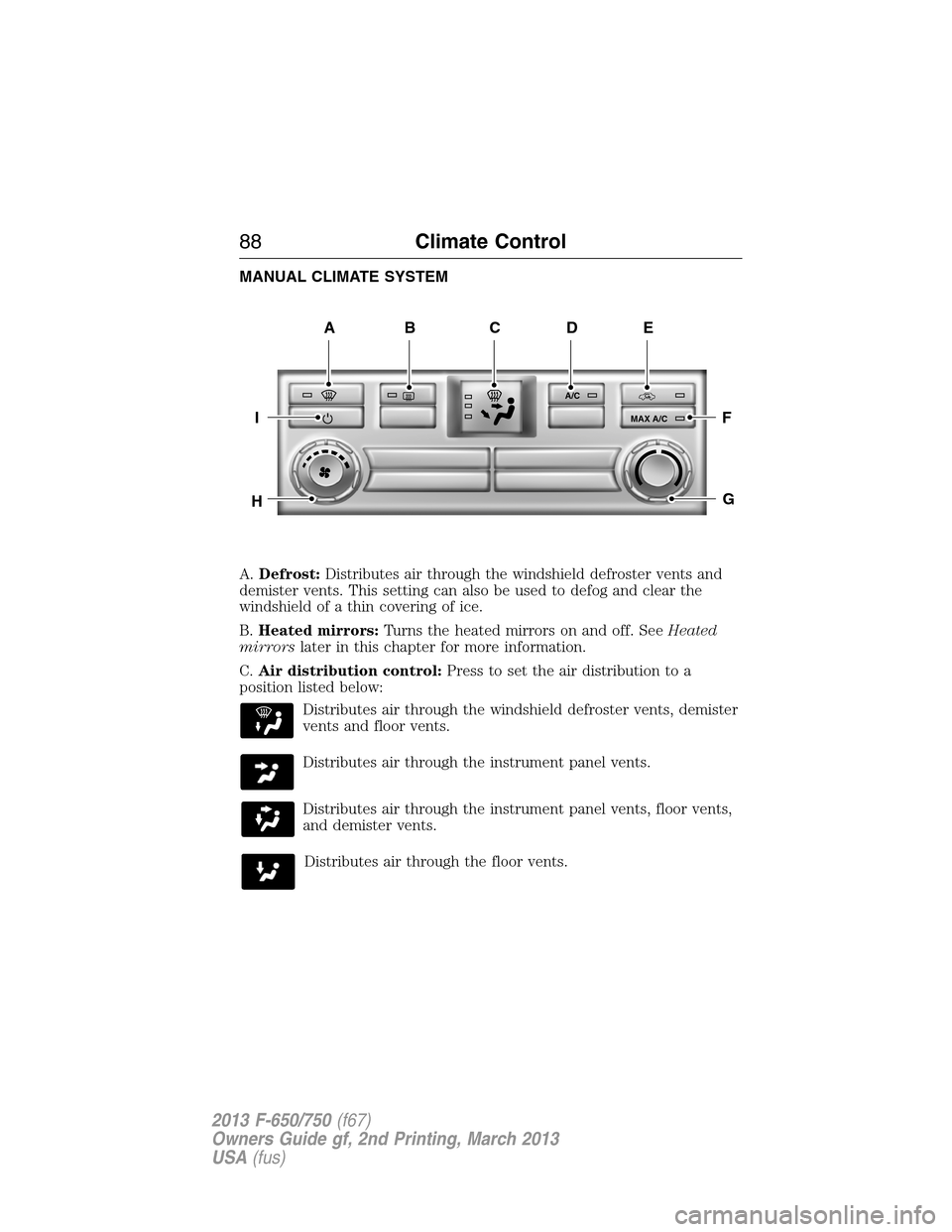
MANUAL CLIMATE SYSTEM
A.Defrost:Distributes air through the windshield defroster vents and
demister vents. This setting can also be used to defog and clear the
windshield of a thin covering of ice.
B.Heated mirrors:Turns the heated mirrors on and off. SeeHeated
mirrorslater in this chapter for more information.
C.Air distribution control:Press to set the air distribution to a
position listed below:
Distributes air through the windshield defroster vents, demister
vents and floor vents.
Distributes air through the instrument panel vents.
Distributes air through the instrument panel vents, floor vents,
and demister vents.
Distributes air through the floor vents.
A/C
MAX A/C
ABDE
F
G
I
H
C
88Climate Control
2013 F-650/750(f67)
Owners Guide gf, 2nd Printing, March 2013
USA(fus)
Page 91 of 378
Recommended settings for cooling:
•Adjust the air distribution control to the A/C position.
If your vehicle is stationary for extended periods during extreme high
ambient temperatures:
•Select the MAX A/C position.
Gas engines:If your vehicle is stationary for long periods of time in
high ambient temperature conditions, your climate control system may
automatically switch from fresh air mode to recirculation mode. This is
normal system operation as it provides protection of the air conditioning
compressor (and related parts). It is recommended that you allow the
system to remain in this mode if it has switched. The system reverts
back to fresh air mode when conditions allow.
For maximum cooling performance, turn the air distribution control to
MAX A/C.
To aid in side window defogging/demisting in cold weather:
1. Select Panel/Floor.
2. Select A/C.
3. Adjust the temperature control to maintain comfort.
4. Set the fan speed to the highest setting.
5. Direct the outer instrument panel vents toward the side windows.
6. To increase airflow to the outer instrument panel vents, close the
vents located in the middle of the instrument panel.
HEATED MIRRORS (IF EQUIPPED)
Note:Do not remove ice from the mirrors with a scraper or attempt to
readjust the mirror glass if it is frozen in place. These actions could
cause damage to the glass and mirrors.
Note:Do not clean the housing or glass of any mirror with harsh
abrasives, fuel or other petroleum-based cleaning products.
Both mirrors are heated to remove ice, mist and fog when the heated
mirror button is pressed.
90Climate Control
2013 F-650/750(f67)
Owners Guide gf, 2nd Printing, March 2013
USA(fus)
Page 169 of 378
OPERATING YOUR VEHICLE
General Information
•Start the vehicle in motion by using the highest gear speed in the
transmission that lets the engine easily start the load without slipping
the clutch.
•Accelerate smoothly and evenly. Rapid acceleration increases fuel
consumption without increasing engine performance.
•When approaching a hill, press the accelerator smoothly to start the
incline at full power, then shift down as needed to maintain vehicle
speed.
•When going down a hill, or long steep grades, prevent overspeeding
of the engine. Normally, choose the same gear to descend the hill that
you use to ascend the hill. The engine governor has no control over
engine speed when it is being pushed by a loaded vehicle.
•Operate in a gear that permits an engine speed not in excess of the
maximum governed speed or high-idle RPM (no load).
•
Always shift to a lower gear at high altitudes to prevent engine smoking.
Backing Up
WARNING:All vehicles have blind spots. To reduce the risk of
severe injury or property damage, never move your vehicle to the
side or rear or change lanes without being sure your way is clear on
both sides and to your rear.
WARNING:To reduce the risk of the possibility of personal
injury while backing up the vehicle, always be sure your vehicle’s
path is clear.
Before backing up your vehicle, be sure you can do so safely. If anything
behind the cab limits your view, do not rely on mirrors alone to ensure
that your intended path is clear. If other people are in the vicinity, have
someone standing well behind your vehicle and outside of your intended
path (visible through an exterior mirror) guide you as you back up.
Although OSHA or some governmental regulations may require the use
of an electrical or mechanical back up alarm to warn bystanders, such an
alarm does not guarantee that the intended path is clear. When in doubt,
get out of the vehicle and visually check the intended path is clear. Back
up slowly as to allow others time to move, if necessary.
If an electrical back up alarm is installed, it should be connected to the
back up lamp circuit.
168Driving Aids
2013 F-650/750(f67)
Owners Guide gf, 2nd Printing, March 2013
USA(fus)
Page 200 of 378
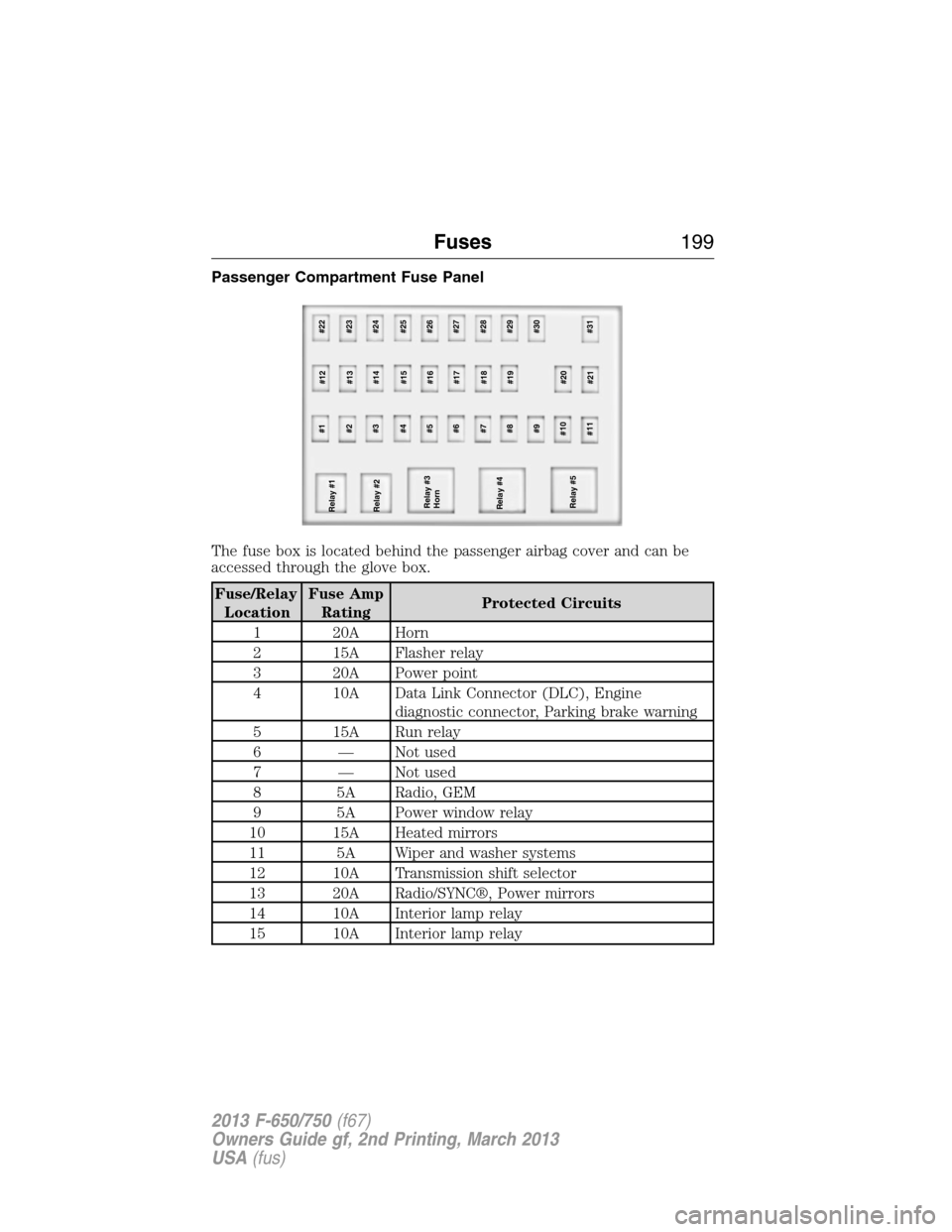
Passenger Compartment Fuse Panel
The fuse box is located behind the passenger airbag cover and can be
accessed through the glove box.
Fuse/Relay
LocationFuse Amp
RatingProtected Circuits
1 20A Horn
2 15A Flasher relay
3 20A Power point
4 10A Data Link Connector (DLC), Engine
diagnostic connector, Parking brake warning
5 15A Run relay
6 — Not used
7 — Not used
8 5A Radio, GEM
9 5A Power window relay
10 15A Heated mirrors
11 5A Wiper and washer systems
12 10A Transmission shift selector
13 20A Radio/SYNC®, Power mirrors
14 10A Interior lamp relay
15 10A Interior lamp relay
Relay #2
Relay #3
Horn
Relay #4
Relay #5#1
#12#22
#2
#13#23
#3
#14#24
#4
#15#25
#6
#17#27 #5
#16#26
#7
#18#28
#8
#19#29
#9 #30
#10
#20
#11
#21#31 Relay #1
Fuses199
2013 F-650/750(f67)
Owners Guide gf, 2nd Printing, March 2013
USA(fus)