engine FORD F650 2016 13.G Repair Manual
[x] Cancel search | Manufacturer: FORD, Model Year: 2016, Model line: F650, Model: FORD F650 2016 13.GPages: 379, PDF Size: 4.8 MB
Page 122 of 379
WARNING
Sudden accelerations on slippery
surfaces could cause the wheels to
spin, the vehicle to turn sideways on
a crowned road surface or in a turn,
possibly resulting in loss of vehicle control
and personal injury. Activating the Locking Differential
You can lock and unlock the differential
when your vehicle is moving at a constant
speed of less than 25 mph (40 km/h) and
while the wheels are not slipping. Do not
lock the differential when your vehicle is
traveling down steep grades and when
traction is minimal.
The differential lock and differential lock
light automatically disengage at speeds
above 25 mph (40 km/h). The differential
lock remains off until either you restart your
vehicle or you turn the differential lock
switch off then back on.
Servicing a Vehicle with a Locking
Differential
Turn the engine off and raise all drive
wheels of the locker differential axle in
order to prevent your vehicle from moving
when servicing the wheels, tires or brakes.
Axles equipped with a driver-controlled
differential deliver power to both wheels
even when only one wheel is on the ground. WARNING
Failure to raise all drive wheels with
this type of differential could cause
the vehicle to move unexpectedly,
resulting in property damage, personal
injury or death. 2-SPEED REAR AXLE
(If Equipped)
WARNING
Never shift a two-speed axle when
descending a steep grade as this
may cause loss of vehicle control and
result in personal injury. Note:
Do not shift between ranges when
the speed control is on.
A two-speed rear axle allows the driver to
select a low range for greater pulling power
and a high range for greater road speed
and fuel economy. You can also use these
ranges to provide extra steps between
transmission shifts when driving on steep
grades or fuel economy may be factors.
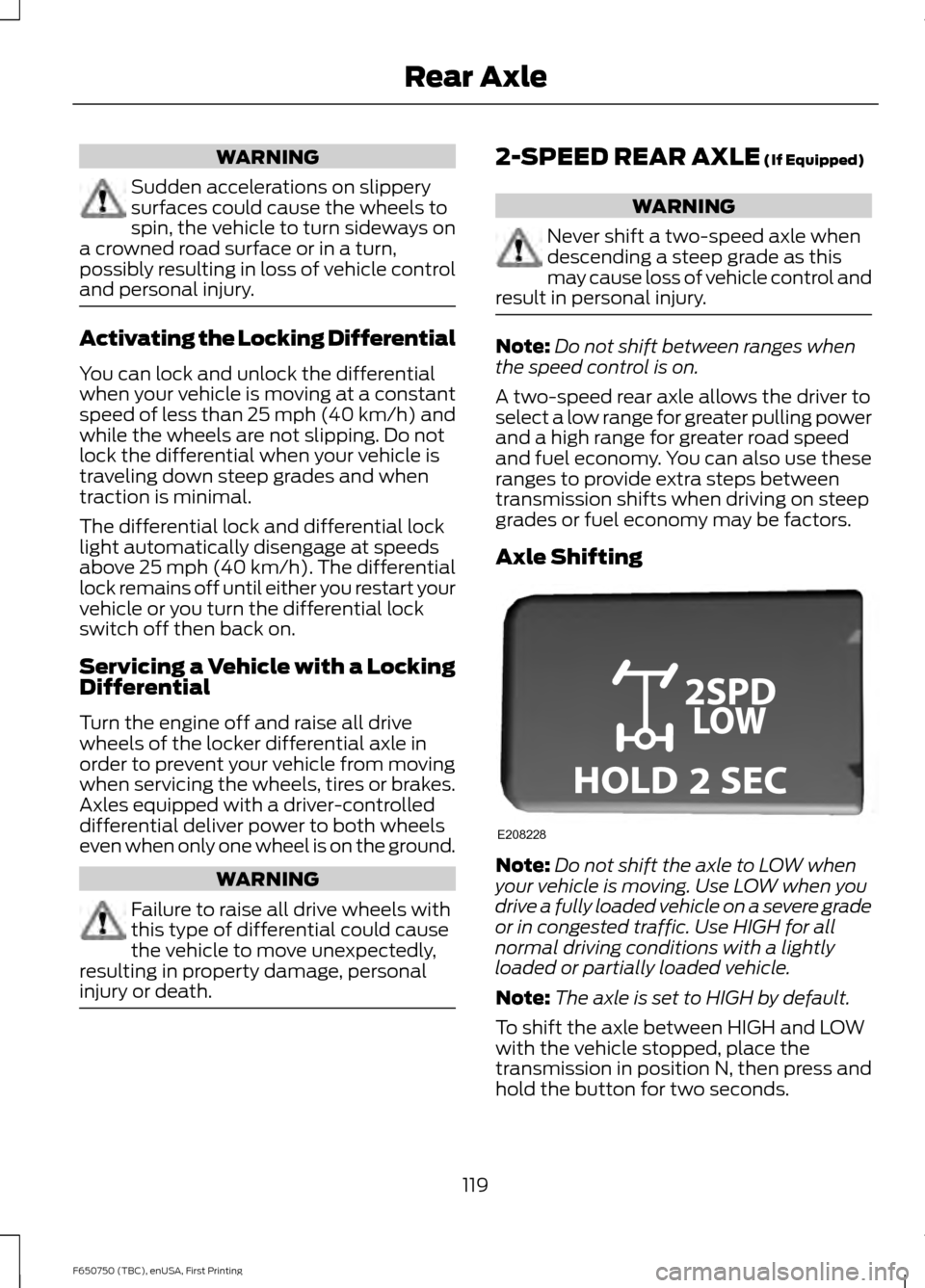
Axle Shifting Note:
Do not shift the axle to LOW when
your vehicle is moving. Use LOW when you
drive a fully loaded vehicle on a severe grade
or in congested traffic. Use HIGH for all
normal driving conditions with a lightly
loaded or partially loaded vehicle.
Note: The axle is set to HIGH by default.
To shift the axle between HIGH and LOW
with the vehicle stopped, place the
transmission in position N, then press and
hold the button for two seconds.
119
F650750 (TBC), enUSA, First Printing Rear AxleE208228
Page 123 of 379
GENERAL INFORMATION
WARNINGS
Do not drive with your foot resting on
the brake pedal. This results in
abnormally high brake temperatures,
excessive lining wear and increased
stopping distance. Continuous application of the brakes
causes the brakes to overheat,
resulting in temporary loss of braking.
Note:
Occasional brake noise is normal. If
a metal-to-metal, continuous grinding or
continuous squeal sound is present, the
brake linings may be worn-out. Have the
system checked by an authorized dealer. If
your vehicle has continuous vibration or
shudder in the steering wheel while braking,
have it checked by an authorized dealer.
All standard equipment brakes are
self-adjusting. Automatic adjustment,
when required, occurs whenever you apply
and release the brakes during forward or
reverse operation.
Know the required stopping distances for
all driving conditions you may encounter.
For longer brake lining life, take full
advantage of engine braking power when
coming to a stop. See Warning Lamps and
Indicators (page 58).
Wet brakes result in reduced braking
efficiency. Gently press the brake pedal a
few times when driving from a car wash or
standing water to dry the brakes.
If brakes do not grip well:
• Check brake adjustment.
• Check brake linings for excessive wear.
• Check system air pressure on vehicle
equipped with air brakes. •
Let the brakes cool if you have been
using them excessively, as in mountain
driving or after several fast, high-speed
stops.
• If you have been driving through deep
water, gently apply the brakes several
times while your vehicle is moving
slowly.
Anti-lock Brake System
This system helps you maintain steering
control during emergency stops by keeping
the brakes from locking. This lamp momentarily
illuminates when you turn the
ignition on. If the light does not
illuminate during start up, remains on or
flashes, the system may be disabled. Have
the system checked by an authorized
dealer. If the system is disabled, normal
braking is still effective. If the
brake warning lamp illuminates
when you release the parking brake, have
the system checked by an authorized
dealer. If you connect a PLC trailer with
the ignition on, the trailer ABS
light also illuminates. If the light
fails to illuminate, if it remains on after you
start the vehicle or continues to flash, have
the system serviced immediately.
HINTS ON DRIVING WITH
ANTI-LOCK BRAKES
Note: When the system is operating, the
brake pedal may pulse and may travel
further. Maintain pressure on the brake
pedal. You may also hear a noise from the
system. This is normal.
120
F650750 (TBC), enUSA, First Printing BrakesE209041 E209041 E210335
Page 125 of 379
Note:
Read and understand the following
steps and perform them whenever you
prepare to drive the vehicle.
Note: The parking brake does not disengage
unless sufficient system air pressure is
available.
1. Press and hold the service brake pedal
while the engine is running.
2. Select the appropriate drive gear.
3. Push and hold the yellow dash-mounted parking brake knob until
the parking brake light turns off, then
release.
Parking Brake Light Illumination due
to Low Air Pressure
If the air pressure becomes too low at any
time during vehicle operation, the parking
brake may apply and the parking brake
light turns on.
If the parking brake applies due to low air
pressure, immediate service is required to
the parking brake system.
Parking Brake Warning System
If the parking brake light blinks and a tone
sounds when pulling the yellow control
knob out, this indicates the parking brake
is not functioning properly. Seek service for
the parking brake immediately.
With the ignition key not in the run position:
• A tone sounds if the parking brake
remains released (or in an unknown
state). The tone stops after
approximately 8 minutes or until the
parking brake is applied. Seek service
for the parking brake immediately. Diesel engines: Parking brake light
operation (the light only works when the
ignition key is in the run position):
• On:
Parking brake applied.
• Off:
Parking brake released and no
faults or malfunctions detected.
• Blink and tone:
Parking brake
released (or in an unknown state) and
faults or malfunctions detected.
Releasing Spring Manually WARNINGS
Do not attempt to disassemble the
parking brake chamber under any
circumstances. The high spring load
may cause serious injury. Block the wheels to help prevent the
vehicle from moving.
Unexpected and possibly sudden
vehicle movement may occur if these
precautions are not taken.
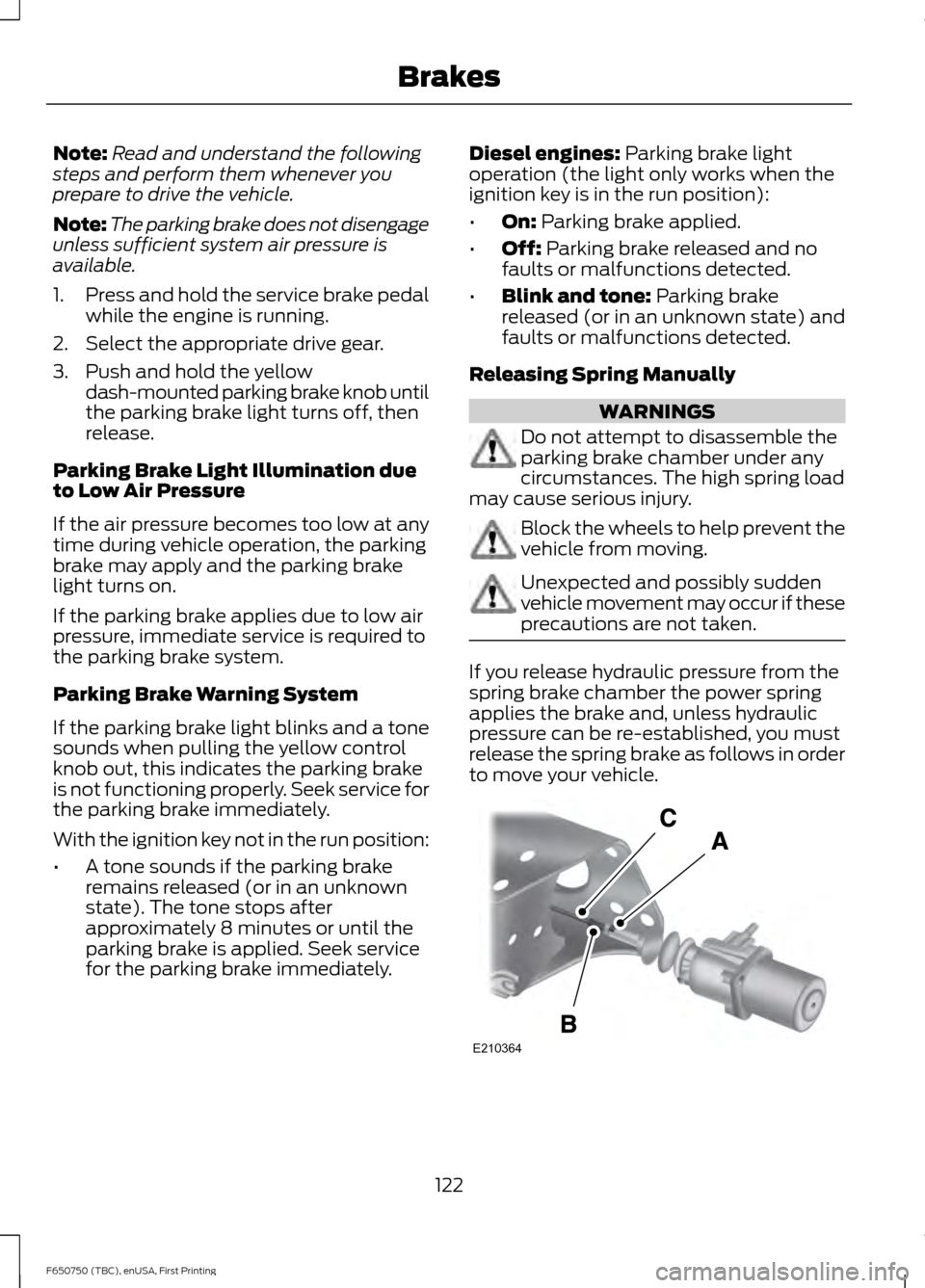
If you release hydraulic pressure from the
spring brake chamber the power spring
applies the brake and, unless hydraulic
pressure can be re-established, you must
release the spring brake as follows in order
to move your vehicle.
122
F650750 (TBC), enUSA, First Printing BrakesE210364
Page 127 of 379
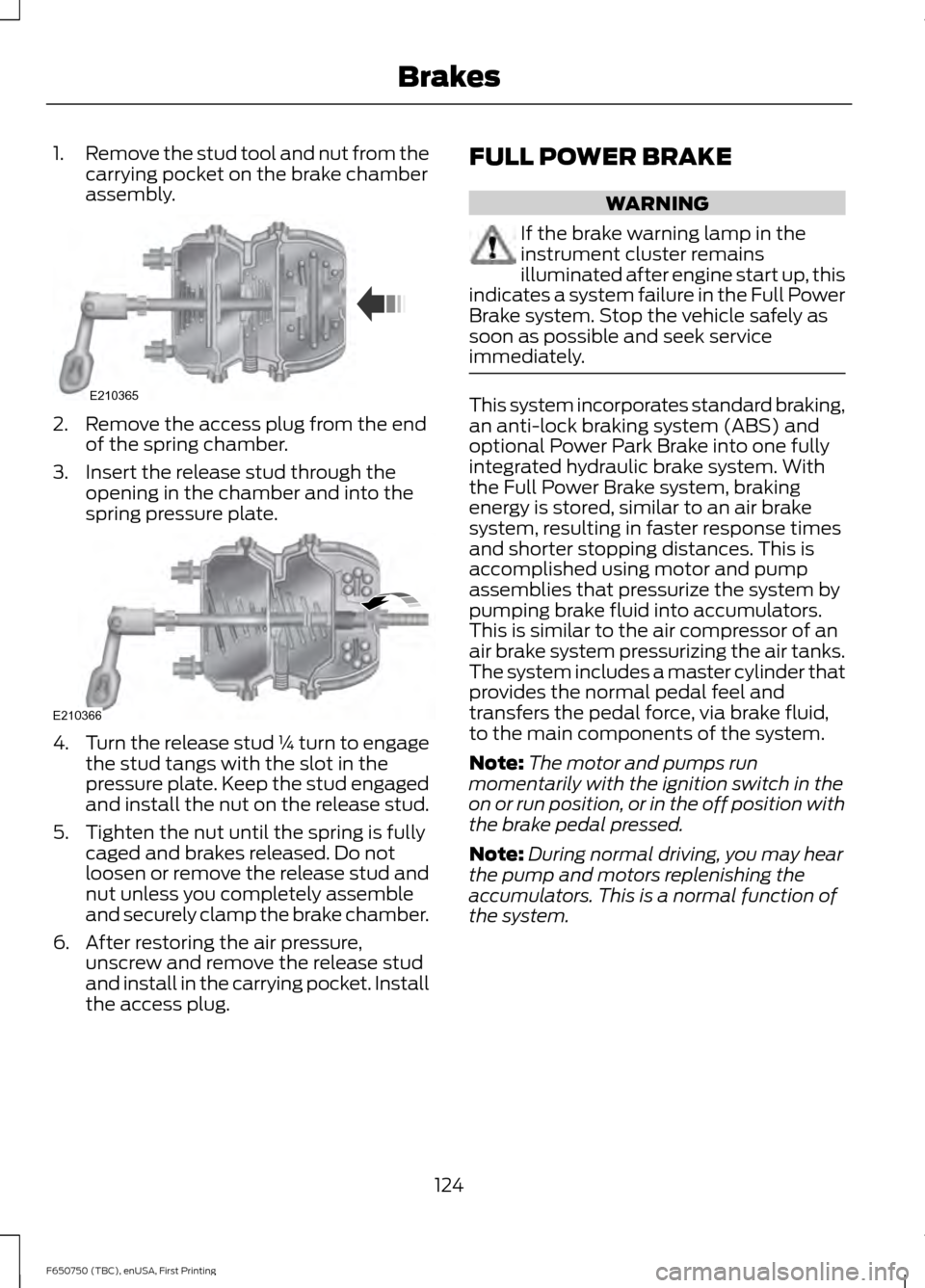
1.
Remove the stud tool and nut from the
carrying pocket on the brake chamber
assembly. 2. Remove the access plug from the end
of the spring chamber.
3. Insert the release stud through the opening in the chamber and into the
spring pressure plate. 4.
Turn the release stud ¼ turn to engage
the stud tangs with the slot in the
pressure plate. Keep the stud engaged
and install the nut on the release stud.
5. Tighten the nut until the spring is fully caged and brakes released. Do not
loosen or remove the release stud and
nut unless you completely assemble
and securely clamp the brake chamber.
6. After restoring the air pressure, unscrew and remove the release stud
and install in the carrying pocket. Install
the access plug. FULL POWER BRAKE WARNING
If the brake warning lamp in the
instrument cluster remains
illuminated after engine start up, this
indicates a system failure in the Full Power
Brake system. Stop the vehicle safely as
soon as possible and seek service
immediately. This system incorporates standard braking,
an anti-lock braking system (ABS) and
optional Power Park Brake into one fully
integrated hydraulic brake system. With
the Full Power Brake system, braking
energy is stored, similar to an air brake
system, resulting in faster response times
and shorter stopping distances. This is
accomplished using motor and pump
assemblies that pressurize the system by
pumping brake fluid into accumulators.
This is similar to the air compressor of an
air brake system pressurizing the air tanks.
The system includes a master cylinder that
provides the normal pedal feel and
transfers the pedal force, via brake fluid,
to the main components of the system.
Note:
The motor and pumps run
momentarily with the ignition switch in the
on or run position, or in the off position with
the brake pedal pressed.
Note: During normal driving, you may hear
the pump and motors replenishing the
accumulators. This is a normal function of
the system.
124
F650750 (TBC), enUSA, First Printing BrakesE210365 E210366
Page 128 of 379
AIR BRAKES
WARNINGS
Do not drive or continue to drive if the
low air pressure buzzer is sounding
or the brake warning light is lit. These
warnings indicate that air pressure is not
to normal operating level. Continued use
of the vehicle could result in loss of braking
ability. Avoid repeated light application of
the brake pedal. This depletes air
pressure faster and could result in
loss of braking capability. Do not move the vehicle when the
air pressure is insufficient because
the brake system may be inoperative.
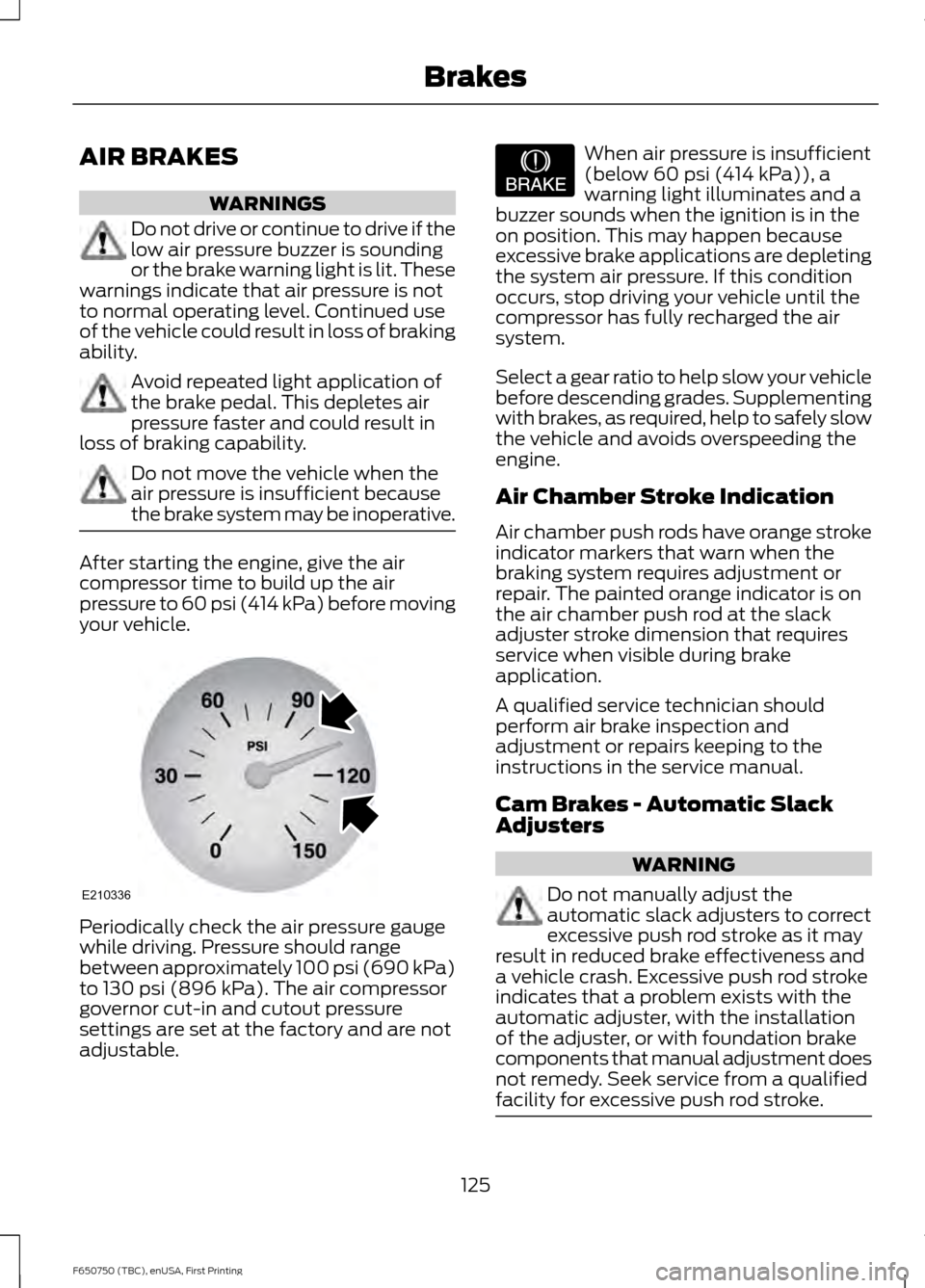
After starting the engine, give the air
compressor time to build up the air
pressure to 60 psi (414 kPa) before moving
your vehicle. Periodically check the air pressure gauge
while driving. Pressure should range
between approximately 100 psi (690 kPa)
to
130 psi (896 kPa). The air compressor
governor cut-in and cutout pressure
settings are set at the factory and are not
adjustable. When air pressure is insufficient
(below
60 psi (414 kPa)), a
warning light illuminates and a
buzzer sounds when the ignition is in the
on position. This may happen because
excessive brake applications are depleting
the system air pressure. If this condition
occurs, stop driving your vehicle until the
compressor has fully recharged the air
system.
Select a gear ratio to help slow your vehicle
before descending grades. Supplementing
with brakes, as required, help to safely slow
the vehicle and avoids overspeeding the
engine.
Air Chamber Stroke Indication
Air chamber push rods have orange stroke
indicator markers that warn when the
braking system requires adjustment or
repair. The painted orange indicator is on
the air chamber push rod at the slack
adjuster stroke dimension that requires
service when visible during brake
application.
A qualified service technician should
perform air brake inspection and
adjustment or repairs keeping to the
instructions in the service manual.
Cam Brakes - Automatic Slack
Adjusters WARNING
Do not manually adjust the
automatic slack adjusters to correct
excessive push rod stroke as it may
result in reduced brake effectiveness and
a vehicle crash. Excessive push rod stroke
indicates that a problem exists with the
automatic adjuster, with the installation
of the adjuster, or with foundation brake
components that manual adjustment does
not remedy. Seek service from a qualified
facility for excessive push rod stroke. 125
F650750 (TBC), enUSA, First Printing BrakesE210336 E206772
Page 129 of 379
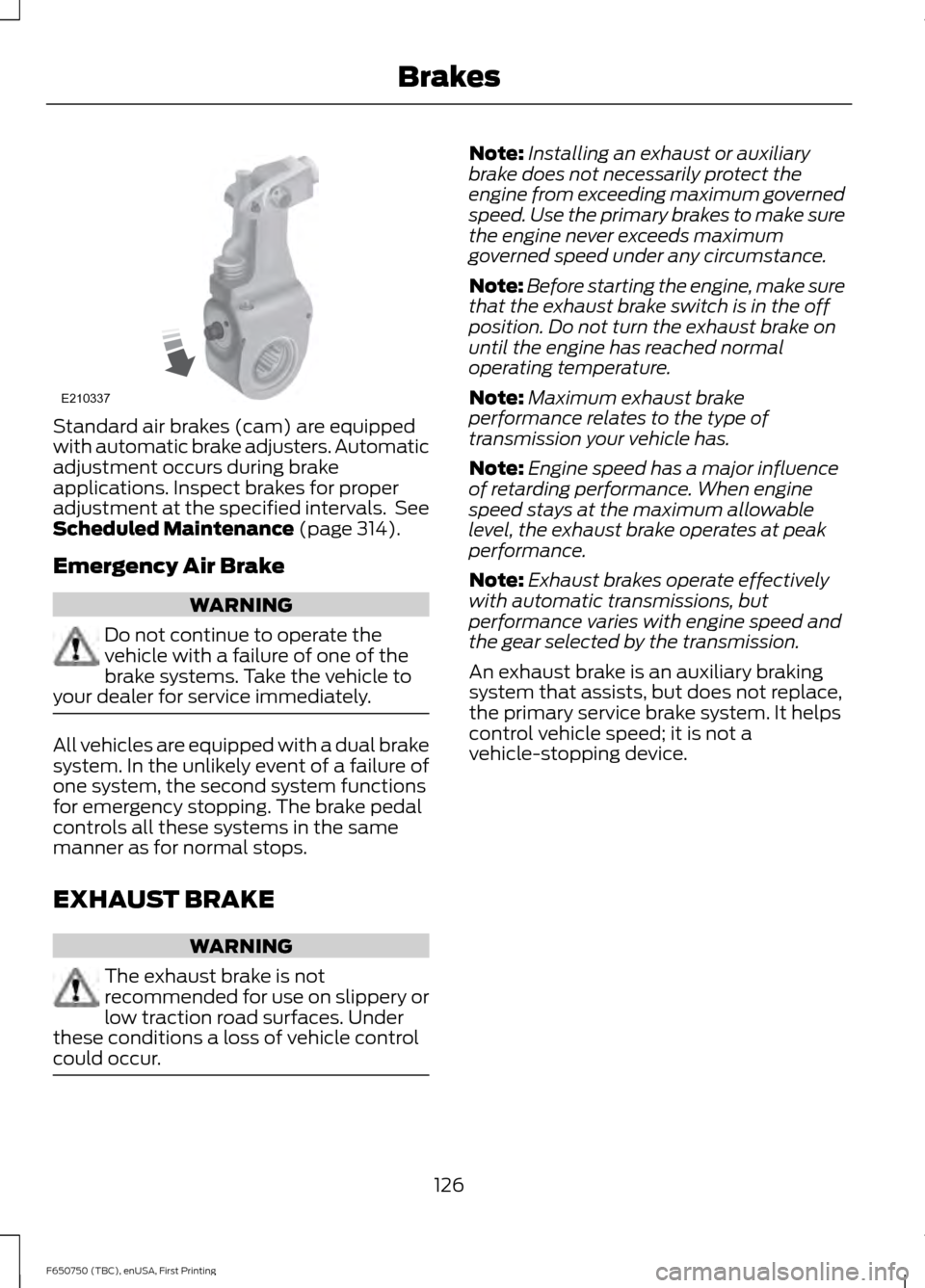
Standard air brakes (cam) are equipped
with automatic brake adjusters. Automatic
adjustment occurs during brake
applications. Inspect brakes for proper
adjustment at the specified intervals. See
Scheduled Maintenance (page 314).
Emergency Air Brake WARNING
Do not continue to operate the
vehicle with a failure of one of the
brake systems. Take the vehicle to
your dealer for service immediately. All vehicles are equipped with a dual brake
system. In the unlikely event of a failure of
one system, the second system functions
for emergency stopping. The brake pedal
controls all these systems in the same
manner as for normal stops.
EXHAUST BRAKE
WARNING
The exhaust brake is not
recommended for use on slippery or
low traction road surfaces. Under
these conditions a loss of vehicle control
could occur. Note:
Installing an exhaust or auxiliary
brake does not necessarily protect the
engine from exceeding maximum governed
speed. Use the primary brakes to make sure
the engine never exceeds maximum
governed speed under any circumstance.
Note: Before starting the engine, make sure
that the exhaust brake switch is in the off
position. Do not turn the exhaust brake on
until the engine has reached normal
operating temperature.
Note: Maximum exhaust brake
performance relates to the type of
transmission your vehicle has.
Note: Engine speed has a major influence
of retarding performance. When engine
speed stays at the maximum allowable
level, the exhaust brake operates at peak
performance.
Note: Exhaust brakes operate effectively
with automatic transmissions, but
performance varies with engine speed and
the gear selected by the transmission.
An exhaust brake is an auxiliary braking
system that assists, but does not replace,
the primary service brake system. It helps
control vehicle speed; it is not a
vehicle-stopping device.
126
F650750 (TBC), enUSA, First Printing BrakesE210337
Page 130 of 379
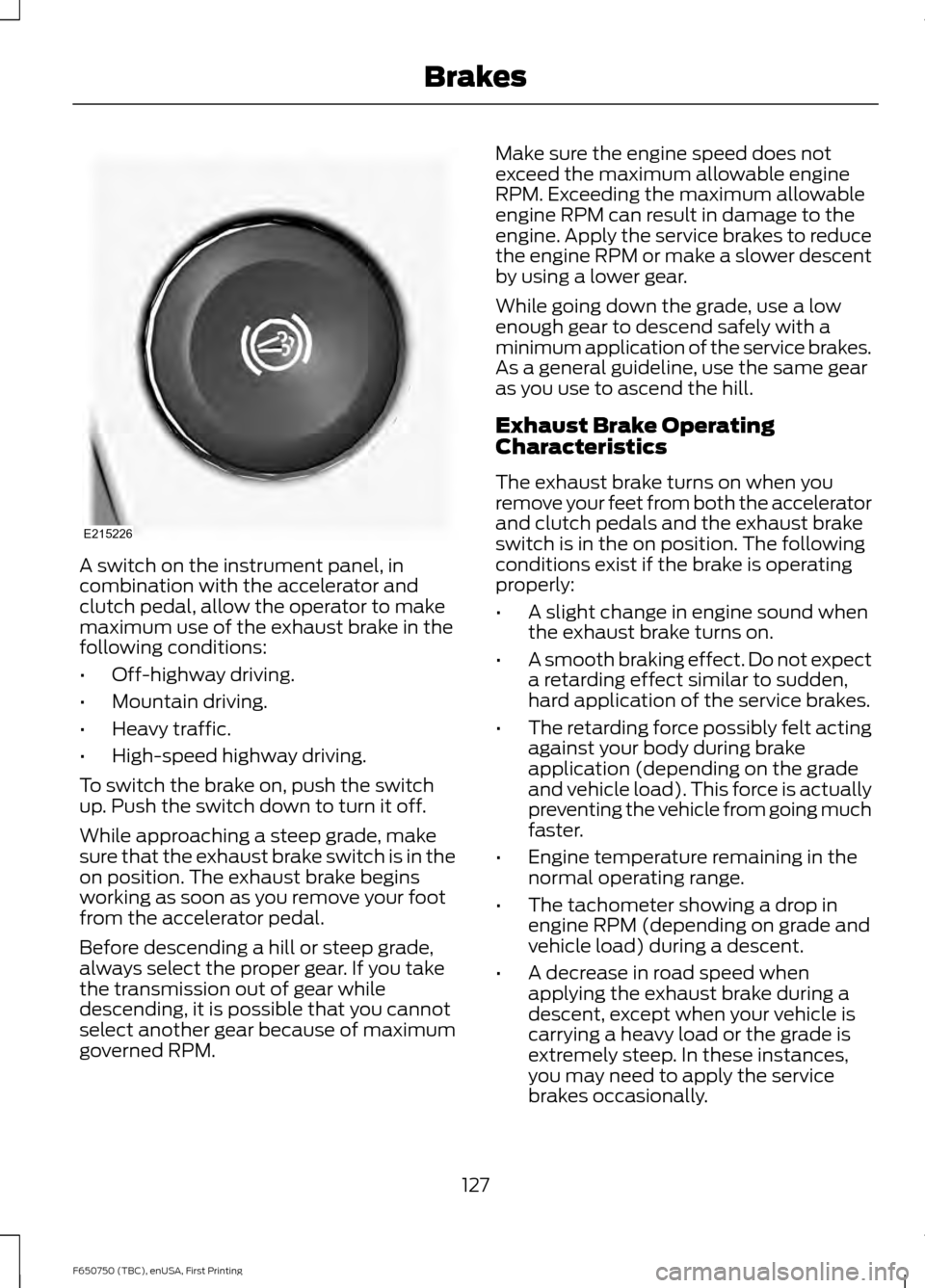
A switch on the instrument panel, in
combination with the accelerator and
clutch pedal, allow the operator to make
maximum use of the exhaust brake in the
following conditions:
•
Off-highway driving.
• Mountain driving.
• Heavy traffic.
• High-speed highway driving.
To switch the brake on, push the switch
up. Push the switch down to turn it off.
While approaching a steep grade, make
sure that the exhaust brake switch is in the
on position. The exhaust brake begins
working as soon as you remove your foot
from the accelerator pedal.
Before descending a hill or steep grade,
always select the proper gear. If you take
the transmission out of gear while
descending, it is possible that you cannot
select another gear because of maximum
governed RPM. Make sure the engine speed does not
exceed the maximum allowable engine
RPM. Exceeding the maximum allowable
engine RPM can result in damage to the
engine. Apply the service brakes to reduce
the engine RPM or make a slower descent
by using a lower gear.
While going down the grade, use a low
enough gear to descend safely with a
minimum application of the service brakes.
As a general guideline, use the same gear
as you use to ascend the hill.
Exhaust Brake Operating
Characteristics
The exhaust brake turns on when you
remove your feet from both the accelerator
and clutch pedals and the exhaust brake
switch is in the on position. The following
conditions exist if the brake is operating
properly:
•
A slight change in engine sound when
the exhaust brake turns on.
• A smooth braking effect. Do not expect
a retarding effect similar to sudden,
hard application of the service brakes.
• The retarding force possibly felt acting
against your body during brake
application (depending on the grade
and vehicle load). This force is actually
preventing the vehicle from going much
faster.
• Engine temperature remaining in the
normal operating range.
• The tachometer showing a drop in
engine RPM (depending on grade and
vehicle load) during a descent.
• A decrease in road speed when
applying the exhaust brake during a
descent, except when your vehicle is
carrying a heavy load or the grade is
extremely steep. In these instances,
you may need to apply the service
brakes occasionally.
127
F650750 (TBC), enUSA, First Printing BrakesE215226
Page 135 of 379
PRINCIPLE OF OPERATION
The traction control system helps avoid
drive wheel spin and loss of traction.
If your vehicle begins to slide, the system
applies the brakes to individual wheels
and, when needed, reduces engine power
at the same time. If the wheels spin when
accelerating on slippery or loose surfaces,
the system reduces engine power in order
to increase traction.
Note:
The system does not apply the brakes
when vehicle speed is above 25 mph
(40 km/h).
USING TRACTION CONTROL -
VEHICLES WITH: AIR BRAKES WARNING
Aggressive driving in any road
conditions can cause you to lose
control of your vehicle increasing the
risk of severe personal injury or property
damage. The occurrence of a traction
control event is an indication that at least
some of the tires have exceeded their
ability to grip the road; this may lead to an
increased risk of loss of vehicle control,
vehicle rollover, personal injury and death.
If you experience a severe road event,
SLOW DOWN. Press the switch to select Off Road or
Mud/Snow traction mode. This is
beneficial when your vehicle is stuck in
snow or on a slippery road surface. This
mode allows excess wheel spin to dig your
vehicle out and allows you to rock your
vehicle.
Press the switch again to select standard
traction control. The system automatically
selects standard traction control at the
next ignition cycle. System Indicator Light
Note:
If the traction control light does not
flash during a traction control event or stays
illuminated, the system is not functioning
properly. Take your vehicle to an authorized
dealer for service.
During traction control operation, the
traction control light flashes rapidly and
the engine does not rev-up when you press
further on the accelerator. This is normal
and is no reason for concern.
In Off Road or Mud/Snow mode, the
traction control light illuminates and
flashes slowly. If a traction event occurs,
in either mode, the light flashes rapidly.
USING TRACTION CONTROL -
VEHICLES WITH: HYDRAULIC
BRAKES WARNING
Aggressive driving in any road
conditions can cause you to lose
control of your vehicle increasing the
risk of severe personal injury or property
damage. The occurrence of a traction
control event is an indication that at least
some of the tires have exceeded their
ability to grip the road; this may lead to an
increased risk of loss of vehicle control,
vehicle rollover, personal injury and death.
If you experience a severe road event,
SLOW DOWN. The system automatically turns on each
time you switch the ignition on.
Use the traction control switch on the
instrument panel to switch the system off
or on.
If your vehicle is stuck in mud or snow,
switching traction control off may be
beneficial as this allows the wheels to spin.
132
F650750 (TBC), enUSA, First Printing Traction Control
Page 136 of 379
Press the switch again to enable the
traction control system.
System Indicator Light
Note:
If the traction control light does not
flash during a traction control event or stays
illuminated, the system is not functioning
properly. Take your vehicle to an authorized
dealer for service.
During traction control operation, the
traction control light flashes rapidly and
the engine does not rev-up when you press
further on the accelerator. This is normal
and is no reason for concern.
When traction control is disabled, the
traction control light illuminates and
flashes slowly.
133
F650750 (TBC), enUSA, First Printing Traction Control
Page 139 of 379
STEERING
To help prevent damage to the power
steering system:
•
Never hold the steering wheel at its
furthest turning points (until it stops)
for more than three to five seconds
when the engine is running.
• Do not operate the vehicle with a low
power steering pump fluid level (below
the MIN mark on the reservoir).
• Some noise is normal during operation.
If excessive, check for low power
steering pump fluid level before
seeking service by your dealer.
• Heavy or uneven efforts may be caused
by low power steering fluid. Check for
low power steering pump fluid level
before seeking service by your dealer.
• Do not fill the power steering pump
reservoir above the MAX mark on the
reservoir, as this may result in leaks
from the reservoir.
If the power steering system breaks down
(or if the engine is turned off), you can
steer the vehicle manually, but it takes
more effort.
If the power steering system exhibits heavy
or uneven efforts, check for the following
before seeking service from your dealer:
• An improperly inflated tire.
• Overloading of front suspension.
• Uneven vehicle loading.
• Binding suspension components.
If the power steering system wanders or
pulls, check for:
• An improperly inflated tire.
• Uneven vehicle loading.
• Uneven tire wear.
• Loose or worn suspension
components.
• Loose or worn steering components. •
Improper vehicle alignment.
• High crosswinds.
If any steering components are serviced or
replaced, install new fasteners (many are
coated with thread adhesive or have
prevailing torque features which may not
be re-used). Never re-use a bolt or nut.
Torque fasteners to specifications.
A high crown in the road or high crosswinds
may also make the steering seem to
wander or pull.
136
F650750 (TBC), enUSA, First Printing Driving Aids