ignition FORD F650 2017 13.G Workshop Manual
[x] Cancel search | Manufacturer: FORD, Model Year: 2017, Model line: F650, Model: FORD F650 2017 13.GPages: 382, PDF Size: 5.18 MB
Page 219 of 382
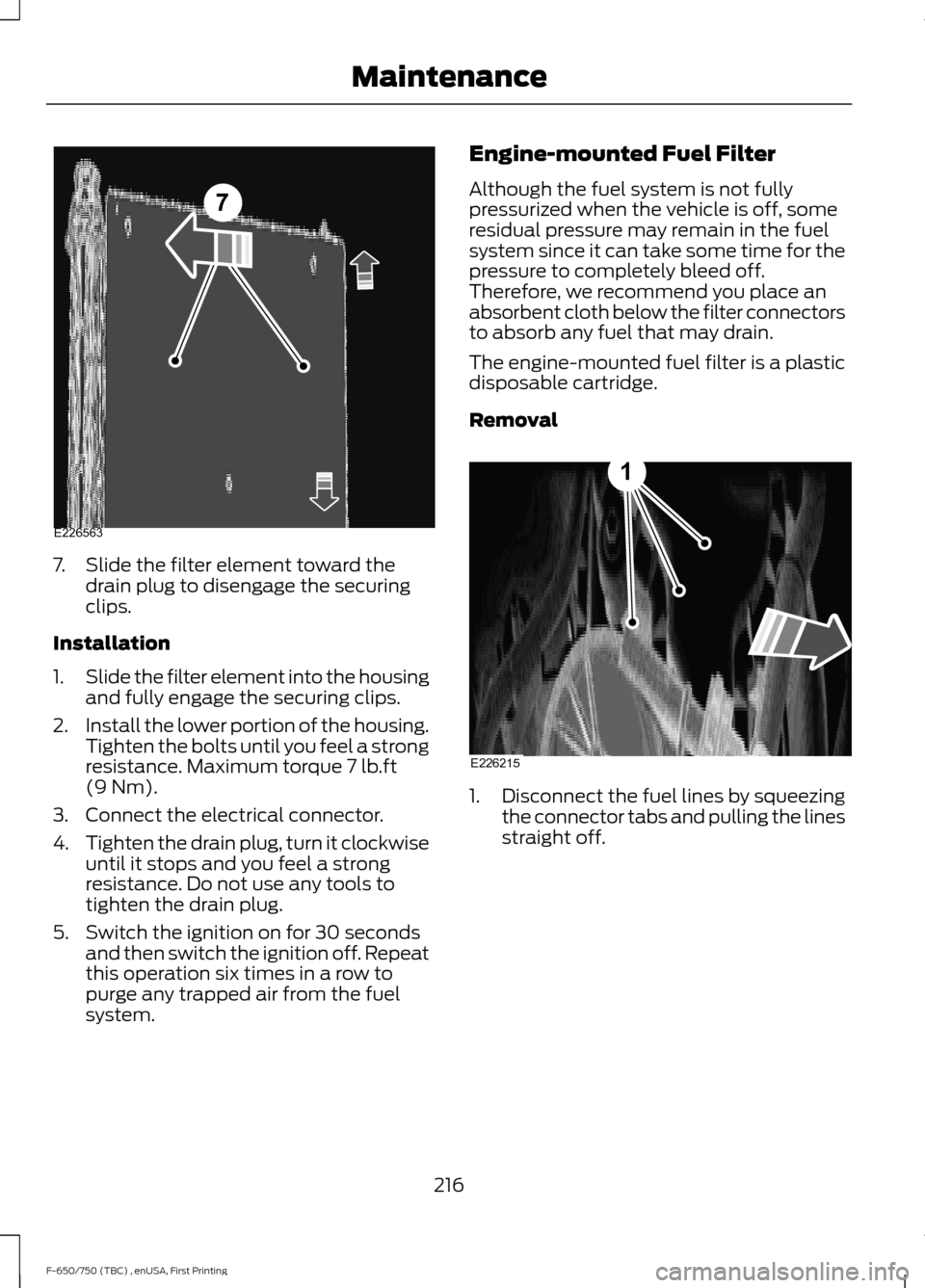
7. Slide the filter element toward the
drain plug to disengage the securing
clips.
Installation
1. Slide the filter element into the housing
and fully engage the securing clips.
2. Install the lower portion of the housing.
Tighten the bolts until you feel a strong
resistance. Maximum torque 7 lb.ft
(9 Nm).
3. Connect the electrical connector.
4. Tighten the drain plug, turn it clockwise
until it stops and you feel a strong
resistance. Do not use any tools to
tighten the drain plug.
5. Switch the ignition on for 30 seconds and then switch the ignition off. Repeat
this operation six times in a row to
purge any trapped air from the fuel
system. Engine-mounted Fuel Filter
Although the fuel system is not fully
pressurized when the vehicle is off, some
residual pressure may remain in the fuel
system since it can take some time for the
pressure to completely bleed off.
Therefore, we recommend you place an
absorbent cloth below the filter connectors
to absorb any fuel that may drain.
The engine-mounted fuel filter is a plastic
disposable cartridge.
Removal
1.
Disconnect the fuel lines by squeezing
the connector tabs and pulling the lines
straight off.
216
F-650/750 (TBC) , enUSA, First Printing Maintenance7
E226563 E226215
1
Page 220 of 382
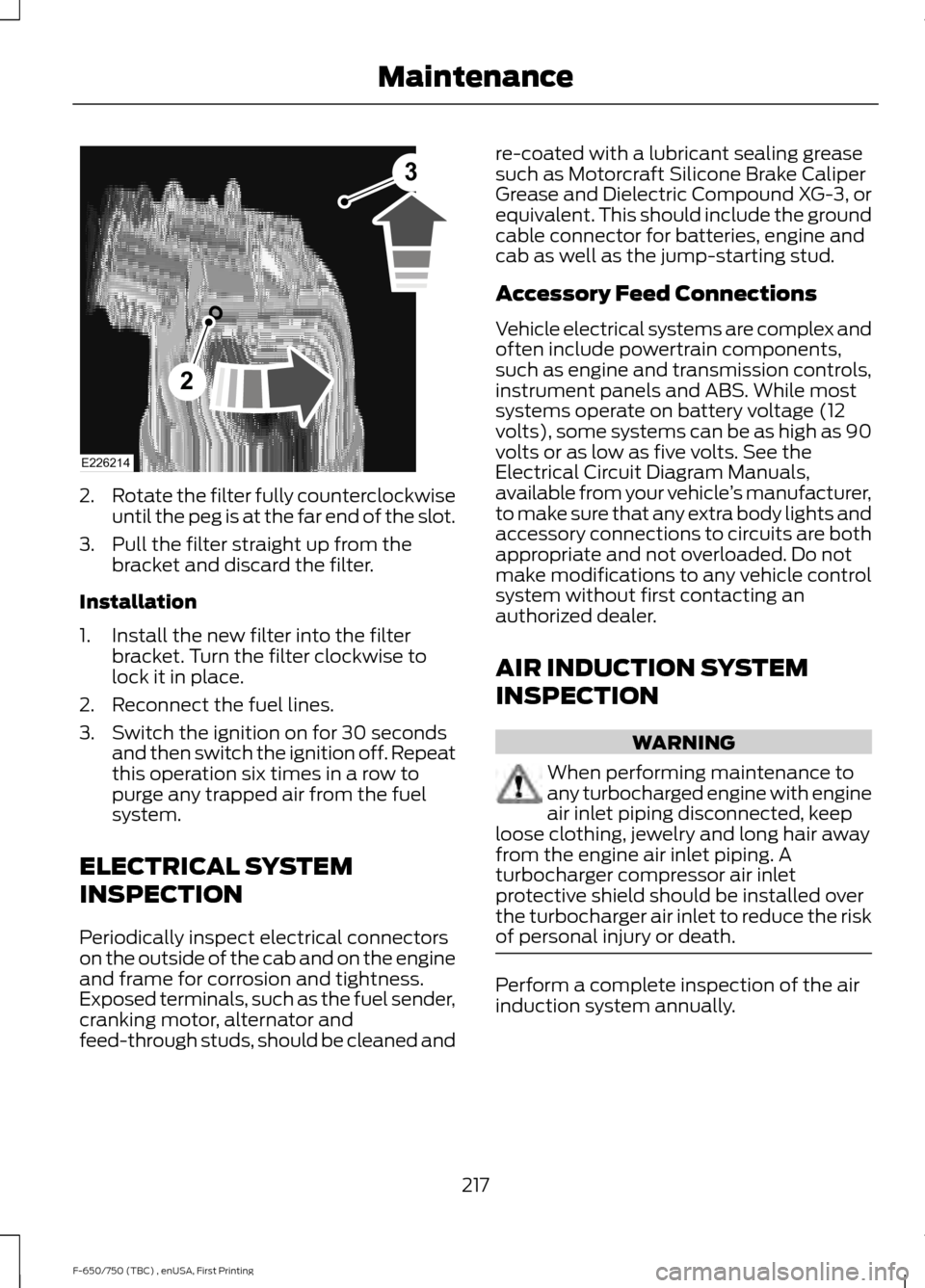
2.
Rotate the filter fully counterclockwise
until the peg is at the far end of the slot.
3. Pull the filter straight up from the bracket and discard the filter.
Installation
1. Install the new filter into the filter bracket. Turn the filter clockwise to
lock it in place.
2. Reconnect the fuel lines.
3. Switch the ignition on for 30 seconds and then switch the ignition off. Repeat
this operation six times in a row to
purge any trapped air from the fuel
system.
ELECTRICAL SYSTEM
INSPECTION
Periodically inspect electrical connectors
on the outside of the cab and on the engine
and frame for corrosion and tightness.
Exposed terminals, such as the fuel sender,
cranking motor, alternator and
feed-through studs, should be cleaned and re-coated with a lubricant sealing grease
such as Motorcraft Silicone Brake Caliper
Grease and Dielectric Compound XG-3, or
equivalent. This should include the ground
cable connector for batteries, engine and
cab as well as the jump-starting stud.
Accessory Feed Connections
Vehicle electrical systems are complex and
often include powertrain components,
such as engine and transmission controls,
instrument panels and ABS. While most
systems operate on battery voltage (12
volts), some systems can be as high as 90
volts or as low as five volts. See the
Electrical Circuit Diagram Manuals,
available from your vehicle
’s manufacturer,
to make sure that any extra body lights and
accessory connections to circuits are both
appropriate and not overloaded. Do not
make modifications to any vehicle control
system without first contacting an
authorized dealer.
AIR INDUCTION SYSTEM
INSPECTION WARNING
When performing maintenance to
any turbocharged engine with engine
air inlet piping disconnected, keep
loose clothing, jewelry and long hair away
from the engine air inlet piping. A
turbocharger compressor air inlet
protective shield should be installed over
the turbocharger air inlet to reduce the risk
of personal injury or death. Perform a complete inspection of the air
induction system annually.
217
F-650/750 (TBC) , enUSA, First Printing MaintenanceE226214
2
3
Page 231 of 382
•
Never wash or rinse any ignition coil,
spark plug wire or spark plug well, or
the area in and around these locations.
• Cover the battery, power distribution
box, and air filter assembly to prevent
water damage when cleaning the
engine.
CLEANING THE WINDOWS AND
WIPER BLADES
Car wash chemicals and environmental
fallout can result in windshield and wiper
blade contamination. Dirty windshield and
wipers will result in poor windshield wiper
operation. Keep the windshield and wiper
blades clean to maintain windshield wiper
performance.
To clean the windshield and wiper blades:
• Clean the windshield with a
non-abrasive glass cleaner. When
cleaning the interior of the windshield,
avoid getting any glass cleaner on the
instrument panel or door panels. Wipe
any glass cleaner off these surfaces
immediately.
• For windshields contaminated with
tree sap, chemicals, wax or bugs, clean
the entire windshield using steel wool
(no greater than 0000 grade) in a
circular motion and rinse with water.
• Clean the wiper blades with isopropyl
rubbing alcohol or windshield washer
concentrate.
Note: Do not use razor blades or other
sharp objects to clean or remove decals
from the inside of the heated rear window.
The vehicle warranty does not cover
damage caused to the heated rear window
grid lines. CLEANING THE INTERIOR WARNINGS
Do not use cleaning solvents, bleach
or dye on the vehicle
’s safety belts,
as these actions may weaken the
belt webbing. On vehicles equipped with
seat-mounted airbags, do not use
chemical solvents or strong
detergents. Such products could
contaminate the side airbag system and
affect performance of the side airbag in a
collision. For fabric, carpets, cloth seats, safety belts
and seats equipped with side airbags:
•
Remove dust and loose dirt with a
vacuum cleaner.
• Remove light stains and soil with
Motorcraft Professional Strength
Carpet & Upholstery Cleaner.
• If grease or tar is present on the
material, spot-clean the area first with
Motorcraft Spot and Stain Remover. In
Canada, use Motorcraft Multi-Purpose
Cleaner.
• If a ring forms on the fabric after spot
cleaning, clean the entire area
immediately (but do not oversaturate)
or the ring will set.
• Do not use household cleaning
products or glass cleaners, which can
stain and discolor the fabric and affect
the flame retardant abilities of the seat
materials.
228
F-650/750 (TBC) , enUSA, First Printing Vehicle Care
Page 255 of 382
ENGINE SPECIFICATIONS - 6.8L
6.8L V10 Engine
Engine
413
Cubic inches
Minimum 87 octane
Required fuel
1-6-5-10-2-7-3-8-4-9
Firing order
Coil on plug
Ignition system
0.039 - 0.043 in (1.00 - 1.10 mm)
Spark plug gap
9.2:1
Compression ratio
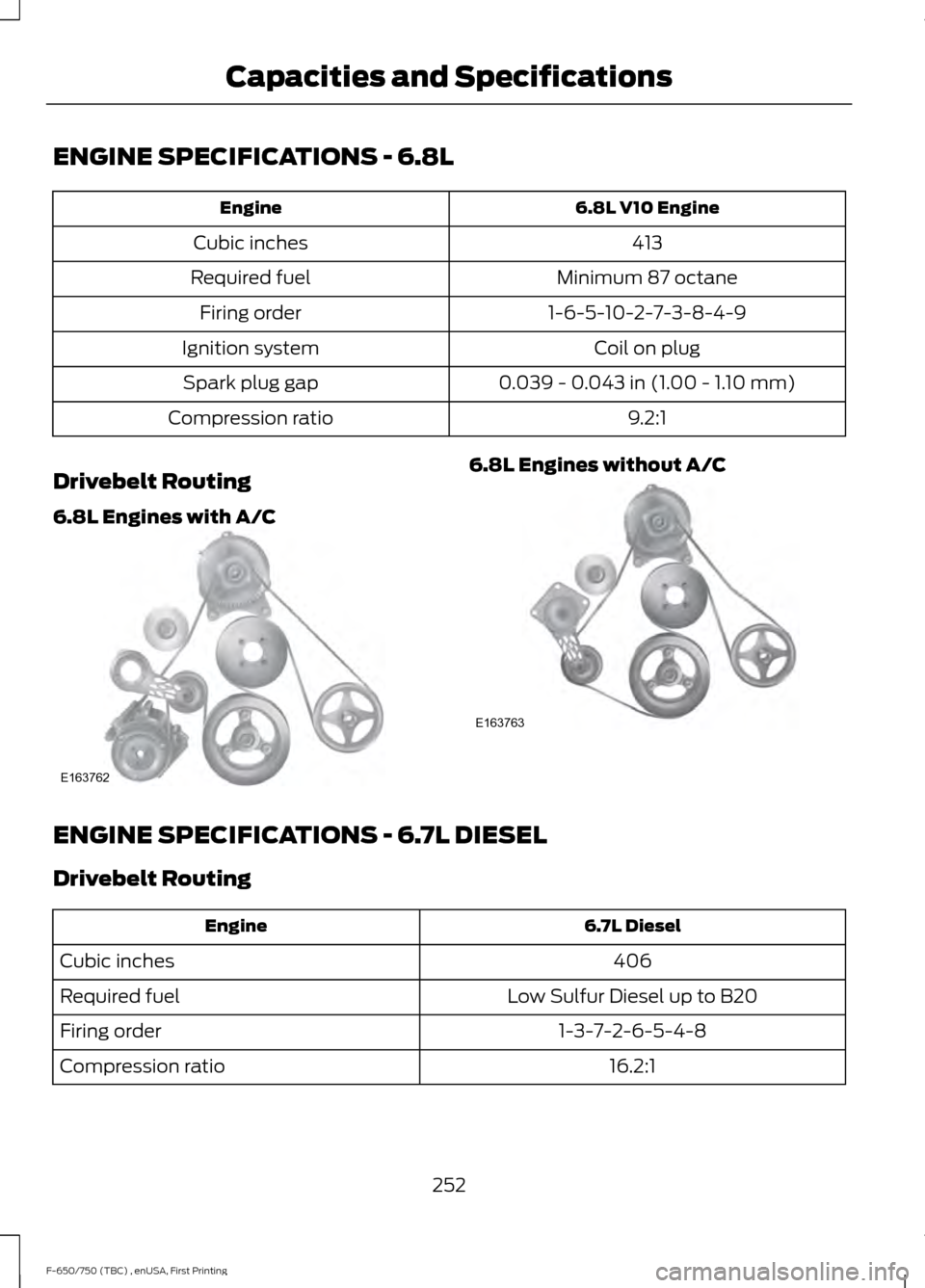
Drivebelt Routing
6.8L Engines with A/C 6.8L Engines without A/C
ENGINE SPECIFICATIONS - 6.7L DIESEL
Drivebelt Routing
6.7L Diesel
Engine
406
Cubic inches
Low Sulfur Diesel up to B20
Required fuel
1-3-7-2-6-5-4-8
Firing order
16.2:1
Compression ratio
252
F-650/750 (TBC) , enUSA, First Printing Capacities and SpecificationsE163762 E163763
Page 288 of 382
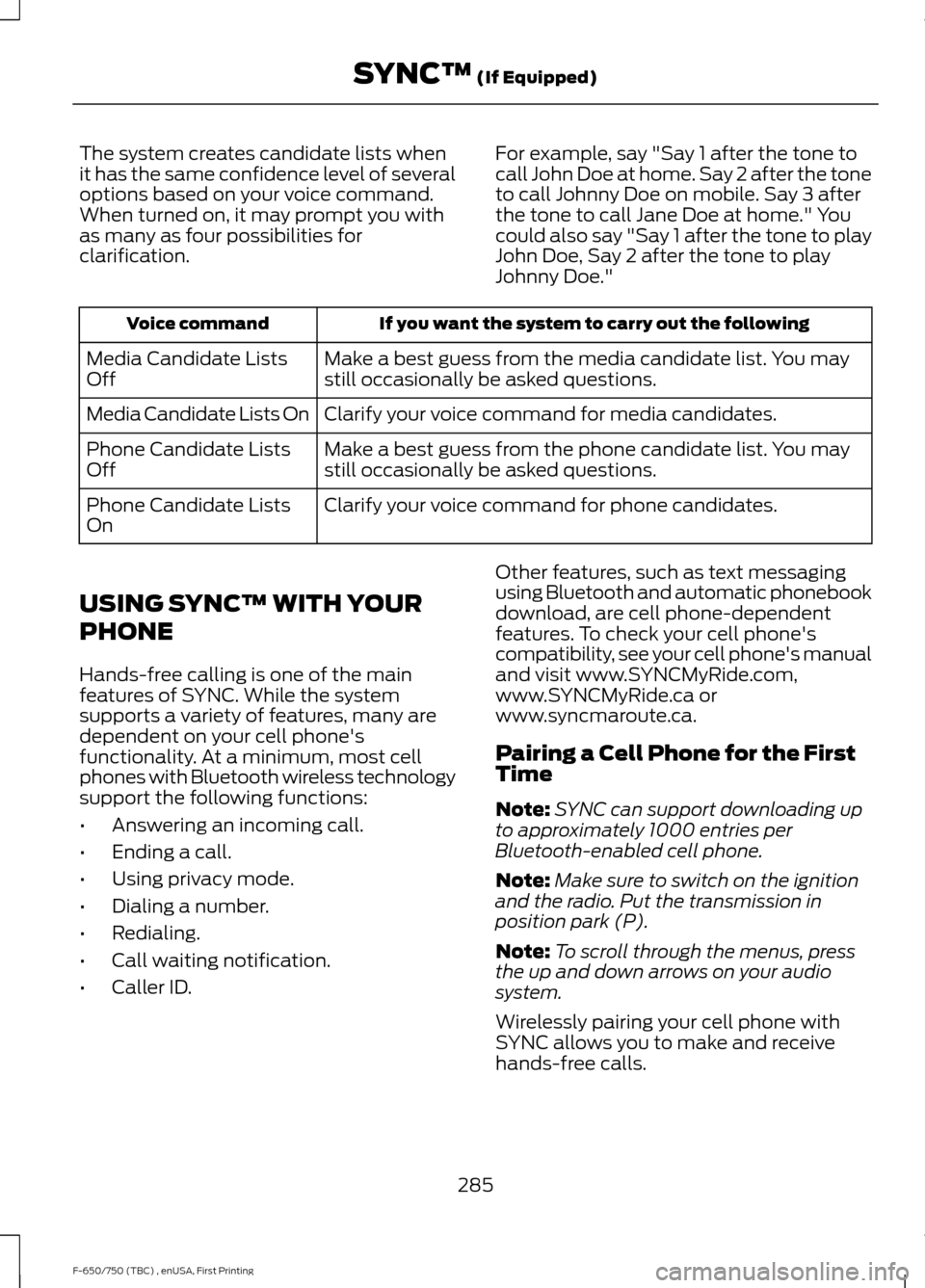
The system creates candidate lists when
it has the same confidence level of several
options based on your voice command.
When turned on, it may prompt you with
as many as four possibilities for
clarification.
For example, say "Say 1 after the tone to
call John Doe at home. Say 2 after the tone
to call Johnny Doe on mobile. Say 3 after
the tone to call Jane Doe at home." You
could also say "Say 1 after the tone to play
John Doe, Say 2 after the tone to play
Johnny Doe."If you want the system to carry out the following
Voice command
Make a best guess from the media candidate list. You may
still occasionally be asked questions.
Media Candidate Lists
Off
Clarify your voice command for media candidates.
Media Candidate Lists On
Make a best guess from the phone candidate list. You may
still occasionally be asked questions.
Phone Candidate Lists
Off
Clarify your voice command for phone candidates.
Phone Candidate Lists
On
USING SYNC™ WITH YOUR
PHONE
Hands-free calling is one of the main
features of SYNC. While the system
supports a variety of features, many are
dependent on your cell phone's
functionality. At a minimum, most cell
phones with Bluetooth wireless technology
support the following functions:
• Answering an incoming call.
• Ending a call.
• Using privacy mode.
• Dialing a number.
• Redialing.
• Call waiting notification.
• Caller ID. Other features, such as text messaging
using Bluetooth and automatic phonebook
download, are cell phone-dependent
features. To check your cell phone's
compatibility, see your cell phone's manual
and visit www.SYNCMyRide.com,
www.SYNCMyRide.ca or
www.syncmaroute.ca.
Pairing a Cell Phone for the First
Time
Note:
SYNC can support downloading up
to approximately 1000 entries per
Bluetooth-enabled cell phone.
Note: Make sure to switch on the ignition
and the radio. Put the transmission in
position park (P).
Note: To scroll through the menus, press
the up and down arrows on your audio
system.
Wirelessly pairing your cell phone with
SYNC allows you to make and receive
hands-free calls.
285
F-650/750 (TBC) , enUSA, First Printing SYNC™ (If Equipped)
Page 289 of 382
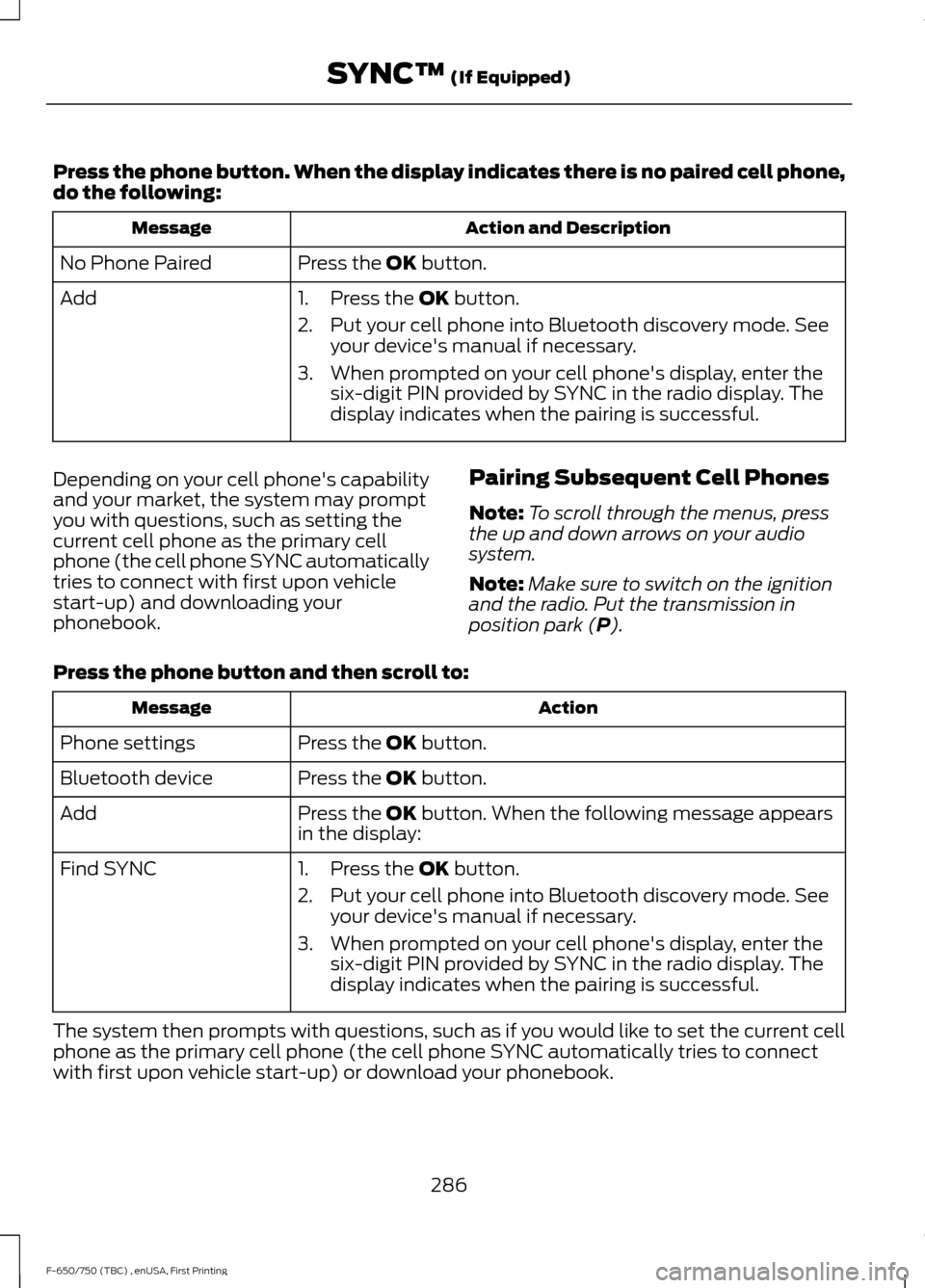
Press the phone button. When the display indicates there is no paired cell phone,
do the following:
Action and Description
Message
Press the OK button.
No Phone Paired
Add 1. Press the
OK button.
2. Put your cell phone into Bluetooth discovery mode. See your device's manual if necessary.
3. When prompted on your cell phone's display, enter the six-digit PIN provided by SYNC in the radio display. The
display indicates when the pairing is successful.
Depending on your cell phone's capability
and your market, the system may prompt
you with questions, such as setting the
current cell phone as the primary cell
phone (the cell phone SYNC automatically
tries to connect with first upon vehicle
start-up) and downloading your
phonebook. Pairing Subsequent Cell Phones
Note:
To scroll through the menus, press
the up and down arrows on your audio
system.
Note: Make sure to switch on the ignition
and the radio. Put the transmission in
position park (
P).
Press the phone button and then scroll to: Action
Message
Press the
OK button.
Phone settings
Press the
OK button.
Bluetooth device
Press the
OK button. When the following message appears
in the display:
Add
Find SYNC
1. Press the
OK button.
2. Put your cell phone into Bluetooth discovery mode. See your device's manual if necessary.
3. When prompted on your cell phone's display, enter the six-digit PIN provided by SYNC in the radio display. The
display indicates when the pairing is successful.
The system then prompts with questions, such as if you would like to set the current cell
phone as the primary cell phone (the cell phone SYNC automatically tries to connect
with first upon vehicle start-up) or download your phonebook.
286
F-650/750 (TBC) , enUSA, First Printing SYNC™
(If Equipped)
Page 298 of 382
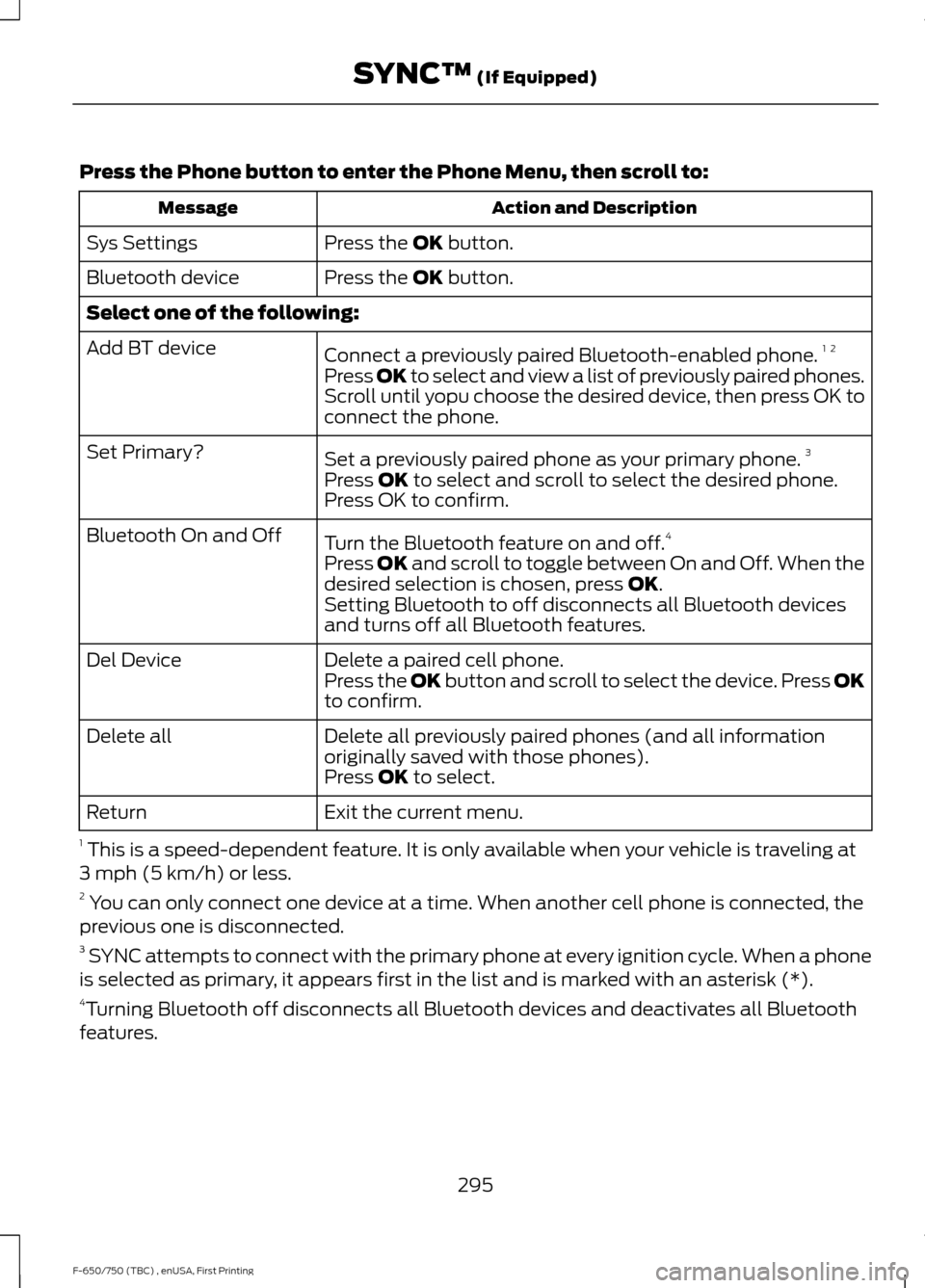
Press the Phone button to enter the Phone Menu, then scroll to:
Action and Description
Message
Press the OK button.
Sys Settings
Press the
OK button.
Bluetooth device
Select one of the following:
Connect a previously paired Bluetooth-enabled phone. 1 2
Add BT device
Press OK to select and view a list of previously paired phones.
Scroll until yopu choose the desired device, then press OK to
connect the phone.
Set a previously paired phone as your primary phone. 3
Set Primary?
Press
OK to select and scroll to select the desired phone.
Press OK to confirm.
Turn the Bluetooth feature on and off. 4
Bluetooth On and Off
Press
OK and scroll to toggle between On and Off. When the
desired selection is chosen, press OK.
Setting Bluetooth to off disconnects all Bluetooth devices
and turns off all Bluetooth features.
Delete a paired cell phone.
Del Device
Press the OK button and scroll to select the device. Press OK
to confirm.
Delete all previously paired phones (and all information
originally saved with those phones).
Delete all
Press
OK to select.
Exit the current menu.
Return
1 This is a speed-dependent feature. It is only available when your vehicle is traveling at
3 mph (5 km/h) or less.
2 You can only connect one device at a time. When another cell phone is connected, the
previous one is disconnected.
3 SYNC attempts to connect with the primary phone at every ignition cycle. When a phone
is selected as primary, it appears first in the list and is marked with an asterisk (*).
4 Turning Bluetooth off disconnects all Bluetooth devices and deactivates all Bluetooth
features.
295
F-650/750 (TBC) , enUSA, First Printing SYNC™
(If Equipped)
Page 315 of 382
AUXILIARY SWITCHES (If Equipped)
For maximum vehicle performance, keep
the following information in mind when
adding accessories or equipment to your
vehicle:
•
When adding accessories, equipment,
passengers and luggage to your
vehicle, do not exceed the total weight
capacity of the vehicle or of the front
or rear axle (GVWR or GAWR as
indicated on the Safety Compliance
Certification label). Ask an authorized
dealer for specific weight information.
• The Federal Communications
Commission (FCC) and Canadian
Radio Telecommunications
Commission (CRTC) regulate the use
of mobile communications systems
equipped with radio transmitters, for
example, two-way radios, telephones
and theft alarms. Any such equipment
installed in your vehicle should comply
with Federal Communications
Commission (FCC) and Canadian
Radio Telecommunications
Commission (CRTC) regulations, and
should be installed by an authorized
dealer.
• An authorized dealer needs to install
mobile communications systems.
Improper installation may harm the
operation of your vehicle, particularly
if the manufacturer did not design the
mobile communication system
specifically for automotive use.
• If you or an authorized Ford dealer add
any non-Ford electrical or electronic
accessories or components to your
vehicle, you may adversely affect
battery performance and durability. In
addition, you may also adversely affect
the performance of other electrical
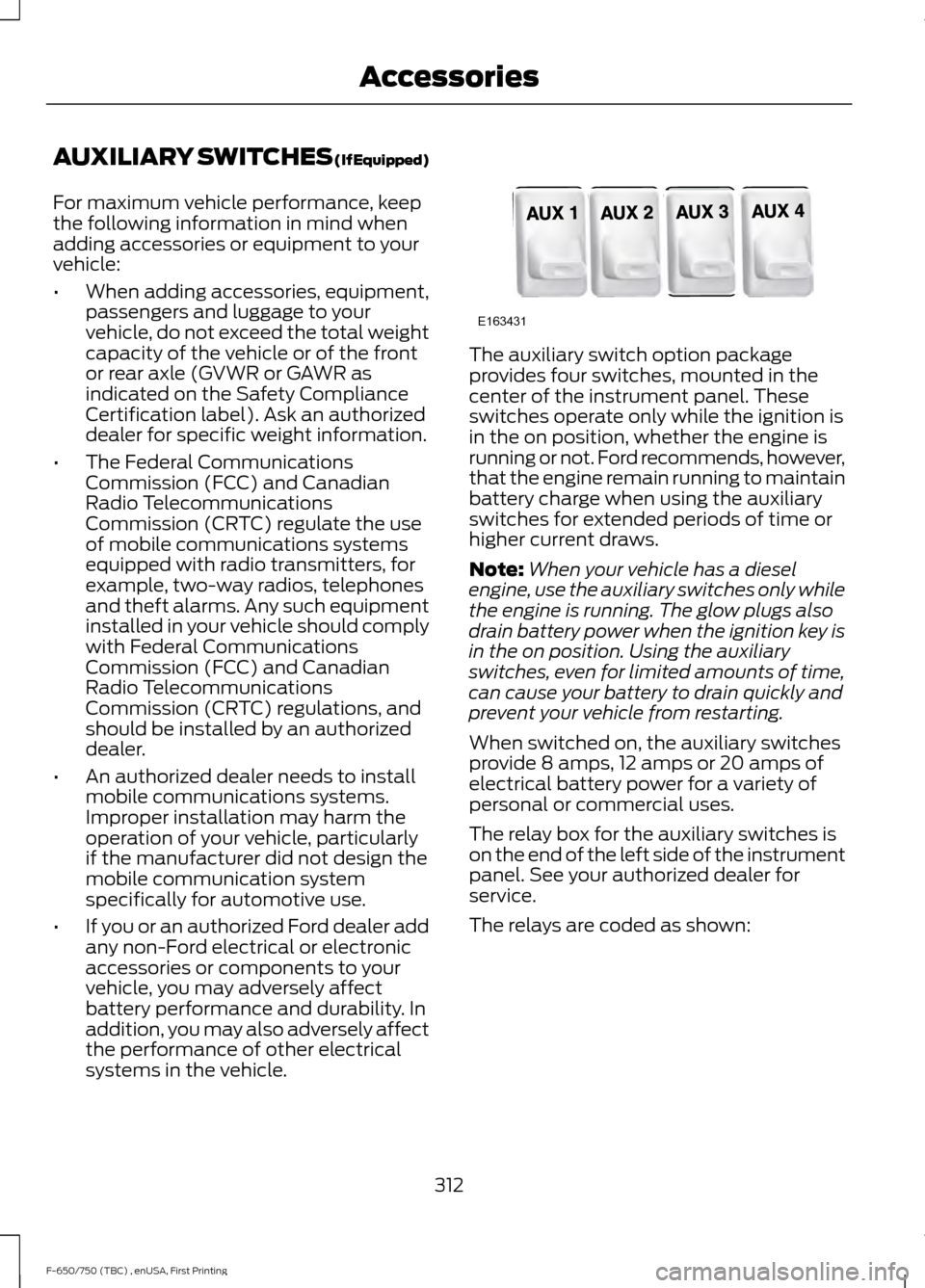
systems in the vehicle. The auxiliary switch option package
provides four switches, mounted in the
center of the instrument panel. These
switches operate only while the ignition is
in the on position, whether the engine is
running or not. Ford recommends, however,
that the engine remain running to maintain
battery charge when using the auxiliary
switches for extended periods of time or
higher current draws.
Note:
When your vehicle has a diesel
engine, use the auxiliary switches only while
the engine is running. The glow plugs also
drain battery power when the ignition key is
in the on position. Using the auxiliary
switches, even for limited amounts of time,
can cause your battery to drain quickly and
prevent your vehicle from restarting.
When switched on, the auxiliary switches
provide 8 amps, 12 amps or 20 amps of
electrical battery power for a variety of
personal or commercial uses.
The relay box for the auxiliary switches is
on the end of the left side of the instrument
panel. See your authorized dealer for
service.
The relays are coded as shown:
312
F-650/750 (TBC) , enUSA, First Printing AccessoriesE163431
Page 321 of 382
To make sure the emissions control
systems operate effectively, you should
have the services listed in the maintenance
schedule performed at the specified time
and mileage intervals. You should avoid
running out of fuel or turning off the ignition
when your vehicle is moving, especially at
high speeds.
Do not make unauthorized modifications
to the engine or vehicle. Modifications
causing increased amounts of unburned
fuel to reach the exhaust system can
significantly increase the temperature of
the engine compartment and the exhaust
system.
Avoid driving your vehicle if it does not
operate properly. If the engine diesels
(more than five seconds of engine run-on
after shut-off), misfires, surges, stalls or
backfires, see an authorized dealer. Be alert
for fluid leakage, odor, smoke, loss of oil
pressure, or charge indicator or over
temperature warning.
Vehicles equipped with a diesel engine
cannot use diesel fuel blended with waste
oil if equipped with a catalytic
converter-muffler. Waste lube oil blending
in fuel plugs the catalytic
converter-muffler, resulting in a significant
loss of engine power.
Noise Emissions Warranty, Prohibited
Tampering Acts and Maintenance
On January 1, 1978, Federal regulations
became effective governing the noise
emissions on trucks over 10000 pounds
(4536 kilograms) GVWR. The following
statements concerning prohibited
tampering acts and maintenance and the
noise warranty are found in the warranty
information, and are applicable to
completed trucks.
Tampering with Noise Control System
Prohibited
Federal law prohibits the following acts or
the causing thereof: (1) The removal or
rendering inoperative, by any person other
than for purposes of maintenance, repair
or replacement, of any device or element
of design incorporated into any new vehicle
for the purpose of noise control prior to its
sale or delivery to the ultimate purchaser
or while it is in use, or (2) the use of the
vehicle after such device or element of
design has been removed or rendered
inoperative by any person.
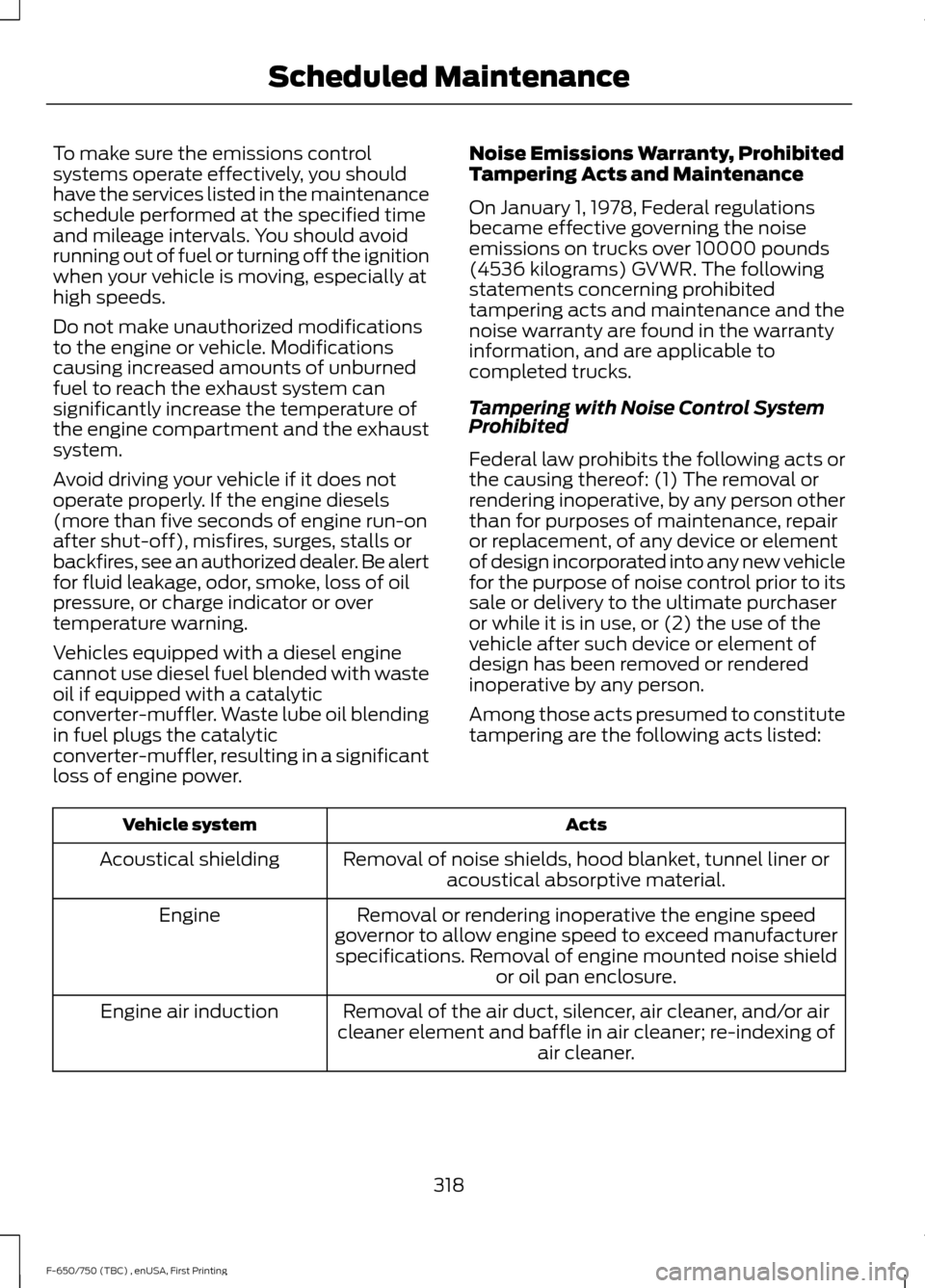
Among those acts presumed to constitute
tampering are the following acts listed:
Acts
Vehicle system
Removal of noise shields, hood blanket, tunnel liner oracoustical absorptive material.
Acoustical shielding
Removal or rendering inoperative the engine speed
governor to allow engine speed to exceed manufacturer specifications. Removal of engine mounted noise shield or oil pan enclosure.
Engine
Removal of the air duct, silencer, air cleaner, and/or air
cleaner element and baffle in air cleaner; re-indexing of air cleaner.
Engine air induction
318
F-650/750 (TBC) , enUSA, First Printing Scheduled Maintenance
Page 374 of 382
2
2-Speed Rear Axle........................................118
Axle Shifting.......................................................... 118
A
A/C See: Climate Control........................................... 70
About This Manual...........................................7
Diesel Engine Information................................... 8
Minor Troubleshooting Guide............................ 9
Warnings.................................................................... 8
ABS See: Brakes............................................................ 119
ABS driving hints See: Hints on Driving With Anti-Lock
Brakes................................................................ 120
Accessories.....................................................312
Accessories See: Replacement Parts
Recommendation............................................ 13
Adjusting the Headlamps........................205 Horizontal Aim Adjustment.......................... 206
Vertical Aim Adjustment................................ 205
Adjusting the Steering Wheel
...................44
Air Brakes.........................................................123 Air Chamber Stroke Indication...................... 124
Cam Brakes - Automatic Slack Adjusters........................................................... 124
Emergency Air Brake.......................................... 124
Air Conditioning See: Climate Control........................................... 70
Air Filter See: Changing the Engine Air Filter - 6.7L
Diesel.................................................................. 210
See: Changing the Engine Air Filter - 6.8L.................................................................... 209
Air Induction System Inspection.............217 Chassis-mounted Charge Air Cooler...........218
Air Suspension
...............................................136
Air Suspension Dump Button........................ 136
Connecting and Disconnecting a Trailer with Air Suspension and Air Suspension
Dump Button................................................... 136
Suspension Conversions................................. 136
System Indicator Light...................................... 136
Appendices....................................................348 Audible Warnings and Indicators..............61
Beltminder Warning............................................. 61
Door Ajar................................................................... 61
Headlamps On Warning Chime....................... 61
Key in Ignition Warning Chime......................... 61
Parking Brake On Warning Chime................... 61
Audio Control
..................................................44
Media........................................................................\
45
Seek, Next or Previous........................................ 45
Audio Input Jack...........................................279
Audio System
.................................................272
General Information.......................................... 272
Audio Unit - Vehicles With: AM/FM/CD/ SYNC..............................................................274
Audio Unit - Vehicles With: AM/FM
......273
Automatic Transmission.............................112
Brake-Shift Interlock.......................................... 115
If Your Vehicle Gets Stuck In Mud or Snow................................................................... 116
Understanding the Shift Positions of a 6– Speed Automatic Transmission..........112
Understanding your SelectShift™ Automatic transmission............................... 113
Automatic Transmission Fluid Check.............................................................198
Transmission Fluid Level................................. 199
Auxiliary Power Points..................................81 110 Volt AC Power Points.................................... 81
12 Volt DC Power Point........................................ 81
Locations.................................................................. 81
Auxiliary Switches
........................................312
Axle Inspection.............................................222
Front Axle.............................................................. 222
B
Battery See: Changing the 12V Battery..................... 203
Bonnet Lock See: Opening and Closing the Hood............181
Booster Seats..................................................25 Types of Booster Seats...................................... 25
Brake Fluid Check.......................................200
Brakes................................................................119 General Information........................................... 119
Brake System Inspection...........................219 Air Brakes............................................................... 219
Driveline Parking Brake..................................... 221
371
F-650/750 (TBC) , enUSA, First Printing Index