child restraint FORD F650/750 2024 User Guide
[x] Cancel search | Manufacturer: FORD, Model Year: 2024, Model line: F650/750, Model: FORD F650/750 2024Pages: 386, PDF Size: 8.7 MB
Page 37 of 386
5.Clip the tether strap to the anchor asshown.
If the tether strap is clipped incorrectly, thechild restraint may not be retained properlyin the event of a crash.
6. Tighten the child restraint tether strapaccording to the manufacturer'sinstructions.
If you do not anchor the child restraintproperly, the risk of a child being injured ina crash greatly increases.
If your child restraint system has a tetherstrap and the child restraint manufacturerrecommends its use, we also recommendits use.
BOOSTER SEATS
WARNING: Do not put the shouldersection of the seatbelt or allow the childto put the shoulder section of theseatbelt under their arm or behind theirback. Failure to follow this instructioncould reduce the effectiveness of theseatbelt and increase the risk of injury ordeath in a crash.
Use a belt-positioning booster seat forchildren who have outgrown or no longerproperly fit in a child safety restraint(generally children who are less than 57 in(1.45 m) tall, are greater than age 4 andless than age 12, and between 40 lb (18 kg)and 80 lb (36 kg) and upward to 100 lb(45 kg) if recommended by your childrestraint manufacturer). Many state andprovincial laws require that children useapproved booster seats until they reachage eight, a height of 57 in (1.45 m) tall, or80 lb (36 kg).
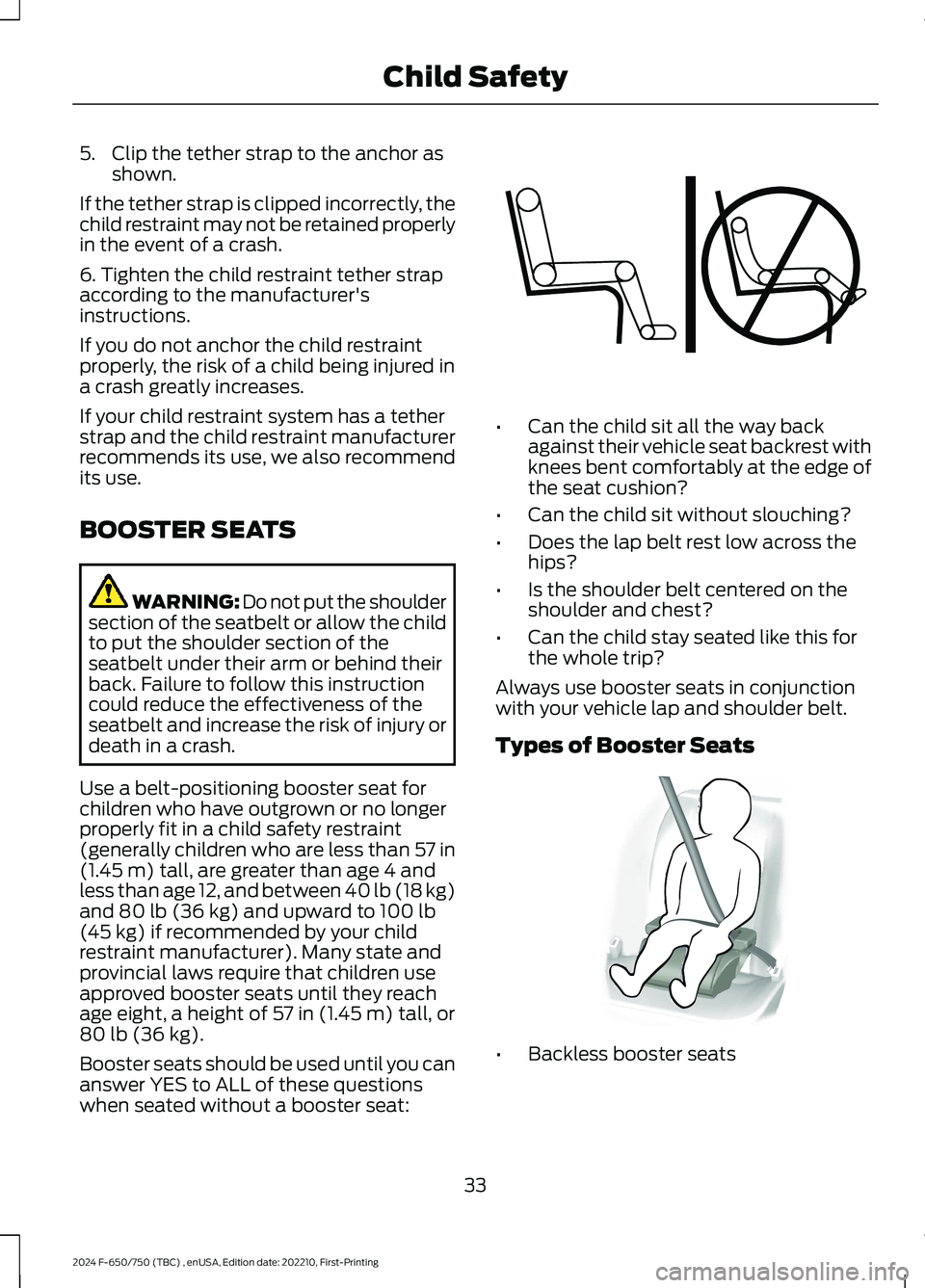
Booster seats should be used until you cananswer YES to ALL of these questionswhen seated without a booster seat:
•Can the child sit all the way backagainst their vehicle seat backrest withknees bent comfortably at the edge ofthe seat cushion?
•Can the child sit without slouching?
•Does the lap belt rest low across thehips?
•Is the shoulder belt centered on theshoulder and chest?
•Can the child stay seated like this forthe whole trip?
Always use booster seats in conjunctionwith your vehicle lap and shoulder belt.
Types of Booster Seats
•Backless booster seats
33
2024 F-650/750 (TBC) , enUSA, Edition date: 202210, First-PrintingChild SafetyE142595 E68924
Page 38 of 386
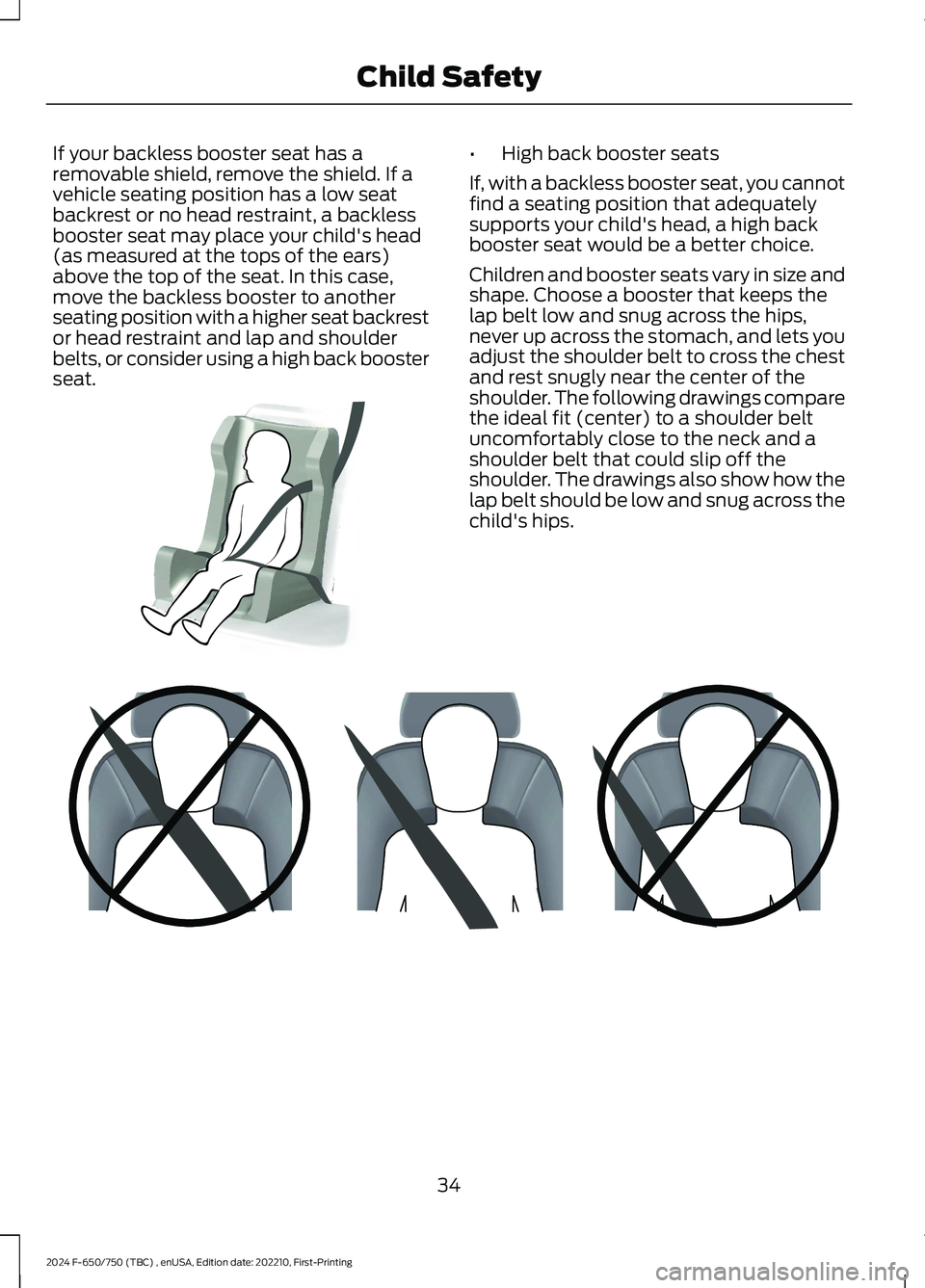
If your backless booster seat has aremovable shield, remove the shield. If avehicle seating position has a low seatbackrest or no head restraint, a backlessbooster seat may place your child's head(as measured at the tops of the ears)above the top of the seat. In this case,move the backless booster to anotherseating position with a higher seat backrestor head restraint and lap and shoulderbelts, or consider using a high back boosterseat.
•High back booster seats
If, with a backless booster seat, you cannotfind a seating position that adequatelysupports your child's head, a high backbooster seat would be a better choice.
Children and booster seats vary in size andshape. Choose a booster that keeps thelap belt low and snug across the hips,never up across the stomach, and lets youadjust the shoulder belt to cross the chestand rest snugly near the center of theshoulder. The following drawings comparethe ideal fit (center) to a shoulder beltuncomfortably close to the neck and ashoulder belt that could slip off theshoulder. The drawings also show how thelap belt should be low and snug across thechild's hips.
34
2024 F-650/750 (TBC) , enUSA, Edition date: 202210, First-PrintingChild SafetyE70710 E142596
Page 39 of 386
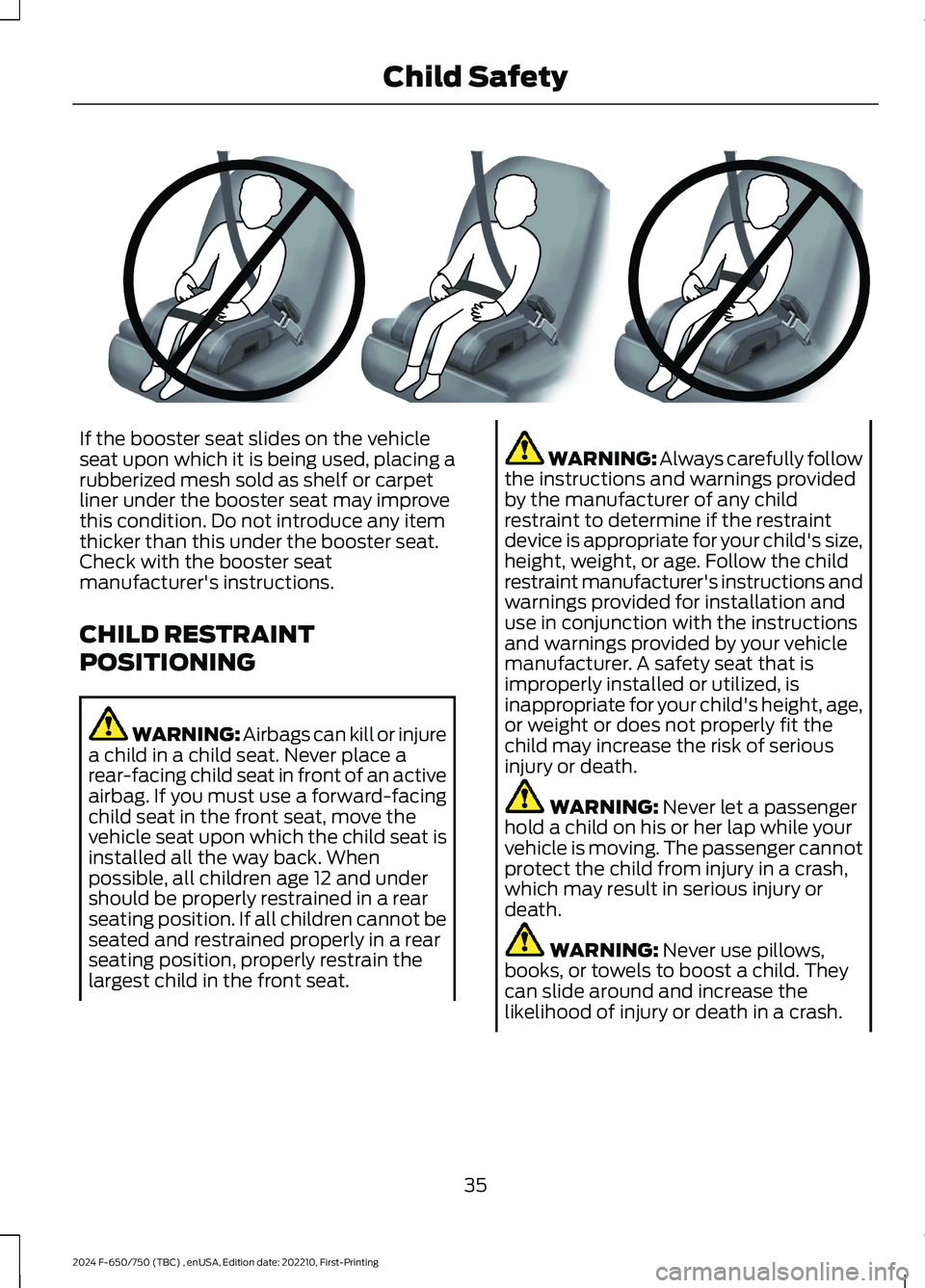
If the booster seat slides on the vehicleseat upon which it is being used, placing arubberized mesh sold as shelf or carpetliner under the booster seat may improvethis condition. Do not introduce any itemthicker than this under the booster seat.Check with the booster seatmanufacturer's instructions.
CHILD RESTRAINT
POSITIONING
WARNING: Airbags can kill or injurea child in a child seat. Never place arear-facing child seat in front of an activeairbag. If you must use a forward-facingchild seat in the front seat, move thevehicle seat upon which the child seat isinstalled all the way back. Whenpossible, all children age 12 and undershould be properly restrained in a rearseating position. If all children cannot beseated and restrained properly in a rearseating position, properly restrain thelargest child in the front seat.
WARNING: Always carefully followthe instructions and warnings providedby the manufacturer of any childrestraint to determine if the restraintdevice is appropriate for your child's size,height, weight, or age. Follow the childrestraint manufacturer's instructions andwarnings provided for installation anduse in conjunction with the instructionsand warnings provided by your vehiclemanufacturer. A safety seat that isimproperly installed or utilized, isinappropriate for your child's height, age,or weight or does not properly fit thechild may increase the risk of seriousinjury or death.
WARNING: Never let a passengerhold a child on his or her lap while yourvehicle is moving. The passenger cannotprotect the child from injury in a crash,which may result in serious injury ordeath.
WARNING: Never use pillows,books, or towels to boost a child. Theycan slide around and increase thelikelihood of injury or death in a crash.
35
2024 F-650/750 (TBC) , enUSA, Edition date: 202210, First-PrintingChild SafetyE142597
Page 40 of 386
WARNING: Always restrain anunoccupied child seat or booster seat.These objects may become projectilesin a crash or sudden stop, which mayincrease the risk of serious injury.
WARNING: Never place, or allowa child to place, the shoulder belt undera child's arm or behind the back becauseit reduces the protection for the upperpart of the body and may increase therisk of injury or death in a crash.
WARNING: To avoid risk of injury,do not leave children or pets unattendedin your vehicle.
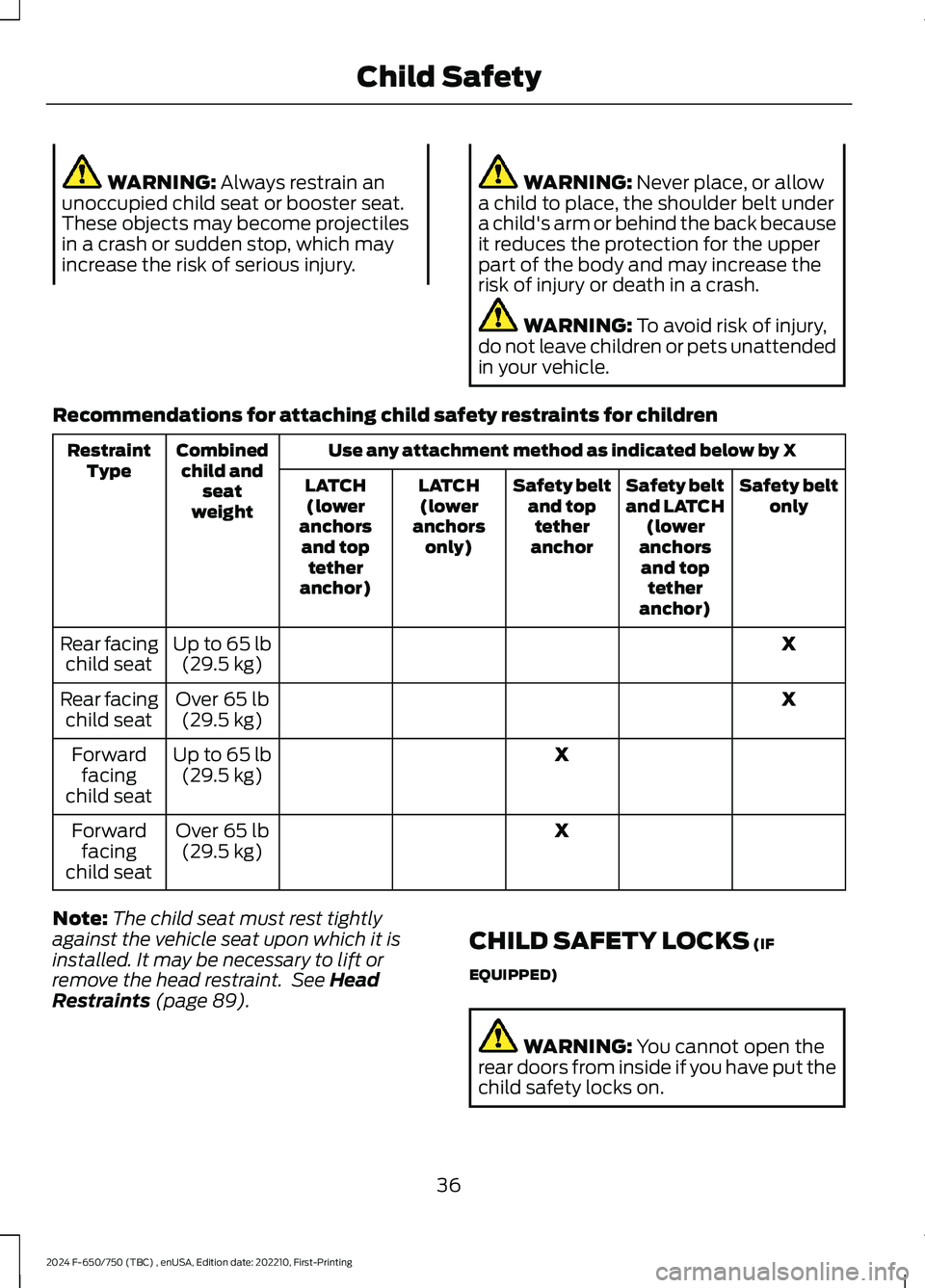
Recommendations for attaching child safety restraints for children
Use any attachment method as indicated below by XCombinedchild andseatweight
RestraintTypeSafety beltonlySafety beltand LATCH(loweranchorsand toptetheranchor)
Safety beltand toptetheranchor
LATCH(loweranchorsonly)
LATCH(loweranchorsand toptetheranchor)
XUp to 65 lb(29.5 kg)Rear facingchild seat
XOver 65 lb(29.5 kg)Rear facingchild seat
XUp to 65 lb(29.5 kg)Forwardfacingchild seat
XOver 65 lb(29.5 kg)Forwardfacingchild seat
Note:The child seat must rest tightlyagainst the vehicle seat upon which it isinstalled. It may be necessary to lift orremove the head restraint. See HeadRestraints (page 89).
CHILD SAFETY LOCKS (IF
EQUIPPED)
WARNING: You cannot open therear doors from inside if you have put thechild safety locks on.
36
2024 F-650/750 (TBC) , enUSA, Edition date: 202210, First-PrintingChild Safety
Page 42 of 386
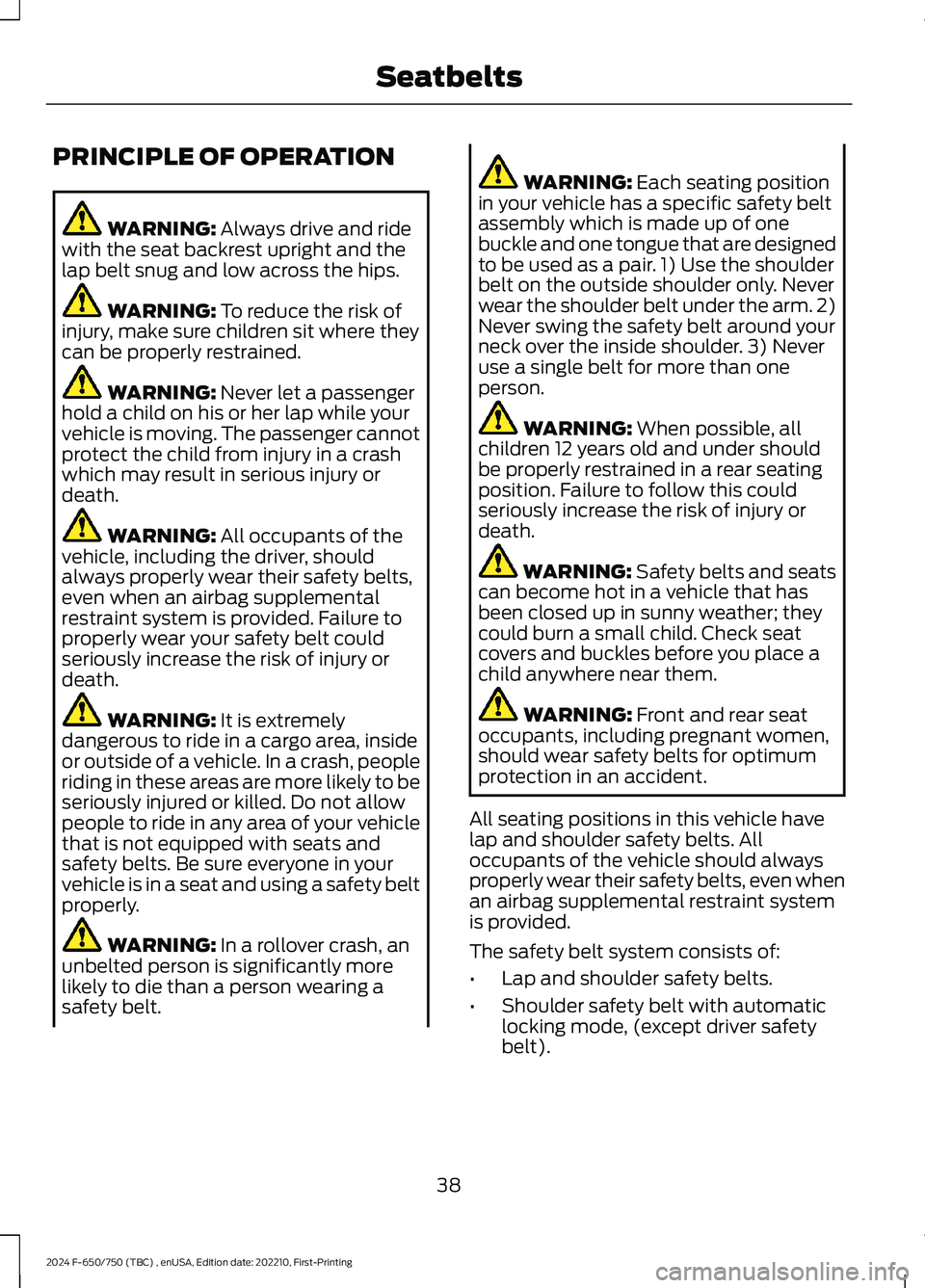
PRINCIPLE OF OPERATION
WARNING: Always drive and ridewith the seat backrest upright and thelap belt snug and low across the hips.
WARNING: To reduce the risk ofinjury, make sure children sit where theycan be properly restrained.
WARNING: Never let a passengerhold a child on his or her lap while yourvehicle is moving. The passenger cannotprotect the child from injury in a crashwhich may result in serious injury ordeath.
WARNING: All occupants of thevehicle, including the driver, shouldalways properly wear their safety belts,even when an airbag supplementalrestraint system is provided. Failure toproperly wear your safety belt couldseriously increase the risk of injury ordeath.
WARNING: It is extremelydangerous to ride in a cargo area, insideor outside of a vehicle. In a crash, peopleriding in these areas are more likely to beseriously injured or killed. Do not allowpeople to ride in any area of your vehiclethat is not equipped with seats andsafety belts. Be sure everyone in yourvehicle is in a seat and using a safety beltproperly.
WARNING: In a rollover crash, anunbelted person is significantly morelikely to die than a person wearing asafety belt.
WARNING: Each seating positionin your vehicle has a specific safety beltassembly which is made up of onebuckle and one tongue that are designedto be used as a pair. 1) Use the shoulderbelt on the outside shoulder only. Neverwear the shoulder belt under the arm. 2)Never swing the safety belt around yourneck over the inside shoulder. 3) Neveruse a single belt for more than oneperson.
WARNING: When possible, allchildren 12 years old and under shouldbe properly restrained in a rear seatingposition. Failure to follow this couldseriously increase the risk of injury ordeath.
WARNING: Safety belts and seatscan become hot in a vehicle that hasbeen closed up in sunny weather; theycould burn a small child. Check seatcovers and buckles before you place achild anywhere near them.
WARNING: Front and rear seatoccupants, including pregnant women,should wear safety belts for optimumprotection in an accident.
All seating positions in this vehicle havelap and shoulder safety belts. Alloccupants of the vehicle should alwaysproperly wear their safety belts, even whenan airbag supplemental restraint systemis provided.
The safety belt system consists of:
•Lap and shoulder safety belts.
•Shoulder safety belt with automaticlocking mode, (except driver safetybelt).
38
2024 F-650/750 (TBC) , enUSA, Edition date: 202210, First-PrintingSeatbelts
Page 49 of 386
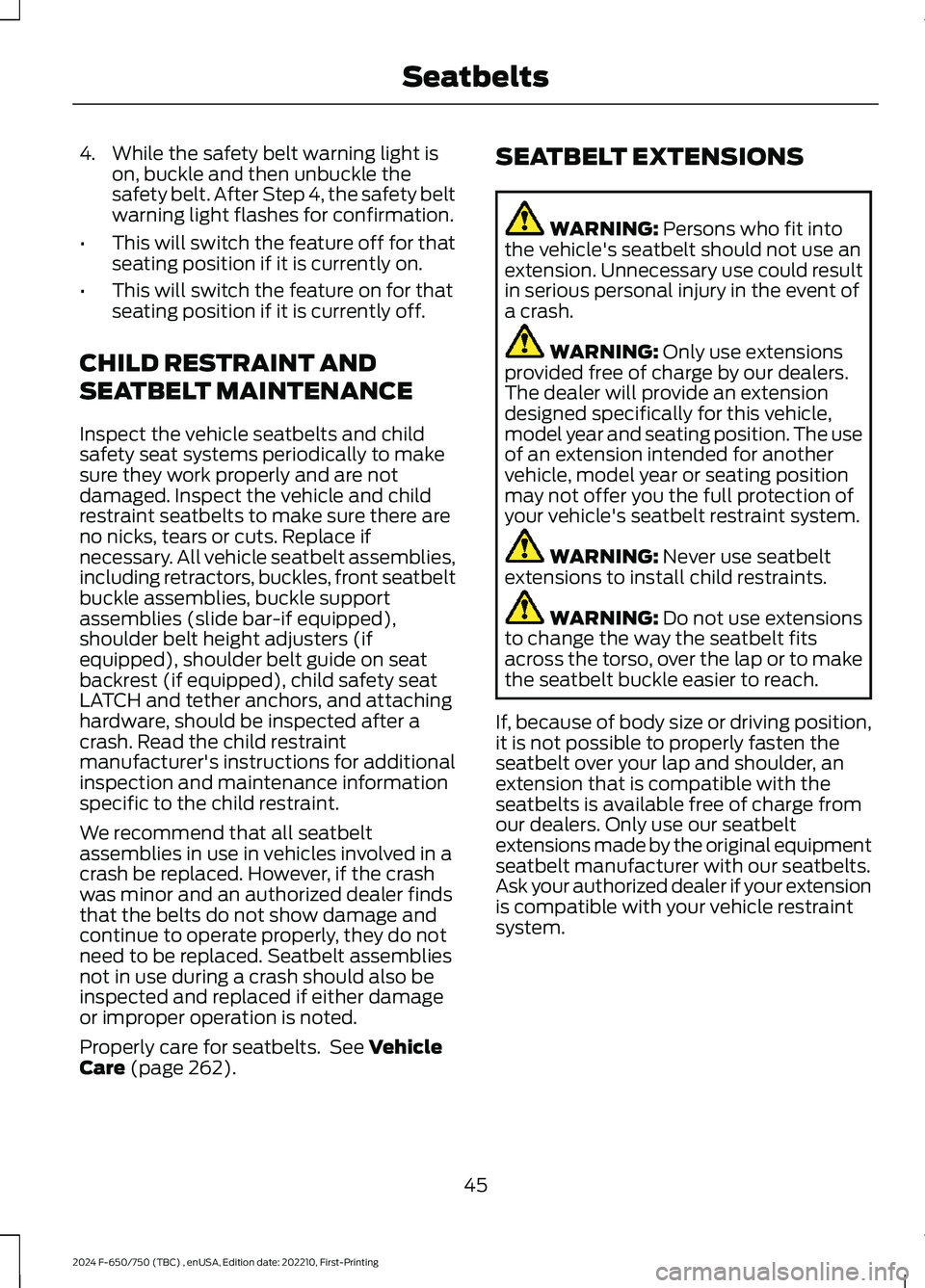
4.While the safety belt warning light ison, buckle and then unbuckle thesafety belt. After Step 4, the safety beltwarning light flashes for confirmation.
•This will switch the feature off for thatseating position if it is currently on.
•This will switch the feature on for thatseating position if it is currently off.
CHILD RESTRAINT AND
SEATBELT MAINTENANCE
Inspect the vehicle seatbelts and childsafety seat systems periodically to makesure they work properly and are notdamaged. Inspect the vehicle and childrestraint seatbelts to make sure there areno nicks, tears or cuts. Replace ifnecessary. All vehicle seatbelt assemblies,including retractors, buckles, front seatbeltbuckle assemblies, buckle supportassemblies (slide bar-if equipped),shoulder belt height adjusters (ifequipped), shoulder belt guide on seatbackrest (if equipped), child safety seatLATCH and tether anchors, and attachinghardware, should be inspected after acrash. Read the child restraintmanufacturer's instructions for additionalinspection and maintenance informationspecific to the child restraint.
We recommend that all seatbeltassemblies in use in vehicles involved in acrash be replaced. However, if the crashwas minor and an authorized dealer findsthat the belts do not show damage andcontinue to operate properly, they do notneed to be replaced. Seatbelt assembliesnot in use during a crash should also beinspected and replaced if either damageor improper operation is noted.
Properly care for seatbelts. See VehicleCare (page 262).
SEATBELT EXTENSIONS
WARNING: Persons who fit intothe vehicle's seatbelt should not use anextension. Unnecessary use could resultin serious personal injury in the event ofa crash.
WARNING: Only use extensionsprovided free of charge by our dealers.The dealer will provide an extensiondesigned specifically for this vehicle,model year and seating position. The useof an extension intended for anothervehicle, model year or seating positionmay not offer you the full protection ofyour vehicle's seatbelt restraint system.
WARNING: Never use seatbeltextensions to install child restraints.
WARNING: Do not use extensionsto change the way the seatbelt fitsacross the torso, over the lap or to makethe seatbelt buckle easier to reach.
If, because of body size or driving position,it is not possible to properly fasten theseatbelt over your lap and shoulder, anextension that is compatible with theseatbelts is available free of charge fromour dealers. Only use our seatbeltextensions made by the original equipmentseatbelt manufacturer with our seatbelts.Ask your authorized dealer if your extensionis compatible with your vehicle restraintsystem.
45
2024 F-650/750 (TBC) , enUSA, Edition date: 202210, First-PrintingSeatbelts
Page 382 of 386
Changing the Wiper Blades.....................250Charging a Device..........................................98Checking the Wiper Blades.....................249Child Restraint and SeatbeltMaintenance.................................................45Child Restraint Positioning.........................35Child Safety......................................................25General Information............................................25Child Safety Locks.........................................36Cleaning Products.......................................262Cleaning the Engine...................................264Cleaning the Exterior..................................263Cleaning the Instrument Panel andInstrument Cluster Lens........................266Cleaning the Interior...................................265Cleaning the Wheels..................................266Cleaning the Windows and WiperBlades...........................................................265Climate Control..............................................86Cold Weather Precautions - 6.7LDiesel..............................................................187Cold Weather Precautions - 7.3L............188Connected Vehicle.......................................314Connected Vehicle –Troubleshooting.............................................314Connecting the Vehicle to a MobileNetwork.............................................................314Connected Vehicle Limitations...............314Connected Vehicle Requirements..........314Connected Vehicle –Troubleshooting.........................................314Connected Vehicle – Frequently AskedQuestions.........................................................314Connecting a Bluetooth® Device...........318Connecting the Vehicle to a MobileNetwork.........................................................314Connecting FordPass to the Modem..........314Enabling and Disabling the Modem............314What Is the Modem...........................................314Coolant CheckSee: Engine Coolant Check - 6.7LDiesel.................................................................235See: Engine Coolant Check - 7.3L................238Cooling System Capacity andSpecification - 6.7L Diesel......................301Cooling System Capacity andSpecification - 7.3L...................................302
Crash and Breakdown Information.......194Automatic Crash Shutoff................................195Cruise Control................................................158Cruise Control Indicators...........................159Cruise Control - Vehicles With: AdaptiveCruise Control...............................................52Cruise Control - Vehicles With: CruiseControl.............................................................52Customer Assistance.................................196Customer Information...............................345Radio Frequency CertificationLabels................................................................345
D
Data Recording..................................................11Daytime Running Lamps - Vehicles With:Configurable Daytime RunningLamps..............................................................57Daytime Running Lamps - Vehicles With:Daytime Running Lamps (DRL).............57Diesel Exhaust Fluid Capacity andSpecification...............................................307Diesel Particulate Filter..............................124Direction Indicators.......................................58Doors and Locks.............................................49Draining the Fuel Filter Water Trap - 6.7LDiesel.............................................................234Driver Alert......................................................166Driving Aids.....................................................166Driving Hints...................................................186Driving Through Water...............................189DRLSee: Daytime Running Lamps - Vehicles With:Configurable Daytime Running Lamps....57See: Daytime Running Lamps - Vehicles With:Daytime Running Lamps (DRL).................57
E
Economical Driving......................................187Electrical System Inspection...................254Electromagnetic Compatibility...............351Emission Law...................................................117End User License Agreement.................354Engine Block Heater....................................105Engine Coolant Check - 6.7LDiesel.............................................................235
378
2024 F-650/750 (TBC) , enUSA, Edition date: 202210, First-PrintingIndex
Page 384 of 386
Information Displays......................................71General Information.............................................71Information Messages..................................75Installing Child Restraints............................27Instrument Cluster........................................64Instrument Lighting Dimmer.....................56Instrument Panel............................................24Interior Lamps.................................................58Interior Mirror...................................................63Introduction.........................................................7
J
Jump Starting the Vehicle.........................190
K
Keys and Remote Controls........................46
L
Lane Keeping System..................................167Lighting Control..............................................55Lighting..............................................................55General Information............................................55Load Carrying.................................................178Load Limit........................................................178Locating the USB Ports...............................98Locking and Unlocking.................................49Lug NutsSee: Changing a Road Wheel........................287
M
Maintenance..................................................222General Information..........................................222Manual Climate Control..............................86Manual Seats....................................................91Message CenterSee: Information Displays..................................71MirrorsSee: Windows and Mirrors...............................60Mobile Communications Equipment.......17Motorcraft Parts - 6.7L Diesel.................293Motorcraft Parts - 7.3L...............................295
N
Noise Pollution Control................................22Normal Scheduled Maintenance..........330
O
Oil Change Indicator Reset......................229Oil CheckSee: Engine Oil Check.......................................227Opening and Closing the Hood..............223Ordering Additional Owner'sLiterature.....................................................200Overhead Console.......................................100
P
Parking Aids....................................................157Parking Brake.................................................140Passive Anti-Theft System..........................51PATSSee: Passive Anti-Theft System......................51Perchlorate........................................................15Playing Media From a USB Device.........318Playing Media Using the USB Port..........98Pneumatic Locking DifferentialIndicators......................................................138Pneumatic Locking Differential...............137Pneumatic Locking DifferentialPrecautions..................................................137Power Door LocksSee: Locking and Unlocking.............................49Power Seats.....................................................92Power Steering Fluid Check....................246Power Take-Off.............................................135Power Windows.............................................60Pre-Collision Assist - Vehicles With: AirBrakes.............................................................170Pre-Collision Assist - Vehicles With:Hydraulic Brakes.........................................173Protecting the Environment.......................22PunctureSee: Changing a Road Wheel........................287
380
2024 F-650/750 (TBC) , enUSA, Edition date: 202210, First-PrintingIndex