warning FORD F750 2011 12.G Owner's Manual
[x] Cancel search | Manufacturer: FORD, Model Year: 2011, Model line: F750, Model: FORD F750 2011 12.GPages: 290, PDF Size: 1.96 MB
Page 31 of 290
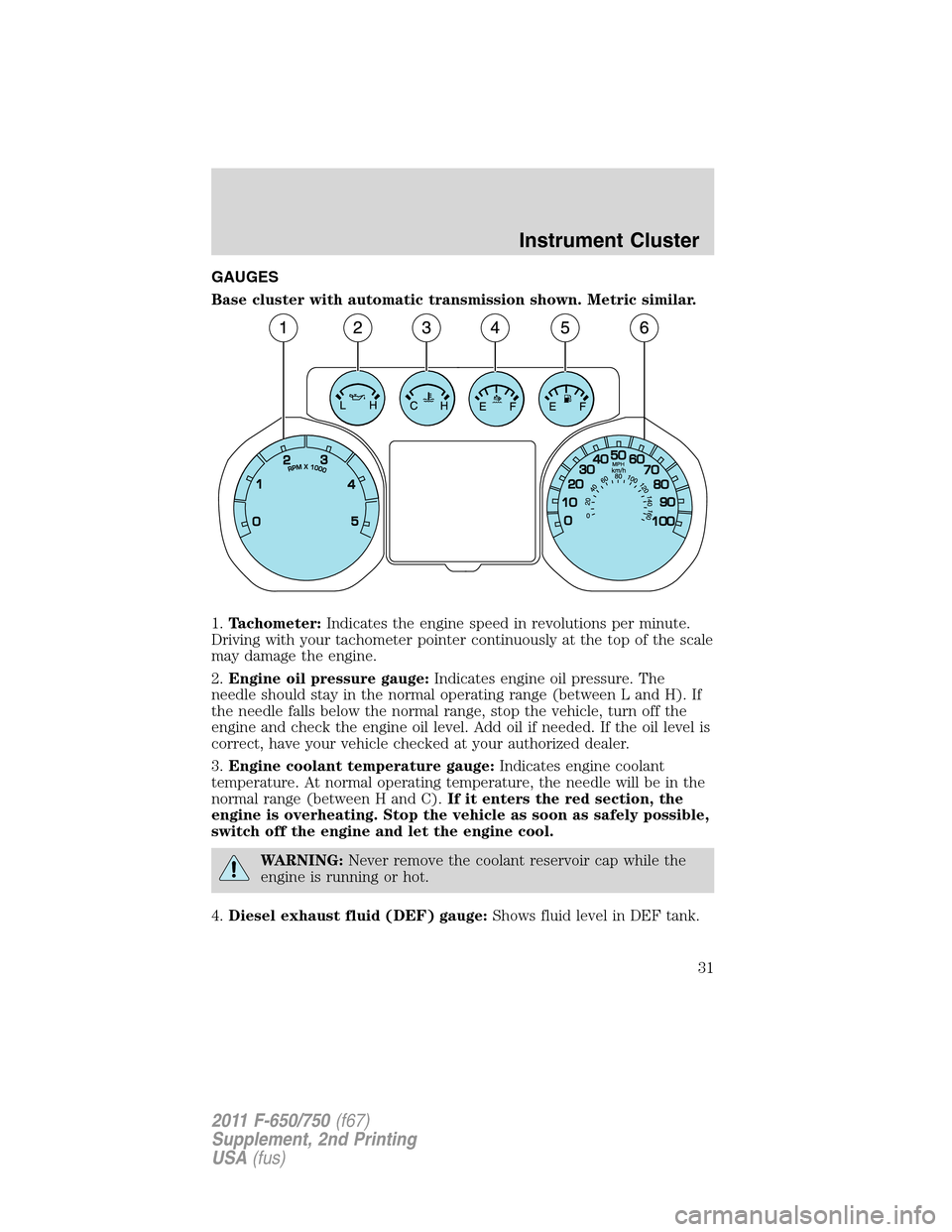
GAUGES
Base cluster with automatic transmission shown. Metric similar.
1.Tachometer:Indicates the engine speed in revolutions per minute.
Driving with your tachometer pointer continuously at the top of the scale
may damage the engine.
2.Engine oil pressure gauge:Indicates engine oil pressure. The
needle should stay in the normal operating range (between L and H). If
the needle falls below the normal range, stop the vehicle, turn off the
engine and check the engine oil level. Add oil if needed. If the oil level is
correct, have your vehicle checked at your authorized dealer.
3.Engine coolant temperature gauge:Indicates engine coolant
temperature. At normal operating temperature, the needle will be in the
normal range (between H and C).If it enters the red section, the
engine is overheating. Stop the vehicle as soon as safely possible,
switch off the engine and let the engine cool.
WARNING:Never remove the coolant reservoir cap while the
engine is running or hot.
4.Diesel exhaust fluid (DEF) gauge:Shows fluid level in DEF tank.
Instrument Cluster
31
2011 F-650/750(f67)
Supplement, 2nd Printing
USA(fus)
Page 34 of 290
System check and vehicle feature customization
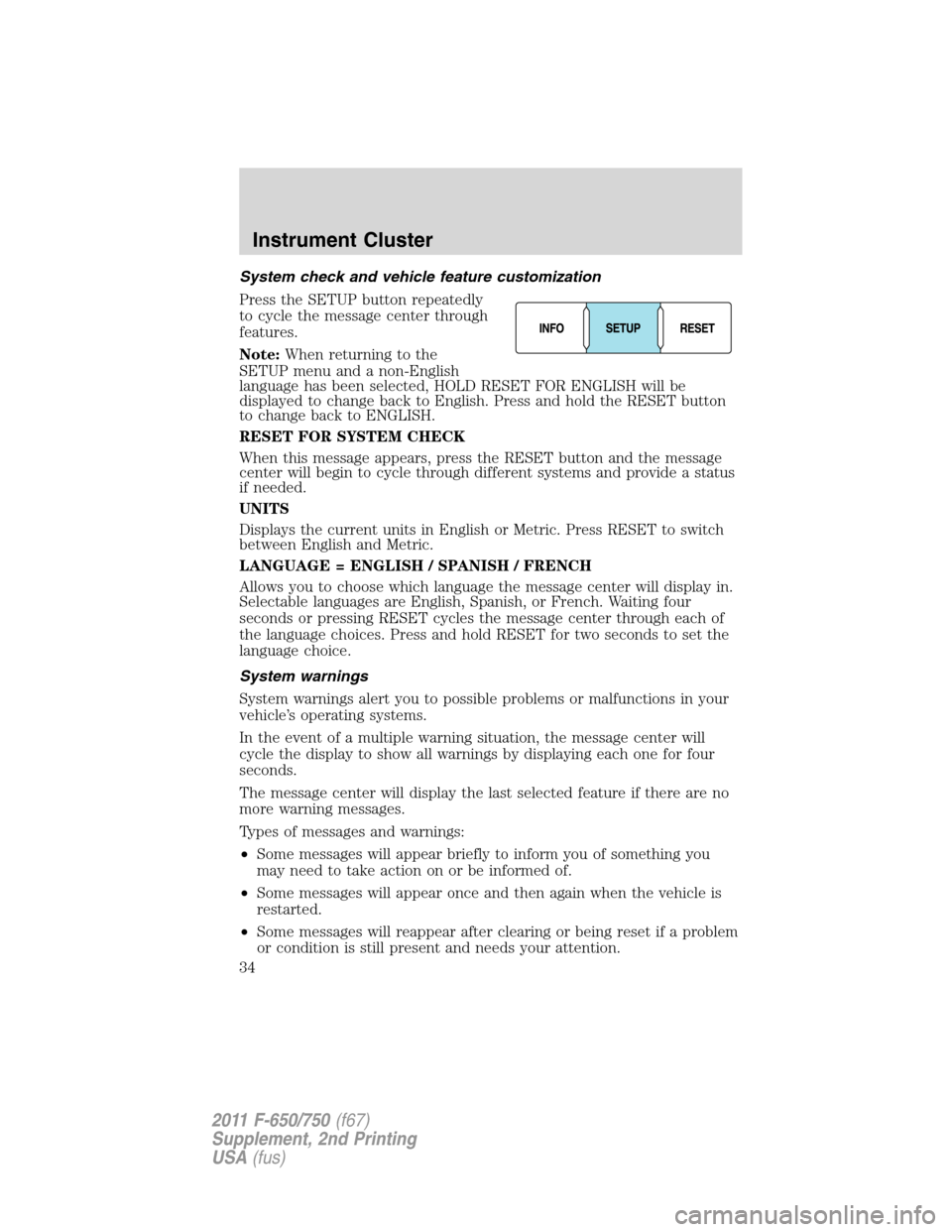
Press the SETUP button repeatedly
to cycle the message center through
features.
Note:When returning to the
SETUP menu and a non-English
language has been selected, HOLD RESET FOR ENGLISH will be
displayed to change back to English. Press and hold the RESET button
to change back to ENGLISH.
RESET FOR SYSTEM CHECK
When this message appears, press the RESET button and the message
center will begin to cycle through different systems and provide a status
if needed.
UNITS
Displays the current units in English or Metric. Press RESET to switch
between English and Metric.
LANGUAGE = ENGLISH / SPANISH / FRENCH
Allows you to choose which language the message center will display in.
Selectable languages are English, Spanish, or French. Waiting four
seconds or pressing RESET cycles the message center through each of
the language choices. Press and hold RESET for two seconds to set the
language choice.
System warnings
System warnings alert you to possible problems or malfunctions in your
vehicle’s operating systems.
In the event of a multiple warning situation, the message center will
cycle the display to show all warnings by displaying each one for four
seconds.
The message center will display the last selected feature if there are no
more warning messages.
Types of messages and warnings:
•Some messages will appear briefly to inform you of something you
may need to take action on or be informed of.
•Some messages will appear once and then again when the vehicle is
restarted.
•Some messages will reappear after clearing or being reset if a problem
or condition is still present and needs your attention.
Instrument Cluster
34
2011 F-650/750(f67)
Supplement, 2nd Printing
USA(fus)
Page 35 of 290
•Some messages can be acknowledged and reset by pressing RESET.
This allows you to use the full message center functionality by clearing
the message.
PARK BRAKE ENGAGED— Displayed when the parking brake is set,
the engine is running and the vehicle is driven more than 3 mph
(5 km/h). If the warning stays on after the parking brake is released,
contact your authorized dealer as soon as possible.
CHECK BRAKE SYSTEM— Displayed when a fault has been detected
by the ABS module.
CHECK CHARGING SYSTEM— Displayed when the electrical system
is not maintaining proper voltage. If you are operating electrical
accessories when the engine is idling at a low speed, turn off as many of
the electrical loads as soon as possible. If the warning stays on or comes
on when the engine is operating at normal speeds, contact your
authorized dealer as soon as possible.
BRAKE FLUID LEVEL LOW— Indicates the brake fluid level is low
and the brake system should be inspected immediately. Refer toBrake
fluidin theMaintenance and Specificationschapter.
Instrument Cluster
35
2011 F-650/750(f67)
Supplement, 2nd Printing
USA(fus)
Page 36 of 290
AUDIO SYSTEMS
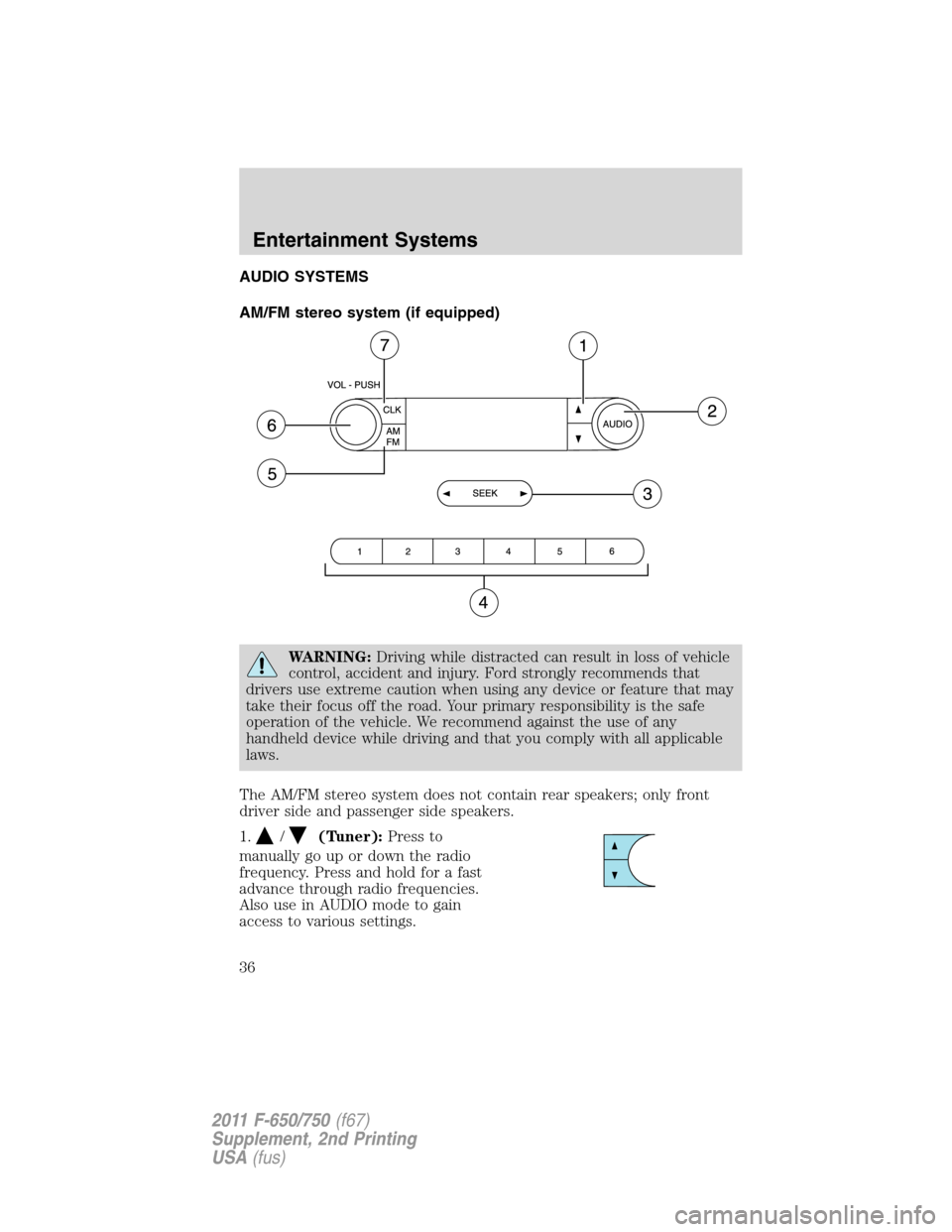
AM/FM stereo system (if equipped)
WARNING:Driving while distracted can result in loss of vehicle
control, accident and injury. Ford strongly recommends that
drivers use extreme caution when using any device or feature that may
take their focus off the road. Your primary responsibility is the safe
operation of the vehicle. We recommend against the use of any
handheld device while driving and that you comply with all applicable
laws.
The AM/FM stereo system does not contain rear speakers; only front
driver side and passenger side speakers.
1.
/(Tuner):Press to
manually go up or down the radio
frequency. Press and hold for a fast
advance through radio frequencies.
Also use in AUDIO mode to gain
access to various settings.
Entertainment Systems
36
2011 F-650/750(f67)
Supplement, 2nd Printing
USA(fus)
Page 38 of 290
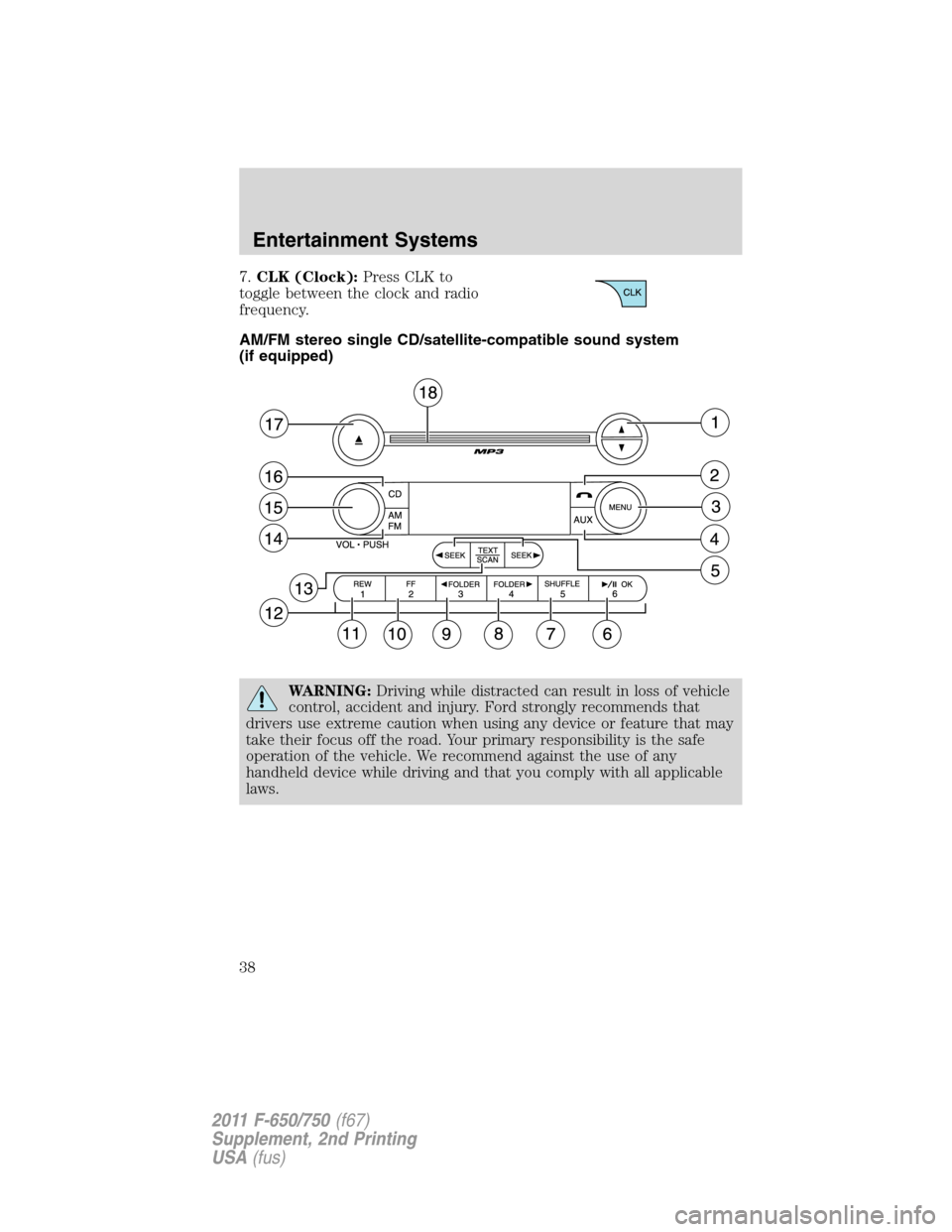
7.CLK (Clock):Press CLK to
toggle between the clock and radio
frequency.
AM/FM stereo single CD/satellite-compatible sound system
(if equipped)
WARNING:Driving while distracted can result in loss of vehicle
control, accident and injury. Ford strongly recommends that
drivers use extreme caution when using any device or feature that may
take their focus off the road. Your primary responsibility is the safe
operation of the vehicle. We recommend against the use of any
handheld device while driving and that you comply with all applicable
laws.
Entertainment Systems
38
2011 F-650/750(f67)
Supplement, 2nd Printing
USA(fus)
Page 45 of 290
18.CD slot:Insert a CD label side
up in the CD slot.
Auxiliary input jack (if equipped)
WARNING:Driving while distracted can result in loss of vehicle
control, accident and injury. Ford strongly recommends that
drivers use extreme caution when using any device or feature that may
take their focus off the road. Your primary responsibility is the safe
operation of the vehicle. We recommend against the use of any
handheld device while driving and that you comply with all applicable
laws.
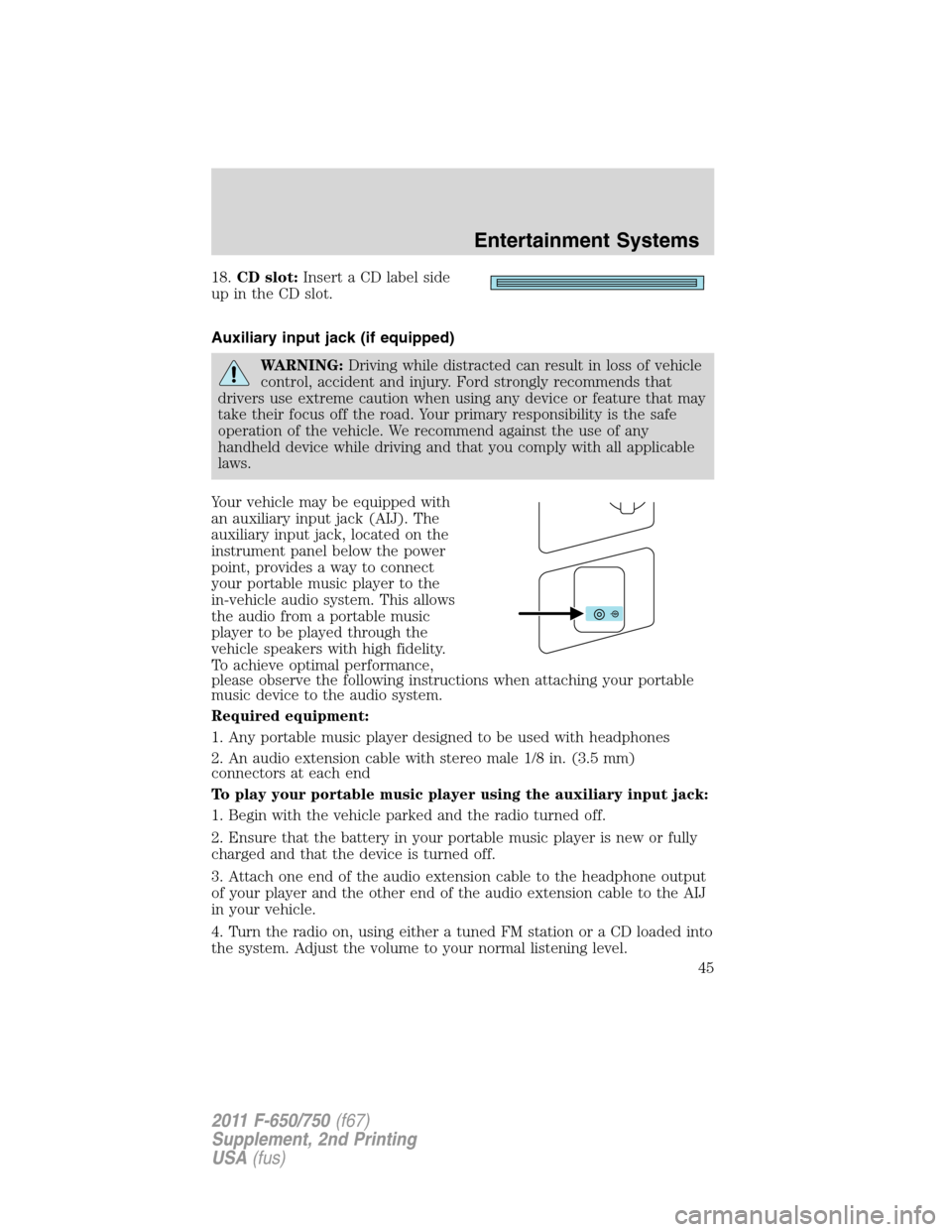
Your vehicle may be equipped with
an auxiliary input jack (AIJ). The
auxiliary input jack, located on the
instrument panel below the power
point, provides a way to connect
your portable music player to the
in-vehicle audio system. This allows
the audio from a portable music
player to be played through the
vehicle speakers with high fidelity.
To achieve optimal performance,
please observe the following instructions when attaching your portable
music device to the audio system.
Required equipment:
1. Any portable music player designed to be used with headphones
2. An audio extension cable with stereo male 1/8 in. (3.5 mm)
connectors at each end
To play your portable music player using the auxiliary input jack:
1. Begin with the vehicle parked and the radio turned off.
2. Ensure that the battery in your portable music player is new or fully
charged and that the device is turned off.
3. Attach one end of the audio extension cable to the headphone output
of your player and the other end of the audio extension cable to the AIJ
in your vehicle.
4. Turn the radio on, using either a tuned FM station or a CD loaded into
the system. Adjust the volume to your normal listening level.
Entertainment Systems
45
2011 F-650/750(f67)
Supplement, 2nd Printing
USA(fus)
Page 52 of 290
WARNING:Always remember to turn on your headlamps at
dusk or during inclement weather. The Daytime Running Lamp
(DRL) system does not activate your tail lamps and generally may not
provide adequate lighting during these conditions. Failure to activate
your headlamps under these conditions may result in a collision.
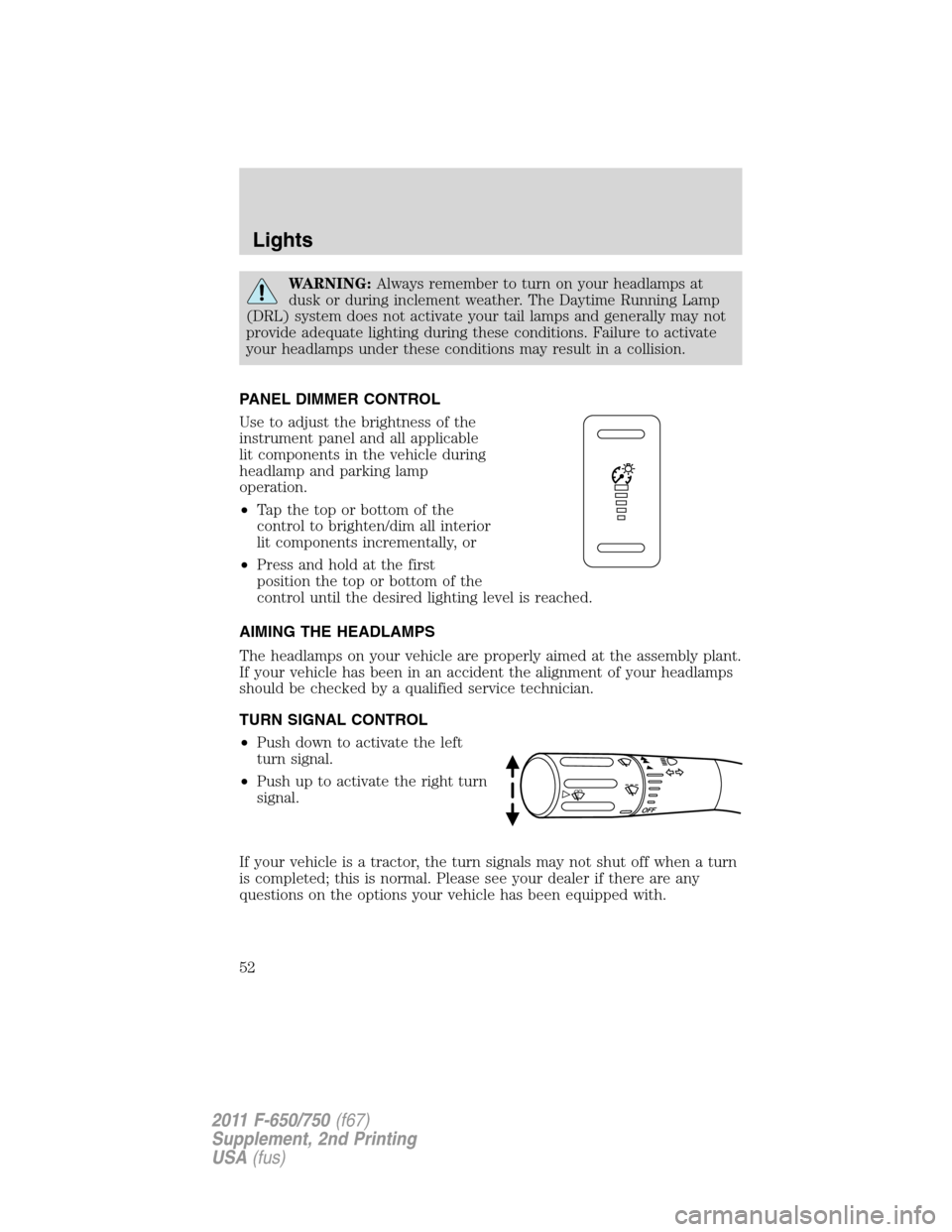
PANEL DIMMER CONTROL
Use to adjust the brightness of the
instrument panel and all applicable
lit components in the vehicle during
headlamp and parking lamp
operation.
•Tap the top or bottom of the
control to brighten/dim all interior
lit components incrementally, or
•Press and hold at the first
position the top or bottom of the
control until the desired lighting level is reached.
AIMING THE HEADLAMPS
The headlamps on your vehicle are properly aimed at the assembly plant.
If your vehicle has been in an accident the alignment of your headlamps
should be checked by a qualified service technician.
TURN SIGNAL CONTROL
•Push down to activate the left
turn signal.
•Push up to activate the right turn
signal.
If your vehicle is a tractor, the turn signals may not shut off when a turn
is completed; this is normal. Please see your dealer if there are any
questions on the options your vehicle has been equipped with.
Lights
52
2011 F-650/750(f67)
Supplement, 2nd Printing
USA(fus)
Page 57 of 290
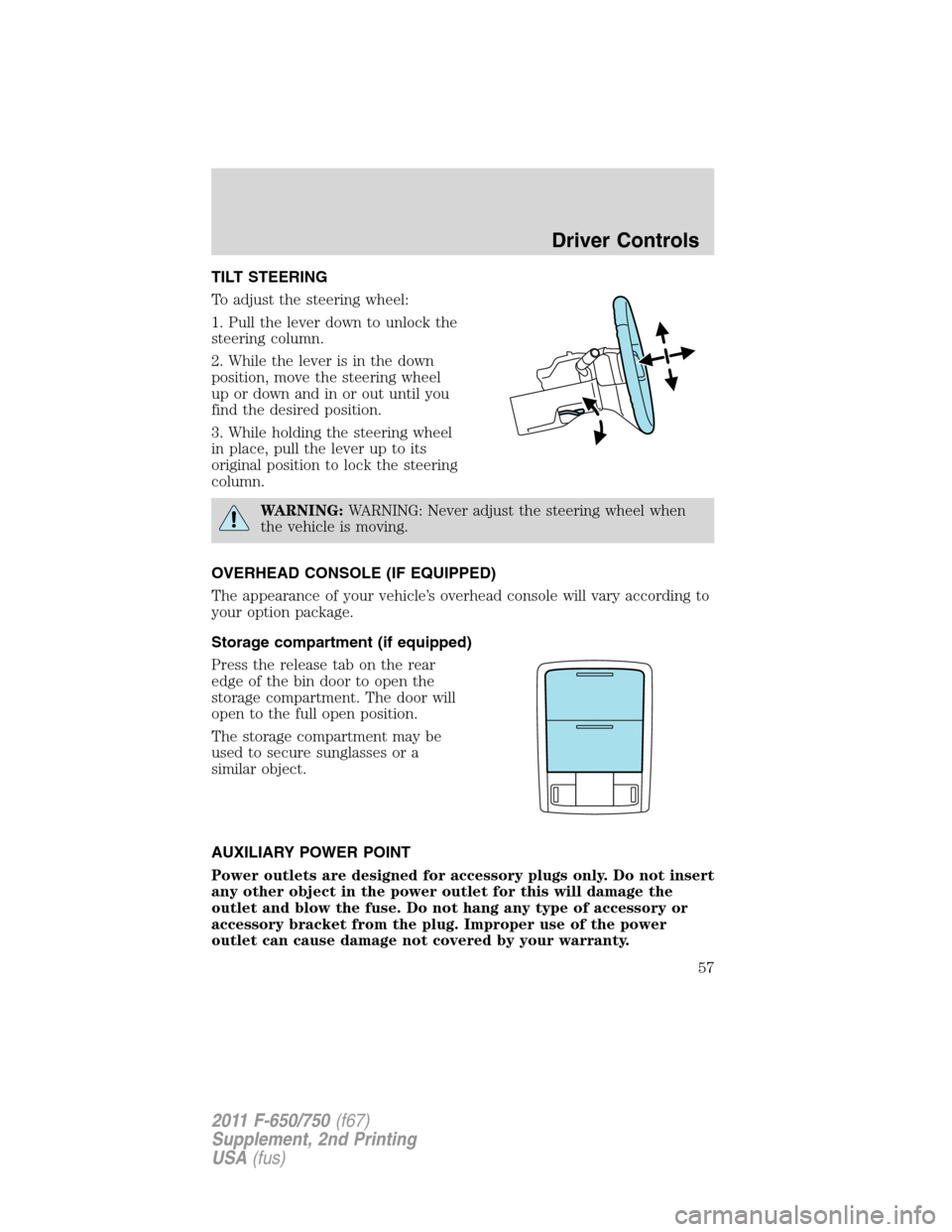
TILT STEERING
To adjust the steering wheel:
1. Pull the lever down to unlock the
steering column.
2. While the lever is in the down
position, move the steering wheel
up or down and in or out until you
find the desired position.
3. While holding the steering wheel
in place, pull the lever up to its
original position to lock the steering
column.
WARNING:WARNING: Never adjust the steering wheel when
the vehicle is moving.
OVERHEAD CONSOLE (IF EQUIPPED)
The appearance of your vehicle’s overhead console will vary according to
your option package.
Storage compartment (if equipped)
Press the release tab on the rear
edge of the bin door to open the
storage compartment. The door will
open to the full open position.
The storage compartment may be
used to secure sunglasses or a
similar object.
AUXILIARY POWER POINT
Power outlets are designed for accessory plugs only. Do not insert
any other object in the power outlet for this will damage the
outlet and blow the fuse. Do not hang any type of accessory or
accessory bracket from the plug. Improper use of the power
outlet can cause damage not covered by your warranty.
Driver Controls
57
2011 F-650/750(f67)
Supplement, 2nd Printing
USA(fus)
Page 58 of 290
Auxiliary power points can be found in the following locations:
•On the instrument panel (two locations)
•Inside the center console storage compartment (if equipped)
•On the rear of the center console (if equipped)
•Inside the 20-percent front seat console (if equipped)
•Inside the rear under seat storage compartment (if equipped)
Do not use the power point for operating the cigarette lighter element (if
equipped).
To prevent the fuse from being blown, do not use the power point(s)
over the vehicle capacity of 12 VDC/180W. If the power point or cigar
lighter socket is not working, a fuse may have blown. Refer toFuses and
relaysin theRoadside Emergencieschapter for information on
checking and replacing fuses.
To have full capacity usage of your power point, the engine is required to
be running to avoid unintentional discharge of the battery. To prevent
the battery from being discharged:
•do not use the power point longer than necessary when the engine is
not running,
•do not leave battery chargers, video game adapters, computers and
other devices plugged in overnight or when the vehicle is parked for
extended periods.
Always keep the power point caps closed when not being used.
POWER WINDOWS (IF EQUIPPED)
WARNING:Do not leave children unattended in the vehicle and
do not let children play with the power windows. They may
seriously injure themselves.
WARNING:When closing the power windows, you should verify
they are free of obstructions and ensure that children and/or
pets are not in the proximity of the window openings.
Driver Controls
58
2011 F-650/750(f67)
Supplement, 2nd Printing
USA(fus)
Page 60 of 290
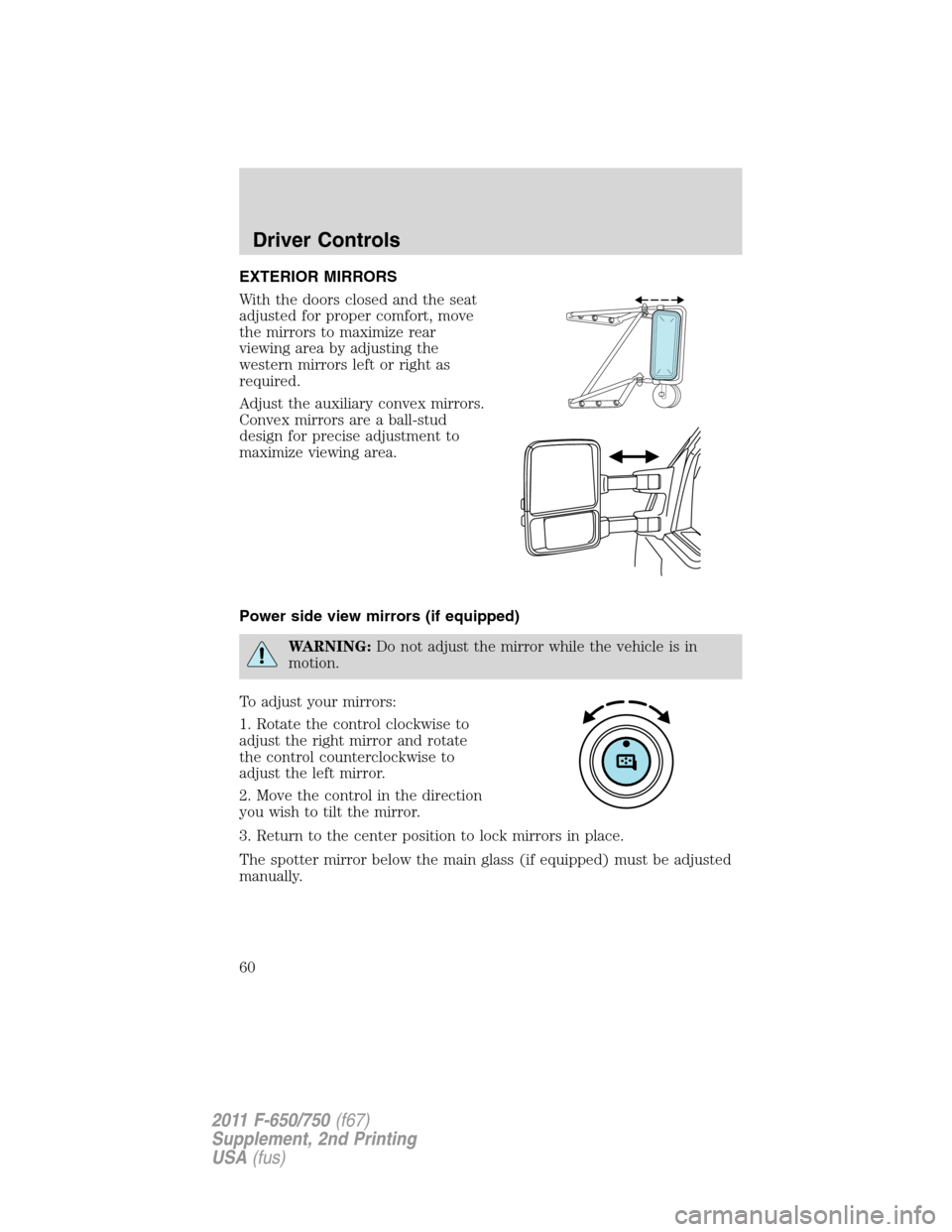
EXTERIOR MIRRORS
With the doors closed and the seat
adjusted for proper comfort, move
the mirrors to maximize rear
viewing area by adjusting the
western mirrors left or right as
required.
Adjust the auxiliary convex mirrors.
Convex mirrors are a ball-stud
design for precise adjustment to
maximize viewing area.
Power side view mirrors (if equipped)
WARNING:Do not adjust the mirror while the vehicle is in
motion.
To adjust your mirrors:
1. Rotate the control clockwise to
adjust the right mirror and rotate
the control counterclockwise to
adjust the left mirror.
2. Move the control in the direction
you wish to tilt the mirror.
3. Return to the center position to lock mirrors in place.
The spotter mirror below the main glass (if equipped) must be adjusted
manually.
Driver Controls
60
2011 F-650/750(f67)
Supplement, 2nd Printing
USA(fus)