AUX FORD FIESTA 2013 User Guide
[x] Cancel search | Manufacturer: FORD, Model Year: 2013, Model line: FIESTA, Model: FORD FIESTA 2013Pages: 346, PDF Size: 5.27 MB
Page 315 of 346
To Access Using Voice Commands
1. Press the voice icon.
2. When prompted, say “Mobile Apps”.
3. Say the name of the application after the tone.
4. The app should start. While an app is running through SYNC, you can
press the voice button and speak commands specific to the app, such
as “Play Station Quickmix”. Say “Help” to discover available voice
commands.
USING SYNC WITH YOUR MEDIA PLAYER
You can access and play music from your digital music player over the
vehicle’s speaker system using the system’s media menu or voice
commands. You can also sort and play your music by specific categories,
such as artists, albums, etc.
SYNC is capable of hosting nearly any digital media player including:
iPod®, Zune™, Plays from device players, and most USB drives. SYNC
also supports audio formats such as MP3, WMA, WAV and ACC.
Connecting Your Digital Media Player via the USB Port
Note:If your digital media player has a power switch, ensure that the
device is turned on.
To connect using voice commands:
1. Plug the device into the vehicle’s USB port.
2. Press the voice icon and when prompted, say “USB”.
3. You can now play music by saying any of the appropriate voice
commands. See the media voice commands.
To connect using the system menu:
1. Plug the device into the vehicle’s USB port.
2. Press AUX and then MENU to enter the Media Menu.
3. Scroll until Select Source appears and press OK.
4. Scroll to select USB and press OK.
5. Depending on how many digital media files are on your connected
device, Indexing may appear in the radio display. When indexing is
complete, the screen returns to the Play Menu.
6. Press OK and scroll through selections of:
•Play All
•Artists
•Albums
•Genres
•Playlists
•Tracks
314SYNC®
2013 Fiesta(fie)
Owners Guide gf, 2nd Printing
USA(fus)
ProCarManuals.com
Page 318 of 346
Voice Command Guide
“Search/Play
Artist/Track/Album”The system searches for a specific
artist/track/album from the music indexed
through the USB port.
“Refine”This allows you to make your previous
command more specific. For example, if you
asked to search and play all music by a
certain artist, you could then say “refine
album” and choose a specific album from the
list to view. If you then select Play, the system
only plays music from that specific album.
Press the voice icon and when prompted say “Bluetooth Audio” and then
any of the following:
“BLUETOOTH AUDIO”
“(Phone) (Media) (Bluetooth) Connections”
“Pause”
“Play”
“Play next track ”
“Play previous track ”
Media Menu Features
The media menu allows you to select your media source, how to play
your music (by artist, genre, shuffle, repeat, etc.), and also to add,
connect or delete devices.
1. Press AUX and then MENU to enter the Media Menu.
SYNC®317
2013 Fiesta(fie)
Owners Guide gf, 2nd Printing
USA(fus)
ProCarManuals.com
Page 320 of 346
When you select: You can:
Media SettingsChoose to shuffle or repeat your music and
select your Autoplay settings. Once these
selections are turned on, they remain on until
turned off. Press SEEK to play the previous
or next track.
Note:Some digital media players require
both USB and line in ports to stream data and
music separately. Press OK to select and then
scroll to choose from:
Shuffle: Press OK to shuffle available media
files in the current playlist.Note:To shuffle
all media tracks, you must select Play All in
the Play Menu and then select Shuffle.
Repeat: Press OK to repeat any song.
Autoplay: Press OK to listen to music which
has already been randomly indexed during
the indexing process.
Mobile AppsInteract with SYNC®-capable mobile
applications on your smart phone. See
SYNC® AppLink™earlier in this chapter for
more information.
System SettingsAccess Bluetooth Device menu listings (add,
connect, set as primary, on/off, delete) as well
as Advanced menu listings (prompts,
languages, defaults, master reset, install
application and system information).
Note:See System Settings for more
information.
Exit Media MenuPress OK to exit the media menu.
Accessing Your Play Menu
This menu allows you to select and play your media by artist, album,
genre, playlist, track, similar music or even to explore what is on your
USB device.
1. Make sure that your device is plugged into the USB port and is
turned on.
2. Press AUX and then MENU to enter the Media Menu.
3. Scroll to select the Play Menu and press OK.
SYNC®319
2013 Fiesta(fie)
Owners Guide gf, 2nd Printing
USA(fus)
ProCarManuals.com
Page 323 of 346
System Settings
System settings provide access to your Bluetooth Devices and
Advanced menu features.
The Bluetooth Devices menu allows you to add, connect and delete a
device as turn the Bluetooth feature on and off.
Your Advanced menu allows you to access and set prompts, languages,
defaults and perform a master reset.
Bluetooth Devices Menu Options
This menu allows you to add, connect and delete devices as well as turn
Bluetooth on and off.
1. Press AUX and then MENU to enter the Media Menu.
2. Scroll until System Settings appears and select OK.
3. Scroll until Bluetooth Devices appears.
4. Press OK and then scroll to select from:
When you select: You can:
Add Bluetooth
Device
*Allows you to pair additional devices to the
system.
1. Press OK to select and press OK again
when Find SYNC appears in the display.
2. Follow the directions in your phone’s user
guide to put your phone into discovery mode.
A six-digit PIN appears in the display.
3. When prompted on your phone’s six-digit
display, enter the PIN.
Connect Bluetooth
DeviceConnect a previously paired
Bluetooth-enabled phone.
1. Press OK to select and view a list of
devices.
2. Scroll until the desired device is chosen
and press OK to connect the device.
Set Bluetooth On/OffTurn the Bluetooth feature on and off.
Press OK and scroll to toggle between On and
Off. When the desired selection is chosen,
press OK. Turning Bluetooth off disconnects
all Bluetooth devices and deactivates
Bluetooth features.
322SYNC®
2013 Fiesta(fie)
Owners Guide gf, 2nd Printing
USA(fus)
ProCarManuals.com
Page 324 of 346
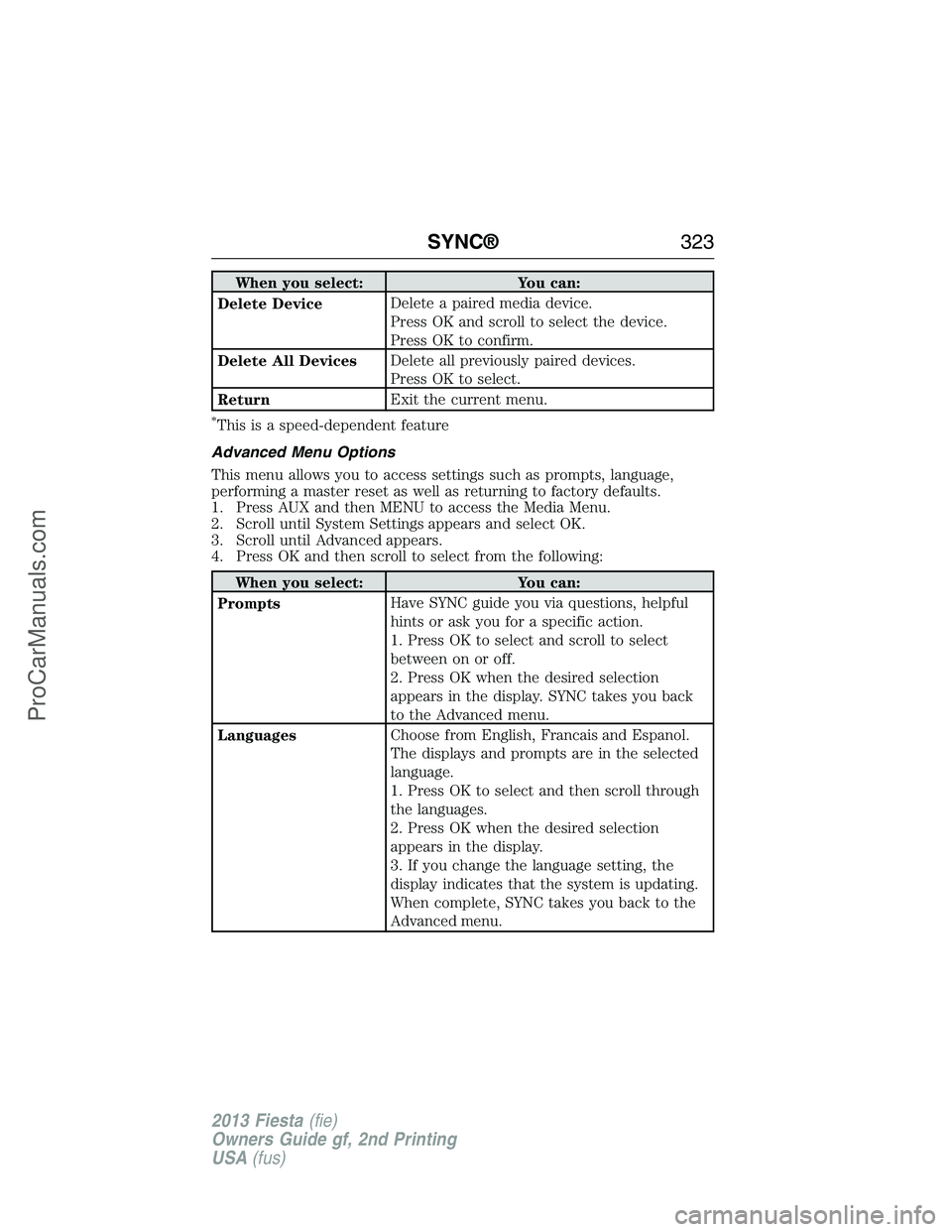
When you select: You can:
Delete DeviceDelete a paired media device.
Press OK and scroll to select the device.
Press OK to confirm.
Delete All DevicesDelete all previously paired devices.
Press OK to select.
ReturnExit the current menu.
*This is a speed-dependent feature
Advanced Menu Options
This menu allows you to access settings such as prompts, language,
performing a master reset as well as returning to factory defaults.
1. Press AUX and then MENU to access the Media Menu.
2. Scroll until System Settings appears and select OK.
3. Scroll until Advanced appears.
4. Press OK and then scroll to select from the following:
When you select: You can:
PromptsHave SYNC guide you via questions, helpful
hints or ask you for a specific action.
1. Press OK to select and scroll to select
between on or off.
2. Press OK when the desired selection
appears in the display. SYNC takes you back
to the Advanced menu.
LanguagesChoose from English, Francais and Espanol.
The displays and prompts are in the selected
language.
1. Press OK to select and then scroll through
the languages.
2. Press OK when the desired selection
appears in the display.
3. If you change the language setting, the
display indicates that the system is updating.
When complete, SYNC takes you back to the
Advanced menu.
SYNC®323
2013 Fiesta(fie)
Owners Guide gf, 2nd Printing
USA(fus)
ProCarManuals.com
Page 341 of 346
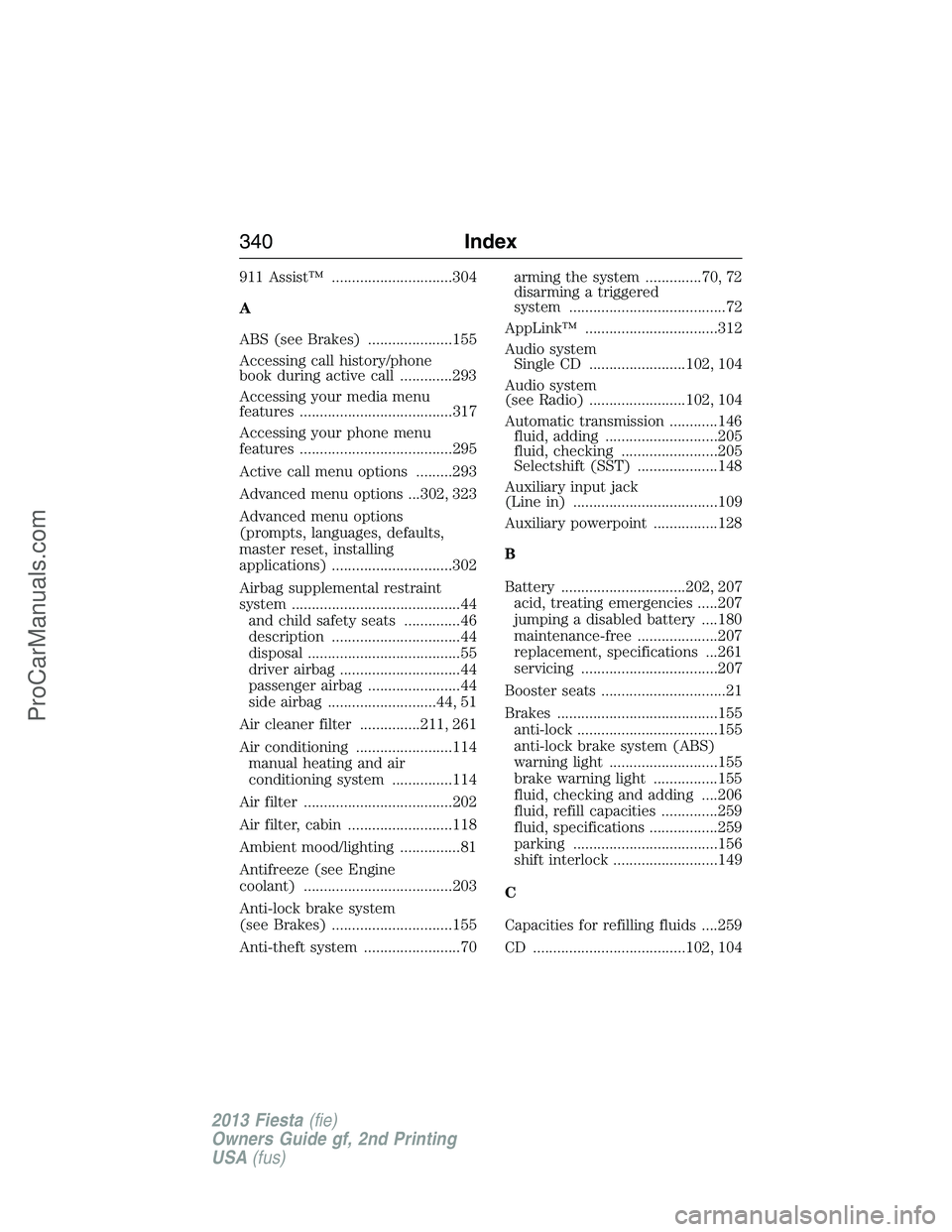
911 Assist™ ..............................304
A
ABS (see Brakes) .....................155
Accessing call history/phone
book during active call .............293
Accessing your media menu
features ......................................317
Accessing your phone menu
features ......................................295
Active call menu options .........293
Advanced menu options ...302, 323
Advanced menu options
(prompts, languages, defaults,
master reset, installing
applications) ..............................302
Airbag supplemental restraint
system ..........................................44
and child safety seats ..............46
description ................................44
disposal ......................................55
driver airbag ..............................44
passenger airbag .......................44
side airbag ...........................44, 51
Air cleaner filter ...............211, 261
Air conditioning ........................114
manual heating and air
conditioning system ...............114
Air filter .....................................202
Air filter, cabin ..........................118
Ambient mood/lighting ...............81
Antifreeze (see Engine
coolant) .....................................203
Anti-lock brake system
(see Brakes) ..............................155
Anti-theft system ........................70arming the system ..............70, 72
disarming a triggered
system .......................................72
AppLink™ .................................312
Audio system
Single CD ........................102, 104
Audio system
(see Radio) ........................102, 104
Automatic transmission ............146
fluid, adding ............................205
fluid, checking ........................205
Selectshift (SST) ....................148
Auxiliary input jack
(Line in) ....................................109
Auxiliary powerpoint ................128
B
Battery ...............................202, 207
acid, treating emergencies .....207
jumping a disabled battery ....180
maintenance-free ....................207
replacement, specifications ...261
servicing ..................................207
Booster seats ...............................21
Brakes ........................................155
anti-lock ...................................155
anti-lock brake system (ABS)
warning light ...........................155
brake warning light ................155
fluid, checking and adding ....206
fluid, refill capacities ..............259
fluid, specifications .................259
parking ....................................156
shift interlock ..........................149
C
Capacities for refilling fluids ....259
CD ......................................102, 104
340Index
2013 Fiesta(fie)
Owners Guide gf, 2nd Printing
USA(fus)
ProCarManuals.com