radio FORD FIESTA 2013 Owner's Manual
[x] Cancel search | Manufacturer: FORD, Model Year: 2013, Model line: FIESTA, Model: FORD FIESTA 2013Pages: 346, PDF Size: 5.27 MB
Page 132 of 346
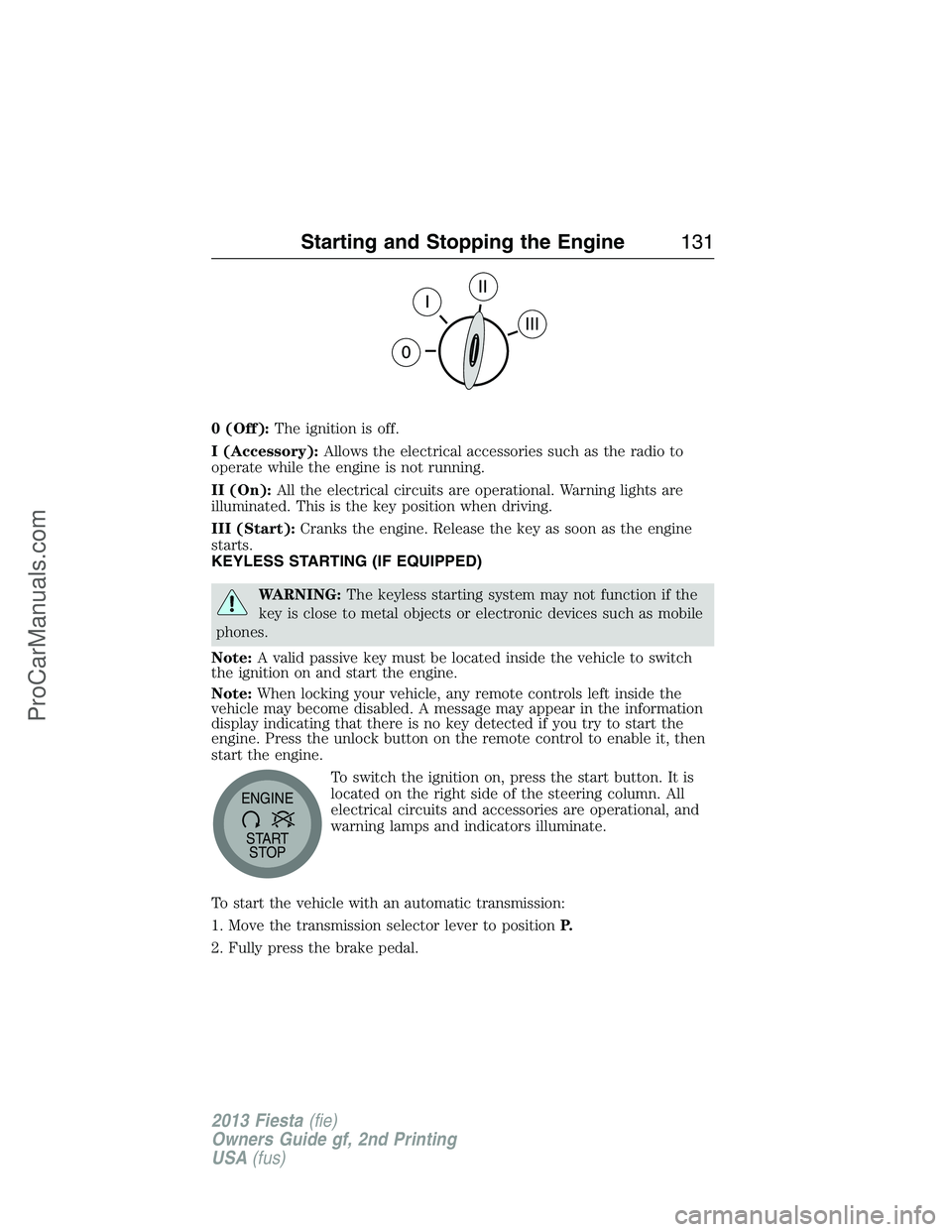
0 (Off):The ignition is off.
I (Accessory):Allows the electrical accessories such as the radio to
operate while the engine is not running.
II (On):All the electrical circuits are operational. Warning lights are
illuminated. This is the key position when driving.
III (Start):Cranks the engine. Release the key as soon as the engine
starts.
KEYLESS STARTING (IF EQUIPPED)
WARNING:The keyless starting system may not function if the
key is close to metal objects or electronic devices such as mobile
phones.
Note:A valid passive key must be located inside the vehicle to switch
the ignition on and start the engine.
Note:When locking your vehicle, any remote controls left inside the
vehicle may become disabled. A message may appear in the information
display indicating that there is no key detected if you try to start the
engine. Press the unlock button on the remote control to enable it, then
start the engine.
To switch the ignition on, press the start button. It is
located on the right side of the steering column. All
electrical circuits and accessories are operational, and
warning lamps and indicators illuminate.
To start the vehicle with an automatic transmission:
1. Move the transmission selector lever to positionP.
2. Fully press the brake pedal.
START
STOP ENGINE
Starting and Stopping the Engine131
2013 Fiesta(fie)
Owners Guide gf, 2nd Printing
USA(fus)
ProCarManuals.com
Page 180 of 346
U.S. Ford vehicle customers who require Roadside Assistance, call
1-800-241-3673.
If you need to arrange roadside assistance for yourself, Ford Motor
Company will reimburse a reasonable amount for towing to the nearest
dealership within 35 miles (56 kilometers). To obtain reimbursement
information, U.S. Ford vehicle customers call 1-800-241-3673. Customers
will be asked to submit their original receipts.
Vehicles Sold in Canada : Getting Roadside Assistance
Canadian customers who require roadside assistance, call
1–800–665–2006.
Vehicles Sold in Canada : Using Roadside Assistance
Complete the roadside assistance identification card and place it in your
wallet for quick reference. In Canada, the card is found in the warranty
information in the glove box.
Canadian Roadside coverage and benefits may differ from the U.S.
coverage. Please see your warranty information or visit our website at
www.ford.ca for information on Canadian services and benefits.
Canadian customers who need to obtain roadside information, call
1-800-665-2006 or visit our website at www.ford.ca.
HAZARD WARNING FLASHERS
The hazard flasher control is located on the instrument panel
by the radio. Use it when your vehicle is disabled and is
creating a safety hazard for other motorists.
•Press the flasher control and all front and rear direction signals will
flash.
•Press the flasher control again to turn them off.
Note:With extended use, the flashers may run down your 12 volt
battery.
FUEL CUT-OFF SWITCH
WARNING:Failure to inspect and if necessary repair fuel leaks
after a collision may increase the risk of fire and serious injury.
Ford Motor Company recommends that the fuel system be inspected by
an authorized dealer after any collision.
In the event of a moderate to severe collision, this vehicle is equipped
with a fuel pump shut-off feature that stops the flow of fuel to the
engine. Not every impact will cause a shut-off.
Roadside Emergencies179
2013 Fiesta(fie)
Owners Guide gf, 2nd Printing
USA(fus)
ProCarManuals.com
Page 198 of 346
Fuse or relay
numberFuse amp
ratingProtected components
F7 7.5A Instrument panel display,
Intelligent access antenna, Manual
climate controls
F8 7.5A Front dome lamp, Moonroof
F9 20A Keyless vehicle module
F10 15A Radio, SYNC® module, Global
positioning system module
F11 20A Body control module – front
wipers
F12 20A Tire pressure monitoring system
F13 15A Body control module – rear wiper
F14 20A Intelligent access module
F15 15A Wiper switch
F16 7.5A Power mirror switch, Driver
window switch
F17 15A Heated seats
F18 10A Stop lamps, Turn signals
F19 7.5A Instrument cluster
F20 10A Airbag module
F21 10A Body control module – ignition
switch, Climate control, Passive
anti-theft system transceiver,
Electronic power steering module,
Instrument cluster, Engine
compartment fuse panel
F22 7.5A Accelerator pedal position sensor,
Powertrain control module, Gear
shifter, Anti-lock brake system
ignition feed
F23 10A Transmission control unit ignition
feed, Tire pressure monitoring
system ignition feed
Fuses197
2013 Fiesta(fie)
Owners Guide gf, 2nd Printing
USA(fus)
ProCarManuals.com
Page 210 of 346
5. Turn the A/C on and allow the engine to idle for at least one minute.
6. Drive the vehicle to complete the relearning process.
•The vehicle may need to be driven 10 mi (16 km) or more to relearn
the idle and fuel trim strategy.
•Note:If you do not allow the engine to relearn its idle trim, the idle
quality of your vehicle may be adversely affected until the idle trim is
eventually relearned.
When the battery is disconnected or a new battery installed, the
transmission must relearn its adaptive strategy. As a result of this, the
transmission may shift firmly. This operation is considered normal and
will not affect function or durability of the transmission. Over time the
adaptive learning process will fully update transmission operation to its
optimum shift feel.
If the battery has been disconnected or a new battery has been installed,
the clock and the preset radio stations must be reset once the battery is
reconnected.
Always dispose of automotive batteries in a responsible manner. Follow
your local authorized standards for disposal. Call your local authorized
recycling center to find out more about recycling automotive batteries.
CHECKING THE WIPER BLADES
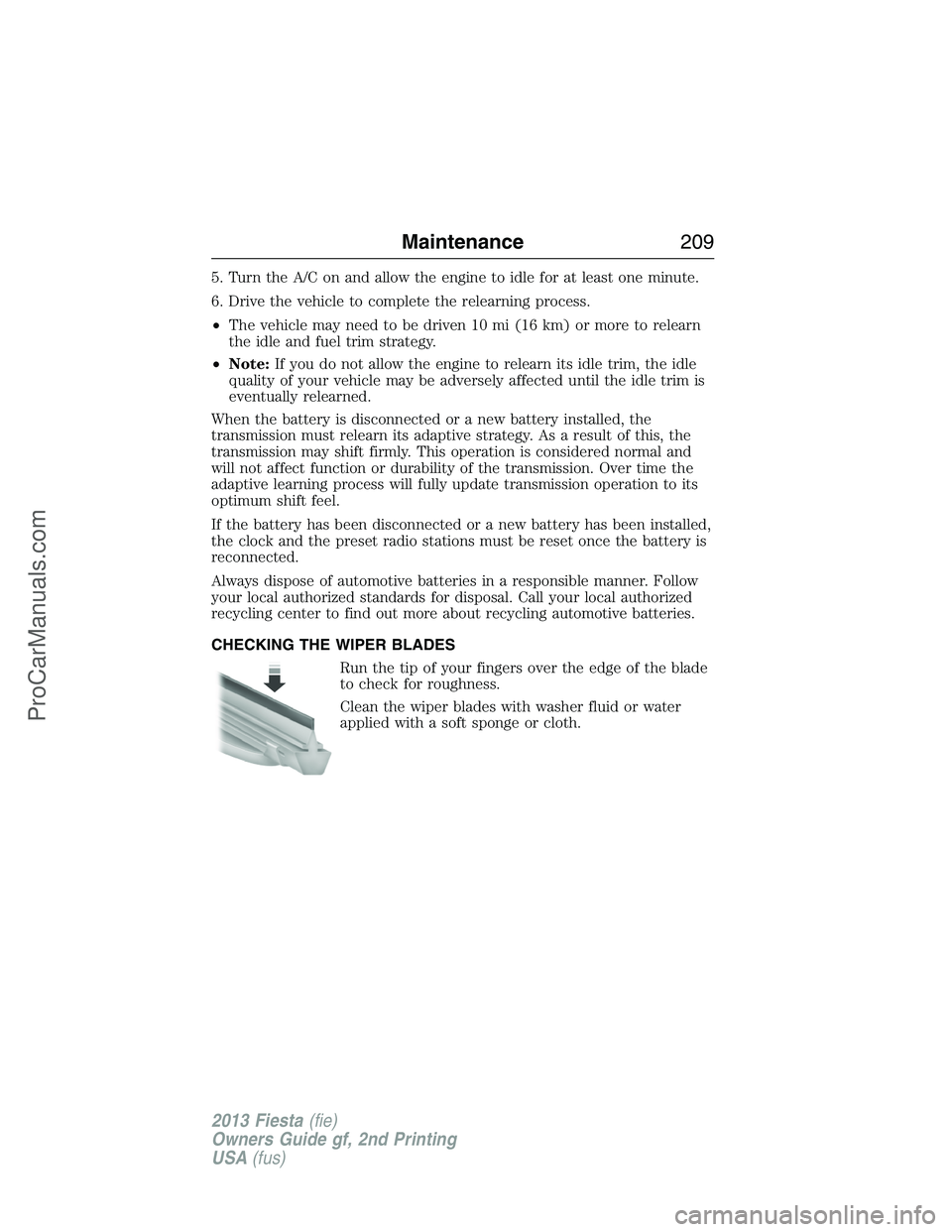
Run the tip of your fingers over the edge of the blade
to check for roughness.
Clean the wiper blades with washer fluid or water
applied with a soft sponge or cloth.
Maintenance209
2013 Fiesta(fie)
Owners Guide gf, 2nd Printing
USA(fus)
ProCarManuals.com
Page 266 of 346
Peace of mind
•Keyless entry keypad•Seat covers*
•Remote start•Car covers*
•Wheel locks
•Bumper mounted parking sensors*
*Ford Licensed Accessories (FLA) are warranted by the accessory
manufacturer’s warranty. Ford Licensed Accessories are fully designed
and developed by the accessory manufacturer and have not been
designed or tested to Ford Motor Company engineering requirements.
Contact your Ford dealer for details regarding the manufacturer’s limited
warranty and/or a copy of the FLA product limited warranty offered by
the accessory manufacturer.
For maximum vehicle performance, keep the following information in
mind when adding accessories or equipment to your vehicle:
•When adding accessories, equipment, passengers and luggage to your
vehicle, do not exceed the total weight capacity of the vehicle or of
the front or rear axle (GVWR or GAWR as indicated on the Safety
Compliance Certification label). Consult your authorized dealer for
specific weight information.
•The Federal Communications Commission (FCC) and Canadian Radio
Telecommunications Commission (CRTC) regulate the use of mobile
communications systems — such as two-way radios, telephones and
theft alarms - that are equipped with radio transmitters. Any such
equipment installed in your vehicle should comply with FCC or CRTC
regulations and should be installed only by a qualified service
technician.
•Mobile communications systems may harm the operation of your
vehicle, particularly if they are not properly designed for automotive
use.
•To avoid interference with other vehicle functions, such as anti-lock
braking systems, amateur radio users who install radios and antennas
onto their vehicle should not locate the amateur radio antennas in the
area of the driver’s side hood.
•Any non-Ford custom electrical or electronic accessories or
components that are added to the vehicle by the authorized dealer or
the owner, may adversely affect battery performance and durability,
and may also adversely affect the performance of other electrical
systems in the vehicle.
Accessories265
2013 Fiesta(fie)
Owners Guide gf, 2nd Printing
USA(fus)
ProCarManuals.com
Page 291 of 346
•Speak naturally, without long pauses between words.
•At any time you can interrupt the system while it is speaking by
pressing the voice icon.
USING SYNC WITH YOUR PHONE
Hands-free calling is one of the main features of SYNC. While the system
supports a variety of features, many are dependent on your cellular
phone’s functionality. At a minimum, most cellular phones with Bluetooth
wireless technology support the following functions:
•Answering an incoming call.
•Ending a call.
•Using privacy mode.
•Dialing a number.
•Redialing.
•Call waiting notification.
•Caller ID.
Other features, such as text messaging using Bluetooth and automatic
phonebook download, are phone-dependent features. To check your
phone’s compatibility, see your phone’s user manual and visit
www.SYNCMyRide.com, www.SYNCMyRide.ca or www.syncmaroute.ca.
Pairing a Phone for the First Time
Note:SYNC can support downloading up to approximately 2000 entries
per Bluetooth-enabled cellular phone.
Note:Make sure the vehicle ignition and radio are turned on and the
transmission is in positionP.
Note:To scroll through the menus, press the up and down arrows on
your audio system.
Wirelessly pairing your phone with SYNC allows you to make and receive
hands-free calls.
1. Press the phone button; when the display indicates no phone is
paired, press OK.
2. When Add Bluetooth Device appears, press OK.
3. When Find SYNC appears in the display, press OK.
4. Put your phone into Bluetooth discovery mode. See your phone’s
user guide if necessary.
5. When prompted on your phone’s display, enter the six-digit PIN
provided by SYNC in the radio display.
290SYNC®
2013 Fiesta(fie)
Owners Guide gf, 2nd Printing
USA(fus)
ProCarManuals.com
Page 292 of 346
6. The display indicates when the pairing is successful.
7. Depending on your phone’s capability and your market, the system
may prompt you with questions such as setting the current phone as
the primary phone (the phone SYNC automatically tries to connect
with first upon vehicle start-up), downloading your phone book, etc.
Pairing Subsequent Phones
Note:To scroll through the menus, press the up and down arrows on
your audio system.
Note:Make sure the vehicle ignition and radio are turned on and that
the transmission is in positionP.
1. Press the phone button and scroll until System Settings is selected.
2. Press OK and scroll until Bluetooth Devices is selected and press OK.
3. Scroll until Add Bluetooth Device is selected and press OK.
4. When Find SYNC appears in the display, press OK.
5. Put your phone into Bluetooth discovery mode. See your phone’s
user guide if necessary.
6. When prompted on your phone’s display, enter the six-digit PIN
provided by SYNC in the radio display. The display indicates when
the pairing is successful.
7. The system then prompts with questions such as if you would like to
set the current phone as the primary phone (the phone SYNC
automatically tries to connect with first upon vehicle start-up),
download your phone book, etc.
Phone Voice Commands
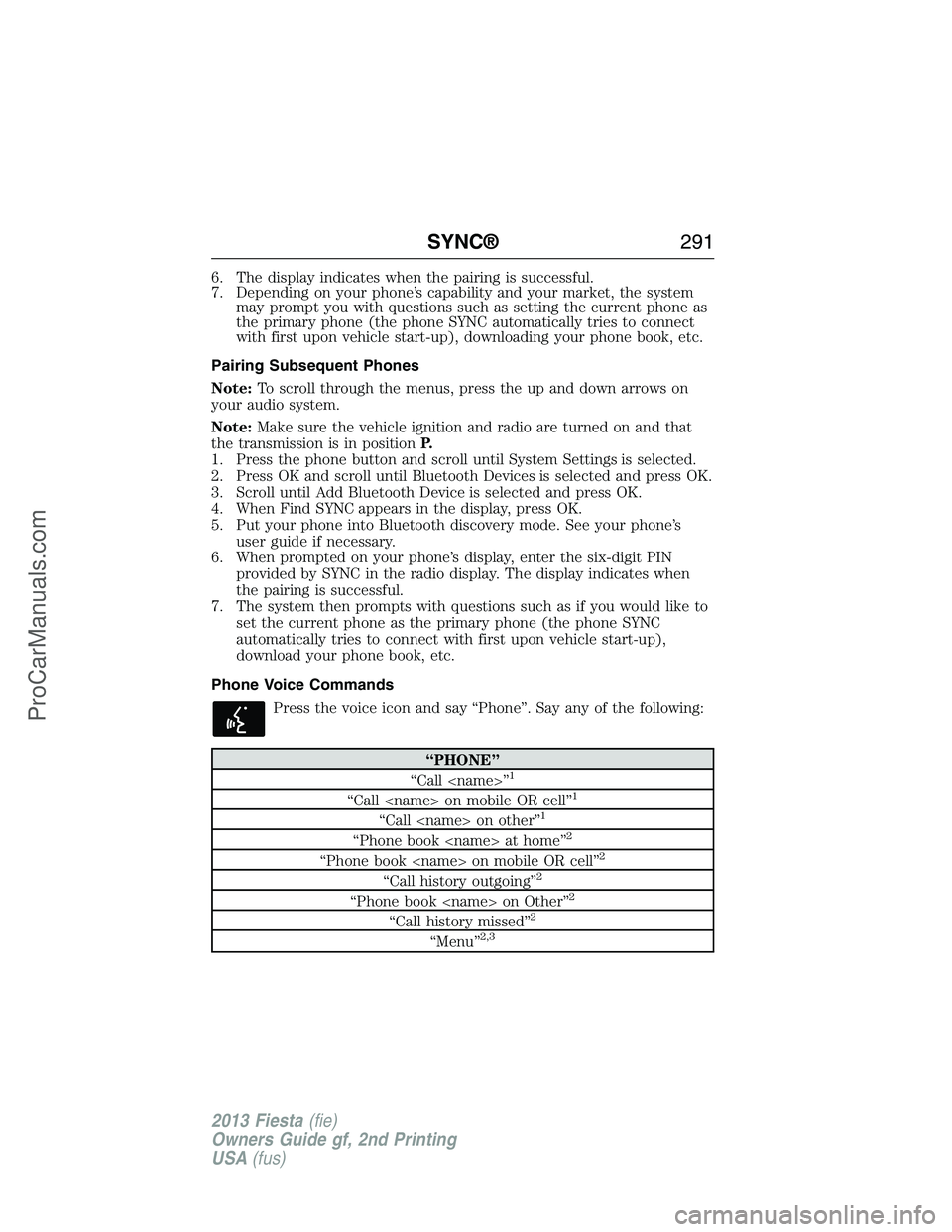
Press the voice icon and say “Phone”. Say any of the following:
“PHONE”
“Call
“Call
“Call
“Phone book
“Phone book
“Call history outgoing”2
“Phone book
“Call history missed”2
“Menu”2,3
SYNC®291
2013 Fiesta(fie)
Owners Guide gf, 2nd Printing
USA(fus)
ProCarManuals.com
Page 304 of 346
4. Scroll to select from the following options:
If you select: You can:
PromptsGet help from SYNC by using questions,
helpful hints or asking you for a specific
action. To turn these prompts on or off:
1. Press OK to select and scroll to select
between on or off.
2. Press OK when the desired selection
appears in the display. SYNC takes you back
to the Advanced menu.
LanguagesChoose between English, Espanol and
Francais. Once selected, all of SYNC’s radio
displays and prompts are in the selected
language.
1. Press OK to select and then scroll through
the languages.
2. Press OK when the desired selection
appears in the display. If you change the
language setting, the display indicates that
the system is updating. When complete, SYNC
takes you back to the Advanced menu.
Factory DefaultsReturn to the factory default settings. This
selection does not erase your indexed
information (phonebook, call history, text
messages and paired devices).
1. Press OK to select and then press OK again
when Restore Defaults? appears in the display.
2. Press OK to confirm.
Master ResetCompletely erase all information stored on
SYNC (phonebook, call history, text messages
and paired devices) and return to the factory
default settings.
Press OK to select. The display indicates
when complete and SYNC takes you back to
the Advanced menu.
SYNC®303
2013 Fiesta(fie)
Owners Guide gf, 2nd Printing
USA(fus)
ProCarManuals.com
Page 307 of 346
5. Press OK when the desired option appears in the radio display. Set
On or Set Off appears in the display as confirmation.
Off selections include: Off with reminder and Off without reminder. Off
with reminder provides a display and voice reminder at phone
connection at vehicle start. Off without reminder provides a display
reminder only without a voice reminder at phone connection.
To make sure that 911 Assist works properly:
•SYNC must be powered and working properly at the time of the
incident and throughout feature activation and use.
•SYNC 911 Assist feature must be set on prior to the incident.
•A Bluetooth-enabled and compatible phone has to be paired and
connected to SYNC.
•A connected Bluetooth-enabled phone must have the ability to make
and maintain an outgoing call at the time of the incident.
•A connected Bluetooth-enabled phone must have adequate network
coverage, battery power and signal strength.
•The vehicle must have battery power and be located in the U.S.,
Canada or in a territory in which 911 is the emergency number.
In the Event of a Crash
Not all crashes deploy an airbag or activate the fuel pump shut-off
(which would activate 911 Assist); however, if 911 Assist is triggered,
SYNC tries to contact emergency services. If a connected phone is
damaged or loses connection to SYNC, SYNC searches for, and tries to
connect to, any available previously paired phone and tries to make the
call to 911.
Before making the call:
•SYNC provides a short window of time (about 10 seconds) to cancel
the call. Failure to cancel the call results in SYNC attempting to dial
911.
•SYNC says the following, or a similar message: “SYNC will attempt to
call 911, to cancel the call, press Cancel on your screen or press and
hold the phone button on your steering wheel.”
If the call is not cancelled and a successful call is made, a pre-recorded
message is played for the 911 operator, then the occupant(s) in the
vehicle is able to talk with the operator. Be prepared to provide your
name, phone number and location immediately, because not all 911
systems are capable of receiving this information electronically.
306SYNC®
2013 Fiesta(fie)
Owners Guide gf, 2nd Printing
USA(fus)
ProCarManuals.com
Page 315 of 346
To Access Using Voice Commands
1. Press the voice icon.
2. When prompted, say “Mobile Apps”.
3. Say the name of the application after the tone.
4. The app should start. While an app is running through SYNC, you can
press the voice button and speak commands specific to the app, such
as “Play Station Quickmix”. Say “Help” to discover available voice
commands.
USING SYNC WITH YOUR MEDIA PLAYER
You can access and play music from your digital music player over the
vehicle’s speaker system using the system’s media menu or voice
commands. You can also sort and play your music by specific categories,
such as artists, albums, etc.
SYNC is capable of hosting nearly any digital media player including:
iPod®, Zune™, Plays from device players, and most USB drives. SYNC
also supports audio formats such as MP3, WMA, WAV and ACC.
Connecting Your Digital Media Player via the USB Port
Note:If your digital media player has a power switch, ensure that the
device is turned on.
To connect using voice commands:
1. Plug the device into the vehicle’s USB port.
2. Press the voice icon and when prompted, say “USB”.
3. You can now play music by saying any of the appropriate voice
commands. See the media voice commands.
To connect using the system menu:
1. Plug the device into the vehicle’s USB port.
2. Press AUX and then MENU to enter the Media Menu.
3. Scroll until Select Source appears and press OK.
4. Scroll to select USB and press OK.
5. Depending on how many digital media files are on your connected
device, Indexing may appear in the radio display. When indexing is
complete, the screen returns to the Play Menu.
6. Press OK and scroll through selections of:
•Play All
•Artists
•Albums
•Genres
•Playlists
•Tracks
314SYNC®
2013 Fiesta(fie)
Owners Guide gf, 2nd Printing
USA(fus)
ProCarManuals.com