Audio FORD FIESTA 2013 Owners Manual
[x] Cancel search | Manufacturer: FORD, Model Year: 2013, Model line: FIESTA, Model: FORD FIESTA 2013Pages: 346, PDF Size: 5.27 MB
Page 4 of 346
Instrument Cluster 87
Gauges.............................................87
Warning lamps and indicators.............................88
Audible warnings and indicators...........................93
Information Displays 94
Multifunction display...................................95
Trip computer........................................95
Information messages...................................96
Audio System 100
AM/FMstereo........................................102
AM/FM/CD/SIRIUS Satellite Radio with SYNC.................104
Auxiliary input jack...................................109
USBport...........................................110
Satellite radio information...............................111
Climate Control 114
Manual heating and air conditioning........................114
Rear window defroster.................................117
Cabin air filter.......................................118
Seats 119
Sitting in the correct position............................119
Head restraints.......................................120
Front seats..........................................122
Heated seats........................................126
Rear seats..........................................126
Table of Contents3
2013 Fiesta(fie)
Owners Guide gf, 2nd Printing
USA(fus)
ProCarManuals.com
Page 75 of 346
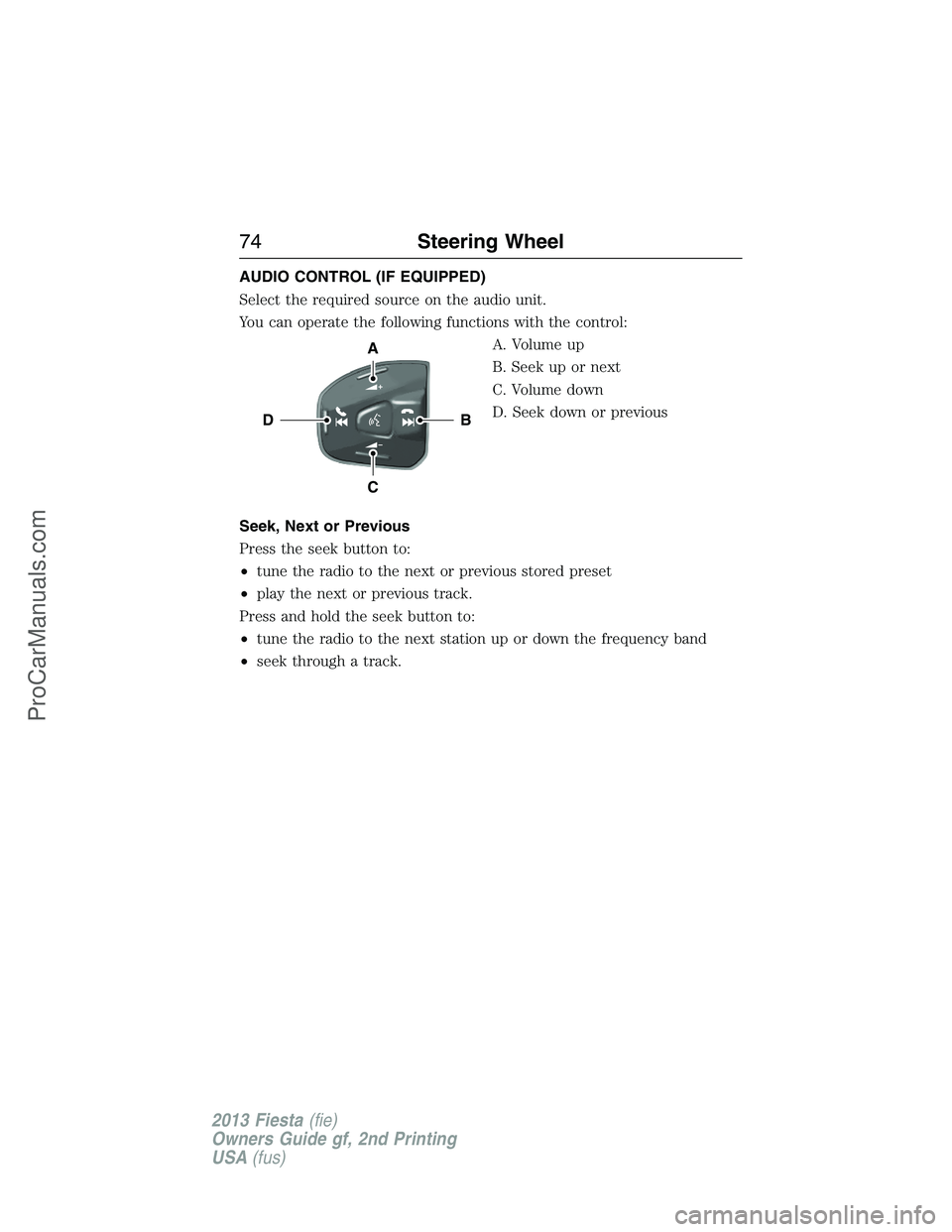
AUDIO CONTROL (IF EQUIPPED)
Select the required source on the audio unit.
You can operate the following functions with the control:
A. Volume up
B. Seek up or next
C. Volume down
D. Seek down or previous
Seek, Next or Previous
Press the seek button to:
•tune the radio to the next or previous stored preset
•play the next or previous track.
Press and hold the seek button to:
•tune the radio to the next station up or down the frequency band
•seek through a track.
B
A
C
D
74Steering Wheel
2013 Fiesta(fie)
Owners Guide gf, 2nd Printing
USA(fus)
ProCarManuals.com
Page 95 of 346
GENERAL INFORMATION
WARNING:Driving while distracted can result in loss of vehicle
control, accident and injury. Ford strongly recommends that
drivers use extreme caution when using any device or feature that may
take their focus off the road. Your primary responsibility is the safe
operation of the vehicle. We recommend against the use of any
handheld device while driving and that you comply with all applicable
laws.
Various systems can be programmed using the audio unit controls.
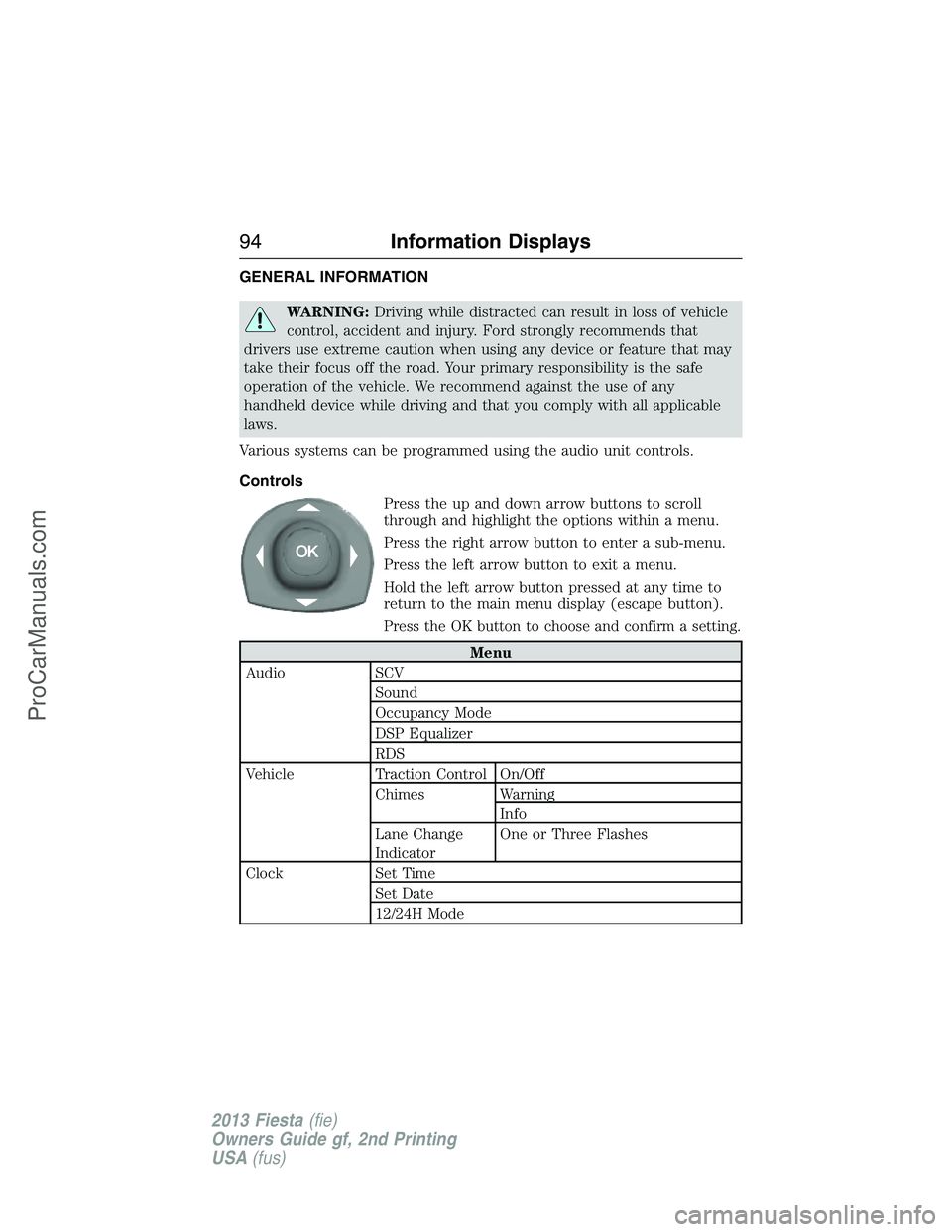
Controls
Press the up and down arrow buttons to scroll
through and highlight the options within a menu.
Press the right arrow button to enter a sub-menu.
Press the left arrow button to exit a menu.
Hold the left arrow button pressed at any time to
return to the main menu display (escape button).
Press the OK button to choose and confirm a setting.
Menu
Audio SCV
Sound
Occupancy Mode
DSP Equalizer
RDS
Vehicle Traction Control On/Off
Chimes Warning
Info
Lane Change
IndicatorOne or Three Flashes
Clock Set Time
Set Date
12/24H Mode
94Information Displays
2013 Fiesta(fie)
Owners Guide gf, 2nd Printing
USA(fus)
ProCarManuals.com
Page 101 of 346
GENERAL AUDIO INFORMATION
Radio Frequencies and Reception Factors
AM and FM frequencies are established by the Federal Communications
Commission (FCC) and the Canadian Radio and Telecommunications
Commission (CRTC). Those frequencies are:
AM: 530, 540–1700, 1710 kHz
FM: 87.9–107.7, 107.9 MHz
Radio reception factors
Distance and
StrengthThe further you travel from an FM station,
the weaker the signal and the weaker the
reception.
TerrainHills, mountains, tall buildings, bridges,
tunnels, freeway overpasses, parking garages,
dense tree foliage and thunderstorms can
interfere with your reception.
Station OverloadWhen you pass a ground-based broadcast
repeating tower, a stronger signal may
overtake a weaker one and result in the audio
system muting.
CD and CD Player Information
Note:CD units play commercially pressed 4.75-inch (12 centimeter)
audio compact discs only. Due to technical incompatibility, certain
recordable and re-recordable compact discs may not function correctly
when used in Ford CD players.
Note:Do not insert CDs with homemade paper (adhesive) labels into
the CD player as the label may peel and cause the CD to become
jammed. You should use a permanent felt tip marker rather than
adhesive labels on your homemade CDs. Ballpoint pens may damage
CDs. Please contact your authorized dealer for further information.
Note:Do not use any irregularly shaped discs or discs with a scratch
protection film attached.
Always handle discs by their edges only. Clean the disc with an approved
CD cleaner only. Wipe it from the center of the disc toward the edge. Do
not clean in a circular motion.
Do not expose discs to direct sunlight or heat sources for extended
periods.
100Audio System
2013 Fiesta(fie)
Owners Guide gf, 2nd Printing
USA(fus)
ProCarManuals.com
Page 102 of 346
MP3 Track and Folder Structure
Audio systems capable of recognizing and playing MP3 individual tracks
and folder structures work as follows:
•There are two different modes for MP3 disc playback: MP3 track
mode (system default) and MP3 folder mode.
•MP3 track mode ignores any folder structure on the MP3 disc. The
player numbers each MP3 track on the disc (noted by the .mp3 file
extension) from T001 to a maximum of T255.Note:The maximum
number of playable MP3 files may be less depending on the structure
of the CD and exact model of radio present.
•MP3 folder mode represents a folder structure consisting of one level
of folders. The CD player numbers all MP3 tracks on the disc (noted
by the .mp3 file extension) and all folders containing MP3 files, from
F001 (folder) T001 (track) to F253 T255.
•Creating discs with only one level of folders helps with navigation
through the disc files.
If you are burning your own MP3 discs, it is important to understand
how the system reads the structures you create. While various files may
be present, (files with extensions other than mp3), only files with the
.mp3 extension are played; other files are ignored by the system. This
enables you to use the same MP3 disc for a variety of tasks on your work
computer, home computer and your in-vehicle system.
In track mode, the system displays and plays the structure as if it were
only one level deep (all .mp3 files play, regardless of being in a specific
folder). In folder mode, the system only plays the .mp3 files in the
current folder.
Audio System101
2013 Fiesta(fie)
Owners Guide gf, 2nd Printing
USA(fus)
ProCarManuals.com
Page 103 of 346
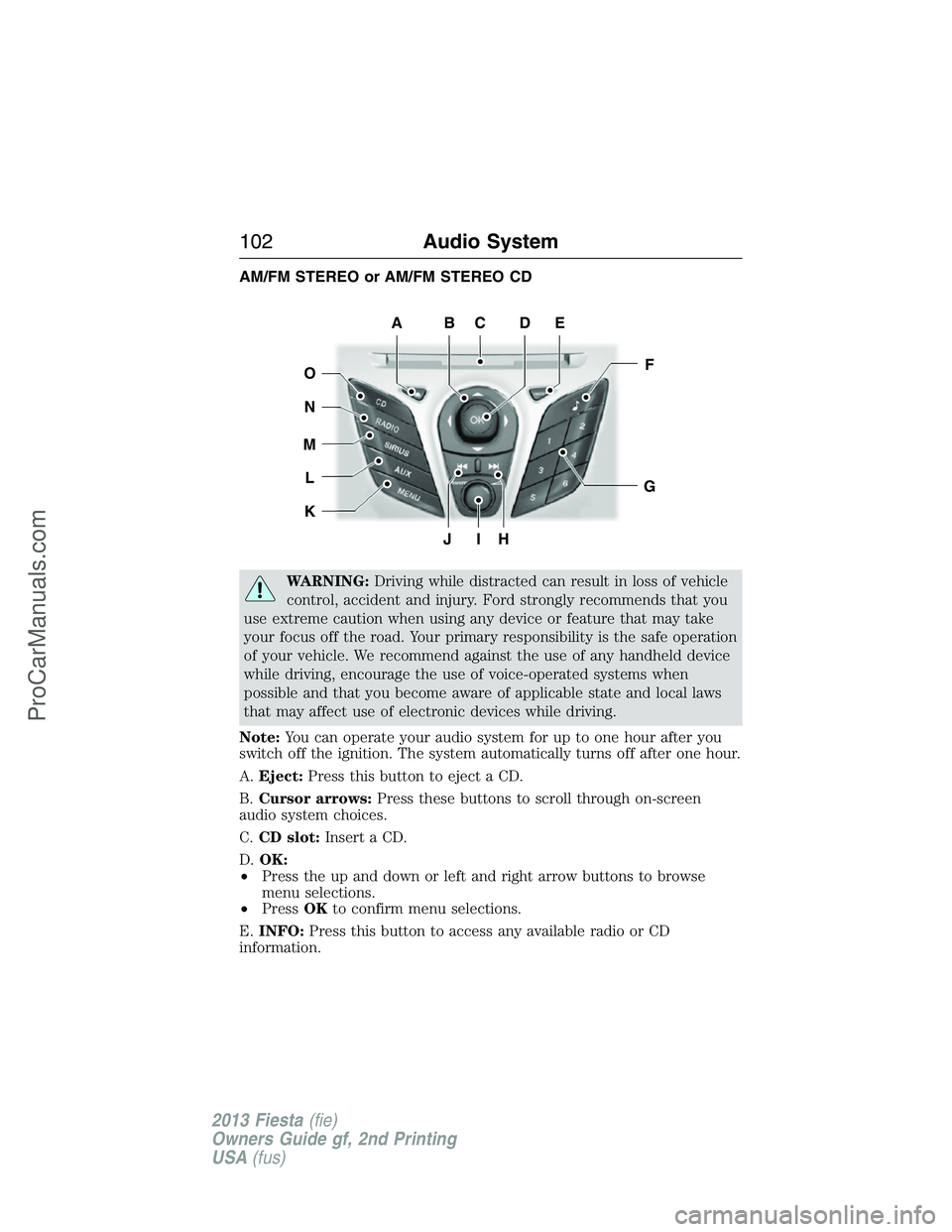
AM/FM STEREO or AM/FM STEREO CD
WARNING:Driving while distracted can result in loss of vehicle
control, accident and injury. Ford strongly recommends that you
use extreme caution when using any device or feature that may take
your focus off the road. Your primary responsibility is the safe operation
of your vehicle. We recommend against the use of any handheld device
while driving, encourage the use of voice-operated systems when
possible and that you become aware of applicable state and local laws
that may affect use of electronic devices while driving.
Note:You can operate your audio system for up to one hour after you
switch off the ignition. The system automatically turns off after one hour.
A.Eject:Press this button to eject a CD.
B.Cursor arrows:Press these buttons to scroll through on-screen
audio system choices.
C.CD slot:Insert a CD.
D.OK:
•Press the up and down or left and right arrow buttons to browse
menu selections.
•PressOKto confirm menu selections.
E.INFO:Press this button to access any available radio or CD
information.
JIH
F
G
EDCBA
O
N
M
L
K
102Audio System
2013 Fiesta(fie)
Owners Guide gf, 2nd Printing
USA(fus)
ProCarManuals.com
Page 104 of 346
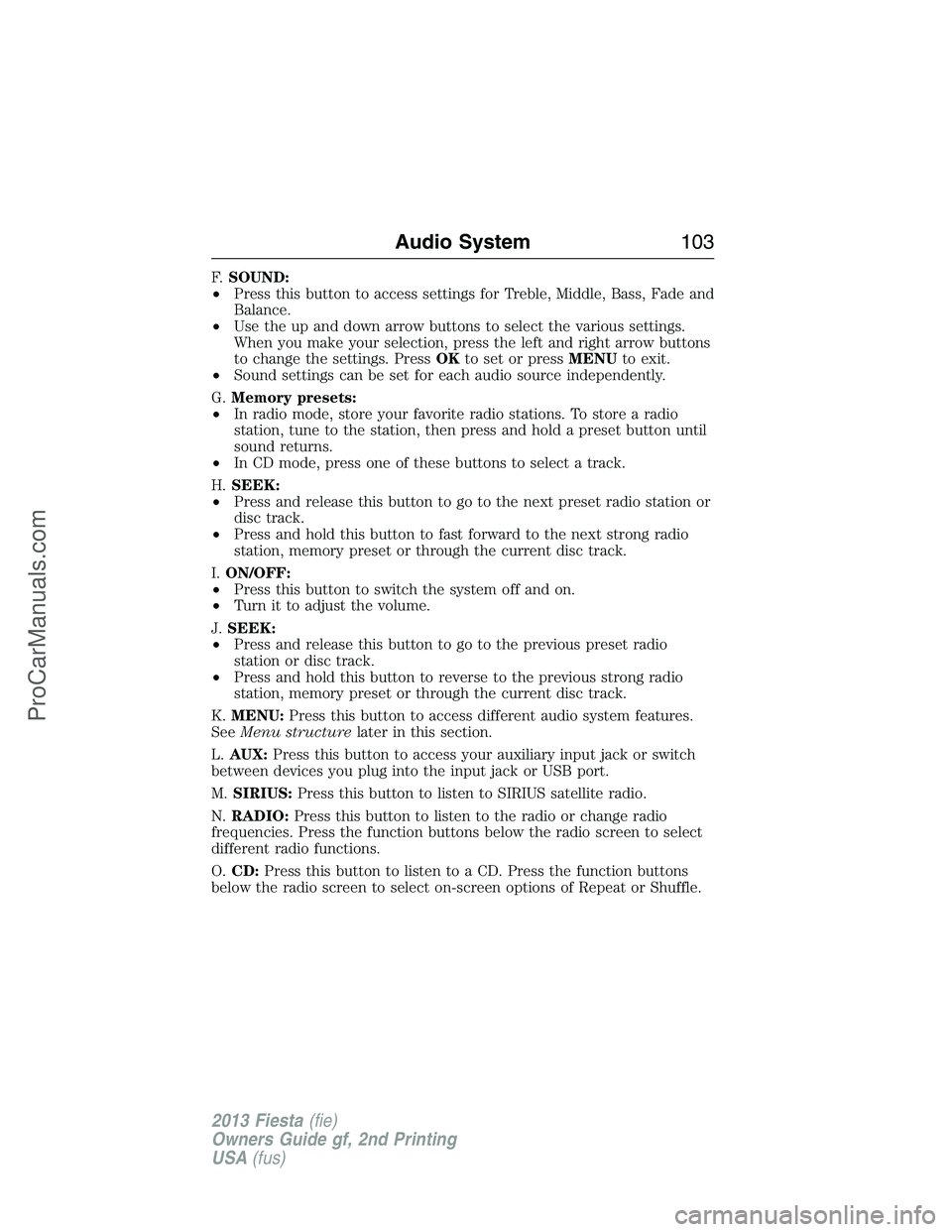
F.SOUND:
•Press this button to access settings for Treble, Middle, Bass, Fade and
Balance.
•Use the up and down arrow buttons to select the various settings.
When you make your selection, press the left and right arrow buttons
to change the settings. PressOKto set or pressMENUto exit.
•Sound settings can be set for each audio source independently.
G.Memory presets:
•In radio mode, store your favorite radio stations. To store a radio
station, tune to the station, then press and hold a preset button until
sound returns.
•In CD mode, press one of these buttons to select a track.
H.SEEK:
•Press and release this button to go to the next preset radio station or
disc track.
•Press and hold this button to fast forward to the next strong radio
station, memory preset or through the current disc track.
I.ON/OFF:
•Press this button to switch the system off and on.
•Turn it to adjust the volume.
J.SEEK:
•Press and release this button to go to the previous preset radio
station or disc track.
•Press and hold this button to reverse to the previous strong radio
station, memory preset or through the current disc track.
K.MENU:Press this button to access different audio system features.
SeeMenu structurelater in this section.
L.AUX:Press this button to access your auxiliary input jack or switch
between devices you plug into the input jack or USB port.
M.SIRIUS:Press this button to listen to SIRIUS satellite radio.
N.RADIO:Press this button to listen to the radio or change radio
frequencies. Press the function buttons below the radio screen to select
different radio functions.
O.CD:Press this button to listen to a CD. Press the function buttons
below the radio screen to select on-screen options of Repeat or Shuffle.
Audio System103
2013 Fiesta(fie)
Owners Guide gf, 2nd Printing
USA(fus)
ProCarManuals.com
Page 105 of 346
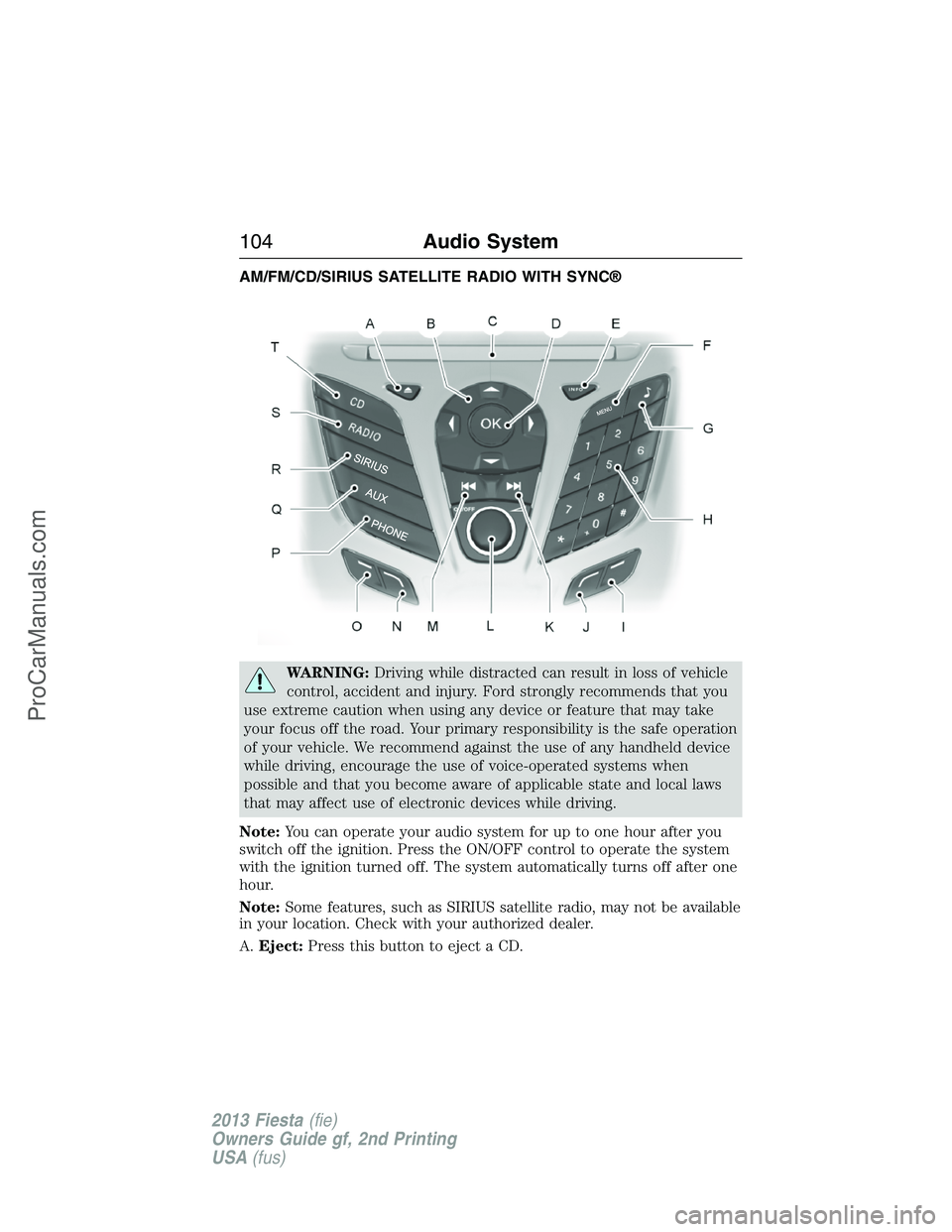
AM/FM/CD/SIRIUS SATELLITE RADIO WITH SYNC®
WARNING:Driving while distracted can result in loss of vehicle
control, accident and injury. Ford strongly recommends that you
use extreme caution when using any device or feature that may take
your focus off the road. Your primary responsibility is the safe operation
of your vehicle. We recommend against the use of any handheld device
while driving, encourage the use of voice-operated systems when
possible and that you become aware of applicable state and local laws
that may affect use of electronic devices while driving.
Note:You can operate your audio system for up to one hour after you
switch off the ignition. Press the ON/OFF control to operate the system
with the ignition turned off. The system automatically turns off after one
hour.
Note:Some features, such as SIRIUS satellite radio, may not be available
in your location. Check with your authorized dealer.
A.Eject:Press this button to eject a CD.
104Audio System
2013 Fiesta(fie)
Owners Guide gf, 2nd Printing
USA(fus)
ProCarManuals.com
Page 106 of 346
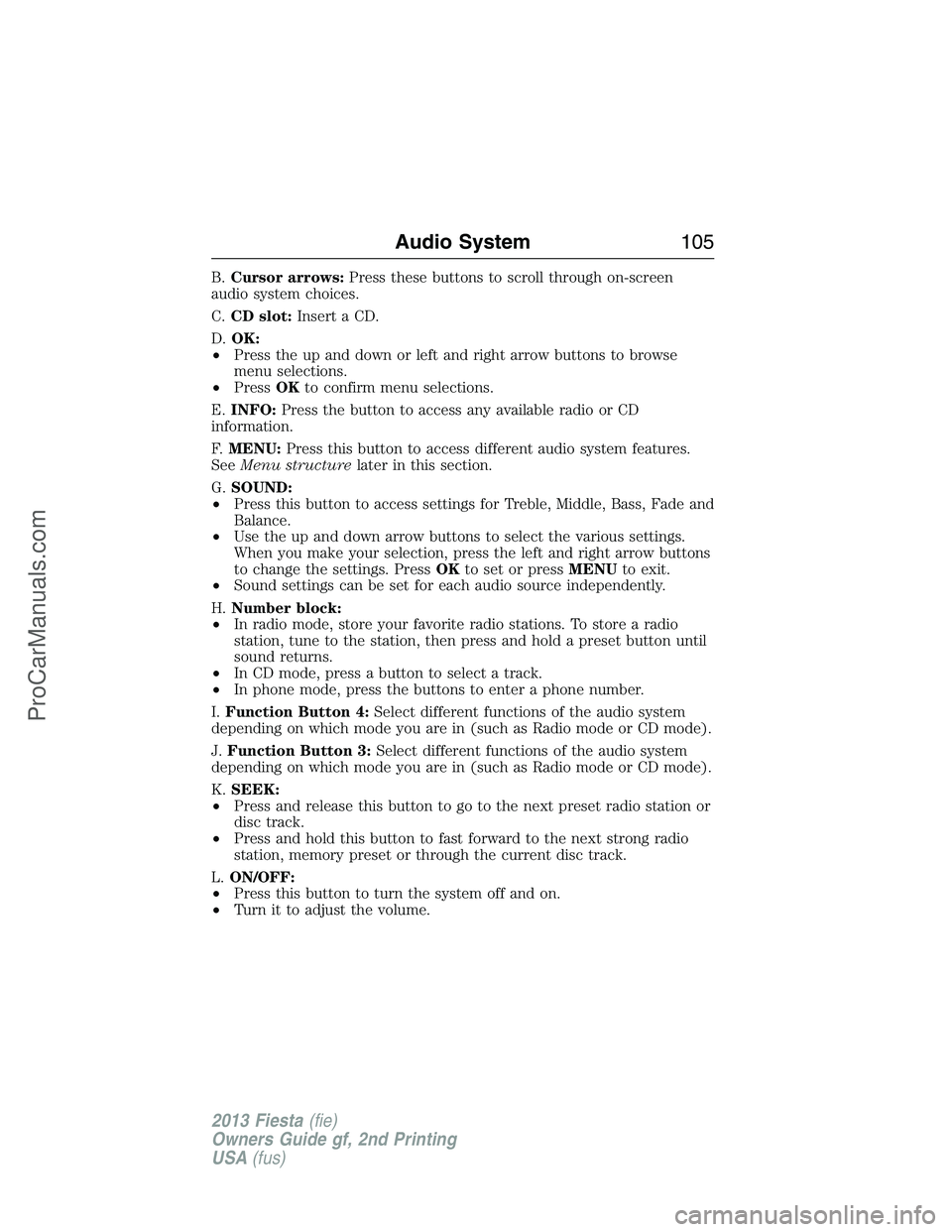
B.Cursor arrows:Press these buttons to scroll through on-screen
audio system choices.
C.CD slot:Insert a CD.
D.OK:
•Press the up and down or left and right arrow buttons to browse
menu selections.
•PressOKto confirm menu selections.
E.INFO:Press the button to access any available radio or CD
information.
F.MENU:Press this button to access different audio system features.
SeeMenu structurelater in this section.
G.SOUND:
•Press this button to access settings for Treble, Middle, Bass, Fade and
Balance.
•Use the up and down arrow buttons to select the various settings.
When you make your selection, press the left and right arrow buttons
to change the settings. PressOKto set or pressMENUto exit.
•Sound settings can be set for each audio source independently.
H.Number block:
•In radio mode, store your favorite radio stations. To store a radio
station, tune to the station, then press and hold a preset button until
sound returns.
•In CD mode, press a button to select a track.
•In phone mode, press the buttons to enter a phone number.
I.Function Button 4:Select different functions of the audio system
depending on which mode you are in (such as Radio mode or CD mode).
J.Function Button 3:Select different functions of the audio system
depending on which mode you are in (such as Radio mode or CD mode).
K.SEEK:
•Press and release this button to go to the next preset radio station or
disc track.
•Press and hold this button to fast forward to the next strong radio
station, memory preset or through the current disc track.
L.ON/OFF:
•Press this button to turn the system off and on.
•Turn it to adjust the volume.
Audio System105
2013 Fiesta(fie)
Owners Guide gf, 2nd Printing
USA(fus)
ProCarManuals.com
Page 107 of 346
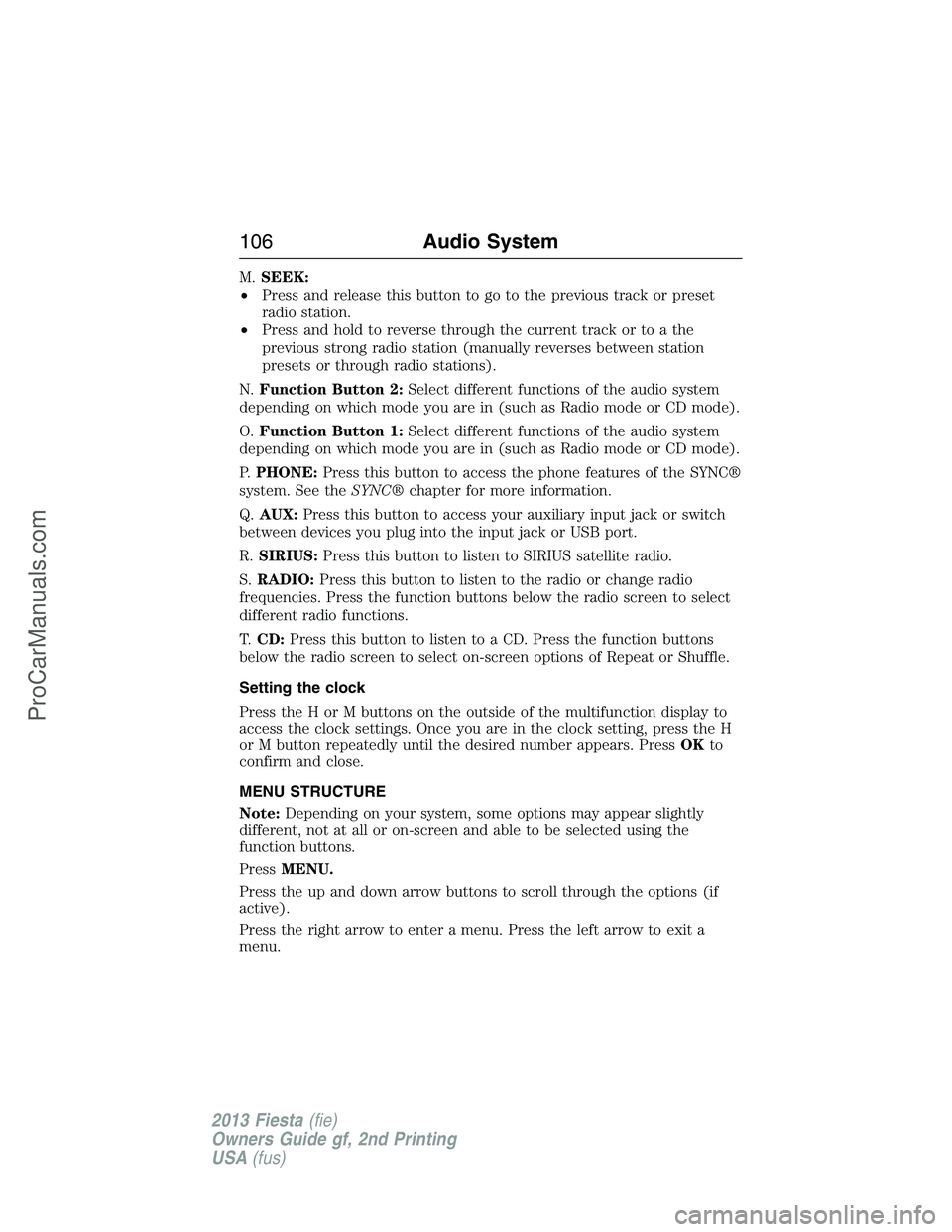
M.SEEK:
•Press and release this button to go to the previous track or preset
radio station.
•Press and hold to reverse through the current track or to a the
previous strong radio station (manually reverses between station
presets or through radio stations).
N.Function Button 2:Select different functions of the audio system
depending on which mode you are in (such as Radio mode or CD mode).
O.Function Button 1:Select different functions of the audio system
depending on which mode you are in (such as Radio mode or CD mode).
P.PHONE:Press this button to access the phone features of the SYNC®
system. See theSYNC®chapter for more information.
Q.AUX:Press this button to access your auxiliary input jack or switch
between devices you plug into the input jack or USB port.
R.SIRIUS:Press this button to listen to SIRIUS satellite radio.
S.RADIO:Press this button to listen to the radio or change radio
frequencies. Press the function buttons below the radio screen to select
different radio functions.
T.CD:Press this button to listen to a CD. Press the function buttons
below the radio screen to select on-screen options of Repeat or Shuffle.
Setting the clock
Press the H or M buttons on the outside of the multifunction display to
access the clock settings. Once you are in the clock setting, press the H
or M button repeatedly until the desired number appears. PressOKto
confirm and close.
MENU STRUCTURE
Note:Depending on your system, some options may appear slightly
different, not at all or on-screen and able to be selected using the
function buttons.
PressMENU.
Press the up and down arrow buttons to scroll through the options (if
active).
Press the right arrow to enter a menu. Press the left arrow to exit a
menu.
106Audio System
2013 Fiesta(fie)
Owners Guide gf, 2nd Printing
USA(fus)
ProCarManuals.com