center console FORD FIESTA 2014 Owners Manual
[x] Cancel search | Manufacturer: FORD, Model Year: 2014, Model line: FIESTA, Model: FORD FIESTA 2014Pages: 398, PDF Size: 6.09 MB
Page 39 of 398
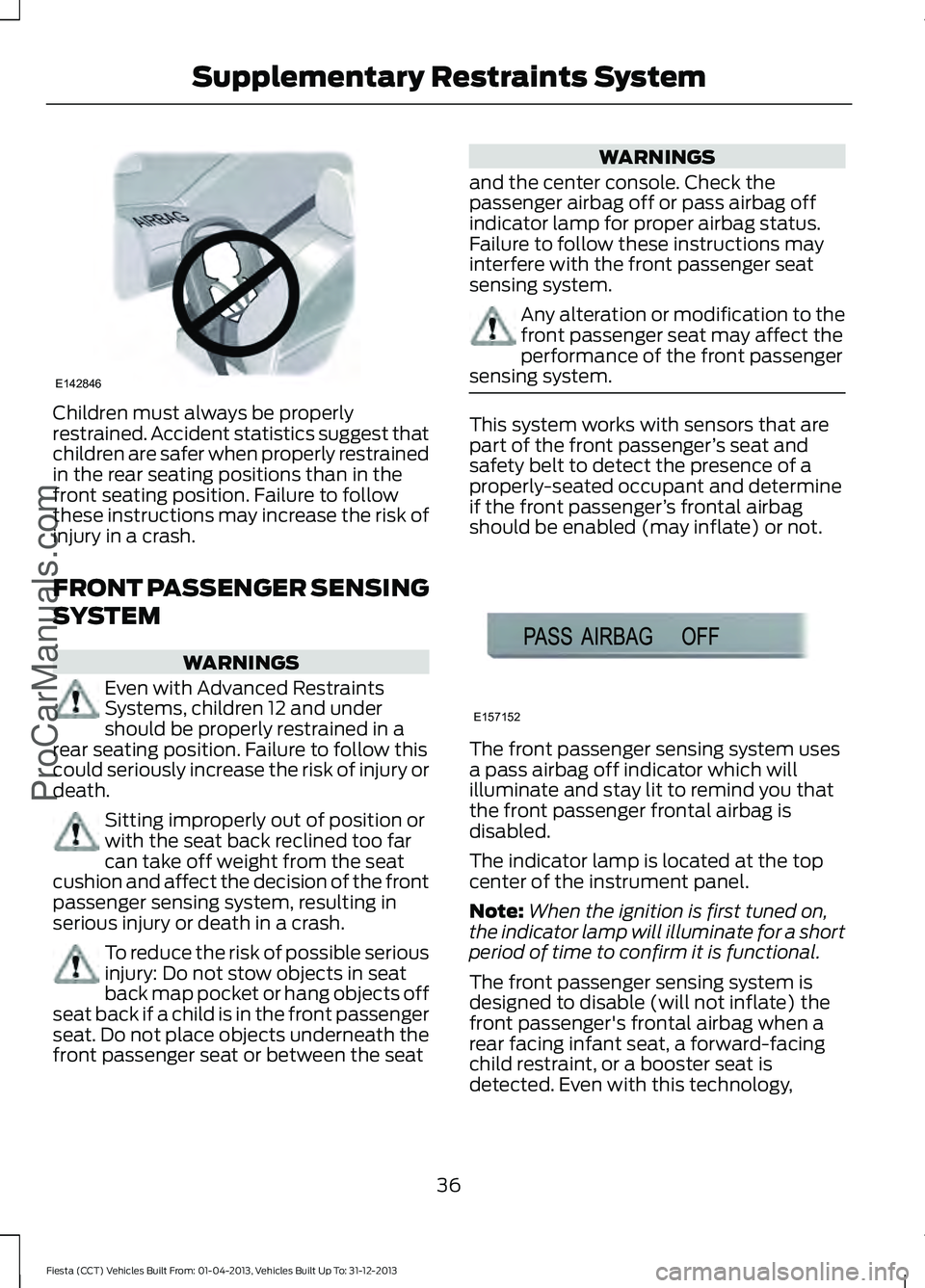
Children must always be properly
restrained. Accident statistics suggest that
children are safer when properly restrained
in the rear seating positions than in the
front seating position. Failure to follow
these instructions may increase the risk of
injury in a crash.
FRONT PASSENGER SENSING
SYSTEM
WARNINGS
Even with Advanced Restraints
Systems, children 12 and under
should be properly restrained in a
rear seating position. Failure to follow this
could seriously increase the risk of injury or
death. Sitting improperly out of position or
with the seat back reclined too far
can take off weight from the seat
cushion and affect the decision of the front
passenger sensing system, resulting in
serious injury or death in a crash. To reduce the risk of possible serious
injury: Do not stow objects in seat
back map pocket or hang objects off
seat back if a child is in the front passenger
seat. Do not place objects underneath the
front passenger seat or between the seat WARNINGS
and the center console. Check the
passenger airbag off or pass airbag off
indicator lamp for proper airbag status.
Failure to follow these instructions may
interfere with the front passenger seat
sensing system. Any alteration or modification to the
front passenger seat may affect the
performance of the front passenger
sensing system. This system works with sensors that are
part of the front passenger
’s seat and
safety belt to detect the presence of a
properly-seated occupant and determine
if the front passenger ’s frontal airbag
should be enabled (may inflate) or not. The front passenger sensing system uses
a pass airbag off indicator which will
illuminate and stay lit to remind you that
the front passenger frontal airbag is
disabled.
The indicator lamp is located at the top
center of the instrument panel.
Note:
When the ignition is first tuned on,
the indicator lamp will illuminate for a short
period of time to confirm it is functional.
The front passenger sensing system is
designed to disable (will not inflate) the
front passenger's frontal airbag when a
rear facing infant seat, a forward-facing
child restraint, or a booster seat is
detected. Even with this technology,
36
Fiesta (CCT) Vehicles Built From: 01-04-2013, Vehicles Built Up To: 31-12-2013 Supplementary Restraints SystemProCarManuals.comE142846 E157152
Page 41 of 398
•
Objects lodged underneath the seat
• Objects between the seat cushion and
the center console
• Objects hanging off the seat back
• Objects stowed in the seat back map
pocket
• Objects placed on the occupant's lap
• Cargo interference with the seat
• Other passengers pushing or pulling on
the seat
• Rear passenger feet and knees resting
or pushing on the seat
The conditions listed above may cause the
weight of a properly seated occupant to
be incorrectly interpreted by the front
passenger sensing system. The person in
the front passenger seat may appear
heavier or lighter due to the conditions
described in the list above. Make sure the front passenger
sensing system is operating
properly. See Crash Sensors
and Airbag Indicator (page 41).
If the airbag readiness light is lit, do the
following:
The driver and adult passengers should
check for objects lodged underneath the
front passenger seat, or cargo interfering
with the seat.
If there are lodged objects, or cargo is
interfering with the seat, take the following
steps to remove the obstruction:
• Pull the vehicle over.
• Turn the vehicle off.
• Driver and adult passengers should
check for any objects lodged
underneath the front passenger seat
or cargo interfering with the seat.
• Remove the obstruction(s) (if found).
• Restart the vehicle. •
Wait at least two minutes and verify
that the airbag readiness light is no
longer illuminated.
• If the airbag readiness light remains
illuminated, this may or may not be a
problem due to the front passenger
sensing system.
Do not attempt to repair or service the
system. Take your vehicle immediately to
an authorized dealer.
If it is necessary to modify an advanced
front airbag system to accommodate a
person with disabilities, contact the Ford
Customer Relationship Center. See
Getting the Services You Need
(page
160).
SIDE AIRBAGS WARNINGS
Do not place objects or mount
equipment on or near the airbag
cover, on the side of the seatbacks
(of the front seats), or in front seat areas
that may come into contact with a
deploying airbag. Failure to follow these
instructions may increase the risk of
personal injury in the event of a crash. Do not use accessory seat covers.
The use of accessory seat covers
may prevent the deployment of the
side airbags and increase the risk of injury
in an accident. Do not lean your head on the door.
The side airbag could injure you as it
deploys from the side of the
seatback. Do not attempt to service, repair, or
modify the airbag, its fuses or the
seat cover on a seat containing an
airbag as you could be seriously injured or
killed. Contact your authorized dealer as
soon as possible.
38
Fiesta (CCT) Vehicles Built From: 01-04-2013, Vehicles Built Up To: 31-12-2013 Supplementary Restraints System
ProCarManuals.com
Page 79 of 398
Note:
Do not clean the housing or glass of
any mirror with harsh abrasives, fuel or other
petroleum or ammonia-based cleaning
products.
You can adjust the interior mirror to your
preference. Some mirrors also have a
second pivot point. This lets you move the
mirror head up or down and from side to
side.
Pull the tab below the mirror toward you
to reduce glare at night.
Auto-Dimming Mirror (If Equipped)
Note: Do not block the sensors on the front
and back of the mirror. Mirror performance
may be affected. A rear center passenger or
raised rear center head restraint may also
block light from reaching the sensor.
The mirror will dim automatically to reduce
glare when bright lights are detected from
behind your vehicle. It will automatically
return to normal reflection when you select
reverse gear to make sure you have a clear
view when backing up.
MOONROOF
(IF EQUIPPED) WARNINGS
Do not allow people to play with the
moonroof. Becoming trapped in a
moonroof may result in serious injury
or death. You must make sure the moonroof
is free of any obstruction when
closing. Becoming trapped in a
moonroof may result in serious injury or
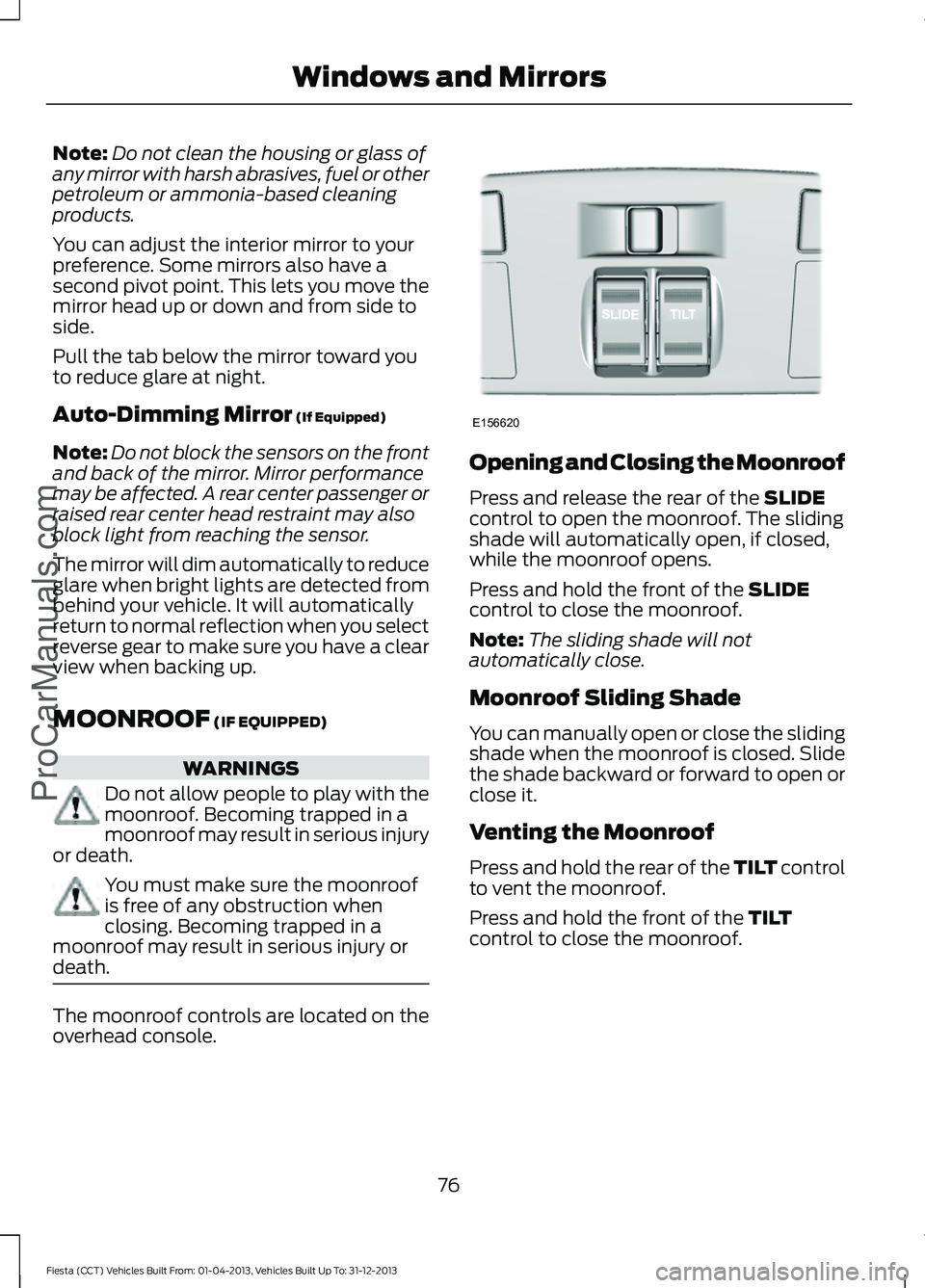
death. The moonroof controls are located on the
overhead console. Opening and Closing the Moonroof
Press and release the rear of the
SLIDE
control to open the moonroof. The sliding
shade will automatically open, if closed,
while the moonroof opens.
Press and hold the front of the
SLIDE
control to close the moonroof.
Note: The sliding shade will not
automatically close.
Moonroof Sliding Shade
You can manually open or close the sliding
shade when the moonroof is closed. Slide
the shade backward or forward to open or
close it.
Venting the Moonroof
Press and hold the rear of the TILT control
to vent the moonroof.
Press and hold the front of the
TILT
control to close the moonroof.
76
Fiesta (CCT) Vehicles Built From: 01-04-2013, Vehicles Built Up To: 31-12-2013 Windows and Mirrors
ProCarManuals.comE156620
Page 106 of 398
Side Window Defogging in Cold Weather
Vehicles With Automatic Climate Control
Vehicles With Manual Climate Control
Press the MAX defrost button.
Adjust the fan speed to the highest
setting.
1
Adjust the temperature control to the
desired setting.
Adjust the temperature control to the
highest setting.
2
Adjust the air distribution control to the
windshield position.
3
Press the A/C button.
4
Maximum Cooling Performance in
Instrument Panel or Instrument
Panel and Footwell Positions
1. Adjust the temperature control to the lowest setting.
2. Press the
A/C and recirculated air
buttons.
3. Adjust the fan speed to the highest setting initially and then adjust it to suit
the desired comfort level.
HEATED WINDOWS AND
MIRRORS
Heated Windows
Use the heated windows to defrost or
demist the rear window.
Note: The heated windows operate only
when the engine is running.
Heated Rear Window Heated Exterior Mirrors
Electric exterior mirrors have a heating
element that will defrost or demist the
mirror glass. They will switch on
automatically when you switch the heated
rear window on.
CABIN AIR FILTER
Your vehicle is equipped with a cabin air
filter. It is located behind the center
console.
The particulate filtration system reduces
the concentration of airborne particles
such as dust, spores and pollen in the air
supplied to the interior of your vehicle.
Note:
Make sure you have a cabin air filter
installed at all times. This prevents foreign
objects from entering the system. Running
the system without a filter in place could
result in degradation or damage to the
system.
103
Fiesta (CCT) Vehicles Built From: 01-04-2013, Vehicles Built Up To: 31-12-2013 Climate Control
ProCarManuals.comE72507
Page 114 of 398
12 Volt DC Power Point
WARNING
Do not plug optional electrical
accessories into the cigar lighter
socket. Incorrect use of the lighter
can cause damage not covered by your
warranty, and can result in fire or serious
injury. Note:
When you switch the ignition on, you
can use the socket to power 12 volt
appliances with a maximum current rating
of 20 amps.
After you switch the ignition off the power
supply will only work for a maximum of 30
minutes.
Note: Do not insert objects other than an
accessory plug into the power point. This
will damage the outlet and blow the fuse.
Note: Do not hang any type of accessory or
accessory bracket from the plug.
Note: Do not use the power point over the
vehicle capacity of 12 volt DC 180 watt or a
fuse may blow.
Note: Do not use the power point for
operating a cigar lighter element.
Note: Incorrect use of the power point can
cause damage not covered by your
warranty.
Note: Always keep the power point caps
closed when not in use.
Run the engine for full capacity use of the
power point.
To prevent the battery from running out of
charge:
• Do not use the power point longer than
necessary when the engine is not
running.
• Do not leave devices plugged in
overnight or when your vehicle is
parked for extended periods. Location
Power points may be found:
•
on the center console
• on the rear of the center console.
CIGAR LIGHTER (IF EQUIPPED)
Note: Do not hold the cigar lighter element
pressed in.
Note: If you use the socket when the engine
is not running, the battery may lose charge.
Note: When you switch the ignition on, you
can use the socket to power 12 volt
appliances with a maximum current rating
of 20 amps.
Note: After you switch the ignition off the
power supply will only work for a maximum
of 30 minutes.
Note: Use only Ford accessory connectors
or connectors specified for use with SAE
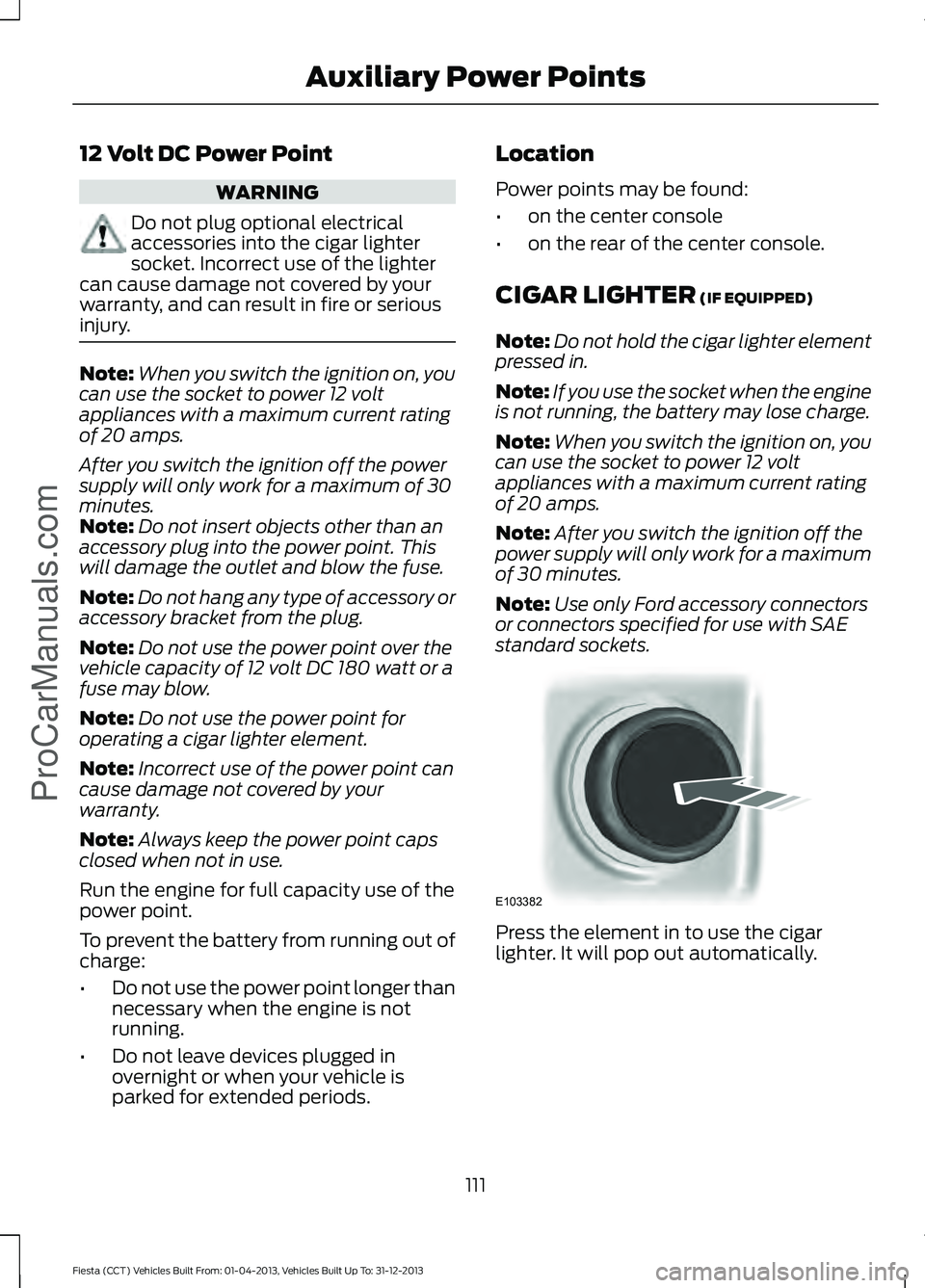
standard sockets. Press the element in to use the cigar
lighter. It will pop out automatically.
111
Fiesta (CCT) Vehicles Built From: 01-04-2013, Vehicles Built Up To: 31-12-2013 Auxiliary Power Points
ProCarManuals.comE103382
Page 135 of 398
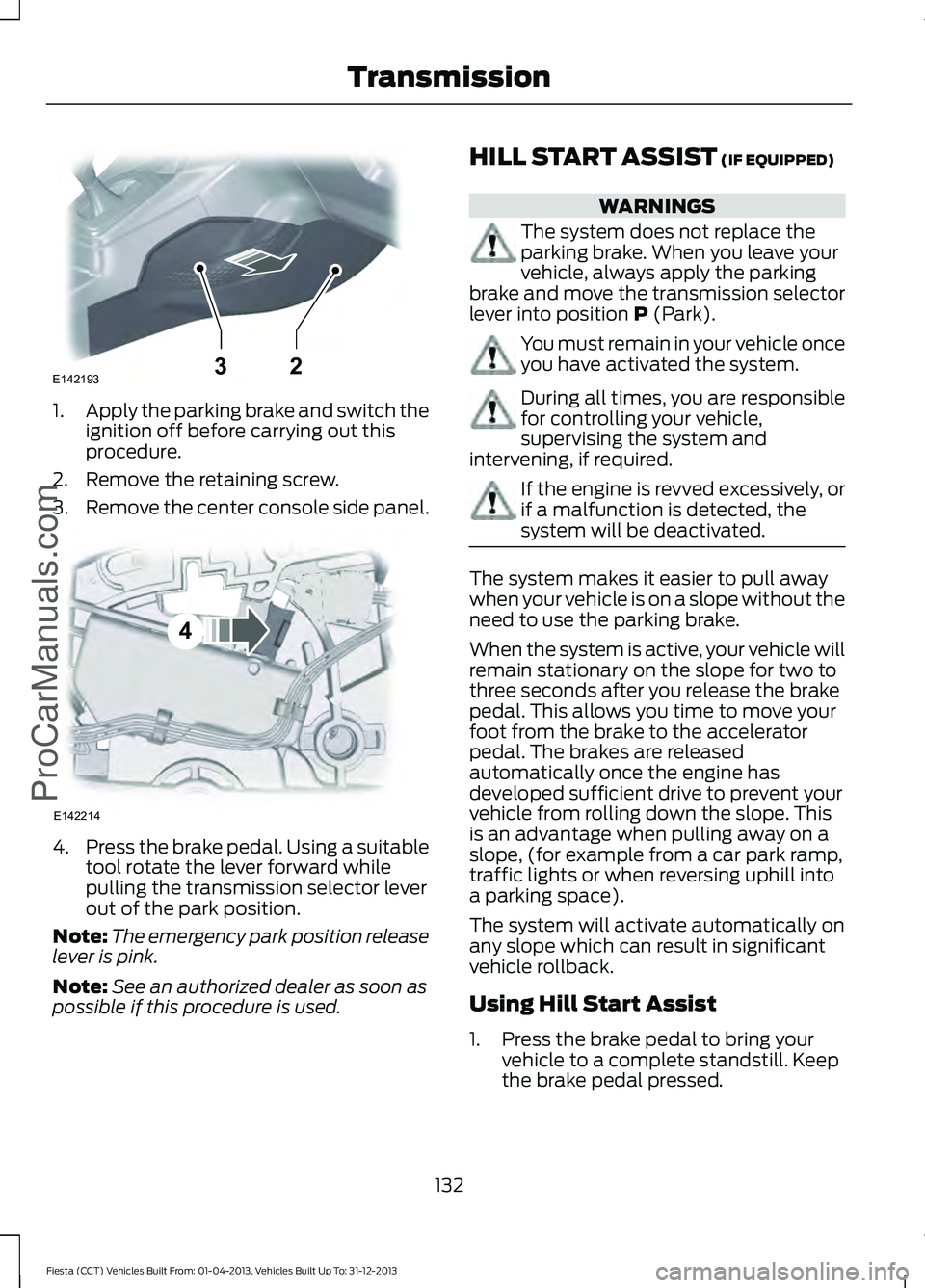
1.
Apply the parking brake and switch the
ignition off before carrying out this
procedure.
2. Remove the retaining screw.
3. Remove the center console side panel. 4.
Press the brake pedal. Using a suitable
tool rotate the lever forward while
pulling the transmission selector lever
out of the park position.
Note: The emergency park position release
lever is pink.
Note: See an authorized dealer as soon as
possible if this procedure is used. HILL START ASSIST (IF EQUIPPED) WARNINGS
The system does not replace the
parking brake. When you leave your
vehicle, always apply the parking
brake and move the transmission selector
lever into position
P (Park). You must remain in your vehicle once
you have activated the system.
During all times, you are responsible
for controlling your vehicle,
supervising the system and
intervening, if required. If the engine is revved excessively, or
if a malfunction is detected, the
system will be deactivated.
The system makes it easier to pull away
when your vehicle is on a slope without the
need to use the parking brake.
When the system is active, your vehicle will
remain stationary on the slope for two to
three seconds after you release the brake
pedal. This allows you time to move your
foot from the brake to the accelerator
pedal. The brakes are released
automatically once the engine has
developed sufficient drive to prevent your
vehicle from rolling down the slope. This
is an advantage when pulling away on a
slope, (for example from a car park ramp,
traffic lights or when reversing uphill into
a parking space).
The system will activate automatically on
any slope which can result in significant
vehicle rollback.
Using Hill Start Assist
1. Press the brake pedal to bring your
vehicle to a complete standstill. Keep
the brake pedal pressed.
132
Fiesta (CCT) Vehicles Built From: 01-04-2013, Vehicles Built Up To: 31-12-2013 Transmission
ProCarManuals.comE14219332 E142214
4
Page 139 of 398
PRINCIPLE OF OPERATION
Electronic Stability Program
WARNINGS
The system does not relieve you of
your responsibility to drive with due
care and attention. Failure to drive
with due care and attention could lead to
loss of vehicle control. Vehicle modifications involving
braking system, aftermarket roof
racks, suspension, steering system,
tire construction and wheel and tire size
may change the handling characteristics
of the vehicle and may adversely affect
the performance of the AdvanceTrac
system. In addition, installing any stereo
loudspeakers may interfere with and
adversely affect the AdvanceTrac system.
Install any aftermarket stereo loudspeaker
as far as possible from the front center
console, the tunnel, and the front seats in
order to minimize the risk of interfering with
the AdvanceTrac sensors. Reducing the
effectiveness of the AdvanceTrac system
could lead to an increased risk of loss of
vehicle control, vehicle rollover, personal
injury and death. Remember that even advanced
technology cannot defy the laws of
physics. It’
s always possible to lose
control of a vehicle due to inappropriate
driver input for the conditions. Aggressive
driving on any road condition can cause
you to lose control of your vehicle
increasing the risk of personal injury or
property damage. Activation of the
AdvanceTrac system is an indication that
at least some of the tires have exceeded
their ability to grip the road; this could
reduce the operator ’s ability to control the
vehicle potentially resulting in a loss of
vehicle control, vehicle rollover, personal
injury and death. If your AdvanceTrac
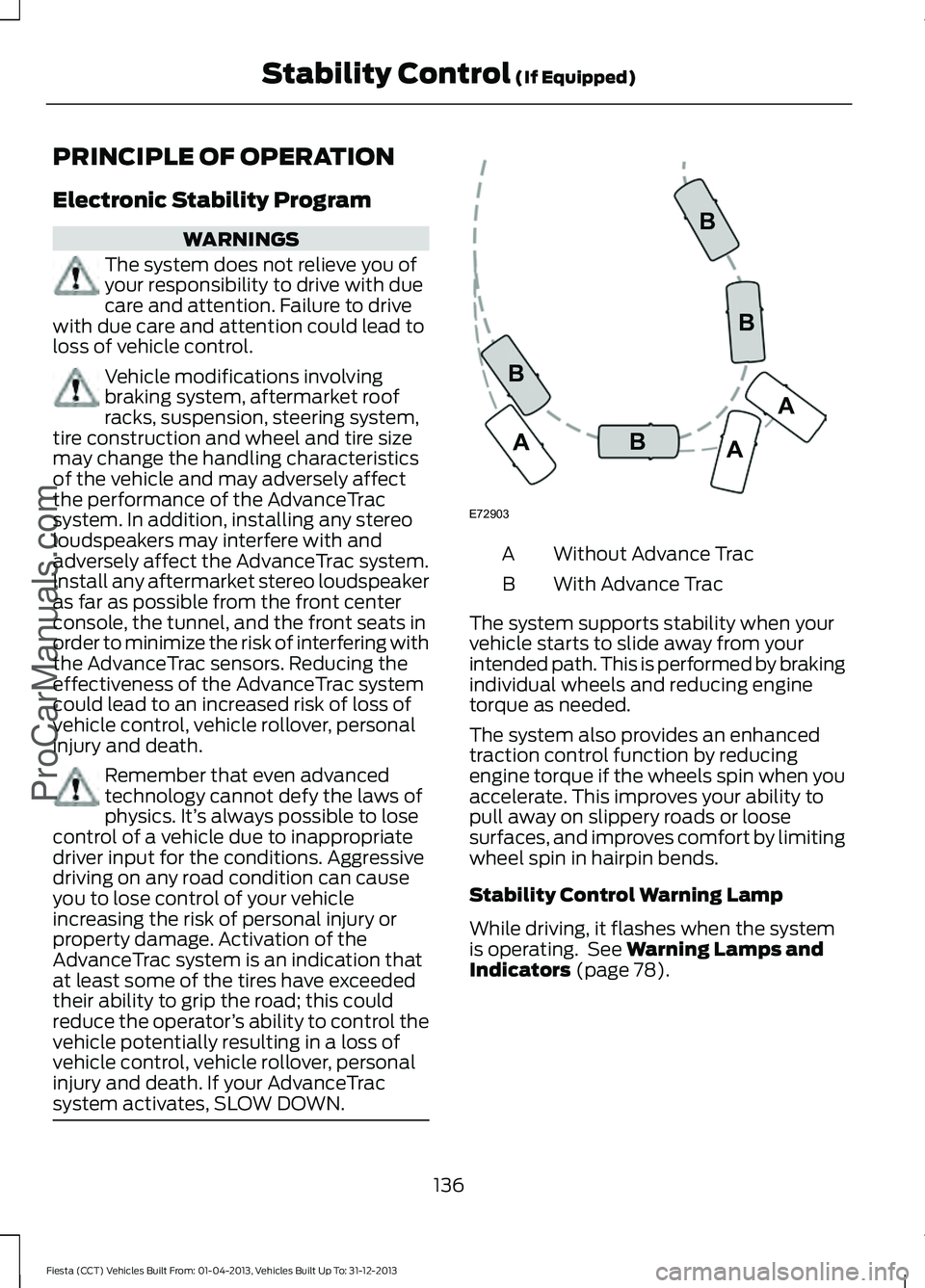
system activates, SLOW DOWN. Without Advance Trac
A
With Advance Trac
B
The system supports stability when your
vehicle starts to slide away from your
intended path. This is performed by braking
individual wheels and reducing engine
torque as needed.
The system also provides an enhanced
traction control function by reducing
engine torque if the wheels spin when you
accelerate. This improves your ability to
pull away on slippery roads or loose
surfaces, and improves comfort by limiting
wheel spin in hairpin bends.
Stability Control Warning Lamp
While driving, it flashes when the system
is operating. See Warning Lamps and
Indicators (page 78).
136
Fiesta (CCT) Vehicles Built From: 01-04-2013, Vehicles Built Up To: 31-12-2013 Stability Control
(If Equipped)
ProCarManuals.comE72903A
AA
B
BB
B
Page 260 of 398
TUNE -: In radio mode, press this button to manually search backward through
the radio frequency band. In SIRIUS mode, press this button to find the previous
available satellite radio station.
H
Seek down
In radio mode, press this button to go to the next station down the
radio frequency band. Press to go to the previous track on a CD. In SIRIUS mode,
press this button to select the previous channel. If a specific category is selected
(for example Jazz, Rock or News), use this button to find the previous channel
in the selected category.
I
SOURCE:
Press the button to access different audio modes, such as AM, FM
and A/V input.
J
AUXILIARY INPUT JACK WARNINGS
Driving while distracted can result in
loss of vehicle control, crash and
injury. We strongly recommend that
you use extreme caution when using any
device that may take your focus off the
road. Your primary responsibility is the safe
operation of your vehicle. We recommend
against the use of any hand-held device
while driving and encourage the use of
voice-operated systems when possible.
Make sure you are aware of all applicable
local laws that may affect the use of
electronic devices while driving. For safety reasons, do not connect
or adjust the settings on your
portable music player while your
vehicle is moving. Store the portable music player in a
secure location, such as the center
console or the glove box, when your
vehicle is moving. Hard objects may
become projectiles in a collision or sudden
stop, which may increase the risk of serious
injury. The audio extension cable must be
long enough to allow the portable music
player to be safely stored while your
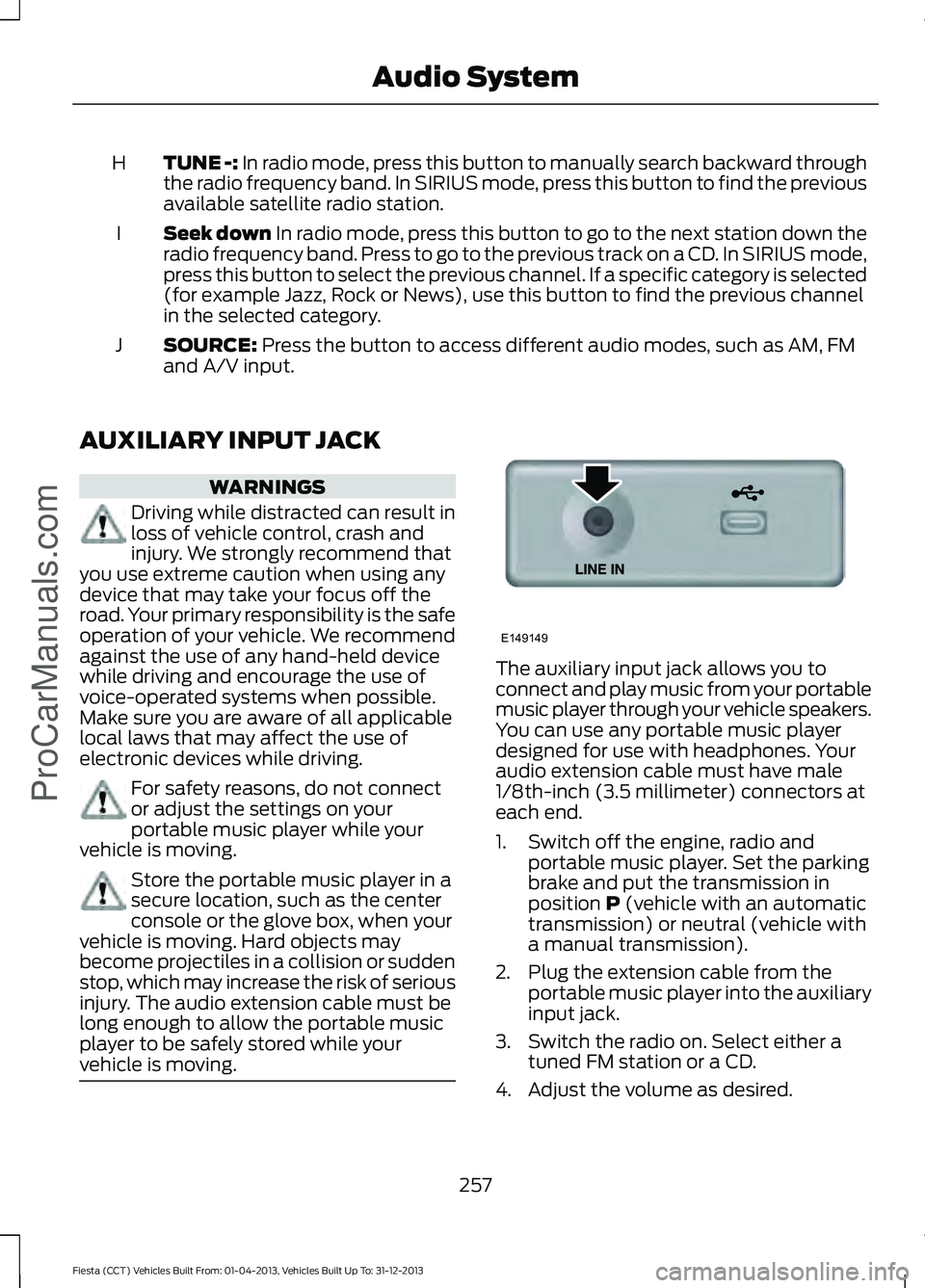
vehicle is moving. The auxiliary input jack allows you to
connect and play music from your portable
music player through your vehicle speakers.
You can use any portable music player
designed for use with headphones. Your
audio extension cable must have male
1/8th-inch (3.5 millimeter) connectors at
each end.
1. Switch off the engine, radio and
portable music player. Set the parking
brake and put the transmission in
position
P (vehicle with an automatic
transmission) or neutral (vehicle with
a manual transmission).
2. Plug the extension cable from the portable music player into the auxiliary
input jack.
3. Switch the radio on. Select either a tuned FM station or a CD.
4. Adjust the volume as desired.
257
Fiesta (CCT) Vehicles Built From: 01-04-2013, Vehicles Built Up To: 31-12-2013 Audio System
ProCarManuals.comE149149
Page 283 of 398
SYNC AppLink
Note:
This feature is only available in the
United States.
Note: You must pair and connect your
smartphone to SYNC to access AppLink.
Note: iPhone users need to connect the
phone to the USB port in order to start the
application. We recommend you lock your
iPhone after starting an application.
Note: The AppLink feature is not available
if your vehicle is equipped with the MyFord
Touch or MyLincoln Touch system.
Note: Depending on your display type, you
can access AppLink from the media menu,
the phone menu, or by using voice
commands. Once an app is running through
AppLink, you can control main features of
the app through voice commands and
steering wheel controls.
To Access Using the Phone Menu
1. Press the phone button to access the SYNC phone menu on-screen.
2. Scroll to Mobile Apps and press OK to access a list of available applications.
3. Scroll through the list of available applications and press OK to select a
particular app.
4. Once an app is running through SYNC,
you can access an app ’s menu by
pressing the MENU button to first
access the SYNC menu.
5. Select "SYNC-Media" by pressing
OK.
6. Scroll until "
then press
OK. From here, you can
access an application's features, such
as Thumbs up and Thumbs down. For
more information, please visit
www.SYNCMyRide.com. To Access Using the Media Menu
1. Press the
AUX button on the center
console.
2. Press
MENU to access the SYNC
menu.
3. Select "SYNC-Media" by pressing
OK.
4. Scroll to Mobile Apps and press OK to
access a list of available applications.
5. Scroll through the list of available applications and press
OK to select a
particular app.
6. Once an app is running through SYNC,
you can access an app ’s menu by
pressing the
MENU button to first
access the SYNC menu.
7. Select "SYNC-Media" by pressing
OK.
8. Scroll until "
then press
OK. From here, you can
access an application's features, such
as Thumbs up and Thumbs down. For
more information, please visit
www.SYNCMyRide.com.
To Access Using Voice Commands
1. Press the voice icon.
2. When prompted, say "Mobile Apps".
3. Say the name of the application after the tone.
4. The app should start. While an app is running through SYNC, you can press
the voice button and speak commands
specific to the app, such as "Play
Station Quickmix". Say "Help" to
discover available voice commands.
280
Fiesta (CCT) Vehicles Built From: 01-04-2013, Vehicles Built Up To: 31-12-2013 SYNC™
ProCarManuals.com
Page 329 of 398
"CD"
"Repeat off"
"Repeat track" "Shuffle"
"Shuffle CD" *
"Shuffle folder" *
"Shuffle off" "Help"
* This applies to WMA or MP3 files only.
SD Card Slot and USB Port
SD Card
Note: Your SD card slot is spring-loaded.
To remove the SD card, press the card in
and the system ejects it. Do not attempt to
pull the card to remove it as this could cause
damage.
Note: The navigation system also uses this
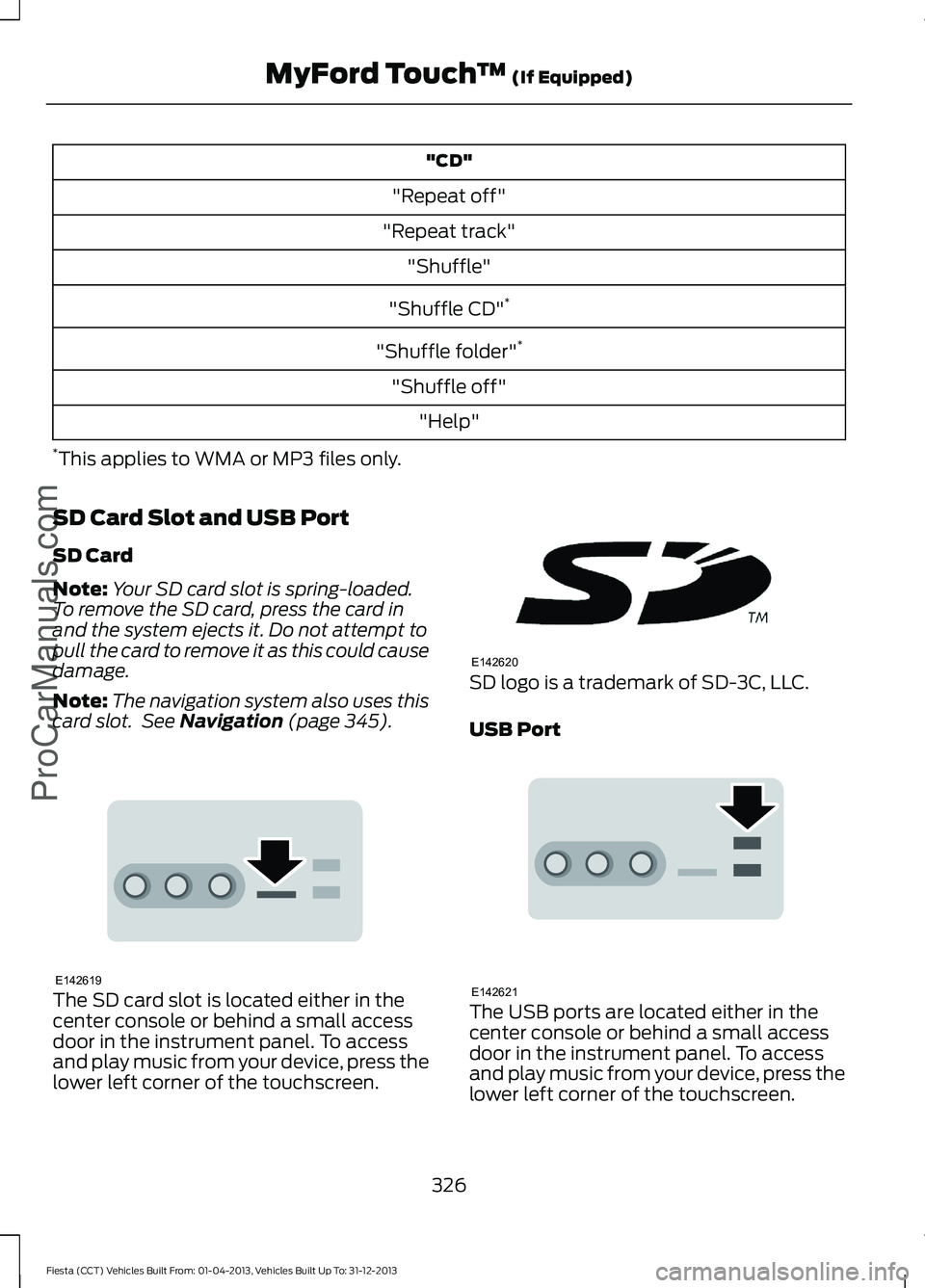
card slot. See Navigation (page 345). The SD card slot is located either in the
center console or behind a small access
door in the instrument panel. To access
and play music from your device, press the
lower left corner of the touchscreen. SD logo is a trademark of SD-3C, LLC.
USB Port
The USB ports are located either in the
center console or behind a small access
door in the instrument panel. To access
and play music from your device, press the
lower left corner of the touchscreen.
326
Fiesta (CCT) Vehicles Built From: 01-04-2013, Vehicles Built Up To: 31-12-2013 MyFord Touch
™
(If Equipped)
ProCarManuals.comE142619 E142620 E142621