ignition FORD FIESTA 2014 Owners Manual
[x] Cancel search | Manufacturer: FORD, Model Year: 2014, Model line: FIESTA, Model: FORD FIESTA 2014Pages: 398, PDF Size: 6.09 MB
Page 5 of 398
Windshield Washers.....................................65
Rear Window Wiper and Washers..........66
Lighting
General Information......................................67
Lighting Control
..............................................67
Autolamps
........................................................68
Instrument Lighting Dimmer.....................68
Headlamp Exit Delay....................................69
Daytime Running Lamps
............................69
Front Fog Lamps............................................69
Direction Indicators
.......................................69
Interior Lamps.................................................70
Ambient Lighting
.............................................71
Windows and Mirrors
Power Windows..............................................72
Global Opening and Closing......................73
Exterior Mirrors
................................................74
Interior Mirror
....................................................75
Moonroof...........................................................76
Instrument Cluster
Gauges................................................................77
Warning Lamps and Indicators.................78
Warning Lamps and Indicators - 1.6L EcoBoost™
...................................................81
Audible Warnings and Indicators.............84
Information Displays
General Information
.....................................85
Clock...................................................................88
Trip Computer
.................................................88
Personalized Settings
..................................89
Information Messages
.................................89
Climate Control
Principle of Operation...................................97
Air Vents
.............................................................97 Manual Climate Control..............................98
Automatic Climate Control........................99
Hints on Controlling the Interior
Climate........................................................100
Heated Windows and Mirrors..................103
Cabin Air Filter...............................................103
Seats
Sitting in the Correct Position
..................105
Head Restraints............................................105
Manual Seats.................................................107
Rear Seats
......................................................108
Heated Seats.................................................109
Auxiliary Power Points
Auxiliary Power Points..................................111
Cigar Lighter
......................................................111
Storage Compartments
Cup Holders
.....................................................112
Starting and Stopping the Engine
General Information.....................................113
Ignition Switch................................................113
Keyless Starting
..............................................113
Starting a Gasoline Engine.........................115
Switching Off the Engine............................116
Engine Block Heater.....................................116
Fuel and Refueling
Safety Precautions.......................................118
Fuel Quality
......................................................119
Running Out of Fuel
.....................................119
Refueling..........................................................120
Fuel Consumption
........................................122
Emission Control System...........................123
Transmission
Manual Transmission
..................................126
2
Fiesta (CCT) Vehicles Built From: 01-04-2013, Vehicles Built Up To: 31-12-2013 Table of Contents
ProCarManuals.com
Page 33 of 398
SAFETY BELT WARNING LAMP
AND INDICATOR CHIME (IF
EQUIPPED) This lamp illuminates and an
audible warning will sound if the
driver's safety belt has not been
fastened when the vehicle's ignition is
turned on.
Conditions of operation Then...
If...
The safety belt warning light illuminates 1-2 minutes and the warning chime sounds 4-8 seconds.
The driver's safety belt is not buckled
before the ignition switch is turned to the on position...
The safety belt warning light and warningchime turn off.
The driver's safety belt is buckled while the
indicator light is illuminated and the warning chime is sounding...
The safety belt warning light and indicatorchime remain off.
The driver's safety belt is buckled before
the ignition switch is turned to the on posi- tion...
SAFETY BELT MINDER
(IF
EQUIPPED)
Belt-Minder®
This feature supplements the safety belt
warning function by providing additional
reminders by intermittently sounding a
chime and illuminating the safety belt
warning light when the driver's or front
passenger's seat is occupied and the
safety belt is unbuckled. The system uses information from the
front passenger sensing system to
determine if a front seat passenger is
present and therefore potentially in need
of a warning. To avoid activating the
Belt-Minder feature for objects placed in
the front passenger seat, warnings will only
be given to front seat occupants as
determined by the front passenger sensing
system.
If the Belt-Minder warnings have expired
(warnings for about five minutes) for one
occupant (driver or front passenger), the
other occupant can still activate the
Belt-Minder feature.
30
Fiesta (CCT) Vehicles Built From: 01-04-2013, Vehicles Built Up To: 31-12-2013 Safety Belts
ProCarManuals.com
Page 34 of 398
Then...
If...
The Belt-Minder feature will not activate.
The driver's and front passenger's safety
belts are buckled before the ignition switch
is turned to the on position or less than 1-2 minutes have elapsed since the ignition switch has been turned to on...
The Belt-Minder feature is activated - thesafety belt warning light illuminates and
the warning chime sounds for six seconds every 25 seconds, repeating for about five minutes or until the safety belts are buckled.
The driver's or front passenger's safety belt
is not buckled when the vehicle has reached
at least 6 mph (9.7 km/h) and 1-2 minutes have elapsed since the ignition switch has been turned to on...
The Belt-Minder feature is activated - thesafety belt warning light illuminates and
the warning chime sounds for six seconds every 25 seconds, repeating for about five minutes or until the safety belts are buckled.
The driver's or front passenger's safety belt
becomes unbuckled for about one minute
while the vehicle is traveling at least 6 mph
(9.7 km/h) and more than 1-2 minutes have elapsed since the ignition switch has been turned to on...
Deactivating and Activating the
Belt-Minder Feature WARNING
While the system allows you to
deactivate it, this system is designed
to improve your chances of being
safely belted and surviving an accident.
We recommend you leave the system
activated for yourself and others who may
use the vehicle. To reduce the risk of injury,
do not deactivate or activate the system
while driving the vehicle. Note:
The driver and front passenger
warning are deactivated and activated
independently. When deactivating or
activating one seating position, do not
buckle the other position as this will
terminate the process.
Read Steps 1 - 4 thoroughly before
proceeding with the programming
procedure. The system can be deactivated or
activated by performing the following
procedure:
Before following the procedure, make sure
that:
•
the parking brake is set
• the transmission selector lever is in
position P (automatic transmission)
or N (manual transmission)
• the ignition is off
• the driver and front passenger safety
belts are unbuckled.
1. Turn the ignition on. Do not start the vehicle.
2. Wait until the safety belt warning light turns off (about one minute). After
Step 2, wait an additional five seconds
before proceeding with Step 3. Once
Step 3 is started, the procedure must
be completed within 30 seconds.
31
Fiesta (CCT) Vehicles Built From: 01-04-2013, Vehicles Built Up To: 31-12-2013 Safety Belts
ProCarManuals.com
Page 39 of 398
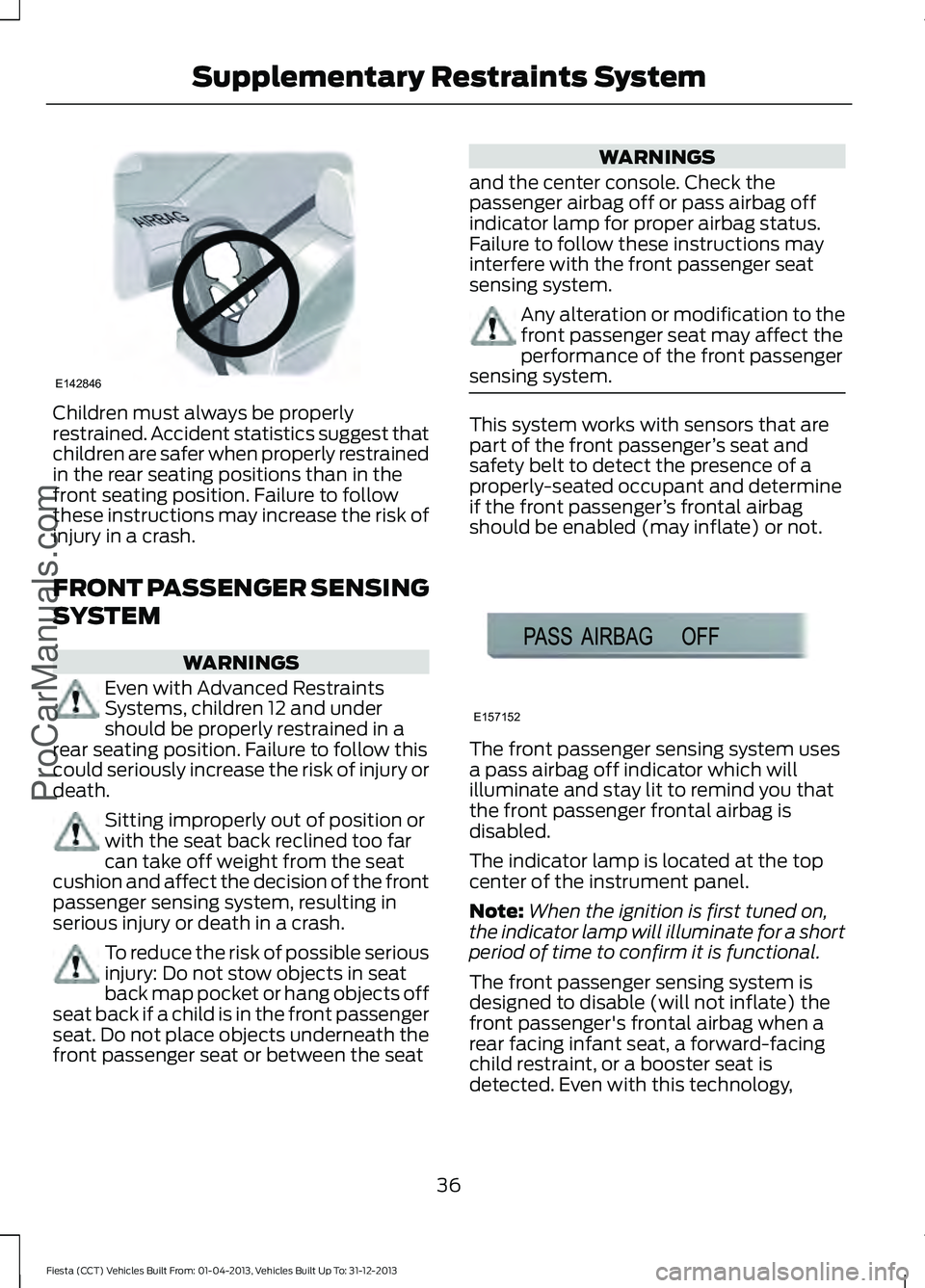
Children must always be properly
restrained. Accident statistics suggest that
children are safer when properly restrained
in the rear seating positions than in the
front seating position. Failure to follow
these instructions may increase the risk of
injury in a crash.
FRONT PASSENGER SENSING
SYSTEM
WARNINGS
Even with Advanced Restraints
Systems, children 12 and under
should be properly restrained in a
rear seating position. Failure to follow this
could seriously increase the risk of injury or
death. Sitting improperly out of position or
with the seat back reclined too far
can take off weight from the seat
cushion and affect the decision of the front
passenger sensing system, resulting in
serious injury or death in a crash. To reduce the risk of possible serious
injury: Do not stow objects in seat
back map pocket or hang objects off
seat back if a child is in the front passenger
seat. Do not place objects underneath the
front passenger seat or between the seat WARNINGS
and the center console. Check the
passenger airbag off or pass airbag off
indicator lamp for proper airbag status.
Failure to follow these instructions may
interfere with the front passenger seat
sensing system. Any alteration or modification to the
front passenger seat may affect the
performance of the front passenger
sensing system. This system works with sensors that are
part of the front passenger
’s seat and
safety belt to detect the presence of a
properly-seated occupant and determine
if the front passenger ’s frontal airbag
should be enabled (may inflate) or not. The front passenger sensing system uses
a pass airbag off indicator which will
illuminate and stay lit to remind you that
the front passenger frontal airbag is
disabled.
The indicator lamp is located at the top
center of the instrument panel.
Note:
When the ignition is first tuned on,
the indicator lamp will illuminate for a short
period of time to confirm it is functional.
The front passenger sensing system is
designed to disable (will not inflate) the
front passenger's frontal airbag when a
rear facing infant seat, a forward-facing
child restraint, or a booster seat is
detected. Even with this technology,
36
Fiesta (CCT) Vehicles Built From: 01-04-2013, Vehicles Built Up To: 31-12-2013 Supplementary Restraints SystemProCarManuals.comE142846 E157152
Page 44 of 398
CRASH SENSORS AND
AIRBAG INDICATOR
WARNING
Modifying or adding equipment to
the front end of the vehicle (including
frame, bumper, front end body
structure and tow hooks) may affect the
performance of the airbag system,
increasing the risk of injury. Do not modify
the front end of the vehicle. The vehicle has a collection of crash and
occupant sensors which provide
information to the restraints control
module which deploys (activates) the
front safety belt pretensioners, driver
airbag, passenger airbag, knee airbag(s),
seat mounted side airbags, and the side
curtain airbags. Based on the type of crash
(frontal impact or side impact), the
restraints control module will deploy the
appropriate safety devices.
The restraints control module also
monitors the readiness of the above safety
devices plus the crash and occupant
sensors. The readiness of the safety
system is indicated by a warning indicator
light in the instrument cluster or by a
backup tone if the warning light is not
working. Routine maintenance of the
airbag is not required.
A difficulty with the system is indicated by
one or more of the following:
The readiness light will not
illuminate immediately after the
ignition is turned on.
• The readiness light will either flash or
stay lit.
• A series of five beeps will be heard. The
tone pattern will repeat periodically
until the problem, the light or both are
repaired. If any of these things happen, even
intermittently, have the supplemental
restraint system serviced at an authorized
dealer immediately. Unless serviced, the
system may not function properly in the
event of a crash.
The safety belt pretensioners and the front
airbag supplemental restraint system are
designed to activate when the vehicle
sustains longitudinal deceleration
sufficient to cause the restraints control
module to deploy a safety device.
The fact that the safety belt pretensioners
or front airbags did not activate for both
front seat occupants in a crash does not
mean that something is wrong with the
system. Rather, it means the restraints
control module determined the accident
conditions (crash severity, belt usage)
were not appropriate to activate these
safety devices.
•
The design of the front airbags is to
activate only in frontal and near-frontal
crashes (not rollovers, side impacts or
rear impacts) unless the crash causes
sufficient longitudinal deceleration.
• The design of the safety belt
pretensioners is to activate in frontal
and near-frontal crashes, and may also
activate when a side curtain deploys.
• The driver's knee airbag may deploy
based on crash severity and occupant
conditions.
41
Fiesta (CCT) Vehicles Built From: 01-04-2013, Vehicles Built Up To: 31-12-2013 Supplementary Restraints SystemProCarManuals.com
Page 47 of 398
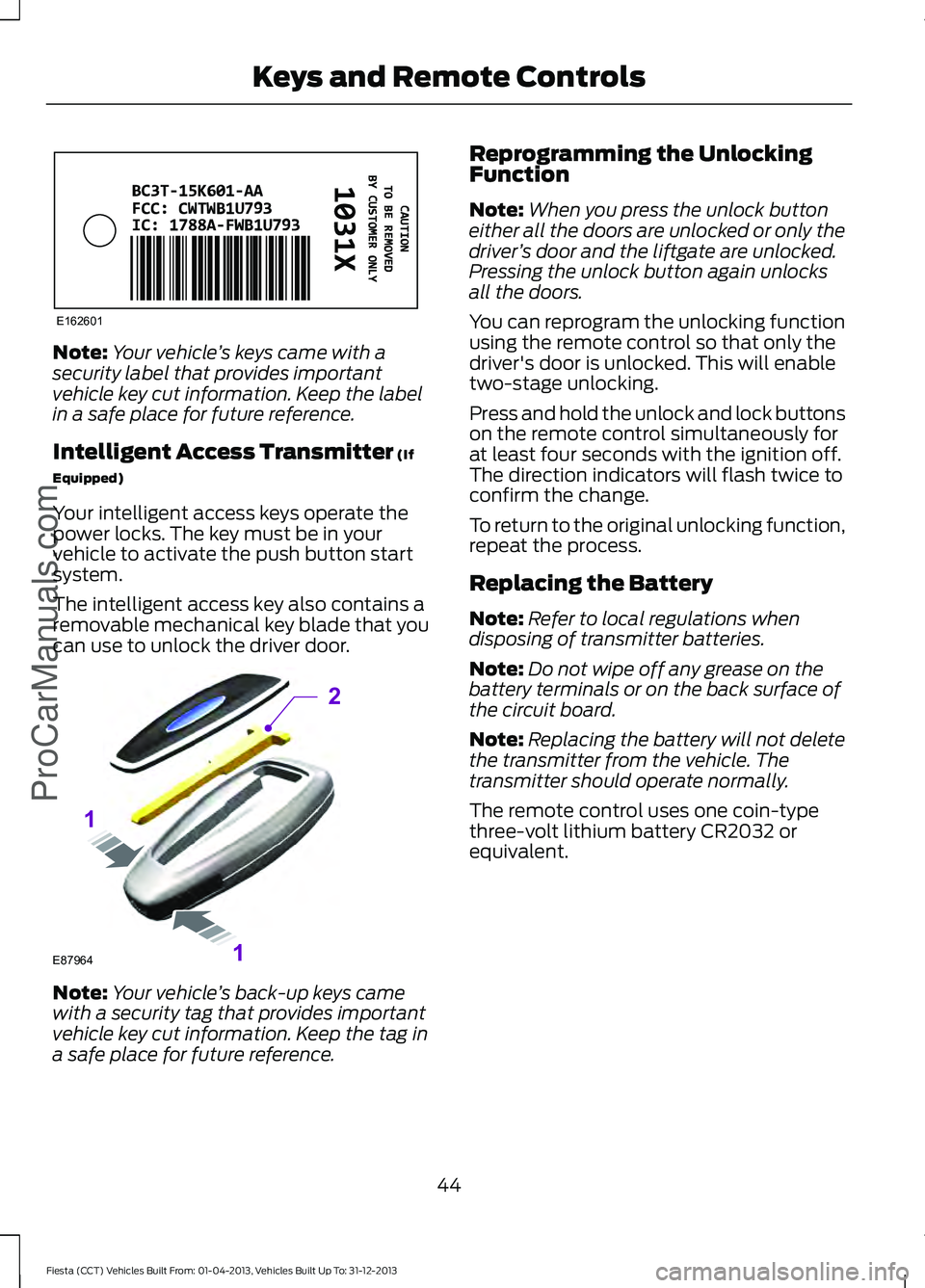
Note:
Your vehicle ’s keys came with a
security label that provides important
vehicle key cut information. Keep the label
in a safe place for future reference.
Intelligent Access Transmitter (If
Equipped)
Your intelligent access keys operate the
power locks. The key must be in your
vehicle to activate the push button start
system.
The intelligent access key also contains a
removable mechanical key blade that you
can use to unlock the driver door. Note:
Your vehicle ’s back-up keys came
with a security tag that provides important
vehicle key cut information. Keep the tag in
a safe place for future reference. Reprogramming the Unlocking
Function
Note:
When you press the unlock button
either all the doors are unlocked or only the
driver ’s door and the liftgate are unlocked.
Pressing the unlock button again unlocks
all the doors.
You can reprogram the unlocking function
using the remote control so that only the
driver's door is unlocked. This will enable
two-stage unlocking.
Press and hold the unlock and lock buttons
on the remote control simultaneously for
at least four seconds with the ignition off.
The direction indicators will flash twice to
confirm the change.
To return to the original unlocking function,
repeat the process.
Replacing the Battery
Note: Refer to local regulations when
disposing of transmitter batteries.
Note: Do not wipe off any grease on the
battery terminals or on the back surface of
the circuit board.
Note: Replacing the battery will not delete
the transmitter from the vehicle. The
transmitter should operate normally.
The remote control uses one coin-type
three-volt lithium battery CR2032 or
equivalent.
44
Fiesta (CCT) Vehicles Built From: 01-04-2013, Vehicles Built Up To: 31-12-2013 Keys and Remote Controls
ProCarManuals.comE162601 E87964
2
1
1
Page 50 of 398
Note:
Do not touch the battery contacts or
the printed circuit board with the
screwdriver.
5. Carefully remove the battery with the screwdriver.
6. Install a new battery (3V CR 2032) with
the + facing downward.
7. Assemble the two halves of the remote
control.
8. Install the key blade.
Car Finder Press the button twice within
three seconds. The horn will
sound and the turn signals will
flash. We recommend you use this method
to locate your vehicle, rather than using
the panic alarm.
Note: If locking was not successful or if any
door or the liftgate is open, or if the hood is
open on vehicles with a perimeter alarm or
remote start, the horn will sound twice and
the lamps will not flash.
Sounding a Panic Alarm
(If Equipped)
Note: The panic alarm will only operate
when the ignition is off. Press the button to activate the
alarm. Press the button again or
turn the ignition on to deactivate.
REPLACING A LOST KEY OR
REMOTE CONTROL
Replacement or additional keys or remote
controls can be purchased from an
authorized dealer. Your dealer can program
the remote controls for your vehicle or you
may be able to program them yourself.
See
Remote Control (page 43).
To re-program the passive anti-theft
system see an authorized dealer.
47
Fiesta (CCT) Vehicles Built From: 01-04-2013, Vehicles Built Up To: 31-12-2013 Keys and Remote Controls
ProCarManuals.comE138623 E138624
Page 52 of 398
1.
Insert the key you want to program into
the ignition or, if the vehicle has push
button start, hold the intelligent access
key or fob next to the steering column.
2. Using the information display controls,
access the main menu and select
Settings, then MyKey by pressing OK
or the right arrow button.
3. Press
OK to select Create MyKey.
4. When prompted, hold the
OK button
until you see a message informing you
to label this key as a MyKey. The key
will be restricted at the next start.
MyKey is successfully created. Make sure
you label it so you can distinguish it from
the admin keys.
You can program configurable settings for
the key(s). Refer to
Programming or
Changing Configurable Settings.
Programming or Changing
Configurable Settings
Use the information display to access your
configurable MyKey settings.
1. Switch the ignition on using an admin key. If the vehicle has push-button
start, hold an intelligent access admin
key or fob next to the steering column
and use the push-button start to
switch the ignition on.
2. Access the main menu and select Settings
, then MyKey by pressing OK
or the right arrow key.
3. Use the arrow buttons to get to a configurable feature.
4. Press
OK or the right arrow button to
make a selection.
Note: You can clear or change your MyKey
settings at any time during the same key
cycle as you created the MyKey. If you
switch the ignition off, however, you will
need to use an admin key to clear your
MyKeys. CLEARING ALL MYKEYS
You can clear all MyKeys within the same
key cycle as you created the MyKey. If you
switch your ignition off, however, you will
need to use an admin key to clear your
MyKeys.
Note:
When you clear your MyKeys, you
remove all restrictions and return all MyKeys
to their original admin key status at once.
To clear all MyKeys of all MyKey settings,
use the information display to do the
following:
1. Access the main menu and select Settings
, then MyKey.
2. Scroll to
Clear MyKey and press the
OK button.
3. Hold the
OK button until ALL
MYKEYS CLEARED displays.
CHECKING MYKEY SYSTEM
STATUS
You can find information about your
programmed MyKeys by using the
information display.
MyKey Distance
Tracks the distance when drivers use a
MyKey. The only way to delete the
accumulated distance is by using an admin
key to clear your MyKey. If the distance
does not accumulate as expected, then
the intended user is not using the MyKey,
or an admin key user recently cleared and
then recreated a MyKey.
Number of MyKeys
Indicates the number of MyKeys
programmed to your vehicle. Use this
feature to detect how many MyKeys you
have for your vehicle and determine when
a MyKey has been deleted.
49
Fiesta (CCT) Vehicles Built From: 01-04-2013, Vehicles Built Up To: 31-12-2013 MyKey
™
(If Equipped)
ProCarManuals.com
Page 56 of 398
Unlocking the Doors With the
Interior Door Handles
You can unlock individual doors by pulling
the relevant interior door handle. Pulling
the driver's interior door handle will unlock
all the doors, if auto unlock has been
enabled.
Rear Door Unlocking and Opening
Pull the interior door release handle twice
to unlock and open the rear door. The first
pull unlocks the door and the second pull
will unlatch the door.
Smart Unlocks for Integrated
Keyhead Transmitter
This feature helps to prevent you from
locking yourself out of your vehicle if your
key is still in the ignition.
When you open one of the front doors and
lock your vehicle with the power door lock
control, all the doors will lock then unlock
if your key is still in the ignition.
You can still lock your vehicle with the key
in the ignition by pressing the lock button
on the transmitter even if the doors are not
closed.
If both front doors are closed, you can lock
your vehicle by any method, regardless of
whether the key is in the ignition or not.
Smart Unlocks for Intelligent
Access Keys (If Equipped)
This feature helps to prevent you from
unintentionally locking your intelligent
access key inside your vehicle ’s passenger
compartment or rear cargo area. When you lock your vehicle using the
power door lock control (with the door
open, vehicle in park and ignition off), your
vehicle will search for an intelligent access
key in the passenger compartment after
you close the door. If your vehicle finds a
key, all of the doors will immediately
unlock and the horn will chirp, indicating
that a key is inside.
In order to override the smart unlock
feature and intentionally lock the
intelligent access key inside your vehicle,
you can lock your vehicle after all doors
are closed by pressing the lock button on
another intelligent access key or touching
the locking area on the handle with another
intelligent access key in your hand.
When you open one of the front doors and
lock your vehicle using the power door lock
control, all doors will lock then unlock if:
•
the ignition is on, or
• the ignition is off and the transmission
is not in
P.
Auto Lock Feature
The auto lock feature will lock the doors
and liftgate when all of the following
conditions have been met:
• All doors are closed.
• The ignition is on.
• Your vehicle is moving at a speed
greater than 12 mph (20 km/h) for
more than two seconds.
Enabling or Disabling Auto Lock
Note: You cannot disable the auto lock
feature in some markets.
Note: See an authorized dealer to enable
or disable the auto lock feature or carry out
the following procedure.
Note: You will have 30 seconds to
complete the procedure.
1. Switch the ignition on.
53
Fiesta (CCT) Vehicles Built From: 01-04-2013, Vehicles Built Up To: 31-12-2013 Locks
ProCarManuals.com
Page 57 of 398
2.
Press the power door lock button three
times.
3. Switch the ignition off.
4. Press the power door lock button three
times.
5. Switch the ignition on. The horn will chirp indicating your vehicle is in
programming mode.
6. Press the power door lock button for less than one second and release.
The horn will chirp once if disabled or twice
(one short and one long chirp) if enabled.
After programming the feature, switch the
ignition off. The horn will chirp once
indicating programming is complete.
Auto Unlock Feature
The auto unlock feature will unlock all the
doors when all of the following conditions
have been met:
• The ignition is on, all doors are closed,
and your vehicle is moving at a speed
greater than 12 mph (20 km/h) for
more than two seconds.
• Your vehicle has come to a stop and
you switch the ignition off or to the
accessory position.
• The driver's door is opened within 10
minutes of you switching the ignition
off or to the accessory position.
Note: The doors will not auto unlock if your
vehicle has been electronically locked after
the ignition is turned off and before the
driver's door is opened.
Enabling or Disabling Auto Unlock
Note: See an authorized dealer to enable
or disable the auto unlock feature or carry
out the following procedure.
Note: You will have 30 seconds to
complete the procedure.
1. Switch the ignition on. 2.
Press the power door lock button three
times.
3. Switch the ignition off.
4. Press the power door lock button three
times.
5. Switch the ignition on. The horn will chirp indicating your vehicle is in
programming mode.
6. Press the power door lock button for longer than two seconds and release.
The horn will chirp once if disabled or twice
(one short and one long chirp) if enabled.
After programming the feature, switch the
ignition off. The horn will chirp once
indicating programming is complete.
Emergency Locking With the Key
Note: If the child safety locks are on and
you pull the interior handle, you will only
turn off the emergency locking, not the child
safety lock. You can only open the doors
using the external door handle.
Note: If the doors have been unlocked using
this method, the doors must be locked
individually until the central locking function
has been repaired.
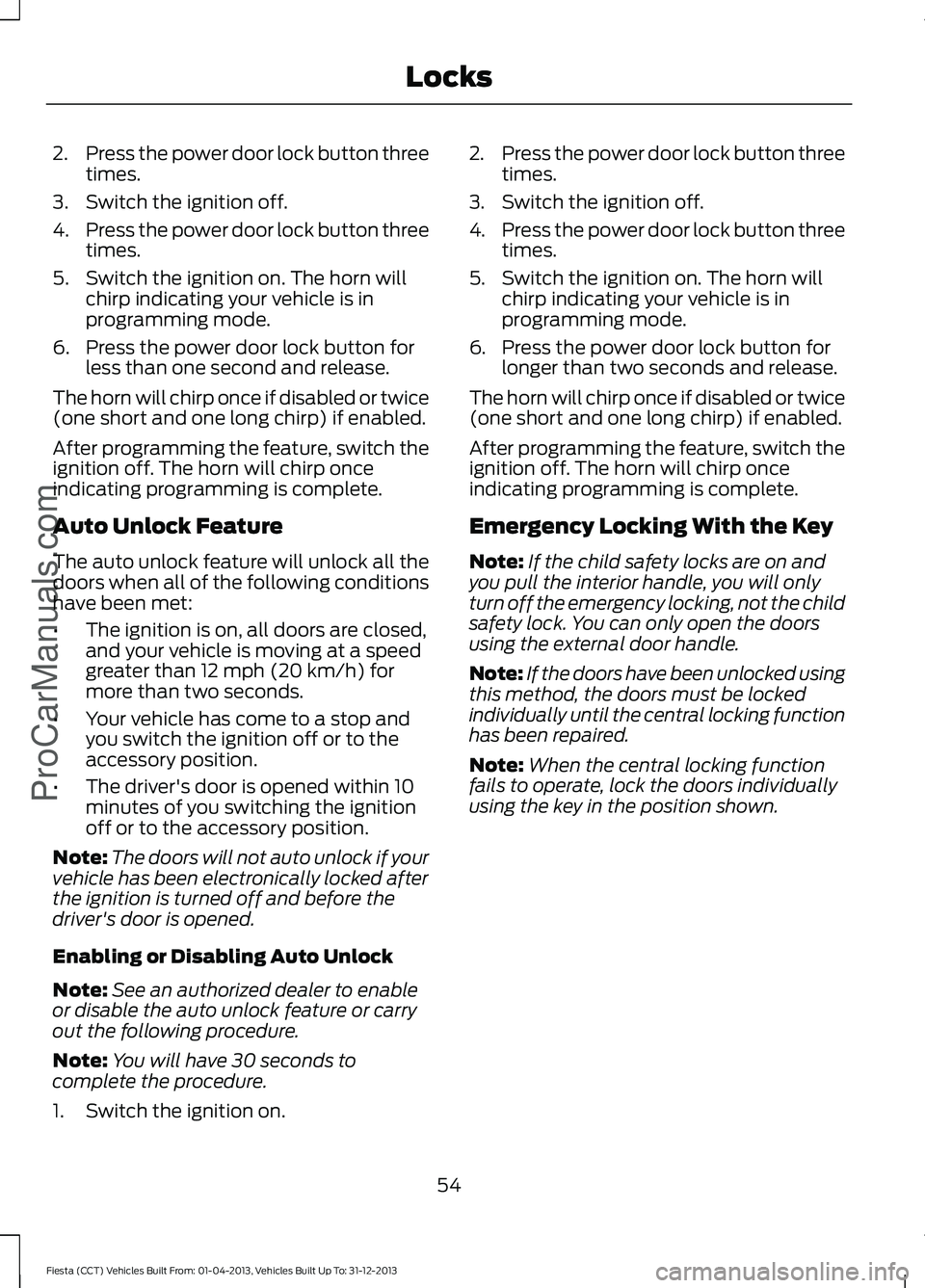
Note: When the central locking function
fails to operate, lock the doors individually
using the key in the position shown.
54
Fiesta (CCT) Vehicles Built From: 01-04-2013, Vehicles Built Up To: 31-12-2013 LocksProCarManuals.com