light FORD FIESTA 2016 Owner's Manual
[x] Cancel search | Manufacturer: FORD, Model Year: 2016, Model line: FIESTA, Model: FORD FIESTA 2016Pages: 363, PDF Size: 5.9 MB
Page 81 of 363
Note:
Do not clean the housing or glass of
any mirror with harsh abrasives, fuel or other
petroleum or ammonia-based cleaning
products.
You can adjust the interior mirror to your
preference. Some mirrors also have a
second pivot point. This lets you move the
mirror head up or down and from side to
side.
Pull the tab below the mirror toward you
to reduce glare at night.
Auto-Dimming Mirror (If Equipped)
Note: Do not block the sensors on the front
and back of the mirror. Mirror performance
may be affected. A rear center passenger or
raised rear center head restraint may also
block light from reaching the sensor.
The mirror will dim automatically to reduce
glare when bright lights are detected from
behind your vehicle. It will automatically
return to normal reflection when you select
reverse gear to make sure you have a clear
view when backing up.
MOONROOF
(If Equipped) WARNINGS
Do not let children play with the
moonroof or leave them unattended
in the vehicle. They may seriously
hurt themselves. When closing the moonroof, you
should verify that it is free of
obstructions and make sure that
children and pets are not in the proximity
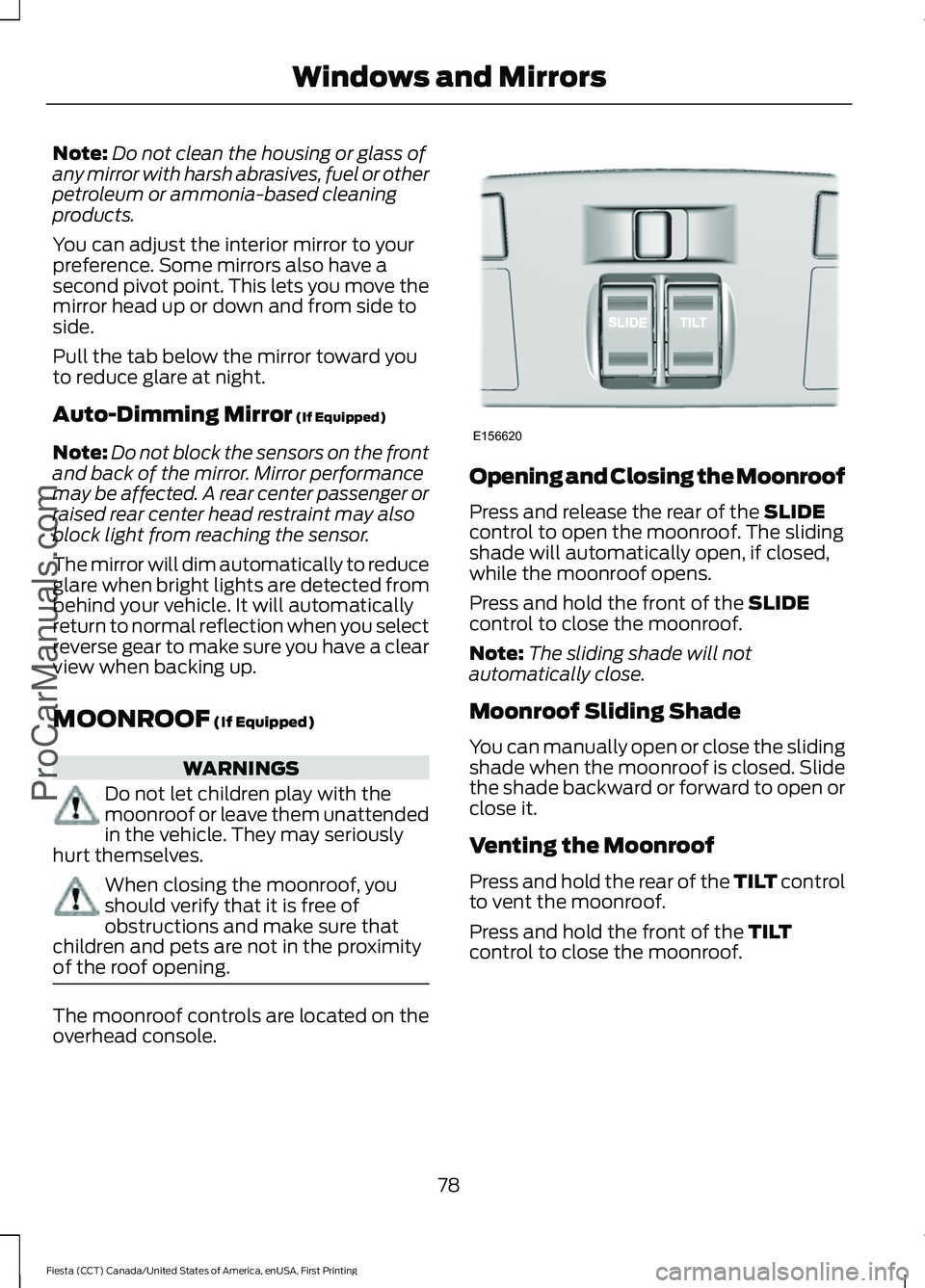
of the roof opening. The moonroof controls are located on the
overhead console. Opening and Closing the Moonroof
Press and release the rear of the
SLIDE
control to open the moonroof. The sliding
shade will automatically open, if closed,
while the moonroof opens.
Press and hold the front of the
SLIDE
control to close the moonroof.
Note: The sliding shade will not
automatically close.
Moonroof Sliding Shade
You can manually open or close the sliding
shade when the moonroof is closed. Slide
the shade backward or forward to open or
close it.
Venting the Moonroof
Press and hold the rear of the TILT control
to vent the moonroof.
Press and hold the front of the
TILT
control to close the moonroof.
78
Fiesta (CCT) Canada/United States of America, enUSA, First Printing Windows and Mirrors
ProCarManuals.comE156620
Page 83 of 363
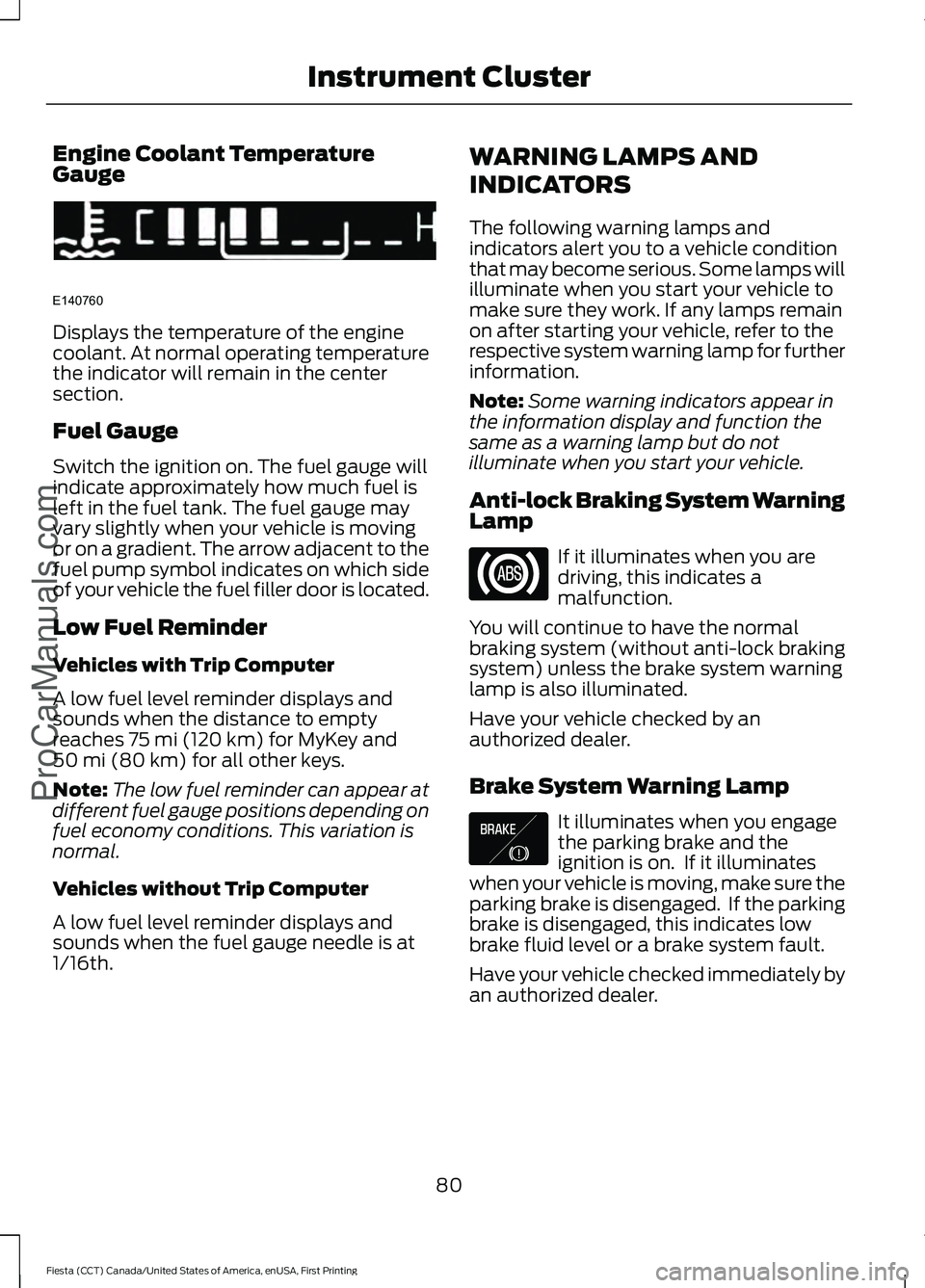
Engine Coolant Temperature
Gauge
Displays the temperature of the engine
coolant. At normal operating temperature
the indicator will remain in the center
section.
Fuel Gauge
Switch the ignition on. The fuel gauge will
indicate approximately how much fuel is
left in the fuel tank. The fuel gauge may
vary slightly when your vehicle is moving
or on a gradient. The arrow adjacent to the
fuel pump symbol indicates on which side
of your vehicle the fuel filler door is located.
Low Fuel Reminder
Vehicles with Trip Computer
A low fuel level reminder displays and
sounds when the distance to empty
reaches 75 mi (120 km) for MyKey and
50 mi (80 km) for all other keys.
Note: The low fuel reminder can appear at
different fuel gauge positions depending on
fuel economy conditions. This variation is
normal.
Vehicles without Trip Computer
A low fuel level reminder displays and
sounds when the fuel gauge needle is at
1/16th. WARNING LAMPS AND
INDICATORS
The following warning lamps and
indicators alert you to a vehicle condition
that may become serious. Some lamps will
illuminate when you start your vehicle to
make sure they work. If any lamps remain
on after starting your vehicle, refer to the
respective system warning lamp for further
information.
Note:
Some warning indicators appear in
the information display and function the
same as a warning lamp but do not
illuminate when you start your vehicle.
Anti-lock Braking System Warning
Lamp If it illuminates when you are
driving, this indicates a
malfunction.
You will continue to have the normal
braking system (without anti-lock braking
system) unless the brake system warning
lamp is also illuminated.
Have your vehicle checked by an
authorized dealer.
Brake System Warning Lamp It illuminates when you engage
the parking brake and the
ignition is on. If it illuminates
when your vehicle is moving, make sure the
parking brake is disengaged. If the parking
brake is disengaged, this indicates low
brake fluid level or a brake system fault.
Have your vehicle checked immediately by
an authorized dealer.
80
Fiesta (CCT) Canada/United States of America, enUSA, First Printing Instrument Cluster
ProCarManuals.comE140760 E138644
Page 85 of 363
High Beam Indicator
It will illuminate when you switch
the high beam headlamps on. It
will flash when you use the
headlamp flasher.
Ignition Warning Lamp If it illuminates when you are
driving, this indicates a
malfunction.
Switch off all unnecessary electrical
equipment.
Have your vehicle checked by an
authorized dealer immediately.
Information Indicator It will illuminate when a new
message is stored in the
information and entertainment
display. See Information Messages
(page 88).
Low Fuel Level Warning Lamp If it illuminates, refuel as soon as
possible.
Low Tire Pressure Warning It will illuminate when your tire
pressure is low. If the lamp
remains on with the engine
running or when driving, check your tire
pressure as soon as possible.
It will also illuminate momentarily when
you switch the ignition on to confirm the
lamp is functional. If it does not illuminate
when you switch the ignition on, or begins
to flash at any time, have your vehicle
checked by an authorized dealer. Safety Belt Minder Warning Lamp It will illuminate and a chime will
sound to remind you to fasten
your safety belt. See
Safety
Belt Minder (page 32).
Service Engine Soon If the service engine soon
indicator light stays illuminated
after the engine is started, it
indicates that the On-Board Diagnostics
(OBD-II) system has detected a
malfunction of the vehicle emissions
control system. Refer to On-Board
Diagnostics (OBD-II) in the Fuel and
Refueling chapter for more information
about having your vehicle serviced. See
Emission Control System
(page 120).
If the light is blinking, engine misfire is
occurring which could damage your
catalytic converter. Drive in a moderate
fashion (avoid heavy acceleration and
deceleration) and have your vehicle
serviced immediately. WARNING
Under engine misfire conditions,
excessive exhaust temperatures
could damage the catalytic
converter, the fuel system, interior floor
coverings or other vehicle components,
possibly causing a fire. Have an authorized
dealer service your vehicle immediately. The service engine soon indicator light
illuminates when the ignition is first turned
on prior to engine start to check the bulb
and to indicate whether the vehicle is ready
for Inspection/Maintenance (I/M) testing.
82
Fiesta (CCT) Canada/United States of America, enUSA, First Printing Instrument Cluster
ProCarManuals.com
Page 86 of 363
Normally, the service engine soon light will
stay on until the engine is cranked, then
turn itself off if no malfunctions are
present. However, if after 15 seconds the
service engine soon light blinks eight times,
it means that the vehicle is not ready for
I/M testing. See Emission Control
System (page 120).
Shift Indicator
(If Equipped) It will illuminate to inform you
that shifting to a higher gear may
give better fuel economy and
lower CO2 emissions. It will not illuminate
during periods of high acceleration, braking
or when the clutch pedal is pressed.
Stability Control Indicator While driving, it flashes when the
system is operating. After you
switch the ignition on, if it does
not illuminate or illuminates continuously
while driving, this indicates a malfunction.
During a malfunction, the system switches
off. Have your vehicle checked by an
authorized dealer as soon as possible.
Stability Control System Off
Indicator It will illuminate when you switch
the system off. It will go out
when you switch the system
back on or when you switch the ignition
off.
AUDIBLE WARNINGS AND
INDICATORS
Exterior Lamps On
Sounds when you remove the key from the
ignition and open the driver door, and you
have left the headlamps or parking lamps
on. Gearshift Lever Not in Park (P)
Sounds when the driver door is open, the
key is in the ignition and the gearshift lever
is not in park (P).
Key in Ignition
Sounds when the driver door is open and
the key is in the ignition.
Key Outside Vehicle - Vehicles
With Keyless System
Sounds when you close the driver door, the
key is outside your vehicle and the engine
is running. The system does not detect a
passive key inside your vehicle.
Parking Brake On
Sounds when the parking brake is on and
your vehicle is moving. If the warning chime
continues to sound when you release the
parking brake, have the system checked
by an authorized dealer.
Safety Belt Minder
WARNINGS
The safety belt minder remains in
stand-by mode when the front safety
belts have been fastened. It will
sound if either safety belt is unfastened. Do not sit on top of a fastened safety
belt to prevent the safety belt minder
from coming on. The occupant
protection system will only provide
optimum protection when you use the
safety belt correctly. Sounds when your vehicle speed exceeds
the pre-determined limit and the front
safety belts are unfastened. The chime will
stop after a period of time.
83
Fiesta (CCT) Canada/United States of America, enUSA, First Printing Instrument Cluster
ProCarManuals.com
Page 87 of 363
GENERAL INFORMATION
WARNING
Driving while distracted can result in
loss of vehicle control, crash and
injury. We strongly recommend that
you use extreme caution when using any
device that may take your focus off the
road. Your primary responsibility is the safe
operation of your vehicle. We recommend
against the use of any hand-held device
while driving and encourage the use of
voice-operated systems when possible.
Make sure you are aware of all applicable
local laws that may affect the use of
electronic devices while driving. Note:
The information display will remain
on for several minutes after you switch the
ignition off.
Device List
The icon changes to show the current
function in use. CD
Radio
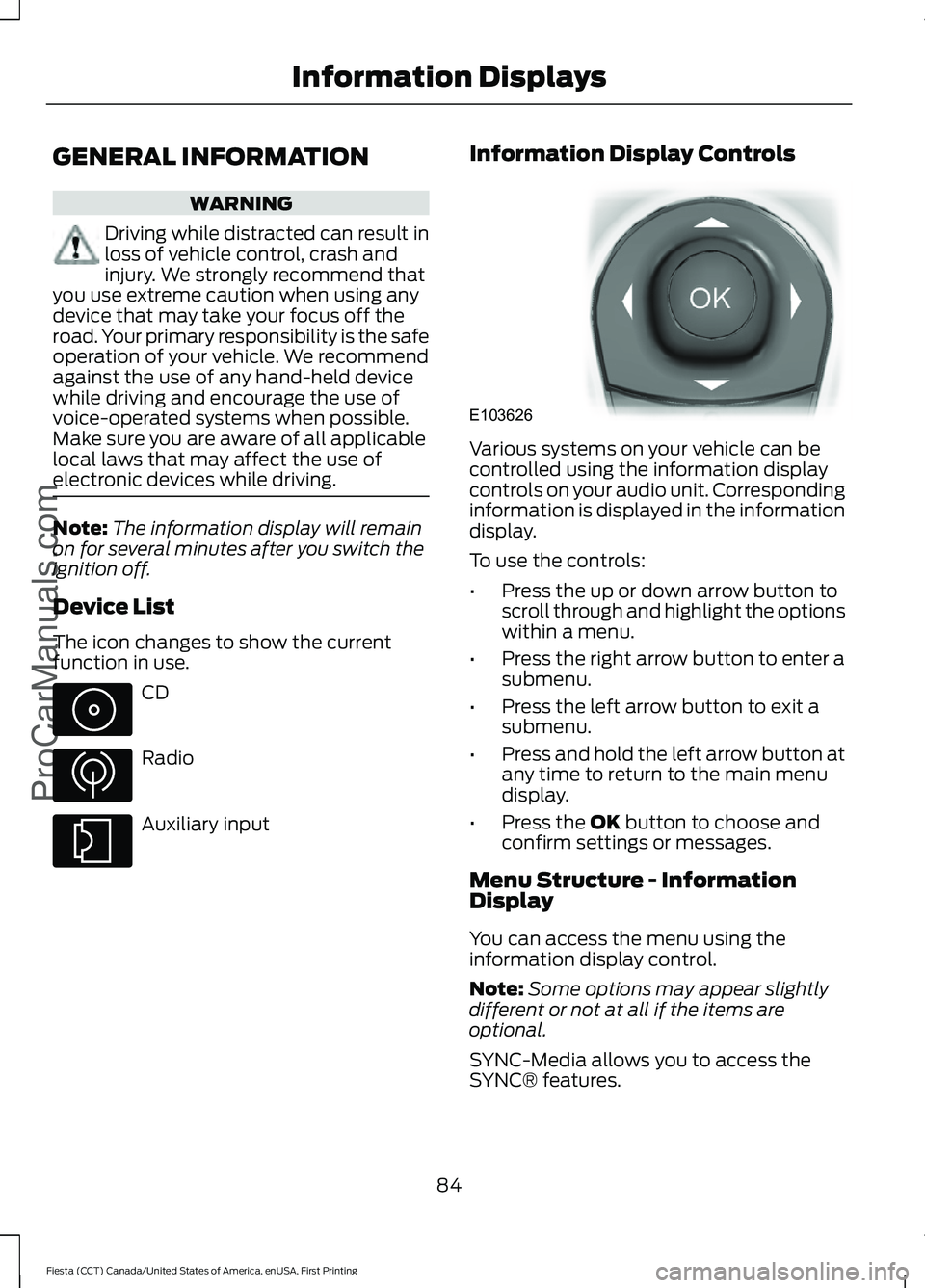
Auxiliary input Information Display Controls Various systems on your vehicle can be
controlled using the information display
controls on your audio unit. Corresponding
information is displayed in the information
display.
To use the controls:
•
Press the up or down arrow button to
scroll through and highlight the options
within a menu.
• Press the right arrow button to enter a
submenu.
• Press the left arrow button to exit a
submenu.
• Press and hold the left arrow button at
any time to return to the main menu
display.
• Press the OK button to choose and
confirm settings or messages.
Menu Structure - Information
Display
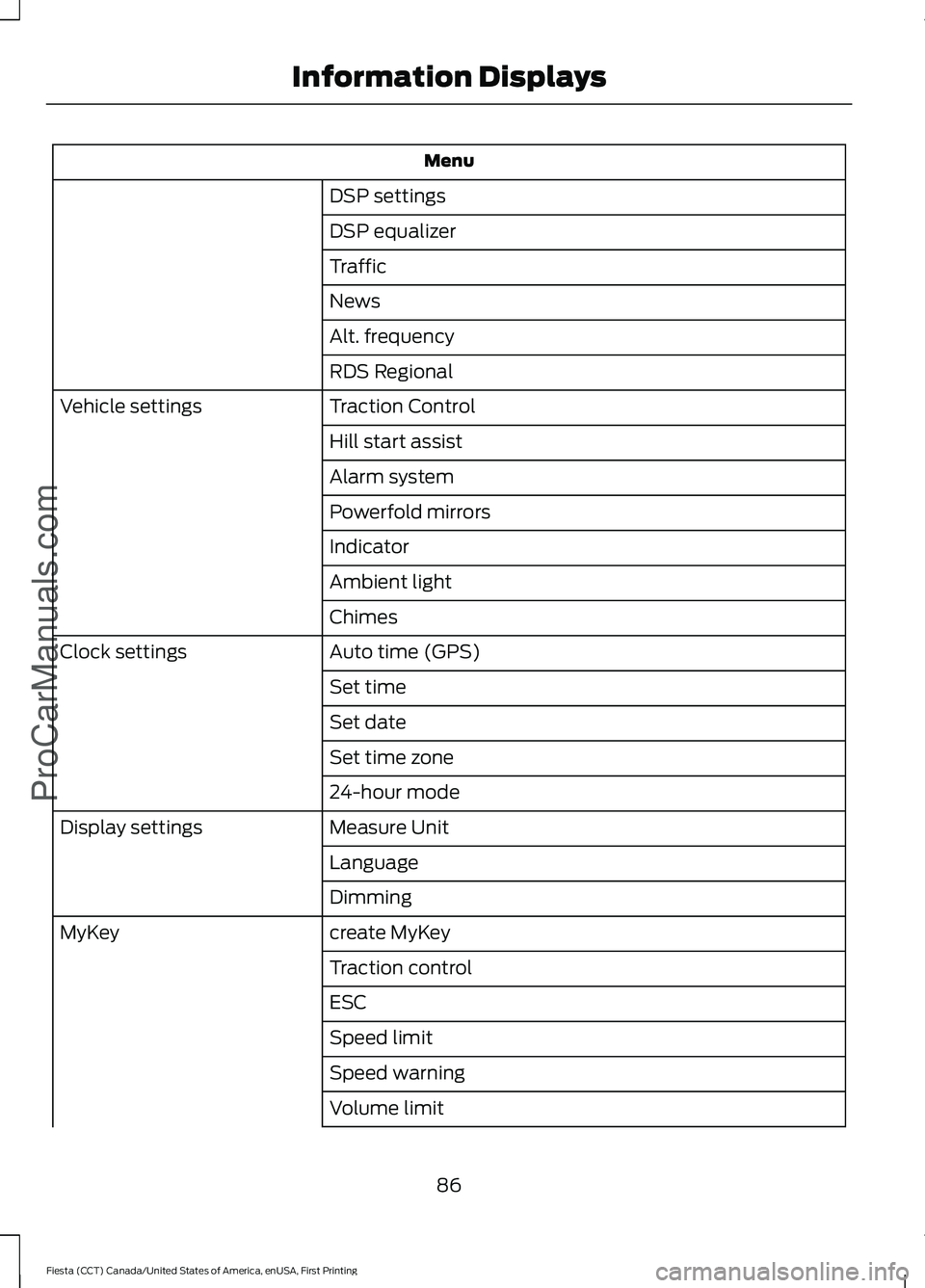
You can access the menu using the
information display control.
Note: Some options may appear slightly
different or not at all if the items are
optional.
SYNC-Media allows you to access the
SYNC® features.
84
Fiesta (CCT) Canada/United States of America, enUSA, First Printing Information Displays
ProCarManuals.com E103626
Page 89 of 363
Menu
DSP settings
DSP equalizer
Traffic
News
Alt. frequency
RDS Regional
Traction Control
Vehicle settings
Hill start assist
Alarm system
Powerfold mirrors
Indicator
Ambient light
Chimes
Auto time (GPS)
Clock settings
Set time
Set date
Set time zone
24-hour mode
Measure Unit
Display settings
Language
Dimming
create MyKey
MyKey
Traction control
ESC
Speed limit
Speed warning
Volume limit
86
Fiesta (CCT) Canada/United States of America, enUSA, First Printing Information DisplaysProCarManuals.com
Page 94 of 363
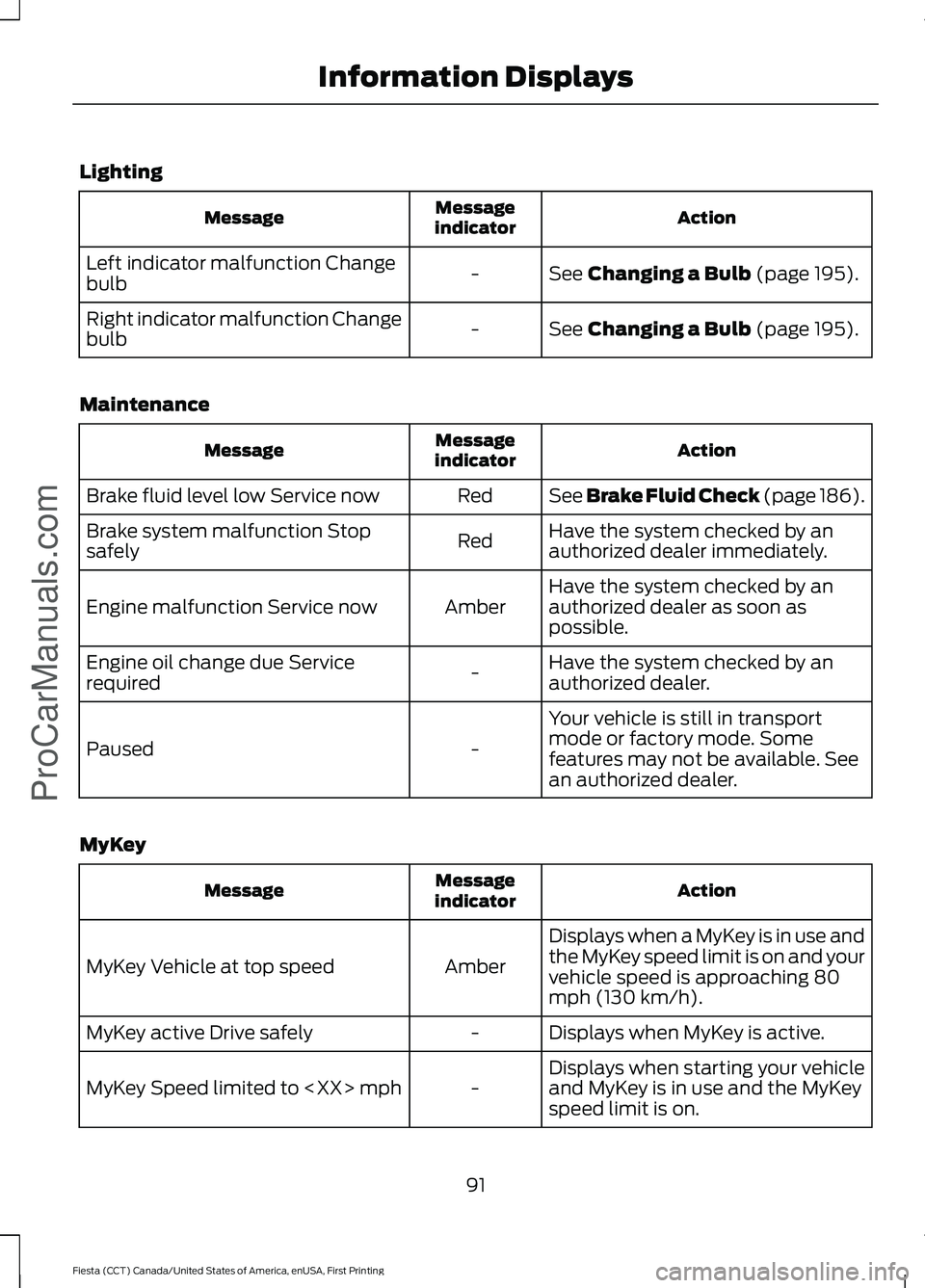
Lighting
Action
Message
indicator
Message
See Changing a Bulb (page 195).
-
Left indicator malfunction Change
bulb
See
Changing a Bulb (page 195).
-
Right indicator malfunction Change
bulb
Maintenance Action
Message
indicator
Message
See Brake Fluid Check (page 186).
Red
Brake fluid level low Service now
Have the system checked by an
authorized dealer immediately.
Red
Brake system malfunction Stop
safely
Have the system checked by an
authorized dealer as soon as
possible.
Amber
Engine malfunction Service now
Have the system checked by an
authorized dealer.
-
Engine oil change due Service
required
Your vehicle is still in transport
mode or factory mode. Some
features may not be available. See
an authorized dealer.
-
Paused
MyKey Action
Message
indicator
Message
Displays when a MyKey is in use and
the MyKey speed limit is on and your
vehicle speed is approaching 80
mph (130 km/h).
Amber
MyKey Vehicle at top speed
Displays when MyKey is active.
-
MyKey active Drive safely
Displays when starting your vehicle
and MyKey is in use and the MyKey
speed limit is on.
-
MyKey Speed limited to
91
Fiesta (CCT) Canada/United States of America, enUSA, First Printing Information Displays
ProCarManuals.com
Page 106 of 363
SITTING IN THE CORRECT
POSITION
WARNINGS
Do not recline the seat backrest too
far as this can cause the occupant
to slide under the safety belt,
resulting in serious injury in the event of a
crash. Sitting improperly, out of position or
with the seat backrest reclined too
far, can result in serious injury or
death in the event of a crash. Always sit
upright against your seat backrest, with
your feet on the floor. Do not place objects higher than the
seat backrest to reduce the risk of
serious injury in the event of a crash
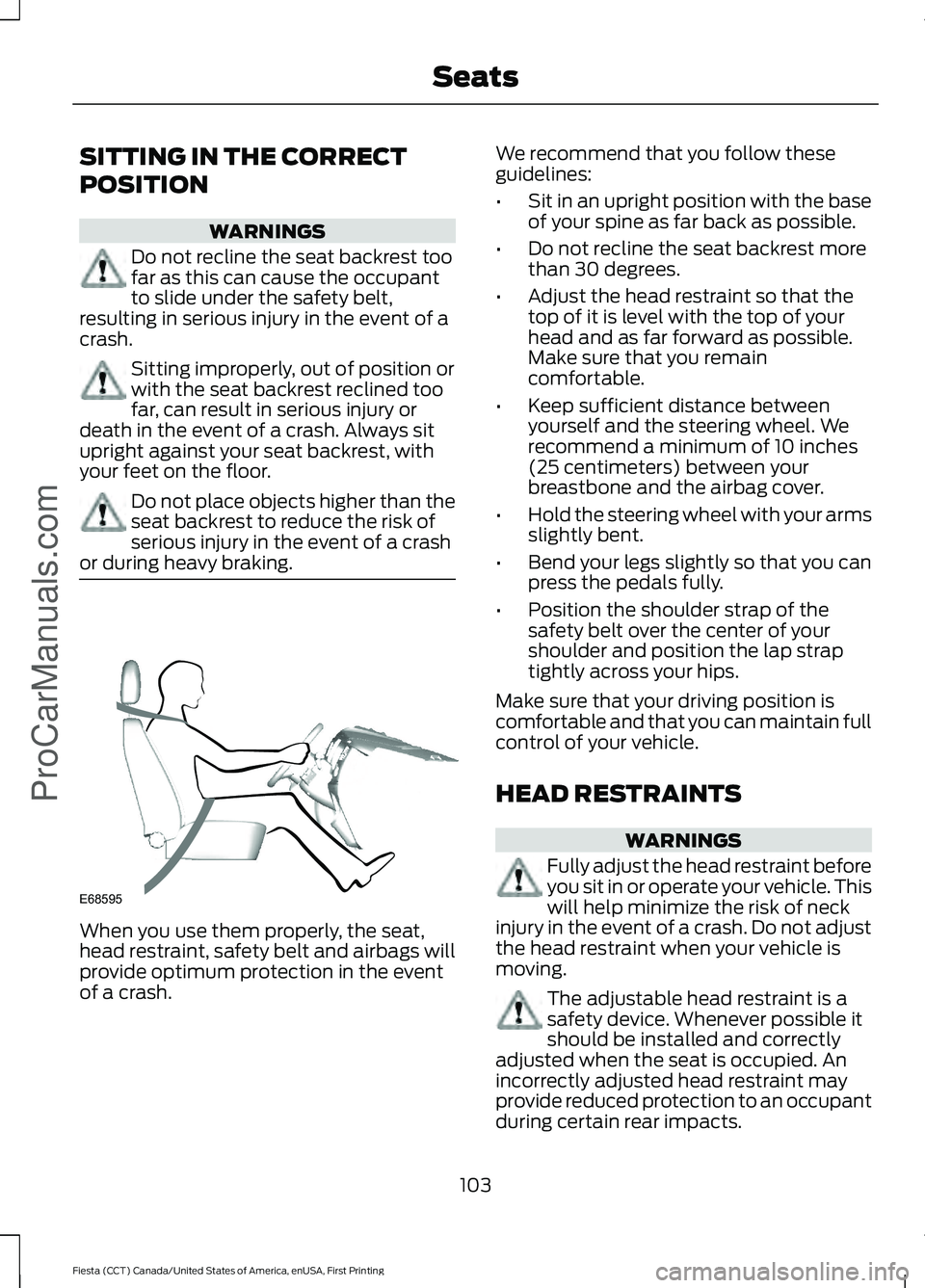
or during heavy braking. When you use them properly, the seat,
head restraint, safety belt and airbags will
provide optimum protection in the event
of a crash. We recommend that you follow these
guidelines:
•
Sit in an upright position with the base
of your spine as far back as possible.
• Do not recline the seat backrest more
than 30 degrees.
• Adjust the head restraint so that the
top of it is level with the top of your
head and as far forward as possible.
Make sure that you remain
comfortable.
• Keep sufficient distance between
yourself and the steering wheel. We
recommend a minimum of 10 inches
(25 centimeters) between your
breastbone and the airbag cover.
• Hold the steering wheel with your arms
slightly bent.
• Bend your legs slightly so that you can
press the pedals fully.
• Position the shoulder strap of the
safety belt over the center of your
shoulder and position the lap strap
tightly across your hips.
Make sure that your driving position is
comfortable and that you can maintain full
control of your vehicle.
HEAD RESTRAINTS WARNINGS
Fully adjust the head restraint before
you sit in or operate your vehicle. This
will help minimize the risk of neck
injury in the event of a crash. Do not adjust
the head restraint when your vehicle is
moving. The adjustable head restraint is a
safety device. Whenever possible it
should be installed and correctly
adjusted when the seat is occupied. An
incorrectly adjusted head restraint may
provide reduced protection to an occupant
during certain rear impacts.
103
Fiesta (CCT) Canada/United States of America, enUSA, First Printing SeatsProCarManuals.comE68595
Page 112 of 363
12 Volt DC Power Point
WARNINGS
Do not plug optional electrical
accessories into the cigar lighter
socket. Incorrect use of the cigar
lighter can cause damage not covered by
the vehicle warranty, and can result in fire
or serious injury. Incorrect use of the power points can
cause damage not covered by the
vehicle warranty, and can result in
fire or serious injury. Note:
When you switch the ignition on, you
can use the socket to power 12 volt
appliances with a maximum current rating
of 15 amps.
If the power supply does not work after you
switch the ignition off, switch the ignition
on.
Note: Do not insert objects other than an
accessory plug into the power point. This
will damage the outlet and blow the fuse.
Note: Do not hang any accessory from the
accessory plug.
Note: Do not use the power point over the
vehicle capacity of 12 volt DC 180 watts or
a fuse may blow.
Note: Do not use a power point for
operating a cigar lighter.
Note: Always keep the power point caps
closed when not in use.
Run the vehicle for full capacity use of the
power point.
To prevent the battery from running out of
charge:
• Do not use the power point longer than
necessary when the vehicle is not
running.
• Do not leave devices plugged in
overnight or when you park your vehicle
for extended periods. Location
Power points may be in the following
locations:
•
On the center console.
• On the rear of the center console.
CIGAR LIGHTER (If Equipped)
Note: Do not hold the cigar lighter element
pressed in.
Note: If the power supply does not work
after you switch the ignition off, switch the
ignition on.
Note: If you use the socket when the engine
is not running, the battery may lose charge.
Note: When you switch the ignition on, you
can use the socket to power 12 volt
appliances with a maximum current rating
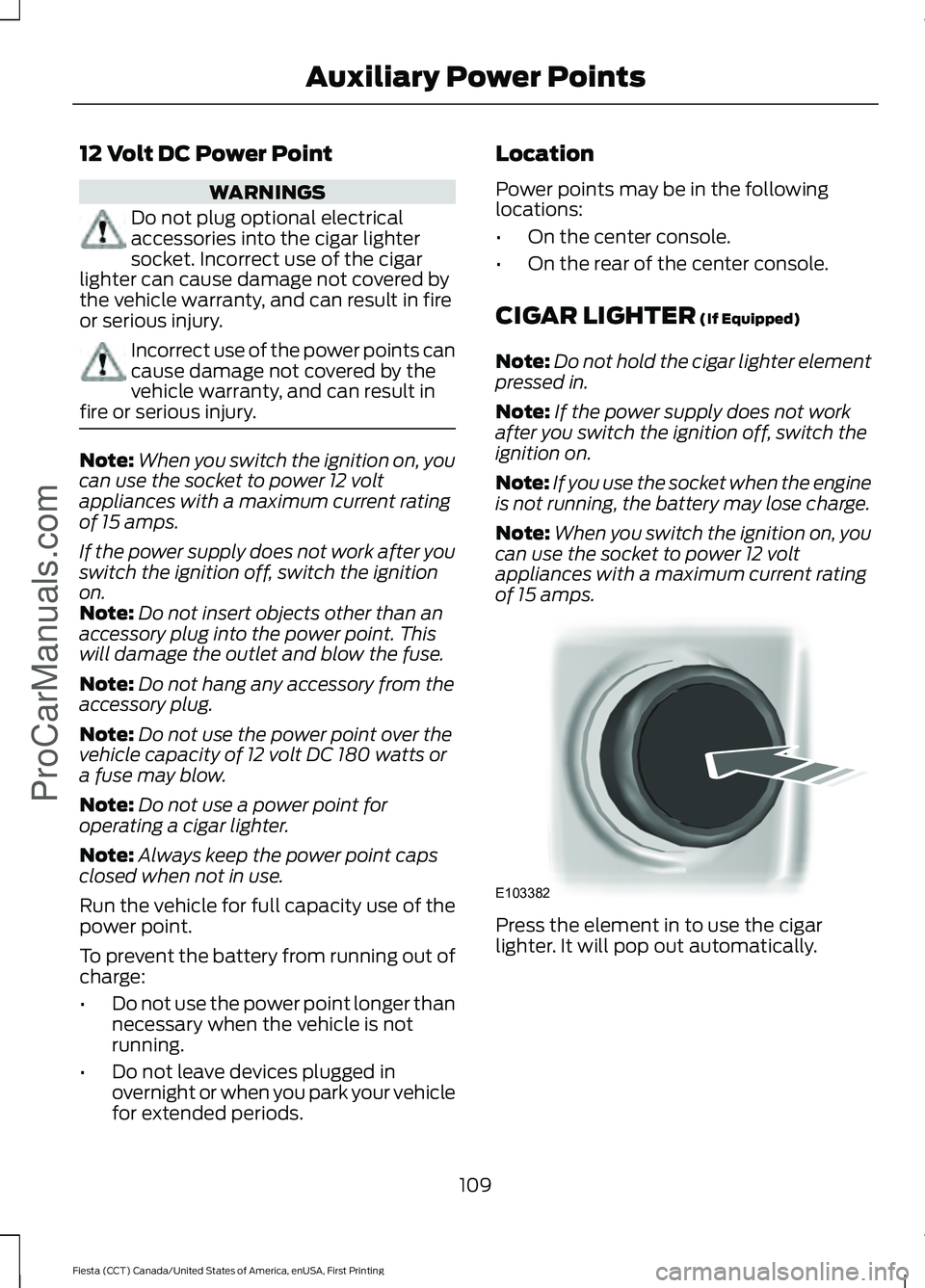
of 15 amps. Press the element in to use the cigar
lighter. It will pop out automatically.
109
Fiesta (CCT) Canada/United States of America, enUSA, First Printing Auxiliary Power Points
ProCarManuals.comE103382
Page 120 of 363
FUEL QUALITY - GASOLINE
Choosing the Right Fuel
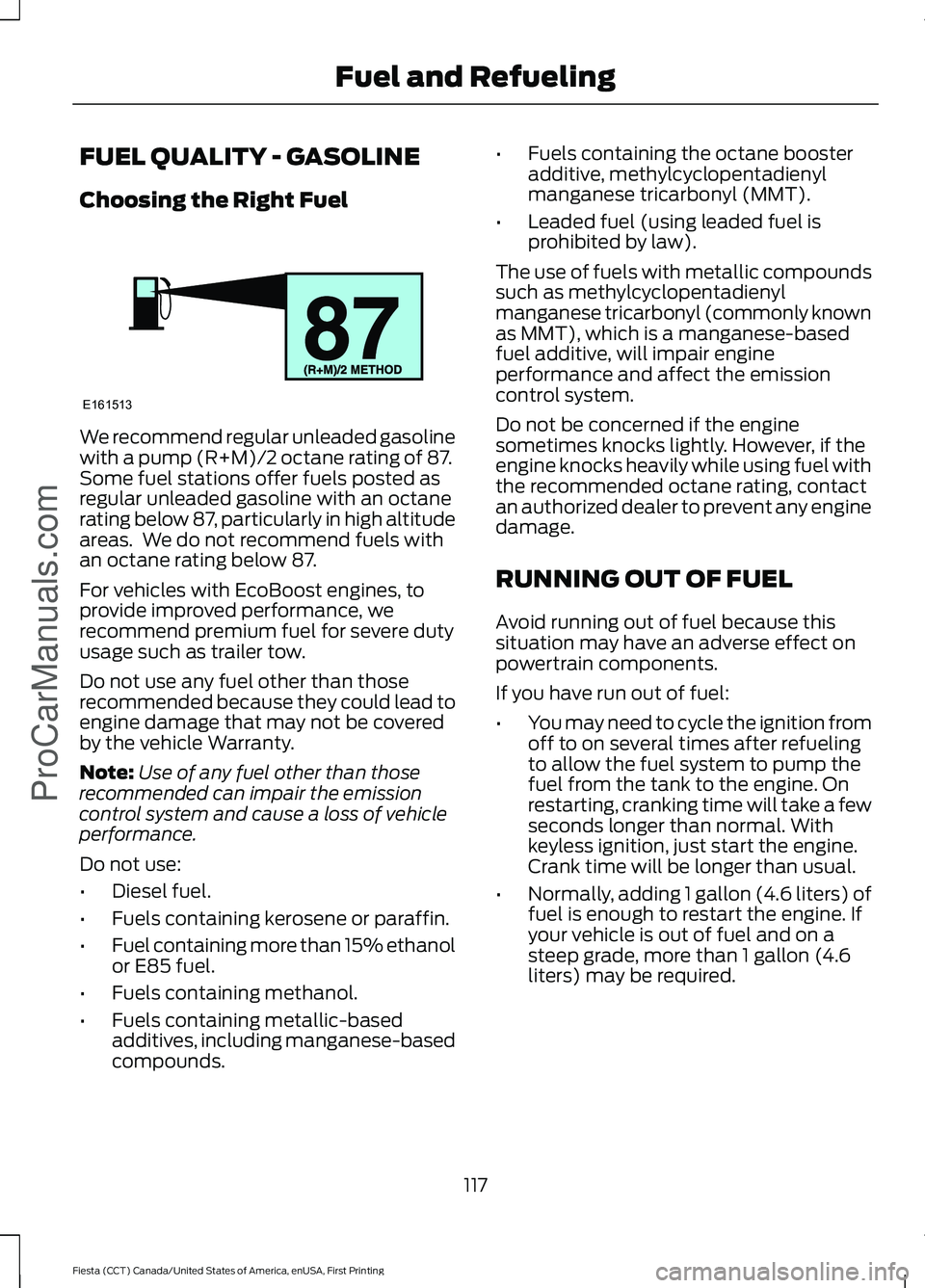
We recommend regular unleaded gasoline
with a pump (R+M)/2 octane rating of 87.
Some fuel stations offer fuels posted as
regular unleaded gasoline with an octane
rating below 87, particularly in high altitude
areas. We do not recommend fuels with
an octane rating below 87.
For vehicles with EcoBoost engines, to
provide improved performance, we
recommend premium fuel for severe duty
usage such as trailer tow.
Do not use any fuel other than those
recommended because they could lead to
engine damage that may not be covered
by the vehicle Warranty.
Note:
Use of any fuel other than those
recommended can impair the emission
control system and cause a loss of vehicle
performance.
Do not use:
• Diesel fuel.
• Fuels containing kerosene or paraffin.
• Fuel containing more than 15% ethanol
or E85 fuel.
• Fuels containing methanol.
• Fuels containing metallic-based
additives, including manganese-based
compounds. •
Fuels containing the octane booster
additive, methylcyclopentadienyl
manganese tricarbonyl (MMT).
• Leaded fuel (using leaded fuel is
prohibited by law).
The use of fuels with metallic compounds
such as methylcyclopentadienyl
manganese tricarbonyl (commonly known
as MMT), which is a manganese-based
fuel additive, will impair engine
performance and affect the emission
control system.
Do not be concerned if the engine
sometimes knocks lightly. However, if the
engine knocks heavily while using fuel with
the recommended octane rating, contact
an authorized dealer to prevent any engine
damage.
RUNNING OUT OF FUEL
Avoid running out of fuel because this
situation may have an adverse effect on
powertrain components.
If you have run out of fuel:
• You may need to cycle the ignition from
off to on several times after refueling
to allow the fuel system to pump the
fuel from the tank to the engine. On
restarting, cranking time will take a few
seconds longer than normal. With
keyless ignition, just start the engine.
Crank time will be longer than usual.
• Normally, adding 1 gallon (4.6 liters) of
fuel is enough to restart the engine. If
your vehicle is out of fuel and on a
steep grade, more than 1 gallon (4.6
liters) may be required.
117
Fiesta (CCT) Canada/United States of America, enUSA, First Printing Fuel and RefuelingProCarManuals.comE161513