stop start FORD FIESTA 2017 6.G Owner's Manual
[x] Cancel search | Manufacturer: FORD, Model Year: 2017, Model line: FIESTA, Model: FORD FIESTA 2017 6.GPages: 450, PDF Size: 6.05 MB
Page 237 of 450
As an added safety feature, your vehicle
has been equipped with a Tire Pressure
Monitoring System (TPMS) that
illuminates a low tire pressure telltale
when one or more of your tires is
significantly under-inflated. Accordingly,
when the low tire pressure telltale
illuminates, you should stop and check
your tires as soon as possible, and inflate
them to the proper pressure. Driving on a
significantly under-inflated tire causes the
tire to overheat and can lead to tire failure.
Under-inflation also reduces fuel efficiency
and tire tread life, and may affect the
vehicle
’s handling and stopping ability.
Please note that the TPMS is not a
substitute for proper tire maintenance, and
it is the driver ’s responsibility to maintain
correct tire pressure, even if under-inflation
has not reached the level to trigger
illumination of the TPMS low tire pressure
telltale.
Your vehicle has also been equipped with
a TPMS malfunction indicator to indicate
when the system is not operating properly.
The TPMS malfunction indicator is
combined with the low tire pressure
telltale. When the system detects a
malfunction, the telltale will flash for
approximately one minute and then remain
continuously illuminated. This sequence
will continue upon subsequent vehicle
start-ups as long as the malfunction exists.
When the malfunction indicator is
illuminated, the system may not be able
to detect or signal low tire pressure as
intended. TPMS malfunctions may occur
for a variety of reasons, including the
installation of replacement or alternate
tires or wheels on the vehicle that prevent
the TPMS from functioning properly.
Always check the TPMS malfunction
telltale after replacing one or more tires or
wheels on your vehicle to ensure that the
replacement or alternate tires and wheels
allow the TPMS to continue to function
properly. This device complies with Part 15 of the
FCC Rules and with Industry Canada
license-exempt RSS standard(s).
Operation is subject to the following two
conditions:
•
This device may not cause harmful
interference.
• This device must accept any
interference received, including
interference that may cause undesired
operation.
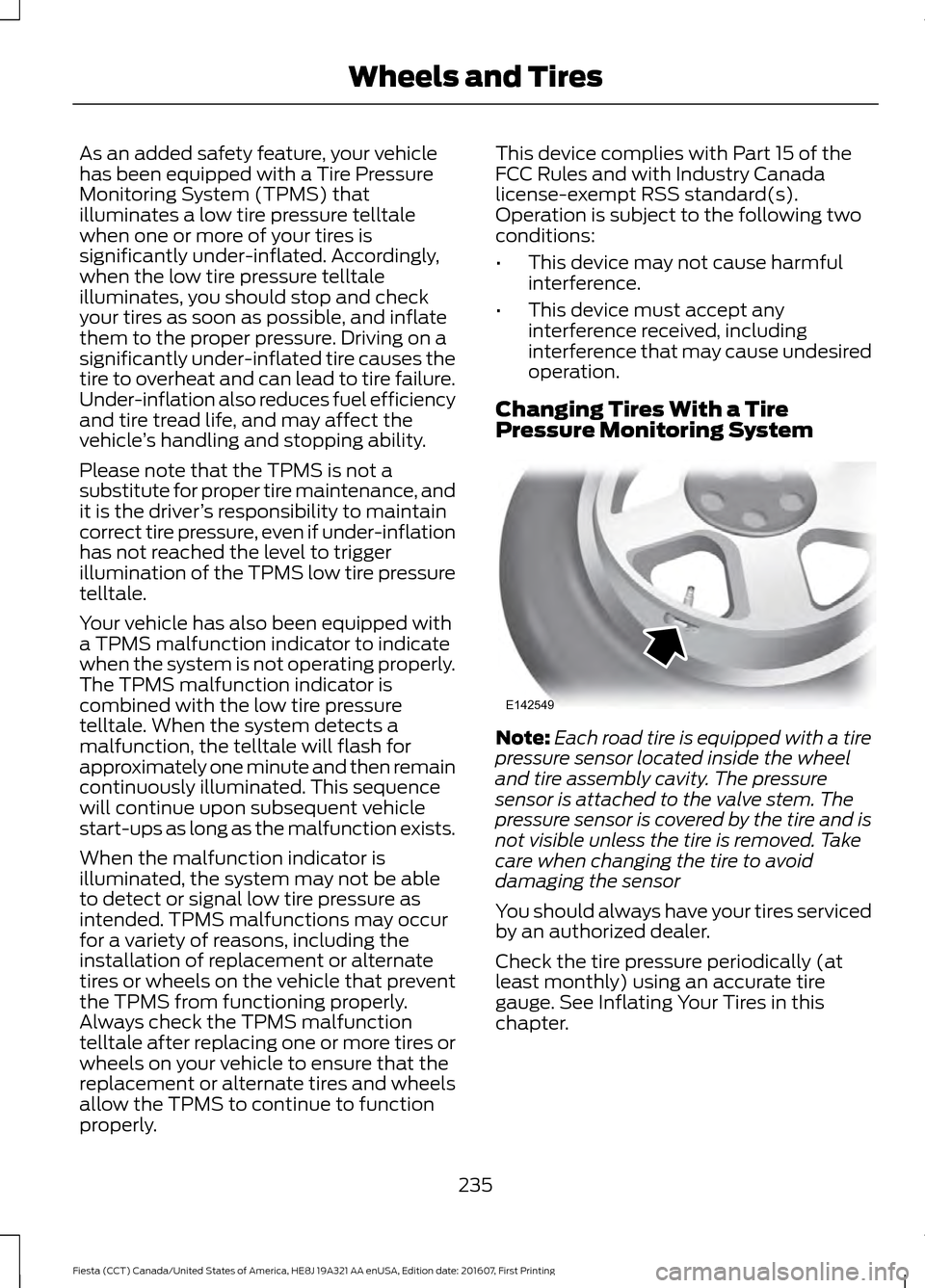
Changing Tires With a Tire
Pressure Monitoring System Note:
Each road tire is equipped with a tire
pressure sensor located inside the wheel
and tire assembly cavity. The pressure
sensor is attached to the valve stem. The
pressure sensor is covered by the tire and is
not visible unless the tire is removed. Take
care when changing the tire to avoid
damaging the sensor
You should always have your tires serviced
by an authorized dealer.
Check the tire pressure periodically (at
least monthly) using an accurate tire
gauge. See Inflating Your Tires in this
chapter.
235
Fiesta (CCT) Canada/United States of America, HE8J 19A321 AA enUSA, Edition date: 201607, First Printing Wheels and TiresE142549
Page 322 of 450
AppLink issues
Possible solution(s)
Possible cause(s)
Issue
SYNC in order to find
AppLink-capable apps on
your device. iPhone users
must also connect to
SYNC's USB port with an
Apple USB cable.
Ensure you have down-
loaded and installed the
latest version of the app
from your phone's app store.
Ensure the app is running on
your phone. Some apps
AppLink-enabled apps are
not installed and running on
your mobile device.
My phone is connected, but
I still cannot find any apps.
require you to register or
login on the app on the
phone before using them
with AppLink. Also, some
may have a "Ford SYNC"
setting, so check the app's
settings menu on the phone.
Closing and restarting apps
may help SYNC find the
application if you cannot
discover it inside the vehicle.
On an Android device, if
apps have an "Exit" or "Quit"
Sometime apps do not
properly close and re-open
their connection to SYNC,
over ignition cycles, for
example.
My phone is connected, my
app(s) are running, but I still
cannot find any apps.
option, select that then
restart the app. If the app
does not have that option,
you can also manually
"Force Close" the app by
going to the phone's settings
menu, selecting "Apps."
then finding the particular
app and choosing "Force
stop." Don't forget to restart
the app afterwards, then
select "Find New Apps" on
SYNC.
320
Fiesta (CCT) Canada/United States of America, HE8J 19A321 AA enUSA, Edition date: 201607, First Printing SYNC™ (If Equipped)
Page 329 of 450
Cleaning the Touchscreen
You can remove fingerprints with a dry,
clean, soft cloth.
If dirt or fingerprints are still on the screen,
apply a small amount of alcohol to the
cloth and try to clean it again.
Note:
Do not use detergent or any type of
solvent to clean the touchscreen.
Note: Do not pour or spray alcohol onto the
touchscreen.
Using Voice Recognition
Using voice commands allows you to keep
your hands on the wheel and eyes on the
road. The system provides feedback
through audible tones, prompts, questions
and spoken confirmations depending on
the situation and the chosen level of
interaction (voice settings).
The system also asks short questions
(confirmation prompts) when it is not sure
of your request or when there are multiple
possible responses to your request.
When using voice commands, words and
icons may appear in the status bar
indicating the status of the voice command
session. See Using Voice Recognition
(page 335).
Using the Steering Wheel Controls
Depending on your vehicle and option
package, you can use different controls on
your steering wheel to interact with the
touchscreen system in different ways.
VOL:
Control the volume of audio output.
Mute:
Mute the audio output.
Voice:
Press to start a voice session. Press
again to stop the voice prompt and
immediately begin speaking. Press and
hold to end a voice session. SEEK NEXT:
•
While in radio mode, press to seek
between memory presets.
• While in USB, Bluetooth Audio or CD
mode, press to seek between songs or
press and hold to fast seek.
SEEK PREVIOUS:
• While in radio mode, press to seek
between memory presets.
• While in USB, Bluetooth Audio or CD
mode, press to seek between songs or
press and hold to fast seek.
PHONE ACCEPT:
Press to answer a call
or switch between calls.
PHONE REJECT:
Press to end a call or
reject an incoming call.
Note: On some models, SEEK NEXT
may
be combined with PHONE REJECT and
SEEK PREVIOUS may be combined with
PHONE ACCEPT.
M:
Touch the control repeatedly to switch
between media sources (modes).
See
Steering Wheel (page 67).
Using Your Bezel Controls
Depending on your vehicle and option
package, you may also have these controls
on your instrument panel:
• Power:
Switch the audio system on
and off.
• VOL:
Control the volume of playing
audio.
• Seek
and Tune: se as you normally
would in audio modes.
• Eject:
Eject a CD from the audio
system.
• SOURCE
or MEDIA: Press repeatedly
to advance through available media
modes.
327
Fiesta (CCT) Canada/United States of America, HE8J 19A321 AA enUSA, Edition date: 201607, First Printing SYNC™ 3
Page 359 of 450
3D city models are complete 3D models
of entire city areas including navigable
roads, parks, rivers and rendered buildings.
3D landmarks and city models appear in
3D map mode only. Coverage of these
varies and improves with updated map
releases.
Select the zoom in icon to see a
closer view of the map.
Select the zoom out icon to see
a farther away view of the map.
You can adjust the view in preset
increments. You can also pinch to zoom in
or out of the map.
The information bar tells you the names
of streets, cities or landmarks as you hover
over them with the crosshair curser.
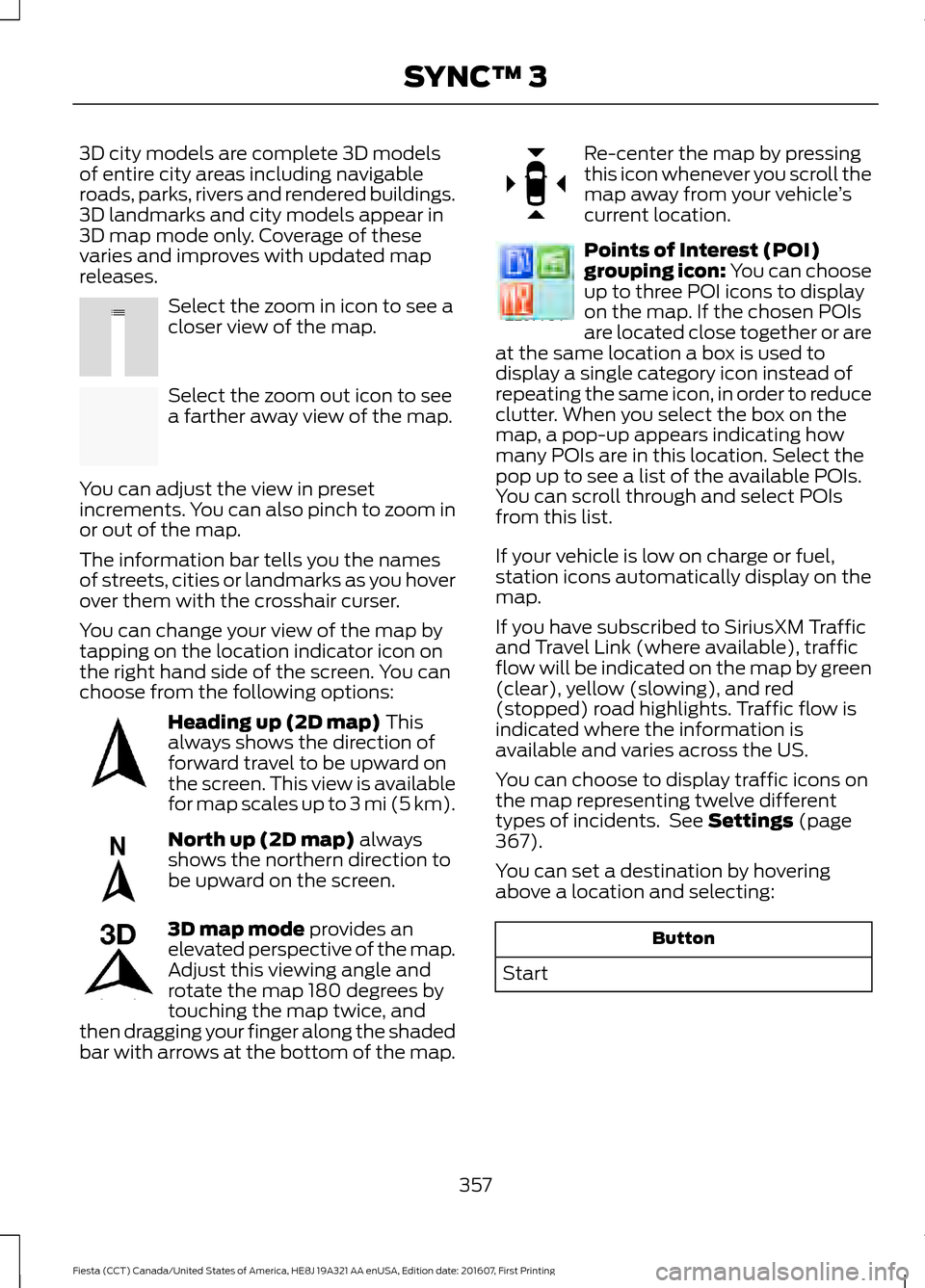
You can change your view of the map by
tapping on the location indicator icon on
the right hand side of the screen. You can
choose from the following options: Heading up (2D map) This
always shows the direction of
forward travel to be upward on
the screen. This view is available
for map scales up to
3 mi (5 km). North up (2D map)
always
shows the northern direction to
be upward on the screen. 3D map mode
provides an
elevated perspective of the map.
Adjust this viewing angle and
rotate the map 180 degrees by
touching the map twice, and
then dragging your finger along the shaded
bar with arrows at the bottom of the map. Re-center the map by pressing
this icon whenever you scroll the
map away from your vehicle
’s
current location. Points of Interest (POI)
grouping icon: You can choose
up to three POI icons to display
on the map. If the chosen POIs
are located close together or are
at the same location a box is used to
display a single category icon instead of
repeating the same icon, in order to reduce
clutter. When you select the box on the
map, a pop-up appears indicating how
many POIs are in this location. Select the
pop up to see a list of the available POIs.
You can scroll through and select POIs
from this list.
If your vehicle is low on charge or fuel,
station icons automatically display on the
map.
If you have subscribed to SiriusXM Traffic
and Travel Link (where available), traffic
flow will be indicated on the map by green
(clear), yellow (slowing), and red
(stopped) road highlights. Traffic flow is
indicated where the information is
available and varies across the US.
You can choose to display traffic icons on
the map representing twelve different
types of incidents. See
Settings (page
367).
You can set a destination by hovering
above a location and selecting: Button
Start
357
Fiesta (CCT) Canada/United States of America, HE8J 19A321 AA enUSA, Edition date: 201607, First Printing SYNC™ 3E207752 E207753 E207750 E207749 E207748 E207751 E207754
Page 388 of 450
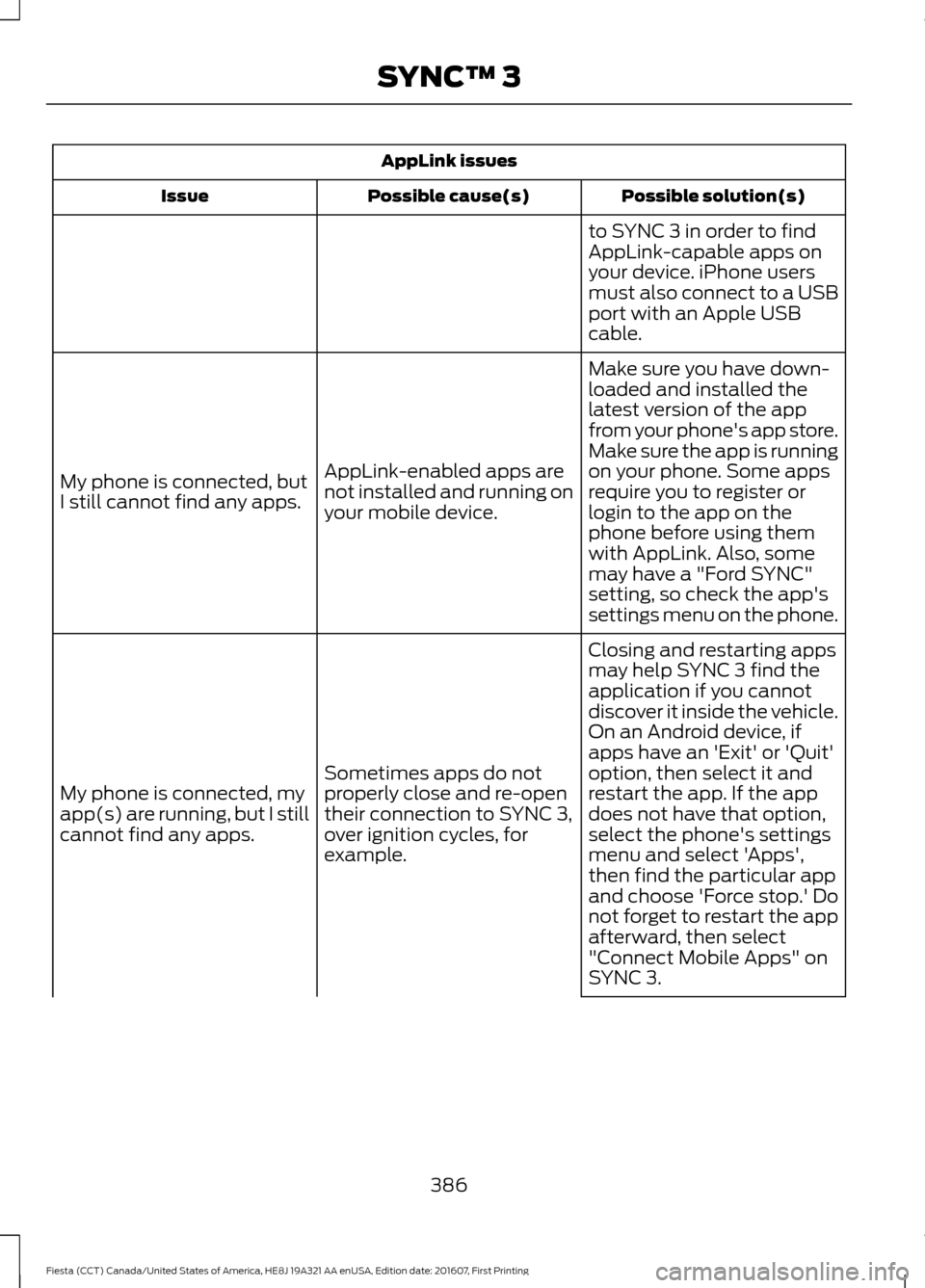
AppLink issues
Possible solution(s)
Possible cause(s)
Issue
to SYNC 3 in order to find
AppLink-capable apps on
your device. iPhone users
must also connect to a USB
port with an Apple USB
cable.
Make sure you have down-
loaded and installed the
latest version of the app
from your phone's app store.
Make sure the app is running
on your phone. Some apps
AppLink-enabled apps are
not installed and running on
your mobile device.
My phone is connected, but
I still cannot find any apps.
require you to register or
login to the app on the
phone before using them
with AppLink. Also, some
may have a "Ford SYNC"
setting, so check the app's
settings menu on the phone.
Closing and restarting apps
may help SYNC 3 find the
application if you cannot
discover it inside the vehicle.
On an Android device, if
apps have an 'Exit' or 'Quit'
Sometimes apps do not
properly close and re-open
their connection to SYNC 3,
over ignition cycles, for
example.
My phone is connected, my
app(s) are running, but I still
cannot find any apps. option, then select it and
restart the app. If the app
does not have that option,
select the phone's settings
menu and select 'Apps',
then find the particular app
and choose 'Force stop.' Do
not forget to restart the app
afterward, then select
"Connect Mobile Apps" on
SYNC 3.
386
Fiesta (CCT) Canada/United States of America, HE8J 19A321 AA enUSA, Edition date: 201607, First Printing SYNC™ 3
Page 445 of 450
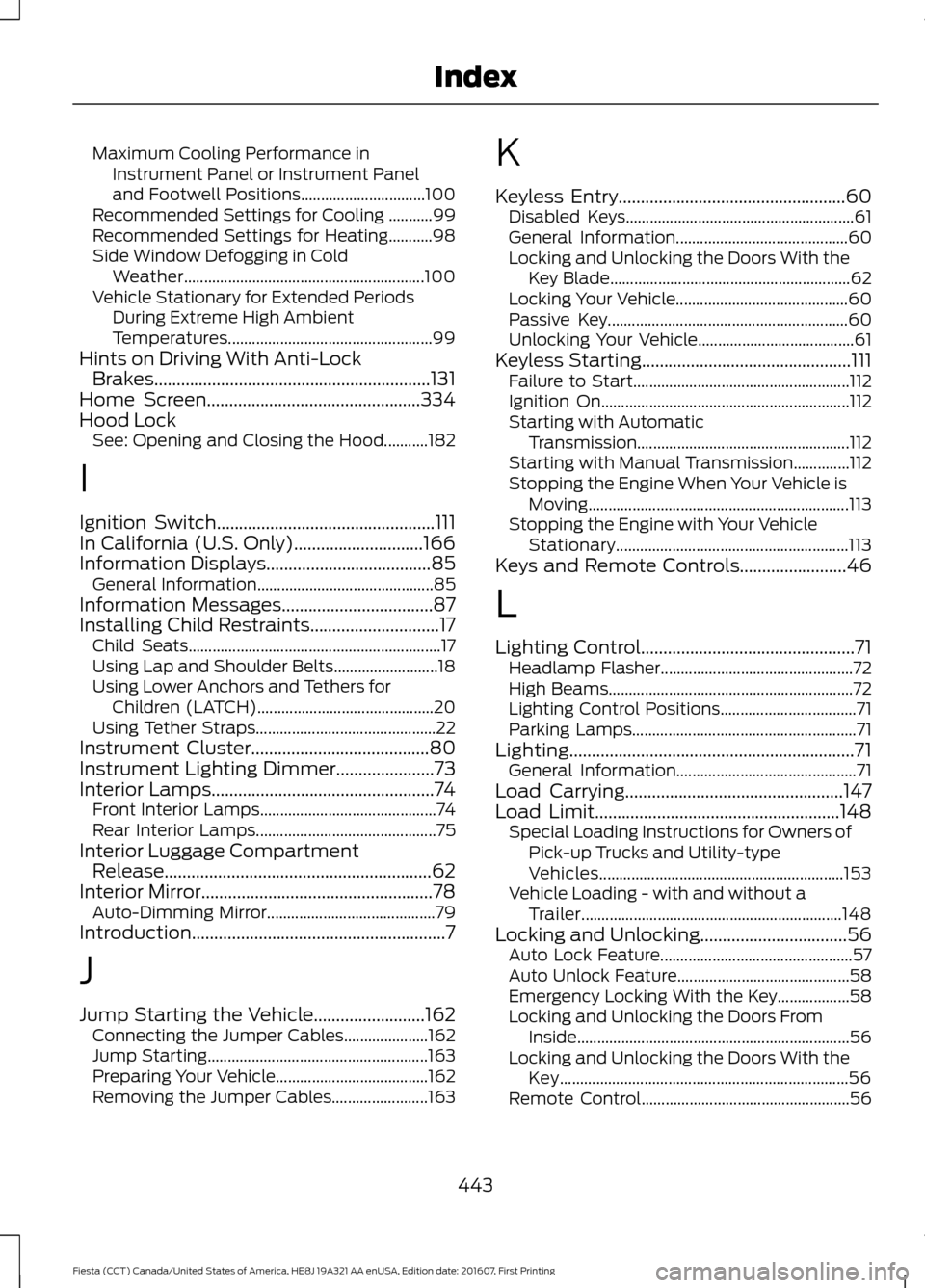
Maximum Cooling Performance in
Instrument Panel or Instrument Panel
and Footwell Positions............................... 100
Recommended Settings for Cooling ...........99
Recommended Settings for Heating...........98
Side Window Defogging in Cold Weather............................................................ 100
Vehicle Stationary for Extended Periods During Extreme High Ambient
Temperatures................................................... 99
Hints on Driving With Anti-Lock Brakes..............................................................131
Home Screen................................................334
Hood Lock See: Opening and Closing the Hood...........182
I
Ignition Switch.................................................111
In California (U.S. Only).............................166
Information Displays.....................................85 General Information............................................ 85
Information Messages
..................................87
Installing Child Restraints.............................17 Child Seats............................................................... 17
Using Lap and Shoulder Belts.......................... 18
Using Lower Anchors and Tethers for Children (LATCH)............................................ 20
Using Tether Straps............................................. 22
Instrument Cluster
........................................80
Instrument Lighting Dimmer......................73
Interior Lamps..................................................74
Front Interior Lamps............................................ 74
Rear Interior Lamps............................................. 75
Interior Luggage Compartment Release............................................................62
Interior Mirror
....................................................78
Auto-Dimming Mirror.......................................... 79
Introduction.........................................................7
J
Jump Starting the Vehicle.........................162 Connecting the Jumper Cables..................... 162
Jump Starting....................................................... 163
Preparing Your Vehicle...................................... 162
Removing the Jumper Cables........................ 163K
Keyless Entry
...................................................60
Disabled Keys......................................................... 61
General Information........................................... 60
Locking and Unlocking the Doors With the Key Blade............................................................ 62
Locking Your Vehicle........................................... 60
Passive Key............................................................ 60
Unlocking Your Vehicle....................................... 61
Keyless Starting
...............................................111
Failure to Start...................................................... 112
Ignition On.............................................................. 112
Starting with Automatic Transmission..................................................... 112
Starting with Manual Transmission..............112
Stopping the Engine When Your Vehicle is Moving................................................................. 113
Stopping the Engine with Your Vehicle Stationary.......................................................... 113
Keys and Remote Controls........................46
L
Lighting Control................................................71 Headlamp Flasher................................................ 72
High Beams............................................................. 72
Lighting Control Positions.................................. 71
Parking Lamps........................................................ 71
Lighting................................................................71 General Information............................................. 71
Load Carrying
.................................................147
Load Limit.......................................................148 Special Loading Instructions for Owners of
Pick-up Trucks and Utility-type
Vehicles............................................................. 153
Vehicle Loading - with and without a Trailer................................................................. 148
Locking and Unlocking
.................................56
Auto Lock Feature................................................ 57
Auto Unlock Feature........................................... 58
Emergency Locking With the Key.................. 58
Locking and Unlocking the Doors From Inside.................................................................... 56
Locking and Unlocking the Doors With the Key........................................................................\
56
Remote Control.................................................... 56
443
Fiesta (CCT) Canada/United States of America, HE8J 19A321 AA enUSA, Edition date: 201607, First Printing Index
Page 448 of 450
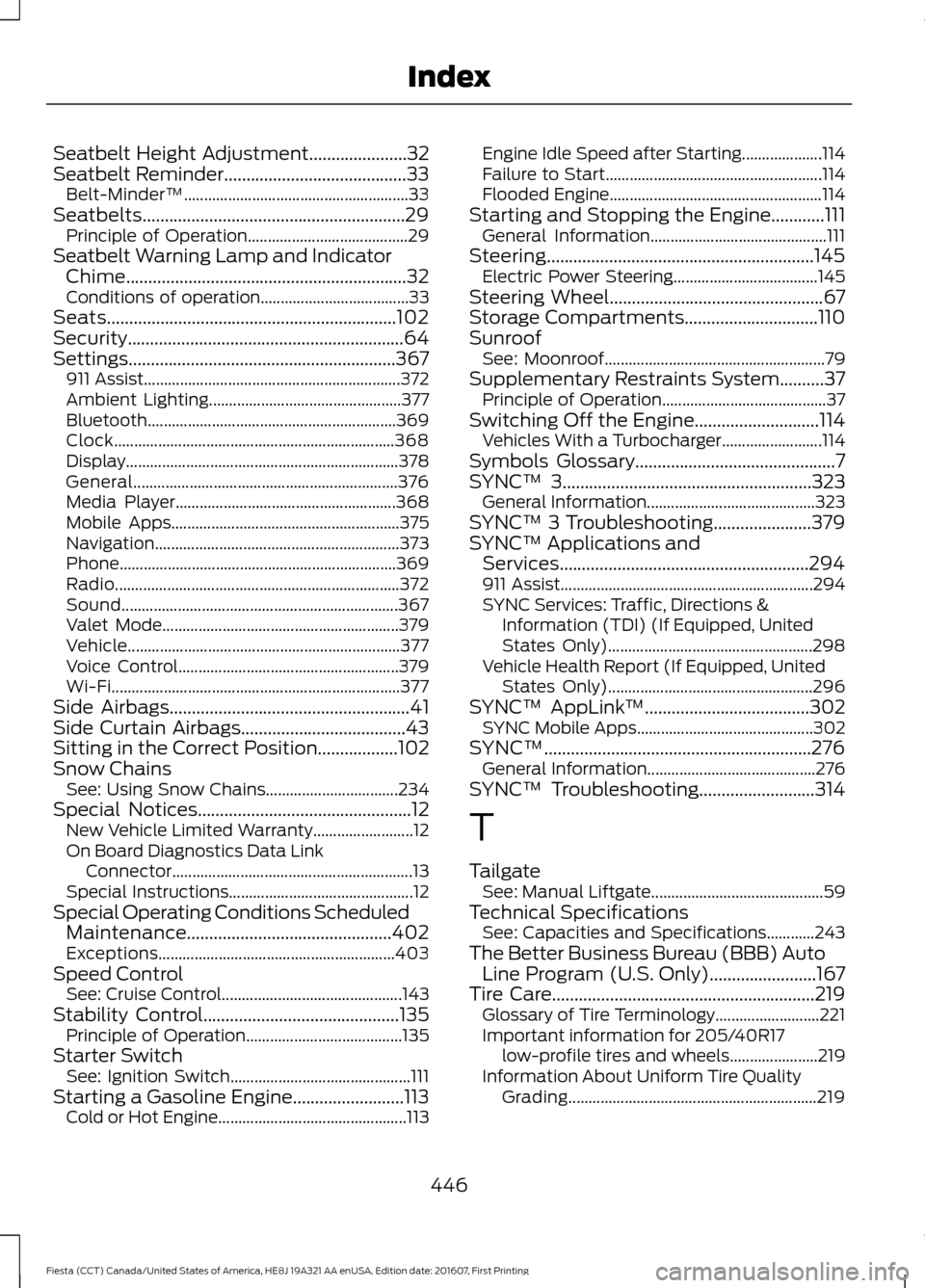
Seatbelt Height Adjustment......................32
Seatbelt Reminder.........................................33
Belt-Minder™........................................................ 33
Seatbelts...........................................................29 Principle of Operation........................................ 29
Seatbelt Warning Lamp and Indicator Chime...............................................................32
Conditions of operation..................................... 33
Seats.................................................................102
Security..............................................................64
Settings............................................................367 911 Assist................................................................ 372
Ambient Lighting................................................ 377
Bluetooth.............................................................. 369
Clock...................................................................... 368
Display.................................................................... 378
General.................................................................. 376
Media Player....................................................... 368
Mobile Apps......................................................... 375
Navigation............................................................. 373
Phone..................................................................... 369
Radio....................................................................... 372
Sound..................................................................... 367
Valet Mode........................................................... 379
Vehicle.................................................................... 377
Voice Control....................................................... 379
Wi-Fi........................................................................\
377
Side Airbags
......................................................41
Side Curtain Airbags.....................................43
Sitting in the Correct Position..................102
Snow Chains See: Using Snow Chains................................. 234
Special Notices................................................12 New Vehicle Limited Warranty......................... 12
On Board Diagnostics Data Link Connector............................................................ 13
Special Instructions.............................................. 12
Special Operating Conditions Scheduled Maintenance..............................................402
Exceptions........................................................... 403
Speed Control See: Cruise Control............................................. 143
Stability Control
............................................135
Principle of Operation....................................... 135
Starter Switch See: Ignition Switch............................................. 111
Starting a Gasoline Engine.........................113 Cold or Hot Engine............................................... 113Engine Idle Speed after Starting....................
114
Failure to Start...................................................... 114
Flooded Engine..................................................... 114
Starting and Stopping the Engine............111 General Information............................................ 111
Steering............................................................145 Electric Power Steering.................................... 145
Steering Wheel
................................................67
Storage Compartments..............................110
Sunroof See: Moonroof....................................................... 79
Supplementary Restraints System..........37 Principle of Operation......................................... 37
Switching Off the Engine............................114 Vehicles With a Turbocharger......................... 114
Symbols Glossary
.............................................7
SYNC™ 3........................................................323
General Information.......................................... 323
SYNC™ 3 Troubleshooting......................379
SYNC™ Applications and Services........................................................294
911 Assist............................................................... 294
SYNC Services: Traffic, Directions & Information (TDI) (If Equipped, United
States Only)................................................... 298
Vehicle Health Report (If Equipped, United States Only)................................................... 296
SYNC™ AppLink ™
.....................................302
SYNC Mobile Apps............................................ 302
SYNC™............................................................276 General Information.......................................... 276
SYNC™ Troubleshooting..........................314
T
Tailgate See: Manual Liftgate........................................... 59
Technical Specifications See: Capacities and Specifications............243
The Better Business Bureau (BBB) Auto Line Program (U.S. Only)........................167
Tire Care
...........................................................219
Glossary of Tire Terminology.......................... 221
Important information for 205/40R17 low-profile tires and wheels...................... 219
Information About Uniform Tire Quality Grading.............................................................. 219
446
Fiesta (CCT) Canada/United States of America, HE8J 19A321 AA enUSA, Edition date: 201607, First Printing Index