transmission FORD FLEX 2009 1.G User Guide
[x] Cancel search | Manufacturer: FORD, Model Year: 2009, Model line: FLEX, Model: FORD FLEX 2009 1.GPages: 374
Page 248 of 374
Driving while you tow
When towing a trailer:
•Turn off the speed control. The speed control may shut off
automatically when you are towing on long, steep grades.
•Consult your local motor vehicle speed regulations for towing a trailer.
•It is recommended to select the L (Low) gear position when additional
engine braking is needed. In situations such as prolonged downhill
driving on steep grades (i.e., driving in mountainous areas), additional
engine braking is needed to reduce the load on the vehicle’s regular
brake system to prevent them from overheating.
•Anticipate stops and brake gradually.
Servicing after towing
If you tow a trailer for long distances, your vehicle will require more
frequent service intervals. Refer to yourscheduled maintenance
informationfor more information.
Trailer towing tips
•Practice turning, stopping and backing up before starting on a trip to
get the feel of the vehicle trailer combination. When turning, make
wider turns so the trailer wheels will clear curbs and other obstacles.
•Allow more distance for stopping with a trailer attached.
•If you are driving down a long or steep hill, shift into the lowest gear
position. Do not apply the brakes continuously, as they may overheat
and become less effective.
•The trailer tongue weight should be 10–15% of the loaded trailer
weight.
•After you have traveled 50 miles (80 km), thoroughly check your
hitch, electrical connections and trailer wheel lug nuts.
•To aid in engine/transmission cooling and A/C efficiency during hot
weather while stopped in traffic, place the gearshift lever in P (Park).
•Vehicles with trailers should not be parked on a grade. If you must
park on a grade, place wheel chocks under the trailer’s wheels.
2009 Flex(471)
Owners Guide (post-2002-fmt)
USA(fus)
Tires, Wheels and Loading
248
Page 249 of 374
RECREATIONAL TOWING
Follow these guidelines for your specific powertrain combination to tow
your vehicle for personal travel (such as behind a motor home or a
truck).
In case of roadside emergency with a disabled vehicle, please refer to
Wrecker towingin theRoadside Emergencieschapter.
These guidelines are designed to prevent damage to your vehicle.
Front Wheel Drive (FWD) vehicles:
Tow your Front Wheel Drive vehicle with all four wheels on the ground
or with the front wheels off the ground by using a tow dolly. If you are
using a tow dolly follow the instructions specified by the equipment
provider.
All Wheel Drive (AWD) vehicles:
Tow your All Wheel Drive vehicle with all four wheels on the ground or
with all four wheels off the ground using a vehicle transport trailer.Do
not tow your All Wheel Drive vehicle with the front wheels off
the ground (by using a tow dolly) and the rear wheels on the
ground.This will cause damage to your AWD system. If you are using a
vehicle transport trailer, follow the instruction specified by the
equipment provider.
Note:If you tow your vehicle with all four wheels on the ground, follow
these instructions:
•Tow only in the forward direction.
•Release the parking brake.
•Place the transmission shift lever in (N) Neutral.
•Place the ignition in the accessory position (refer toStartingin the
Drivingchapter).
•Do not exceed 65 mph (105 km/h)
•Start the engine and allow it to run for five minutes at the beginning
of each day and at each fuel stop.
2009 Flex(471)
Owners Guide (post-2002-fmt)
USA(fus)
Tires, Wheels and Loading
249
Page 250 of 374
STARTING
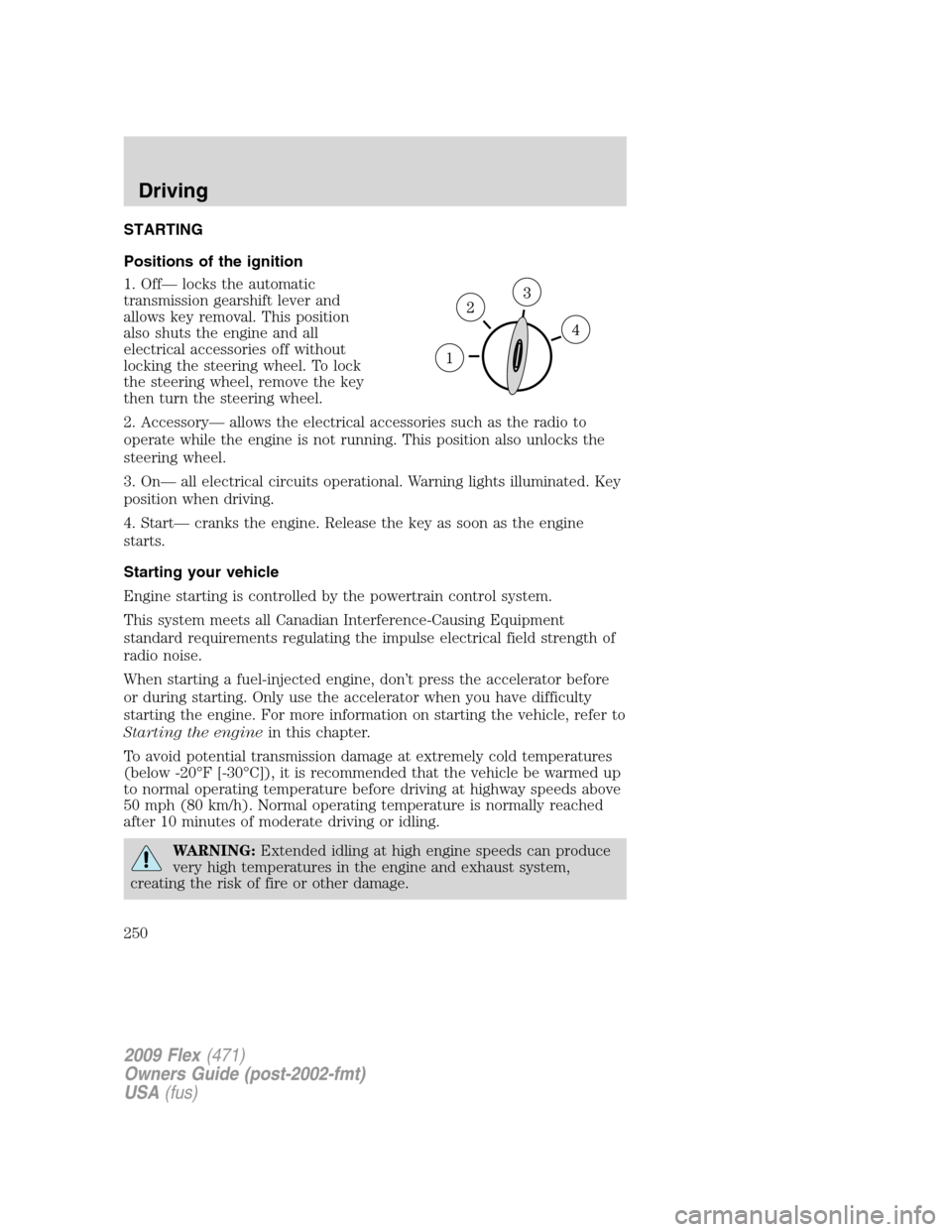
Positions of the ignition
1. Off— locks the automatic
transmission gearshift lever and
allows key removal. This position
also shuts the engine and all
electrical accessories off without
locking the steering wheel. To lock
the steering wheel, remove the key
then turn the steering wheel.
2. Accessory— allows the electrical accessories such as the radio to
operate while the engine is not running. This position also unlocks the
steering wheel.
3. On— all electrical circuits operational. Warning lights illuminated. Key
position when driving.
4. Start— cranks the engine. Release the key as soon as the engine
starts.
Starting your vehicle
Engine starting is controlled by the powertrain control system.
This system meets all Canadian Interference-Causing Equipment
standard requirements regulating the impulse electrical field strength of
radio noise.
When starting a fuel-injected engine, don’t press the accelerator before
or during starting. Only use the accelerator when you have difficulty
starting the engine. For more information on starting the vehicle, refer to
Starting the enginein this chapter.
To avoid potential transmission damage at extremely cold temperatures
(below -20°F [-30°C]), it is recommended that the vehicle be warmed up
to normal operating temperature before driving at highway speeds above
50 mph (80 km/h). Normal operating temperature is normally reached
after 10 minutes of moderate driving or idling.
WARNING:Extended idling at high engine speeds can produce
very high temperatures in the engine and exhaust system,
creating the risk of fire or other damage.
2009 Flex(471)
Owners Guide (post-2002-fmt)
USA(fus)
Driving
250
Page 262 of 374
STEERING
To help prevent damage to the power steering system, never hold the
steering wheel at its furthest turning points (until it stops) for more than
a few seconds when the engine is running.
It is also important to maintain a proper power steering fluid level in the
power steering fluid reservoir:
•Do not operate the vehicle with a low power steering pump fluid level.
SeePower steering fluidin theMaintenance and Specifications
chapter.
•Some noise is normal during operation. If the noise is excessive, check
for low power steering pump fluid level before seeking service by your
authorized dealer.
•Heavy or uneven steering efforts may be caused by low power steering
pump fluid level. Check for low power steering pump fluid level before
seeking service by your authorized dealer.
•Do not fill the power steering pump reservoir above the maximum
level, as this may result in leaks from the reservoir. SeePower
steering fluidin theMaintenance and Specificationschapter.
If the power steering system breaks down (or if the engine is off), you
can steer the vehicle manually, but it takes more effort.
If the steering wanders or pulls, check for:
•an improperly inflated tire
•uneven tire wear
•loose or worn suspension components
•loose or worn steering components
•improper steering alignment
AUTOMATIC TRANSMISSION OPERATION
Brake-shift interlock
This vehicle is equipped with a brake-shift interlock feature that prevents
the gearshift lever from being moved from P (Park) when the ignition is
in the on position unless brake pedal is depressed.
2009 Flex(471)
Owners Guide (post-2002-fmt)
USA(fus)
Driving
262
Page 264 of 374
Automatic Transmission Adaptive Learning
Your transmission is equipped with an adaptive learning strategy found in
the vehicle computer. This feature is designed to increase durability and
provide consistent shift feel over the life of the vehicle. A new vehicle or
transmission may have firm and/or soft shifts. This operation is
considered normal and will not affect function or durability of the
transmission. Over time, the adaptive learning process will fully update
transmission operation. Additionally, whenever the battery is
disconnected or a new battery installed, the strategy must be relearned.
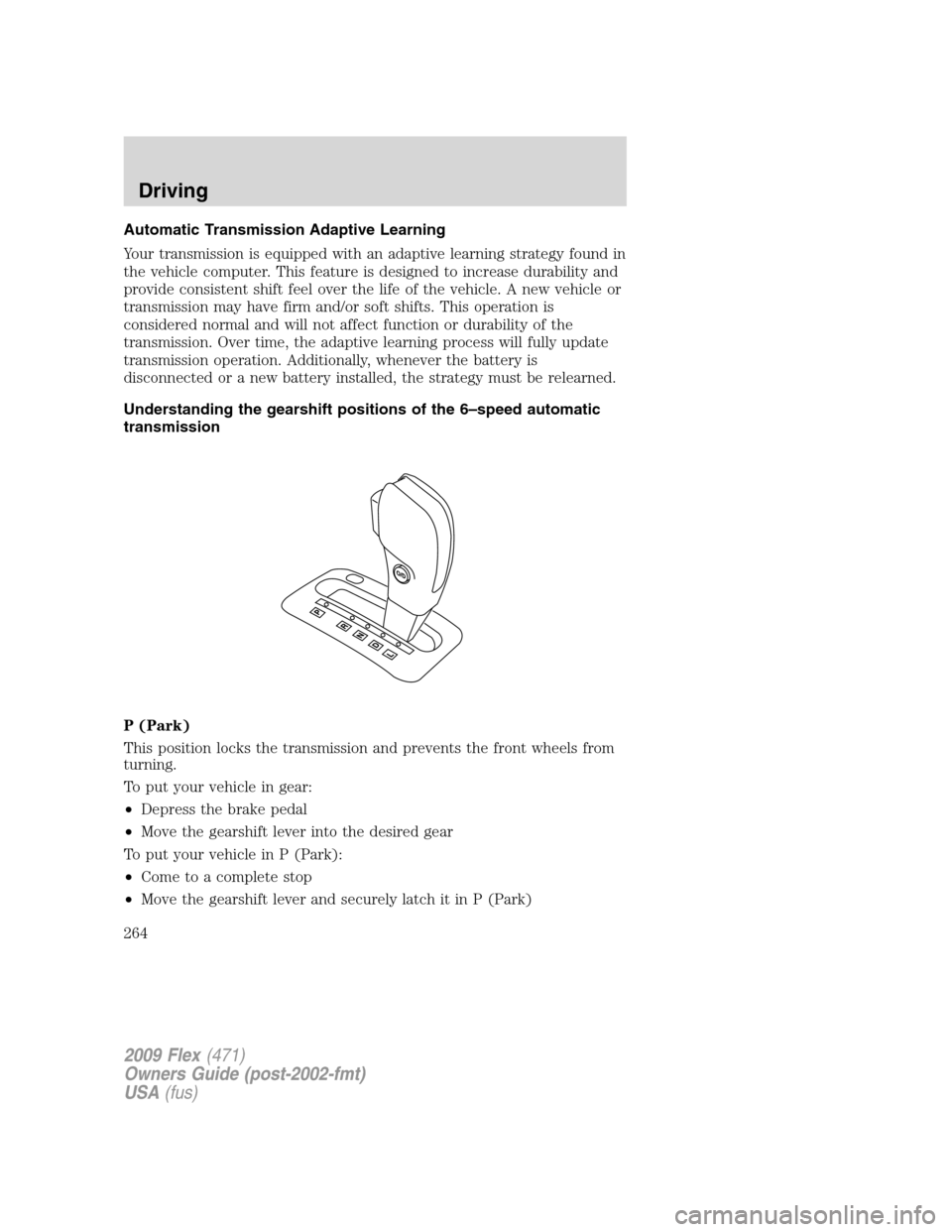
Understanding the gearshift positions of the 6–speed automatic
transmission
P (Park)
This position locks the transmission and prevents the front wheels from
turning.
To put your vehicle in gear:
•Depress the brake pedal
•Move the gearshift lever into the desired gear
To put your vehicle in P (Park):
•Come to a complete stop
•Move the gearshift lever and securely latch it in P (Park)
2009 Flex(471)
Owners Guide (post-2002-fmt)
USA(fus)
Driving
264
Page 265 of 374
WARNING:Always set the parking brake fully and make sure
the gearshift is latched in P (Park). Turn the ignition to the off
position and remove the key whenever you leave your vehicle.
R (Reverse)
With the gearshift lever in R (Reverse), the vehicle will move backward.
Always come to a complete stop before shifting into and out of R
(Reverse).
N (Neutral)
With the gearshift lever in N (Neutral), the vehicle can be started and is
free to roll. Hold the brake pedal down while in this position.
D (Drive) with Overdrive
The normal driving position for the best fuel economy. Transmission
operates in gears one through six.
D (Drive) with Overdrive Cancel and Grade Assist
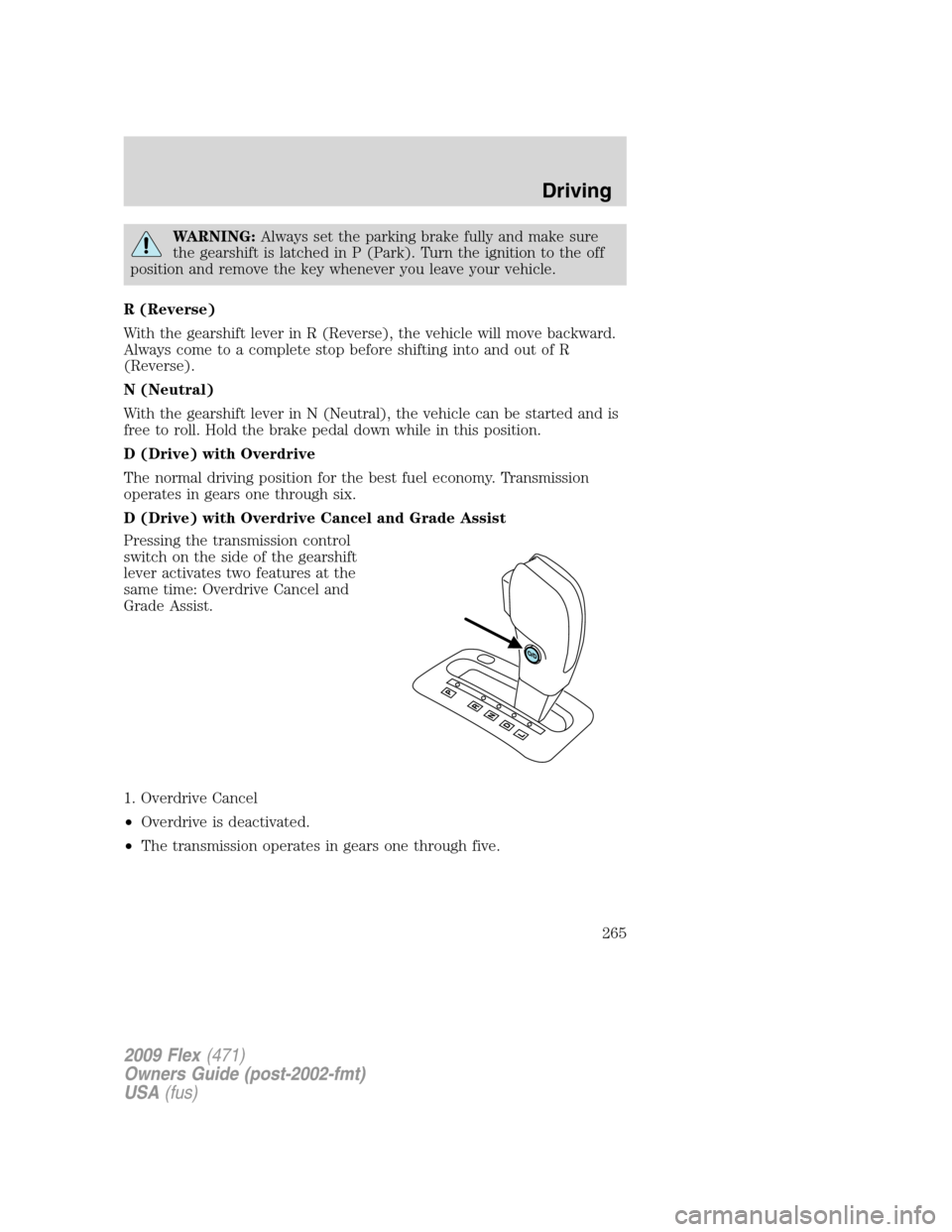
Pressing the transmission control
switch on the side of the gearshift
lever activates two features at the
same time: Overdrive Cancel and
Grade Assist.
1. Overdrive Cancel
•Overdrive is deactivated.
•The transmission operates in gears one through five.
2009 Flex(471)
Owners Guide (post-2002-fmt)
USA(fus)
Driving
265
Page 266 of 374
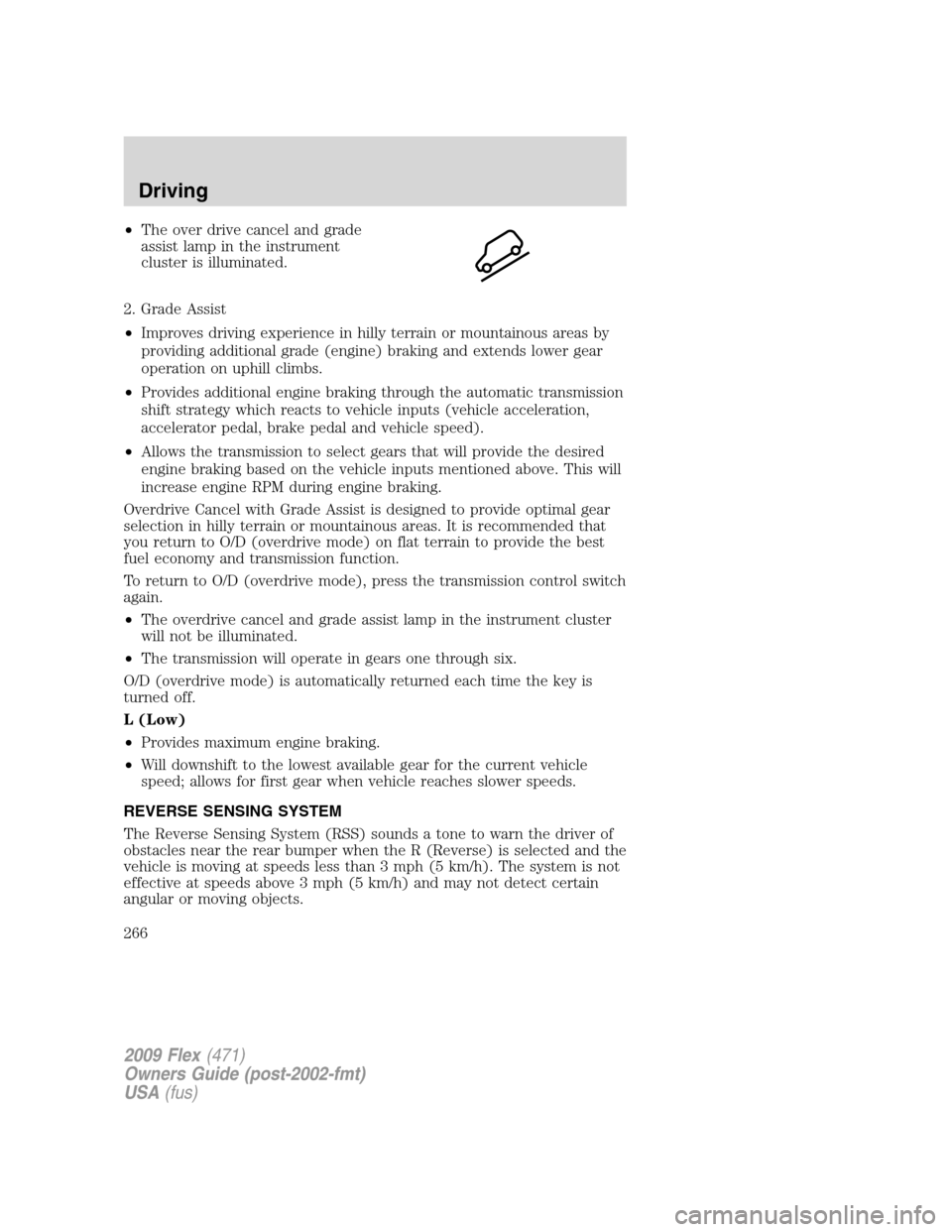
•The over drive cancel and grade
assist lamp in the instrument
cluster is illuminated.
2. Grade Assist
•Improves driving experience in hilly terrain or mountainous areas by
providing additional grade (engine) braking and extends lower gear
operation on uphill climbs.
•Provides additional engine braking through the automatic transmission
shift strategy which reacts to vehicle inputs (vehicle acceleration,
accelerator pedal, brake pedal and vehicle speed).
•Allows the transmission to select gears that will provide the desired
engine braking based on the vehicle inputs mentioned above. This will
increase engine RPM during engine braking.
Overdrive Cancel with Grade Assist is designed to provide optimal gear
selection in hilly terrain or mountainous areas. It is recommended that
you return to O/D (overdrive mode) on flat terrain to provide the best
fuel economy and transmission function.
To return to O/D (overdrive mode), press the transmission control switch
again.
•The overdrive cancel and grade assist lamp in the instrument cluster
will not be illuminated.
•The transmission will operate in gears one through six.
O/D (overdrive mode) is automatically returned each time the key is
turned off.
L (Low)
•Provides maximum engine braking.
•Will downshift to the lowest available gear for the current vehicle
speed; allows for first gear when vehicle reaches slower speeds.
REVERSE SENSING SYSTEM
The Reverse Sensing System (RSS) sounds a tone to warn the driver of
obstacles near the rear bumper when the R (Reverse) is selected and the
vehicle is moving at speeds less than 3 mph (5 km/h). The system is not
effective at speeds above 3 mph (5 km/h) and may not detect certain
angular or moving objects.
2009 Flex(471)
Owners Guide (post-2002-fmt)
USA(fus)
Driving
266
Page 269 of 374
REVERSE CAMERA SYSTEM (IF EQUIPPED)
The reverse camera system, located
on the liftgate, provides a video
image, which appears on the
navigation system screen (if
equipped), of the area behind the
vehicle. It adds assistance to the
driver while reversing or reverse
parking the vehicle.
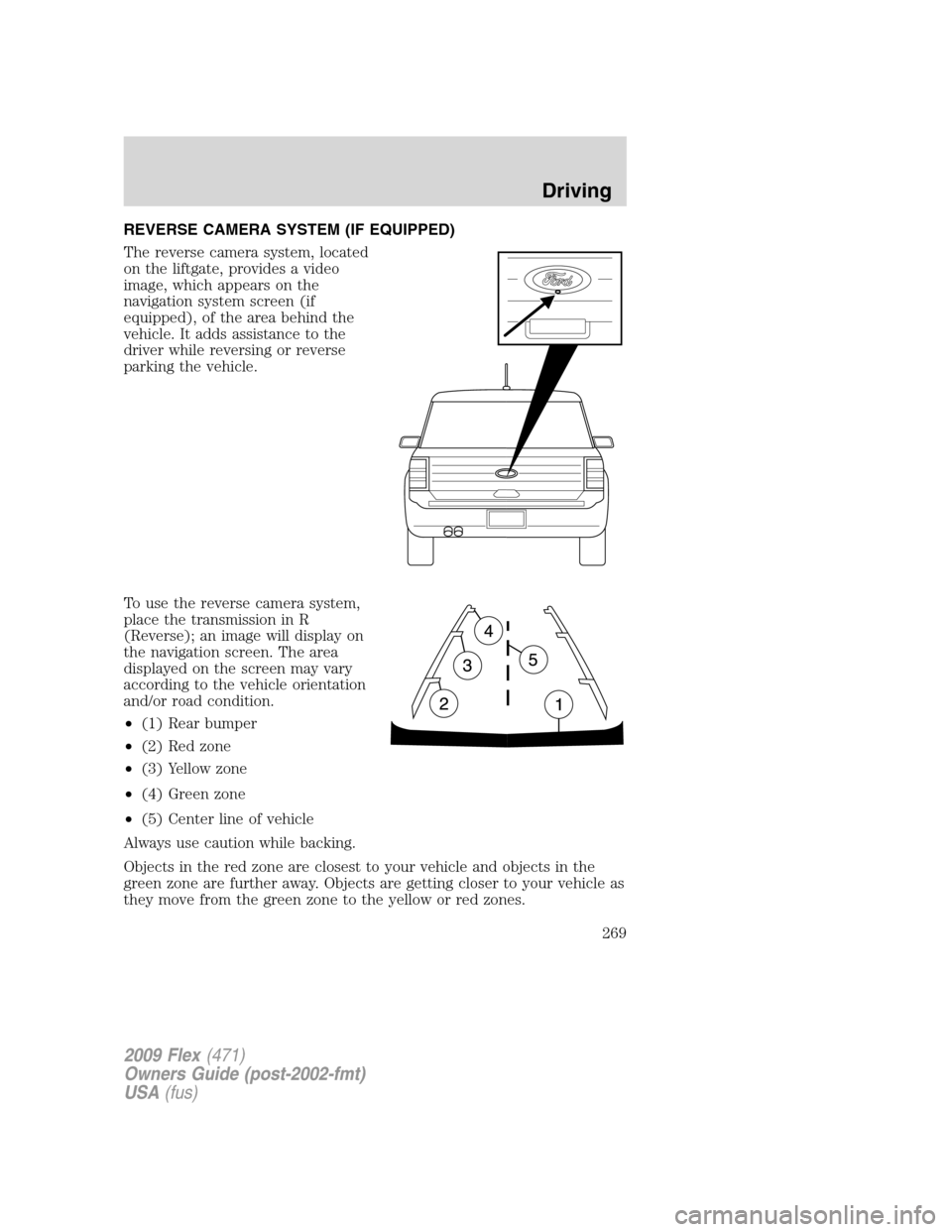
To use the reverse camera system,
place the transmission in R
(Reverse); an image will display on
the navigation screen. The area
displayed on the screen may vary
according to the vehicle orientation
and/or road condition.
•(1) Rear bumper
•(2) Red zone
•(3) Yellow zone
•(4) Green zone
•(5) Center line of vehicle
Always use caution while backing.
Objects in the red zone are closest to your vehicle and objects in the
green zone are further away. Objects are getting closer to your vehicle as
they move from the green zone to the yellow or red zones.
2009 Flex(471)
Owners Guide (post-2002-fmt)
USA(fus)
Driving
269
Page 272 of 374
driving surfaces are relatively level, obstruction-free and otherwise
similar to normal on-road driving conditions. Operating your vehicle
under other than those conditions could subject the vehicle to excessive
stress which might result in damage which is not covered under your
warranty.
Driving on slippery surfaces with AWD vehicles
AWD vehicles are specially equipped for driving on sand, snow, mud and
rough roads and have operating characteristics that are somewhat
different from conventional vehicles, both on and off the highway.
When driving at slow speeds off-highway under high outside
temperatures, use a low gear when possible. A lower gear operation will
maximize the engine and transmission cooling capability.
Under severe operating conditions, the A/C may cycle on and off to
protect overheating of the engine.
Basic operating principles
•Drive slower in strong crosswinds which can affect the normal steering
characteristics of your vehicle.
•Be extremely careful when driving on pavement made slippery by
loose sand, water, gravel, snow or ice.
If your vehicle goes off the edge of the pavement
•If your vehicle goes off the edge of the pavement, slow down, but
avoid severe brake application, ease the vehicle back onto the
pavement only after reducing your speed. Do not turn the steering
wheel too sharply while returning to the road surface.
•It may be safer to stay on the apron or shoulder of the road and slow
down gradually before returning to the pavement. You may lose
control if you do not slow down or if you turn the steering wheel too
sharply or abruptly.
•It often may be less risky to strike small objects, such as highway
reflectors, with minor damage to your vehicle rather than attempt a
sudden return to the pavement which could cause the vehicle to slide
sideways out of control or rollover. Remember, your safety and the
safety of others should be your primary concern.
If your vehicle gets stuck
If your vehicle gets stuck in mud or snow it may be rocked out by
shifting between forward and reverse gears, stopping between shifts, in a
steady pattern. Press lightly on the accelerator in each gear.
2009 Flex(471)
Owners Guide (post-2002-fmt)
USA(fus)
Driving
272
Page 273 of 374
If your vehicle is equipped with Traction Control™, it may be beneficial
to disengage the Traction Control™ system while attempting to rock the
vehicle.
Do not rock the vehicle if the engine is not at normal operating
temperature or damage to the transmission may occur.
Do not rock the vehicle for more than a few minutes or damage
to the transmission and tires may occur or the engine may
overheat.
WARNING:Always set the parking brake fully and make sure
the gearshift is latched in P (Park). Switch the ignition off and
remove the key whenever you leave your vehicle.
WARNING:If the parking brake is fully released, but the brake
warning lamp remains illuminated, the brakes may not be
working properly. See your authorized dealer.
WARNING:Do not spin the wheels at over 35 mph (56 km/h).
The tires may fail and injure a passenger or bystander.
Emergency maneuvers
•In an unavoidable emergency situation where a sudden sharp turn
must be made, remember to avoid “over-driving” your vehicle (i.e.,
turn the steering wheel only as rapidly and as far as required to avoid
the emergency). Excessive steering will result in less vehicle control,
not more. Additionally, smooth variations of the accelerator and/or
brake pedal pressure should be utilized if changes in vehicle speed are
called for. Avoid abrupt steering, acceleration or braking which could
result in an increased risk of loss of vehicle control, vehicle rollover
and/or personal injury. Use all available road surface to return the
vehicle to a safe direction of travel.
•In the event of an emergency stop, avoid skidding the tires and do not
attempt any sharp steering wheel movements.
•If the vehicle goes from one type of surface to another (i.e., from
concrete to gravel) there will be a change in the way the vehicle
responds to a maneuver (steering, acceleration or braking). Again,
avoid these abrupt inputs.
2009 Flex(471)
Owners Guide (post-2002-fmt)
USA(fus)
Driving
273