window FORD FLEX 2009 1.G User Guide
[x] Cancel search | Manufacturer: FORD, Model Year: 2009, Model line: FLEX, Model: FORD FLEX 2009 1.GPages: 374
Page 74 of 374
•For maximum cooling performance (MAX A/C):
In AUTO mode, press AUTO control and set to desired temperature.
In manual override mode, select
or, A/C and recirculated
air
and set the temperature to 60°F (16°C). Set the fan to the
highest speed initially, then adjust to maintain passenger comfort.
•To improve the A/C cool down, drive with the windows slightly open
for 2–3 minutes after starting the vehicle or until the vehicle has
“aired out.”
In extremely cold temperatures, to maximize overall heater performance
it is suggested to not operate the auxiliary system (if equipped) until the
engine temperature gauge crosses into the normal operating range.
To aid in side window defogging/demisting in cold weather:
1. Select
.
2. Select A/C.
3. Adjust the temperature control to maintain comfort.
4. Set the fan to the highest speed.
5. Direct the outer instrument panel vents toward the side windows.
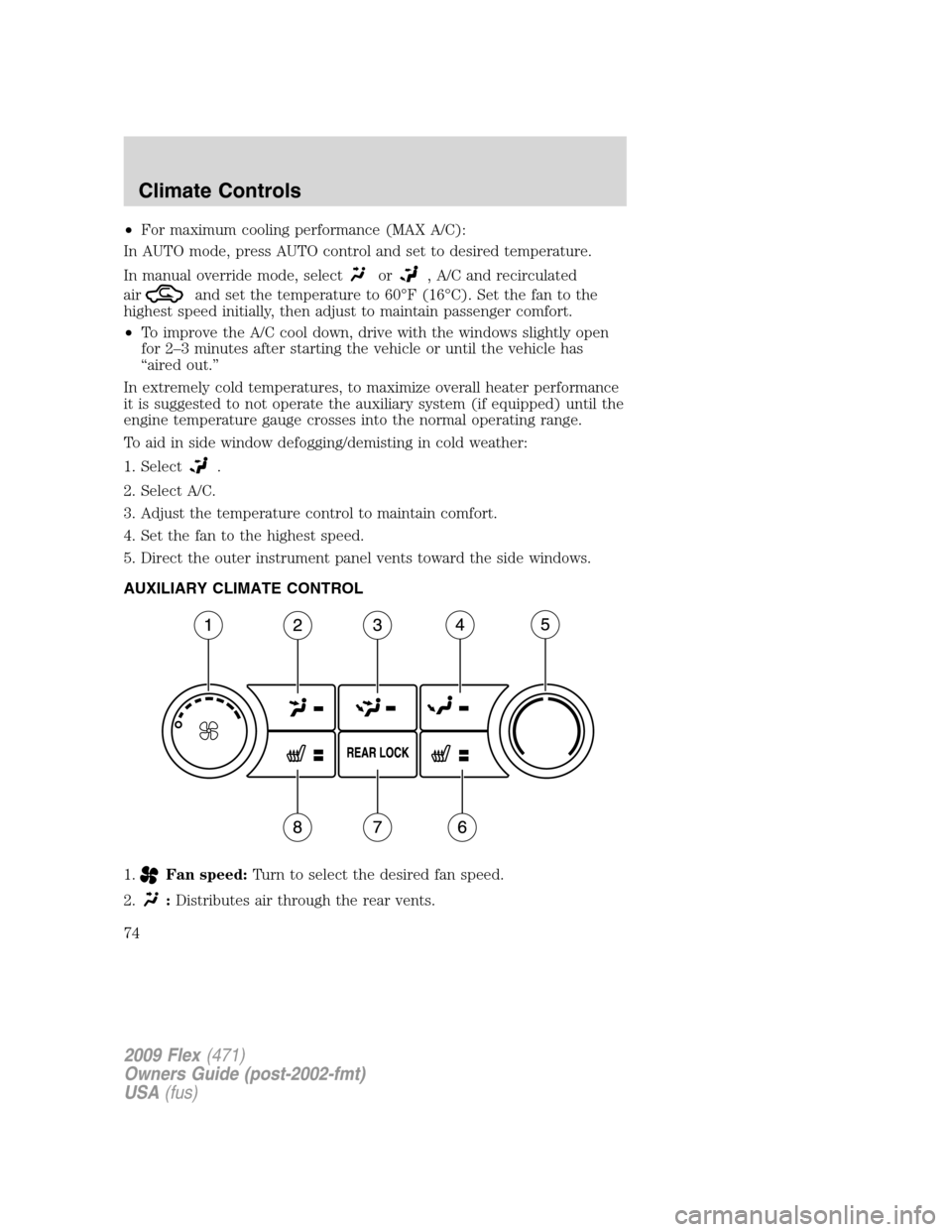
AUXILIARY CLIMATE CONTROL
1.
Fan speed:Turn to select the desired fan speed.
2.
:Distributes air through the rear vents.
2009 Flex(471)
Owners Guide (post-2002-fmt)
USA(fus)
Climate Controls
74
Page 75 of 374
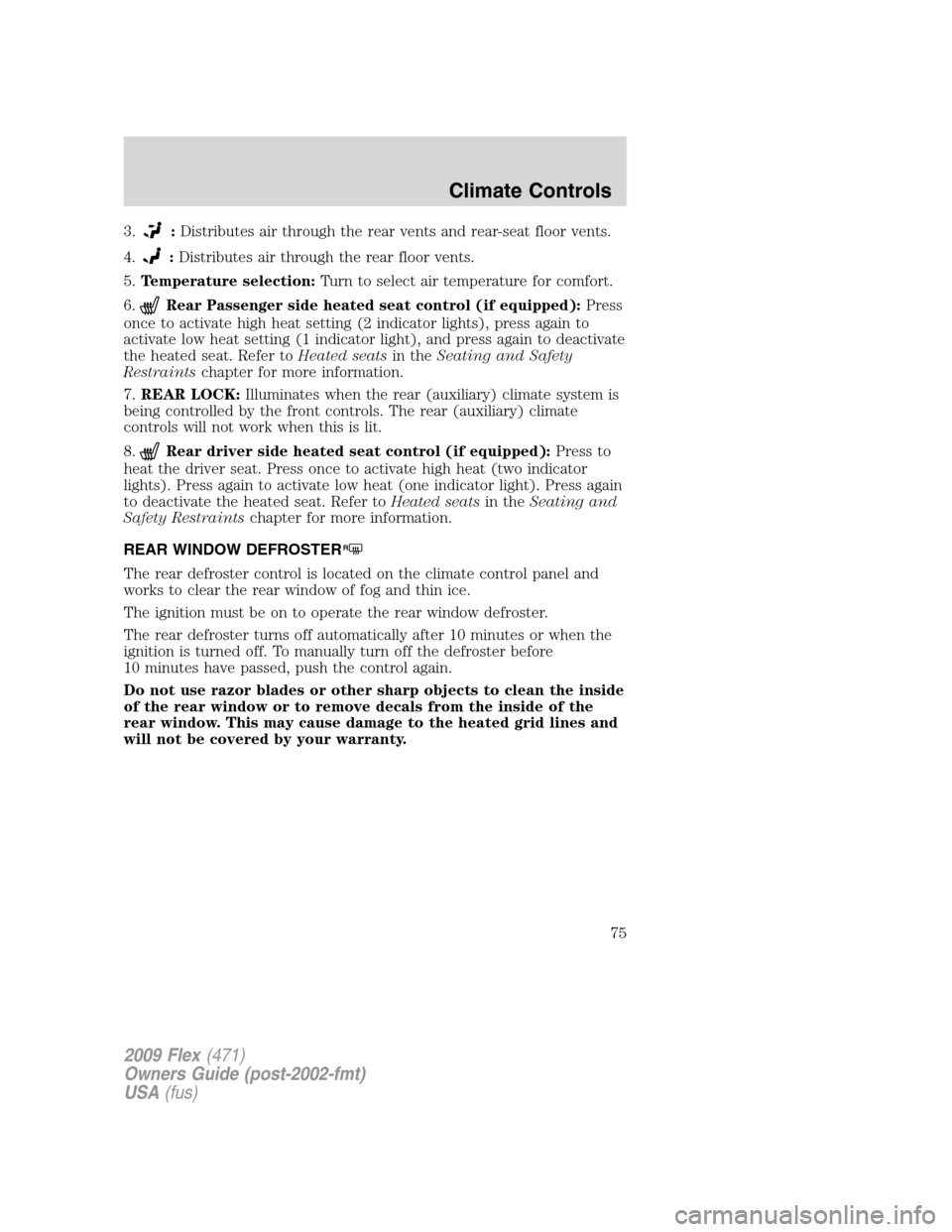
3.:Distributes air through the rear vents and rear-seat floor vents.
4.
:Distributes air through the rear floor vents.
5.Temperature selection:Turn to select air temperature for comfort.
6.
Rear Passenger side heated seat control (if equipped):Press
once to activate high heat setting (2 indicator lights), press again to
activate low heat setting (1 indicator light), and press again to deactivate
the heated seat. Refer toHeated seatsin theSeating and Safety
Restraintschapter for more information.
7.REAR LOCK:Illuminates when the rear (auxiliary) climate system is
being controlled by the front controls. The rear (auxiliary) climate
controls will not work when this is lit.
8.
Rear driver side heated seat control (if equipped):Press to
heat the driver seat. Press once to activate high heat (two indicator
lights). Press again to activate low heat (one indicator light). Press again
to deactivate the heated seat. Refer toHeated seatsin theSeating and
Safety Restraintschapter for more information.
REAR WINDOW DEFROSTER
R
The rear defroster control is located on the climate control panel and
works to clear the rear window of fog and thin ice.
The ignition must be on to operate the rear window defroster.
The rear defroster turns off automatically after 10 minutes or when the
ignition is turned off. To manually turn off the defroster before
10 minutes have passed, push the control again.
Do not use razor blades or other sharp objects to clean the inside
of the rear window or to remove decals from the inside of the
rear window. This may cause damage to the heated grid lines and
will not be covered by your warranty.
2009 Flex(471)
Owners Guide (post-2002-fmt)
USA(fus)
Climate Controls
75
Page 86 of 374
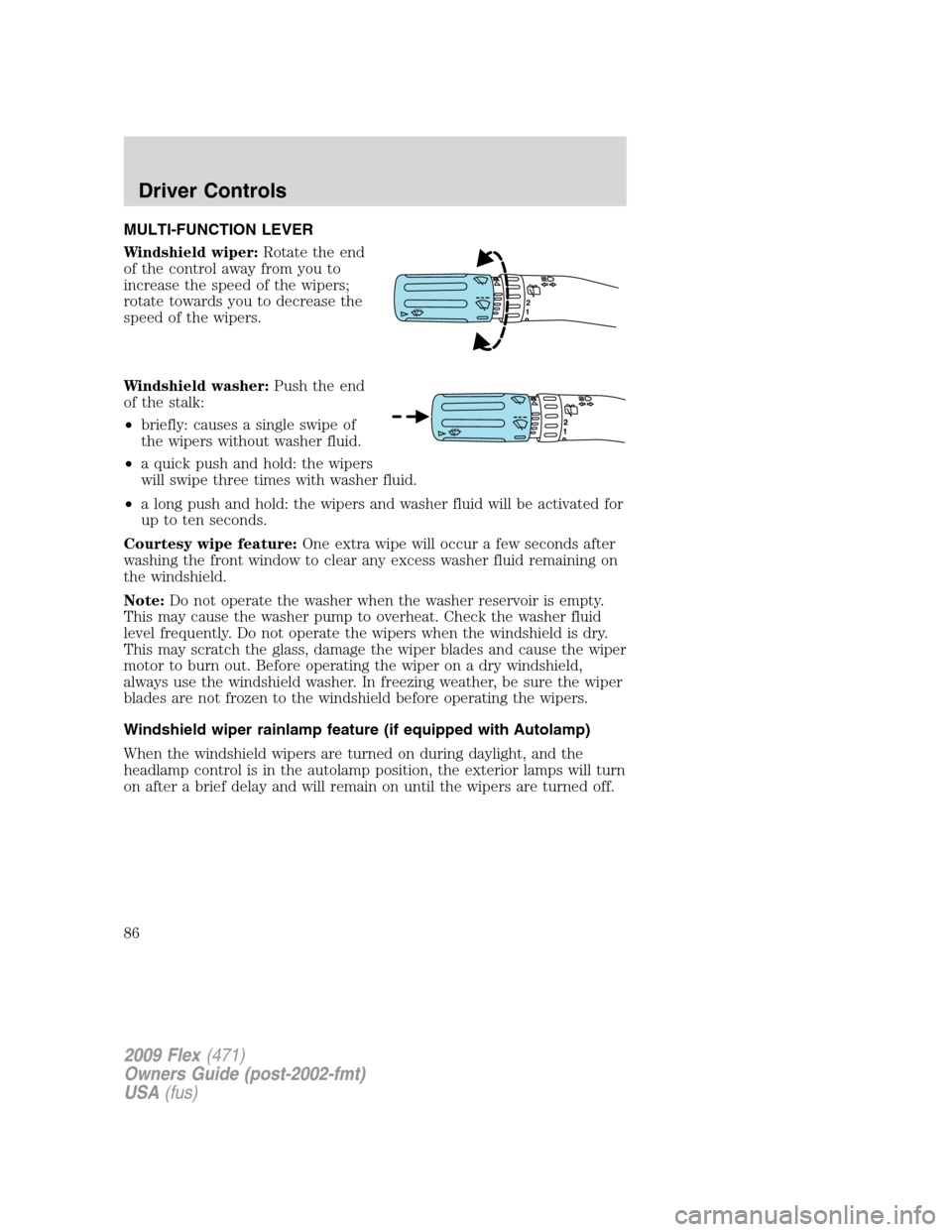
MULTI-FUNCTION LEVER
Windshield wiper:Rotate the end
of the control away from you to
increase the speed of the wipers;
rotate towards you to decrease the
speed of the wipers.
Windshield washer:Push the end
of the stalk:
•briefly: causes a single swipe of
the wipers without washer fluid.
•a quick push and hold: the wipers
will swipe three times with washer fluid.
•a long push and hold: the wipers and washer fluid will be activated for
up to ten seconds.
Courtesy wipe feature:One extra wipe will occur a few seconds after
washing the front window to clear any excess washer fluid remaining on
the windshield.
Note:Do not operate the washer when the washer reservoir is empty.
This may cause the washer pump to overheat. Check the washer fluid
level frequently. Do not operate the wipers when the windshield is dry.
This may scratch the glass, damage the wiper blades and cause the wiper
motor to burn out. Before operating the wiper on a dry windshield,
always use the windshield washer. In freezing weather, be sure the wiper
blades are not frozen to the windshield before operating the wipers.
Windshield wiper rainlamp feature (if equipped with Autolamp)
When the windshield wipers are turned on during daylight, and the
headlamp control is in the autolamp position, the exterior lamps will turn
on after a brief delay and will remain on until the wipers are turned off.
12
2009 Flex(471)
Owners Guide (post-2002-fmt)
USA(fus)
Driver Controls
86
Page 87 of 374
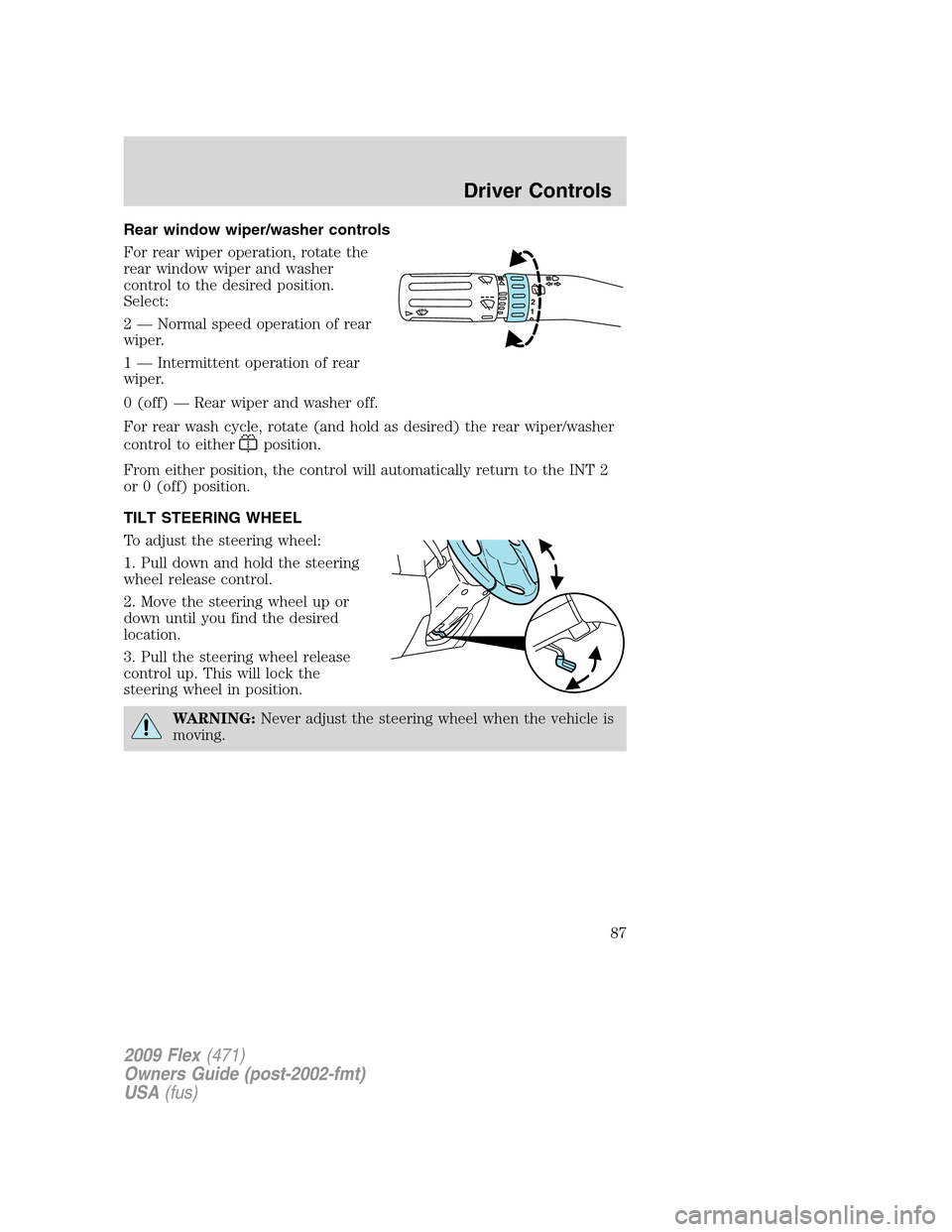
Rear window wiper/washer controls
For rear wiper operation, rotate the
rear window wiper and washer
control to the desired position.
Select:
2 — Normal speed operation of rear
wiper.
1 — Intermittent operation of rear
wiper.
0 (off) — Rear wiper and washer off.
For rear wash cycle, rotate (and hold as desired) the rear wiper/washer
control to either
position.
From either position, the control will automatically return to the INT 2
or 0 (off) position.
TILT STEERING WHEEL
To adjust the steering wheel:
1. Pull down and hold the steering
wheel release control.
2. Move the steering wheel up or
down until you find the desired
location.
3. Pull the steering wheel release
control up. This will lock the
steering wheel in position.
WARNING:Never adjust the steering wheel when the vehicle is
moving.
12
2009 Flex(471)
Owners Guide (post-2002-fmt)
USA(fus)
Driver Controls
87
Page 88 of 374
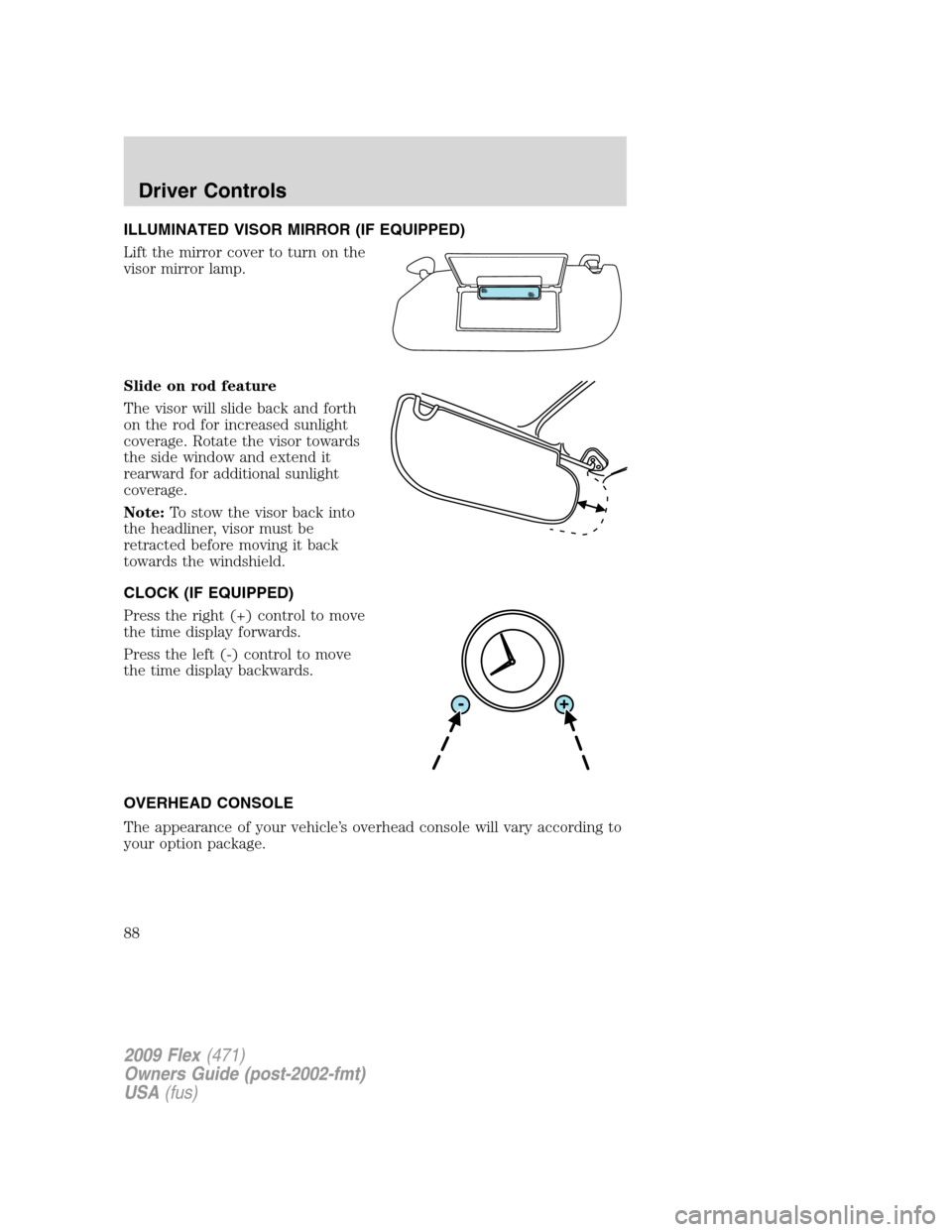
ILLUMINATED VISOR MIRROR (IF EQUIPPED)
Lift the mirror cover to turn on the
visor mirror lamp.
Slide on rod feature
The visor will slide back and forth
on the rod for increased sunlight
coverage. Rotate the visor towards
the side window and extend it
rearward for additional sunlight
coverage.
Note:To stow the visor back into
the headliner, visor must be
retracted before moving it back
towards the windshield.
CLOCK (IF EQUIPPED)
Press the right (+) control to move
the time display forwards.
Press the left (-) control to move
the time display backwards.
OVERHEAD CONSOLE
The appearance of your vehicle’s overhead console will vary according to
your option package.
2009 Flex(471)
Owners Guide (post-2002-fmt)
USA(fus)
Driver Controls
88
Page 96 of 374
WARNING:Do not keep electrical devices plugged in the power
point whenever the device is not in use. Do not use any
extension cord with the 110 VAC power point, since it will defeat the
safety protection design provided by the cap and twist tab. Doing so
my cause the power point to overload due to powering multiple
devices that can reach beyond the 150W load limit and could result in
fire or serious injury.
The power point can switch to a fault mode when it is overloaded,
overheated, or shorted. For overloading and shorting conditions, unplug
your device and turn the ignition key off then on. For an overheating
condition, let the system cool off, then turn the ignition key off then on.
The 110 VAC power point can provide power whenever the vehicle
ignition is in the run position and the power point green indicator light
located in the top left corner is turned on. Refer to the indicator light
code below for the power point status.
Indicator light Code
Green light is On — Power point is ready to supply power
Green light is Off — Power point power supply is off. Ignition is not in
RUN position
Green light is blinking — Power point is in fault mode
POWER WINDOWS
WARNING:Do not leave children unattended in the vehicle and
do not let children play with the power windows. They may
seriously injure themselves.
WARNING:When closing the power windows, you should verify
they are free of obstructions and ensure that children and/or
pets are not in the proximity of the window openings.
2009 Flex(471)
Owners Guide (post-2002-fmt)
USA(fus)
Driver Controls
96
Page 97 of 374
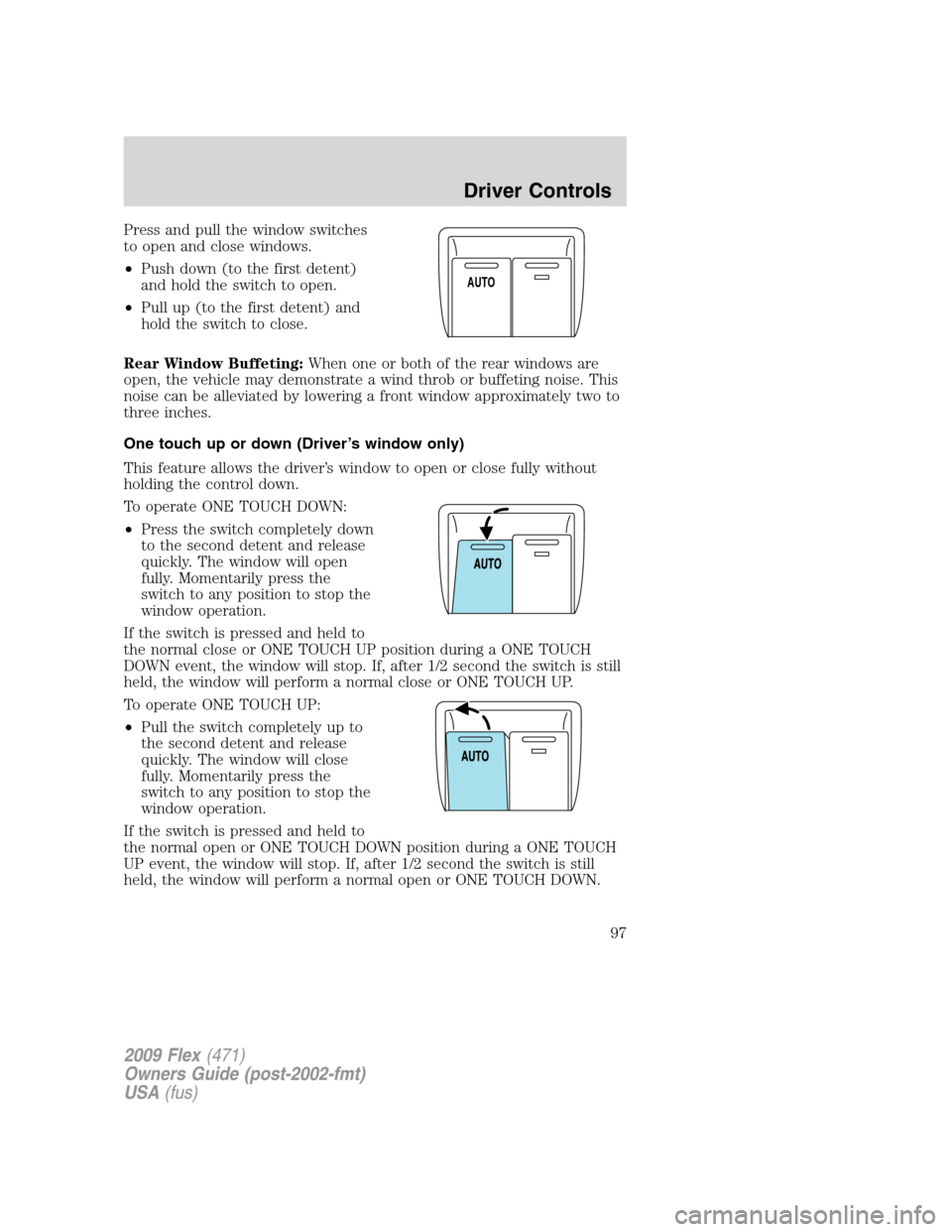
Press and pull the window switches
to open and close windows.
•Push down (to the first detent)
and hold the switch to open.
•Pull up (to the first detent) and
hold the switch to close.
Rear Window Buffeting:When one or both of the rear windows are
open, the vehicle may demonstrate a wind throb or buffeting noise. This
noise can be alleviated by lowering a front window approximately two to
three inches.
One touch up or down (Driver’s window only)
This feature allows the driver’s window to open or close fully without
holding the control down.
To operate ONE TOUCH DOWN:
•Press the switch completely down
to the second detent and release
quickly. The window will open
fully. Momentarily press the
switch to any position to stop the
window operation.
If the switch is pressed and held to
the normal close or ONE TOUCH UP position during a ONE TOUCH
DOWN event, the window will stop. If, after 1/2 second the switch is still
held, the window will perform a normal close or ONE TOUCH UP.
To operate ONE TOUCH UP:
•Pull the switch completely up to
the second detent and release
quickly. The window will close
fully. Momentarily press the
switch to any position to stop the
window operation.
If the switch is pressed and held to
the normal open or ONE TOUCH DOWN position during a ONE TOUCH
UP event, the window will stop. If, after 1/2 second the switch is still
held, the window will perform a normal open or ONE TOUCH DOWN.
AUTO
2009 Flex(471)
Owners Guide (post-2002-fmt)
USA(fus)
Driver Controls
97
Page 98 of 374
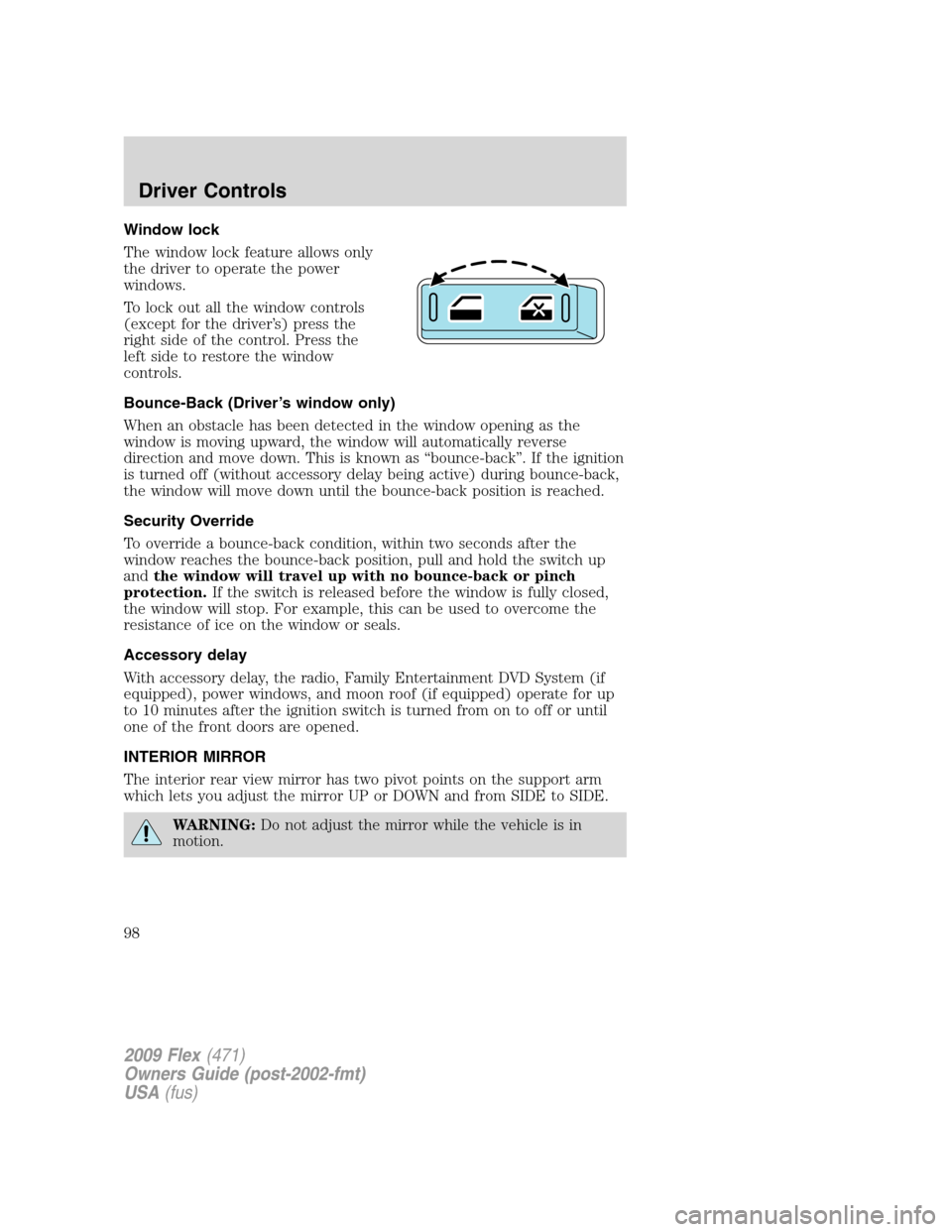
Window lock
The window lock feature allows only
the driver to operate the power
windows.
To lock out all the window controls
(except for the driver’s) press the
right side of the control. Press the
left side to restore the window
controls.
Bounce-Back (Driver’s window only)
When an obstacle has been detected in the window opening as the
window is moving upward, the window will automatically reverse
direction and move down. This is known as “bounce-back”. If the ignition
is turned off (without accessory delay being active) during bounce-back,
the window will move down until the bounce-back position is reached.
Security Override
To override a bounce-back condition, within two seconds after the
window reaches the bounce-back position, pull and hold the switch up
andthe window will travel up with no bounce-back or pinch
protection.If the switch is released before the window is fully closed,
the window will stop. For example, this can be used to overcome the
resistance of ice on the window or seals.
Accessory delay
With accessory delay, the radio, Family Entertainment DVD System (if
equipped), power windows, and moon roof (if equipped) operate for up
to 10 minutes after the ignition switch is turned from on to off or until
one of the front doors are opened.
INTERIOR MIRROR
The interior rear view mirror has two pivot points on the support arm
which lets you adjust the mirror UP or DOWN and from SIDE to SIDE.
WARNING:Do not adjust the mirror while the vehicle is in
motion.
2009 Flex(471)
Owners Guide (post-2002-fmt)
USA(fus)
Driver Controls
98
Page 100 of 374
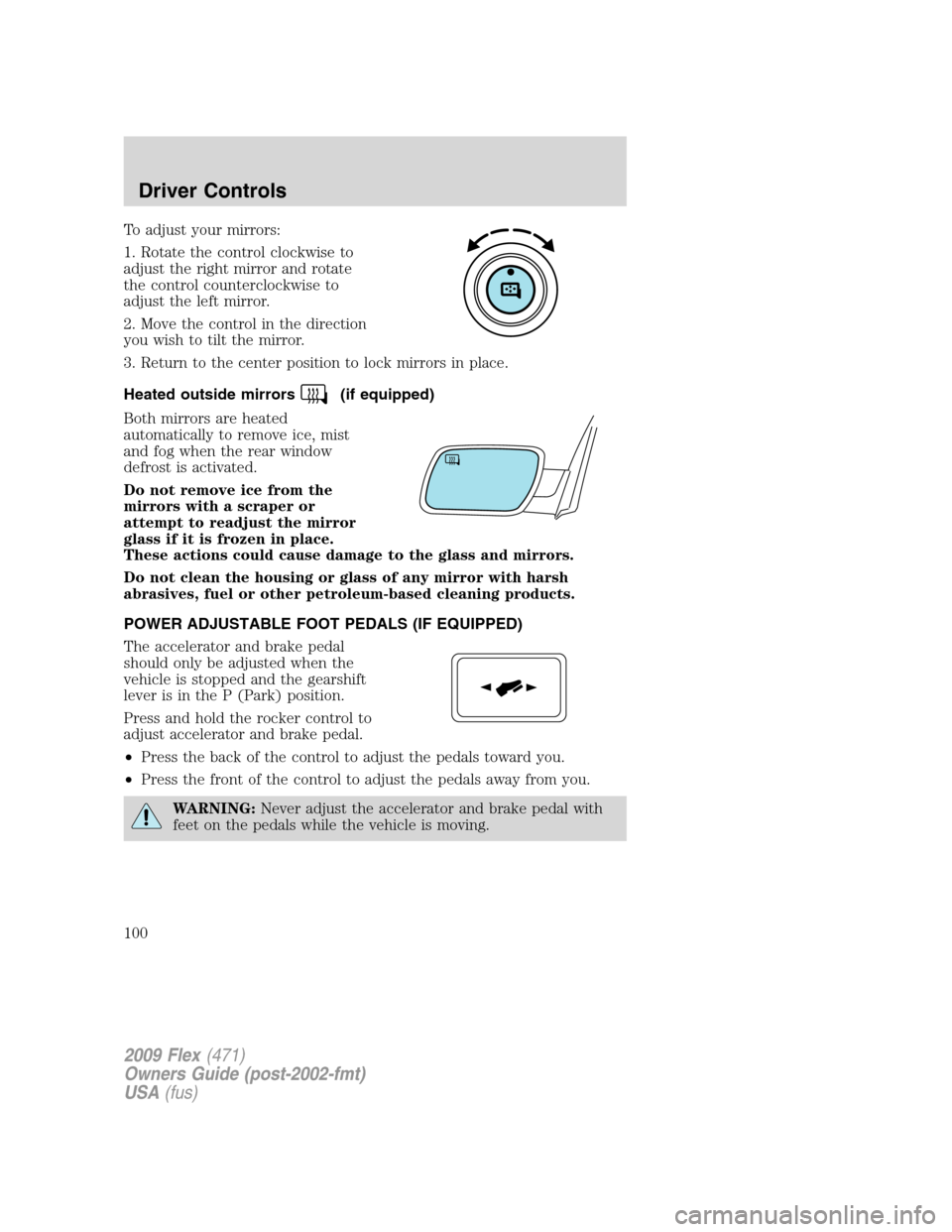
To adjust your mirrors:
1. Rotate the control clockwise to
adjust the right mirror and rotate
the control counterclockwise to
adjust the left mirror.
2. Move the control in the direction
you wish to tilt the mirror.
3. Return to the center position to lock mirrors in place.
Heated outside mirrors
(if equipped)
Both mirrors are heated
automatically to remove ice, mist
and fog when the rear window
defrost is activated.
Do not remove ice from the
mirrors with a scraper or
attempt to readjust the mirror
glass if it is frozen in place.
These actions could cause damage to the glass and mirrors.
Do not clean the housing or glass of any mirror with harsh
abrasives, fuel or other petroleum-based cleaning products.
POWER ADJUSTABLE FOOT PEDALS (IF EQUIPPED)
The accelerator and brake pedal
should only be adjusted when the
vehicle is stopped and the gearshift
lever is in the P (Park) position.
Press and hold the rocker control to
adjust accelerator and brake pedal.
•Press the back of the control to adjust the pedals toward you.
•Press the front of the control to adjust the pedals away from you.
WARNING:Never adjust the accelerator and brake pedal with
feet on the pedals while the vehicle is moving.
2009 Flex(471)
Owners Guide (post-2002-fmt)
USA(fus)
Driver Controls
100
Page 194 of 374
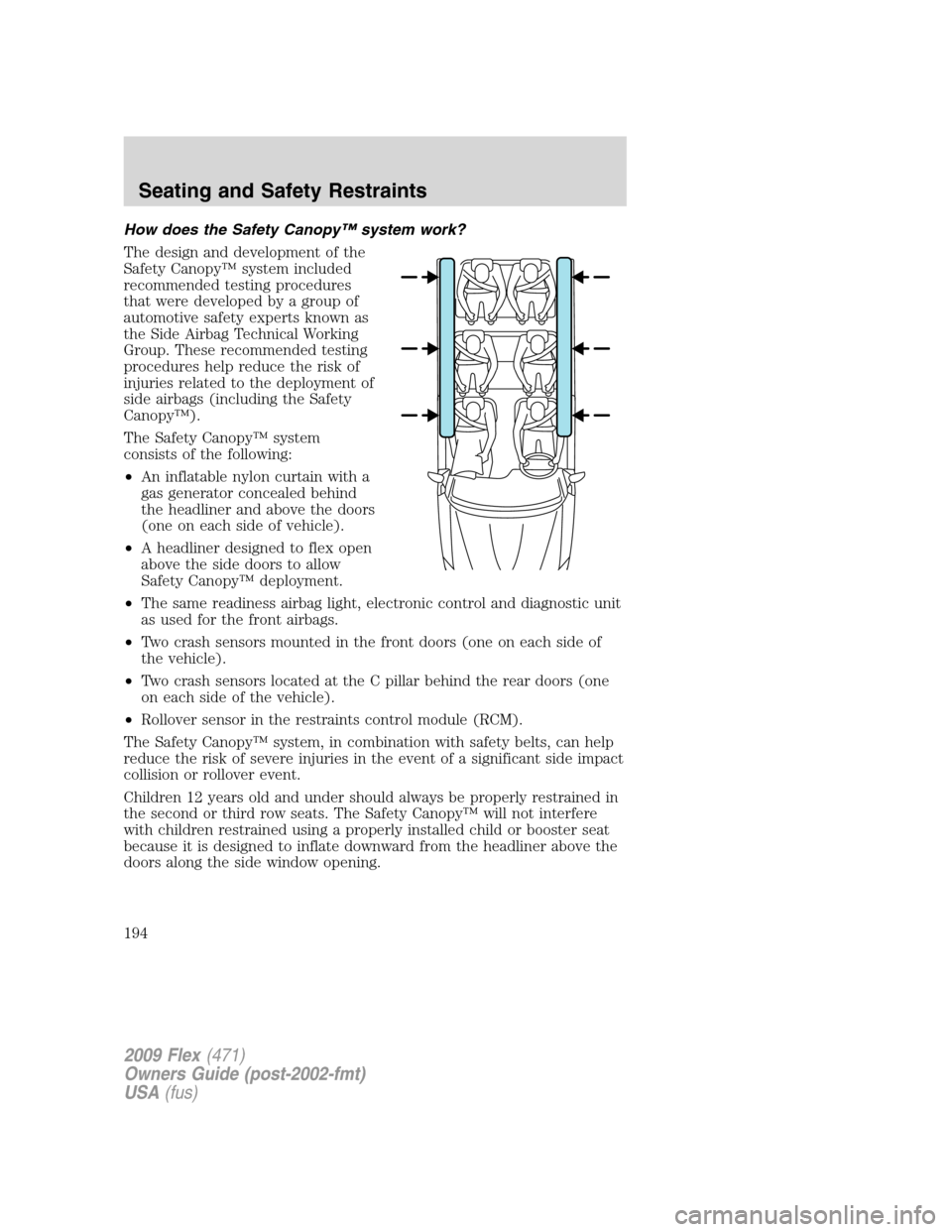
How does the Safety Canopy™ system work?
The design and development of the
Safety Canopy™ system included
recommended testing procedures
that were developed by a group of
automotive safety experts known as
the Side Airbag Technical Working
Group. These recommended testing
procedures help reduce the risk of
injuries related to the deployment of
side airbags (including the Safety
Canopy™).
The Safety Canopy™ system
consists of the following:
•An inflatable nylon curtain with a
gas generator concealed behind
the headliner and above the doors
(one on each side of vehicle).
•A headliner designed to flex open
above the side doors to allow
Safety Canopy™ deployment.
•The same readiness airbag light, electronic control and diagnostic unit
as used for the front airbags.
•Two crash sensors mounted in the front doors (one on each side of
the vehicle).
•Two crash sensors located at the C pillar behind the rear doors (one
on each side of the vehicle).
•Rollover sensor in the restraints control module (RCM).
The Safety Canopy™ system, in combination with safety belts, can help
reduce the risk of severe injuries in the event of a significant side impact
collision or rollover event.
Children 12 years old and under should always be properly restrained in
the second or third row seats. The Safety Canopy™ will not interfere
with children restrained using a properly installed child or booster seat
because it is designed to inflate downward from the headliner above the
doors along the side window opening.
2009 Flex(471)
Owners Guide (post-2002-fmt)
USA(fus)
Seating and Safety Restraints
194