warning FORD FLEX 2009 1.G Service Manual
[x] Cancel search | Manufacturer: FORD, Model Year: 2009, Model line: FLEX, Model: FORD FLEX 2009 1.GPages: 374
Page 119 of 374
MANUAL LIFTGATE
The liftgate area is only intended for cargo, not passengers. You can open
and close the liftgate from outside the vehicle. The liftgate cannot be
opened from the cargo area control button, only closed.
Note:In the event of a power failure, the latch can be accessed and
released from the inside using the access panel on the liftgate trim.
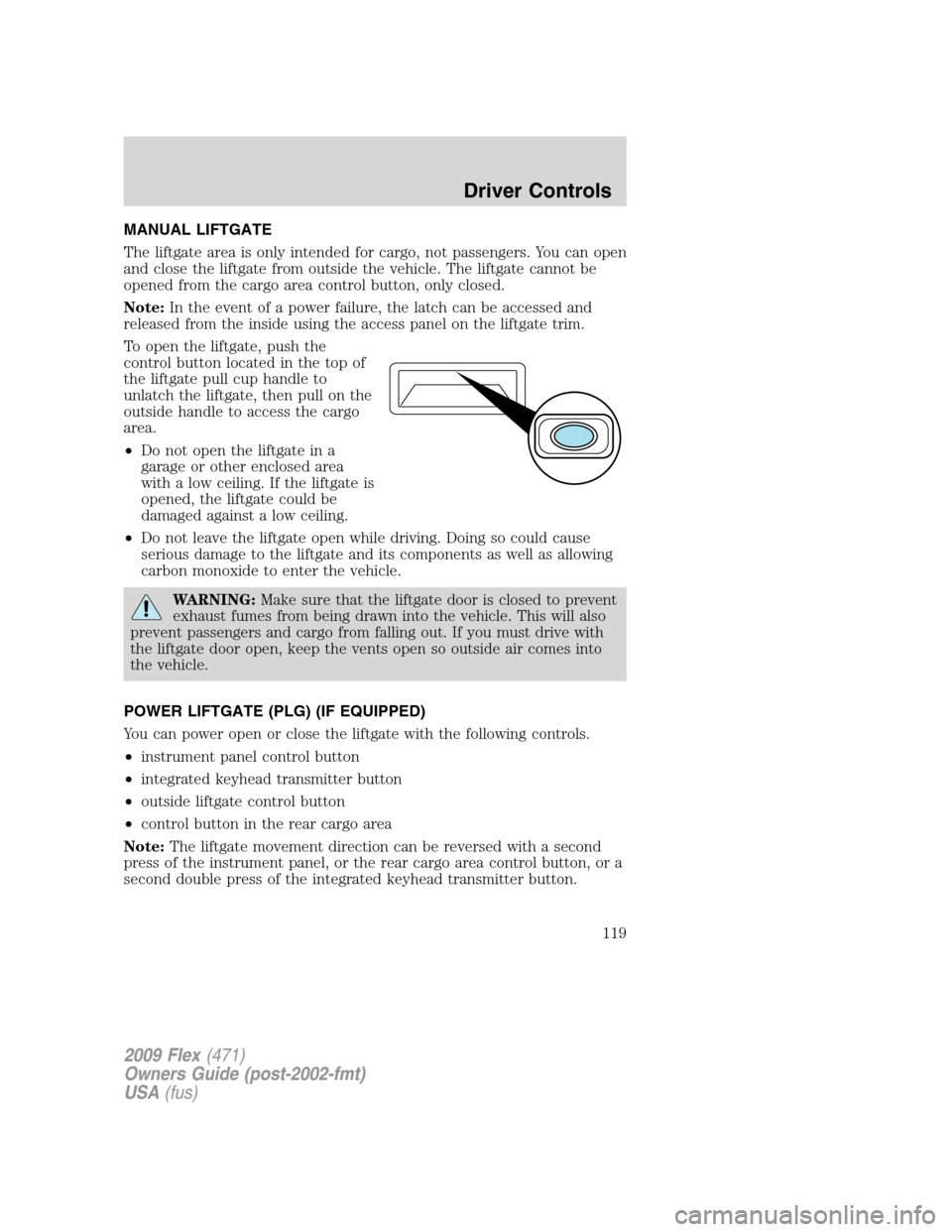
To open the liftgate, push the
control button located in the top of
the liftgate pull cup handle to
unlatch the liftgate, then pull on the
outside handle to access the cargo
area.
•Do not open the liftgate in a
garage or other enclosed area
with a low ceiling. If the liftgate is
opened, the liftgate could be
damaged against a low ceiling.
•Do not leave the liftgate open while driving. Doing so could cause
serious damage to the liftgate and its components as well as allowing
carbon monoxide to enter the vehicle.
WARNING:Make sure that the liftgate door is closed to prevent
exhaust fumes from being drawn into the vehicle. This will also
prevent passengers and cargo from falling out. If you must drive with
the liftgate door open, keep the vents open so outside air comes into
the vehicle.
POWER LIFTGATE (PLG) (IF EQUIPPED)
You can power open or close the liftgate with the following controls.
•instrument panel control button
•integrated keyhead transmitter button
•outside liftgate control button
•control button in the rear cargo area
Note:The liftgate movement direction can be reversed with a second
press of the instrument panel, or the rear cargo area control button, or a
second double press of the integrated keyhead transmitter button.
2009 Flex(471)
Owners Guide (post-2002-fmt)
USA(fus)
Driver Controls
119
Page 120 of 374
Opening and Closing the power liftgate:
WARNING:Make sure all persons are clear of the power liftgate
area before using the power liftgate control.
WARNING:Keep keys out of reach of children. Do not allow
children to play near an open or moving power liftgate.
The liftgate will only operate with the vehicle in P (Park).
When the liftgate is being power closed, a chime will sound three times
as the liftgate begins to power close. A single chime indicates a problem
with the close request, caused by:
•the ignition is in on and the transmission is not in Park
•or the battery voltage is below the minimum operating voltage
•or the vehicle speed is at or above 3 mph (5 km/h)
If the liftgate reverses and starts to close after a open request, a fast
continuous chime indicates excessive load on the gate or a possible strut
failure. If any excessive load is removed and you still have a faster
chime, have the system serviced immediately by your authorized dealer.
Do not attempt to manually force the liftgate to travel faster than the
power system will permit. This will activate the obstacle detection
feature.
Note:Cycling the ignition prior to completely latching the liftgate could
result in damage to the liftgate and/or its power components. Make sure
the liftgate is fully latched before operating the vehicle.
Care should be exercised in starting the engine before the liftgate is fully
closed (latched). If the ignition is cycled during a Liftgate Power Close
cycle and the liftgate is 6-10 inches (15–24 cm) from being latched, the
liftgate may reverse to the full open position. Verify that the gate is
closed before operating or moving the vehicle, especially in an enclosure,
like a garage or a parking structure. The liftgate or it components could
be damaged in an enclosure, if the liftgate is open.
When power operating the liftgate at temperatures below 32°F (0°C), the
liftgate may stop about five inches (12.7 cm) from the full open position.
The liftgate can be fully opened by pushing it upward to the maximum
open position.
2009 Flex(471)
Owners Guide (post-2002-fmt)
USA(fus)
Driver Controls
120
Page 122 of 374
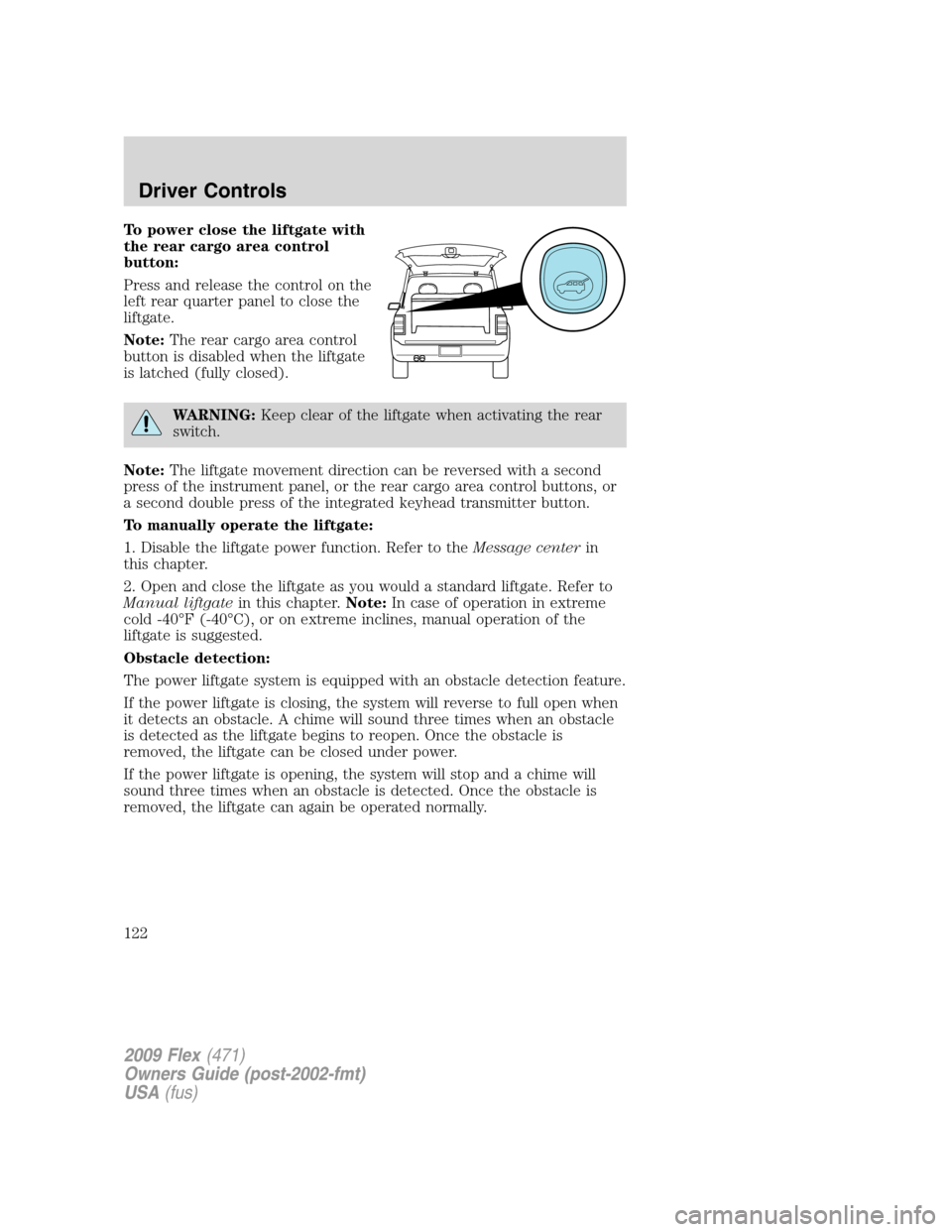
To power close the liftgate with
the rear cargo area control
button:
Press and release the control on the
left rear quarter panel to close the
liftgate.
Note:The rear cargo area control
button is disabled when the liftgate
is latched (fully closed).
WARNING:Keep clear of the liftgate when activating the rear
switch.
Note:The liftgate movement direction can be reversed with a second
press of the instrument panel, or the rear cargo area control buttons, or
a second double press of the integrated keyhead transmitter button.
To manually operate the liftgate:
1. Disable the liftgate power function. Refer to theMessage centerin
this chapter.
2. Open and close the liftgate as you would a standard liftgate. Refer to
Manual liftgatein this chapter.Note:In case of operation in extreme
cold -40°F (-40°C), or on extreme inclines, manual operation of the
liftgate is suggested.
Obstacle detection:
The power liftgate system is equipped with an obstacle detection feature.
If the power liftgate is closing, the system will reverse to full open when
it detects an obstacle. A chime will sound three times when an obstacle
is detected as the liftgate begins to reopen. Once the obstacle is
removed, the liftgate can be closed under power.
If the power liftgate is opening, the system will stop and a chime will
sound three times when an obstacle is detected. Once the obstacle is
removed, the liftgate can again be operated normally.
2009 Flex(471)
Owners Guide (post-2002-fmt)
USA(fus)
Driver Controls
122
Page 123 of 374
Resetting the power liftgate:
The power liftgate may not operate properly and may need to be reset if
any of these conditions occur:
•a low voltage or dead battery
•disconnected battery
•the liftgate is manually closed and left ajar (unlatched)
To reset the power liftgate:
1. Disconnect the battery for 20 seconds then, reconnect the battery.
2. Manually close and fully latch the liftgate.
3. Power open the liftgate by using the integrated keyhead transmitter,
or the instrument panel control button.
Note:If the power liftgate system is turned off in the message center,
the system cannot be activated with the outside release handle or rear
cargo area control button. The system will need to be turned on to
resume operation with the outside release handle or rear cargo area
control button. The power liftgate is still operational through the use of
the remote entry transmitter and instrument panel button when the
power liftgate is turned off in the message center.
CARGO AREA FEATURES
Cargo net (if equipped)
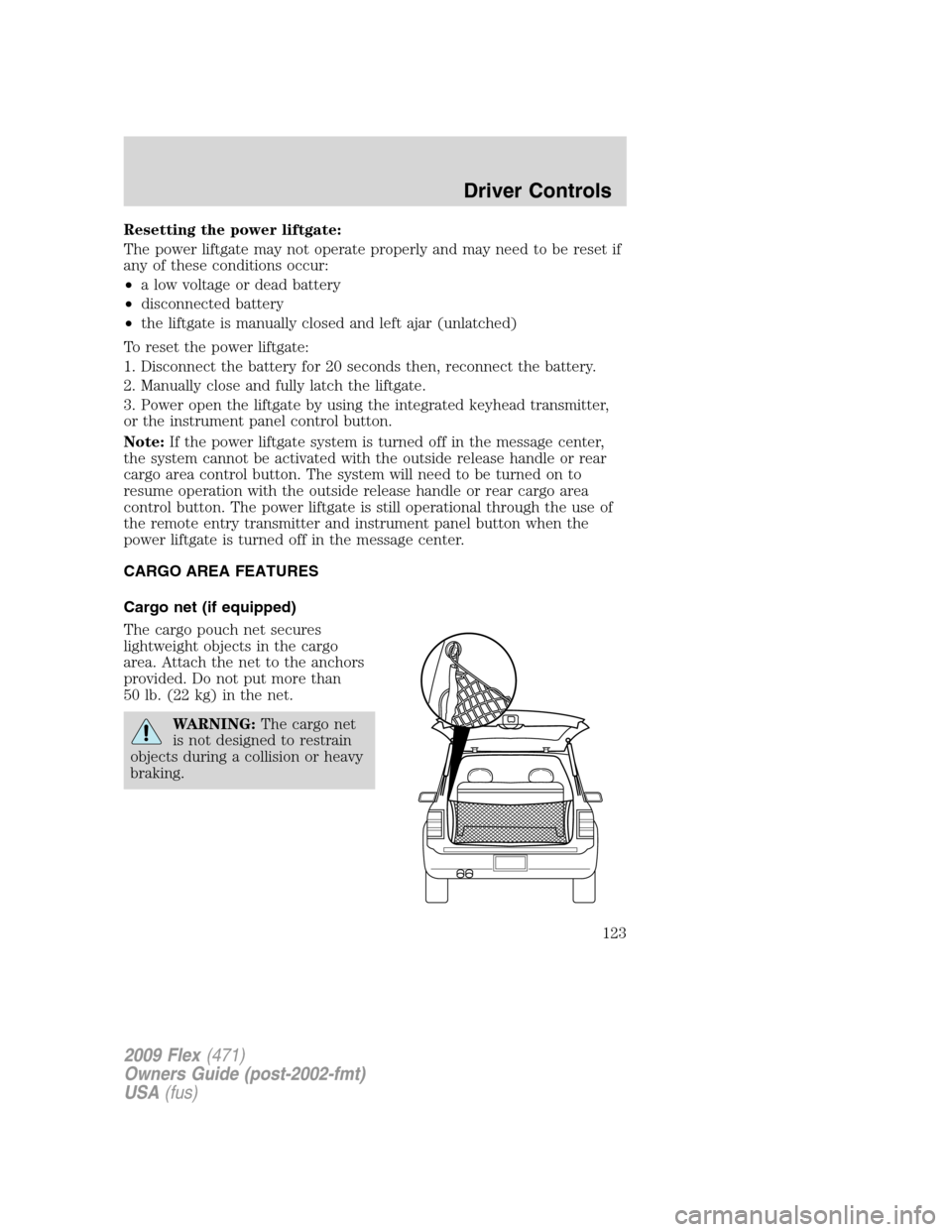
The cargo pouch net secures
lightweight objects in the cargo
area. Attach the net to the anchors
provided. Do not put more than
50 lb. (22 kg) in the net.
WARNING:The cargo net
is not designed to restrain
objects during a collision or heavy
braking.
2009 Flex(471)
Owners Guide (post-2002-fmt)
USA(fus)
Driver Controls
123
Page 124 of 374
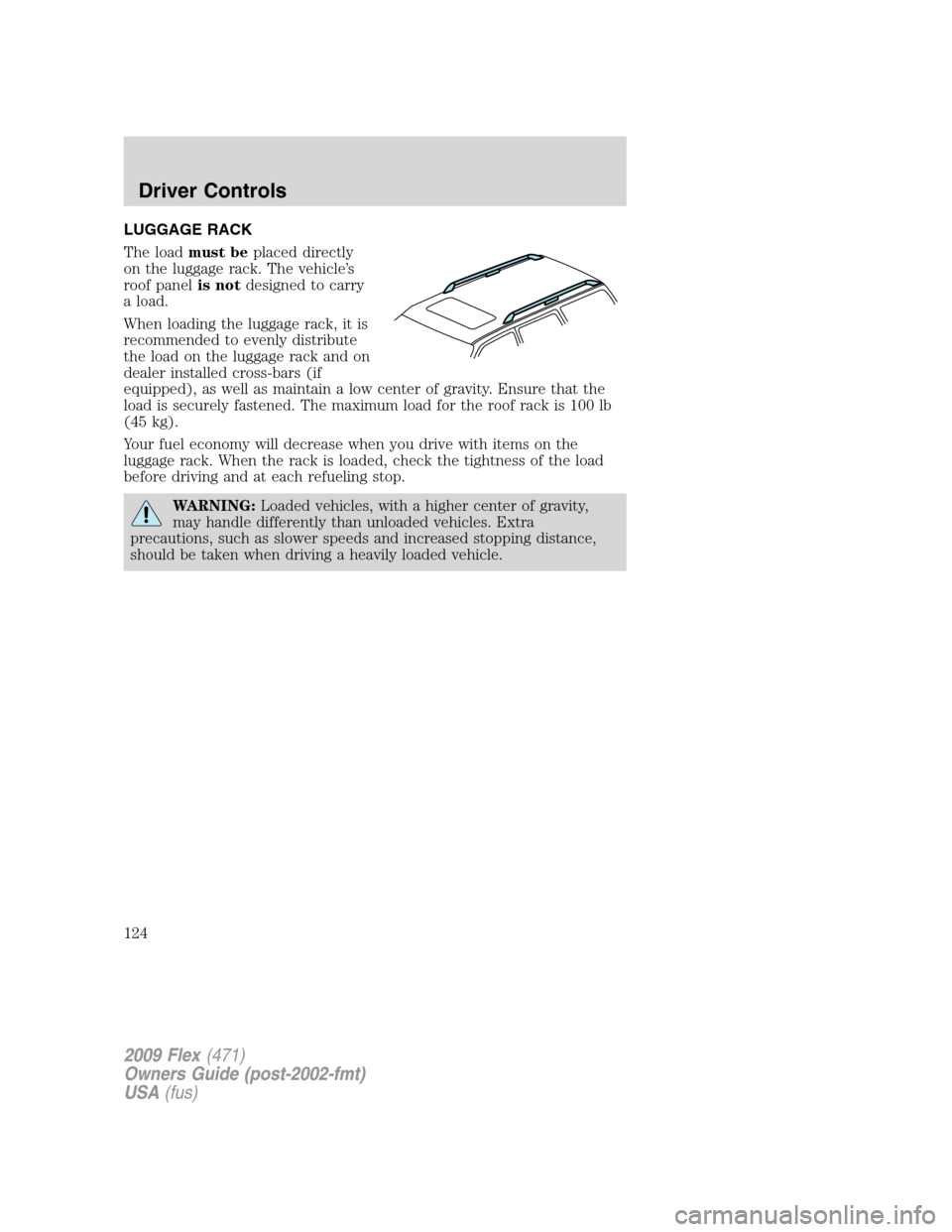
LUGGAGE RACK
The loadmust beplaced directly
on the luggage rack. The vehicle’s
roof panelis notdesigned to carry
a load.
When loading the luggage rack, it is
recommended to evenly distribute
the load on the luggage rack and on
dealer installed cross-bars (if
equipped), as well as maintain a low center of gravity. Ensure that the
load is securely fastened. The maximum load for the roof rack is 100 lb
(45 kg).
Your fuel economy will decrease when you drive with items on the
luggage rack. When the rack is loaded, check the tightness of the load
before driving and at each refueling stop.
WARNING:Loaded vehicles, with a higher center of gravity,
may handle differently than unloaded vehicles. Extra
precautions, such as slower speeds and increased stopping distance,
should be taken when driving a heavily loaded vehicle.
2009 Flex(471)
Owners Guide (post-2002-fmt)
USA(fus)
Driver Controls
124
Page 134 of 374
2. Pressand release again within three seconds to unlock all the
doors.
The remote entry system activates the illuminated entry feature; this
feature turns on the lamps for 25 seconds or until the ignition is turned
to the on position.
The inside lights will not turn off if:
•they have been turned on using the dimmer control or
•any door is open.
The battery saver feature will turn off the interior lamps 10 minutes after
the ignition is turned to the off position.
Two stage unlocking may be disabled or re-enabled by simultaneously
pressing the
andcontrols on the IKT for four seconds (disabling
two stage unlock allows all vehicle doors to unlock simultaneously). The
turn lamps will flash twice to indicate that two-stage unlock was enabled
or disabled.
Locking the doors
1. Pressand release to lock all the doors. The turn lamps will flash.
2. Press
and release again within three seconds to confirm that all
the doors are closed.Note:The doors will lock again, the horn will chirp
and the turn lamps will flash once if all the doors and liftgate are closed.
Note:If any door or the liftgate is not closed, the horn will chirp twice
and the lamps will not flash.
Opening the power liftgate (if equipped)
Presstwice within three seconds to fully unlatch and open the
liftgate.
WARNING:Make sure all persons are clear of the liftgate area
before using power liftgate control.
In order to fully lower and latch the liftgate, press the control twice.
If the liftgate stops mid travel, it may have detected an obstacle, Check
to ensure the liftgate swing zone is free from obstruction and reset the
power assist by manually closing the liftgate. Normal operation can then
be resumed.
2009 Flex(471)
Owners Guide (post-2002-fmt)
USA(fus)
Locks and Security
134
Page 135 of 374
WARNING:Make sure the liftgate is closed to prevent exhaust
fumes from being drawn into the vehicle. This will also prevent
passengers and cargo from falling out. If you must drive with the
liftgate open, keep the vents open so outside air comes into the
vehicle.
Car finder
Press
twice within three seconds. The horn will chirp and the turn
lamps will flash. It is recommended that this method be used to locate
your vehicle, rather than using the panic alarm.
Sounding a panic alarm
Press
to activate the alarm. The horn will sound and the turn lamps
will flash for a maximum of three minutes. Press again or turn the
ignition to the on position to deactivate, or wait for the alarm to time out
in three minutes.
Note:The panic alarm will only operate when the ignition is in the off
position.
Memory seats/power mirrors/adjustable pedals (if equipped)
The Integrated Keyhead Transmitter allows you to recall the memory
seat/power mirrors/adjustable pedals feature.
Press
to automatically move the seat, mirrors and adjustable pedals
(if equipped) to the desired memory position.Note:The seat will not
travel to its final position if the key is not in the ignition and the easy
entry feature is enabled.
Activating the memory feature
To activate this feature:
1. Position the seat, mirrors, and adjustable pedals (if equipped) to the
desired positions.
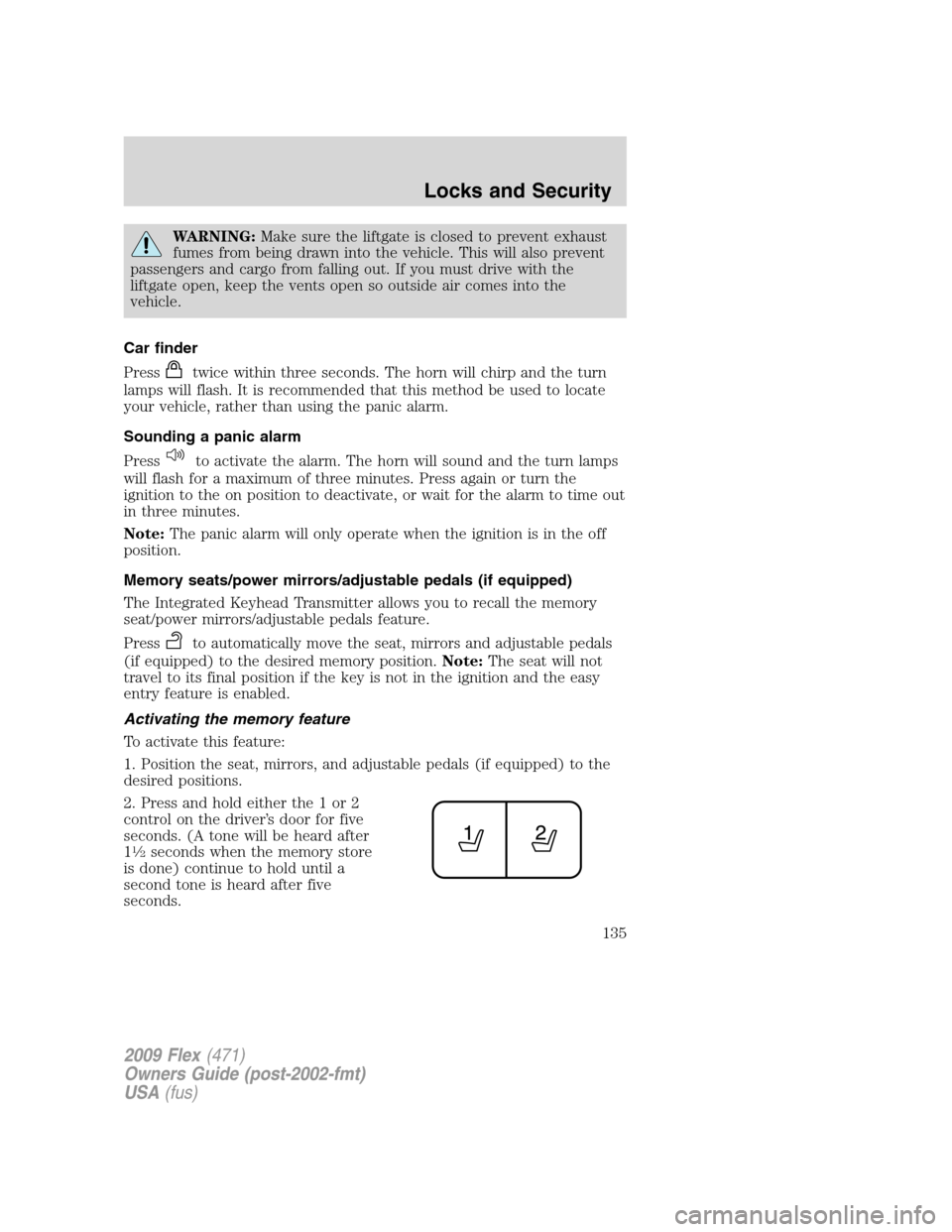
2. Press and hold either the 1 or 2
control on the driver’s door for five
seconds. (A tone will be heard after
1
12seconds when the memory store
is done) continue to hold until a
second tone is heard after five
seconds.
2009 Flex(471)
Owners Guide (post-2002-fmt)
USA(fus)
Locks and Security
135
Page 148 of 374
SEATING
WARNING:Reclining the seatback can cause an occupant to
slide under the seat’s safety belt, resulting in severe personal
injuries in the event of a collision.
WARNING:Do not pile cargo higher than the seatbacks to
reduce the risk of injury in a collision or sudden stop.
WARNING:Before returning the seatback to its original
position, make sure that cargo or any objects are not trapped
behind the seatback. After returning the seatback to its original
position, pull on the seatback to ensure that it has fully latched. An
unlatched seat may become dangerous in the event of a sudden stop or
collision.
Adjustable head restraints
Your vehicle is equipped with front row outboard head restraints that are
vertically adjustable.
WARNING:To minimize the risk of neck injury in the event of a
crash, the driver and passenger occupants should not sit in
and/or operate the vehicle, until the head restraint is placed in its
proper position. The driver should never adjust the head restraint
while the vehicle is in motion.
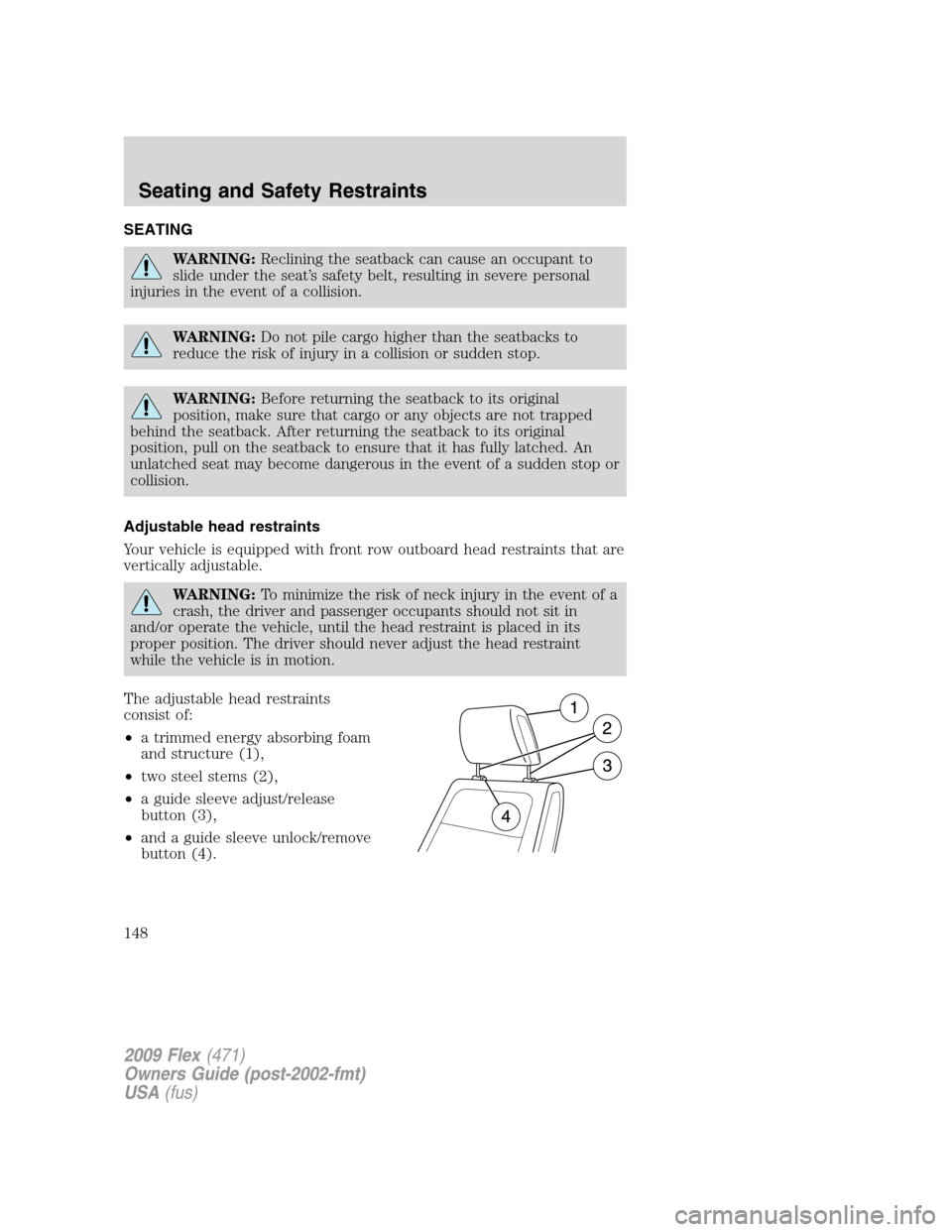
The adjustable head restraints
consist of:
•a trimmed energy absorbing foam
and structure (1),
•two steel stems (2),
•a guide sleeve adjust/release
button (3),
•and a guide sleeve unlock/remove
button (4).
2009 Flex(471)
Owners Guide (post-2002-fmt)
USA(fus)
Seating and Safety Restraints
148
Page 149 of 374
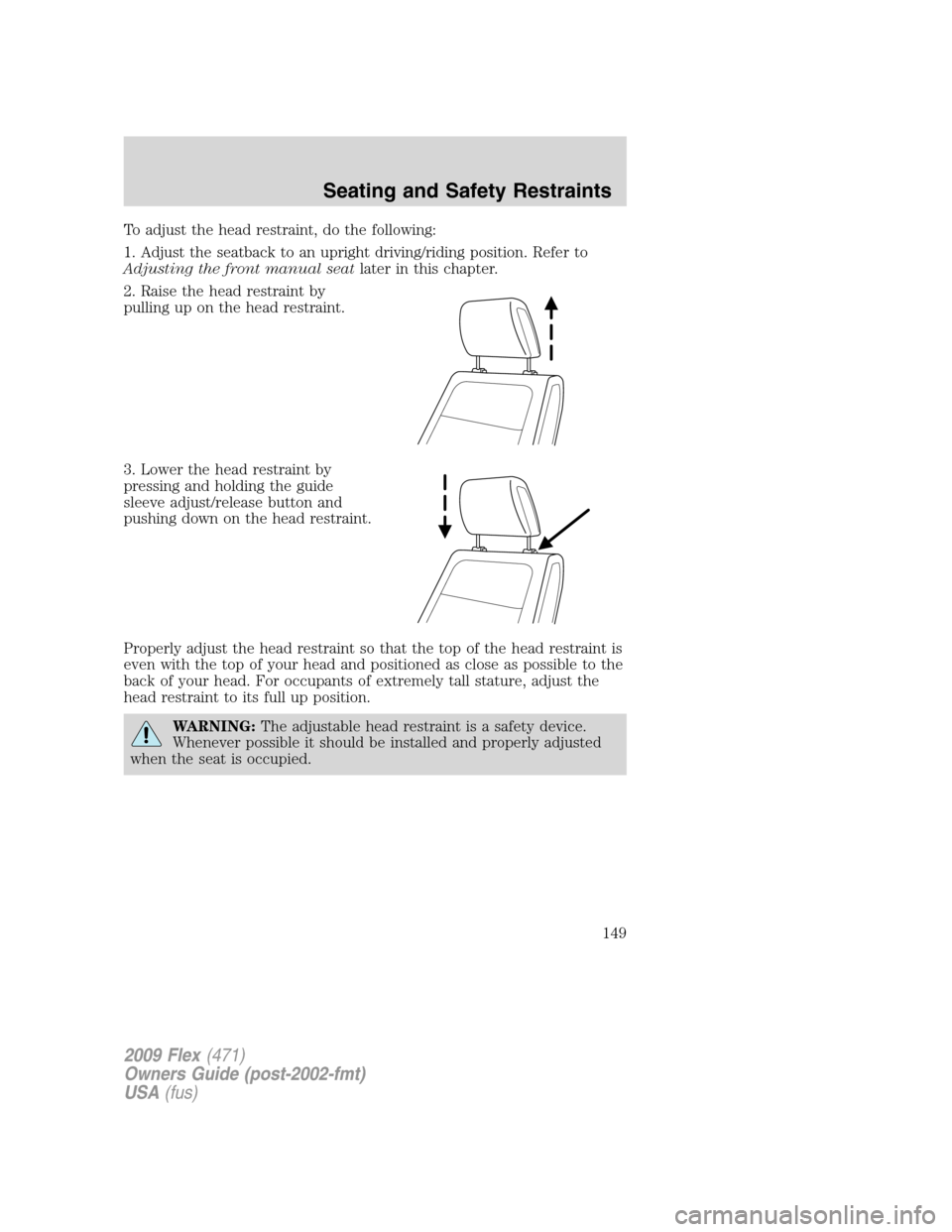
To adjust the head restraint, do the following:
1. Adjust the seatback to an upright driving/riding position. Refer to
Adjusting the front manual seatlater in this chapter.
2. Raise the head restraint by
pulling up on the head restraint.
3. Lower the head restraint by
pressing and holding the guide
sleeve adjust/release button and
pushing down on the head restraint.
Properly adjust the head restraint so that the top of the head restraint is
even with the top of your head and positioned as close as possible to the
back of your head. For occupants of extremely tall stature, adjust the
head restraint to its full up position.
WARNING:The adjustable head restraint is a safety device.
Whenever possible it should be installed and properly adjusted
when the seat is occupied.
2009 Flex(471)
Owners Guide (post-2002-fmt)
USA(fus)
Seating and Safety Restraints
149
Page 151 of 374
WARNING:To minimize the risk of neck injury in the event of a
crash, head restraints must be installed properly.
Adjusting the front manual seat (if equipped)
WARNING:Never adjust the driver’s seat or seatback when the
vehicle is moving.
WARNING:Always drive and ride with your seatback upright
and the lap belt snug and low across the hips.
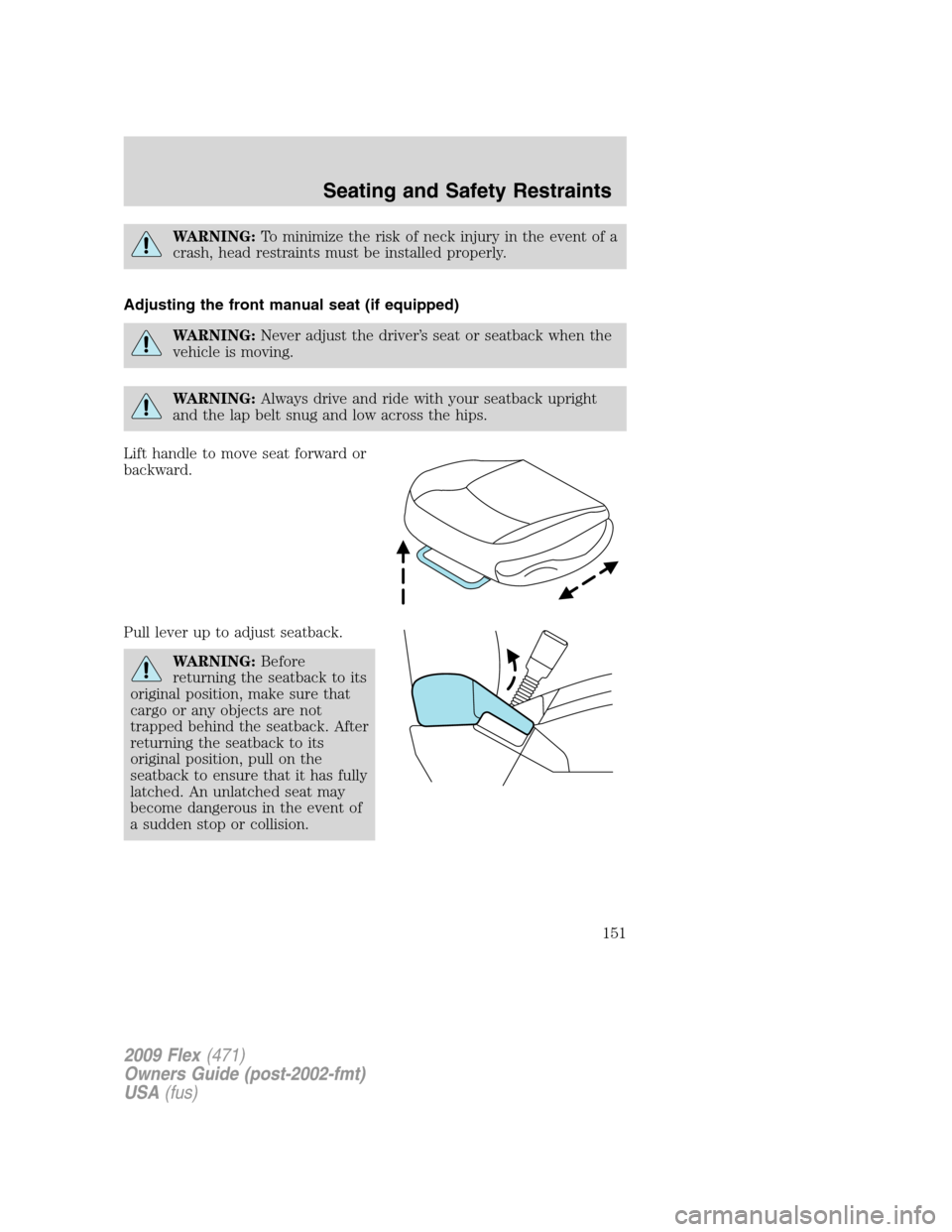
Lift handle to move seat forward or
backward.
Pull lever up to adjust seatback.
WARNING:Before
returning the seatback to its
original position, make sure that
cargo or any objects are not
trapped behind the seatback. After
returning the seatback to its
original position, pull on the
seatback to ensure that it has fully
latched. An unlatched seat may
become dangerous in the event of
a sudden stop or collision.
2009 Flex(471)
Owners Guide (post-2002-fmt)
USA(fus)
Seating and Safety Restraints
151