ignition FORD FLEX 2010 1.G Repair Manual
[x] Cancel search | Manufacturer: FORD, Model Year: 2010, Model line: FLEX, Model: FORD FLEX 2010 1.GPages: 397
Page 254 of 397
All Wheel Drive (AWD) vehicles:
Tow your All Wheel Drive vehicle with all four wheels on the ground or
with all four wheels off the ground using a vehicle transport trailer.Do
not tow your All Wheel Drive vehicle with the front wheels off
the ground (by using a tow dolly) and the rear wheels on the
ground.This will cause damage to your AWD system. If you are using a
vehicle transport trailer, follow the instruction specified by the
equipment provider.
Note:If you tow your vehicle with all four wheels on the ground, follow
these instructions:
•Tow only in the forward direction.
•Release the parking brake.
•Place the transmission shift lever in N (Neutral).
•Place the ignition in the accessory position (refer toStartingin the
Drivingchapter).
•Do not exceed 65 mph (105 km/h)
•Start the engine and allow it to run for five minutes at the beginning
of each day and at each fuel stop.
Tires, Wheels and Loading
254
2010 Flex(471)
Owners Guide, 1st Printing
USA(fus)
Page 255 of 397
STARTING
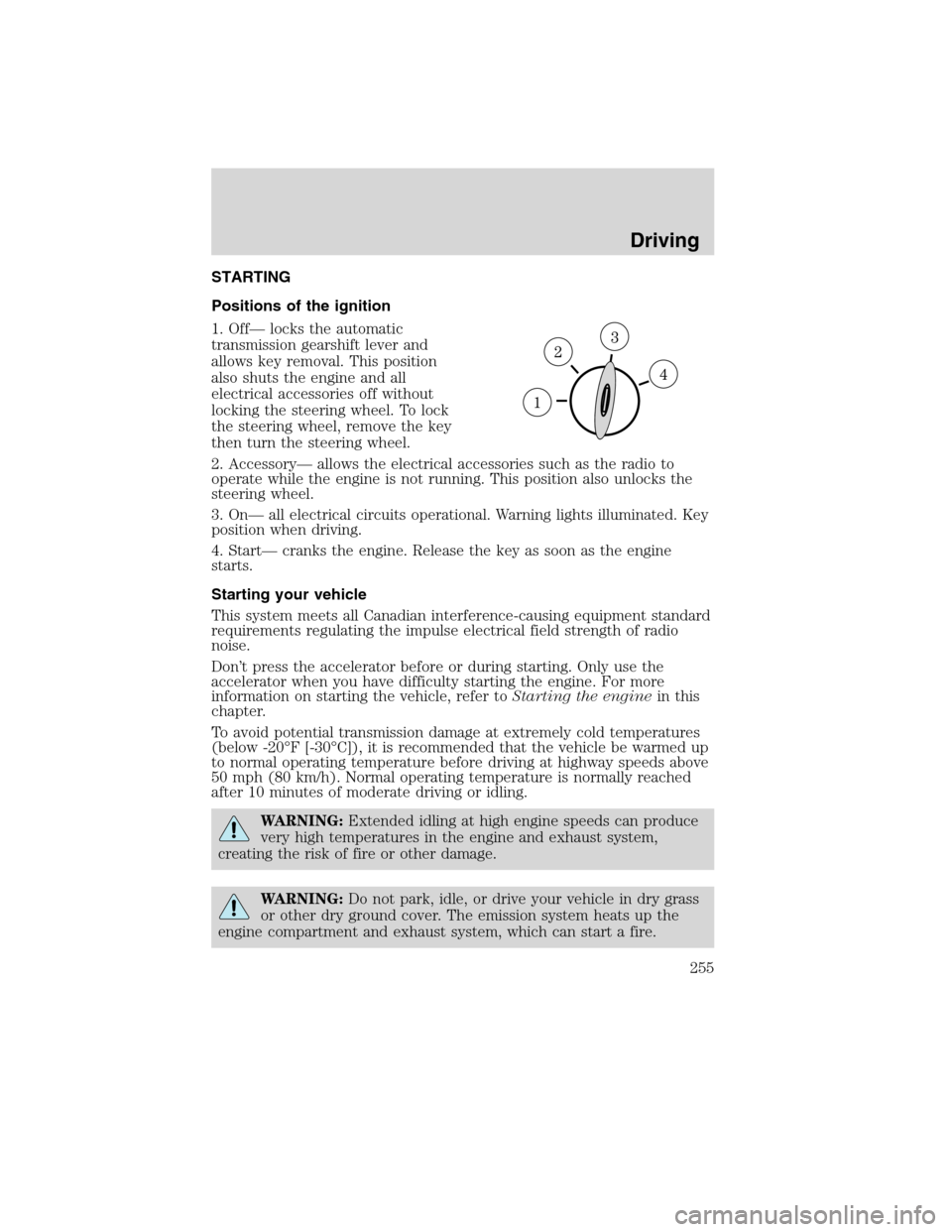
Positions of the ignition
1. Off— locks the automatic
transmission gearshift lever and
allows key removal. This position
also shuts the engine and all
electrical accessories off without
locking the steering wheel. To lock
the steering wheel, remove the key
then turn the steering wheel.
2. Accessory— allows the electrical accessories such as the radio to
operate while the engine is not running. This position also unlocks the
steering wheel.
3. On— all electrical circuits operational. Warning lights illuminated. Key
position when driving.
4. Start— cranks the engine. Release the key as soon as the engine
starts.
Starting your vehicle
This system meets all Canadian interference-causing equipment standard
requirements regulating the impulse electrical field strength of radio
noise.
Don’t press the accelerator before or during starting. Only use the
accelerator when you have difficulty starting the engine. For more
information on starting the vehicle, refer toStarting the enginein this
chapter.
To avoid potential transmission damage at extremely cold temperatures
(below -20°F [-30°C]), it is recommended that the vehicle be warmed up
to normal operating temperature before driving at highway speeds above
50 mph (80 km/h). Normal operating temperature is normally reached
after 10 minutes of moderate driving or idling.
WARNING:Extended idling at high engine speeds can produce
very high temperatures in the engine and exhaust system,
creating the risk of fire or other damage.
WARNING:Do not park, idle, or drive your vehicle in dry grass
or other dry ground cover. The emission system heats up the
engine compartment and exhaust system, which can start a fire.
Driving
255
2010 Flex(471)
Owners Guide, 1st Printing
USA(fus)
Page 261 of 397
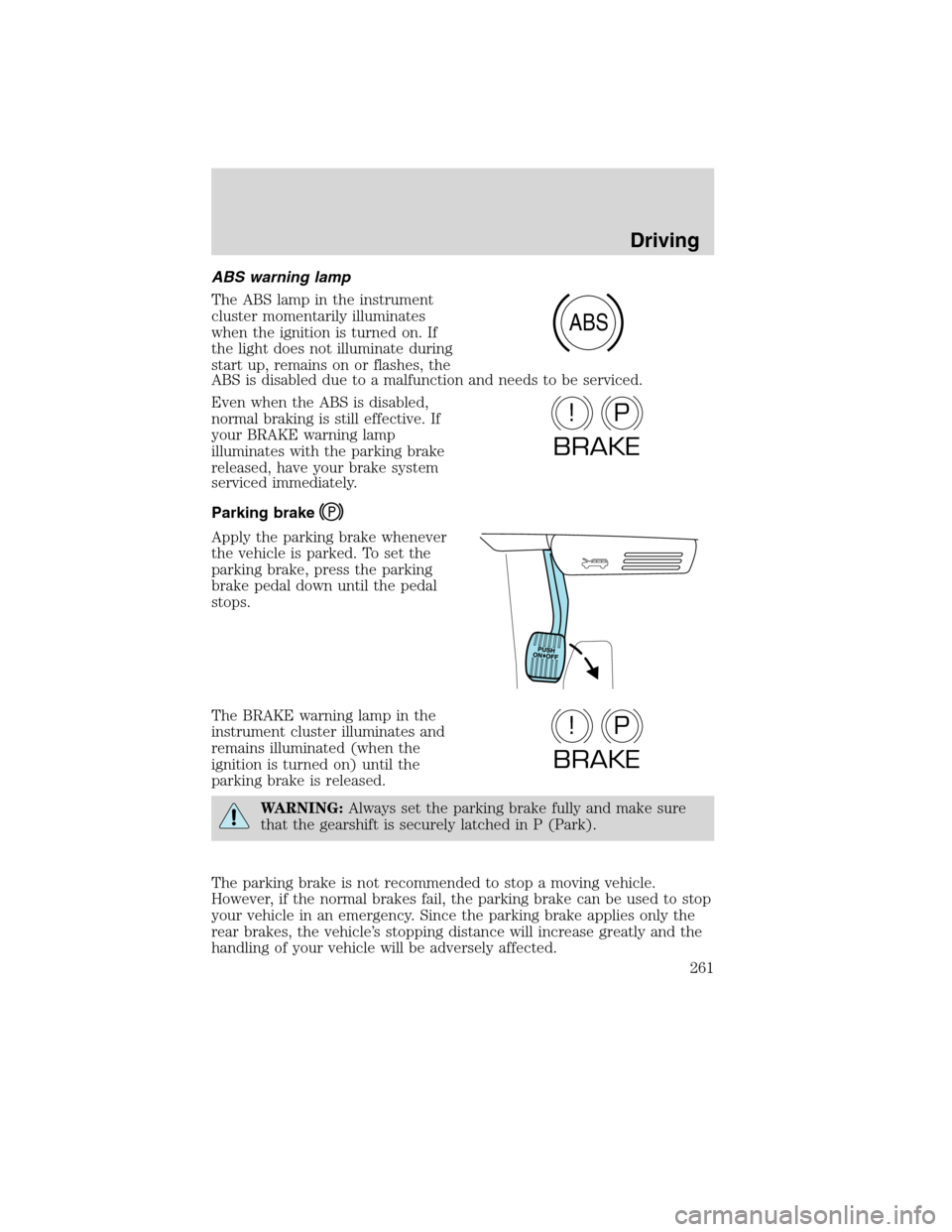
ABS warning lamp
The ABS lamp in the instrument
cluster momentarily illuminates
when the ignition is turned on. If
the light does not illuminate during
start up, remains on or flashes, the
ABS is disabled due to a malfunction and needs to be serviced.
Even when the ABS is disabled,
normal braking is still effective. If
your BRAKE warning lamp
illuminates with the parking brake
released, have your brake system
serviced immediately.
Parking brake
Apply the parking brake whenever
the vehicle is parked. To set the
parking brake, press the parking
brake pedal down until the pedal
stops.
The BRAKE warning lamp in the
instrument cluster illuminates and
remains illuminated (when the
ignition is turned on) until the
parking brake is released.
WARNING:Always set the parking brake fully and make sure
that the gearshift is securely latched in P (Park).
The parking brake is not recommended to stop a moving vehicle.
However, if the normal brakes fail, the parking brake can be used to stop
your vehicle in an emergency. Since the parking brake applies only the
rear brakes, the vehicle’s stopping distance will increase greatly and the
handling of your vehicle will be adversely affected.
ABS
P!
BRAKE
P!
BRAKE
Driving
261
2010 Flex(471)
Owners Guide, 1st Printing
USA(fus)
Page 267 of 397
or the speed of the vehicle and trailer is too high. Pull the vehicle-trailer
over to a safe location to check the trailer weight distribution and tongue
load and reduce speed to a safe level while towing. If trailer sway is
experienced, SLOW DOWN. Always use caution when towing a trailer
and follow the tongue weight recommendations. Refer toTrailer towing
in theTires, Wheels and Loadingchapter for more information on
towing a trailer with your vehicle.
During trailer sway control events the
icon in the instrument cluster
will flash momentarily. The cluster message center will also display
TRAILER SWAY REDUCE SPEED. In some cases when trailer sway is
detected, the vehicle speed is too high and may be at or above a speed
at which trailer sway will grow continuously. This may cause the system
to activate multiple times, causing a gradual reduction in speed.
Disabling trailer sway control
Trailer sway control can be disabled during any key cycle. To disable
trailer sway control, refer to theMessage centerin theInstrument
Clusterchapter. Note that regardless of chosen enable state, trailer sway
control will be re-enabled each new key cycle.
WARNING:Turning off trailer sway control increases the risk of
loss of vehicle control, serious injury, or death. Ford does not
recommend disabling this feature except in situations where speed
reduction may be detrimental (e.g., hill climbing), the driver has
significant trailer towing experience, and can control trailer sway and
maintain safe operation.
STEERING
3.5L EcoBoost engine:Your vehicle is equipped with an Electric Power
Steering (EPS) system. There is no fluid reservoir to check or fill.
If your vehicle loses electrical power while you are driving (or if the
ignition is turned off), you can steer the vehicle manually, but it takes
more effort. Extreme continuous steering may increase the effort it takes
for you to steer. This occurs to prevent internal overheating and
permanent damage to your steering system. If this should occur, you will
neither lose the ability to steer the vehicle manually nor will it cause
permanent damage. Typical steering and driving maneuvers will allow the
system to cool and steering assist will return to normal.
Driving
267
2010 Flex(471)
Owners Guide, 1st Printing
USA(fus)
Page 269 of 397
•Do not fill the power steering pump reservoir above the MAX mark on
the reservoir, as this may result in leaks from the reservoir.
If the steering wanders or pulls equipped with either EPS or hydraulic
steering system, check for:
•an improperly inflated tire
•uneven tire wear
•loose or worn suspension components
•loose or worn steering components
•improper vehicle alignment
A high crown in the road or high crosswinds may also make the steering
seem to wander/pull.
BRAKE-SHIFT INTERLOCK
This vehicle is equipped with a brake-shift interlock feature that prevents
the gearshift lever from being moved from P (Park) when the ignition is
in the on position unless the brake pedal is pressed.
If you cannot move the gearshift lever out of P (Park) with ignition in
the on position and the brake pedal pressed, it is possible that a fuse has
blown or the vehicle’s brakelamps are not operating properly. Refer to
Fuses and relaysin theRoadside Emergencieschapter.
If the fuse is not blown and the brakelamps are working properly, the
following procedure will allow you to move the gearshift lever from P
(Park):
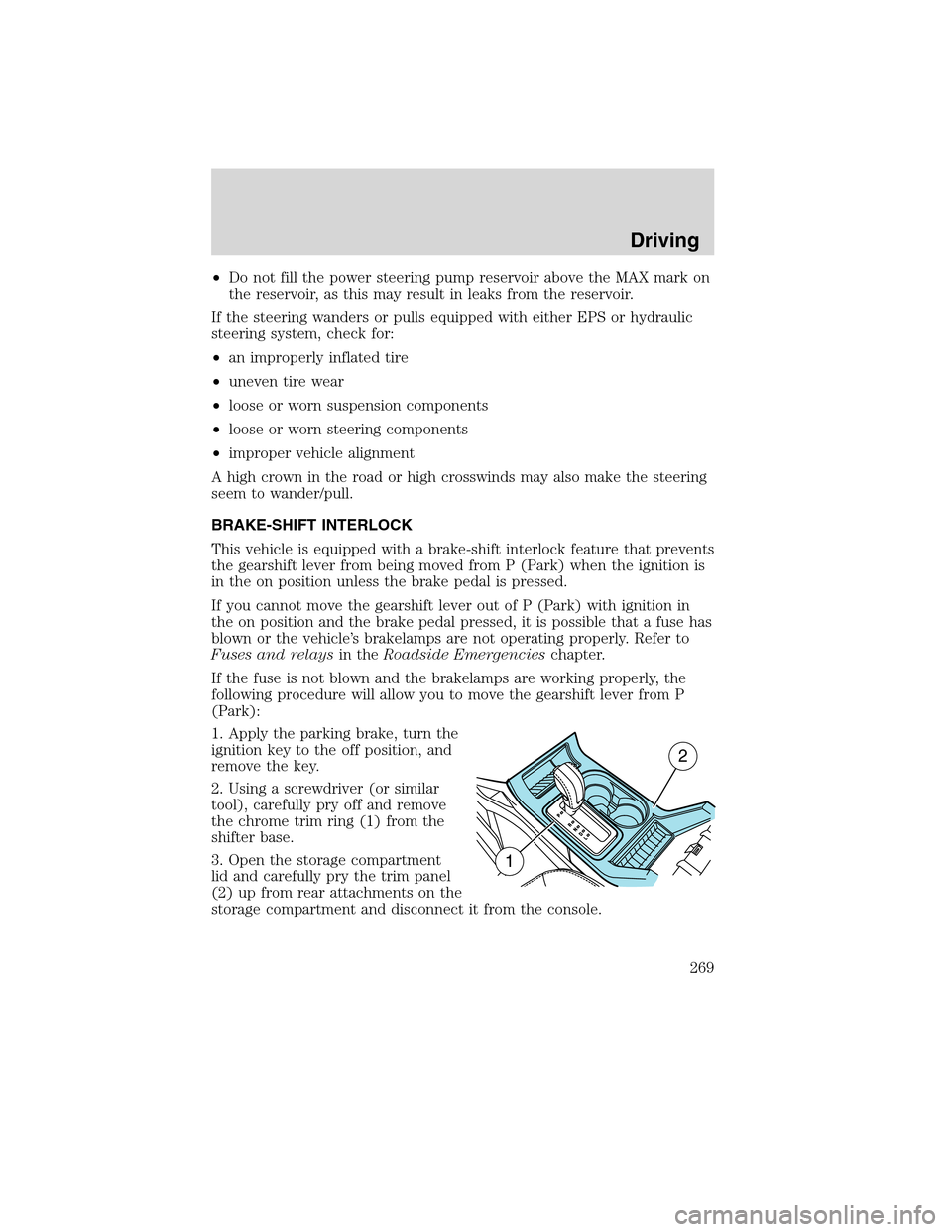
1. Apply the parking brake, turn the
ignition key to the off position, and
remove the key.
2. Using a screwdriver (or similar
tool), carefully pry off and remove
the chrome trim ring (1) from the
shifter base.
3. Open the storage compartment
lid and carefully pry the trim panel
(2) up from rear attachments on the
storage compartment and disconnect it from the console.
1
2
Driving
269
2010 Flex(471)
Owners Guide, 1st Printing
USA(fus)
Page 270 of 397
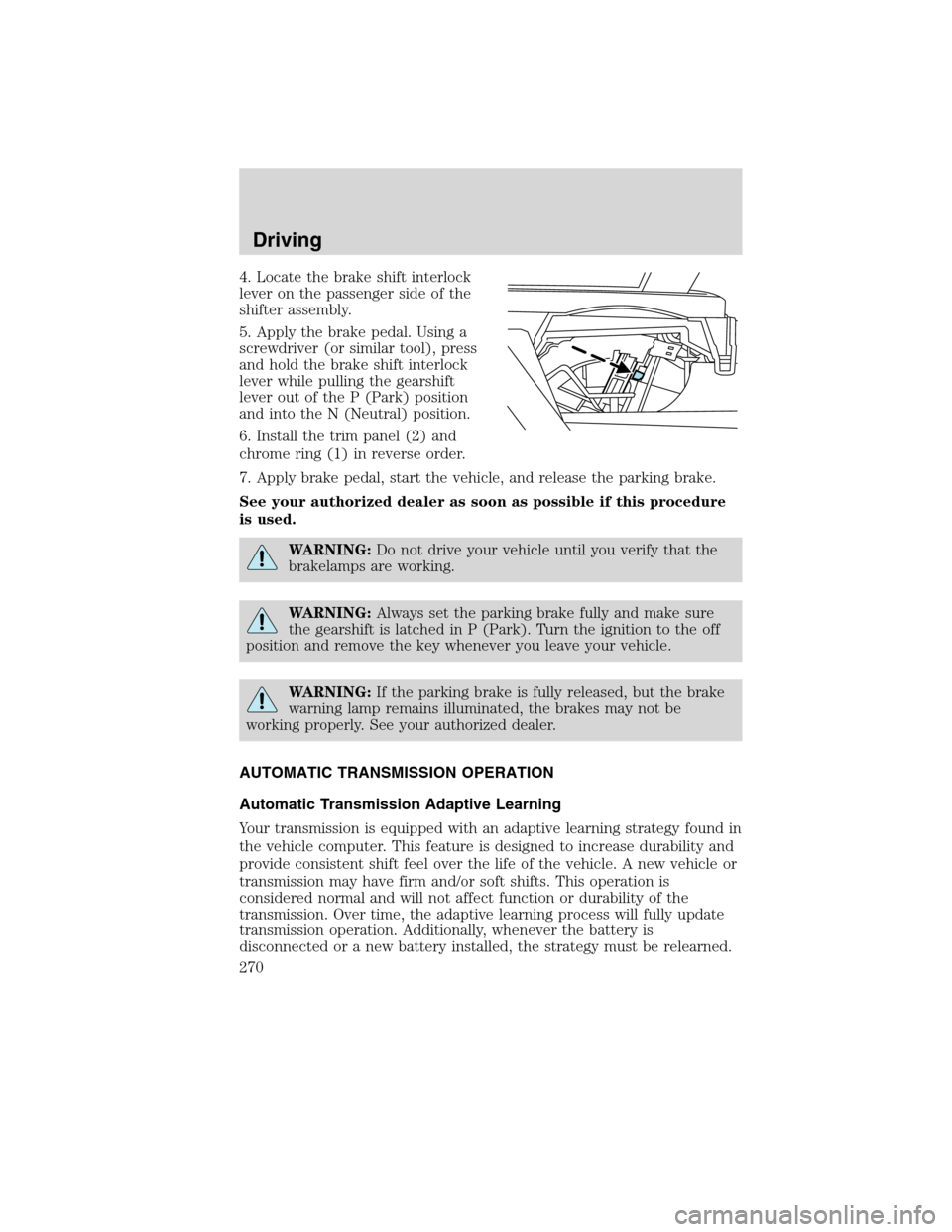
4. Locate the brake shift interlock
lever on the passenger side of the
shifter assembly.
5. Apply the brake pedal. Using a
screwdriver (or similar tool), press
and hold the brake shift interlock
lever while pulling the gearshift
lever out of the P (Park) position
and into the N (Neutral) position.
6. Install the trim panel (2) and
chrome ring (1) in reverse order.
7. Apply brake pedal, start the vehicle, and release the parking brake.
See your authorized dealer as soon as possible if this procedure
is used.
WARNING:Do not drive your vehicle until you verify that the
brakelamps are working.
WARNING:Always set the parking brake fully and make sure
the gearshift is latched in P (Park). Turn the ignition to the off
position and remove the key whenever you leave your vehicle.
WARNING:If the parking brake is fully released, but the brake
warning lamp remains illuminated, the brakes may not be
working properly. See your authorized dealer.
AUTOMATIC TRANSMISSION OPERATION
Automatic Transmission Adaptive Learning
Your transmission is equipped with an adaptive learning strategy found in
the vehicle computer. This feature is designed to increase durability and
provide consistent shift feel over the life of the vehicle. A new vehicle or
transmission may have firm and/or soft shifts. This operation is
considered normal and will not affect function or durability of the
transmission. Over time, the adaptive learning process will fully update
transmission operation. Additionally, whenever the battery is
disconnected or a new battery installed, the strategy must be relearned.
Driving
270
2010 Flex(471)
Owners Guide, 1st Printing
USA(fus)
Page 271 of 397
Understanding the gearshift positions of the 6–speed automatic
transmission with transmission control switch (if equipped)
Your vehicle has been designed to improve fuel economy by reducing
fuel usage while coasting or decelerating. When you take your foot off
the accelerator pedal and the vehicle begins to slow down the torque
converter clutch locks up and aggressively shuts off fuel flow to the
engine while decelerating. This fuel economy benefit may be perceived
as a light to medium braking sensation when removing your foot from
the accelerator pedal.
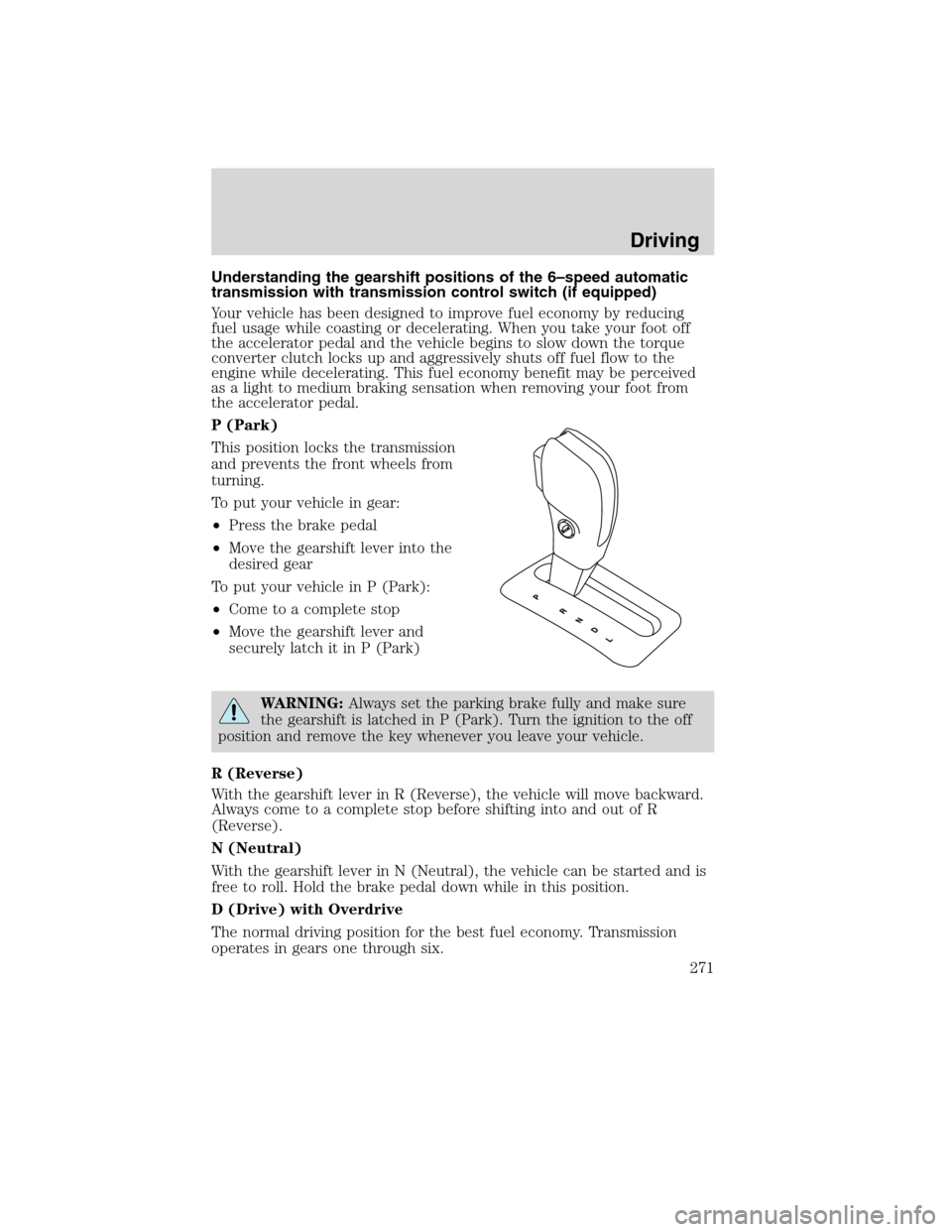
P (Park)
This position locks the transmission
and prevents the front wheels from
turning.
To put your vehicle in gear:
•Press the brake pedal
•Move the gearshift lever into the
desired gear
To put your vehicle in P (Park):
•Come to a complete stop
•Move the gearshift lever and
securely latch it in P (Park)
WARNING:Always set the parking brake fully and make sure
the gearshift is latched in P (Park). Turn the ignition to the off
position and remove the key whenever you leave your vehicle.
R (Reverse)
With the gearshift lever in R (Reverse), the vehicle will move backward.
Always come to a complete stop before shifting into and out of R
(Reverse).
N (Neutral)
With the gearshift lever in N (Neutral), the vehicle can be started and is
free to roll. Hold the brake pedal down while in this position.
D (Drive) with Overdrive
The normal driving position for the best fuel economy. Transmission
operates in gears one through six.
Driving
271
2010 Flex(471)
Owners Guide, 1st Printing
USA(fus)
Page 273 of 397
Understanding the gearshift positions of the 6–speed with
SelectShift Automatic™ transmission (SST) (if equipped)
Your vehicle has been designed to improve fuel economy by reducing
fuel usage while coasting or decelerating. When you take your foot off
the accelerator pedal and the vehicle begins to slow down the torque
converter clutch locks up and aggressively shuts off fuel flow to the
engine while decelerating. This fuel economy benefit may be perceived
as a light to medium braking sensation when removing your foot from
the accelerator pedal.
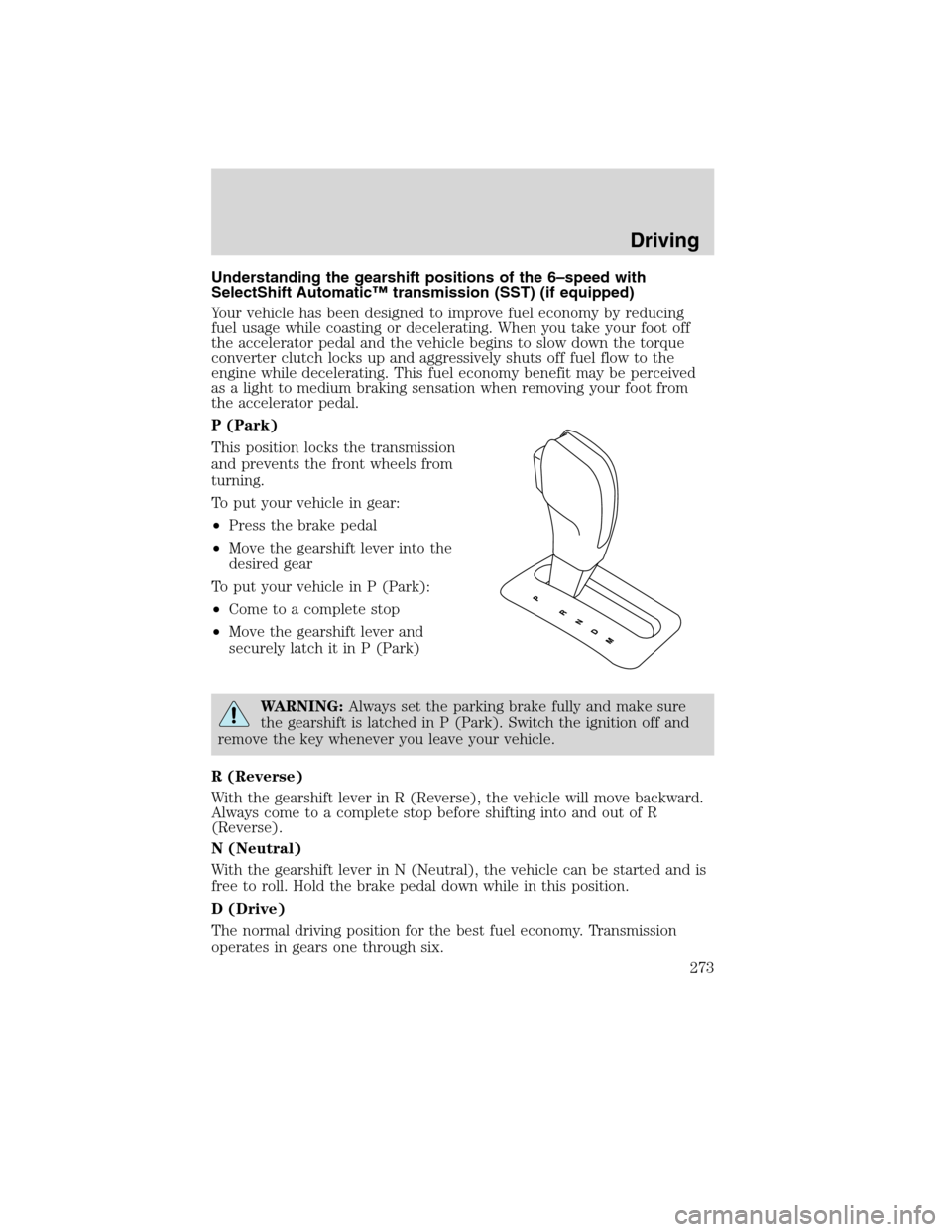
P (Park)
This position locks the transmission
and prevents the front wheels from
turning.
To put your vehicle in gear:
•Press the brake pedal
•Move the gearshift lever into the
desired gear
To put your vehicle in P (Park):
•Come to a complete stop
•Move the gearshift lever and
securely latch it in P (Park)
WARNING:Always set the parking brake fully and make sure
the gearshift is latched in P (Park). Switch the ignition off and
remove the key whenever you leave your vehicle.
R (Reverse)
With the gearshift lever in R (Reverse), the vehicle will move backward.
Always come to a complete stop before shifting into and out of R
(Reverse).
N (Neutral)
With the gearshift lever in N (Neutral), the vehicle can be started and is
free to roll. Hold the brake pedal down while in this position.
D (Drive)
The normal driving position for the best fuel economy. Transmission
operates in gears one through six.
Driving
273
2010 Flex(471)
Owners Guide, 1st Printing
USA(fus)
Page 277 of 397
WARNING:Certain add-on devices such as large trailer hitches,
bike or surfboard racks and any device that may block the
normal detection zone of the RSS system may create false beeps.
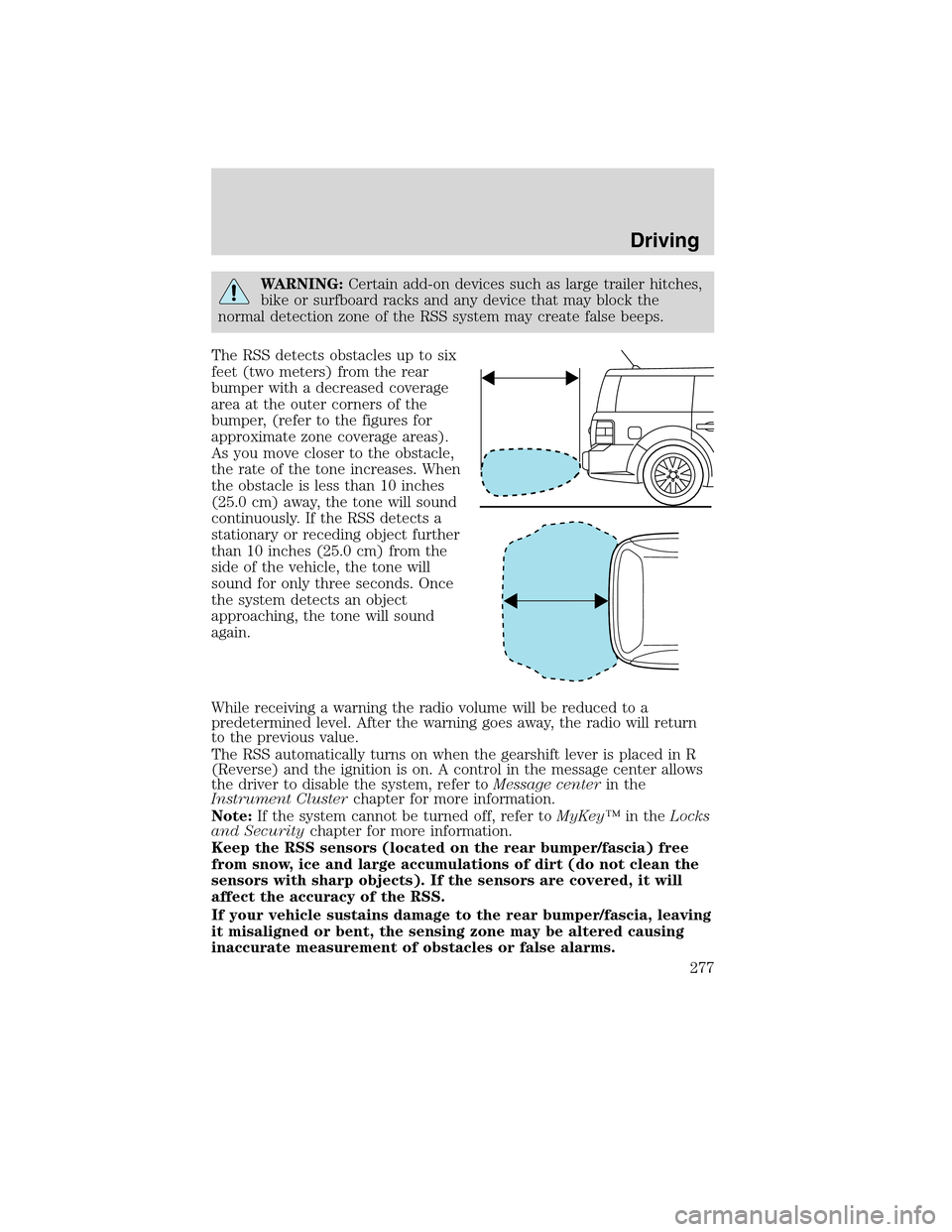
The RSS detects obstacles up to six
feet (two meters) from the rear
bumper with a decreased coverage
area at the outer corners of the
bumper, (refer to the figures for
approximate zone coverage areas).
As you move closer to the obstacle,
the rate of the tone increases. When
the obstacle is less than 10 inches
(25.0 cm) away, the tone will sound
continuously. If the RSS detects a
stationary or receding object further
than 10 inches (25.0 cm) from the
side of the vehicle, the tone will
sound for only three seconds. Once
the system detects an object
approaching, the tone will sound
again.
While receiving a warning the radio volume will be reduced to a
predetermined level. After the warning goes away, the radio will return
to the previous value.
The RSS automatically turns on when the gearshift lever is placed in R
(Reverse) and the ignition is on. A control in the message center allows
the driver to disable the system, refer toMessage centerin the
Instrument Clusterchapter for more information.
Note:If the system cannot be turned off, refer toMyKey™in theLocks
and Securitychapter for more information.
Keep the RSS sensors (located on the rear bumper/fascia) free
from snow, ice and large accumulations of dirt (do not clean the
sensors with sharp objects). If the sensors are covered, it will
affect the accuracy of the RSS.
If your vehicle sustains damage to the rear bumper/fascia, leaving
it misaligned or bent, the sensing zone may be altered causing
inaccurate measurement of obstacles or false alarms.
Driving
277
2010 Flex(471)
Owners Guide, 1st Printing
USA(fus)
Page 287 of 397
sudden return to the pavement which could cause the vehicle to slide
sideways out of control or rollover. Remember, your safety and the
safety of others should be your primary concern.
If your vehicle gets stuck
If your vehicle gets stuck in mud or snow it may be rocked out by
shifting between forward and reverse gears, stopping between shifts, in a
steady pattern. Press lightly on the accelerator in each gear.
If your vehicle is equipped with Traction Control™, it may be beneficial
to disengage the Traction Control™ system while attempting to rock the
vehicle.
Do not rock the vehicle if the engine is not at normal operating
temperature or damage to the transmission may occur.
Do not rock the vehicle for more than a few minutes or damage
to the transmission and tires may occur or the engine may
overheat.
WARNING:Always set the parking brake fully and make sure
the gearshift is latched in P (Park). Switch the ignition off and
remove the key whenever you leave your vehicle.
WARNING:If the parking brake is fully released, but the brake
warning lamp remains illuminated, the brakes may not be
working properly. See your authorized dealer.
WARNING:Do not spin the wheels at over 35 mph (56 km/h).
The tires may fail and injure a passenger or bystander.
Emergency maneuvers
•In an unavoidable emergency situation where a sudden sharp turn
must be made, remember to avoid “over-driving” your vehicle (i.e.,
turn the steering wheel only as rapidly and as far as required to avoid
the emergency). Excessive steering will result in less vehicle control,
not more. Additionally, smooth variations of the accelerator and/or
brake pedal pressure should be utilized if changes in vehicle speed are
called for. Avoid abrupt steering, acceleration or braking which could
result in an increased risk of loss of vehicle control, vehicle rollover
and/or personal injury. Use all available road surface to return the
vehicle to a safe direction of travel.
Driving
287
2010 Flex(471)
Owners Guide, 1st Printing
USA(fus)