warning FORD FLEX 2011 1.G Owner's Manual
[x] Cancel search | Manufacturer: FORD, Model Year: 2011, Model line: FLEX, Model: FORD FLEX 2011 1.GPages: 418, PDF Size: 2.92 MB
Page 39 of 418
Troubleshooting:
1. Do not connect the audio input jack to a line level output. Line level
outputs are intended for connection to a home stereo and are not
compatible with the AIJ. The AIJ will only work correctly with devices
that have a headphone output with a volume control.
2. Do not set the portable music player’s volume level higher than is
necessary to match the volume of the CD or FM radio in your audio
system as this will cause distortion and will reduce sound quality. Many
portable music players have different output levels, so not all players
should be set at the same levels. Some players will sound best at full
volume and others will need to be set at a lower volume.
3. If the music sounds distorted at lower listening levels, turn the
portable music player volume down. If the problems persists, replace or
recharge the batteries in the portable music player.
4. The portable music player must be controlled in the same manner
when it is used with headphones as the AIJ does not provide control
(play, pause, etc.) over the attached portable music player.
5. For safety reasons, connecting or adjusting the settings on your
portable music player should not be attempted while the vehicle is
moving. Also, the portable music player should be stored in a secure
location, such as the center console or the glove box, when the vehicle is
in motion. The audio extension cable must be long enough to allow the
portable music player to be safely stored while the vehicle is in motion.
USB port (if equipped)
WARNING:Driving while distracted can result in loss of vehicle
control, accident and injury. Ford strongly recommends that
drivers use extreme caution when using any device or feature that may
take their focus off the road. Your primary responsibility is the safe
operation of the vehicle. We recommend against the use of any
handheld device while driving and that you comply with all applicable
laws.
Entertainment Systems
39
2011 Flex(471)
Owners Guide, 1st Printing
USA(fus)
Page 47 of 418
FAMILY ENTERTAINMENT DVD SYSTEM (IF EQUIPPED)
WARNING:Driving while distracted can result in loss of vehicle
control, accident and injury. Ford strongly recommends that
drivers use extreme caution when using any device or feature that may
take their focus off the road. Your primary responsibility is the safe
operation of the vehicle. We recommend against the use of any
handheld device while driving and that you comply with all applicable
laws.
Your vehicle may be equipped with a Family Entertainment System
(FES) which allows you to listen to audio CDs, MP3 discs, watch DVDs
and to plug in and play a variety of standard video game systems. The
headrest-mounted DVD players are capable of playing standard DVDs,
CDs, MP3s and are compatible with Video CD, HDCD, Hybrid SACD
(play CD layer only), SVCD, DVD-video, JPEGs, up to MPEG-4 files, MP3
files and WMA media. Please review this material to become familiar with
the FES features and controls as well as the very important safety
information.
Quick start
Your family entertainment system includes two headrest-mounted DVD
player/screens, two sets of wireless infrared (IR) headphones and a
wireless infrared (IR) remote control capable of controlling either DVD
player. Both DVD players are capable of playing their own independent
media, or they can both watch the same media.
When in single play mode, the headrest video sources that have been
selected at each headrest will play through the speakers, but no audio is
available through the headphones.
To play a DVD
1. Insert a DVD into the system, label side facing the rear passengers.
The disc slot indicator lights will illuminate. The system will
automatically load the disc and it will begin to play. LOADING will
appear in the screen.
2. If there is already a disc in the system, press the power button on the
DVD system and then press
(Play) to begin to play the disc.
3. Use the bezel controls to play (
) pause (), stop (), or
eject (
) a DVD.
Press
/to access the previous/next chapter. Press and hold for a
fast reverse/forward search.
Entertainment Systems
47
2011 Flex(471)
Owners Guide, 1st Printing
USA(fus)
Page 55 of 418
Battery replacement
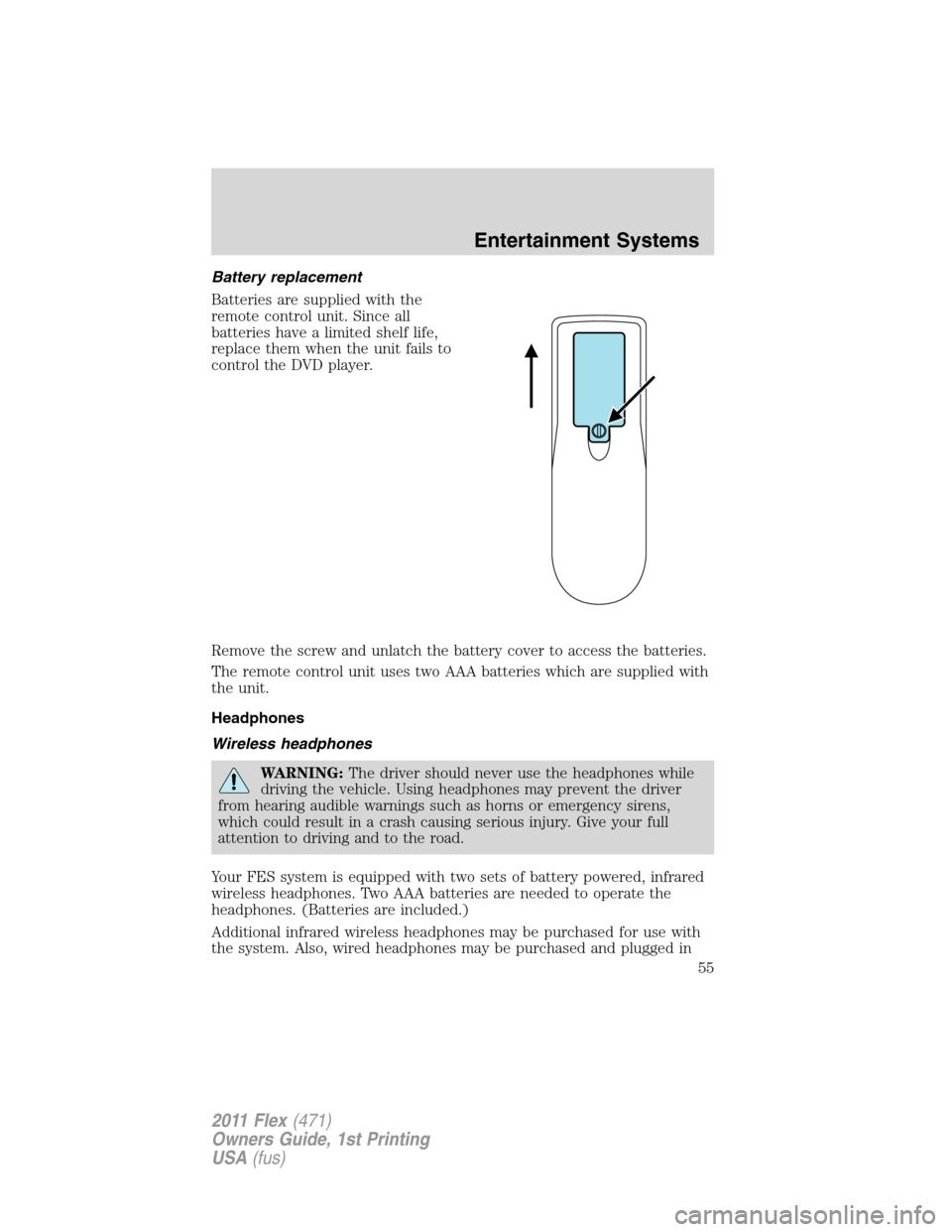
Batteries are supplied with the
remote control unit. Since all
batteries have a limited shelf life,
replace them when the unit fails to
control the DVD player.
Remove the screw and unlatch the battery cover to access the batteries.
The remote control unit uses two AAA batteries which are supplied with
the unit.
Headphones
Wireless headphones
WARNING:The driver should never use the headphones while
driving the vehicle. Using headphones may prevent the driver
from hearing audible warnings such as horns or emergency sirens,
which could result in a crash causing serious injury. Give your full
attention to driving and to the road.
Your FES system is equipped with two sets of battery powered, infrared
wireless headphones. Two AAA batteries are needed to operate the
headphones. (Batteries are included.)
Additional infrared wireless headphones may be purchased for use with
the system. Also, wired headphones may be purchased and plugged in
Entertainment Systems
55
2011 Flex(471)
Owners Guide, 1st Printing
USA(fus)
Page 57 of 418
Ensure that the headphones are turned off when not in use. After
approximately one minute of not being in use (no infrared signal is
received), the wireless headphones will automatically turn off. They will
also turn off after two hours of continuous use as a power save feature.
If this happens, simply turn the headphones on again and continue use.
Wired headphones
WARNING:Do not leave children unattended in the vehicle and
do not let children operate the system while unsupervised. If
wired headphones or auxiliary systems are used, children may become
entangled in the cords and seriously injure themselves.
WARNING:The driver should never use the headphones while
driving the vehicle. Using headphones may prevent the driver
from hearing audible warnings such as horns or emergency sirens,
which could result in a crash causing serious injury. Give your full
attention to driving and to the road.
Wired headphone jacks on the FES (Family Entertainment System) are
universal so you may purchase and use additional wired headphones for
your system. Plug them into the 3.5 mm headphone jack(s) located
behind the trim covers on the face of each monitor. These headphones
will be active when in Dual Play mode.
To listen to the audio on wired headphones (not included), connect the
wired headphones into the monitor headphone jacks. Available wired
headphone sources are limited to the sources available to whichever
monitor is being listened to. Adjust the volume using the volume control
on the DVD system remote control.
Operation
Single play/dual play
Your DVD and audio system work together with the infrared headphones
and wired headphones (not included) to allow the rear seat passengers
to listen to the radio (and other media sources) over the headphones.
This enables the front and rear seat passengers to listen to a variety of
sources a variety of ways.
Single Play:Single play consists of all occupants in the vehicle listening
to the same playing media over the front and rear speakers. When the
DVD system is on and in single play, the same source will play through
all vehicle speakers.
Entertainment Systems
57
2011 Flex(471)
Owners Guide, 1st Printing
USA(fus)
Page 64 of 418
General information
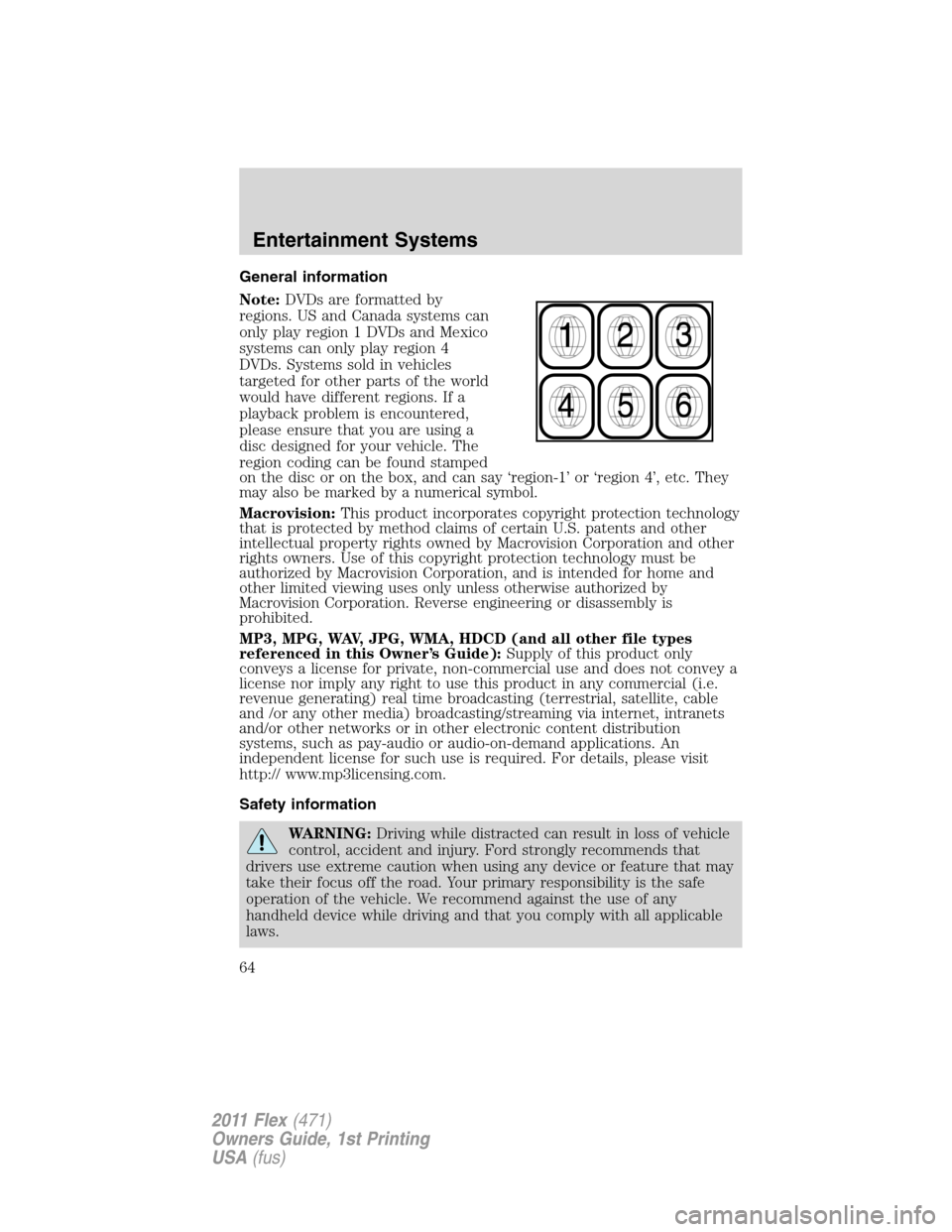
Note:DVDs are formatted by
regions. US and Canada systems can
only play region 1 DVDs and Mexico
systems can only play region 4
DVDs. Systems sold in vehicles
targeted for other parts of the world
would have different regions. If a
playback problem is encountered,
please ensure that you are using a
disc designed for your vehicle. The
region coding can be found stamped
on the disc or on the box, and can say ‘region-1’ or ‘region 4’, etc. They
may also be marked by a numerical symbol.
Macrovision:This product incorporates copyright protection technology
that is protected by method claims of certain U.S. patents and other
intellectual property rights owned by Macrovision Corporation and other
rights owners. Use of this copyright protection technology must be
authorized by Macrovision Corporation, and is intended for home and
other limited viewing uses only unless otherwise authorized by
Macrovision Corporation. Reverse engineering or disassembly is
prohibited.
MP3, MPG, WAV, JPG, WMA, HDCD (and all other file types
referenced in this Owner’s Guide):Supply of this product only
conveys a license for private, non-commercial use and does not convey a
license nor imply any right to use this product in any commercial (i.e.
revenue generating) real time broadcasting (terrestrial, satellite, cable
and /or any other media) broadcasting/streaming via internet, intranets
and/or other networks or in other electronic content distribution
systems, such as pay-audio or audio-on-demand applications. An
independent license for such use is required. For details, please visit
http:// www.mp3licensing.com.
Safety information
WARNING:Driving while distracted can result in loss of vehicle
control, accident and injury. Ford strongly recommends that
drivers use extreme caution when using any device or feature that may
take their focus off the road. Your primary responsibility is the safe
operation of the vehicle. We recommend against the use of any
handheld device while driving and that you comply with all applicable
laws.
Entertainment Systems
64
2011 Flex(471)
Owners Guide, 1st Printing
USA(fus)
Page 65 of 418
Read all of the safety and operating instructions before operating the
system and retain for future reference.
Do not attempt to service, repair or modify the Family Entertainment
System (FES). See your dealer.
Do not insert foreign objects into the DVD compartment.
WARNING:Do not leave children unattended in the vehicle and
do not let children operate the system while unsupervised. If
wired headphones or auxiliary systems are used, children may become
entangled in the cords and seriously injure themselves.
WARNING:The front glass on the liquid crystal display (LCD)
flip-down screen may break when hit with a hard surface. If the
glass breaks, do not touch the liquid crystalline material. In case of
contact with skin, wash immediately with soap and water.
WARNING:The driver should not attempt to operate any
function of the DVD system while the vehicle is in motion. Give
full attention to driving and to the road. Pull off the road in a safe
place before inserting or extracting DVDs from the system. A remote
control is included in the system to allow the rear seat occupants to
operate the FES functions without distracting the driver.
Do not expose the liquid crystal display (LCD) flip-down screen
to direct sunlight or intensive ultraviolet rays for extensive
periods of time. Ultraviolet rays deteriorate the liquid crystal.
Be sure to review User Manuals for video games and video game
equipment when used as auxiliary inputs for your Family Entertainment
System (FES).
Do not operate video games or video equipment if the power cords
and/or cables are broken, split or damaged. Carefully place cords and/or
cables where they will not be stepped on or interfere with the operation
of seats and/or compartments.
Disconnect video games and video equipment power cords and/or cables
when not in use.
Avoid touching auxiliary input jacks with your fingers. Do not blow on
them or allow them to get wet or dirty.
Do not clean any part of the DVD player with benzene, lacquer thinner,
acetone, or any other solvent.
Entertainment Systems
65
2011 Flex(471)
Owners Guide, 1st Printing
USA(fus)
Page 83 of 418
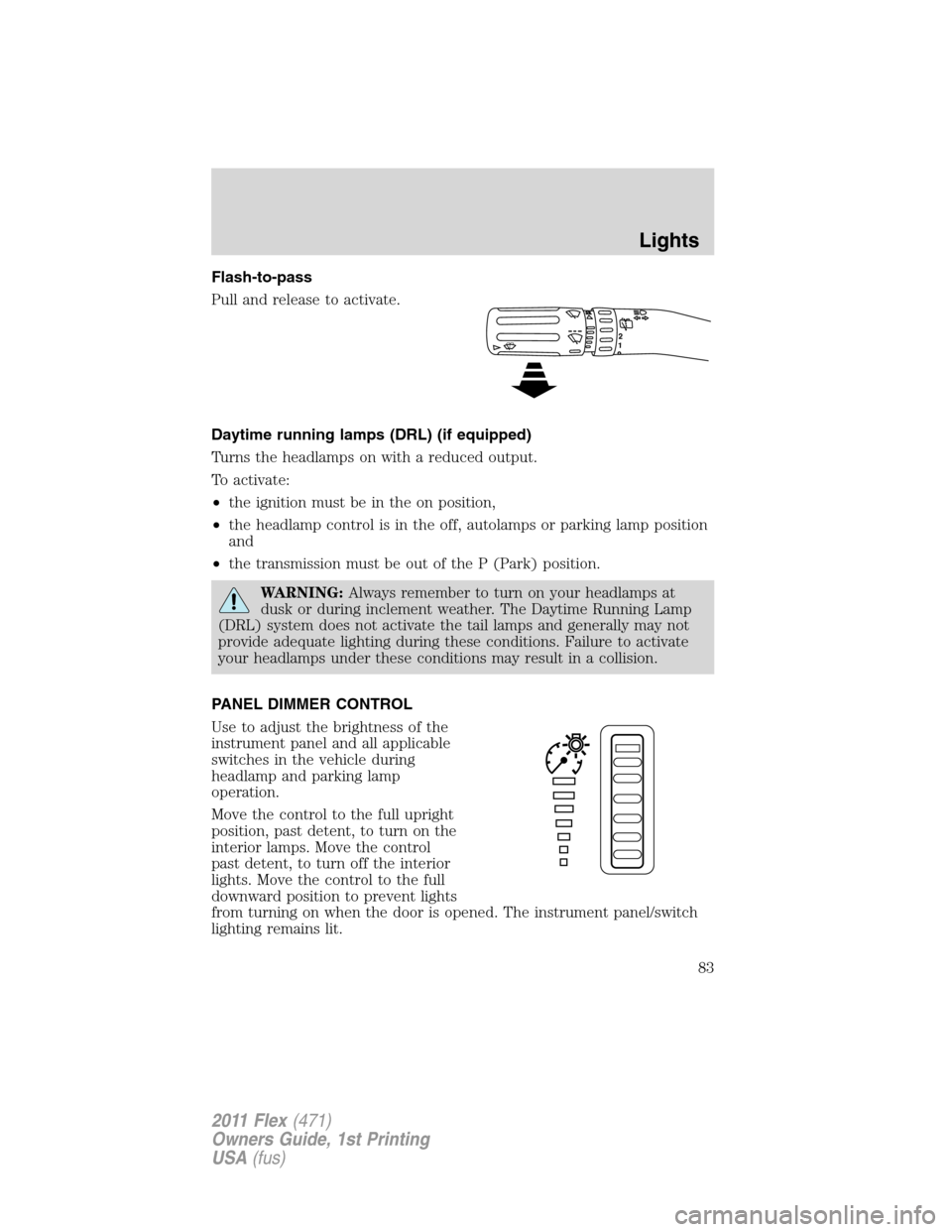
Flash-to-pass
Pull and release to activate.
Daytime running lamps (DRL) (if equipped)
Turns the headlamps on with a reduced output.
To activate:
•the ignition must be in the on position,
•the headlamp control is in the off, autolamps or parking lamp position
and
•the transmission must be out of the P (Park) position.
WARNING:Always remember to turn on your headlamps at
dusk or during inclement weather. The Daytime Running Lamp
(DRL) system does not activate the tail lamps and generally may not
provide adequate lighting during these conditions. Failure to activate
your headlamps under these conditions may result in a collision.
PANEL DIMMER CONTROL
Use to adjust the brightness of the
instrument panel and all applicable
switches in the vehicle during
headlamp and parking lamp
operation.
Move the control to the full upright
position, past detent, to turn on the
interior lamps. Move the control
past detent, to turn off the interior
lights. Move the control to the full
downward position to prevent lights
from turning on when the door is opened. The instrument panel/switch
lighting remains lit.
12
Lights
83
2011 Flex(471)
Owners Guide, 1st Printing
USA(fus)
Page 88 of 418
Function Number of bulbsTrade
number
Fog lamp 2 H11
Map lamp 2 12V6W
Dome/reading lamps 6 578
To replace all instrument panel lights - see your authorized dealer.
*To replace these lamps - see your authorized dealer.
Replacing interior bulbs
Check the operation of all bulbs frequently.
Replacing exterior bulbs
Check the operation of all the bulbs frequently.
Replacing headlamp (high beam/low beam) halogen bulbs
1. Make sure headlamp switch is in the off position, then open the hood.
2. Reach in behind the headlamp assembly to access the bulb sockets
and connectors.
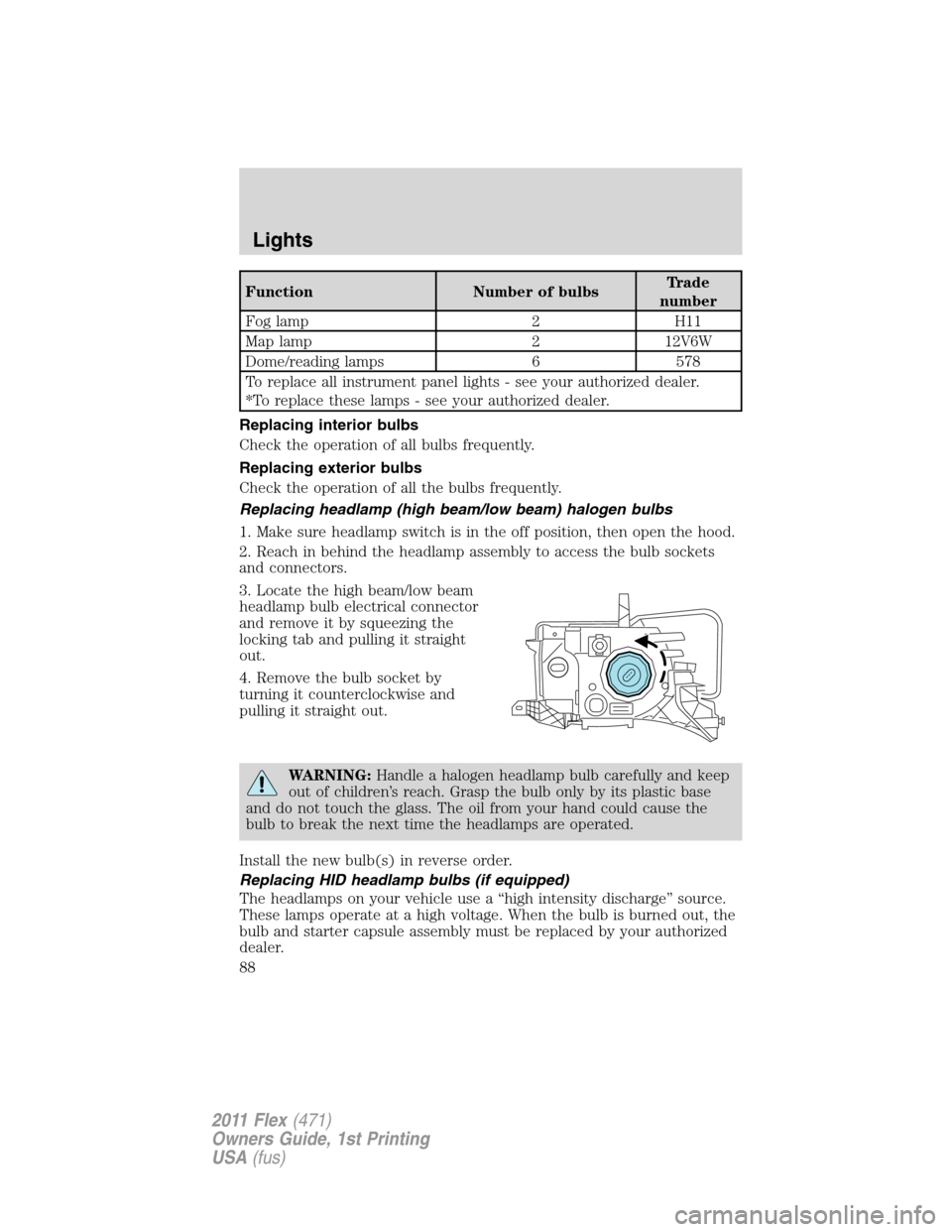
3. Locate the high beam/low beam
headlamp bulb electrical connector
and remove it by squeezing the
locking tab and pulling it straight
out.
4. Remove the bulb socket by
turning it counterclockwise and
pulling it straight out.
WARNING:Handle a halogen headlamp bulb carefully and keep
out of children’s reach. Grasp the bulb only by its plastic base
and do not touch the glass. The oil from your hand could cause the
bulb to break the next time the headlamps are operated.
Install the new bulb(s) in reverse order.
Replacing HID headlamp bulbs (if equipped)
The headlamps on your vehicle use a “high intensity discharge” source.
These lamps operate at a high voltage. When the bulb is burned out, the
bulb and starter capsule assembly must be replaced by your authorized
dealer.
Lights
88
2011 Flex(471)
Owners Guide, 1st Printing
USA(fus)
Page 92 of 418
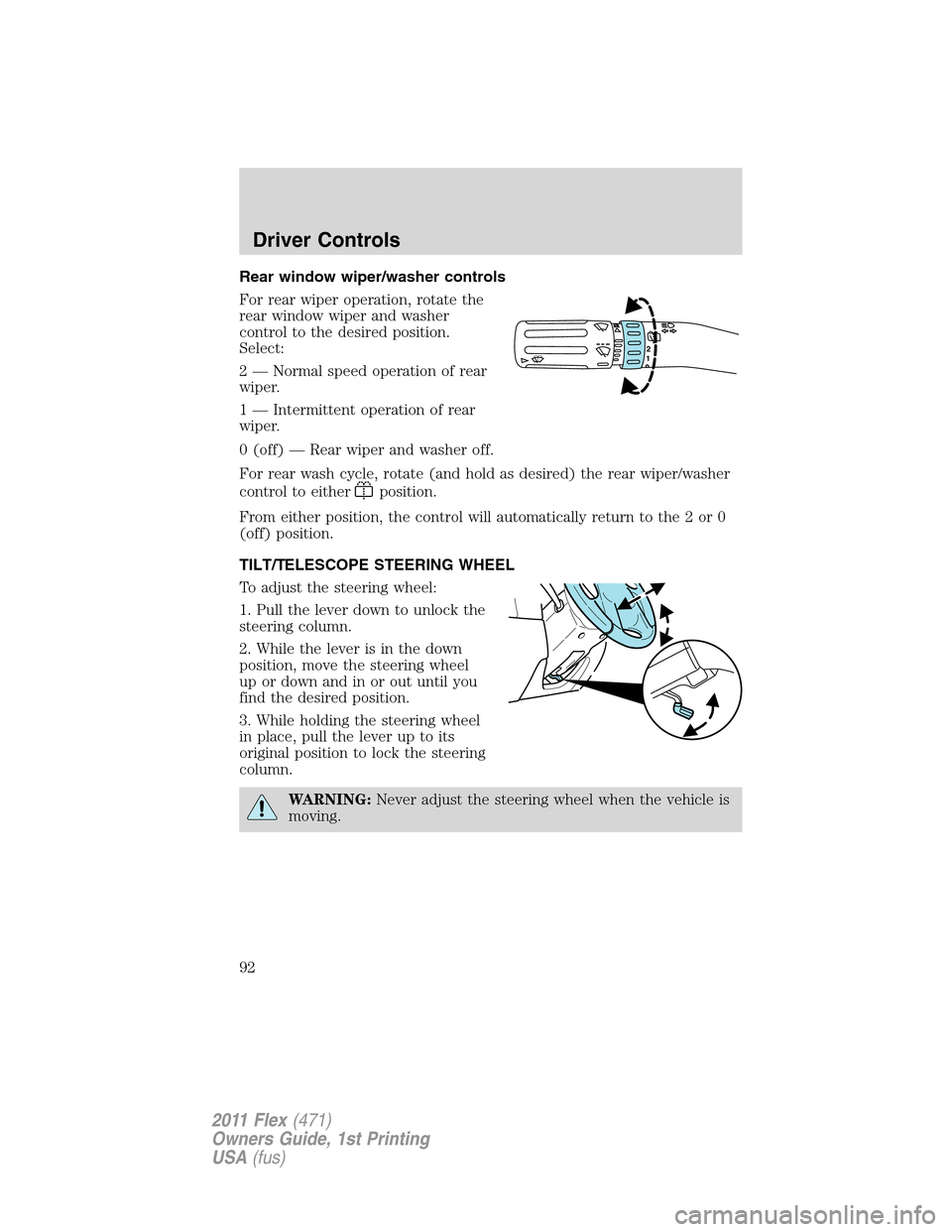
Rear window wiper/washer controls
For rear wiper operation, rotate the
rear window wiper and washer
control to the desired position.
Select:
2 — Normal speed operation of rear
wiper.
1 — Intermittent operation of rear
wiper.
0 (off) — Rear wiper and washer off.
For rear wash cycle, rotate (and hold as desired) the rear wiper/washer
control to either
position.
From either position, the control will automatically return to the 2 or 0
(off) position.
TILT/TELESCOPE STEERING WHEEL
To adjust the steering wheel:
1. Pull the lever down to unlock the
steering column.
2. While the lever is in the down
position, move the steering wheel
up or down and in or out until you
find the desired position.
3. While holding the steering wheel
in place, pull the lever up to its
original position to lock the steering
column.
WARNING:Never adjust the steering wheel when the vehicle is
moving.
12
Driver Controls
92
2011 Flex(471)
Owners Guide, 1st Printing
USA(fus)
Page 96 of 418
2. To calibrate, press and hold the 7
and 9 radio preset buttons together
for approximately 10 seconds until
CAL appears. Release the buttons.
3. Slowly drive the vehicle in a
circle (less than 3 mph [5 km/h])
until the CAL display changes to the
direction value (N, S, E, W, etc.). It
may take up to five circles to
complete calibration.
4. The compass is now calibrated.
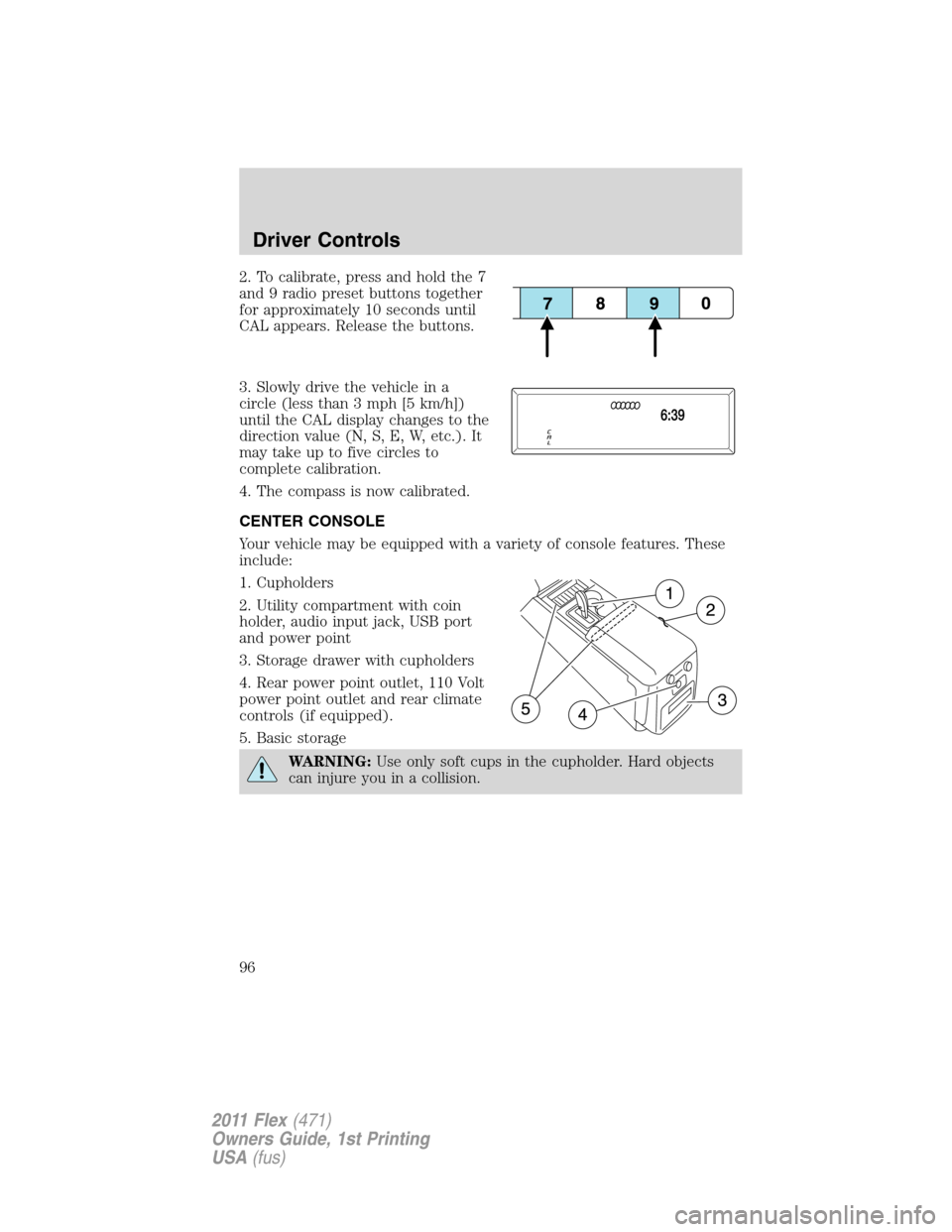
CENTER CONSOLE
Your vehicle may be equipped with a variety of console features. These
include:
1. Cupholders
2. Utility compartment with coin
holder, audio input jack, USB port
and power point
3. Storage drawer with cupholders
4. Rear power point outlet, 110 Volt
power point outlet and rear climate
controls (if equipped).
5. Basic storage
WARNING:Use only soft cups in the cupholder. Hard objects
can injure you in a collision.
Driver Controls
96
2011 Flex(471)
Owners Guide, 1st Printing
USA(fus)