keyless FORD FLEX 2014 1.G User Guide
[x] Cancel search | Manufacturer: FORD, Model Year: 2014, Model line: FLEX, Model: FORD FLEX 2014 1.GPages: 554, PDF Size: 8.04 MB
Page 166 of 554
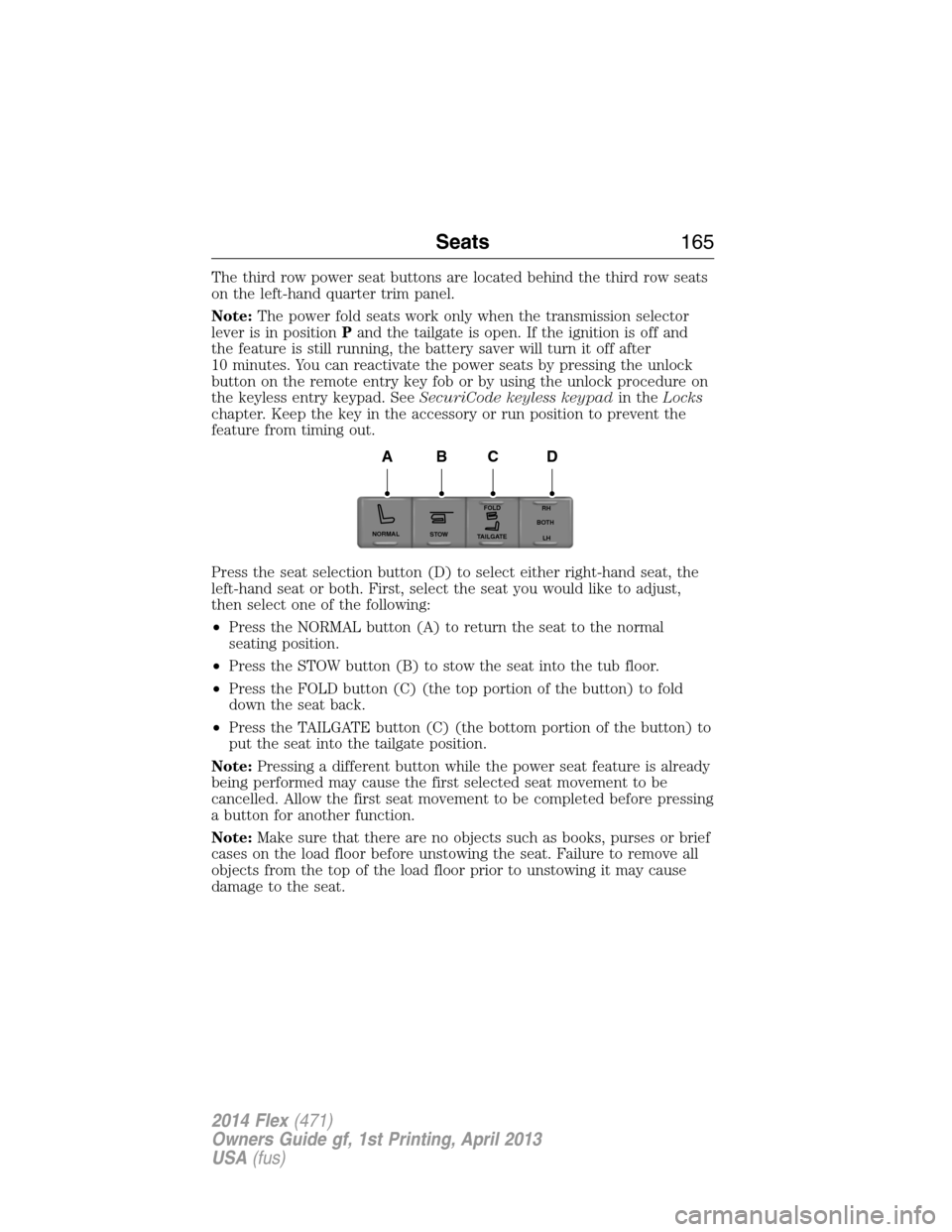
The third row power seat buttons are located behind the third row seats
on the left-hand quarter trim panel.
Note:The power fold seats work only when the transmission selector
lever is in positionPand the tailgate is open. If the ignition is off and
the feature is still running, the battery saver will turn it off after
10 minutes. You can reactivate the power seats by pressing the unlock
button on the remote entry key fob or by using the unlock procedure on
the keyless entry keypad. SeeSecuriCode keyless keypadin theLocks
chapter. Keep the key in the accessory or run position to prevent the
feature from timing out.
Press the seat selection button (D) to select either right-hand seat, the
left-hand seat or both. First, select the seat you would like to adjust,
then select one of the following:
•Press the NORMAL button (A) to return the seat to the normal
seating position.
•Press the STOW button (B) to stow the seat into the tub floor.
•Press the FOLD button (C) (the top portion of the button) to fold
down the seat back.
•Press the TAILGATE button (C) (the bottom portion of the button) to
put the seat into the tailgate position.
Note:Pressing a different button while the power seat feature is already
being performed may cause the first selected seat movement to be
cancelled. Allow the first seat movement to be completed before pressing
a button for another function.
Note:Make sure that there are no objects such as books, purses or brief
cases on the load floor before unstowing the seat. Failure to remove all
objects from the top of the load floor prior to unstowing it may cause
damage to the seat.
NORMAL
STOWRH
BOTH
LH
FOLD
TA I L G AT E
ABCD
Seats165
2014 Flex(471)
Owners Guide gf, 1st Printing, April 2013
USA(fus)
Page 180 of 554
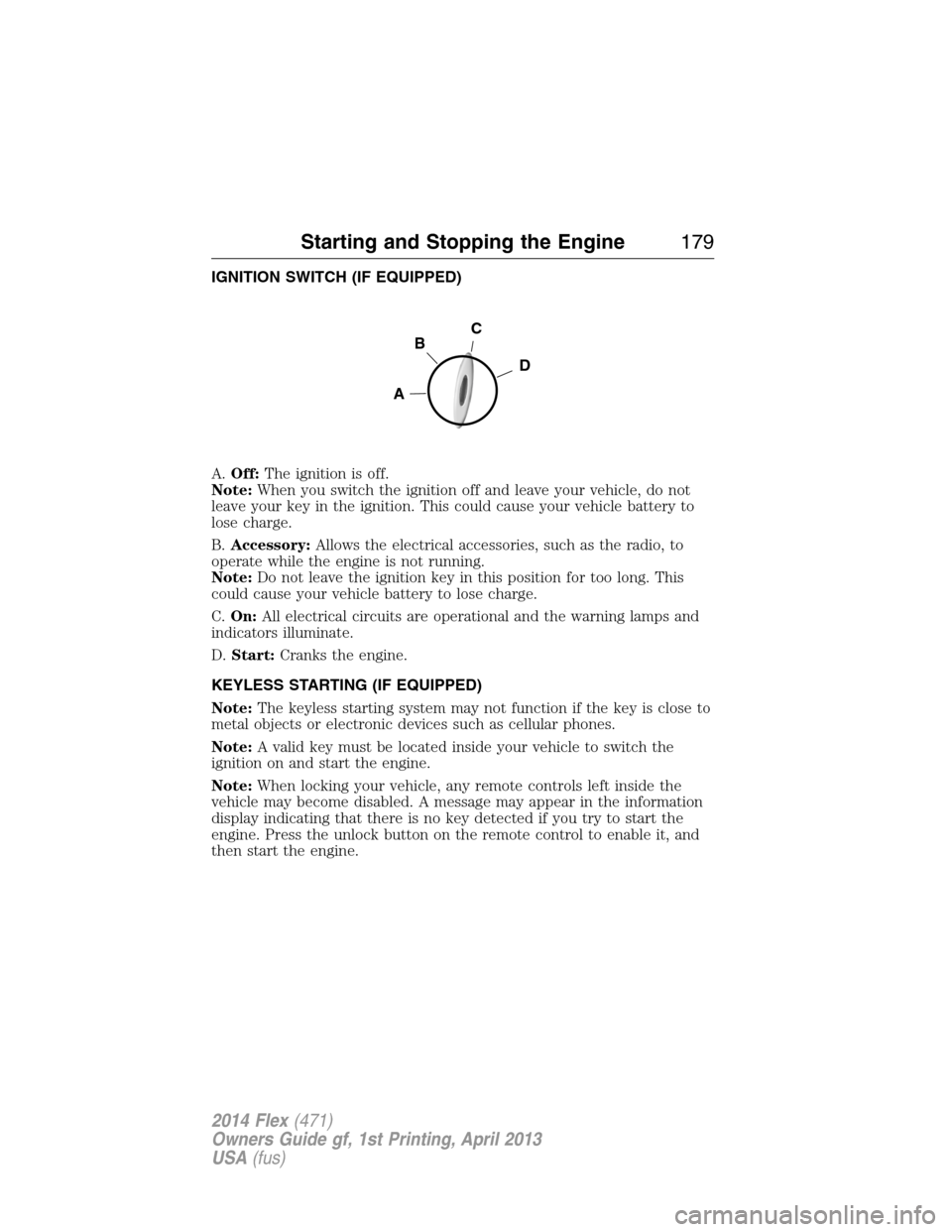
IGNITION SWITCH (IF EQUIPPED)
A.Off:The ignition is off.
Note:When you switch the ignition off and leave your vehicle, do not
leave your key in the ignition. This could cause your vehicle battery to
lose charge.
B.Accessory:Allows the electrical accessories, such as the radio, to
operate while the engine is not running.
Note:Do not leave the ignition key in this position for too long. This
could cause your vehicle battery to lose charge.
C.On:All electrical circuits are operational and the warning lamps and
indicators illuminate.
D.Start:Cranks the engine.
KEYLESS STARTING (IF EQUIPPED)
Note:The keyless starting system may not function if the key is close to
metal objects or electronic devices such as cellular phones.
Note:A valid key must be located inside your vehicle to switch the
ignition on and start the engine.
Note:When locking your vehicle, any remote controls left inside the
vehicle may become disabled. A message may appear in the information
display indicating that there is no key detected if you try to start the
engine. Press the unlock button on the remote control to enable it, and
then start the engine.
C
D
B
A
Starting and Stopping the Engine179
2014 Flex(471)
Owners Guide gf, 1st Printing, April 2013
USA(fus)
Page 182 of 554
Before starting the engine check the following:
•Make sure all occupants have fastened their safety belts.
•Make sure the headlamps and electrical accessories are off.
•Make sure the parking brake is on.
•Make sure the gearshift is in positionP.
•Turn the ignition key to the on position. If your vehicle is equipped
with a keyless ignition, see the following instructions.
Vehicles with an Ignition Key
Note:Do not touch the accelerator pedal.
1. Fully press the brake pedal.
2. Turn the key to the start position. Release the key when the engine
starts.
Note:The engine may continue cranking for up to 15 seconds or until it
starts.
Note:If you cannot start the engine on the first try, wait for a short
period and try again.
Vehicles with Keyless Start
Note:Do not touch the accelerator pedal.
1. Fully press the brake pedal.
2. Press the button.
The system does not function if:
•The key frequencies are jammed.
•The key battery has no charge.
If you are unable to start your vehicle, do the following:
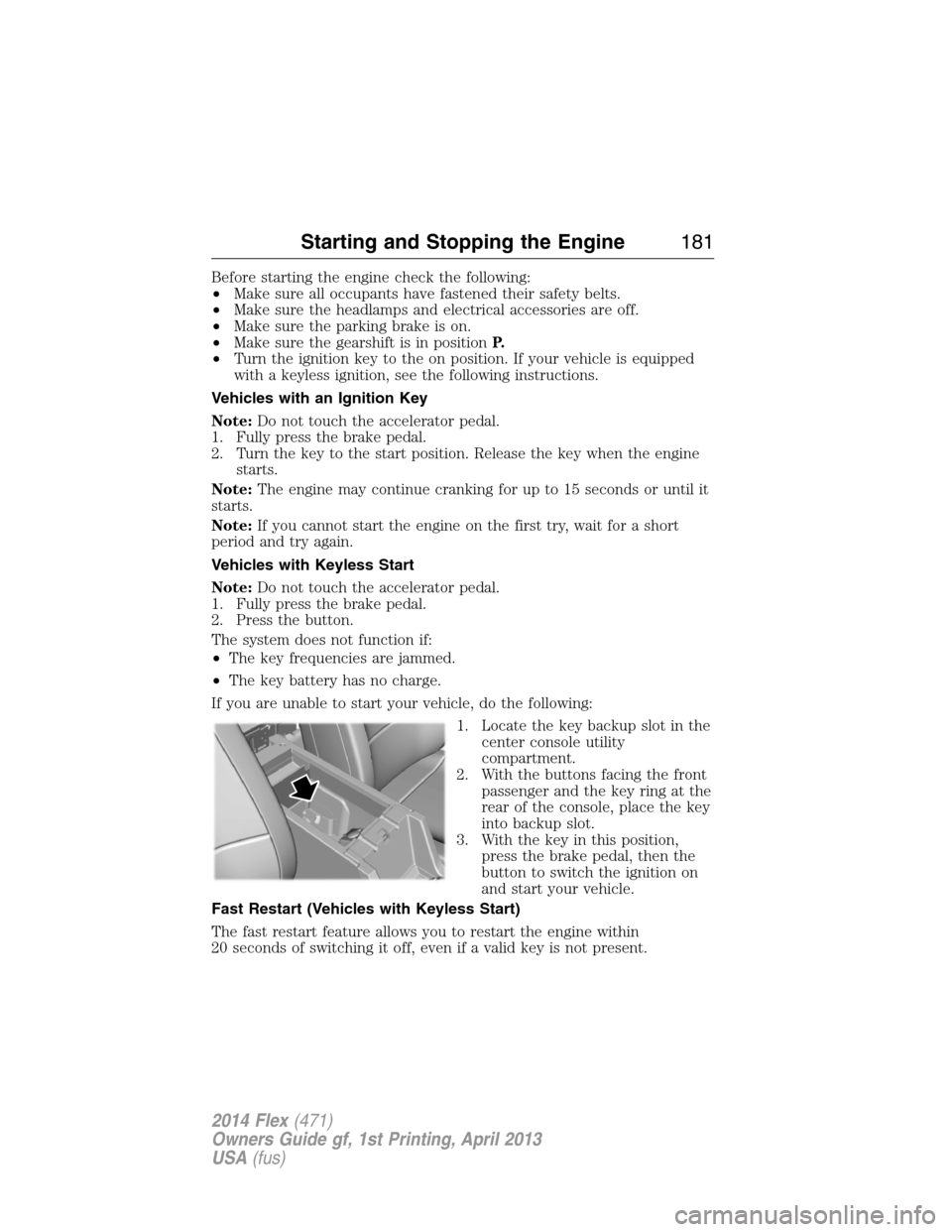
1. Locate the key backup slot in the
center console utility
compartment.
2. With the buttons facing the front
passenger and the key ring at the
rear of the console, place the key
into backup slot.
3. With the key in this position,
press the brake pedal, then the
button to switch the ignition on
and start your vehicle.
Fast Restart (Vehicles with Keyless Start)
The fast restart feature allows you to restart the engine within
20 seconds of switching it off, even if a valid key is not present.
Starting and Stopping the Engine181
2014 Flex(471)
Owners Guide gf, 1st Printing, April 2013
USA(fus)
Page 183 of 554
Within 20 seconds of switching the engine off, press the brake pedal and
press the button. After 20 seconds have expired, you can no longer start
the engine without the key present inside your vehicle.
Once the engine has started, it remains running until you press the
button, even if the system does not detect a valid key. If you open and
close a door while the engine is running, the system searches for a valid
key. You cannot start the engine if the system does not detect a valid key
within 20 seconds.
Failure to Start
If you cannot start the engine after three attempts, wait 10 seconds and
follow this procedure:
1. Fully press the brake pedal.
2. Fully press the accelerator pedal and hold it there.
3. Start the engine.
Automatic Engine Shutdown
If your vehicle is equipped with a keyless ignition, it has a feature that
automatically shuts down the engine if it has been idling for an extended
period. The ignition also turns off in order to save battery power. Before
the engine shuts down, a message appears in the information display
showing a timer counting down from 30 seconds. If you do not intervene
within 30 seconds, the engine shuts down. Another message appears in
the information display to inform you that the engine has shut down in
order to save fuel. Start your vehicle as you normally do.
Automatic Engine Shutdown Override
Note:You cannot permanently switch off the automatic engine shutdown
feature. When you switch it off temporarily, it turns on at the next
ignition cycle.
You can stop the engine shutdown, or reset the timer, at any point
before the 30-second countdown has expired by doing any of the
following:
•You can reset the timer by interacting with your vehicle (such as
pressing the brake pedal or accelerator pedal).
•You can temporarily switch off the shutdown feature any time the
ignition is on (for the current ignition cycle only). Use the
information display to do so.
•During the countdown before engine shutdown, you are prompted to
pressOKorRESET(depending on your type of information display)
to temporarily switch the feature off (for the current ignition cycle
only).
182Starting and Stopping the Engine
2014 Flex(471)
Owners Guide gf, 1st Printing, April 2013
USA(fus)
Page 184 of 554
Stopping the Engine When Your Vehicle is Stationary
1. Move the transmission selector lever to positionP.
2. If your vehicle has an ignition key, turn the key to the off position.
If your vehicle has a keyless start system, press the button once.
3. Apply the parking brake.
Note:This switches off the ignition, all electrical circuits, warning lamps
and indicators.
Note:If the engine is idling for 30 minutes, the ignition and engine
automatically shut down.
Stopping the Engine When Your Vehicle is Moving
WARNING:Switching off the engine when the vehicle is still
moving will result in a loss of brake and steering assistance.
The steering will not lock, but higher effort will be required. When the
ignition is switched off, some electrical circuits, warning lamps and
indicators may also be off.
1.If your vehicle has an ignition key,move the transmission
selector lever to positionNand use the brakes to bring your vehicle
to a safe stop. When your vehicle has stopped, move the transmission
selector lever to positionPand turn the key to the off position.
2.If your vehicle has a keyless start system,press and hold the
button for one second, or press it three times within two seconds.
Move the transmission selector lever to positionNand use the brakes
to bring your vehicle to a safe stop. When your vehicle has stopped,
move the transmission selector lever to positionPand switch the
ignition off.
3. Apply the parking brake.
Your vehicle may have remote start capability. Refer toRemote startin
theKeys and Remote Controlchapter.
Guarding Against Exhaust Fumes
WARNING:If you smell exhaust fumes inside your vehicle, have
this checked immediately. Do not drive your vehicle if you smell
exhaust fumes. Carbon monoxide is present in exhaust fumes. Take
precautions to avoid its dangerous effects.
Starting and Stopping the Engine183
2014 Flex(471)
Owners Guide gf, 1st Printing, April 2013
USA(fus)
Page 189 of 554
Do not be concerned if your engine sometimes knocks lightly. However, if
it knocks heavily while you are using fuel with the recommended octane
rating, see your authorized dealer to prevent any engine damage.
RUNNING OUT OF FUEL
Avoid running out of fuel because this situation may have an adverse
effect on powertrain components.
If you have run out of fuel:
•You may need to cycle the ignition from off to on several times after
refueling to allow the fuel system to pump the fuel from the tank to
the engine. On restarting, crank time will be a few seconds longer
than normal. With keyless ignition, just start the engine. Crank time
will be longer than usual.
•Normally, adding 1 gallon (3.8 liters) of fuel is enough to restart the
engine. If the vehicle is out of fuel and on a steep grade, more than
1 gallon (3.8 liters) may be required.
•The service engine soon indicator may come on. For more information
on the service engine soon indicator, seeWarning Lamps and
Indicatorsin theInstrument Clusterchapter.
Refilling with a Portable Fuel Container
WARNING:Do not insert the nozzle of a portable fuel container
or aftermarket funnel into the capless fuel system. This could
damage the fuel system and its seal, and may cause fuel to run onto the
ground instead of filling the tank, which could result in serious personal
injury.
WARNING:Do not try to pry open or push open the capless fuel
system with foreign objects. This could damage the fuel system
and its seal and cause injury to you or others.
Note:Do not use aftermarket funnels; they will not work with the
capless fuel system and can damage it. The included funnel has been
specially designed to work safely with your vehicle.
When filling the vehicle’s fuel tank from a portable fuel container, use the
funnel included with the vehicle.
188Fuel and Refueling
2014 Flex(471)
Owners Guide gf, 1st Printing, April 2013
USA(fus)
Page 487 of 554
Sound
Press the Settings icon >Sound,then select from the
following:
Sound Settings
Bass DSP*
Midrange Occupancy Mode*
Treble Speed Compensated Volume
Set Balance and Fade
*If equipped.
Vehicle
Press the Settings icon >Vehicle,then select from the
following:
•Ambient Lighting
•Vehicle Health Report
•Door Keypad Code
•Rear View Camera
•Enable Valet Mode.
Ambient Lighting (If Equipped)
When activated, ambient lighting illuminates footwells and cupholders
with a choice of colors. To access and make adjustments:
1. Press the Settings icon >Vehicle>Ambient Lighting.
2. Touch the desired color.
3. Use the scroll bar to increase or decrease the intensity.
To turn the feature on or off, press the power button.
Vehicle Health Report
Turn Automatic Reminders on and off and set the mileage interval at
which you would like to receive the reports. Press?for more information
on these selections.
When done making your selections, pressRun Vehicle Health Report
Nowif you want your report.
Door Keypad Code
To change the keypad code for your keyless entry keypad system:
1. Press the Settings icon >Vehicle>Door Keypad Code.
2. Enter your current factory code, then, when prompted, enter your
new code.
486MyFord Touch® (If Equipped)
2014 Flex(471)
Owners Guide gf, 1st Printing, April 2013
USA(fus)
Page 550 of 554
HD Radio™ ...............................447
Headlamps
aiming ......................................308
bulb specifications ..................314
flash to pass ..............................99
high beam .................................99
replacing bulbs .......................310
Head restraints .........................146
Heated steering wheel ..............495
Heating ......................135, 137–138
Help ............................................494
Homelink wireless control
system ........................................167
Hood ..........................................288
How to use voice commands ...441
I
Ignition ...............................179, 355
Illuminated visor mirror ...........108
Information displays .................117
Inspection/maintenance (I/M)
testing ........................................194
Instrument panel
cleaning ...................................319
cluster ......................................111
Intelligent Access Key ................64
J
Jack ............................................347
positioning ...............................347
storage .....................................347
Joining two calls
(multiparty/conference call) ....394
Jump-starting your vehicle ......267K
Keyless entry system
autolock .....................................77
keypad .......................................82
locking and unlocking doors ....84
programming entry code .........82
Keys .......................................64, 86
positions of the ignition .........179
L
Lamps
bulb replacement
specifications chart ................314
headlamps, flash to pass ..........99
interior lamps .........................103
replacing bulbs .......................310
LATCH anchors ...........................30
Liftgate ........................................79
Lights, warning and indicator ..111
Listening to music ....................444
Load limits .................................243
Locks
autolock .....................................77
childproof ..................................36
doors ..........................................75
Lubricant specifications ...........356
Lug nuts ....................................353
M
Making and receiving calls .......467
MAP DVD - Loading and
Unloading ..................................467
Map icons ..................................505
Map mode ..................................504
Map preferences .......................502
Index549
2014 Flex(471)
Owners Guide gf, 1st Printing, April 2013
USA(fus)
Page 552 of 554
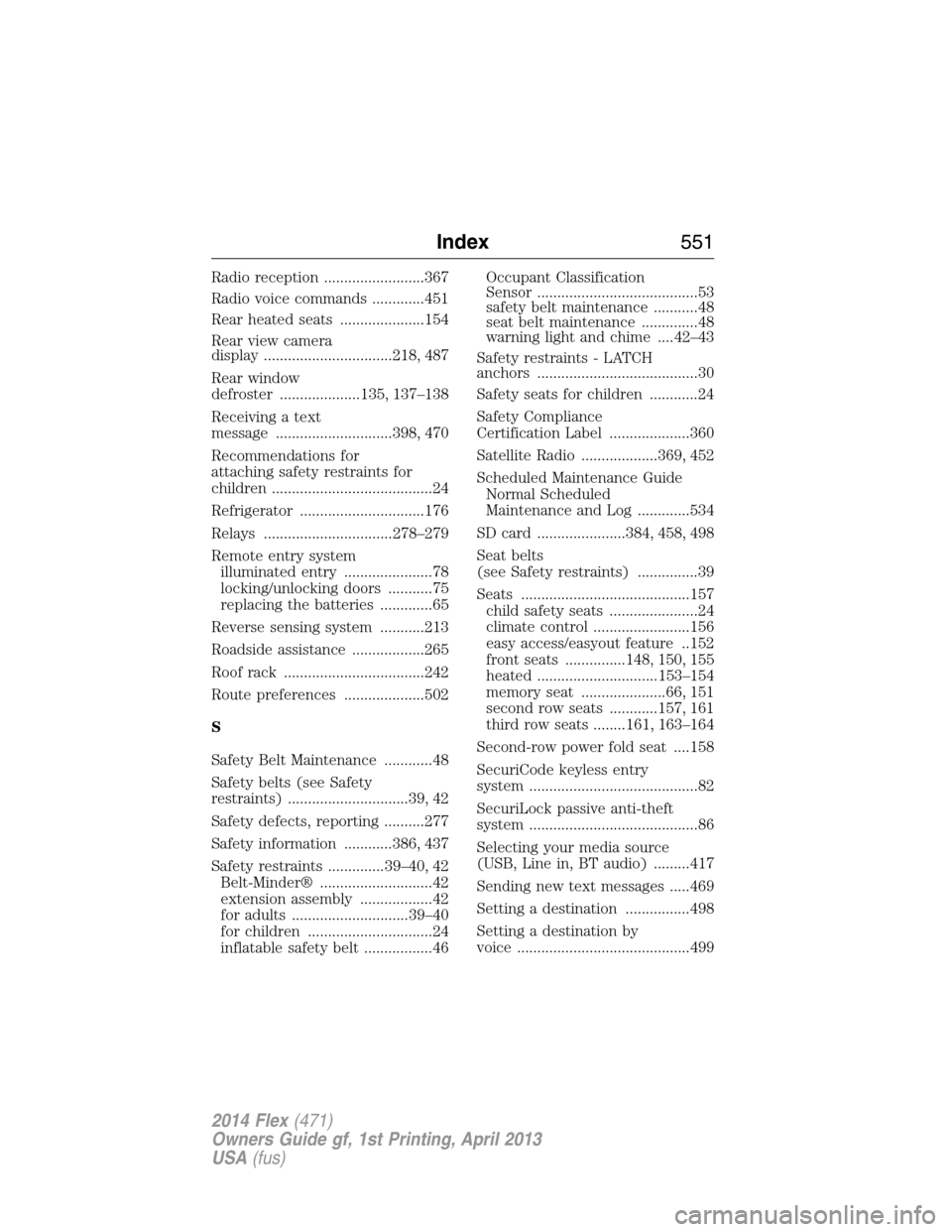
Radio reception .........................367
Radio voice commands .............451
Rear heated seats .....................154
Rear view camera
display ................................218, 487
Rear window
defroster ....................135, 137–138
Receiving a text
message .............................398, 470
Recommendations for
attaching safety restraints for
children ........................................24
Refrigerator ...............................176
Relays ................................278–279
Remote entry system
illuminated entry ......................78
locking/unlocking doors ...........75
replacing the batteries .............65
Reverse sensing system ...........213
Roadside assistance ..................265
Roof rack ...................................242
Route preferences ....................502
S
Safety Belt Maintenance ............48
Safety belts (see Safety
restraints) ..............................39, 42
Safety defects, reporting ..........277
Safety information ............386, 437
Safety restraints ..............39–40, 42
Belt-Minder® ............................42
extension assembly ..................42
for adults .............................39–40
for children ...............................24
inflatable safety belt .................46Occupant Classification
Sensor ........................................53
safety belt maintenance ...........48
seat belt maintenance ..............48
warning light and chime ....42–43
Safety restraints - LATCH
anchors ........................................30
Safety seats for children ............24
Safety Compliance
Certification Label ....................360
Satellite Radio ...................369, 452
Scheduled Maintenance Guide
Normal Scheduled
Maintenance and Log .............534
SD card ......................384, 458, 498
Seat belts
(see Safety restraints) ...............39
Seats ..........................................157
child safety seats ......................24
climate control ........................156
easy access/easyout feature ..152
front seats ...............148, 150, 155
heated ..............................153–154
memory seat .....................66, 151
second row seats ............157, 161
third row seats ........161, 163–164
Second-row power fold seat ....158
SecuriCode keyless entry
system ..........................................82
SecuriLock passive anti-theft
system ..........................................86
Selecting your media source
(USB, Line in, BT audio) .........417
Sending new text messages .....469
Setting a destination ................498
Setting a destination by
voice ...........................................499
Index551
2014 Flex(471)
Owners Guide gf, 1st Printing, April 2013
USA(fus)