tow FORD FLEX 2014 1.G User Guide
[x] Cancel search | Manufacturer: FORD, Model Year: 2014, Model line: FLEX, Model: FORD FLEX 2014 1.GPages: 554, PDF Size: 8.04 MB
Page 86 of 554
With Intelligent Access Keys
Note:You will need to have two programmed intelligent access keys for
this procedure.
To display the factory-set code in the information display:
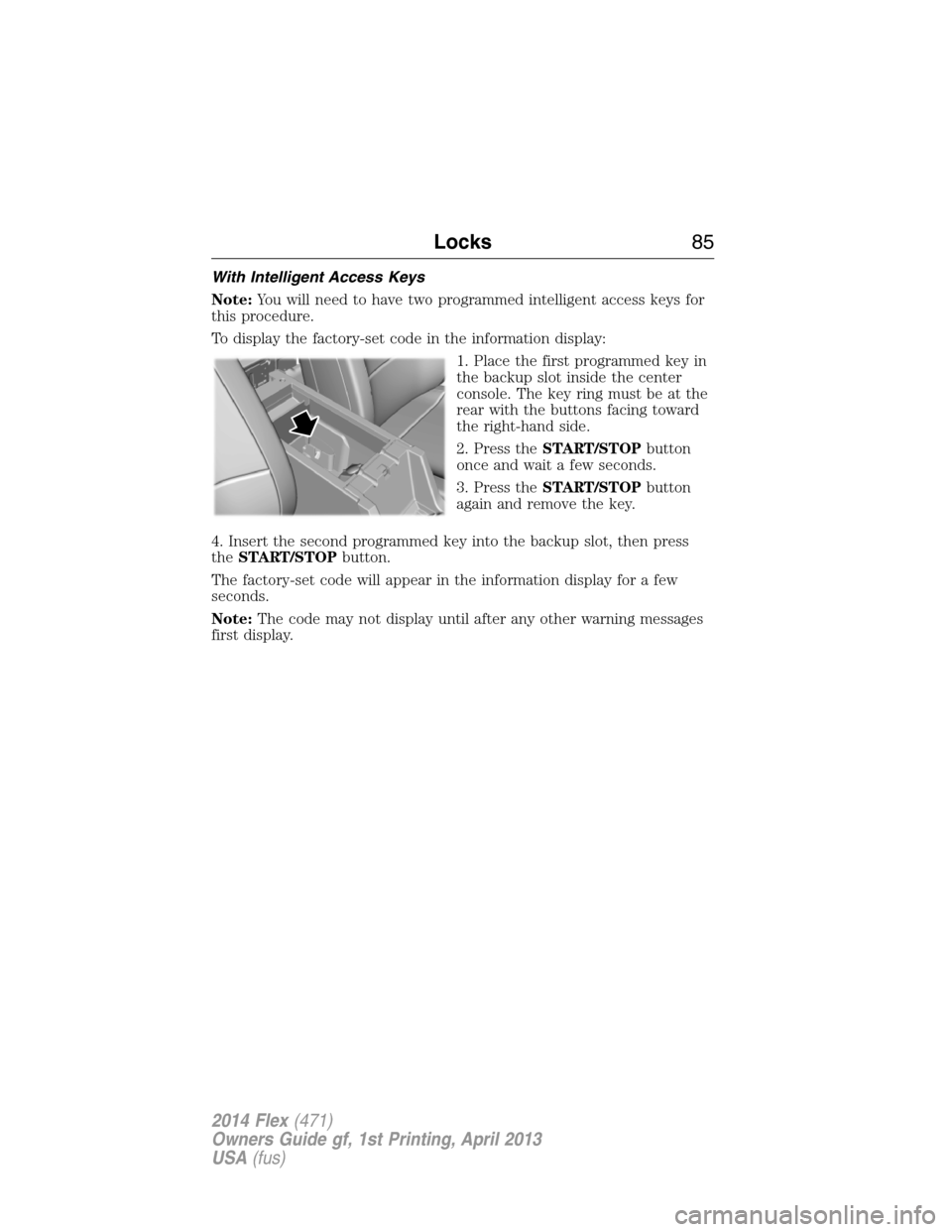
1. Place the first programmed key in
the backup slot inside the center
console. The key ring must be at the
rear with the buttons facing toward
the right-hand side.
2. Press theSTART/STOPbutton
once and wait a few seconds.
3. Press theSTART/STOPbutton
again and remove the key.
4. Insert the second programmed key into the backup slot, then press
theSTART/STOPbutton.
The factory-set code will appear in the information display for a few
seconds.
Note:The code may not display until after any other warning messages
first display.
Locks85
2014 Flex(471)
Owners Guide gf, 1st Printing, April 2013
USA(fus)
Page 88 of 554
If your programmed transmitters or standard SecuriLock coded keys
(integrated keyhead transmitters only) are lost or stolen and you do not
have an extra coded key, you will need to have your vehicle towed to an
authorized dealer. The key codes need to be erased from your vehicle
and new coded keys will need to be programmed.
Store an extra programmed key away from the vehicle in a safe place to
help prevent any inconveniences. See an authorized dealer to purchase
additional spare or replacement keys.
Programming a Spare Integrated Keyhead Transmitter
Note:A maximum of eight coded keys can be programmed to your
vehicle. Only four of these eight can be integrated keyhead transmitters.
You can program your own integrated keyhead transmitters or standard
SecuriLock® coded keys to your vehicle. This procedure will program
both the engine immobilizer key code and the remote entry portion of
the remote control to your vehicle.
Only use integrated keyhead transmitters or standard SecuriLock® keys.
You must have two previously programmed coded keys and the new
unprogrammed key readily accessible. See your authorized dealer to have
the spare key programmed if two previously programmed coded keys are
not available.
Read and understand the entire procedure before you begin.
1. Insert the first previously programmed coded key into the ignition.
2. Turn the ignition from off to on. Keep the ignition on for at least three
seconds, but no more than 10 seconds.
3. Turn the ignition off and remove the first coded key from the ignition.
4. After three seconds but within 10 seconds of turning the ignition off,
insert the second previously coded key into the ignition.
5. Turn the ignition from off to on. Keep the ignition on for at least three
seconds, but no more than 10 seconds.
6. Turn the ignition off and remove the second previously programmed
coded key from the ignition.
7. After three seconds but within 20 seconds of turning the ignition off
and removing the previously programmed coded key, insert the new
unprogrammed key into the ignition.
8. Turn the ignition from off to on. Keep the ignition on for at least six
seconds.
9. Remove the newly programmed coded key from the ignition.
Security87
2014 Flex(471)
Owners Guide gf, 1st Printing, April 2013
USA(fus)
Page 89 of 554
The key will start your vehicle’s engine and will operate the remote entry
system (if the new key is an integrated keyhead transmitter) if it has
been successfully programmed.
Wait 20 seconds and repeat Steps 1 through 8 if the key was not
successfully programmed. Take your vehicle to your authorized dealer to
have the new key programmed if you are still unsuccessful.
Wait 20 seconds and then repeat this procedure from Step 1 to program
an additional key.
Programming a Spare Intelligent Access Key (If Equipped)
Note:A maximum of four intelligent access keys can be programmed to
your vehicle. You must take your vehicle and all access keys to your
authorized dealer to be erased and reprogrammed if you would like to
replace a previously programmed access key with a new access key, or if
you already have four access keys programmed to your vehicle.
You must have two previously programmed intelligent access keys inside
your vehicle and the new unprogrammed intelligent access keys readily
accessible. See your authorized dealer to have the spare key
programmed if two previously programmed keys are not available.
Make sure that your vehicle is off before beginning this procedure. Make
sure that all doors are closed before beginning and that they remain
closed throughout the procedure. Perform all steps within 30 seconds of
starting the sequence. Stop and wait for at least one minute before
starting again if any steps are performed out of sequence.
Read and understand the entire procedure before you begin.
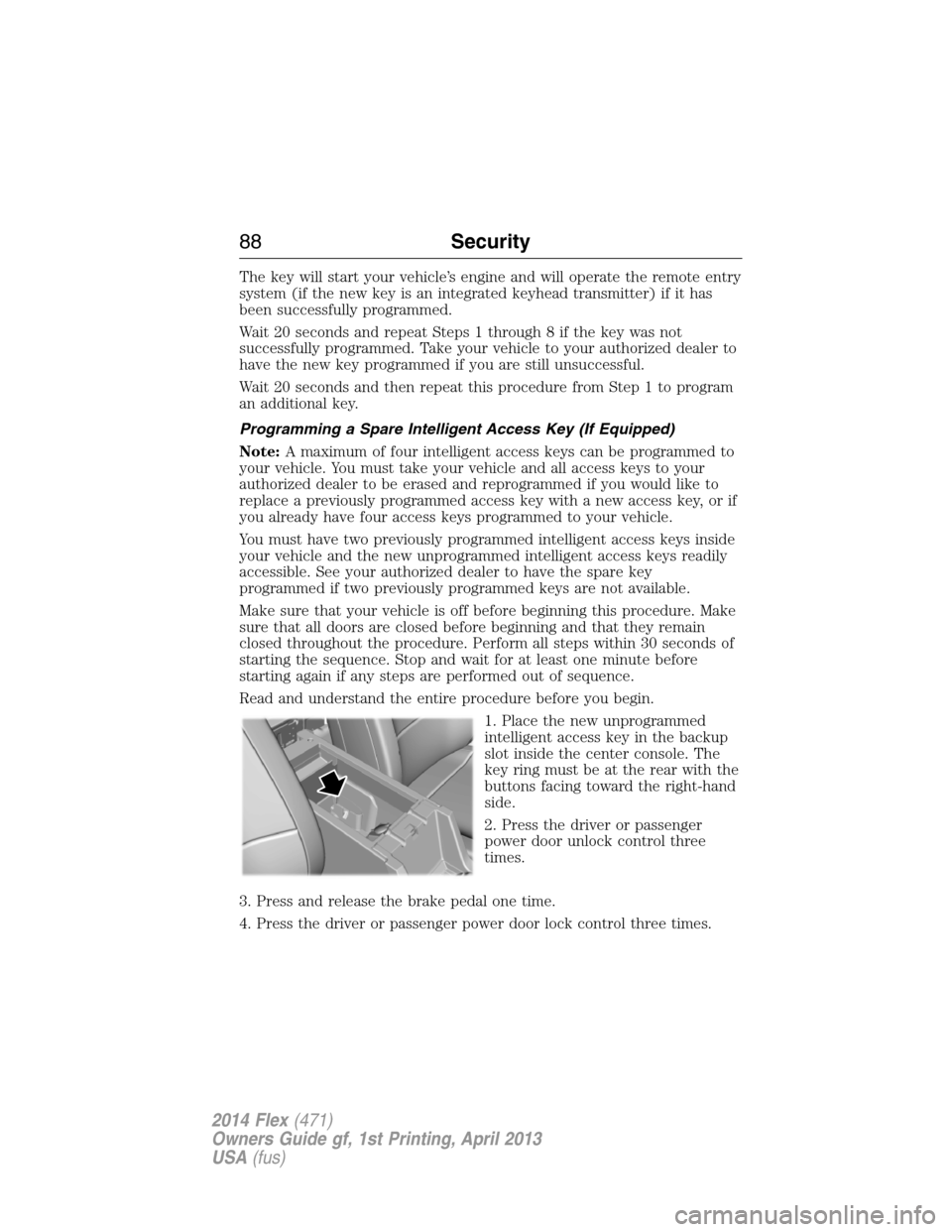
1. Place the new unprogrammed
intelligent access key in the backup
slot inside the center console. The
key ring must be at the rear with the
buttons facing toward the right-hand
side.
2. Press the driver or passenger
power door unlock control three
times.
3. Press and release the brake pedal one time.
4. Press the driver or passenger power door lock control three times.
88Security
2014 Flex(471)
Owners Guide gf, 1st Printing, April 2013
USA(fus)
Page 98 of 554
WINDSHIELD WIPERS
Note:Fully defrost the windshield before switching on the windshield
wipers.
Note:Make sure the windshield wipers are switched off before entering
a car wash.
Note:
Clean the windshield and wiper blades if they begin to leave streaks
or smears. If that does not resolve the issue, install new wiper blades.
Note:Do not operate the wipers on a dry windshield. This may scratch
the glass, damage the wiper blades or cause the wiper motor to burn out.
Always use the windshield washers before wiping a dry windshield.
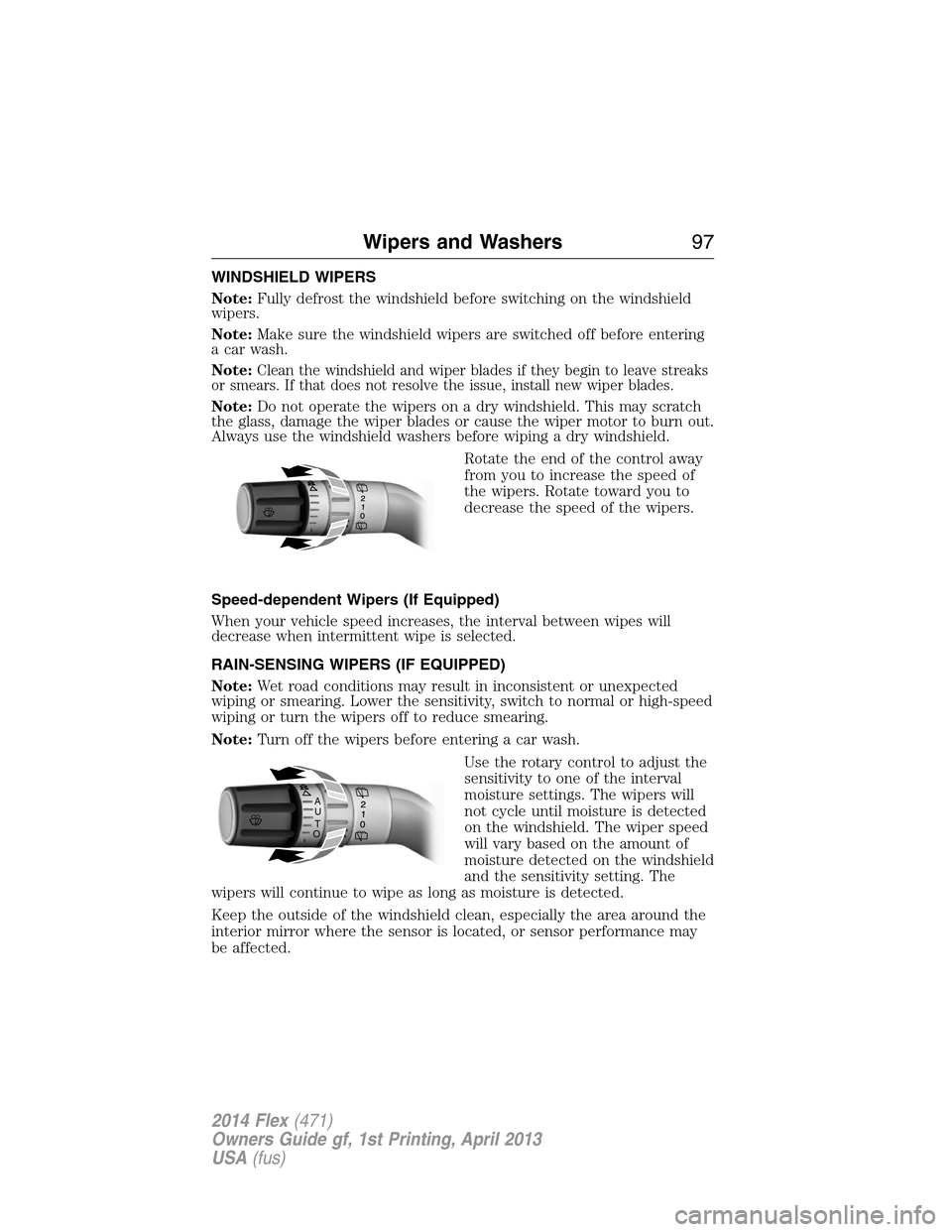
Rotate the end of the control away
from you to increase the speed of
the wipers. Rotate toward you to
decrease the speed of the wipers.
Speed-dependent Wipers (If Equipped)
When your vehicle speed increases, the interval between wipes will
decrease when intermittent wipe is selected.
RAIN-SENSING WIPERS (IF EQUIPPED)
Note:Wet road conditions may result in inconsistent or unexpected
wiping or smearing. Lower the sensitivity, switch to normal or high-speed
wiping or turn the wipers off to reduce smearing.
Note:Turn off the wipers before entering a car wash.
Use the rotary control to adjust the
sensitivity to one of the interval
moisture settings. The wipers will
not cycle until moisture is detected
on the windshield. The wiper speed
will vary based on the amount of
moisture detected on the windshield
and the sensitivity setting. The
wipers will continue to wipe as long as moisture is detected.
Keep the outside of the windshield clean, especially the area around the
interior mirror where the sensor is located, or sensor performance may
be affected.
A
U
T
O
Wipers and Washers97
2014 Flex(471)
Owners Guide gf, 1st Printing, April 2013
USA(fus)
Page 100 of 554
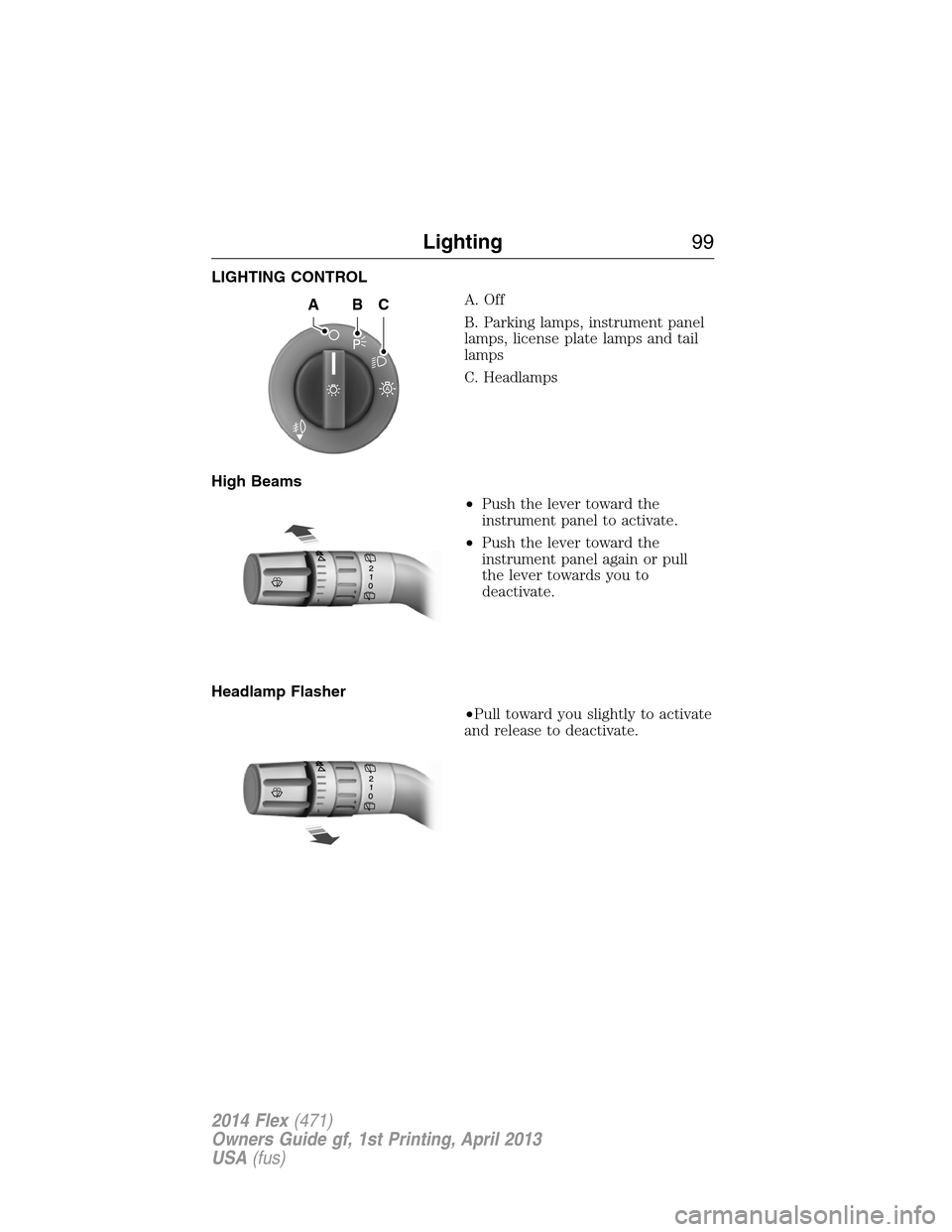
LIGHTING CONTROL
A. Off
B. Parking lamps, instrument panel
lamps, license plate lamps and tail
lamps
C. Headlamps
High Beams
•Push the lever toward the
instrument panel to activate.
•Push the lever toward the
instrument panel again or pull
the lever towards you to
deactivate.
Headlamp Flasher
•Pull toward you slightly to activate
and release to deactivate.
A
ABC
Lighting99
2014 Flex(471)
Owners Guide gf, 1st Printing, April 2013
USA(fus)
Page 103 of 554
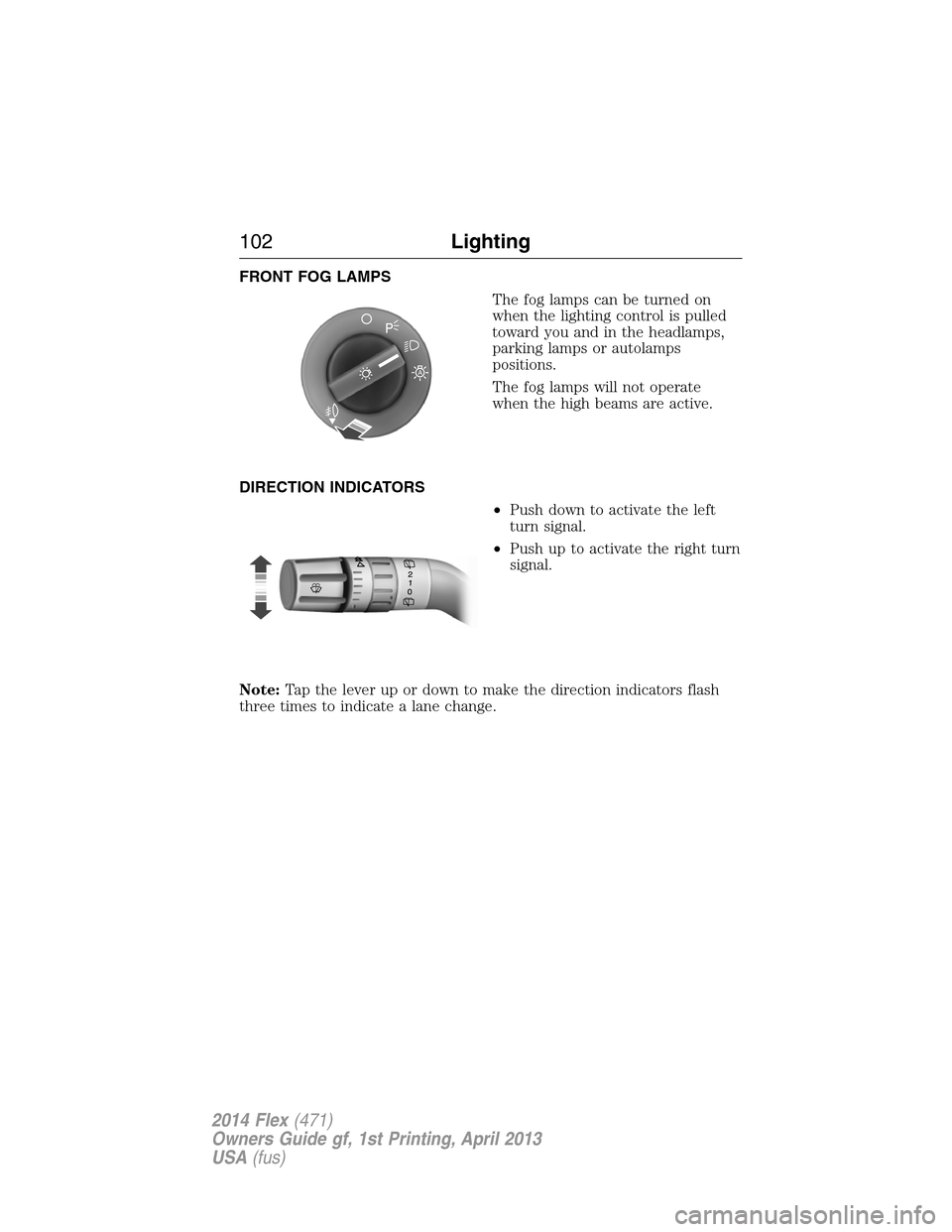
FRONT FOG LAMPS
The fog lamps can be turned on
when the lighting control is pulled
toward you and in the headlamps,
parking lamps or autolamps
positions.
The fog lamps will not operate
when the high beams are active.
DIRECTION INDICATORS
•Push down to activate the left
turn signal.
•Push up to activate the right turn
signal.
Note:Tap the lever up or down to make the direction indicators flash
three times to indicate a lane change.
A
102Lighting
2014 Flex(471)
Owners Guide gf, 1st Printing, April 2013
USA(fus)
Page 106 of 554
Pull up the window switch and hold within two seconds of the window
reaching the bounce-back position. The window will travel up with no
bounce-back protection. The window will stop if you release the switch
before the window is fully closed.
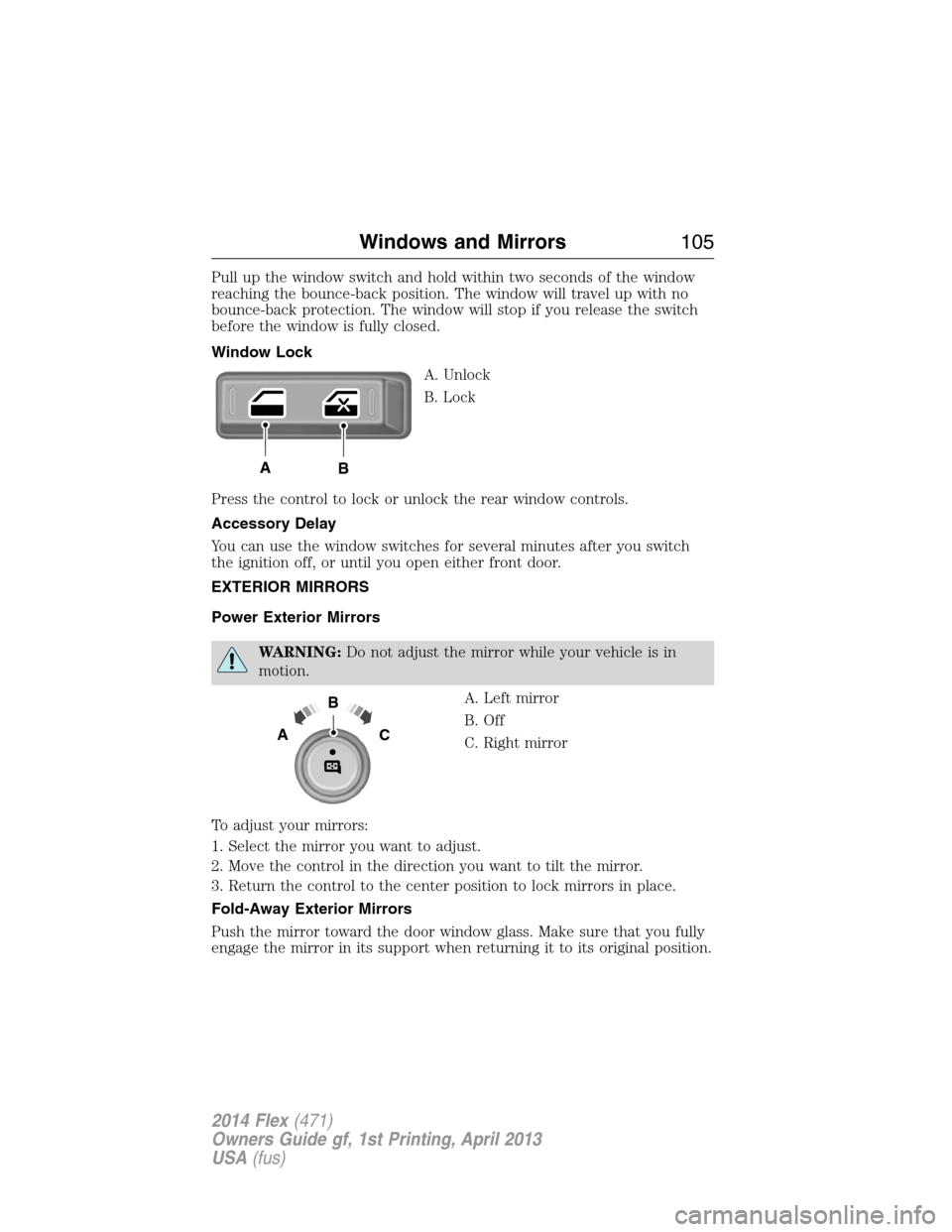
Window Lock
A. Unlock
B. Lock
Press the control to lock or unlock the rear window controls.
Accessory Delay
You can use the window switches for several minutes after you switch
the ignition off, or until you open either front door.
EXTERIOR MIRRORS
Power Exterior Mirrors
WARNING:Do not adjust the mirror while your vehicle is in
motion.
A. Left mirror
B. Off
C. Right mirror
To adjust your mirrors:
1. Select the mirror you want to adjust.
2. Move the control in the direction you want to tilt the mirror.
3. Return the control to the center position to lock mirrors in place.
Fold-Away Exterior Mirrors
Push the mirror toward the door window glass. Make sure that you fully
engage the mirror in its support when returning it to its original position.
AB
B
AC
Windows and Mirrors105
2014 Flex(471)
Owners Guide gf, 1st Printing, April 2013
USA(fus)
Page 107 of 554
Power-Folding Mirrors (If Equipped)
Note:Activating the mirrors 10 or more times within one minute, or
repeated folding and unfolding of the mirrors while holding the control
down during full travel, may disable the system to protect motors from
overheating. Wait approximately three minutes with the vehicle running,
and up to 10 minutes with the vehicle off, for the system to reset and for
function to return to normal.
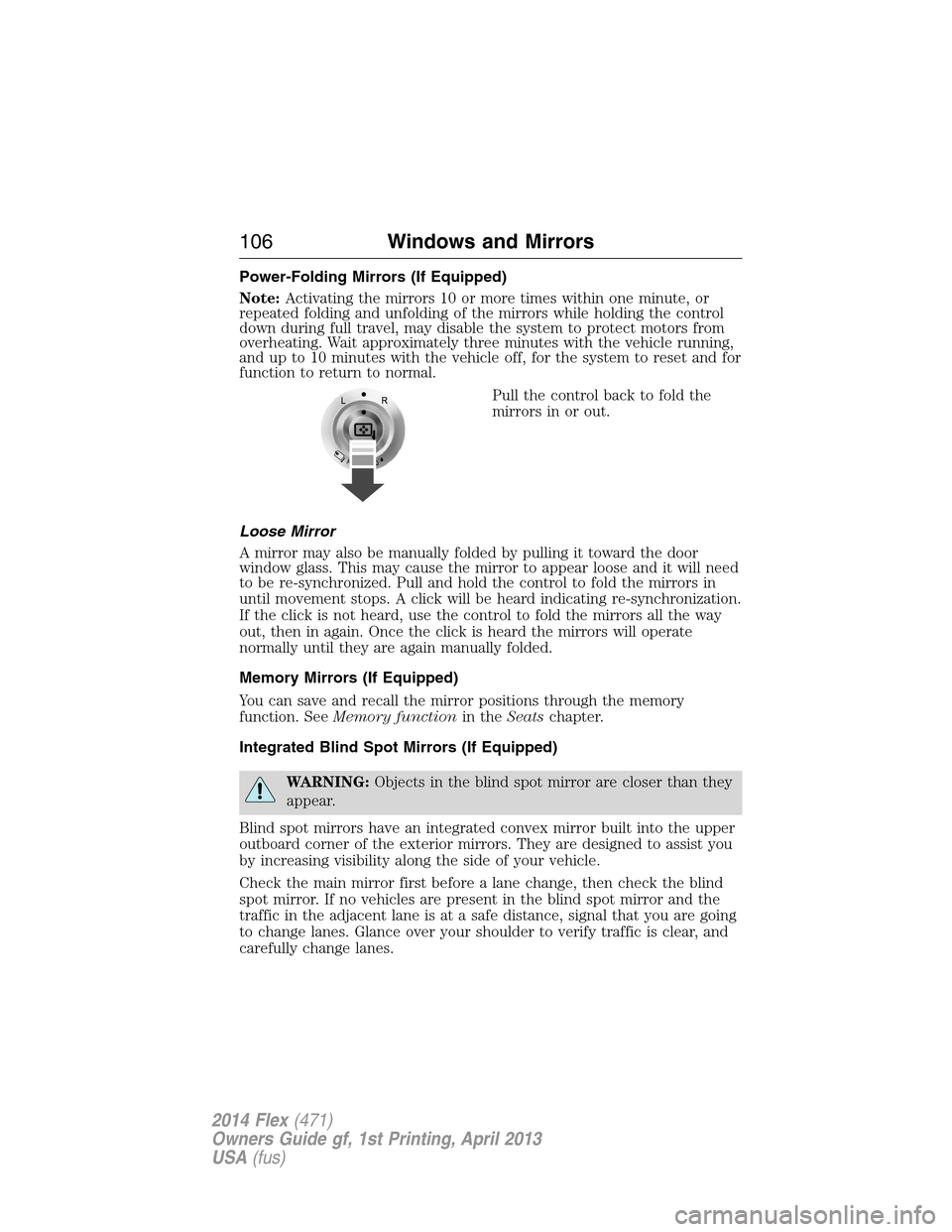
Pull the control back to fold the
mirrors in or out.
Loose Mirror
A mirror may also be manually folded by pulling it toward the door
window glass. This may cause the mirror to appear loose and it will need
to be re-synchronized. Pull and hold the control to fold the mirrors in
until movement stops. A click will be heard indicating re-synchronization.
If the click is not heard, use the control to fold the mirrors all the way
out, then in again. Once the click is heard the mirrors will operate
normally until they are again manually folded.
Memory Mirrors (If Equipped)
You can save and recall the mirror positions through the memory
function. SeeMemory functionin theSeatschapter.
Integrated Blind Spot Mirrors (If Equipped)
WARNING:Objects in the blind spot mirror are closer than they
appear.
Blind spot mirrors have an integrated convex mirror built into the upper
outboard corner of the exterior mirrors. They are designed to assist you
by increasing visibility along the side of your vehicle.
Check the main mirror first before a lane change, then check the blind
spot mirror. If no vehicles are present in the blind spot mirror and the
traffic in the adjacent lane is at a safe distance, signal that you are going
to change lanes. Glance over your shoulder to verify traffic is clear, and
carefully change lanes.
106Windows and Mirrors
2014 Flex(471)
Owners Guide gf, 1st Printing, April 2013
USA(fus)
Page 109 of 554
Auto-Dimming Mirror
Note:Do not block the sensors on the front and back of the mirror.
Mirror performance may be affected. A rear center passenger or raised
rear center head restraint may also block light from reaching the sensor.
The mirror will dim automatically to reduce glare when bright lights are
detected from behind your vehicle. It will automatically return to normal
reflection when you select reverse gear to make sure you have a clear
view when backing up.
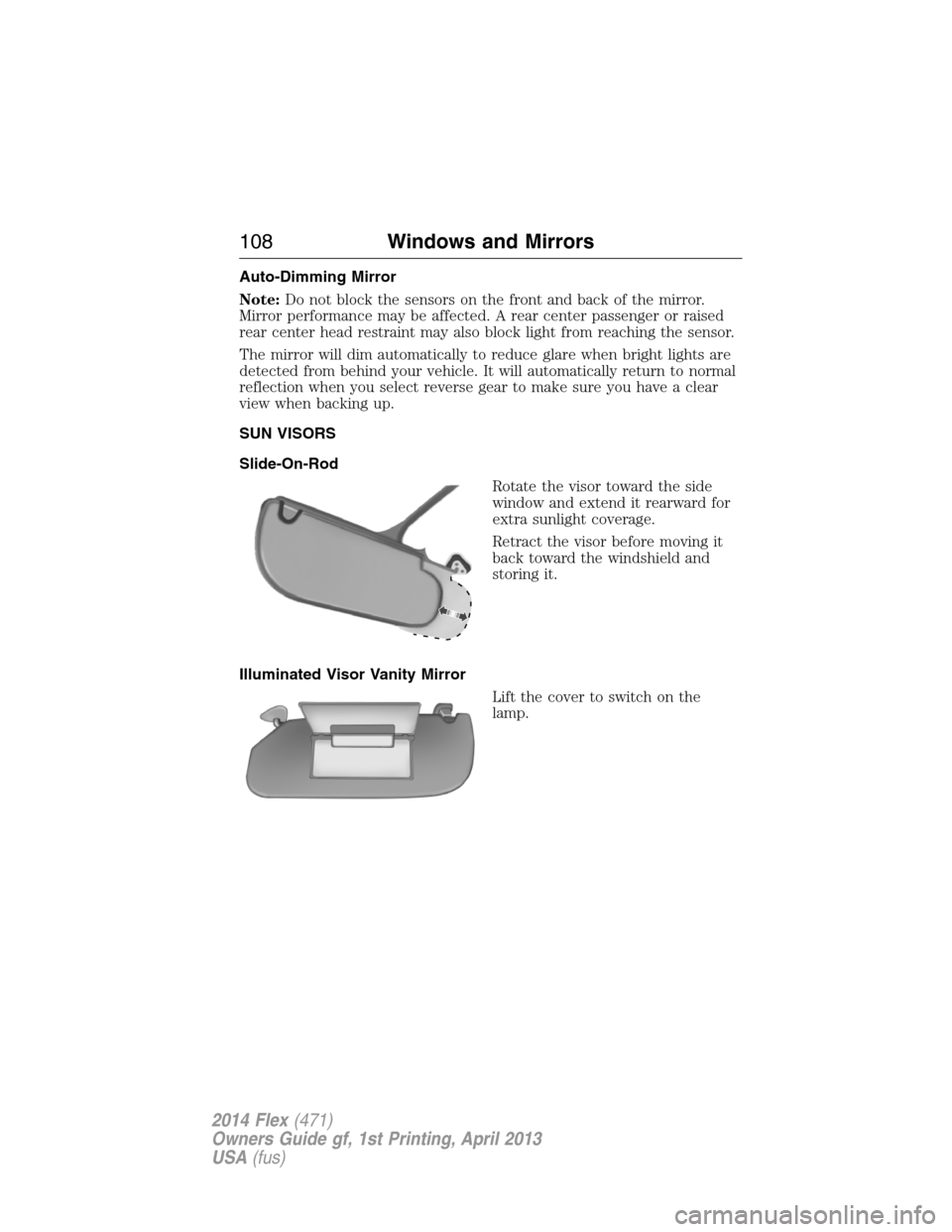
SUN VISORS
Slide-On-Rod
Rotate the visor toward the side
window and extend it rearward for
extra sunlight coverage.
Retract the visor before moving it
back toward the windshield and
storing it.
Illuminated Visor Vanity Mirror
Lift the cover to switch on the
lamp.
108Windows and Mirrors
2014 Flex(471)
Owners Guide gf, 1st Printing, April 2013
USA(fus)
Page 110 of 554
MULTI–PANEL VISTA ROOF® (IF EQUIPPED)
WARNING:Do not let children play with the moonroof or leave
children unattended in the vehicle. They may seriously hurt
themselves.
WARNING:When closing the moonroof, you should verify that it
is free of obstructions and make sure that children and pets are
not in the proximity of the moonroof opening.
You can manually open or close the sliding shade when the moonroof is
closed. Pull the shade toward the front of the vehicle to close it.
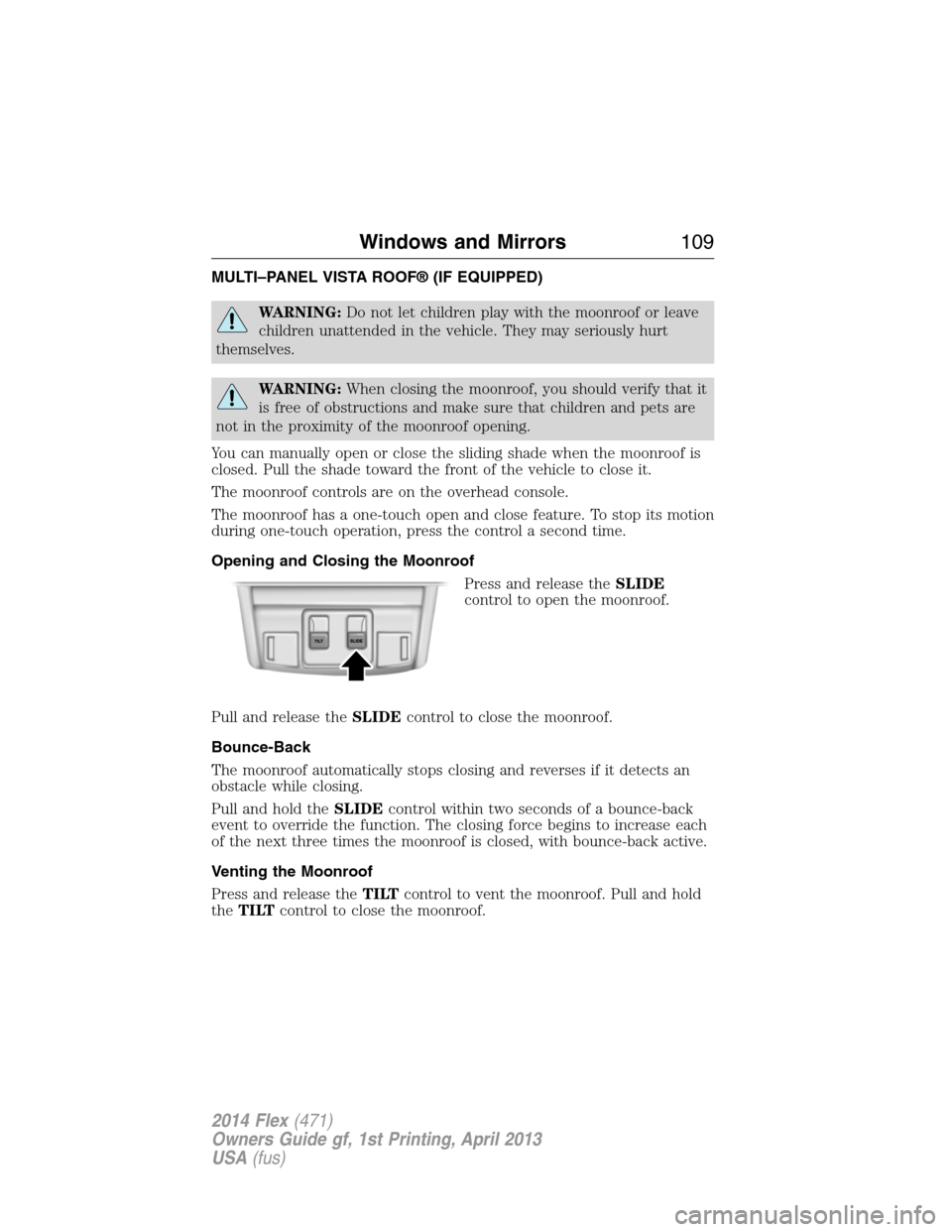
The moonroof controls are on the overhead console.
The moonroof has a one-touch open and close feature. To stop its motion
during one-touch operation, press the control a second time.
Opening and Closing the Moonroof
Press and release theSLIDE
control to open the moonroof.
Pull and release theSLIDEcontrol to close the moonroof.
Bounce-Back
The moonroof automatically stops closing and reverses if it detects an
obstacle while closing.
Pull and hold theSLIDEcontrol within two seconds of a bounce-back
event to override the function. The closing force begins to increase each
of the next three times the moonroof is closed, with bounce-back active.
Venting the Moonroof
Press and release theTILTcontrol to vent the moonroof. Pull and hold
theTILTcontrol to close the moonroof.
Windows and Mirrors109
2014 Flex(471)
Owners Guide gf, 1st Printing, April 2013
USA(fus)