hood open FORD FLEX 2016 1.G Owners Manual
[x] Cancel search | Manufacturer: FORD, Model Year: 2016, Model line: FLEX, Model: FORD FLEX 2016 1.GPages: 417, PDF Size: 4.52 MB
Page 7 of 417
Post-Crash Alert System..........................225
Customer Assistance
Getting the Services You Need...............226
In California (U.S. Only).............................227
The Better Business Bureau (BBB) Auto
Line Program (U.S. Only)......................228
Utilizing the Mediation/Arbitration Program (Canada Only).......................229
Getting Assistance Outside the U.S. and Canada........................................................229
Ordering Additional Owner's Literature....................................................230
Reporting Safety Defects (U.S. Only)..............................................................231
Reporting Safety Defects (Canada Only)..............................................................231
Fuses
Fuse Specification Chart...........................233
Changing a Fuse...........................................242
Maintenance
General Information
...................................243
Opening and Closing the Hood..............243
Under Hood Overview - 3.5L Duratec........................................................245
Under Hood Overview - 3.5L Ecoboost™................................................246
Engine Oil Dipstick.......................................247
Engine Oil Check..........................................247
Oil Change Indicator Reset.......................247
Engine Coolant Check
...............................248
Automatic Transmission Fluid Check ............................................................
252
Brake Fluid Check........................................253
Power Steering Fluid Check.....................254
Washer Fluid Check....................................254
Changing the 12V Battery.........................254
Checking the Wiper Blades.....................256
Changing the Wiper Blades.....................256 Adjusting the Headlamps.........................257
Removing a Headlamp.............................258
Changing a Bulb...........................................258
Bulb Specification Chart
............................261
Changing the Engine Air Filter................263
Vehicle Care
General Information
...................................264
Cleaning Products
.......................................264
Cleaning the Exterior..................................264
Waxing.............................................................265
Cleaning the Engine
...................................266
Cleaning the Windows and Wiper Blades..........................................................266
Cleaning the Interior...................................267
Cleaning the Instrument Panel and Instrument Cluster Lens........................267
Cleaning Leather Seats.............................268
Repairing Minor Paint Damage..............268
Cleaning the Alloy Wheels
.......................268
Vehicle Storage
............................................269
Wheels and Tires
General Information.....................................271
Tire Care
...........................................................273
Using Snow Chains.....................................287
Tire Pressure Monitoring System..........288
Changing a Road Wheel
............................291
Technical Specifications..........................296
Capacities and Specific- ations
Engine Specifications - 3.5L Duratec........................................................297
Engine Specifications - 3.5L Ecoboost™................................................297
Motorcraft Parts - 3.5L Duratec.............298
Motorcraft Parts - 3.5L Ecoboost™......299
Vehicle Identification Number...............300
Vehicle Certification Label........................301
4
Flex (), enUSA, First Printing Table of Contents
Page 55 of 417
The horn sounds and the direction
indicators flash. We recommend you use
this method to locate your vehicle, rather
than using the panic alarm.
Note:
If any door or the liftgate is open, or
if the hood is open on vehicles with an
anti-theft alarm or remote start, the horn
will sound twice and the direction indicators
will not flash.
Sounding the Panic Alarm Press the button to sound the
panic alarm. Press the button
again or switch the ignition on to
turn it off.
Note: The panic alarm only operates when
the ignition is off.
Remote Start (If Equipped) WARNING
To avoid exhaust fumes, do not use
remote start if your vehicle is parked
indoors or in areas that are not well
ventilated. Note:
Do not use remote start if your fuel
level is low. The remote start button is on the
transmitter.
This feature allows you to start your
vehicle from the outside. The transmitter
has an extended operating range.
Vehicles with automatic climate control
can be configured to operate when the
vehicle is remote started. See Automatic
Climate Control
(page 115).
Many states and provinces have
restrictions for the use of remote start.
Check your local and state or provincial
laws for specific requirements regarding
remote start systems. The remote start system does not work if
any of the following occur:
•
The ignition is on.
• The anti-theft alarm triggers.
• You switch off the feature.
• The hood is open.
• The transmission is not in park (P).
• The battery voltage is below the
minimum operating voltage.
• The service engine soon indicator was
on the last time your vehicle was
driven.
Remote Starting Your Vehicle
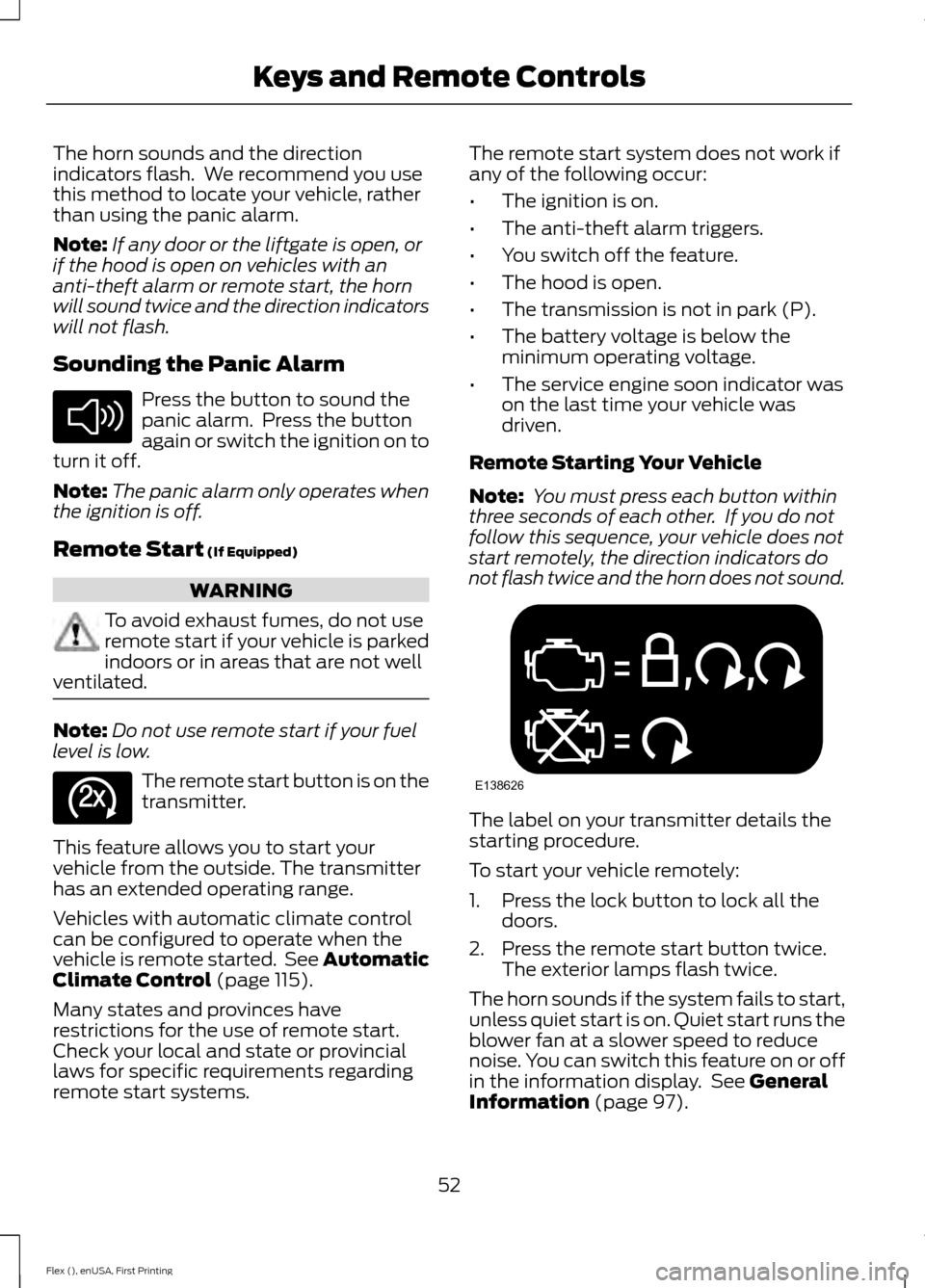
Note: You must press each button within
three seconds of each other. If you do not
follow this sequence, your vehicle does not
start remotely, the direction indicators do
not flash twice and the horn does not sound. The label on your transmitter details the
starting procedure.
To start your vehicle remotely:
1. Press the lock button to lock all the
doors.
2. Press the remote start button twice. The exterior lamps flash twice.
The horn sounds if the system fails to start,
unless quiet start is on. Quiet start runs the
blower fan at a slower speed to reduce
noise. You can switch this feature on or off
in the information display. See
General
Information (page 97).
52
Flex (), enUSA, First Printing Keys and Remote ControlsE138624 E138625 E138626
Page 63 of 417
LOCKING AND UNLOCKING
You can use the power door lock control
or the remote control to lock and unlock
your vehicle.
Power Door Locks
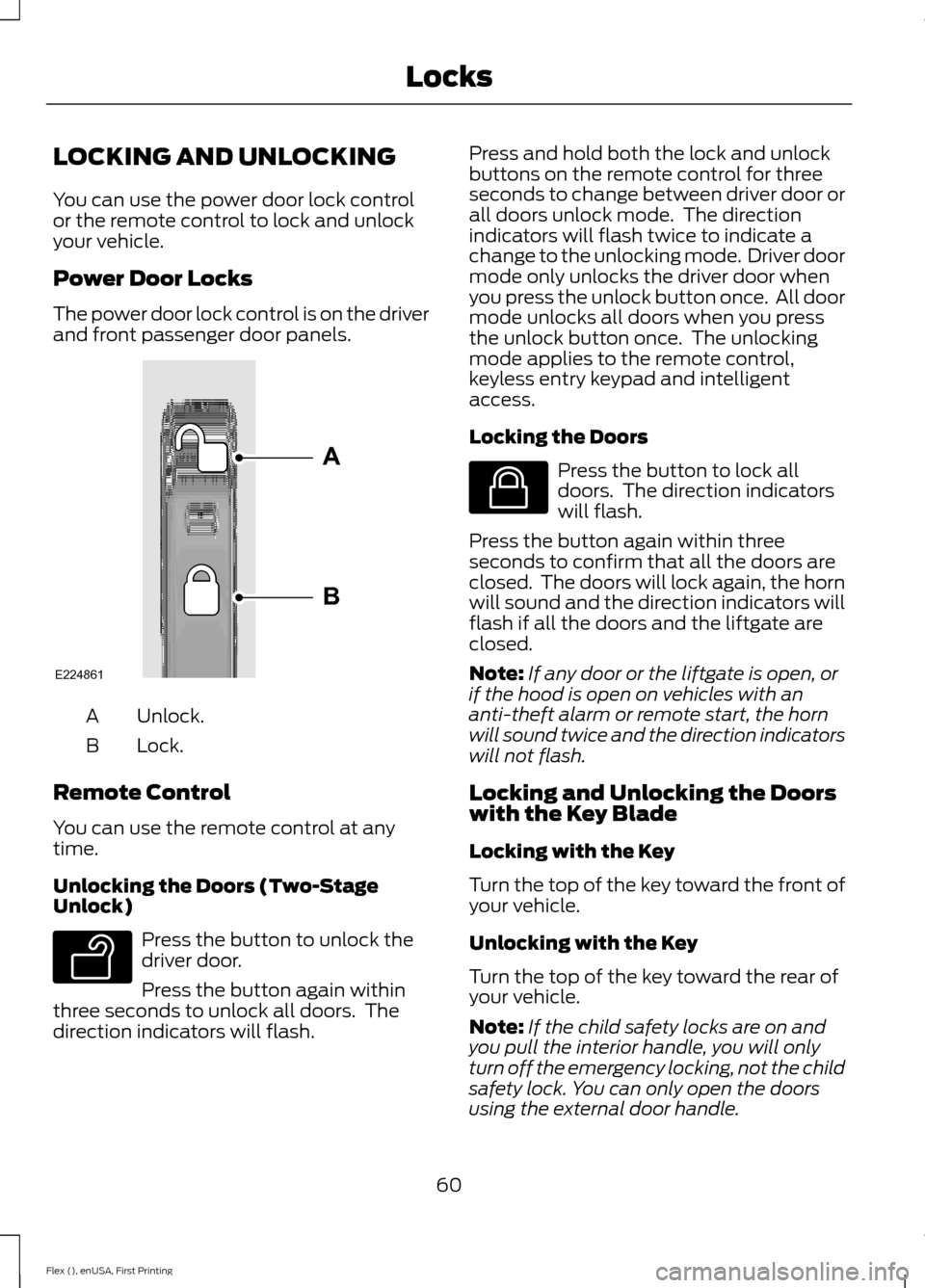
The power door lock control is on the driver
and front passenger door panels.
Unlock.
A
Lock.
B
Remote Control
You can use the remote control at any
time.
Unlocking the Doors (Two-Stage
Unlock) Press the button to unlock the
driver door.
Press the button again within
three seconds to unlock all doors. The
direction indicators will flash. Press and hold both the lock and unlock
buttons on the remote control for three
seconds to change between driver door or
all doors unlock mode. The direction
indicators will flash twice to indicate a
change to the unlocking mode. Driver door
mode only unlocks the driver door when
you press the unlock button once. All door
mode unlocks all doors when you press
the unlock button once. The unlocking
mode applies to the remote control,
keyless entry keypad and intelligent
access.
Locking the Doors
Press the button to lock all
doors. The direction indicators
will flash.
Press the button again within three
seconds to confirm that all the doors are
closed. The doors will lock again, the horn
will sound and the direction indicators will
flash if all the doors and the liftgate are
closed.
Note: If any door or the liftgate is open, or
if the hood is open on vehicles with an
anti-theft alarm or remote start, the horn
will sound twice and the direction indicators
will not flash.
Locking and Unlocking the Doors
with the Key Blade
Locking with the Key
Turn the top of the key toward the front of
your vehicle.
Unlocking with the Key
Turn the top of the key toward the rear of
your vehicle.
Note: If the child safety locks are on and
you pull the interior handle, you will only
turn off the emergency locking, not the child
safety lock. You can only open the doors
using the external door handle.
60
Flex (), enUSA, First Printing LocksE224861
A
B E138629 E138623
Page 74 of 417
You must have two previously
programmed coded keys and the new
unprogrammed key readily accessible. See
your authorized dealer to have the spare
key programmed if two previously
programmed coded keys are not available.
Read and understand the entire procedure
before you begin.
1.
Insert the first previously programmed
coded key into the ignition.
2. Switch the ignition from off to on. Keep
the ignition on for at least three
seconds, but no more than 10 seconds.
3. Switch the ignition off and remove the
first coded key from the ignition.
4. After three seconds but within 10 seconds of switching the ignition off,
insert the second previously coded key
into the ignition.
5. Switch the ignition from off to on. Keep
the ignition on for at least three
seconds, but no more than 10 seconds.
6. Switch the ignition off and remove the
second previously programmed coded
key from the ignition.
7. After three seconds but within 10 seconds of switching the ignition off
and removing the previously
programmed coded key, insert the new
unprogrammed key into the ignition.
8. Switch the ignition from off to on. Keep
the ignition on for at least six seconds.
9. Remove the newly programmed coded
key from the ignition.
If the key has been successfully
programmed it will start the engine and
operate the remote entry system (if the
new key is an integrated keyhead
transmitter).
If programming was not successful, wait
10 seconds and repeat Steps 1 through 8.
If you are still unsuccessful, take your
vehicle to your authorized dealer. Programming a Spare Intelligent
Access Key
See your authorized dealer to have
additional keys programmed to your
vehicle.
ANTI-THEFT ALARM
The system will warn you of an
unauthorized entry to your vehicle. It will
be triggered if any door, the luggage
compartment or the hood is opened
without using the key, remote control or
keyless entry keypad.
The direction indicators will flash and the
horn will sound if unauthorized entry is
attempted while the alarm is armed.
Take all remote controls to an authorized
dealer if there is any potential alarm
problem with your vehicle.
Arming the Alarm
The alarm is ready to arm when there is
not a key in your vehicle. Electronically lock
your vehicle to arm the alarm.
Disarming the Alarm
Disarm the alarm by any of the following
actions:
•
Unlock the doors or luggage
compartment with the remote control
or keyless entry keypad.
• Switch your vehicle on or start your
vehicle.
• Use a key in the driver door to unlock
your vehicle, then switch your vehicle
on within 12 seconds.
Note: Pressing the panic button on the
remote control will stop the horn and signal
indicators, but will not disarm the system.
71
Flex (), enUSA, First Printing Security
Page 154 of 417
Stopping the Engine When Your
Vehicle is Moving
WARNING
Switching off the engine when the
vehicle is still moving will result in a
loss of brake and steering assistance.
The steering will not lock, but higher effort
will be required. When the ignition is
switched off, some electrical circuits,
including air bags, warning lamps and
indicators may also be off. If the ignition
was turned off accidentally, you can shift
into neutral (N) and re-start the engine. Vehicles with an Ignition Key
1.
Shift into neutral and use the brakes to
bring your vehicle to a safe stop.
2. When your vehicle has stopped, shift into park (P) and switch the ignition
off.
3. Apply the parking brake.
Vehicles with Keyless Start
1. Shift into neutral and use the brakes to
bring your vehicle to a safe stop.
2. When your vehicle has stopped, shift into park (P).
3. Press and hold the push button ignition
switch, or press it three times within
two seconds.
4. Apply the parking brake.
Guarding Against Exhaust Fumes WARNING
If you smell exhaust fumes inside
your vehicle, have your vehicle
checked by your authorized dealer
immediately. Do not drive your vehicle if
you smell exhaust fumes. Carbon
monoxide is present in exhaust fumes.
Take precautions to avoid its dangerous
effects. Important Ventilating Information
If you stop your vehicle and then leave the
engine idling for long periods, we
recommend that you do one of the
following:
•
Open the windows at least 1 in (3 cm).
• Set your climate control to outside air.
ENGINE BLOCK HEATER (If
Equipped) WARNINGS
Failure to follow engine block heater
instructions could result in property
damage or serious personal injury.
Do not use your heater with
ungrounded electrical systems or
two-pronged adapters. There is a risk
of electrical shock. Do not fully close the hood, or allow
it to drop under its own weight when
using the engine block heater. This
could damage the power cable and may
cause an electrical short resulting in fire,
injury and property damage. Note:
The heater is most effective when
outdoor temperatures are below 0°F
(-18°C).
The heater acts as a starting aid by
warming the engine coolant. This allows
the climate control system to respond
quickly. The equipment includes a heater
element (installed in the engine block) and
a wire harness. You can connect the
system to a grounded 120-volt AC
electrical source.
151
Flex (), enUSA, First Printing Starting and Stopping the Engine
Page 246 of 417
GENERAL INFORMATION
Have your vehicle serviced regularly to help
maintain its roadworthiness and resale
value. There is a large network of
authorized dealers that are there to help
you with their professional servicing
expertise. We believe that their specially
trained technicians are best qualified to
service your vehicle properly and expertly.
They are supported by a wide range of
highly specialized tools developed
specifically for servicing your vehicle.
If your vehicle requires professional service,
an authorized dealer can provide the
necessary parts and service. Check your
warranty information to find out which
parts and services are covered.
Use only recommended fuels, lubricants,
fluids and service parts conforming to
specifications. Motorcraft® parts are
designed and built to provide the best
performance in your vehicle.
Precautions
•
Do not work on a hot engine.
• Make sure that nothing gets caught in
moving parts.
• Do not work on a vehicle with the
engine running in an enclosed space,
unless you are sure you have enough
ventilation.
• Keep all open flames and other burning
material (such as cigarettes) away
from the battery and all fuel related
parts.
Working with the Engine Off
1. Set the parking brake and shift to park
(P).
2. Switch off the engine.
3. Block the wheels. Working with the Engine On WARNING
To reduce the risk of vehicle damage
and/or personal burn injuries, do not
start your engine with the air cleaner
removed and do not remove it while the
engine is running. 1.
Set the parking brake and shift to park
(P).
2. Block the wheels.
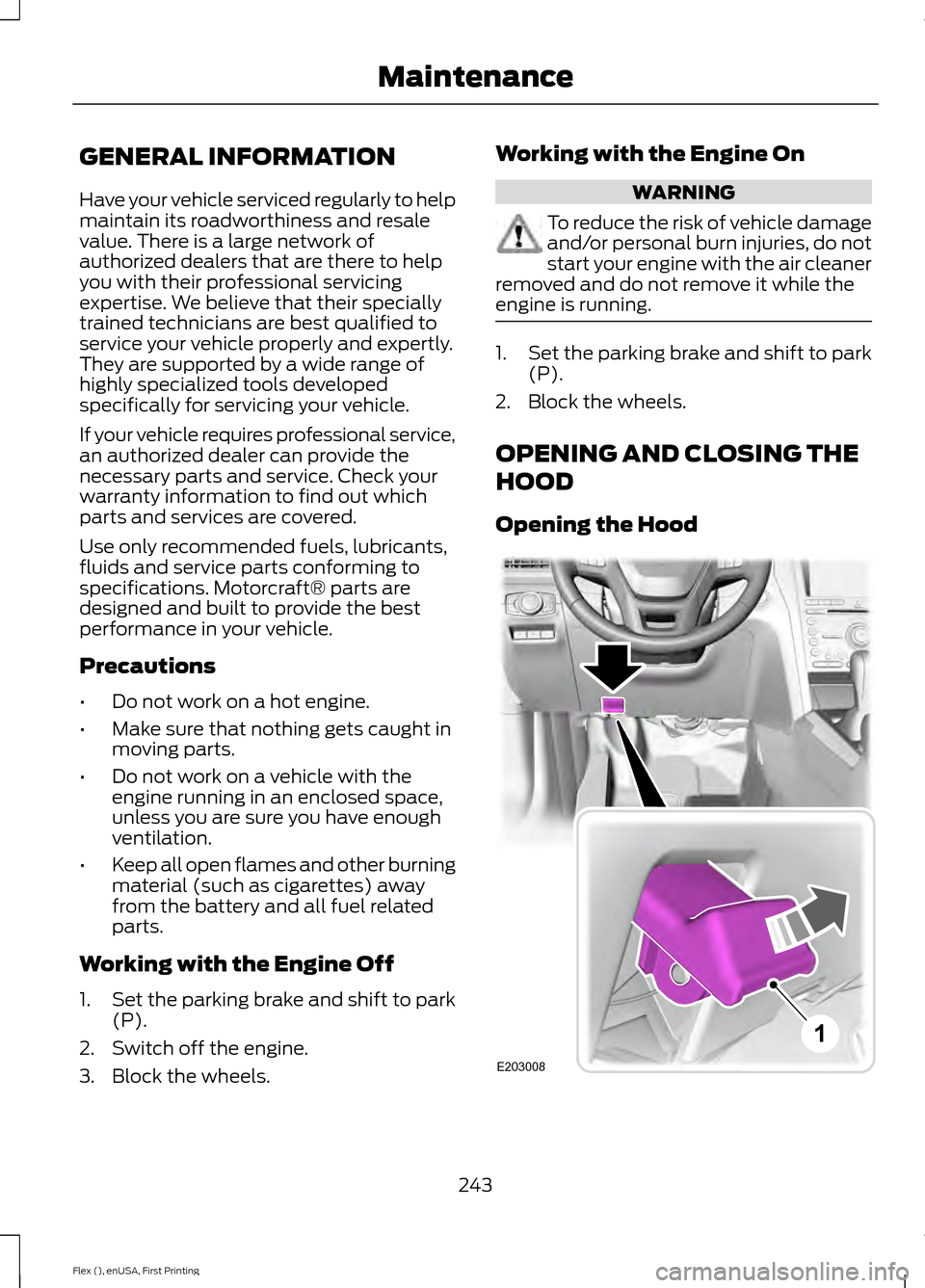
OPENING AND CLOSING THE
HOOD
Opening the Hood 243
Flex (), enUSA, First Printing MaintenanceE203008
1
Page 247 of 417
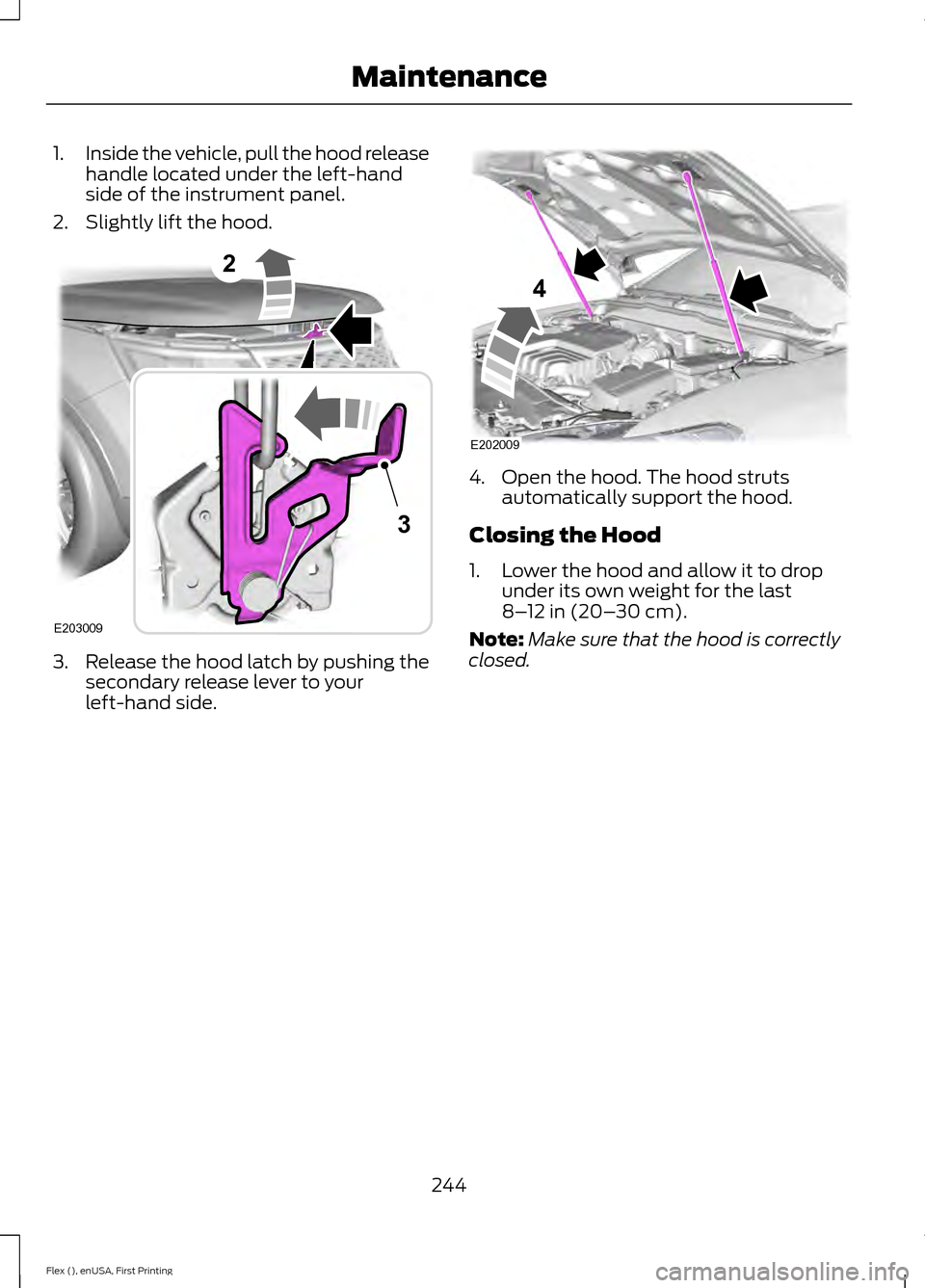
1.
Inside the vehicle, pull the hood release
handle located under the left-hand
side of the instrument panel.
2. Slightly lift the hood. 3. Release the hood latch by pushing the
secondary release lever to your
left-hand side. 4. Open the hood. The hood struts
automatically support the hood.
Closing the Hood
1. Lower the hood and allow it to drop under its own weight for the last
8–12 in (20– 30 cm).
Note: Make sure that the hood is correctly
closed.
244
Flex (), enUSA, First Printing Maintenance2
E203009
3 E202009
4
Page 260 of 417
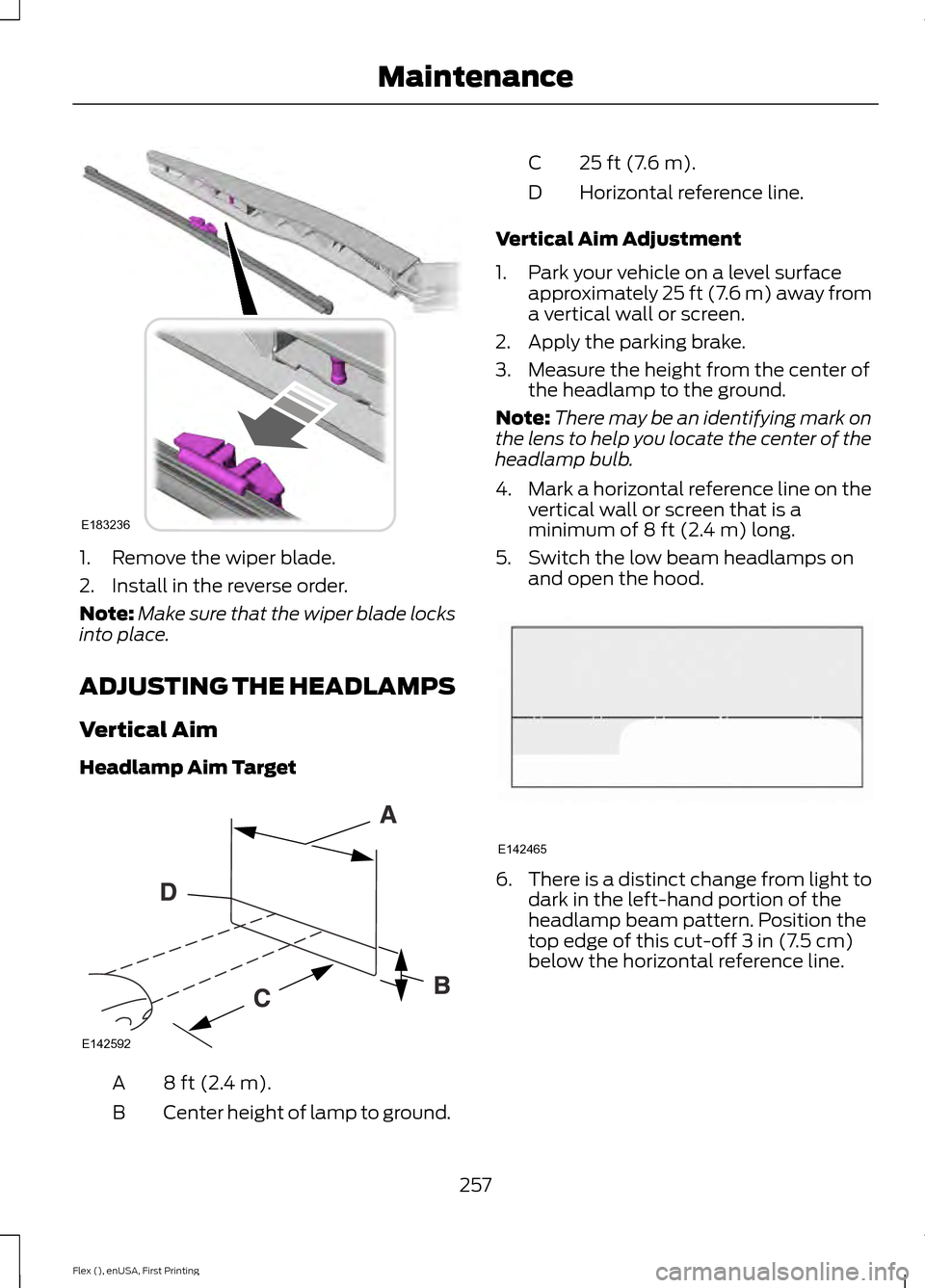
1. Remove the wiper blade.
2. Install in the reverse order.
Note:
Make sure that the wiper blade locks
into place.
ADJUSTING THE HEADLAMPS
Vertical Aim
Headlamp Aim Target 8 ft (2.4 m).
A
Center height of lamp to ground.
B 25 ft (7.6 m).
C
Horizontal reference line.
D
Vertical Aim Adjustment
1. Park your vehicle on a level surface approximately 25 ft (7.6 m) away from
a vertical wall or screen.
2. Apply the parking brake.
3. Measure the height from the center of the headlamp to the ground.
Note: There may be an identifying mark on
the lens to help you locate the center of the
headlamp bulb.
4. Mark a horizontal reference line on the
vertical wall or screen that is a
minimum of
8 ft (2.4 m) long.
5. Switch the low beam headlamps on and open the hood. 6.
There is a distinct change from light to
dark in the left-hand portion of the
headlamp beam pattern. Position the
top edge of this cut-off
3 in (7.5 cm)
below the horizontal reference line.
257
Flex (), enUSA, First Printing MaintenanceE183236 E142592 E142465
Page 409 of 417
Automatic Transmission Fluid
Check.............................................................252
Adding Transmission Fluid ............................ 253
Checking the Transmission Fluid Level................................................................... 252
Autowipers........................................................76
Auxiliary Power Points................................143 110 Volt AC Power Point................................... 143
12 Volt DC Power Point..................................... 143
Locations............................................................... 143
AWD See: All-Wheel Drive......................................... 165
B
Battery See: Changing the 12V Battery..................... 254
Blind Spot Information System...............192
Switching the System Off and On...............194
System Errors....................................................... 193
Using the System................................................ 192
Bonnet Lock See: Opening and Closing the Hood..........243
Booster Seats..................................................25 Types of Booster Seats...................................... 26
Brake Fluid Check........................................253
Brakes................................................................172 General Information........................................... 172
Breaking-In......................................................218
Bulb Specification Chart............................261
C
Cabin Air Filter
................................................122
California Proposition 65..............................11
Capacities and Specifications - 3.5L Duratec
.........................................................302
Specifications..................................................... 302
Capacities and Specifications - 3.5L Ecoboost™.................................................305
Specifications..................................................... 306
Capacities and Specifications
................297
Cargo Nets......................................................201
Car Wash See: Cleaning the Exterior.............................. 264
Center Console..............................................145 Console Refrigerator and Freezer.................145
Second Row Center Console......................... 145Changing a Bulb...........................................258
Brake and Rear Lamps, Rear Direction
Indicator and Reversing Lamp................260
Front Direction Indicator and Front Parking Lamp................................................................. 259
Front Fog Lamp................................................. 260
Headlamp............................................................. 259
Headlamp Low Beam and Headlamp High Beam................................................................. 259
LED Lamps............................................................ 261
License Plate Lamp........................................... 261
Changing a Fuse...........................................242 Fuses....................................................................... 242
Changing a Road Wheel............................291 Dissimilar Spare Wheel and Tire Assembly
Information...................................................... 291
Tire Change Procedure.................................... 292
Changing the 12V Battery.........................254
Changing the Engine Air Filter................263
Changing the Wiper Blades.....................256 Front Wiper Blades........................................... 256
Rear Wiper Blade............................................... 256
Checking MyKey System Status
...............57
Checking the Wiper Blades.....................256
Child Restraint and Seatbelt Maintenance.................................................39
Child Restraint Positioning
..........................27
Child Safety.......................................................15
General Information............................................. 15
Child Safety Locks
.........................................29
Left-Hand Side..................................................... 30
Right-Hand Side................................................... 30
Cleaning Leather Seats.............................268
Cleaning Products
.......................................264
Cleaning the Alloy Wheels.......................268
Cleaning the Engine...................................266
Cleaning the Exterior..................................264 Exterior Chrome Parts...................................... 265
Exterior Plastic Parts........................................ 265
Stripes or Graphics............................................ 265
Underbody........................................................... 265
Cleaning the Instrument Panel and Instrument Cluster Lens
.........................267
Cleaning the Interior....................................267
Cleaning the Windows and Wiper Blades...........................................................266
Clearing All MyKeys
.......................................56
Climate Control..............................................114
406
Flex (), enUSA, First Printing Index
Page 412 of 417
Hints on Controlling the Interior
Climate...........................................................118
Cooling the Interior Quickly............................. 119
General Hints........................................................ 118
Heating the Interior Quickly............................. 119
Recommended Settings for Cooling...........120
Recommended Settings for Heating...........119
Side Window Defogging in Cold Weather............................................................. 120
Hints on Driving With Anti-Lock Brakes.............................................................172
Hood Lock See: Opening and Closing the Hood..........243
I
Ignition Switch...............................................147
In California (U.S. Only).............................227
Information Display Control.......................74
Information Displays.....................................97 General Information............................................ 97
Information Messages................................105
Adaptive Cruise Control.................................. 106
AdvanceTrac ™.................................................... 106
Alarm...................................................................... 106
Automatic Engine Shutdown......................... 107
AWD........................................................................\
. 107
Battery and Charging System....................... 108
Blind Spot Information and Cross Traffic Alert System................................................... 108
Brake System....................................................... 109
Collision Warning System............................... 109
Doors and Locks................................................. 109
Fuel........................................................................\
... 110
Keys and Intelligent Access............................. 110
Maintenance......................................................... 110
MyKey........................................................................\
111
Park Aid.................................................................... 112
Power Steering...................................................... 112
Seats........................................................................\
. 112
Tire Pressure Monitoring System................... 113
Towing...................................................................... 113
Traction Control.................................................... 113
Transmission......................................................... 113Installing Child Restraints
............................16
Child Seats............................................................... 16
Using Lap and Shoulder Belts.......................... 17
Using Lower Anchors and Tethers for CHildren (LATCH)............................................ 22
Using Tether Straps............................................. 23
Instrument Cluster
..........................................91
Instrument Lighting Dimmer......................81
Interior Lamps
.................................................84
Front Row Map Lamps...................................... 85
Second Row Map Lamps.................................. 85
Interior Mirror...................................................89 Auto-Dimming Mirror......................................... 89
Introduction.........................................................7
J
Jump Starting the Vehicle.........................223 Connecting the Jumper Cables.................... 223
Jump Starting...................................................... 224
Preparing Your Vehicle..................................... 223
Removing the Jumper Cables....................... 224
K
Keyless Entry
....................................................67
SECURICODE™ Keyless Entry
Keypad................................................................. 67
Keyless Starting
.............................................147
Ignition Modes..................................................... 148
Keys and Remote Controls.........................49
L
Lighting Control
..............................................79
Headlamp Flasher............................................... 80
High Beams............................................................ 79
Lighting
...............................................................79
General Information............................................ 79
Load Carriers See: Roof Racks and Load Carriers.............201
Load Carrying
.................................................201
Load Limit.......................................................201 Special Loading Instructions for Owners of
Pick-up Trucks and Utility-type
Vehicles............................................................ 208
Vehicle Loading - with and without a Trailer.................................................................. 201
409
Flex (), enUSA, First Printing Index