light FORD FLEX 2017 1.G Owner's Manual
[x] Cancel search | Manufacturer: FORD, Model Year: 2017, Model line: FLEX, Model: FORD FLEX 2017 1.GPages: 496, PDF Size: 5.92 MB
Page 87 of 496
The headlamps will not turn on by wiper
activation:
•
During a single wipe.
• When the wipers are on to clear washer
fluid during a wash condition.
Note: If you switch autolamps and
autowipers on, the headlamps will
automatically turn on when the windshield
wipers continuously operate.
INSTRUMENT LIGHTING
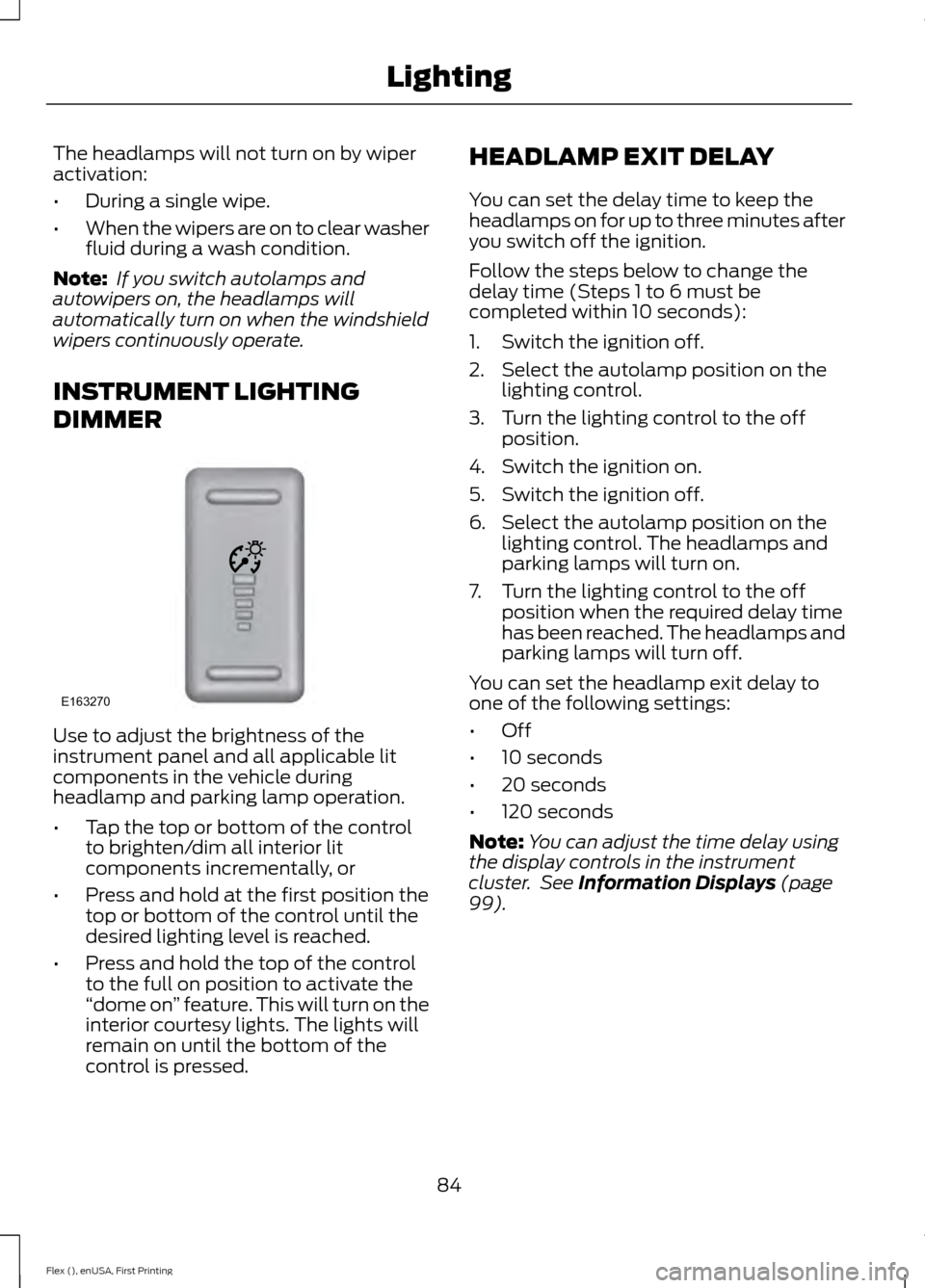
DIMMER Use to adjust the brightness of the
instrument panel and all applicable lit
components in the vehicle during
headlamp and parking lamp operation.
•
Tap the top or bottom of the control
to brighten/dim all interior lit
components incrementally, or
• Press and hold at the first position the
top or bottom of the control until the
desired lighting level is reached.
• Press and hold the top of the control
to the full on position to activate the
“dome on ” feature. This will turn on the
interior courtesy lights. The lights will
remain on until the bottom of the
control is pressed. HEADLAMP EXIT DELAY
You can set the delay time to keep the
headlamps on for up to three minutes after
you switch off the ignition.
Follow the steps below to change the
delay time (Steps 1 to 6 must be
completed within 10 seconds):
1. Switch the ignition off.
2. Select the autolamp position on the
lighting control.
3. Turn the lighting control to the off position.
4. Switch the ignition on.
5. Switch the ignition off.
6. Select the autolamp position on the lighting control. The headlamps and
parking lamps will turn on.
7. Turn the lighting control to the off position when the required delay time
has been reached. The headlamps and
parking lamps will turn off.
You can set the headlamp exit delay to
one of the following settings:
• Off
• 10 seconds
• 20 seconds
• 120 seconds
Note: You can adjust the time delay using
the display controls in the instrument
cluster. See Information Displays (page
99).
84
Flex (), enUSA, First Printing LightingE163270
Page 88 of 496
DAYTIME RUNNING LAMPS (If
Equipped) WARNING
Always remember to switch your
headlamps on in low light situations
or during inclement weather. The
system does not activate the tail lamps
and may not provide adequate lighting
during these conditions. Failure to activate
your headlamps under these conditions
may result in a collision. The system switches the signature lamps
on in day light conditions.
To switch the system on, switch the
ignition on, and switch the lighting control
to the off, autolamp, or parking lamp
position.
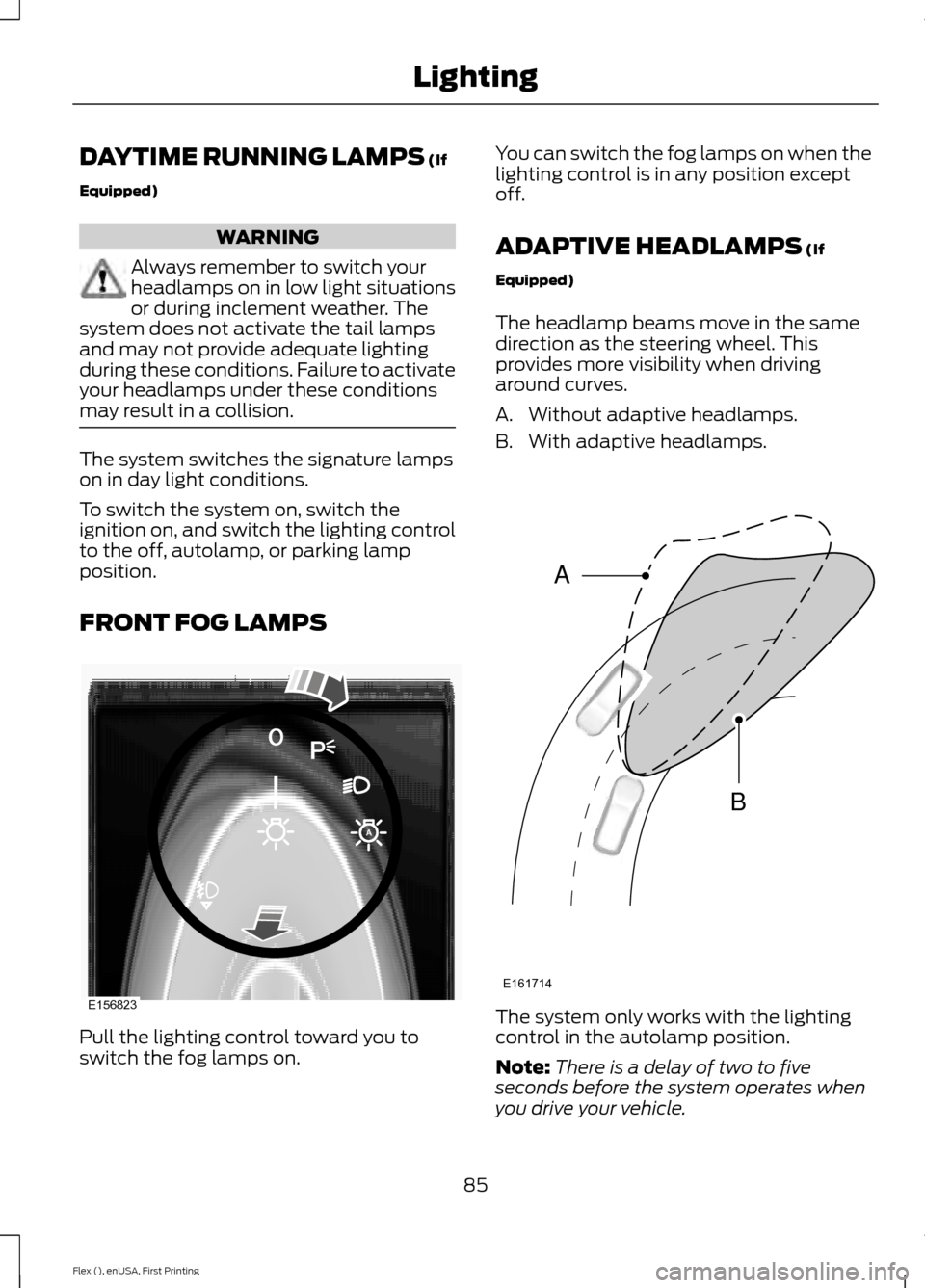
FRONT FOG LAMPS
Pull the lighting control toward you to
switch the fog lamps on. You can switch the fog lamps on when the
lighting control is in any position except
off.
ADAPTIVE HEADLAMPS
(If
Equipped)
The headlamp beams move in the same
direction as the steering wheel. This
provides more visibility when driving
around curves.
A. Without adaptive headlamps.
B. With adaptive headlamps. The system only works with the lighting
control in the autolamp position.
Note:
There is a delay of two to five
seconds before the system operates when
you drive your vehicle.
85
Flex (), enUSA, First Printing LightingE156823 E161714
B
A
Page 89 of 496
Note:
The system is only active at speeds
above 3 mph (5 km/h).
The system has a power-up movement
check feature. When your start your
vehicle, the lamps track left to right, then
back to center to alert the driver that the
system is working properly.
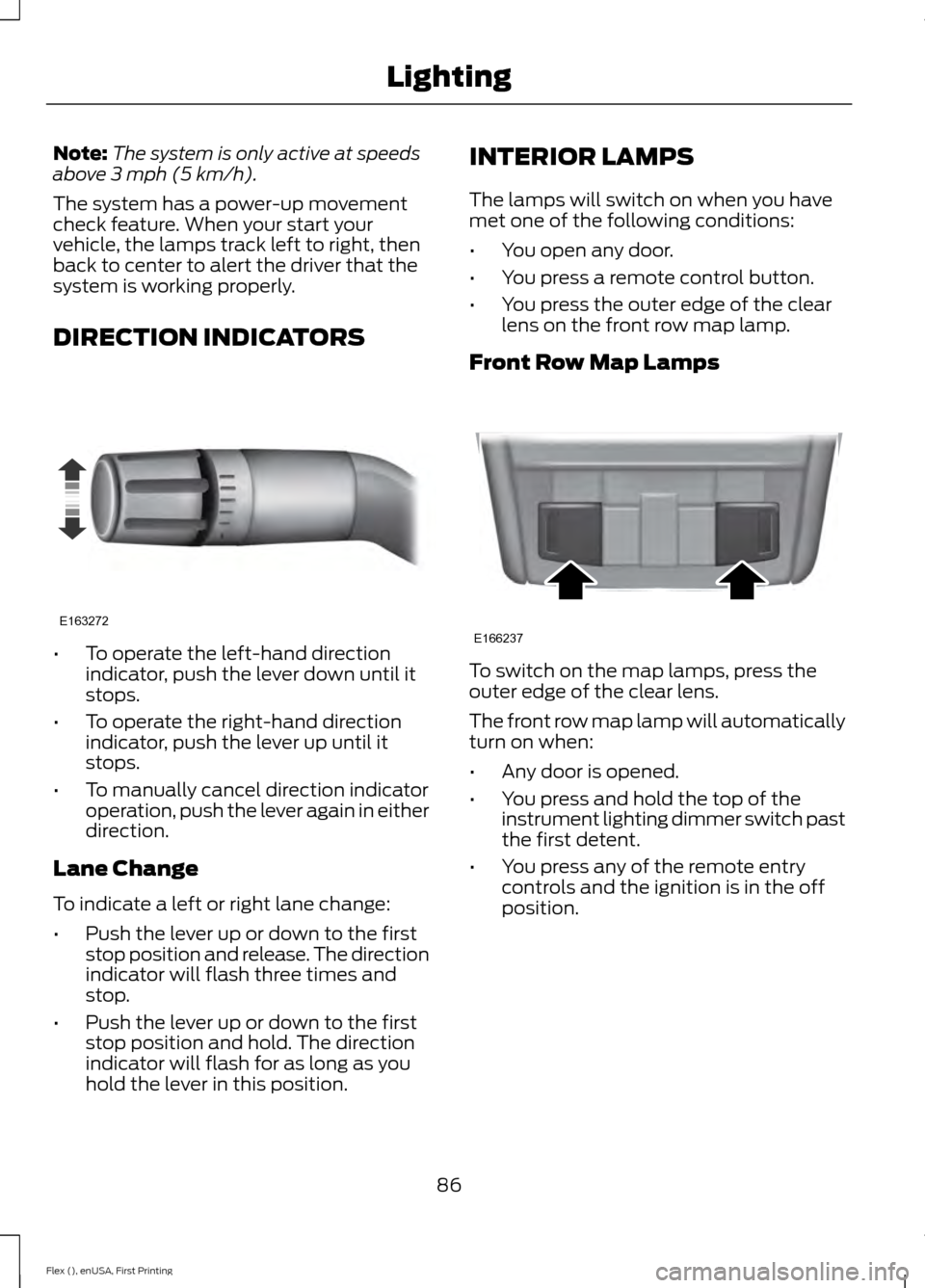
DIRECTION INDICATORS •
To operate the left-hand direction
indicator, push the lever down until it
stops.
• To operate the right-hand direction
indicator, push the lever up until it
stops.
• To manually cancel direction indicator
operation, push the lever again in either
direction.
Lane Change
To indicate a left or right lane change:
• Push the lever up or down to the first
stop position and release. The direction
indicator will flash three times and
stop.
• Push the lever up or down to the first
stop position and hold. The direction
indicator will flash for as long as you
hold the lever in this position. INTERIOR LAMPS
The lamps will switch on when you have
met one of the following conditions:
•
You open any door.
• You press a remote control button.
• You press the outer edge of the clear
lens on the front row map lamp.
Front Row Map Lamps To switch on the map lamps, press the
outer edge of the clear lens.
The front row map lamp will automatically
turn on when:
•
Any door is opened.
• You press and hold the top of the
instrument lighting dimmer switch past
the first detent.
• You press any of the remote entry
controls and the ignition is in the off
position.
86
Flex (), enUSA, First Printing LightingE163272 E166237
Page 90 of 496
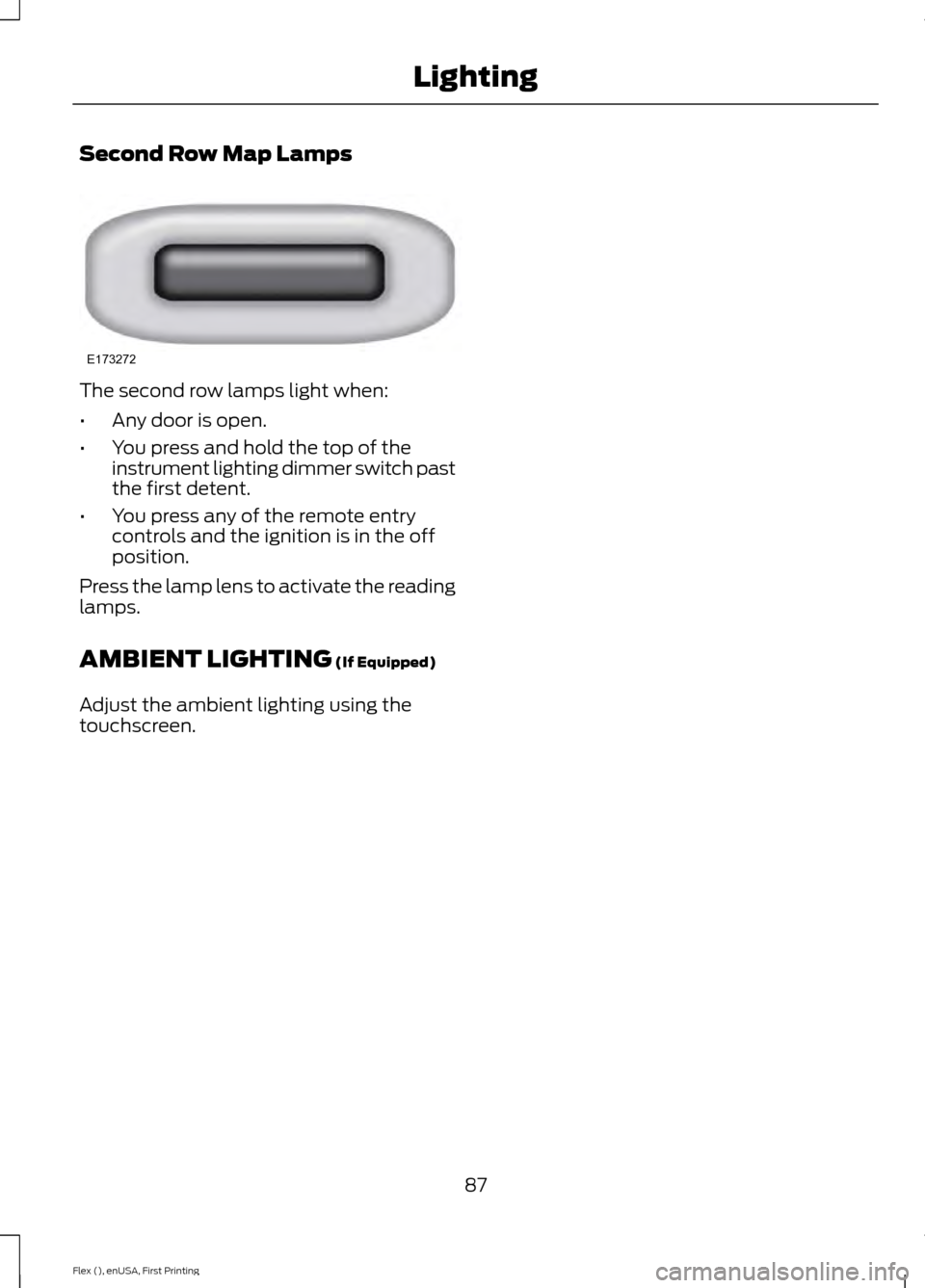
Second Row Map Lamps
The second row lamps light when:
•
Any door is open.
• You press and hold the top of the
instrument lighting dimmer switch past
the first detent.
• You press any of the remote entry
controls and the ignition is in the off
position.
Press the lamp lens to activate the reading
lamps.
AMBIENT LIGHTING (If Equipped)
Adjust the ambient lighting using the
touchscreen.
87
Flex (), enUSA, First Printing LightingE173272
Page 91 of 496
POWER WINDOWS
WARNINGS
Do not leave children unattended in
your vehicle and do not let them play
with the power windows. They may
seriously injure themselves. When closing the power windows,
you should verify they are free of
obstructions and make sure that
children and pets are not in the proximity
of the window openings. Note:
You may hear a pulsing noise when
just one of the windows is open. Lower the
opposite window slightly to reduce this
noise.
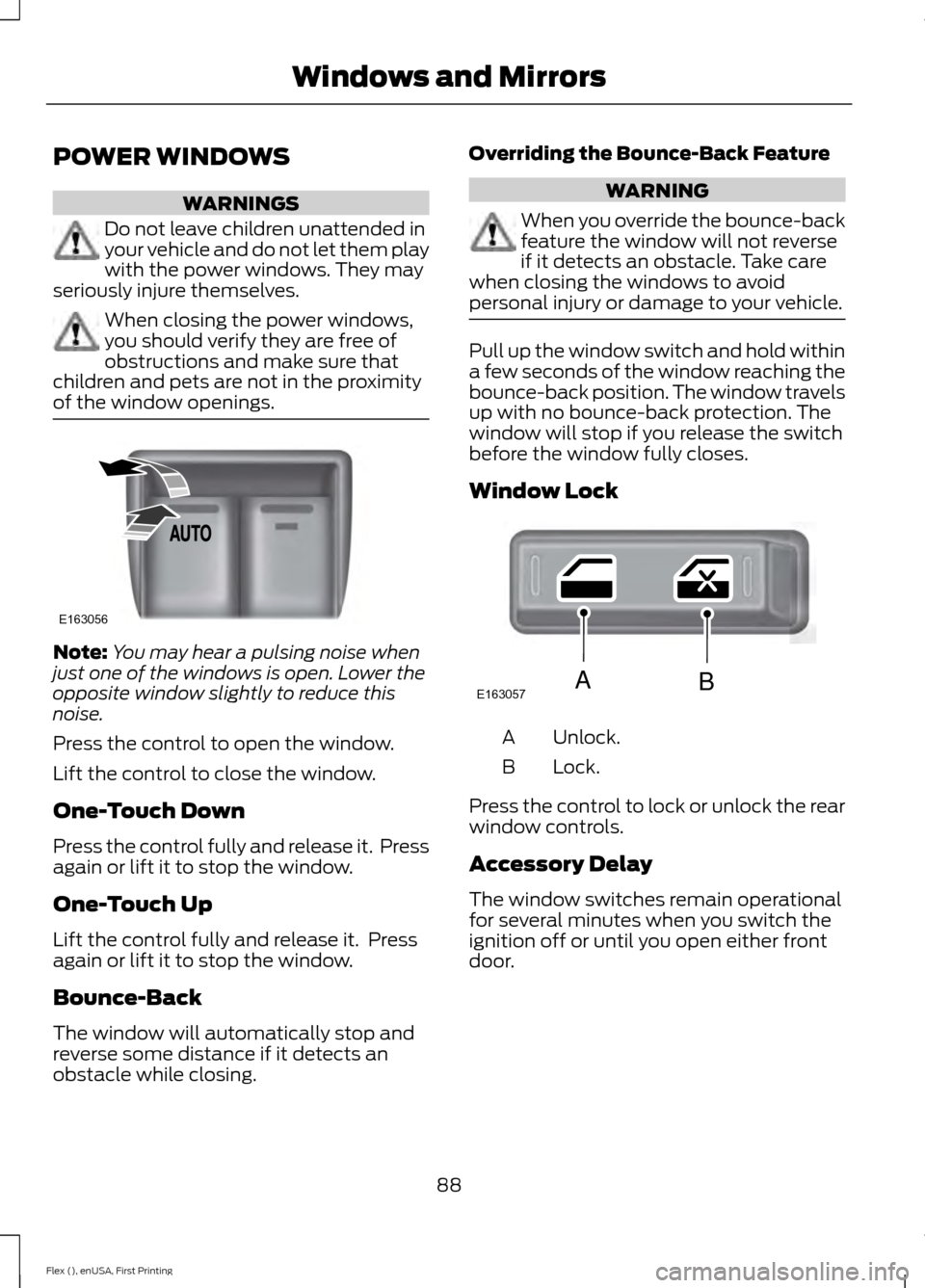
Press the control to open the window.
Lift the control to close the window.
One-Touch Down
Press the control fully and release it. Press
again or lift it to stop the window.
One-Touch Up
Lift the control fully and release it. Press
again or lift it to stop the window.
Bounce-Back
The window will automatically stop and
reverse some distance if it detects an
obstacle while closing. Overriding the Bounce-Back Feature WARNING
When you override the bounce-back
feature the window will not reverse
if it detects an obstacle. Take care
when closing the windows to avoid
personal injury or damage to your vehicle. Pull up the window switch and hold within
a few seconds of the window reaching the
bounce-back position. The window travels
up with no bounce-back protection. The
window will stop if you release the switch
before the window fully closes.
Window Lock
Unlock.
A
Lock.
B
Press the control to lock or unlock the rear
window controls.
Accessory Delay
The window switches remain operational
for several minutes when you switch the
ignition off or until you open either front
door.
88
Flex (), enUSA, First Printing Windows and MirrorsE163056 E163057AB
Page 93 of 496
Heated Exterior Mirrors
See Heated Windows and Mirrors (page
123).
Memory Mirrors
(If Equipped)
You can save and recall the mirror
positions through the memory function.
See
Memory Function (page 130).
Puddle Lamps
(If Equipped)
The lamps on the bottom part of the mirror
housing light when you use your
transmitter to unlock the doors or when
you open a door.
Integrated Blind Spot Mirror
(If
Equipped) WARNING
Objects in the blind spot mirror are
closer than they appear.
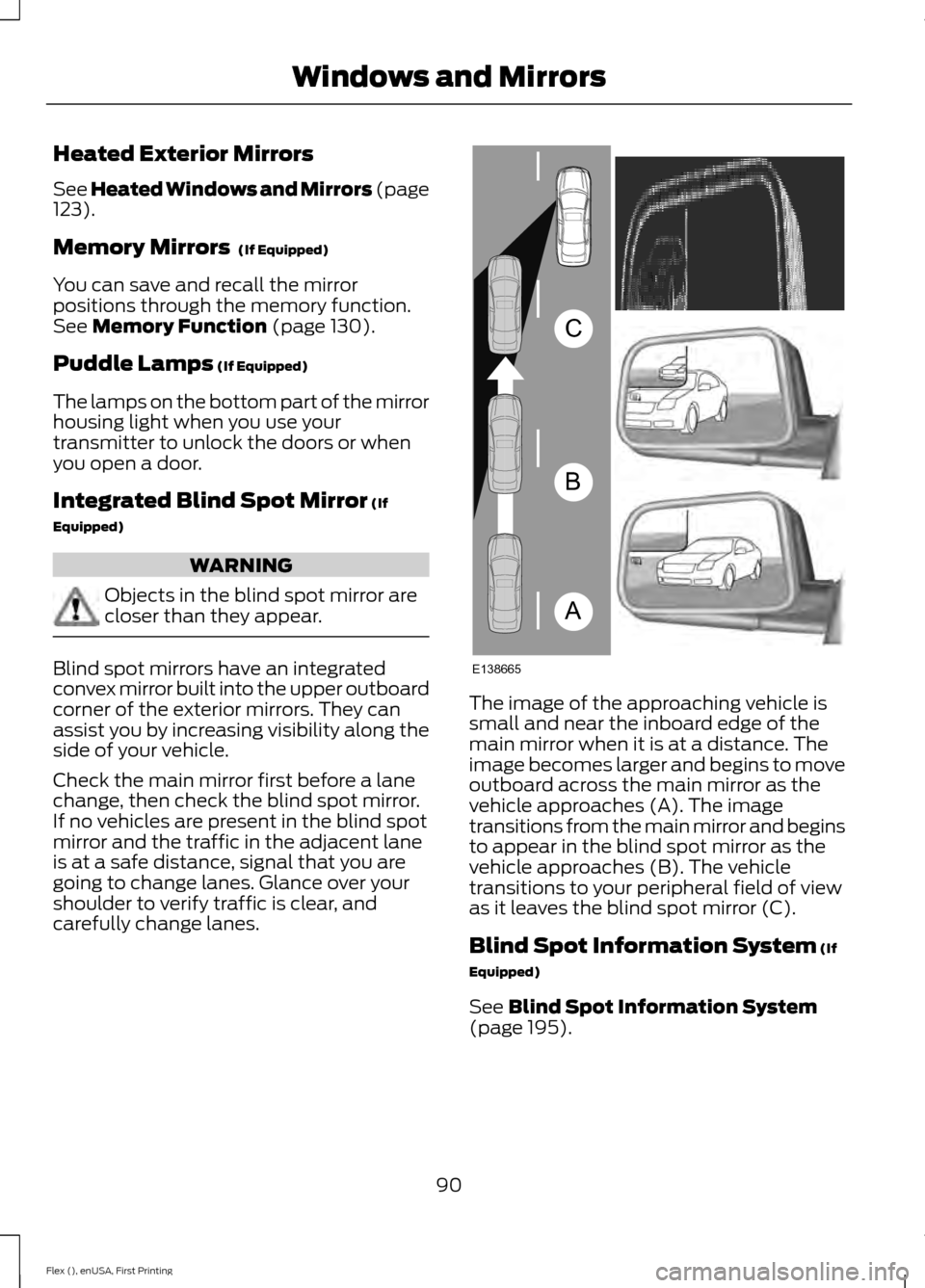
Blind spot mirrors have an integrated
convex mirror built into the upper outboard
corner of the exterior mirrors. They can
assist you by increasing visibility along the
side of your vehicle.
Check the main mirror first before a lane
change, then check the blind spot mirror.
If no vehicles are present in the blind spot
mirror and the traffic in the adjacent lane
is at a safe distance, signal that you are
going to change lanes. Glance over your
shoulder to verify traffic is clear, and
carefully change lanes.
The image of the approaching vehicle is
small and near the inboard edge of the
main mirror when it is at a distance. The
image becomes larger and begins to move
outboard across the main mirror as the
vehicle approaches (A). The image
transitions from the main mirror and begins
to appear in the blind spot mirror as the
vehicle approaches (B). The vehicle
transitions to your peripheral field of view
as it leaves the blind spot mirror (C).
Blind Spot Information System
(If
Equipped)
See
Blind Spot Information System
(page 195).
90
Flex (), enUSA, First Printing Windows and MirrorsA
B
C
E138665
Page 94 of 496
INTERIOR MIRROR
WARNING
Do not adjust the mirror when your
vehicle is moving.
Note:
Do not clean the housing or glass of
any mirror with harsh abrasives, fuel or other
petroleum or ammonia-based cleaning
products.
You can adjust the interior mirror to your
preference. Some mirrors also have a
second pivot point. This lets you move the
mirror head up or down and from side to
side.
Auto-Dimming Mirror
Note: Do not block the sensors on the front
and back of the mirror. Mirror performance
may be affected. A rear center passenger or
raised rear center head restraint may also
block light from reaching the sensor.
The mirror will dim automatically to reduce
glare when bright lights are detected from
behind your vehicle. It will automatically
return to normal reflection when you select
reverse gear to make sure you have a clear
view when backing up.
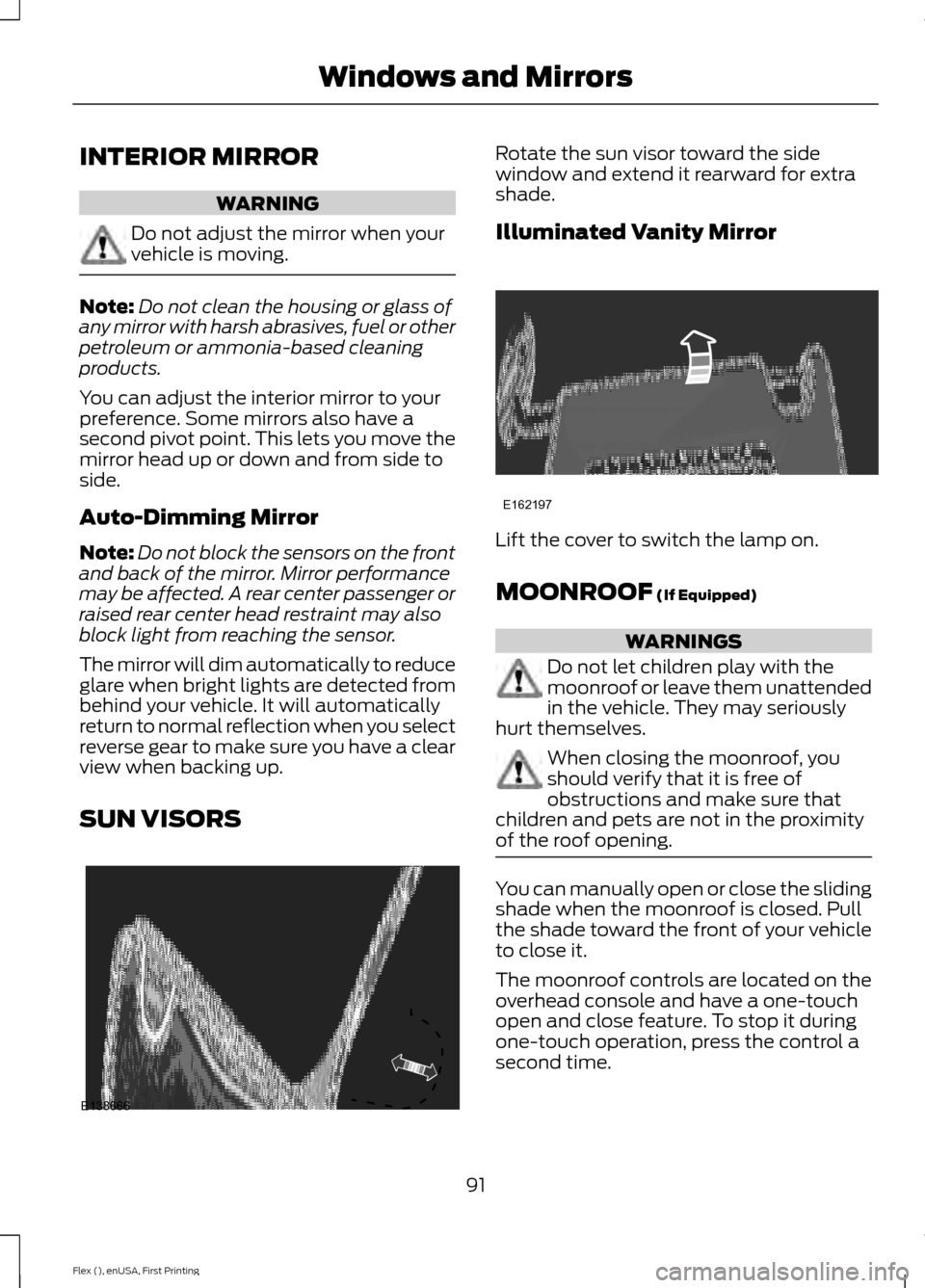
SUN VISORS Rotate the sun visor toward the side
window and extend it rearward for extra
shade.
Illuminated Vanity Mirror
Lift the cover to switch the lamp on.
MOONROOF (If Equipped)
WARNINGS
Do not let children play with the
moonroof or leave them unattended
in the vehicle. They may seriously
hurt themselves. When closing the moonroof, you
should verify that it is free of
obstructions and make sure that
children and pets are not in the proximity
of the roof opening. You can manually open or close the sliding
shade when the moonroof is closed. Pull
the shade toward the front of your vehicle
to close it.
The moonroof controls are located on the
overhead console and have a one-touch
open and close feature. To stop it during
one-touch operation, press the control a
second time.
91
Flex (), enUSA, First Printing Windows and MirrorsE138666 E162197
Page 97 of 496
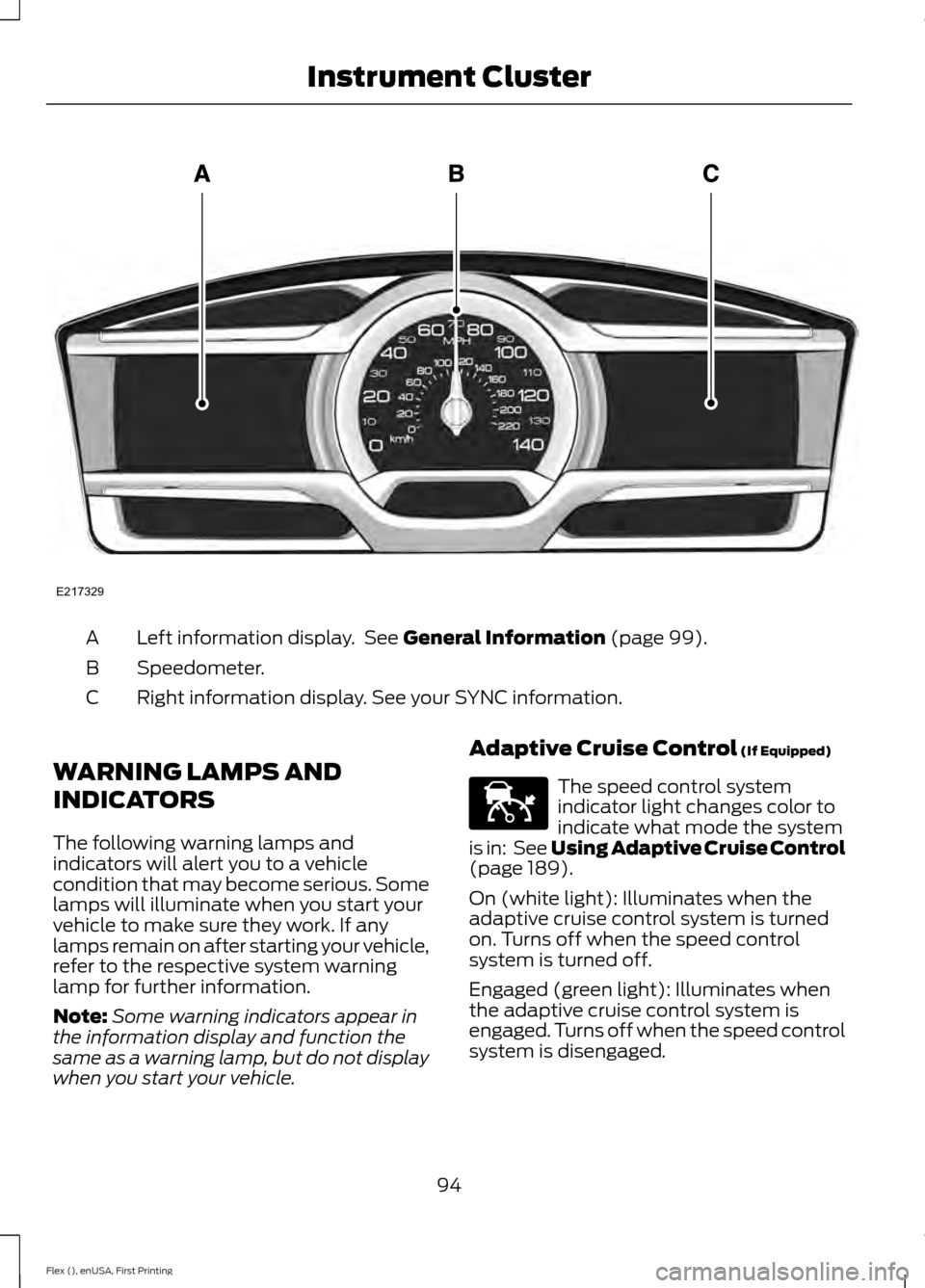
Left information display. See General Information (page 99).
A
Speedometer.
B
Right information display. See your SYNC information.
C
WARNING LAMPS AND
INDICATORS
The following warning lamps and
indicators will alert you to a vehicle
condition that may become serious. Some
lamps will illuminate when you start your
vehicle to make sure they work. If any
lamps remain on after starting your vehicle,
refer to the respective system warning
lamp for further information.
Note: Some warning indicators appear in
the information display and function the
same as a warning lamp, but do not display
when you start your vehicle. Adaptive Cruise Control
(If Equipped) The speed control system
indicator light changes color to
indicate what mode the system
is in: See Using Adaptive Cruise Control
(page
189).
On (white light): Illuminates when the
adaptive cruise control system is turned
on. Turns off when the speed control
system is turned off.
Engaged (green light): Illuminates when
the adaptive cruise control system is
engaged. Turns off when the speed control
system is disengaged.
94
Flex (), enUSA, First Printing Instrument ClusterE217329 E144524
Page 98 of 496
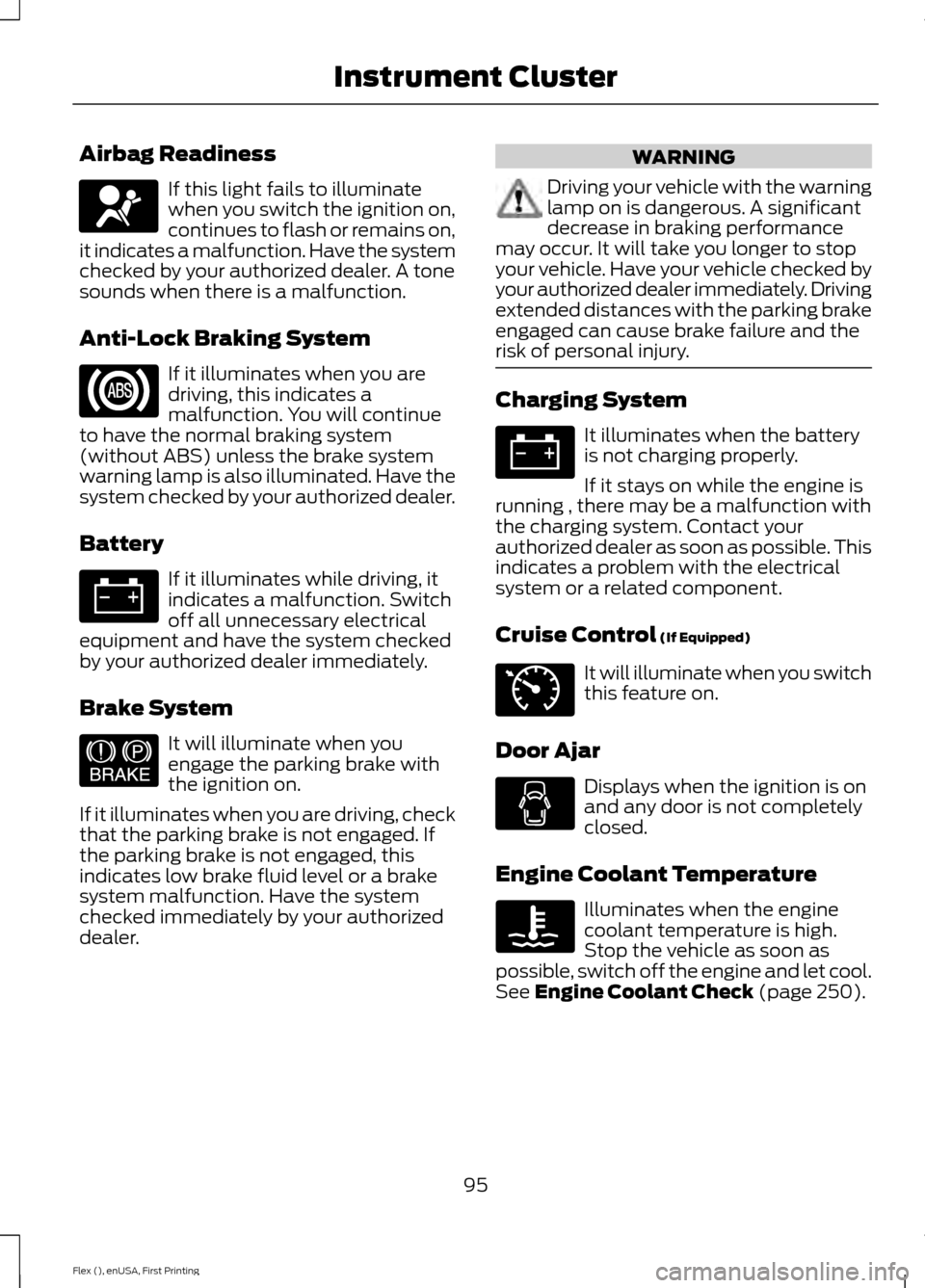
Airbag Readiness
If this light fails to illuminate
when you switch the ignition on,
continues to flash or remains on,
it indicates a malfunction. Have the system
checked by your authorized dealer. A tone
sounds when there is a malfunction.
Anti-Lock Braking System If it illuminates when you are
driving, this indicates a
malfunction. You will continue
to have the normal braking system
(without ABS) unless the brake system
warning lamp is also illuminated. Have the
system checked by your authorized dealer.
Battery If it illuminates while driving, it
indicates a malfunction. Switch
off all unnecessary electrical
equipment and have the system checked
by your authorized dealer immediately.
Brake System It will illuminate when you
engage the parking brake with
the ignition on.
If it illuminates when you are driving, check
that the parking brake is not engaged. If
the parking brake is not engaged, this
indicates low brake fluid level or a brake
system malfunction. Have the system
checked immediately by your authorized
dealer. WARNING
Driving your vehicle with the warning
lamp on is dangerous. A significant
decrease in braking performance
may occur. It will take you longer to stop
your vehicle. Have your vehicle checked by
your authorized dealer immediately. Driving
extended distances with the parking brake
engaged can cause brake failure and the
risk of personal injury. Charging System
It illuminates when the battery
is not charging properly.
If it stays on while the engine is
running , there may be a malfunction with
the charging system. Contact your
authorized dealer as soon as possible. This
indicates a problem with the electrical
system or a related component.
Cruise Control (If Equipped) It will illuminate when you switch
this feature on.
Door Ajar Displays when the ignition is on
and any door is not completely
closed.
Engine Coolant Temperature Illuminates when the engine
coolant temperature is high.
Stop the vehicle as soon as
possible, switch off the engine and let cool.
See
Engine Coolant Check (page 250).
95
Flex (), enUSA, First Printing Instrument ClusterE67017 E144522 E71340
Page 99 of 496
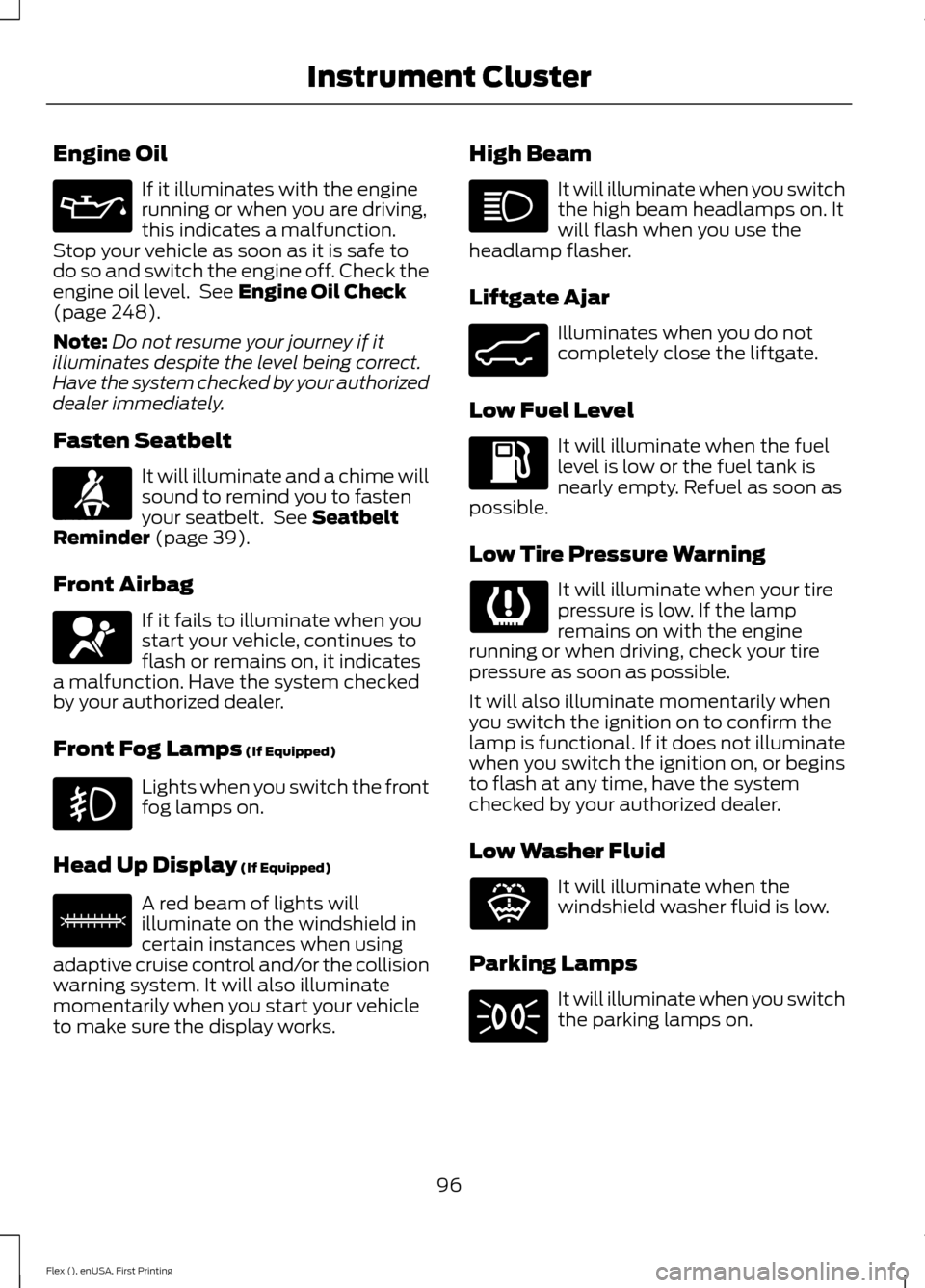
Engine Oil
If it illuminates with the engine
running or when you are driving,
this indicates a malfunction.
Stop your vehicle as soon as it is safe to
do so and switch the engine off. Check the
engine oil level. See Engine Oil Check
(page 248).
Note: Do not resume your journey if it
illuminates despite the level being correct.
Have the system checked by your authorized
dealer immediately.
Fasten Seatbelt It will illuminate and a chime will
sound to remind you to fasten
your seatbelt. See
Seatbelt
Reminder (page 39).
Front Airbag If it fails to illuminate when you
start your vehicle, continues to
flash or remains on, it indicates
a malfunction. Have the system checked
by your authorized dealer.
Front Fog Lamps
(If Equipped) Lights when you switch the front
fog lamps on.
Head Up Display
(If Equipped) A red beam of lights will
illuminate on the windshield in
certain instances when using
adaptive cruise control and/or the collision
warning system. It will also illuminate
momentarily when you start your vehicle
to make sure the display works. High Beam It will illuminate when you switch
the high beam headlamps on. It
will flash when you use the
headlamp flasher.
Liftgate Ajar Illuminates when you do not
completely close the liftgate.
Low Fuel Level It will illuminate when the fuel
level is low or the fuel tank is
nearly empty. Refuel as soon as
possible.
Low Tire Pressure Warning It will illuminate when your tire
pressure is low. If the lamp
remains on with the engine
running or when driving, check your tire
pressure as soon as possible.
It will also illuminate momentarily when
you switch the ignition on to confirm the
lamp is functional. If it does not illuminate
when you switch the ignition on, or begins
to flash at any time, have the system
checked by your authorized dealer.
Low Washer Fluid It will illuminate when the
windshield washer fluid is low.
Parking Lamps It will illuminate when you switch
the parking lamps on.
96
Flex (), enUSA, First Printing Instrument Cluster E71880 E67017 E156133 E162453 E132353