service FORD FLEX 2018 Owners Manual
[x] Cancel search | Manufacturer: FORD, Model Year: 2018, Model line: FLEX, Model: FORD FLEX 2018Pages: 508, PDF Size: 6.31 MB
Page 492 of 508
FOR ANY LOSS OF PROFIT, REVENUE,
CONTRACTS OR SAVINGS, OR ANY
OTHER DIRECT, INDIRECT, INCIDENTAL,
SPECIAL OR CONSEQUENTIAL DAMAGES
ARISING OUT OF YOUR USE OF OR
INABILITY TO USE THIS INFORMATION,
ANY DEFECT IN THE INFROMATION, OR
THE BREACH OF THESE TERMS OR
CONDITIONS, WHETHER IN AN ACTION
IN CONTRACT OR TORT OR BASED ON A
WARRANTY, EVEN IF NAV2 OR ITS
LICENSORS HAVE BEEN ADVISED OF THE
POSSIBILITY OF SUCH DAMAGES. UNDER
NO CIRCUMSTANCES SHALL NAV2’
s OR
ITS SUPPLIERS ’ LIABILITY HEREUNDER
EXCEED THE PRICE PAID. Certain liability
exclusions may not be permitted under
applicable law, so to that extent the above
exclusion may not apply to you.
Export Control
You agree not to export to anywhere any
part of the Data provided to you or any
direct product thereof except in
compliance with, and with all licenses and
approvals required under, applicable
export laws, rules and regulations.
IP Protection
The Data are owned by NAV2 or its
suppliers and are protected by applicable
copyright and other intellectual property
law and treaties. The Data are provided
solely on the basis of a license to use, not
sale.
Entire Agreement
These terms and conditions constitute the
entire agreement between NAV2(and its
licensors, including their licensors and
suppliers) and you pertaining to the subject
matter hereof, and supersedes in their
entirety any and all written or oral
agreements previously existing between
us with respect to such subject matter. Governing Law.
The above terms and conditions shall be
governed by the laws of the People
’s
Republic of China, without giving effect to
(i) its conflict of laws provisions, or (ii) the
United Nations Convention for Contracts
for the International Sale of Goods, which
is explicitly excluded. Any dispute arising
from or in connection with the Data
provided to you hereunder shall be
submitted to the Shanghai International
Economic and Trade Arbitration
Commission for arbitration.
Gracenote® Copyright
CD and music-related data from
Gracenote, Inc., copyright©
2000-2007 Gracenote. Gracenote
Software, copyright © 2000-2007
Gracenote. This product and service may
practice one or more of the following U.S.
Patents 5,987,525; 6,061,680; 6,154,773;
6,161,132; 6,230,192; 6,230,207; 6.240,459;
6,330,593 and other patents issued or
pending. Some services supplied under
license from Open Globe, Inc. for U.S.
Patent 6,304,523.
Gracenote and CDDB are registered
trademarks of Gracenote. The Gracenote
logo and logotype, and the "Powered by
Gracenote ™" logo are trademarks of
Gracenote.
Gracenote® End User License Agreement
(EULA)
This device contains software from
Gracenote, Inc. of 2000 Powell Street
Emeryville, California 94608
("Gracenote").
The software from Gracenote (the
"Gracenote Software") enables this device
to do disc and music file identification and
obtain music-related information, including
name, artist, track, and title information
("Gracenote Data") from online servers
489
Flex (TP3) , enUSA, Edition date: 201801, Second Printing Appendices
Page 493 of 508
("Gracenote Servers"), and to perform
other functions. You may use Gracenote
Data only by means of the intended End
User functions of this device. This device
may contain content belonging to
Gracenote's providers. If so, all of the
restrictions set forth herein with respect to
Gracenote Data shall also apply to such
content and such content providers shall
be entitled to all of the benefits and
protections set forth herein that are
available to Gracenote. You agree that you
will use the content from Gracenote
("Gracenote Content") , Gracenote Data,
the Gracenote Software, and Gracenote
Servers for your own personal,
non-commercial use only. You agree not
to assign, copy, transfer or transmit the
Gracenote Content, Gracenote Software
or any Gracenote Data (except in a Tag
associated with a music file) to any third
party. YOU AGREE NOT TO USE OR
EXPLOIT GRACENOTE CONTENT,
GRACENOTE DATA, THE GRACENOTE
SOFTWARE, OR GRACENOTE SERVERS,
EXCEPT AS EXPRESSLY PERMITTED
HEREIN.
You agree that your non-exclusive licenses
to use the Gracenote Content, Gracenote
Data, the Gracenote Software, and
Gracenote Servers will terminate if you
violate these restrictions. If your licenses
terminate, you agree to cease any and all
use of the Gracenote Content, Gracenote
Data, the Gracenote Software, and
Gracenote Servers.
Gracenote, respectively, reserve all rights
in Gracenote Data, the Gracenote
Software, and the Gracenote Servers and
Gracenote Content, including all ownership
rights. Under no circumstances will either
Gracenote become liable for any payment
to you for any information that you provide,
including any copyrighted material or
music file information. You agree that
Gracenote may enforce its respective
rights, collectively or separately, under this
agreement against you, directly in each
company's own name.
Gracenote uses a unique identifier to track
queries for statistical purposes. The
purpose of a randomly assigned numeric
identifier is to allow Gracenote to count
queries without knowing anything about
who you are. For more information, see the
web page at www.gracenote.com for the
Gracenote Privacy Policy.
THE GRACENOTE SOFTWARE, EACH ITEM
OF GRACENOTE DATA AND THE
GRACENOTE CONTENT ARE LICENSED
TO YOU "AS IS". NEITHER GRACENOTE
MAKES ANY REPRESENTATIONS OR
WARRANTIES, EXPRESS OR IMPLIED,
REGARDING THE ACCURACY OF ANY
GRACENOTE DATA FROM THE
GRACENOTE SERVERS OR GRACENOTE
CONTENT. GRACENOTE COLLECTIVELY
AND SEPARATELY RESERVE THE RIGHT
TO DELETE DATA AND/OR CONTENT
FROM THE COMPANIES' RESPECTIVE
SERVERS OR, IN THE CASE OF
GRACENOTE, CHANGE DATA
CATEGORIES FOR ANY CAUSE THAT
GRACENOTE DEEMS SUFFICIENT. NO
WARRANTY IS MADE THAT EITHER
GRACENOTE CONTENT OR THE
GRACENOTE SOFTWARE OR
GRACENOTE SERVERS ARE ERROR-FREE
OR THAT THE FUNCTIONING OF THE
GRACENOTE SOFTWARE OR
GRACENOTE SERVERS WILL BE
UNINTERRUPTED. GRACENOTE IS NOT
OBLIGATED TO PROVIDE YOU WITH ANY
ENHANCED OR ADDITIONAL DATA TYPES
THAT GRACENOTE MAY CHOOSE TO
PROVIDE IN THE FUTURE AND IS FREE
TO DISCONTINUE ITS ONLINE SERVICES
AT ANY TIME. GRACENOTE DISCLAIM ALL
WARRANTIES EXPRESS OR IMPLIED,
INCLUDING, BUT NOT LIMITED TO,
490
Flex (TP3) , enUSA, Edition date: 201801, Second Printing Appendices
Page 494 of 508
IMPLIED WARRANTIES OF
MERCHANTABILITY, FITNESS FOR A
PARTICULAR PURPOSE, TITLE, AND
NON-INFRINGEMENT. NEITHER
GRACENOTE WARRANTS THE RESULTS
THAT WILL BE OBTAINED BY YOUR USE
OF THE GRACENOTE SOFTWARE OR ANY
GRACENOTE SERVER. IN NO CASE WILL
GRACENOTE BE LIABLE FOR ANY
CONSEQUENTIAL OR INCIDENTAL
DAMAGES OR FOR ANY LOST PROFITS
OR LOST REVENUES FOR ANY REASON
WHATSOEVER. © Gracenote 2007.
Radio Frequency Statement
FCC ID: ACJ-SYNCG3-L
IC: 216B-SYNCG3-L
This device complies with Part 15 of the
FCC Rules and with RSS-210 of Industry
Canada. Operation is subject to the
following two conditions:
(1) This device may not cause harmful
interference, and
(2)
this device must accept any
interference received, including
interference that may cause undesired
operation. WARNING
Changes or modifications not
expressively approved by the party
responsible for compliance could
void the user's authority to operate the
equipment. The term "IC:" before the radio
certification number only signifies that
Industry Canada technical specifications
were met. The antenna used for this transmitter must
not be co-located or operating in
conjunction with any other antenna or
transmitter. Taiwan Territory
Note: In accordance with the management
approach of low-power radio wave
radiation motors:
Article 12: For approved and certified
low-power radiation motor models,
companies, firms or users must not alter
the frequency, increase the power or
change the characteristics and functions
of the original design without authorization.
Article 14: The usage of low-power
radio-frequency motors must not affect
aviation safety and interfere with legal
telecommunications. Should interference
be detected, immediately stop using the
device and only resume usage after
ensuring that there is no longer any
interference. For the legal
telecommunication and wireless
telecommunication of the telco, the
low-power radio frequency motor must be
able to tolerate legal limits of interference
from telecommunication, industrial,
scientific and radio wave equipment.
SUNA TRAFFIC CHANNEL – TERMS
AND CONDITIONS
By activating, using and/or accessing the
SUNA Traffic Channel, SUNA Predictive or
other content or material provided by
Intelematics (together,
SUNA Products
and/or Services
), you must accept
certain terms and conditions. The following
is a brief summary of the terms and
conditions that apply to you. To view the
full terms and conditions relevant to your
use of the SUNA Products and/or Services,
please consult: Website
www.sunatraffic.com.au/termsandcon- ditions/
1. Acceptance
491
Flex (TP3) , enUSA, Edition date: 201801, Second Printing Appendices
Page 495 of 508
By using SUNA Products and/or Services,
you will be deemed to have accepted and
agreed to be bound by the terms and
conditions fully detailed at:
Website
www.sunatraffic.com.au/termsandcon- ditions/
2. Intellectual Property
SUNA Products and/or Services are for
your personal use. You may not record, or
retransmit the content, nor use the content
in association with any other traffic
information or route guidance service or
device not approved by Intelematics. You
obtain no right of ownership in any
Intellectual Property Rights (including
copyright) in the data that is used to
provide SUNA Products and/or Services.
3. Appropriate Use
SUNA Products and/or Services are
intended as an aid to personal motoring
and travel planning, and do not provide
comprehensive or accurate information on
all occasions. On occasions, you may
experience additional delay as a result of
using SUNA Products and/or Services. You
acknowledge that it is not intended, or
suitable, for use in applications where time
of arrival or driving directions may impact
the safety of the public or yourself.
4. Use of SUNA Products and Services
while driving
You, and other authorised drivers of the
vehicle in which SUNA Products and/or
Services are available or installed and
active, remain at all times responsible for
observing all relevant laws and codes of
safe driving. In particular, you agree to only
actively operate SUNA Products and/or
Services when the Vehicle is at a complete
stop and it is safe to do so. 5. Service Continuity and Reception of
the SUNA Traffic Channel
We will use reasonable endeavours to
provide the SUNA Traffic Channel 24 hours
a day, 365 days a year. The SUNA Traffic
Channel may occasionally be unavailable
for technical reasons or for planned
maintenance. We will try to perform
maintenance at times when congestion is
light. We reserve the right to withdraw
SUNA Products and/or Services at any
time.
Also, we cannot assure the uninterrupted
reception of the SUNA Traffic Channel
RDS-TMC signal at any particular location.
6. Limitation of Liability
Neither Intelematics (nor its suppliers or
the manufacturer of your device (the
“Suppliers”)) shall be liable to you or to
any third party for any damages either
direct, indirect, incidental, consequential
or otherwise arising out of the use of or
inability to use SUNA Products and/or
Services even if Intelematics or a Supplier
has been advised of the possibility of such
damages. You also acknowledge that the
neither Intelematics nor any Supplier
guarantees nor make any warranties that
relate to the availability, accuracy or
completeness of SUNA Products and/or
Services, and to the extent which it is
lawful to do so, both Intelematics and each
Supplier excludes any warranties which
might otherwise be implied by any State
or Federal legislation in relation to SUNA
Products and/or Services.
7. Please Note
Great care has been taken in preparing this
manual. Constant product development
may mean that some information is not
entirely up-to-date. The information in this
document is subject to change without
notice.
492
Flex (TP3) , enUSA, Edition date: 201801, Second Printing Appendices
Page 500 of 508
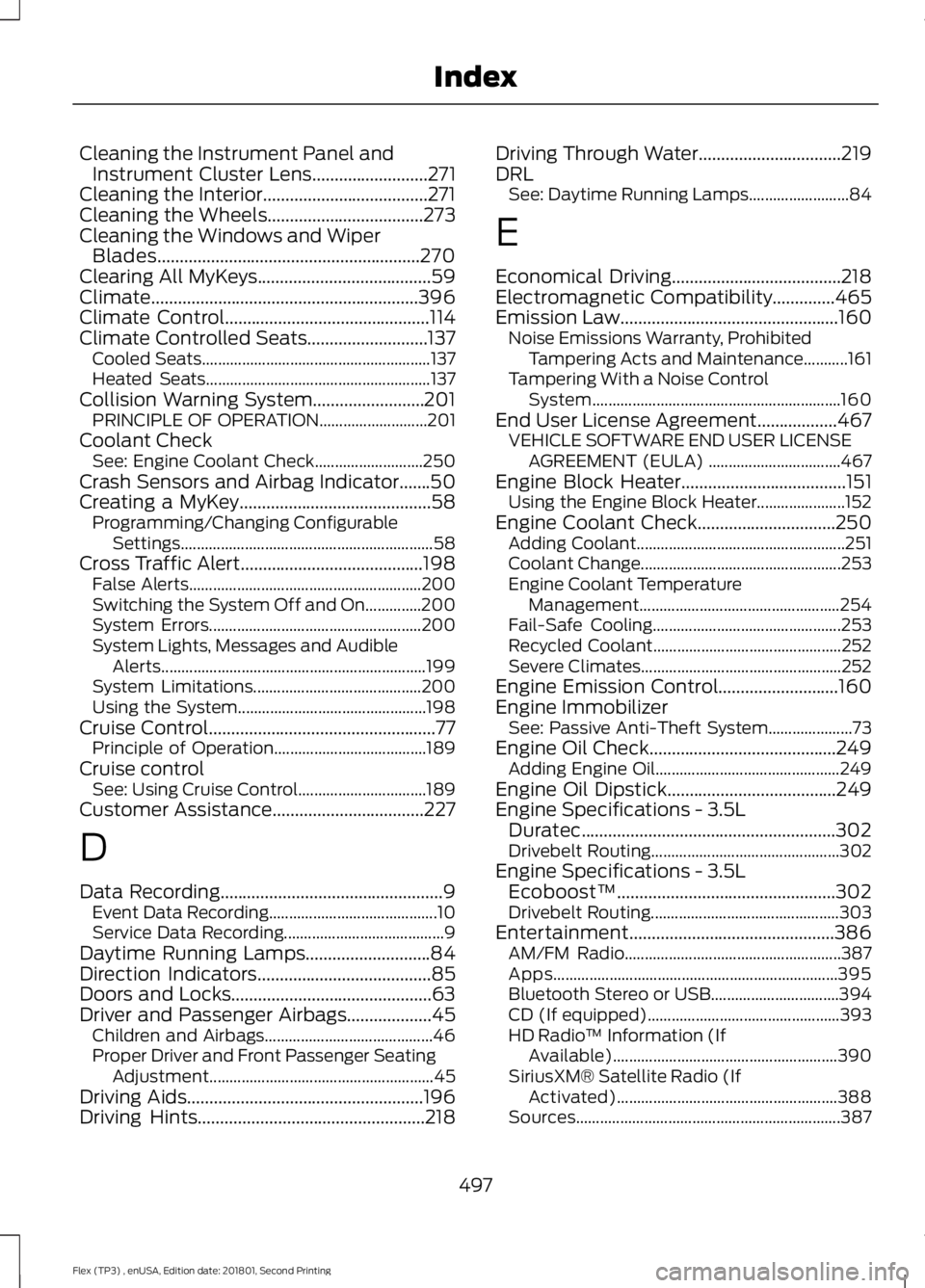
Cleaning the Instrument Panel and
Instrument Cluster Lens..........................271
Cleaning the Interior.....................................271
Cleaning the Wheels
...................................273
Cleaning the Windows and Wiper Blades...........................................................270
Clearing All MyKeys
.......................................59
Climate............................................................396
Climate Control
..............................................114
Climate Controlled Seats...........................137 Cooled Seats......................................................... 137
Heated Seats........................................................ 137
Collision Warning System.........................201 PRINCIPLE OF OPERATION........................... 201
Coolant Check See: Engine Coolant Check........................... 250
Crash Sensors and Airbag Indicator
.......50
Creating a MyKey...........................................58
Programming/Changing Configurable
Settings............................................................... 58
Cross Traffic Alert.........................................198 False Alerts.......................................................... 200
Switching the System Off and On..............200
System Errors..................................................... 200
System Lights, Messages and Audible Alerts.................................................................. 199
System Limitations.......................................... 200
Using the System............................................... 198
Cruise Control
...................................................77
Principle of Operation...................................... 189
Cruise control See: Using Cruise Control................................ 189
Customer Assistance
..................................227
D
Data Recording
..................................................9
Event Data Recording.......................................... 10
Service Data Recording........................................ 9
Daytime Running Lamps............................84
Direction Indicators
.......................................85
Doors and Locks.............................................63
Driver and Passenger Airbags...................45 Children and Airbags.......................................... 46
Proper Driver and Front Passenger Seating Adjustment........................................................ 45
Driving Aids
.....................................................196
Driving Hints...................................................218 Driving Through Water
................................219
DRL See: Daytime Running Lamps......................... 84
E
Economical Driving
......................................218
Electromagnetic Compatibility..............465
Emission Law.................................................160 Noise Emissions Warranty, Prohibited
Tampering Acts and Maintenance...........161
Tampering With a Noise Control System.............................................................. 160
End User License Agreement..................467 VEHICLE SOFTWARE END USER LICENSE
AGREEMENT (EULA) ................................. 467
Engine Block Heater
.....................................151
Using the Engine Block Heater...................... 152
Engine Coolant Check...............................250 Adding Coolant.................................................... 251
Coolant Change.................................................. 253
Engine Coolant Temperature Management.................................................. 254
Fail-Safe Cooling............................................... 253
Recycled Coolant............................................... 252
Severe Climates.................................................. 252
Engine Emission Control...........................160
Engine Immobilizer See: Passive Anti-Theft System..................... 73
Engine Oil Check..........................................249 Adding Engine Oil.............................................. 249
Engine Oil Dipstick
......................................249
Engine Specifications - 3.5L Duratec
.........................................................302
Drivebelt Routing............................................... 302
Engine Specifications - 3.5L Ecoboost™.................................................302
Drivebelt Routing............................................... 303
Entertainment..............................................386 AM/FM Radio...................................................... 387
Apps....................................................................... 395
Bluetooth Stereo or USB................................ 394
CD (If equipped)................................................ 393
HD Radio ™ Information (If
Available)........................................................ 390
SiriusXM® Satellite Radio (If Activated)....................................................... 388
Sources.................................................................. 387
497
Flex (TP3) , enUSA, Edition date: 201801, Second Printing Index
Page 501 of 508
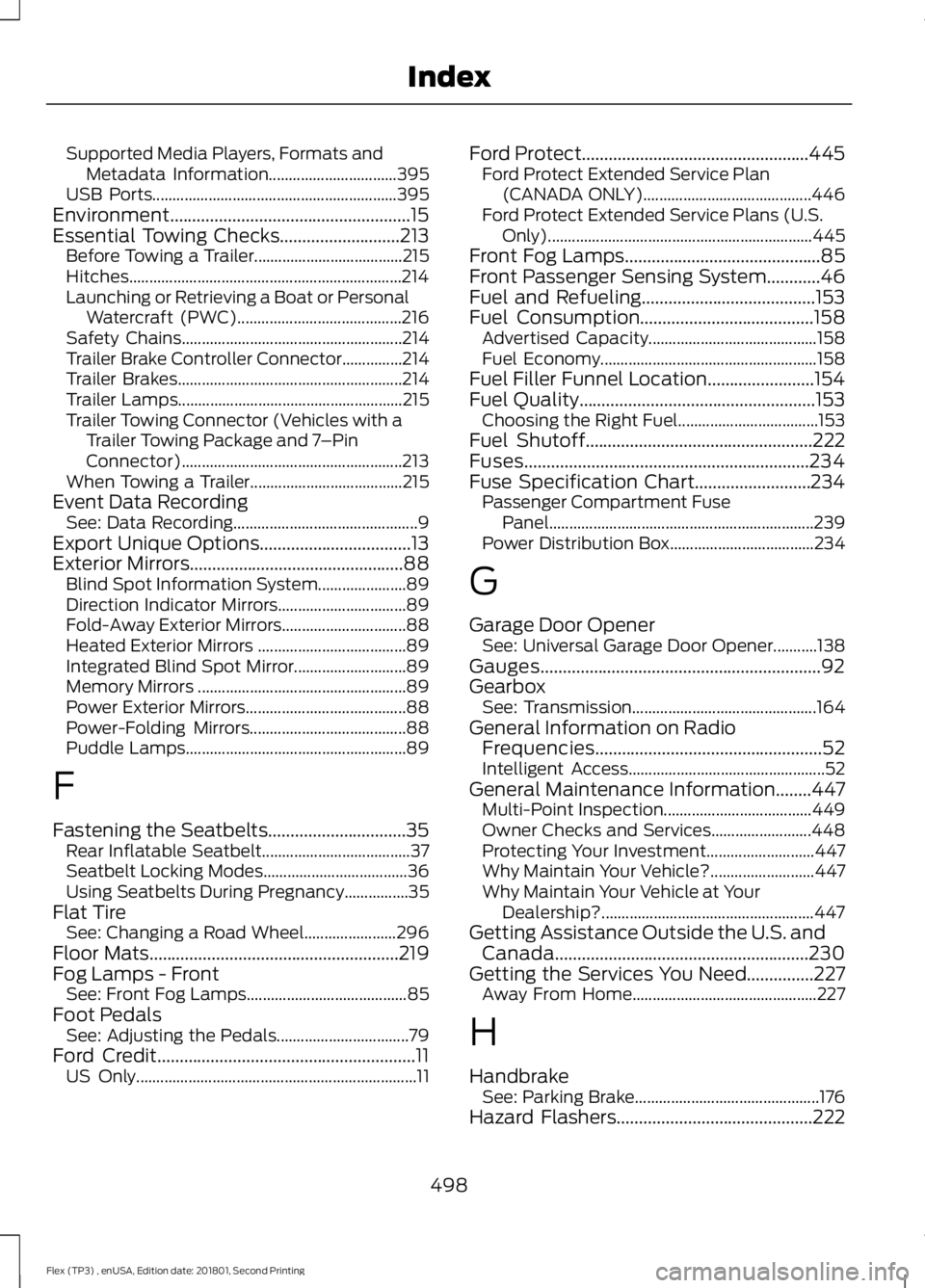
Supported Media Players, Formats and
Metadata Information................................ 395
USB Ports............................................................. 395
Environment......................................................15
Essential Towing Checks...........................213 Before Towing a Trailer..................................... 215
Hitches.................................................................... 214
Launching or Retrieving a Boat or Personal Watercraft (PWC)......................................... 216
Safety Chains....................................................... 214
Trailer Brake Controller Connector...............214
Trailer Brakes........................................................ 214
Trailer Lamps........................................................ 215
Trailer Towing Connector (Vehicles with a Trailer Towing Package and 7 –Pin
Connector)....................................................... 213
When Towing a Trailer...................................... 215
Event Data Recording See: Data Recording.............................................. 9
Export Unique Options..................................13
Exterior Mirrors
................................................88
Blind Spot Information System...................... 89
Direction Indicator Mirrors................................ 89
Fold-Away Exterior Mirrors............................... 88
Heated Exterior Mirrors ..................................... 89
Integrated Blind Spot Mirror............................ 89
Memory Mirrors .................................................... 89
Power Exterior Mirrors........................................ 88
Power-Folding Mirrors....................................... 88
Puddle Lamps....................................................... 89
F
Fastening the Seatbelts...............................35 Rear Inflatable Seatbelt..................................... 37
Seatbelt Locking Modes.................................... 36
Using Seatbelts During Pregnancy................35
Flat Tire See: Changing a Road Wheel....................... 296
Floor Mats
........................................................219
Fog Lamps - Front See: Front Fog Lamps........................................ 85
Foot Pedals See: Adjusting the Pedals................................. 79
Ford Credit
..........................................................11
US Only...................................................................... 11Ford Protect...................................................445
Ford Protect Extended Service Plan
(CANADA ONLY).......................................... 446
Ford Protect Extended Service Plans (U.S. Only).................................................................. 445
Front Fog Lamps
............................................85
Front Passenger Sensing System............46
Fuel and Refueling.......................................153
Fuel Consumption
.......................................158
Advertised Capacity.......................................... 158
Fuel Economy...................................................... 158
Fuel Filler Funnel Location........................154
Fuel Quality
.....................................................153
Choosing the Right Fuel................................... 153
Fuel Shutoff
...................................................222
Fuses................................................................234
Fuse Specification Chart..........................234 Passenger Compartment Fuse
Panel.................................................................. 239
Power Distribution Box.................................... 234
G
Garage Door Opener See: Universal Garage Door Opener...........138
Gauges...............................................................92
Gearbox See: Transmission.............................................. 164
General Information on Radio Frequencies...................................................52
Intelligent Access................................................. 52
General Maintenance Information
........447
Multi-Point Inspection..................................... 449
Owner Checks and Services......................... 448
Protecting Your Investment........................... 447
Why Maintain Your Vehicle?.......................... 447
Why Maintain Your Vehicle at Your Dealership?..................................................... 447
Getting Assistance Outside the U.S. and Canada.........................................................230
Getting the Services You Need...............227 Away From Home.............................................. 227
H
Handbrake See: Parking Brake.............................................. 176
Hazard Flashers
............................................222
498
Flex (TP3) , enUSA, Edition date: 201801, Second Printing Index
Page 506 of 508
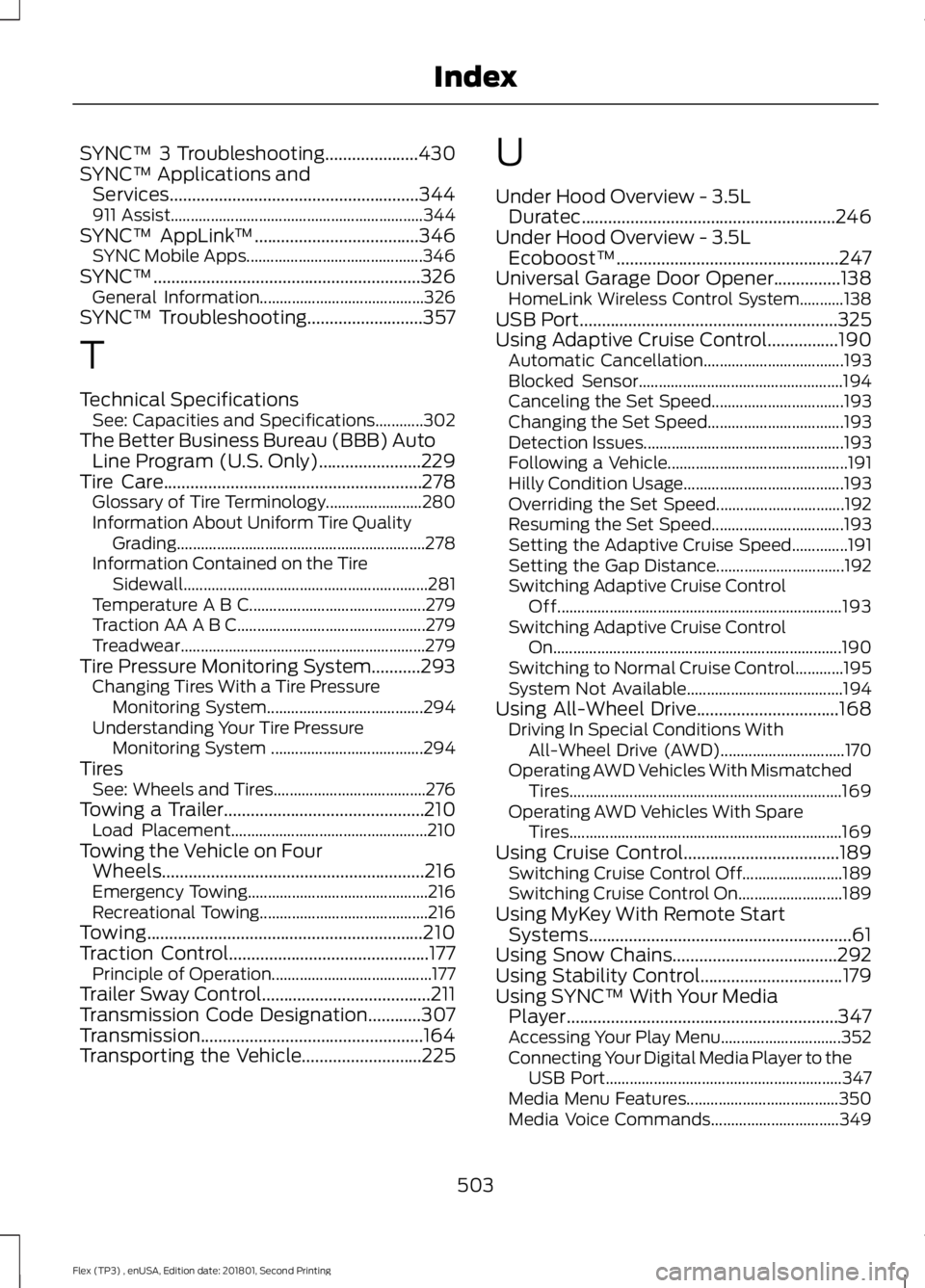
SYNC™ 3 Troubleshooting.....................430
SYNC™ Applications and
Services........................................................344
911 Assist............................................................... 344
SYNC™ AppLink ™.....................................346
SYNC Mobile Apps............................................ 346
SYNC™............................................................326 General Information......................................... 326
SYNC™ Troubleshooting
..........................357
T
Technical Specifications See: Capacities and Specifications............302
The Better Business Bureau (BBB) Auto Line Program (U.S. Only)
.......................229
Tire Care..........................................................278 Glossary of Tire Terminology........................ 280
Information About Uniform Tire Quality Grading .............................................................. 278
Information Contained on the Tire Sidewall............................................................. 281
Temperature A B C............................................ 279
Traction AA A B C............................................... 279
Treadwear............................................................. 279
Tire Pressure Monitoring System...........293 Changing Tires With a Tire Pressure
Monitoring System....................................... 294
Understanding Your Tire Pressure Monitoring System ...................................... 294
Tires See: Wheels and Tires...................................... 276
Towing a Trailer.............................................210 Load Placement................................................. 210
Towing the Vehicle on Four Wheels...........................................................216
Emergency Towing............................................. 216
Recreational Towing.......................................... 216
Towing..............................................................210
Traction Control
.............................................177
Principle of Operation........................................ 177
Trailer Sway Control......................................211
Transmission Code Designation
............307
Transmission..................................................164
Transporting the Vehicle...........................225 U
Under Hood Overview - 3.5L
Duratec.........................................................246
Under Hood Overview - 3.5L Ecoboost™..................................................247
Universal Garage Door Opener...............138 HomeLink Wireless Control System...........138
USB Port..........................................................325
Using Adaptive Cruise Control................190 Automatic Cancellation................................... 193
Blocked Sensor................................................... 194
Canceling the Set Speed................................. 193
Changing the Set Speed.................................. 193
Detection Issues.................................................. 193
Following a Vehicle............................................. 191
Hilly Condition Usage........................................ 193
Overriding the Set Speed................................ 192
Resuming the Set Speed................................. 193
Setting the Adaptive Cruise Speed..............191
Setting the Gap Distance................................ 192
Switching Adaptive Cruise Control Off....................................................................... 193
Switching Adaptive Cruise Control On........................................................................\
190
Switching to Normal Cruise Control............195
System Not Available....................................... 194
Using All-Wheel Drive................................168 Driving In Special Conditions With
All-Wheel Drive (AWD)............................... 170
Operating AWD Vehicles With Mismatched Tires.................................................................... 169
Operating AWD Vehicles With Spare Tires.................................................................... 169
Using Cruise Control...................................189 Switching Cruise Control Off......................... 189
Switching Cruise Control On.......................... 189
Using MyKey With Remote Start Systems...........................................................61
Using Snow Chains
.....................................292
Using Stability Control................................179
Using SYNC™ With Your Media Player.............................................................347
Accessing Your Play Menu.............................. 352
Connecting Your Digital Media Player to the USB Port........................................................... 347
Media Menu Features...................................... 350
Media Voice Commands................................ 349
503
Flex (TP3) , enUSA, Edition date: 201801, Second Printing Index
Page 507 of 508
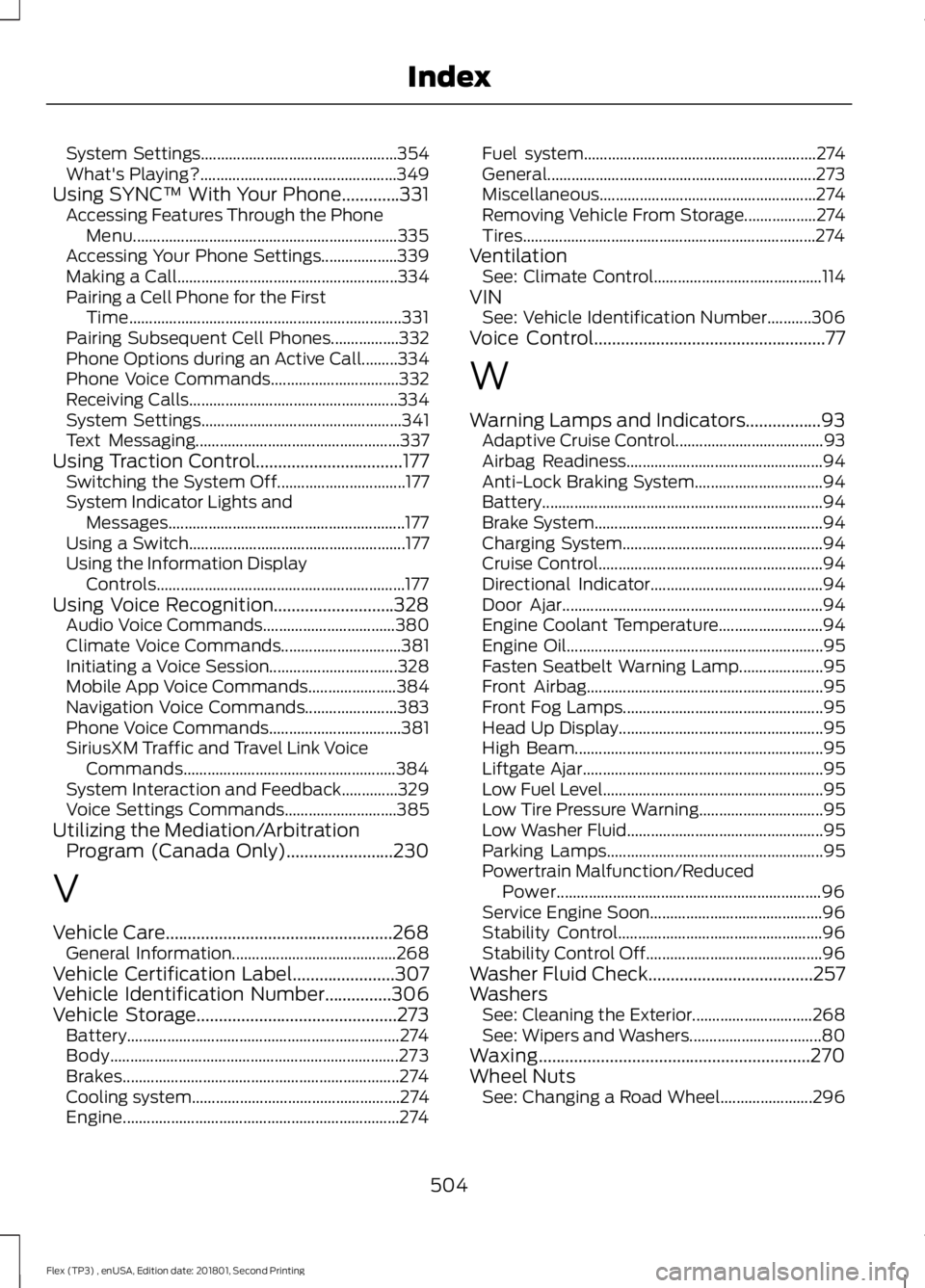
System Settings.................................................
354
What's Playing?................................................. 349
Using SYNC™ With Your Phone.............331 Accessing Features Through the Phone
Menu.................................................................. 335
Accessing Your Phone Settings................... 339
Making a Call....................................................... 334
Pairing a Cell Phone for the First Time.................................................................... 331
Pairing Subsequent Cell Phones.................332
Phone Options during an Active Call.........334
Phone Voice Commands................................ 332
Receiving Calls.................................................... 334
System Settings.................................................. 341
Text Messaging................................................... 337
Using Traction Control.................................177 Switching the System Off................................ 177
System Indicator Lights and Messages........................................................... 177
Using a Switch...................................................... 177
Using the Information Display Controls.............................................................. 177
Using Voice Recognition...........................328 Audio Voice Commands................................. 380
Climate Voice Commands.............................. 381
Initiating a Voice Session................................ 328
Mobile App Voice Commands...................... 384
Navigation Voice Commands....................... 383
Phone Voice Commands................................. 381
SiriusXM Traffic and Travel Link Voice Commands..................................................... 384
System Interaction and Feedback..............329
Voice Settings Commands............................ 385
Utilizing the Mediation/Arbitration Program (Canada Only)........................230
V
Vehicle Care...................................................268 General Information......................................... 268
Vehicle Certification Label.......................307
Vehicle Identification Number
...............306
Vehicle Storage.............................................273
Battery.................................................................... 274
Body........................................................................\
273
Brakes..................................................................... 274
Cooling system.................................................... 274
Engine..................................................................... 274Fuel system..........................................................
274
General................................................................... 273
Miscellaneous...................................................... 274
Removing Vehicle From Storage.................. 274
Tires........................................................................\
. 274
Ventilation See: Climate Control.......................................... 114
VIN See: Vehicle Identification Number...........306
Voice Control
....................................................77
W
Warning Lamps and Indicators.................93 Adaptive Cruise Control..................................... 93
Airbag Readiness................................................. 94
Anti-Lock Braking System................................ 94
Battery ...................................................................... 94
Brake System......................................................... 94
Charging System.................................................. 94
Cruise Control........................................................ 94
Directional Indicator........................................... 94
Door Ajar................................................................. 94
Engine Coolant Temperature.......................... 94
Engine Oil................................................................ 95
Fasten Seatbelt Warning Lamp..................... 95
Front Airbag........................................................... 95
Front Fog Lamps.................................................. 95
Head Up Display................................................... 95
High Beam.............................................................. 95
Liftgate Ajar............................................................ 95
Low Fuel Level....................................................... 95
Low Tire Pressure Warning............................... 95
Low Washer Fluid................................................. 95
Parking Lamps...................................................... 95
Powertrain Malfunction/Reduced Power.................................................................. 96
Service Engine Soon........................................... 96
Stability Control................................................... 96
Stability Control Off............................................ 96
Washer Fluid Check.....................................257
Washers See: Cleaning the Exterior.............................. 268
See: Wipers and Washers................................. 80
Waxing.............................................................270
Wheel Nuts See: Changing a Road Wheel....................... 296
504
Flex (TP3) , enUSA, Edition date: 201801, Second Printing Index