garage door opener FORD FLEX 2018 Owners Manual
[x] Cancel search | Manufacturer: FORD, Model Year: 2018, Model line: FLEX, Model: FORD FLEX 2018Pages: 508, PDF Size: 6.31 MB
Page 5 of 508
Steering Wheel
Adjusting the Steering Wheel - Vehicles
With: Power Adjustable Steering
Column ..........................................................75
Adjusting the Steering Wheel - Vehicles With: Manual Adjustable Steering
Column ..........................................................
76
Audio Control ..................................................
76
Voice Control ...................................................
77
Cruise Control ..................................................
77
Information Display Control .......................
77
Heated Steering Wheel ...............................
77
Pedals
Adjusting the Pedals ....................................
79
Wipers and Washers
Windshield Wipers .......................................
80
Autowipers ......................................................
80
Windshield Washers .....................................
81
Rear Window Wiper and Washers ...........
81
Lighting
General Information .....................................
82
Lighting Control .............................................
82
Autolamps .......................................................
83
Instrument Lighting Dimmer ....................
84
Headlamp Exit Delay ...................................
84
Daytime Running Lamps ...........................
84
Front Fog Lamps ...........................................
85
Direction Indicators ......................................
85
Interior Lamps ................................................
85
Ambient Lighting ..........................................
86
Windows and Mirrors
Power Windows .............................................
87
Exterior Mirrors ...............................................
88
Interior Mirror ..................................................
90
Sun Visors ........................................................
90
Moonroof .........................................................
90Instrument Cluster
Gauges
..............................................................
92
Warning Lamps and Indicators ................
93
Audible Warnings and Indicators ............
96
Information Displays
General Information .....................................
97
Information Messages ...............................
105
Climate Control
Manual Climate Control .............................
114
Automatic Climate Control - Vehicles With: Premium AM/FM/CD ..................
115
Automatic Climate Control - Vehicles With: Sony Audio System ......................
116
Hints on Controlling the Interior Climate ........................................................................\
..
118
Rear Passenger Climate Controls .........
120
Heated Windows and Mirrors ...................
121
Cabin Air Filter ...............................................
122
Remote Start .................................................
122
Seats
Sitting in the Correct Position .................
123
Head Restraints ............................................
123
Manual Seats ................................................
126
Power Seats ...................................................
126
Memory Function ........................................
128
Rear Seats ......................................................
129
Heated Seats ................................................
136
Climate Controlled Seats ..........................
137
Universal Garage Door Opener
Universal Garage Door Opener ..............
138
Auxiliary Power Points
Auxiliary Power Points ...............................
143
2
Flex (TP3) , enUSA, Edition date: 201801, Second Printing Table of Contents
Page 141 of 508
HomeLink Wireless Control
System
WARNINGS
Make sure that the garage door and
security device are free from
obstruction when you are
programming. Do not program the system
with the vehicle in the garage. Do not use the system with any
garage door opener that does not
have the safety stop and reverse
feature as required by U.S. Federal Safety
Standards (this includes any garage door
opener manufactured before April 1, 1982).
A garage door opener which cannot detect
an object, signaling the door to stop and
reverse, does not meet current federal
safety standards. Using a garage door
opener without these features increases
the risk of serious injury or death. Note:
Make sure you keep the original
remote control transmitter for use in other
vehicles as well as for future system
programming.
Note: We recommend that upon the sale
or lease termination of your vehicle, you
erase the programmed function buttons for
security reasons. See Erasing the Function
Button Codes.
Note: You can program a maximum of
three devices. To change or replace any of
the three devices after it has been initially
programmed, you must first erase the
current settings. See Erasing the Function
Button Codes
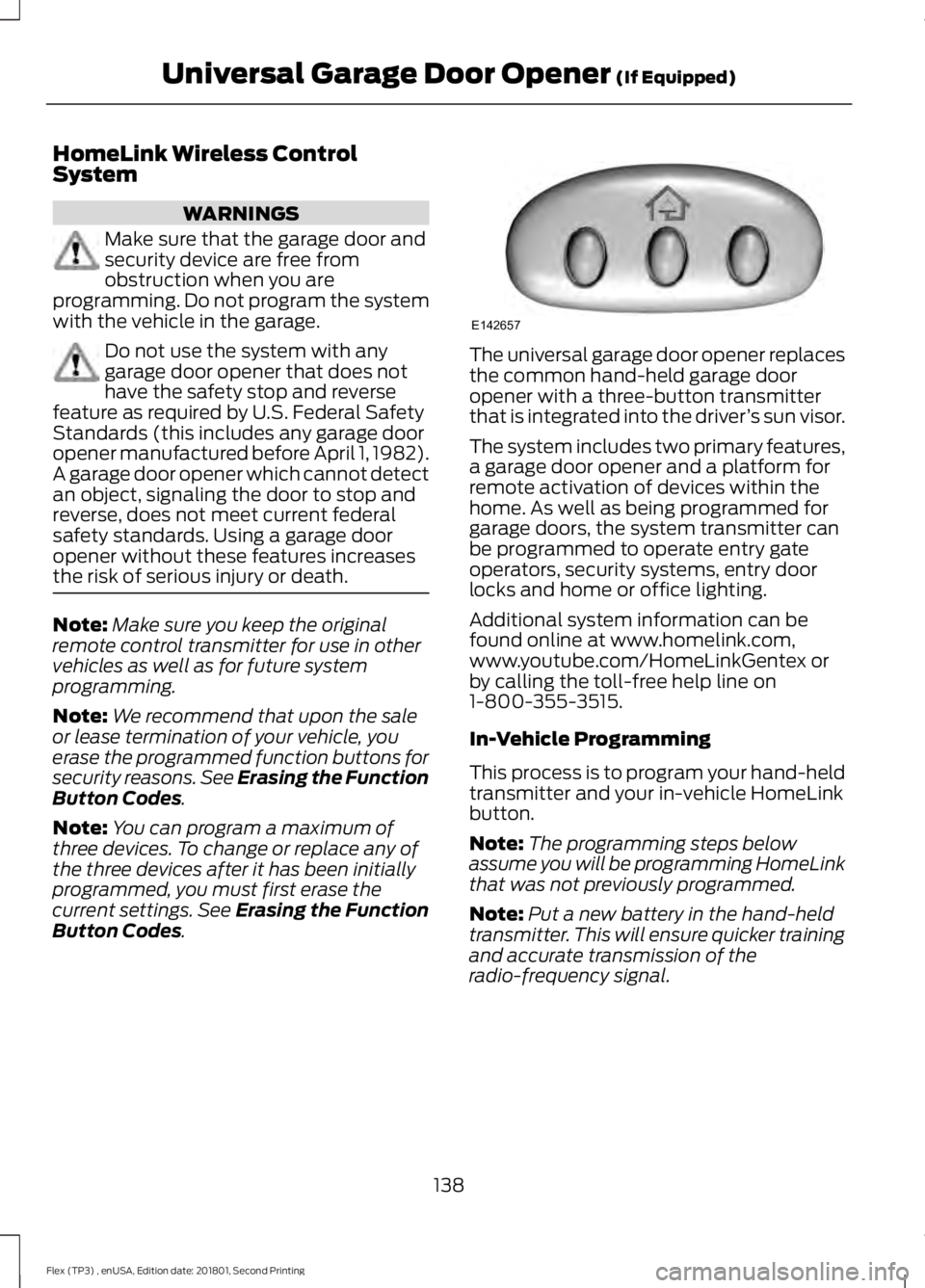
. The universal garage door opener replaces
the common hand-held garage door
opener with a three-button transmitter
that is integrated into the driver
’s sun visor.
The system includes two primary features,
a garage door opener and a platform for
remote activation of devices within the
home. As well as being programmed for
garage doors, the system transmitter can
be programmed to operate entry gate
operators, security systems, entry door
locks and home or office lighting.
Additional system information can be
found online at www.homelink.com,
www.youtube.com/HomeLinkGentex or
by calling the toll-free help line on
1-800-355-3515.
In-Vehicle Programming
This process is to program your hand-held
transmitter and your in-vehicle HomeLink
button.
Note: The programming steps below
assume you will be programming HomeLink
that was not previously programmed.
Note: Put a new battery in the hand-held
transmitter. This will ensure quicker training
and accurate transmission of the
radio-frequency signal.
138
Flex (TP3) , enUSA, Edition date: 201801, Second Printing Universal Garage Door Opener
(If Equipped)E142657
Page 142 of 508
1.
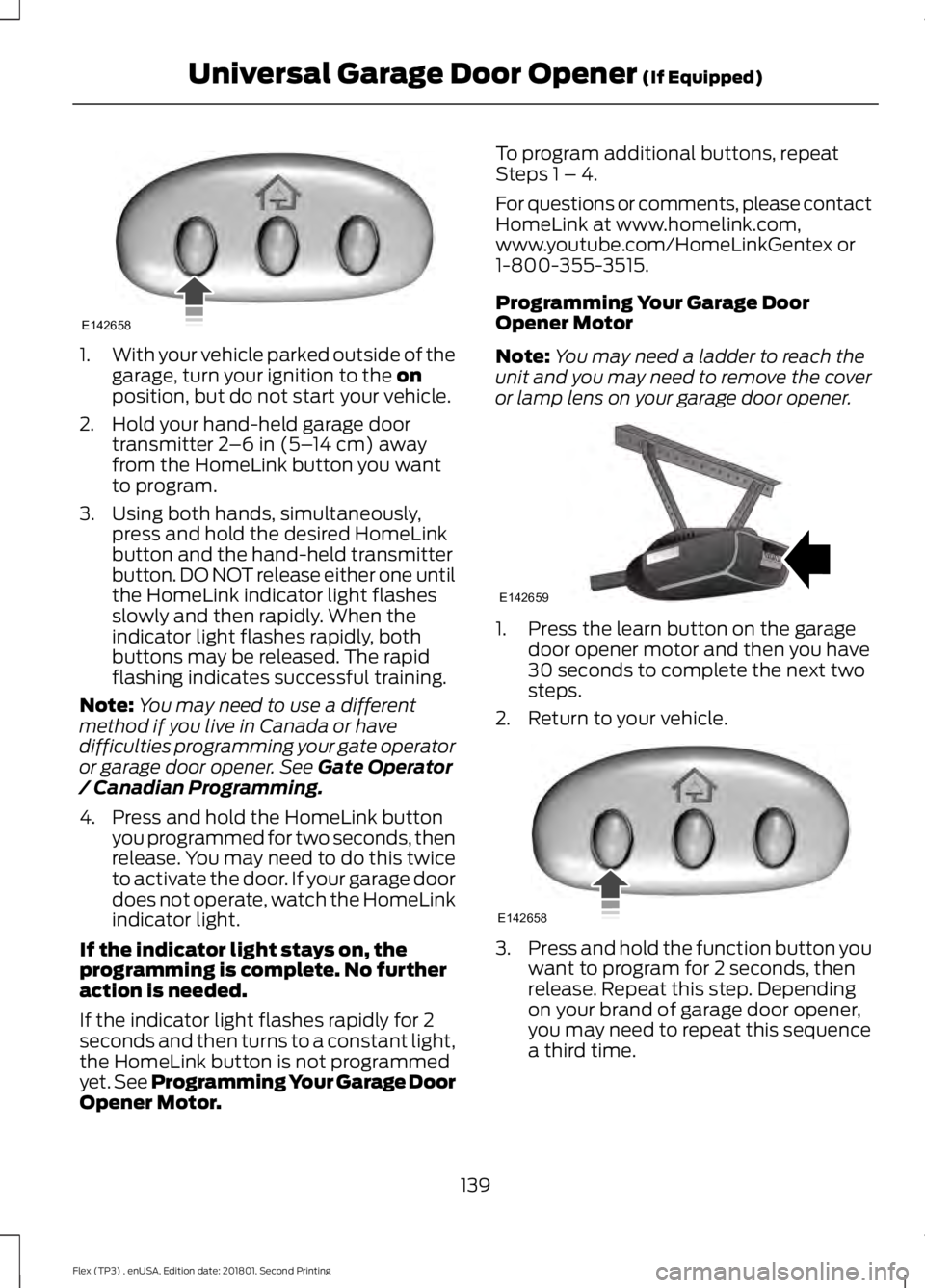
With your vehicle parked outside of the
garage, turn your ignition to the on
position, but do not start your vehicle.
2. Hold your hand-held garage door transmitter
2–6 in (5– 14 cm) away
from the HomeLink button you want
to program.
3. Using both hands, simultaneously, press and hold the desired HomeLink
button and the hand-held transmitter
button. DO NOT release either one until
the HomeLink indicator light flashes
slowly and then rapidly. When the
indicator light flashes rapidly, both
buttons may be released. The rapid
flashing indicates successful training.
Note: You may need to use a different
method if you live in Canada or have
difficulties programming your gate operator
or garage door opener. See
Gate Operator
/ Canadian Programming.
4. Press and hold the HomeLink button you programmed for two seconds, then
release. You may need to do this twice
to activate the door. If your garage door
does not operate, watch the HomeLink
indicator light.
If the indicator light stays on, the
programming is complete. No further
action is needed.
If the indicator light flashes rapidly for 2
seconds and then turns to a constant light,
the HomeLink button is not programmed
yet. See Programming Your Garage Door
Opener Motor. To program additional buttons, repeat
Steps 1 – 4.
For questions or comments, please contact
HomeLink at www.homelink.com,
www.youtube.com/HomeLinkGentex or
1-800-355-3515.
Programming Your Garage Door
Opener Motor
Note:
You may need a ladder to reach the
unit and you may need to remove the cover
or lamp lens on your garage door opener. 1. Press the learn button on the garage
door opener motor and then you have
30 seconds to complete the next two
steps.
2. Return to your vehicle. 3.
Press and hold the function button you
want to program for 2 seconds, then
release. Repeat this step. Depending
on your brand of garage door opener,
you may need to repeat this sequence
a third time.
139
Flex (TP3) , enUSA, Edition date: 201801, Second Printing Universal Garage Door Opener
(If Equipped)E142658 E142659 E142658
Page 143 of 508
Gate Operator / Canadian
Programming
Canadian radio-frequency laws require
transmitter signals to
“time-out” (or quit)
after several seconds of transmission –
which may not be long enough for
HomeLink to pick up the signal during
programming. Similar to this Canadian law,
some U.S. gate operators are designed to
“time-out” in the same manner.
Note: If programming a garage door opener
or gate operator, it is advised to unplug the
device during the “cycling” process to
prevent possible overheating.
1. Press and hold the HomeLink button while you press and release, every two
seconds, your hand-held transmitter
until the HomeLink indicator light
changes from a slow to a rapidly
blinking light.
2. Release both the HomeLink and hand-held transmitter buttons.
3. Continue programing HomeLink. See In-Vehicle Programming
.
Erasing the Function Button Codes
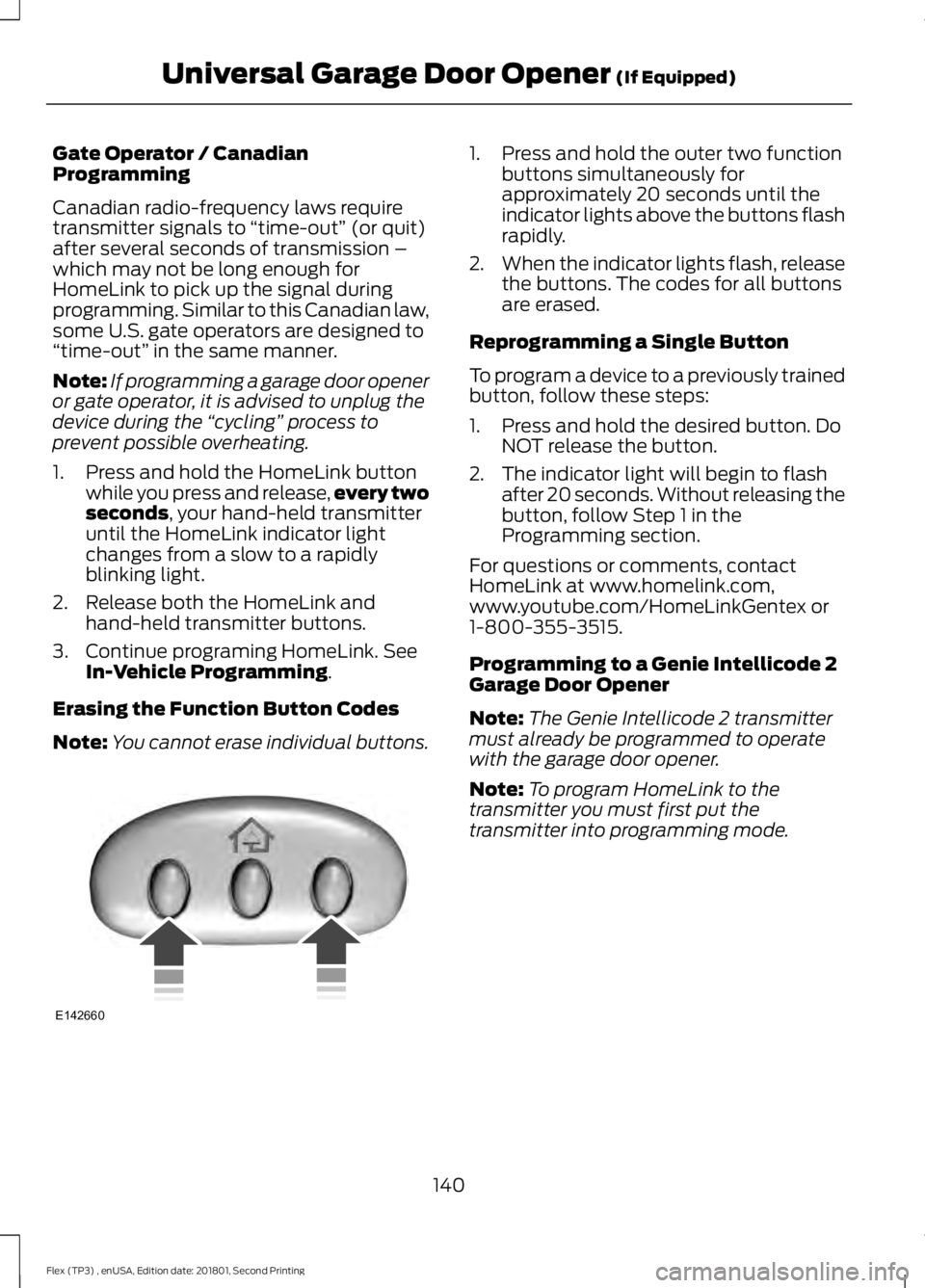
Note: You cannot erase individual buttons. 1. Press and hold the outer two function
buttons simultaneously for
approximately 20 seconds until the
indicator lights above the buttons flash
rapidly.
2. When the indicator lights flash, release
the buttons. The codes for all buttons
are erased.
Reprogramming a Single Button
To program a device to a previously trained
button, follow these steps:
1. Press and hold the desired button. Do NOT release the button.
2. The indicator light will begin to flash after 20 seconds. Without releasing the
button, follow Step 1 in the
Programming section.
For questions or comments, contact
HomeLink at www.homelink.com,
www.youtube.com/HomeLinkGentex or
1-800-355-3515.
Programming to a Genie Intellicode 2
Garage Door Opener
Note: The Genie Intellicode 2 transmitter
must already be programmed to operate
with the garage door opener.
Note: To program HomeLink to the
transmitter you must first put the
transmitter into programming mode.
140
Flex (TP3) , enUSA, Edition date: 201801, Second Printing Universal Garage Door Opener
(If Equipped)E142660
Page 144 of 508
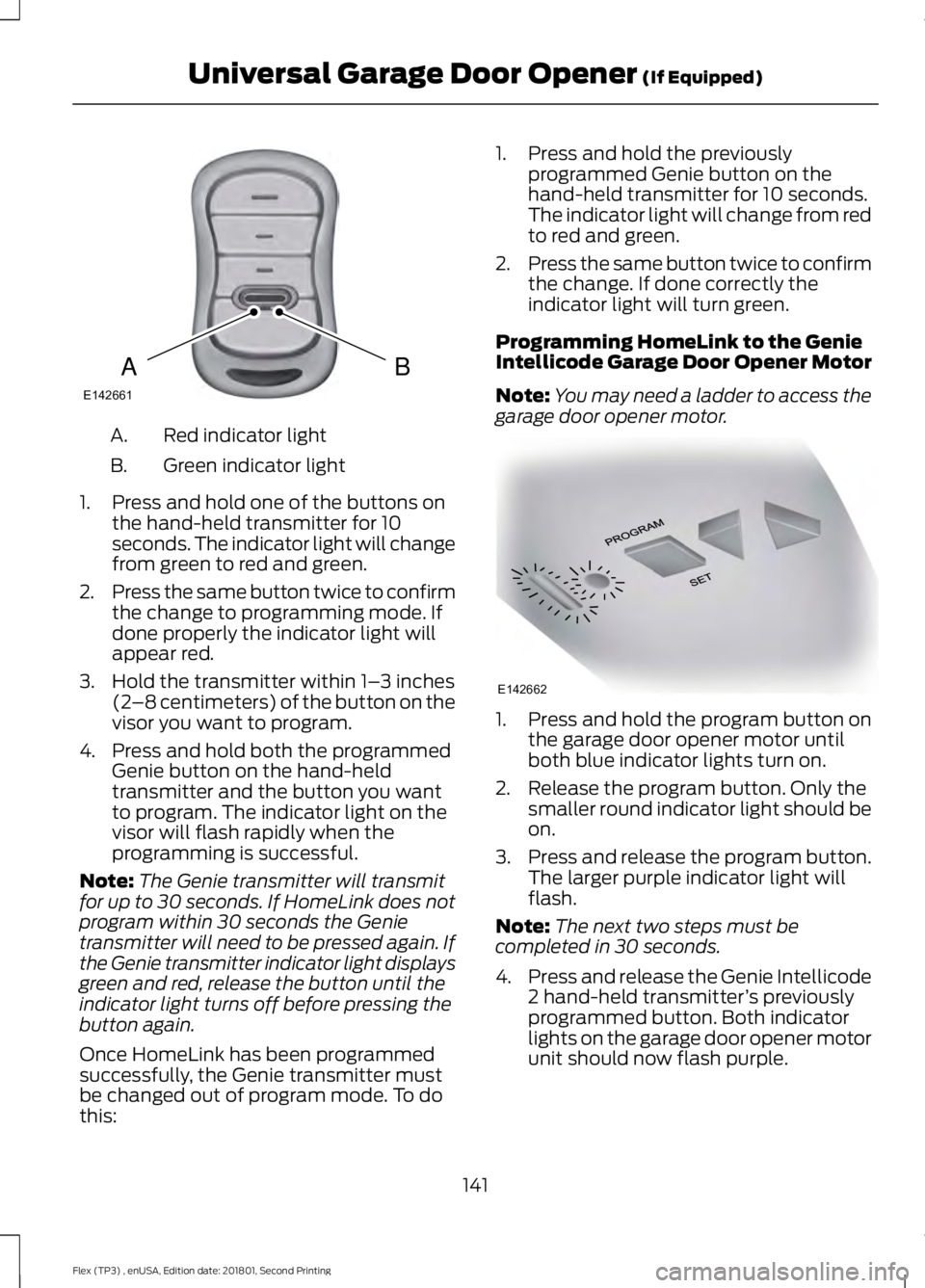
Red indicator light
A.
Green indicator light
B.
1. Press and hold one of the buttons on the hand-held transmitter for 10
seconds. The indicator light will change
from green to red and green.
2. Press the same button twice to confirm
the change to programming mode. If
done properly the indicator light will
appear red.
3. Hold the transmitter within 1– 3 inches
(2 –8 centimeters) of the button on the
visor you want to program.
4. Press and hold both the programmed Genie button on the hand-held
transmitter and the button you want
to program. The indicator light on the
visor will flash rapidly when the
programming is successful.
Note: The Genie transmitter will transmit
for up to 30 seconds. If HomeLink does not
program within 30 seconds the Genie
transmitter will need to be pressed again. If
the Genie transmitter indicator light displays
green and red, release the button until the
indicator light turns off before pressing the
button again.
Once HomeLink has been programmed
successfully, the Genie transmitter must
be changed out of program mode. To do
this: 1. Press and hold the previously
programmed Genie button on the
hand-held transmitter for 10 seconds.
The indicator light will change from red
to red and green.
2. Press the same button twice to confirm
the change. If done correctly the
indicator light will turn green.
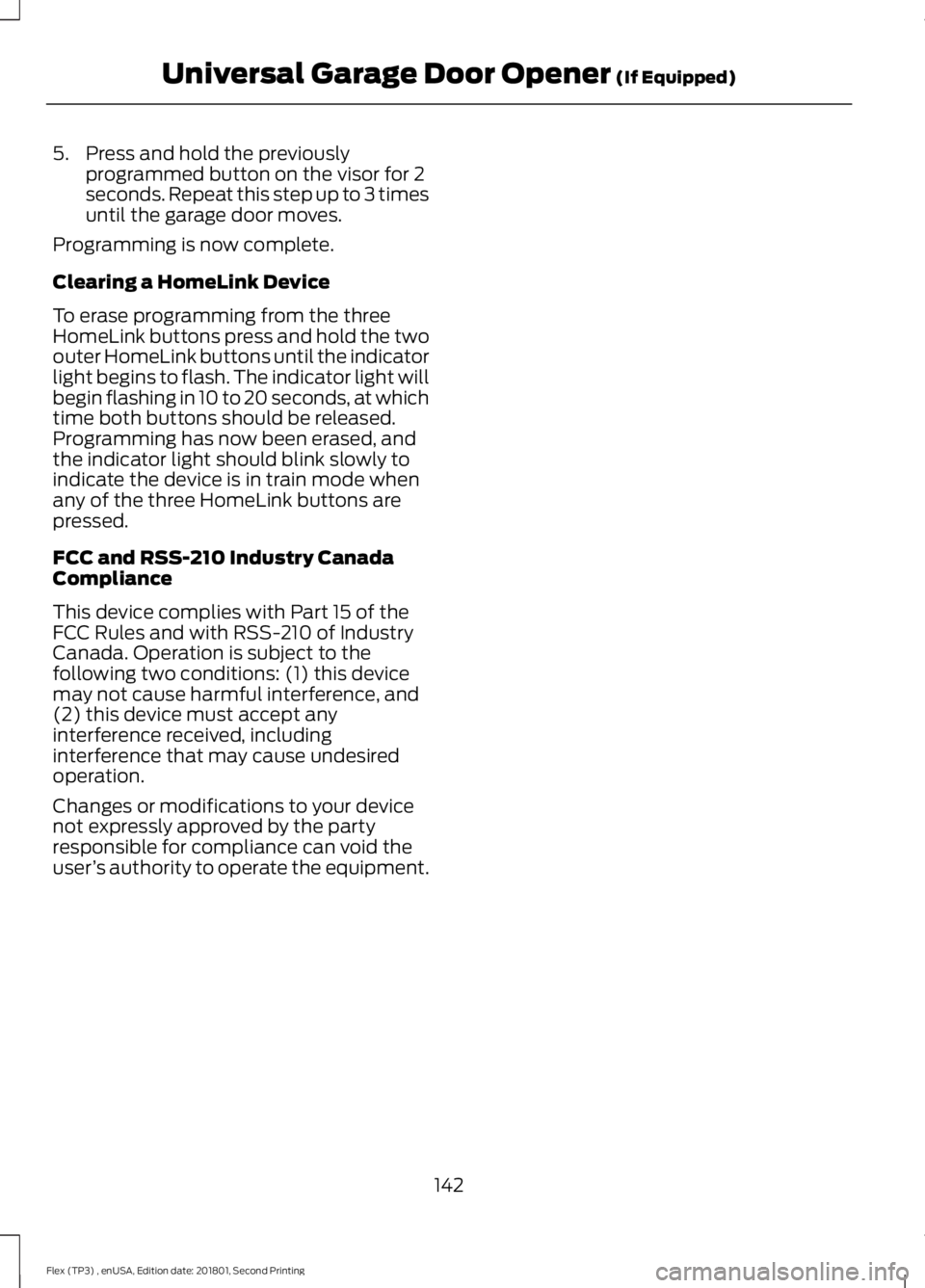
Programming HomeLink to the Genie
Intellicode Garage Door Opener Motor
Note: You may need a ladder to access the
garage door opener motor. 1. Press and hold the program button on
the garage door opener motor until
both blue indicator lights turn on.
2. Release the program button. Only the smaller round indicator light should be
on.
3. Press and release the program button.
The larger purple indicator light will
flash.
Note: The next two steps must be
completed in 30 seconds.
4. Press and release the Genie Intellicode
2 hand-held transmitter ’s previously
programmed button. Both indicator
lights on the garage door opener motor
unit should now flash purple.
141
Flex (TP3) , enUSA, Edition date: 201801, Second Printing Universal Garage Door Opener (If Equipped)BAE142661 E142662
Page 145 of 508
5. Press and hold the previously
programmed button on the visor for 2
seconds. Repeat this step up to 3 times
until the garage door moves.
Programming is now complete.
Clearing a HomeLink Device
To erase programming from the three
HomeLink buttons press and hold the two
outer HomeLink buttons until the indicator
light begins to flash. The indicator light will
begin flashing in 10 to 20 seconds, at which
time both buttons should be released.
Programming has now been erased, and
the indicator light should blink slowly to
indicate the device is in train mode when
any of the three HomeLink buttons are
pressed.
FCC and RSS-210 Industry Canada
Compliance
This device complies with Part 15 of the
FCC Rules and with RSS-210 of Industry
Canada. Operation is subject to the
following two conditions: (1) this device
may not cause harmful interference, and
(2) this device must accept any
interference received, including
interference that may cause undesired
operation.
Changes or modifications to your device
not expressly approved by the party
responsible for compliance can void the
user ’s authority to operate the equipment.
142
Flex (TP3) , enUSA, Edition date: 201801, Second Printing Universal Garage Door Opener (If Equipped)
Page 501 of 508
Supported Media Players, Formats and
Metadata Information................................ 395
USB Ports............................................................. 395
Environment......................................................15
Essential Towing Checks...........................213 Before Towing a Trailer..................................... 215
Hitches.................................................................... 214
Launching or Retrieving a Boat or Personal Watercraft (PWC)......................................... 216
Safety Chains....................................................... 214
Trailer Brake Controller Connector...............214
Trailer Brakes........................................................ 214
Trailer Lamps........................................................ 215
Trailer Towing Connector (Vehicles with a Trailer Towing Package and 7 –Pin
Connector)....................................................... 213
When Towing a Trailer...................................... 215
Event Data Recording See: Data Recording.............................................. 9
Export Unique Options..................................13
Exterior Mirrors
................................................88
Blind Spot Information System...................... 89
Direction Indicator Mirrors................................ 89
Fold-Away Exterior Mirrors............................... 88
Heated Exterior Mirrors ..................................... 89
Integrated Blind Spot Mirror............................ 89
Memory Mirrors .................................................... 89
Power Exterior Mirrors........................................ 88
Power-Folding Mirrors....................................... 88
Puddle Lamps....................................................... 89
F
Fastening the Seatbelts...............................35 Rear Inflatable Seatbelt..................................... 37
Seatbelt Locking Modes.................................... 36
Using Seatbelts During Pregnancy................35
Flat Tire See: Changing a Road Wheel....................... 296
Floor Mats
........................................................219
Fog Lamps - Front See: Front Fog Lamps........................................ 85
Foot Pedals See: Adjusting the Pedals................................. 79
Ford Credit
..........................................................11
US Only...................................................................... 11Ford Protect...................................................445
Ford Protect Extended Service Plan
(CANADA ONLY).......................................... 446
Ford Protect Extended Service Plans (U.S. Only).................................................................. 445
Front Fog Lamps
............................................85
Front Passenger Sensing System............46
Fuel and Refueling.......................................153
Fuel Consumption
.......................................158
Advertised Capacity.......................................... 158
Fuel Economy...................................................... 158
Fuel Filler Funnel Location........................154
Fuel Quality
.....................................................153
Choosing the Right Fuel................................... 153
Fuel Shutoff
...................................................222
Fuses................................................................234
Fuse Specification Chart..........................234 Passenger Compartment Fuse
Panel.................................................................. 239
Power Distribution Box.................................... 234
G
Garage Door Opener See: Universal Garage Door Opener...........138
Gauges...............................................................92
Gearbox See: Transmission.............................................. 164
General Information on Radio Frequencies...................................................52
Intelligent Access................................................. 52
General Maintenance Information
........447
Multi-Point Inspection..................................... 449
Owner Checks and Services......................... 448
Protecting Your Investment........................... 447
Why Maintain Your Vehicle?.......................... 447
Why Maintain Your Vehicle at Your Dealership?..................................................... 447
Getting Assistance Outside the U.S. and Canada.........................................................230
Getting the Services You Need...............227 Away From Home.............................................. 227
H
Handbrake See: Parking Brake.............................................. 176
Hazard Flashers
............................................222
498
Flex (TP3) , enUSA, Edition date: 201801, Second Printing Index
Page 506 of 508
SYNC™ 3 Troubleshooting.....................430
SYNC™ Applications and
Services........................................................344
911 Assist............................................................... 344
SYNC™ AppLink ™.....................................346
SYNC Mobile Apps............................................ 346
SYNC™............................................................326 General Information......................................... 326
SYNC™ Troubleshooting
..........................357
T
Technical Specifications See: Capacities and Specifications............302
The Better Business Bureau (BBB) Auto Line Program (U.S. Only)
.......................229
Tire Care..........................................................278 Glossary of Tire Terminology........................ 280
Information About Uniform Tire Quality Grading .............................................................. 278
Information Contained on the Tire Sidewall............................................................. 281
Temperature A B C............................................ 279
Traction AA A B C............................................... 279
Treadwear............................................................. 279
Tire Pressure Monitoring System...........293 Changing Tires With a Tire Pressure
Monitoring System....................................... 294
Understanding Your Tire Pressure Monitoring System ...................................... 294
Tires See: Wheels and Tires...................................... 276
Towing a Trailer.............................................210 Load Placement................................................. 210
Towing the Vehicle on Four Wheels...........................................................216
Emergency Towing............................................. 216
Recreational Towing.......................................... 216
Towing..............................................................210
Traction Control
.............................................177
Principle of Operation........................................ 177
Trailer Sway Control......................................211
Transmission Code Designation
............307
Transmission..................................................164
Transporting the Vehicle...........................225 U
Under Hood Overview - 3.5L
Duratec.........................................................246
Under Hood Overview - 3.5L Ecoboost™..................................................247
Universal Garage Door Opener...............138 HomeLink Wireless Control System...........138
USB Port..........................................................325
Using Adaptive Cruise Control................190 Automatic Cancellation................................... 193
Blocked Sensor................................................... 194
Canceling the Set Speed................................. 193
Changing the Set Speed.................................. 193
Detection Issues.................................................. 193
Following a Vehicle............................................. 191
Hilly Condition Usage........................................ 193
Overriding the Set Speed................................ 192
Resuming the Set Speed................................. 193
Setting the Adaptive Cruise Speed..............191
Setting the Gap Distance................................ 192
Switching Adaptive Cruise Control Off....................................................................... 193
Switching Adaptive Cruise Control On........................................................................\
190
Switching to Normal Cruise Control............195
System Not Available....................................... 194
Using All-Wheel Drive................................168 Driving In Special Conditions With
All-Wheel Drive (AWD)............................... 170
Operating AWD Vehicles With Mismatched Tires.................................................................... 169
Operating AWD Vehicles With Spare Tires.................................................................... 169
Using Cruise Control...................................189 Switching Cruise Control Off......................... 189
Switching Cruise Control On.......................... 189
Using MyKey With Remote Start Systems...........................................................61
Using Snow Chains
.....................................292
Using Stability Control................................179
Using SYNC™ With Your Media Player.............................................................347
Accessing Your Play Menu.............................. 352
Connecting Your Digital Media Player to the USB Port........................................................... 347
Media Menu Features...................................... 350
Media Voice Commands................................ 349
503
Flex (TP3) , enUSA, Edition date: 201801, Second Printing Index