park assist FORD FLEX 2018 Owners Manual
[x] Cancel search | Manufacturer: FORD, Model Year: 2018, Model line: FLEX, Model: FORD FLEX 2018Pages: 508, PDF Size: 6.31 MB
Page 6 of 508
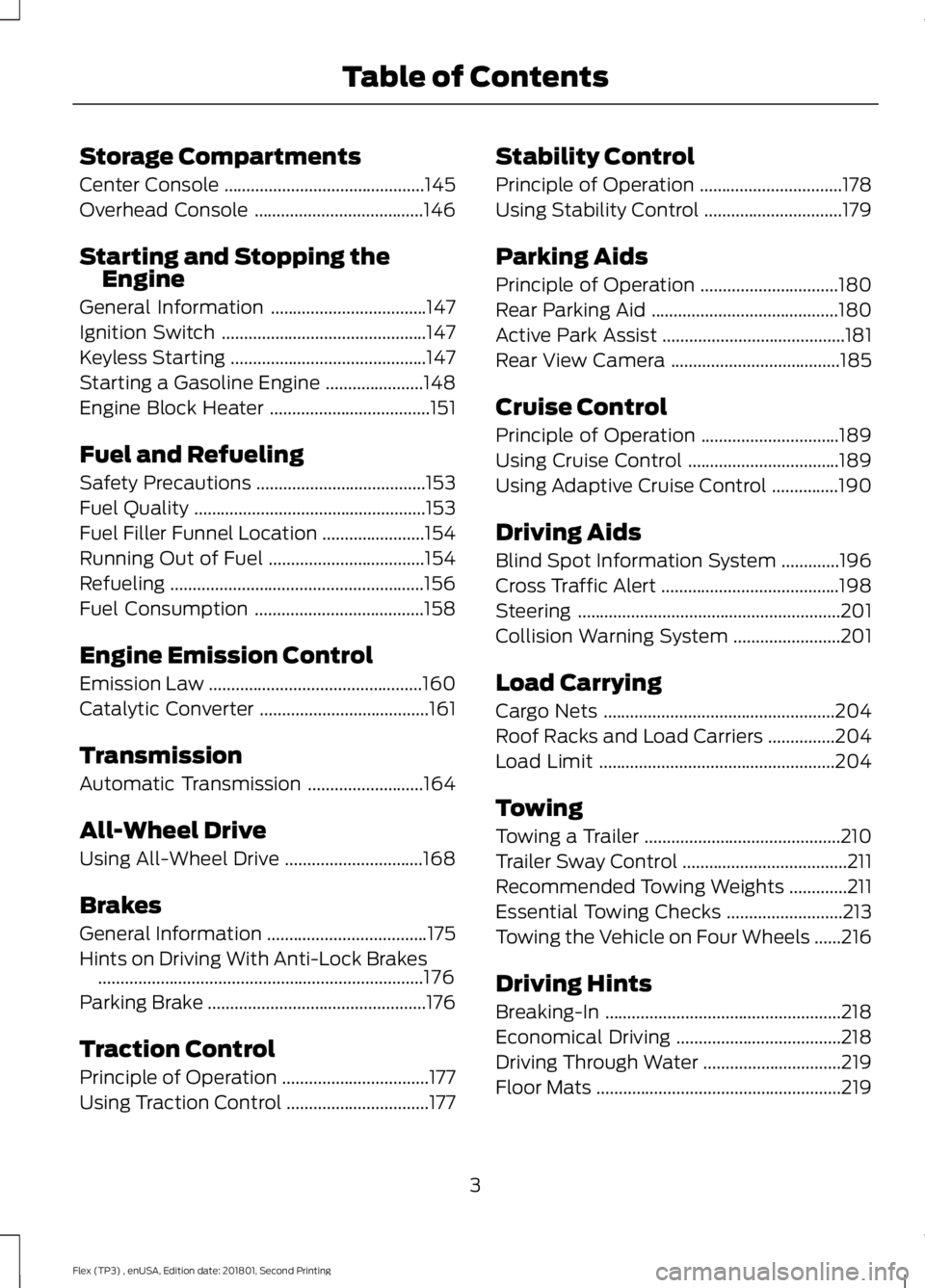
Storage Compartments
Center Console
.............................................145
Overhead Console ......................................
146
Starting and Stopping the Engine
General Information ...................................
147
Ignition Switch ..............................................
147
Keyless Starting ............................................
147
Starting a Gasoline Engine ......................
148
Engine Block Heater ....................................
151
Fuel and Refueling
Safety Precautions ......................................
153
Fuel Quality ....................................................
153
Fuel Filler Funnel Location .......................
154
Running Out of Fuel ...................................
154
Refueling .........................................................
156
Fuel Consumption ......................................
158
Engine Emission Control
Emission Law ................................................
160
Catalytic Converter ......................................
161
Transmission
Automatic Transmission ..........................
164
All-Wheel Drive
Using All-Wheel Drive ...............................
168
Brakes
General Information ....................................
175
Hints on Driving With Anti-Lock Brakes ........................................................................\
.
176
Parking Brake .................................................
176
Traction Control
Principle of Operation .................................
177
Using Traction Control ................................
177Stability Control
Principle of Operation
................................
178
Using Stability Control ...............................
179
Parking Aids
Principle of Operation ...............................
180
Rear Parking Aid ..........................................
180
Active Park Assist .........................................
181
Rear View Camera ......................................
185
Cruise Control
Principle of Operation ...............................
189
Using Cruise Control ..................................
189
Using Adaptive Cruise Control ...............
190
Driving Aids
Blind Spot Information System .............
196
Cross Traffic Alert ........................................
198
Steering ...........................................................
201
Collision Warning System ........................
201
Load Carrying
Cargo Nets ....................................................
204
Roof Racks and Load Carriers ...............
204
Load Limit .....................................................
204
Towing
Towing a Trailer ............................................
210
Trailer Sway Control .....................................
211
Recommended Towing Weights .............
211
Essential Towing Checks ..........................
213
Towing the Vehicle on Four Wheels ......
216
Driving Hints
Breaking-In .....................................................
218
Economical Driving .....................................
218
Driving Through Water ...............................
219
Floor Mats .......................................................
219
3
Flex (TP3) , enUSA, Edition date: 201801, Second Printing Table of Contents
Page 60 of 508
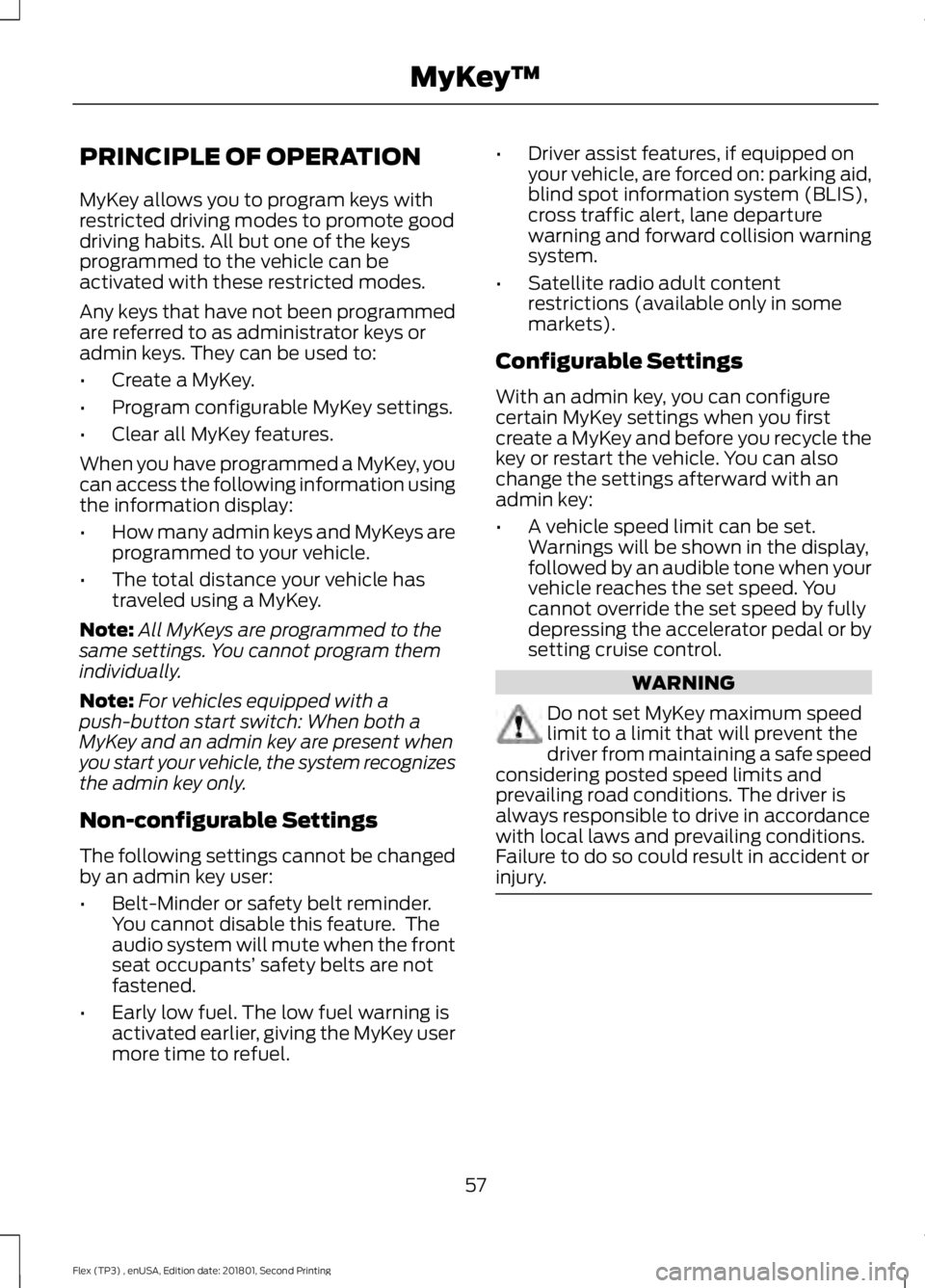
PRINCIPLE OF OPERATION
MyKey allows you to program keys with
restricted driving modes to promote good
driving habits. All but one of the keys
programmed to the vehicle can be
activated with these restricted modes.
Any keys that have not been programmed
are referred to as administrator keys or
admin keys. They can be used to:
•
Create a MyKey.
• Program configurable MyKey settings.
• Clear all MyKey features.
When you have programmed a MyKey, you
can access the following information using
the information display:
• How many admin keys and MyKeys are
programmed to your vehicle.
• The total distance your vehicle has
traveled using a MyKey.
Note: All MyKeys are programmed to the
same settings. You cannot program them
individually.
Note: For vehicles equipped with a
push-button start switch: When both a
MyKey and an admin key are present when
you start your vehicle, the system recognizes
the admin key only.
Non-configurable Settings
The following settings cannot be changed
by an admin key user:
• Belt-Minder or safety belt reminder.
You cannot disable this feature. The
audio system will mute when the front
seat occupants’ safety belts are not
fastened.
• Early low fuel. The low fuel warning is
activated earlier, giving the MyKey user
more time to refuel. •
Driver assist features, if equipped on
your vehicle, are forced on: parking aid,
blind spot information system (BLIS),
cross traffic alert, lane departure
warning and forward collision warning
system.
• Satellite radio adult content
restrictions (available only in some
markets).
Configurable Settings
With an admin key, you can configure
certain MyKey settings when you first
create a MyKey and before you recycle the
key or restart the vehicle. You can also
change the settings afterward with an
admin key:
• A vehicle speed limit can be set.
Warnings will be shown in the display,
followed by an audible tone when your
vehicle reaches the set speed. You
cannot override the set speed by fully
depressing the accelerator pedal or by
setting cruise control. WARNING
Do not set MyKey maximum speed
limit to a limit that will prevent the
driver from maintaining a safe speed
considering posted speed limits and
prevailing road conditions. The driver is
always responsible to drive in accordance
with local laws and prevailing conditions.
Failure to do so could result in accident or
injury. 57
Flex (TP3) , enUSA, Edition date: 201801, Second Printing MyKey
™
Page 102 of 508
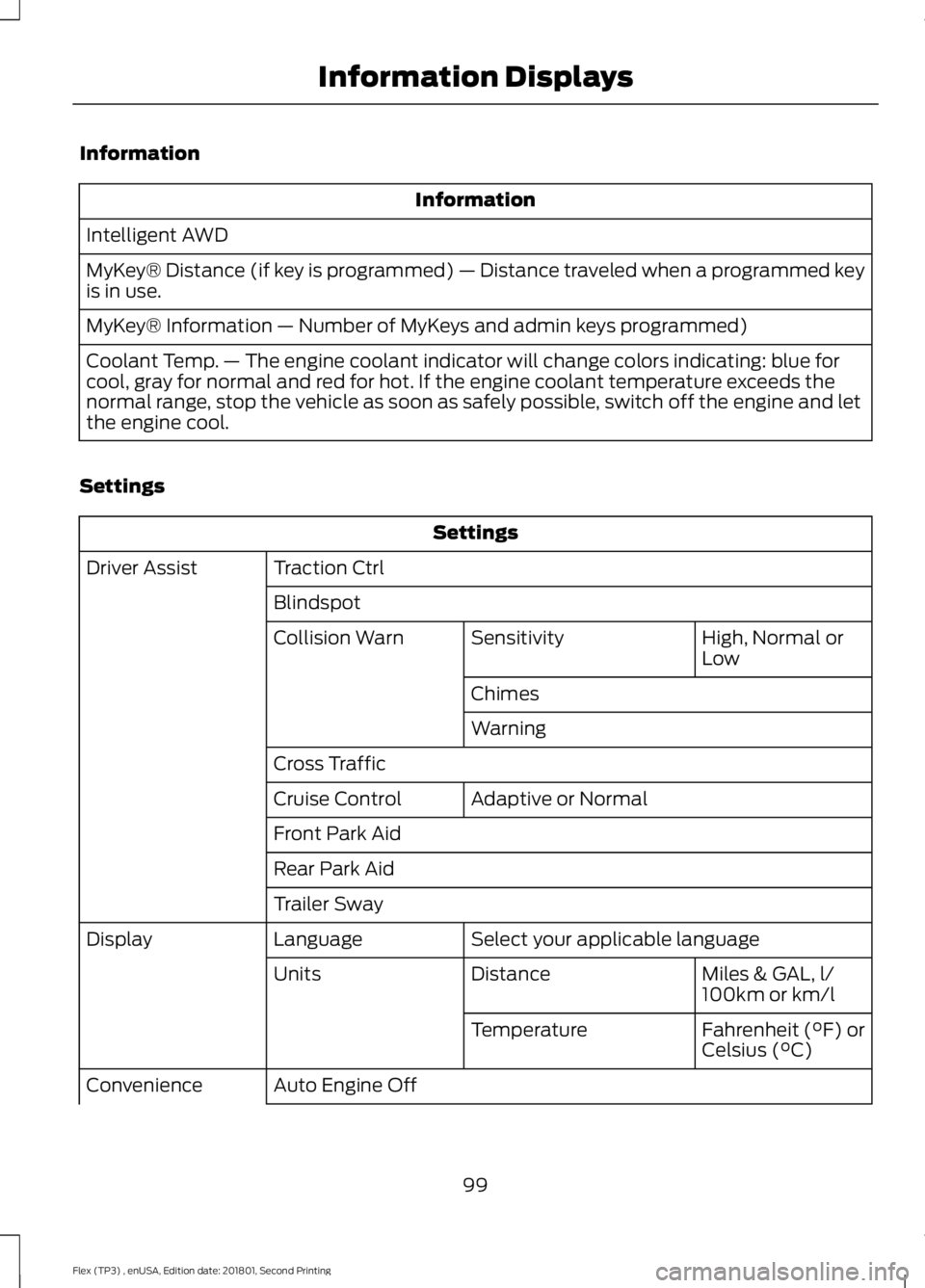
Information
Information
Intelligent AWD
MyKey® Distance (if key is programmed) — Distance traveled when a programmed key
is in use.
MyKey® Information — Number of MyKeys and admin keys programmed)
Coolant Temp. — The engine coolant indicator will change colors indicating: blue for
cool, gray for normal and red for hot. If the engine coolant temperature exceeds the
normal range, stop the vehicle as soon as safely possible, switch off the engine and let
the engine cool.
Settings Settings
Traction Ctrl
Driver Assist
Blindspot High, Normal or
Low
Sensitivity
Collision Warn
Chimes
Warning
Cross Traffic Adaptive or Normal
Cruise Control
Front Park Aid
Rear Park Aid
Trailer Sway
Select your applicable language
Language
Display
Miles & GAL, l/
100km or km/l
Distance
Units
Fahrenheit (°F) or
Celsius (°C)
Temperature
Auto Engine Off
Convenience
99
Flex (TP3) , enUSA, Edition date: 201801, Second Printing Information Displays
Page 106 of 508
Note:
Press and hold OK to reset the
currently displayed trip information.
Trip distance
Shows the accumulated trip distance.
Average fuel economy
Shows the average fuel economy for a
given trip. Elapsed trip time
When you switch off your vehicle the timer
stops and restarts when you restart your
vehicle.
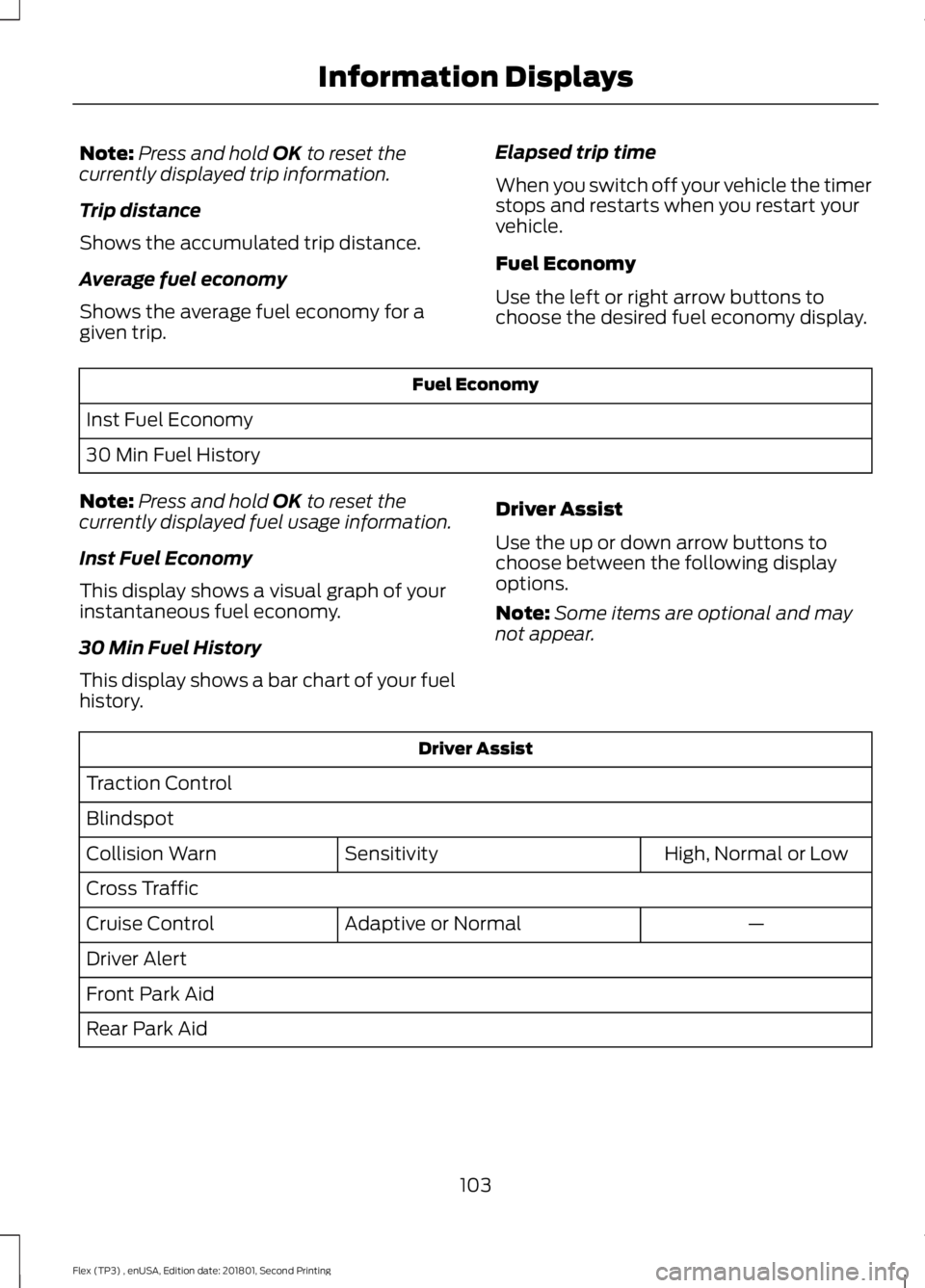
Fuel Economy
Use the left or right arrow buttons to
choose the desired fuel economy display.Fuel Economy
Inst Fuel Economy
30 Min Fuel History
Note: Press and hold
OK to reset the
currently displayed fuel usage information.
Inst Fuel Economy
This display shows a visual graph of your
instantaneous fuel economy.
30 Min Fuel History
This display shows a bar chart of your fuel
history. Driver Assist
Use the up or down arrow buttons to
choose between the following display
options.
Note:
Some items are optional and may
not appear. Driver Assist
Traction Control
Blindspot High, Normal or Low
Sensitivity
Collision Warn
Cross Traffic
—
Adaptive or Normal
Cruise Control
Driver Alert
Front Park Aid
Rear Park Aid
103
Flex (TP3) , enUSA, Edition date: 201801, Second Printing Information Displays
Page 154 of 508
Stopping the Engine When Your
Vehicle is Moving
WARNING
Switching off the engine when the
vehicle is still moving will result in a
loss of brake and steering assistance.
The steering will not lock, but higher effort
will be required. When the ignition is
switched off, some electrical circuits,
including air bags, warning lamps and
indicators may also be off. If the ignition
was turned off accidentally, you can shift
into neutral (N) and re-start the engine. Vehicles with an Ignition Key
1.
Shift into neutral and use the brakes to
bring your vehicle to a safe stop.
2. When your vehicle has stopped, shift into park (P) and switch the ignition
off.
3. Apply the parking brake.
Vehicles with Keyless Start
1. Shift into neutral and use the brakes to
bring your vehicle to a safe stop.
2. When your vehicle has stopped, shift into park (P).
3. Press and hold the push button ignition
switch, or press it three times within
two seconds.
4. Apply the parking brake.
Guarding Against Exhaust Fumes WARNING
If you smell exhaust fumes inside
your vehicle, have your vehicle
checked by your authorized dealer
immediately. Do not drive your vehicle if
you smell exhaust fumes. Carbon
monoxide is present in exhaust fumes.
Take precautions to avoid its dangerous
effects. Important Ventilating Information
If you stop your vehicle and then leave the
engine idling for long periods, we
recommend that you do one of the
following:
•
Open the windows at least 1 in (3 cm).
• Set your climate control to outside air.
ENGINE BLOCK HEATER (If
Equipped) WARNINGS
Failure to follow engine block heater
instructions could result in property
damage or serious personal injury.
Do not use your heater with
ungrounded electrical systems or
two-pronged adapters. There is a risk
of electrical shock. Do not fully close the hood, or allow
it to drop under its own weight when
using the engine block heater. This
could damage the power cable and may
cause an electrical short resulting in fire,
injury and property damage. Note:
The heater is most effective when
outdoor temperatures are below
0°F
(-18°C).
The heater acts as a starting aid by
warming the engine coolant. This allows
the climate control system to respond
quickly. The equipment includes a heater
element (installed in the engine block) and
a wire harness. You can connect the
system to a grounded 120-volt AC
electrical source.
151
Flex (TP3) , enUSA, Edition date: 201801, Second Printing Starting and Stopping the Engine
Page 178 of 508
GENERAL INFORMATION
Note:
Occasional brake noise is normal. If
a metal-to-metal, continuous grinding or
continuous squeal sound is present, the
brake linings may be worn-out. Have the
system checked by an authorized dealer. If
your vehicle has continuous vibration or
shudder in the steering wheel while braking,
have it checked by an authorized dealer.
Note: Brake dust may accumulate on the
wheels, even under normal driving
conditions. Some dust is inevitable as the
brakes wear and does not contribute to
brake noise. See Cleaning the Wheels
(page 273).
Note: Depending on applicable laws and
regulations in the country for which your
vehicle was originally built, your brake lamps
may flash during heavy braking. Following
this, your hazard lights may also flash when
your vehicle comes to a stop. See
Warning Lamps and
Indicators (page 93).
Wet brakes result in reduced braking
efficiency. Gently press the brake pedal a
few times when driving from a car wash or
standing water to dry the brakes.
Brake Over Accelerator
In the event the accelerator pedal
becomes stuck or entrapped, apply steady
and firm pressure to the brake pedal to
slow the vehicle and reduce engine power.
If you experience this condition, apply the
brakes and bring your vehicle to a safe
stop. Move the transmission to park (P),
switch the engine off and apply the parking
brake. Inspect the accelerator pedal for
any interference. If none are found and the
condition persists, have your vehicle towed
to the nearest authorized dealer. Brake Assist
Brake assist detects when you brake
rapidly by measuring the rate at which you
press the brake pedal. It provides
maximum braking efficiency as long as you
press the pedal, and can reduce stopping
distances in critical situations.
Anti-lock Brake System
This system helps you maintain steering
control during emergency stops by keeping
the brakes from locking.
If it illuminates when you are
driving, this indicates a
malfunction. Your vehicle
continues to have normal braking without
the anti-lock brake system function. Have
your vehicle checked as soon as possible.
It also momentarily illuminates when you
switch the ignition on to confirm the lamp
is functional. If it does not illuminate when
you switch the ignition on, or begins to
flash at any time, have the system checked
by an authorized dealer. It illuminates when you engage
the parking brake and the
ignition is on.
If it illuminates when your vehicle is
moving, make sure the parking brake is
disengaged. If the parking brake is
disengaged, this indicates low brake fluid
level or a brake system fault. Have your
vehicle immediately checked.
It also momentarily illuminates when you
switch the ignition on to confirm the lamp
is functional. If it does not illuminate when
you switch the ignition on, or begins to
flash at any time, have the system checked
by an authorized dealer.
175
Flex (TP3) , enUSA, Edition date: 201801, Second Printing BrakesE144522 E144522
Page 184 of 508
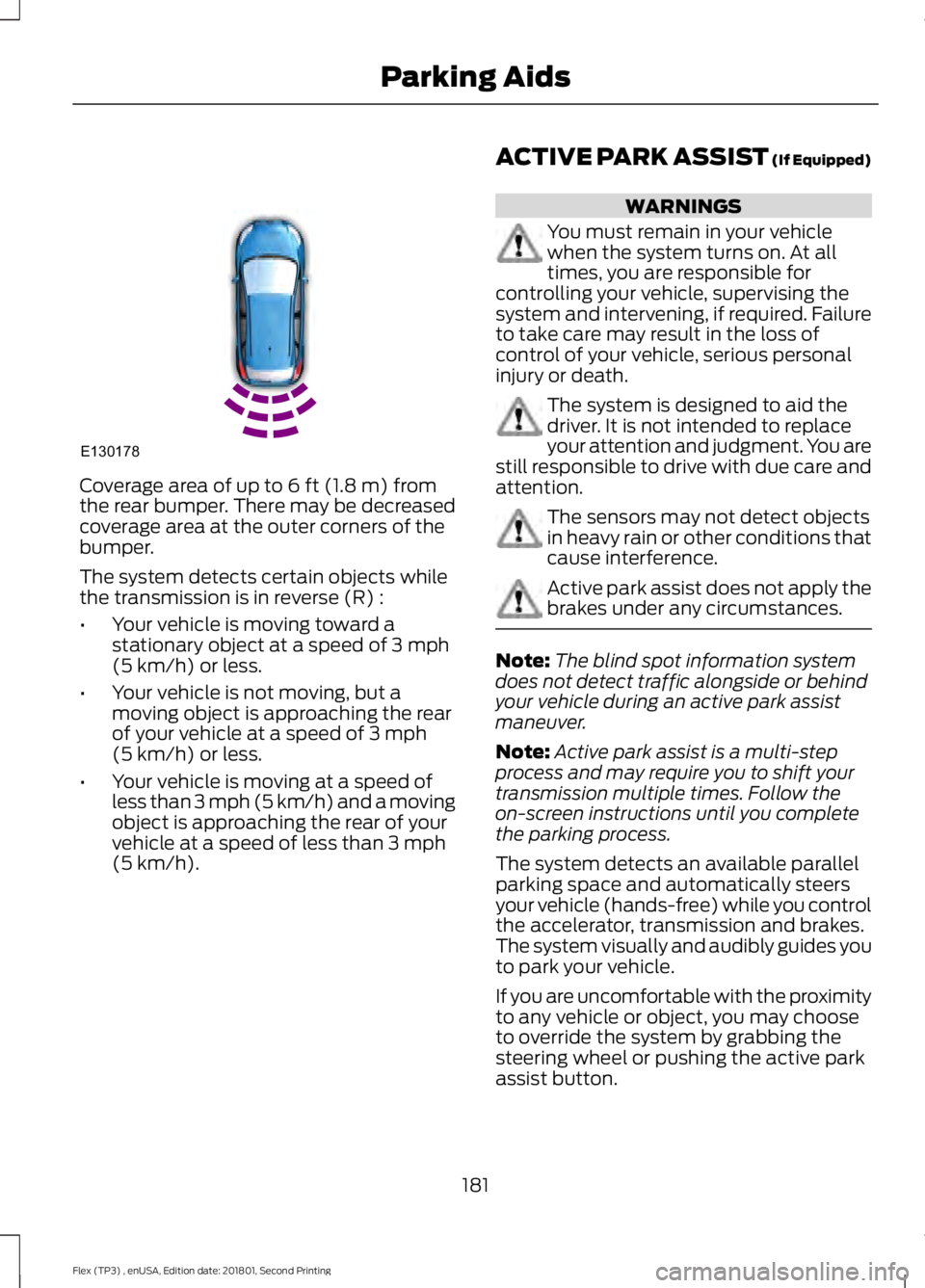
Coverage area of up to 6 ft (1.8 m) from
the rear bumper. There may be decreased
coverage area at the outer corners of the
bumper.
The system detects certain objects while
the transmission is in reverse (R) :
• Your vehicle is moving toward a
stationary object at a speed of
3 mph
(5 km/h) or less.
• Your vehicle is not moving, but a
moving object is approaching the rear
of your vehicle at a speed of
3 mph
(5 km/h) or less.
• Your vehicle is moving at a speed of
less than 3 mph (5 km/h) and a moving
object is approaching the rear of your
vehicle at a speed of less than
3 mph
(5 km/h). ACTIVE PARK ASSIST (If Equipped) WARNINGS
You must remain in your vehicle
when the system turns on. At all
times, you are responsible for
controlling your vehicle, supervising the
system and intervening, if required. Failure
to take care may result in the loss of
control of your vehicle, serious personal
injury or death. The system is designed to aid the
driver. It is not intended to replace
your attention and judgment. You are
still responsible to drive with due care and
attention. The sensors may not detect objects
in heavy rain or other conditions that
cause interference.
Active park assist does not apply the
brakes under any circumstances.
Note:
The blind spot information system
does not detect traffic alongside or behind
your vehicle during an active park assist
maneuver.
Note: Active park assist is a multi-step
process and may require you to shift your
transmission multiple times. Follow the
on-screen instructions until you complete
the parking process.
The system detects an available parallel
parking space and automatically steers
your vehicle (hands-free) while you control
the accelerator, transmission and brakes.
The system visually and audibly guides you
to park your vehicle.
If you are uncomfortable with the proximity
to any vehicle or object, you may choose
to override the system by grabbing the
steering wheel or pushing the active park
assist button.
181
Flex (TP3) , enUSA, Edition date: 201801, Second Printing Parking AidsE130178
Page 185 of 508
The system may not operate correctly in
any of the following conditions:
•
You use a spare tire or a tire
significantly worn more than the other
tires.
• One or more tires are improperly
inflated.
• You try to park on a tight curve.
• Something passes between the front
bumper and the parking space. For
example, a pedestrian or cyclist.
• The edge of the neighboring parking
vehicle is high off the ground. For
example, a bus, tow truck or flatbed
truck.
• The weather conditions are poor. For
example, during heavy rain, snow or
fog.
Note: Keep the sensors, located on the
fascia, free from now, ice and large
accumulations of dirt. Covered sensors can
affect the systems accuracy. Do not clean
the sensors with sharp objects.
Note: The sensors may not detect objects
with surfaces that absorb ultrasonic waves
or cause ultrasonic interference. For
example, motorcycle exhaust, truck air
brakes or horns. Note:
Following a change in tire size, the
system must recalibrate and operation may
be impaired for a short time.
Do not use the system if:
• You have attached a bike rack, trailer
or other object near the sensors on the
front or rear of your vehicle.
• You have attached an overhanging
object to the roof. For example, a
surfboard.
• A foreign object damages or obstructs
the sensors.
• The correct tire size is not in use. For
example, when using a mini-spare tire.
Using Active Park Assist Press the button to turn the
system on or off.
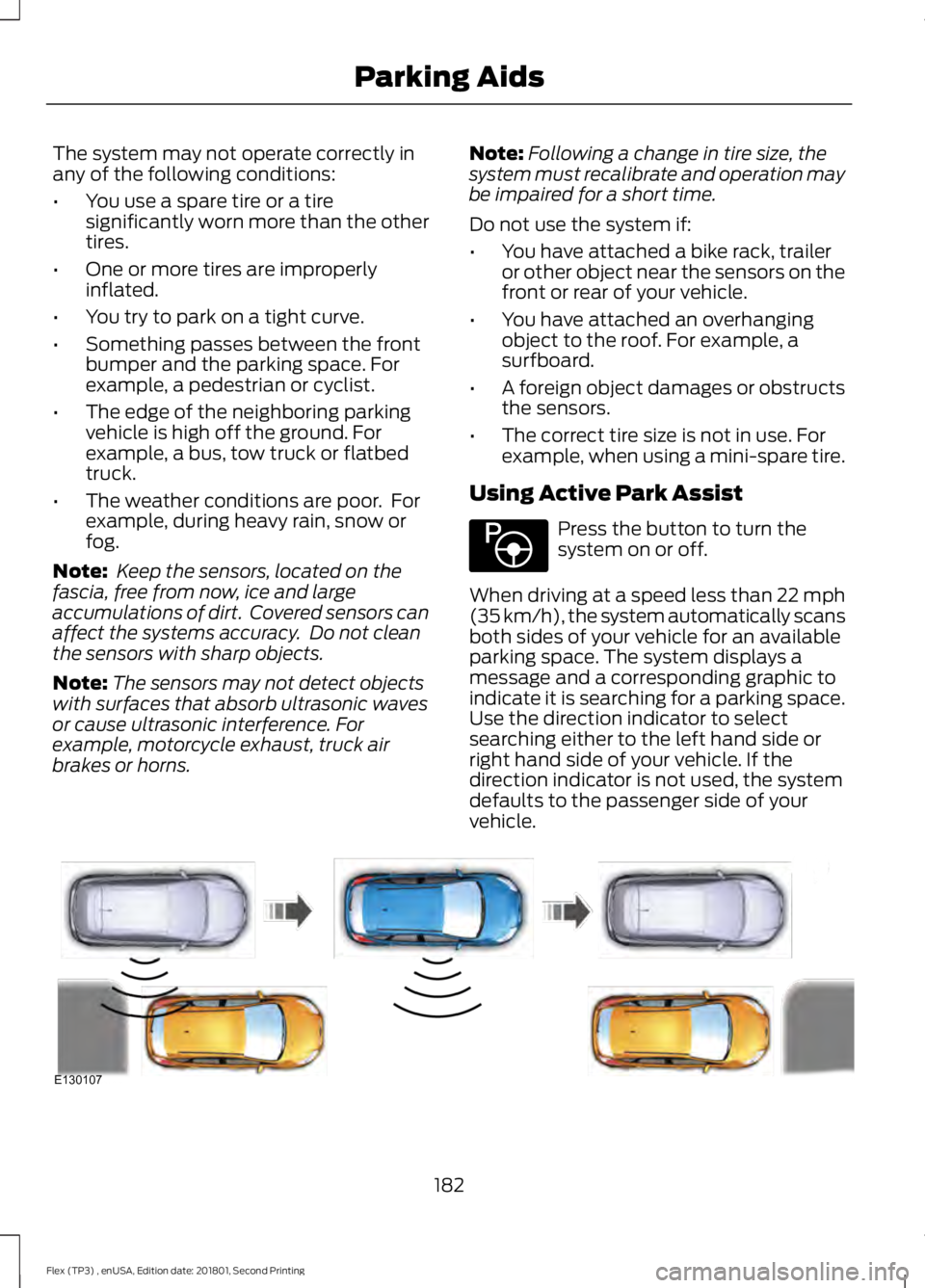
When driving at a speed less than 22 mph
(35 km/h), the system automatically scans
both sides of your vehicle for an available
parking space. The system displays a
message and a corresponding graphic to
indicate it is searching for a parking space.
Use the direction indicator to select
searching either to the left hand side or
right hand side of your vehicle. If the
direction indicator is not used, the system
defaults to the passenger side of your
vehicle. 182
Flex (TP3) , enUSA, Edition date: 201801, Second Printing Parking AidsE146186 E130107
Page 186 of 508
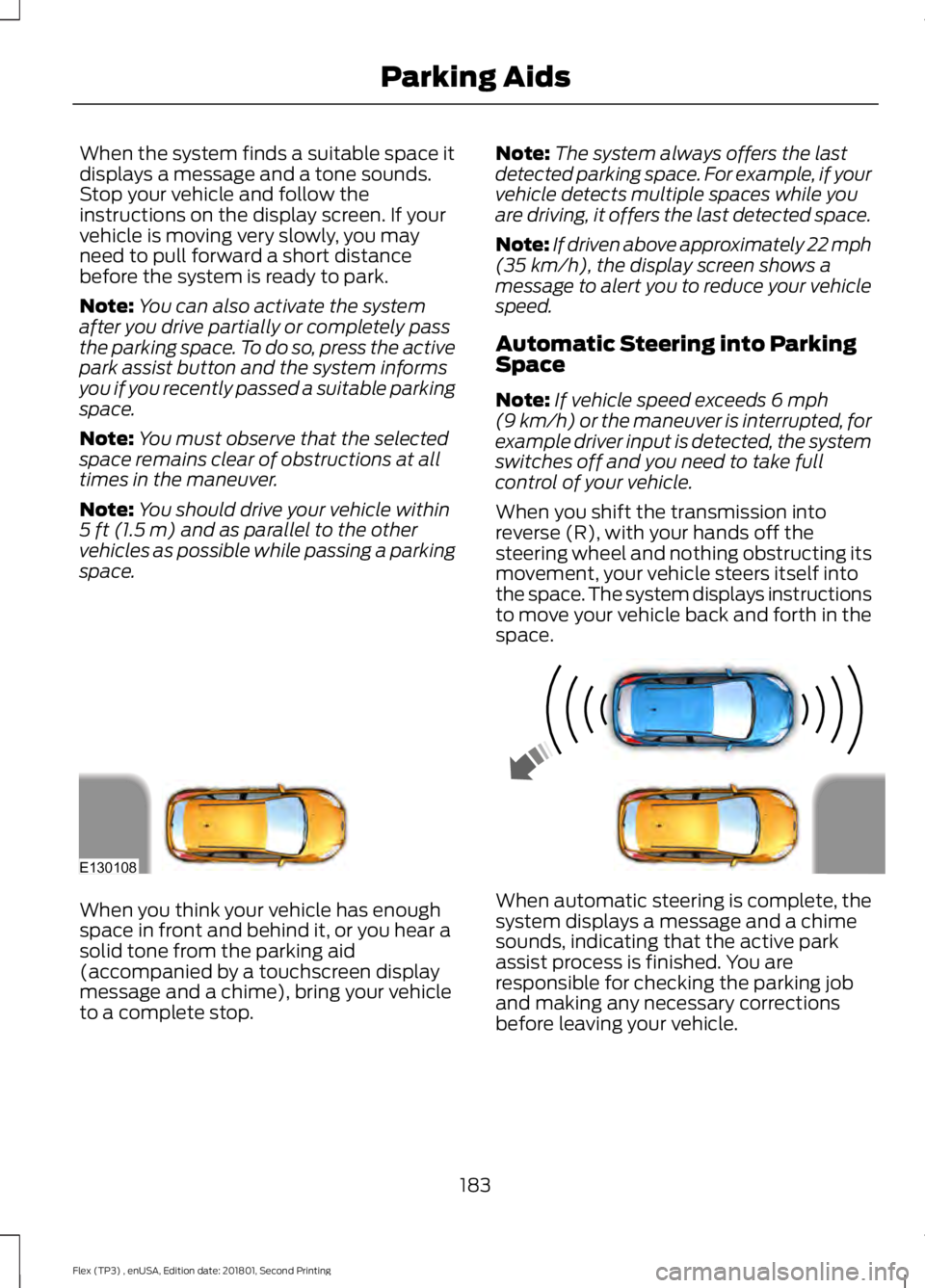
When the system finds a suitable space it
displays a message and a tone sounds.
Stop your vehicle and follow the
instructions on the display screen. If your
vehicle is moving very slowly, you may
need to pull forward a short distance
before the system is ready to park.
Note:
You can also activate the system
after you drive partially or completely pass
the parking space. To do so, press the active
park assist button and the system informs
you if you recently passed a suitable parking
space.
Note: You must observe that the selected
space remains clear of obstructions at all
times in the maneuver.
Note: You should drive your vehicle within
5 ft (1.5 m) and as parallel to the other
vehicles as possible while passing a parking
space. Note:
The system always offers the last
detected parking space. For example, if your
vehicle detects multiple spaces while you
are driving, it offers the last detected space.
Note: If driven above approximately 22 mph
(35 km/h)
, the display screen shows a
message to alert you to reduce your vehicle
speed.
Automatic Steering into Parking
Space
Note: If vehicle speed exceeds
6 mph
(9 km/h) or the maneuver is interrupted, for
example driver input is detected, the system
switches off and you need to take full
control of your vehicle.
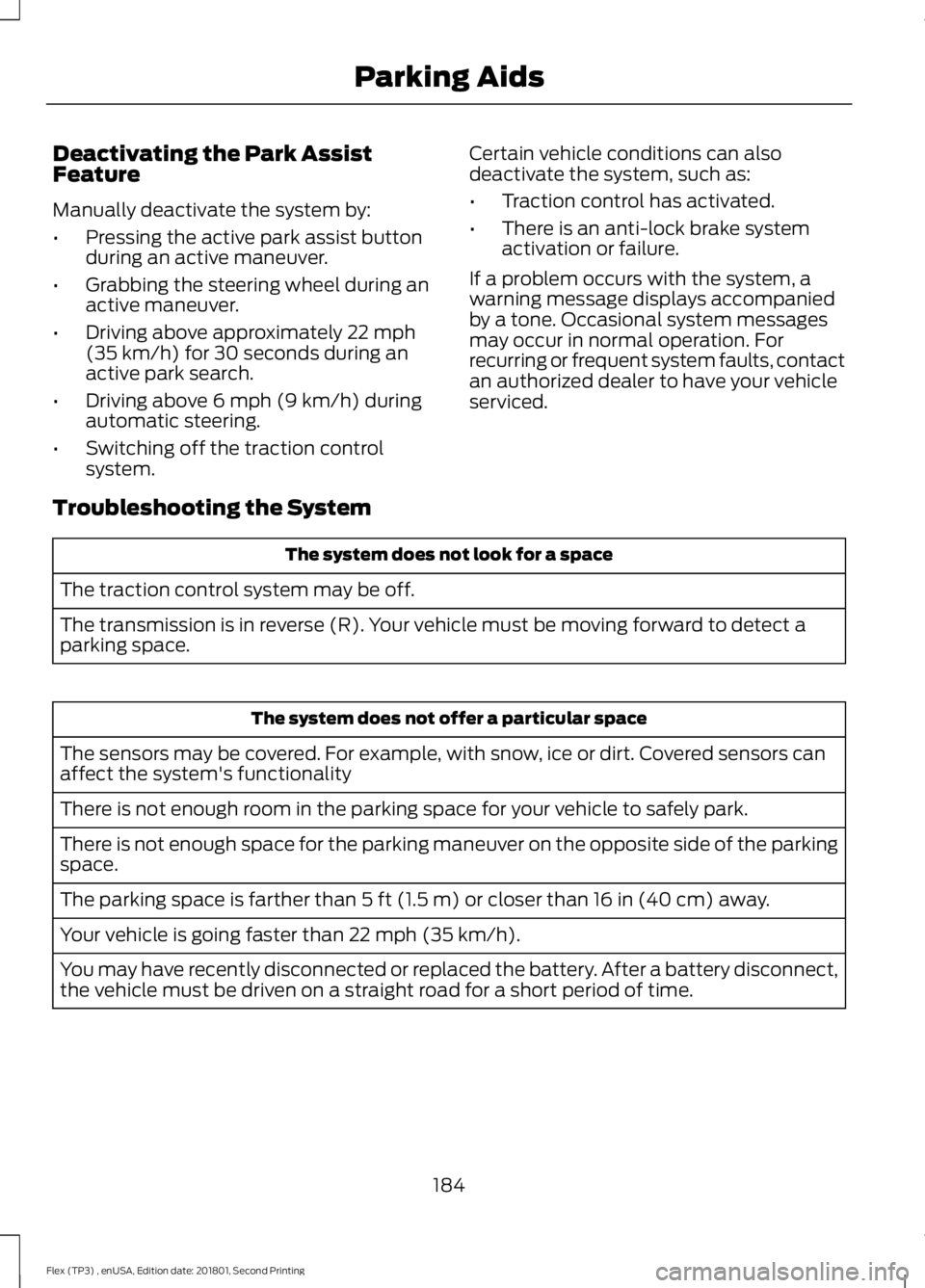
When you shift the transmission into
reverse (R), with your hands off the
steering wheel and nothing obstructing its
movement, your vehicle steers itself into
the space. The system displays instructions
to move your vehicle back and forth in the
space. When you think your vehicle has enough
space in front and behind it, or you hear a
solid tone from the parking aid
(accompanied by a touchscreen display
message and a chime), bring your vehicle
to a complete stop.
When automatic steering is complete, the
system displays a message and a chime
sounds, indicating that the active park
assist process is finished. You are
responsible for checking the parking job
and making any necessary corrections
before leaving your vehicle.
183
Flex (TP3) , enUSA, Edition date: 201801, Second Printing Parking AidsE130108
Page 187 of 508
Deactivating the Park Assist
Feature
Manually deactivate the system by:
•
Pressing the active park assist button
during an active maneuver.
• Grabbing the steering wheel during an
active maneuver.
• Driving above approximately 22 mph
(35 km/h) for 30 seconds during an
active park search.
• Driving above
6 mph (9 km/h) during
automatic steering.
• Switching off the traction control
system. Certain vehicle conditions can also
deactivate the system, such as:
•
Traction control has activated.
• There is an anti-lock brake system
activation or failure.
If a problem occurs with the system, a
warning message displays accompanied
by a tone. Occasional system messages
may occur in normal operation. For
recurring or frequent system faults, contact
an authorized dealer to have your vehicle
serviced.
Troubleshooting the System The system does not look for a space
The traction control system may be off.
The transmission is in reverse (R). Your vehicle must be moving forward to detect a
parking space. The system does not offer a particular space
The sensors may be covered. For example, with snow, ice or dirt. Covered sensors can
affect the system's functionality
There is not enough room in the parking space for your vehicle to safely park.
There is not enough space for the parking maneuver on the opposite side of the parking
space.
The parking space is farther than
5 ft (1.5 m) or closer than 16 in (40 cm) away.
Your vehicle is going faster than
22 mph (35 km/h).
You may have recently disconnected or replaced the battery. After a battery disconnect,
the vehicle must be driven on a straight road for a short period of time.
184
Flex (TP3) , enUSA, Edition date: 201801, Second Printing Parking Aids