lock FORD FOCUS 2005 1.G User Guide
[x] Cancel search | Manufacturer: FORD, Model Year: 2005, Model line: FOCUS, Model: FORD FOCUS 2005 1.GPages: 224, PDF Size: 3.39 MB
Page 35 of 224
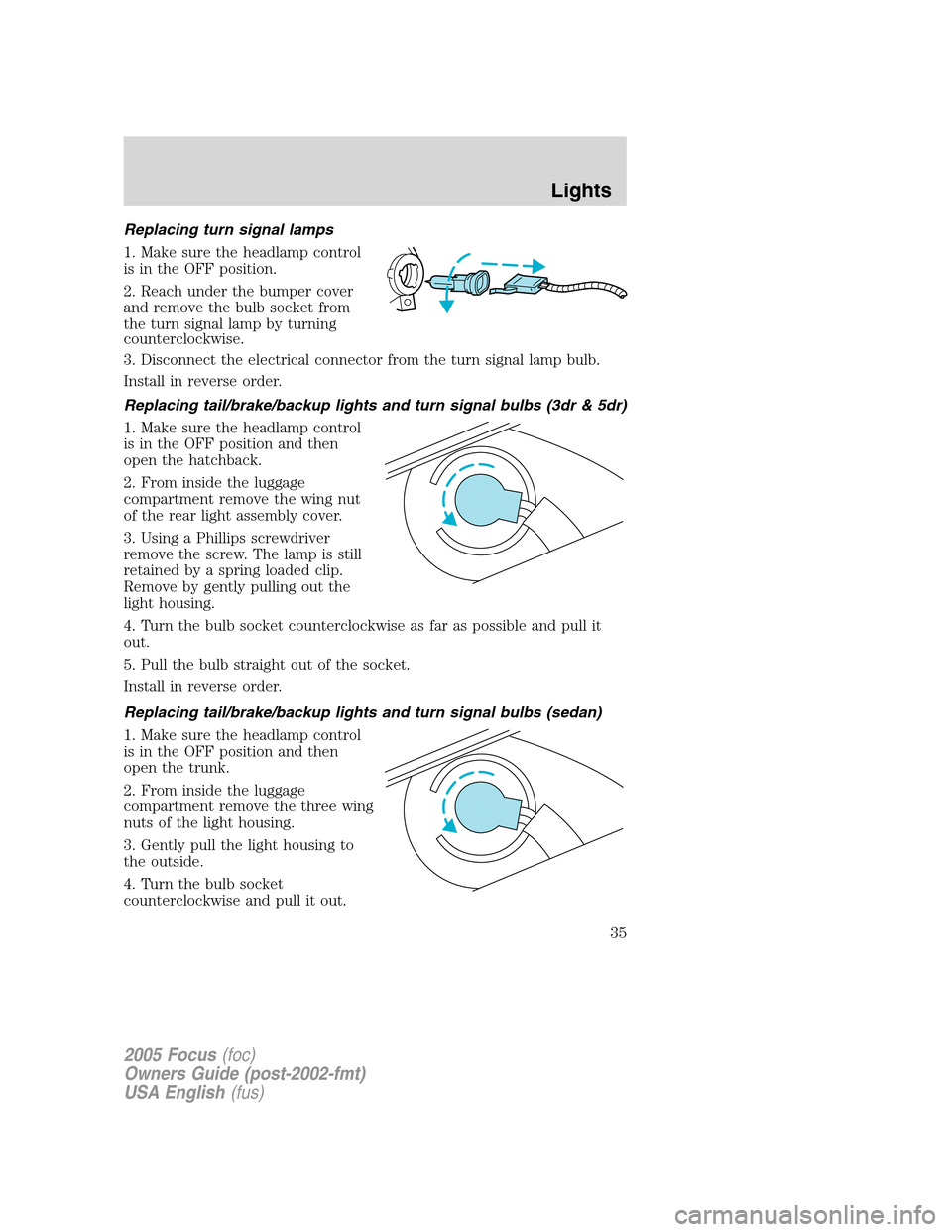
Replacing turn signal lamps
1. Make sure the headlamp control
is in the OFF position.
2. Reach under the bumper cover
and remove the bulb socket from
the turn signal lamp by turning
counterclockwise.
3. Disconnect the electrical connector from the turn signal lamp bulb.
Install in reverse order.
Replacing tail/brake/backup lights and turn signal bulbs (3dr & 5dr)
1. Make sure the headlamp control
is in the OFF position and then
open the hatchback.
2. From inside the luggage
compartment remove the wing nut
of the rear light assembly cover.
3. Using a Phillips screwdriver
remove the screw. The lamp is still
retained by a spring loaded clip.
Remove by gently pulling out the
light housing.
4. Turn the bulb socket counterclockwise as far as possible and pull it
out.
5. Pull the bulb straight out of the socket.
Install in reverse order.
Replacing tail/brake/backup lights and turn signal bulbs (sedan)
1. Make sure the headlamp control
is in the OFF position and then
open the trunk.
2. From inside the luggage
compartment remove the three wing
nuts of the light housing.
3. Gently pull the light housing to
the outside.
4. Turn the bulb socket
counterclockwise and pull it out.
2005 Focus(foc)
Owners Guide (post-2002-fmt)
USA English(fus)
Lights
35
Page 36 of 224
5. Pull the bulb straight out of the socket.
Install in reverse order.
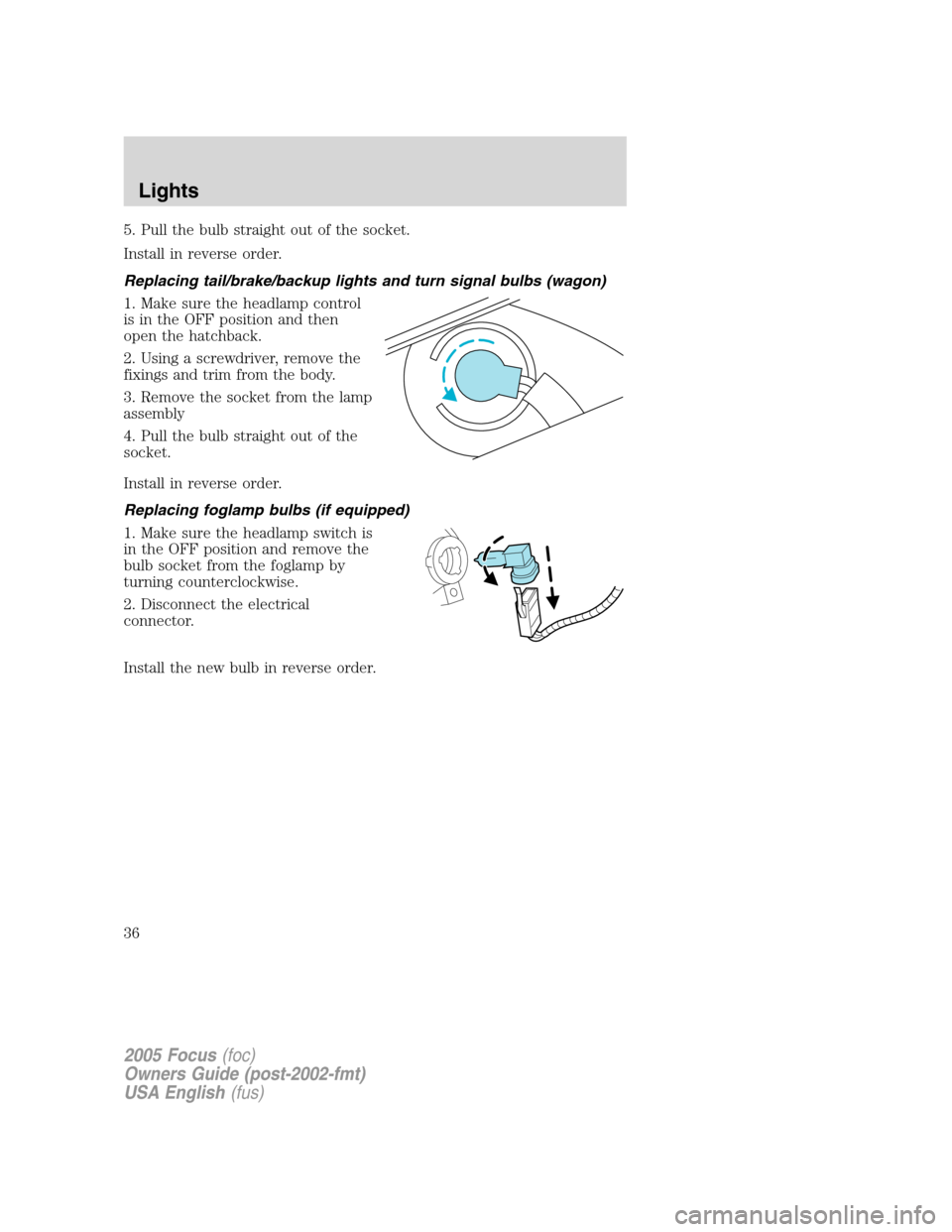
Replacing tail/brake/backup lights and turn signal bulbs (wagon)
1. Make sure the headlamp control
is in the OFF position and then
open the hatchback.
2. Using a screwdriver, remove the
fixings and trim from the body.
3. Remove the socket from the lamp
assembly
4. Pull the bulb straight out of the
socket.
Install in reverse order.
Replacing foglamp bulbs (if equipped)
1. Make sure the headlamp switch is
in the OFF position and remove the
bulb socket from the foglamp by
turning counterclockwise.
2. Disconnect the electrical
connector.
Install the new bulb in reverse order.
2005 Focus(foc)
Owners Guide (post-2002-fmt)
USA English(fus)
Lights
36
Page 37 of 224
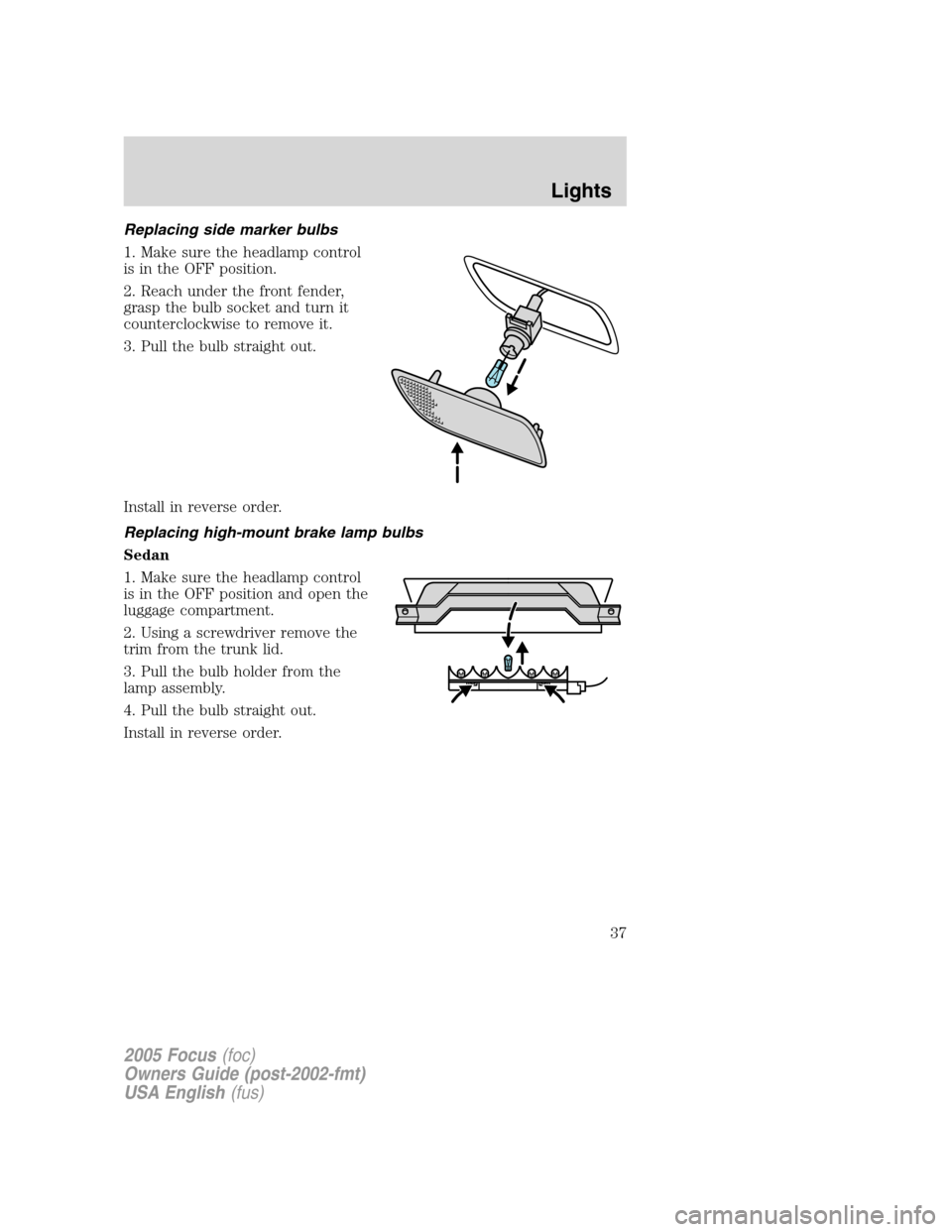
Replacing side marker bulbs
1. Make sure the headlamp control
is in the OFF position.
2. Reach under the front fender,
grasp the bulb socket and turn it
counterclockwise to remove it.
3. Pull the bulb straight out.
Install in reverse order.
Replacing high-mount brake lamp bulbs
Sedan
1. Make sure the headlamp control
is in the OFF position and open the
luggage compartment.
2. Using a screwdriver remove the
trim from the trunk lid.
3. Pull the bulb holder from the
lamp assembly.
4. Pull the bulb straight out.
Install in reverse order.
2005 Focus(foc)
Owners Guide (post-2002-fmt)
USA English(fus)
Lights
37
Page 41 of 224
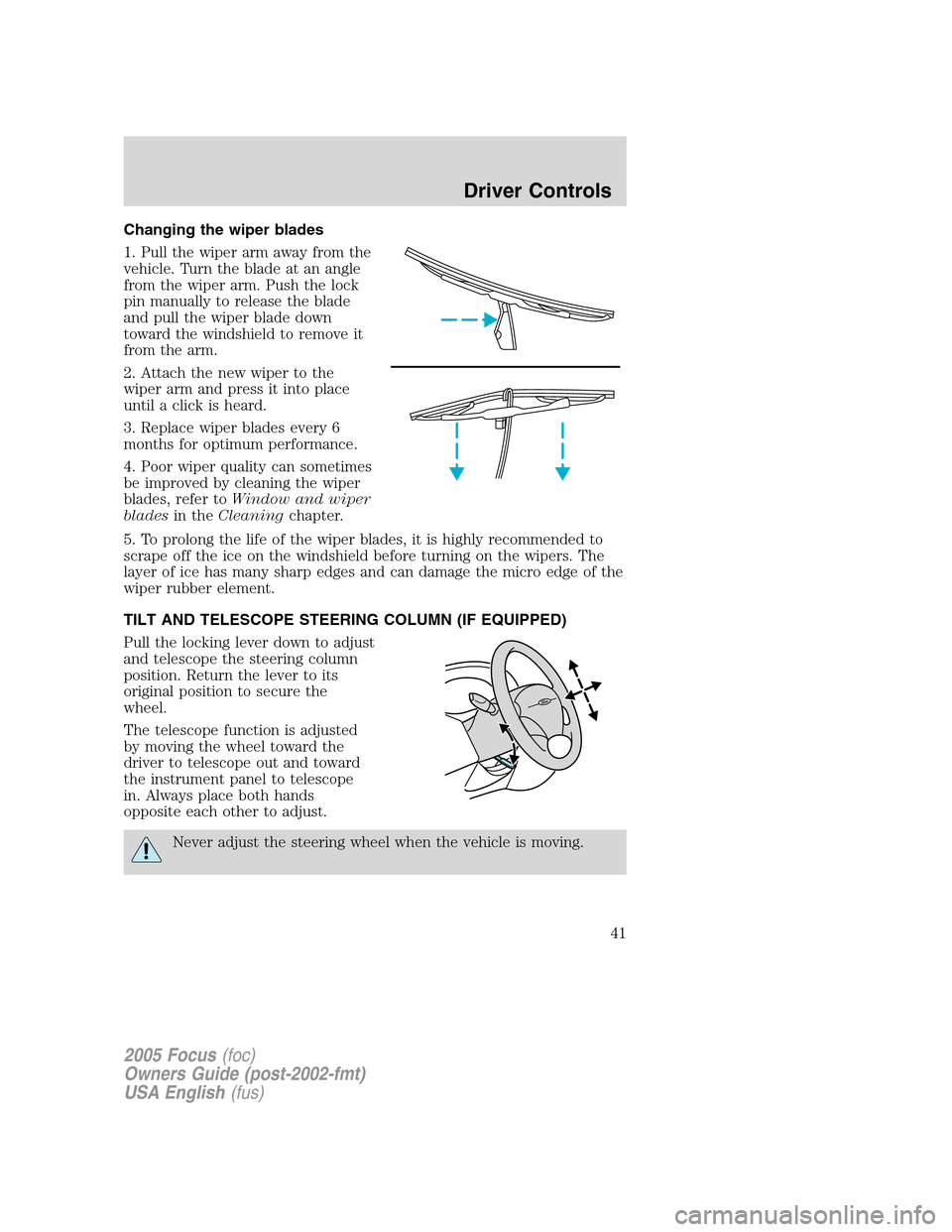
Changing the wiper blades
1. Pull the wiper arm away from the
vehicle. Turn the blade at an angle
from the wiper arm. Push the lock
pin manually to release the blade
and pull the wiper blade down
toward the windshield to remove it
from the arm.
2. Attach the new wiper to the
wiper arm and press it into place
until a click is heard.
3. Replace wiper blades every 6
months for optimum performance.
4. Poor wiper quality can sometimes
be improved by cleaning the wiper
blades, refer toWindow and wiper
bladesin theCleaningchapter.
5. To prolong the life of the wiper blades, it is highly recommended to
scrape off the ice on the windshield before turning on the wipers. The
layer of ice has many sharp edges and can damage the micro edge of the
wiper rubber element.
TILT AND TELESCOPE STEERING COLUMN (IF EQUIPPED)
Pull the locking lever down to adjust
and telescope the steering column
position. Return the lever to its
original position to secure the
wheel.
The telescope function is adjusted
by moving the wheel toward the
driver to telescope out and toward
the instrument panel to telescope
in. Always place both hands
opposite each other to adjust.
Never adjust the steering wheel when the vehicle is moving.
2005 Focus(foc)
Owners Guide (post-2002-fmt)
USA English(fus)
Driver Controls
41
Page 44 of 224
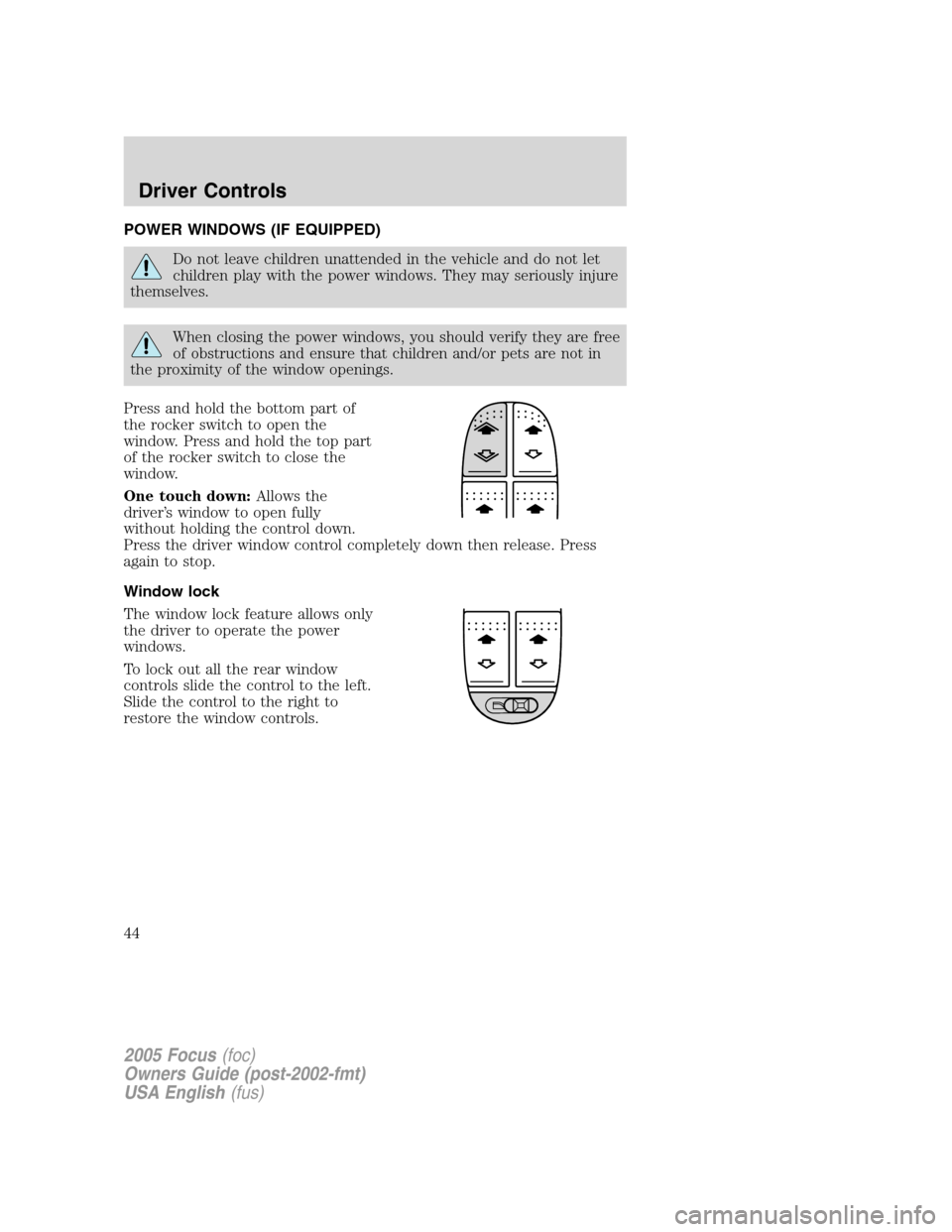
POWER WINDOWS (IF EQUIPPED)
Do not leave children unattended in the vehicle and do not let
children play with the power windows. They may seriously injure
themselves.
When closing the power windows, you should verify they are free
of obstructions and ensure that children and/or pets are not in
the proximity of the window openings.
Press and hold the bottom part of
the rocker switch to open the
window. Press and hold the top part
of the rocker switch to close the
window.
One touch down:Allows the
driver’s window to open fully
without holding the control down.
Press the driver window control completely down then release. Press
again to stop.
Window lock
The window lock feature allows only
the driver to operate the power
windows.
To lock out all the rear window
controls slide the control to the left.
Slide the control to the right to
restore the window controls.
2005 Focus(foc)
Owners Guide (post-2002-fmt)
USA English(fus)
Driver Controls
44
Page 45 of 224
MIRRORS
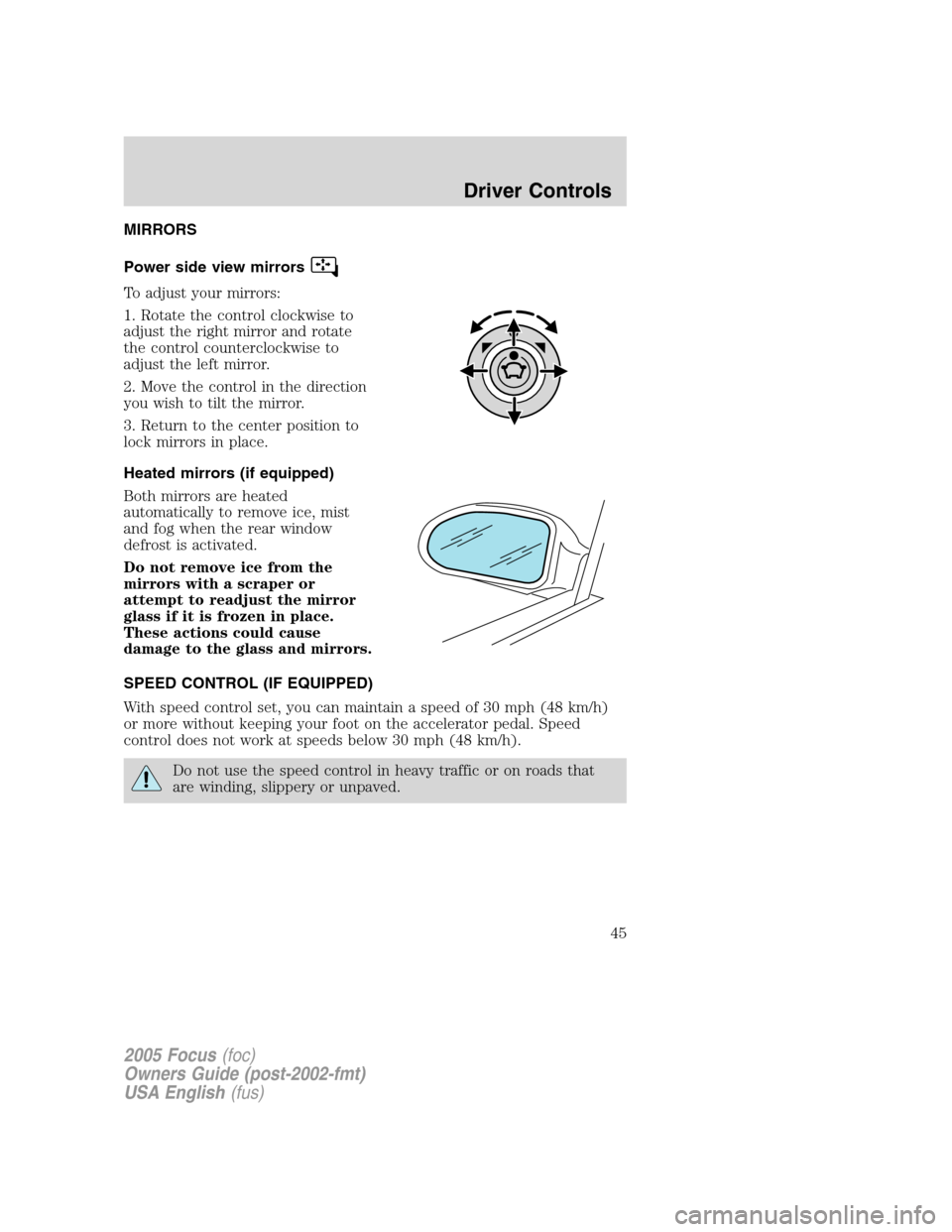
Power side view mirrors
To adjust your mirrors:
1. Rotate the control clockwise to
adjust the right mirror and rotate
the control counterclockwise to
adjust the left mirror.
2. Move the control in the direction
you wish to tilt the mirror.
3. Return to the center position to
lock mirrors in place.
Heated mirrors (if equipped)
Both mirrors are heated
automatically to remove ice, mist
and fog when the rear window
defrost is activated.
Do not remove ice from the
mirrors with a scraper or
attempt to readjust the mirror
glass if it is frozen in place.
These actions could cause
damage to the glass and mirrors.
SPEED CONTROL (IF EQUIPPED)
With speed control set, you can maintain a speed of 30 mph (48 km/h)
or more without keeping your foot on the accelerator pedal. Speed
control does not work at speeds below 30 mph (48 km/h).
Do not use the speed control in heavy traffic or on roads that
are winding, slippery or unpaved.
2005 Focus(foc)
Owners Guide (post-2002-fmt)
USA English(fus)
Driver Controls
45
Page 50 of 224
and security when appropriately used, particularly in emergency
situations. Safety must be paramount when using mobile communications
equipment to avoid negating these benefits.
Mobile Communication Equipment includes, but is not limited to cellular
phones, pagers, portable email devices, in vehicle communications
systems, telematics devices and portable two-way radios.
A driver’s first responsibility is the safe operation of the vehicle.
The most important thing you can do to prevent a crash is to
avoid distractions and pay attention to the road. Wait until it is safe to
operate Mobile Communications Equipment.
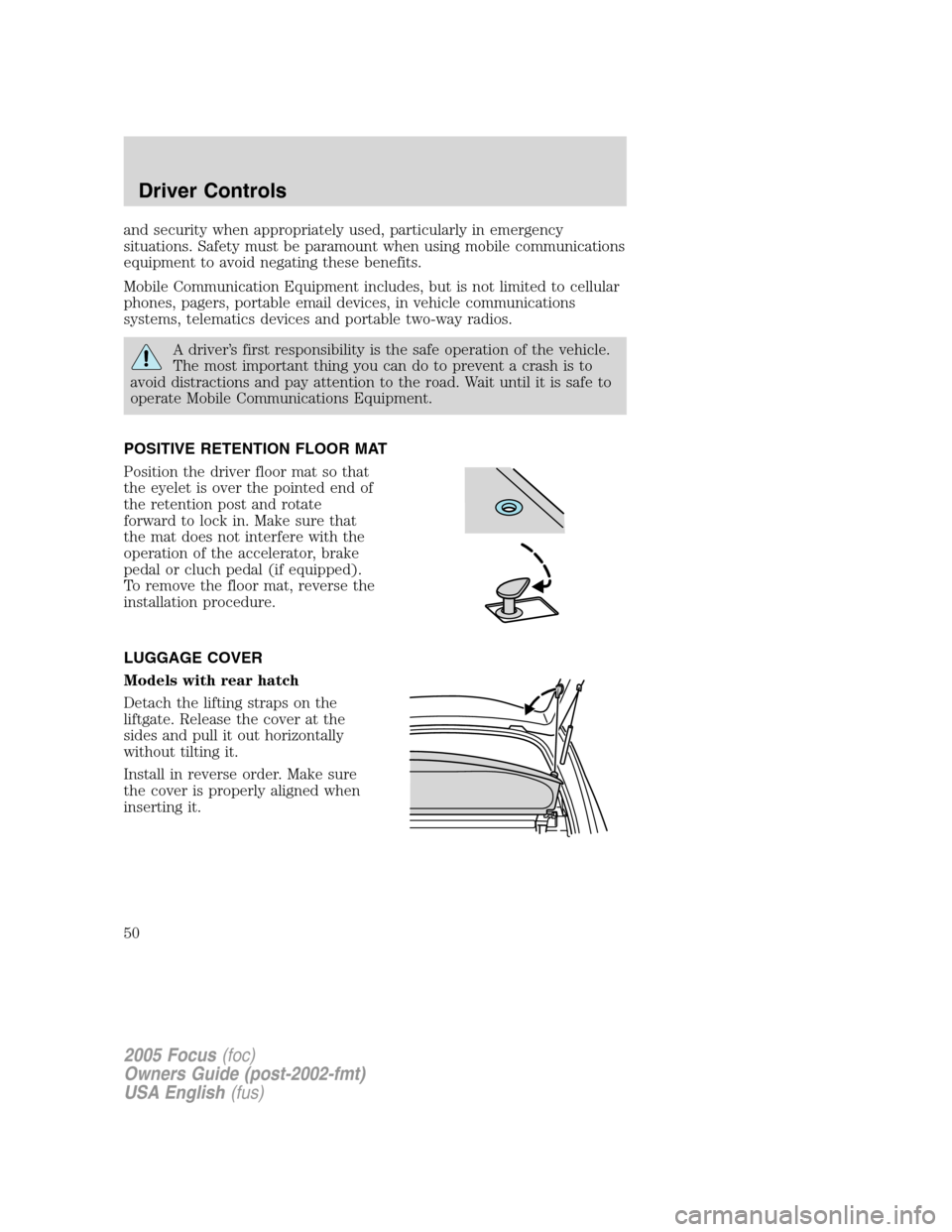
POSITIVE RETENTION FLOOR MAT
Position the driver floor mat so that
the eyelet is over the pointed end of
the retention post and rotate
forward to lock in. Make sure that
the mat does not interfere with the
operation of the accelerator, brake
pedal or cluch pedal (if equipped).
To remove the floor mat, reverse the
installation procedure.
LUGGAGE COVER
Models with rear hatch
Detach the lifting straps on the
liftgate. Release the cover at the
sides and pull it out horizontally
without tilting it.
Install in reverse order. Make sure
the cover is properly aligned when
inserting it.
2005 Focus(foc)
Owners Guide (post-2002-fmt)
USA English(fus)
Driver Controls
50
Page 51 of 224
Wagon
Pull out the roller cover and secure
the retaining points. The cover can
be removed completely by pressing
inward on both ends of the support.
To reduce the risk of injury,
the luggage cover must be
properly attached to the mounting
clips.
Do not place any objects on the cargo area cover. They may
obstruct your vision or strike occupants of the vehicle in the
case of a sudden stop or collision.
The cover may cause injury in a sudden stop or accident if it is
not securely installed.
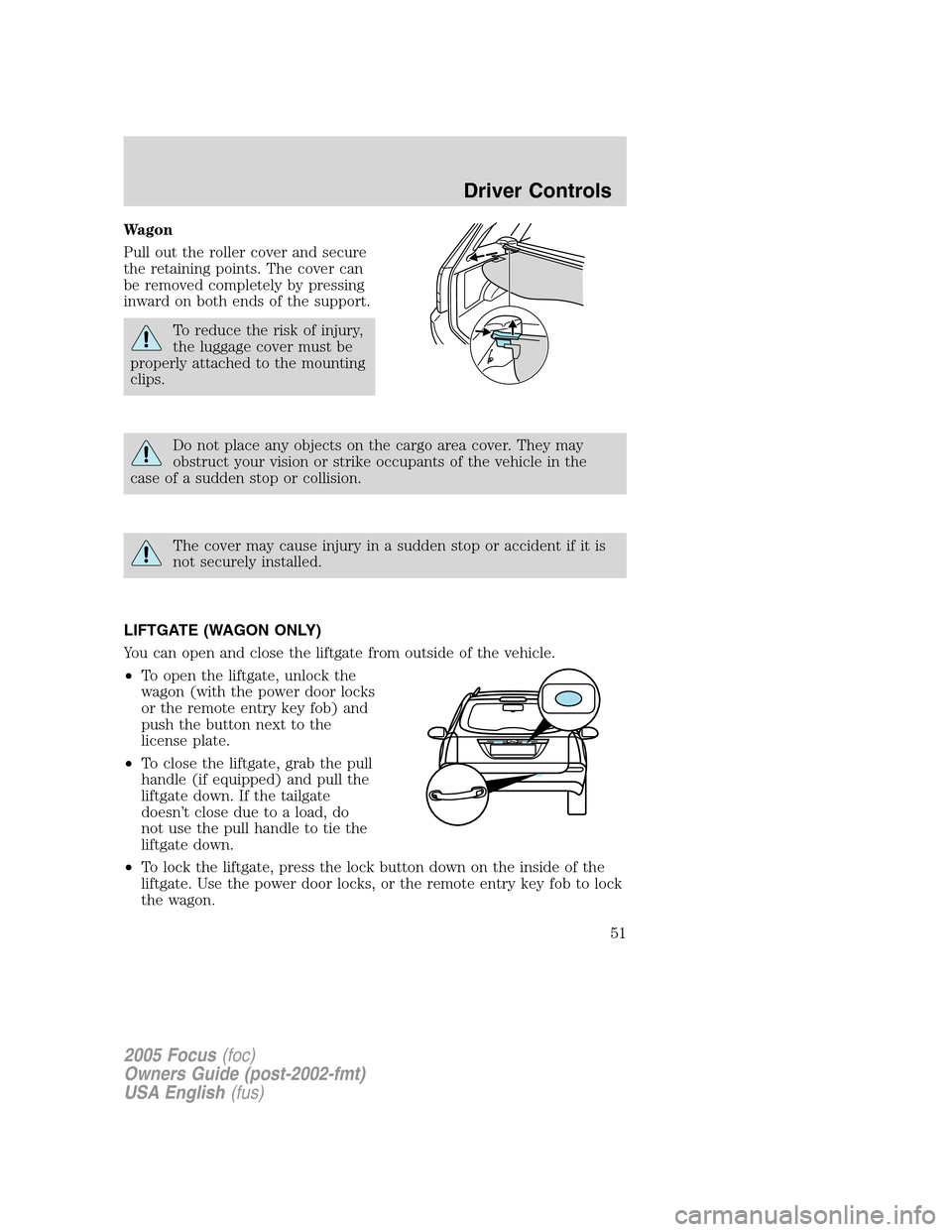
LIFTGATE (WAGON ONLY)
You can open and close the liftgate from outside of the vehicle.
•To open the liftgate, unlock the
wagon (with the power door locks
or the remote entry key fob) and
push the button next to the
license plate.
•To close the liftgate, grab the pull
handle (if equipped) and pull the
liftgate down. If the tailgate
doesn’t close due to a load, do
not use the pull handle to tie the
liftgate down.
•To lock the liftgate, press the lock button down on the inside of the
liftgate. Use the power door locks, or the remote entry key fob to lock
the wagon.
2005 Focus(foc)
Owners Guide (post-2002-fmt)
USA English(fus)
Driver Controls
51
Page 53 of 224
KEYS
The key operates all locks on your vehicle. You should always carry a
second key with you in a safe place in case you require it in an
emergency.
Your keys are programmed to your vehicle; using a non-programmed key
will not permit your vehicle to start. If you lose your dealer supplied
keys, replacement keys are available through your authorized dealer.
POWER DOOR LOCKS
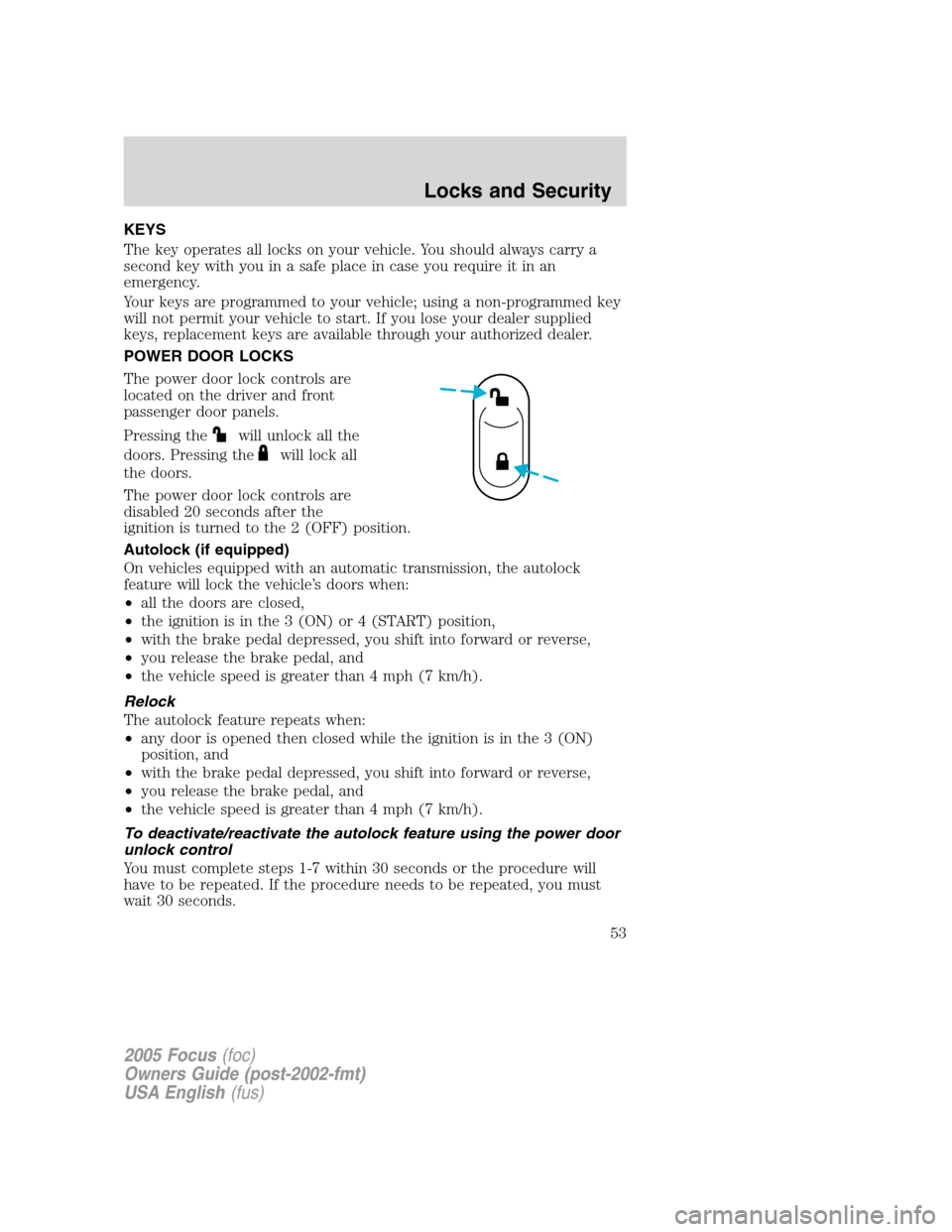
The power door lock controls are
located on the driver and front
passenger door panels.
Pressing the
will unlock all the
doors. Pressing the
will lock all
the doors.
The power door lock controls are
disabled 20 seconds after the
ignition is turned to the 2 (OFF) position.
Autolock (if equipped)
On vehicles equipped with an automatic transmission, the autolock
feature will lock the vehicle’s doors when:
•all the doors are closed,
•the ignition is in the 3 (ON) or 4 (START) position,
•with the brake pedal depressed, you shift into forward or reverse,
•you release the brake pedal, and
•the vehicle speed is greater than 4 mph (7 km/h).
Relock
The autolock feature repeats when:
•any door is opened then closed while the ignition is in the 3 (ON)
position, and
•with the brake pedal depressed, you shift into forward or reverse,
•you release the brake pedal, and
•the vehicle speed is greater than 4 mph (7 km/h).
To deactivate/reactivate the autolock feature using the power door
unlock control
You must complete steps 1-7 within 30 seconds or the procedure will
have to be repeated. If the procedure needs to be repeated, you must
wait 30 seconds.
2005 Focus(foc)
Owners Guide (post-2002-fmt)
USA English(fus)
Locks and Security
Locks and Security
53
Page 54 of 224
1. Turn the ignition to the 3 (ON) position.
2. Press the power door unlock control three times.
3. Turn the ignition from 3 (ON) position to the 2 (OFF) position.
4. Press the power door unlock control three times.
5. Turn the ignition back to 3 (ON) position. The horn will chirp.
6. Press the unlock control, then press the lock control. The horn will
chirp once if autolock was deactivated or twice (one short and one long
chirp) if autolock was activated.
7. Turn the ignition to the 2 (OFF) position. The horn will chirp once to
confirm the procedure is complete.
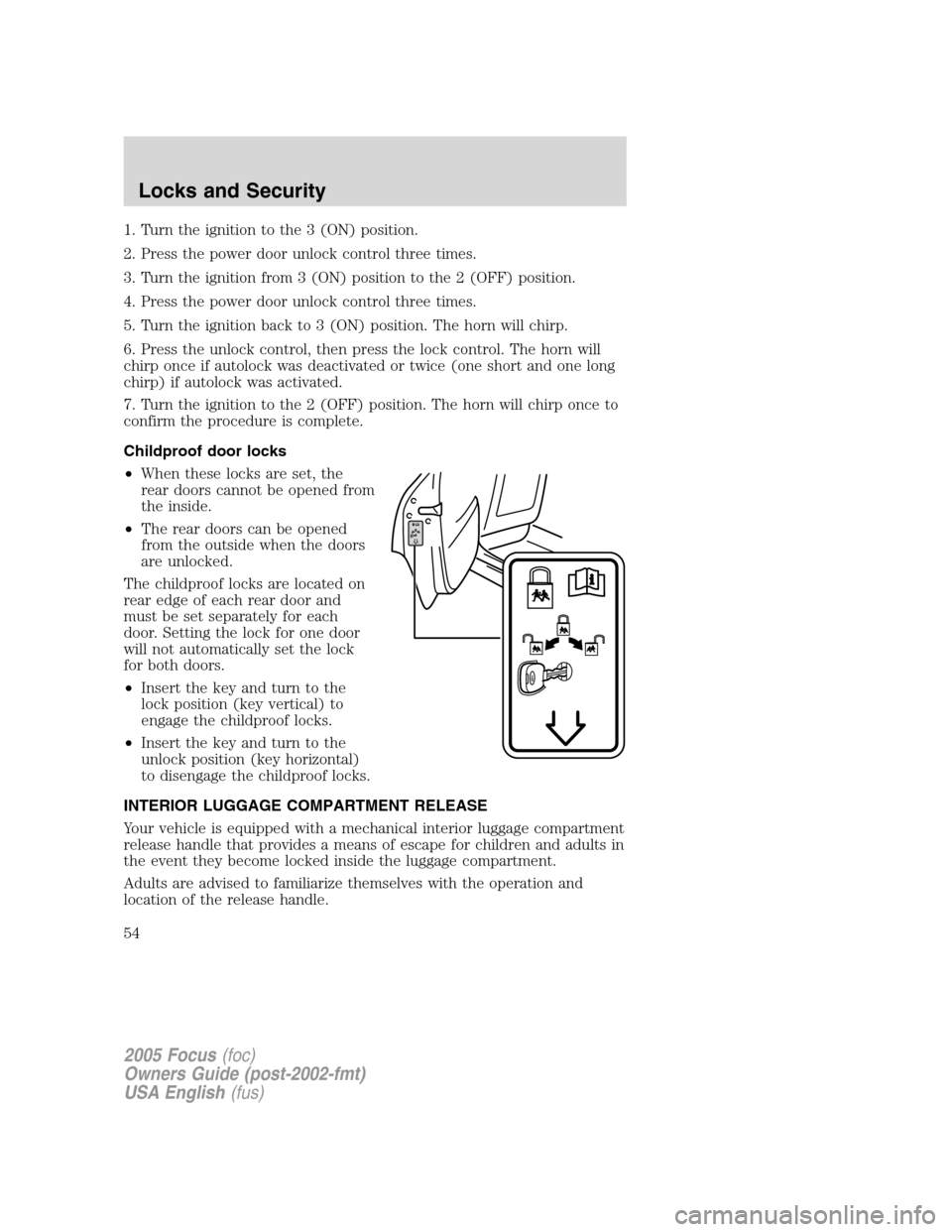
Childproof door locks
•When these locks are set, the
rear doors cannot be opened from
the inside.
•The rear doors can be opened
from the outside when the doors
are unlocked.
The childproof locks are located on
rear edge of each rear door and
must be set separately for each
door. Setting the lock for one door
will not automatically set the lock
for both doors.
•Insert the key and turn to the
lock position (key vertical) to
engage the childproof locks.
•Insert the key and turn to the
unlock position (key horizontal)
to disengage the childproof locks.
INTERIOR LUGGAGE COMPARTMENT RELEASE
Your vehicle is equipped with a mechanical interior luggage compartment
release handle that provides a means of escape for children and adults in
the event they become locked inside the luggage compartment.
Adults are advised to familiarize themselves with the operation and
location of the release handle.
2005 Focus(foc)
Owners Guide (post-2002-fmt)
USA English(fus)
Locks and Security
54