Page 81 FORD FOCUS 2016 3.G User Guide
[x] Cancel search | Manufacturer: FORD, Model Year: 2016, Model line: FOCUS, Model: FORD FOCUS 2016 3.GPages: 385, PDF Size: 5.23 MB
Page 44 of 385
WARNINGS
Do not use accessory seat covers.
The use of accessory seat covers
may prevent the deployment of the
side airbags and increase the risk of injury
in an accident. Do not lean your head on the door.
The side airbag could injure you as it
deploys from the side of the
seatback. Do not attempt to service, repair, or
modify the airbag, its fuses or the
seat cover on a seat containing an
airbag as you could be seriously injured or
killed. Contact your authorized dealer as
soon as possible. If the side airbag has deployed, the
airbag will not function again. The
side airbag system (including the
seat) must be inspected and serviced by
an authorized dealer. If the airbag is not
replaced, the unrepaired area will increase
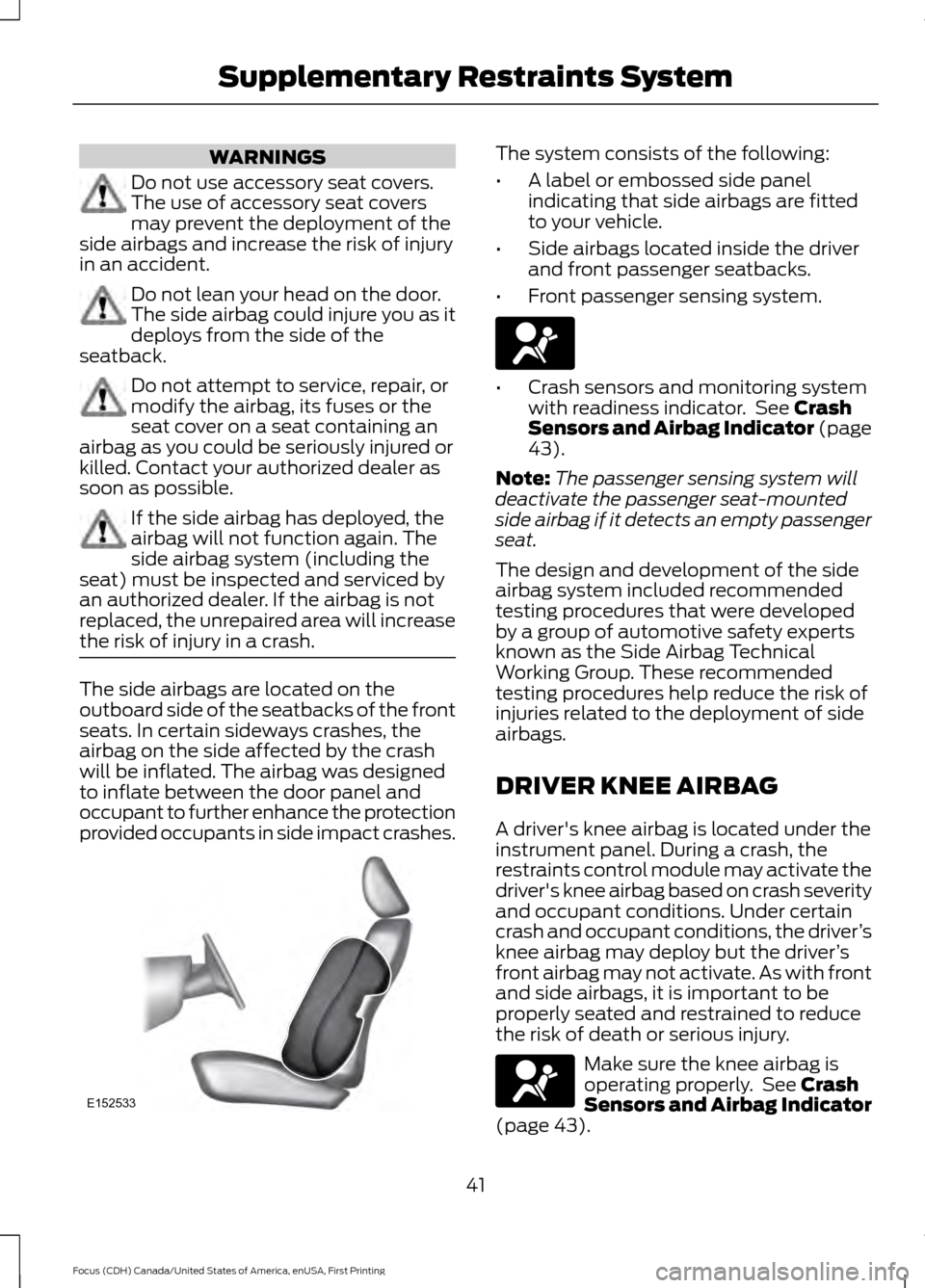
the risk of injury in a crash. The side airbags are located on the
outboard side of the seatbacks of the front
seats. In certain sideways crashes, the
airbag on the side affected by the crash
will be inflated. The airbag was designed
to inflate between the door panel and
occupant to further enhance the protection
provided occupants in side impact crashes. The system consists of the following:
•
A label or embossed side panel
indicating that side airbags are fitted
to your vehicle.
• Side airbags located inside the driver
and front passenger seatbacks.
• Front passenger sensing system. •
Crash sensors and monitoring system
with readiness indicator. See Crash
Sensors and Airbag Indicator (page
43
).
Note: The passenger sensing system will
deactivate the passenger seat-mounted
side airbag if it detects an empty passenger
seat.
The design and development of the side
airbag system included recommended
testing procedures that were developed
by a group of automotive safety experts
known as the Side Airbag Technical
Working Group. These recommended
testing procedures help reduce the risk of
injuries related to the deployment of side
airbags.
DRIVER KNEE AIRBAG
A driver's knee airbag is located under the
instrument panel. During a crash, the
restraints control module may activate the
driver's knee airbag based on crash severity
and occupant conditions. Under certain
crash and occupant conditions, the driver ’s
knee airbag may deploy but the driver ’s
front airbag may not activate. As with front
and side airbags, it is important to be
properly seated and restrained to reduce
the risk of death or serious injury. Make sure the knee airbag is
operating properly. See
Crash
Sensors and Airbag Indicator
(page
43).
41
Focus (CDH) Canada/United States of America, enUSA, First Printing Supplementary Restraints SystemE152533
Page 45 of 385
SAFETY CANOPY™
WARNINGS
Do not place objects or mount
equipment on or near the headliner
at the siderail that may come into
contact with a deploying curtain airbag.
Failure to follow these instructions may
increase the risk of personal injury in the
event of a crash. Do not lean your head on the door.
The curtain airbag could injure you
as it deploys from the headliner.
Do not attempt to service, repair, or
modify the curtain airbags, its fuses,
the A, B, or C pillar trim, or the
headliner on a vehicle containing curtain
airbags as you could be seriously injured
or killed. Contact your authorized dealer
as soon as possible. All occupants of your vehicle
including the driver should always
wear their safety belts even when an
airbag supplemental restraint system and
curtain airbag is provided. Failure to
properly wear your safety belt could
seriously increase the risk of injury or death. To reduce risk of injury, do not
obstruct or place objects in the
deployment path of the curtain
airbag. If the curtain airbags have deployed,
the curtain airbags will not function
again. The curtain airbags (including
the A, B and C pillar trim and headliner)
must be inspected and serviced by an
authorized dealer. If the curtain airbag is
not replaced, the unrepaired area will
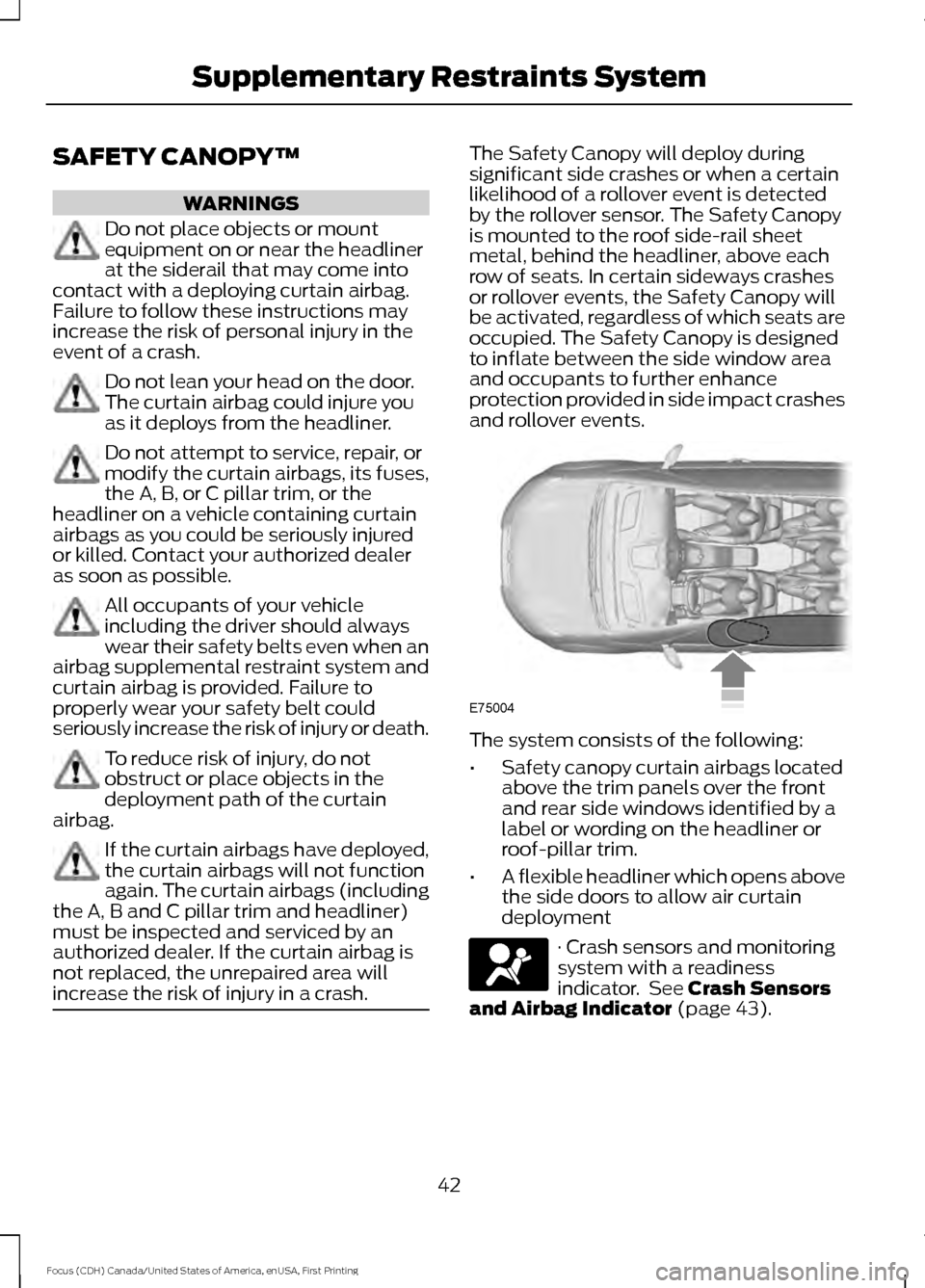
increase the risk of injury in a crash. The Safety Canopy will deploy during
significant side crashes or when a certain
likelihood of a rollover event is detected
by the rollover sensor. The Safety Canopy
is mounted to the roof side-rail sheet
metal, behind the headliner, above each
row of seats. In certain sideways crashes
or rollover events, the Safety Canopy will
be activated, regardless of which seats are
occupied. The Safety Canopy is designed
to inflate between the side window area
and occupants to further enhance
protection provided in side impact crashes
and rollover events.
The system consists of the following:
•
Safety canopy curtain airbags located
above the trim panels over the front
and rear side windows identified by a
label or wording on the headliner or
roof-pillar trim.
• A flexible headliner which opens above
the side doors to allow air curtain
deployment · Crash sensors and monitoring
system with a readiness
indicator. See Crash Sensors
and Airbag Indicator (page 43).
42
Focus (CDH) Canada/United States of America, enUSA, First Printing Supplementary Restraints SystemE75004
Page 46 of 385
Children 12 years old and under should
always be properly restrained in the rear
seats. The Safety Canopy will not interfere
with children restrained using a properly
installed child or booster seat because it
is designed to inflate downward from the
headliner above the doors along the side
window opening.
The design and development of the Safety
Canopy included recommended testing
procedures that were developed by a
group of automotive safety experts known
as the Side Airbag Technical Working
Group. These recommended testing
procedures help reduce the risk of injuries
related to the deployment of side airbags
(including the Safety Canopy).
CRASH SENSORS AND
AIRBAG INDICATOR
WARNING
Modifying or adding equipment to
the front end of your vehicle
(including frame, bumper, front end
body structure and tow hooks) may affect
the performance of the airbag system,
increasing the risk of injury. Do not modify
the front end of your vehicle. Your vehicle has a collection of crash and
occupant sensors which provide
information to the restraints control
module which deploys (activates) the
front safety belt pretensioners, driver
airbag, passenger airbag, knee airbag(s),
seat mounted side airbags, and the Safety
Canopy. Based on the type of accident
(frontal impact, side impact or rollover)
the restraints control module will deploy
the appropriate safety devices. The restraints control module also
monitors the readiness of the above safety
devices plus the crash and occupant
sensors. A warning indicator light in the
instrument cluster indicates the readiness
of the safety system. If this warning
indicator light is not functioning and there
is another fault within the system, the
message cluster may display an airbag
failure warning. See Information
Displays (page 91). You will hear five
tones that repeat periodically until you
repair the problem, the warning indicator
light or both. Routine maintenance of the
airbag is not required.
A difficulty with the system is indicated by
one or more of the following: •
The readiness light will not illuminate
immediately after the ignition is turned
on.
• The readiness light will either flash or
stay lit.
• A series of five beeps will be heard. The
tone pattern will repeat periodically
until the problem, the light or both are
repaired.
If any of these things happen, even
intermittently, have the supplemental
restraint system serviced at an authorized
dealer immediately. Unless serviced, the
system may not function properly in the
event of a crash.
The safety belt pretensioners and the
airbag supplemental restraint system is
designed to activate when your vehicle
sustains frontal or sideways deceleration
sufficient to cause the restraints control
module to deploy a safety device or when
a certain likelihood of a rollover event is
detected by the rollover sensor.
43
Focus (CDH) Canada/United States of America, enUSA, First Printing Supplementary Restraints System
Page 49 of 385
Programming a New Remote
Control
To program an additional remote control
See Security (page 66).
Reprogramming the Unlocking
Function
Note: When you press the unlock button,
either all the doors are unlocked or only the
driver door is unlocked. Pressing the unlock
button again unlocks all the doors.
Press and hold the unlock and lock buttons
on the remote control simultaneously for
at least four seconds with the ignition off.
The direction indicators flash twice to
confirm the change.
To return to the original unlocking function,
repeat the process.
Changing the Remote Control
Battery
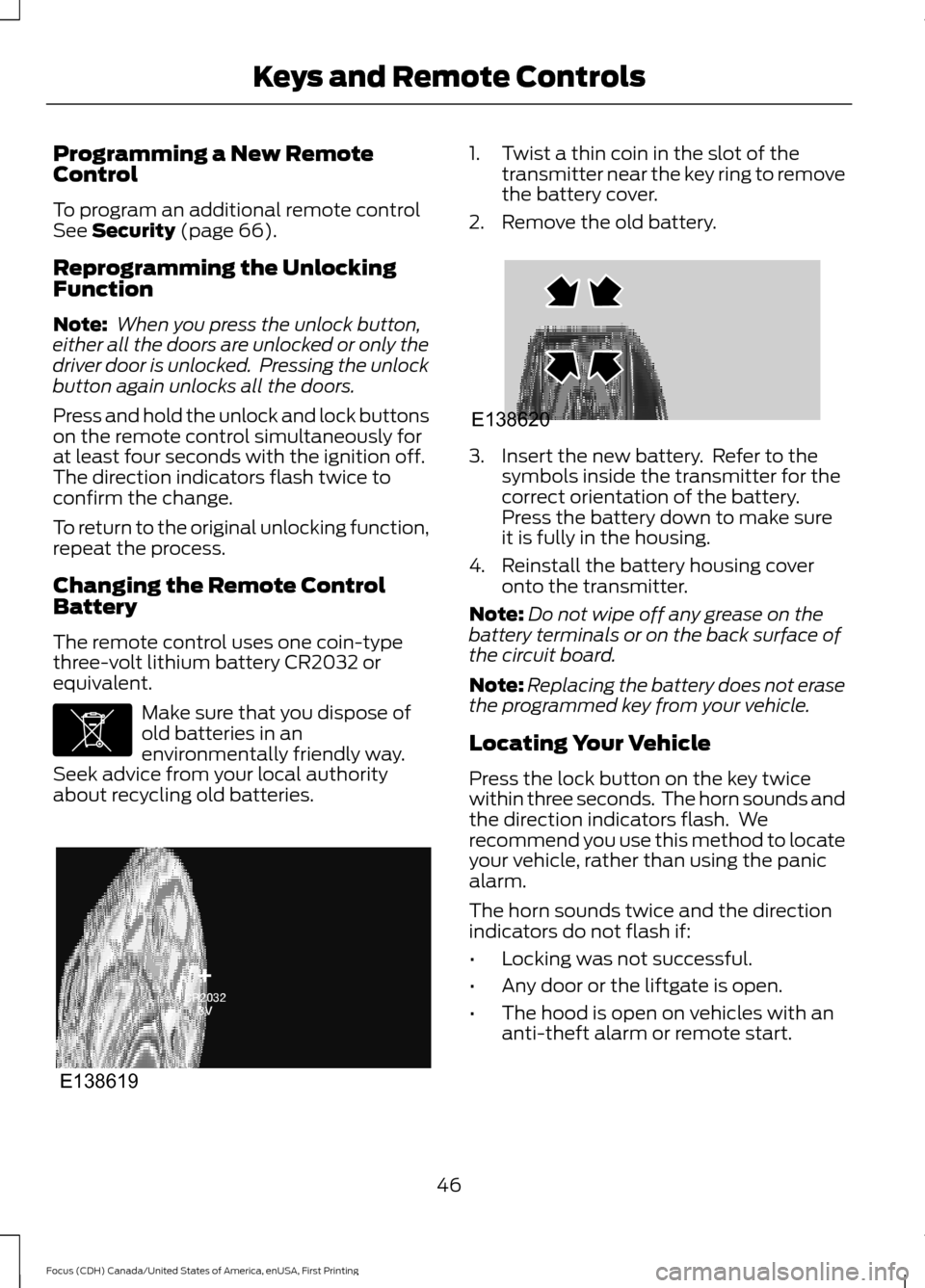
The remote control uses one coin-type
three-volt lithium battery CR2032 or
equivalent. Make sure that you dispose of
old batteries in an
environmentally friendly way.
Seek advice from your local authority
about recycling old batteries. 1. Twist a thin coin in the slot of the
transmitter near the key ring to remove
the battery cover.
2. Remove the old battery. 3. Insert the new battery. Refer to the
symbols inside the transmitter for the
correct orientation of the battery.
Press the battery down to make sure
it is fully in the housing.
4. Reinstall the battery housing cover onto the transmitter.
Note: Do not wipe off any grease on the
battery terminals or on the back surface of
the circuit board.
Note: Replacing the battery does not erase
the programmed key from your vehicle.
Locating Your Vehicle
Press the lock button on the key twice
within three seconds. The horn sounds and
the direction indicators flash. We
recommend you use this method to locate
your vehicle, rather than using the panic
alarm.
The horn sounds twice and the direction
indicators do not flash if:
• Locking was not successful.
• Any door or the liftgate is open.
• The hood is open on vehicles with an
anti-theft alarm or remote start.
46
Focus (CDH) Canada/United States of America, enUSA, First Printing Keys and Remote ControlsE107998 E138619 E138620
Page 50 of 385
Sounding the Panic Alarm (If Equipped)
Press the button to sound the
panic alarm. Press the button
again or switch the ignition on to
silence it.
Note: The panic alarm only operates when
the ignition is off.
REMOTE CONTROL - VEHICLES
WITH: KEYLESS ENTRY (If
Equipped)
Intelligent Access Key Key Blade
The intelligent access key also contains a
removable key blade that you can use to
unlock your vehicle.
To release the key blade:
1. Press and hold the buttons on the
edges of the transmitter to release the
cover. Carefully remove the cover.
2. Remove the key blade.
Programming a New Remote
Control
To program an additional remote control
See
Security (page 66).
Changing the Remote Control
Battery
The remote control uses one coin-type
three-volt lithium battery CR2032 or
equivalent.
47
Focus (CDH) Canada/United States of America, enUSA, First Printing Keys and Remote ControlsE138624 E162192 E87964
2
1
1
Page 52 of 385
Note:
Replacing the battery does not delete
the transmitter from the vehicle. The
transmitter should operate normally.
Locating Your Vehicle
Press the lock button on the key twice
within three seconds. The horn may sound
and the direction indicators flash.
The horn may sound twice and the
direction indicators do not flash if:
• Locking was not successful.
• Any door or the liftgate is open.
• The hood is open on vehicles with an
anti-theft alarm or remote start.
REMOTE CONTROL - VEHICLES
WITH: KEYLESS ENTRY WITH
REMOTE START (If Equipped)
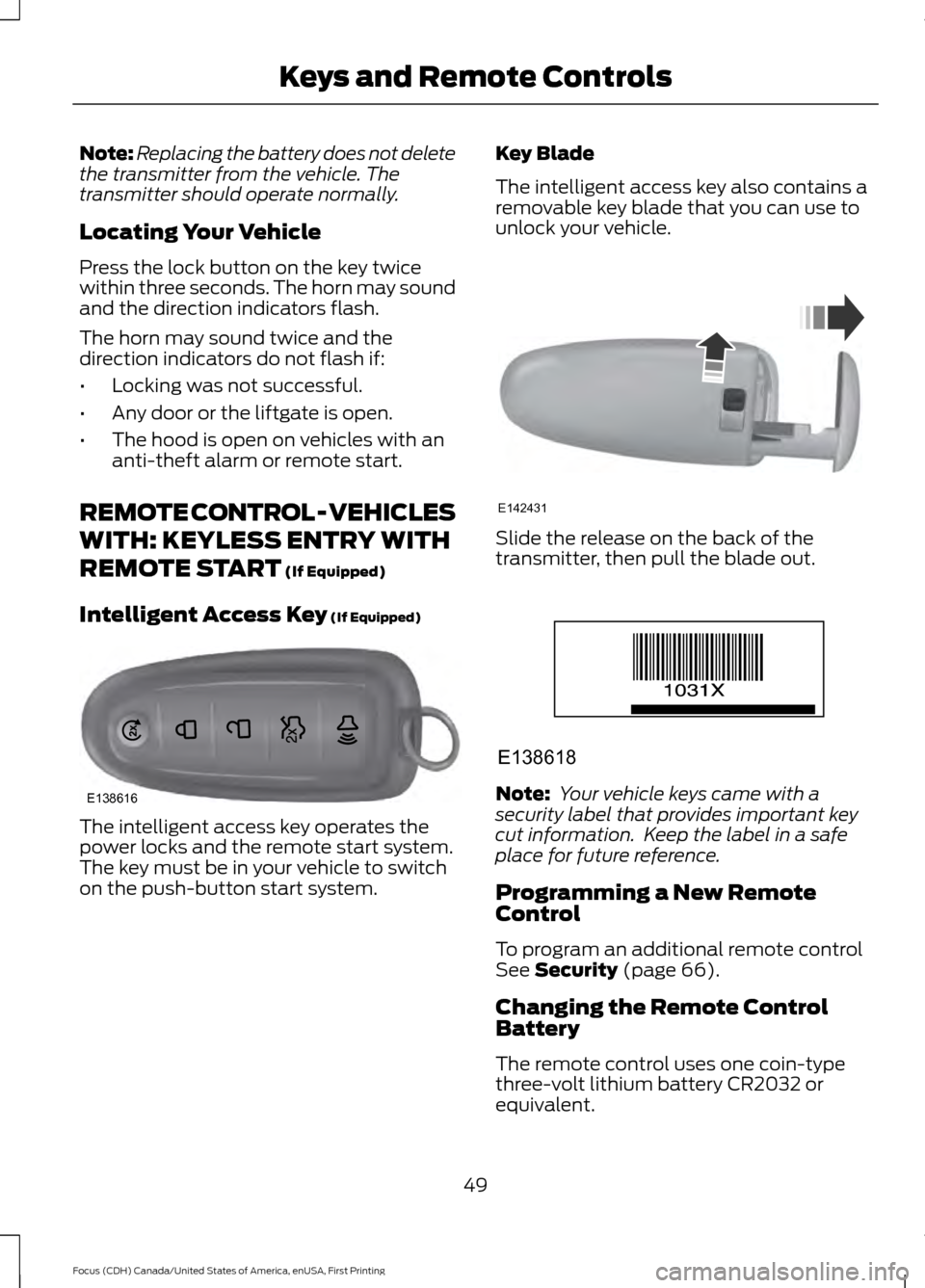
Intelligent Access Key
(If Equipped) The intelligent access key operates the
power locks and the remote start system.
The key must be in your vehicle to switch
on the push-button start system. Key Blade
The intelligent access key also contains a
removable key blade that you can use to
unlock your vehicle.
Slide the release on the back of the
transmitter, then pull the blade out.
Note:
Your vehicle keys came with a
security label that provides important key
cut information. Keep the label in a safe
place for future reference.
Programming a New Remote
Control
To program an additional remote control
See
Security (page 66).
Changing the Remote Control
Battery
The remote control uses one coin-type
three-volt lithium battery CR2032 or
equivalent.
49
Focus (CDH) Canada/United States of America, enUSA, First Printing Keys and Remote ControlsE138616 E142431 E138618
Page 54 of 385
Vehicles with automatic climate control
can be configured to operate when your
vehicle is remote started. See Automatic
Climate Control (page 104).
Many states and provinces have
restrictions for the use of remote start.
Check your local and state or provincial
laws for specific requirements regarding
remote start systems.
Note: Do not use remote start if your vehicle
is low on fuel.
The remote start system does not work if
any of the following occur:
• The ignition is on.
• The alarm system activates.
• You turn off the feature.
• The hood is open.
• The transmission is not in park (P).
• Your vehicle battery has no charge.
• The powertrain fault indicator was on
the last time you drove your vehicle.
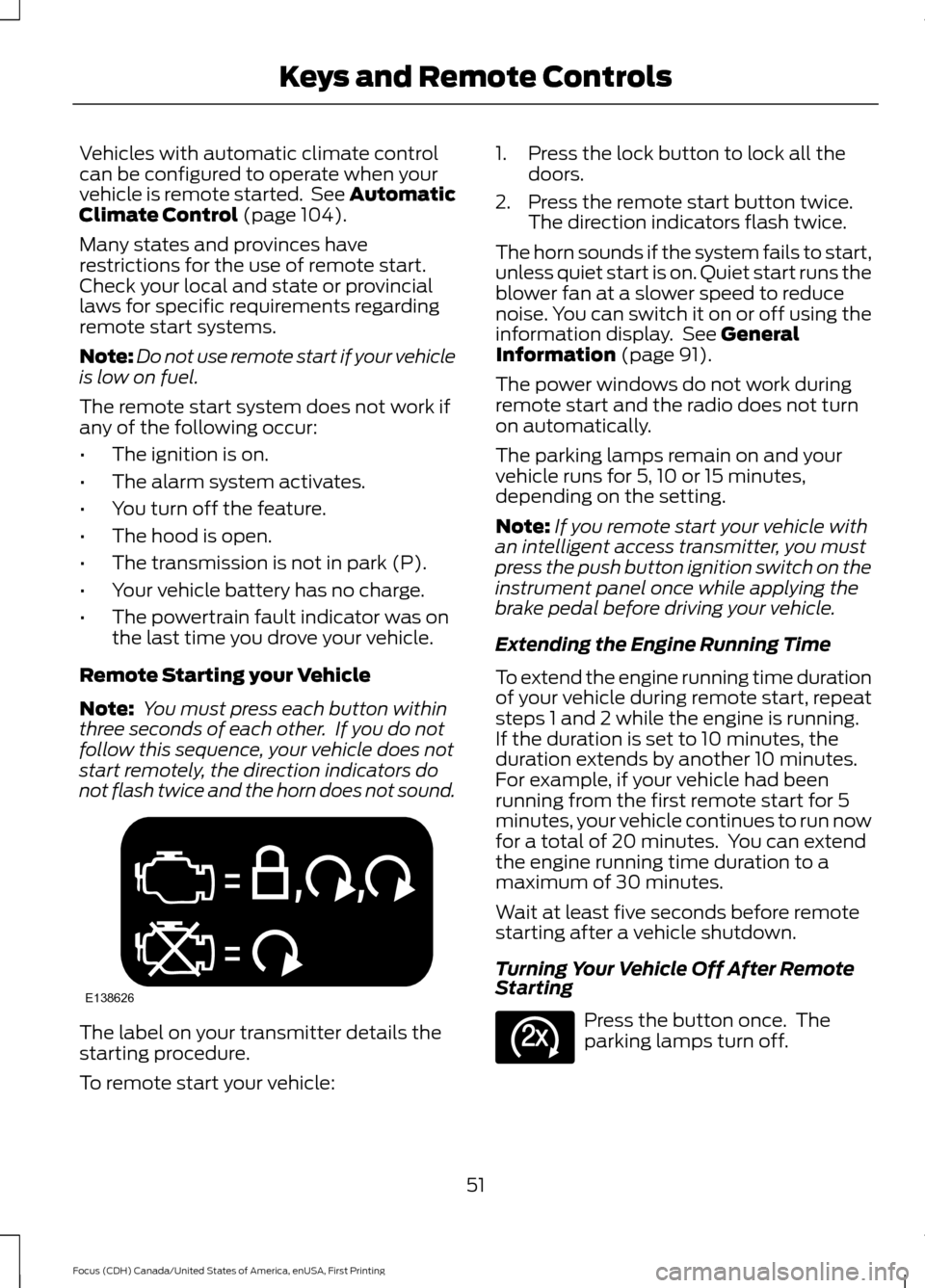
Remote Starting your Vehicle
Note: You must press each button within
three seconds of each other. If you do not
follow this sequence, your vehicle does not
start remotely, the direction indicators do
not flash twice and the horn does not sound. The label on your transmitter details the
starting procedure.
To remote start your vehicle: 1. Press the lock button to lock all the
doors.
2. Press the remote start button twice. The direction indicators flash twice.
The horn sounds if the system fails to start,
unless quiet start is on. Quiet start runs the
blower fan at a slower speed to reduce
noise. You can switch it on or off using the
information display. See
General
Information (page 91).
The power windows do not work during
remote start and the radio does not turn
on automatically.
The parking lamps remain on and your
vehicle runs for 5, 10 or 15 minutes,
depending on the setting.
Note: If you remote start your vehicle with
an intelligent access transmitter, you must
press the push button ignition switch on the
instrument panel once while applying the
brake pedal before driving your vehicle.
Extending the Engine Running Time
To extend the engine running time duration
of your vehicle during remote start, repeat
steps 1 and 2 while the engine is running.
If the duration is set to 10 minutes, the
duration extends by another 10 minutes.
For example, if your vehicle had been
running from the first remote start for 5
minutes, your vehicle continues to run now
for a total of 20 minutes. You can extend
the engine running time duration to a
maximum of 30 minutes.
Wait at least five seconds before remote
starting after a vehicle shutdown.
Turning Your Vehicle Off After Remote
Starting Press the button once. The
parking lamps turn off.
51
Focus (CDH) Canada/United States of America, enUSA, First Printing Keys and Remote ControlsE138626 E138625
Page 55 of 385
You may have to be closer to your vehicle
than when starting due to ground reflection
and the added noise of the running vehicle.
You can turn the remote start system on
or off using the information display. See
General Information (page 91).
REPLACING A LOST KEY OR
REMOTE CONTROL
You can purchase replacement keys or
remote controls from an authorized dealer.
Authorized dealers can program remote
controls for your vehicle.
See Passive
Anti-Theft System (page 66).
To re-program the passive anti-theft
system see an authorized dealer.
52
Focus (CDH) Canada/United States of America, enUSA, First Printing Keys and Remote Controls
Page 58 of 385
Note:
You can clear or change your MyKey
settings at any time during the same key
cycle as you created the MyKey. Once you
have switched the vehicle off, however, you
will need an admin key to change or clear
your MyKey settings.
Note: When you make any changes to your
MyKey settings, you change the settings for
every MyKey. You cannot make individual
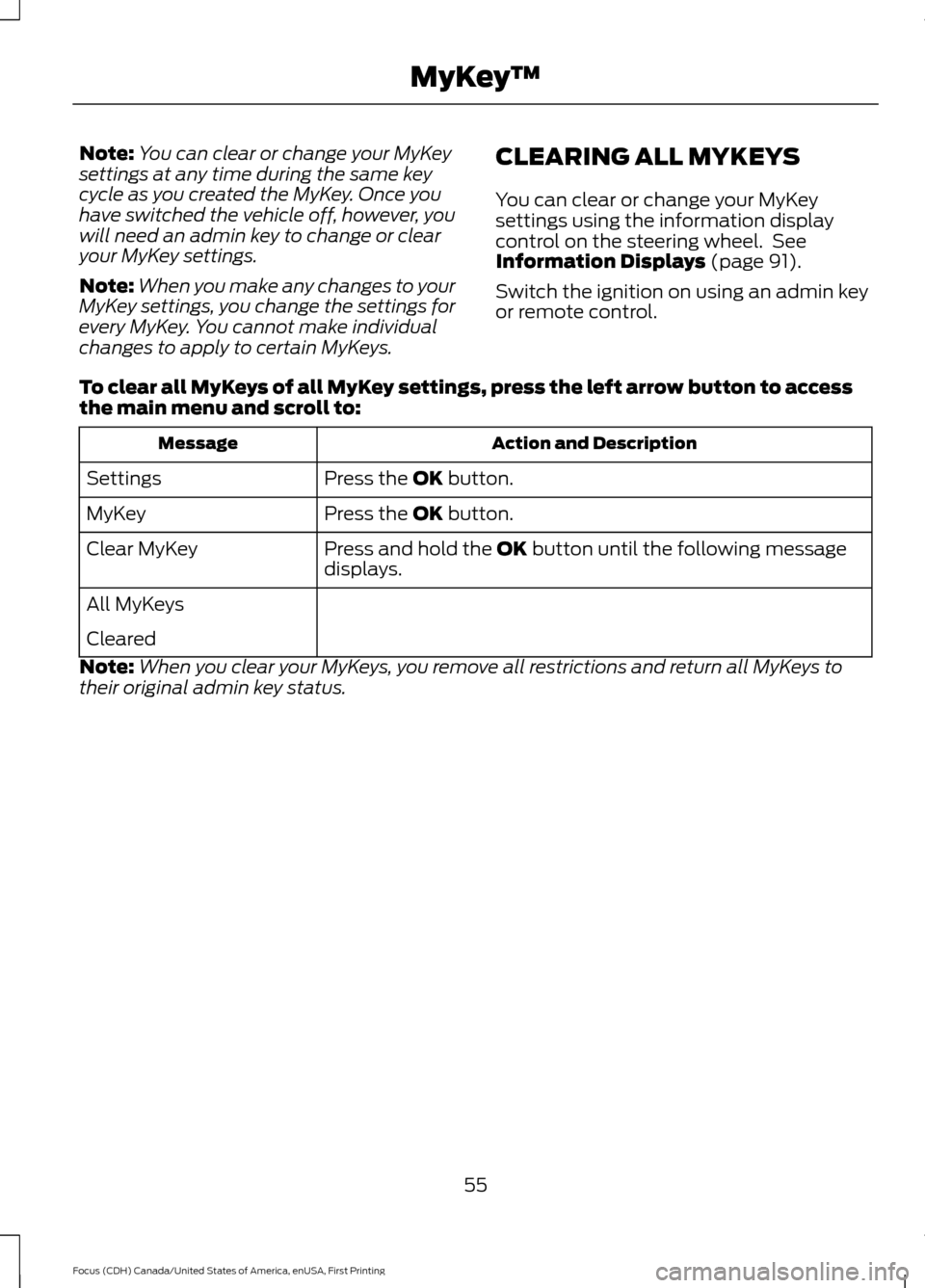
changes to apply to certain MyKeys. CLEARING ALL MYKEYS
You can clear or change your MyKey
settings using the information display
control on the steering wheel. See
Information Displays (page 91).
Switch the ignition on using an admin key
or remote control.
To clear all MyKeys of all MyKey settings, press the left arrow button to access
the main menu and scroll to: Action and Description
Message
Press the
OK button.
Settings
Press the
OK button.
MyKey
Press and hold the
OK button until the following message
displays.
Clear MyKey
All MyKeys
Cleared
Note: When you clear your MyKeys, you remove all restrictions and return all MyKeys to
their original admin key status.
55
Focus (CDH) Canada/United States of America, enUSA, First Printing MyKey
™
Page 59 of 385
CHECKING MYKEY SYSTEM
STATUS
You can find information about your
programmed MyKeys by using the
information display.
MyKey Distance
Tracks the distance when drivers use a
MyKey. The only way to delete the
accumulated distance is by using an admin
key to clear all MyKeys. If the distance does
not accumulate as expected, then the
intended user is not using the MyKey, or an
admin key user recently cleared and then
recreated a MyKey.
Number of MyKeys
Indicates the number of MyKeys
programmed to your vehicle. Use this
feature to detect how many MyKeys you
have for your vehicle and determine when
all MyKeys have been deleted.
Number of Admin Keys
Indicates how many admin keys are
programmed to your vehicle. Use this
feature to determine how many admin
keys you have for your vehicle, and detect
if an additional MyKey has been
programmed.
USING MYKEY WITH REMOTE
START SYSTEMS
MyKey is not compatible with non
Ford-approved, aftermarket remote start
systems. If you choose to install a remote
start system, see an authorized dealer for
a Ford-approved remote start system.
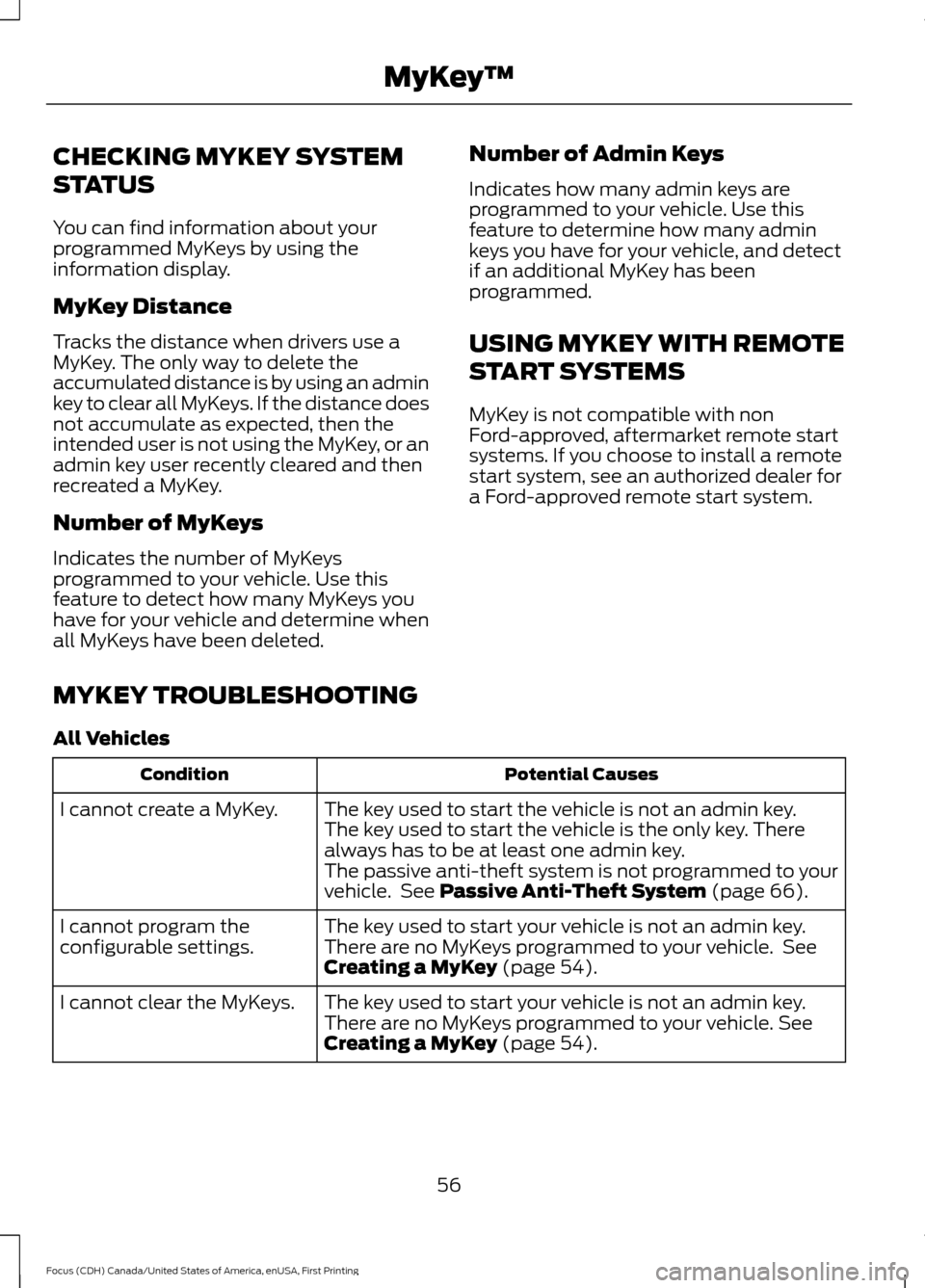
MYKEY TROUBLESHOOTING
All Vehicles Potential Causes
Condition
The key used to start the vehicle is not an admin key.
I cannot create a MyKey.
The key used to start the vehicle is the only key. There
always has to be at least one admin key.
The passive anti-theft system is not programmed to your
vehicle. See Passive Anti-Theft System (page 66).
The key used to start your vehicle is not an admin key.
I cannot program the
configurable settings. There are no MyKeys programmed to your vehicle. See
Creating a MyKey
(page 54).
The key used to start your vehicle is not an admin key.
I cannot clear the MyKeys.
There are no MyKeys programmed to your vehicle.
See
Creating a MyKey (page 54).
56
Focus (CDH) Canada/United States of America, enUSA, First Printing MyKey
™