Egr FORD FOCUS 2016 3.G Owners Manual
[x] Cancel search | Manufacturer: FORD, Model Year: 2016, Model line: FOCUS, Model: FORD FOCUS 2016 3.GPages: 385, PDF Size: 5.23 MB
Page 4 of 385
Introduction
About This Manual...........................................7
Symbols Glossary
.............................................7
Data Recording
..................................................9
California Proposition 65..............................11
Perchlorate.........................................................11
Ford Credit
..........................................................11
Replacement Parts Recommendation
........................................11
Special Notices................................................12
Mobile Communications Equipment.....................................................12
Export Unique Options..................................13
Environment
Protecting the Environment........................14
Child Safety
General Information
.......................................15
Installing Child Restraints
............................16
Booster Seats
..................................................23
Child Restraint Positioning.........................25
Child Safety Locks.........................................26
Seatbelts
Principle of Operation
..................................28
Fastening the Seatbelts..............................29
Seatbelt Height Adjustment
.......................31
Seatbelt Warning Lamp and Indicator Chime
..............................................................32
Seatbelt Reminder.........................................32
Child Restraint and Seatbelt Maintenance................................................34
Personal Safety System ™
Personal Safety System ™
..........................35
Supplementary Restraints System
Principle of Operation..................................36 Driver and Passenger Airbags....................37
Front Passenger Sensing System
............38
Side Airbags
.....................................................40
Driver Knee Airbag
..........................................41
Safety Canopy ™
.............................................42
Crash Sensors and Airbag Indicator........43
Airbag Disposal...............................................44
Keys and Remote Controls
General Information on Radio Frequencies..................................................45
Remote Control - Vehicles With: Integrated Key Transmitter
....................45
Remote Control - Vehicles With: Keyless Entry
................................................................47
Remote Control - Vehicles With: Keyless Entry with Remote Start.........................49
Replacing a Lost Key or Remote Control............................................................52
MyKey ™
Principle of Operation..................................53
Creating a MyKey
...........................................54
Clearing All MyKeys.......................................55
Checking MyKey System Status...............56
Using MyKey With Remote Start Systems.........................................................56
MyKey Troubleshooting...............................56
Locks
Locking and Unlocking
.................................58
Manual Liftgate
...............................................62
Keyless Entry
....................................................63
Interior Luggage Compartment Release - 4-Door
.........................................................64
Security
Passive Anti-Theft System........................66
Anti-Theft Alarm
...........................................68
1
Focus (CDH) Canada/United States of America, enUSA, First Printing Table of Contents
Page 10 of 385
ABOUT THIS MANUAL
Thank you for choosing Ford. We
recommend that you take some time to
get to know your vehicle by reading this
manual. The more that you know about
your vehicle, the greater the safety and
pleasure you will get from driving it.
WARNING
Driving while distracted can result in
loss of vehicle control, crash and
injury. We strongly recommend that
you use extreme caution when using any
device that may take your focus off the
road. Your primary responsibility is the safe
operation of your vehicle. We recommend
against the use of any hand-held device
while driving and encourage the use of
voice-operated systems when possible.
Make sure you are aware of all applicable
local laws that may affect the use of
electronic devices while driving. Note:
This manual describes product
features and options available throughout
the range of available models, sometimes
even before they are generally available. It
may describe options not fitted to the
vehicle you have purchased.
Note: Some of the illustrations in this
manual may show features as used in
different models, so they may appear
different to you on your vehicle.
Note: Always use and operate your vehicle
in line with all applicable laws and
regulations.
Note: Pass on this manual when selling
your vehicle. It is an integral part of your
vehicle.
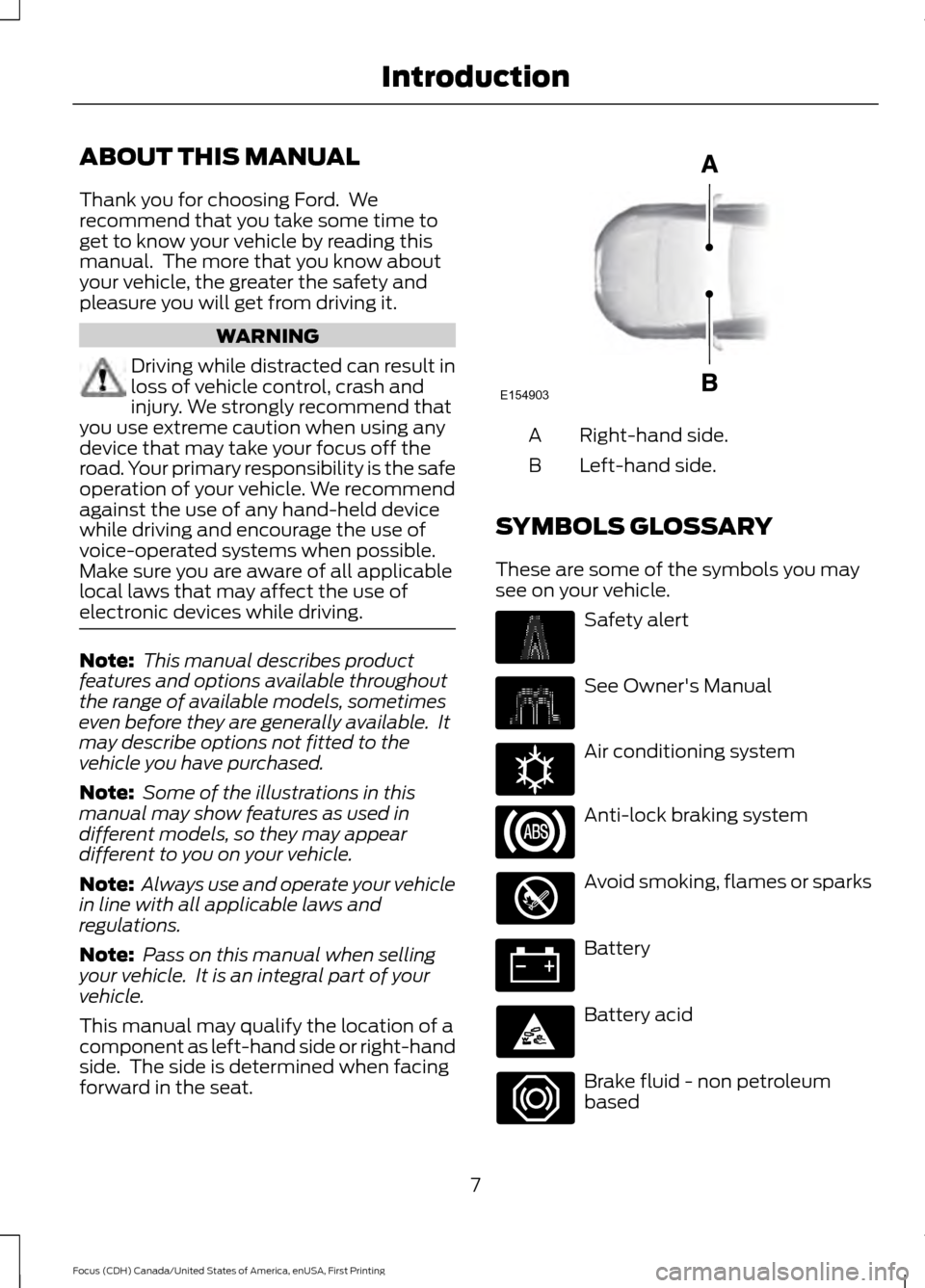
This manual may qualify the location of a
component as left-hand side or right-hand
side. The side is determined when facing
forward in the seat. Right-hand side.
A
Left-hand side.
B
SYMBOLS GLOSSARY
These are some of the symbols you may
see on your vehicle. Safety alert
See Owner's Manual
Air conditioning system
Anti-lock braking system
Avoid smoking, flames or sparks
Battery
Battery acid
Brake fluid - non petroleum
based
7
Focus (CDH) Canada/United States of America, enUSA, First Printing IntroductionE154903 E162384
Page 14 of 385
CALIFORNIA PROPOSITION 65
WARNINGS
Some constituents of engine
exhaust, certain vehicle components,
certain fluids contained in vehicles
and certain products of component wear
contain or emit chemicals known to the
State of California to cause cancer and
birth defects or other reproductive harm. Battery posts, terminals and related
accessories contain lead and lead
compounds, chemicals known to the
State of California to cause cancer and
reproductive harm. Batteries also contain
other chemicals known to the State of
California to cause cancer. Wash your
hands after handling. PERCHLORATE
Certain components in your vehicle such
as airbag modules, safety belt
pretensioners and remote control batteries
may contain perchlorate material. Special
handling may apply for service or vehicle
end of life disposal.
For more information visit:
Web Address
www.dtsc.ca.gov/hazardouswaste/ perchlorate
FORD CREDIT
(U.S. Only)
Ford Credit offers a full range of financing
and lease plans to help you acquire your
vehicle. If you have financed or leased your
vehicle through Ford Credit, thank you for
your business. For your convenience we offer a number
of ways to contact us, as well as to help
manage your account.
Phone: 1-800-727-7000
For more information regarding Ford Credit,
as well as to access Account Manager,
please go to www.fordcredit.com.
REPLACEMENT PARTS
RECOMMENDATION
Your vehicle has been built to the highest
standards using quality parts. We
recommend that you demand the use of
genuine Ford and Motorcraft parts
whenever your vehicle requires scheduled
maintenance or repair. You can clearly
identify genuine Ford and Motorcraft parts
by looking for the Ford, FoMoCo or
Motorcraft branding on the parts or their
packaging.
Scheduled Maintenance and
Mechanical Repairs
One of the best ways for you to make sure
that your vehicle provides years of service
is to have it maintained in line with our
recommendations using parts that
conform to the specifications detailed in
this Owner
’s Manual. Genuine Ford and
Motorcraft parts meet or exceed these
specifications.
Collision Repairs
We hope that you never experience a
collision, but accidents do happen. Genuine
Ford replacement collision parts meet our
stringent requirements for fit, finish,
structural integrity, corrosion protection
and dent resistance. During vehicle
11
Focus (CDH) Canada/United States of America, enUSA, First Printing Introduction
Page 40 of 385
DRIVER AND PASSENGER
AIRBAGS
WARNINGS
Never place your arm or any objects
over an airbag module. Placing your
arm over a deploying airbag can
result in serious arm fractures or other
injuries. Objects placed on or over the
airbag inflation area may cause those
objects to be propelled by the airbag into
your face and torso causing serious injury. Airbags can kill or injure a child in a
child seat. Never place a rear-facing
child seat in front of an active airbag.
If you must use a forward-facing child seat
in the front seat, move the seat upon which
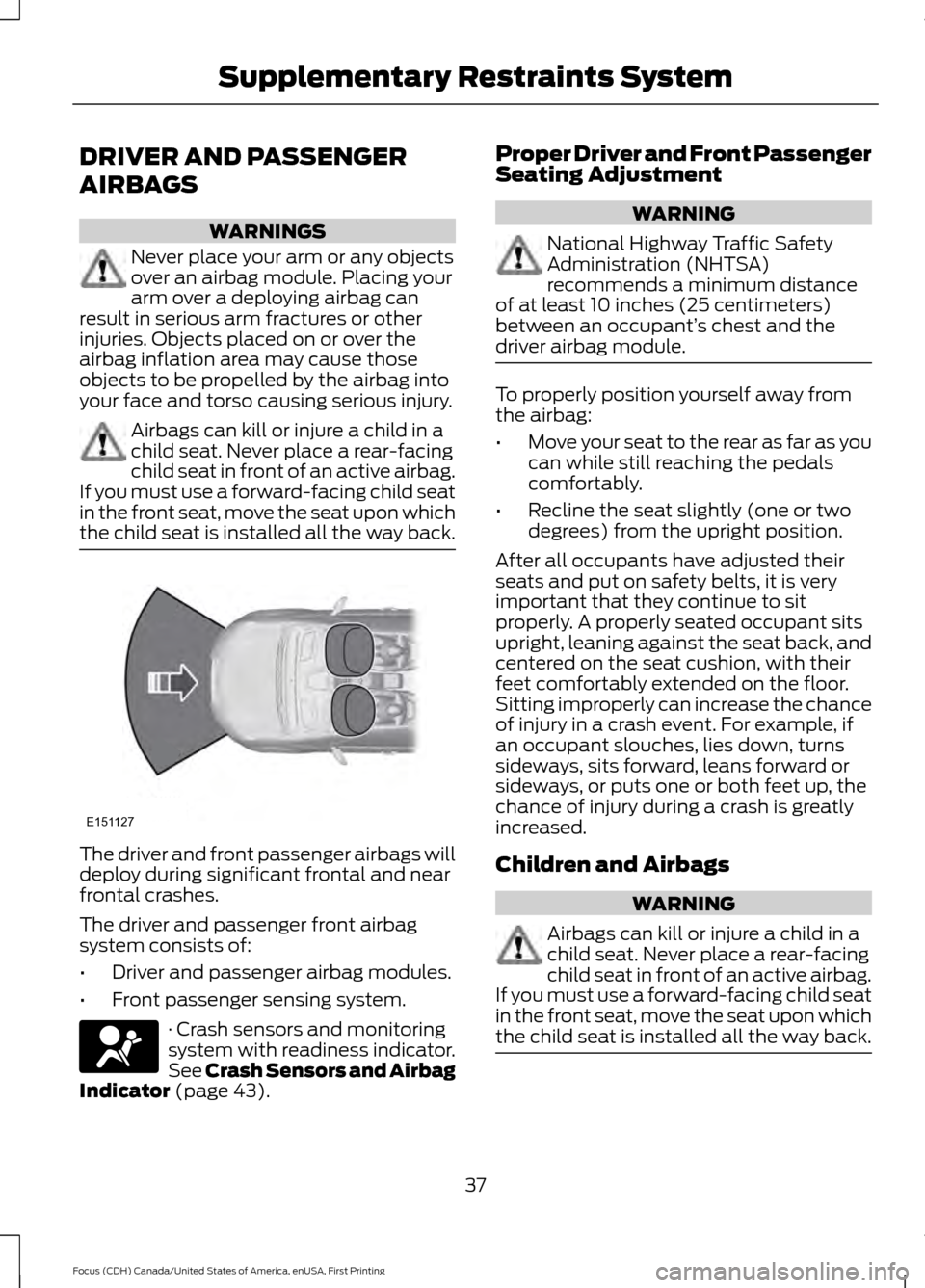
the child seat is installed all the way back. The driver and front passenger airbags will
deploy during significant frontal and near
frontal crashes.
The driver and passenger front airbag
system consists of:
•
Driver and passenger airbag modules.
• Front passenger sensing system. · Crash sensors and monitoring
system with readiness indicator.
See Crash Sensors and Airbag
Indicator (page 43). Proper Driver and Front Passenger
Seating Adjustment WARNING
National Highway Traffic Safety
Administration (NHTSA)
recommends a minimum distance
of at least 10 inches (25 centimeters)
between an occupant’ s chest and the
driver airbag module. To properly position yourself away from
the airbag:
•
Move your seat to the rear as far as you
can while still reaching the pedals
comfortably.
• Recline the seat slightly (one or two
degrees) from the upright position.
After all occupants have adjusted their
seats and put on safety belts, it is very
important that they continue to sit
properly. A properly seated occupant sits
upright, leaning against the seat back, and
centered on the seat cushion, with their
feet comfortably extended on the floor.
Sitting improperly can increase the chance
of injury in a crash event. For example, if
an occupant slouches, lies down, turns
sideways, sits forward, leans forward or
sideways, or puts one or both feet up, the
chance of injury during a crash is greatly
increased.
Children and Airbags WARNING
Airbags can kill or injure a child in a
child seat. Never place a rear-facing
child seat in front of an active airbag.
If you must use a forward-facing child seat
in the front seat, move the seat upon which
the child seat is installed all the way back. 37
Focus (CDH) Canada/United States of America, enUSA, First Printing Supplementary Restraints SystemE151127
Page 48 of 385
GENERAL INFORMATION ON
RADIO FREQUENCIES
This device complies with Part 15 of the
FCC Rules and with Industry Canada
license-exempt RSS standard(s).
Operation is subject to the following two
conditions: (1) This device may not cause
harmful interference, and (2) This device
must accept any interference received,
including interference that may cause
undesired operation.
Note:
Changes or modifications not
expressively approved by the party
responsible for compliance could void the
user's authority to operate the equipment.
The term IC before the radio certification
number only signifies that Industry Canada
technical specifications were met.
The typical operating range for your
transmitter is approximately 33 feet (10
meters). Vehicles with the remote start
feature will have a greater range. One of
the following could cause a decrease in
operating range:
• weather conditions
• nearby radio towers
• structures around the vehicle
• other vehicles parked next to your
vehicle
The radio frequency used by your remote
control can also be used by other short
distance radio transmissions, for example
amateur radios, medical equipment,
wireless headphones, remote controls and
alarm systems. If the frequencies are
jammed, you will not be able to use your
remote control. You can lock and unlock
the doors with the key.
Note: Make sure to lock your vehicle before
leaving it unattended.
Note: If you are in range, the remote control
will operate if you press any button
unintentionally. Note:
The remote control contains sensitive
electrical components. Exposure to moisture
or impact may cause permanent damage.
REMOTE CONTROL - VEHICLES
WITH: INTEGRATED KEY
TRANSMITTER
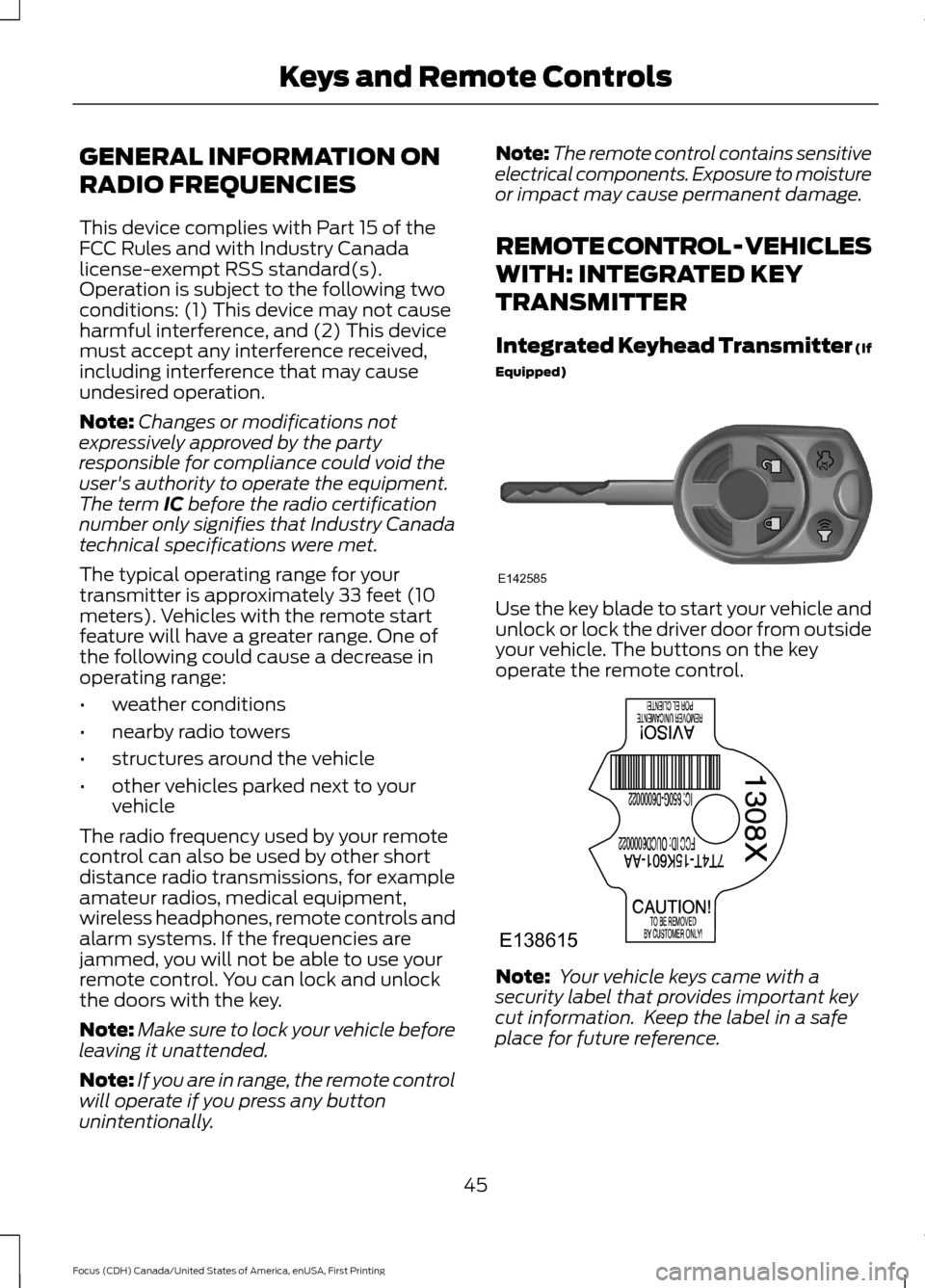
Integrated Keyhead Transmitter (If
Equipped) Use the key blade to start your vehicle and
unlock or lock the driver door from outside
your vehicle. The buttons on the key
operate the remote control.
Note:
Your vehicle keys came with a
security label that provides important key
cut information. Keep the label in a safe
place for future reference.
45
Focus (CDH) Canada/United States of America, enUSA, First Printing Keys and Remote ControlsE142585 E138615
Page 63 of 385
The locking sensors are on the front door
handles.
Touch the locking area on the front of the
door handle to lock your vehicle. There will
be a brief delay before you can unlock your
vehicle again.
Note:
Keep the door handle clean to make
sure the system operates correctly.
Note: Your vehicle does not automatically
lock. If you do not touch a locking sensor
your vehicle will remain unlocked.
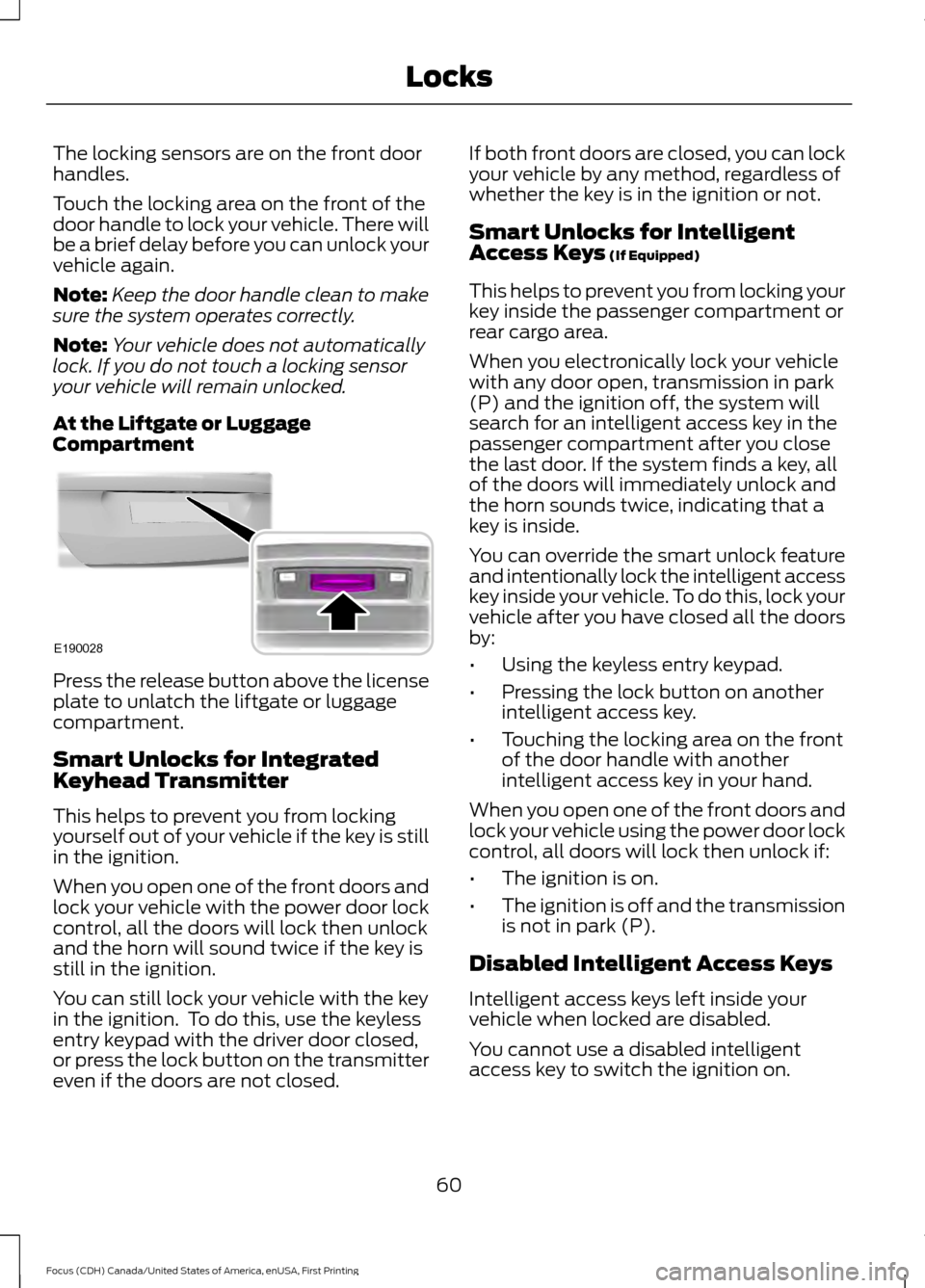
At the Liftgate or Luggage
Compartment Press the release button above the license
plate to unlatch the liftgate or luggage
compartment.
Smart Unlocks for Integrated
Keyhead Transmitter
This helps to prevent you from locking
yourself out of your vehicle if the key is still
in the ignition.
When you open one of the front doors and
lock your vehicle with the power door lock
control, all the doors will lock then unlock
and the horn will sound twice if the key is
still in the ignition.
You can still lock your vehicle with the key
in the ignition. To do this, use the keyless
entry keypad with the driver door closed,
or press the lock button on the transmitter
even if the doors are not closed. If both front doors are closed, you can lock
your vehicle by any method, regardless of
whether the key is in the ignition or not.
Smart Unlocks for Intelligent
Access Keys (If Equipped)
This helps to prevent you from locking your
key inside the passenger compartment or
rear cargo area.
When you electronically lock your vehicle
with any door open, transmission in park
(P) and the ignition off, the system will
search for an intelligent access key in the
passenger compartment after you close
the last door. If the system finds a key, all
of the doors will immediately unlock and
the horn sounds twice, indicating that a
key is inside.
You can override the smart unlock feature
and intentionally lock the intelligent access
key inside your vehicle. To do this, lock your
vehicle after you have closed all the doors
by:
• Using the keyless entry keypad.
• Pressing the lock button on another
intelligent access key.
• Touching the locking area on the front
of the door handle with another
intelligent access key in your hand.
When you open one of the front doors and
lock your vehicle using the power door lock
control, all doors will lock then unlock if:
• The ignition is on.
• The ignition is off and the transmission
is not in park (P).
Disabled Intelligent Access Keys
Intelligent access keys left inside your
vehicle when locked are disabled.
You cannot use a disabled intelligent
access key to switch the ignition on.
60
Focus (CDH) Canada/United States of America, enUSA, First Printing LocksE190028
Page 65 of 385
The lamps will not turn off if:
•
You switch them on with the lighting
control.
• Any door is open.
Illuminated Exit
For vehicles with an integrated keyhead
transmitter, the interior lamps and select
exterior lamps illuminate when you close
all the doors, you switch the ignition off
and you remove the key from the ignition.
The lamps will turn off if all the doors
remain closed and:
• 25 seconds have elapsed.
• You insert the key in the ignition
(integrated keyhead transmitter only).
• You press the START/STOP button
(intelligent access key only).
Battery Saver
If you leave the courtesy lamps, dome
lamps or headlamps on, the battery saver
will turn them off 10 minutes after you
switch the ignition off.
Accessory Mode Battery Saver for
Intelligent Access Keys (If Equipped)
If you leave the ignition switched on and
the engine is not running, the battery saver
will turn the ignition off when it detects a
certain amount of battery drain, or after
45 minutes have elapsed.
Opening the Liftgate or Luggage
Compartment
With the Remote Control Press twice within three seconds
to unlatch the liftgate or luggage
compartment. From Inside Your Vehicle Press the button on the lighting
control panel.
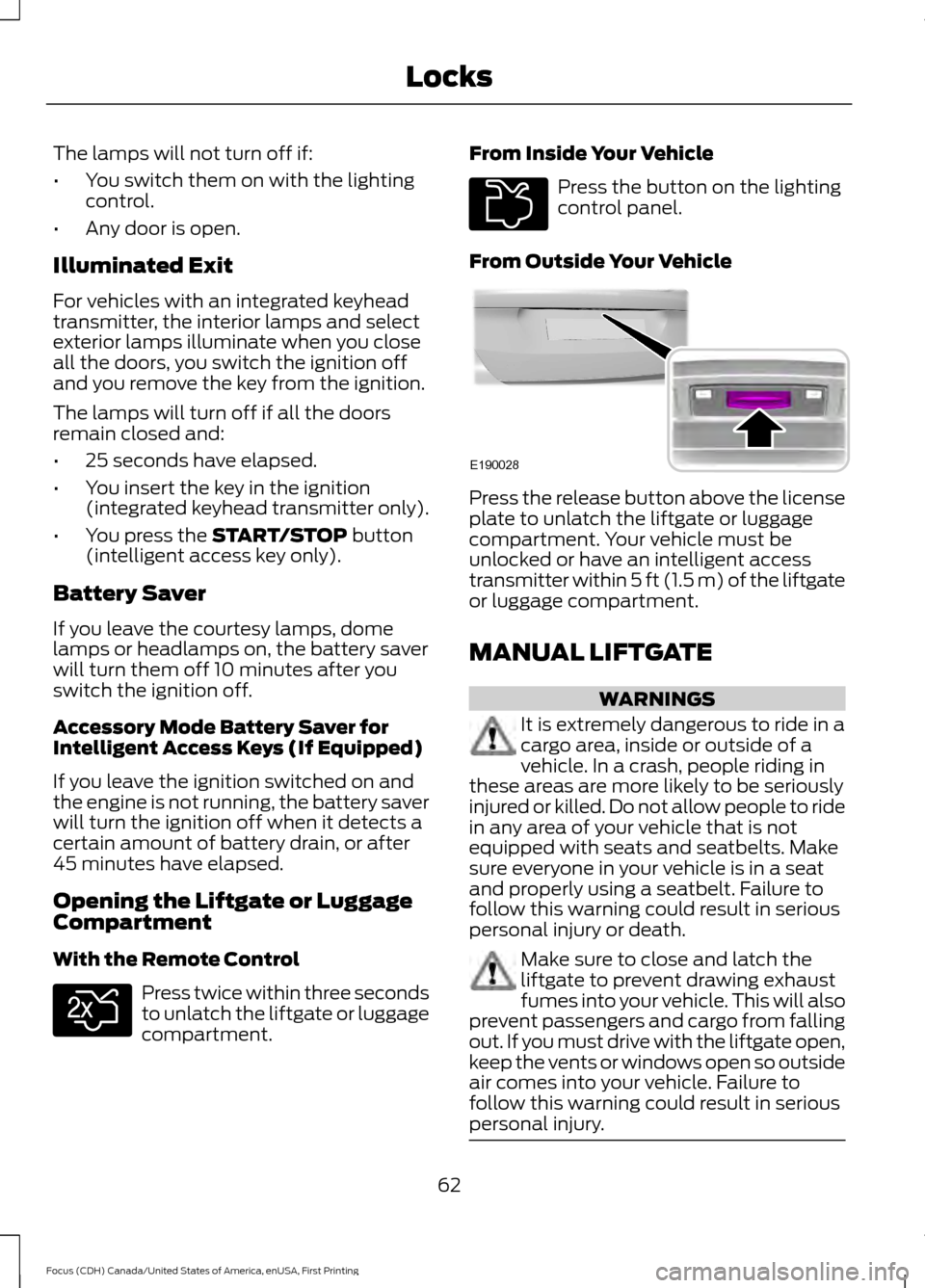
From Outside Your Vehicle Press the release button above the license
plate to unlatch the liftgate or luggage
compartment. Your vehicle must be
unlocked or have an intelligent access
transmitter within 5 ft (1.5 m) of the liftgate
or luggage compartment.
MANUAL LIFTGATE
WARNINGS
It is extremely dangerous to ride in a
cargo area, inside or outside of a
vehicle. In a crash, people riding in
these areas are more likely to be seriously
injured or killed. Do not allow people to ride
in any area of your vehicle that is not
equipped with seats and seatbelts. Make
sure everyone in your vehicle is in a seat
and properly using a seatbelt. Failure to
follow this warning could result in serious
personal injury or death. Make sure to close and latch the
liftgate to prevent drawing exhaust
fumes into your vehicle. This will also
prevent passengers and cargo from falling
out. If you must drive with the liftgate open,
keep the vents or windows open so outside
air comes into your vehicle. Failure to
follow this warning could result in serious
personal injury. 62
Focus (CDH) Canada/United States of America, enUSA, First Printing LocksE138630 E211694 E190028
Page 69 of 385
PASSIVE ANTI-THEFT
SYSTEM
Note:
The system is not compatible with
non-Ford aftermarket remote start systems.
Use of these systems may result in engine
starting problems and a loss of security
protection.
Note: Metallic objects, electronic devices
or a second coded key on the same key
chain may result in vehicle starting
problems, especially if they are too close to
the key when starting your vehicle. Prevent
these objects from touching the coded key
when starting your vehicle. If your vehicle
fails to start, switch the ignition off, move
all objects on the key chain away from the
key and start your vehicle.
Note: Do not leave a duplicate coded key
in your vehicle. Always take your keys and
lock all doors when leaving your vehicle.
SecuriLock
The system helps prevent the engine from
starting unless you use a coded key
programmed to your vehicle. A message
may appear in the information display.
If your vehicle fails to start, the system may
have a fault. Contact an authorized dealer.
A message may appear in the information
display.
Automatic Arming
The system arms when you switch the
ignition off.
Automatic Disarming
The system disarms when you switch the
ignition on with a coded key.
Replacement Keys
Note: Your vehicle comes with two keys. The intelligent access key functions as a
programmed key that operates the driver
door lock and turns on the intelligent
access with push button start system, as
well as a remote control.
If your intelligent access keys are lost or
stolen and you do not have an extra coded
key, you need to have your vehicle towed
to an authorized dealer. You need to erase
the key codes from your vehicle and
program new coded keys.
Store a spare intelligent access key away
from your vehicle in a safe place. Contact
an authorized dealer to purchase
additional spare or replacement keys.
Programming a Spare Integrated
Keyhead Transmitter
You can program your own integrated
keyhead transmitter or standard
SecuriLock coded keys to your vehicle. This
procedure will program both the vehicle
immobilizer keycode and the remote entry
portion of the remote control to your
vehicle.
Only use integrated keyhead transmitters
or standard SecuriLock keys.
You must have two previously
programmed coded keys and the new
unprogrammed key readily accessible.
Contact an authorized dealer to have the
spare key programmed if two previously
programmed keys are not available.
Make sure that the ignition is switched off
before beginning this procedure. Carry out
all steps within 30 seconds of starting the
sequence. Stop and wait for at least one
minute before starting again if you carry
out any steps out of sequence.
Note:
You can program a maximum of eight
coded keys to your vehicle. All eight can be
integrated keyhead transmitters.
Read and understand the entire procedure
before you begin.
66
Focus (CDH) Canada/United States of America, enUSA, First Printing Security
Page 80 of 385
4.
The lighting control is in the autolamps
position.
5. The headlamps are off.
The other lighting control switch positions
do not activate the daytime running lamps,
and you can use them to temporarily
override autolamp control.
When switched off in the information
display, the daytime running lamps are off
in all lighting control switch positions.
AUTOMATIC HIGH BEAM
CONTROL (If Equipped)
The system automatically turns on the high
beams if it is dark enough and no other
traffic is present. When it detects the
headlights of an approaching vehicle, the
rear lamps of the preceding vehicle or
street lighting, the system turns off the high
beams before they distract other drivers.
The low beams remain on.
Note: If it appears that automatic high
beam is not functioning properly, check the
windshield in front of the camera for a
blockage. A clear view of the road is required
for proper system operation. Make sure that
authorized personnel repair any windshield
damage in the area of the camera's field of
view.
Note: If the system detects a blockage such
as bird droppings, bug splatter, snow or ice,
and you do not observe changes, the system
may go into low beam mode until you clear
the blockage. A message may also appear
in the information display noting the front
camera is blocked. Note:
Typical road dust, dirt and water
spots do not affect the performance of the
automatic high beam control. However, in
cold or inclement weather conditions, you
may notice a decrease in the availability of
the automatic high beam control, especially
at start up. If you want to change the beam
state independently of the system, you may
switch the high beams on or off using the
lighting control switch. Automatic high
beam control resumes when conditions are
correct.
Note: Modification of your vehicle ride
height such as using much larger tires, may
degrade feature performance.
A camera sensor, centrally mounted
behind the windshield of your vehicle,
continuously monitors conditions to decide
when to switch the high beams off and on.
Once the system is active, the high beams
switch on if:
• The ambient light level is low enough.
• There is no traffic in front of the vehicle.
• The vehicle speed is greater than
31 mph (50 km/h)
.
The high beams switch off if:
• The system detects the headlamps of
an approaching vehicle or the rear
lamps of a preceding vehicle.
• Vehicle speed falls below
26 mph
(42 km/h).
• The ambient light level is high enough
that high beams are not required.
• The system detects severe rain, snow
or fog.
• The camera is blocked.
Activating the System
Switch on the system in the information
display and switch the lighting control to
the autolamps position. See Information
Displays
(page 91). See Autolamps
(page 75).
77
Focus (CDH) Canada/United States of America, enUSA, First Printing Lighting
Page 86 of 385
Fold-Away Exterior Mirrors
Push the mirror toward the door window
glass. Make sure that you fully engage the
mirror in its support when returning it to its
original position.
Heated Exterior Mirrors (If Equipped)
See Heated Windows and Mirrors (page
108
).
Integrated Blind Spot Mirrors
(If
Equipped) WARNING
Objects in the blind spot mirror are
closer than they appear.
Blind spot mirrors have an integrated
convex mirror built into the upper outboard
corner of the exterior mirrors. They are
designed to increase your visibility along
the side of your vehicle.
Check the main mirror first before a lane
change, then check the blind spot mirror.
If no vehicles are present in the blind spot
mirror and the traffic in the adjacent lane
is at a safe distance, signal that you intend
to change lanes. Glance over your shoulder
to verify traffic is clear and carefully
change lanes.
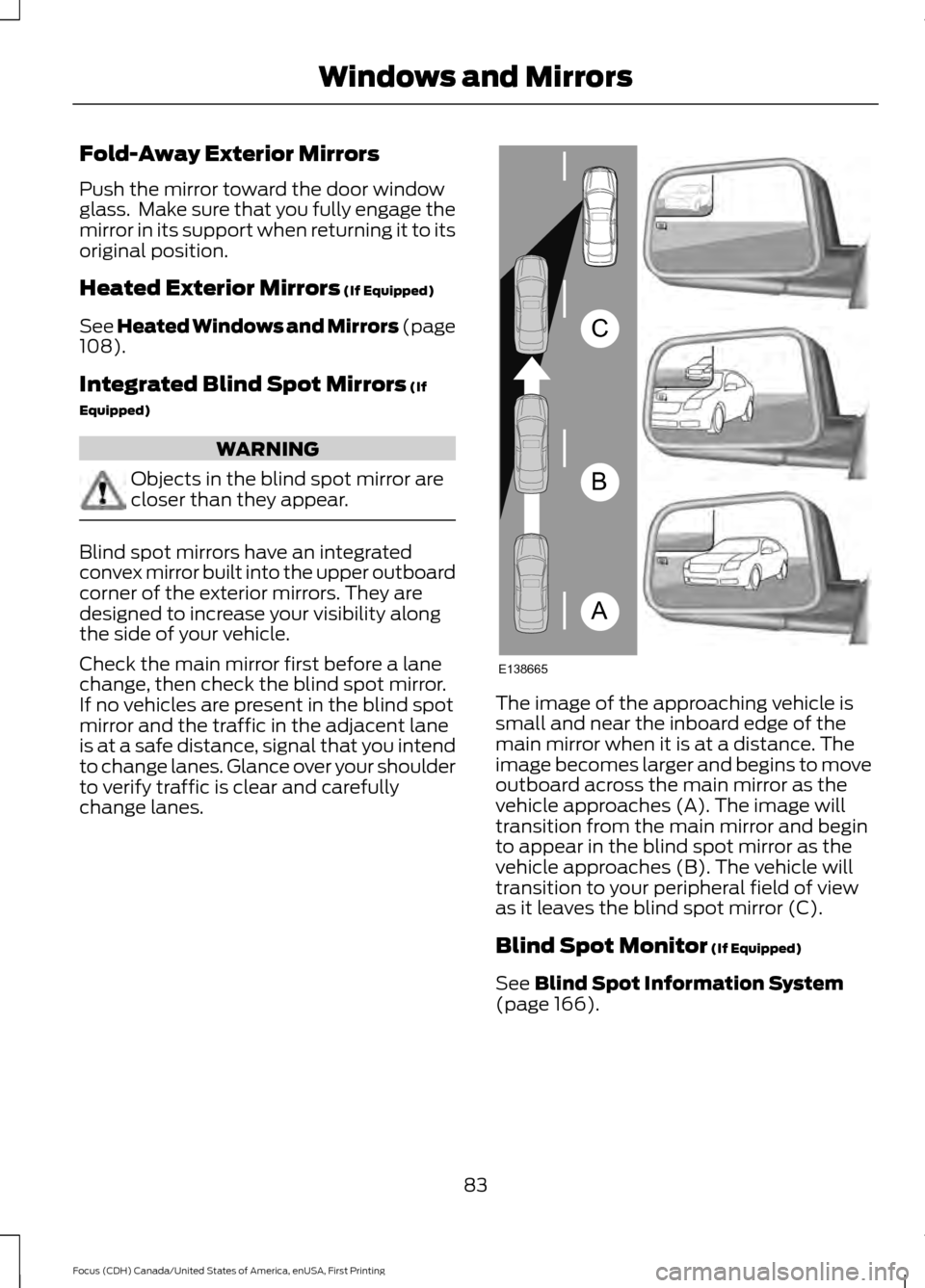
The image of the approaching vehicle is
small and near the inboard edge of the
main mirror when it is at a distance. The
image becomes larger and begins to move
outboard across the main mirror as the
vehicle approaches (A). The image will
transition from the main mirror and begin
to appear in the blind spot mirror as the
vehicle approaches (B). The vehicle will
transition to your peripheral field of view
as it leaves the blind spot mirror (C).
Blind Spot Monitor
(If Equipped)
See
Blind Spot Information System
(page 166).
83
Focus (CDH) Canada/United States of America, enUSA, First Printing Windows and MirrorsA
B
C
E138665