instrument cluster FORD FOCUS 2017 3.G User Guide
[x] Cancel search | Manufacturer: FORD, Model Year: 2017, Model line: FOCUS, Model: FORD FOCUS 2017 3.GPages: 467, PDF Size: 5.34 MB
Page 129 of 467
AUTO-START-STOP (If Equipped)
The system reduces fuel consumption and
CO2 emissions by shutting down the
engine when your vehicle is idling, for
example at traffic lights. WARNINGS
The engine may restart
automatically if required by the
system.
Switch the ignition off before
opening the hood or performing any
maintenance. Failure to do so may
result in serious injuries due to automatic
engine restart. Always switch the ignition off before
leaving your vehicle, as the system
may have turned the engine off, but
the ignition will still be on and automatic
restart may occur. Note:
The Auto-Start-Stop indicator
illuminates green when the engine shuts
down. See Warning Lamps and Indicators
(page 87). It flashes amber with a message
when the driver needs to shift to neutral or
press a pedal. See Information Messages
(page 95). If it illuminates grey, the system
is not available. Using Auto-Start-Stop with a
Manual Transmission
To Stop the Engine
1. Stop your vehicle.
2. Shift into neutral.
3. Release the clutch and accelerator
pedal.
To Re-Start the Engine
Press the clutch pedal. Note:
To obtain maximum benefit from the
system, move the transmission selector
lever to neutral and release the clutch pedal
during any stop of longer than three
seconds.
Note: Auto-Start-Stop also comes with
stall recovery. If you fully press the clutch
pedal after stalling the engine, the engine
automatically restarts.
Using Auto-Start-Stop with an
Automatic Transmission
To Stop the Engine
1. Stop your vehicle in drive (D).
2. Release the accelerator pedal.
3. Maintain pressure on the brake pedal.
Note: If your vehicle is in an engine off
Auto-Start-Stop state and you move the
transmission to reverse (R) while the brake
pedal is not pressed, a message will appear
on your instrument cluster. Press the brake
pedal within 10 seconds or you will need to
shift to park (P). A manual restart will be
required.
Note: If the Shift to P, Restart Engine
message appears and the amber
Auto-Start-Stop indicator flashes,
automatic restart is not available. You must
restart your vehicle manually.
To Re-Start the Engine
Release the brake pedal or press the
accelerator pedal.
Limitations of Use
The system may not shut down the engine
under certain conditions, for example:
• Low engine operating temperature.
• To maintain the interior climate.
• The battery charge level is low.
• The outside temperature is too low or
too high.
126
Focus (CDH) Canada/United States of America, HM5J 19A321 AA enUSA, Edition date: 201608, First Printing Unique Driving Characteristics
Page 145 of 467
In order to prevent the engine from running
at too low an RPM, which may cause it to
stall, SelectShift still automatically makes
some downshifts if it has determined that
you have not downshifted in time.
Although SelectShift makes some
downshifts for you, it still allows you to
downshift at any time as long as the
SelectShift determines that damage will
not be caused to the engine from
over-revving.
Note:
Engine damage may occur if you
maintain excessive engine revving without
shifting.
SelectShift does not automatically upshift,
even if the engine is approaching the RPM
limit. It must be shifted manually by
pressing the + button.
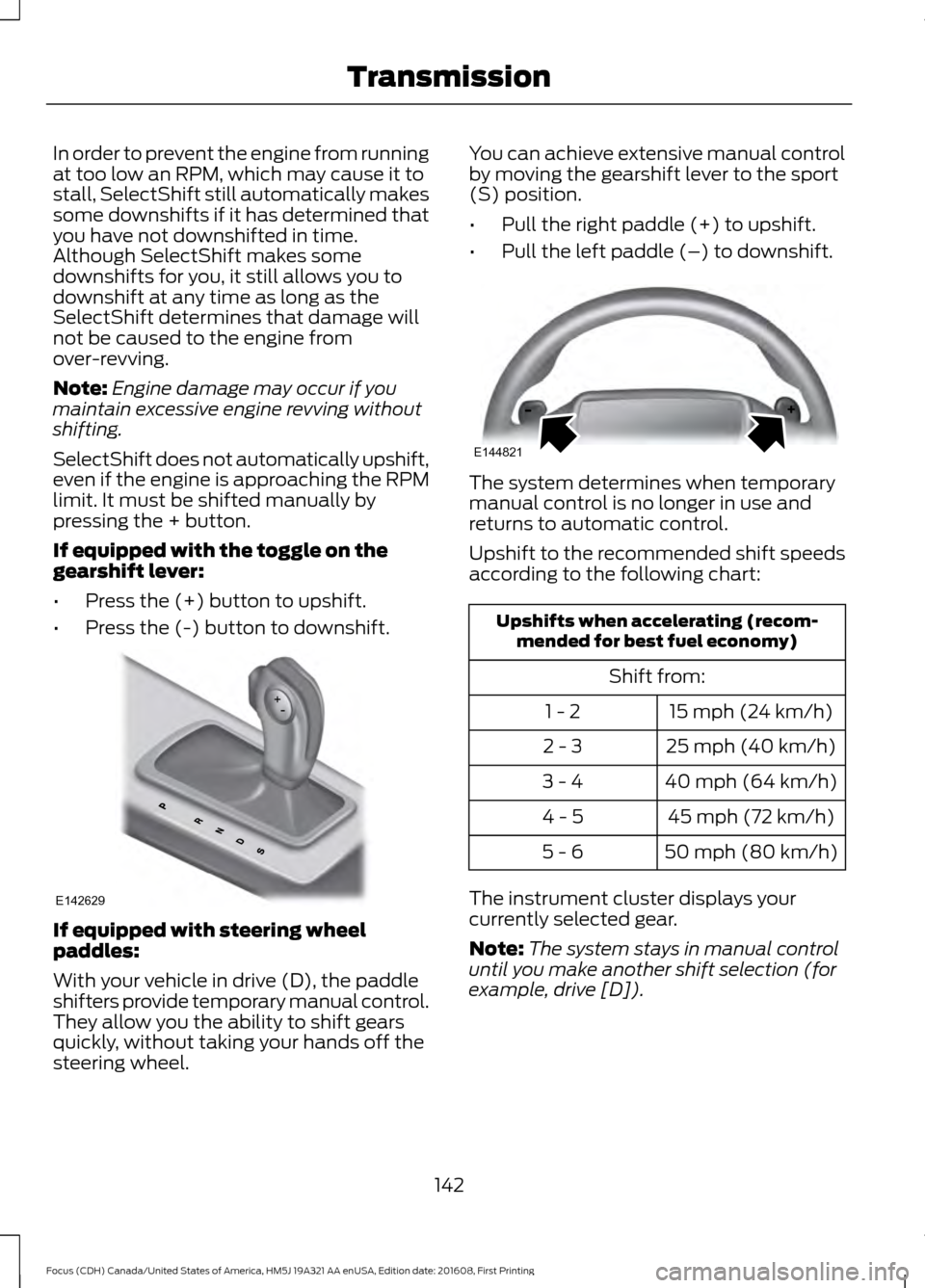
If equipped with the toggle on the
gearshift lever:
• Press the (+) button to upshift.
• Press the (-) button to downshift. If equipped with steering wheel
paddles:
With your vehicle in drive (D), the paddle
shifters provide temporary manual control.
They allow you the ability to shift gears
quickly, without taking your hands off the
steering wheel. You can achieve extensive manual control
by moving the gearshift lever to the sport
(S) position.
•
Pull the right paddle (+) to upshift.
• Pull the left paddle (–) to downshift. The system determines when temporary
manual control is no longer in use and
returns to automatic control.
Upshift to the recommended shift speeds
according to the following chart:
Upshifts when accelerating (recom-
mended for best fuel economy)
Shift from:15 mph (24 km/h)
1 - 2
25 mph (40 km/h)
2 - 3
40 mph (64 km/h)
3 - 4
45 mph (72 km/h)
4 - 5
50 mph (80 km/h)
5 - 6
The instrument cluster displays your
currently selected gear.
Note: The system stays in manual control
until you make another shift selection (for
example, drive [D]).
142
Focus (CDH) Canada/United States of America, HM5J 19A321 AA enUSA, Edition date: 201608, First Printing TransmissionE142629 E144821
Page 169 of 467
WARNINGS
If damage occurs in the immediate
area surrounding the sensor, have
your vehicle checked as soon as
possible. Note:
The system works above 40 mph
(64 km/h).
Note: The system works as long as the
camera can detect one lane marking.
Note: The system may not function if the
camera is blocked or there is damage to the
windshield.
Note: When Aid mode is on and the system
detects no steering activity for a short
period, the system will alert you to put your
hands on the steering wheel. The system
may detect a light grip or touch on the
steering wheel as hands off driving.
The system notifies you to stay in your lane
through the steering system and the
instrument cluster display when the front
camera detects an unintentional drift out
of your lane is likely to occur. The system
automatically detects and tracks the road
lane markings using a camera mounted
behind the interior rear view mirror.
Switching the System On and Off
Note: The system on or off setting is stored
until it is manually changed, unless a MyKey
is detected. If the system detects a MyKey
it defaults to on and the mode is set to Alert.
Note: If a MyKey is detected, pressing the
button will not affect the on or off status of
the system. Press the button on the steering
wheel stalk to switch the system
on or off. System Settings
The system has optional setting menus
available. The system stores the
last-known selection for each of these
settings. You do not need to readjust your
settings each time you turn on the system.
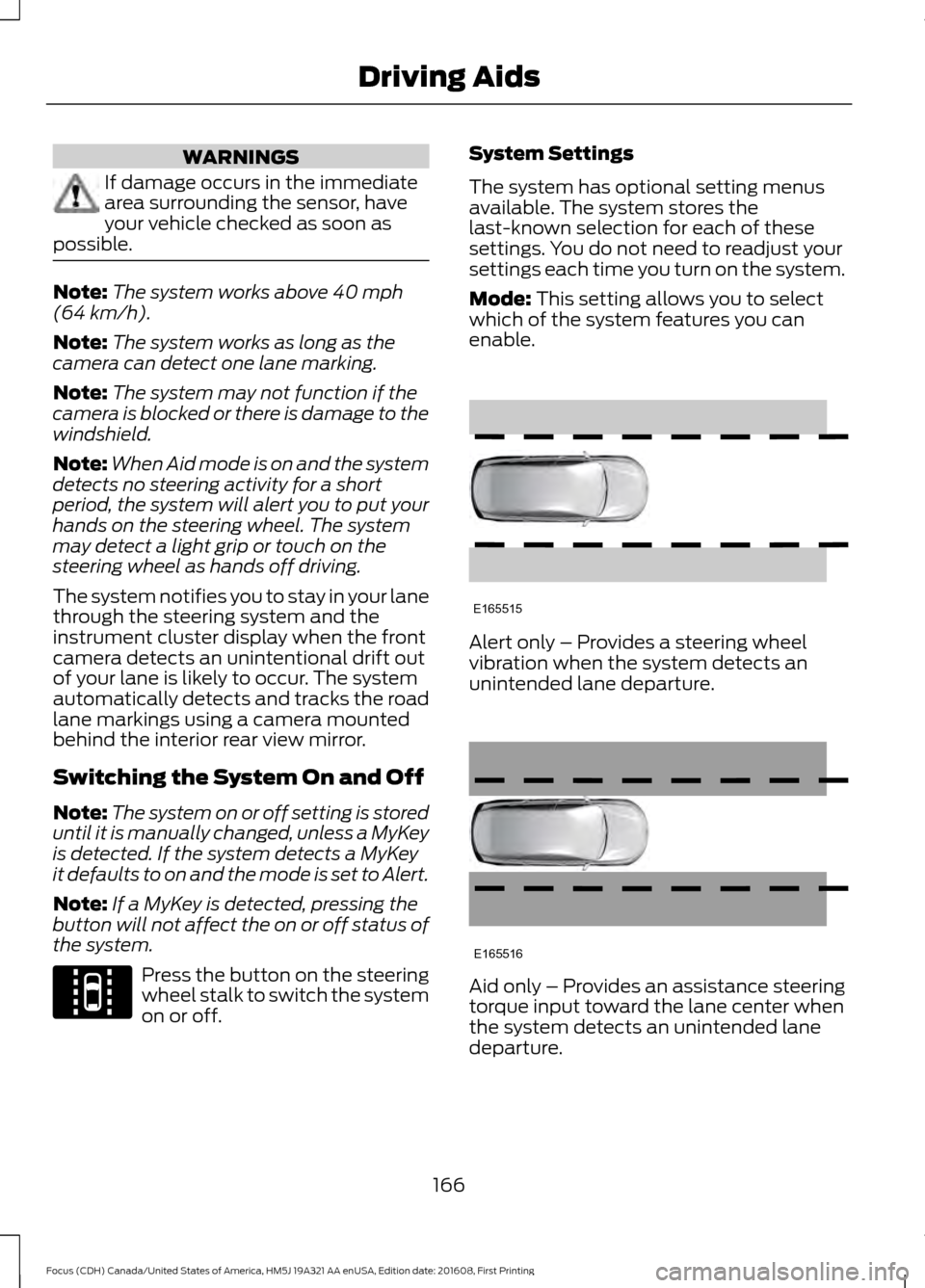
Mode: This setting allows you to select
which of the system features you can
enable. Alert only – Provides a steering wheel
vibration when the system detects an
unintended lane departure.
Aid only – Provides an assistance steering
torque input toward the lane center when
the system detects an unintended lane
departure.
166
Focus (CDH) Canada/United States of America, HM5J 19A321 AA enUSA, Edition date: 201608, First Printing Driving AidsE144813 E165515 E165516
Page 209 of 467
Circuits protected
Ampere
rating
Fuse
Interior lamps, driver's door switch pack, glove box,
ambient lighting, electric moonroof.
10A
F60
Front cigar lighter.
20A
F61
2nd row power point.
Not used (spare).
-
F62
Not used.
-
F63
Not used.
-
F64
Luggage compartment lid release.
10A
F65
Driver's door lock.
20A
F66
Information and entertainment display.
7.5A
F67 Global Positioning System.
SYNC module.
Not used.
-
F68
Instrument cluster.
5A
F69
Central locking.
20A
F70
Air conditioning.
7.5A
F71
Steering wheel control module.
7.5A
F72
Battery back-up sounder (alarm system).
7.5A
F73
Onboard diagnostics system.
Headlamp unit (main beam).
15A
F74
Front fog lamps.
15A
F75
Reversing lamp.
10A
F76
Washer pump.
20A
F77
Ignition switch or start button.
5A
F78
Audio unit, hazard and door lock buttons.
15A
F79
Electric moonroof.
20A
F80
Radio frequency receiver.
5A
F81
Washer pump ground.
20A
F82
206
Focus (CDH) Canada/United States of America, HM5J 19A321 AA enUSA, Edition date: 201608, First Printing Fuses
Page 244 of 467
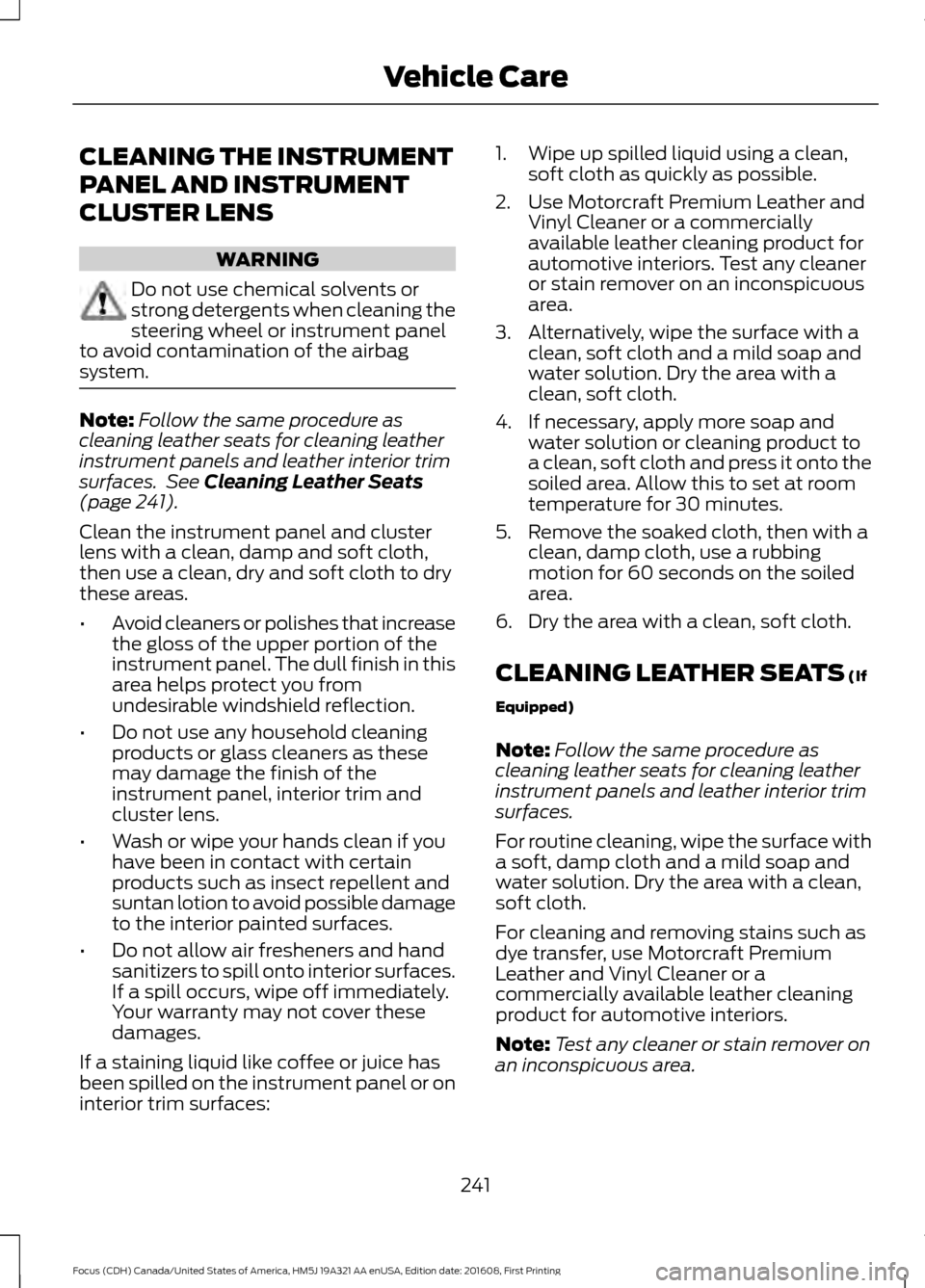
CLEANING THE INSTRUMENT
PANEL AND INSTRUMENT
CLUSTER LENS
WARNING
Do not use chemical solvents or
strong detergents when cleaning the
steering wheel or instrument panel
to avoid contamination of the airbag
system. Note:
Follow the same procedure as
cleaning leather seats for cleaning leather
instrument panels and leather interior trim
surfaces. See Cleaning Leather Seats
(page 241).
Clean the instrument panel and cluster
lens with a clean, damp and soft cloth,
then use a clean, dry and soft cloth to dry
these areas.
• Avoid cleaners or polishes that increase
the gloss of the upper portion of the
instrument panel. The dull finish in this
area helps protect you from
undesirable windshield reflection.
• Do not use any household cleaning
products or glass cleaners as these
may damage the finish of the
instrument panel, interior trim and
cluster lens.
• Wash or wipe your hands clean if you
have been in contact with certain
products such as insect repellent and
suntan lotion to avoid possible damage
to the interior painted surfaces.
• Do not allow air fresheners and hand
sanitizers to spill onto interior surfaces.
If a spill occurs, wipe off immediately.
Your warranty may not cover these
damages.
If a staining liquid like coffee or juice has
been spilled on the instrument panel or on
interior trim surfaces: 1. Wipe up spilled liquid using a clean,
soft cloth as quickly as possible.
2. Use Motorcraft Premium Leather and Vinyl Cleaner or a commercially
available leather cleaning product for
automotive interiors. Test any cleaner
or stain remover on an inconspicuous
area.
3. Alternatively, wipe the surface with a clean, soft cloth and a mild soap and
water solution. Dry the area with a
clean, soft cloth.
4. If necessary, apply more soap and water solution or cleaning product to
a clean, soft cloth and press it onto the
soiled area. Allow this to set at room
temperature for 30 minutes.
5. Remove the soaked cloth, then with a clean, damp cloth, use a rubbing
motion for 60 seconds on the soiled
area.
6. Dry the area with a clean, soft cloth.
CLEANING LEATHER SEATS
(If
Equipped)
Note: Follow the same procedure as
cleaning leather seats for cleaning leather
instrument panels and leather interior trim
surfaces.
For routine cleaning, wipe the surface with
a soft, damp cloth and a mild soap and
water solution. Dry the area with a clean,
soft cloth.
For cleaning and removing stains such as
dye transfer, use Motorcraft Premium
Leather and Vinyl Cleaner or a
commercially available leather cleaning
product for automotive interiors.
Note: Test any cleaner or stain remover on
an inconspicuous area.
241
Focus (CDH) Canada/United States of America, HM5J 19A321 AA enUSA, Edition date: 201608, First Printing Vehicle Care
Page 407 of 467
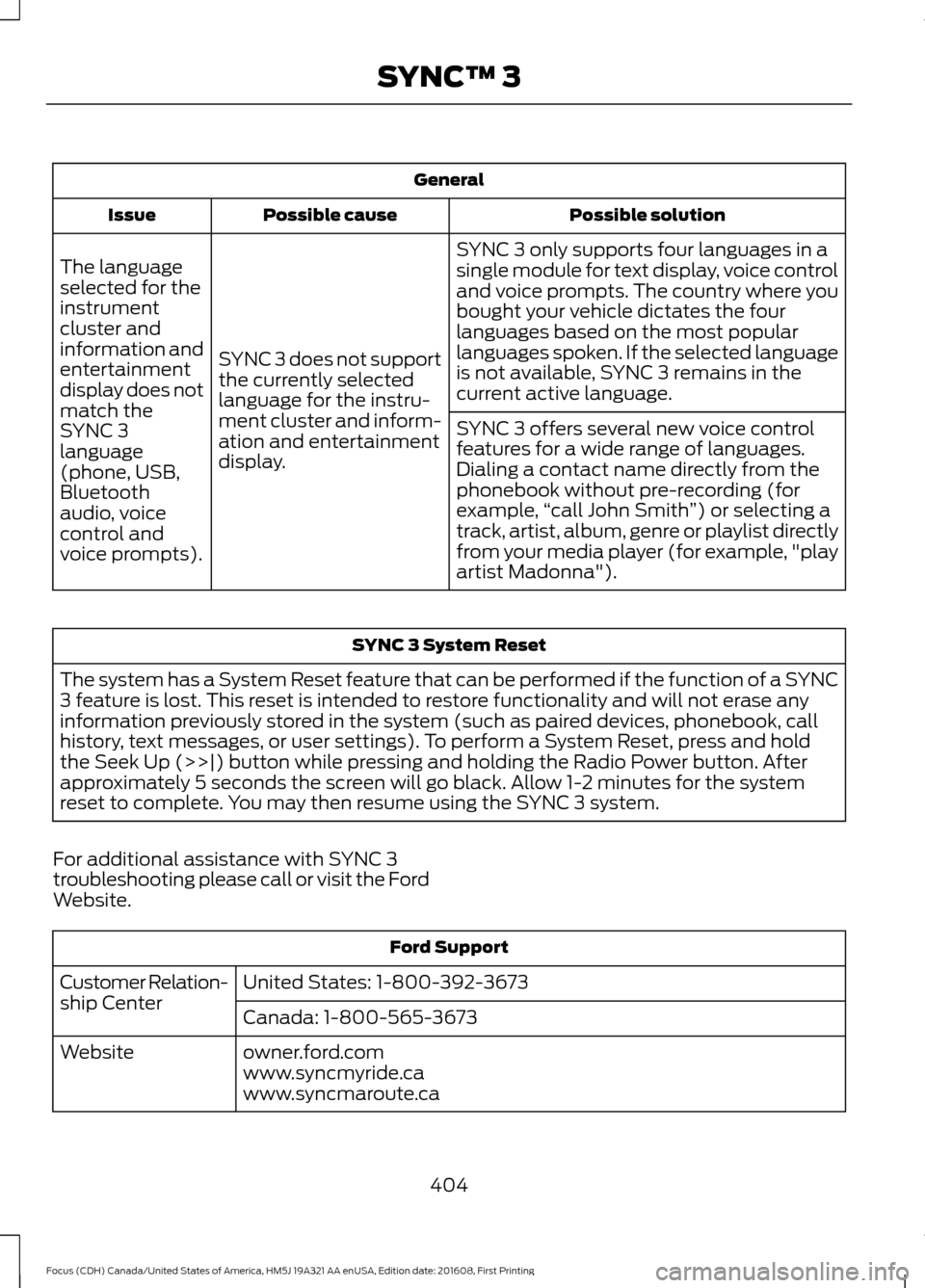
General
Possible solution
Possible cause
Issue
SYNC 3 only supports four languages in a
single module for text display, voice control
and voice prompts. The country where you
bought your vehicle dictates the four
languages based on the most popular
languages spoken. If the selected language
is not available, SYNC 3 remains in the
current active language.
SYNC 3 does not support
the currently selected
language for the instru-
ment cluster and inform-
ation and entertainment
display.
The language
selected for the
instrument
cluster and
information and
entertainment
display does not
match the
SYNC 3
SYNC 3 offers several new voice control
features for a wide range of languages.
Dialing a contact name directly from the
phonebook without pre-recording (for
example,
“call John Smith ”) or selecting a
track, artist, album, genre or playlist directly
from your media player (for example, "play
artist Madonna").
language
(phone, USB,
Bluetooth
audio, voice
control and
voice prompts). SYNC 3 System Reset
The system has a System Reset feature that can be performed if the function of a SYNC
3 feature is lost. This reset is intended to restore functionality and will not erase any
information previously stored in the system (such as paired devices, phonebook, call
history, text messages, or user settings). To perform a System Reset, press and hold
the Seek Up (>>|) button while pressing and holding the Radio Power button. After
approximately 5 seconds the screen will go black. Allow 1-2 minutes for the system
reset to complete. You may then resume using the SYNC 3 system.
For additional assistance with SYNC 3
troubleshooting please call or visit the Ford
Website. Ford Support
United States: 1-800-392-3673
Customer Relation-
ship Center
Canada: 1-800-565-3673
owner.ford.com
Website
www.syncmyride.ca
www.syncmaroute.ca
404
Focus (CDH) Canada/United States of America, HM5J 19A321 AA enUSA, Edition date: 201608, First Printing SYNC™ 3
Page 459 of 467
B
Battery
See: Changing the 12V Battery...................... 223
Blind Spot Information System..............169
Switching the System Off and On.................171
System Errors......................................................... 171
Using the System................................................ 170
Body Styling Kits..........................................244
Bonnet Lock See: Opening and Closing the Hood............212
Booster Seats..................................................24 Types of Booster Seats...................................... 24
Brake Fluid Check........................................222
Brakes...............................................................145 General Information.......................................... 145
Breaking-In.....................................................186
Bulb Specification Chart...........................233
C
Cabin Air Filter
...............................................108
California Proposition 65..............................11
Capacities and Specifications - 1.0L EcoBoost™..................................................275
Alternative Engine Oil for Extremely Cold Climates............................................................ 277
Capacities............................................................. 275
Specifications...................................................... 275
Capacities and Specifications - 2.0L.................................................................278
Alternative Engine Oil for Extremely Cold Climates............................................................ 281
Capacities............................................................. 278
Specifications...................................................... 279
Capacities and Specifications................269
Car Wash See: Cleaning the Exterior.............................. 238
Catalytic Converter
......................................132
Driving with a Catalytic Converter................132
Center Console
................................................117
Changing a Bulb...........................................228 Front Fog Lamp.................................................. 230
Headlamp
............................................................. 228
LED Rear Lamps................................................. 233
Rear Lamps - 4 Door.......................................... 231
Rear Lamps - 5 Door......................................... 232Replacing Licence Plate and High Mounted
Brake Lamp Bulbs......................................... 233
Changing a Fuse...........................................210 Fuses....................................................................... 210
Changing a Road Wheel...........................264 Dissimilar Spare Wheel and Tire Assembly
Information..................................................... 264
Tire Change Procedure.................................... 265
Changing the 12V Battery.........................223
Changing the Engine Air Filter.................235
Changing the Front Wiper Blades
.........224
Changing the Windshield Wiper
Blades................................................................ 225
Service Position.................................................. 225
Changing the Rear Wiper Blades...........225
Checking MyKey System Status
...............57
MyKey Distance..................................................... 57
Number of Admin Keys....................................... 57
Number of MyKeys............................................... 57
Checking the Wiper Blades......................224
Child Restraint and Seatbelt Maintenance.................................................35
Child Restraint Positioning
.........................26
Child Safety.......................................................16 General Information............................................. 16
Child Safety Locks..........................................27 Left-Hand Side..................................................... 28
Right-Hand Side................................................... 28
Cleaning Leather Seats..............................241
Cleaning Products
........................................237
Cleaning the Engine....................................239
Cleaning the Exterior..................................238 Exterior Chrome Parts...................................... 238
Exterior Plastic Parts........................................ 238
Stripes or Graphics............................................ 238
Underbody........................................................... 239
Under Hood......................................................... 239
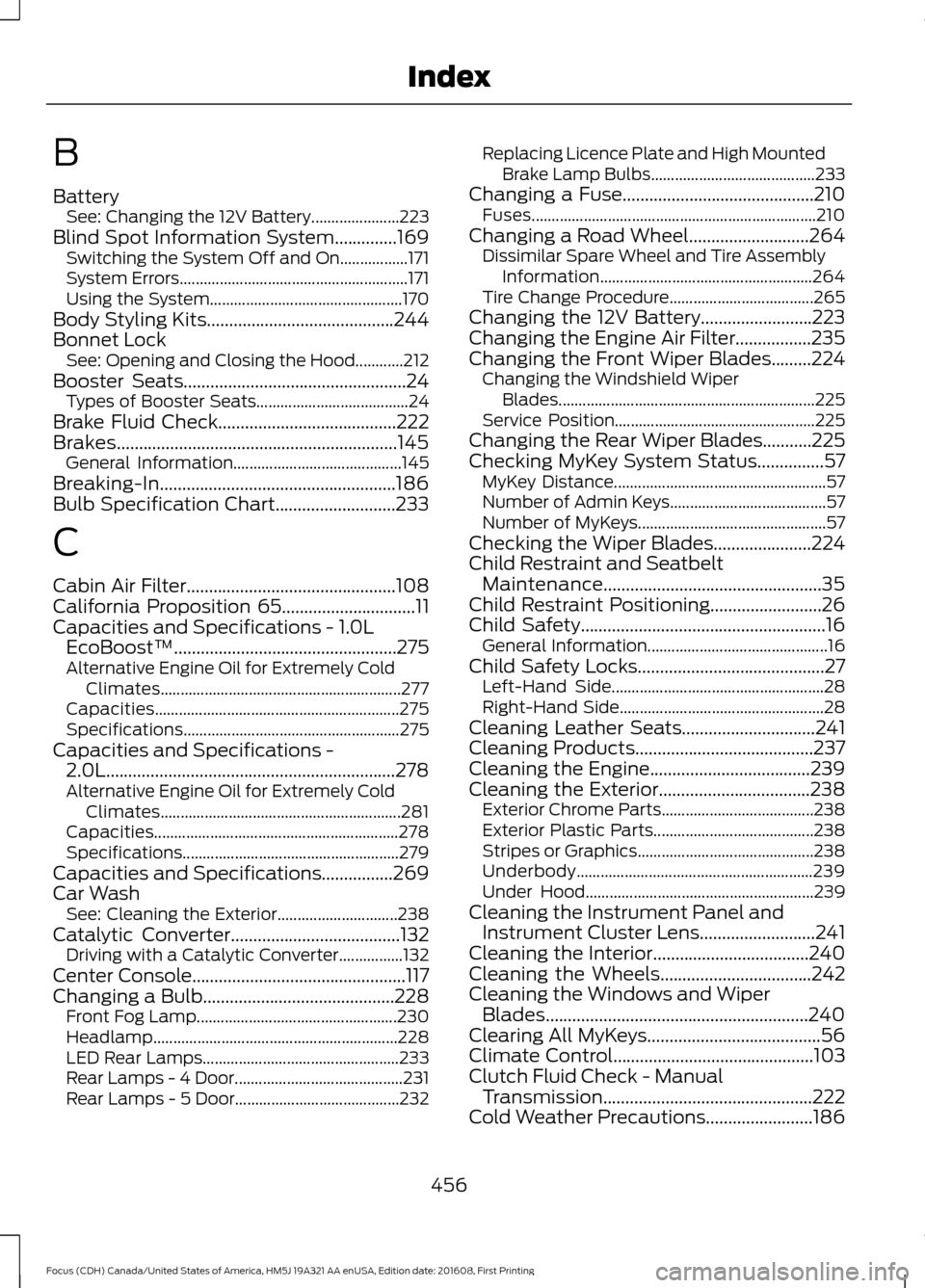
Cleaning the Instrument Panel and Instrument Cluster Lens..........................241
Cleaning the Interior
...................................240
Cleaning the Wheels..................................242
Cleaning the Windows and Wiper Blades...........................................................240
Clearing All MyKeys
.......................................56
Climate Control.............................................103
Clutch Fluid Check - Manual Transmission...............................................222
Cold Weather Precautions
........................186
456
Focus (CDH) Canada/United States of America, HM5J 19A321 AA enUSA, Edition date: 201608, First Printing Index
Page 462 of 467
Hill Start Assist..............................................146
Switching the System On and Off................147
Using Hill Start Assist........................................ 147
Hints on Controlling the Interior Climate..........................................................106
Cooling the Interior Quickly............................. 107
General Hints....................................................... 106
Heating the Interior Quickly............................ 106
Recommended Settings for Cooling ..........107
Recommended Settings for Heating..........107
Side Window Defogging in Cold Weather............................................................ 108
Hints on Driving With Anti-Lock Brakes............................................................145
Home Screen.................................................347
Hood Lock See: Opening and Closing the Hood............212
I
Ignition Switch................................................118
In California (U.S. Only).............................195
Information Display Control........................71
Information Displays
......................................91
General Information............................................. 91
Information Messages
.................................95
Installing Child Restraints.............................17 Child Seats............................................................... 17
Using Lap and Shoulder Belts.......................... 18
Using Lower Anchors and Tethers for Children (LATCH)............................................ 20
Using Tether Straps............................................. 22
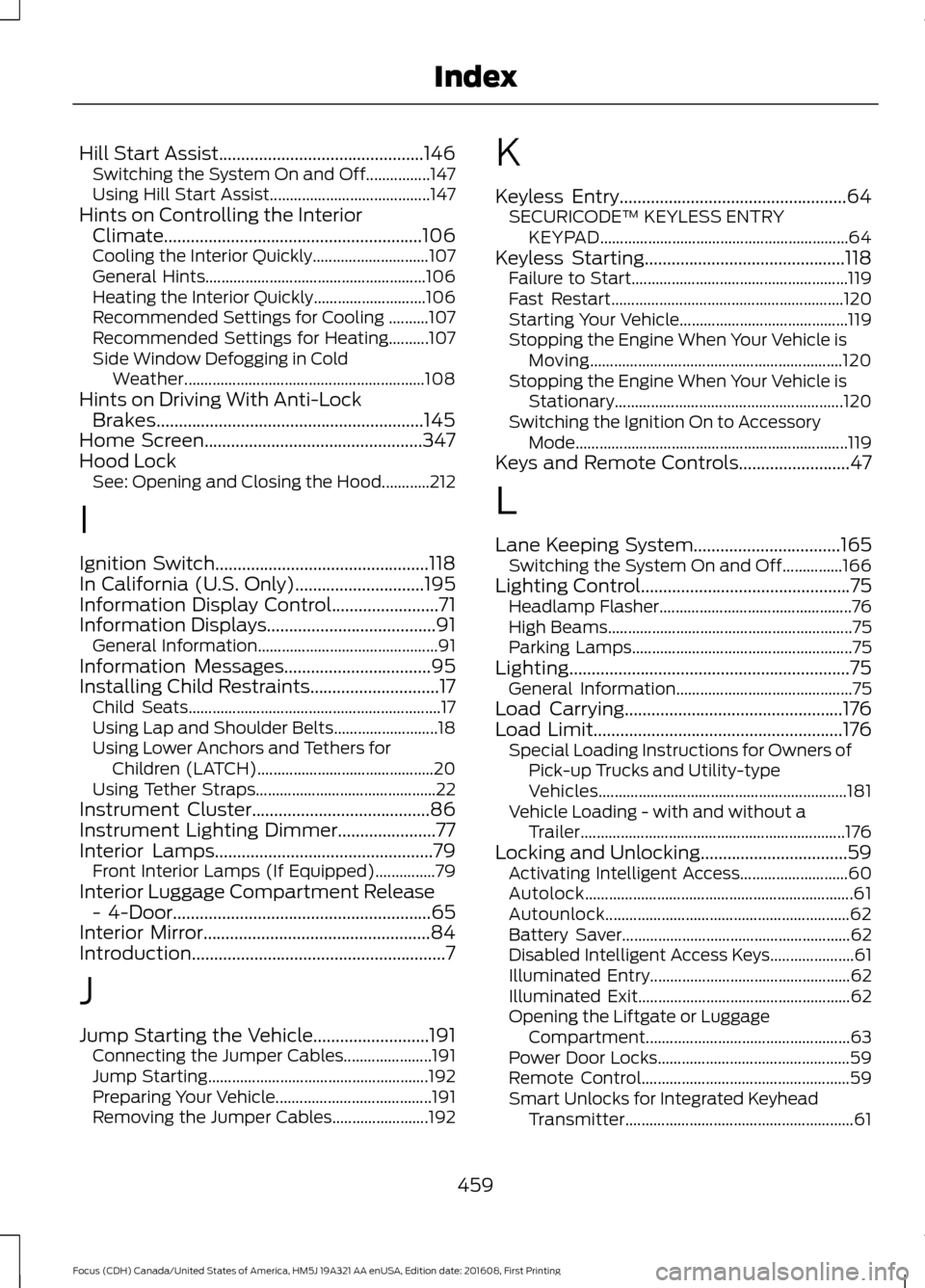
Instrument Cluster
........................................86
Instrument Lighting Dimmer......................77
Interior Lamps
.................................................79
Front Interior Lamps (If Equipped)...............79
Interior Luggage Compartment Release - 4-Door..........................................................65
Interior Mirror...................................................84
Introduction.........................................................7
J
Jump Starting the Vehicle..........................191 Connecting the Jumper Cables...................... 191
Jump Starting....................................................... 192
Preparing Your Vehicle....................................... 191
Removing the Jumper Cables........................ 192K
Keyless Entry
...................................................64
SECURICODE™ KEYLESS ENTRY
KEYPAD.............................................................. 64
Keyless Starting.............................................118 Failure to Start...................................................... 119
Fast Restart.......................................................... 120
Starting Your Vehicle.......................................... 119
Stopping the Engine When Your Vehicle is Moving............................................................... 120
Stopping the Engine When Your Vehicle is Stationary......................................................... 120
Switching the Ignition On to Accessory Mode.................................................................... 119
Keys and Remote Controls.........................47
L
Lane Keeping System
.................................165
Switching the System On and Off...............166
Lighting Control
...............................................75
Headlamp Flasher................................................ 76
High Beams............................................................. 75
Parking Lamps....................................................... 75
Lighting...............................................................75 General Information............................................ 75
Load Carrying
.................................................176
Load Limit........................................................176 Special Loading Instructions for Owners of
Pick-up Trucks and Utility-type
Vehicles.............................................................. 181
Vehicle Loading - with and without a Trailer.................................................................. 176
Locking and Unlocking.................................59 Activating Intelligent Access........................... 60
Autolock................................................................... 61
Autounlock............................................................. 62
Battery Saver......................................................... 62
Disabled Intelligent Access Keys..................... 61
Illuminated Entry.................................................. 62
Illuminated Exit..................................................... 62
Opening the Liftgate or Luggage Compartment................................................... 63
Power Door Locks................................................ 59
Remote Control.................................................... 59
Smart Unlocks for Integrated Keyhead Transmitter......................................................... 61
459
Focus (CDH) Canada/United States of America, HM5J 19A321 AA enUSA, Edition date: 201608, First Printing Index