instrument cluster FORD FOCUS 2018 User Guide
[x] Cancel search | Manufacturer: FORD, Model Year: 2018, Model line: FOCUS, Model: FORD FOCUS 2018Pages: 473, PDF Size: 39.91 MB
Page 130 of 473
AUTO-START-STOP (If Equipped)
The system reduces fuel consumption andCO2 emissions by shutting down theengine when your vehicle is idling, forexample at traffic lights.
WARNINGS
Always fully apply the parking brake.Make sure you shift into park (P) forvehicles with an automatictransmission. Switch the ignition off andremove the key whenever you leave yourvehicle.
Before opening the hood orperforming any maintenance, fullyapply the parking brake, shift intopark (P) or neutral (N) and switch theignition off.
Always switch the ignition off beforeleaving the vehicle. If the ignition isswitched on an automatic restartmay occur at any time.
The system may require the engineto automatically restart when theauto-start-stop indicator illuminatesgreen or flashes amber. Failure to followthis instruction could result in personalinjury.
Note:The Auto-Start-Stop indicatorilluminates green when the engine shutsdown. See Warning Lamps and Indicators(page 87). It flashes amber with a messagewhen the driver needs to shift to neutral orpress a pedal. See Information Messages(page 96). If it illuminates grey, the systemis not available.
Using Auto-Start-Stop with aManual Transmission
To Stop the Engine
1.Stop your vehicle.
2.Shift into neutral.
3.Release the clutch and acceleratorpedal.
To Re-Start the Engine
Press the clutch pedal
Note:To obtain maximum benefit from thesystem, move the transmission selectorlever to neutral and release the clutch pedalduring any stop of longer than threeseconds.
Note:Auto-Start-Stop also comes withstall recovery. If you fully press the clutchpedal after stalling the engine, the engineautomatically restarts.
Using Auto-Start-Stop with anAutomatic Transmission
To Stop the Engine
1.Stop your vehicle in drive (D).
2.Release the accelerator pedal.
3.Maintain pressure on the brake pedal.
Note:If your vehicle is in an engine offAuto-Start-Stop state and you move thetransmission to reverse (R) while the brakepedal is not pressed, a message will appearon your instrument cluster. Press the brakepedal within 60 seconds or you will need toshift to park (P). A manual restart will berequired.
Note:If the Shift to P, Restart Enginemessage appears and the amberAuto-Start-Stop indicator flashes,automatic restart is not available. You mustrestart your vehicle manually.
1272018 Focus (CDH) Canada/United States of America, JM5J 19A321 AA enUSA, Edition date: 201706, Second PrintingUnique Driving Characteristics
Page 147 of 473
In order to prevent the engine from runningat too low an RPM, which may cause it tostall, SelectShift still automatically makessome downshifts if it has determined thatyou have not downshifted in time.Although SelectShift makes somedownshifts for you, it still allows you todownshift at any time as long as theSelectShift determines that damage willnot be caused to the engine fromover-revving.
Note:Engine damage may occur if youmaintain excessive engine revving withoutshifting.
SelectShift does not automatically upshift,even if the engine is approaching the RPMlimit. It must be shifted manually bypressing the + button.
If equipped with the toggle on thegearshift lever:
•Press the (+) button to upshift.
•Press the (-) button to downshift.
If equipped with steering wheelpaddles:
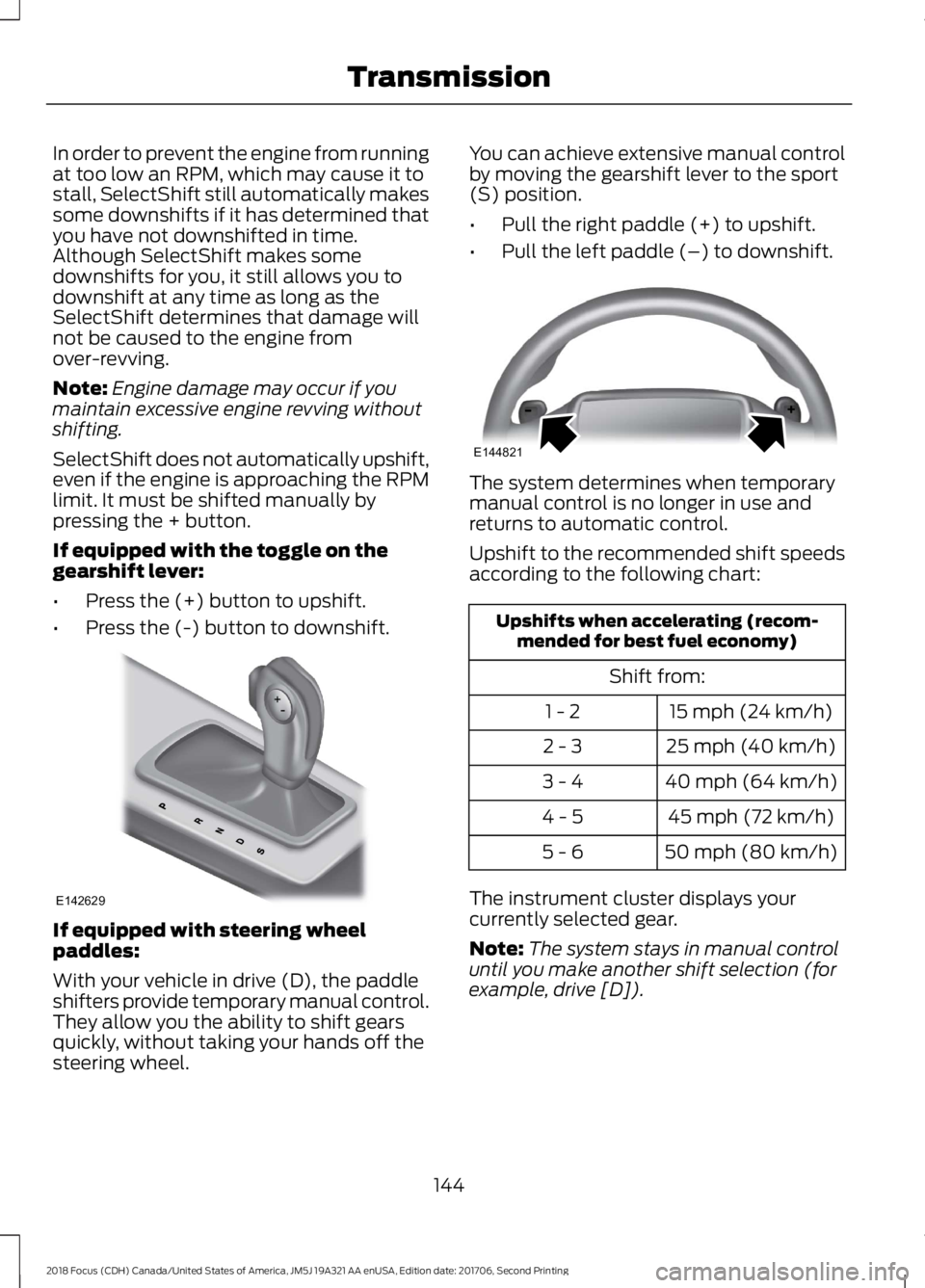
With your vehicle in drive (D), the paddleshifters provide temporary manual control.They allow you the ability to shift gearsquickly, without taking your hands off thesteering wheel.
You can achieve extensive manual controlby moving the gearshift lever to the sport(S) position.
•Pull the right paddle (+) to upshift.
•Pull the left paddle (–) to downshift.
The system determines when temporarymanual control is no longer in use andreturns to automatic control.
Upshift to the recommended shift speedsaccording to the following chart:
Upshifts when accelerating (recom-mended for best fuel economy)
Shift from:
15 mph (24 km/h)1 - 2
25 mph (40 km/h)2 - 3
40 mph (64 km/h)3 - 4
45 mph (72 km/h)4 - 5
50 mph (80 km/h)5 - 6
The instrument cluster displays yourcurrently selected gear.
Note:The system stays in manual controluntil you make another shift selection (forexample, drive [D]).
1442018 Focus (CDH) Canada/United States of America, JM5J 19A321 AA enUSA, Edition date: 201706, Second PrintingTransmissionE142629 E144821
Page 169 of 473
WARNINGS
If damage occurs in the immediatearea surrounding the sensor, haveyour vehicle checked as soon aspossible.
The sensor is located near the rear viewmirror.
Note:The system works above 40 mph(64 km/h).
Note:The system works as long as thecamera can detect one lane marking.
Note:The system may not function if thecamera is blocked or there is damage to thewindshield.
Note:When Aid mode is on and the systemdetects no steering activity for a shortperiod, the system will alert you to put yourhands on the steering wheel. The systemmay detect a light grip or touch on thesteering wheel as hands off driving.
The system notifies you to stay in your lanethrough the steering system and theinstrument cluster display when the frontcamera detects an unintentional drift outof your lane is likely to occur. The systemautomatically detects and tracks the roadlane markings using a camera mountedbehind the interior rear view mirror.
Switching the System On and Off
Note:The system on or off setting is storeduntil it is manually changed, unless a MyKeyis detected. If the system detects a MyKeyit defaults to on and the mode is set to Alert.
Note:If a MyKey is detected, pressing thebutton will not affect the on or off status ofthe system.
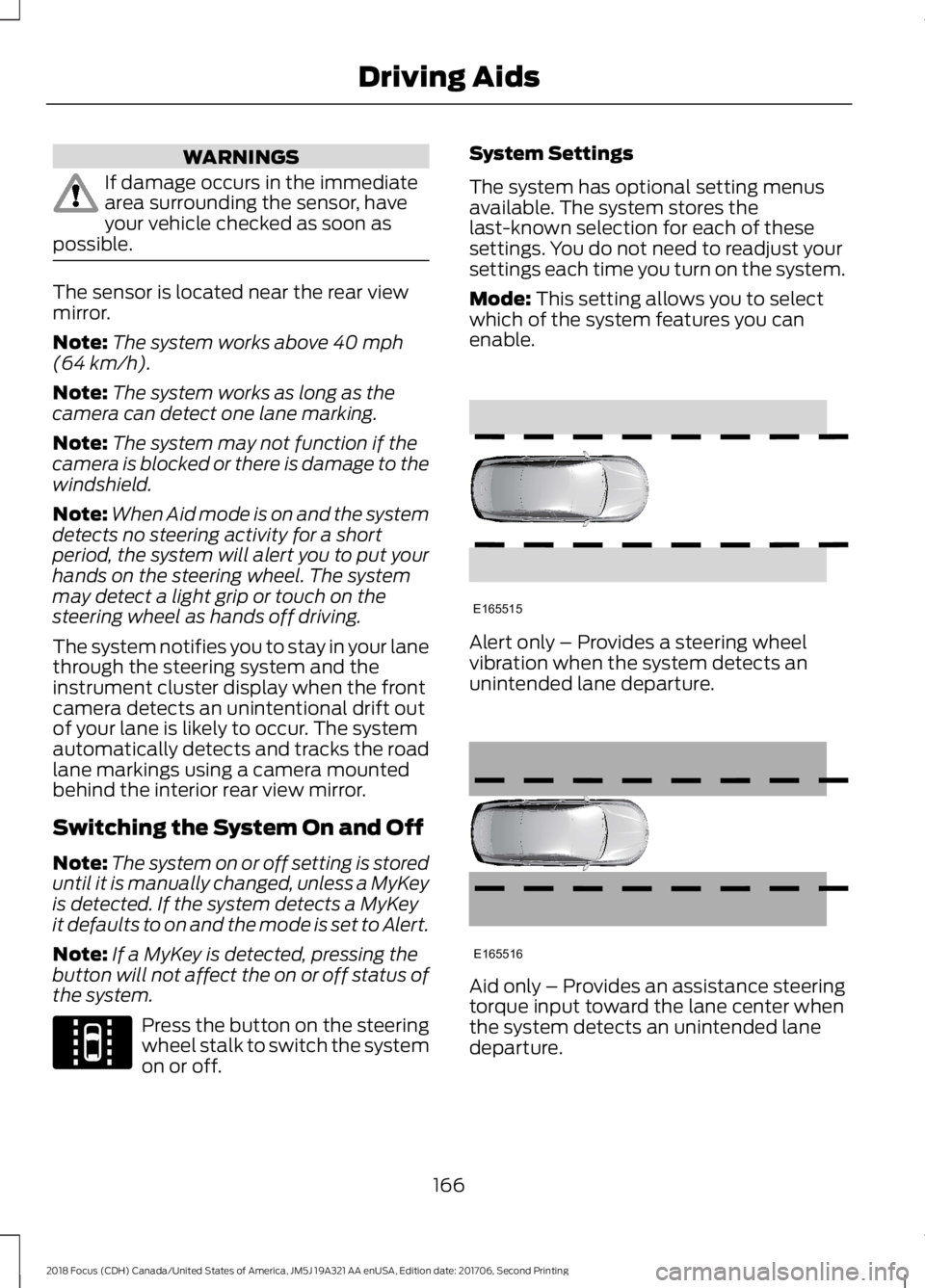
Press the button on the steeringwheel stalk to switch the systemon or off.
System Settings
The system has optional setting menusavailable. The system stores thelast-known selection for each of thesesettings. You do not need to readjust yoursettings each time you turn on the system.
Mode: This setting allows you to selectwhich of the system features you canenable.
Alert only – Provides a steering wheelvibration when the system detects anunintended lane departure.
Aid only – Provides an assistance steeringtorque input toward the lane center whenthe system detects an unintended lanedeparture.
1662018 Focus (CDH) Canada/United States of America, JM5J 19A321 AA enUSA, Edition date: 201706, Second PrintingDriving AidsE144813 E165515 E165516
Page 208 of 473
Protected ComponentFuse RatingFuse Location
Moonroof.left-hand front door module.
Cigar lighter.20 AF61Rear auxiliary power points.
Not used (spare).5 AF62
Not used (spare).10 AF63
Not used.-F64
Liftgate release switch.10 AF65
Driver door lock.20 AF66
Information and entertainment display.7.5 AF67Global positioning system module.SYNC module.
Not used.-F68
Instrument cluster.5 AF69
Central locking system.20 AF70
Air conditioning control module.7.5 AF71
Steering wheel module.7.5 AF72
Battery back-up sounder.7.5 AF73Secondary on-board diagnostic control module A.
Headlamp high beam.15 AF74
Front fog lamps.15 AF75
Reversing lamp.10 AF76
Windshield washer pump.20 AF77Rear window washer pump.
Push button ignition switch.5 AF78
Audio unit.15 AF79Hazard flasher switch.Power door locks.
Moonroof.20 AF80
Radio frequency receiver.5 AF81
2052018 Focus (CDH) Canada/United States of America, JM5J 19A321 AA enUSA, Edition date: 201706, Second PrintingFuses
Page 243 of 473
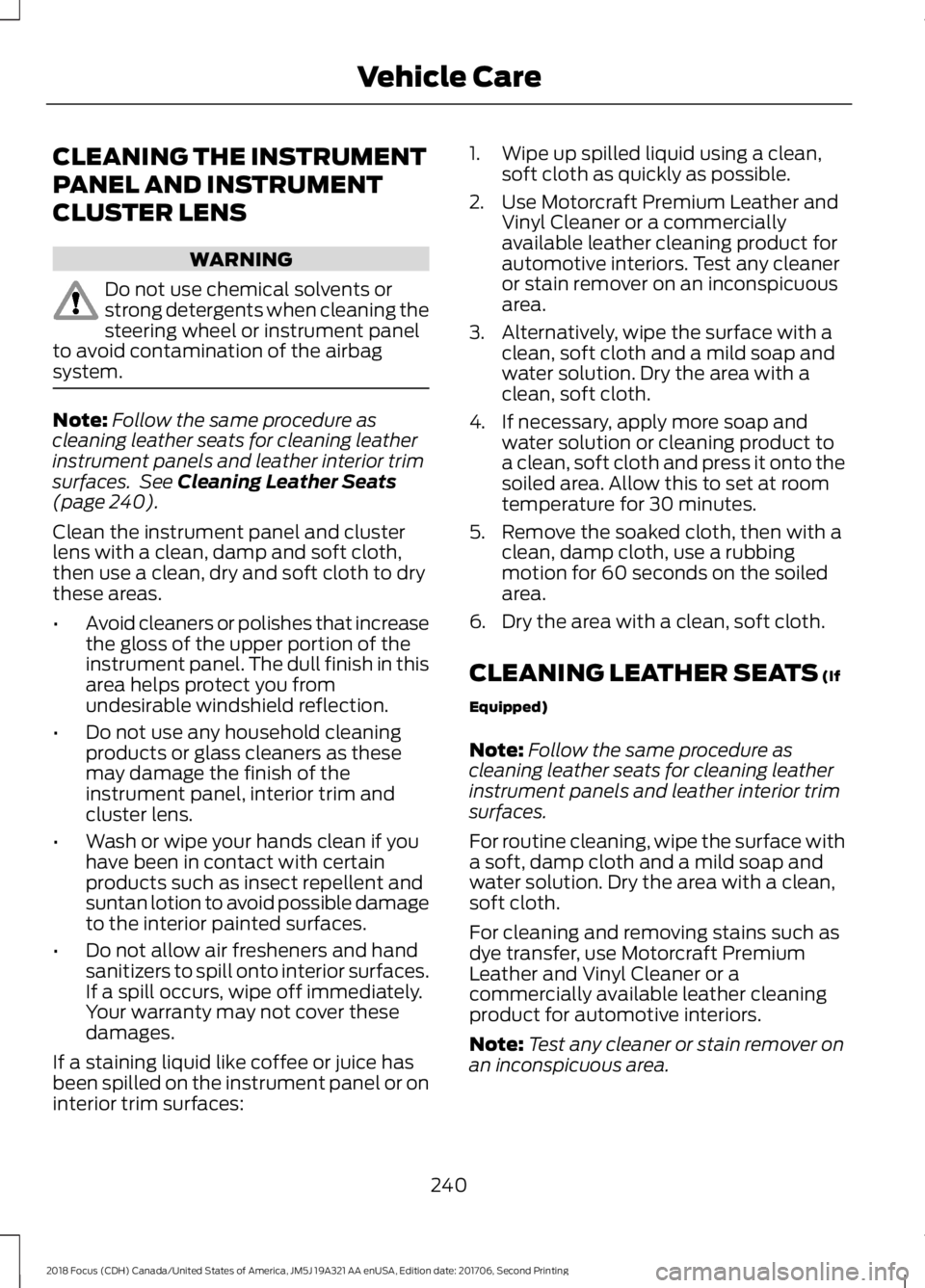
CLEANING THE INSTRUMENT
PANEL AND INSTRUMENT
CLUSTER LENS
WARNING
Do not use chemical solvents orstrong detergents when cleaning thesteering wheel or instrument panelto avoid contamination of the airbagsystem.
Note:Follow the same procedure ascleaning leather seats for cleaning leatherinstrument panels and leather interior trimsurfaces. See Cleaning Leather Seats(page 240).
Clean the instrument panel and clusterlens with a clean, damp and soft cloth,then use a clean, dry and soft cloth to drythese areas.
•Avoid cleaners or polishes that increasethe gloss of the upper portion of theinstrument panel. The dull finish in thisarea helps protect you fromundesirable windshield reflection.
•Do not use any household cleaningproducts or glass cleaners as thesemay damage the finish of theinstrument panel, interior trim andcluster lens.
•Wash or wipe your hands clean if youhave been in contact with certainproducts such as insect repellent andsuntan lotion to avoid possible damageto the interior painted surfaces.
•Do not allow air fresheners and handsanitizers to spill onto interior surfaces.If a spill occurs, wipe off immediately.Your warranty may not cover thesedamages.
If a staining liquid like coffee or juice hasbeen spilled on the instrument panel or oninterior trim surfaces:
1.Wipe up spilled liquid using a clean,soft cloth as quickly as possible.
2.Use Motorcraft Premium Leather andVinyl Cleaner or a commerciallyavailable leather cleaning product forautomotive interiors. Test any cleaneror stain remover on an inconspicuousarea.
3.Alternatively, wipe the surface with aclean, soft cloth and a mild soap andwater solution. Dry the area with aclean, soft cloth.
4.If necessary, apply more soap andwater solution or cleaning product toa clean, soft cloth and press it onto thesoiled area. Allow this to set at roomtemperature for 30 minutes.
5.Remove the soaked cloth, then with aclean, damp cloth, use a rubbingmotion for 60 seconds on the soiledarea.
6.Dry the area with a clean, soft cloth.
CLEANING LEATHER SEATS (If
Equipped)
Note:Follow the same procedure ascleaning leather seats for cleaning leatherinstrument panels and leather interior trimsurfaces.
For routine cleaning, wipe the surface witha soft, damp cloth and a mild soap andwater solution. Dry the area with a clean,soft cloth.
For cleaning and removing stains such asdye transfer, use Motorcraft PremiumLeather and Vinyl Cleaner or acommercially available leather cleaningproduct for automotive interiors.
Note:Test any cleaner or stain remover onan inconspicuous area.
2402018 Focus (CDH) Canada/United States of America, JM5J 19A321 AA enUSA, Edition date: 201706, Second PrintingVehicle Care
Page 407 of 473
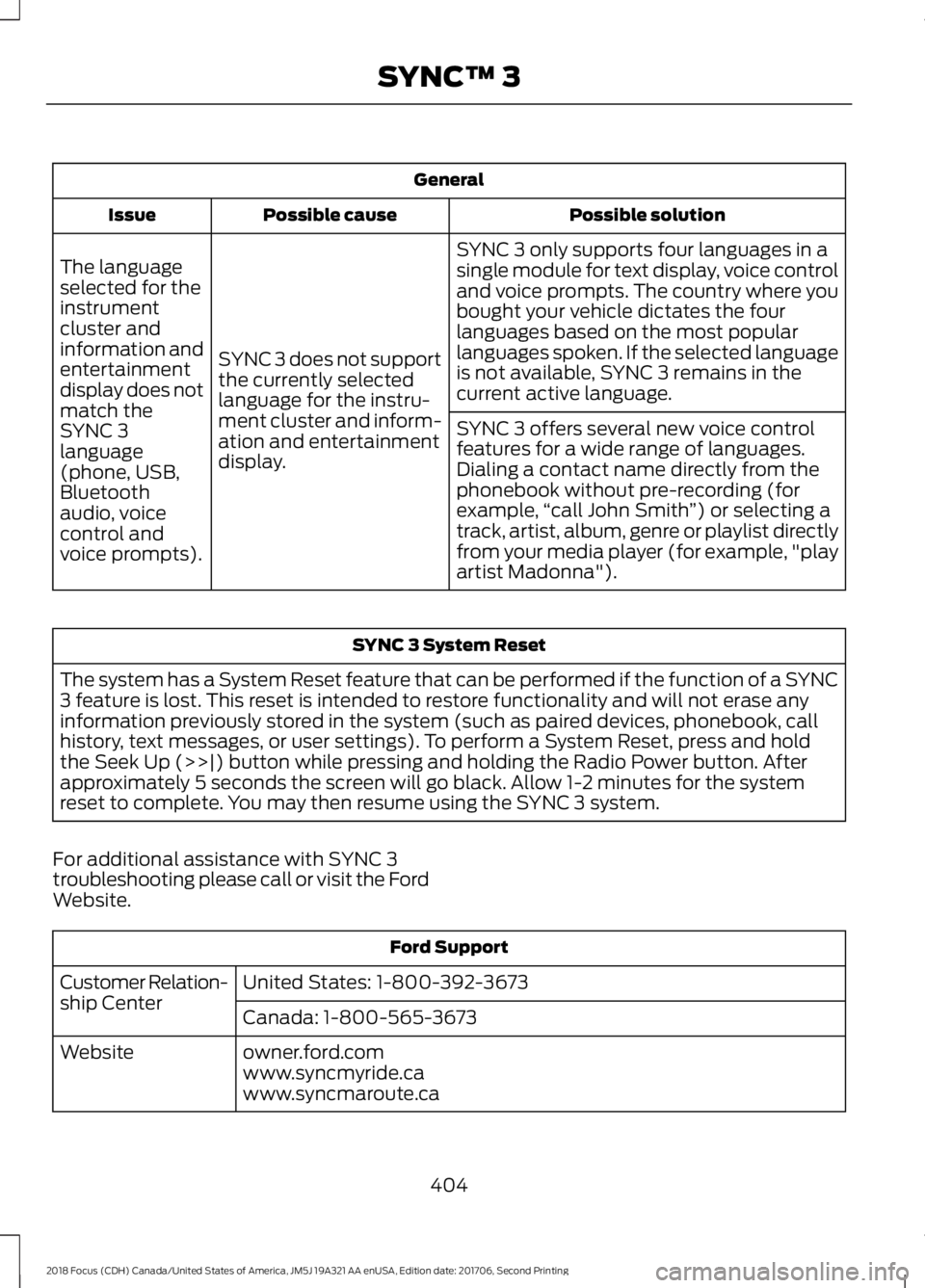
General
Possible solutionPossible causeIssue
SYNC 3 only supports four languages in asingle module for text display, voice controland voice prompts. The country where youbought your vehicle dictates the fourlanguages based on the most popularlanguages spoken. If the selected languageis not available, SYNC 3 remains in thecurrent active language.
SYNC 3 does not supportthe currently selectedlanguage for the instru-ment cluster and inform-ation and entertainmentdisplay.
The languageselected for theinstrumentcluster andinformation andentertainmentdisplay does notmatch theSYNC 3SYNC 3 offers several new voice controlfeatures for a wide range of languages.Dialing a contact name directly from thephonebook without pre-recording (forexample,“call John Smith”) or selecting atrack, artist, album, genre or playlist directlyfrom your media player (for example, "playartist Madonna").
language(phone, USB,Bluetoothaudio, voicecontrol andvoice prompts).
SYNC 3 System Reset
The system has a System Reset feature that can be performed if the function of a SYNC3 feature is lost. This reset is intended to restore functionality and will not erase anyinformation previously stored in the system (such as paired devices, phonebook, callhistory, text messages, or user settings). To perform a System Reset, press and holdthe Seek Up (>>|) button while pressing and holding the Radio Power button. Afterapproximately 5 seconds the screen will go black. Allow 1-2 minutes for the systemreset to complete. You may then resume using the SYNC 3 system.
For additional assistance with SYNC 3troubleshooting please call or visit the FordWebsite.
Ford Support
United States: 1-800-392-3673Customer Relation-ship CenterCanada: 1-800-565-3673
owner.ford.comWebsitewww.syncmyride.cawww.syncmaroute.ca
4042018 Focus (CDH) Canada/United States of America, JM5J 19A321 AA enUSA, Edition date: 201706, Second PrintingSYNC™ 3
Page 463 of 473
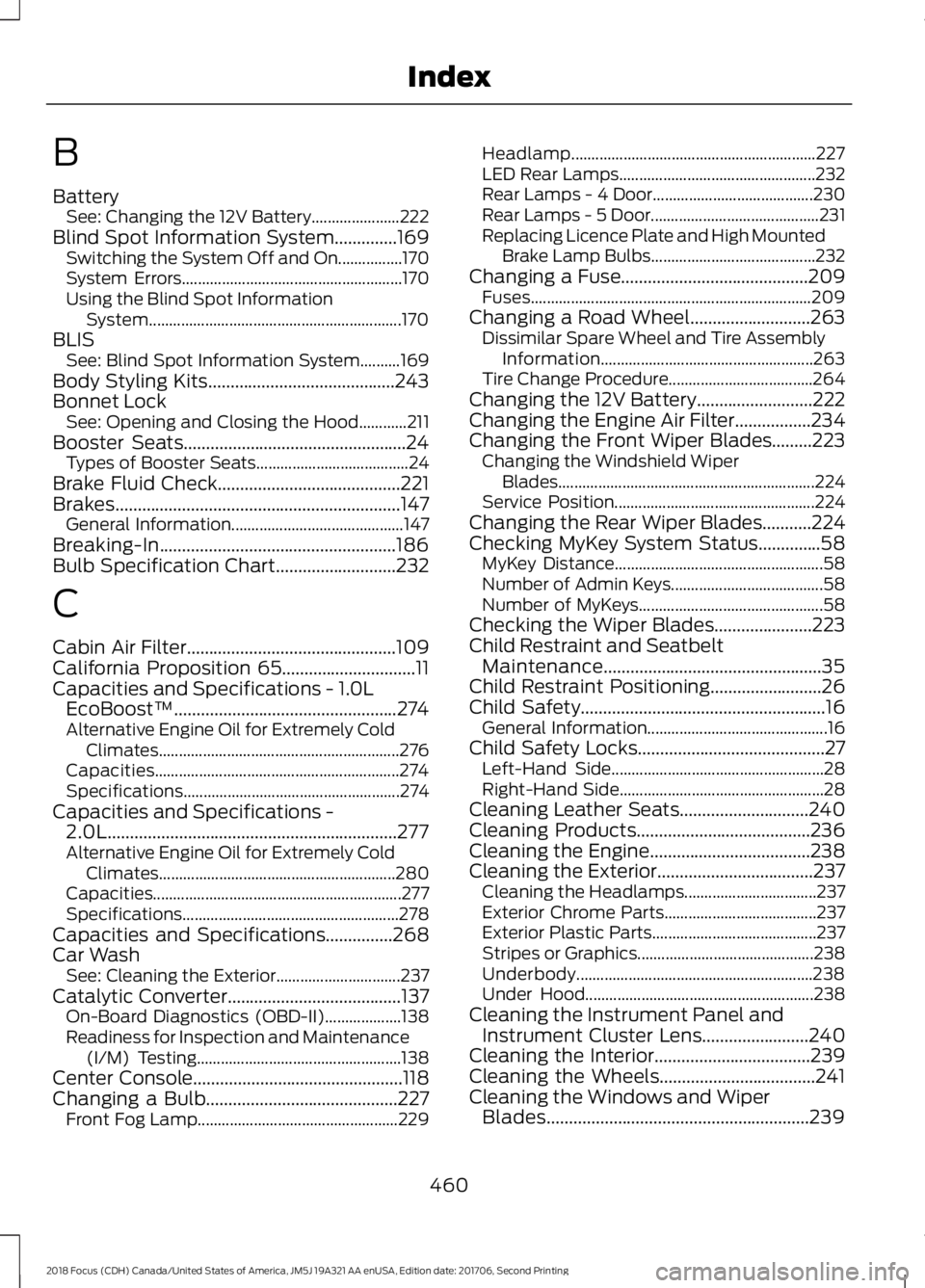
B
BatterySee: Changing the 12V Battery......................222Blind Spot Information System..............169Switching the System Off and On................170System Errors.......................................................170Using the Blind Spot InformationSystem...............................................................170BLISSee: Blind Spot Information System..........169Body Styling Kits..........................................243Bonnet LockSee: Opening and Closing the Hood............211Booster Seats..................................................24Types of Booster Seats......................................24Brake Fluid Check.........................................221Brakes................................................................147General Information...........................................147Breaking-In.....................................................186Bulb Specification Chart...........................232
C
Cabin Air Filter...............................................109California Proposition 65..............................11Capacities and Specifications - 1.0LEcoBoost™..................................................274Alternative Engine Oil for Extremely ColdClimates............................................................276Capacities.............................................................274Specifications......................................................274Capacities and Specifications -2.0L.................................................................277Alternative Engine Oil for Extremely ColdClimates...........................................................280Capacities..............................................................277Specifications......................................................278Capacities and Specifications...............268Car WashSee: Cleaning the Exterior...............................237Catalytic Converter.......................................137On-Board Diagnostics (OBD-II)...................138Readiness for Inspection and Maintenance(I/M) Testing...................................................138Center Console...............................................118Changing a Bulb...........................................227Front Fog Lamp..................................................229
Headlamp.............................................................227LED Rear Lamps.................................................232Rear Lamps - 4 Door........................................230Rear Lamps - 5 Door..........................................231Replacing Licence Plate and High MountedBrake Lamp Bulbs.........................................232Changing a Fuse..........................................209Fuses......................................................................209Changing a Road Wheel...........................263Dissimilar Spare Wheel and Tire AssemblyInformation.....................................................263Tire Change Procedure....................................264Changing the 12V Battery..........................222Changing the Engine Air Filter.................234Changing the Front Wiper Blades.........223Changing the Windshield WiperBlades................................................................224Service Position..................................................224Changing the Rear Wiper Blades...........224Checking MyKey System Status..............58MyKey Distance....................................................58Number of Admin Keys......................................58Number of MyKeys..............................................58Checking the Wiper Blades......................223Child Restraint and SeatbeltMaintenance.................................................35Child Restraint Positioning.........................26Child Safety.......................................................16General Information.............................................16Child Safety Locks..........................................27Left-Hand Side.....................................................28Right-Hand Side...................................................28Cleaning Leather Seats.............................240Cleaning Products.......................................236Cleaning the Engine....................................238Cleaning the Exterior...................................237Cleaning the Headlamps.................................237Exterior Chrome Parts......................................237Exterior Plastic Parts.........................................237Stripes or Graphics............................................238Underbody...........................................................238Under Hood.........................................................238Cleaning the Instrument Panel andInstrument Cluster Lens........................240Cleaning the Interior...................................239Cleaning the Wheels...................................241Cleaning the Windows and WiperBlades...........................................................239
4602018 Focus (CDH) Canada/United States of America, JM5J 19A321 AA enUSA, Edition date: 201706, Second PrintingIndex
Page 466 of 473
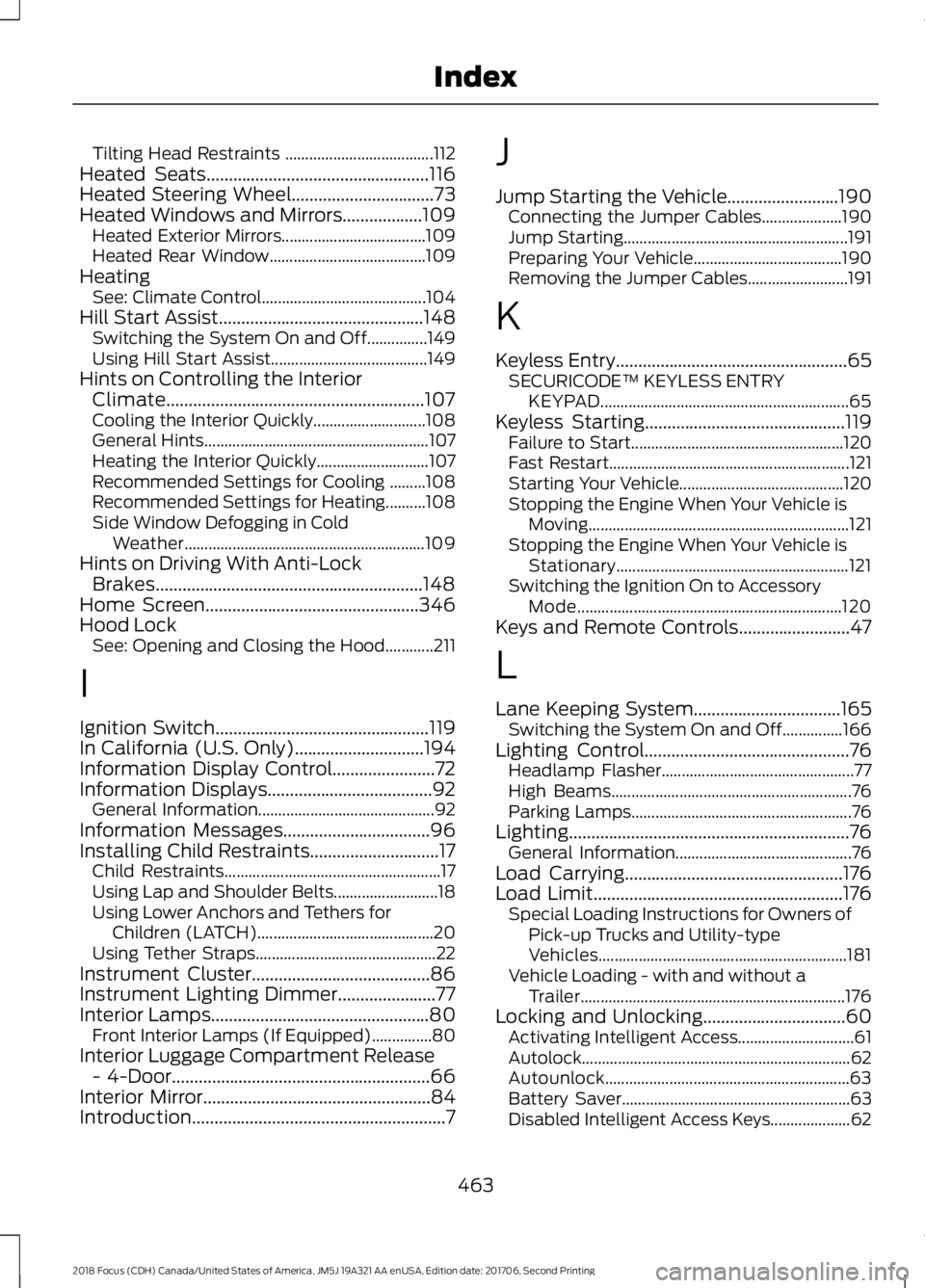
Tilting Head Restraints .....................................112Heated Seats..................................................116Heated Steering Wheel................................73Heated Windows and Mirrors..................109Heated Exterior Mirrors....................................109Heated Rear Window.......................................109HeatingSee: Climate Control.........................................104Hill Start Assist..............................................148Switching the System On and Off...............149Using Hill Start Assist.......................................149Hints on Controlling the InteriorClimate..........................................................107Cooling the Interior Quickly............................108General Hints........................................................107Heating the Interior Quickly............................107Recommended Settings for Cooling .........108Recommended Settings for Heating..........108Side Window Defogging in ColdWeather............................................................109Hints on Driving With Anti-LockBrakes............................................................148Home Screen................................................346Hood LockSee: Opening and Closing the Hood............211
I
Ignition Switch................................................119In California (U.S. Only).............................194Information Display Control.......................72Information Displays.....................................92General Information............................................92Information Messages.................................96Installing Child Restraints.............................17Child Restraints......................................................17Using Lap and Shoulder Belts..........................18Using Lower Anchors and Tethers forChildren (LATCH)............................................20Using Tether Straps.............................................22Instrument Cluster........................................86Instrument Lighting Dimmer......................77Interior Lamps.................................................80Front Interior Lamps (If Equipped)...............80Interior Luggage Compartment Release- 4-Door..........................................................66Interior Mirror...................................................84Introduction.........................................................7
J
Jump Starting the Vehicle.........................190Connecting the Jumper Cables....................190Jump Starting........................................................191Preparing Your Vehicle.....................................190Removing the Jumper Cables.........................191
K
Keyless Entry....................................................65SECURICODE™ KEYLESS ENTRYKEYPAD..............................................................65Keyless Starting.............................................119Failure to Start.....................................................120Fast Restart............................................................121Starting Your Vehicle.........................................120Stopping the Engine When Your Vehicle isMoving.................................................................121Stopping the Engine When Your Vehicle isStationary..........................................................121Switching the Ignition On to AccessoryMode..................................................................120Keys and Remote Controls.........................47
L
Lane Keeping System.................................165Switching the System On and Off...............166Lighting Control..............................................76Headlamp Flasher................................................77High Beams............................................................76Parking Lamps.......................................................76Lighting...............................................................76General Information............................................76Load Carrying.................................................176Load Limit........................................................176Special Loading Instructions for Owners ofPick-up Trucks and Utility-typeVehicles..............................................................181Vehicle Loading - with and without aTrailer..................................................................176Locking and Unlocking................................60Activating Intelligent Access.............................61Autolock...................................................................62Autounlock.............................................................63Battery Saver.........................................................63Disabled Intelligent Access Keys....................62
4632018 Focus (CDH) Canada/United States of America, JM5J 19A321 AA enUSA, Edition date: 201706, Second PrintingIndex