technical FORD FOCUS 2018 Owners Manual
[x] Cancel search | Manufacturer: FORD, Model Year: 2018, Model line: FOCUS, Model: FORD FOCUS 2018Pages: 473, PDF Size: 39.91 MB
Page 47 of 473
The design and development of the sideairbag system included recommendedtesting procedures that were developedby a group of automotive safety expertsknown as the Side Airbag TechnicalWorking Group. These recommendedtesting procedures help reduce the risk ofinjuries related to the deployment of sideairbags.
DRIVER KNEE AIRBAG
A driver's knee airbag is located under theinstrument panel. During a crash, therestraints control module may activate thedriver's knee airbag based on crash severityand occupant conditions. Under certaincrash and occupant conditions, the driver’sknee airbag may deploy but the driver’sfront airbag may not activate. As with frontand side airbags, it is important to beproperly seated and restrained to reducethe risk of death or serious injury.
Make sure the knee airbag isoperating properly. See CrashSensors and Airbag Indicator(page 45).
SAFETY CANOPY™
WARNINGS
Do not place objects or mountequipment on or near the headlinerat the siderail that may come intocontact with a deploying curtain airbag.Failure to follow these instructions mayincrease the risk of personal injury in theevent of a crash.
Do not lean your head on the door.The curtain airbag could injure youas it deploys from the headliner.
WARNINGS
Do not attempt to service, repair, ormodify the supplementary restraintsystem or associated components.Failure to follow this instruction couldresult in personal injury or death.
All occupants of your vehicle,including the driver, should alwaysproperly wear their seatbelts, evenwhen an airbag supplemental restraintsystem is provided. Failure to properly wearyour seatbelt could seriously increase therisk of injury or death.
To reduce risk of injury, do notobstruct or place objects in thedeployment path of the airbag.
If a supplementary restraint systemcomponent has deployed, it will notfunction again. Have the system andassociated components inspected as soonas possible. Failure to follow thisinstruction could result in personal injuryor death.
The Safety Canopy deploys duringsignificant side crashes or when a certainlikelihood of a rollover event is detectedby the rollover sensor. The Safety Canopyis mounted to the roof side rail sheet metal,behind the headliner, above each row ofseats. In certain sideways crashes orrollover events, the Safety Canopy will beactivated, regardless of which seats areoccupied. The Safety Canopy is designedto inflate between the side window areaand occupants to further enhanceprotection provided in side impact crashesand rollover events.
442018 Focus (CDH) Canada/United States of America, JM5J 19A321 AA enUSA, Edition date: 201706, Second PrintingSupplementary Restraints SystemE67017
Page 48 of 473
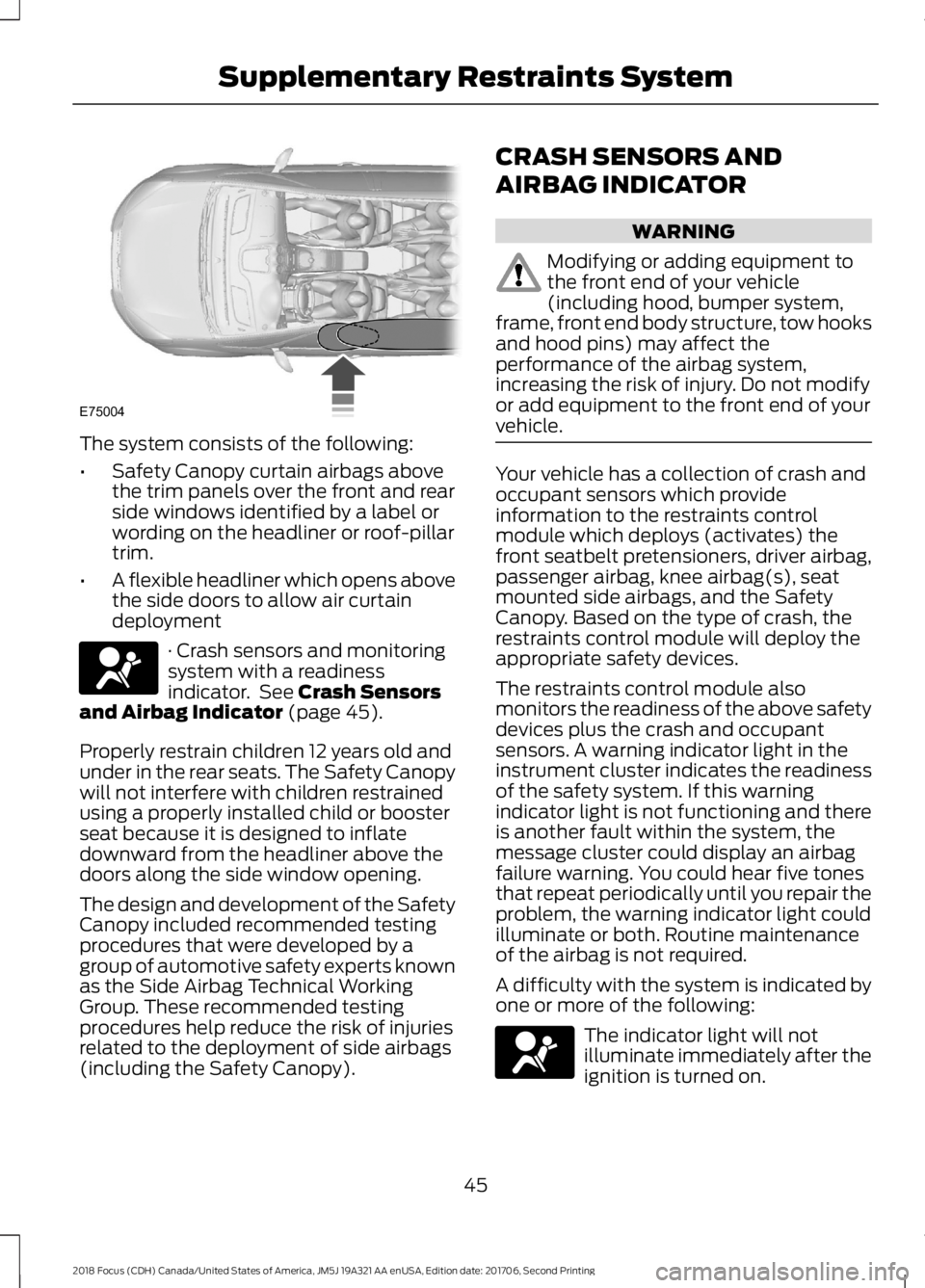
The system consists of the following:
•Safety Canopy curtain airbags abovethe trim panels over the front and rearside windows identified by a label orwording on the headliner or roof-pillartrim.
•A flexible headliner which opens abovethe side doors to allow air curtaindeployment
· Crash sensors and monitoringsystem with a readinessindicator. See Crash Sensorsand Airbag Indicator (page 45).
Properly restrain children 12 years old andunder in the rear seats. The Safety Canopywill not interfere with children restrainedusing a properly installed child or boosterseat because it is designed to inflatedownward from the headliner above thedoors along the side window opening.
The design and development of the SafetyCanopy included recommended testingprocedures that were developed by agroup of automotive safety experts knownas the Side Airbag Technical WorkingGroup. These recommended testingprocedures help reduce the risk of injuriesrelated to the deployment of side airbags(including the Safety Canopy).
CRASH SENSORS AND
AIRBAG INDICATOR
WARNING
Modifying or adding equipment tothe front end of your vehicle(including hood, bumper system,frame, front end body structure, tow hooksand hood pins) may affect theperformance of the airbag system,increasing the risk of injury. Do not modifyor add equipment to the front end of yourvehicle.
Your vehicle has a collection of crash andoccupant sensors which provideinformation to the restraints controlmodule which deploys (activates) thefront seatbelt pretensioners, driver airbag,passenger airbag, knee airbag(s), seatmounted side airbags, and the SafetyCanopy. Based on the type of crash, therestraints control module will deploy theappropriate safety devices.
The restraints control module alsomonitors the readiness of the above safetydevices plus the crash and occupantsensors. A warning indicator light in theinstrument cluster indicates the readinessof the safety system. If this warningindicator light is not functioning and thereis another fault within the system, themessage cluster could display an airbagfailure warning. You could hear five tonesthat repeat periodically until you repair theproblem, the warning indicator light couldilluminate or both. Routine maintenanceof the airbag is not required.
A difficulty with the system is indicated byone or more of the following:
The indicator light will notilluminate immediately after theignition is turned on.
452018 Focus (CDH) Canada/United States of America, JM5J 19A321 AA enUSA, Edition date: 201706, Second PrintingSupplementary Restraints SystemE75004 E67017 E67017
Page 50 of 473
GENERAL INFORMATION ON
RADIO FREQUENCIES
This device complies with Part 15 of theFCC Rules and with Licence exempt RSSStandards of Industry Canada. Operationis subject to the following two conditions:
•This device may not cause harmfulinterference, and
•This device must accept anyinterference received, includinginterference that may cause undesiredoperation.
WARNING
Changes or modifications notexpressively approved by the partyresponsible for compliance couldvoid the user's authority to operate theequipment. The term "IC:" before the radiocertification number only signifies thatIndustry Canada technical specificationswere met.
The typical operating range for yourtransmitter is approximately 33 ft (10 m).Vehicles with the remote start feature willhave a greater range. One of the followingcould cause a decrease in operating range:
•Weather conditions.
•Nearby radio towers.
•Structures around the vehicle.
•Other vehicles parked next to yourvehicle.
Other short distance radio transmissions,for example amateur radios, medicalequipment, wireless headphones, remotecontrols and alarm systems can also usethe radio frequency used by your remotecontrol. If the frequencies are jammed, youwill not be able to use your remote control.You can lock and unlock the doors with thekey.
Note:Make sure to lock your vehicle beforeleaving it unattended.
Note:If you are in range, the remote controlwill operate if you press any buttonunintentionally.
Note:The remote control contains sensitiveelectrical components. Exposure to moistureor impact may cause permanent damage.
REMOTE CONTROL - VEHICLES
WITH: KEYLESS ENTRY
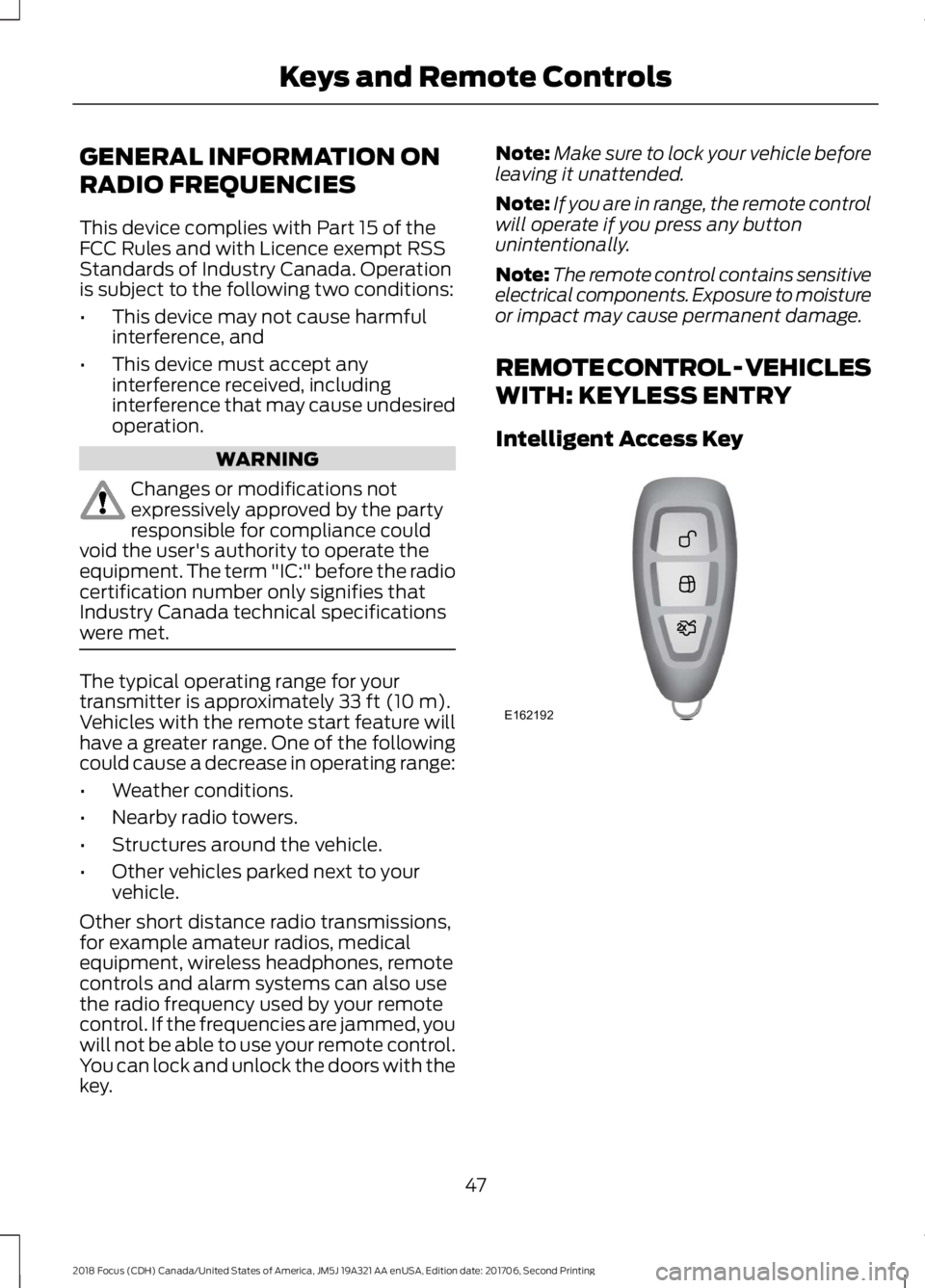
Intelligent Access Key
472018 Focus (CDH) Canada/United States of America, JM5J 19A321 AA enUSA, Edition date: 201706, Second PrintingKeys and Remote ControlsE162192
Page 250 of 473
Information Contained on theTire Sidewall
Both U.S. and Canada Federalregulations require tiremanufacturers to placestandardized information on thesidewall of all tires. Thisinformation identifies anddescribes the fundamentalcharacteristics of the tire and alsoprovides a U.S. DOT TireIdentification Number for safetystandard certification and in caseof a recall.
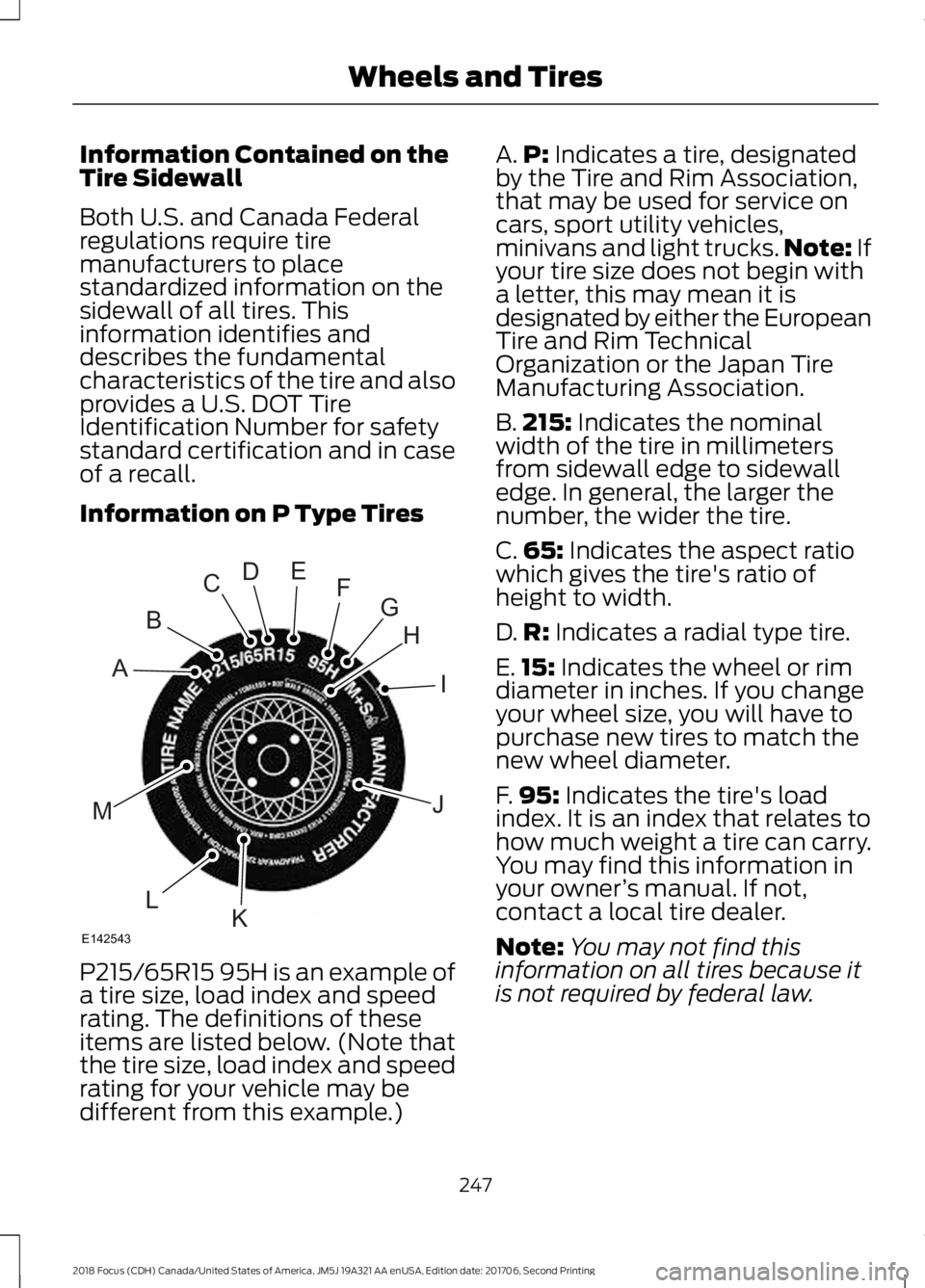
Information on P Type Tires
P215/65R15 95H is an example ofa tire size, load index and speedrating. The definitions of theseitems are listed below. (Note thatthe tire size, load index and speedrating for your vehicle may bedifferent from this example.)
A.P: Indicates a tire, designatedby the Tire and Rim Association,that may be used for service oncars, sport utility vehicles,minivans and light trucks.Note: Ifyour tire size does not begin witha letter, this may mean it isdesignated by either the EuropeanTire and Rim TechnicalOrganization or the Japan TireManufacturing Association.
B.215: Indicates the nominalwidth of the tire in millimetersfrom sidewall edge to sidewalledge. In general, the larger thenumber, the wider the tire.
C.65: Indicates the aspect ratiowhich gives the tire's ratio ofheight to width.
D.R: Indicates a radial type tire.
E.15: Indicates the wheel or rimdiameter in inches. If you changeyour wheel size, you will have topurchase new tires to match thenew wheel diameter.
F.95: Indicates the tire's loadindex. It is an index that relates tohow much weight a tire can carry.You may find this information inyour owner’s manual. If not,contact a local tire dealer.
Note:You may not find thisinformation on all tires because itis not required by federal law.
2472018 Focus (CDH) Canada/United States of America, JM5J 19A321 AA enUSA, Edition date: 201706, Second PrintingWheels and TiresHIJKLMABCDEFGE142543
Page 264 of 473
2.This device must accept anyinterference received, includinginterference that may cause undesiredoperation.
Note:Changes or modifications notexpressively approved by the partyresponsible for compliance could void theuser's authority to operate the equipment.The term "IC:" before the radio certificationnumber only signifies that Industry Canadatechnical specifications were met.
Changing Tires With a TirePressure Monitoring System
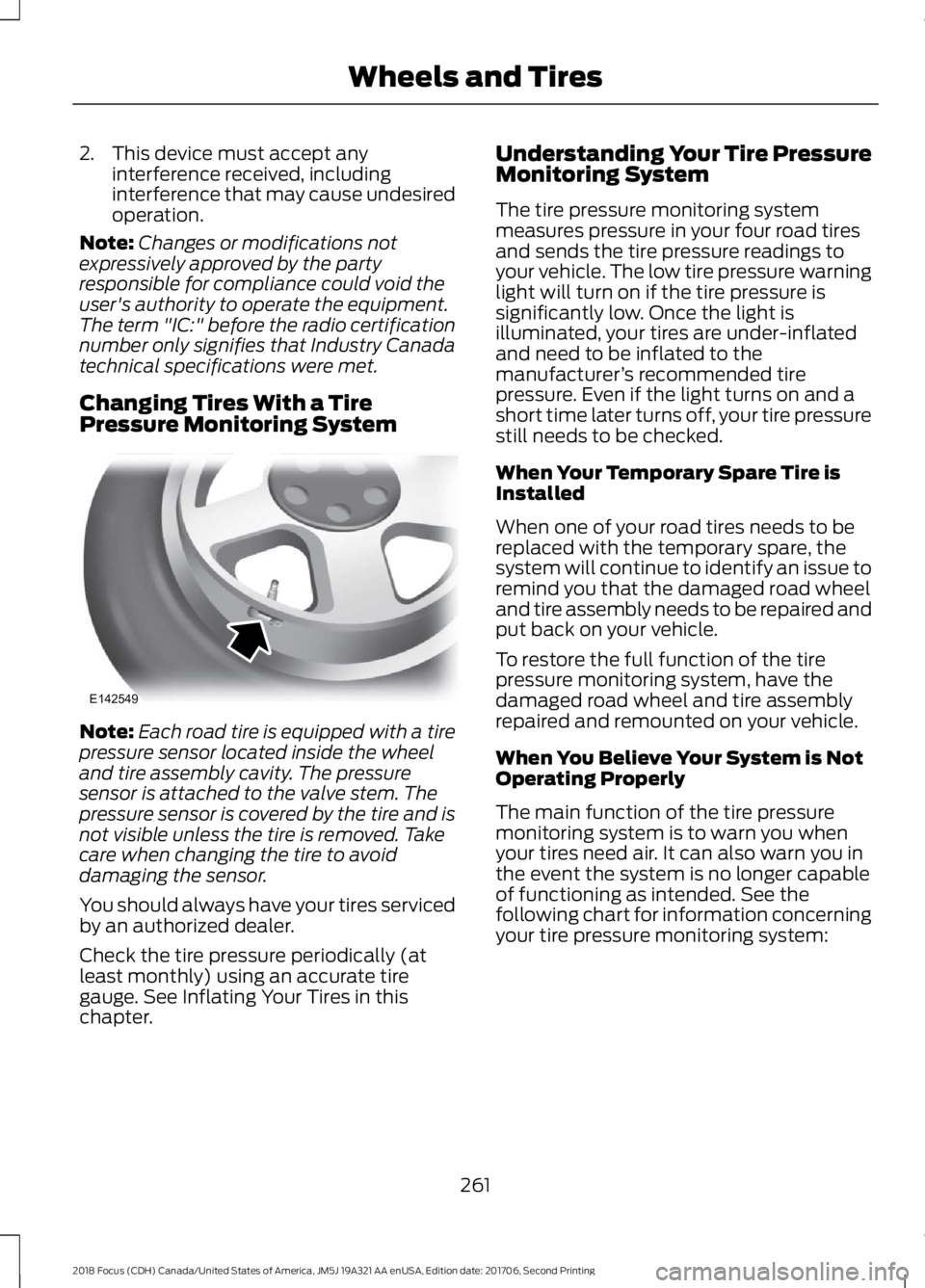
Note:Each road tire is equipped with a tirepressure sensor located inside the wheeland tire assembly cavity. The pressuresensor is attached to the valve stem. Thepressure sensor is covered by the tire and isnot visible unless the tire is removed. Takecare when changing the tire to avoiddamaging the sensor.
You should always have your tires servicedby an authorized dealer.
Check the tire pressure periodically (atleast monthly) using an accurate tiregauge. See Inflating Your Tires in thischapter.
Understanding Your Tire PressureMonitoring System
The tire pressure monitoring systemmeasures pressure in your four road tiresand sends the tire pressure readings toyour vehicle. The low tire pressure warninglight will turn on if the tire pressure issignificantly low. Once the light isilluminated, your tires are under-inflatedand need to be inflated to themanufacturer’s recommended tirepressure. Even if the light turns on and ashort time later turns off, your tire pressurestill needs to be checked.
When Your Temporary Spare Tire isInstalled
When one of your road tires needs to bereplaced with the temporary spare, thesystem will continue to identify an issue toremind you that the damaged road wheeland tire assembly needs to be repaired andput back on your vehicle.
To restore the full function of the tirepressure monitoring system, have thedamaged road wheel and tire assemblyrepaired and remounted on your vehicle.
When You Believe Your System is NotOperating Properly
The main function of the tire pressuremonitoring system is to warn you whenyour tires need air. It can also warn you inthe event the system is no longer capableof functioning as intended. See thefollowing chart for information concerningyour tire pressure monitoring system:
2612018 Focus (CDH) Canada/United States of America, JM5J 19A321 AA enUSA, Edition date: 201706, Second PrintingWheels and TiresE142549
Page 284 of 473
GENERAL INFORMATION
Radio Frequencies and ReceptionFactors
AM and FM frequencies are established bythe Federal Communications Commission(FCC) and the Canadian Radio andTelecommunications Commission (CRTC).Those frequencies are:
•AM: 530-1710 kHz
•FM: 87.9-107.9 MHz
Radio Reception Factors
The further you travel from an AM or FM station, theweaker the signal and the weaker the reception.Distance and strength
Hills, mountains, tall buildings, bridges, tunnels, freewayoverpasses, parking garages, dense tree foliage andthunderstorms can interfere with the reception.
Terrain
When you pass a ground-based broadcast repeatingtower, a stronger signal may overtake a weaker one andresult in the audio system muting.
Station overload
CD and CD Player Information
Note:CD units play commercially pressed4.7 in (12 cm) audio compact discs only. Dueto technical incompatibility, certainrecordable and re-recordable compact discsmay not function correctly when used inFord CD players.
Note: Do not insert CDs with homemadepaper (adhesive) labels into the CD playeras the label may peel and cause the CD tobecome jammed. You should use apermanent felt tip marker rather thanadhesive labels on your homemade CDs.Ballpoint pens may damage CDs. Ask anauthorized dealer for more information.
Note:Do not use any irregularly shapeddiscs or discs with a scratch protection filmattached.
Always handle discs by their edges only.Clean the disc with an approved CDcleaner only. Wipe it from the center ofthe disc toward the edge. Do not clean ina circular motion.
Do not expose discs to direct sunlight orheat sources for extended periods.
MP3 and WMA Track and FolderStructure
Audio systems capable of recognizing andplaying MP3 and WMA individual tracksand folder structures work as follows:
•There are two different modes for MP3and WMA disc playback: MP3 andWMA track mode (system default) andMP3 and WMA folder mode.
•MP3 and WMA track mode ignores anyfolder structure on the MP3 and WMAdisc. The player numbers each MP3and WMA track on the disc (noted bythe MP3 or WMA file extension) fromT001 to a maximum of T255. Themaximum number of playable MP3 andWMA files may be less depending onthe structure of the CD and exactmodel of radio present.
2812018 Focus (CDH) Canada/United States of America, JM5J 19A321 AA enUSA, Edition date: 201706, Second PrintingAudio System
Page 456 of 473
IMPLIED WARRANTIES OFMERCHANTABILITY, FITNESS FOR APARTICULAR PURPOSE, TITLE, ANDNON-INFRINGEMENT. NEITHERGRACENOTE WARRANTS THE RESULTSTHAT WILL BE OBTAINED BY YOUR USEOF THE GRACENOTE SOFTWARE OR ANYGRACENOTE SERVER. IN NO CASE WILLGRACENOTE BE LIABLE FOR ANYCONSEQUENTIAL OR INCIDENTALDAMAGES OR FOR ANY LOST PROFITSOR LOST REVENUES FOR ANY REASONWHATSOEVER. © Gracenote 2007.
Radio Frequency Statement
FCC ID: ACJ-SYNCG3-L
IC: 216B-SYNCG3-L
This device complies with Part 15 of theFCC Rules and with RSS-210 of IndustryCanada. Operation is subject to thefollowing two conditions:
(1) This device may not cause harmfulinterference, and
(2) this device must accept anyinterference received, includinginterference that may cause undesiredoperation.
WARNING
Changes or modifications notexpressively approved by the partyresponsible for compliance couldvoid the user's authority to operate theequipment. The term "IC:" before the radiocertification number only signifies thatIndustry Canada technical specificationswere met.
The antenna used for this transmitter mustnot be co-located or operating inconjunction with any other antenna ortransmitter.
Taiwan Territory
Note: In accordance with the managementapproach of low-power radio waveradiation motors:
Article 12: For approved and certifiedlow-power radiation motor models,companies, firms or users must not alterthe frequency, increase the power orchange the characteristics and functionsof the original design without authorization.
Article 14: The usage of low-powerradio-frequency motors must not affectaviation safety and interfere with legaltelecommunications. Should interferencebe detected, immediately stop using thedevice and only resume usage afterensuring that there is no longer anyinterference. For the legaltelecommunication and wirelesstelecommunication of the telco, thelow-power radio frequency motor must beable to tolerate legal limits of interferencefrom telecommunication, industrial,scientific and radio wave equipment.
SUNA TRAFFIC CHANNEL – TERMSAND CONDITIONS
By activating, using and/or accessing theSUNA Traffic Channel, SUNA Predictive orother content or material provided byIntelematics (together,SUNA Productsand/or Services), you must acceptcertain terms and conditions. The followingis a brief summary of the terms andconditions that apply to you. To view thefull terms and conditions relevant to youruse of the SUNA Products and/or Services,please consult:
Website
www.sunatraffic.com.au/termsandcon-ditions/
1. Acceptance
4532018 Focus (CDH) Canada/United States of America, JM5J 19A321 AA enUSA, Edition date: 201706, Second PrintingAppendices
Page 457 of 473
By using SUNA Products and/or Services,you will be deemed to have accepted andagreed to be bound by the terms andconditions fully detailed at:
Website
www.sunatraffic.com.au/termsandcon-ditions/
2. Intellectual Property
SUNA Products and/or Services are foryour personal use. You may not record, orretransmit the content, nor use the contentin association with any other trafficinformation or route guidance service ordevice not approved by Intelematics. Youobtain no right of ownership in anyIntellectual Property Rights (includingcopyright) in the data that is used toprovide SUNA Products and/or Services.
3. Appropriate Use
SUNA Products and/or Services areintended as an aid to personal motoringand travel planning, and do not providecomprehensive or accurate information onall occasions. On occasions, you mayexperience additional delay as a result ofusing SUNA Products and/or Services. Youacknowledge that it is not intended, orsuitable, for use in applications where timeof arrival or driving directions may impactthe safety of the public or yourself.
4. Use of SUNA Products and Serviceswhile driving
You, and other authorised drivers of thevehicle in which SUNA Products and/orServices are available or installed andactive, remain at all times responsible forobserving all relevant laws and codes ofsafe driving. In particular, you agree to onlyactively operate SUNA Products and/orServices when the Vehicle is at a completestop and it is safe to do so.
5. Service Continuity and Reception ofthe SUNA Traffic Channel
We will use reasonable endeavours toprovide the SUNA Traffic Channel 24 hoursa day, 365 days a year. The SUNA TrafficChannel may occasionally be unavailablefor technical reasons or for plannedmaintenance. We will try to performmaintenance at times when congestion islight. We reserve the right to withdrawSUNA Products and/or Services at anytime.
Also, we cannot assure the uninterruptedreception of the SUNA Traffic ChannelRDS-TMC signal at any particular location.
6. Limitation of Liability
Neither Intelematics (nor its suppliers orthe manufacturer of your device (the“Suppliers”)) shall be liable to you or toany third party for any damages eitherdirect, indirect, incidental, consequentialor otherwise arising out of the use of orinability to use SUNA Products and/orServices even if Intelematics or a Supplierhas been advised of the possibility of suchdamages. You also acknowledge that theneither Intelematics nor any Supplierguarantees nor make any warranties thatrelate to the availability, accuracy orcompleteness of SUNA Products and/orServices, and to the extent which it islawful to do so, both Intelematics and eachSupplier excludes any warranties whichmight otherwise be implied by any Stateor Federal legislation in relation to SUNAProducts and/or Services.
7. Please Note
Great care has been taken in preparing thismanual. Constant product developmentmay mean that some information is notentirely up-to-date. The information in thisdocument is subject to change withoutnotice.
4542018 Focus (CDH) Canada/United States of America, JM5J 19A321 AA enUSA, Edition date: 201706, Second PrintingAppendices
Page 470 of 473
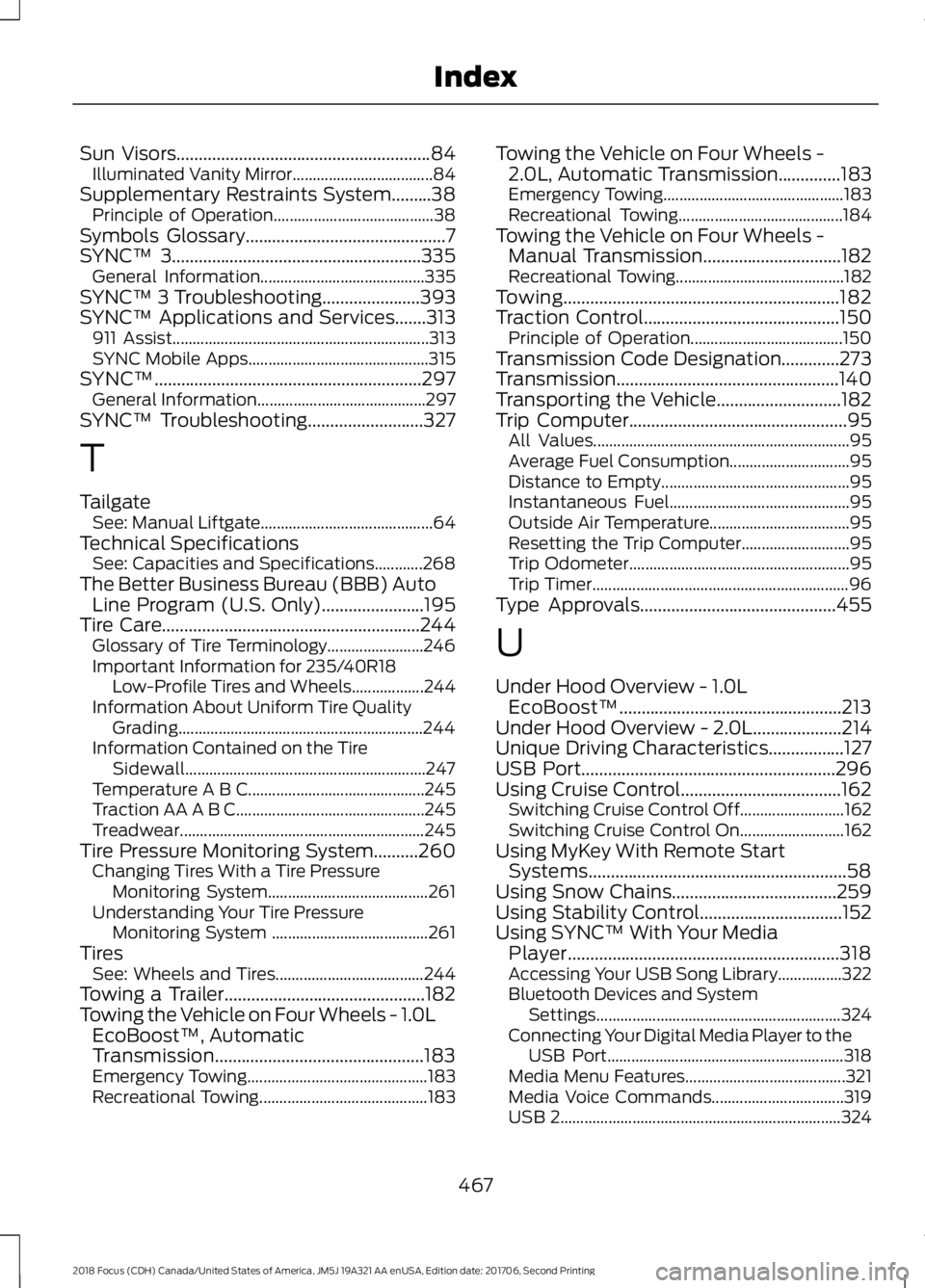
Sun Visors.........................................................84Illuminated Vanity Mirror...................................84Supplementary Restraints System.........38Principle of Operation........................................38Symbols Glossary.............................................7SYNC™ 3........................................................335General Information.........................................335SYNC™ 3 Troubleshooting......................393SYNC™ Applications and Services.......313911 Assist................................................................313SYNC Mobile Apps.............................................315SYNC™............................................................297General Information..........................................297SYNC™ Troubleshooting..........................327
T
TailgateSee: Manual Liftgate...........................................64Technical SpecificationsSee: Capacities and Specifications............268The Better Business Bureau (BBB) AutoLine Program (U.S. Only).......................195Tire Care..........................................................244Glossary of Tire Terminology........................246Important Information for 235/40R18Low-Profile Tires and Wheels..................244Information About Uniform Tire QualityGrading.............................................................244Information Contained on the TireSidewall............................................................247Temperature A B C............................................245Traction AA A B C...............................................245Treadwear.............................................................245Tire Pressure Monitoring System..........260Changing Tires With a Tire PressureMonitoring System........................................261Understanding Your Tire PressureMonitoring System .......................................261TiresSee: Wheels and Tires.....................................244Towing a Trailer.............................................182Towing the Vehicle on Four Wheels - 1.0LEcoBoost™, AutomaticTransmission...............................................183Emergency Towing.............................................183Recreational Towing..........................................183
Towing the Vehicle on Four Wheels -2.0L, Automatic Transmission..............183Emergency Towing.............................................183Recreational Towing.........................................184Towing the Vehicle on Four Wheels -Manual Transmission...............................182Recreational Towing..........................................182Towing..............................................................182Traction Control............................................150Principle of Operation......................................150Transmission Code Designation.............273Transmission..................................................140Transporting the Vehicle............................182Trip Computer.................................................95All Values................................................................95Average Fuel Consumption..............................95Distance to Empty...............................................95Instantaneous Fuel.............................................95Outside Air Temperature...................................95Resetting the Trip Computer...........................95Trip Odometer.......................................................95Trip Timer................................................................96Type Approvals............................................455
U
Under Hood Overview - 1.0LEcoBoost™..................................................213Under Hood Overview - 2.0L....................214Unique Driving Characteristics.................127USB Port.........................................................296Using Cruise Control....................................162Switching Cruise Control Off..........................162Switching Cruise Control On..........................162Using MyKey With Remote StartSystems..........................................................58Using Snow Chains.....................................259Using Stability Control................................152Using SYNC™ With Your MediaPlayer.............................................................318Accessing Your USB Song Library................322Bluetooth Devices and SystemSettings.............................................................324Connecting Your Digital Media Player to theUSB Port...........................................................318Media Menu Features........................................321Media Voice Commands.................................319USB 2......................................................................324
4672018 Focus (CDH) Canada/United States of America, JM5J 19A321 AA enUSA, Edition date: 201706, Second PrintingIndex