climate settings FORD FOCUS ELECTRIC 2014 3.G User Guide
[x] Cancel search | Manufacturer: FORD, Model Year: 2014, Model line: FOCUS ELECTRIC, Model: FORD FOCUS ELECTRIC 2014 3.GPages: 403, PDF Size: 6.42 MB
Page 290 of 403
•Speak naturally, without long pauses between words.
•At any time, you can interrupt the system while it is speaking by
pressing the voice icon.
Accessing a List of Available Commands
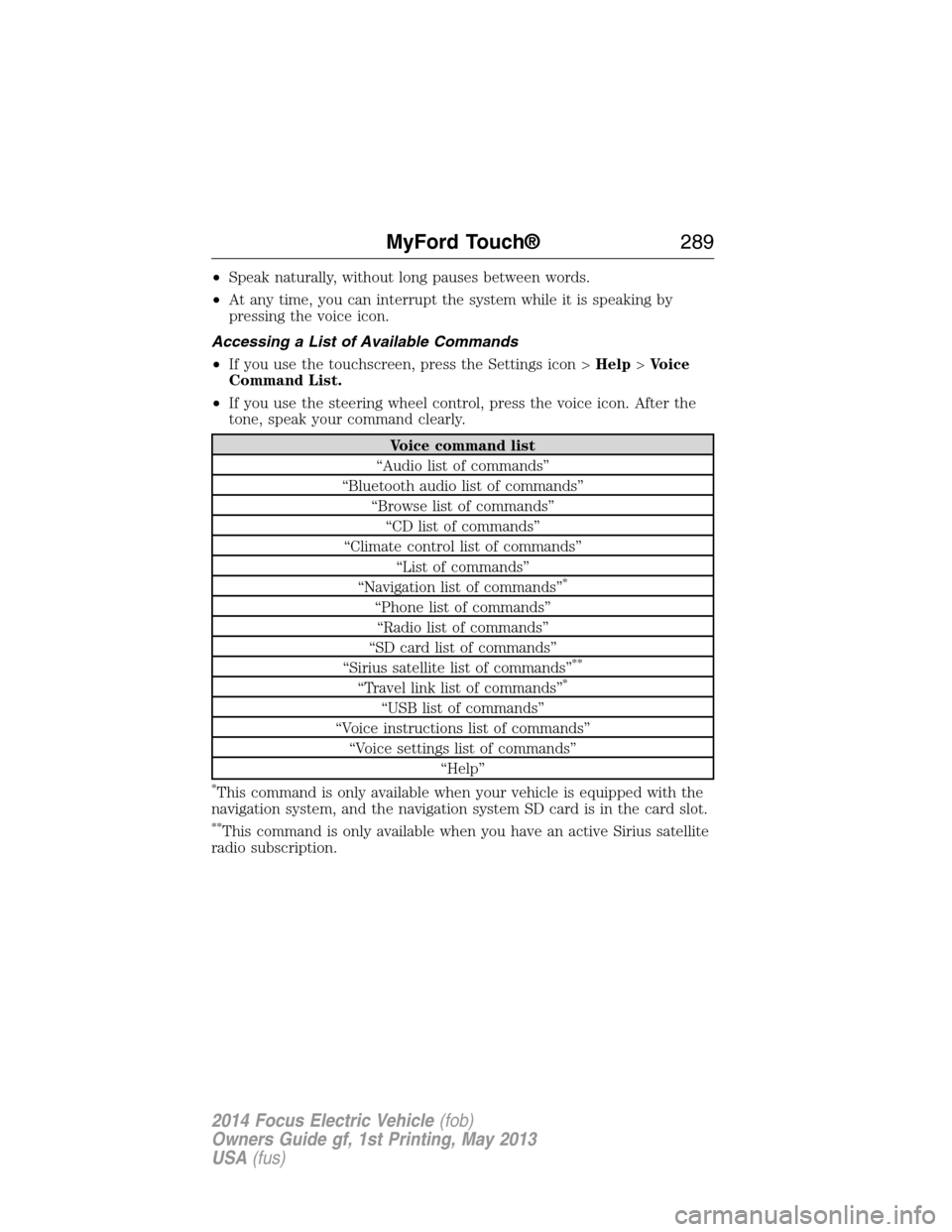
•If you use the touchscreen, press the Settings icon >Help>Voice
Command List.
•If you use the steering wheel control, press the voice icon. After the
tone, speak your command clearly.
Voice command list
“Audio list of commands”
“Bluetooth audio list of commands”
“Browse list of commands”
“CD list of commands”
“Climate control list of commands”
“List of commands”
“Navigation list of commands”
*
“Phone list of commands”
“Radio list of commands”
“SD card list of commands”
“Sirius satellite list of commands”
**
“Travel link list of commands”*
“USB list of commands”
“Voice instructions list of commands”
“Voice settings list of commands”
“Help”
*This command is only available when your vehicle is equipped with the
navigation system, and the navigation system SD card is in the card slot.
**This command is only available when you have an active Sirius satellite
radio subscription.
MyFord Touch®289
2014 Focus Electric Vehicle(fob)
Owners Guide gf, 1st Printing, May 2013
USA(fus)
Page 345 of 403
Enable Valet Mode
Note:If the system locks, and you need to reset the PIN, enter 3681 and
the system unlocks.
Valet mode allows you to lock the system. No information is accessible
until the system is unlocked with the correct PIN. You can create your
own four-digit PIN to lock and unlock the system.
1. Press the Settings icon >Vehicle>Enable Valet Mode.
2. When prompted, enter a four-digit PIN.
After you pressContinue,the system locks until you enter the PIN again.
Settings
Access and adjust system settings, voice features, as well as phone,
navigation and wireless settings.
System
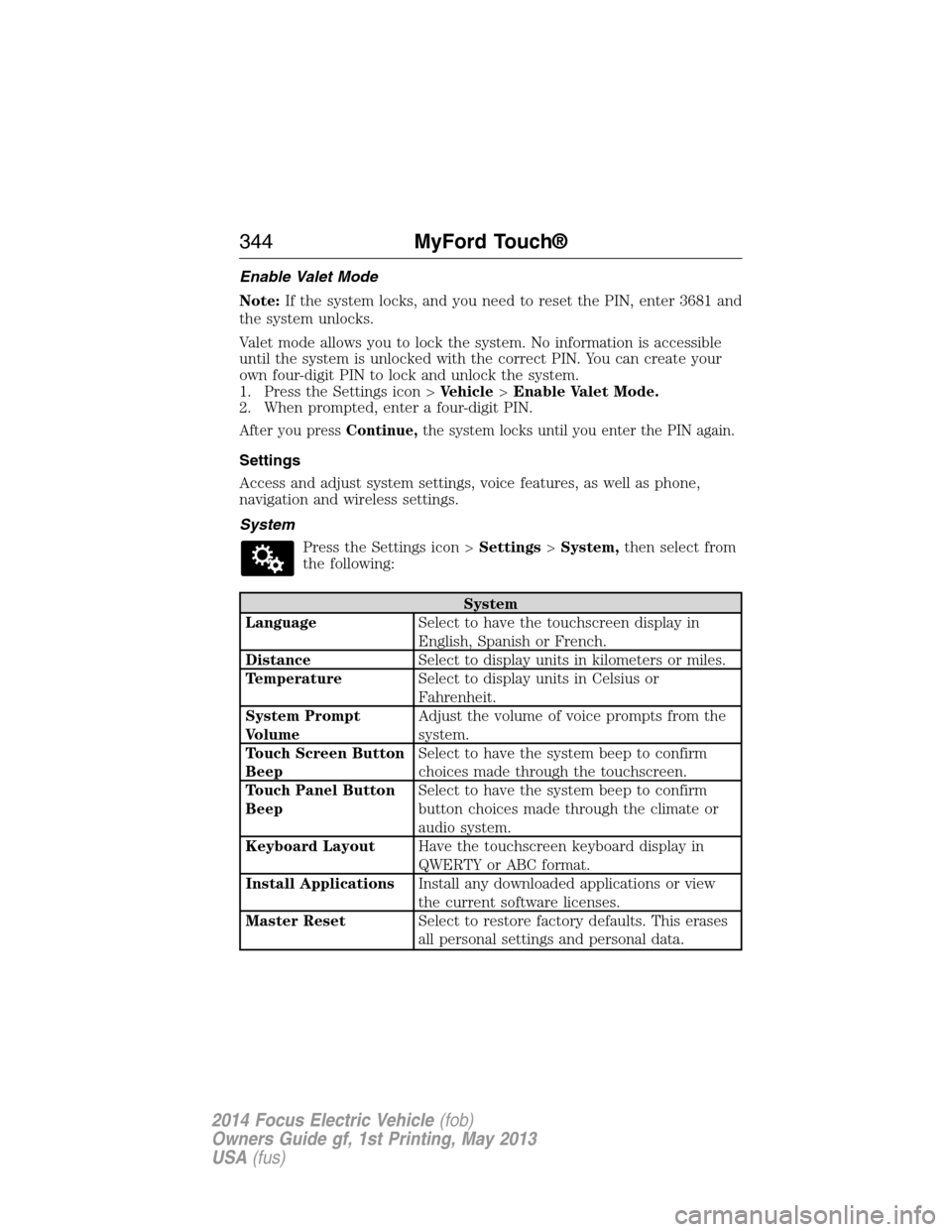
Press the Settings icon >Settings>System,then select from
the following:
System
LanguageSelect to have the touchscreen display in
English, Spanish or French.
DistanceSelect to display units in kilometers or miles.
TemperatureSelect to display units in Celsius or
Fahrenheit.
System Prompt
VolumeAdjust the volume of voice prompts from the
system.
Touch Screen Button
BeepSelect to have the system beep to confirm
choices made through the touchscreen.
Touch Panel Button
BeepSelect to have the system beep to confirm
button choices made through the climate or
audio system.
Keyboard LayoutHave the touchscreen keyboard display in
QWERTY or ABC format.
Install ApplicationsInstall any downloaded applications or view
the current software licenses.
Master ResetSelect to restore factory defaults. This erases
all personal settings and personal data.
344MyFord Touch®
2014 Focus Electric Vehicle(fob)
Owners Guide gf, 1st Printing, May 2013
USA(fus)
Page 353 of 403
To access Help using the voice commands, press the voice button, then,
after the tone, say “Help”. The system provides allowable voice
commands for the current mode.
CLIMATE
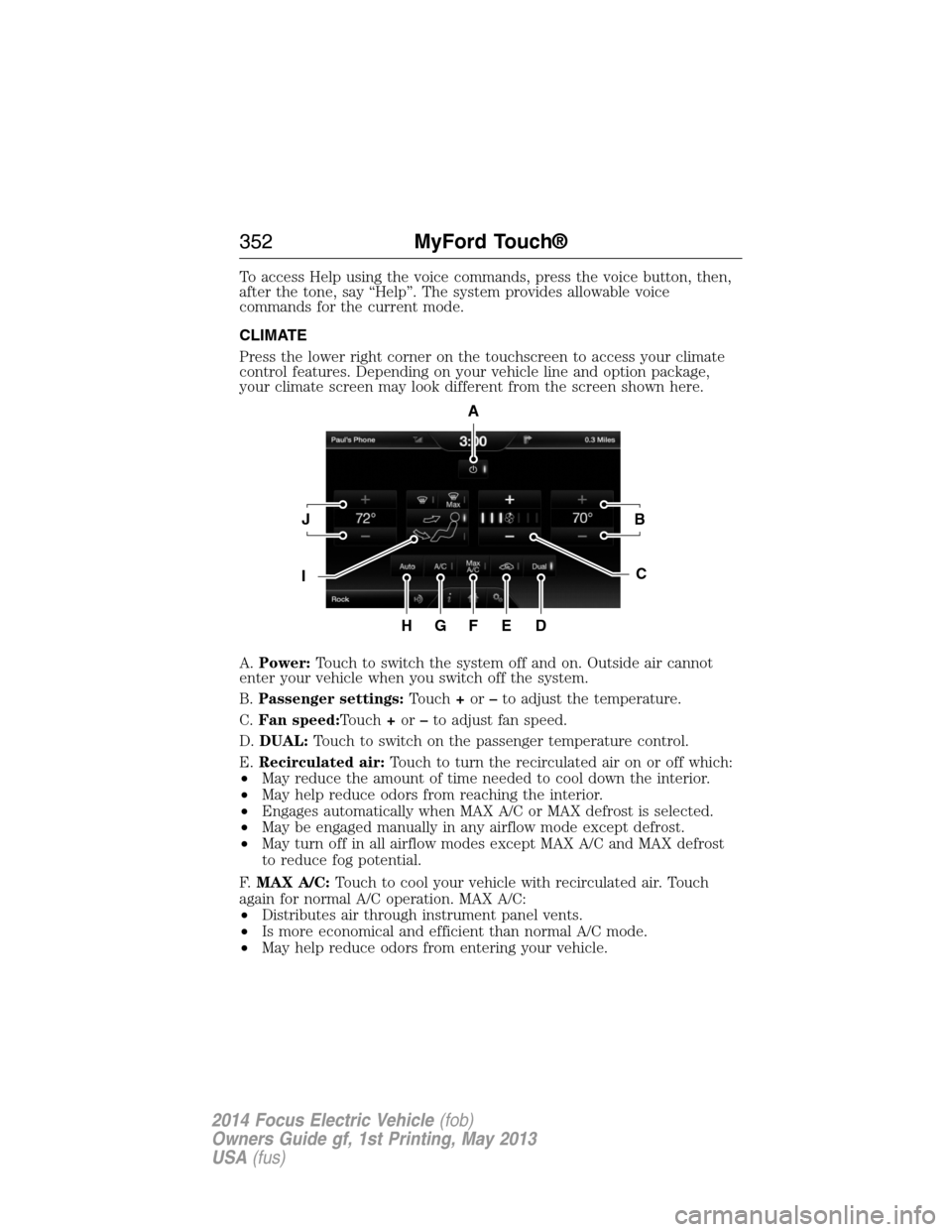
Press the lower right corner on the touchscreen to access your climate
control features. Depending on your vehicle line and option package,
your climate screen may look different from the screen shown here.
A.Power:Touch to switch the system off and on. Outside air cannot
enter your vehicle when you switch off the system.
B.Passenger settings:Touch+or–to adjust the temperature.
C.Fan speed:Touch+or–to adjust fan speed.
D.DUAL:Touch to switch on the passenger temperature control.
E.Recirculated air:Touch to turn the recirculated air on or off which:
•May reduce the amount of time needed to cool down the interior.
•May help reduce odors from reaching the interior.
•Engages automatically when MAX A/C or MAX defrost is selected.
•May be engaged manually in any airflow mode except defrost.
•May turn off in all airflow modes except MAX A/C and MAX defrost
to reduce fog potential.
F.MAX A/C:Touch to cool your vehicle with recirculated air. Touch
again for normal A/C operation. MAX A/C:
•Distributes air through instrument panel vents.
•Is more economical and efficient than normal A/C mode.
•May help reduce odors from entering your vehicle.
A
JB
IC
HGFED
352MyFord Touch®
2014 Focus Electric Vehicle(fob)
Owners Guide gf, 1st Printing, May 2013
USA(fus)
Page 399 of 403
automatic locking mode
(retractor) .................................34
LATCH .......................................26
Child safety seats - booster
seats .............................................20
Cleaning the touchscreen ........282
Cleaning your vehicle ...............227
engine compartment ..............230
instrument panel ....................231
interior .....................................231
plastic parts ............................229
washing ....................................227
waxing .....................................229
wheels ......................................233
wiper blades ............................230
Climate control (see Air
conditioning or Heating) ..........120
Climate voice commands .........354
Clock ..........................................341
Console ......................................138
overhead ..................................138
Coolant ......................................212
checking and adding ..............212
refill capacities ........................265
specifications ..........................265
Customer Assistance ................182
Ford Extended
Service Plan ............................271
Getting roadside assistance ...182
Getting the service
you need .................................190
Ordering additional owner’s
literature .................................196
Utilizing the
Mediation/Arbitration
Program ...................................194D
Daytime running lamps
(see Lamps) ................................84
Defrost
rear window ............................124
Dipstick
automatic transmission
fluid ..........................................215
Display settings .........................342
Driving under special
conditions ..................................151
through water .........................179
E
Electronic message center .......102
Electronic stability control ......158
Emergencies, roadside
jump-starting ..........................184
End user license agreement ....368
Engine
cleaning ...................................230
service points ..........................212
Engine fan .................................212
Event data recording ..................10
F
Fan, Engine Cooling .........209, 212
Fleet MyKey programming ........60
Floor mats .................................180
Fluid capacities .........................265
Fog lamps ....................................84
Fuses ..........................198–199, 205
398Index
2014 Focus Electric Vehicle(fob)
Owners Guide gf, 1st Printing, May 2013
USA(fus)