transmission FORD FOCUS ELECTRIC 2014 3.G User Guide
[x] Cancel search | Manufacturer: FORD, Model Year: 2014, Model line: FOCUS ELECTRIC, Model: FORD FOCUS ELECTRIC 2014 3.GPages: 403, PDF Size: 6.42 MB
Page 150 of 403
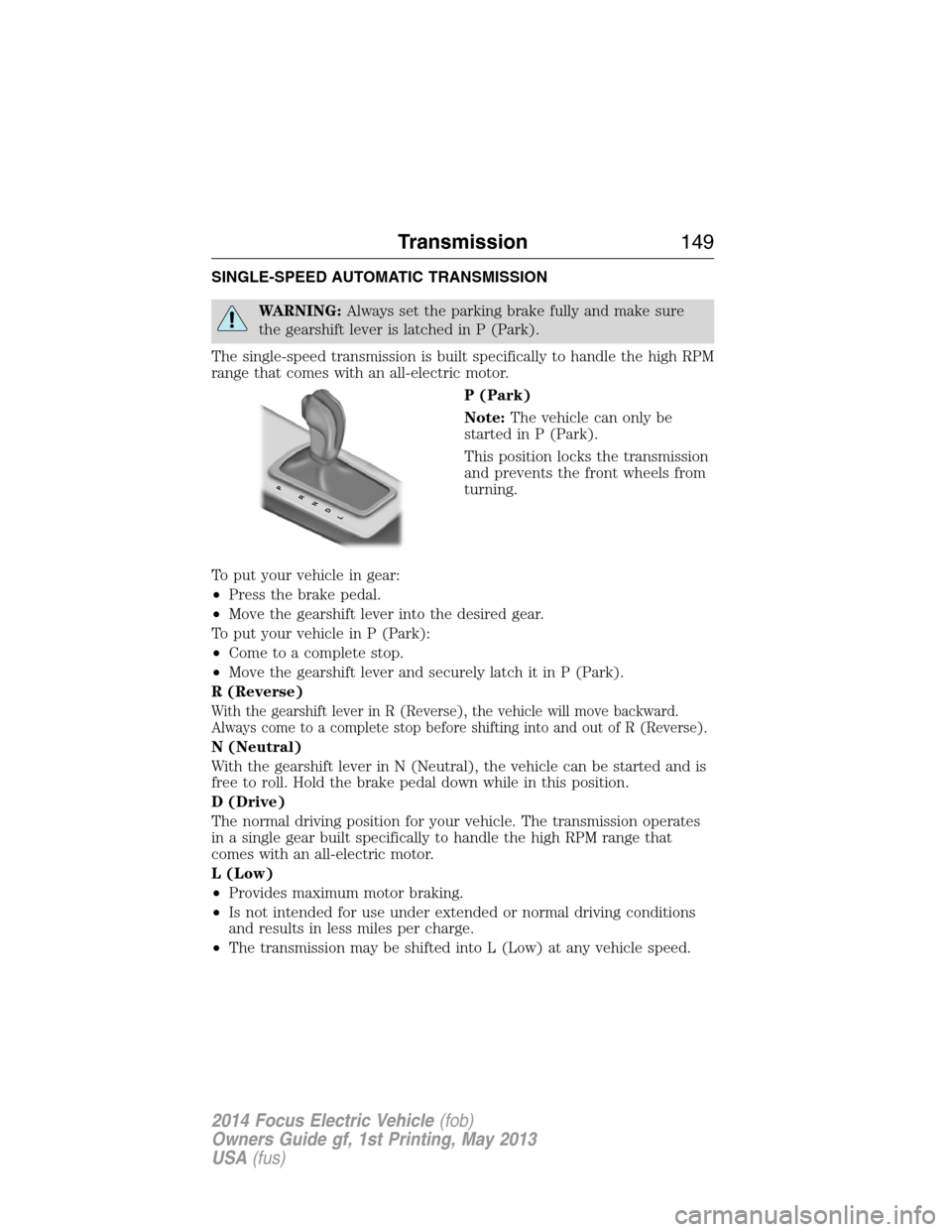
SINGLE-SPEED AUTOMATIC TRANSMISSION
WARNING:Always set the parking brake fully and make sure
the gearshift lever is latched in P (Park).
The single-speed transmission is built specifically to handle the high RPM
range that comes with an all-electric motor.
P (Park)
Note:The vehicle can only be
started in P (Park).
This position locks the transmission
and prevents the front wheels from
turning.
To put your vehicle in gear:
•Press the brake pedal.
•Move the gearshift lever into the desired gear.
To put your vehicle in P (Park):
•Come to a complete stop.
•Move the gearshift lever and securely latch it in P (Park).
R (Reverse)
With the gearshift lever in R (Reverse), the vehicle will move backward.
Always come to a complete stop before shifting into and out of R (Reverse).
N (Neutral)
With the gearshift lever in N (Neutral), the vehicle can be started and is
free to roll. Hold the brake pedal down while in this position.
D (Drive)
The normal driving position for your vehicle. The transmission operates
in a single gear built specifically to handle the high RPM range that
comes with an all-electric motor.
L (Low)
•Provides maximum motor braking.
•Is not intended for use under extended or normal driving conditions
and results in less miles per charge.
•The transmission may be shifted into L (Low) at any vehicle speed.
PRNDL
Transmission149
2014 Focus Electric Vehicle(fob)
Owners Guide gf, 1st Printing, May 2013
USA(fus)
Page 151 of 403
Brake-shift interlock
This vehicle is equipped with a brake-shift interlock feature that prevents
the gearshift lever from being moved from P (Park) when the ignition is in
the on position unless the brake pedal is pressed, your charge cord may be
plugged into the vehicle, or there may be a fault with the associated
electrical system. If this is the case, you must follow the instructions in
your instrument cluster display before your vehicle will start.
If you cannot move the gearshift lever out of P (Park) with ignition on
and the brake pedal pressed, it is also possible that a fuse has blown or
the vehicle’s brake lamps are not operating properly. Refer toFuses and
relaysin theRoadside Emergencieschapter.
If your charge cord is not connected and there is not a fault with the
associated electrical system, the fuse is not blown and the brake lamps
are working properly, the following procedure will allow you to move the
gearshift lever from P (Park):
1. Apply the parking brake, turn the ignition key to the off position and
remove the key.
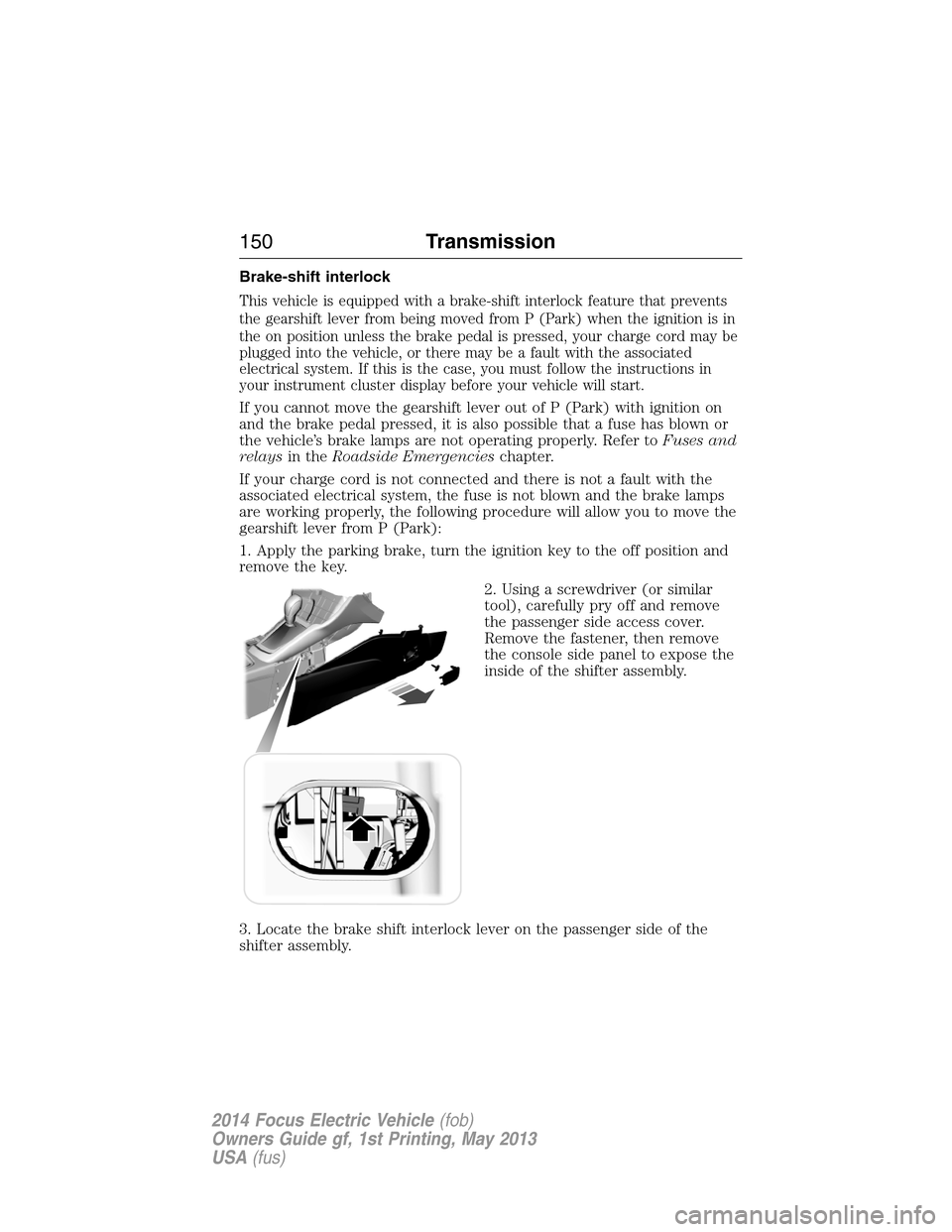
2. Using a screwdriver (or similar
tool), carefully pry off and remove
the passenger side access cover.
Remove the fastener, then remove
the console side panel to expose the
inside of the shifter assembly.
3. Locate the brake shift interlock lever on the passenger side of the
shifter assembly.
150Transmission
2014 Focus Electric Vehicle(fob)
Owners Guide gf, 1st Printing, May 2013
USA(fus)
Page 152 of 403
4. Apply the brake pedal. Using a screwdriver (or similar tool), press and
hold the white brake shift interlock lever forward while pulling the
gearshift lever out of the P (Park) position and into the N (Neutral)
position.
5. Reinstall the console side panel and attach the fastener.
6. Reinstall the access cover.
7. Apply the brake pedal, start the vehicle and release the parking brake.
See your authorized dealer as soon as possible if this procedure
is used.
WARNING:Do not drive your vehicle until you verify that the
brake lamps are working.
WARNING:When doing this procedure, you will be taking
the vehicle out of park which means the vehicle can roll freely.
To avoid unwanted vehicle movement, always fully set the parking
brake prior to doing this procedure. Use wheel chocks if appropriate.
WARNING:If the parking brake is fully released, but the brake
warning lamp remains illuminated, the brakes may not be
working properly. See your authorized dealer.
If Your Vehicle Gets Stuck in Mud or Snow
Note:Do not rock the vehicle if the motor is not at normal operating
temperature or damage to the transmission may occur.
Note:Excessive rocking of the vehicle may eventually cause a loss of
power as the powertrain protects against overheating or damage.
If your vehicle gets stuck in mud or snow, it may be rocked out by
shifting between forward and reverse gears, stopping between shifts in a
steady pattern. Press lightly on the accelerator in each gear.
Transmission151
2014 Focus Electric Vehicle(fob)
Owners Guide gf, 1st Printing, May 2013
USA(fus)
Page 153 of 403
HILL START ASSIST
WARNING:The hill start assist feature does not replace the
parking brake. When you leave the vehicle, always apply the
parking brake and shift the transmission into P (Park).
WARNING:You must remain in the vehicle once you have
activated the hill start assist feature.
WARNING:During all times, you are responsible for controlling
the vehicle, supervising the hill start assist system and intervening,
if required.
WARNING:If the motor is revved excessively, or if a malfunction
is detected when the hill start assist feature is active, the hill
start assist feature will be deactivated.
The hill start assist feature makes it easier to pull away when the vehicle is
on a slope without the need to use the parking brake. When the hill start
assist feature is active, the vehicle will remain stationary on the slope for
up to two seconds after you release the brake pedal. During this time, you
have time to move your foot from the brake to the accelerator pedal and
pull away. The brakes are released automatically once the motor has
developed sufficient drive to prevent the vehicle from rolling down the
slope. This is an advantage when pulling away on a slope; for example from
a car park ramp, traffic lights or when reversing uphill into a parking space.
The hill start assist feature is activated automatically when the vehicle is
stopped on a slope greater than five degrees. The hill start assist feature
operates with the vehicle facing downhill if reverse gear is selected.
To activate hill start assist, do the following:
1. Press the brake pedal to bring the vehicle to a complete standstill.
Keep the brake pedal pressed.
2. If the sensors detect that the vehicle is on a slope, the hill start assist
feature will be activated automatically.
3. When you remove your foot from the brake pedal, the vehicle will
remain on the slope without rolling away for approximately up to two
seconds. This hold time will automatically be extended if you are in the
process of driving off.
4. Drive off in the normal manner. The brakes will be released
automatically.
152Transmission
2014 Focus Electric Vehicle(fob)
Owners Guide gf, 1st Printing, May 2013
USA(fus)
Page 156 of 403
PARKING BRAKE
WARNING:Always set the parking brake fully and make sure
that the transmission selector lever is securely latched in
positionP.
WARNING:If the parking brake is fully released, but the brake
warning lamp remains illuminated, the brakes may not be
working properly. See your authorized dealer as soon as possible.
To set the parking brake, pull the parking brake handle up as far as
possible.
To release the parking brake:
1. Press and hold the button located at the end of the parking brake
handle.
2. Pull the handle up slightly, then push the handle down.
Brakes155
2014 Focus Electric Vehicle(fob)
Owners Guide gf, 1st Printing, May 2013
USA(fus)
Page 159 of 403
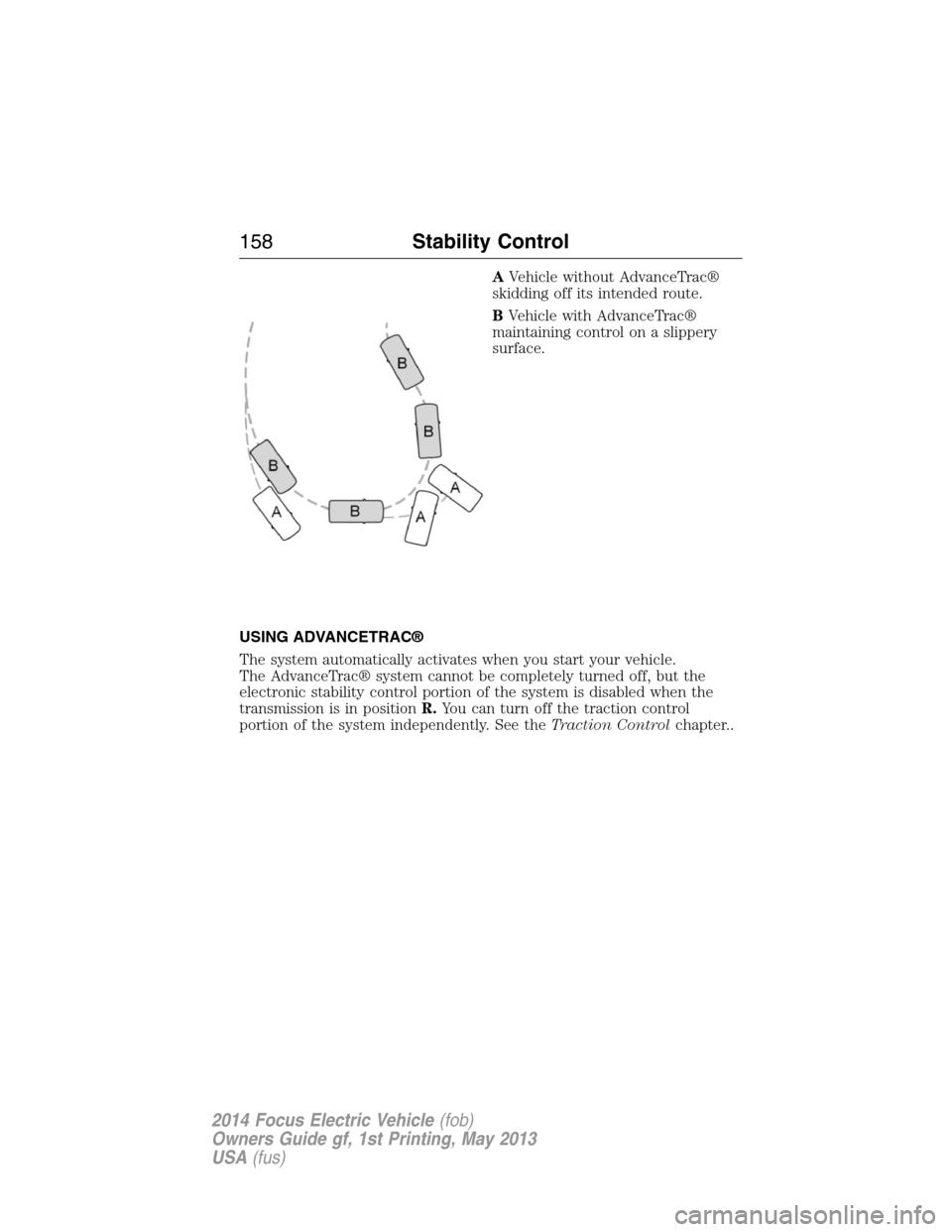
AVehicle without AdvanceTrac®
skidding off its intended route.
BVehicle with AdvanceTrac®
maintaining control on a slippery
surface.
USING ADVANCETRAC®
The system automatically activates when you start your vehicle.
The AdvanceTrac® system cannot be completely turned off, but the
electronic stability control portion of the system is disabled when the
transmission is in positionR.You can turn off the traction control
portion of the system independently. See theTraction Controlchapter..
158Stability Control
2014 Focus Electric Vehicle(fob)
Owners Guide gf, 1st Printing, May 2013
USA(fus)
Page 160 of 403
SENSING SYSTEM (IF EQUIPPED)
WARNING:To help avoid personal injury, please read and
understand the limitations of the system as contained in this
section. Sensing is only an aid for some (generally large and fixed)
objects when moving in reverse on a flat surface at parking speeds.
Traffic control systems, inclement weather, air brakes, and external
motors and fans may also affect the function of the sensing system; this
may include reduced performance or a false activation.
WARNING:To help avoid personal injury, always use caution
when the transmission is inRand when using the sensing system.
WARNING:This system is not designed to prevent contact with
small or moving objects. The system is designed to provide a
warning to assist the driver in detecting large stationary objects to
avoid damaging the vehicle. The system may not detect smaller objects,
particularly those close to the ground.
WARNING:Certain add-on devices, such as large trailer hitches,
bike or surfboard racks and any device that may block the normal
detection zone of the system, may create false beeps.
Note:
Keep the sensors (located on the bumper/fascia) free from snow, ice
and large accumulations of dirt. If the sensors are covered, the system’s
accuracy can be affected. Do not clean the sensors with sharp objects.
Note:If your vehicle sustains damage to the bumper/fascia, leaving it
misaligned or bent, the sensing zone may be altered causing inaccurate
measurement of obstacles or false alarms.
The sensing system warns the driver of obstacles within a certain range
of the bumper area. The system turns on automatically whenever the
ignition is switched on.
When receiving a detection warning, the radio volume is reduced to a
predetermined level. After the warning goes away, the radio volume
returns to the previous level.
The system can be turned off using the information display control. See
theInformation Displaychapter. If a fault is present in the system, a
warning message appears in the information display and does not allow
the driver to switch the faulted system on.
Parking Aids159
2014 Focus Electric Vehicle(fob)
Owners Guide gf, 1st Printing, May 2013
USA(fus)
Page 161 of 403
Using the Rear Sensing System
The rear sensors are only active when the transmission is inR.Asthe
vehicle moves closer to the obstacle, the rate of the audible warning
increases. When the obstacle is fewer than 12 inches (30 centimeters)
away, the warning sounds continuously. If a stationary or receding object
is detected farther than 12 inches (30 centimeters) from the side of the
vehicle, the tone sounds for only three seconds. Once the system detects
an object approaching, the warning sounds again.
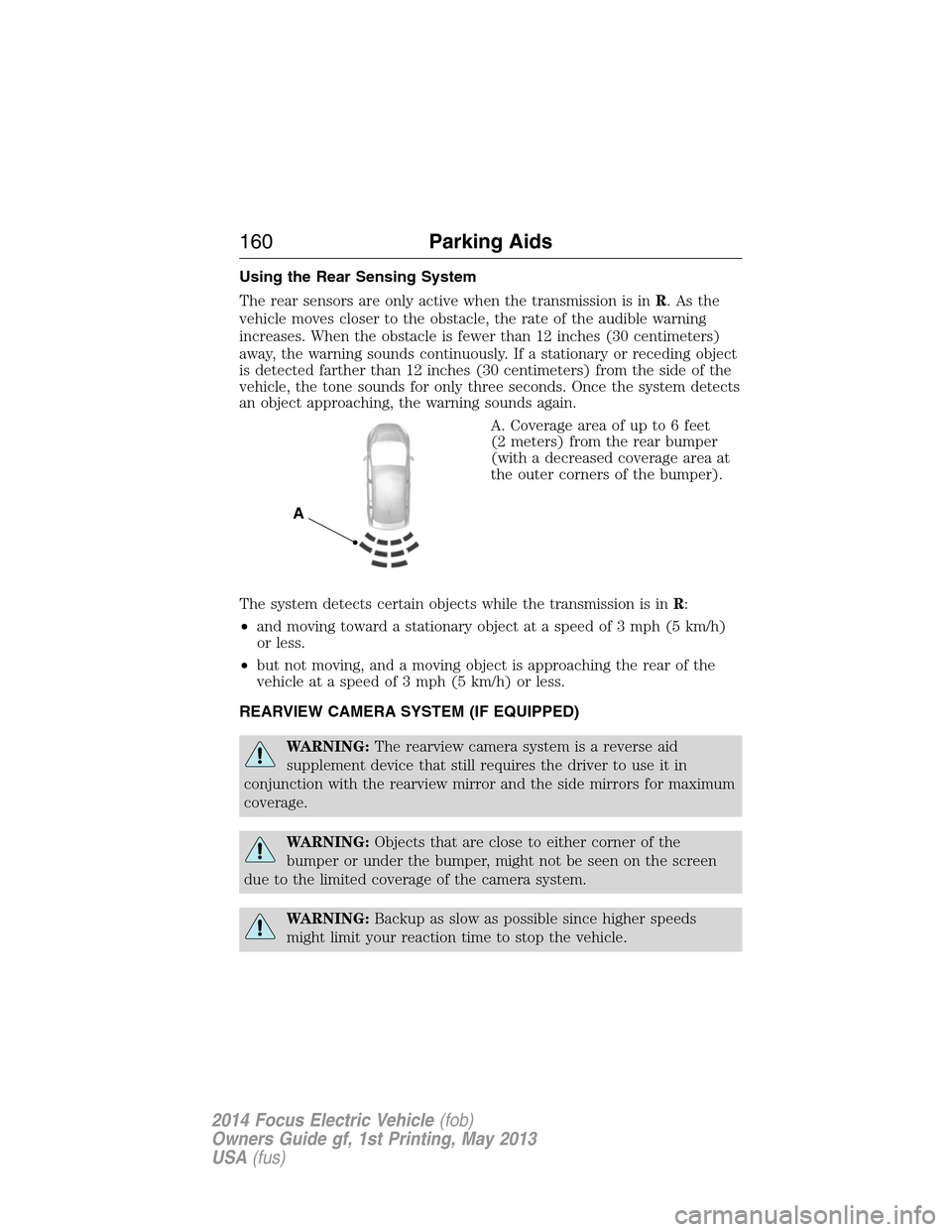
A. Coverage area of up to 6 feet
(2 meters) from the rear bumper
(with a decreased coverage area at
the outer corners of the bumper).
The system detects certain objects while the transmission is inR:
•and moving toward a stationary object at a speed of 3 mph (5 km/h)
or less.
•but not moving, and a moving object is approaching the rear of the
vehicle at a speed of 3 mph (5 km/h) or less.
REARVIEW CAMERA SYSTEM (IF EQUIPPED)
WARNING:The rearview camera system is a reverse aid
supplement device that still requires the driver to use it in
conjunction with the rearview mirror and the side mirrors for maximum
coverage.
WARNING:Objects that are close to either corner of the
bumper or under the bumper, might not be seen on the screen
due to the limited coverage of the camera system.
WARNING:Backup as slow as possible since higher speeds
might limit your reaction time to stop the vehicle.
A
160Parking Aids
2014 Focus Electric Vehicle(fob)
Owners Guide gf, 1st Printing, May 2013
USA(fus)
Page 162 of 403
WARNING:Use caution when using the rear video camera and
the liftgate is ajar. If the liftgate is ajar, the camera will be out of
position and the video image may be incorrect. All guidelines (if enabled)
have been removed when the liftgate is ajar.
WARNING:Use caution when turning ON or OFF camera features
while in R (Reverse). Make sure the vehicle is not moving.
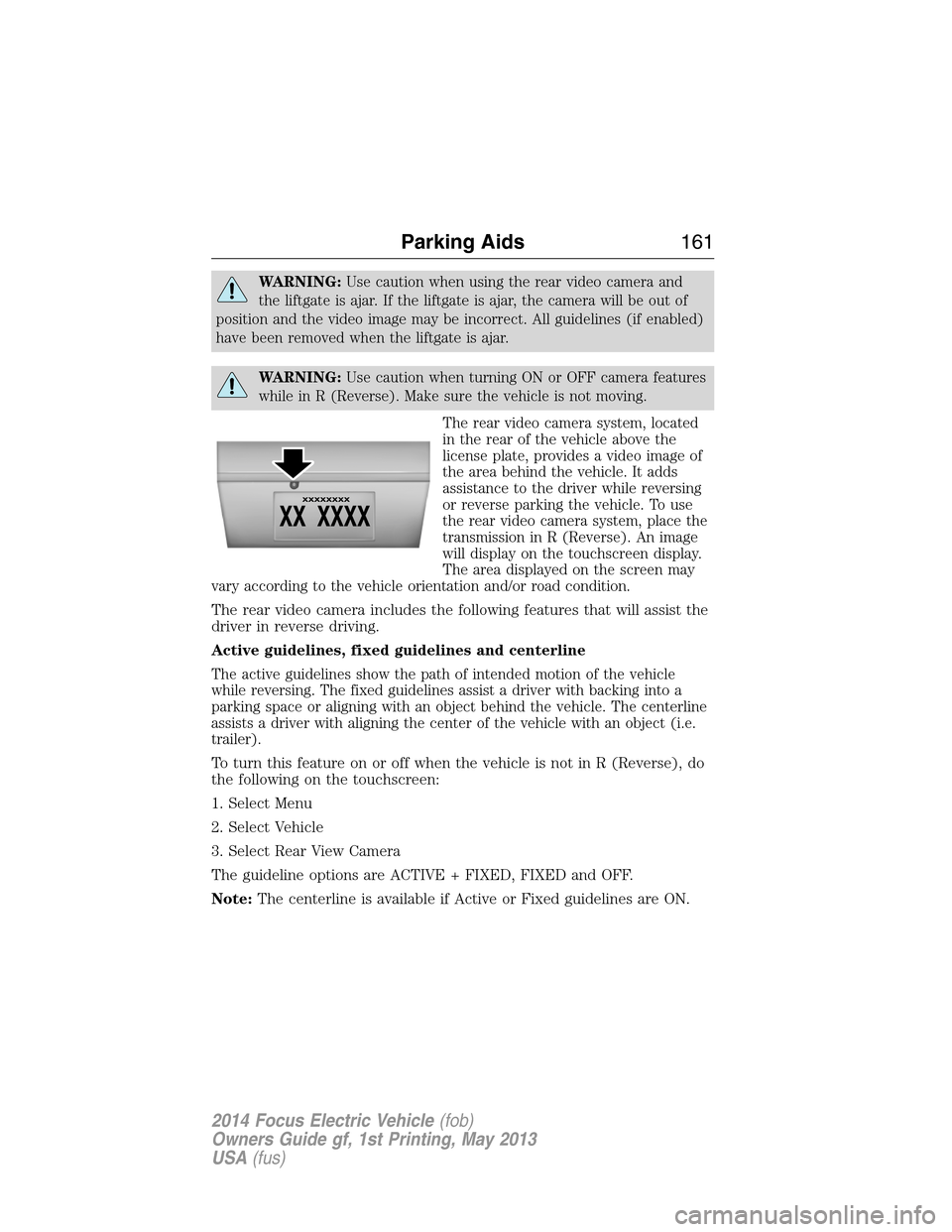
The rear video camera system, located
in the rear of the vehicle above the
license plate, provides a video image of
the area behind the vehicle. It adds
assistance to the driver while reversing
or reverse parking the vehicle. To use
the rear video camera system, place the
transmission in R (Reverse). An image
will display on the touchscreen display.
The area displayed on the screen may
vary according to the vehicle orientation and/or road condition.
The rear video camera includes the following features that will assist the
driver in reverse driving.
Active guidelines, fixed guidelines and centerline
The active guidelines show the path of intended motion of the vehicle
while reversing. The fixed guidelines assist a driver with backing into a
parking space or aligning with an object behind the vehicle. The centerline
assists a driver with aligning the center of the vehicle with an object (i.e.
trailer).
To turn this feature on or off when the vehicle is not in R (Reverse), do
the following on the touchscreen:
1. Select Menu
2. Select Vehicle
3. Select Rear View Camera
The guideline options are ACTIVE + FIXED, FIXED and OFF.
Note:The centerline is available if Active or Fixed guidelines are ON.
Parking Aids161
2014 Focus Electric Vehicle(fob)
Owners Guide gf, 1st Printing, May 2013
USA(fus)
Page 164 of 403
Visual park aid alert (if equipped)
Visual park aid alert allows the driver to see the area that is causing the
reverse sensing system to beep. The visual alerts are red, yellow or green
highlights which appear on top of the video image when an object is
detected by the reverse sensing system. The visual alert will highlight
the closest object detected by the reverse sensing system. The reverse
sensing alert can be disabled and if visual park aid alert is enabled,
highlighted areas will still be displayed.
To turn this feature on or off when the vehicle is not in R (Reverse), do
the following on the touchscreen:
1. Select Menu
2. Select Vehicle
3. Select Rear View Camera
The visual park aid alert options are ON and OFF.
Note:The reverse sensing system is not effective at speeds above 8 mph
(12 km/h) and may not detect certain angular or moving objects.
Manual zoom
WARNING:When manual zoom is on, the full area behind the
vehicle is not shown. Be aware of your surroundings when using
the manual zoom feature.
Note:Manual zoom is only available when the transmission is in R
(Reverse).
Note:When manual zoom is enabled, only the centerline is shown.
Allows the driver to get a closer view of an object behind the vehicle.
The zoomed image keeps the bumper in the image to provide a
reference. The zoom is only active while the transmission is in R
(Reverse), When the transmission is shifted out of R (Reverse), the
feature automatically turns off and must be reset when it is used again.
Selectable settings for this feature are (+) and (-). The default setting
for the manual zoom is OFF.
Parking Aids163
2014 Focus Electric Vehicle(fob)
Owners Guide gf, 1st Printing, May 2013
USA(fus)