lock FORD FOCUS ELECTRIC 2014 3.G Owner's Manual
[x] Cancel search | Manufacturer: FORD, Model Year: 2014, Model line: FOCUS ELECTRIC, Model: FORD FOCUS ELECTRIC 2014 3.GPages: 403, PDF Size: 6.42 MB
Page 69 of 403
Note:If locking was not successful or any door or the liftgate is open, or
if the hood is open on vehicles with a perimeter alarm or remote start,
the horn will sound twice and the lamps will not flash.
Opening the Luggage Compartment
Press twice to unlatch the luggage compartment lid.
Mechanical Key
Turn the top of the key toward the front of your vehicle once to lock all
doors.
Turn the top of the key toward the rear of your vehicle once to unlock
the driver door only.
Locking the Doors Individually
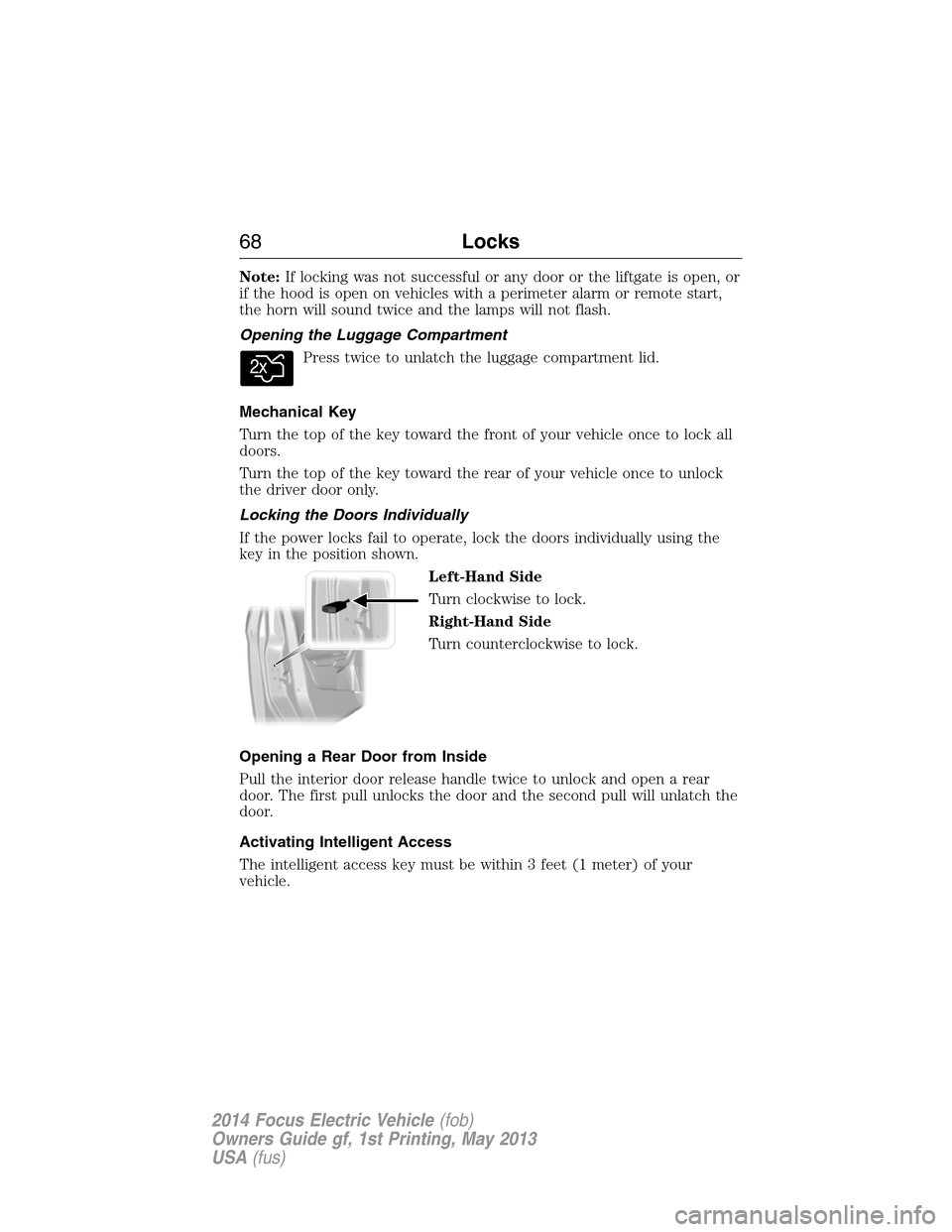
If the power locks fail to operate, lock the doors individually using the
key in the position shown.
Left-Hand Side
Turn clockwise to lock.
Right-Hand Side
Turn counterclockwise to lock.
Opening a Rear Door from Inside
Pull the interior door release handle twice to unlock and open a rear
door. The first pull unlocks the door and the second pull will unlatch the
door.
Activating Intelligent Access
The intelligent access key must be within 3 feet (1 meter) of your
vehicle.
68Locks
2014 Focus Electric Vehicle(fob)
Owners Guide gf, 1st Printing, May 2013
USA(fus)
Page 70 of 403
At the Front Doors
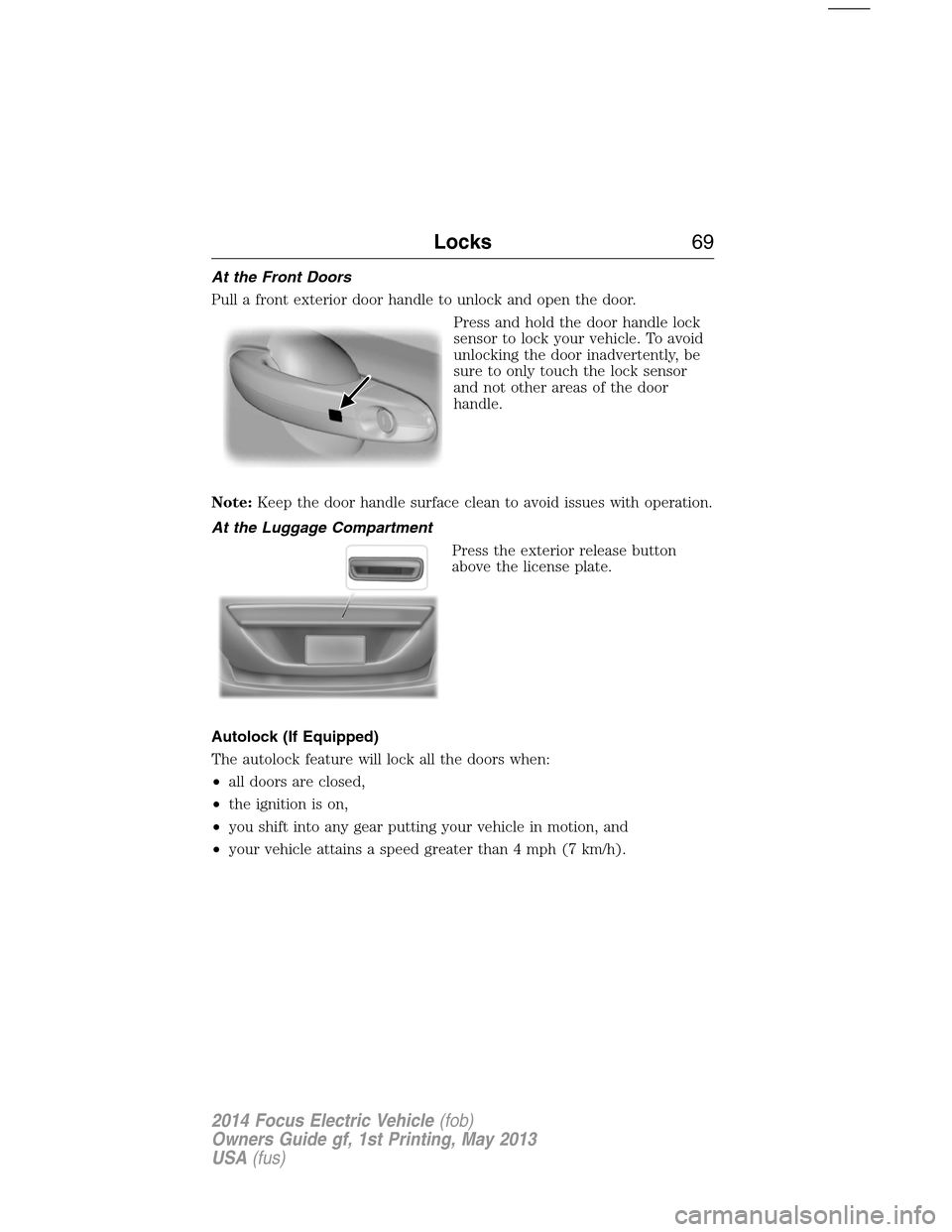
Pull a front exterior door handle to unlock and open the door.
Press and hold the door handle lock
sensor to lock your vehicle. To avoid
unlocking the door inadvertently, be
sure to only touch the lock sensor
and not other areas of the door
handle.
Note:Keep the door handle surface clean to avoid issues with operation.
At the Luggage Compartment
Press the exterior release button
above the license plate.
Autolock (If Equipped)
The autolock feature will lock all the doors when:
•all doors are closed,
•the ignition is on,
•you shift into any gear putting your vehicle in motion, and
•your vehicle attains a speed greater than 4 mph (7 km/h).
Locks69
2014 Focus Electric Vehicle(fob)
Owners Guide gf, 1st Printing, May 2013
USA(fus)
Page 71 of 403
Autounlock (If Equipped)
The autounlock feature will unlock all the doors when:
•the ignition is on, all the doors are closed, and your vehicle has been
in motion at a speed greater than 4 mph (7 km/h);
•your vehicle comes to a stop and you switch the ignition off or to
accessory; and
•you open the driver door within 10 minutes of the switching the
ignition off or to accessory.
Note:The doors will not autounlock if you electronically lock your
vehicle after you switch the ignition off and before you open the driver
door.
Enabling or Disabling Autolock and Autounlock
Note:Your authorized dealer can perform this procedure, or you can do
the procedure yourself.
To enable or disable these features, do the following:
Note:You will have 30 seconds to complete the procedure.
1. Switch the ignition on.
2. Press the power door unlock button three times.
3. Switch the ignition off.
4. Press the power door unlock button three times.
5. Switch the ignition on. The horn will sound indicating your vehicle is
in programming mode.
Autolock:Press the power door unlock button then the lock button.
The horn will sound once if disabled or twice (one short and one long) if
enabled.
Autounlock:Press the power door lock button then the unlock button.
The horn will sound once if disabled or twice (one short and one long) if
enabled.
After programming the feature, switch the ignition off. The horn will
sound once indicating programming is complete.
Note:You can enabled or disabled the autounlock feature independently
of the autolock feature.
70Locks
2014 Focus Electric Vehicle(fob)
Owners Guide gf, 1st Printing, May 2013
USA(fus)
Page 72 of 403
Illuminated Entry
The interior lamps and select exterior lamps will illuminate when you
unlock the doors with the remote entry system.
The illuminated entry system will turn off the lights if:
•you start your vehicle,
•you press the remote control lock button, or
•after 25 seconds of illumination.
The lights will not turn off if:
•you turn them on with the lamp control, or
•any door is open.
Illuminated Exit
The interior lamps and select exterior lamps will illuminate when all
doors are closed and you switch the ignition off.
The lamps will turn off if all the doors remain closed and:
•25 seconds elapse
•you lock your vehicle from the outside.
Battery Saver
If you leave the courtesy lamps or dome lamps on and switch the ignition
off, the battery saver shuts them off after some time.
Accessory Mode Battery Saver for Intelligent Access Keys
(If Equipped)
If you leave the ignition on after leaving your vehicle, it will shut off
15 minutes after you close all of the doors.
Locks71
2014 Focus Electric Vehicle(fob)
Owners Guide gf, 1st Printing, May 2013
USA(fus)
Page 73 of 403
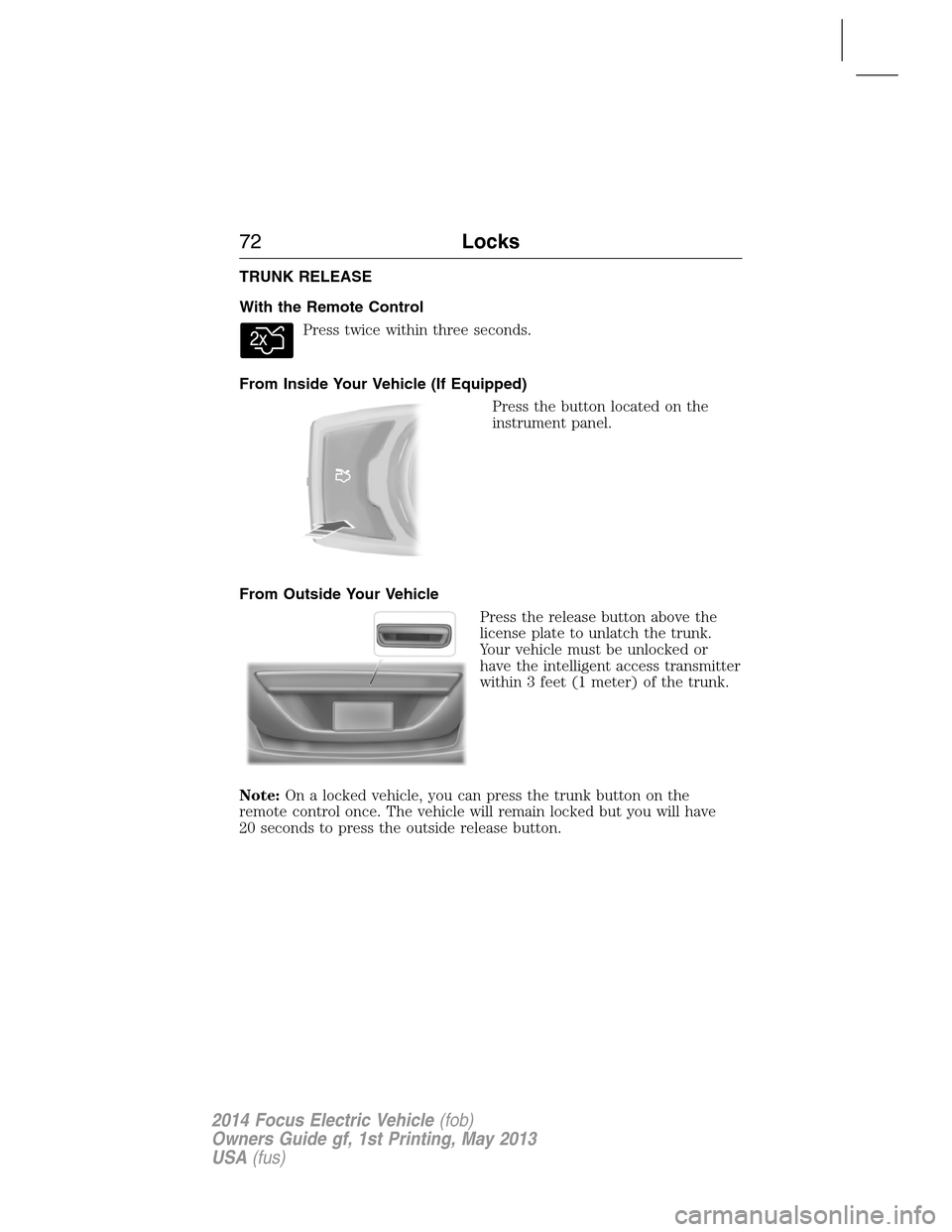
TRUNK RELEASE
With the Remote Control
Press twice within three seconds.
From Inside Your Vehicle (If Equipped)
Press the button located on the
instrument panel.
From Outside Your Vehicle
Press the release button above the
license plate to unlatch the trunk.
Your vehicle must be unlocked or
have the intelligent access transmitter
within 3 feet (1 meter) of the trunk.
Note:On a locked vehicle, you can press the trunk button on the
remote control once. The vehicle will remain locked but you will have
20 seconds to press the outside release button.
72Locks
2014 Focus Electric Vehicle(fob)
Owners Guide gf, 1st Printing, May 2013
USA(fus)
Page 74 of 403
SECURILOCK® PASSIVE ANTI-THEFT SYSTEM
Note:The system is not compatible with non-Ford aftermarket remote
start systems. Use of these systems may result in vehicle starting
problems and a loss of security protection.
Note:Metallic objects, electronic devices or a second coded key on the
same key chain may cause vehicle starting issues if they are too close to
the key when starting your vehicle. Prevent these objects from touching
the coded key while starting your vehicle. Switch the ignition off, move
all objects on the key chain away from the coded key and restart the
vehicle if a problem occurs.
Note:Do not leave a duplicate coded key in the vehicle. Always take
your keys and lock all doors when leaving the vehicle.
The system helps prevent the vehicle from starting unless you use a
coded key programmed to your vehicle. Using the wrong key may
prevent your vehicle from starting. A message may appear in the
information display.
If you are unable to start your vehicle with a correctly coded key, a
malfunction has happened and a message may appear in the information
display.
Automatic Arming
Your vehicle arms immediately after you switch the ignition off.
Automatic Disarming
Your vehicle disarms when you switch the ignition on with a coded key.
Replacement Keys
Note:Your vehicle comes with two intelligent access keys.
The intelligent access key functions as a programmed key that operates
the driver door lock and activates the intelligent access with push button
start systems, as well as a remote control.
If your intelligent access key is lost or stolen and you do not have
an extra coded key, you will need to have your vehicle towed to an
authorized dealer. The key codes need to be erased from your vehicle
and new coded keys will need to be programmed.
Store an extra programmed key away from your vehicle in a safe place to
help prevent any inconveniences. See an authorized dealer to purchase
additional spare or replacement keys.
Security73
2014 Focus Electric Vehicle(fob)
Owners Guide gf, 1st Printing, May 2013
USA(fus)
Page 75 of 403
Programming a Spare Intelligent Access Key
See your authorized dealer to have additional keys programmed to your
vehicle.
ANTI-THEFT ALARM
The system will warn you of an unauthorized entry to your vehicle.
The park and turn lamps flash and the horn sounds if unauthorized entry
is attempted while the alarm is armed. It triggers immediately if the
luggage compartment or the hood opens, and after a 12-second delay if
any door opens.
Take all remote controls to an authorized dealer if there is any potential
alarm problem with your vehicle.
Arming the Alarm
The alarm is ready to arm when there is not a key in the ignition. Lock
the vehicle to arm the alarm.
The message indicator flashes when theft protection is active.
Disarming the alarm
Disarm the alarm by any of the following actions:
•Unlock the doors or luggage compartment with the remote control.
•Turn the ignition on or start the vehicle.
•Use a key in the driver door to unlock your vehicle, then turn the
ignition on within 12 seconds.
74Security
2014 Focus Electric Vehicle(fob)
Owners Guide gf, 1st Printing, May 2013
USA(fus)
Page 76 of 403
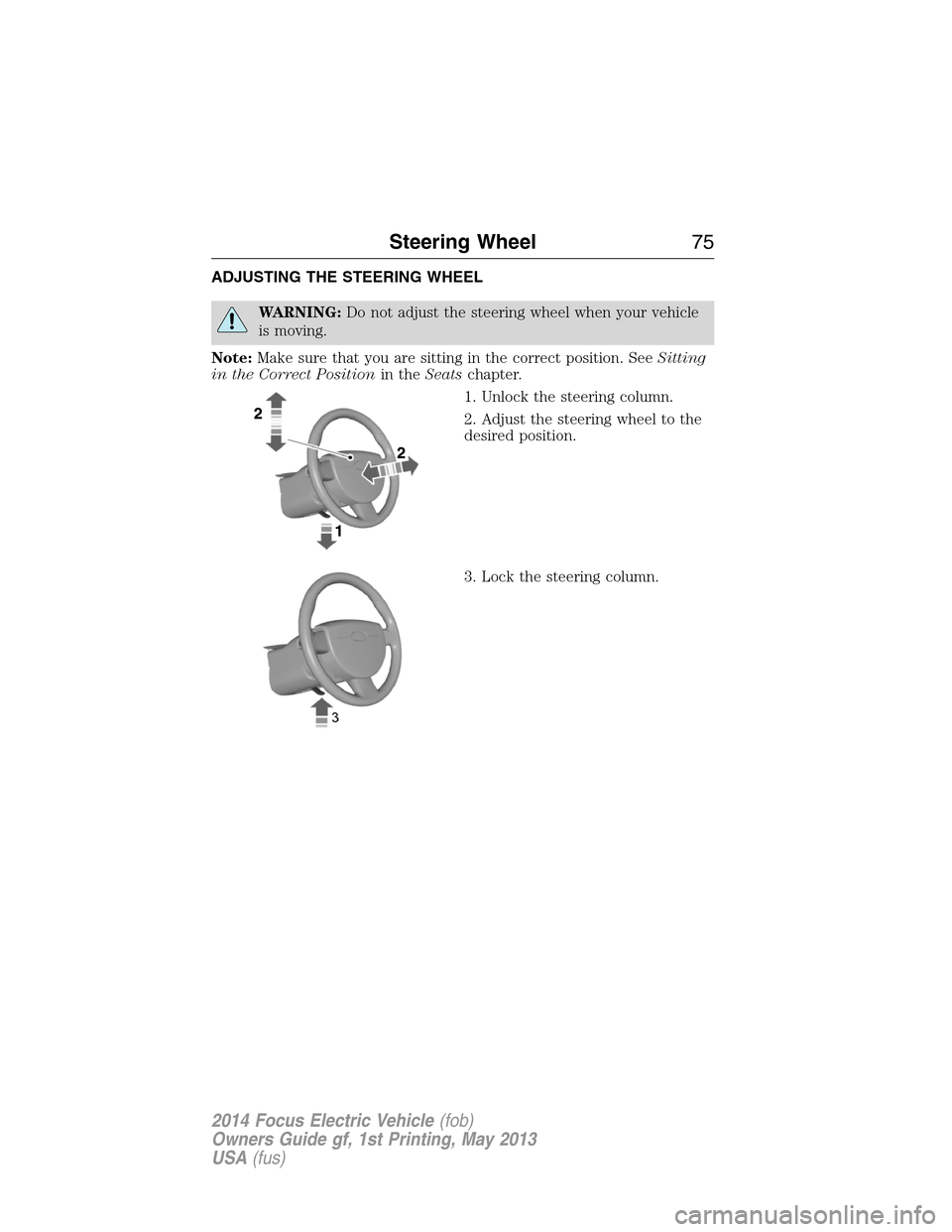
ADJUSTING THE STEERING WHEEL
WARNING:Do not adjust the steering wheel when your vehicle
is moving.
Note:Make sure that you are sitting in the correct position. SeeSitting
in the Correct Positionin theSeatschapter.
1. Unlock the steering column.
2. Adjust the steering wheel to the
desired position.
3. Lock the steering column.
Steering Wheel75
2014 Focus Electric Vehicle(fob)
Owners Guide gf, 1st Printing, May 2013
USA(fus)
Page 87 of 403
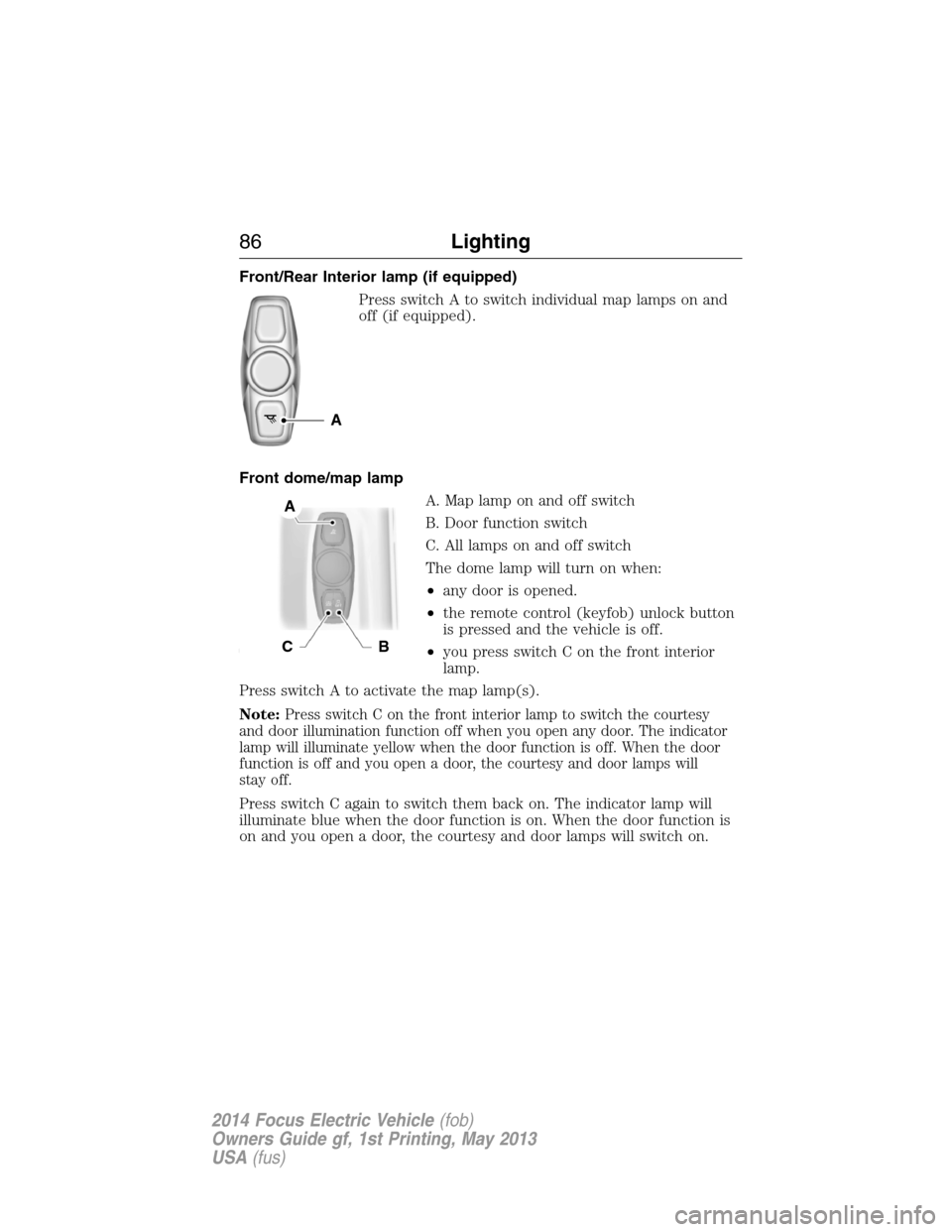
Front/Rear Interior lamp (if equipped)
Press switch A to switch individual map lamps on and
off (if equipped).
Front dome/map lamp
A. Map lamp on and off switch
B. Door function switch
C. All lamps on and off switch
The dome lamp will turn on when:
•any door is opened.
•the remote control (keyfob) unlock button
is pressed and the vehicle is off.
•you press switch C on the front interior
lamp.
Press switch A to activate the map lamp(s).
Note:
Press switch C on the front interior lamp to switch the courtesy
and door illumination function off when you open any door. The indicator
lamp will illuminate yellow when the door function is off. When the door
function is off and you open a door, the courtesy and door lamps will
stay off.
Press switch C again to switch them back on. The indicator lamp will
illuminate blue when the door function is on. When the door function is
on and you open a door, the courtesy and door lamps will switch on.
A
A
CB
86Lighting
2014 Focus Electric Vehicle(fob)
Owners Guide gf, 1st Printing, May 2013
USA(fus)
Page 89 of 403
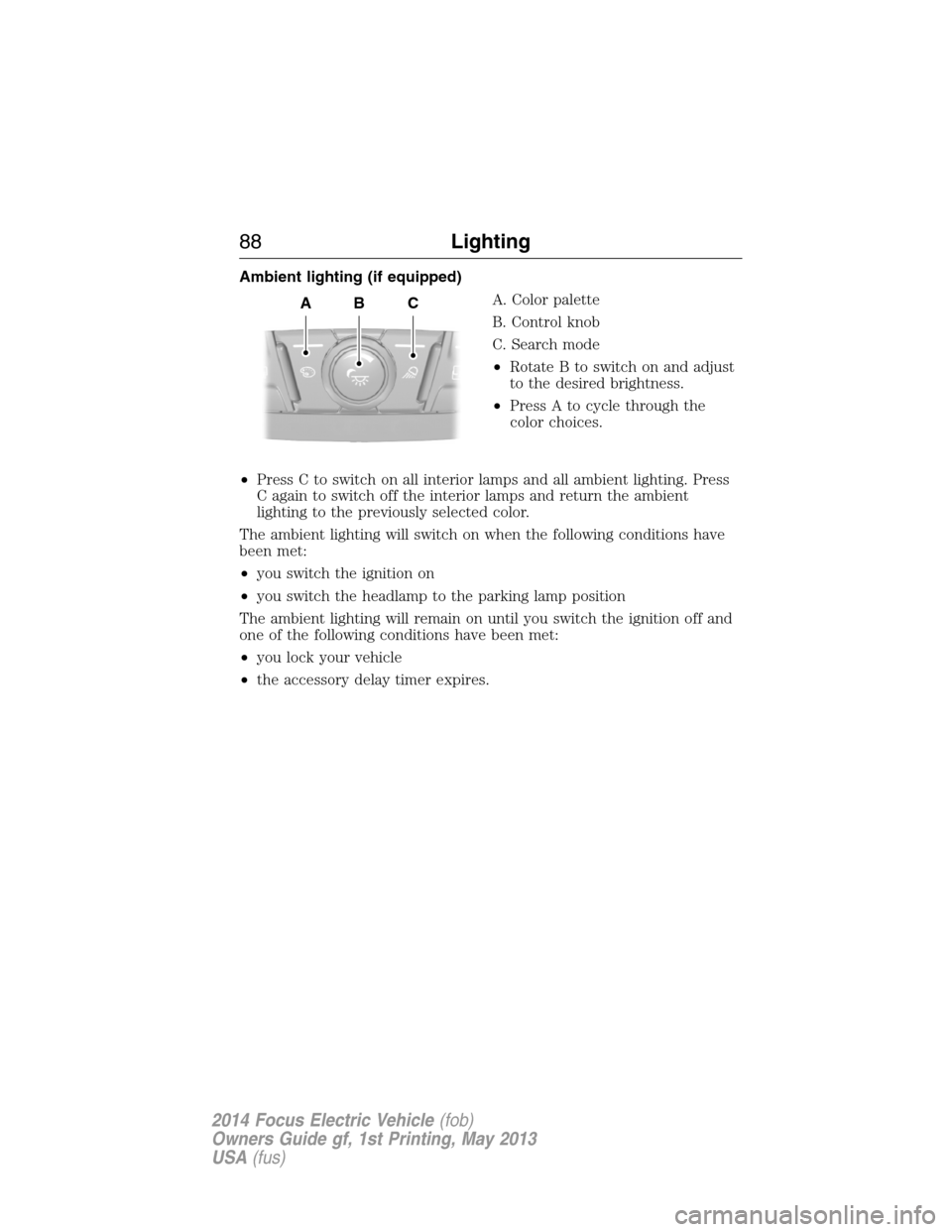
Ambient lighting (if equipped)
A. Color palette
B. Control knob
C. Search mode
•Rotate B to switch on and adjust
to the desired brightness.
•Press A to cycle through the
color choices.
•Press C to switch on all interior lamps and all ambient lighting. Press
C again to switch off the interior lamps and return the ambient
lighting to the previously selected color.
The ambient lighting will switch on when the following conditions have
been met:
•you switch the ignition on
•you switch the headlamp to the parking lamp position
The ambient lighting will remain on until you switch the ignition off and
one of the following conditions have been met:
•you lock your vehicle
•the accessory delay timer expires.
ABC
88Lighting
2014 Focus Electric Vehicle(fob)
Owners Guide gf, 1st Printing, May 2013
USA(fus)