reset FORD FOCUS ELECTRIC 2014 3.G Owners Manual
[x] Cancel search | Manufacturer: FORD, Model Year: 2014, Model line: FOCUS ELECTRIC, Model: FORD FOCUS ELECTRIC 2014 3.GPages: 403, PDF Size: 6.42 MB
Page 10 of 403
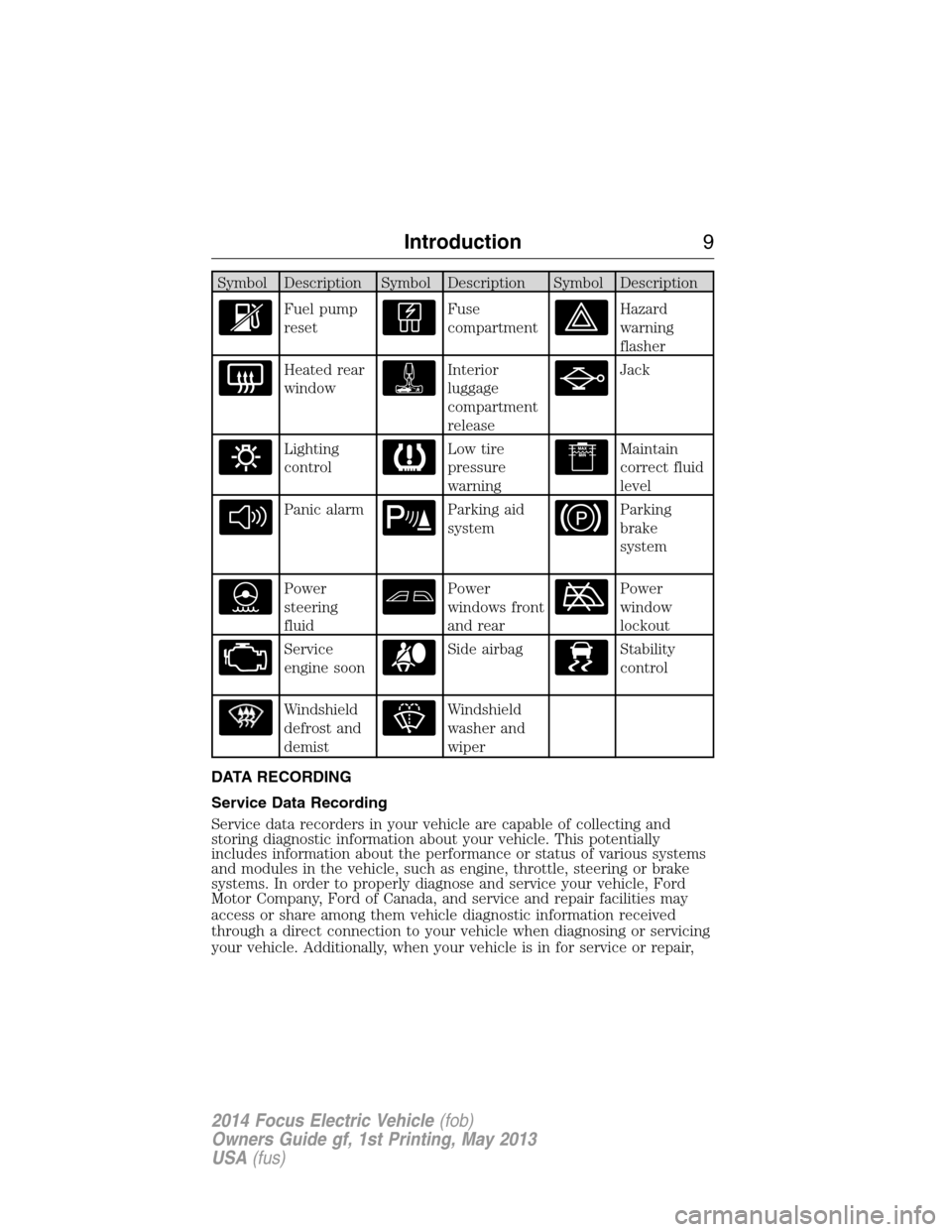
Symbol Description Symbol Description Symbol Description
Fuel pump
resetFuse
compartmentHazard
warning
flasher
Heated rear
windowInterior
luggage
compartment
releaseJack
Lighting
controlLow tire
pressure
warningMaintain
correct fluid
level
Panic alarmParking aid
systemParking
brake
system
Power
steering
fluidPower
windows front
and rearPower
window
lockout
Service
engine soonSide airbagStability
control
Windshield
defrost and
demistWindshield
washer and
wiper
DATA RECORDING
Service Data Recording
Service data recorders in your vehicle are capable of collecting and
storing diagnostic information about your vehicle. This potentially
includes information about the performance or status of various systems
and modules in the vehicle, such as engine, throttle, steering or brake
systems. In order to properly diagnose and service your vehicle, Ford
Motor Company, Ford of Canada, and service and repair facilities may
access or share among them vehicle diagnostic information received
through a direct connection to your vehicle when diagnosing or servicing
your vehicle. Additionally, when your vehicle is in for service or repair,
Introduction9
2014 Focus Electric Vehicle(fob)
Owners Guide gf, 1st Printing, May 2013
USA(fus)
Page 67 of 403
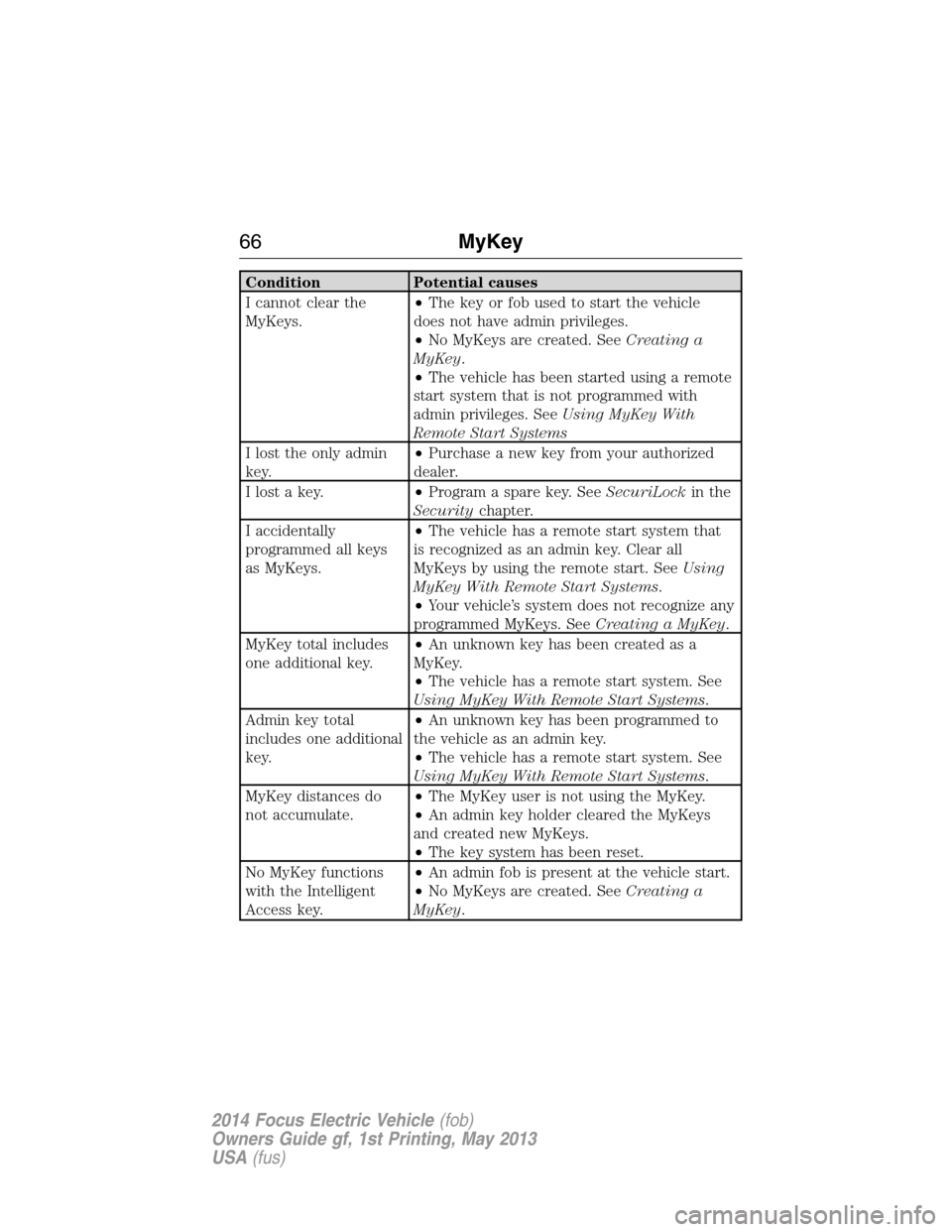
Condition Potential causes
I cannot clear the
MyKeys.•The key or fob used to start the vehicle
does not have admin privileges.
•No MyKeys are created. SeeCreating a
MyKey.
•The vehicle has been started using a remote
start system that is not programmed with
admin privileges. SeeUsing MyKey With
Remote Start Systems
I lost the only admin
key.•Purchase a new key from your authorized
dealer.
I lost a key.•Program a spare key. SeeSecuriLockin the
Securitychapter.
I accidentally
programmed all keys
as MyKeys.•The vehicle has a remote start system that
is recognized as an admin key. Clear all
MyKeys by using the remote start. SeeUsing
MyKey With Remote Start Systems.
•Your vehicle’s system does not recognize any
programmed MyKeys. SeeCreating a MyKey.
MyKey total includes
one additional key.•An unknown key has been created as a
MyKey.
•The vehicle has a remote start system. See
Using MyKey With Remote Start Systems.
Admin key total
includes one additional
key.•An unknown key has been programmed to
the vehicle as an admin key.
•The vehicle has a remote start system. See
Using MyKey With Remote Start Systems.
MyKey distances do
not accumulate.•The MyKey user is not using the MyKey.
•An admin key holder cleared the MyKeys
and created new MyKeys.
•The key system has been reset.
No MyKey functions
with the Intelligent
Access key.•An admin fob is present at the vehicle start.
•No MyKeys are created. SeeCreating a
MyKey.
66MyKey
2014 Focus Electric Vehicle(fob)
Owners Guide gf, 1st Printing, May 2013
USA(fus)
Page 77 of 403
AUDIO CONTROL
Select the required source on the audio unit.
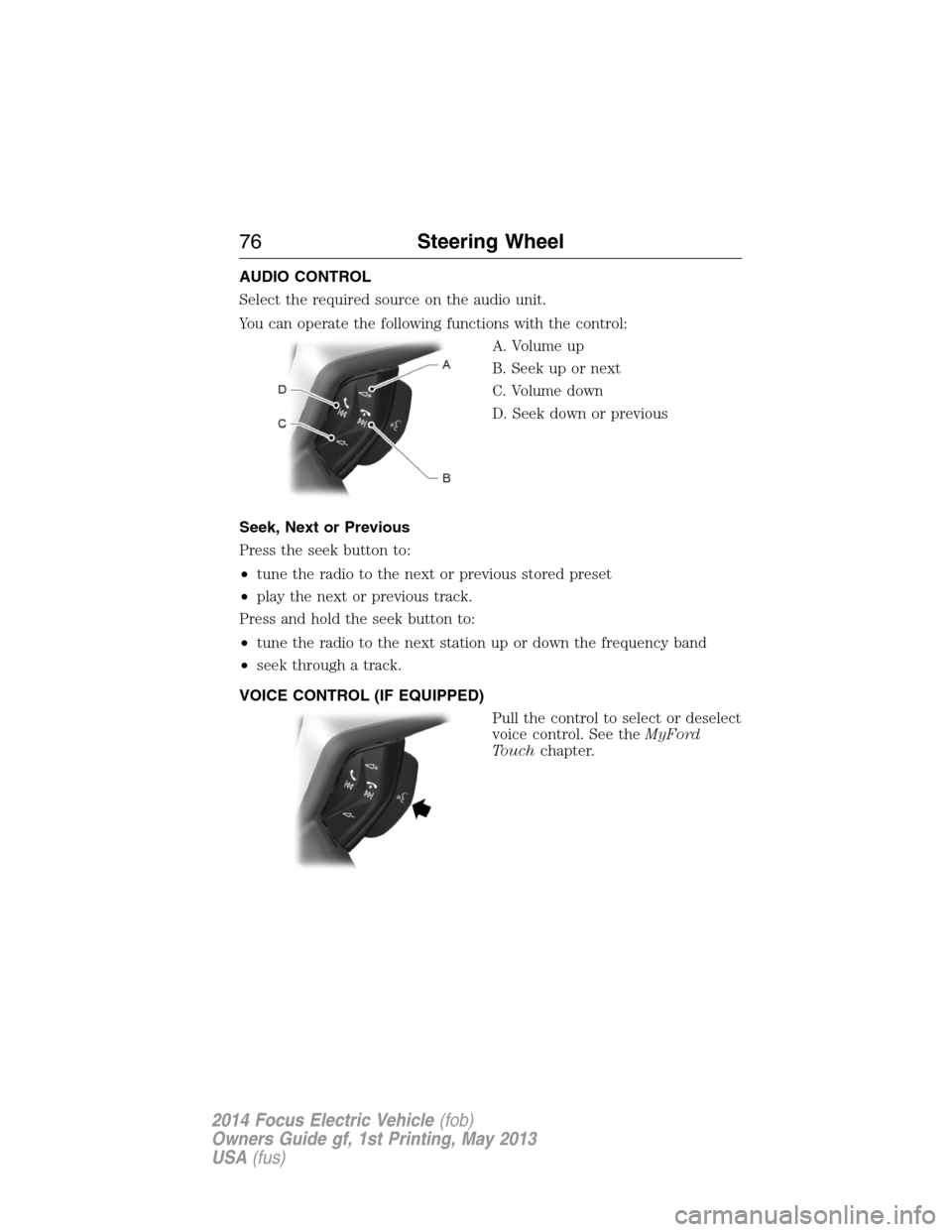
You can operate the following functions with the control:
A. Volume up
B. Seek up or next
C. Volume down
D. Seek down or previous
Seek, Next or Previous
Press the seek button to:
•tune the radio to the next or previous stored preset
•play the next or previous track.
Press and hold the seek button to:
•tune the radio to the next station up or down the frequency band
•seek through a track.
VOICE CONTROL (IF EQUIPPED)
Pull the control to select or deselect
voice control. See theMyFord
Touchchapter.
76Steering Wheel
2014 Focus Electric Vehicle(fob)
Owners Guide gf, 1st Printing, May 2013
USA(fus)
Page 91 of 403
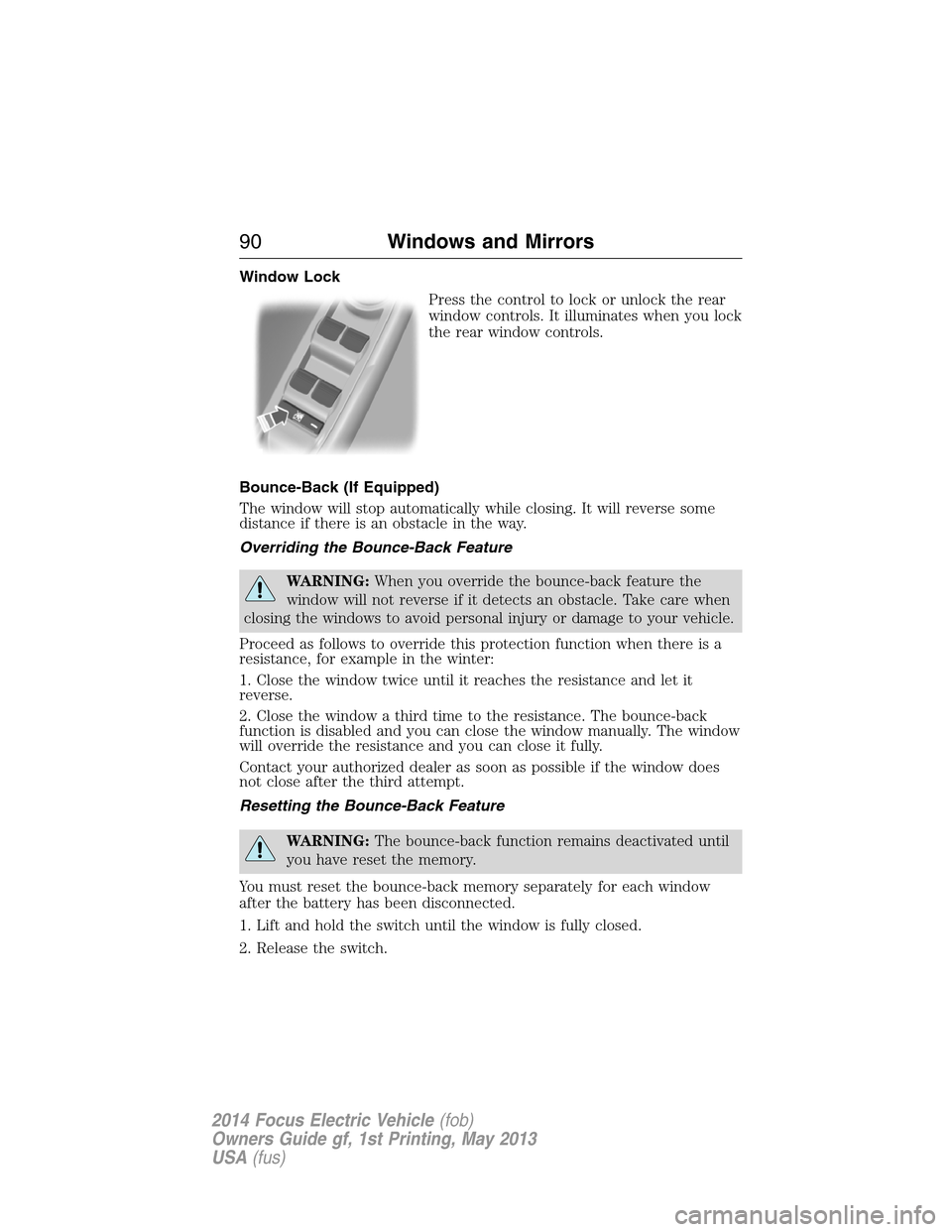
Window Lock
Press the control to lock or unlock the rear
window controls. It illuminates when you lock
the rear window controls.
Bounce-Back (If Equipped)
The window will stop automatically while closing. It will reverse some
distance if there is an obstacle in the way.
Overriding the Bounce-Back Feature
WARNING:When you override the bounce-back feature the
window will not reverse if it detects an obstacle. Take care when
closing the windows to avoid personal injury or damage to your vehicle.
Proceed as follows to override this protection function when there is a
resistance, for example in the winter:
1. Close the window twice until it reaches the resistance and let it
reverse.
2. Close the window a third time to the resistance. The bounce-back
function is disabled and you can close the window manually. The window
will override the resistance and you can close it fully.
Contact your authorized dealer as soon as possible if the window does
not close after the third attempt.
Resetting the Bounce-Back Feature
WARNING:The bounce-back function remains deactivated until
you have reset the memory.
You must reset the bounce-back memory separately for each window
after the battery has been disconnected.
1. Lift and hold the switch until the window is fully closed.
2. Release the switch.
90Windows and Mirrors
2014 Focus Electric Vehicle(fob)
Owners Guide gf, 1st Printing, May 2013
USA(fus)
Page 92 of 403
3. Lift the switch again for one more second.
4. Press and hold the switch until the window is fully open.
5. Release the switch
6. Lift and hold the switch until the window is fully closed.
7. Open the window and then try to close it automatically.
8. Reset and repeat the procedure if the window does not close
automatically.
Accessory Delay (If Equipped)
You can use the window switches for several minutes after the you
switch the ignition off, or until you open either front door.
EXTERIOR MIRRORS
Power Exterior Mirrors
WARNING:Do not adjust the mirror while your vehicle is in
motion.
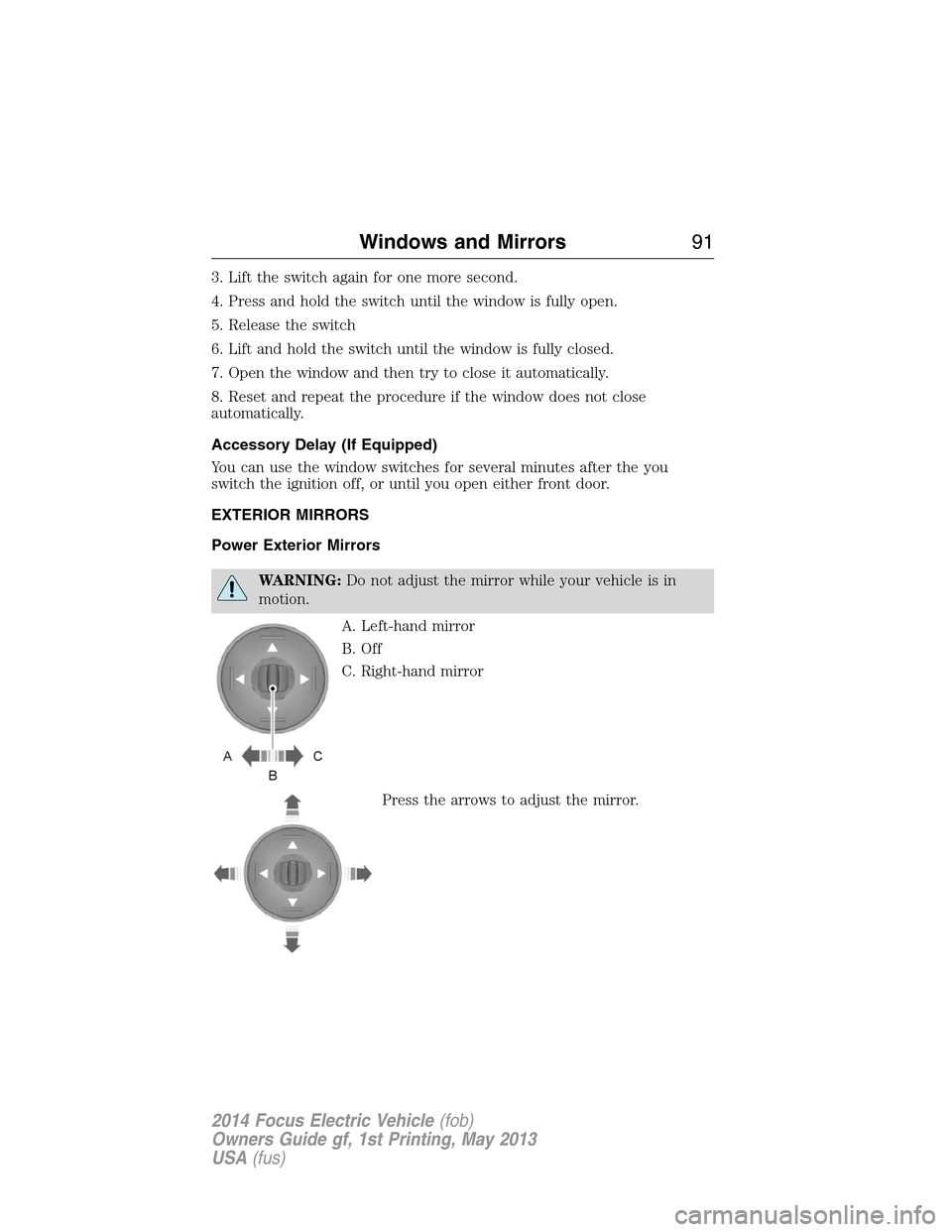
A. Left-hand mirror
B. Off
C. Right-hand mirror
Press the arrows to adjust the mirror.
Windows and Mirrors91
2014 Focus Electric Vehicle(fob)
Owners Guide gf, 1st Printing, May 2013
USA(fus)
Page 97 of 403
•Regen Display-Acirculararrowsymbol appears in the center
of the Battery Gauge when energy is being recaptured through the
regenerative braking system.
Brake Coach Display:The Brake Coach appears after the vehicle has
come to a stop. It coaches you to brake in a manner which maximizes
the amount of energy returned through the regenerative braking system.
The percent displayed is an indication of the regenerative braking
efficiency with 100% representing the maximum amount of energy
recovery. If desired, this feature can be disabled in the Display section
of the Settings menu.
Trip Summary and Lifetime Summary:These will be displayed upon
shutting off the vehicle. Trip Summary will appear first, then Lifetime
Summary will be displayed. You can toggle between these displays using
the up and down arrow keys on the left hand steering wheel controls.
Trip Summary data is from the last power cycle, while Lifetime Summary
data is cumulative from the last Lifetime Summary reset done through
the Settings menu in the message center.
Trip Summary:
•Distance - The total distance travelled, and regen distance are
displayed. Regen distance is the estimated range gained from energy
recaptured through regenerative braking.
•Energy Used - The total kilowatt hours and average watt hours per
unit of distance are displayed. The average watt hours per mi (km)
will be shown in blue if less than (better than) the lifetime average
watt hours per mi (km).
•Brake Score - The percentage of braking energy recaptured and
returned to the high voltage battery through regenerative braking.
The brake score will be shown in blue if greater than (better than)
the lifetime brake score.
Lifetime Summary:
•Distance - The total regen distance, which is the estimated range
gained from energy recaptured through regenerative braking.
•Energy Used - The average watt hours per mi (km).
•Brake Score - The average percentage of braking energy recaptured
and returned to the high voltage battery through regenerative braking.
96Instrument Cluster
2014 Focus Electric Vehicle(fob)
Owners Guide gf, 1st Printing, May 2013
USA(fus)
Page 107 of 403
Budget + Avg: The white pointers on the outside of the budget gauge
indicate your average watt hours per mi (km) since you last charged
your vehicle. Immediately after charging the white pointers will start
out at the top of the gauge, as you begin driving they will reflect your
average energy use.
Note:Trip data cannot be reset in MyView. You must reset Trip data
fromthemainTrip1&2screens.
Trip1&2
Use the arrow buttons to choose between the following.
Trip1&2 Standard Enhanced Budget text
Trip distance x x x
Elapsed trip time x x x
XXX Wh/mi (km)
– Energy used
per unit of
distancex
XX.X kWh
–Energy usedx
Budget Text x
Total Odometer. x x x
Press and hold OK to reset the currently displayed trip information.
•Trip distance — shows the accumulated trip distance.
•Elapsed trip time — timer stops when the vehicle is turned off and
restarts when the vehicle is restarted.
•XXX Wh/mi (km) — shows the average Energy (watt-hours) used per
unit of distance for a given trip
•XX.X kWh — shows the total Energy (kilowatt-hours) used for a given
trip.
•Budget Text — Shows the distance to your next charge point and the
surplus distance available, or your budget and status if you didn’t
identify a charge point through the navigation system.
•Total Odometer — Displays the total distance the vehicle has traveled.
This value can not be reset.
106Information Displays
2014 Focus Electric Vehicle(fob)
Owners Guide gf, 1st Printing, May 2013
USA(fus)
Page 110 of 403
Vehicle
Lighting Home Light Manual or select time interval
Auto Light Rain On / Off
Remote StartClimate Control
(using this
feature allows
you to select
different climate
control modes
when the vehicle
is started using
the remote start
feature)Heater – A/C Auto / Last
Settings
Rear Defrost Auto / Off
Duration 5 / 10 /15 minutes
Quiet Start On / Off
System Enable / Disable
Tire Mobility Kit Expiration Select number of years
*MyKey
Create MyKey Hold OK to Create MyKey
Traction Control Always On / User Selectable
Max Speed Set to 80 MPH (130 km/h) / Off
Speed Minder 45 mph (72 km/h), 55 mph (89 km/h), 65 mph
(105 km/h), Off
Volume Limiter On / Off
Clear MyKeys Hold OK to Clear All MyKeys
*Some MyKey items will only appear if a MyKey is set.
Display
Language Select the desired language
Units Distance
Select the desired units of
measure
Temperature
Brake Coach On / Off
Regen Display On / Off
Liftetime
SummaryEnergy use, Regen Miles, Brake Score, Hold OK to
Reset
Information Displays109
2014 Focus Electric Vehicle(fob)
Owners Guide gf, 1st Printing, May 2013
USA(fus)
Page 115 of 403
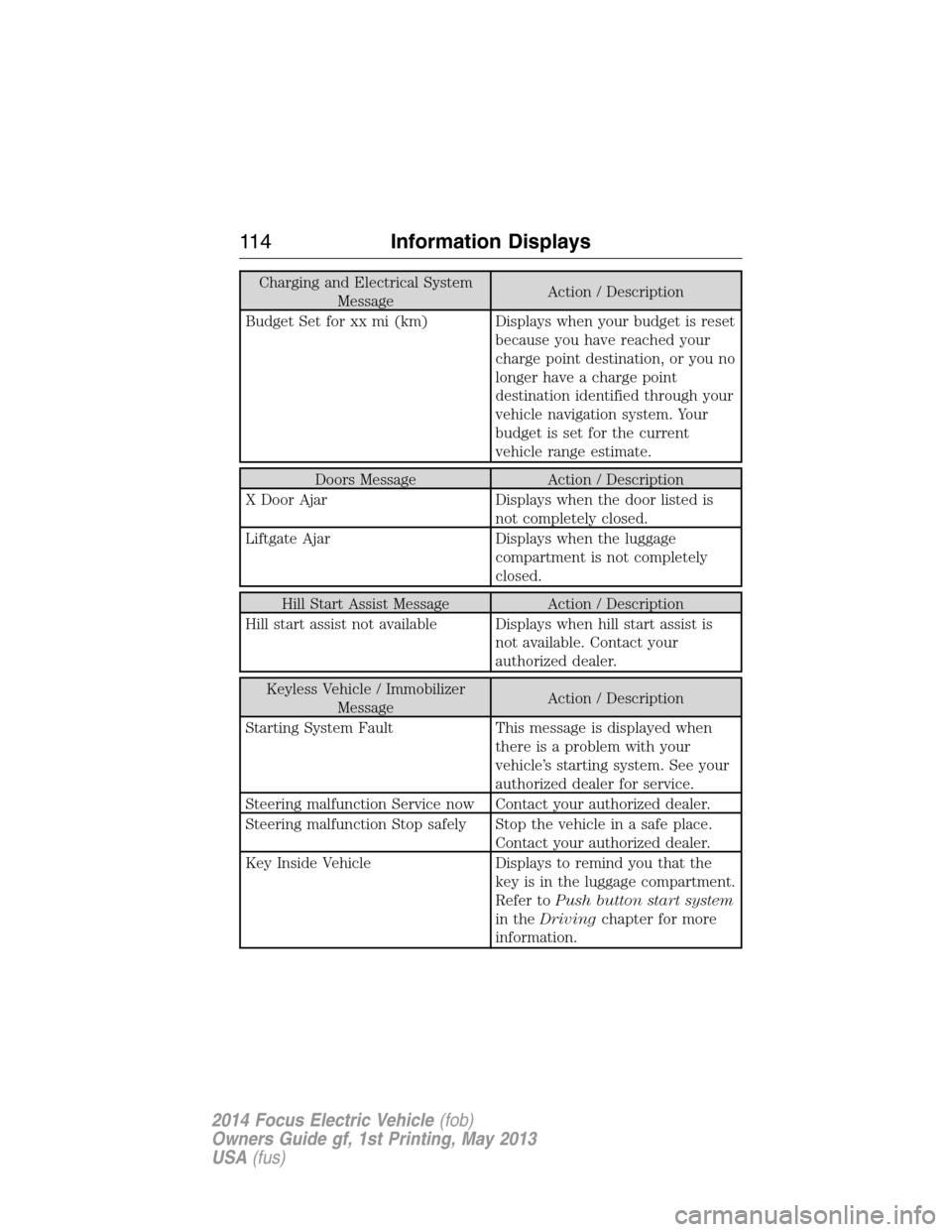
Charging and Electrical System
MessageAction / Description
Budget Set for xx mi (km) Displays when your budget is reset
because you have reached your
charge point destination, or you no
longer have a charge point
destination identified through your
vehicle navigation system. Your
budget is set for the current
vehicle range estimate.
Doors Message Action / Description
X Door Ajar Displays when the door listed is
not completely closed.
Liftgate Ajar Displays when the luggage
compartment is not completely
closed.
Hill Start Assist Message Action / Description
Hill start assist not available Displays when hill start assist is
not available. Contact your
authorized dealer.
Keyless Vehicle / Immobilizer
MessageAction / Description
Starting System Fault This message is displayed when
there is a problem with your
vehicle’s starting system. See your
authorized dealer for service.
Steering malfunction Service now Contact your authorized dealer.
Steering malfunction Stop safely Stop the vehicle in a safe place.
Contact your authorized dealer.
Key Inside Vehicle Displays to remind you that the
key is in the luggage compartment.
Refer toPush button start system
in theDrivingchapter for more
information.
11 4Information Displays
2014 Focus Electric Vehicle(fob)
Owners Guide gf, 1st Printing, May 2013
USA(fus)
Page 145 of 403
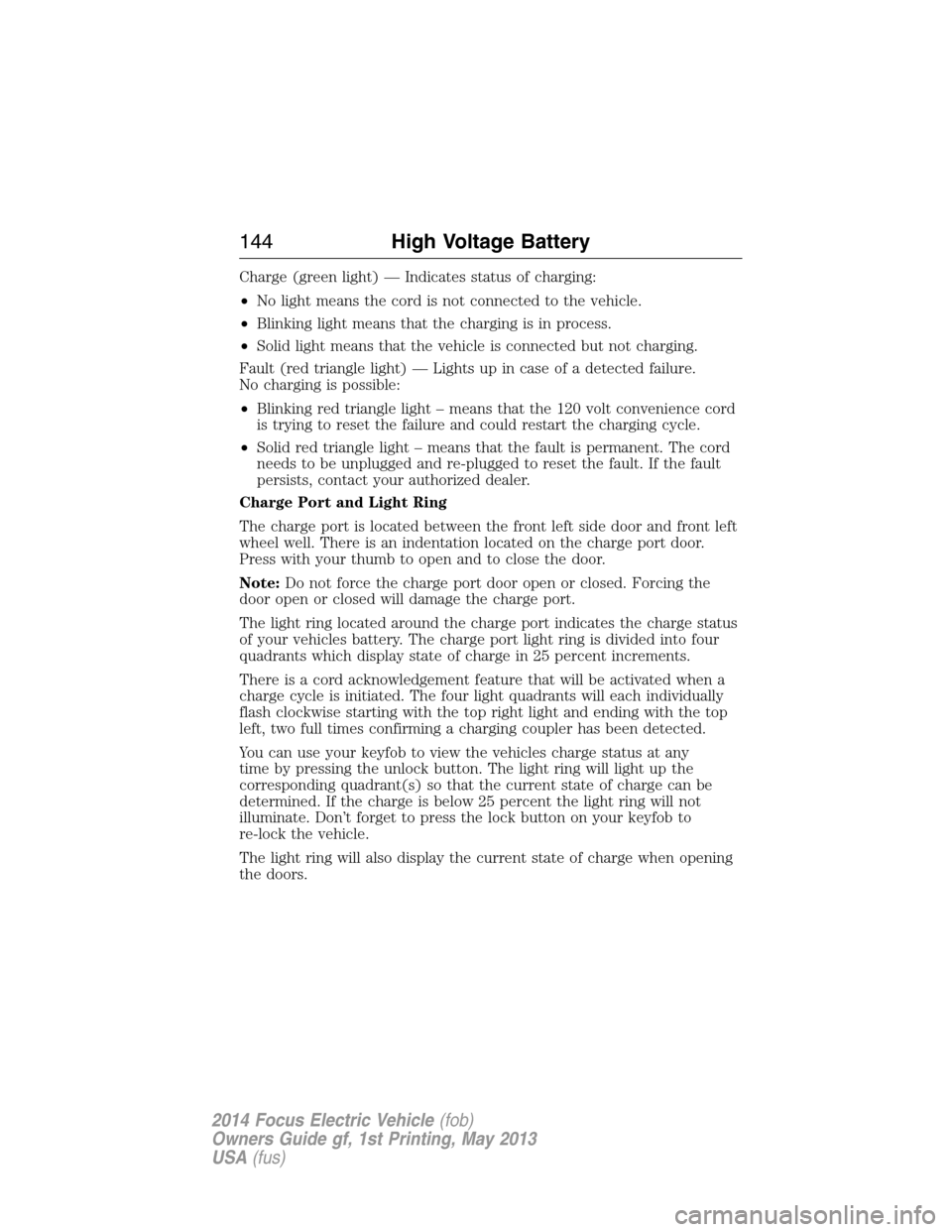
Charge (green light) — Indicates status of charging:
•No light means the cord is not connected to the vehicle.
•Blinking light means that the charging is in process.
•Solid light means that the vehicle is connected but not charging.
Fault (red triangle light) — Lights up in case of a detected failure.
No charging is possible:
•Blinking red triangle light – means that the 120 volt convenience cord
is trying to reset the failure and could restart the charging cycle.
•Solid red triangle light – means that the fault is permanent. The cord
needs to be unplugged and re-plugged to reset the fault. If the fault
persists, contact your authorized dealer.
Charge Port and Light Ring
The charge port is located between the front left side door and front left
wheel well. There is an indentation located on the charge port door.
Press with your thumb to open and to close the door.
Note:Do not force the charge port door open or closed. Forcing the
door open or closed will damage the charge port.
The light ring located around the charge port indicates the charge status
of your vehicles battery. The charge port light ring is divided into four
quadrants which display state of charge in 25 percent increments.
There is a cord acknowledgement feature that will be activated when a
charge cycle is initiated. The four light quadrants will each individually
flash clockwise starting with the top right light and ending with the top
left, two full times confirming a charging coupler has been detected.
You can use your keyfob to view the vehicles charge status at any
time by pressing the unlock button. The light ring will light up the
corresponding quadrant(s) so that the current state of charge can be
determined. If the charge is below 25 percent the light ring will not
illuminate. Don’t forget to press the lock button on your keyfob to
re-lock the vehicle.
The light ring will also display the current state of charge when opening
the doors.
144High Voltage Battery
2014 Focus Electric Vehicle(fob)
Owners Guide gf, 1st Printing, May 2013
USA(fus)