key fob FORD FOCUS ELECTRIC 2016 3.G Owners Manual
[x] Cancel search | Manufacturer: FORD, Model Year: 2016, Model line: FOCUS ELECTRIC, Model: FORD FOCUS ELECTRIC 2016 3.GPages: 276, PDF Size: 4.31 MB
Page 58 of 276
USING MYKEY WITH REMOTE
START SYSTEMS
Vehicles With Ford-Approved
Aftermarket Remote Start
Systems
When using a Ford-approved aftermarket
remote start system, the vehicle recognizes
the remote start system transmitter as an
additional admin key. It is the vehicle
’s
default setting.
When you start your vehicle with a
Ford-approved aftermarket remote start
system transmitter, the system shuts the
vehicle off after you open the door or shift
your vehicle into gear. This is intentional.
When you restart your vehicle, it reads the
vehicle key fob status instead of the
remote start system transmitter status.
With a Ford-approved aftermarket remote
start system, it is possible to program all
key fobs as MyKeys unintentionally. If this
happens, then the remote start system
transmitter is the admin key. If you want
to have only one key fob as a MyKey, or do
not want to have any MyKeys, then you
need to use your remote start system
transmitter to clear all MyKeys. In that
case, follow these steps:
1. Enter your vehicle and close all doors.
2. Start your vehicle using your remote start system transmitter.
3. See Clearing All MyKeys (page 53).
Follow Steps 1-3.
After clearing your MyKeys, you can create
a new MyKey. See
Creating a MyKey
(page 52).
Note: With push-button start, you cannot
program the remote start system
transmitter as a MyKey. Always treat the
remote start system transmitter as you
would any other admin key. Vehicles With Non-Ford-Approved
Aftermarket Remote Start
Systems
MyKey is not compatible with
non-Ford-approved aftermarket remote
start systems. If you choose to install a
remote start system, see an authorized
dealer for a Ford-approved remote start
system.
The following information may help if you
choose to install a non-Ford-approved
remote start system. The actions provided
below do not make MyKey compatible with
non-Ford-approved remote start systems,
but may help you retain some MyKey
functions.
When using a non-Ford-approved remote
start system, the vehicle may recognize
the remote start system as an additional
admin key with its associated privileges. If
you restart the vehicle by powering it off
and waiting a few seconds, and then
powering the vehicle back on, you may
retain some MyKey functions. This action
forces your vehicle to read the vehicle key
fob instead of the remote start system
transmitter and then uses the MyKey
associated privileges.
Note:
The MyKey system status menu
display may include the remote start system
as an additional key in the total count of
programmed keys. See
Checking MyKey
System Status (page 54).
With a non-Ford-approved aftermarket
remote start system, it is possible to
program all key vehicle key fobs as MyKeys
unintentionally. If this happens, then the
remote start system transmitter is the
admin key. If you want to have only one
vehicle key fob as a MyKey, or do not want
to have any MyKeys, then you need to use
your remote start system transmitter to
clear all MyKeys. In that case, follow these
steps:
1. Enter your vehicle and close all doors.
55
Focus (CDH) Battery Electric Vehicle (BEV), Canada/United States of America, enUSA, First Printing MyKey
™
Page 122 of 276
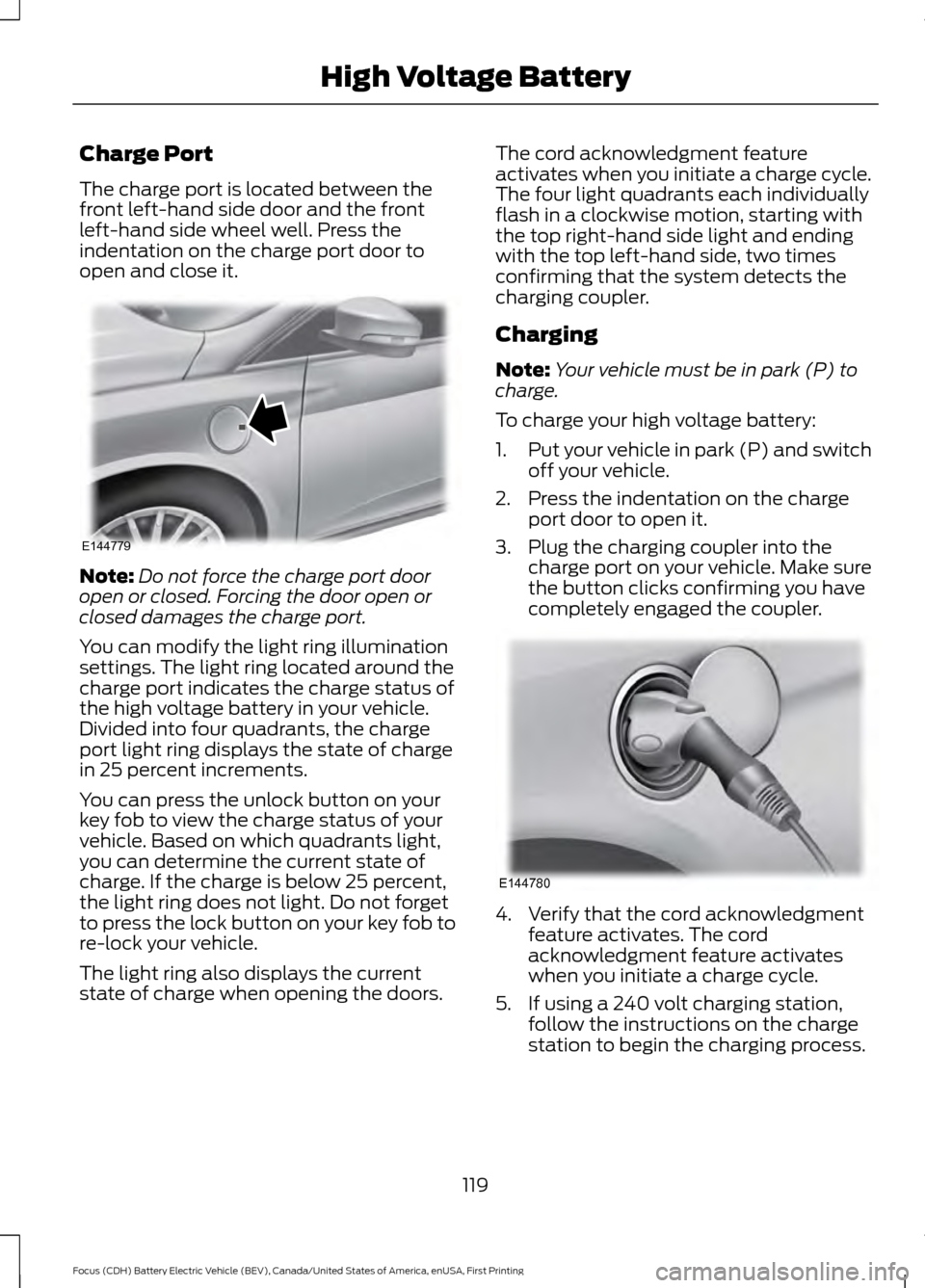
Charge Port
The charge port is located between the
front left-hand side door and the front
left-hand side wheel well. Press the
indentation on the charge port door to
open and close it.
Note:
Do not force the charge port door
open or closed. Forcing the door open or
closed damages the charge port.
You can modify the light ring illumination
settings. The light ring located around the
charge port indicates the charge status of
the high voltage battery in your vehicle.
Divided into four quadrants, the charge
port light ring displays the state of charge
in 25 percent increments.
You can press the unlock button on your
key fob to view the charge status of your
vehicle. Based on which quadrants light,
you can determine the current state of
charge. If the charge is below 25 percent,
the light ring does not light. Do not forget
to press the lock button on your key fob to
re-lock your vehicle.
The light ring also displays the current
state of charge when opening the doors. The cord acknowledgment feature
activates when you initiate a charge cycle.
The four light quadrants each individually
flash in a clockwise motion, starting with
the top right-hand side light and ending
with the top left-hand side, two times
confirming that the system detects the
charging coupler.
Charging
Note:
Your vehicle must be in park (P) to
charge.
To charge your high voltage battery:
1. Put your vehicle in park (P) and switch
off your vehicle.
2. Press the indentation on the charge port door to open it.
3. Plug the charging coupler into the charge port on your vehicle. Make sure
the button clicks confirming you have
completely engaged the coupler. 4. Verify that the cord acknowledgment
feature activates. The cord
acknowledgment feature activates
when you initiate a charge cycle.
5. If using a 240 volt charging station, follow the instructions on the charge
station to begin the charging process.
119
Focus (CDH) Battery Electric Vehicle (BEV), Canada/United States of America, enUSA, First Printing High Voltage BatteryE144779 E144780