remote start FORD FOCUS ELECTRIC 2017 3.G User Guide
[x] Cancel search | Manufacturer: FORD, Model Year: 2017, Model line: FOCUS ELECTRIC, Model: FORD FOCUS ELECTRIC 2017 3.GPages: 367, PDF Size: 6.35 MB
Page 62 of 367
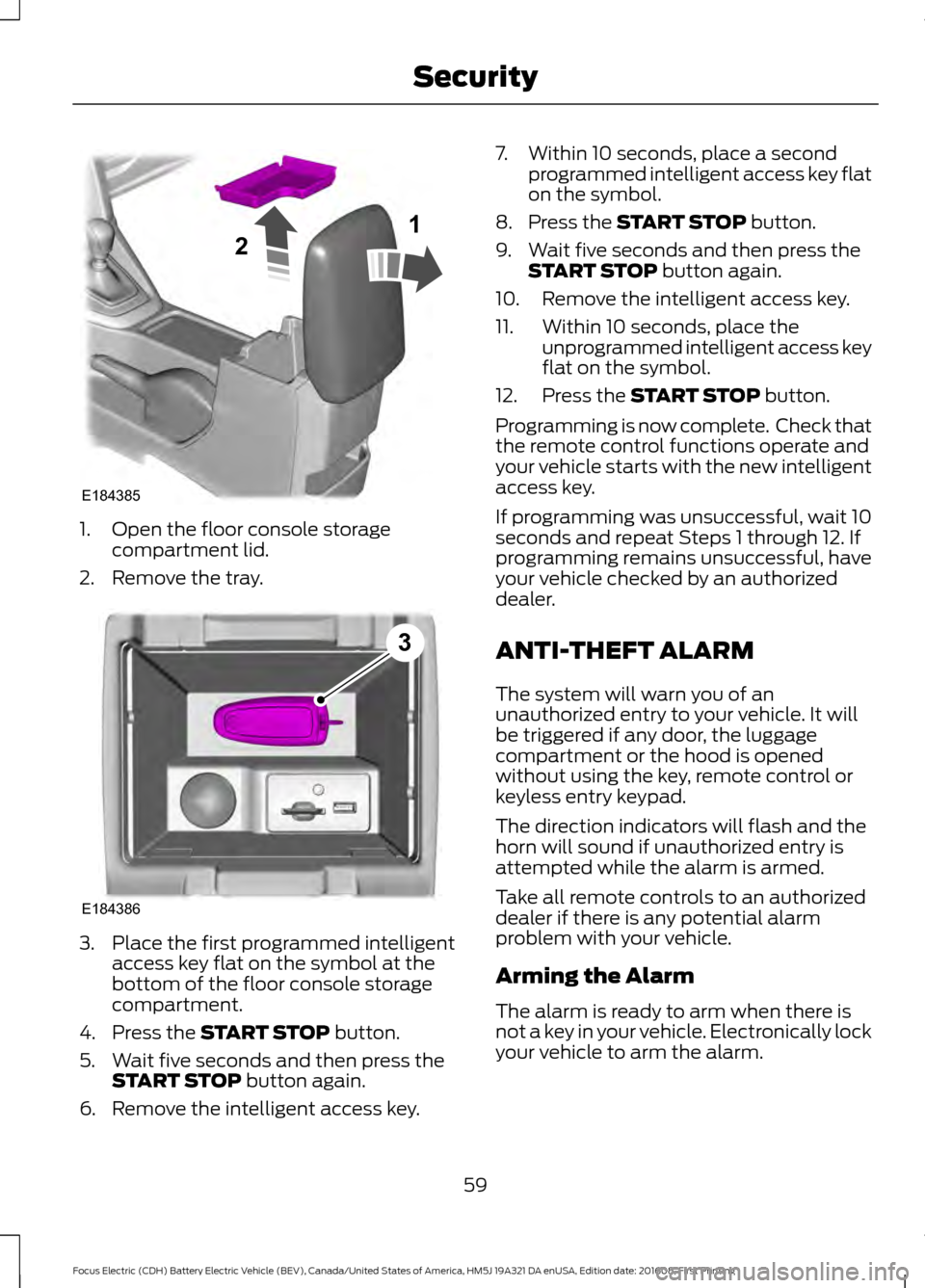
1. Open the floor console storage
compartment lid.
2. Remove the tray. 3. Place the first programmed intelligent
access key flat on the symbol at the
bottom of the floor console storage
compartment.
4. Press the START STOP button.
5. Wait five seconds and then press the START STOP
button again.
6. Remove the intelligent access key. 7. Within 10 seconds, place a second
programmed intelligent access key flat
on the symbol.
8. Press the
START STOP button.
9. Wait five seconds and then press the START STOP
button again.
10. Remove the intelligent access key.
11. Within 10 seconds, place the unprogrammed intelligent access key
flat on the symbol.
12. Press the
START STOP button.
Programming is now complete. Check that
the remote control functions operate and
your vehicle starts with the new intelligent
access key.
If programming was unsuccessful, wait 10
seconds and repeat Steps 1 through 12. If
programming remains unsuccessful, have
your vehicle checked by an authorized
dealer.
ANTI-THEFT ALARM
The system will warn you of an
unauthorized entry to your vehicle. It will
be triggered if any door, the luggage
compartment or the hood is opened
without using the key, remote control or
keyless entry keypad.
The direction indicators will flash and the
horn will sound if unauthorized entry is
attempted while the alarm is armed.
Take all remote controls to an authorized
dealer if there is any potential alarm
problem with your vehicle.
Arming the Alarm
The alarm is ready to arm when there is
not a key in your vehicle. Electronically lock
your vehicle to arm the alarm.
59
Focus Electric (CDH) Battery Electric Vehicle (BEV), Canada/United States of America, HM5J 19A321 DA enUSA, Edition date: 201608, First Printing SecurityE184385
21 E184386
3
Page 63 of 367
Disarming the Alarm
Disarm the alarm by any of the following
actions:
•
Unlock the doors or luggage
compartment with the remote control
or keyless entry keypad.
• Switch your vehicle on or start your
vehicle.
• Use a key in the driver door to unlock
your vehicle, then switch your vehicle
on within 12 seconds.
Note: Pressing the panic button on the
remote control will stop the horn and signal
indicators, but will not disarm the system.
60
Focus Electric (CDH) Battery Electric Vehicle (BEV), Canada/United States of America, HM5J 19A321 DA enUSA, Edition date: 201608, First Printing Security
Page 88 of 367
Information
Displays the associated driver alert graphic.
Driver Alert
Displays the number of warnings that need immediate attention in
red. You can only view the warnings from the System Check menu.
View them immediately by pressing OK and then OK again to enter
system check. Use the up and down arrows to scroll through the
warnings.
XX Warnings
All active warnings will display first if applicable. The system check
menu may appear different based upon equipment options and
current vehicle status. Use the up/down arrow buttons to scroll
through the list.
System Check
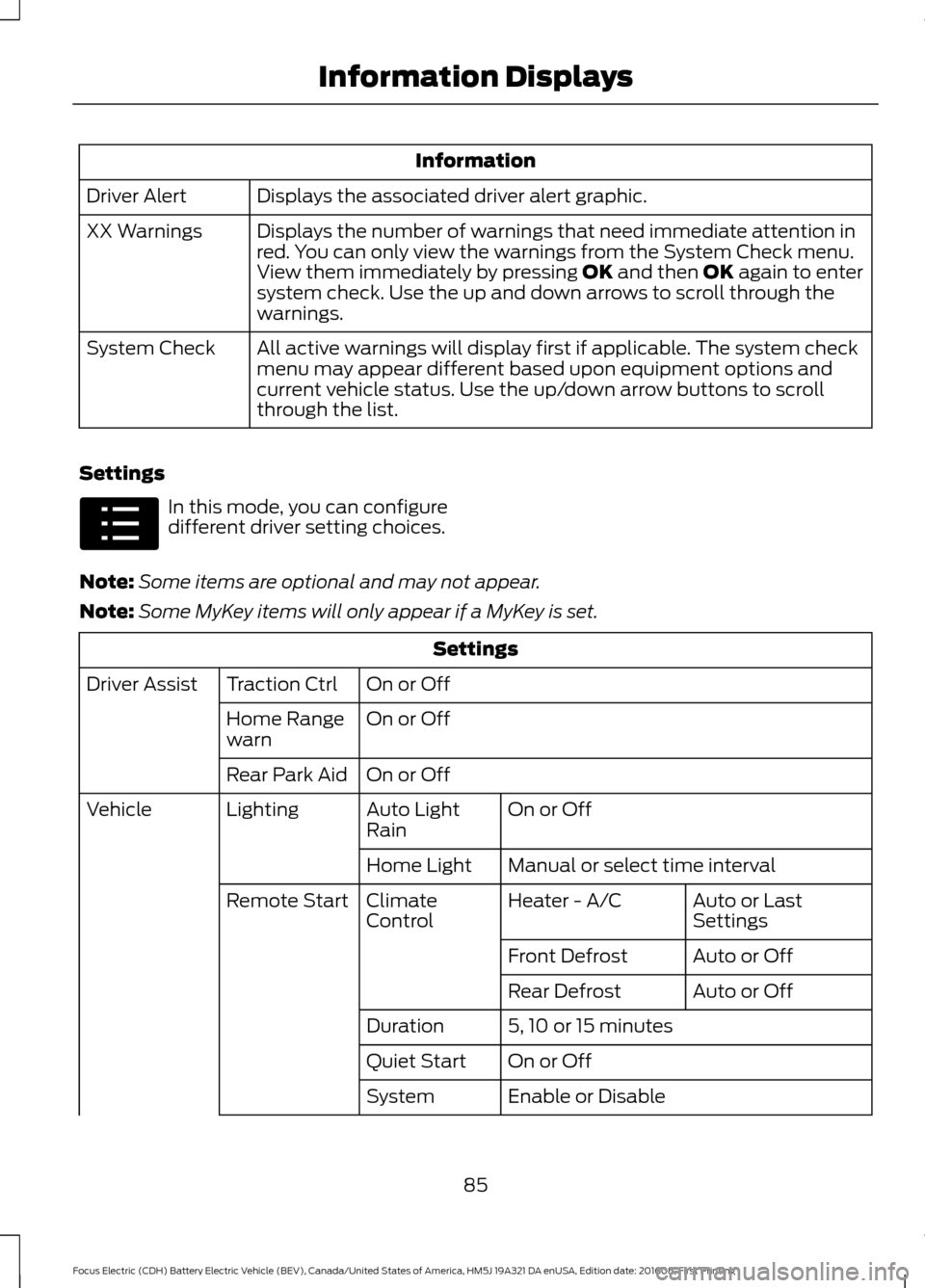
Settings In this mode, you can configure
different driver setting choices.
Note: Some items are optional and may not appear.
Note: Some MyKey items will only appear if a MyKey is set. Settings
On or Off
Traction Ctrl
Driver Assist
On or Off
Home Range
warn
On or Off
Rear Park Aid
On or Off
Auto Light
Rain
Lighting
Vehicle
Manual or select time interval
Home Light
Auto or Last
Settings
Heater - A/C
Climate
Control
Remote Start
Auto or Off
Front Defrost
Auto or Off
Rear Defrost
5, 10 or 15 minutes
Duration
On or Off
Quiet Start
Enable or Disable
System
85
Focus Electric (CDH) Battery Electric Vehicle (BEV), Canada/United States of America, HM5J 19A321 DA enUSA, Edition date: 201608, First Printing Information DisplaysE100023
Page 95 of 367
Park Aid
Action
Message
The system has detected a condition that requires service.Contact an authorized dealer.
Check Park Aid
Displays the park aid status.
Rear Park Aid On Off
Park Brake Action
Message
Displays when the parking brake is set, the engine is runningand the vehicle is driven more than 3 mph (5 km/h). If the
warning stays on after the parking brake is released, contact an authorized dealer.
Park Brake Engaged
Power Steering Action
Message
The power steering system has detected a condition thatrequires service. Contact an authorized dealer.
Service Power Steering
The power steering system has detected a condition within
the power steering system that requires service immediately. Contact an authorized dealer.
Service Power Steering
Now
The power steering system has disabled power steering assistdue to a system error. Contact an authorized dealer.
Power Steering Assist
Fault
The power steering system has detected a condition thatrequires service. Contact an authorized dealer.
Steering fault Service
now
The power steering system has detected a condition within
the power steering system that requires service immediately. Contact an authorized dealer.
Steering loss Stop safely
Remote Start Action
Message
Displayed when the remote start system is active.
Remote Start Active
92
Focus Electric (CDH) Battery Electric Vehicle (BEV), Canada/United States of America, HM5J 19A321 DA enUSA, Edition date: 201608, First Printing Information Displays
Page 100 of 367
Press the button to clear the
heated rear window of thin ice
and fog. The heated rear
window will automatically turn off after a
short period of time.
Note: Do not use razor blades or other
sharp objects to clean or remove decals
from the inside of the heated rear window.
The vehicle warranty does not cover
damage caused to the heated rear window
grid lines.
Heated Exterior Mirrors (If Equipped) When you switch the heated rear
window on, the heated exterior
mirrors will automatically turn
on.
Note: Do not remove ice from the mirrors
with a scraper or adjust the mirror glass
when it is frozen in place.
Note: Do not clean the mirror housing or
glass with harsh abrasives, fuel or other
petroleum-based cleaning products.
CABIN AIR FILTER
Your vehicle is equipped with a cabin air
filter, which gives you and your passengers
the following benefits:
• It improves your driving comfort by
reducing particle concentration.
• It improves the interior compartment
cleanliness.
• It protects the climate control
components from particle deposits.
You can locate the cabin air filter behind
the glove box.
Note: Make sure you have a cabin air filter
installed at all times. This prevents foreign
objects from entering the system. Running
the system without a filter in place could
result in degradation or damage to the
system. Replace the filter at regular intervals. See
Scheduled Maintenance
(page 316).
For additional cabin air filter information,
or to replace the filter, see an authorized
dealer.
REMOTE START
You can switch this feature on or off and
adjust the settings using the information
display.
The system adjusts the interior
temperature depending on your chosen
settings during remote start.
You cannot adjust the climate control
setting during remote start operation.
When you switch the ignition on, the
climate control system will return to the
previous settings. You can now make
adjustments.
You can switch on certain
vehicle-dependent features when needed,
such as:
• Heated rear window.
• Heated exterior mirrors.
Note: You can control the system through
SYNC using a smartphone app. See
Apps
(page 285).
97
Focus Electric (CDH) Battery Electric Vehicle (BEV), Canada/United States of America, HM5J 19A321 DA enUSA, Edition date: 201608, First Printing Climate ControlE72507 E72507
Page 109 of 367
STARTING THE ELECTRIC
MOTOR
Keyless Starting
Note:
The system may not function if the
passive key is close to metal objects or
electronic devices, for example keys or a cell
phone.
Note: A valid passive key must be located
inside your vehicle to switch the power on
and start your vehicle.
Note: Passive keys left inside your vehicle
when locked are disabled. A message may
appear in the information display indicating
that there is no key detected when you try
to start your vehicle. Press the unlock
button on the remote control to enable it,
and then start your vehicle.
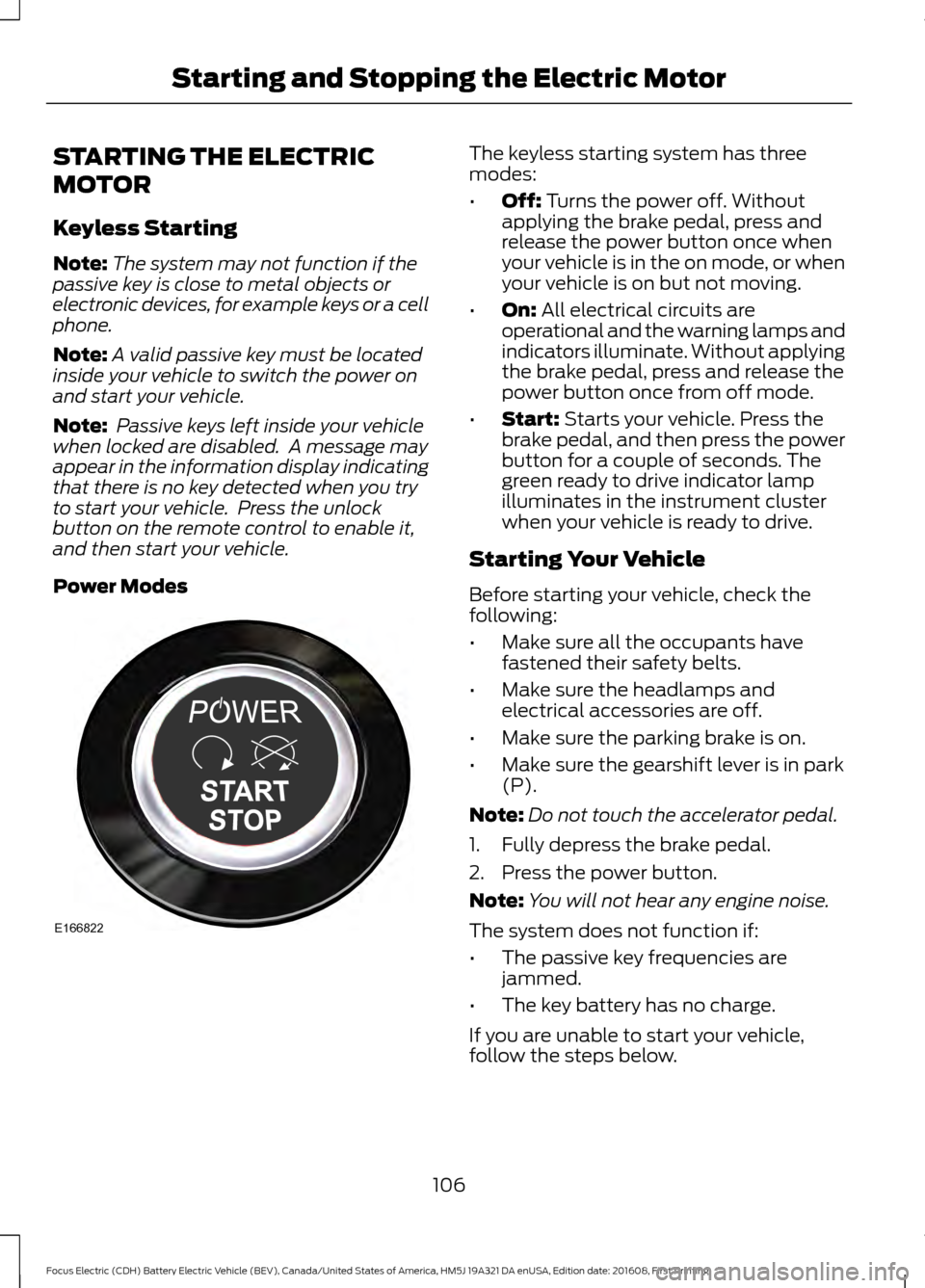
Power Modes The keyless starting system has three
modes:
•
Off: Turns the power off. Without
applying the brake pedal, press and
release the power button once when
your vehicle is in the on mode, or when
your vehicle is on but not moving.
• On:
All electrical circuits are
operational and the warning lamps and
indicators illuminate. Without applying
the brake pedal, press and release the
power button once from off mode.
• Start:
Starts your vehicle. Press the
brake pedal, and then press the power
button for a couple of seconds. The
green ready to drive indicator lamp
illuminates in the instrument cluster
when your vehicle is ready to drive.
Starting Your Vehicle
Before starting your vehicle, check the
following:
• Make sure all the occupants have
fastened their safety belts.
• Make sure the headlamps and
electrical accessories are off.
• Make sure the parking brake is on.
• Make sure the gearshift lever is in park
(P).
Note: Do not touch the accelerator pedal.
1. Fully depress the brake pedal.
2. Press the power button.
Note: You will not hear any engine noise.
The system does not function if:
• The passive key frequencies are
jammed.
• The key battery has no charge.
If you are unable to start your vehicle,
follow the steps below.
106
Focus Electric (CDH) Battery Electric Vehicle (BEV), Canada/United States of America, HM5J 19A321 DA enUSA, Edition date: 201608, First Printing Starting and Stopping the Electric MotorE166822
Page 235 of 367
Creating an Owner Account
Why do I need an owner account?
•
Essential for keeping up with the latest
software and connected features.
• Access to customer support for any
questions you may have.
• Maintain account permissions.
Visit the website to sign up and register. Website
www.owner.ford.com
www.syncmyride.ca
www.syncmaroute.ca
SYNC Connect (If Equipped)
With a SYNC® Connect-equipped vehicle,
you can use FordPass® to track your
vehicle ’s location and remotely access
vehicle features such as start, lock and
unlock and vehicle status including fuel
level and approximate mileage. You can
also schedule specific times to remotely
start your vehicle so it’ s ready to hit the
road as soon as you are. SYNC Connect is
an optional feature on select 2017 MY
vehicles. FordPass® is available through
a free download via the Apple App Store®
or Google Play ™. Message and data rates
may apply. Services may be limited by
mobile phone network coverage area.
• FCC: LHJ-FAN
• IC: 2807E-FAN
Updating Your System
You can choose to download the update
onto a USB drive or use Wi-Fi to deliver
automatic updates.
USB Updates
To use the USB update you need to log
into your owner account and visit the SYNC
software update page. Website
www.owner.ford.com
www.syncmyride.ca
www.syncmaroute.ca
The website notifies you if an update is
available. You can then select to download
the update.
You will need an empty USB drive. Please
check the website for minimum
requirements. Once you have inserted the
USB drive into your computer, choose to
start the download. Follow the instructions
provided to download the files to the USB
drive.
To install the update in your vehicle,
remove anything that is plugged in the USB
ports on the media hub and plug in the
USB drive containing the update. When
the USB drive is plugged in, the installation
should begin immediately. After a
successful installation, the update is
available the next time the vehicle is
started.
The installation of most files occurs in the
background, and does not interrupt your
use of the system. Navigation updates
cannot be installed in the background,
because the files are too large.
Please refer to the website for any further
actions.
Updating Over Wi-Fi
To update your System over Wi-Fi your
vehicle must be within the range of a Wi-Fi
access point. Data rates may apply.
232
Focus Electric (CDH) Battery Electric Vehicle (BEV), Canada/United States of America, HM5J 19A321 DA enUSA, Edition date: 201608, First Printing SYNC™ 3
Page 363 of 367
Recommended Settings for Cooling............96
Side Window Defogging in Cold
Weather.............................................................. 96
Hints on Driving With Anti-Lock Brakes.............................................................119
Home Screen.................................................235
Hood Lock See: Opening and Closing the Hood...........167
I
In California (U.S. Only).............................148
Information Display Control.......................63 Multimedia Controls........................................... 63
Information Displays....................................80 General Information........................................... 80
Information Messages
..................................87
AdvanceTrac®....................................................... 87
Alarm........................................................................\
88
Battery and Charging System (High Voltage).............................................................. 88
Doors........................................................................\
89
Hill Start Assist..................................................... 90
Keys and Intelligent Access............................. 90
Lighting.................................................................... 90
Maintenance........................................................... 91
MyKey........................................................................\
91
Park Aid.................................................................... 92
Park Brake............................................................... 92
Power Steering...................................................... 92
Remote Start......................................................... 92
Tire Pressure Monitoring System................... 93
Transmission.......................................................... 93
Installing Child Restraints
............................16
Child Seats............................................................... 16
Using Lap and Shoulder Belts.......................... 17
Using Lower Anchors and Tethers for Children (LATCH)............................................. 19
Using Tether Straps.............................................. 21
Instrument Cluster.........................................75
Instrument Lighting Dimmer.....................68
Instrument Panel Overview.........................13
Interior Lamps
.................................................69
Front Interior Lamps (If Equipped)...............69
Interior Mirror
....................................................73
Introduction........................................................5 J
Jump Starting the Vehicle
.........................143
To Connect the Booster Cables.................... 144
To Start Your Vehicle......................................... 144
K
Keys and Remote Controls.........................44
L
Lighting Control..............................................66 Headlamp Flasher................................................ 67
High Beams............................................................ 66
Parking Lamps...................................................... 66
Lighting..............................................................66 General Information........................................... 66
Load Carrying.................................................132
Load Limit........................................................132 Special Loading Instructions for Owners of
Pick-up Trucks and Utility-type
Vehicles.............................................................. 137
Vehicle Loading - with and without a Trailer.................................................................. 132
Locking and Unlocking
.................................53
Activating Intelligent Access............................ 54
Autolock................................................................... 55
Autounlock............................................................. 55
Battery Saver......................................................... 56
Disabled Intelligent Access Keys.................... 55
Illuminated Entry.................................................. 56
Illuminated Exit..................................................... 56
Opening the Liftgate........................................... 56
Power Door Locks................................................ 53
Remote Control..................................................... 53
Smart Unlocks for Intelligent Access Keys...................................................................... 55
Lug Nuts See: Changing a Road Wheel......................... 213
Lug Nuts
...........................................................214
M
Maintenance..................................................166 General Information.......................................... 166
Manual Liftgate
..............................................56
Closing the Liftgate.............................................. 57
360
Focus Electric (CDH) Battery Electric Vehicle (BEV), Canada/United States of America, HM5J 19A321 DA enUSA, Edition date: 201608, First Printing Index
Page 365 of 367
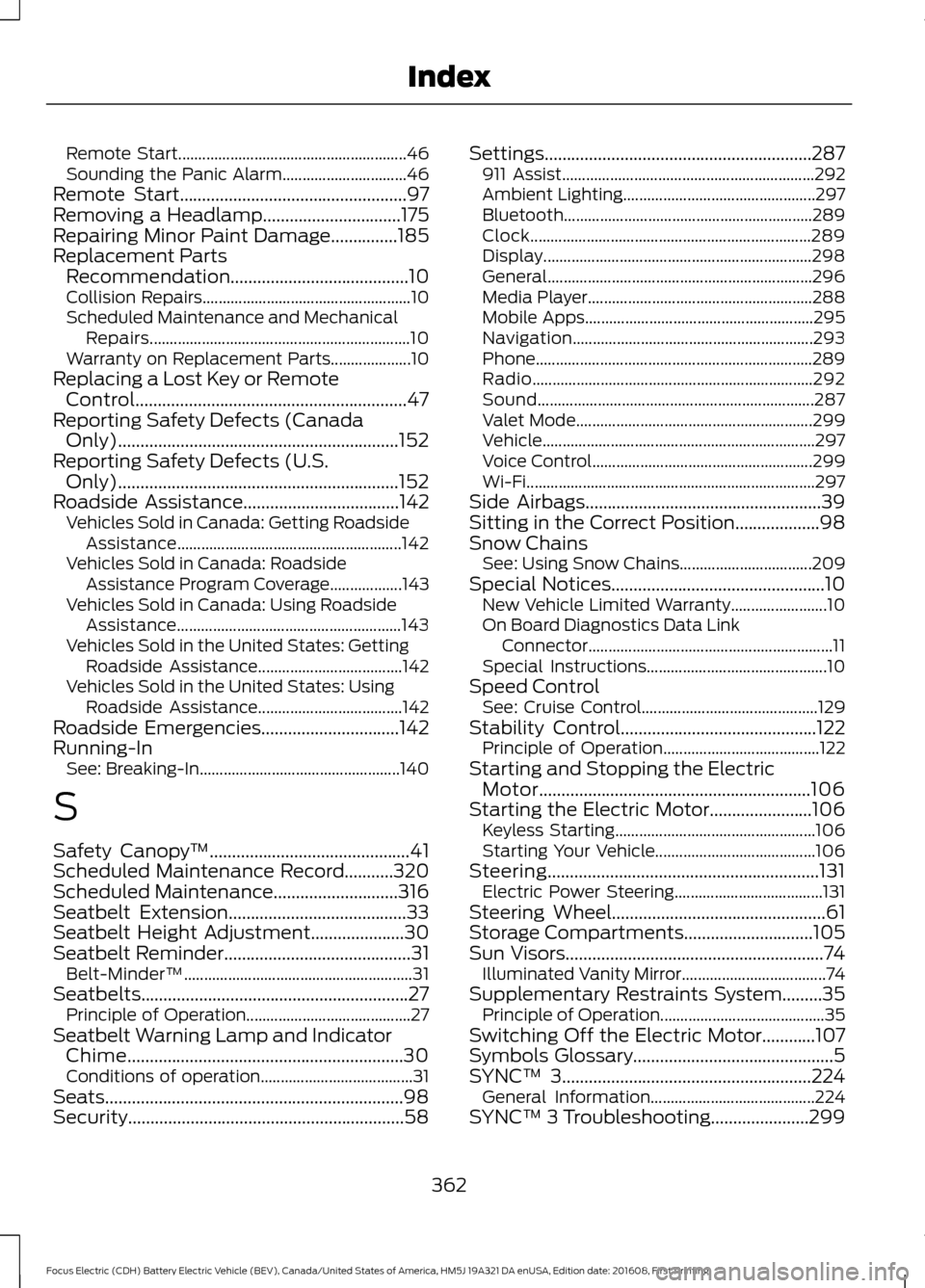
Remote Start.........................................................
46
Sounding the Panic Alarm............................... 46
Remote Start...................................................97
Removing a Headlamp...............................175
Repairing Minor Paint Damage...............185
Replacement Parts Recommendation........................................10
Collision Repairs.................................................... 10
Scheduled Maintenance and Mechanical Repairs................................................................. 10
Warranty on Replacement Parts.................... 10
Replacing a Lost Key or Remote Control.............................................................47
Reporting Safety Defects (Canada Only)...............................................................152
Reporting Safety Defects (U.S. Only)...............................................................152
Roadside Assistance...................................142 Vehicles Sold in Canada: Getting Roadside
Assistance........................................................ 142
Vehicles Sold in Canada: Roadside Assistance Program Coverage.................. 143
Vehicles Sold in Canada: Using Roadside Assistance........................................................ 143
Vehicles Sold in the United States: Getting Roadside Assistance.................................... 142
Vehicles Sold in the United States: Using Roadside Assistance.................................... 142
Roadside Emergencies
...............................142
Running-In See: Breaking-In.................................................. 140
S
Safety Canopy ™
.............................................41
Scheduled Maintenance Record...........320
Scheduled Maintenance............................316
Seatbelt Extension
........................................33
Seatbelt Height Adjustment.....................30
Seatbelt Reminder
..........................................31
Belt-Minder™......................................................... 31
Seatbelts............................................................27 Principle of Operation......................................... 27
Seatbelt Warning Lamp and Indicator Chime..............................................................30
Conditions of operation...................................... 31
Seats...................................................................98
Security..............................................................58 Settings............................................................287
911 Assist............................................................... 292
Ambient Lighting................................................ 297
Bluetooth.............................................................. 289
Clock...................................................................... 289
Display................................................................... 298
General.................................................................. 296
Media Player........................................................ 288
Mobile Apps......................................................... 295
Navigation............................................................ 293
Phone..................................................................... 289
Radio...................................................................... 292
Sound..................................................................... 287
Valet Mode........................................................... 299
Vehicle.................................................................... 297
Voice Control....................................................... 299
Wi-Fi........................................................................\
297
Side Airbags.....................................................39
Sitting in the Correct Position...................98
Snow Chains See: Using Snow Chains................................. 209
Special Notices
................................................10
New Vehicle Limited Warranty........................ 10
On Board Diagnostics Data Link Connector
............................................................. 11
Special Instructions............................................. 10
Speed Control See: Cruise Control............................................ 129
Stability Control
............................................122
Principle of Operation....................................... 122
Starting and Stopping the Electric Motor.............................................................106
Starting the Electric Motor.......................106 Keyless Starting.................................................. 106
Starting Your Vehicle........................................ 106
Steering.............................................................131 Electric Power Steering..................................... 131
Steering Wheel................................................61
Storage Compartments
.............................105
Sun Visors..........................................................74
Illuminated Vanity Mirror.................................... 74
Supplementary Restraints System.........35 Principle of Operation......................................... 35
Switching Off the Electric Motor............107
Symbols Glossary.............................................5
SYNC™ 3
........................................................224
General Information......................................... 224
SYNC™ 3 Troubleshooting
......................299
362
Focus Electric (CDH) Battery Electric Vehicle (BEV), Canada/United States of America, HM5J 19A321 DA enUSA, Edition date: 201608, First Printing Index
Page 366 of 367
T
Tailgate
See: Manual Liftgate........................................... 56
Technical Specifications See: Capacities and Specifications.............215
The Better Business Bureau (BBB) Auto Line Program (U.S. Only).......................149
Tire Care...........................................................194
Glossary of Tire Terminology......................... 196
Information About Uniform Tire Quality Grading.............................................................. 194
Information Contained on the Tire Sidewall............................................................. 197
Temperature A B C............................................. 195
Traction AA A B C............................................... 195
Treadwear............................................................. 195
Tire Inflation When Punctured See: Tire Sealant and Inflator Kit.................188
Tire Pressure Monitoring System..........209 Changing Tires With a Tire Pressure
Monitoring System........................................ 210
Understanding Your Tire Pressure Monitoring System ....................................... 210
Tire Repair Kit See: Tire Sealant and Inflator Kit.................188
Tire Sealant and Inflator Kit.....................188 First Stage: Inflating the Tire with Sealing
Compound and Air....................................... 190
General Information.......................................... 189
Second Stage: Checking Tire Pressure............................................................. 192
Tips for Use of the Kit....................................... 189
What to Do After the Tire has Been Sealed................................................................ 192
What to Do When a Tire Is Punctured........................................................ 190
Tires See: Wheels and Tires...................................... 188
Towing a Trailer.............................................138
Towing the Vehicle on Four Wheels
...........................................................138
Emergency Towing............................................. 138
Recreational Towing.......................................... 139
Towing..............................................................138
Traction Control
..............................................121
Principle of Operation........................................ 121
Transmission Code Designation..............217 Transmission...................................................116
Transmission
See: Transmission............................................... 116
Transporting the Vehicle............................138
Type Approvals............................................354
U
Under Hood Overview
................................168
Using Cruise Control....................................129 Switching Cruise Control Off.......................... 129
Switching Cruise Control On.......................... 129
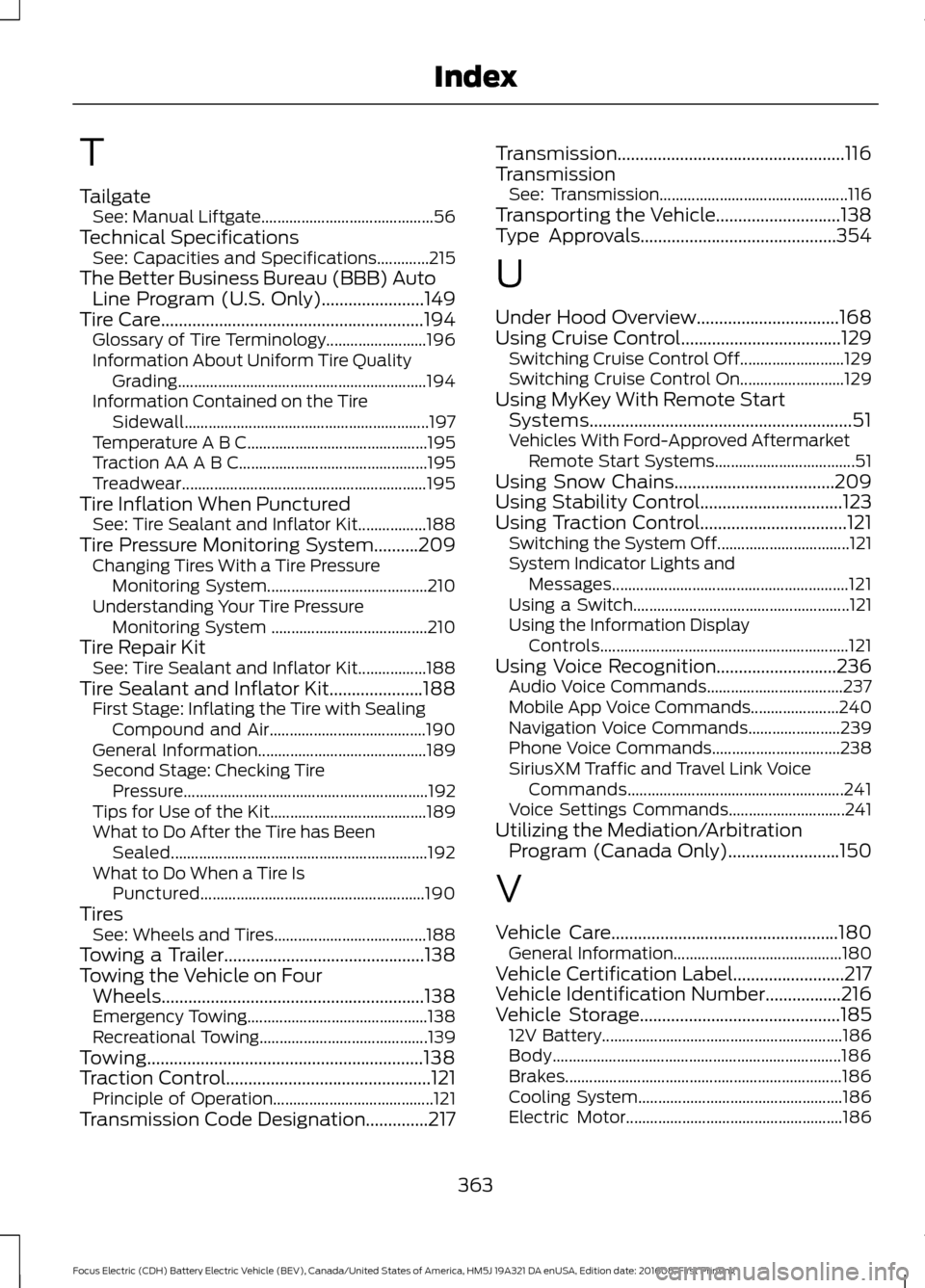
Using MyKey With Remote Start Systems
...........................................................51
Vehicles With Ford-Approved Aftermarket
Remote Start Systems................................... 51
Using Snow Chains
....................................209
Using Stability Control................................123
Using Traction Control.................................121 Switching the System Off................................. 121
System Indicator Lights and Messages........................................................... 121
Using a Switch...................................................... 121
Using the Information Display Controls.............................................................. 121
Using Voice Recognition...........................236 Audio Voice Commands.................................. 237
Mobile App Voice Commands...................... 240
Navigation Voice Commands....................... 239
Phone Voice Commands................................ 238
SiriusXM Traffic and Travel Link Voice Commands...................................................... 241
Voice Settings Commands............................. 241
Utilizing the Mediation/Arbitration Program (Canada Only)
.........................150
V
Vehicle Care...................................................180 General Information.......................................... 180
Vehicle Certification Label.........................217
Vehicle Identification Number.................216
Vehicle Storage
.............................................185
12V Battery............................................................ 186
Body........................................................................\
186
Brakes..................................................................... 186
Cooling System................................................... 186
Electric Motor...................................................... 186
363
Focus Electric (CDH) Battery Electric Vehicle (BEV), Canada/United States of America, HM5J 19A321 DA enUSA, Edition date: 201608, First Printing Index