display FORD FREESTAR 2006 1.G Owners Manual
[x] Cancel search | Manufacturer: FORD, Model Year: 2006, Model line: FREESTAR, Model: FORD FREESTAR 2006 1.GPages: 320, PDF Size: 3.59 MB
Page 14 of 320
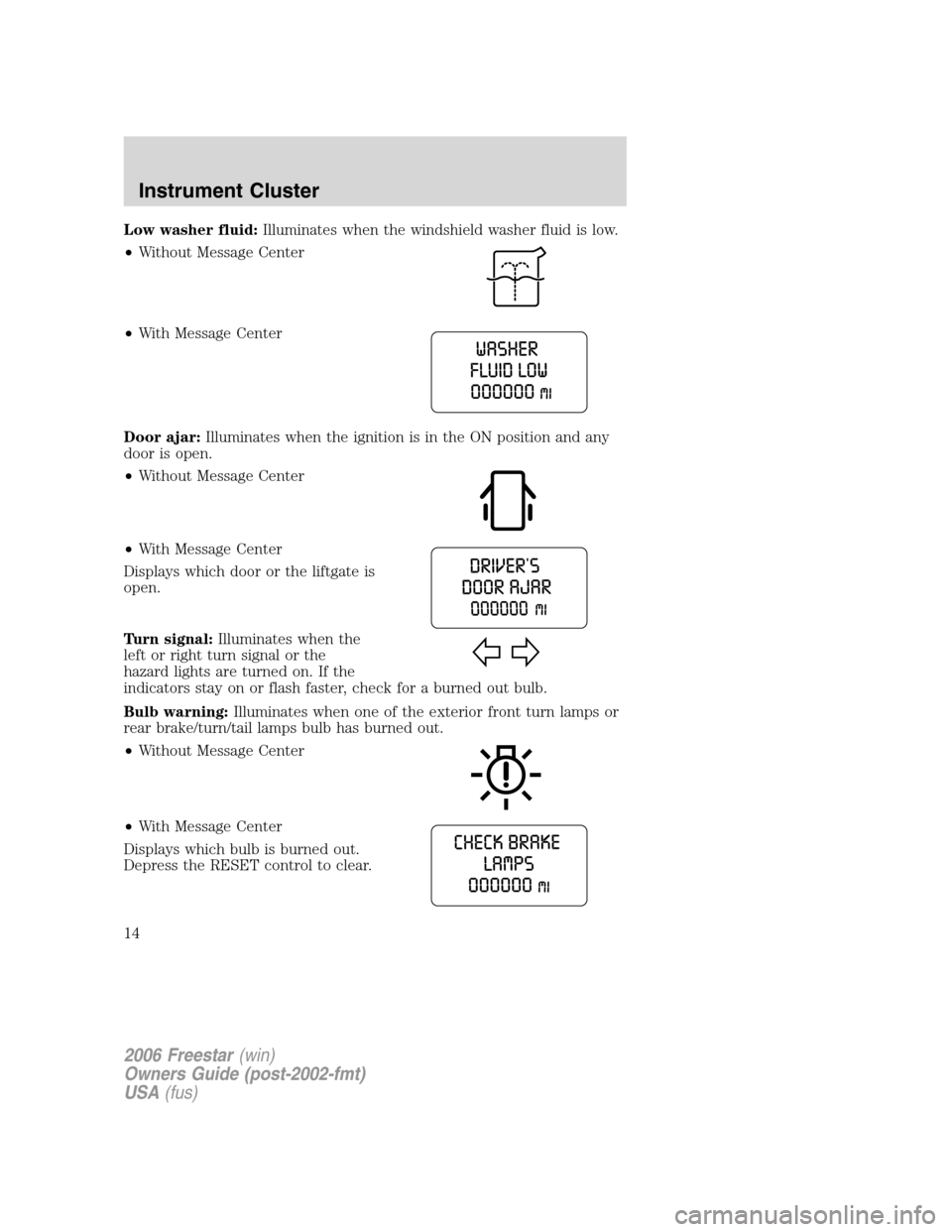
Low washer fluid:Illuminates when the windshield washer fluid is low.
•Without Message Center
•With Message Center
Door ajar:Illuminates when the ignition is in the ON position and any
door is open.
•Without Message Center
•With Message Center
Displays which door or the liftgate is
open.
Turn signal:Illuminates when the
left or right turn signal or the
hazard lights are turned on. If the
indicators stay on or flash faster, check for a burned out bulb.
Bulb warning:Illuminates when one of the exterior front turn lamps or
rear brake/turn/tail lamps bulb has burned out.
•Without Message Center
•With Message Center
Displays which bulb is burned out.
Depress the RESET control to clear.
2006 Freestar(win)
Owners Guide (post-2002-fmt)
USA(fus)
Instrument Cluster
14
Page 16 of 320
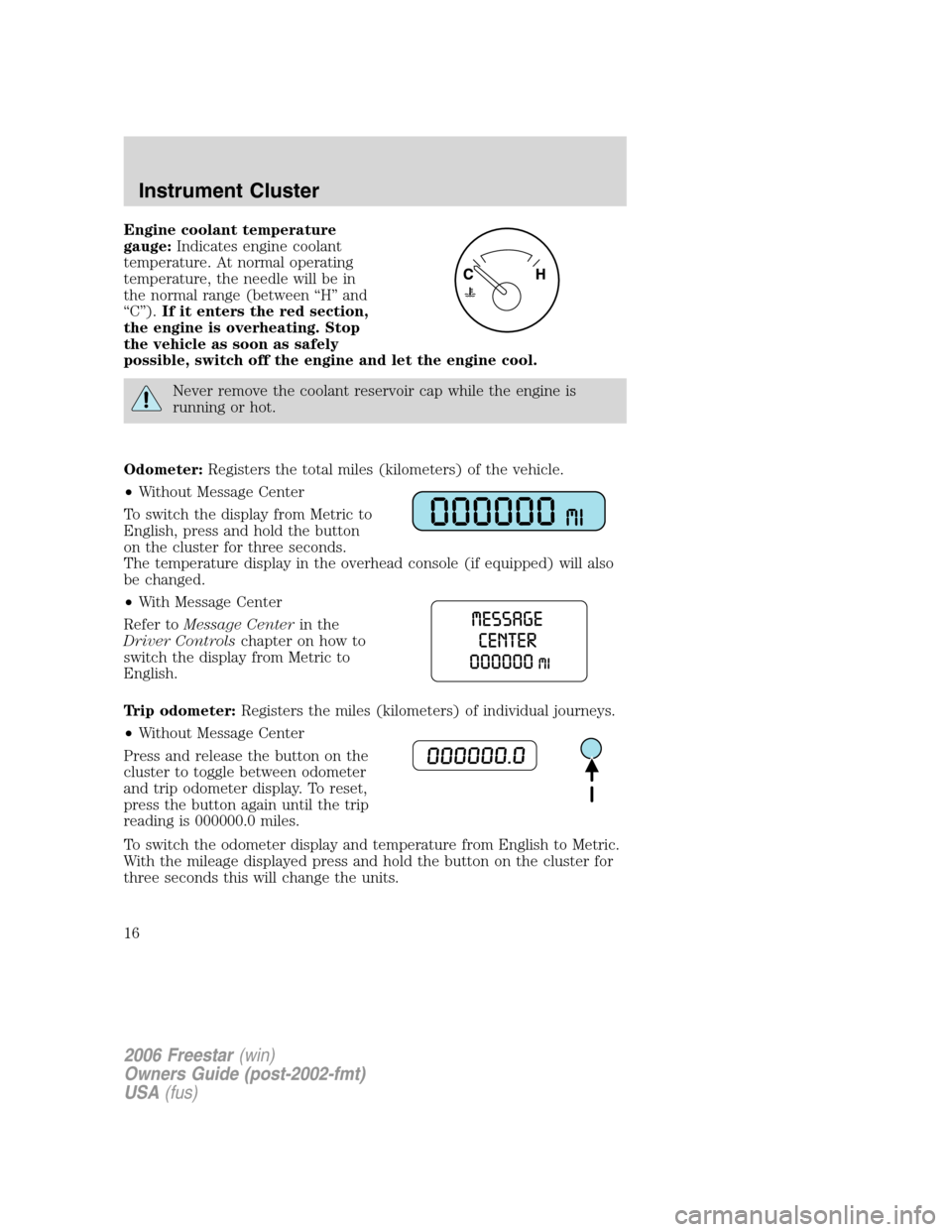
Engine coolant temperature
gauge:Indicates engine coolant
temperature. At normal operating
temperature, the needle will be in
the normal range (between “H” and
“C”).If it enters the red section,
the engine is overheating. Stop
the vehicle as soon as safely
possible, switch off the engine and let the engine cool.
Never remove the coolant reservoir cap while the engine is
running or hot.
Odometer:Registers the total miles (kilometers) of the vehicle.
•Without Message Center
To switch the display from Metric to
English, press and hold the button
on the cluster for three seconds.
The temperature display in the overhead console (if equipped) will also
be changed.
•With Message Center
Refer toMessage Centerin the
Driver Controlschapter on how to
switch the display from Metric to
English.
Trip odometer:Registers the miles (kilometers) of individual journeys.
•Without Message Center
Press and release the button on the
cluster to toggle between odometer
and trip odometer display. To reset,
press the button again until the trip
reading is 000000.0 miles.
To switch the odometer display and temperature from English to Metric.
With the mileage displayed press and hold the button on the cluster for
three seconds this will change the units.
2006 Freestar(win)
Owners Guide (post-2002-fmt)
USA(fus)
Instrument Cluster
16
Page 19 of 320
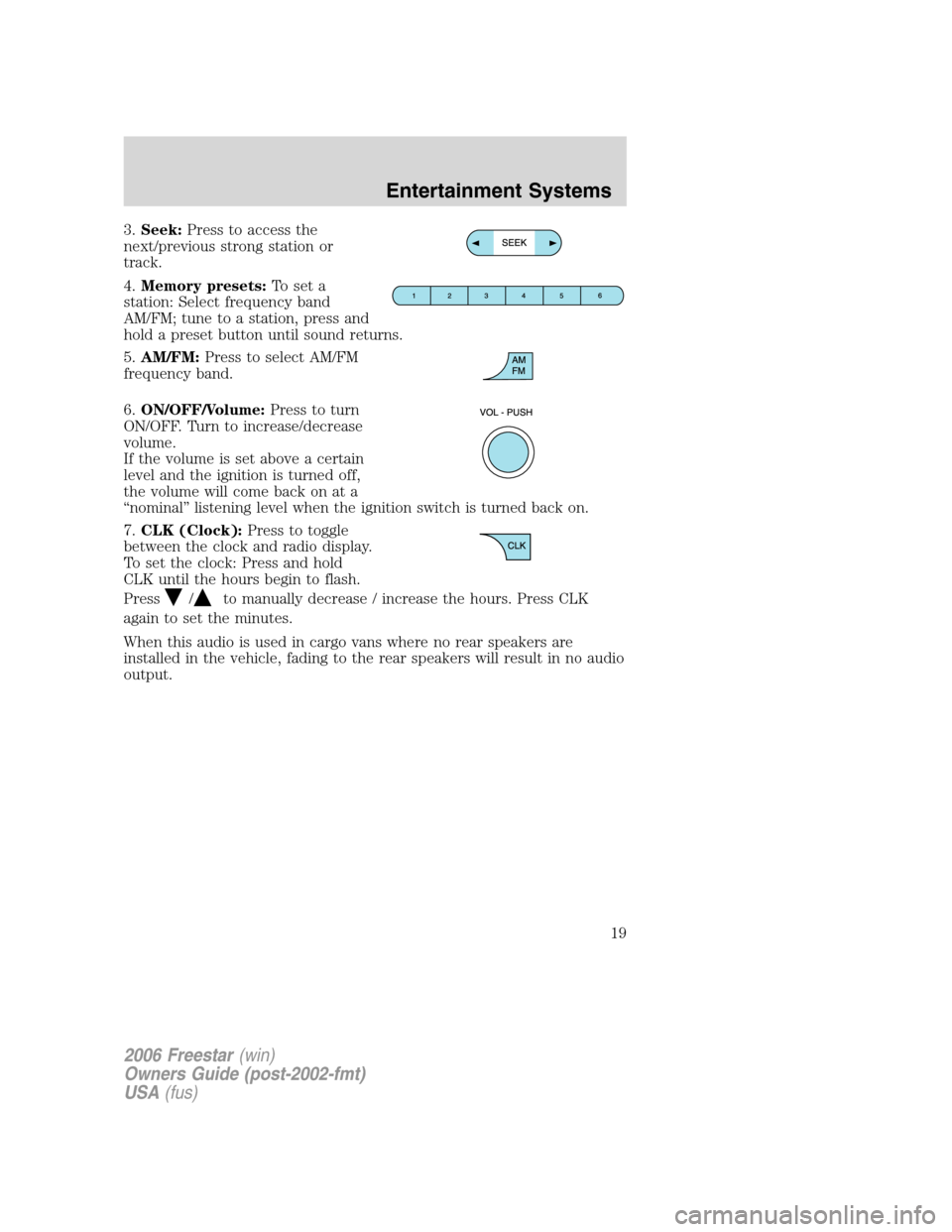
3.Seek:Press to access the
next/previous strong station or
track.
4.Memory presets:To set a
station: Select frequency band
AM/FM; tune to a station, press and
hold a preset button until sound returns.
5.AM/FM:Press to select AM/FM
frequency band.
6.ON/OFF/Volume:Press to turn
ON/OFF. Turn to increase/decrease
volume.
If the volume is set above a certain
level and the ignition is turned off,
the volume will come back on at a
“nominal” listening level when the ignition switch is turned back on.
7.CLK (Clock):Press to toggle
between the clock and radio display.
To set the clock: Press and hold
CLK until the hours begin to flash.
Press
/to manually decrease / increase the hours. Press CLK
again to set the minutes.
When this audio is used in cargo vans where no rear speakers are
installed in the vehicle, fading to the rear speakers will result in no audio
output.
2006 Freestar(win)
Owners Guide (post-2002-fmt)
USA(fus)
Entertainment Systems
19
Page 21 of 320
Treble:Press to adjust the treble setting. Use//SEEK.
Balance:Press to adjust the audio between the left and right speakers.
Use
//SEEK.
Fade:Press to adjust the audio between the front and rear speakers.
Use
//SEEK.
Speed sensitive volume (if equipped):Radio volume automatically
changes slightly with vehicle speed to compensate for road and wind
noise. Press MENU to access and use
//SEEKto adjust.
Setting the clock:Press MENU until SELECT HOUR or SELECT
MINUTE is displayed. Use
/to manually increase/decrease Press
MENU again to disengage clock mode.
If your vehicle is equipped with an in-dash clock, refer to “Setting the
clock” in theDriver Controlschapter.
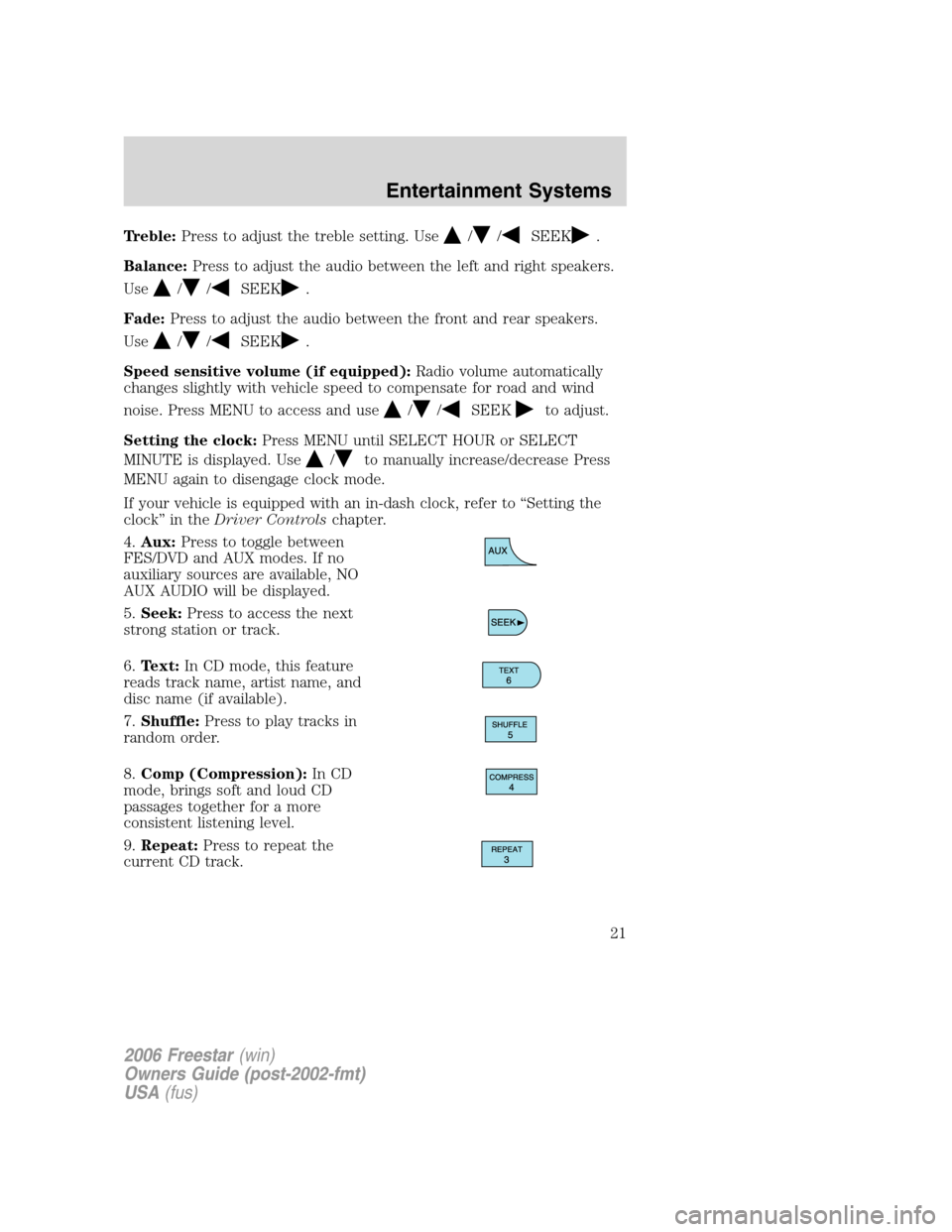
4.Aux:Press to toggle between
FES/DVD and AUX modes. If no
auxiliary sources are available, NO
AUX AUDIO will be displayed.
5.Seek:Press to access the next
strong station or track.
6.Text:In CD mode, this feature
reads track name, artist name, and
disc name (if available).
7.Shuffle:Press to play tracks in
random order.
8.Comp (Compression):In CD
mode, brings soft and loud CD
passages together for a more
consistent listening level.
9.Repeat:Press to repeat the
current CD track.
2006 Freestar(win)
Owners Guide (post-2002-fmt)
USA(fus)
Entertainment Systems
21
Page 24 of 320
Fade:Press to adjust the audio between the front and rear speakers.
Use
//SEEK.
Speed sensitive volume (if equipped):Radio volume automatically
changes slightly with vehicle speed to compensate for road and wind
noise. Press MENU to access and use
//SEEKto adjust.
Setting the clock:Press MENU until SELECT HOUR or SELECT
MINUTE is displayed. Press
//SEEKto adjust the
hours/minutes.
If your vehicle is equipped with an in-dash clock, refer to “Setting the
clock” in theDriver Controlschapter.
Autoset:Allows you to set the strongest local radio stations without
losing your original manually set preset stations for AM/FM1/FM2 . Press
MENU to access. Use
//SEEKto set.
When the six strongest stations are filled, the station stored in preset 1
will begin playing. If there are less than six strong stations, the system
will store the last one in the remaining presets.
Clean tape reminder:After 20 hours of cassette operation, the radio
will notify you that it is time to clean the cassette player head. After
cleaning the player head, you can clear the reminder through menu
control and selecting YES.
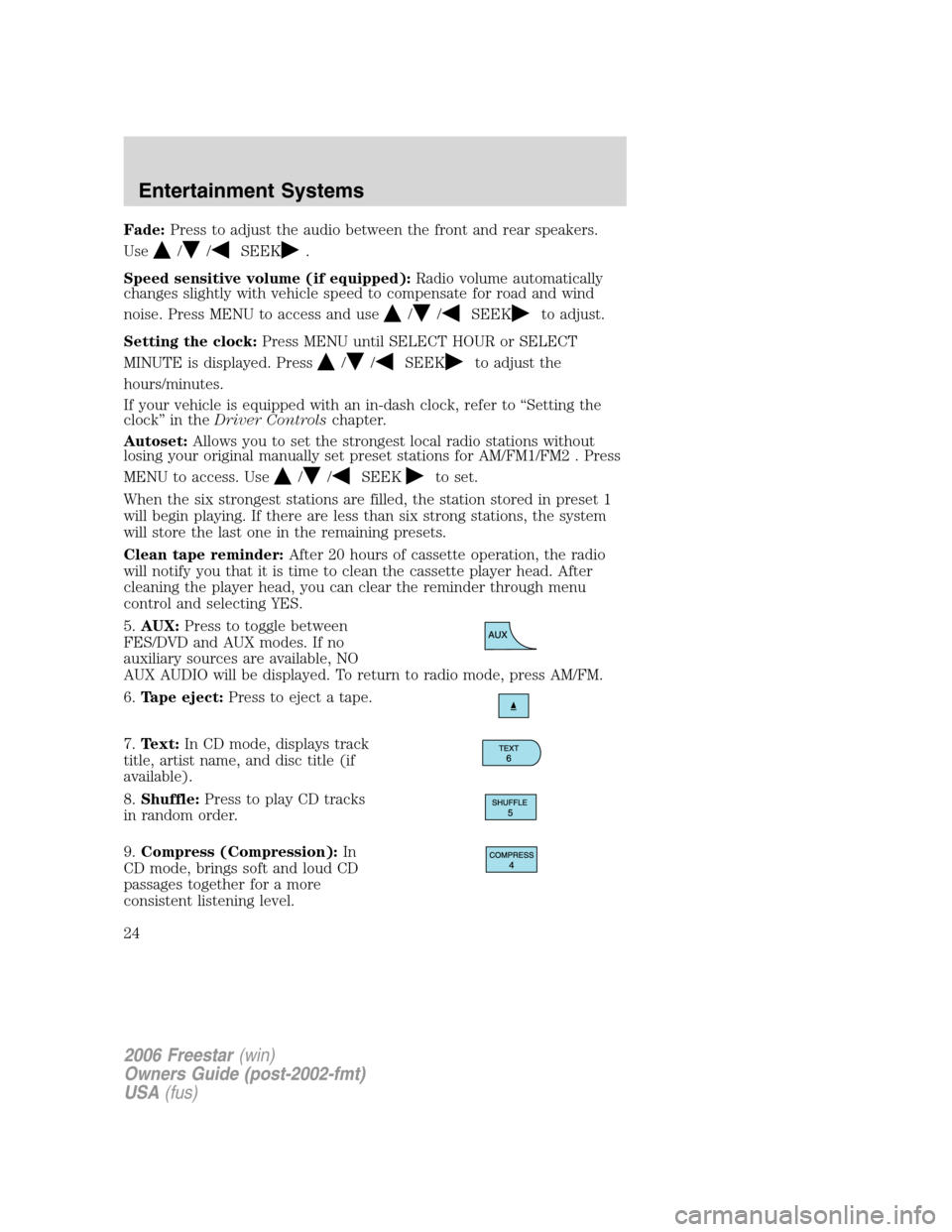
5.AUX:Press to toggle between
FES/DVD and AUX modes. If no
auxiliary sources are available, NO
AUX AUDIO will be displayed. To return to radio mode, press AM/FM.
6.Tape eject:Press to eject a tape.
7.Text:In CD mode, displays track
title, artist name, and disc title (if
available).
8.Shuffle:Press to play CD tracks
in random order.
9.Compress (Compression):In
CD mode, brings soft and loud CD
passages together for a more
consistent listening level.
2006 Freestar(win)
Owners Guide (post-2002-fmt)
USA(fus)
Entertainment Systems
24
Page 27 of 320
3.Menu:Press to toggle through
the following modes:
Treble:Press to adjust the treble setting. Use
//SEEK.
Bass:Press to adjust the bass setting. Use
//SEEK.
Balance:Press to adjust the audio between the left and right speakers.
Use
//SEEK.
Fade:Press to adjust the audio between the front and rear speakers.
Use
//SEEK.
Speed sensitive volume (if equipped):Radio volume automatically
changes slightly with vehicle speed to compensate for road and wind
noise. Press MENU to access and use
//SEEKto adjust.
Setting the clock:Press MENU until SELECT HOUR or SELECT
MINUTE is displayed. Press
//SEEKto adjust the
hours/minutes.
If your vehicle is equipped with an in-dash clock, refer to “Setting the
clock” in theDriver Controlschapter.
Autoset:Allows you to set the strongest local radio stations without
losing your original manually set preset stations for AM/FM1/FM2 . Press
MENU to access. Use
//SEEKto set.
When the six strongest stations are filled, the station stored in preset 1
will begin playing. If there are less than six strong stations, the system
will store the last one in the remaining presets.
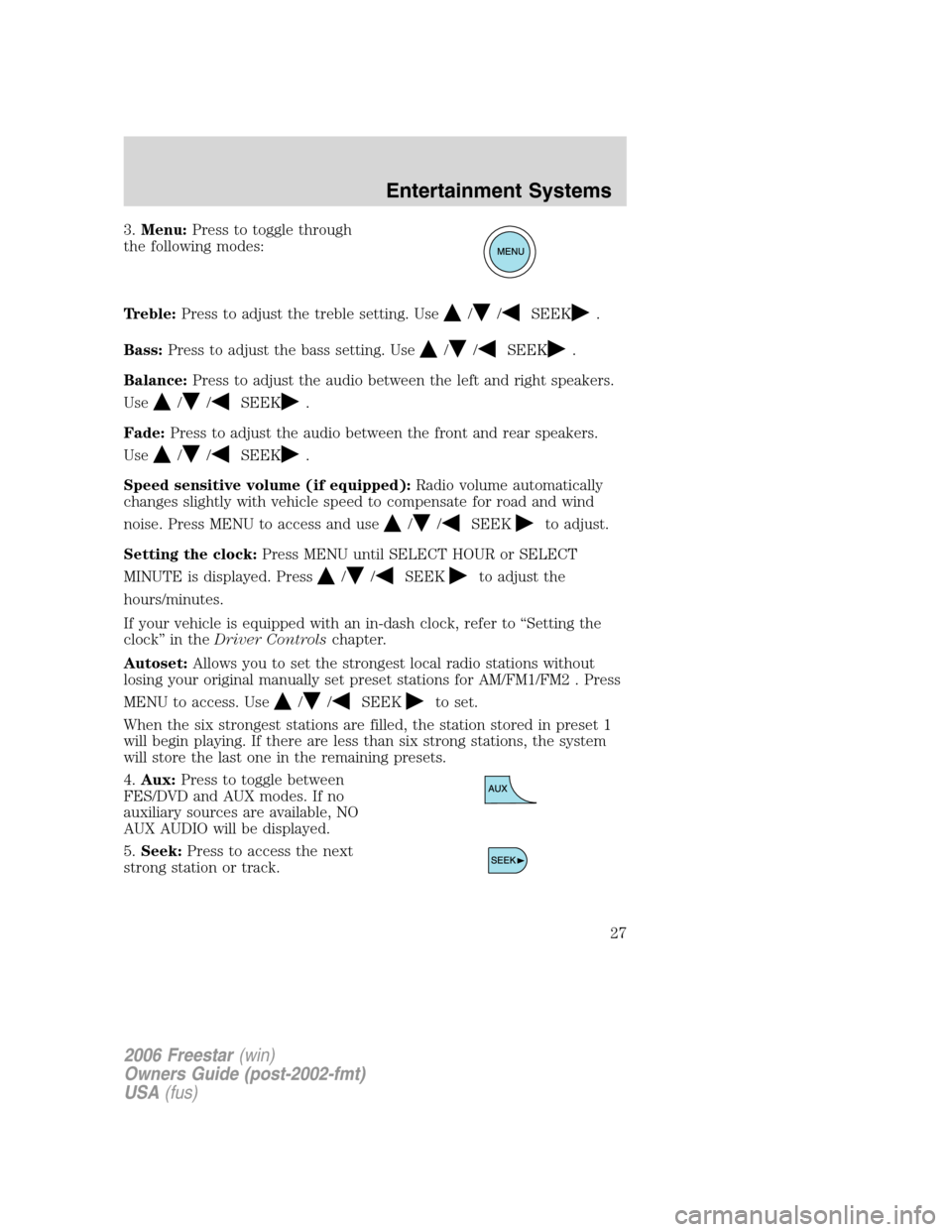
4.Aux:Press to toggle between
FES/DVD and AUX modes. If no
auxiliary sources are available, NO
AUX AUDIO will be displayed.
5.Seek:Press to access the next
strong station or track.
2006 Freestar(win)
Owners Guide (post-2002-fmt)
USA(fus)
Entertainment Systems
27
Page 28 of 320
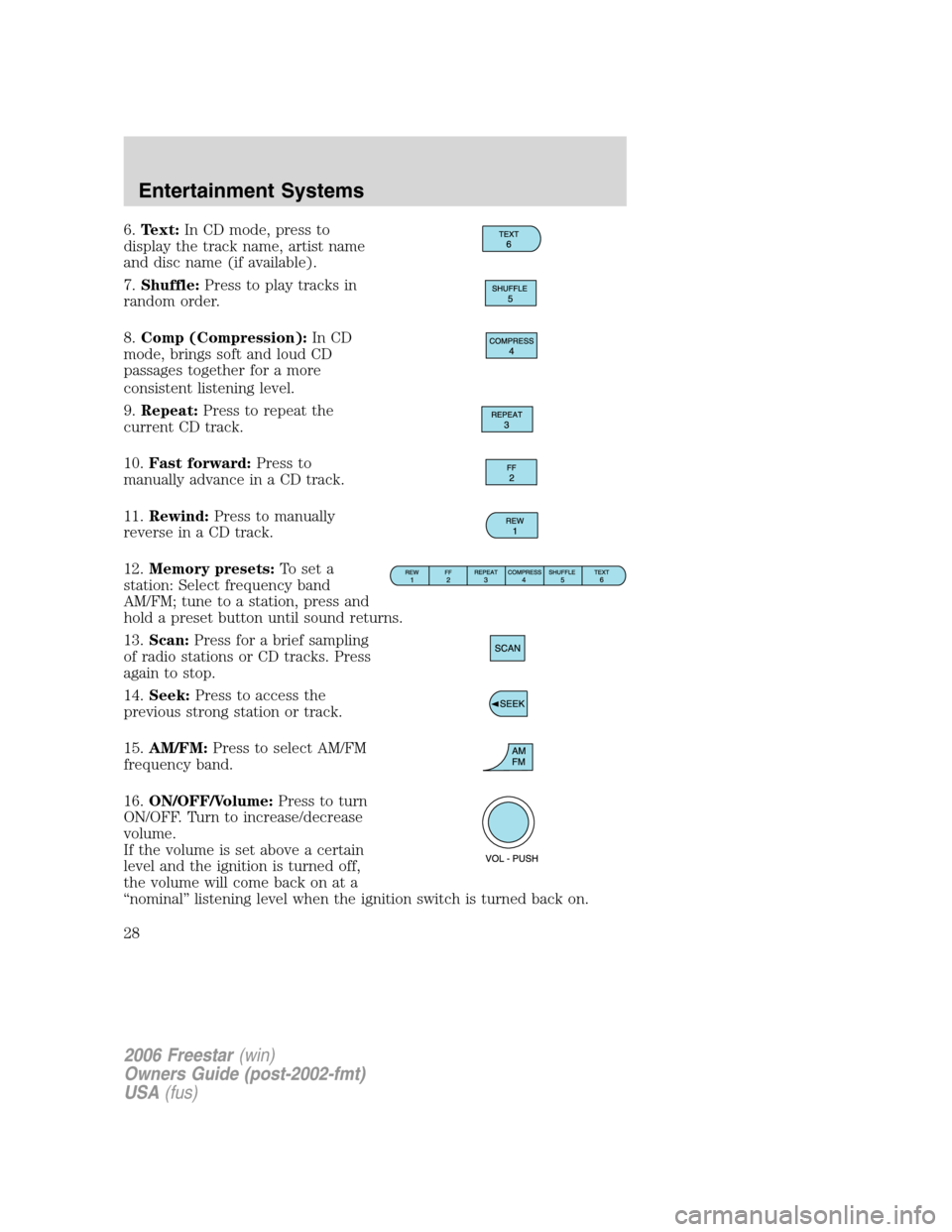
6.Text:In CD mode, press to
display the track name, artist name
and disc name (if available).
7.Shuffle:Press to play tracks in
random order.
8.Comp (Compression):In CD
mode, brings soft and loud CD
passages together for a more
consistent listening level.
9.Repeat:Press to repeat the
current CD track.
10.Fast forward:Press to
manually advance in a CD track.
11.Rewind:Press to manually
reverse in a CD track.
12.Memory presets:To set a
station: Select frequency band
AM/FM; tune to a station, press and
hold a preset button until sound returns.
13.Scan:Press for a brief sampling
of radio stations or CD tracks. Press
again to stop.
14.Seek:Press to access the
previous strong station or track.
15.AM/FM:Press to select AM/FM
frequency band.
16.ON/OFF/Volume:Press to turn
ON/OFF. Turn to increase/decrease
volume.
If the volume is set above a certain
level and the ignition is turned off,
the volume will come back on at a
“nominal” listening level when the ignition switch is turned back on.
2006 Freestar(win)
Owners Guide (post-2002-fmt)
USA(fus)
Entertainment Systems
28
Page 31 of 320
Wireless headphoneswill not playaudio from any other sources
(AM, FM, tape, or Radio CD).
The front and rear seat passengers cannot listen to two different radio
stations at the same time.
GENERAL AUDIO INFORMATION
Radio frequencies:
AM and FM frequencies are established by the Federal Communications
Commission (FCC) and the Canadian Radio and Telecommunications
Commission (CRTC). Those frequencies are:
AM: 530, 540 – 1700, 1710 kHz
FM: 87.7, 87.9 – 107.7, 107.9 MHz
Radio reception factors:
There are three factors that can affect radio reception:
•Distance/strength: The further you travel from a station, the weaker
the signal and the weaker the reception.
•Terrain: Hills, mountains, tall buildings, power lines, electric fences,
traffic lights and thunderstorms can interfere with your reception.
•Station overload: When you pass a broadcast tower, a stronger signal
may overtake a weaker one and play while the weak station frequency
is displayed.
Cassette/player care
Do:
•Tighten very loose tapes by inserting a pen or pencil into the hole and
turning the hub.
•Remove loose labels before inserting tapes.
•Allow tapes which have been subjected to extreme heat, humidity or
cold to reach a moderate temperature before playing.
•Clean the cassette player head with a cassette cleaning cartridge after
10–12 hours of play to maintain good sound/operation.
Don’t:
•Use cassettes that are longer than 90 minutes.
•Expose tapes to direct sunlight, extreme humidity, heat or cold.
•Leave tapes in the cassette player for a long time when not being
played.
2006 Freestar(win)
Owners Guide (post-2002-fmt)
USA(fus)
Entertainment Systems
31
Page 56 of 320
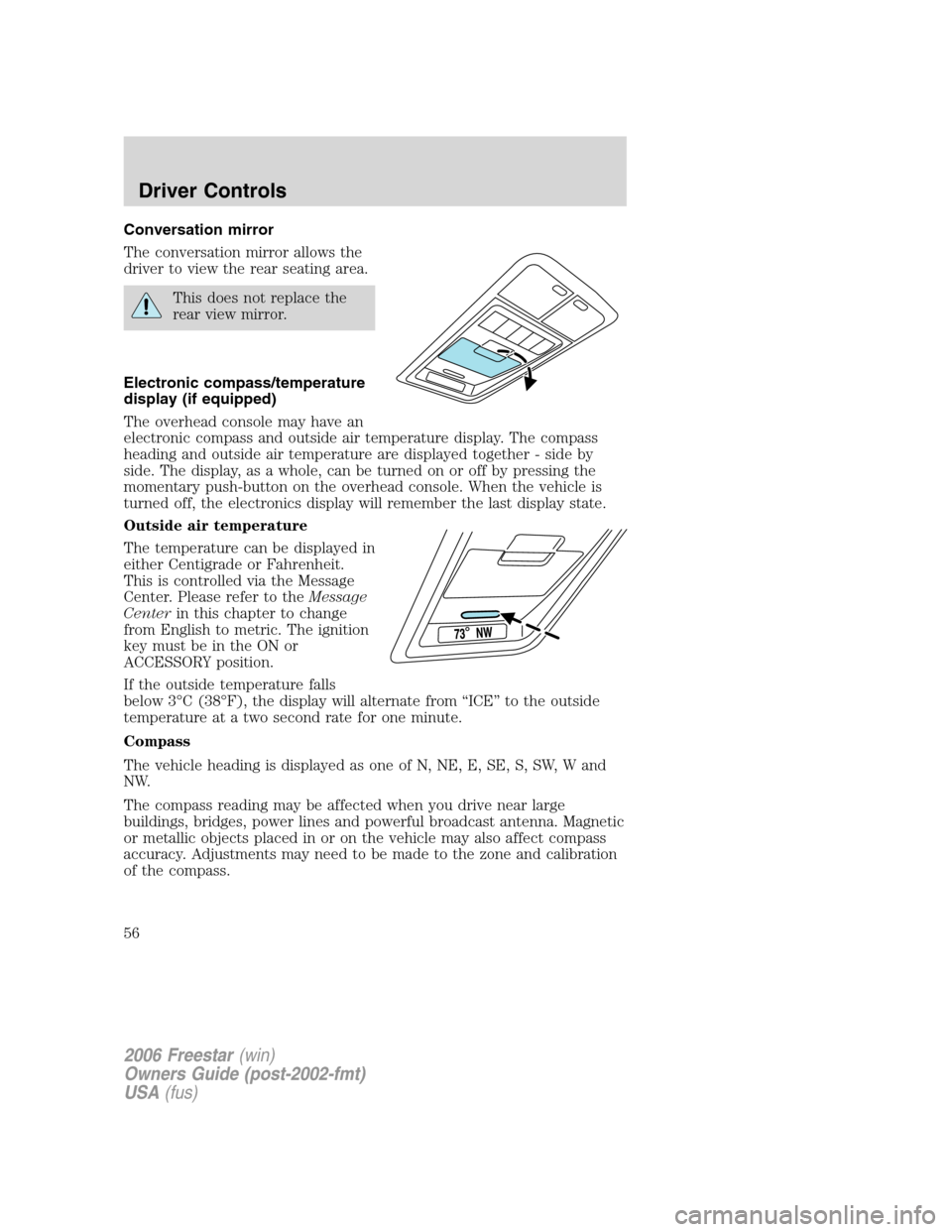
Conversation mirror
The conversation mirror allows the
driver to view the rear seating area.
This does not replace the
rear view mirror.
Electronic compass/temperature
display (if equipped)
The overhead console may have an
electronic compass and outside air temperature display. The compass
heading and outside air temperature are displayed together - side by
side. The display, as a whole, can be turned on or off by pressing the
momentary push-button on the overhead console. When the vehicle is
turned off, the electronics display will remember the last display state.
Outside air temperature
The temperature can be displayed in
either Centigrade or Fahrenheit.
This is controlled via the Message
Center. Please refer to theMessage
Centerin this chapter to change
from English to metric. The ignition
key must be in the ON or
ACCESSORY position.
If the outside temperature falls
below 3°C (38°F), the display will alternate from “ICE” to the outside
temperature at a two second rate for one minute.
Compass
The vehicle heading is displayed as one of N, NE, E, SE, S, SW, W and
NW.
The compass reading may be affected when you drive near large
buildings, bridges, power lines and powerful broadcast antenna. Magnetic
or metallic objects placed in or on the vehicle may also affect compass
accuracy. Adjustments may need to be made to the zone and calibration
of the compass.
2006 Freestar(win)
Owners Guide (post-2002-fmt)
USA(fus)
Driver Controls
56
Page 57 of 320
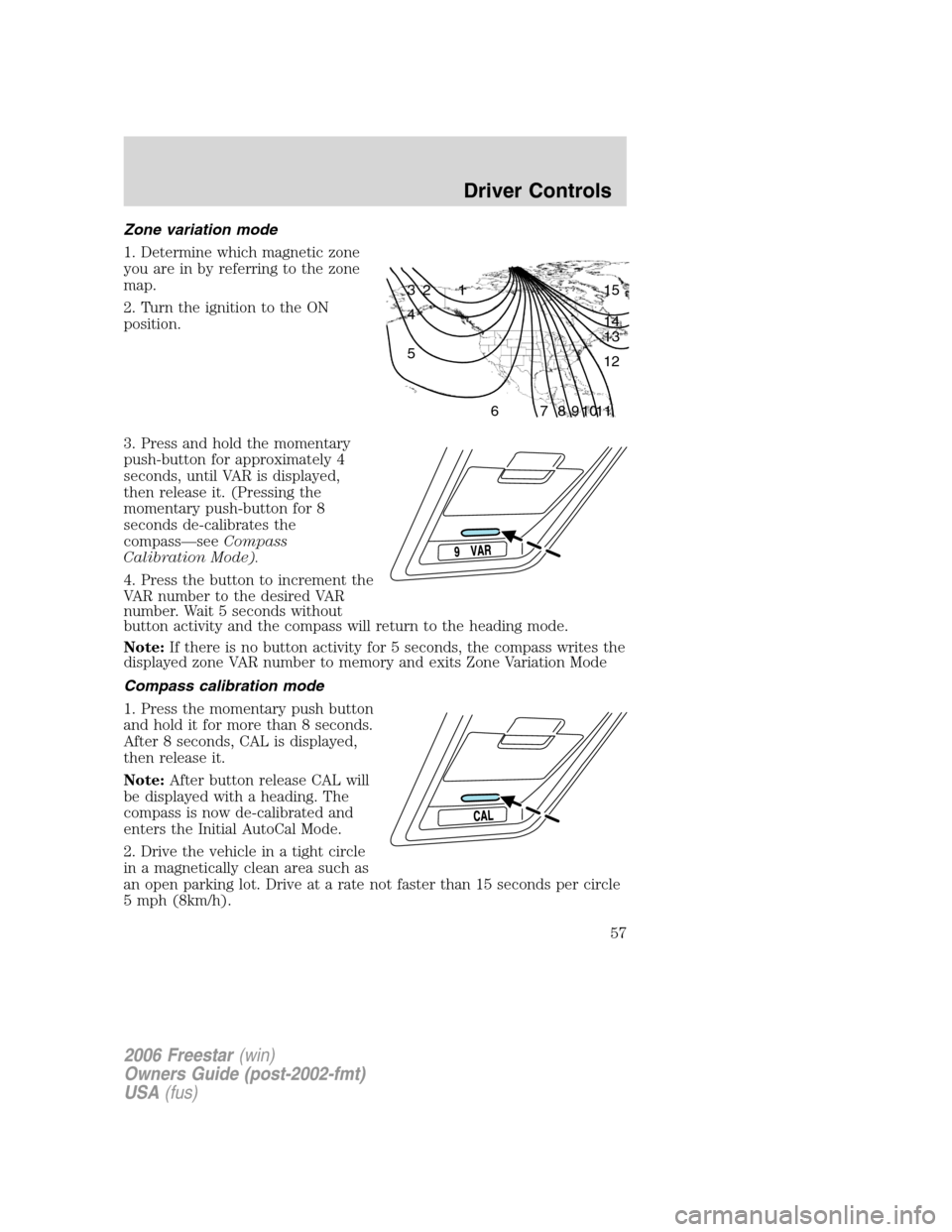
Zone variation mode
1. Determine which magnetic zone
you are in by referring to the zone
map.
2. Turn the ignition to the ON
position.
3. Press and hold the momentary
push-button for approximately 4
seconds, until VAR is displayed,
then release it. (Pressing the
momentary push-button for 8
seconds de-calibrates the
compass—seeCompass
Calibration Mode).
4. Press the button to increment the
VAR number to the desired VAR
number. Wait 5 seconds without
button activity and the compass will return to the heading mode.
Note:If there is no button activity for 5 seconds, the compass writes the
displayed zone VAR number to memory and exits Zone Variation Mode
Compass calibration mode
1. Press the momentary push button
and hold it for more than 8 seconds.
After 8 seconds, CAL is displayed,
then release it.
Note:After button release CAL will
be displayed with a heading. The
compass is now de-calibrated and
enters the Initial AutoCal Mode.
2. Drive the vehicle in a tight circle
in a magnetically clean area such as
an open parking lot. Drive at a rate not faster than 15 seconds per circle
5 mph (8km/h).
1 2 3
4
5
6 7 8 9 101112 13 14 15
2006 Freestar(win)
Owners Guide (post-2002-fmt)
USA(fus)
Driver Controls
57