ECO mode FORD FREESTYLE 2006 1.G Owners Manual
[x] Cancel search | Manufacturer: FORD, Model Year: 2006, Model line: FREESTYLE, Model: FORD FREESTYLE 2006 1.GPages: 288, PDF Size: 2.55 MB
Page 10 of 288
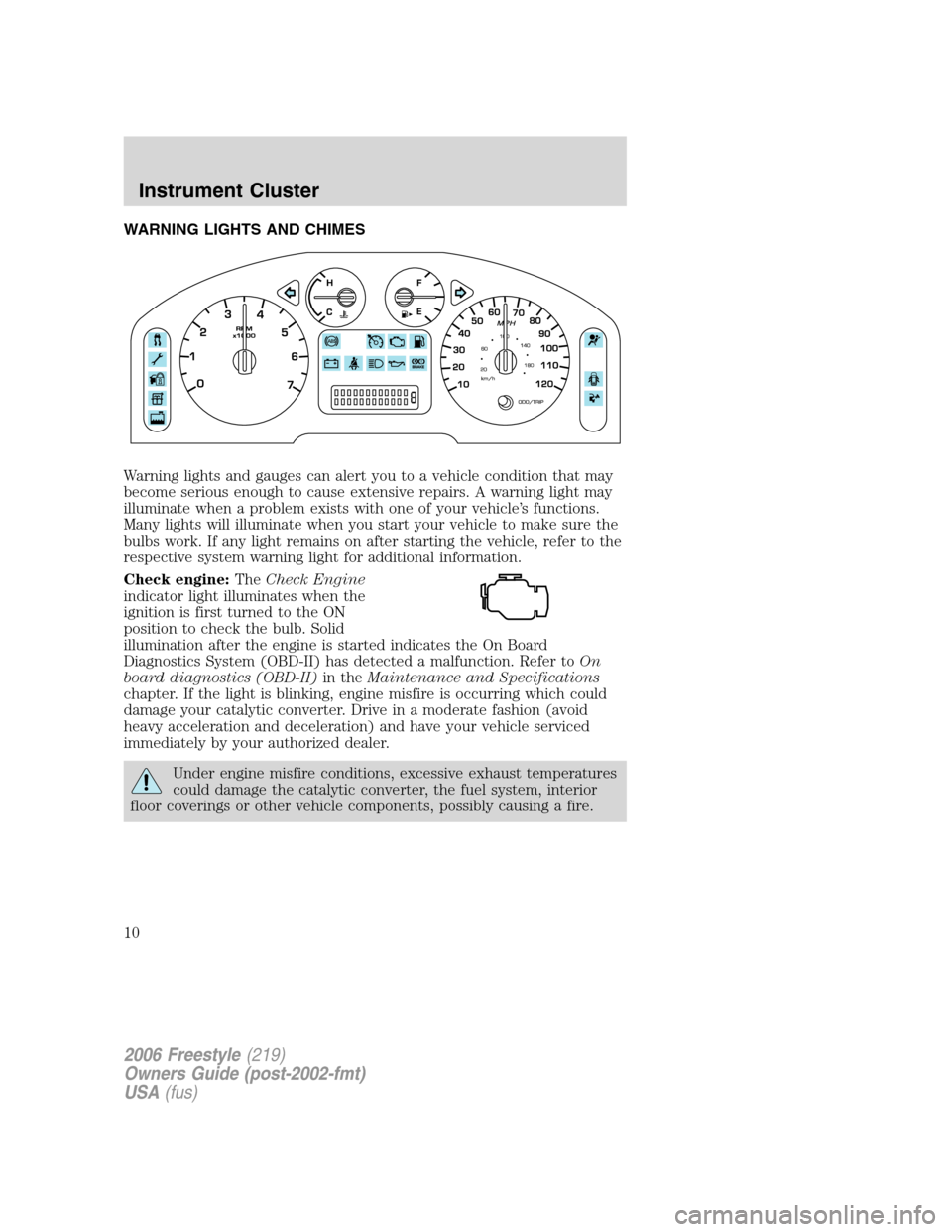
WARNING LIGHTS AND CHIMES
Warning lights and gauges can alert you to a vehicle condition that may
become serious enough to cause extensive repairs. A warning light may
illuminate when a problem exists with one of your vehicle’s functions.
Many lights will illuminate when you start your vehicle to make sure the
bulbs work. If any light remains on after starting the vehicle, refer to the
respective system warning light for additional information.
Check engine:TheCheck Engine
indicator light illuminates when the
ignition is first turned to the ON
position to check the bulb. Solid
illumination after the engine is started indicates the On Board
Diagnostics System (OBD-II) has detected a malfunction. Refer toOn
board diagnostics (OBD-II)in theMaintenance and Specifications
chapter. If the light is blinking, engine misfire is occurring which could
damage your catalytic converter. Drive in a moderate fashion (avoid
heavy acceleration and deceleration) and have your vehicle serviced
immediately by your authorized dealer.
Under engine misfire conditions, excessive exhaust temperatures
could damage the catalytic converter, the fuel system, interior
floor coverings or other vehicle components, possibly causing a fire.
2006 Freestyle(219)
Owners Guide (post-2002-fmt)
USA(fus)
Instrument Cluster
10
Page 18 of 288
When the six strongest stations are filled, the station stored in preset 1
will begin playing. If there are less than six strong stations, the system
will store the last one in the remaining presets.
Bass:Press to adjust the bass setting. Use
//SEEK.
Treble:Press to adjust the treble setting. Use
//SEEK.
Balance:Press to adjust the audio between the left and right speakers.
Use
//SEEK.
Fade:Press to adjust the audio between the front and rear speakers.
Use
//SEEK.
Speed sensitive volume (if equipped):Radio volume automatically
changes slightly with vehicle speed to compensate for road and wind
noise. Press MENU to access and use
//SEEKto adjust.
The recommended level is 1–3. Level 0 turns the feature off and level 7
is the maximum setting.
Setting the clock:Press MENU until SELECT HOUR or SELECT
MINUTE is displayed. Use
/to manually increase/decrease. Press
MENU again to disengage clock mode.
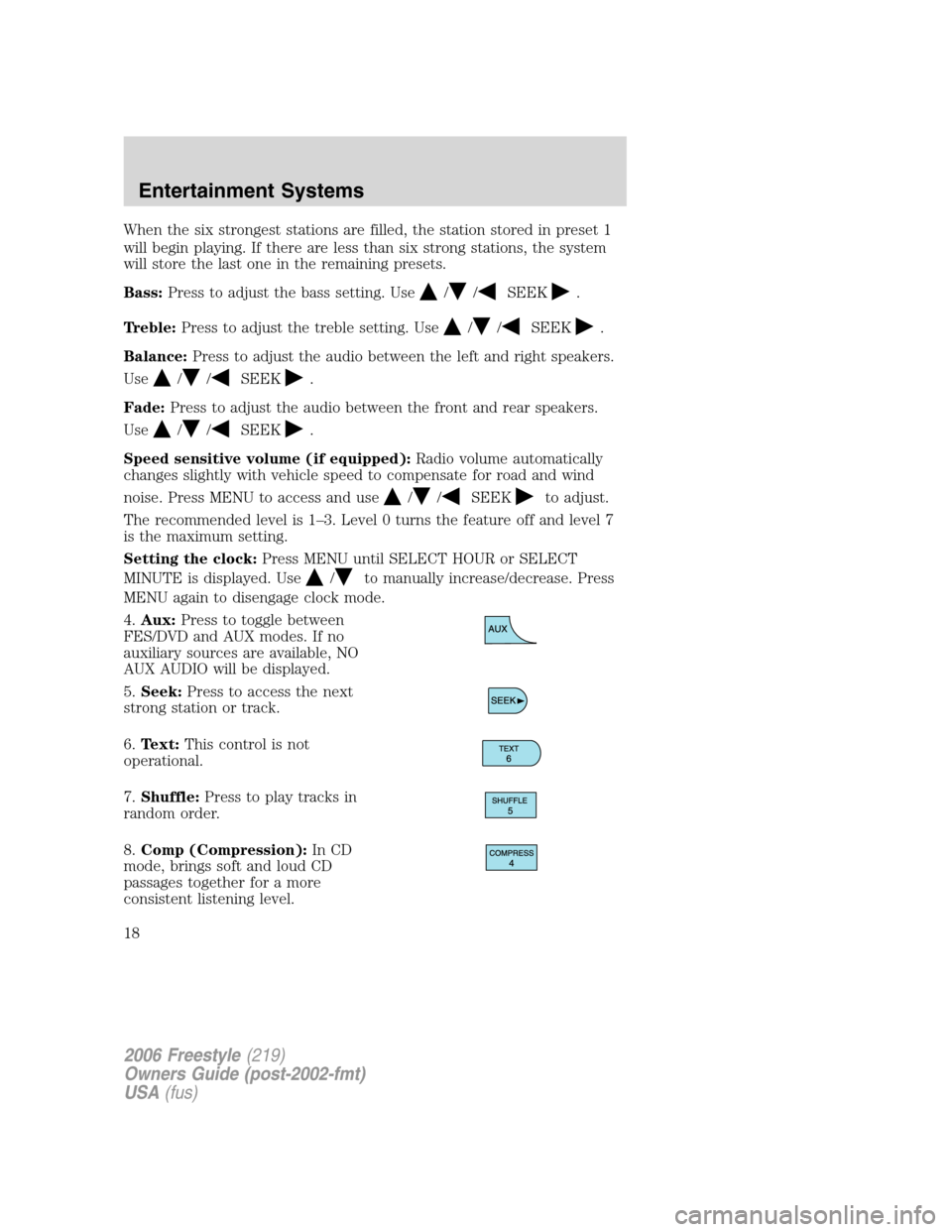
4.Aux:Press to toggle between
FES/DVD and AUX modes. If no
auxiliary sources are available, NO
AUX AUDIO will be displayed.
5.Seek:Press to access the next
strong station or track.
6.Text:This control is not
operational.
7.Shuffle:Press to play tracks in
random order.
8.Comp (Compression):In CD
mode, brings soft and loud CD
passages together for a more
consistent listening level.
2006 Freestyle(219)
Owners Guide (post-2002-fmt)
USA(fus)
Entertainment Systems
18
Page 21 of 288
When the six strongest stations are filled, the station stored in preset 1
will begin playing. If there are less than six strong stations, the system
will store the last one in the remaining presets.
Bass:Press to adjust the bass setting. Use
//SEEK.
Treble:Press to adjust the treble setting. Use
//SEEK.
Balance:Press to adjust the audio between the left and right speakers.
Use
//, SEEK.
Fade:Press to adjust the audio between the front and rear speakers.
Use
//, SEEK.
Occupancy mode:(Available on Audiophile radios only):
Use
//SEEKselect and optimize sound for ALL SEATS,
DRIVERS SEAT or REAR SEATS.
Speed sensitive volume:Radio volume automatically changes slightly
with vehicle speed to compensate for road and wind noise.
Use
//SEEKto adjust. Recommended level is 1–3. Level 0
turns the feature off and level 7 is the maximum setting.
Setting the clock:Press until SELECT HOUR or SELECT MINS is
displayed. Press
//SEEKto adjust the hours/minutes.
RDS(Available on Audiophile radios only): Allows you to search
RDS-equipped stations for a certain category of music format: Classic,
Country, Info, Jazz/RB, Religious, Rock, Soft, Top 40. RDS (only available
in FM mode) must be activated to access Find and Show functions.
To activate, press and hold MENU until RDS (ON/OFF) appears in the
display. Press MENU repeatedly to scroll through Find, Show and RDS.
Use
/.SEEKto toggle RDS ON/OFF. When RDS is Off, you
will not be able to access Find and Show functions.
Find:Allows you to search RDS-equipped stations for the desired music
category. Use
/to find the desired program type, then use
SEEKor SCAN to begin the search.
Show:Allows you to display the name of the radio station or program
type. Use
//SEEKto show type, name or none.
2006 Freestyle(219)
Owners Guide (post-2002-fmt)
USA(fus)
Entertainment Systems
21
Page 23 of 288
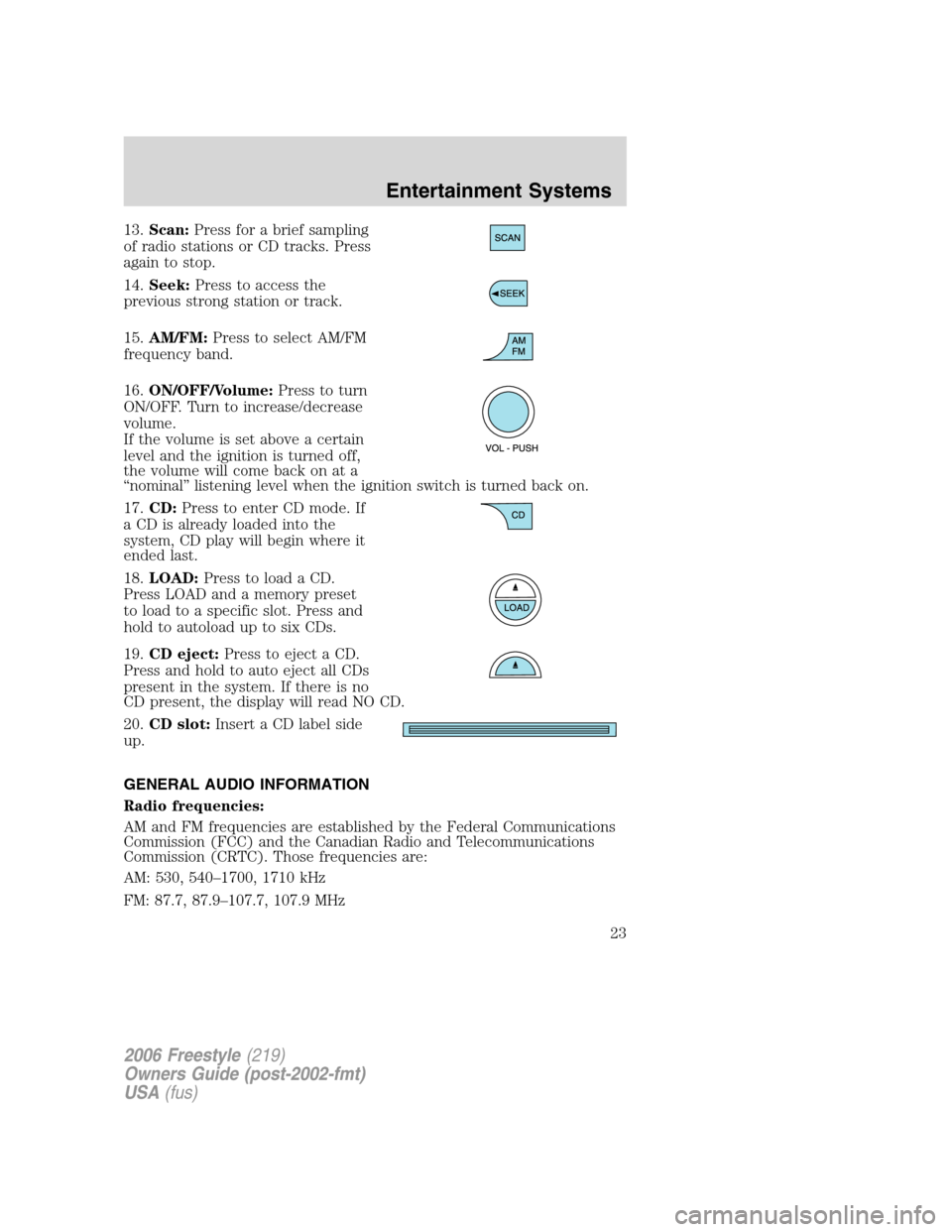
13.Scan:Press for a brief sampling
of radio stations or CD tracks. Press
again to stop.
14.Seek:Press to access the
previous strong station or track.
15.AM/FM:Press to select AM/FM
frequency band.
16.ON/OFF/Volume:Press to turn
ON/OFF. Turn to increase/decrease
volume.
If the volume is set above a certain
level and the ignition is turned off,
the volume will come back on at a
“nominal” listening level when the ignition switch is turned back on.
17.CD:Press to enter CD mode. If
a CD is already loaded into the
system, CD play will begin where it
ended last.
18.LOAD:Press to load a CD.
Press LOAD and a memory preset
to load to a specific slot. Press and
hold to autoload up to six CDs.
19.CD eject:Press to eject a CD.
Press and hold to auto eject all CDs
present in the system. If there is no
CD present, the display will read NO CD.
20.CD slot:Insert a CD label side
up.
GENERAL AUDIO INFORMATION
Radio frequencies:
AM and FM frequencies are established by the Federal Communications
Commission (FCC) and the Canadian Radio and Telecommunications
Commission (CRTC). Those frequencies are:
AM: 530, 540–1700, 1710 kHz
FM: 87.7, 87.9–107.7, 107.9 MHz
2006 Freestyle(219)
Owners Guide (post-2002-fmt)
USA(fus)
Entertainment Systems
23
Page 25 of 288
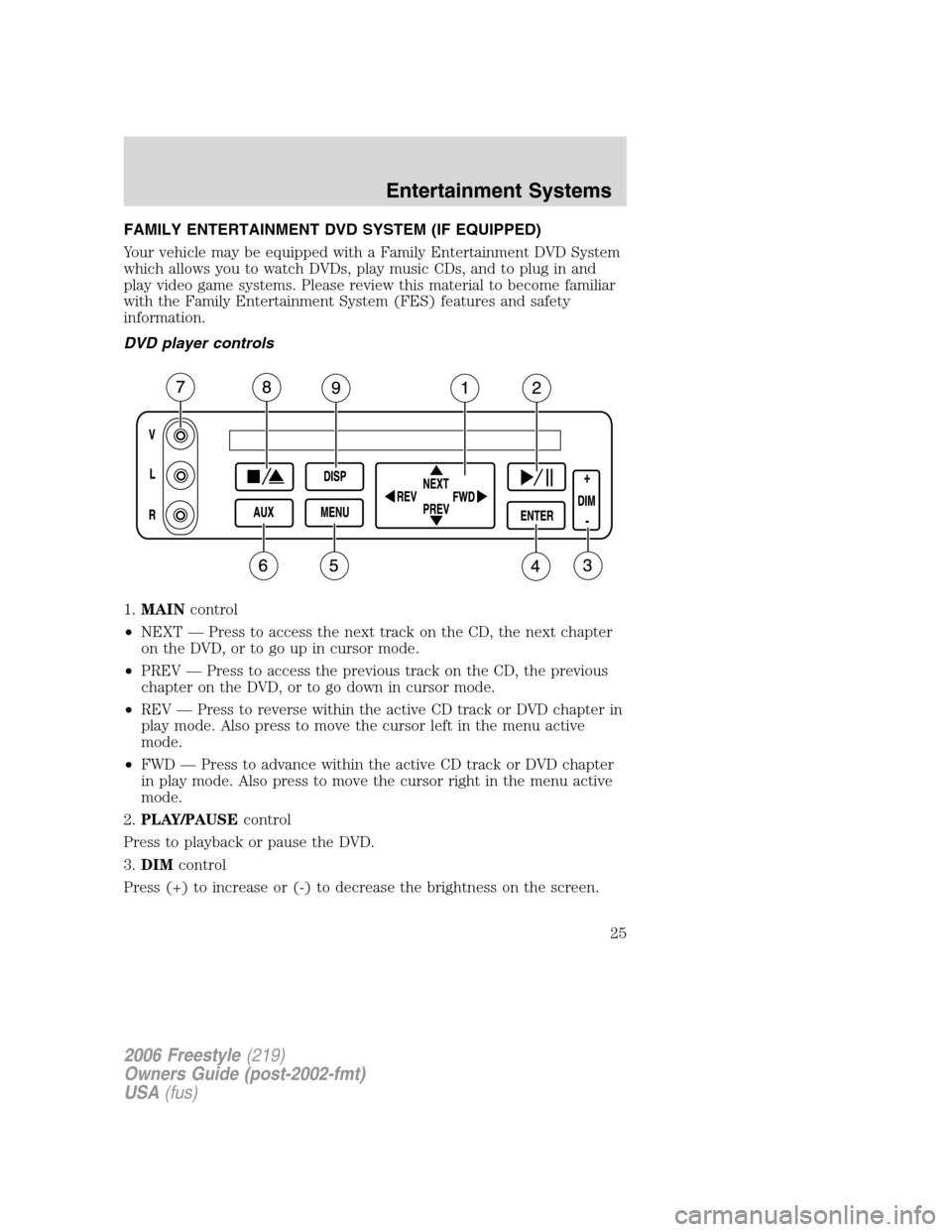
FAMILY ENTERTAINMENT DVD SYSTEM (IF EQUIPPED)
Your vehicle may be equipped with a Family Entertainment DVD System
which allows you to watch DVDs, play music CDs, and to plug in and
play video game systems. Please review this material to become familiar
with the Family Entertainment System (FES) features and safety
information.
DVD player controls
1.MAINcontrol
•NEXT — Press to access the next track on the CD, the next chapter
on the DVD, or to go up in cursor mode.
•PREV — Press to access the previous track on the CD, the previous
chapter on the DVD, or to go down in cursor mode.
•REV — Press to reverse within the active CD track or DVD chapter in
play mode. Also press to move the cursor left in the menu active
mode.
•FWD — Press to advance within the active CD track or DVD chapter
in play mode. Also press to move the cursor right in the menu active
mode.
2.PLAY/PAUSEcontrol
Press to playback or pause the DVD.
3.DIMcontrol
Press (+) to increase or (-) to decrease the brightness on the screen.
2006 Freestyle(219)
Owners Guide (post-2002-fmt)
USA(fus)
Entertainment Systems
25
Page 26 of 288
4.ENTERcontrol
Press to select the function highlighted on the active menu. ENTER may
also be used by some user interactive discs during movie play.
5.MENUcontrol
Press to bring up the disc menu.
6.AUXcontrol
Press to switch DVD player from play mode to auxiliary mode.
7.Auxiliary jacks
Input jacks for standard video game players.
8.STOP/EJECTcontrol
Press once to stop a disc from playing. Press a second time to eject the
disc. (If a disc is not playing, but is present in the system, pressing eject
will eject the disc).
9.DISPLAY (DISP)control
Press to enable the on screen display of the player’s menu and user’s
display adjustments. Double click the DISP button to change the format
of the display. If the DVD disc format is NORMAL, it can be changed to
full screen by selecting WIDE SCREEN. Use the NEXT and PREV button
to scroll through the different format of the display. Please note that the
screen quality will degrade if the display mode is changed to “Zoom.”
DVD control features
Menu control
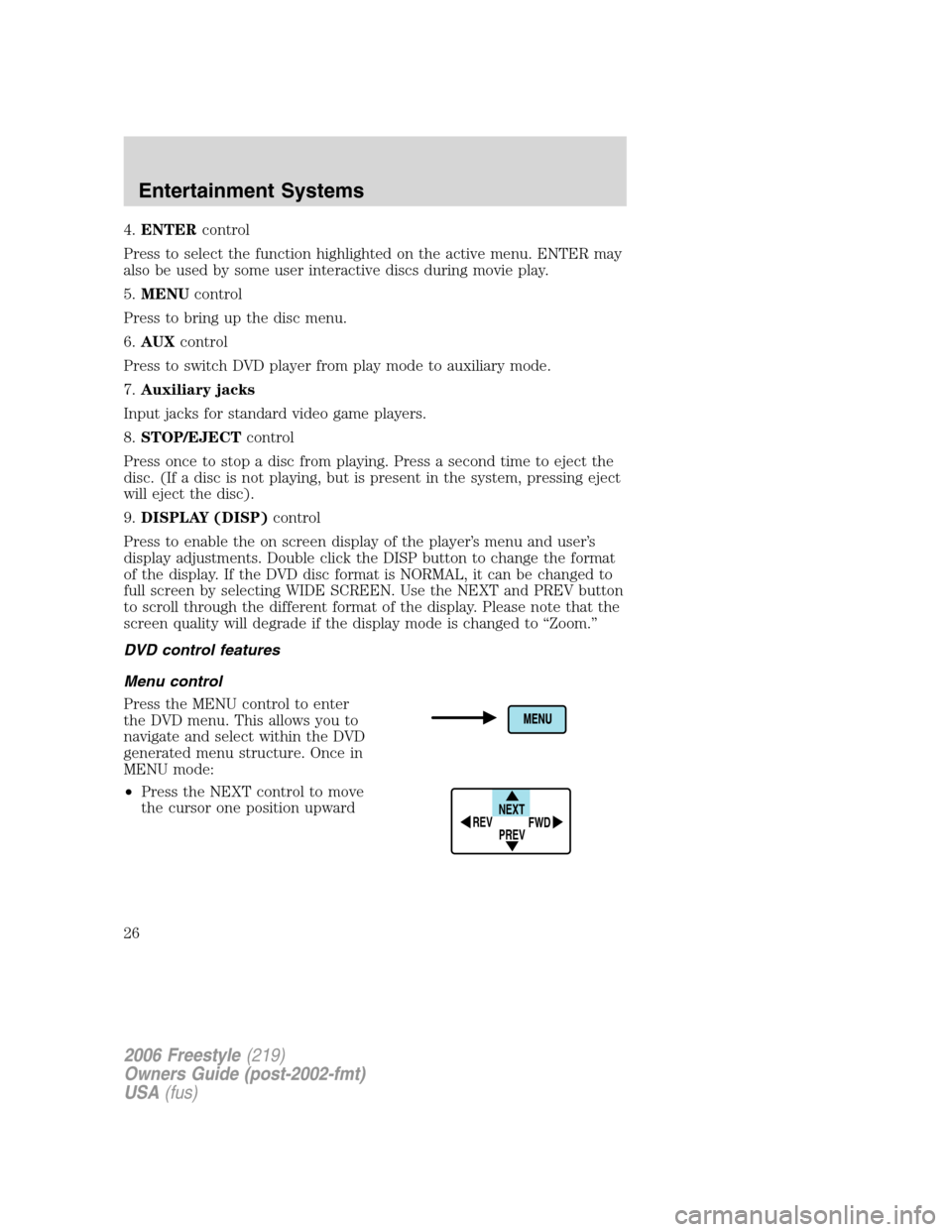
Press the MENU control to enter
the DVD menu. This allows you to
navigate and select within the DVD
generated menu structure. Once in
MENU mode:
•Press the NEXT control to move
the cursor one position upward
NEXT
PREV REV
FWD
2006 Freestyle(219)
Owners Guide (post-2002-fmt)
USA(fus)
Entertainment Systems
26
Page 30 of 288
7.MENU/MODEcontrol
In DVD playback mode, press to access the disc menu.
In stop mode, press to change media types (e.g. AM, FM, CD...)
8.VOL (VOLUME)control
Press (+) to increase or (-) to decrease the volume level.
Dual play mode
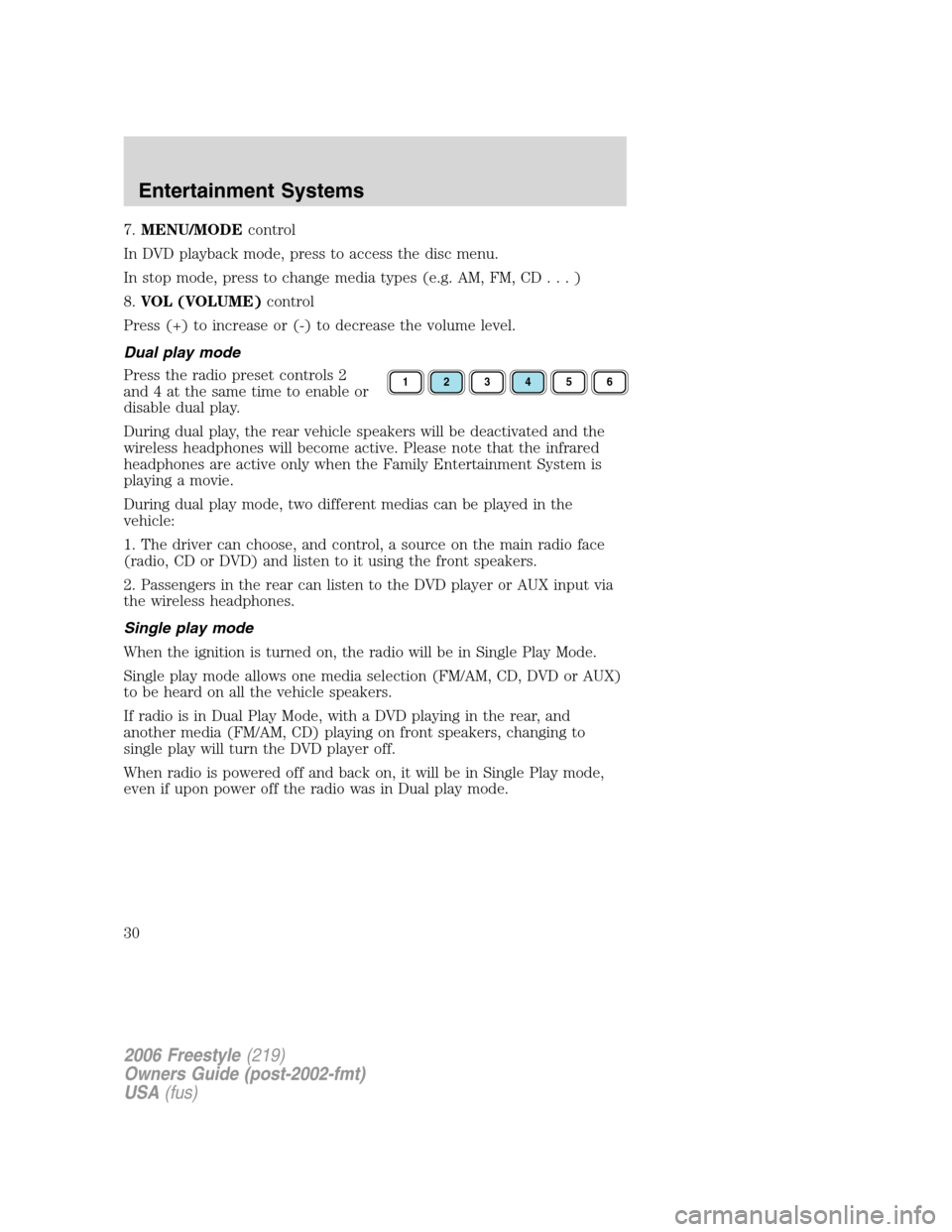
Press the radio preset controls 2
and 4 at the same time to enable or
disable dual play.
During dual play, the rear vehicle speakers will be deactivated and the
wireless headphones will become active. Please note that the infrared
headphones are active only when the Family Entertainment System is
playing a movie.
During dual play mode, two different medias can be played in the
vehicle:
1. The driver can choose, and control, a source on the main radio face
(radio, CD or DVD) and listen to it using the front speakers.
2. Passengers in the rear can listen to the DVD player or AUX input via
the wireless headphones.
Single play mode
When the ignition is turned on, the radio will be in Single Play Mode.
Single play mode allows one media selection (FM/AM, CD, DVD or AUX)
to be heard on all the vehicle speakers.
If radio is in Dual Play Mode, with a DVD playing in the rear, and
another media (FM/AM, CD) playing on front speakers, changing to
single play will turn the DVD player off.
When radio is powered off and back on, it will be in Single Play mode,
even if upon power off the radio was in Dual play mode.
123456
2006 Freestyle(219)
Owners Guide (post-2002-fmt)
USA(fus)
Entertainment Systems
30
Page 34 of 288
Playback and format
•The DVD player of your Family Entertainment DVD System can only
be used in the “playback” mode. (The DVD player does not offer a
record feature.)
•The system plays standard CDs or DVDs, CDR/RW, DVDRs, VCDs and
MP3 media.
Family Entertainment DVD System protection circuits
High temperature sensor circuit
•Excessively high temperatures may cause damage to the DVD player.
•When the temperature of the DVD player becomes too hot, the high
temperature sensor circuit stops machine operation. DVD/CD HOT will
be displayed on the radio display.
•The DVD player will remain disabled until it cools to a normal
operating temperature. The length of time for the system to cool will
vary depending on the climate and operating conditions.
Operating
•Only use the system when the vehicle is started for optimal
performance and to maintain battery life.
•If the Family Entertainment System (FES) is playing and the ignition
is turned OFF, the system will turn off, and suspend playback. When
the ignition is turned on again, playback will begin from the last
selected media source when the play control is pressed.
•To disable the DVD player rear controls, simultaneously press the 3
and 5 memory presets on the radio face. To enable the DVD player
rear controls again, press the 3 and 5 presets simultaneously.
•The DVD player is only capable of reading the bottom side of a disc.
When inserting a single sided disc, the label should be up. For a
multi-sided disc, the desired play side should be down when the disc
is inserted into the player.
•DVDs are formatted by regions. This DVD system can only play region
1 DVDs (DVDs manufactured for U.S. and Canada).
This unit is designed to play commercially pressed 4.75 (12 cm)
audio compact discs and DVDs only. Due to technical
incompatibility, certain recordable and re-recordable compact
discs may not function correctly when used in Ford DVD/CD
players. Irregular shaped discs, discs with a scratch protection
2006 Freestyle(219)
Owners Guide (post-2002-fmt)
USA(fus)
Entertainment Systems
34
Page 35 of 288
film attached, and discs with homemade paper (adhesive) labels
should not be inserted into the player. The label may peel and
cause the disc to become jammed. It is recommended that
homemade discs be identified with permanent felt tip marker
rather than adhesive labels. Ball point pens may damage discs.
Please contact your dealer for further information.
Inserting a CD/DVD
With the ignition ON, inserting a CD/DVD into the DVD player
automatically turns ON the FES and playback should begin immediately.
The counter is automatically reset to 0:00:00 when any disc is inserted
into the FES.
Removing a CD/DVD (while playing)
1. Press the STOP/EJECT control to stop playback if a disc is playing.
2. Press the STOP/EJECT control again to eject the CD/DVD.
If the CD/DVD is not removed within the allotted time, the system will
pull the CD/DVD back into the system for safety purposes.
If the CD/DVD will not eject from the system, press and hold the EJECT
control for approximately 2 seconds. The disc should eject whether the
vehicle ignition is ON or OFF.
Playing a video game/auxiliary device
1. Connect the video line from your video game device to the YELLOW
auxiliary input jack.
2. Connect the left and right audio lines to the WHITE (left) and RED
(right) auxiliary input jacks respectively.
3. Press the MODE control repeatedly until DVD/CD AUX (no disc in
player) or DVD/CD play (disc in player) illuminates in the radio display.
If a disc is in the system, playback should begin. To enable the aux
inputs, press the STOP control or press the AUX control on the DVD
player.
2006 Freestyle(219)
Owners Guide (post-2002-fmt)
USA(fus)
Entertainment Systems
35
Page 40 of 288
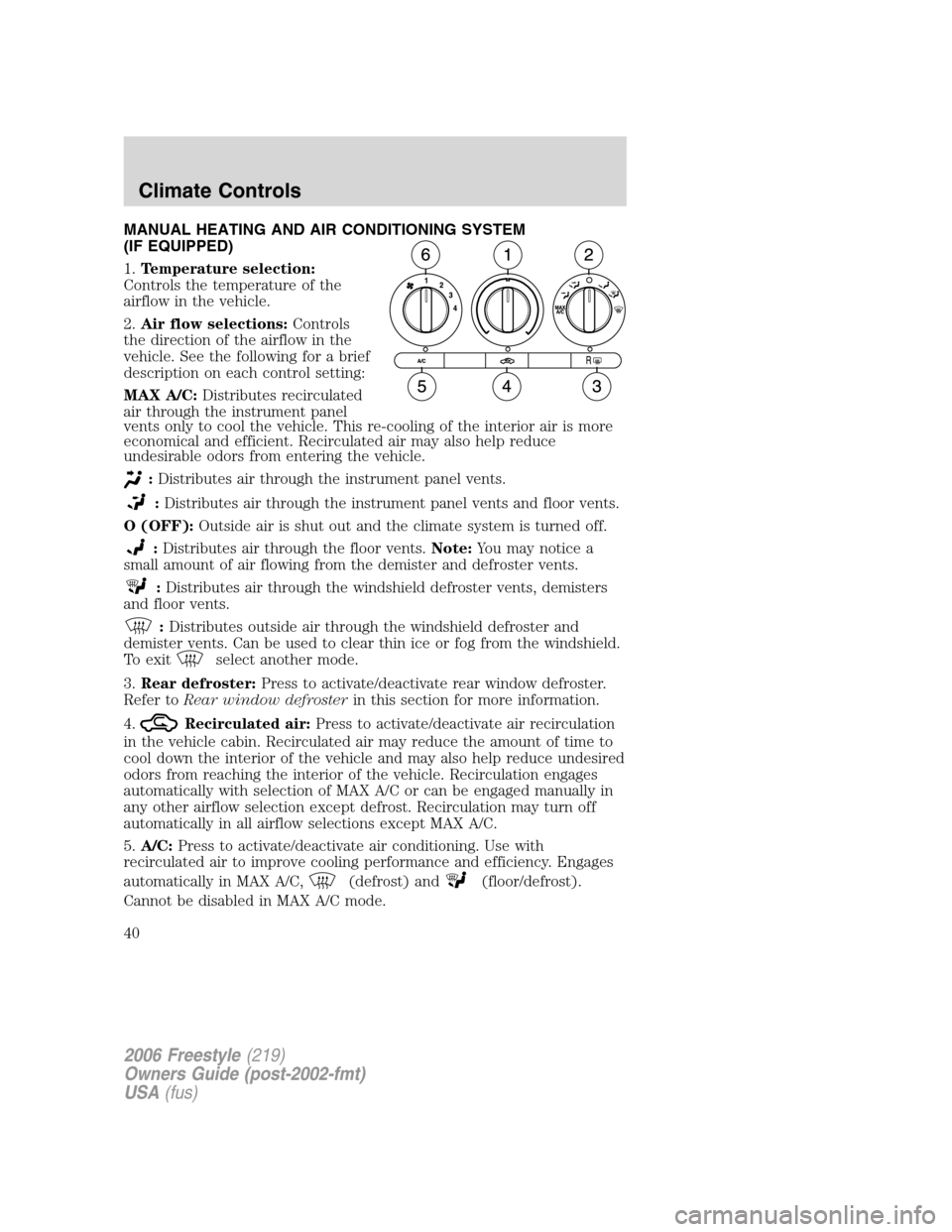
MANUAL HEATING AND AIR CONDITIONING SYSTEM
(IF EQUIPPED)
1.Temperature selection:
Controls the temperature of the
airflow in the vehicle.
2.Air flow selections:Controls
the direction of the airflow in the
vehicle. See the following for a brief
description on each control setting:
MAX A/C:Distributes recirculated
air through the instrument panel
vents only to cool the vehicle. This re-cooling of the interior air is more
economical and efficient. Recirculated air may also help reduce
undesirable odors from entering the vehicle.
:Distributes air through the instrument panel vents.
:Distributes air through the instrument panel vents and floor vents.
O (OFF):Outside air is shut out and the climate system is turned off.
:Distributes air through the floor vents.Note:You may notice a
small amount of air flowing from the demister and defroster vents.
:Distributes air through the windshield defroster vents, demisters
and floor vents.
:Distributes outside air through the windshield defroster and
demister vents. Can be used to clear thin ice or fog from the windshield.
To exit
select another mode.
3.Rear defroster:Press to activate/deactivate rear window defroster.
Refer toRear window defrosterin this section for more information.
4.
Recirculated air:Press to activate/deactivate air recirculation
in the vehicle cabin. Recirculated air may reduce the amount of time to
cool down the interior of the vehicle and may also help reduce undesired
odors from reaching the interior of the vehicle. Recirculation engages
automatically with selection of MAX A/C or can be engaged manually in
any other airflow selection except defrost. Recirculation may turn off
automatically in all airflow selections except MAX A/C.
5.A/C:Press to activate/deactivate air conditioning. Use with
recirculated air to improve cooling performance and efficiency. Engages
automatically in MAX A/C,
(defrost) and(floor/defrost).
Cannot be disabled in MAX A/C mode.
2006 Freestyle(219)
Owners Guide (post-2002-fmt)
USA(fus)
Climate Controls
40