height FORD FUSION 2018 User Guide
[x] Cancel search | Manufacturer: FORD, Model Year: 2018, Model line: FUSION, Model: FORD FUSION 2018Pages: 539, PDF Size: 6.42 MB
Page 82 of 539
The other lighting control switch positions
do not turn on the daytime running lamps.
If the daytime running lamps are off in the
information display, the lamps stay off in
all switch positions.
AUTOMATIC HIGH BEAM
CONTROL (If Equipped)
WARNING
The system does not relieve you of
your responsibility to drive with due
care and attention. You may need to
override the system if it does not turn the
high beams on or off. The system turns on high beams if it is dark
enough and no other traffic is present. If it
detects an approaching vehicle
’s
headlamps or tail lamps, or street lighting
ahead, the system turns off high beams
before they can distract other road users.
Low beams remain on.
Note: The system may not operate properly
if the sensor is blocked. Keep the windshield
free from obstruction or damage.
Note: The system may not operate properly
in cold or inclement conditions. You can
switch on the high beams by overriding the
system.
Note: If the system detects a blockage, for
example bird droppings, bug splatter, snow
or ice, the system goes into low beam mode
until you clear the blockage. A message may
appear in the information display if the
camera is blocked.
Note: Using much larger tires or equipping
vehicle accessories such as snowplows can
modify your vehicle's ride height and
degrade automatic high beam control
performance. A camera sensor, centrally mounted
behind the windshield of your vehicle,
continuously monitors conditions to turn
the high beams on and off.
Once the system is active, the high beams
turn on if:
•
The ambient light level is low enough.
• There is no traffic in front of your
vehicle.
• The vehicle speed is greater than
approximately
32 mph (51 km/h).
The high beams turn off if:
• The ambient light level is high enough
that high beams are not required.
• The system detects an approaching
vehicle's headlamps or tail lamps.
• The vehicle speed falls below
approximately
27 mph (44 km/h).
• The system detects severe rain, snow
or fog.
• The camera is blocked.
Switching the System On and Off
Switch the system on using the information
display. See Information Displays (page
96
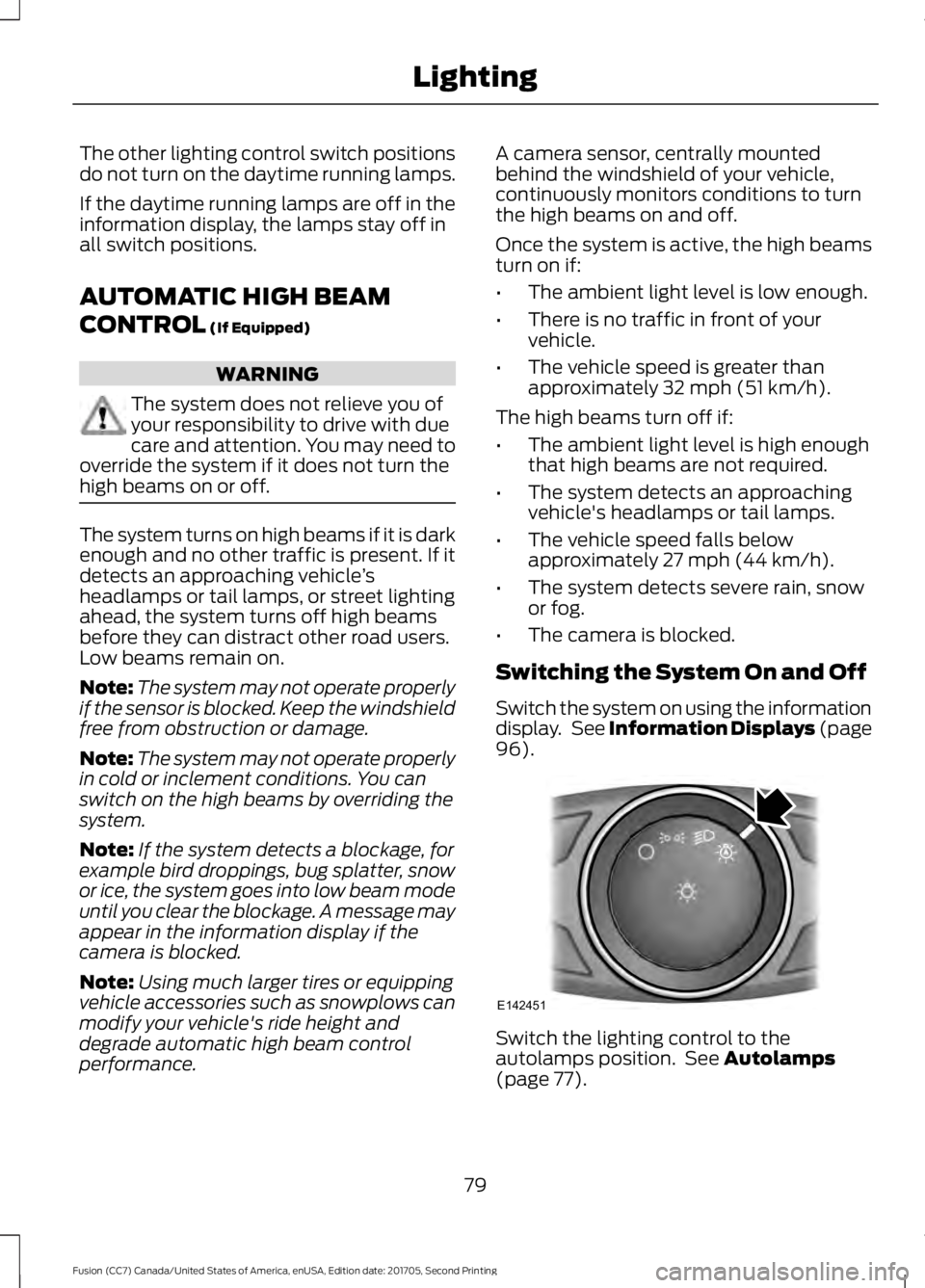
). Switch the lighting control to the
autolamps position. See
Autolamps
(page 77).
79
Fusion (CC7) Canada/United States of America, enUSA, Edition date: 201705, Second Printing LightingE142451
Page 135 of 539

The front head restraints tilt for extra
comfort.
1. Adjust the seat backrest to an upright
driving or riding position.
2. Pivot the head restraint forward toward
your head to the desired position.
After the head restraint reaches the
forward-most tilt position, pivot it forward
again to release it to the rearward, un-tilted
position.
MANUAL SEATS (If Equipped) WARNINGS
Do not adjust the driver seat or
seatback when your vehicle is
moving.
Rock the seat backward and forward
after releasing the lever to make sure
that it is fully engaged.
Reclining the seatback can cause an
occupant to slide under the seat's
safety belt, resulting in severe
personal injuries in the event of a crash. The driver and passenger manual seats
may consist of: A bar to move the seat backward
and forward.
A
A control to adjust the lumbar of
the seatback (driver seat only).
B
A lever to adjust the height of the
seat (driver seat only).
C
A lever to adjust the angle of the
seatback.
D
POWER SEATS
(If Equipped) WARNINGS
Do not adjust the driver seat or
seatback when your vehicle is
moving.
Do not place cargo or any objects
behind the seatback before returning
it to the original position.
Note:
Driver seat shown, passenger seat
similar.
132
Fusion (CC7) Canada/United States of America, enUSA, Edition date: 201705, Second Printing SeatsABCD
E144631
Page 275 of 539
ADJUSTING THE HEADLAMPS
Vertical Aim Adjustment
The headlamps on your vehicle are
properly aimed at the assembly plant. If
your vehicle has been in an accident, the
alignment of your headlamps should be
checked by your authorized dealer.
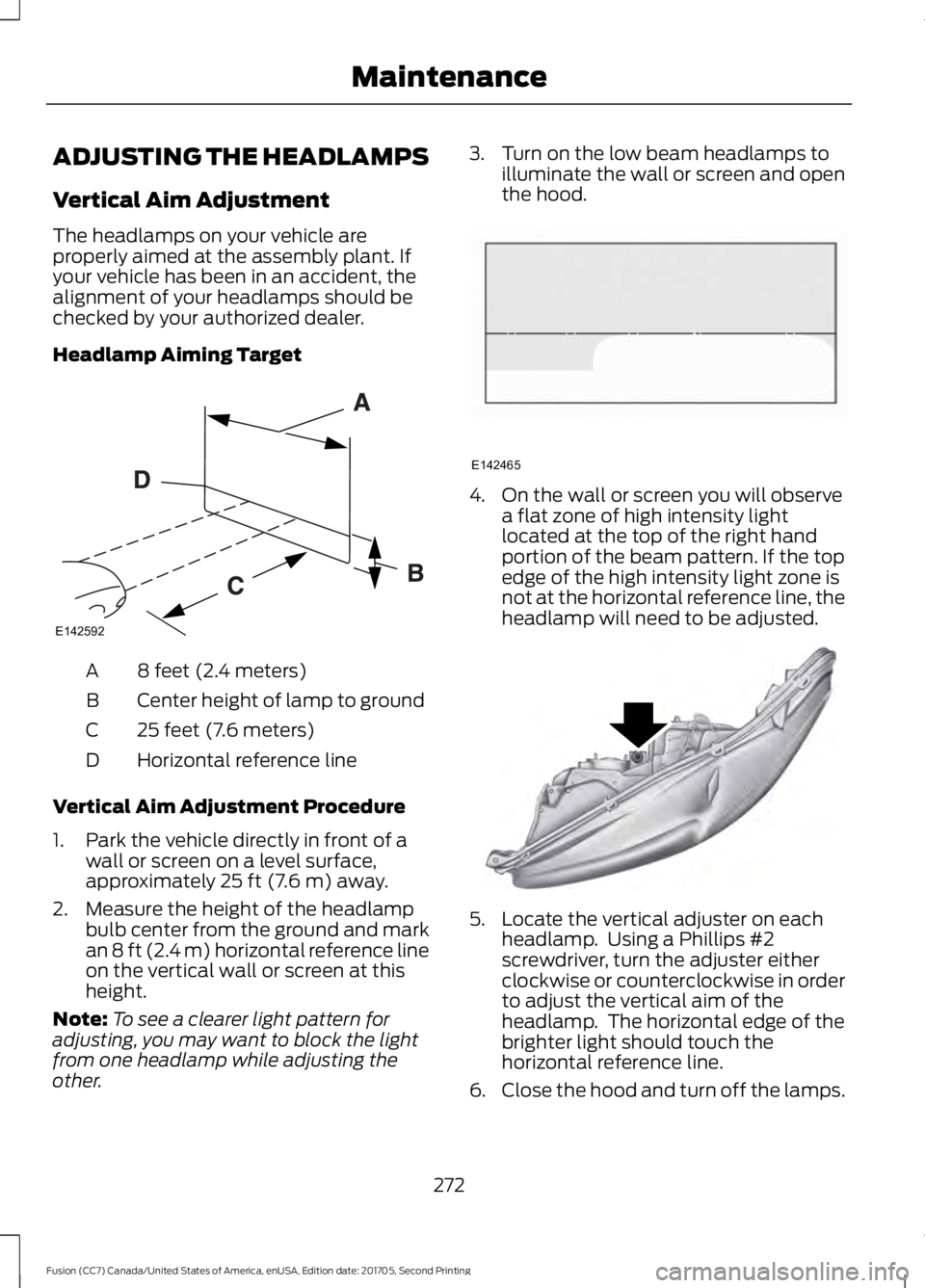
Headlamp Aiming Target
8 feet (2.4 meters)
A
Center height of lamp to ground
B
25 feet (7.6 meters)
C
Horizontal reference line
D
Vertical Aim Adjustment Procedure
1. Park the vehicle directly in front of a wall or screen on a level surface,
approximately 25 ft (7.6 m) away.
2. Measure the height of the headlamp bulb center from the ground and mark
an
8 ft (2.4 m) horizontal reference line
on the vertical wall or screen at this
height.
Note: To see a clearer light pattern for
adjusting, you may want to block the light
from one headlamp while adjusting the
other. 3. Turn on the low beam headlamps to
illuminate the wall or screen and open
the hood. 4. On the wall or screen you will observe
a flat zone of high intensity light
located at the top of the right hand
portion of the beam pattern. If the top
edge of the high intensity light zone is
not at the horizontal reference line, the
headlamp will need to be adjusted. 5. Locate the vertical adjuster on each
headlamp. Using a Phillips #2
screwdriver, turn the adjuster either
clockwise or counterclockwise in order
to adjust the vertical aim of the
headlamp. The horizontal edge of the
brighter light should touch the
horizontal reference line.
6. Close the hood and turn off the lamps.
272
Fusion (CC7) Canada/United States of America, enUSA, Edition date: 201705, Second Printing MaintenanceE142592 E142465 E145594
Page 291 of 539
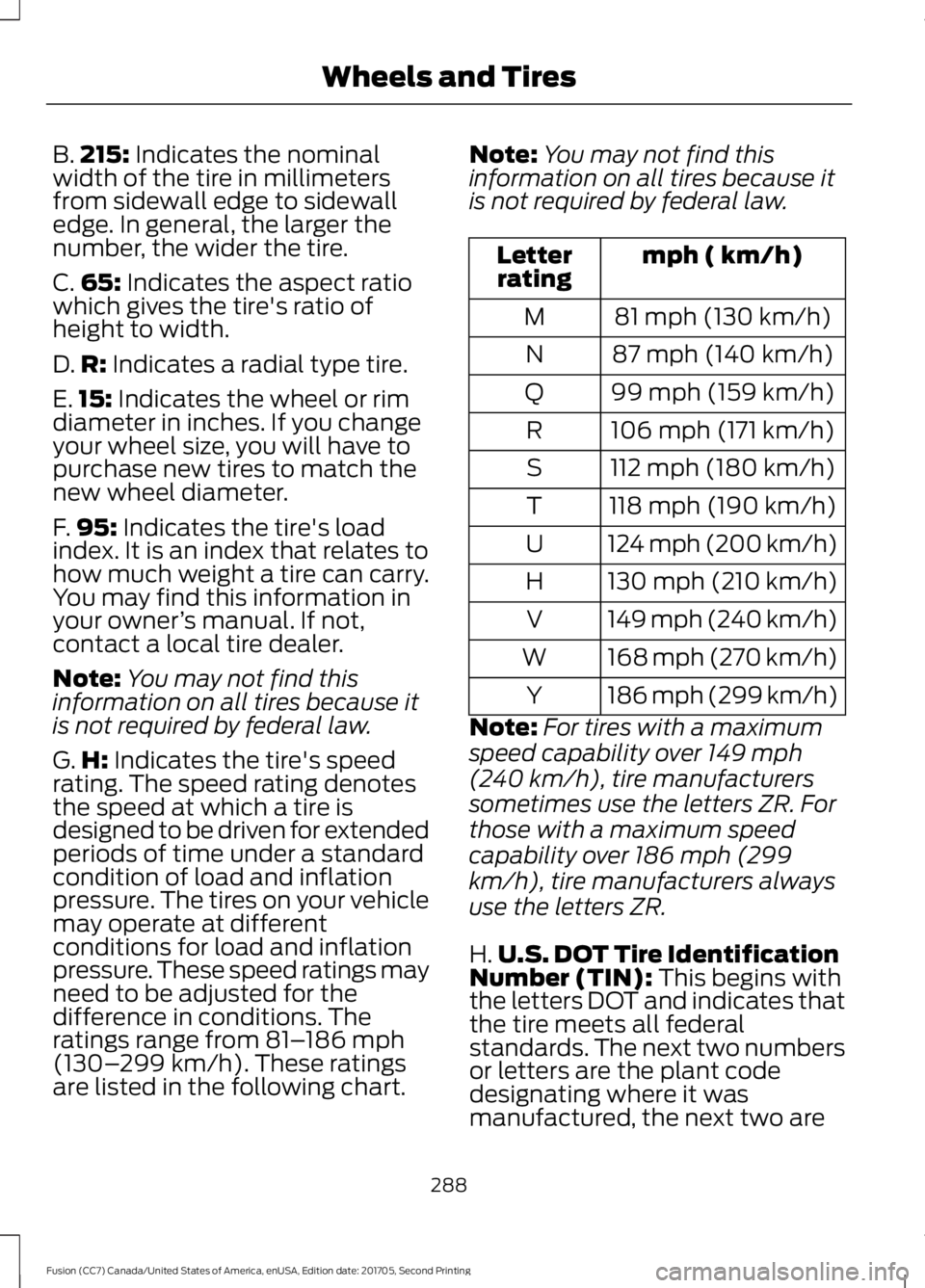
B.
215: Indicates the nominal
width of the tire in millimeters
from sidewall edge to sidewall
edge. In general, the larger the
number, the wider the tire.
C. 65:
Indicates the aspect ratio
which gives the tire's ratio of
height to width.
D. R:
Indicates a radial type tire.
E. 15:
Indicates the wheel or rim
diameter in inches. If you change
your wheel size, you will have to
purchase new tires to match the
new wheel diameter.
F. 95:
Indicates the tire's load
index. It is an index that relates to
how much weight a tire can carry.
You may find this information in
your owner ’s manual. If not,
contact a local tire dealer.
Note: You may not find this
information on all tires because it
is not required by federal law.
G. H:
Indicates the tire's speed
rating. The speed rating denotes
the speed at which a tire is
designed to be driven for extended
periods of time under a standard
condition of load and inflation
pressure. The tires on your vehicle
may operate at different
conditions for load and inflation
pressure. These speed ratings may
need to be adjusted for the
difference in conditions. The
ratings range from
81– 186 mph
(130– 299 km/h). These ratings
are listed in the following chart. Note:
You may not find this
information on all tires because it
is not required by federal law. mph ( km/h)
Letter
rating
81 mph (130 km/h)
M
87 mph (140 km/h)
N
99 mph (159 km/h)
Q
106 mph (171 km/h)
R
112 mph (180 km/h)
S
118 mph (190 km/h)
T
124 mph (200 km/h)
U
130 mph (210 km/h)
H
149 mph (240 km/h)
V
168 mph (270 km/h)
W
186 mph (299 km/h)
Y
Note: For tires with a maximum
speed capability over 149 mph
(240 km/h), tire manufacturers
sometimes use the letters ZR. For
those with a maximum speed
capability over 186 mph (299
km/h), tire manufacturers always
use the letters ZR.
H. U.S. DOT Tire Identification
Number (TIN):
This begins with
the letters DOT and indicates that
the tire meets all federal
standards. The next two numbers
or letters are the plant code
designating where it was
manufactured, the next two are
288
Fusion (CC7) Canada/United States of America, enUSA, Edition date: 201705, Second Printing Wheels and Tires
Page 294 of 539
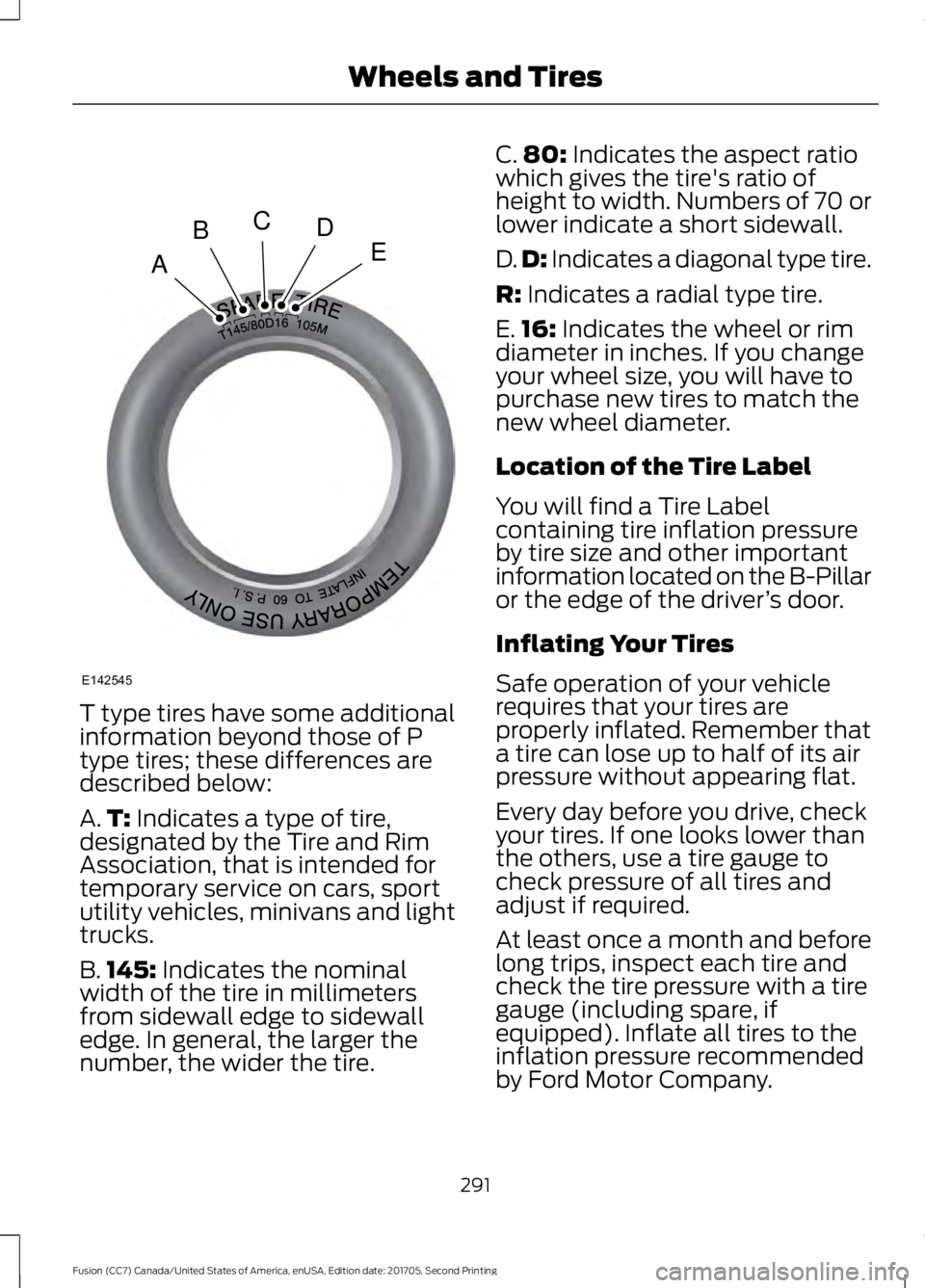
T type tires have some additional
information beyond those of P
type tires; these differences are
described below:
A.
T: Indicates a type of tire,
designated by the Tire and Rim
Association, that is intended for
temporary service on cars, sport
utility vehicles, minivans and light
trucks.
B. 145:
Indicates the nominal
width of the tire in millimeters
from sidewall edge to sidewall
edge. In general, the larger the
number, the wider the tire. C.
80:
Indicates the aspect ratio
which gives the tire's ratio of
height to width. Numbers of 70 or
lower indicate a short sidewall.
D. D:
Indicates a diagonal type tire.
R:
Indicates a radial type tire.
E. 16:
Indicates the wheel or rim
diameter in inches. If you change
your wheel size, you will have to
purchase new tires to match the
new wheel diameter.
Location of the Tire Label
You will find a Tire Label
containing tire inflation pressure
by tire size and other important
information located on the B-Pillar
or the edge of the driver ’s door.
Inflating Your Tires
Safe operation of your vehicle
requires that your tires are
properly inflated. Remember that
a tire can lose up to half of its air
pressure without appearing flat.
Every day before you drive, check
your tires. If one looks lower than
the others, use a tire gauge to
check pressure of all tires and
adjust if required.
At least once a month and before
long trips, inspect each tire and
check the tire pressure with a tire
gauge (including spare, if
equipped). Inflate all tires to the
inflation pressure recommended
by Ford Motor Company.
291
Fusion (CC7) Canada/United States of America, enUSA, Edition date: 201705, Second Printing Wheels and TiresA
BCDE
E142545
Page 297 of 539
Inspecting Your Tires and
Wheel Valve Stems
Periodically inspect the tire treads
for uneven or excessive wear and
remove objects such as stones,
nails or glass that may be wedged
in the tread grooves. Check the tire
and valve stems for holes, cracks,
or cuts that may permit air
leakage and repair or replace the
tire and replace the valve stem.
Inspect the tire sidewalls for
cracking, cuts, bruises and other
signs of damage or excessive
wear. If internal damage to the tire
is suspected, have the tire
demounted and inspected in case
it needs to be repaired or replaced.
For your safety, tires that are
damaged or show signs of
excessive wear should not be used
because they are more likely to
blow out or fail.
Improper or inadequate vehicle
maintenance can cause tires to
wear abnormally. Inspect all your
tires, including the spare,
frequently, and replace them if
one or more of the following
conditions exist:
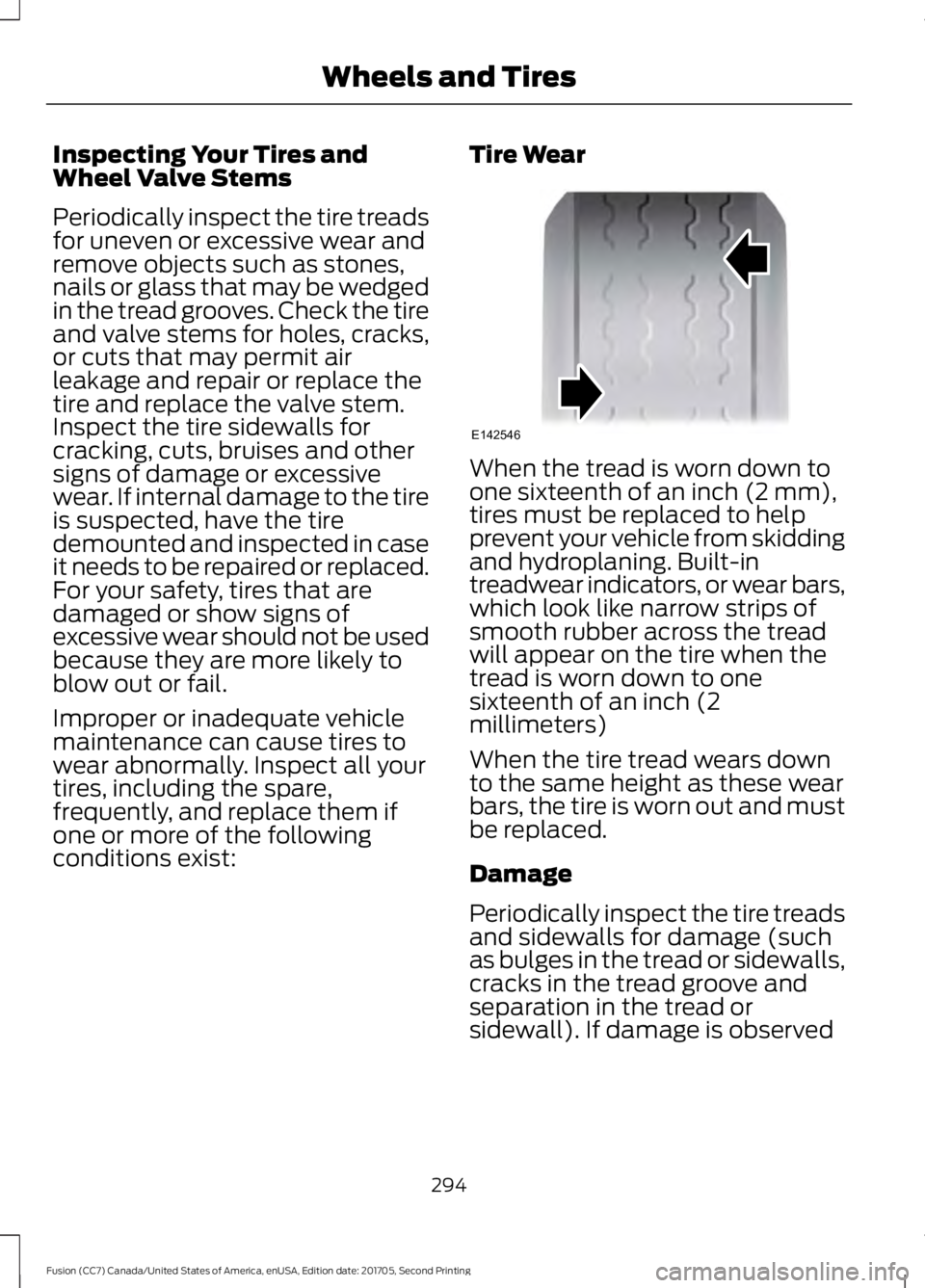
Tire Wear When the tread is worn down to
one sixteenth of an inch (2 mm),
tires must be replaced to help
prevent your vehicle from skidding
and hydroplaning. Built-in
treadwear indicators, or wear bars,
which look like narrow strips of
smooth rubber across the tread
will appear on the tire when the
tread is worn down to one
sixteenth of an inch (2
millimeters)
When the tire tread wears down
to the same height as these wear
bars, the tire is worn out and must
be replaced.
Damage
Periodically inspect the tire treads
and sidewalls for damage (such
as bulges in the tread or sidewalls,
cracks in the tread groove and
separation in the tread or
sidewall). If damage is observed
294
Fusion (CC7) Canada/United States of America, enUSA, Edition date: 201705, Second Printing Wheels and TiresE142546
Page 312 of 539
17. To store the folded wrench on the
jack, engage the bracket of the jack
base on the wrench feature as shown.
Swing the wrench upward and adjust
the height of the jack until the pin
engages the hole. Tighten the hex nut
clockwise by hand until secure.
18. Put the flat tire, jack and lug wrench away. Make sure the jack is fastened
securely before you drive.
19. Unblock the wheel.
Stowing the Flat Tire Without the
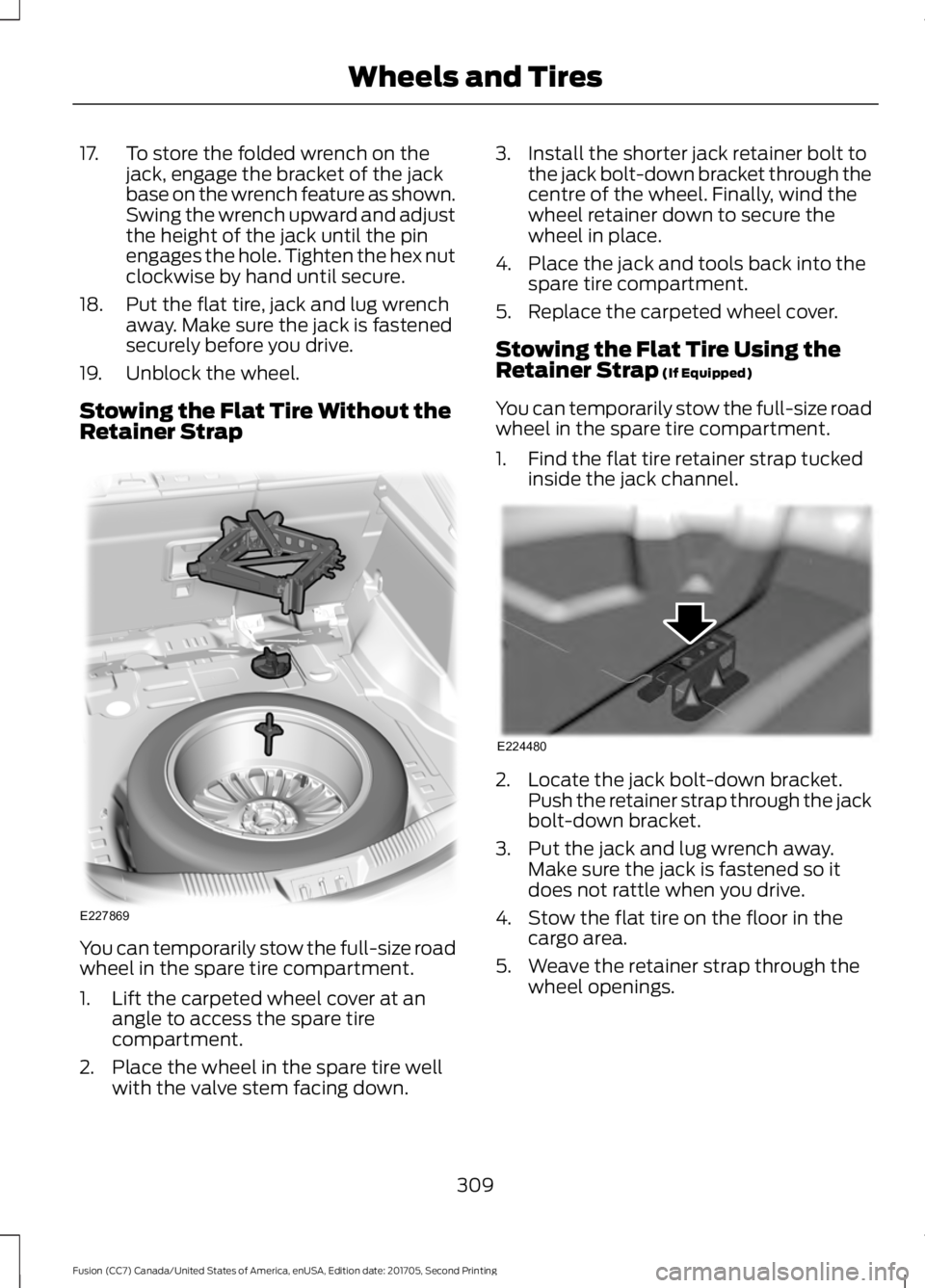
Retainer Strap You can temporarily stow the full-size road
wheel in the spare tire compartment.
1. Lift the carpeted wheel cover at an
angle to access the spare tire
compartment.
2. Place the wheel in the spare tire well with the valve stem facing down. 3. Install the shorter jack retainer bolt to
the jack bolt-down bracket through the
centre of the wheel. Finally, wind the
wheel retainer down to secure the
wheel in place.
4. Place the jack and tools back into the spare tire compartment.
5. Replace the carpeted wheel cover.
Stowing the Flat Tire Using the
Retainer Strap (If Equipped)
You can temporarily stow the full-size road
wheel in the spare tire compartment.
1. Find the flat tire retainer strap tucked inside the jack channel. 2. Locate the jack bolt-down bracket.
Push the retainer strap through the jack
bolt-down bracket.
3. Put the jack and lug wrench away. Make sure the jack is fastened so it
does not rattle when you drive.
4. Stow the flat tire on the floor in the cargo area.
5. Weave the retainer strap through the wheel openings.
309
Fusion (CC7) Canada/United States of America, enUSA, Edition date: 201705, Second Printing Wheels and TiresE227869 E224480
Page 536 of 539
Satellite Radio...............................................351
Satellite Radio Electronic Serial Number
(ESN)................................................................. 352
Satellite Radio Reception Factors...............352
SiriusXM Satellite Radio Service.................. 352
Troubleshooting................................................. 353
Scheduled Maintenance Record
...........483
Scheduled Maintenance...........................475
Seatbelt Extension
........................................39
Seatbelt Height Adjustment......................36
Seatbelt Reminder.........................................37 Belt-Minder™......................................................... 37
Seatbelts...........................................................32 Principle of Operation......................................... 32
Seatbelt Warning Lamp and Indicator Chime..............................................................36
Conditions of operation..................................... 37
Seats
.................................................................130
Security..............................................................68
Settings...........................................................443 911 Assist.............................................................. 448
Ambient Lighting............................................... 455
Bluetooth.............................................................. 445
Clock....................................................................... 445
Display................................................................... 456
General.................................................................. 453
Media Player....................................................... 444
Mobile Apps.......................................................... 451
Navigation............................................................ 449
Phone..................................................................... 445
Radio...................................................................... 448
SiriusXM................................................................ 449
Sound..................................................................... 443
Valet Mode........................................................... 457
Vehicle................................................................... 455
Voice Control....................................................... 456
Wi-Fi & Hotspot................................................. 453
Side Airbags
.....................................................45
Side Sensing System..................................185 Obstacle Distance Indicator.......................... 186
Sitting in the Correct Position..................130
Snow Chains See: Using Snow Chains................................. 299
Spare Wheel See: Changing a Road Wheel....................... 304
Special Notices................................................12 New Vehicle Limited Warranty......................... 12On Board Diagnostics Data Link
Connector............................................................ 13
Special Instructions.............................................. 12
Special Operating Conditions Scheduled Maintenance...............................................481
Exceptions............................................................ 482
Speed Control See: Cruise Control............................................ 196
Stability Control
.............................................181
Principle of Operation........................................ 181
Starting a Gasoline Engine.......................148 Automatic Engine Shutdown........................ 149
Failure to Start..................................................... 148
Guarding Against Exhaust Fumes...............150
Important Ventilating Information..............150
Starting Your Vehicle......................................... 148
Stopping the Engine When Your Vehicle is Moving............................................................... 149
Stopping the Engine When Your Vehicle is Stationary......................................................... 149
Starting and Stopping the Engine..........147 General Information........................................... 147
Steering............................................................214 Electric Power Steering.................................... 214
Steering Wheel................................................70
Storage Compartments
.............................146
Sunroof See: Moonroof....................................................... 87
Sun Visors
.........................................................87
Illuminated Vanity Mirror................................... 87
Supplementary Restraints System..........41 Principle of Operation......................................... 41
Symbols Glossary
.............................................7
SYNC™ 3........................................................393
General Information......................................... 393
SYNC™ 3 Troubleshooting......................457
SYNC™ Applications and Services
........371
911 Assist................................................................. 371
SYNC Mobile Apps............................................ 373
SYNC™............................................................355 General Information......................................... 355
SYNC™ Troubleshooting.........................385
T
Technical Specifications See: Capacities and Specifications.............313
533
Fusion (CC7) Canada/United States of America, enUSA, Edition date: 201705, Second Printing Index