remote start FORD FUSION 2018 User Guide
[x] Cancel search | Manufacturer: FORD, Model Year: 2018, Model line: FUSION, Model: FORD FUSION 2018Pages: 539, PDF Size: 6.42 MB
Page 87 of 539
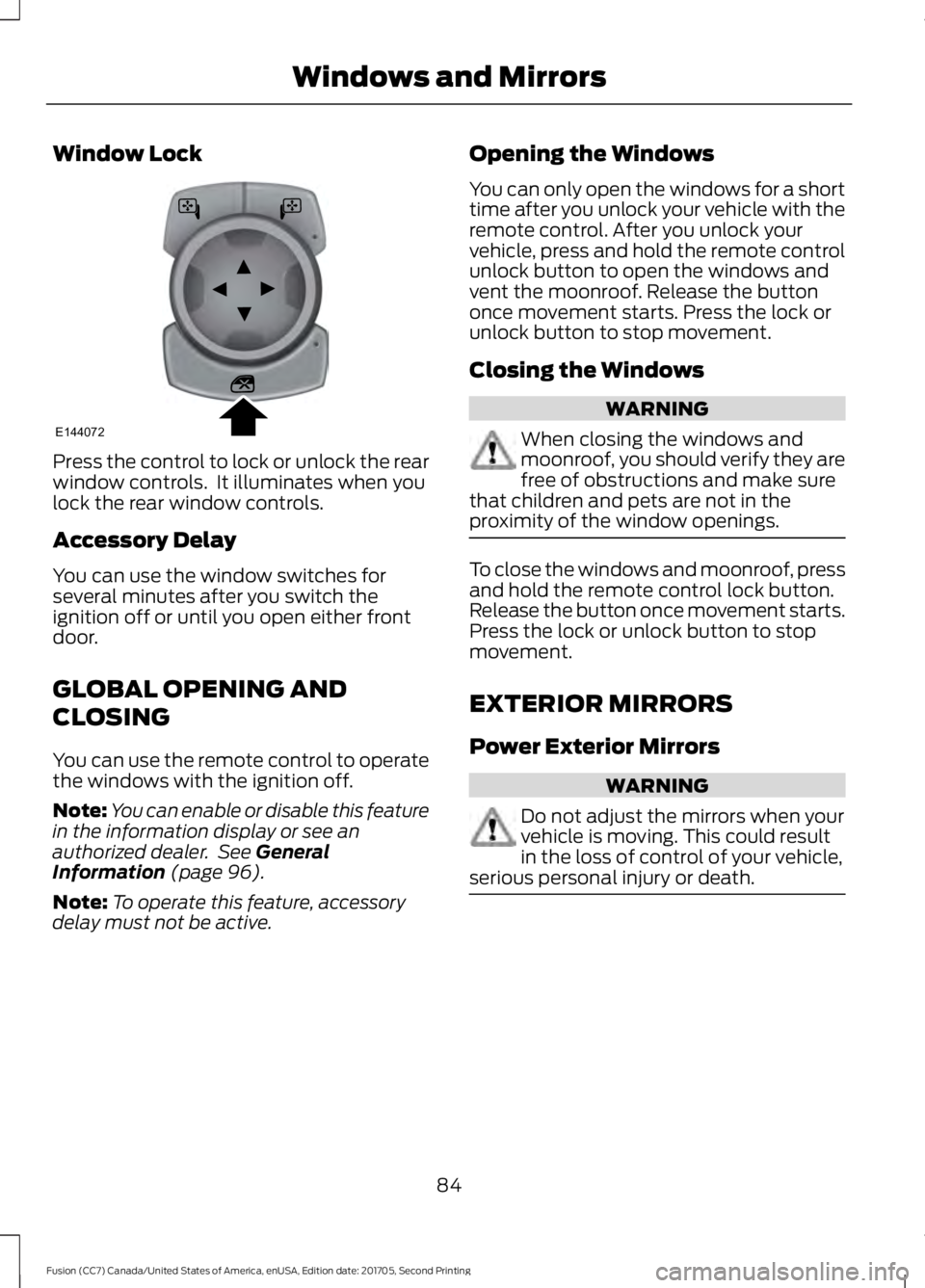
Window Lock
Press the control to lock or unlock the rear
window controls. It illuminates when you
lock the rear window controls.
Accessory Delay
You can use the window switches for
several minutes after you switch the
ignition off or until you open either front
door.
GLOBAL OPENING AND
CLOSING
You can use the remote control to operate
the windows with the ignition off.
Note:
You can enable or disable this feature
in the information display or see an
authorized dealer. See General
Information (page 96).
Note: To operate this feature, accessory
delay must not be active. Opening the Windows
You can only open the windows for a short
time after you unlock your vehicle with the
remote control. After you unlock your
vehicle, press and hold the remote control
unlock button to open the windows and
vent the moonroof. Release the button
once movement starts. Press the lock or
unlock button to stop movement.
Closing the Windows WARNING
When closing the windows and
moonroof, you should verify they are
free of obstructions and make sure
that children and pets are not in the
proximity of the window openings. To close the windows and moonroof, press
and hold the remote control lock button.
Release the button once movement starts.
Press the lock or unlock button to stop
movement.
EXTERIOR MIRRORS
Power Exterior Mirrors
WARNING
Do not adjust the mirrors when your
vehicle is moving. This could result
in the loss of control of your vehicle,
serious personal injury or death. 84
Fusion (CC7) Canada/United States of America, enUSA, Edition date: 201705, Second Printing Windows and MirrorsE144072
Page 102 of 539
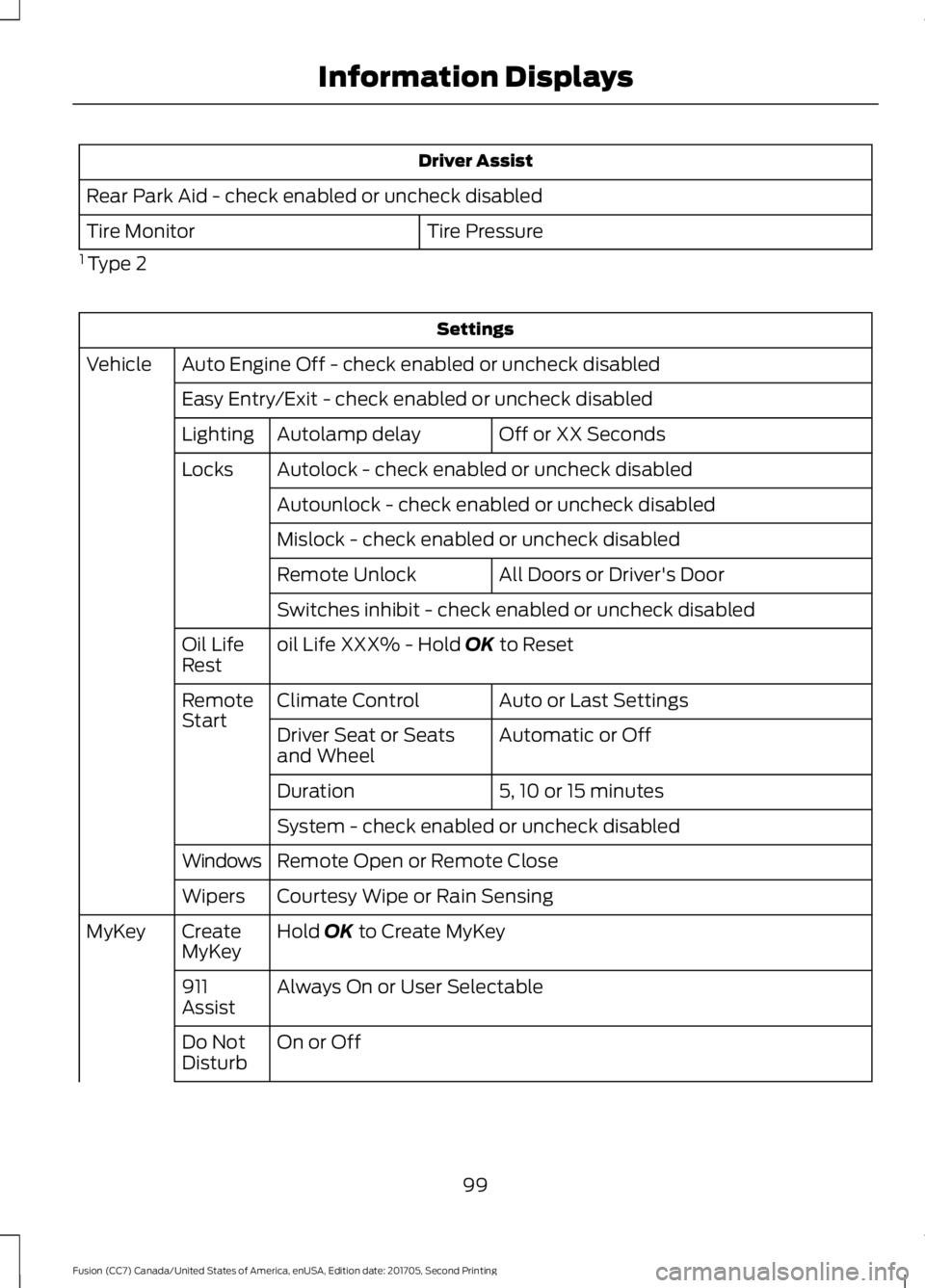
Driver Assist
Rear Park Aid - check enabled or uncheck disabled Tire Pressure
Tire Monitor
1 Type 2 Settings
Auto Engine Off - check enabled or uncheck disabled
Vehicle
Easy Entry/Exit - check enabled or uncheck disabled Off or XX Seconds
Autolamp delay
Lighting
Autolock - check enabled or uncheck disabled
Locks
Autounlock - check enabled or uncheck disabled
Mislock - check enabled or uncheck disabled All Doors or Driver's Door
Remote Unlock
Switches inhibit - check enabled or uncheck disabled
oil Life XXX% - Hold OK to Reset
Oil Life
Rest
Auto or Last Settings
Climate Control
Remote
Start
Automatic or Off
Driver Seat or Seats
and Wheel
5, 10 or 15 minutes
Duration
System - check enabled or uncheck disabled
Remote Open or Remote Close
Windows
Courtesy Wipe or Rain Sensing
Wipers
Hold
OK to Create MyKey
Create
MyKey
MyKey
Always On or User Selectable
911
Assist
On or Off
Do Not
Disturb
99
Fusion (CC7) Canada/United States of America, enUSA, Edition date: 201705, Second Printing Information Displays
Page 106 of 539
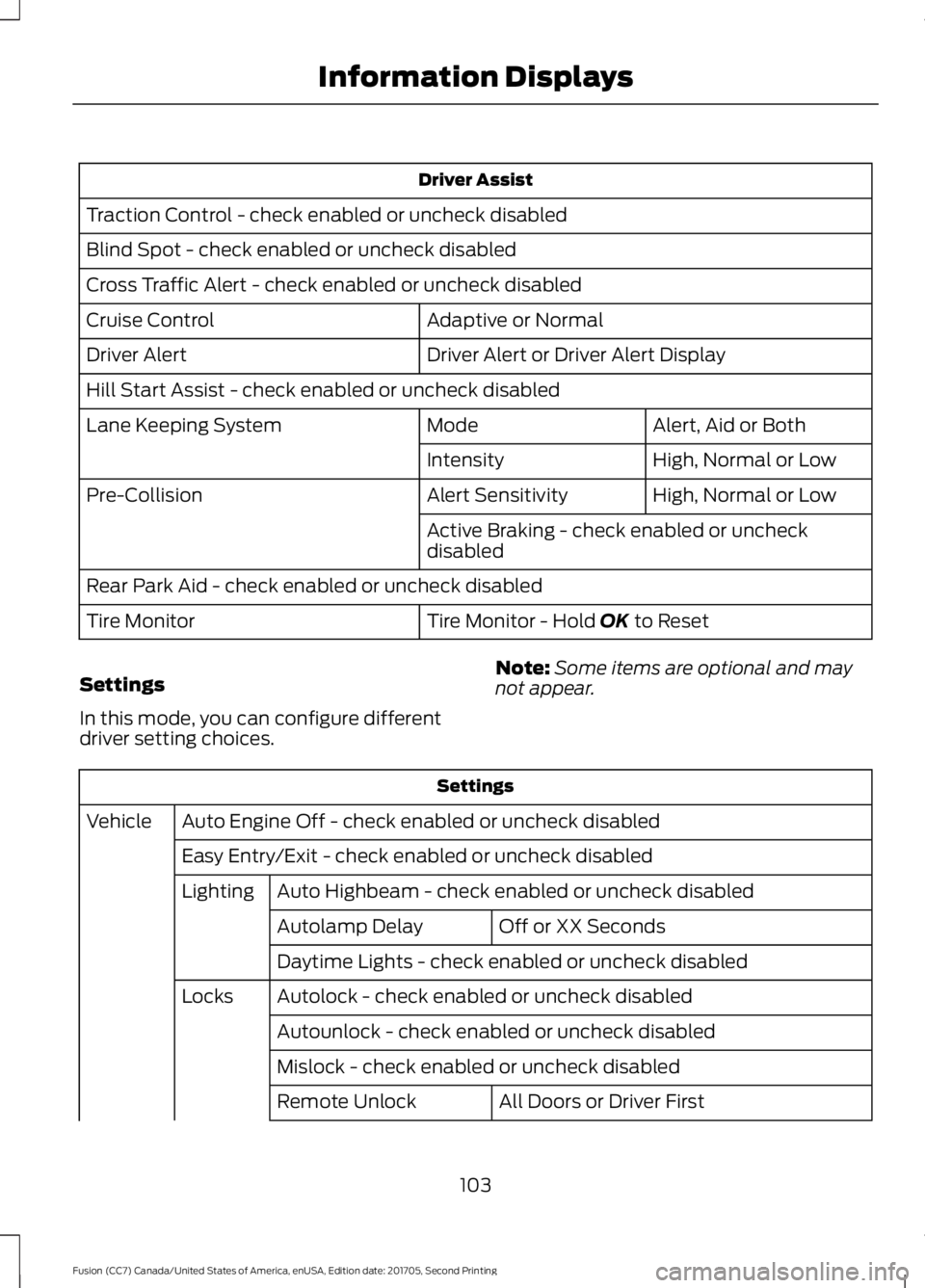
Driver Assist
Traction Control - check enabled or uncheck disabled
Blind Spot - check enabled or uncheck disabled
Cross Traffic Alert - check enabled or uncheck disabled Adaptive or Normal
Cruise Control
Driver Alert or Driver Alert Display
Driver Alert
Hill Start Assist - check enabled or uncheck disabled
Alert, Aid or Both
Mode
Lane Keeping System
High, Normal or Low
Intensity
High, Normal or Low
Alert Sensitivity
Pre-Collision
Active Braking - check enabled or uncheck
disabled
Rear Park Aid - check enabled or uncheck disabled Tire Monitor - Hold OK to Reset
Tire Monitor
Settings
In this mode, you can configure different
driver setting choices. Note:
Some items are optional and may
not appear. Settings
Auto Engine Off - check enabled or uncheck disabled
Vehicle
Easy Entry/Exit - check enabled or uncheck disabledAuto Highbeam - check enabled or uncheck disabled
Lighting
Off or XX Seconds
Autolamp Delay
Daytime Lights - check enabled or uncheck disabled
Autolock - check enabled or uncheck disabled
Locks
Autounlock - check enabled or uncheck disabled
Mislock - check enabled or uncheck disabled All Doors or Driver First
Remote Unlock
103
Fusion (CC7) Canada/United States of America, enUSA, Edition date: 201705, Second Printing Information Displays
Page 107 of 539

Settings
Switch Inhibit - check enabled or uncheck disabled
Autofold - check enabled or uncheck disabled
Mirrors
XXX% - Hold OK to Reset
Oil Life
Rest
Auto or Last setting
Climate Control
Remote
Start
Auto or Off
Seats or Seats and
Wheel
5, 10 or 15 minutes
Duration
System - check enabled or uncheck disabled
Seatbelts Remote Open or Remote Close
Windows
Courtesy Wipe or Rain Sensing
Wipers
Hold
OK to Create MyKey
Create
MyKey
MyKey
Always On or User Selectable
911
Assist
On or Off
Do Not
Disturb
Always On or User Selectable
Traction
Control
Choose desired speed or Off
Max
Speed
Choose desired speed or Off
Speed
Minder
Volume Limiter - check enabled or uncheck disabled
Hold
OK to Clear All MyKeys
Clear
MyKeys
Miles & Gallons, l/100km or km/l
Distance
Display
Setup
Fuel Gauge or Fuel + Tach
Gauge
Display
104
Fusion (CC7) Canada/United States of America, enUSA, Edition date: 201705, Second Printing Information Displays
Page 119 of 539

Power Steering
Action
Message
The power steering system detects a condition that requiresservice. Contact an authorized dealer.
Steering Fault Service
Now
The power steering system is not working. Stop your vehiclein a safe place. Contact an authorized dealer.
Steering Loss Stop
Safely
The power steering system detects a condition that requiresservice. Contact an authorized dealer.
Steering Assist Fault
Service Required
Pre-Collision Assist Action
Message
There is a system malfunction with the pre-collision assist
system. The system will be disabled. Contact an authorized dealer as soon as possible.
Pre-Collision Assist
Malfunction
The pre-collision assist system radar is blocked because of
poor radar visibility due to bad weather or ice, mud, water in front of the radar. Driver can typically clean the sensor to
resolve. Contact an authorized dealer as soon as possible.
Pre-Collision Assist Not
Available Sensor Blocked
There is a system malfunction with the pre-collision assist
system. The system will be disabled. Contact an authorized dealer as soon as possible.
Pre-Collision Assist Not
Available
Remote Start Action
Message
A reminder to turn the key on to drive your vehicle after a remote start.
To Drive: Turn Key to On
A reminder to apply the brake and push the gearshift buttonto drive your vehicle after a remote start.
To Drive: Press Brake
and Start Button
116
Fusion (CC7) Canada/United States of America, enUSA, Edition date: 201705, Second Printing Information Displays
Page 132 of 539

For additional cabin air filter information,
or to replace the filter, see an authorized
dealer.
REMOTE START (If Equipped)
You can switch this feature on or off and
adjust the settings using the information
display.
The system adjusts the interior
temperature depending on your chosen
settings during remote start.
You cannot adjust the climate control
setting during remote start operation.
When you switch the ignition on, the
climate control system returns to the
previous settings. You can now make
adjustments.
You need to switch on certain
vehicle-dependent features, such as:
• Heated seats.
• Cooled seats.
• Heated steering wheel.
• Heated mirrors.
• Heated rear window.
Automatic Settings
In hot weather, the system sets to
72°F
(22°C). The cooled seats are set to high
(if available, and AUTO is on in the
information display).
In moderate weather, the system either
heats or cools (based on previous
settings). The rear defroster, heated
mirrors and heated or cooled seats do not
turn on.
In cold weather, the system sets to
72°F
(22°C). The heated seats are set to high
(if available, and AUTO is on in the
information display). The heated rear
window and heated mirrors turn on.
129
Fusion (CC7) Canada/United States of America, enUSA, Edition date: 201705, Second Printing Climate Control
Page 205 of 539
System Not Available
The system may not turn on if there is:
•
A blocked sensor.
• High brake temperature.
• A failure in the system or a related
system.
• The system does not detect a lead
vehicle after you stop, or driving at low
speeds. Blocked Sensor Note:
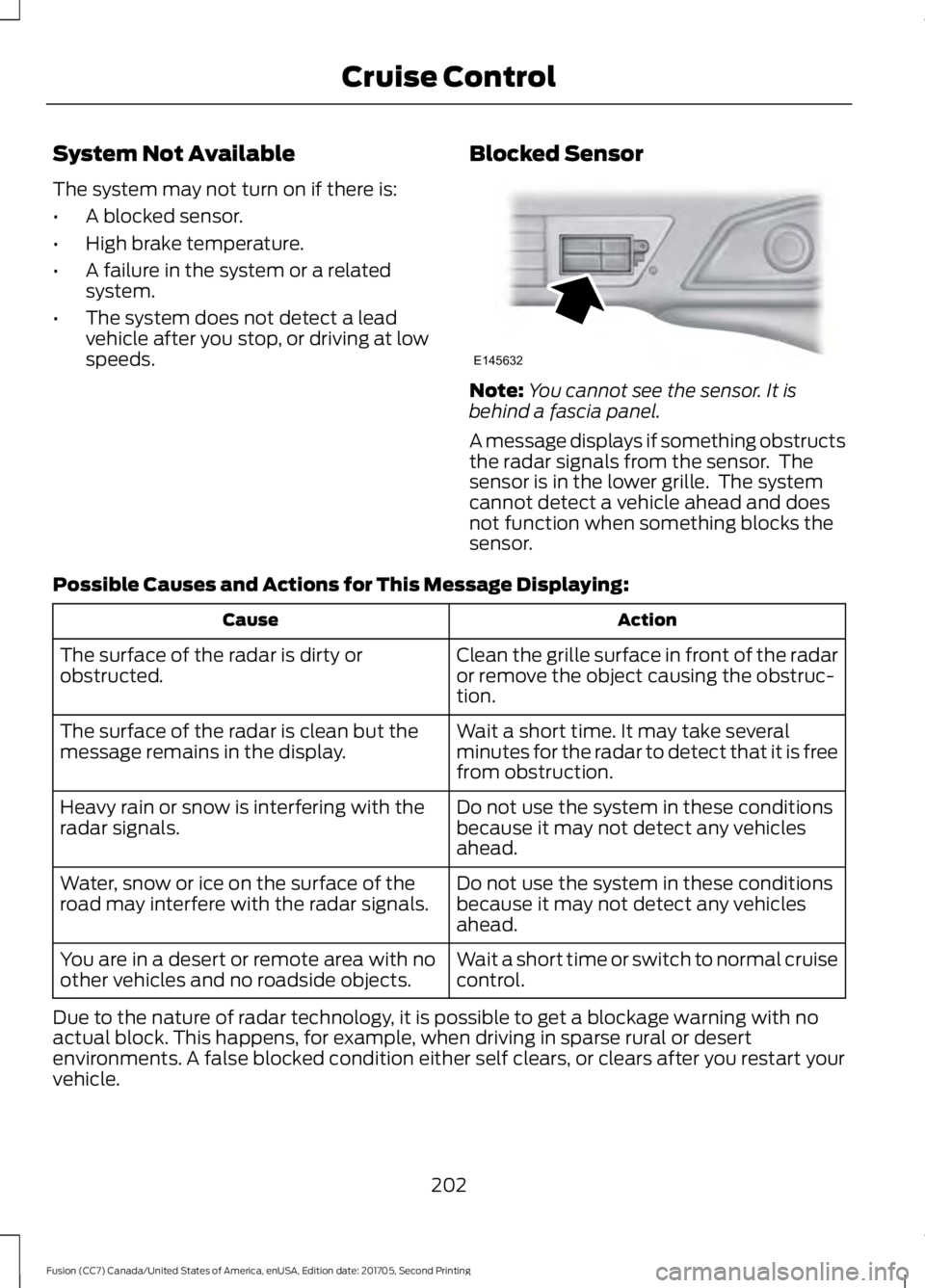
You cannot see the sensor. It is
behind a fascia panel.
A message displays if something obstructs
the radar signals from the sensor. The
sensor is in the lower grille. The system
cannot detect a vehicle ahead and does
not function when something blocks the
sensor.
Possible Causes and Actions for This Message Displaying: Action
Cause
Clean the grille surface in front of the radar
or remove the object causing the obstruc-
tion.
The surface of the radar is dirty or
obstructed.
Wait a short time. It may take several
minutes for the radar to detect that it is free
from obstruction.
The surface of the radar is clean but the
message remains in the display.
Do not use the system in these conditions
because it may not detect any vehicles
ahead.
Heavy rain or snow is interfering with the
radar signals.
Do not use the system in these conditions
because it may not detect any vehicles
ahead.
Water, snow or ice on the surface of the
road may interfere with the radar signals.
Wait a short time or switch to normal cruise
control.
You are in a desert or remote area with no
other vehicles and no roadside objects.
Due to the nature of radar technology, it is possible to get a blockage warning with no
actual block. This happens, for example, when driving in sparse rural or desert
environments. A false blocked condition either self clears, or clears after you restart your
vehicle.
202
Fusion (CC7) Canada/United States of America, enUSA, Edition date: 201705, Second Printing Cruise ControlE145632
Page 406 of 539
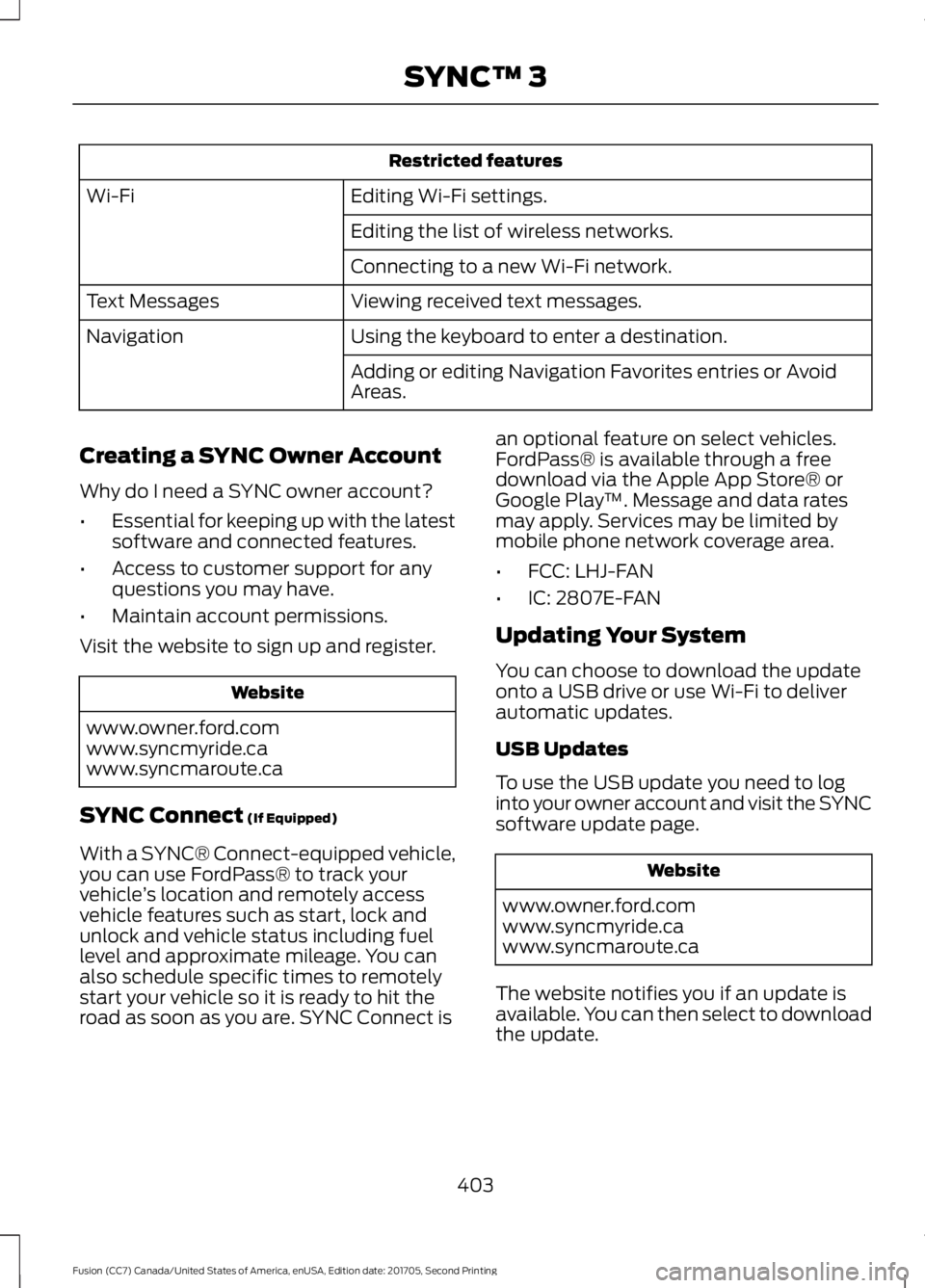
Restricted features
Editing Wi-Fi settings.
Wi-Fi
Editing the list of wireless networks.
Connecting to a new Wi-Fi network.
Viewing received text messages.
Text Messages
Using the keyboard to enter a destination.
Navigation
Adding or editing Navigation Favorites entries or Avoid
Areas.
Creating a SYNC Owner Account
Why do I need a SYNC owner account?
• Essential for keeping up with the latest
software and connected features.
• Access to customer support for any
questions you may have.
• Maintain account permissions.
Visit the website to sign up and register. Website
www.owner.ford.com
www.syncmyride.ca
www.syncmaroute.ca
SYNC Connect (If Equipped)
With a SYNC® Connect-equipped vehicle,
you can use FordPass® to track your
vehicle ’s location and remotely access
vehicle features such as start, lock and
unlock and vehicle status including fuel
level and approximate mileage. You can
also schedule specific times to remotely
start your vehicle so it is ready to hit the
road as soon as you are. SYNC Connect is an optional feature on select vehicles.
FordPass® is available through a free
download via the Apple App Store® or
Google Play
™. Message and data rates
may apply. Services may be limited by
mobile phone network coverage area.
• FCC: LHJ-FAN
• IC: 2807E-FAN
Updating Your System
You can choose to download the update
onto a USB drive or use Wi-Fi to deliver
automatic updates.
USB Updates
To use the USB update you need to log
into your owner account and visit the SYNC
software update page. Website
www.owner.ford.com
www.syncmyride.ca
www.syncmaroute.ca
The website notifies you if an update is
available. You can then select to download
the update.
403
Fusion (CC7) Canada/United States of America, enUSA, Edition date: 201705, Second Printing SYNC™ 3
Page 472 of 539
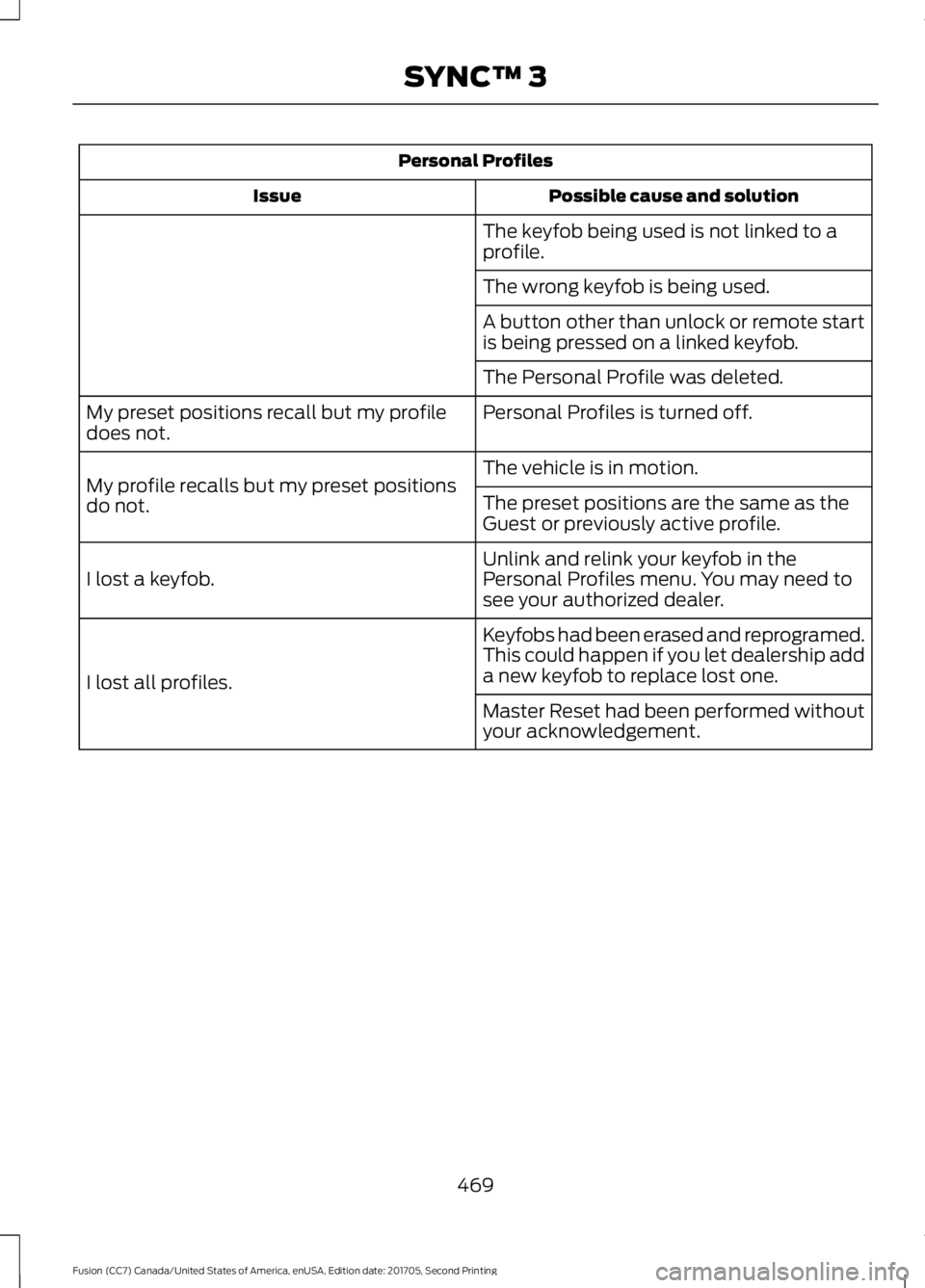
Personal Profiles
Possible cause and solution
Issue
The keyfob being used is not linked to a
profile.
The wrong keyfob is being used.
A button other than unlock or remote start
is being pressed on a linked keyfob.
The Personal Profile was deleted.
Personal Profiles is turned off.
My preset positions recall but my profile
does not.
The vehicle is in motion.
My profile recalls but my preset positions
do not. The preset positions are the same as the
Guest or previously active profile.
Unlink and relink your keyfob in the
Personal Profiles menu. You may need to
see your authorized dealer.
I lost a keyfob.
Keyfobs had been erased and reprogramed.
This could happen if you let dealership add
a new keyfob to replace lost one.
I lost all profiles.
Master Reset had been performed without
your acknowledgement.
469
Fusion (CC7) Canada/United States of America, enUSA, Edition date: 201705, Second Printing SYNC™ 3
Page 474 of 539
For a complete listing of the accessories
that are available for your vehicle, please
contact your authorized dealer or visit the
online store web site:
Web Address (United States)
www.Accessories.Ford.com Web Address (Canada)
www.Accessories.Ford.ca
Ford Motor Company will repair or replace
any properly authorized dealer-installed
Ford Original Accessory found to be
defective in factory-supplied materials or
workmanship during the warranty period,
as well as any component damaged by the
defective accessories.
Ford Motor Company warrants your
vehicle's accessory through the warranty
that provides the greatest benefit:
• 24 months, unlimited mileage.
• The remainder of your new vehicle
limited warranty.
Contact an authorized dealer for details
and a copy of the warranty.
Exterior Style
• Bumper protectors.
• Graphics.
• Hood deflector.
• Rear spoiler.
• Side window deflectors*.
• Splash guards.
Interior Style
• All-weather floor mats.
• Door sill plates.
• Floor liners.
• Premium carpeted floor mats. Lifestyle
•
Ash cup or smoker's packages.
• Car covers*.
• Cargo area protectors.
• Cargo net.
• Cargo organizers.
• Interior light kit.
• Roof racks and carriers*.
• Tablet cradle*.
Peace of Mind
• Keyless entry keypad.
• Remote start.
• Roadside assistance kit*.
• Vehicle security systems.
• Warning sensor system.
• Wheel locks.
*Ford Licensed Accessories. The
accessory manufacturer designs, develops
and therefore warrants Ford Licensed
Accessories, and does not design or test
these accessories to Ford Motor Company
engineering requirements. Contact an
authorized Ford dealer for the accessory
manufacturer's limited warranty details
and request a copy of the Ford Licensed
Accessories product limited warranty from
the accessory manufacturer.
471
Fusion (CC7) Canada/United States of America, enUSA, Edition date: 201705, Second Printing Accessories