low beam FORD FUSION 2018 Owners Manual
[x] Cancel search | Manufacturer: FORD, Model Year: 2018, Model line: FUSION, Model: FORD FUSION 2018Pages: 539, PDF Size: 6.42 MB
Page 80 of 539
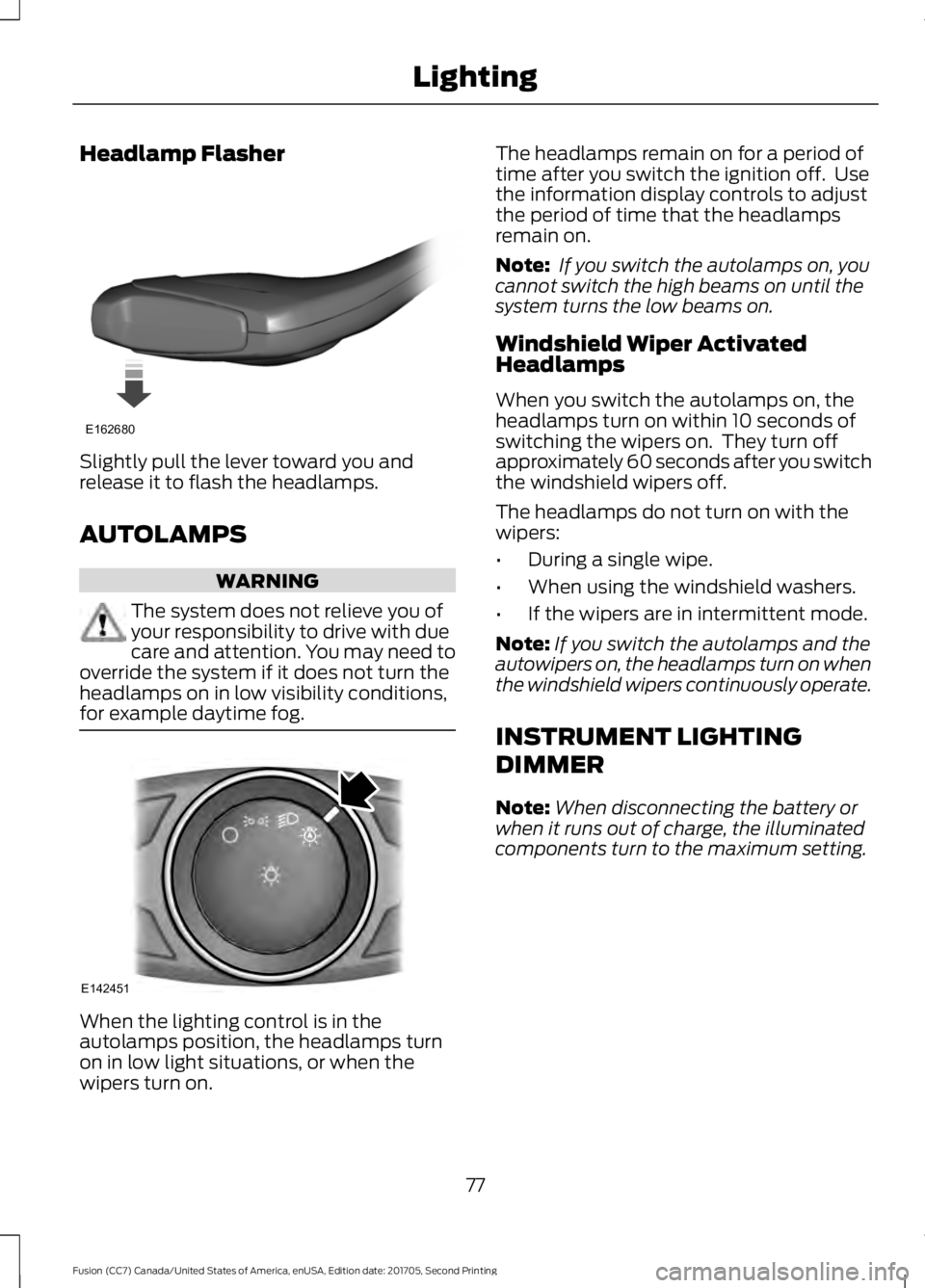
Headlamp Flasher
Slightly pull the lever toward you and
release it to flash the headlamps.
AUTOLAMPS
WARNING
The system does not relieve you of
your responsibility to drive with due
care and attention. You may need to
override the system if it does not turn the
headlamps on in low visibility conditions,
for example daytime fog. When the lighting control is in the
autolamps position, the headlamps turn
on in low light situations, or when the
wipers turn on. The headlamps remain on for a period of
time after you switch the ignition off. Use
the information display controls to adjust
the period of time that the headlamps
remain on.
Note:
If you switch the autolamps on, you
cannot switch the high beams on until the
system turns the low beams on.
Windshield Wiper Activated
Headlamps
When you switch the autolamps on, the
headlamps turn on within 10 seconds of
switching the wipers on. They turn off
approximately 60 seconds after you switch
the windshield wipers off.
The headlamps do not turn on with the
wipers:
• During a single wipe.
• When using the windshield washers.
• If the wipers are in intermittent mode.
Note: If you switch the autolamps and the
autowipers on, the headlamps turn on when
the windshield wipers continuously operate.
INSTRUMENT LIGHTING
DIMMER
Note: When disconnecting the battery or
when it runs out of charge, the illuminated
components turn to the maximum setting.
77
Fusion (CC7) Canada/United States of America, enUSA, Edition date: 201705, Second Printing LightingE162680 E142451
Page 82 of 539
The other lighting control switch positions
do not turn on the daytime running lamps.
If the daytime running lamps are off in the
information display, the lamps stay off in
all switch positions.
AUTOMATIC HIGH BEAM
CONTROL (If Equipped)
WARNING
The system does not relieve you of
your responsibility to drive with due
care and attention. You may need to
override the system if it does not turn the
high beams on or off. The system turns on high beams if it is dark
enough and no other traffic is present. If it
detects an approaching vehicle
’s
headlamps or tail lamps, or street lighting
ahead, the system turns off high beams
before they can distract other road users.
Low beams remain on.
Note: The system may not operate properly
if the sensor is blocked. Keep the windshield
free from obstruction or damage.
Note: The system may not operate properly
in cold or inclement conditions. You can
switch on the high beams by overriding the
system.
Note: If the system detects a blockage, for
example bird droppings, bug splatter, snow
or ice, the system goes into low beam mode
until you clear the blockage. A message may
appear in the information display if the
camera is blocked.
Note: Using much larger tires or equipping
vehicle accessories such as snowplows can
modify your vehicle's ride height and
degrade automatic high beam control
performance. A camera sensor, centrally mounted
behind the windshield of your vehicle,
continuously monitors conditions to turn
the high beams on and off.
Once the system is active, the high beams
turn on if:
•
The ambient light level is low enough.
• There is no traffic in front of your
vehicle.
• The vehicle speed is greater than
approximately
32 mph (51 km/h).
The high beams turn off if:
• The ambient light level is high enough
that high beams are not required.
• The system detects an approaching
vehicle's headlamps or tail lamps.
• The vehicle speed falls below
approximately
27 mph (44 km/h).
• The system detects severe rain, snow
or fog.
• The camera is blocked.
Switching the System On and Off
Switch the system on using the information
display. See Information Displays (page
96
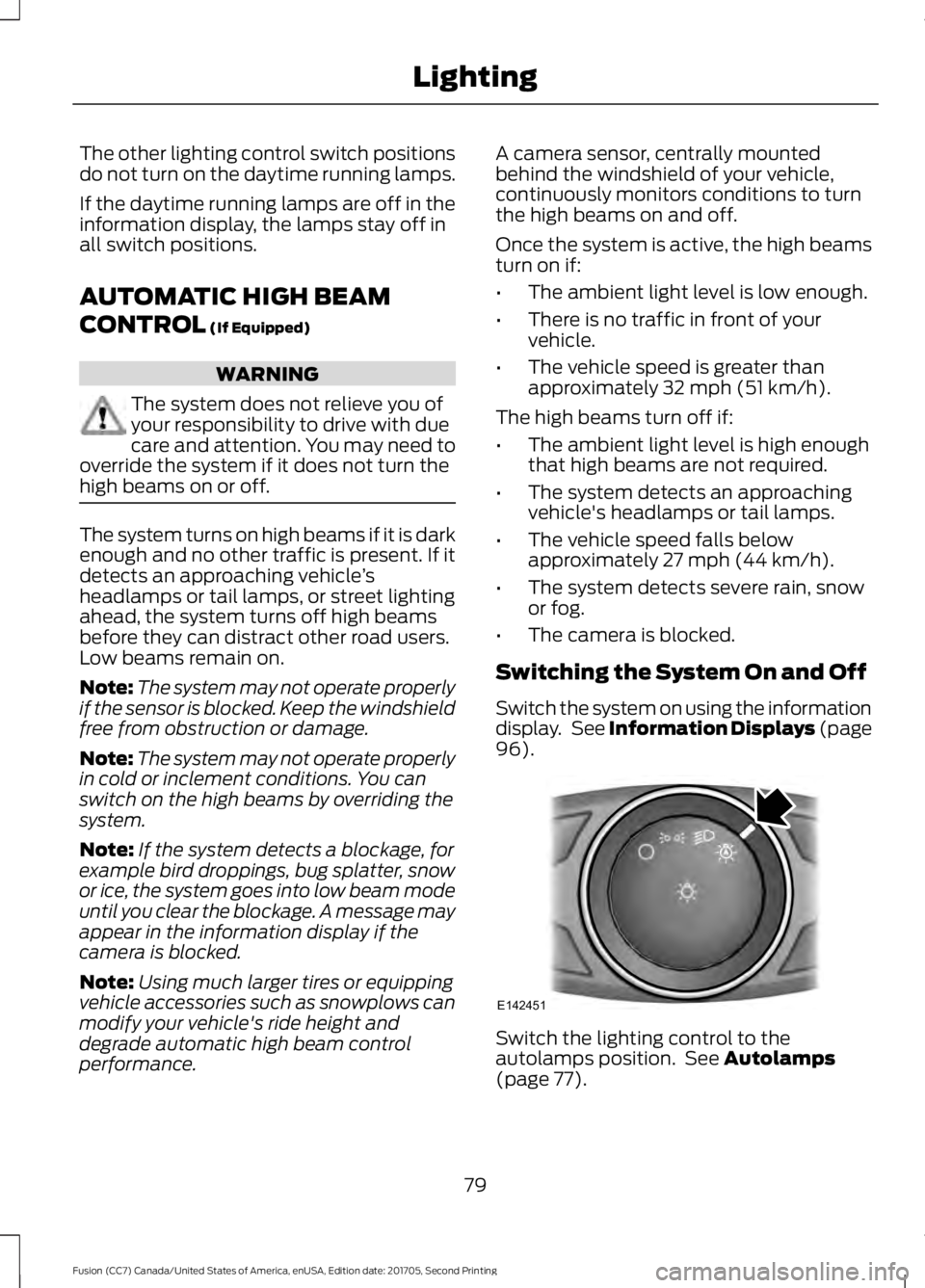
). Switch the lighting control to the
autolamps position. See
Autolamps
(page 77).
79
Fusion (CC7) Canada/United States of America, enUSA, Edition date: 201705, Second Printing LightingE142451
Page 83 of 539
Overriding the System
When you switch on the high beams,
pushing or pulling the stalk provides a
temporary override to low beam.
Automatic High Beam Indicator (If
Equipped) The indicator lamp illuminates
to confirm when the system is
ready to assist.
FRONT FOG LAMPS
(If Equipped) Press the control to switch the fog lamps
on or off.
You can switch the fog lamps on when the
lighting control is in any position except
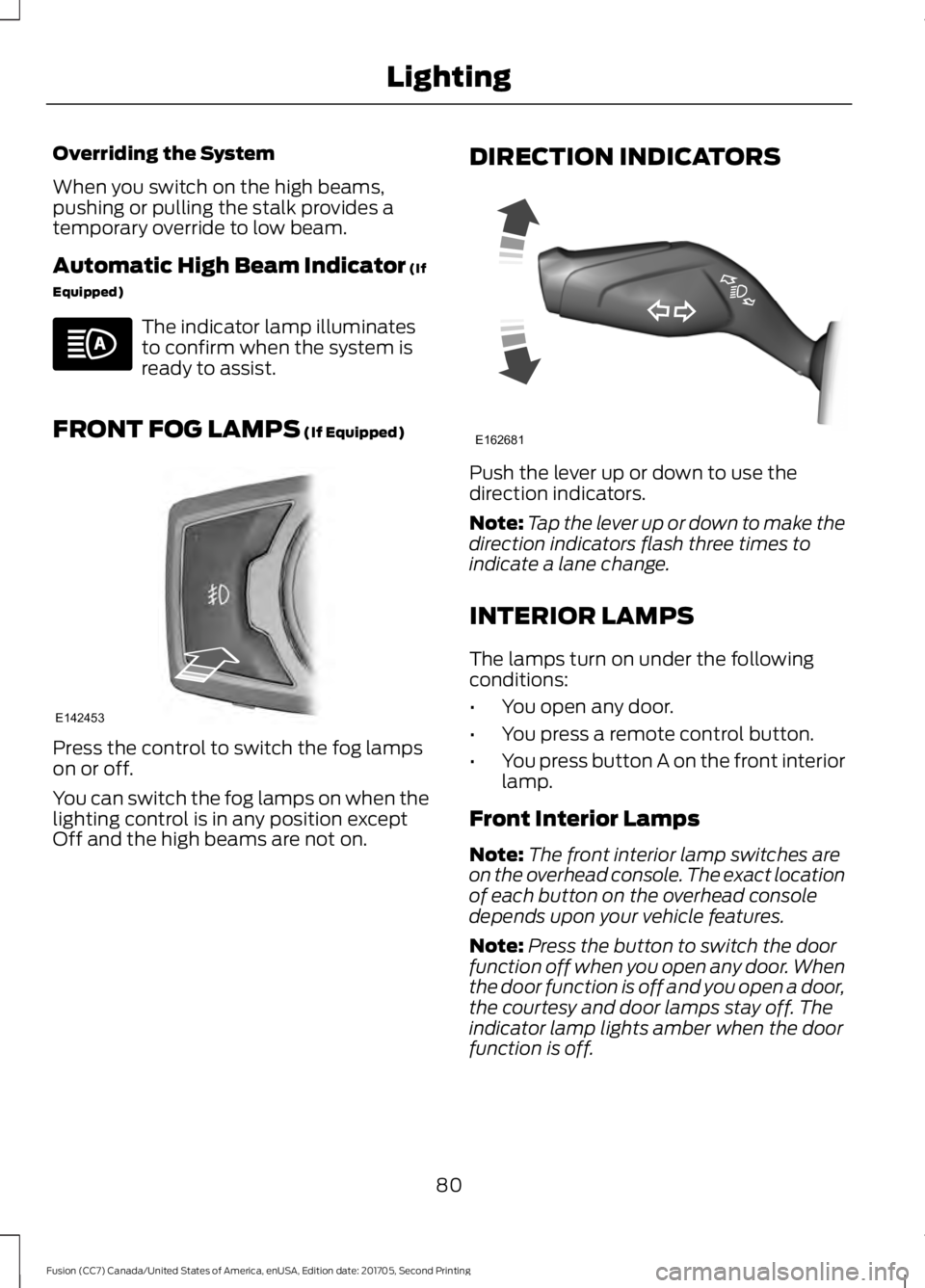
Off and the high beams are not on. DIRECTION INDICATORS Push the lever up or down to use the
direction indicators.
Note:
Tap the lever up or down to make the
direction indicators flash three times to
indicate a lane change.
INTERIOR LAMPS
The lamps turn on under the following
conditions:
• You open any door.
• You press a remote control button.
• You press button A on the front interior
lamp.
Front Interior Lamps
Note: The front interior lamp switches are
on the overhead console. The exact location
of each button on the overhead console
depends upon your vehicle features.
Note: Press the button to switch the door
function off when you open any door. When
the door function is off and you open a door,
the courtesy and door lamps stay off. The
indicator lamp lights amber when the door
function is off.
80
Fusion (CC7) Canada/United States of America, enUSA, Edition date: 201705, Second Printing Lighting E142453 E162681
Page 96 of 539
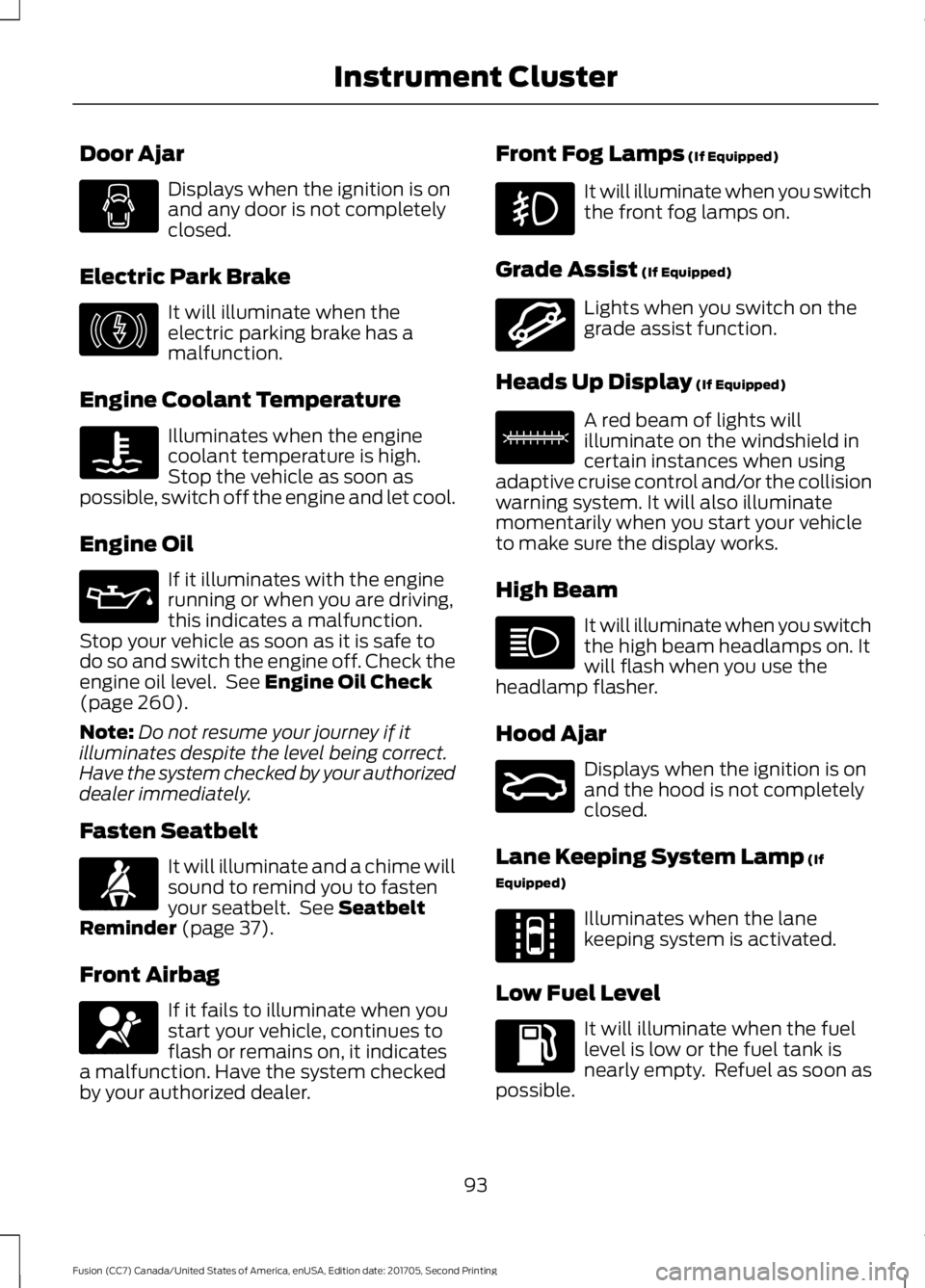
Door Ajar
Displays when the ignition is on
and any door is not completely
closed.
Electric Park Brake It will illuminate when the
electric parking brake has a
malfunction.
Engine Coolant Temperature Illuminates when the engine
coolant temperature is high.
Stop the vehicle as soon as
possible, switch off the engine and let cool.
Engine Oil If it illuminates with the engine
running or when you are driving,
this indicates a malfunction.
Stop your vehicle as soon as it is safe to
do so and switch the engine off. Check the
engine oil level. See Engine Oil Check
(page 260).
Note: Do not resume your journey if it
illuminates despite the level being correct.
Have the system checked by your authorized
dealer immediately.
Fasten Seatbelt It will illuminate and a chime will
sound to remind you to fasten
your seatbelt. See
Seatbelt
Reminder (page 37).
Front Airbag If it fails to illuminate when you
start your vehicle, continues to
flash or remains on, it indicates
a malfunction. Have the system checked
by your authorized dealer. Front Fog Lamps
(If Equipped) It will illuminate when you switch
the front fog lamps on.
Grade Assist
(If Equipped) Lights when you switch on the
grade assist function.
Heads Up Display
(If Equipped) A red beam of lights will
illuminate on the windshield in
certain instances when using
adaptive cruise control and/or the collision
warning system. It will also illuminate
momentarily when you start your vehicle
to make sure the display works.
High Beam It will illuminate when you switch
the high beam headlamps on. It
will flash when you use the
headlamp flasher.
Hood Ajar Displays when the ignition is on
and the hood is not completely
closed.
Lane Keeping System Lamp
(If
Equipped) Illuminates when the lane
keeping system is activated.
Low Fuel Level It will illuminate when the fuel
level is low or the fuel tank is
nearly empty. Refuel as soon as
possible.
93
Fusion (CC7) Canada/United States of America, enUSA, Edition date: 201705, Second Printing Instrument Cluster E146190 E71880 E67017 E144523 E156133 E159324 E144813
Page 106 of 539
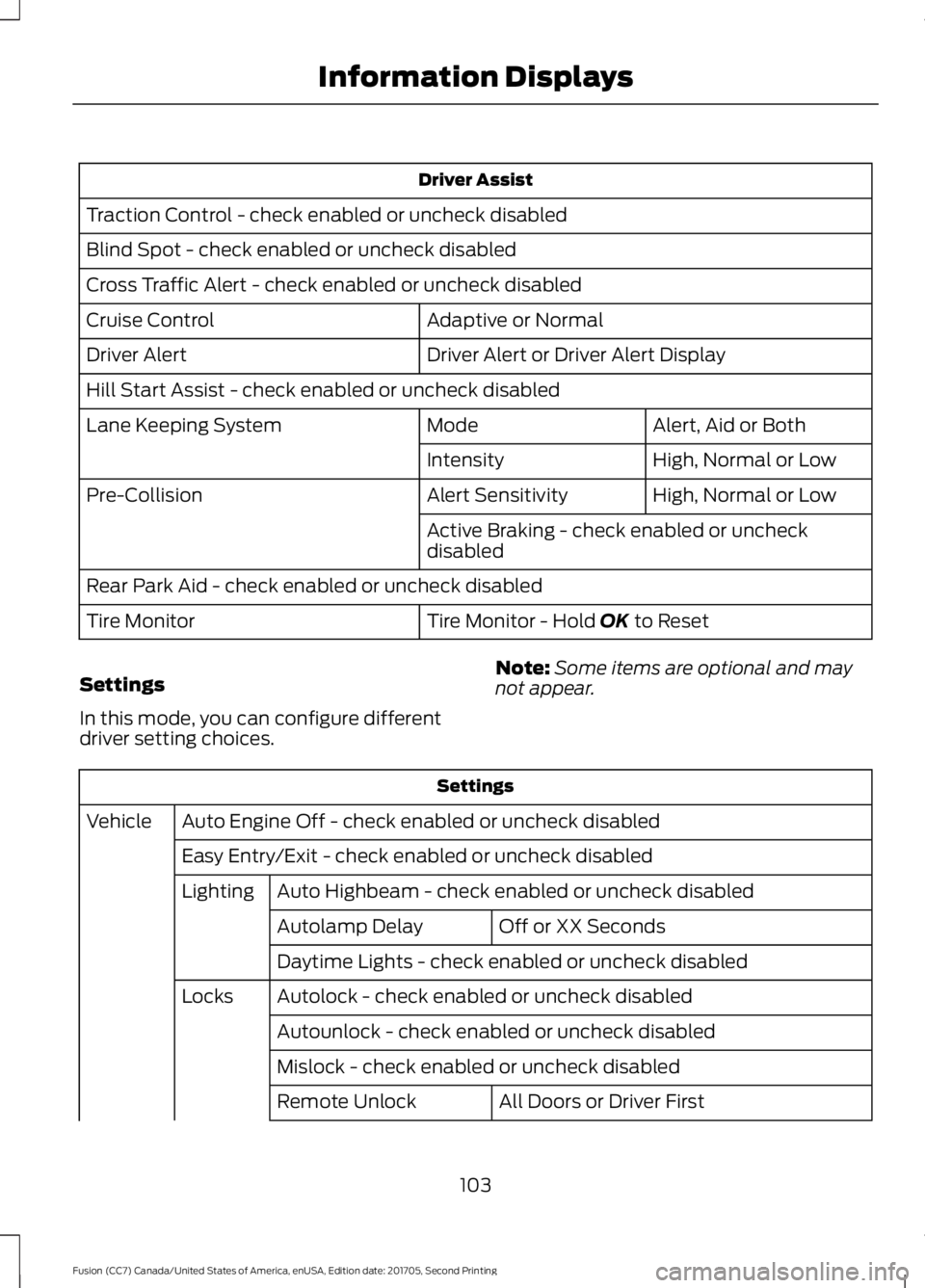
Driver Assist
Traction Control - check enabled or uncheck disabled
Blind Spot - check enabled or uncheck disabled
Cross Traffic Alert - check enabled or uncheck disabled Adaptive or Normal
Cruise Control
Driver Alert or Driver Alert Display
Driver Alert
Hill Start Assist - check enabled or uncheck disabled
Alert, Aid or Both
Mode
Lane Keeping System
High, Normal or Low
Intensity
High, Normal or Low
Alert Sensitivity
Pre-Collision
Active Braking - check enabled or uncheck
disabled
Rear Park Aid - check enabled or uncheck disabled Tire Monitor - Hold OK to Reset
Tire Monitor
Settings
In this mode, you can configure different
driver setting choices. Note:
Some items are optional and may
not appear. Settings
Auto Engine Off - check enabled or uncheck disabled
Vehicle
Easy Entry/Exit - check enabled or uncheck disabledAuto Highbeam - check enabled or uncheck disabled
Lighting
Off or XX Seconds
Autolamp Delay
Daytime Lights - check enabled or uncheck disabled
Autolock - check enabled or uncheck disabled
Locks
Autounlock - check enabled or uncheck disabled
Mislock - check enabled or uncheck disabled All Doors or Driver First
Remote Unlock
103
Fusion (CC7) Canada/United States of America, enUSA, Edition date: 201705, Second Printing Information Displays
Page 200 of 539
USING ADAPTIVE CRUISE
CONTROL (If Equipped)
WARNINGS
Always pay close attention to
changing road conditions when using
adaptive cruise control. The system
does not replace attentive driving. Failing
to pay attention to the road may result in
a crash, serious injury or death. Do not use the adaptive cruise
control when entering or leaving a
highway, on roads with intersections
or roundabouts or non-vehicular traffic or
roads that are winding, slippery, unpaved,
or steep slopes. Do not use the system in poor
visibility, for example fog, heavy rain,
spray or snow.
Do not use the system when towing
a trailer with aftermarket trailer
brake controls. Aftermarket trailer
brakes will not function properly when you
switch the system on because the brakes
are electronically controlled. Failing to do
so may result in loss of vehicle control,
which could result in serious injury. Do not use tire sizes other than those
recommended because this can
affect the normal operation of the
system. Failure to do so may result in a loss
of vehicle control, which could result in
serious injury. Adaptive cruise control may not
detect stationary or slow moving
vehicles below
6 mph (10 km/h).
Adaptive cruise control does not
detect pedestrians or objects in the
road.
Adaptive cruise control does not
detect oncoming vehicles in the
same lane. WARNINGS
Adaptive cruise control is not a crash
warning or avoidance system.
Note:
It is your responsibility to stay alert,
drive safely and be in control of the vehicle
at all times.
The system adjusts your vehicle speed to
maintain the set gap between you and the
vehicle in front of you in the same lane.
You can select four gap settings.
The system uses a radar sensor that
projects a beam directly in front of your
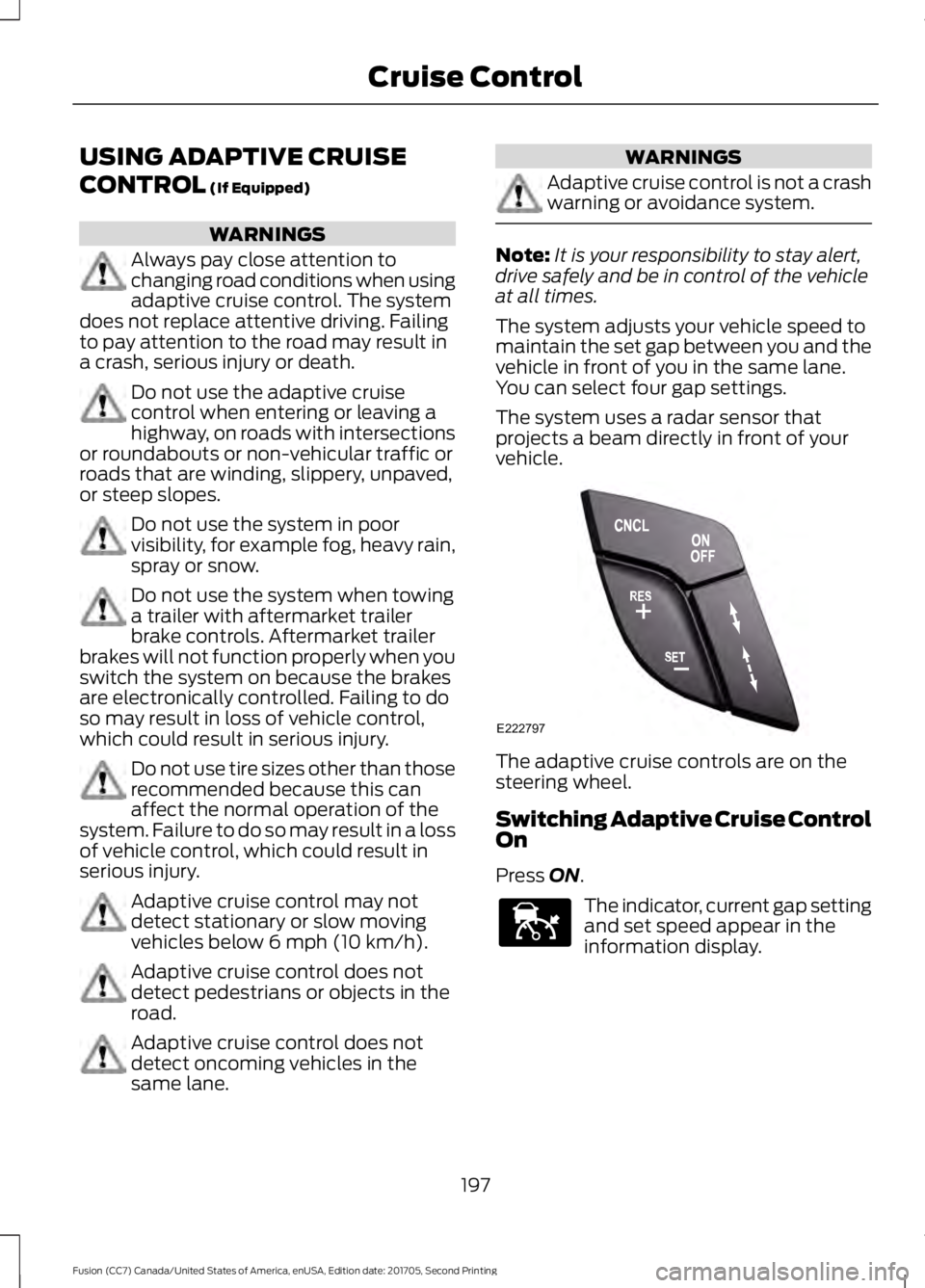
vehicle. The adaptive cruise controls are on the
steering wheel.
Switching Adaptive Cruise Control
On
Press
ON.
The indicator, current gap setting
and set speed appear in the
information display.
197
Fusion (CC7) Canada/United States of America, enUSA, Edition date: 201705, Second Printing Cruise ControlE222797 E144529
Page 275 of 539
ADJUSTING THE HEADLAMPS
Vertical Aim Adjustment
The headlamps on your vehicle are
properly aimed at the assembly plant. If
your vehicle has been in an accident, the
alignment of your headlamps should be
checked by your authorized dealer.
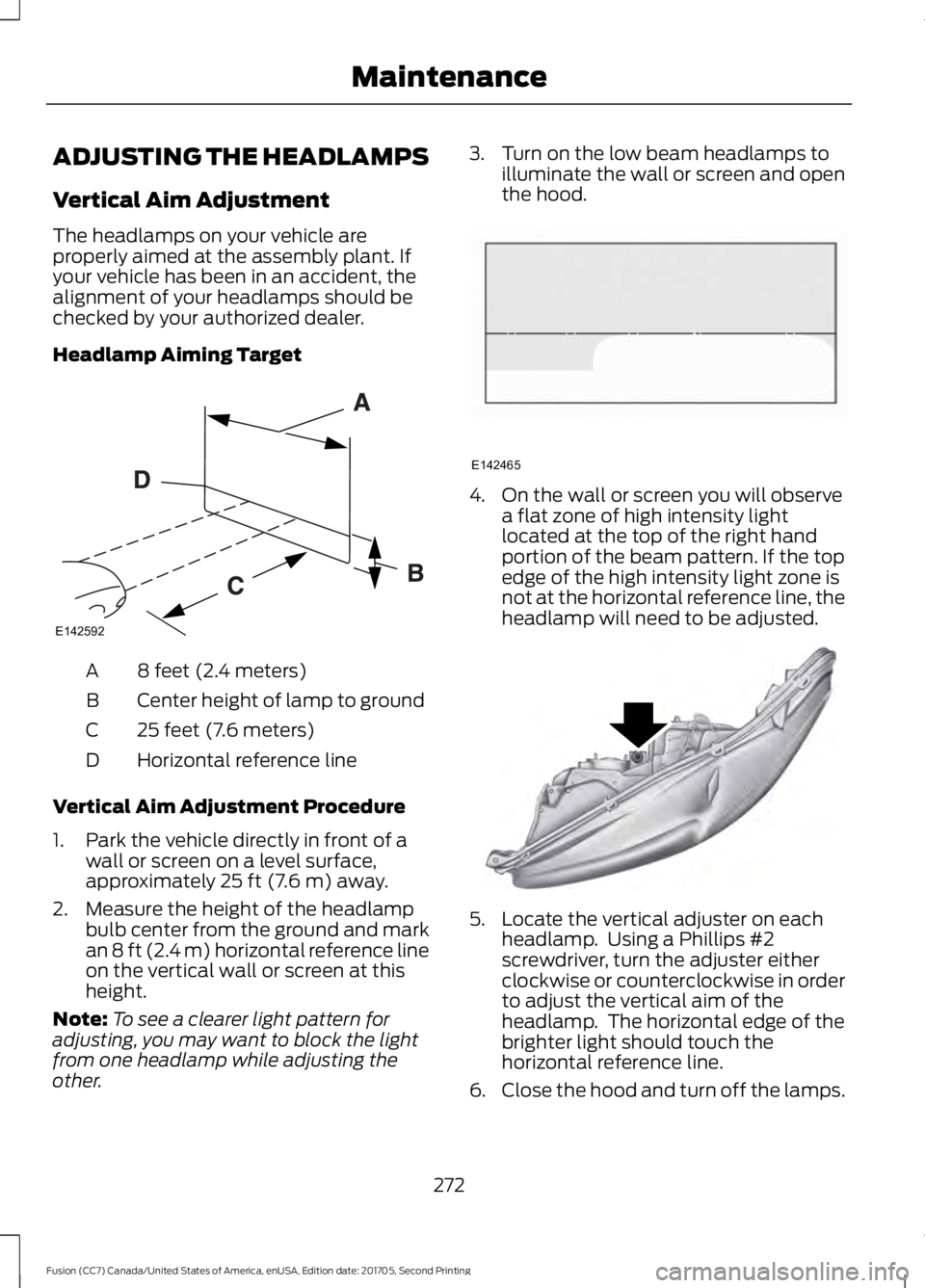
Headlamp Aiming Target
8 feet (2.4 meters)
A
Center height of lamp to ground
B
25 feet (7.6 meters)
C
Horizontal reference line
D
Vertical Aim Adjustment Procedure
1. Park the vehicle directly in front of a wall or screen on a level surface,
approximately 25 ft (7.6 m) away.
2. Measure the height of the headlamp bulb center from the ground and mark
an
8 ft (2.4 m) horizontal reference line
on the vertical wall or screen at this
height.
Note: To see a clearer light pattern for
adjusting, you may want to block the light
from one headlamp while adjusting the
other. 3. Turn on the low beam headlamps to
illuminate the wall or screen and open
the hood. 4. On the wall or screen you will observe
a flat zone of high intensity light
located at the top of the right hand
portion of the beam pattern. If the top
edge of the high intensity light zone is
not at the horizontal reference line, the
headlamp will need to be adjusted. 5. Locate the vertical adjuster on each
headlamp. Using a Phillips #2
screwdriver, turn the adjuster either
clockwise or counterclockwise in order
to adjust the vertical aim of the
headlamp. The horizontal edge of the
brighter light should touch the
horizontal reference line.
6. Close the hood and turn off the lamps.
272
Fusion (CC7) Canada/United States of America, enUSA, Edition date: 201705, Second Printing MaintenanceE142592 E142465 E145594
Page 276 of 539
Horizontal Aim Adjustment
Horizontal aim is not required for this
vehicle and is not adjustable.
CHANGING A BULB
WARNINGS
Switch the lamps and the ignition off.
Failure to follow this warning could
result in serious personal injury.
Bulbs can become hot. Let the bulb
cool down before removing it. Failure
to do so could result in personal
injury. Use the correct specification bulb. See
Bulb Specification Chart (page 339).
Install in the reverse order unless otherwise
stated.
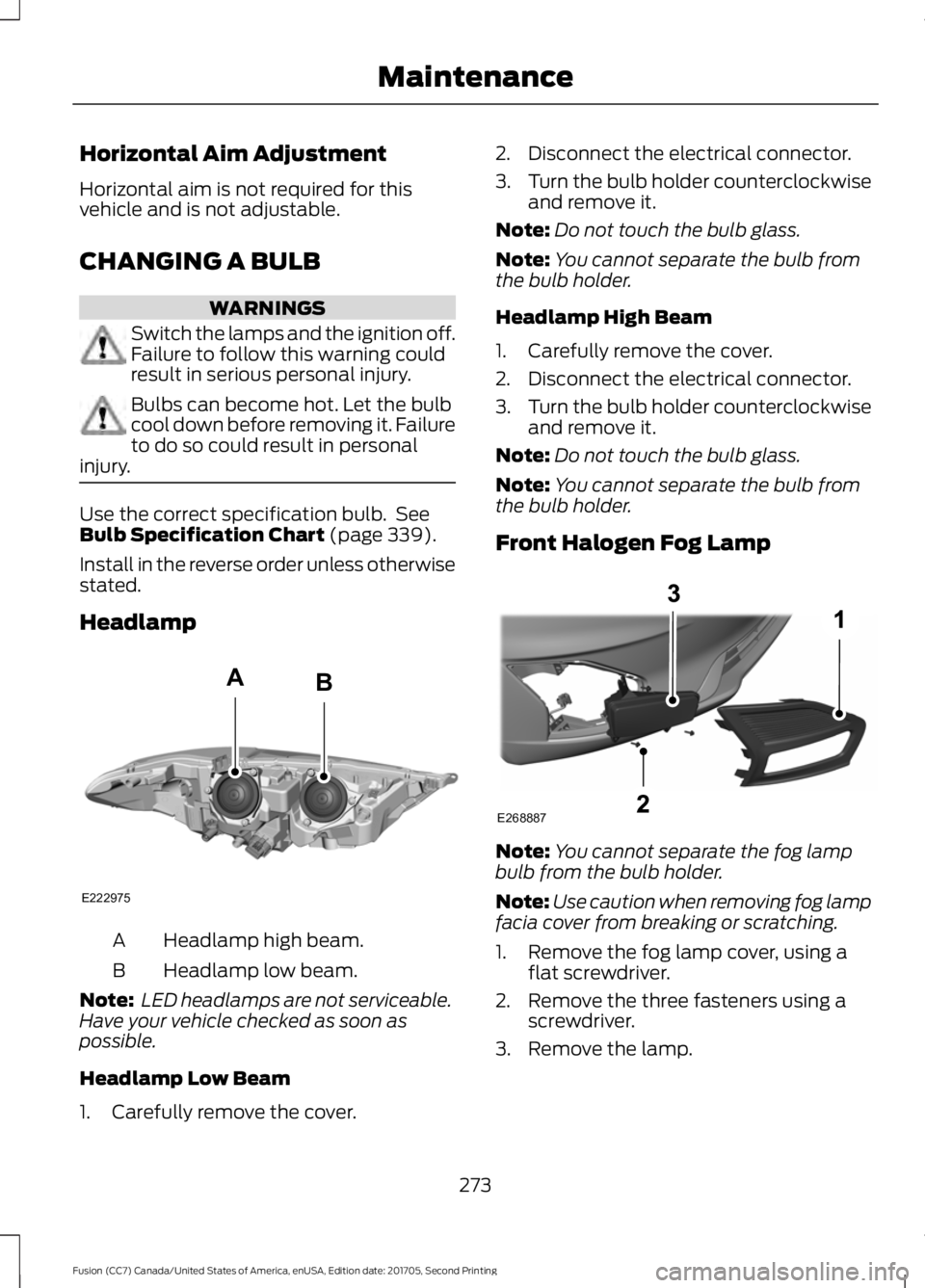
Headlamp Headlamp high beam.
A
Headlamp low beam.
B
Note: LED headlamps are not serviceable.
Have your vehicle checked as soon as
possible.
Headlamp Low Beam
1. Carefully remove the cover. 2. Disconnect the electrical connector.
3.
Turn the bulb holder counterclockwise
and remove it.
Note: Do not touch the bulb glass.
Note: You cannot separate the bulb from
the bulb holder.
Headlamp High Beam
1. Carefully remove the cover.
2. Disconnect the electrical connector.
3. Turn the bulb holder counterclockwise
and remove it.
Note: Do not touch the bulb glass.
Note: You cannot separate the bulb from
the bulb holder.
Front Halogen Fog Lamp Note:
You cannot separate the fog lamp
bulb from the bulb holder.
Note: Use caution when removing fog lamp
facia cover from breaking or scratching.
1. Remove the fog lamp cover, using a flat screwdriver.
2. Remove the three fasteners using a screwdriver.
3. Remove the lamp.
273
Fusion (CC7) Canada/United States of America, enUSA, Edition date: 201705, Second Printing MaintenanceE222975
AB E268887
Page 342 of 539
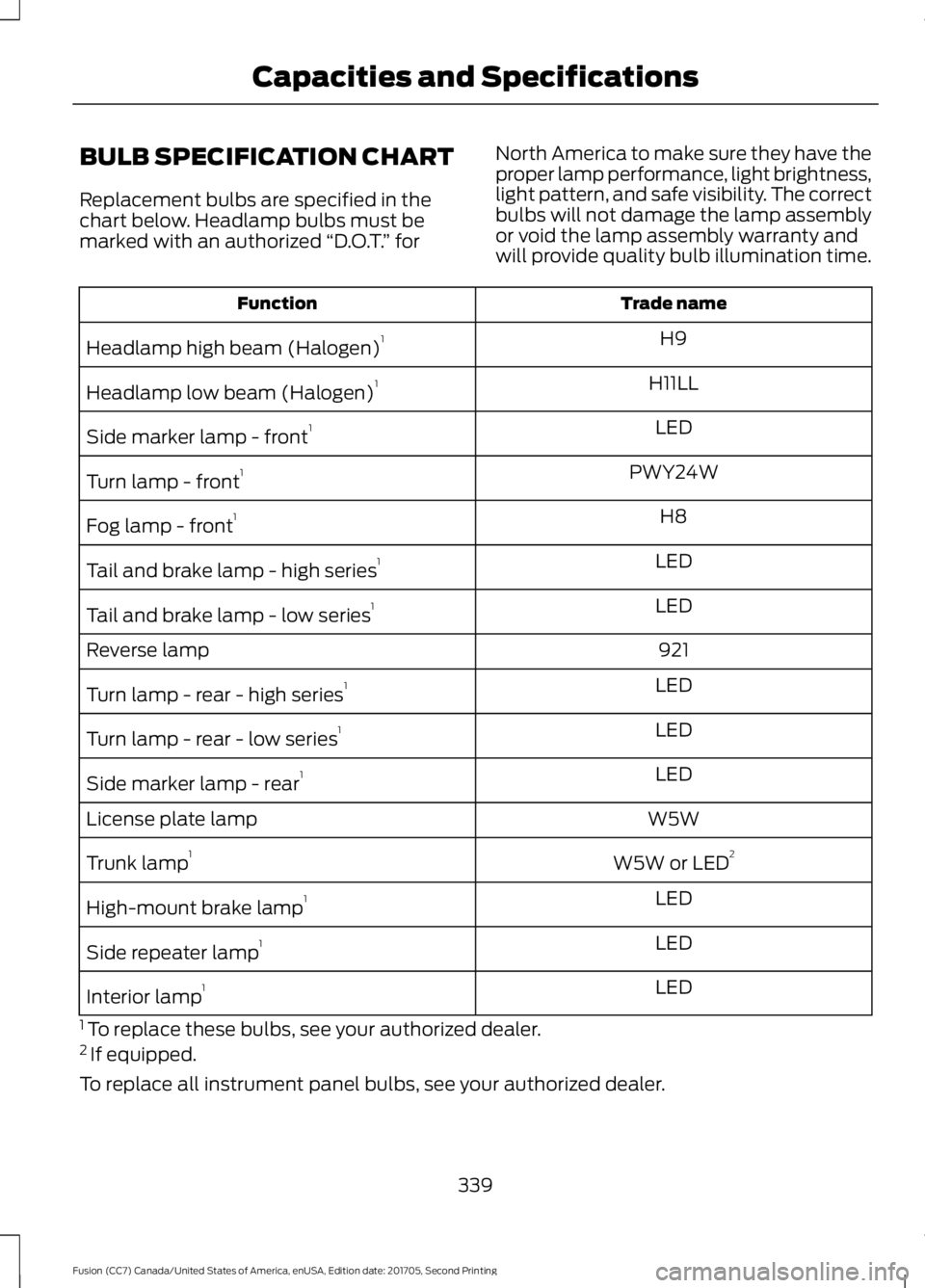
BULB SPECIFICATION CHART
Replacement bulbs are specified in the
chart below. Headlamp bulbs must be
marked with an authorized
“D.O.T.” for North America to make sure they have the
proper lamp performance, light brightness,
light pattern, and safe visibility. The correct
bulbs will not damage the lamp assembly
or void the lamp assembly warranty and
will provide quality bulb illumination time. Trade name
Function
H9
Headlamp high beam (Halogen) 1
H11LL
Headlamp low beam (Halogen) 1
LED
Side marker lamp - front 1
PWY24W
Turn lamp - front 1
H8
Fog lamp - front 1
LED
Tail and brake lamp - high series 1
LED
Tail and brake lamp - low series 1
921
Reverse lamp
LED
Turn lamp - rear - high series 1
LED
Turn lamp - rear - low series 1
LED
Side marker lamp - rear 1
W5W
License plate lamp
W5W or LED2
Trunk lamp 1
LED
High-mount brake lamp 1
LED
Side repeater lamp 1
LED
Interior lamp 1
1 To replace these bulbs, see your authorized dealer.
2 If equipped.
To replace all instrument panel bulbs, see your authorized dealer.
339
Fusion (CC7) Canada/United States of America, enUSA, Edition date: 201705, Second Printing Capacities and Specifications
Page 533 of 539
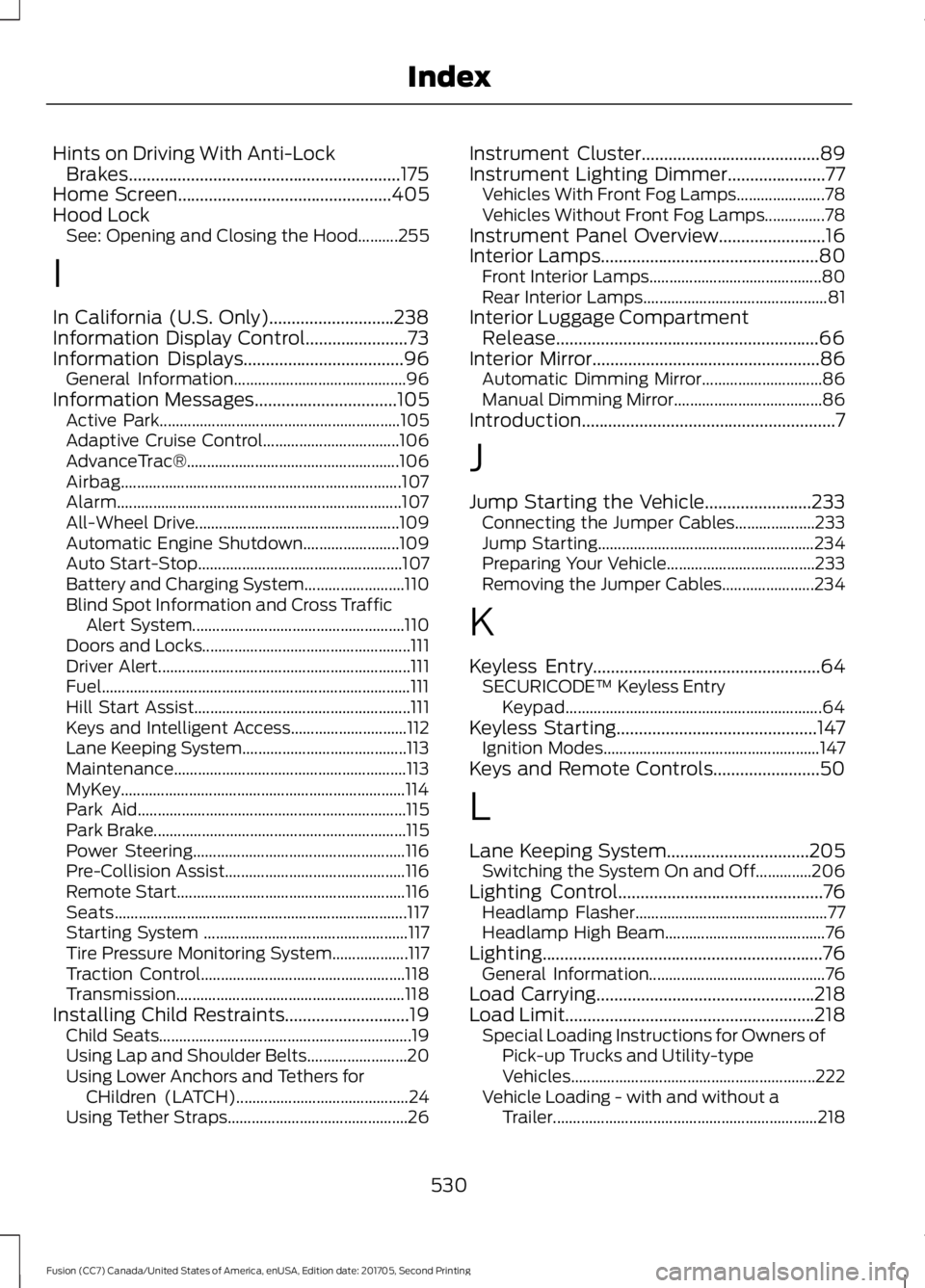
Hints on Driving With Anti-Lock
Brakes.............................................................175
Home Screen................................................405
Hood Lock See: Opening and Closing the Hood..........255
I
In California (U.S. Only)............................238
Information Display Control
.......................73
Information Displays....................................96 General Information........................................... 96
Information Messages
................................105
Active Park............................................................ 105
Adaptive Cruise Control.................................. 106
AdvanceTrac®..................................................... 106
Airbag...................................................................... 107
Alarm....................................................................... 107
All-Wheel Drive................................................... 109
Automatic Engine Shutdown........................ 109
Auto Start-Stop................................................... 107
Battery and Charging System......................... 110
Blind Spot Information and Cross Traffic Alert System..................................................... 110
Doors and Locks.................................................... 111
Driver Alert............................................................... 111
Fuel........................................................................\
..... 111
Hill Start Assist...................................................... 111
Keys and Intelligent Access............................. 112
Lane Keeping System......................................... 113
Maintenance.......................................................... 113
MyKey....................................................................... 114
Park Aid................................................................... 115
Park Brake............................................................... 115
Power Steering..................................................... 116
Pre-Collision Assist............................................. 116
Remote Start......................................................... 116
Seats........................................................................\
. 117
Starting System ................................................... 117
Tire Pressure Monitoring System................... 117
Traction Control................................................... 118
Transmission......................................................... 118
Installing Child Restraints............................19 Child Seats............................................................... 19
Using Lap and Shoulder Belts......................... 20
Using Lower Anchors and Tethers for CHildren (LATCH)........................................... 24
Using Tether Straps............................................. 26Instrument Cluster
........................................89
Instrument Lighting Dimmer......................77 Vehicles With Front Fog Lamps...................... 78
Vehicles Without Front Fog Lamps...............78
Instrument Panel Overview........................16
Interior Lamps
.................................................80
Front Interior Lamps........................................... 80
Rear Interior Lamps.............................................. 81
Interior Luggage Compartment Release...........................................................66
Interior Mirror
...................................................86
Automatic Dimming Mirror.............................. 86
Manual Dimming Mirror..................................... 86
Introduction.........................................................7
J
Jump Starting the Vehicle........................233 Connecting the Jumper Cables.................... 233
Jump Starting...................................................... 234
Preparing Your Vehicle..................................... 233
Removing the Jumper Cables....................... 234
K
Keyless Entry
...................................................64
SECURICODE™ Keyless Entry
Keypad................................................................ 64
Keyless Starting
.............................................147
Ignition Modes...................................................... 147
Keys and Remote Controls........................50
L
Lane Keeping System
................................205
Switching the System On and Off..............206
Lighting Control
..............................................76
Headlamp Flasher................................................ 77
Headlamp High Beam........................................ 76
Lighting...............................................................76 General Information............................................ 76
Load Carrying.................................................218
Load Limit........................................................218 Special Loading Instructions for Owners of
Pick-up Trucks and Utility-type
Vehicles............................................................. 222
Vehicle Loading - with and without a Trailer.................................................................. 218
530
Fusion (CC7) Canada/United States of America, enUSA, Edition date: 201705, Second Printing Index