brake light FORD FUSION 2019 Owner's Guide
[x] Cancel search | Manufacturer: FORD, Model Year: 2019, Model line: FUSION, Model: FORD FUSION 2019Pages: 550, PDF Size: 8.5 MB
Page 288 of 550
REPAIRING MINOR PAINT
DAMAGE
Authorized dealers have touch-up paint to
match your vehicle
’s color. Your vehicle
color code is printed on a sticker on the
front, left-hand side door jamb. Take your
color code to your authorized dealer to
make sure you get the correct color.
Before repairing minor paint damage, use
a cleaner such as Motorcraft Bug and Tar
Remover to remove particles such as bird
droppings, tree sap, insect deposits, tar
spots, road salt and industrial fallout.
Always read the instructions before using
cleaning products.
CLEANING THE WHEELS
1. Regularly clean them with a wheel cleaner. We recommend that you use
Ford approved wheel cleaner if
available.
2. Remove dirt and brake dust with a sponge.
3. Remove tar and grease with a bug and
tar remover. We recommend that you
use Ford approved bug and tar remover
if available.
4. Thoroughly rinse the wheels with water
after cleaning.
If you intend on parking your vehicle for an
extended period after cleaning the wheels
with a wheel cleaner, drive your vehicle for
a few minutes before doing so. This
reduces the risk of corrosion of the brake
discs, brake pads and linings.
Do not clean the wheels when they are hot.
Note: Some car washes could damage
wheel rims and covers. Note:
Using non-recommended cleaners,
harsh cleaning products, chrome wheel
cleaners or abrasive materials could
damage wheel rims and covers.
VEHICLE STORAGE
If you plan on storing your vehicle for 30
days or more, read the following
maintenance recommendations to make
sure your vehicle stays in good operating
condition.
We engineer and test all motor vehicles
and their components for reliable, regular
driving. Under various conditions,
long-term storage may lead to degraded
engine performance or failure unless you
use specific precautions to preserve engine
components.
General
• Store all vehicles in a dry, ventilated
place.
• Protect from sunlight, if possible.
• If vehicles are stored outside, they
require regular maintenance to protect
against rust and damage.
Body
• Wash your vehicle thoroughly to
remove dirt, grease, oil, tar or mud from
exterior surfaces, rear-wheel housing
and the underside of front fenders.
• Periodically wash your vehicle if it is
stored in exposed locations.
• Touch-up exposed or primed metal to
prevent rust.
• Cover chrome and stainless steel parts
with a thick coat of auto wax to prevent
discoloration. Re-wax as necessary
when you wash your vehicle.
• Lubricate all hood, door and luggage
compartment hinges and latches with
a light grade oil.
285
Fusion (CC7) Canada/United States of America, enUSA, Edition date: 201805, Second-Printing Vehicle Care
Page 313 of 550
11.
Set all four tires to the recommended
air pressure as indicated on the
Safety Compliance Certification
Label, affixed to either the door hinge
pillar, door-latch post, or the door
edge that meets the door-latch post,
next to the driver seating position or
Tire Label located on the B-Pillar or
the edge of the driver door.
CHANGING A ROAD WHEEL WARNING: If the tire pressure
monitor sensor becomes damaged it
may not function.
Note: The tire pressure monitoring system
indicator light illuminates when the spare
tire is in use. To restore the full function of
the monitoring system, mount all road
wheels equipped with tire pressure
monitoring sensors on the vehicle.
Note: You should only use tire sealants in
roadside emergencies as they may cause
damage to the tire pressure monitoring
system sensor. If you get a flat tire when driving, do not
apply the brake heavily. Instead, gradually
decrease your speed. Hold the steering
wheel firmly and slowly move to a safe
place on the side of the road.
Have a flat serviced by an authorized
dealer to prevent damage to the tire
pressure monitoring system sensors.
See
Tire Pressure Monitoring System (page
304). Replace the spare tire with a road tire
as soon as possible. During repairing or
replacing of the flat tire, have an authorized
dealer inspect the tire pressure monitoring
system sensor for damage.
Dissimilar Spare Wheel and Tire
Assembly Information WARNING:
Failure to follow these
guidelines could result in an increased
risk of loss of vehicle control, injury or
death.
If you have a dissimilar spare wheel and
tire, use it for temporary use only. This
means that if you need to use it, you should
replace it as soon as possible with a road
wheel and tire assembly that is the same
size and type as the road tires and wheels
that originally came with your vehicle. If
the dissimilar spare tire or wheel is
damaged, replace it instead of repairing it.
310
Fusion (CC7) Canada/United States of America, enUSA, Edition date: 201805, Second-Printing Wheels and Tires
Page 347 of 550
BULB SPECIFICATION CHART
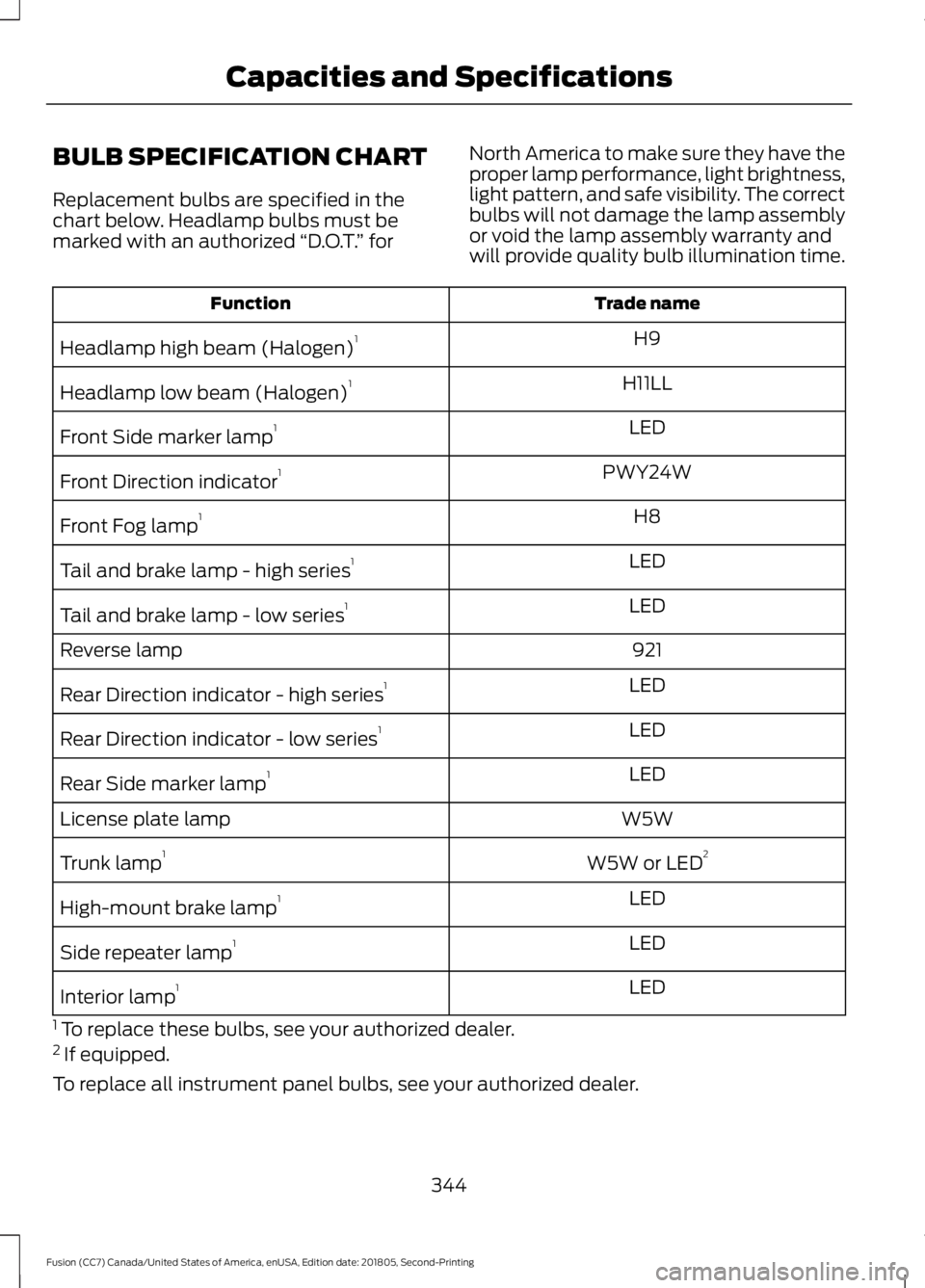
Replacement bulbs are specified in the
chart below. Headlamp bulbs must be
marked with an authorized
“D.O.T.” for North America to make sure they have the
proper lamp performance, light brightness,
light pattern, and safe visibility. The correct
bulbs will not damage the lamp assembly
or void the lamp assembly warranty and
will provide quality bulb illumination time. Trade name
Function
H9
Headlamp high beam (Halogen) 1
H11LL
Headlamp low beam (Halogen) 1
LED
Front Side marker lamp 1
PWY24W
Front Direction indicator 1
H8
Front Fog lamp 1
LED
Tail and brake lamp - high series 1
LED
Tail and brake lamp - low series 1
921
Reverse lamp
LED
Rear Direction indicator - high series 1
LED
Rear Direction indicator - low series 1
LED
Rear Side marker lamp 1
W5W
License plate lamp
W5W or LED2
Trunk lamp 1
LED
High-mount brake lamp 1
LED
Side repeater lamp 1
LED
Interior lamp 1
1 To replace these bulbs, see your authorized dealer.
2 If equipped.
To replace all instrument panel bulbs, see your authorized dealer.
344
Fusion (CC7) Canada/United States of America, enUSA, Edition date: 201805, Second-Printing Capacities and Specifications
Page 538 of 550
A
A/C
See: Climate Control........................................... 121
About This Manual...........................................7
ABS See: Brakes............................................................ 176
ABS driving hints See: Hints on Driving With Anti-Lock
Brakes................................................................. 176
Accessories.....................................................472 Exterior Style........................................................ 472
Interior Style......................................................... 472
Lifestyle.................................................................. 472
Peace of Mind...................................................... 472
Accessories See: Replacement Parts
Recommendation............................................ 14
ACC See: Using Adaptive Cruise Control............198
Active Park Assist.........................................187 Using Active Park Assist.................................. 188
Adjusting the Headlamps.........................273 Horizontal Aim Adjustment............................ 274
Vertical Aim Adjustment................................. 273
Adjusting the Steering Wheel....................73
Airbag Disposal
...............................................52
Air Conditioning See: Climate Control........................................... 121
Air Filter See: Changing the Engine Air Filter.............278
Alarm See: Anti-Theft Alarm......................................... 72
All-Wheel Drive...............................................171
Ambient Lighting
............................................83
Adjusting the Brightness................................... 84
Changing the Color............................................. 84
Switching Ambient Lighting Off..................... 84
Switching Ambient Lighting On...................... 83
Anti-Theft Alarm
.............................................72
Arming the Alarm................................................. 72
Disarming the Alarm............................................ 72
Appendices....................................................494
Apps.................................................................443 ........................................................................\
.......... 443
SiriusXM Traffic and Travel Link................... 445
At a Glance........................................................18 Audible Warnings and Indicators.............96
Headlamps On Warning Chime..................... 96
Keyless Warning Alert........................................ 96
Parking Brake On Warning Chime.................96
Audio Control
...................................................73
Seek, Next or Previous........................................ 74
Audio System
................................................345
General Information......................................... 345
Audio Unit - Vehicles With: Sony Audio System/Touchscreen Display
..............347
Accessing the Sound Settings..................... 348
Adjusting the Volume...................................... 348
Changing Radio Stations................................ 348
Ejecting the CD................................................... 348
Inserting a CD..................................................... 348
Switching the Audio Unit On and Off........348
Using Seek, Fast Forward and Reverse............................................................. 348
Audio Unit - Vehicles With: SYNC
.........349
Accessing the Clock Settings........................ 349
Accessing the Media Source Menu.............349
Accessing the Menu......................................... 349
Accessing the Phone Features..................... 349
Accessing the Sound Settings...................... 349
Adjusting the Volume...................................... 349
Changing Radio Stations................................ 350
Listening to Satellite Radio........................... 350
Listening to the Radio...................................... 350
Menu Structure.................................................... 351
Muting the Audio............................................... 350
Playing or Pausing Media............................... 350
Switching the Audio Unit On and Off........350
Using a Cell Phone............................................ 350
Using Seek, Fast Forward and Reverse.............................................................. 351
Using the Display Control............................... 350
Using the Number Block................................. 350
Audio Unit - Vehicles With: Touchscreen Display, Vehicles Without: Sony Audio
System.........................................................346
Adjusting the Volume....................................... 347
Changing Radio Stations................................ 347
Playing or Pausing Media................................ 347
Switching the Audio Unit On and Off.........347
Using Seek, Fast Forward and Reverse.............................................................. 347
535
Fusion (CC7) Canada/United States of America, enUSA, Edition date: 201805, Second-Printing Index
Page 544 of 550
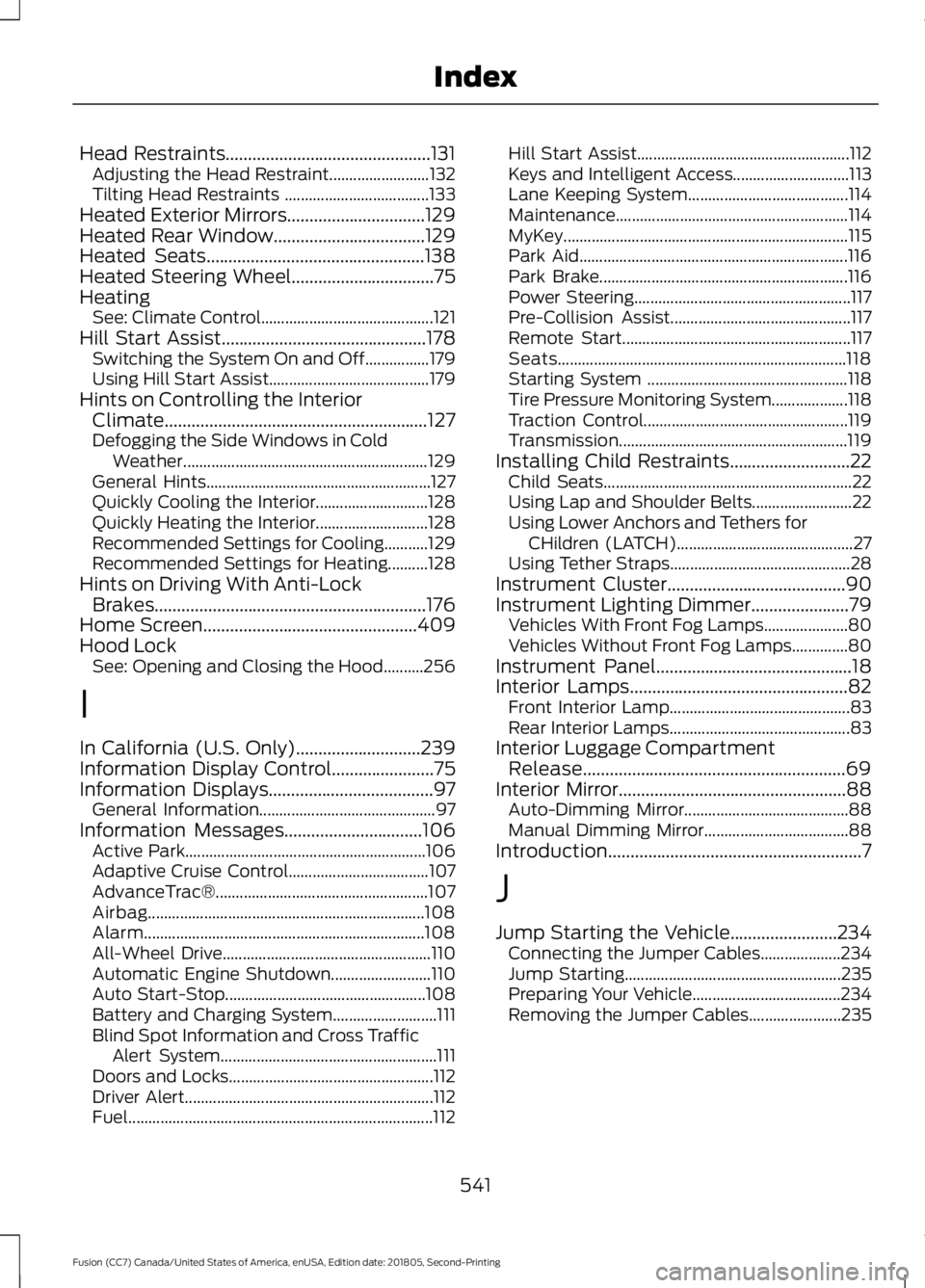
Head Restraints..............................................131
Adjusting the Head Restraint......................... 132
Tilting Head Restraints .................................... 133
Heated Exterior Mirrors...............................129
Heated Rear Window..................................129
Heated Seats.................................................138
Heated Steering Wheel................................75
Heating See: Climate Control........................................... 121
Hill Start Assist
..............................................178
Switching the System On and Off................179
Using Hill Start Assist........................................ 179
Hints on Controlling the Interior Climate...........................................................127
Defogging the Side Windows in Cold Weather............................................................. 129
General Hints........................................................ 127
Quickly Cooling the Interior............................ 128
Quickly Heating the Interior............................ 128
Recommended Settings for Cooling...........129
Recommended Settings for Heating..........128
Hints on Driving With Anti-Lock Brakes.............................................................176
Home Screen
................................................409
Hood Lock See: Opening and Closing the Hood..........256
I
In California (U.S. Only)
............................239
Information Display Control.......................75
Information Displays.....................................97 General Information............................................ 97
Information Messages...............................106 Active Park............................................................ 106
Adaptive Cruise Control................................... 107
AdvanceTrac®..................................................... 107
Airbag..................................................................... 108
Alarm...................................................................... 108
All-Wheel Drive.................................................... 110
Automatic Engine Shutdown......................... 110
Auto Start-Stop.................................................. 108
Battery and Charging System.......................... 111
Blind Spot Information and Cross Traffic Alert System...................................................... 111
Doors and Locks................................................... 112
Driver Alert.............................................................. 112
Fuel........................................................................\
.... 112Hill Start Assist.....................................................
112
Keys and Intelligent Access............................. 113
Lane Keeping System........................................ 114
Maintenance.......................................................... 114
MyKey....................................................................... 115
Park Aid................................................................... 116
Park Brake.............................................................. 116
Power Steering...................................................... 117
Pre-Collision Assist............................................. 117
Remote Start......................................................... 117
Seats........................................................................\
118
Starting System .................................................. 118
Tire Pressure Monitoring System................... 118
Traction Control................................................... 119
Transmission......................................................... 119
Installing Child Restraints...........................22 Child Seats.............................................................. 22
Using Lap and Shoulder Belts......................... 22
Using Lower Anchors and Tethers for CHildren (LATCH)............................................ 27
Using Tether Straps............................................. 28
Instrument Cluster
........................................90
Instrument Lighting Dimmer......................79 Vehicles With Front Fog Lamps..................... 80
Vehicles Without Front Fog Lamps..............80
Instrument Panel
............................................18
Interior Lamps.................................................82 Front Interior Lamp............................................. 83
Rear Interior Lamps............................................. 83
Interior Luggage Compartment Release...........................................................69
Interior Mirror...................................................88 Auto-Dimming Mirror......................................... 88
Manual Dimming Mirror.................................... 88
Introduction.........................................................7
J
Jump Starting the Vehicle........................234 Connecting the Jumper Cables.................... 234
Jump Starting...................................................... 235
Preparing Your Vehicle..................................... 234
Removing the Jumper Cables....................... 235
541
Fusion (CC7) Canada/United States of America, enUSA, Edition date: 201805, Second-Printing Index
Page 549 of 550
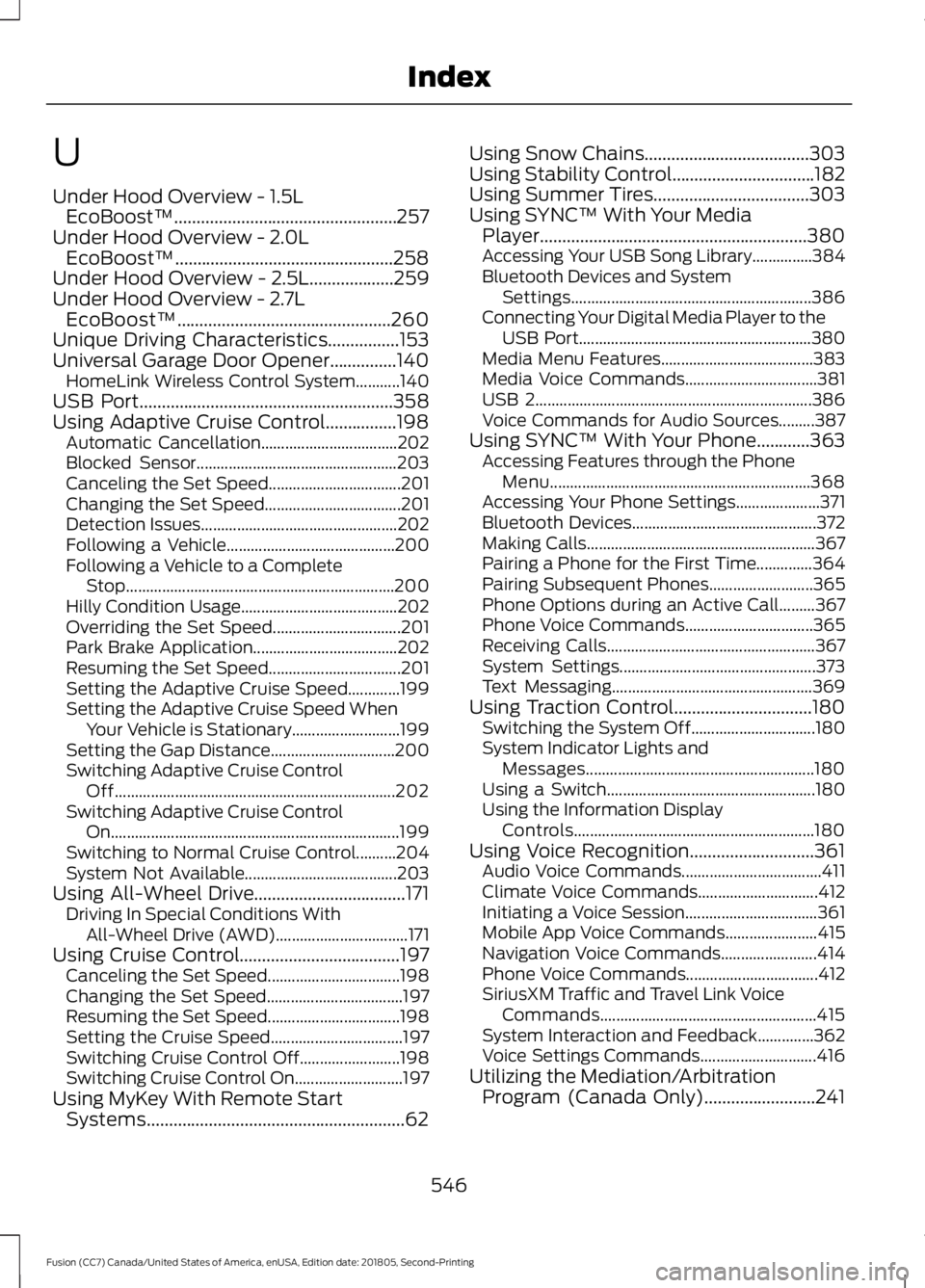
U
Under Hood Overview - 1.5L
EcoBoost™..................................................257
Under Hood Overview - 2.0L EcoBoost™.................................................258
Under Hood Overview - 2.5L...................259
Under Hood Overview - 2.7L EcoBoost™................................................260
Unique Driving Characteristics................153
Universal Garage Door Opener...............140
HomeLink Wireless Control System...........140
USB Port
.........................................................358
Using Adaptive Cruise Control................198 Automatic Cancellation.................................. 202
Blocked Sensor.................................................. 203
Canceling the Set Speed................................. 201
Changing the Set Speed.................................. 201
Detection Issues................................................. 202
Following a Vehicle.......................................... 200
Following a Vehicle to a Complete Stop................................................................... 200
Hilly Condition Usage....................................... 202
Overriding the Set Speed................................ 201
Park Brake Application.................................... 202
Resuming the Set Speed................................. 201
Setting the Adaptive Cruise Speed.............199
Setting the Adaptive Cruise Speed When Your Vehicle is Stationary........................... 199
Setting the Gap Distance............................... 200
Switching Adaptive Cruise Control Off...................................................................... 202
Switching Adaptive Cruise Control On........................................................................\
199
Switching to Normal Cruise Control..........204
System Not Available...................................... 203
Using All-Wheel Drive..................................171 Driving In Special Conditions With
All-Wheel Drive (AWD)................................. 171
Using Cruise Control
....................................197
Canceling the Set Speed................................. 198
Changing the Set Speed.................................. 197
Resuming the Set Speed................................. 198
Setting the Cruise Speed................................. 197
Switching Cruise Control Off......................... 198
Switching Cruise Control On........................... 197
Using MyKey With Remote Start Systems..........................................................62 Using Snow Chains
.....................................303
Using Stability Control................................182
Using Summer Tires...................................303
Using SYNC™ With Your Media Player
............................................................380
Accessing Your USB Song Library...............384
Bluetooth Devices and System
Settings............................................................ 386
Connecting Your Digital Media Player to the USB Port.......................................................... 380
Media Menu Features...................................... 383
Media Voice Commands................................. 381
USB 2..................................................................... 386
Voice Commands for Audio Sources.........387
Using SYNC™ With Your Phone............363 Accessing Features through the Phone
Menu................................................................. 368
Accessing Your Phone Settings..................... 371
Bluetooth Devices.............................................. 372
Making Calls......................................................... 367
Pairing a Phone for the First Time..............364
Pairing Subsequent Phones.......................... 365
Phone Options during an Active Call.........367
Phone Voice Commands................................ 365
Receiving Calls.................................................... 367
System Settings................................................. 373
Text Messaging.................................................. 369
Using Traction Control...............................180 Switching the System Off............................... 180
System Indicator Lights and Messages......................................................... 180
Using a Switch.................................................... 180
Using the Information Display Controls............................................................ 180
Using Voice Recognition............................361 Audio Voice Commands................................... 411
Climate Voice Commands.............................. 412
Initiating a Voice Session................................. 361
Mobile App Voice Commands....................... 415
Navigation Voice Commands........................ 414
Phone Voice Commands................................. 412
SiriusXM Traffic and Travel Link Voice Commands...................................................... 415
System Interaction and Feedback..............362
Voice Settings Commands............................. 416
Utilizing the Mediation/Arbitration Program (Canada Only)
.........................241
546
Fusion (CC7) Canada/United States of America, enUSA, Edition date: 201805, Second-Printing Index