hood open FORD FUSION 2019 Owners Manual
[x] Cancel search | Manufacturer: FORD, Model Year: 2019, Model line: FUSION, Model: FORD FUSION 2019Pages: 550, PDF Size: 8.5 MB
Page 7 of 550
Fuel Shutoff
..................................................233
Jump Starting the Vehicle .......................
234
Post-Crash Alert System .........................
236
Transporting the Vehicle ..........................
236
Towing Points ...............................................
237
Customer Assistance
Getting the Services You Need ..............
238
In California (U.S. Only) ...........................
239
The Better Business Bureau (BBB) Auto Line Program (U.S. Only) ....................
240
Utilizing the Mediation/Arbitration Program (Canada Only) .......................
241
Getting Assistance Outside the U.S. and Canada ........................................................
241
Ordering Additional Owner's Literature ........................................................................\
243
Reporting Safety Defects (U.S. Only) ........................................................................\
243
Reporting Safety Defects (Canada Only) ........................................................................\
243
Fuses
Fuse Specification Chart .........................
245
Changing a Fuse .........................................
254
Maintenance
General Information ..................................
256
Opening and Closing the Hood .............
256
Under Hood Overview - 1.5L EcoBoost™ ........................................................................\
257
Under Hood Overview - 2.0L EcoBoost™ ........................................................................\
258
Under Hood Overview - 2.5L ..................
259
Under Hood Overview - 2.7L EcoBoost™ .......................................................................
260
Engine Oil Dipstick - 1.5L EcoBoost™ ........................................................................\
.
261
Engine Oil Dipstick - 2.0L EcoBoost™/ 2.5L/2.7L EcoBoost™ ............................
261
Engine Oil Check ..........................................
261
Oil Change Indicator Reset .....................
262Engine Coolant Check
..............................
263
Automatic Transmission Fluid Check - 1.5L EcoBoost™/2.0L EcoBoost™/
2.5L ...............................................................
267
Automatic Transmission Fluid Check - 2.7L EcoBoost™ ......................................
267
Brake Fluid Check .......................................
269
Washer Fluid Check ...................................
270
Fuel Filter .......................................................
270
Changing the 12V Battery ........................
270
Checking the Wiper Blades .....................
272
Changing the Wiper Blades .....................
272
Adjusting the Headlamps ........................
273
Removing a Headlamp .............................
274
Changing a Bulb ..........................................
276
Changing the Engine Air Filter ................
278
Vehicle Care
General Information ..................................
280
Cleaning Products .....................................
280
Cleaning the Exterior ................................
280
Waxing ............................................................
282
Cleaning the Engine ...................................
282
Cleaning the Windows and Wiper Blades ........................................................................\
282
Cleaning the Interior ..................................
283
Cleaning the Instrument Panel and Instrument Cluster Lens ......................
283
Cleaning Leather Seats ............................
284
Repairing Minor Paint Damage .............
285
Cleaning the Wheels .................................
285
Vehicle Storage ...........................................
285
Body Styling Kits .........................................
287
Wheels and Tires
General Information ..................................
288
Tire Care .........................................................
288
Using Summer Tires ..................................
303
Using Snow Chains ....................................
303
Tire Pressure Monitoring System .........
304
4
Fusion (CC7) Canada/United States of America, enUSA, Edition date: 201805, Second-Printing Table of Contents
Page 53 of 550
SAFETY CANOPY™
WARNING: Do not place objects
or mount equipment on or near the
headliner at the siderail that may come
into contact with a deploying curtain
airbag. Failure to follow these
instructions may increase the risk of
personal injury in the event of a crash. WARNING:
Do not lean your head
on the door. The curtain airbag could
injure you as it deploys from the
headliner. WARNING:
Do not attempt to
service, repair, or modify the
supplementary restraint system or
associated components. Failure to
follow this instruction could result in
personal injury or death. WARNING:
All occupants of your
vehicle, including the driver, should
always properly wear their seatbelts,
even when an airbag supplemental
restraint system is provided. Failure to
properly wear your seatbelt could
seriously increase the risk of injury or
death. WARNING:
To reduce risk of injury,
do not obstruct or place objects in the
deployment path of the airbag. WARNING:
If a supplementary
restraint system component has
deployed, it will not function again. Have
the system and associated components
inspected as soon as possible. Failure to
follow this instruction could result in
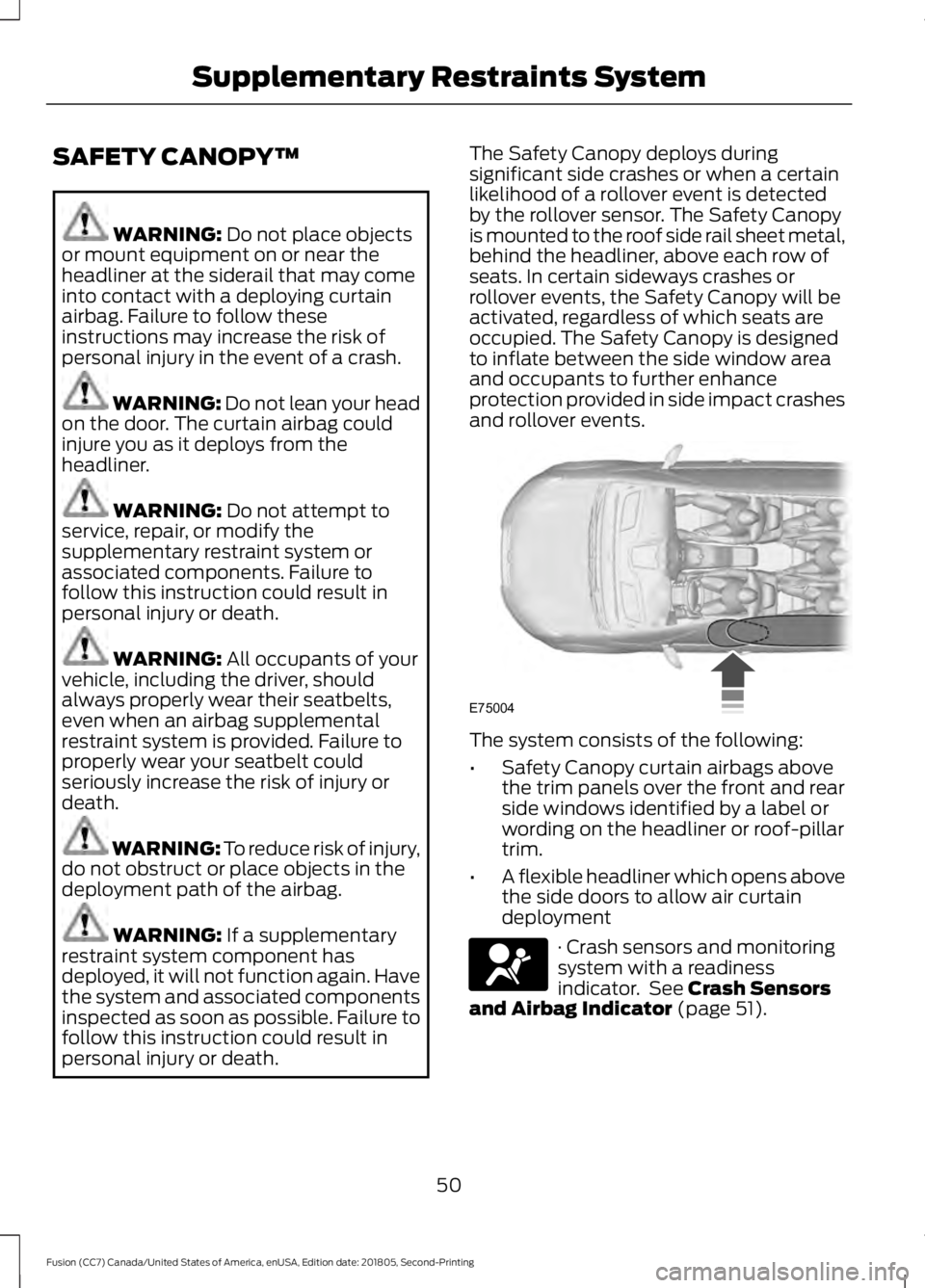
personal injury or death. The Safety Canopy deploys during
significant side crashes or when a certain
likelihood of a rollover event is detected
by the rollover sensor. The Safety Canopy
is mounted to the roof side rail sheet metal,
behind the headliner, above each row of
seats. In certain sideways crashes or
rollover events, the Safety Canopy will be
activated, regardless of which seats are
occupied. The Safety Canopy is designed
to inflate between the side window area
and occupants to further enhance
protection provided in side impact crashes
and rollover events.
The system consists of the following:
•
Safety Canopy curtain airbags above
the trim panels over the front and rear
side windows identified by a label or
wording on the headliner or roof-pillar
trim.
• A flexible headliner which opens above
the side doors to allow air curtain
deployment · Crash sensors and monitoring
system with a readiness
indicator. See
Crash Sensors
and Airbag Indicator (page 51).
50
Fusion (CC7) Canada/United States of America, enUSA, Edition date: 201805, Second-Printing Supplementary Restraints SystemE75004 E67017
Page 60 of 550
Remote Start (If Equipped)
WARNING:
To avoid exhaust
fumes, do not use remote start if your
vehicle is parked indoors or in areas that
are not well ventilated.
Note: Do not use remote start if your fuel
level is low. The remote start button is on the
remote control.
This feature allows you to start your
vehicle from the outside. Your remote
control has an extended operating range.
If your vehicle has automatic climate
control, you can configure it to operate
when you remote start your vehicle. See
Climate Control
(page 121). A manual
climate control system will run at the
setting it was set to when you switched
your vehicle off.
Many states and provinces have
restrictions for the use of remote start.
Check your local and state or provincial
laws for specific requirements regarding
remote start systems.
The remote start system does not work
when any of the following conditions occur:
• The ignition is on.
• The anti-theft alarm triggers.
• You switch the feature off in the
information display.
• The hood is open.
• The transmission is not in park (P).
• The battery voltage is below the
minimum operating voltage. Remote Control Feedback (If
Equipped)
An LED on the remote control provides
status feedback of remote start or stop
commands. Status
LED
Remote startsuccessful
Solid green
Remote stopsuccessful
Solid red
Request failed or
status not received
Blinking red
Status incomplete
Blinking green
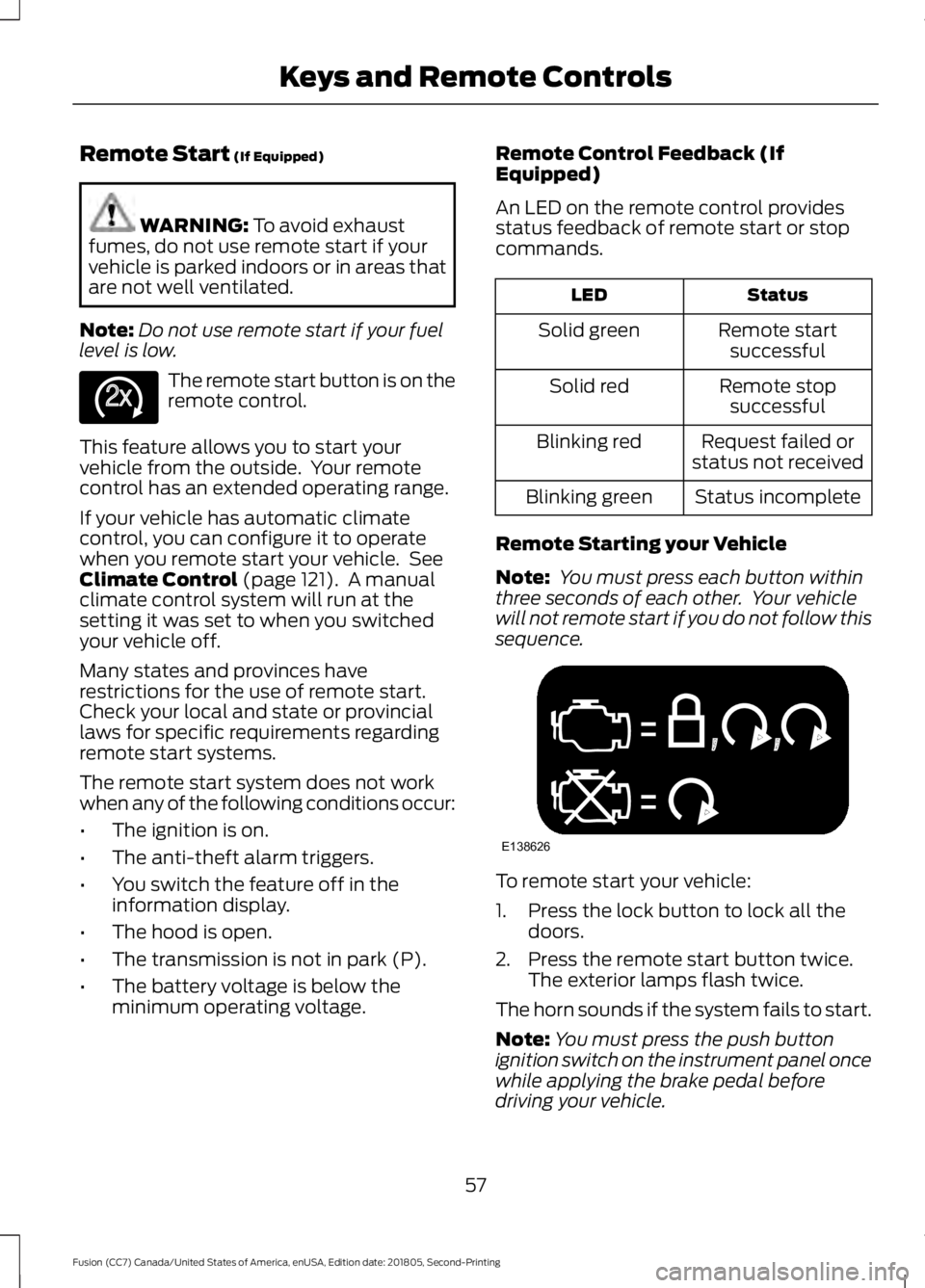
Remote Starting your Vehicle
Note: You must press each button within
three seconds of each other. Your vehicle
will not remote start if you do not follow this
sequence. To remote start your vehicle:
1. Press the lock button to lock all the
doors.
2. Press the remote start button twice. The exterior lamps flash twice.
The horn sounds if the system fails to start.
Note: You must press the push button
ignition switch on the instrument panel once
while applying the brake pedal before
driving your vehicle.
57
Fusion (CC7) Canada/United States of America, enUSA, Edition date: 201805, Second-Printing Keys and Remote ControlsE138625 E138626
Page 68 of 550
Press the button again within three
seconds to confirm that all the doors are
closed. The doors will lock again, the horn
will sound and the direction indicators will
flash if all the doors and the luggage
compartment are closed.
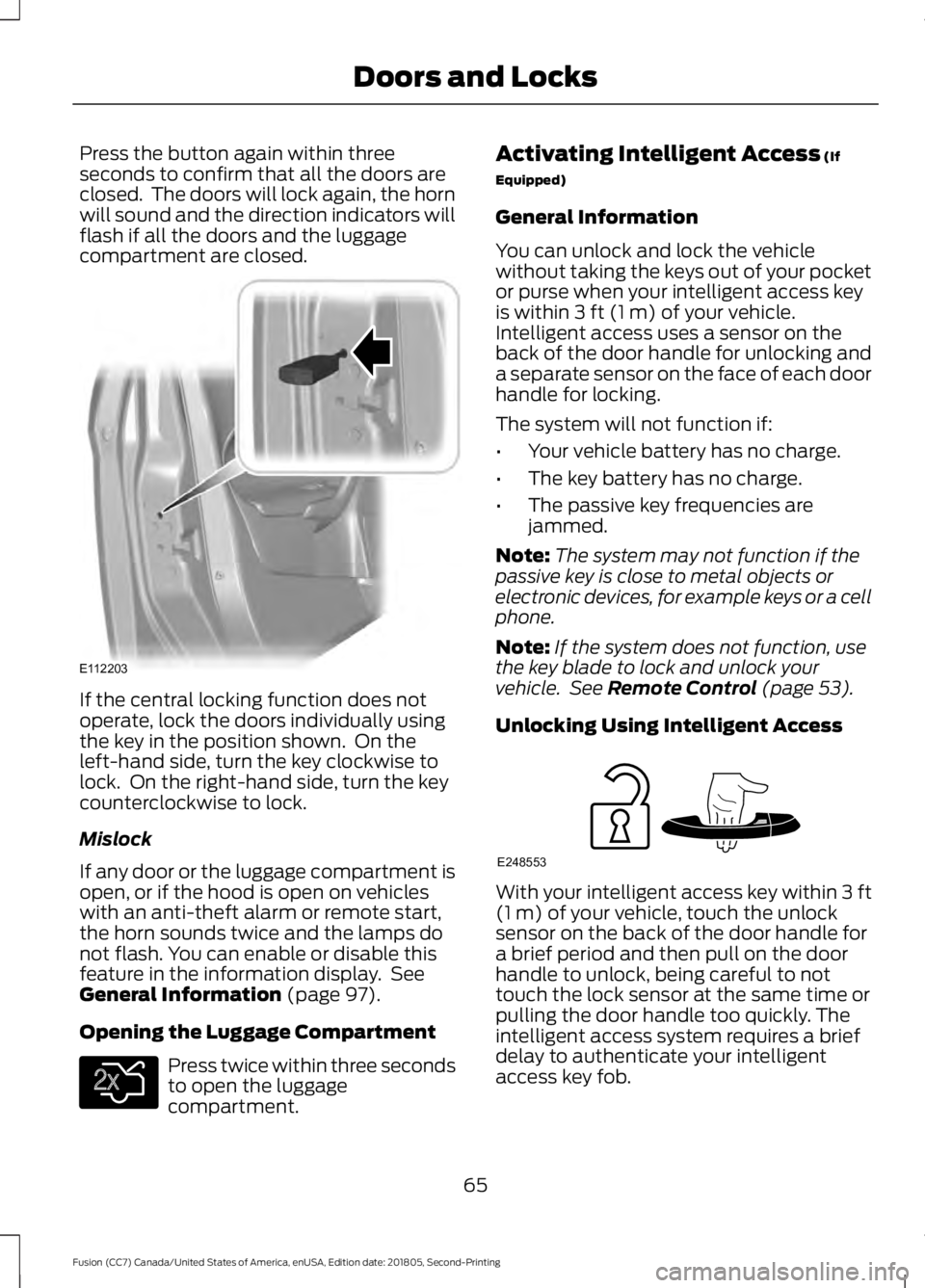
If the central locking function does not
operate, lock the doors individually using
the key in the position shown. On the
left-hand side, turn the key clockwise to
lock. On the right-hand side, turn the key
counterclockwise to lock.
Mislock
If any door or the luggage compartment is
open, or if the hood is open on vehicles
with an anti-theft alarm or remote start,
the horn sounds twice and the lamps do
not flash. You can enable or disable this
feature in the information display. See
General Information (page 97).
Opening the Luggage Compartment Press twice within three seconds
to open the luggage
compartment. Activating Intelligent Access
(If
Equipped)
General Information
You can unlock and lock the vehicle
without taking the keys out of your pocket
or purse when your intelligent access key
is within
3 ft (1 m) of your vehicle.
Intelligent access uses a sensor on the
back of the door handle for unlocking and
a separate sensor on the face of each door
handle for locking.
The system will not function if:
• Your vehicle battery has no charge.
• The key battery has no charge.
• The passive key frequencies are
jammed.
Note: The system may not function if the
passive key is close to metal objects or
electronic devices, for example keys or a cell
phone.
Note: If the system does not function, use
the key blade to lock and unlock your
vehicle. See
Remote Control (page 53).
Unlocking Using Intelligent Access With your intelligent access key within
3 ft
(1 m) of your vehicle, touch the unlock
sensor on the back of the door handle for
a brief period and then pull on the door
handle to unlock, being careful to not
touch the lock sensor at the same time or
pulling the door handle too quickly. The
intelligent access system requires a brief
delay to authenticate your intelligent
access key fob.
65
Fusion (CC7) Canada/United States of America, enUSA, Edition date: 201805, Second-Printing Doors and LocksE112203 E138630 E248553
Page 75 of 550
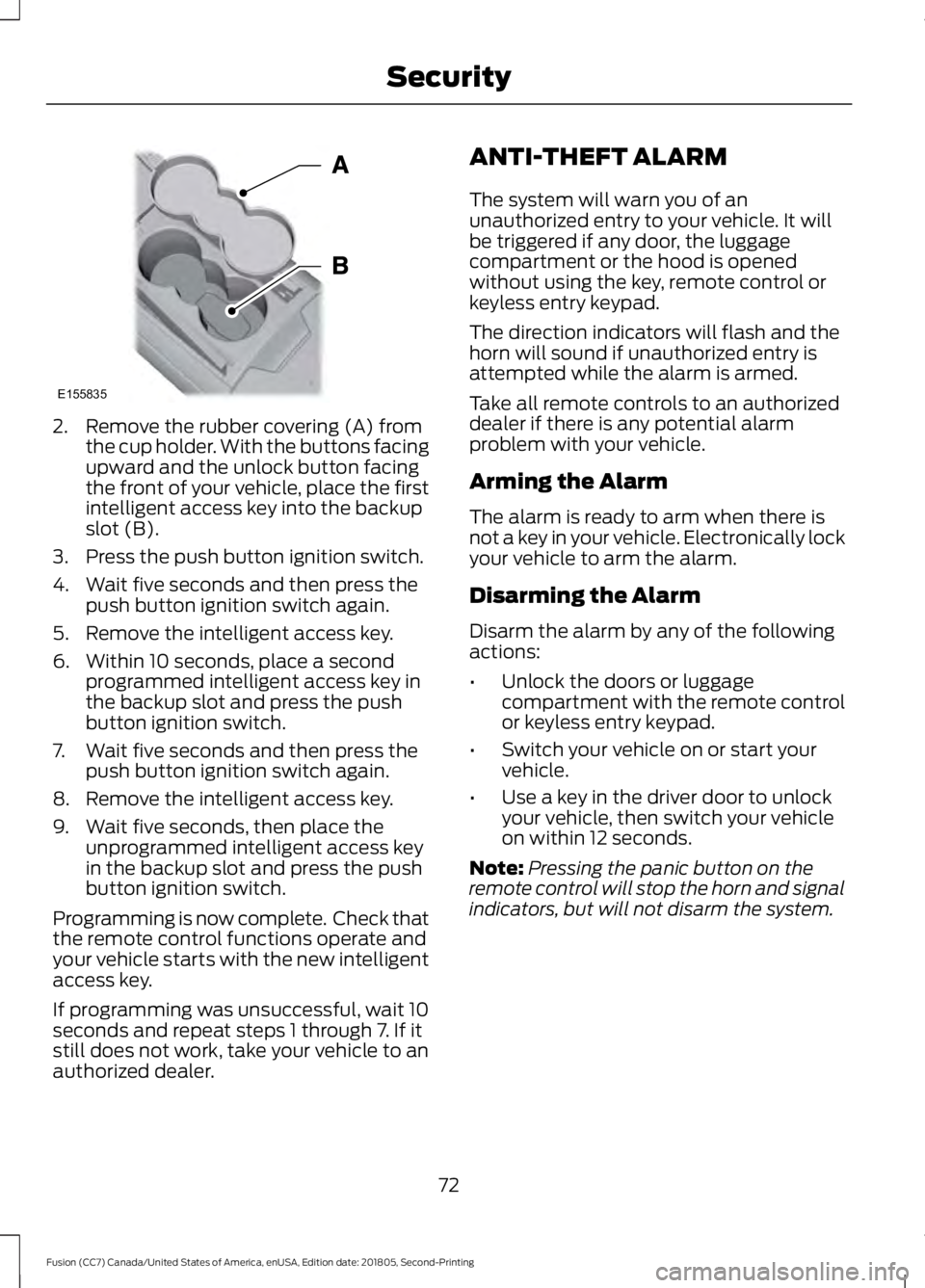
2. Remove the rubber covering (A) from
the cup holder. With the buttons facing
upward and the unlock button facing
the front of your vehicle, place the first
intelligent access key into the backup
slot (B).
3. Press the push button ignition switch.
4. Wait five seconds and then press the push button ignition switch again.
5. Remove the intelligent access key.
6. Within 10 seconds, place a second programmed intelligent access key in
the backup slot and press the push
button ignition switch.
7. Wait five seconds and then press the push button ignition switch again.
8. Remove the intelligent access key.
9. Wait five seconds, then place the unprogrammed intelligent access key
in the backup slot and press the push
button ignition switch.
Programming is now complete. Check that
the remote control functions operate and
your vehicle starts with the new intelligent
access key.
If programming was unsuccessful, wait 10
seconds and repeat steps 1 through 7. If it
still does not work, take your vehicle to an
authorized dealer. ANTI-THEFT ALARM
The system will warn you of an
unauthorized entry to your vehicle. It will
be triggered if any door, the luggage
compartment or the hood is opened
without using the key, remote control or
keyless entry keypad.
The direction indicators will flash and the
horn will sound if unauthorized entry is
attempted while the alarm is armed.
Take all remote controls to an authorized
dealer if there is any potential alarm
problem with your vehicle.
Arming the Alarm
The alarm is ready to arm when there is
not a key in your vehicle. Electronically lock
your vehicle to arm the alarm.
Disarming the Alarm
Disarm the alarm by any of the following
actions:
•
Unlock the doors or luggage
compartment with the remote control
or keyless entry keypad.
• Switch your vehicle on or start your
vehicle.
• Use a key in the driver door to unlock
your vehicle, then switch your vehicle
on within 12 seconds.
Note: Pressing the panic button on the
remote control will stop the horn and signal
indicators, but will not disarm the system.
72
Fusion (CC7) Canada/United States of America, enUSA, Edition date: 201805, Second-Printing SecurityE155835
Page 165 of 550
EMISSION LAW
WARNING: Do not remove or alter
the original equipment floor covering or
insulation between it and the metal floor
of the vehicle. The floor covering and
insulation protect occupants of the
vehicle from the engine and exhaust
system heat and noise. On vehicles with
no original equipment floor covering
insulation, do not carry passengers in a
manner that permits prolonged skin
contact with the metal floor. Failure to
follow these instructions may result in
fire or personal injury.
U.S. federal laws and certain state laws
prohibit removing or rendering inoperative
emission control system components.
Similar federal or provincial laws may
apply in Canada. We do not approve of any
vehicle modification without first
determining applicable laws. Tampering with emissions
control systems including
related sensors or the Diesel
Exhaust Fluid system can result in reduced
engine power and the illumination of the
service engine soon light. Tampering With a Noise Control
System
Federal laws prohibit the following acts:
•
Removal or rendering inoperative by
any person other than for purposes of
maintenance.
• Repair or replacement of any device or
element of the design incorporated into
a new vehicle for the purpose of noise
control prior to its sale or delivery to
the ultimate purchaser or while it is in
use.
• The use of the vehicle after any person
removes or renders inoperative any
device or element of the design.
The U.S. Environmental Protection Agency
may presume to constitute tampering as
follows:
• Removal of hood blanket, fender apron
absorbers, fender apron barriers,
underbody noise shields or acoustically
absorptive material.
• Tampering or rendering inoperative the
engine speed governor, to allow engine
speed to exceed manufacturer
specifications.
If the engine does not start, runs rough,
experiences a decrease in engine
performance, experiences excess fuel
consumption or produces excessive
exhaust smoke, check for the following:
• A plugged or disconnected air inlet
system hose.
• A plugged engine air filter element.
• Water in the fuel filter and water
separator.
• A clogged fuel filter.
• Contaminated fuel.
• Air in the fuel system, due to loose
connections.
• An open or pinched sensor hose.
• Incorrect engine oil level.
162
Fusion (CC7) Canada/United States of America, enUSA, Edition date: 201805, Second-Printing Engine Emission Control
Page 259 of 550
GENERAL INFORMATION
Have your vehicle serviced regularly to help
maintain its roadworthiness and resale
value. There is a large network of
authorized dealers that are there to help
you with their professional servicing
expertise. We believe that their specially
trained technicians are best qualified to
service your vehicle properly and expertly.
They are supported by a wide range of
highly specialized tools developed
specifically for servicing your vehicle.
If your vehicle requires professional service,
an authorized dealer can provide the
necessary parts and service. Check your
warranty information to find out which
parts and services are covered.
Use only recommended fuels, lubricants,
fluids and service parts conforming to
specifications. Motorcraft® parts are
designed and built to provide the best
performance in your vehicle.
Precautions
•
Do not work on a hot engine.
• Make sure that nothing gets caught in
moving parts.
• Do not work on a vehicle with the
engine running in an enclosed space,
unless you are sure you have enough
ventilation.
• Keep all open flames and other burning
material (such as cigarettes) away
from the battery and all fuel related
parts.
Working with the Engine Off
1. Set the parking brake and shift the transmission to park (P).
2. Switch off the engine.
3. Block the wheels. Working with the Engine On WARNING: To reduce the risk of
vehicle damage and personal burn
injuries, do not start your engine with the
air cleaner removed and do not remove
it while the engine is running.
1. Set the parking brake and shift the transmission to park (P).
2. Block the wheels.
OPENING AND CLOSING THE
HOOD
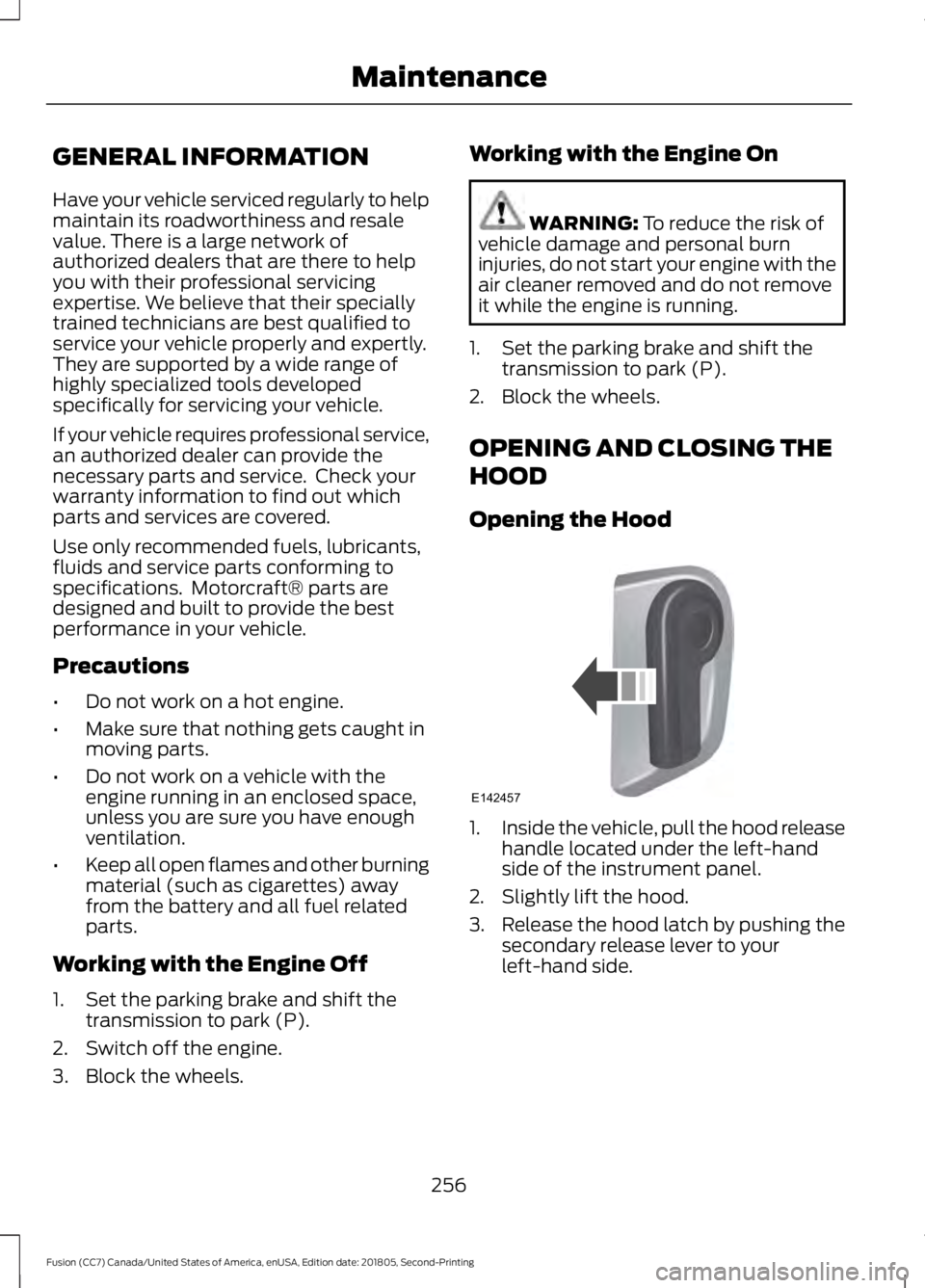
Opening the Hood 1.
Inside the vehicle, pull the hood release
handle located under the left-hand
side of the instrument panel.
2. Slightly lift the hood.
3. Release the hood latch by pushing the secondary release lever to your
left-hand side.
256
Fusion (CC7) Canada/United States of America, enUSA, Edition date: 201805, Second-Printing MaintenanceE142457
Page 260 of 550
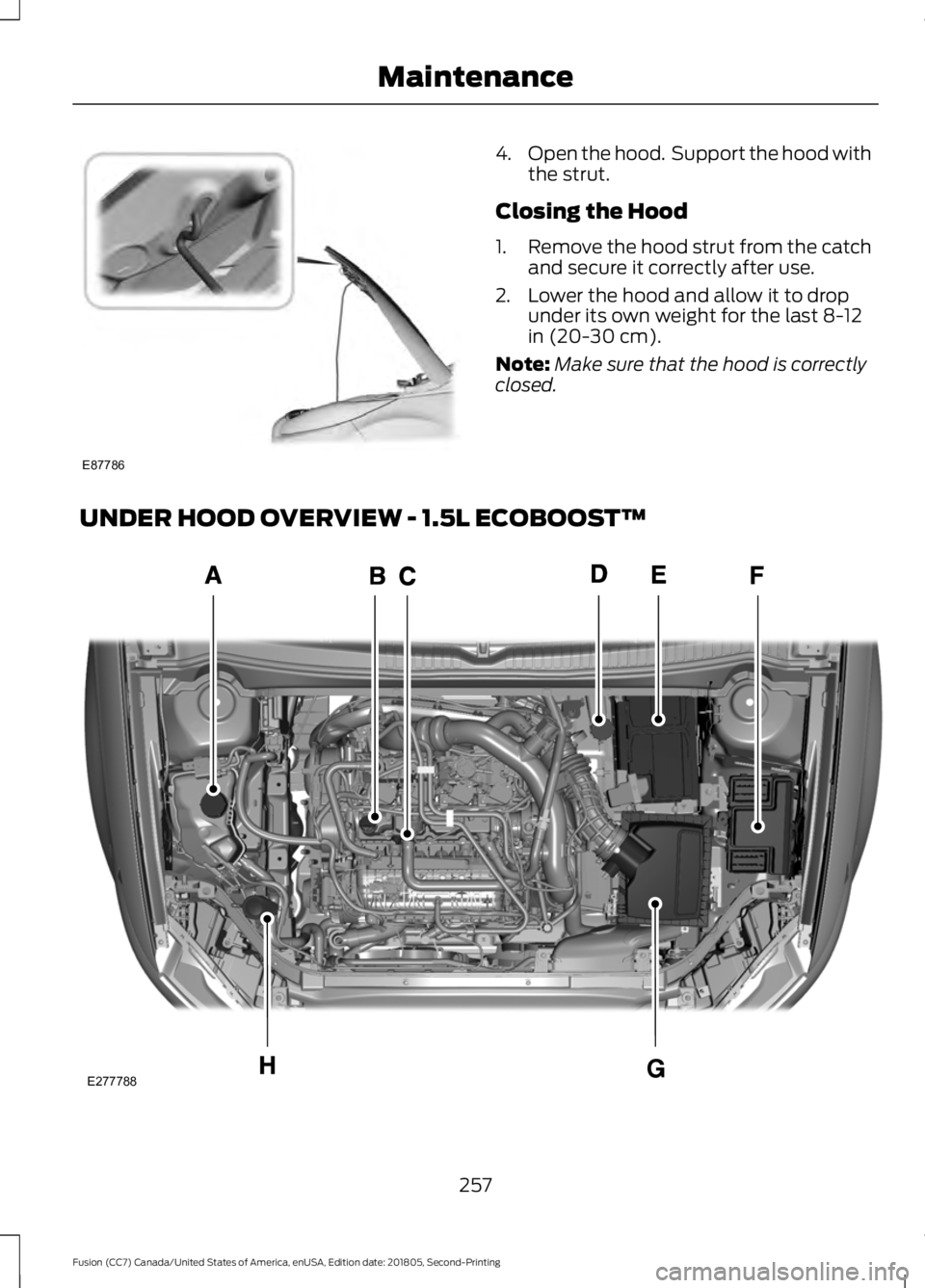
4.
Open the hood. Support the hood with
the strut.
Closing the Hood
1. Remove the hood strut from the catch
and secure it correctly after use.
2. Lower the hood and allow it to drop under its own weight for the last 8-12
in (20-30 cm).
Note: Make sure that the hood is correctly
closed.
UNDER HOOD OVERVIEW - 1.5L ECOBOOST™ 257
Fusion (CC7) Canada/United States of America, enUSA, Edition date: 201805, Second-Printing MaintenanceE87786 E277788
Page 264 of 550
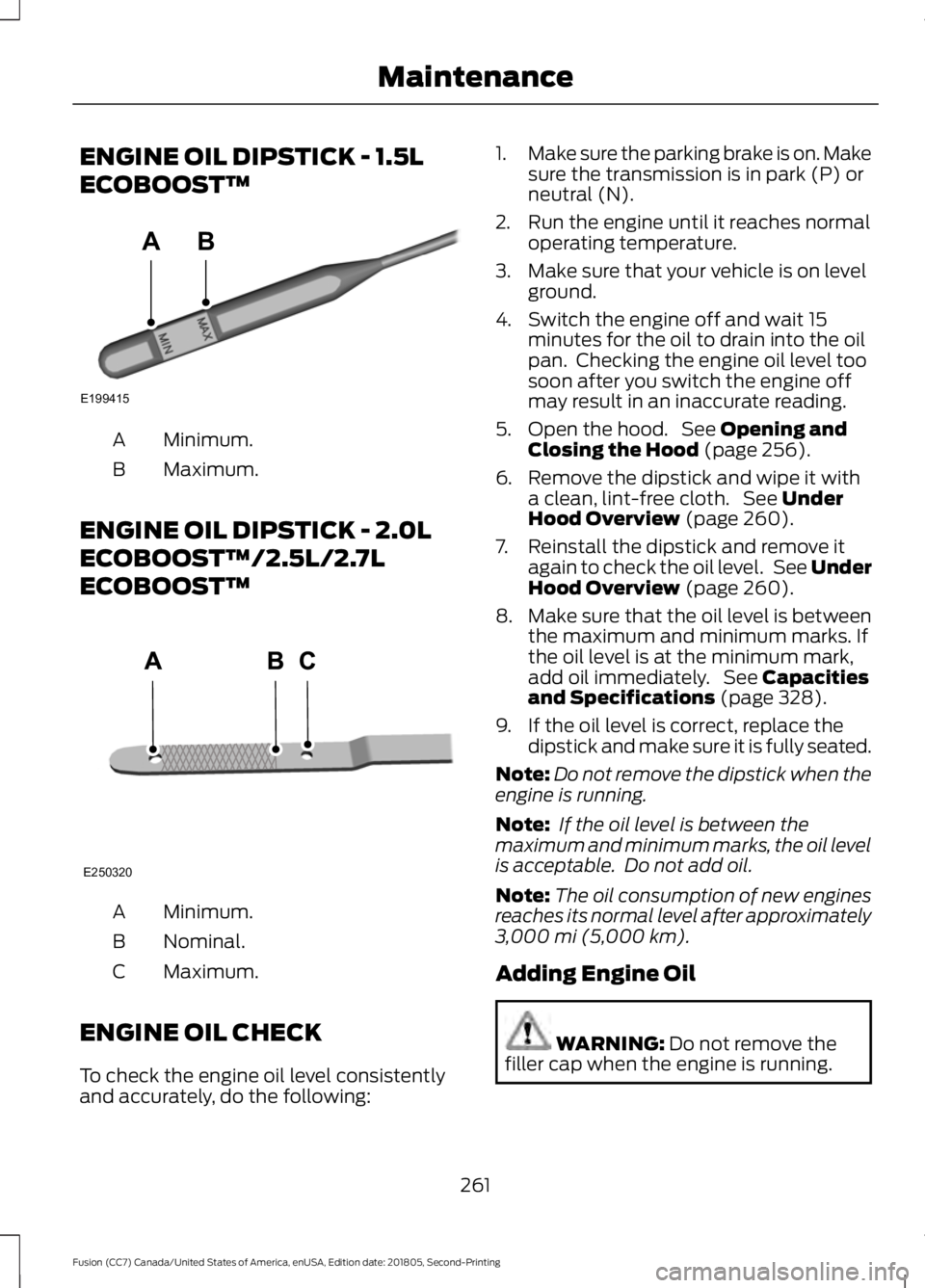
ENGINE OIL DIPSTICK - 1.5L
ECOBOOST™
Minimum.
A
Maximum.
B
ENGINE OIL DIPSTICK - 2.0L
ECOBOOST™/2.5L/2.7L
ECOBOOST™ Minimum.
A
Nominal.
B
Maximum.
C
ENGINE OIL CHECK
To check the engine oil level consistently
and accurately, do the following: 1.
Make sure the parking brake is on. Make
sure the transmission is in park (P) or
neutral (N).
2. Run the engine until it reaches normal operating temperature.
3. Make sure that your vehicle is on level ground.
4. Switch the engine off and wait 15 minutes for the oil to drain into the oil
pan. Checking the engine oil level too
soon after you switch the engine off
may result in an inaccurate reading.
5. Open the hood. See Opening and
Closing the Hood (page 256).
6. Remove the dipstick and wipe it with a clean, lint-free cloth. See
Under
Hood Overview (page 260).
7. Reinstall the dipstick and remove it again to check the oil level. See Under
Hood Overview
(page 260).
8. Make sure that the oil level is between
the maximum and minimum marks. If
the oil level is at the minimum mark,
add oil immediately. See
Capacities
and Specifications (page 328).
9. If the oil level is correct, replace the dipstick and make sure it is fully seated.
Note: Do not remove the dipstick when the
engine is running.
Note: If the oil level is between the
maximum and minimum marks, the oil level
is acceptable. Do not add oil.
Note: The oil consumption of new engines
reaches its normal level after approximately
3,000 mi (5,000 km)
.
Adding Engine Oil WARNING:
Do not remove the
filler cap when the engine is running.
261
Fusion (CC7) Canada/United States of America, enUSA, Edition date: 201805, Second-Printing MaintenanceE199415
AB E250320
Page 265 of 550
Do not use supplemental engine oil
additives because they are unnecessary
and could lead to engine damage that may
not be covered by the vehicle Warranty.
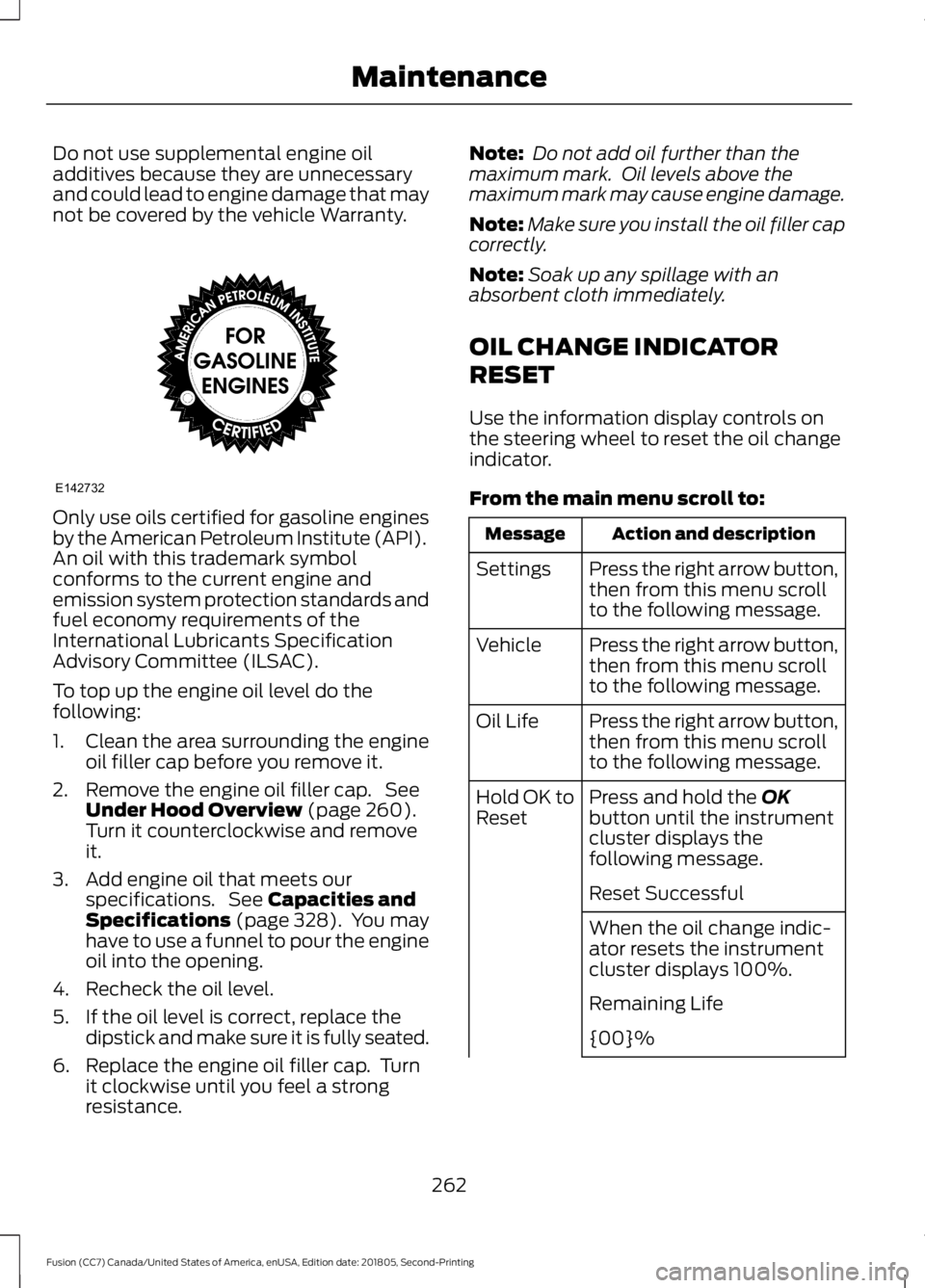
Only use oils certified for gasoline engines
by the American Petroleum Institute (API).
An oil with this trademark symbol
conforms to the current engine and
emission system protection standards and
fuel economy requirements of the
International Lubricants Specification
Advisory Committee (ILSAC).
To top up the engine oil level do the
following:
1. Clean the area surrounding the engine
oil filler cap before you remove it.
2. Remove the engine oil filler cap. See Under Hood Overview (page 260).
Turn it counterclockwise and remove
it.
3. Add engine oil that meets our specifications. See
Capacities and
Specifications (page 328). You may
have to use a funnel to pour the engine
oil into the opening.
4. Recheck the oil level.
5. If the oil level is correct, replace the dipstick and make sure it is fully seated.
6. Replace the engine oil filler cap. Turn it clockwise until you feel a strong
resistance. Note:
Do not add oil further than the
maximum mark. Oil levels above the
maximum mark may cause engine damage.
Note: Make sure you install the oil filler cap
correctly.
Note: Soak up any spillage with an
absorbent cloth immediately.
OIL CHANGE INDICATOR
RESET
Use the information display controls on
the steering wheel to reset the oil change
indicator.
From the main menu scroll to: Action and description
Message
Press the right arrow button,
then from this menu scroll
to the following message.
Settings
Press the right arrow button,
then from this menu scroll
to the following message.
Vehicle
Press the right arrow button,
then from this menu scroll
to the following message.
Oil Life
Press and hold the
OK
button until the instrument
cluster displays the
following message.
Hold OK to
Reset
Reset Successful
When the oil change indic-
ator resets the instrument
cluster displays 100%.
Remaining Life
{00}%
262
Fusion (CC7) Canada/United States of America, enUSA, Edition date: 201805, Second-Printing MaintenanceE142732