tire pressure FORD FUSION 2020 Owner's Guide
[x] Cancel search | Manufacturer: FORD, Model Year: 2020, Model line: FUSION, Model: FORD FUSION 2020Pages: 497, PDF Size: 6.64 MB
Page 309 of 497
Understanding Your Tire Pressure
Monitoring System
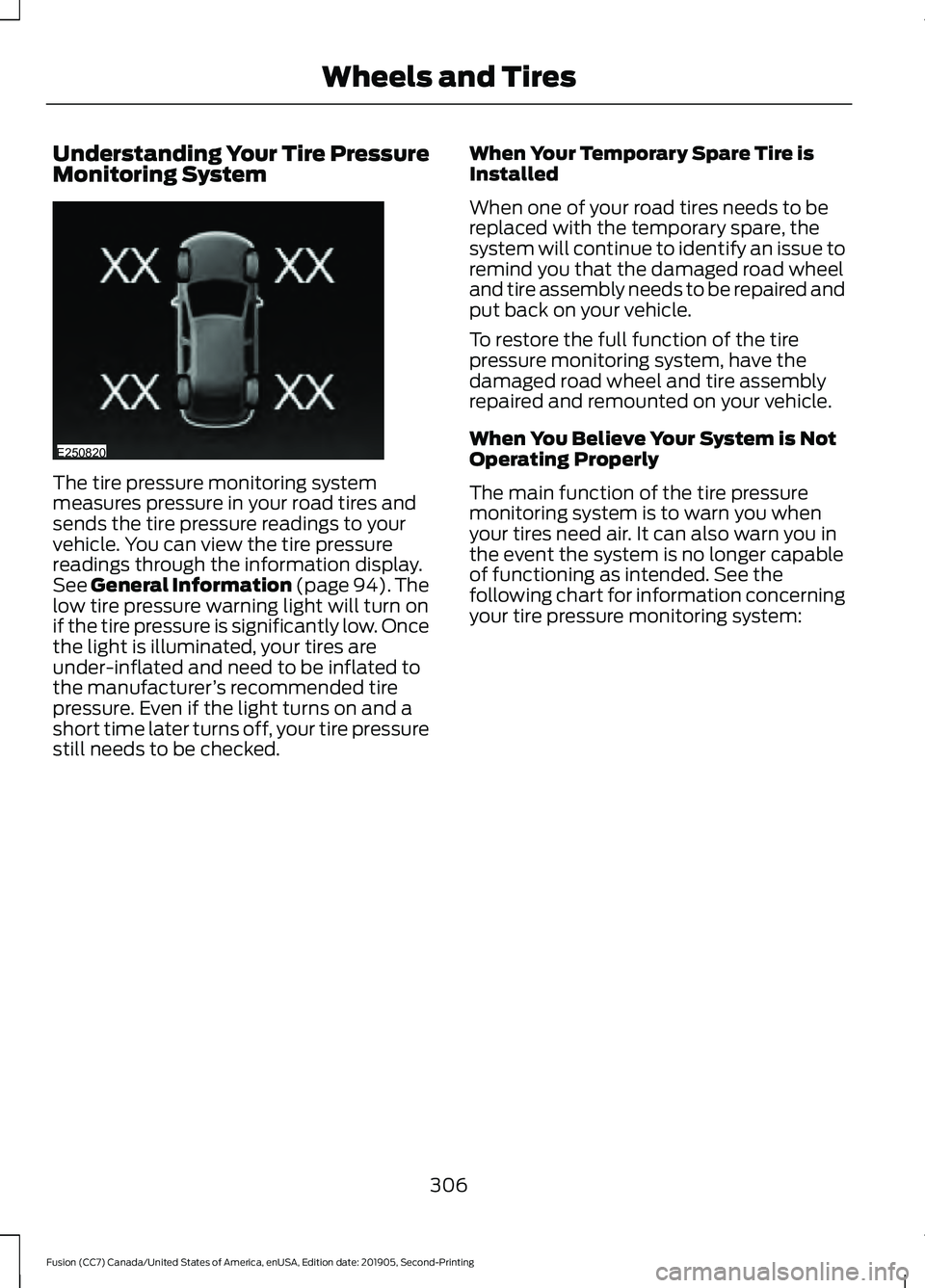
The tire pressure monitoring system
measures pressure in your road tires and
sends the tire pressure readings to your
vehicle. You can view the tire pressure
readings through the information display.
See General Information (page 94). The
low tire pressure warning light will turn on
if the tire pressure is significantly low. Once
the light is illuminated, your tires are
under-inflated and need to be inflated to
the manufacturer
’s recommended tire
pressure. Even if the light turns on and a
short time later turns off, your tire pressure
still needs to be checked. When Your Temporary Spare Tire is
Installed
When one of your road tires needs to be
replaced with the temporary spare, the
system will continue to identify an issue to
remind you that the damaged road wheel
and tire assembly needs to be repaired and
put back on your vehicle.
To restore the full function of the tire
pressure monitoring system, have the
damaged road wheel and tire assembly
repaired and remounted on your vehicle.
When You Believe Your System is Not
Operating Properly
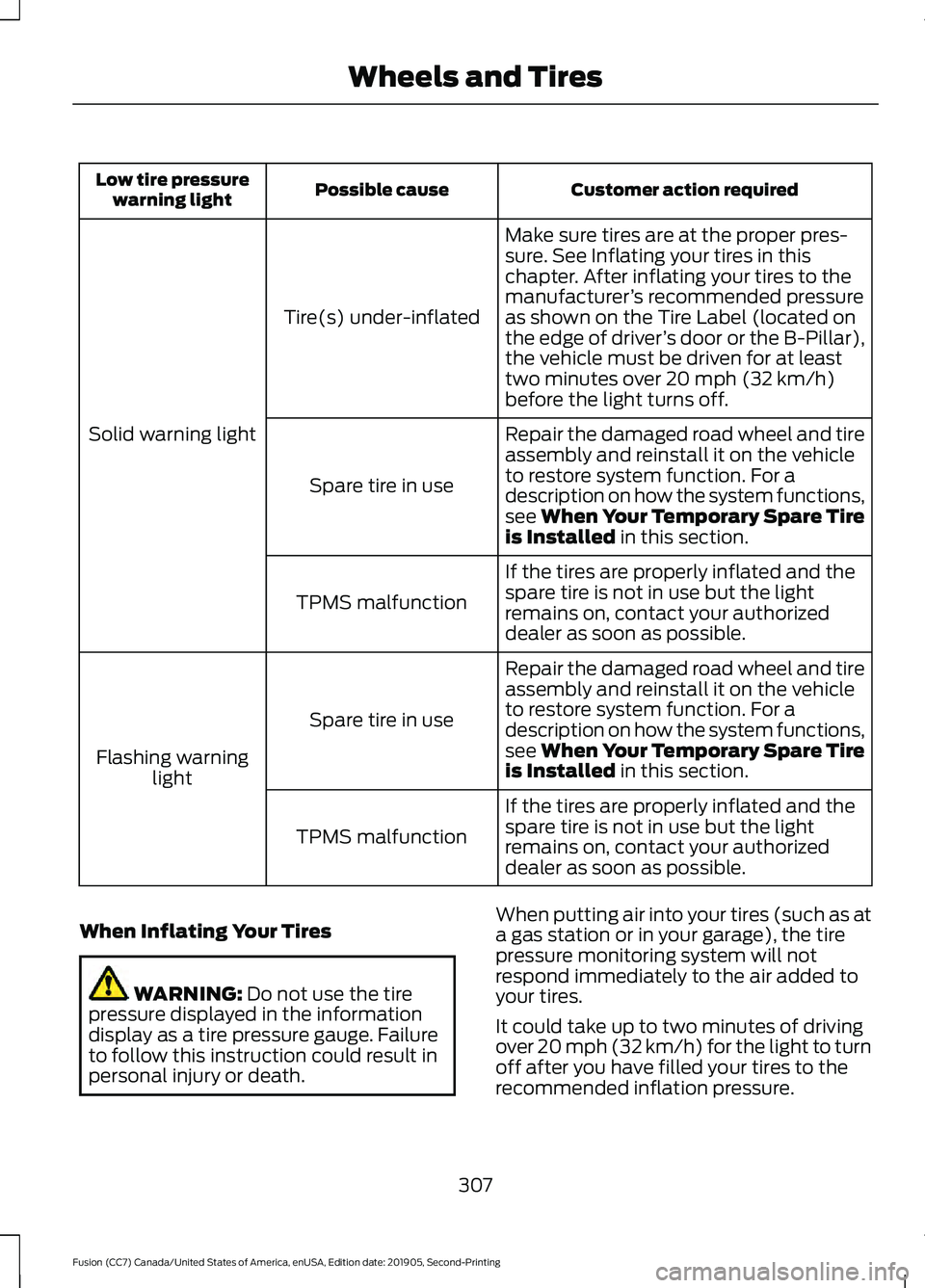
The main function of the tire pressure
monitoring system is to warn you when
your tires need air. It can also warn you in
the event the system is no longer capable
of functioning as intended. See the
following chart for information concerning
your tire pressure monitoring system:
306
Fusion (CC7) Canada/United States of America, enUSA, Edition date: 201905, Second-Printing Wheels and TiresE250820
Page 310 of 497
Customer action required
Possible cause
Low tire pressure
warning light
Make sure tires are at the proper pres-
sure. See Inflating your tires in this
chapter. After inflating your tires to the
manufacturer’s recommended pressure
as shown on the Tire Label (located on
the edge of driver ’s door or the B-Pillar),
the vehicle must be driven for at least
two minutes over 20 mph (32 km/h)
before the light turns off.
Tire(s) under-inflated
Solid warning light Repair the damaged road wheel and tire
assembly and reinstall it on the vehicle
to restore system function. For a
description on how the system functions,
see When Your Temporary Spare Tire
is Installed
in this section.
Spare tire in use
If the tires are properly inflated and the
spare tire is not in use but the light
remains on, contact your authorized
dealer as soon as possible.
TPMS malfunction
Repair the damaged road wheel and tire
assembly and reinstall it on the vehicle
to restore system function. For a
description on how the system functions,
see When Your Temporary Spare Tire
is Installed
in this section.
Spare tire in use
Flashing warning light
If the tires are properly inflated and the
spare tire is not in use but the light
remains on, contact your authorized
dealer as soon as possible.
TPMS malfunction
When Inflating Your Tires WARNING:
Do not use the tire
pressure displayed in the information
display as a tire pressure gauge. Failure
to follow this instruction could result in
personal injury or death. When putting air into your tires (such as at
a gas station or in your garage), the tire
pressure monitoring system will not
respond immediately to the air added to
your tires.
It could take up to two minutes of driving
over 20 mph (32 km/h) for the light to turn
off after you have filled your tires to the
recommended inflation pressure.
307
Fusion (CC7) Canada/United States of America, enUSA, Edition date: 201905, Second-Printing Wheels and Tires
Page 311 of 497
How Temperature Affects Your Tire
Pressure
The tire pressure monitoring system
monitors tire pressure in each pneumatic
tire. While driving in a normal manner, a
typical passenger tire inflation pressure
could increase about 2
–4 psi (14– 28 kPa)
from a cold start situation. If the vehicle is
stationary overnight with the outside
temperature significantly lower than the
daytime temperature, the tire pressure
could decrease about
3 psi (21 kPa) for a
drop of 30°F (17°C) in ambient
temperature. This lower pressure value
could be detected by the tire pressure
monitoring system as being significantly
lower than the recommended inflation
pressure and activate the system warning
light for low tire pressure. If the low tire
pressure warning light is on, visually check
each tire to verify that no tire is flat. If one
or more tires are flat, repair as necessary.
Check the air pressure in the road tires. If
any tire is under-inflated, carefully drive
the vehicle to the nearest location where
air can be added to the tires. Inflate all the
tires to the recommended inflation
pressure.
CHANGING A ROAD WHEEL WARNING:
If the tire pressure
monitor sensor becomes damaged it
may not function.
Note: The tire pressure monitoring system
indicator light illuminates when the spare
tire is in use. To restore the full function of
the monitoring system, mount all road
wheels equipped with tire pressure
monitoring sensors on the vehicle. Note:
You should only use tire sealants in
roadside emergencies as they may cause
damage to the tire pressure monitoring
system sensor.
If you get a flat tire when driving, do not
apply the brake heavily. Instead, gradually
decrease your speed. Hold the steering
wheel firmly and slowly move to a safe
place on the side of the road.
Have a flat serviced by an authorized
dealer to prevent damage to the tire
pressure monitoring system sensors.
See
Tire Pressure Monitoring System (page
304). Replace the spare tire with a road tire
as soon as possible. During repairing or
replacing of the flat tire, have an authorized
dealer inspect the tire pressure monitoring
system sensor for damage.
Dissimilar Spare Wheel and Tire
Assembly Information WARNING:
Failure to follow these
guidelines could result in an increased
risk of loss of vehicle control, injury or
death.
If you have a dissimilar spare wheel and
tire, use it for temporary use only. This
means that if you need to use it, you should
replace it as soon as possible with a road
wheel and tire assembly that is the same
size and type as the road tires and wheels
that originally came with your vehicle. If
the dissimilar spare tire or wheel is
damaged, replace it instead of repairing it.
308
Fusion (CC7) Canada/United States of America, enUSA, Edition date: 201905, Second-Printing Wheels and Tires
Page 378 of 497
App Permissions
App permissions are organized by groups.
You can grant these group permissions
individually. You can change a permission
group status any time when not driving, by
using the settings menu.
When you launch an app using SYNC, the
system may ask you to grant certain
permissions, for example:
•
To allow your vehicle to provide vehicle
information to the app such as, but not
limited to: Fuel level, fuel economy, fuel
consumption, engine speed, rain
sensor, odometer, VIN, external
temperature, gear position, tire
pressure, and head lamp status.
• To allow your vehicle to provide driving
characteristic information such as, but
not limited to: MyKey, seat belt status,
engine revolutions per minute, gear
position, braking events, steering wheel
angle, and accelerator pedal position.
• To allow your vehicle to provide
location information, including: GPS
and speed.
• To allow the app to send push
notifications using the vehicle display
and voice capabilities while running in
a background state. Push notifications
may be particularly useful for news or
location based apps.
Note: You only need to grant permissions
the first time you use an app with SYNC.
Note: Ford is not responsible or liable for
any damages or loss of privacy relating to
usage of an app, or dissemination of any
vehicle data that you approve Ford to
provide to an app. Enabling SYNC Mobile Apps
In order to enable mobile apps, SYNC
requires user consent to send and receive
app authorization information and updates
using the data plan associated with the
connected device.
Data is sent to Ford in the United States
through the connected device. The
information is encrypted and includes your
VIN, SYNC module number, anonymous
usage statistics and debugging
information. Updates may take place.
Note:
You must enable mobile apps for
each connected device the first time you
select a mobile app using the system.
Note: Standard data rates apply. Ford is
not responsible for any additional charges
you may receive from your service provider,
when your vehicle sends or receives data
through the connected device. This includes
any additional charges incurred due to
driving in areas when roaming out of a home
network.
USING SYNC™ WITH YOUR
MEDIA PLAYER
SYNC supports digital media sources
including: iPod, Bluetooth devices, and
most USB drives. SYNC also supports
audio formats, such as MP3, WMA, WAV
and ACC.
Media Sources
The AUX or MEDIA button allows you to
view and select available media sources.
Press the
AUX or MEDIA button to view
your sources. Use the directional arrows
and OK button to select your source. You
can also use the steering wheel audio
controls.
375
Fusion (CC7) Canada/United States of America, enUSA, Edition date: 201905, Second-Printing SYNC™
Page 437 of 497
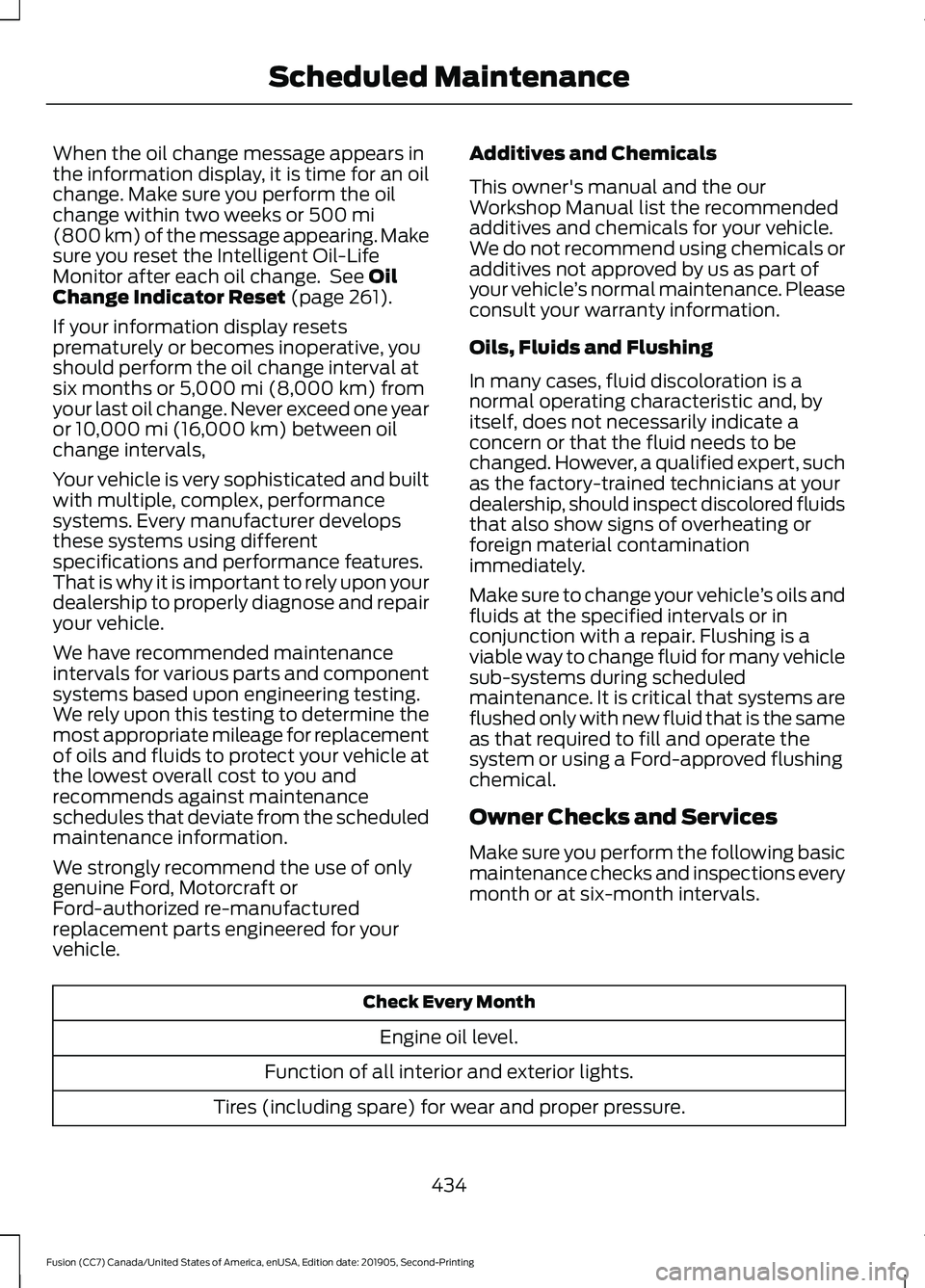
When the oil change message appears in
the information display, it is time for an oil
change. Make sure you perform the oil
change within two weeks or 500 mi
(800 km) of the message appearing. Make
sure you reset the Intelligent Oil-Life
Monitor after each oil change. See
Oil
Change Indicator Reset (page 261).
If your information display resets
prematurely or becomes inoperative, you
should perform the oil change interval at
six months or
5,000 mi (8,000 km) from
your last oil change. Never exceed one year
or
10,000 mi (16,000 km) between oil
change intervals,
Your vehicle is very sophisticated and built
with multiple, complex, performance
systems. Every manufacturer develops
these systems using different
specifications and performance features.
That is why it is important to rely upon your
dealership to properly diagnose and repair
your vehicle.
We have recommended maintenance
intervals for various parts and component
systems based upon engineering testing.
We rely upon this testing to determine the
most appropriate mileage for replacement
of oils and fluids to protect your vehicle at
the lowest overall cost to you and
recommends against maintenance
schedules that deviate from the scheduled
maintenance information.
We strongly recommend the use of only
genuine Ford, Motorcraft or
Ford-authorized re-manufactured
replacement parts engineered for your
vehicle. Additives and Chemicals
This owner's manual and the our
Workshop Manual list the recommended
additives and chemicals for your vehicle.
We do not recommend using chemicals or
additives not approved by us as part of
your vehicle
’s normal maintenance. Please
consult your warranty information.
Oils, Fluids and Flushing
In many cases, fluid discoloration is a
normal operating characteristic and, by
itself, does not necessarily indicate a
concern or that the fluid needs to be
changed. However, a qualified expert, such
as the factory-trained technicians at your
dealership, should inspect discolored fluids
that also show signs of overheating or
foreign material contamination
immediately.
Make sure to change your vehicle ’s oils and
fluids at the specified intervals or in
conjunction with a repair. Flushing is a
viable way to change fluid for many vehicle
sub-systems during scheduled
maintenance. It is critical that systems are
flushed only with new fluid that is the same
as that required to fill and operate the
system or using a Ford-approved flushing
chemical.
Owner Checks and Services
Make sure you perform the following basic
maintenance checks and inspections every
month or at six-month intervals. Check Every Month
Engine oil level.
Function of all interior and exterior lights.
Tires (including spare) for wear and proper pressure.
434
Fusion (CC7) Canada/United States of America, enUSA, Edition date: 201905, Second-Printing Scheduled Maintenance
Page 439 of 497
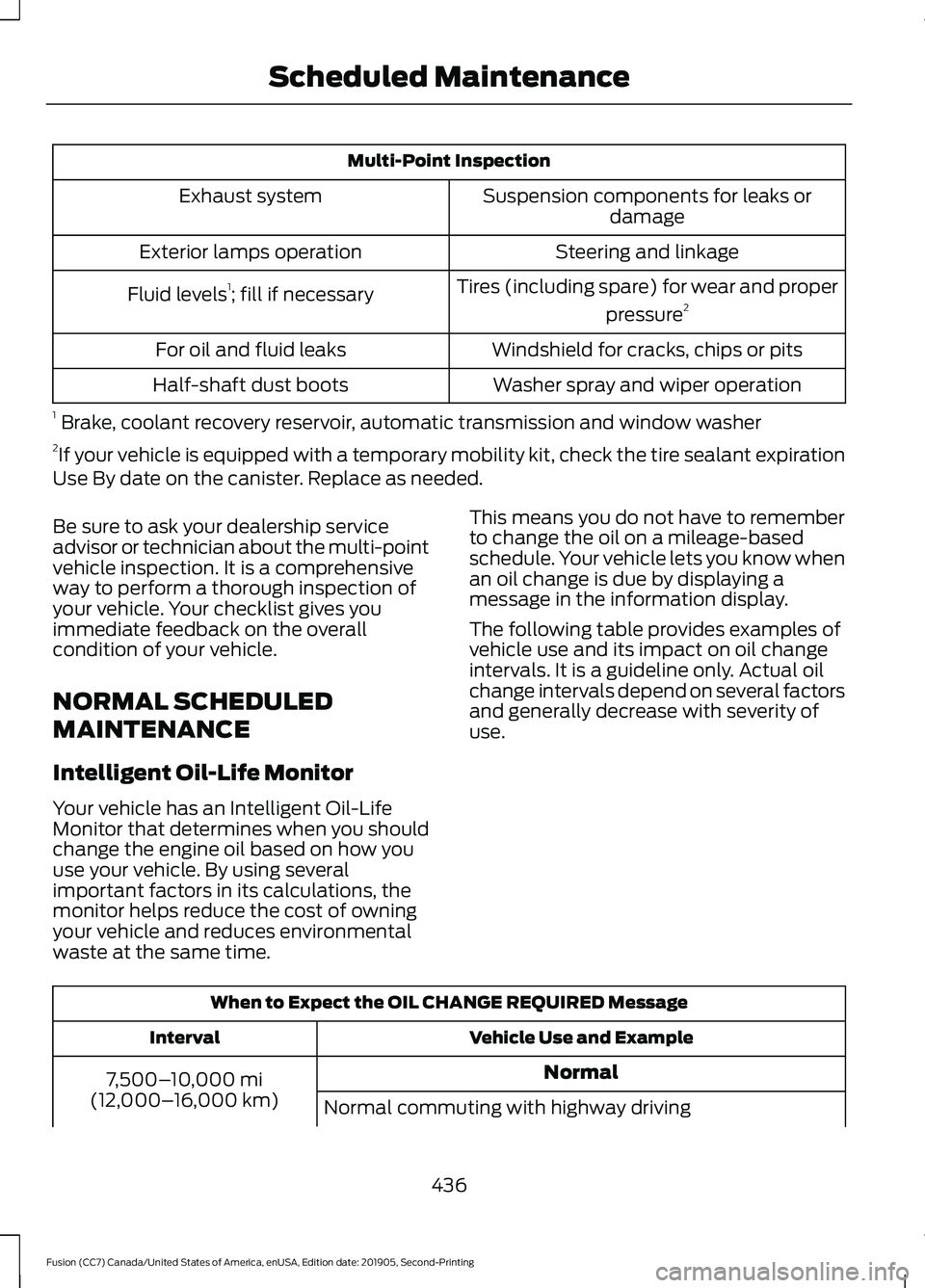
Multi-Point Inspection
Suspension components for leaks ordamage
Exhaust system
Steering and linkage
Exterior lamps operation
Tires (including spare) for wear and properpressure2
Fluid levels 1
; fill if necessary
Windshield for cracks, chips or pits
For oil and fluid leaks
Washer spray and wiper operation
Half-shaft dust boots
1 Brake, coolant recovery reservoir, automatic transmission and window washer
2 If your vehicle is equipped with a temporary mobility kit, check the tire sealant expiration
Use By date on the canister. Replace as needed.
Be sure to ask your dealership service
advisor or technician about the multi-point
vehicle inspection. It is a comprehensive
way to perform a thorough inspection of
your vehicle. Your checklist gives you
immediate feedback on the overall
condition of your vehicle.
NORMAL SCHEDULED
MAINTENANCE
Intelligent Oil-Life Monitor
Your vehicle has an Intelligent Oil-Life
Monitor that determines when you should
change the engine oil based on how you
use your vehicle. By using several
important factors in its calculations, the
monitor helps reduce the cost of owning
your vehicle and reduces environmental
waste at the same time. This means you do not have to remember
to change the oil on a mileage-based
schedule. Your vehicle lets you know when
an oil change is due by displaying a
message in the information display.
The following table provides examples of
vehicle use and its impact on oil change
intervals. It is a guideline only. Actual oil
change intervals depend on several factors
and generally decrease with severity of
use.
When to Expect the OIL CHANGE REQUIRED Message
Vehicle Use and Example
Interval
Normal
7,500– 10,000 mi
(12,000– 16,000 km)
Normal commuting with highway driving
436
Fusion (CC7) Canada/United States of America, enUSA, Edition date: 201905, Second-Printing Scheduled Maintenance
Page 491 of 497
General Hints........................................................
125
Quickly Cooling the Interior............................. 126
Quickly Heating the Interior............................ 125
Recommended Settings for Cooling...........126
Recommended Settings for Heating..........126
Vehicle Stationary for Extended Periods During Extreme High Ambient
Temperatures.................................................. 126
Hints on Driving With Anti-Lock Brakes.............................................................173
Hood Lock See: Opening and Closing the Hood..........255
Horn.....................................................................72
I
In California (U.S. Only)............................238
Information Display Control........................71
Information Displays
....................................94
General Information............................................ 94
Information Messages
................................103
Active Park............................................................ 103
Adaptive Cruise Control................................... 104
AdvanceTrac®..................................................... 104
Airbag...................................................................... 105
Alarm...................................................................... 105
All-Wheel Drive................................................... 107
Automatic Engine Shutdown......................... 107
Auto Start-Stop.................................................. 105
Battery and Charging System....................... 108
Blind Spot Information and Cross Traffic Alert System................................................... 108
Doors and Locks................................................. 109
Driver Alert............................................................ 109
Fuel........................................................................\
.. 109
Hill Start Assist................................................... 109
Keys and Intelligent Access............................. 110
Lane Keeping System.......................................... 111
Maintenance........................................................... 111
MyKey....................................................................... 112
Park Aid.................................................................... 113
Park Brake............................................................... 113
Power Steering..................................................... 114
Pre-Collision Assist............................................. 114
Remote Start......................................................... 114
Seats........................................................................\
. 115
Starting System ................................................... 115
Tire Pressure Monitoring System................... 115Traction Control...................................................
116
Transmission......................................................... 116
Installing Child Restraints...........................22 Child Seats.............................................................. 22
Using Lap and Shoulder Belts......................... 22
Using Lower Anchors and Tethers for CHildren (LATCH)........................................... 24
Using Tether Straps............................................. 26
Instrument Cluster.........................................87
Instrument Lighting Dimmer
......................76
Instrument Panel............................................18
Interior Lamps.................................................78
Front Interior Lamp.............................................. 78
Rear Interior Lamps............................................. 79
Interior Luggage Compartment Release...........................................................66
Interior Mirror...................................................85 Auto-Dimming Mirror......................................... 85
Manual Dimming Mirror..................................... 85
Introduction.........................................................7
J
Jump Starting the Vehicle........................233 Connecting the Jumper Cables.................... 233
Jump Starting...................................................... 234
Preparing Your Vehicle..................................... 233
Removing the Jumper Cables....................... 234
K
Keyless Entry
...................................................64
SECURICODE™ Keyless Entry
Keypad................................................................ 64
Keyless Starting............................................145 Ignition Modes..................................................... 145
Keys and Remote Controls........................50
L
Lane Keeping System................................204 Switching the System On and Off..............205
Lighting Control
...............................................75
Flashing the Headlamp High Beam..............76
Headlamp High Beam........................................ 75
Lighting...............................................................75 General Information............................................ 75
Load Carrying
..................................................217
488
Fusion (CC7) Canada/United States of America, enUSA, Edition date: 201905, Second-Printing Index
Page 495 of 497
Steering............................................................213
Adaptive Learning............................................... 213
Electric Power Steering..................................... 213
Steering Wheel................................................70
Storage Compartments.............................144
Sunroof See: Moonroof....................................................... 85
Sun Visors.........................................................85 Illuminated Vanity Mirror................................... 85
Supplementary Restraints System..........41 Principle of Operation......................................... 41
Switching Automatic High Beam Control On and Off
....................................................80
Activating the Automatic High Beam
Control................................................................ 80
Switching Cruise Control On and Off
...................................................................195
Switching Cruise Control Off......................... 195
Switching Cruise Control On.......................... 195
Symbols Glossary
.............................................7
SYNC™ 3........................................................385
General Information......................................... 385
SYNC™ 3 Troubleshooting.......................417 Additional Information and
Assistance....................................................... 429
Apps........................................................................\
424
Navigation............................................................ 423
Personal Profiles................................................ 427
Phone...................................................................... 421
Resetting the System....................................... 429
USB and Bluetooth Audio............................... 418
Voice Recognition............................................... 417
Wi-Fi Connectivity............................................. 426
SYNC™ Applications and Services.......372 911 Assist................................................................ 372
SYNC Mobile Apps............................................ 374
SYNC™...........................................................368 General Information......................................... 368
SYNC™ Troubleshooting..........................376
T
Technical Specifications See: Capacities and Specifications..............317
The Better Business Bureau (BBB) Auto Line Program (U.S. Only).......................239
Tire Care
..........................................................288
Glossary of Tire Terminology........................ 290Information About Uniform Tire Quality
Grading............................................................. 288
Information Contained on the Tire Sidewall............................................................. 291
Temperature A B C............................................ 289
Traction AA A B C.............................................. 289
Treadwear............................................................ 289
Tire Pressure Monitoring System..........304 Changing Tires With a Tire Pressure
Monitoring System....................................... 305
Understanding Your Tire Pressure Monitoring System ..................................... 306
Tires See: Wheels and Tires..................................... 288
Towing a Trailer
.............................................222
Load Placement................................................. 222
Towing the Vehicle on Four Wheels..........................................................226
Emergency Towing............................................ 226
Recreational Towing......................................... 226
Vehicles Equipped with 1.5L, 2.0L, and 2.5L Engines............................................................. 226
Vehicles Equipped with a 2.7L Engine................................................................226
Towing..............................................................222
Traction Control
.............................................177
Principle of Operation........................................ 177
Transmission Code Designation
............325
Transmission..................................................163
Transporting the Vehicle
...........................235
U
Under Hood Overview - 1.5L EcoBoost™.................................................256
Under Hood Overview - 2.0L EcoBoost™..................................................257
Under Hood Overview - 2.5L
...................258
Under Hood Overview - 2.7L EcoBoost™.................................................259
Unique Driving Characteristics................150
Universal Garage Door Opener................137 HomeLink Wireless Control System............137
USB Port..........................................................367
Using Adaptive Cruise Control................196 Automatic Cancellation................................... 199
Blocked Sensor................................................... 201
Canceling the Set Speed................................. 199
492
Fusion (CC7) Canada/United States of America, enUSA, Edition date: 201905, Second-Printing Index
Page 497 of 497
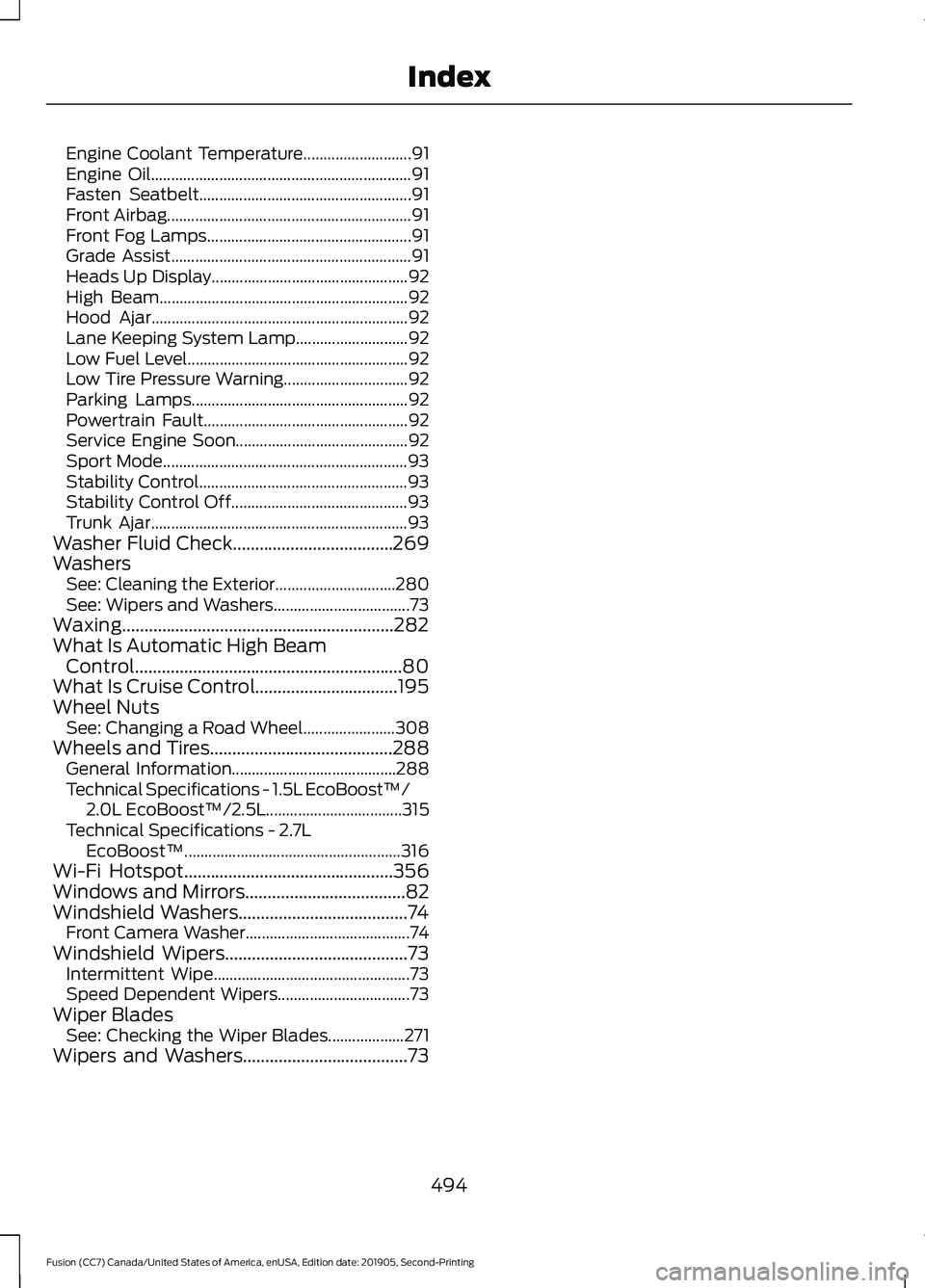
Engine Coolant Temperature...........................
91
Engine Oil................................................................. 91
Fasten Seatbelt..................................................... 91
Front Airbag............................................................. 91
Front Fog Lamps................................................... 91
Grade Assist............................................................ 91
Heads Up Display................................................. 92
High Beam.............................................................. 92
Hood Ajar................................................................ 92
Lane Keeping System Lamp............................ 92
Low Fuel Level....................................................... 92
Low Tire Pressure Warning............................... 92
Parking Lamps...................................................... 92
Powertrain Fault................................................... 92
Service Engine Soon........................................... 92
Sport Mode............................................................. 93
Stability Control.................................................... 93
Stability Control Off............................................ 93
Trunk Ajar................................................................ 93
Washer Fluid Check....................................269
Washers See: Cleaning the Exterior.............................. 280
See: Wipers and Washers.................................. 73
Waxing.............................................................282
What Is Automatic High Beam Control............................................................80
What Is Cruise Control................................195
Wheel Nuts See: Changing a Road Wheel....................... 308
Wheels and Tires.........................................288
General Information......................................... 288
Technical Specifications - 1.5L EcoBoost™/ 2.0L EcoBoost™/2.5L.................................. 315
Technical Specifications - 2.7L EcoBoost™...................................................... 316
Wi-Fi Hotspot...............................................356
Windows and Mirrors
....................................82
Windshield Washers......................................74
Front Camera Washer......................................... 74
Windshield Wipers
.........................................73
Intermittent Wipe................................................. 73
Speed Dependent Wipers................................. 73
Wiper Blades See: Checking the Wiper Blades................... 271
Wipers and Washers.....................................73
494
Fusion (CC7) Canada/United States of America, enUSA, Edition date: 201905, Second-Printing Index