battery FORD FUSION 2020 Workshop Manual
[x] Cancel search | Manufacturer: FORD, Model Year: 2020, Model line: FUSION, Model: FORD FUSION 2020Pages: 497, PDF Size: 6.64 MB
Page 379 of 497
Audio Voice Commands
Press the voice button. You can
do things like play a specific song
or album, or tune to a radio
station. When prompted, say a command.
See the following table for example
commands. Not all commands may be
available on your vehicle. Command
___ List of Commands Help
Pause Play
AM ___ FM ___
CD Player
Sirius Channel ___ USB
Bluetooth Audio __ is a dynamic listing, meaning that it
could be the name of anything, such as an
artist, station, or media source.
SYNC™ TROUBLESHOOTING
Your SYNC system is easy to use. However,
should questions arise, see the tables
below.
Use your regional Ford website at any time
to check your phone's compatibility,
register your account and set preferences
as well as access a customer
representative via an online chat (during
certain hours). Website(s)
Market
www.SYNCMyRide.com
North America
www.SYNCMyRide.cawww.sync-
maroute.ca Phone issues
Possible solution(s)
Possible cause(s)
Issue
Review your phone's manualabout audio adjustments.
The audio control settings
on your phone may be
affecting SYNC perform- ance.
There is excessive back-
ground noise during a phone call.
Try turning off the device,resetting the device,
removing the device's
battery, then trying again.
This may be a possible
phone malfunction.
During a call, I can hear the
other person but theycannot hear me.
Go to the website to reviewyour phone's compatibility.
This is a phone-dependent
feature.
SYNC is not able to down-
load my phonebook.
376
Fusion (CC7) Canada/United States of America, enUSA, Edition date: 201905, Second-Printing SYNC™E142599
Page 380 of 497
Phone issues
Possible solution(s)
Possible cause(s)
Issue
Try turning off the device,resetting the device orremoving the device's
battery, then trying again.
Try pushing your phonebook contacts to SYNC by usingthe Add Contacts feature.
This may be a possible
phone malfunction. Use the SYNCmyphone
feature available on the website.
Try pushing your phonebook contacts to SYNC by usingthe Add Contacts feature.
This may be a limitation on your phone's capability.
The system says Phonebook
Downloaded but the
phonebook in SYNC is
empty or missing contacts. If the missing contacts are
stored on your SIM card, try moving them to the device memory.
Remove any pictures or
special ring tones associ- ated with the missing contact.
Depending upon your phone,
you may have to grant SYNC permission to access your
phonebook contacts. Make sure to confirm when
prompted by your phone during the phonebook download.
Go to the website to review your phone's compatibility.
This is a phone-dependent feature.
I am having trouble
connecting my phone to SYNC. Try turning off the device,
resetting the device orremoving the device's
battery, then trying again.
377
Fusion (CC7) Canada/United States of America, enUSA, Edition date: 201905, Second-Printing SYNC™
Page 381 of 497
Phone issues
Possible solution(s)
Possible cause(s)
Issue
Try deleting your device
from SYNC, deleting SYNC
from your device and trying again.
Check the security and auto accept and prompt always
settings relative to the SYNC Bluetooth connection on your phone.
This may be a possible
phone malfunction. Update your device's firm-
ware.
Turn off the Auto phone- book download setting.
Go to the website to review your phone's compatibility.
This is a phone-dependent
feature.
Text messaging is not working on SYNC. Try turning off the device,
resetting the device orremoving the device's
battery, then trying again.
This may be a possible
phone malfunction.
Press the Phone button to
return to the Phone menu.
You are on the Select a
Character screen.
I cannot return to the Phone
menu when selecting a contact. USB and media issues
Possible solution(s)
Possible cause(s)
Issue
Try turning off the device,resetting the device,
removing the device's
battery, then trying again.
This may be a possible device malfunction.
I am having trouble
connecting my device. Make sure you are using the
manufacturer's cable.
Make sure you insert the
USB cable correctly into the device and the USB port.
378
Fusion (CC7) Canada/United States of America, enUSA, Edition date: 201905, Second-Printing SYNC™
Page 433 of 497
For a complete listing of the accessories
that are available for your vehicle, please
contact your authorized dealer or visit the
online store web site:
Web Address (United States)
www.Accessories.Ford.com Web Address (Canada)
www.Accessories.Ford.ca
We will repair or replace any properly
authorized dealer-installed Ford Original
Accessory found to be defective in
factory-supplied materials or workmanship
during the warranty period, as well as any
component damaged by the defective
accessories.
We will warrant your Ford Original
Accessory through the warranty that
provides the greatest benefit:
• 24 months, unlimited mileage.
• The remainder of your new vehicle
limited warranty.
Contact an authorized dealer for details
and a copy of the warranty.
*Ford Licensed Accessories. The accessory
manufacturer designs, develops and
therefore warrants Ford Licensed
Accessories, and does not design or test
these accessories to Ford Motor Company
engineering requirements. Contact an
authorized Ford dealer for the
manufacturer ’s limited warranty details,
and request a copy of the Ford Licensed
Accessories product limited warranty from
the accessory manufacturer. For maximum vehicle performance, keep
the following information in mind when
adding accessories or equipment to your
vehicle:
•
When adding accessories, equipment,
passengers and luggage to your
vehicle, do not exceed the total weight
capacity of the vehicle or of the front
or rear axle (GVWR or GAWR as
indicated on the Safety Compliance
Certification label). Ask an authorized
dealer for specific weight information.
• The Federal Communications
Commission (FCC) and Canadian
Radio Telecommunications
Commission (CRTC) regulate the use
of mobile communications systems
that are equipped with radio
transmitters, for example two-way
radios, telephones and theft alarms.
Any such equipment installed in your
vehicle should comply with Federal
Communications Commission (FCC)
and Canadian Radio
Telecommunications Commission
(CRTC) regulations and should be
installed only by an authorized dealer.
• An authorized dealer needs to install
mobile communications systems.
Improper installation may harm the
operation of your vehicle, particularly
if the manufacturer did not design the
mobile communication system
specifically for automotive use.
• If you or an authorized Ford dealer add
any non-Ford electrical or electronic
accessories or components to your
vehicle, you may adversely affect
battery performance and durability. In
addition, you may also adversely affect
the performance of other electrical
systems in the vehicle.
430
Fusion (CC7) Canada/United States of America, enUSA, Edition date: 201905, Second-Printing Accessories
Page 434 of 497
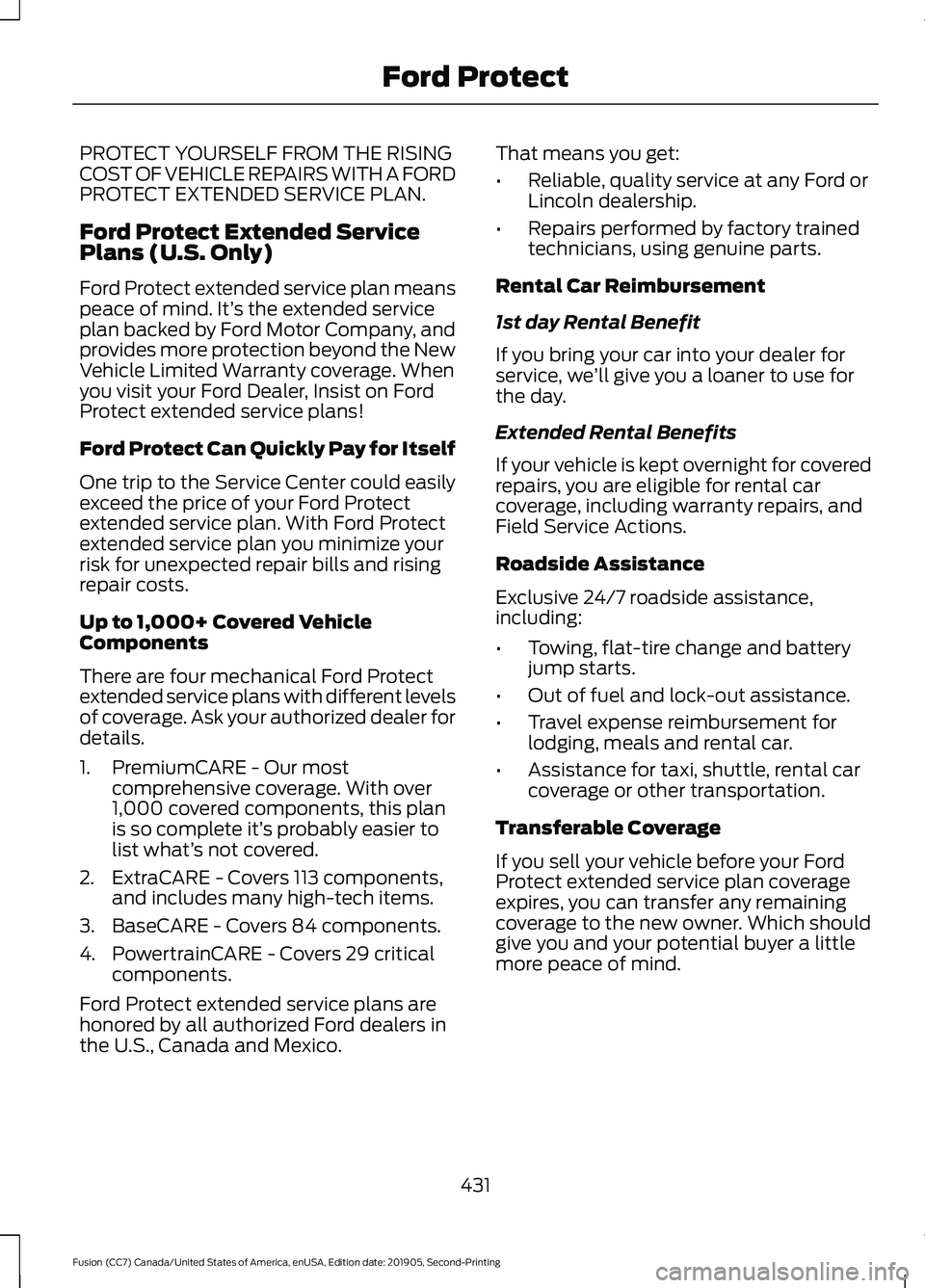
PROTECT YOURSELF FROM THE RISING
COST OF VEHICLE REPAIRS WITH A FORD
PROTECT EXTENDED SERVICE PLAN.
Ford Protect Extended Service
Plans (U.S. Only)
Ford Protect extended service plan means
peace of mind. It’
s the extended service
plan backed by Ford Motor Company, and
provides more protection beyond the New
Vehicle Limited Warranty coverage. When
you visit your Ford Dealer, Insist on Ford
Protect extended service plans!
Ford Protect Can Quickly Pay for Itself
One trip to the Service Center could easily
exceed the price of your Ford Protect
extended service plan. With Ford Protect
extended service plan you minimize your
risk for unexpected repair bills and rising
repair costs.
Up to 1,000+ Covered Vehicle
Components
There are four mechanical Ford Protect
extended service plans with different levels
of coverage. Ask your authorized dealer for
details.
1. PremiumCARE - Our most comprehensive coverage. With over
1,000 covered components, this plan
is so complete it’ s probably easier to
list what’ s not covered.
2. ExtraCARE - Covers 113 components, and includes many high-tech items.
3. BaseCARE - Covers 84 components.
4. PowertrainCARE - Covers 29 critical components.
Ford Protect extended service plans are
honored by all authorized Ford dealers in
the U.S., Canada and Mexico. That means you get:
•
Reliable, quality service at any Ford or
Lincoln dealership.
• Repairs performed by factory trained
technicians, using genuine parts.
Rental Car Reimbursement
1st day Rental Benefit
If you bring your car into your dealer for
service, we ’ll give you a loaner to use for
the day.
Extended Rental Benefits
If your vehicle is kept overnight for covered
repairs, you are eligible for rental car
coverage, including warranty repairs, and
Field Service Actions.
Roadside Assistance
Exclusive 24/7 roadside assistance,
including:
• Towing, flat-tire change and battery
jump starts.
• Out of fuel and lock-out assistance.
• Travel expense reimbursement for
lodging, meals and rental car.
• Assistance for taxi, shuttle, rental car
coverage or other transportation.
Transferable Coverage
If you sell your vehicle before your Ford
Protect extended service plan coverage
expires, you can transfer any remaining
coverage to the new owner. Which should
give you and your potential buyer a little
more peace of mind.
431
Fusion (CC7) Canada/United States of America, enUSA, Edition date: 201905, Second-Printing Ford Protect
Page 438 of 497
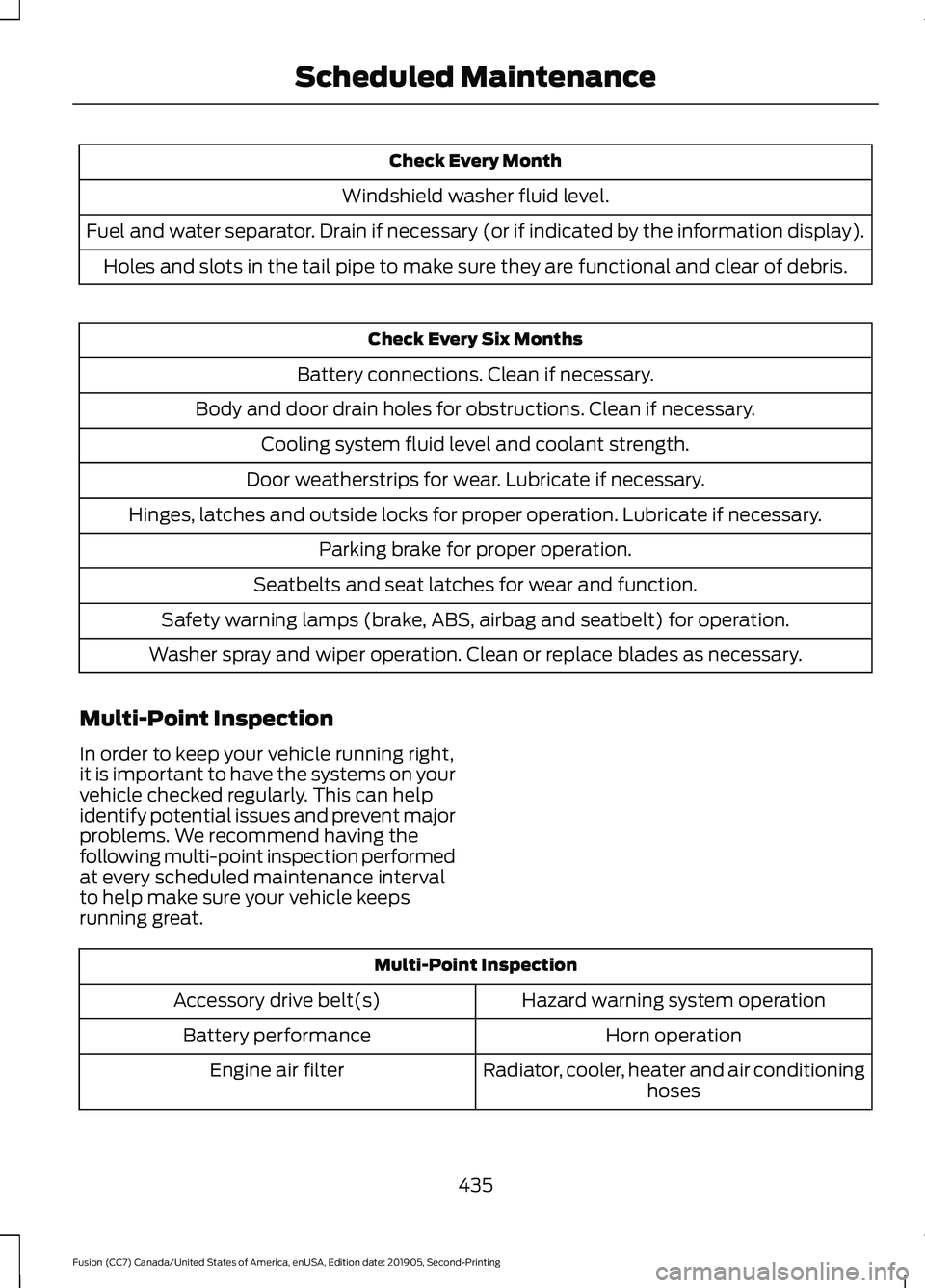
Check Every Month
Windshield washer fluid level.
Fuel and water separator. Drain if necessary (or if indicated by the information display). Holes and slots in the tail pipe to make sure they are functional and clear of debris. Check Every Six Months
Battery connections. Clean if necessary.
Body and door drain holes for obstructions. Clean if necessary. Cooling system fluid level and coolant strength.
Door weatherstrips for wear. Lubricate if necessary.
Hinges, latches and outside locks for proper operation. Lubricate if necessary. Parking brake for proper operation.
Seatbelts and seat latches for wear and function.
Safety warning lamps (brake, ABS, airbag and seatbelt) for operation.
Washer spray and wiper operation. Clean or replace blades as necessary.
Multi-Point Inspection
In order to keep your vehicle running right,
it is important to have the systems on your
vehicle checked regularly. This can help
identify potential issues and prevent major
problems. We recommend having the
following multi-point inspection performed
at every scheduled maintenance interval
to help make sure your vehicle keeps
running great. Multi-Point Inspection
Hazard warning system operation
Accessory drive belt(s)
Horn operation
Battery performance
Radiator, cooler, heater and air conditioninghoses
Engine air filter
435
Fusion (CC7) Canada/United States of America, enUSA, Edition date: 201905, Second-Printing Scheduled Maintenance
Page 485 of 497
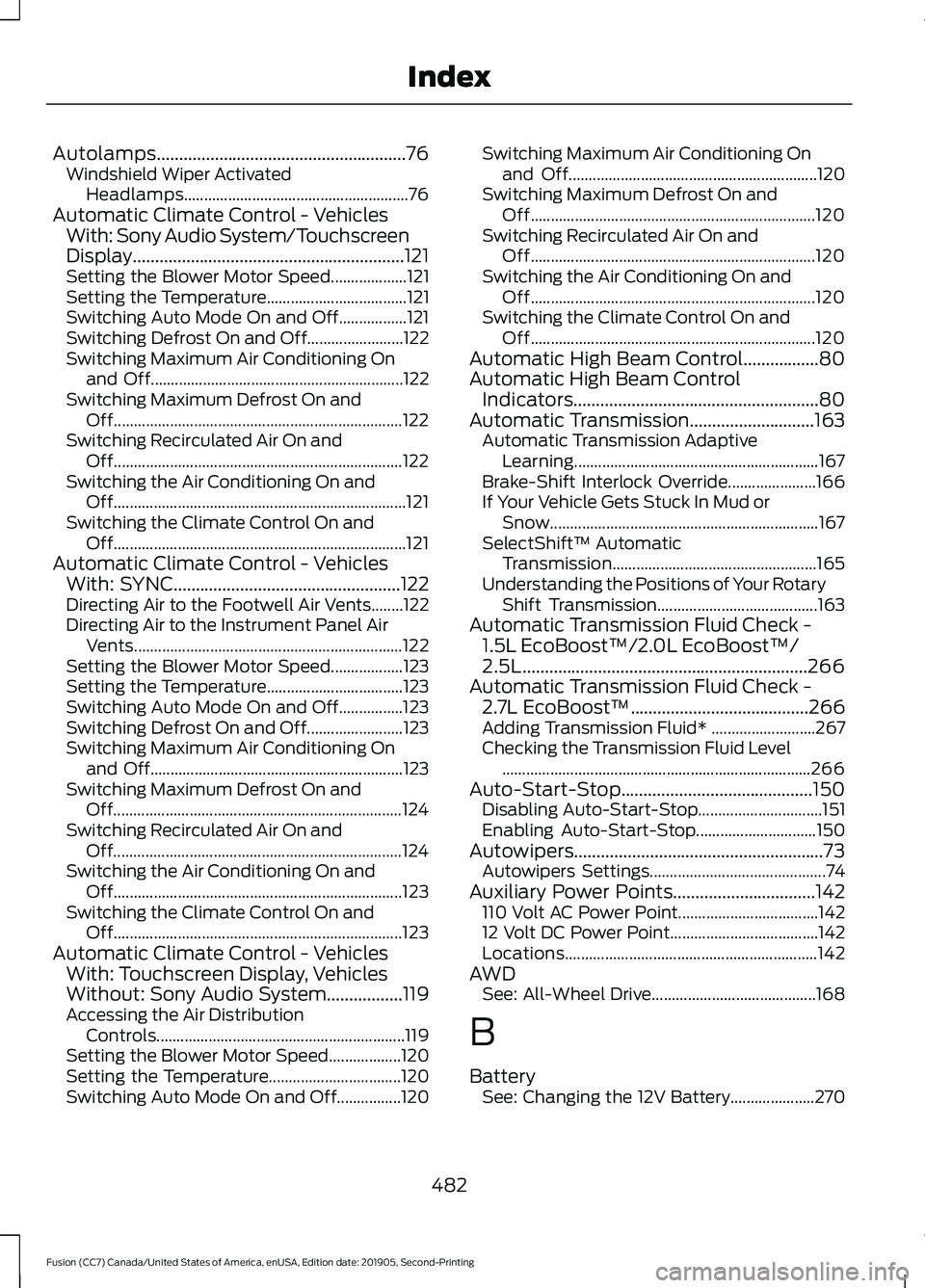
Autolamps........................................................76
Windshield Wiper Activated
Headlamps........................................................ 76
Automatic Climate Control - Vehicles With: Sony Audio System/Touchscreen
Display.............................................................121
Setting the Blower Motor Speed................... 121
Setting the Temperature................................... 121
Switching Auto Mode On and Off.................121
Switching Defrost On and Off........................ 122
Switching Maximum Air Conditioning On and Off............................................................... 122
Switching Maximum Defrost On and Off........................................................................\
122
Switching Recirculated Air On and Off........................................................................\
122
Switching the Air Conditioning On and Off........................................................................\
. 121
Switching the Climate Control On and Off........................................................................\
. 121
Automatic Climate Control - Vehicles With: SYNC...................................................122
Directing Air to the Footwell Air Vents........122
Directing Air to the Instrument Panel Air
Vents................................................................... 122
Setting the Blower Motor Speed.................. 123
Setting the Temperature.................................. 123
Switching Auto Mode On and Off................123
Switching Defrost On and Off........................ 123
Switching Maximum Air Conditioning On and Off............................................................... 123
Switching Maximum Defrost On and Off........................................................................\
124
Switching Recirculated Air On and Off........................................................................\
124
Switching the Air Conditioning On and Off........................................................................\
123
Switching the Climate Control On and Off........................................................................\
123
Automatic Climate Control - Vehicles With: Touchscreen Display, Vehicles
Without: Sony Audio System.................119
Accessing the Air Distribution Controls.............................................................. 119
Setting the Blower Motor Speed.................. 120
Setting the Temperature................................. 120
Switching Auto Mode On and Off................120 Switching Maximum Air Conditioning On
and Off.............................................................. 120
Switching Maximum Defrost On and Off....................................................................... 120
Switching Recirculated Air On and Off....................................................................... 120
Switching the Air Conditioning On and Off....................................................................... 120
Switching the Climate Control On and Off....................................................................... 120
Automatic High Beam Control.................80
Automatic High Beam Control Indicators.......................................................80
Automatic Transmission............................163 Automatic Transmission Adaptive
Learning............................................................. 167
Brake-Shift Interlock Override...................... 166
If Your Vehicle Gets Stuck In Mud or Snow................................................................... 167
SelectShift™ Automatic Transmission................................................... 165
Understanding the Positions of Your Rotary Shift Transmission........................................ 163
Automatic Transmission Fluid Check - 1.5L EcoBoost™/2.0L EcoBoost™/
2.5L................................................................266
Automatic Transmission Fluid Check - 2.7L EcoBoost™........................................266
Adding Transmission Fluid* .......................... 267
Checking the Transmission Fluid Level ........................................................................\
..... 266
Auto-Start-Stop
...........................................150
Disabling Auto-Start-Stop............................... 151
Enabling Auto-Start-Stop.............................. 150
Autowipers........................................................73 Autowipers Settings............................................ 74
Auxiliary Power Points
................................142
110 Volt AC Power Point................................... 142
12 Volt DC Power Point..................................... 142
Locations............................................................... 142
AWD See: All-Wheel Drive......................................... 168
B
Battery See: Changing the 12V Battery..................... 270
482
Fusion (CC7) Canada/United States of America, enUSA, Edition date: 201905, Second-Printing Index
Page 487 of 497
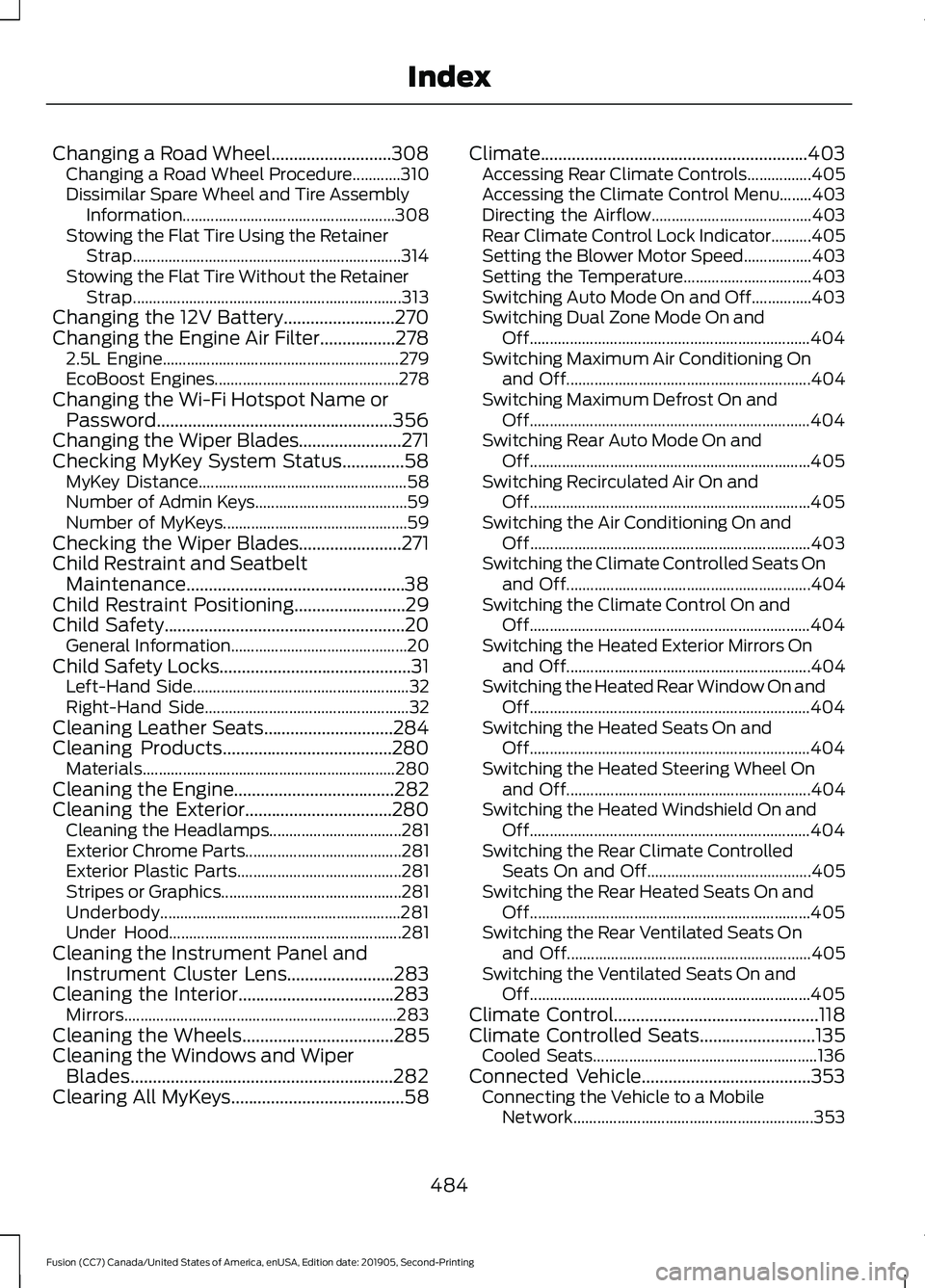
Changing a Road Wheel...........................308
Changing a Road Wheel Procedure............310
Dissimilar Spare Wheel and Tire Assembly
Information..................................................... 308
Stowing the Flat Tire Using the Retainer Strap................................................................... 314
Stowing the Flat Tire Without the Retainer Strap................................................................... 313
Changing the 12V Battery.........................270
Changing the Engine Air Filter.................278 2.5L Engine........................................................... 279
EcoBoost Engines.............................................. 278
Changing the Wi-Fi Hotspot Name or Password.....................................................356
Changing the Wiper Blades.......................271
Checking MyKey System Status..............58 MyKey Distance.................................................... 58
Number of Admin Keys...................................... 59
Number of MyKeys.............................................. 59
Checking the Wiper Blades.......................271
Child Restraint and Seatbelt Maintenance.................................................38
Child Restraint Positioning.........................29
Child Safety......................................................20 General Information............................................ 20
Child Safety Locks...........................................31 Left-Hand Side...................................................... 32
Right-Hand Side................................................... 32
Cleaning Leather Seats.............................284
Cleaning Products
......................................280
Materials............................................................... 280
Cleaning the Engine
....................................282
Cleaning the Exterior.................................280
Cleaning the Headlamps................................. 281
Exterior Chrome Parts....................................... 281
Exterior Plastic Parts......................................... 281
Stripes or Graphics............................................. 281
Underbody............................................................ 281
Under Hood.......................................................... 281
Cleaning the Instrument Panel and Instrument Cluster Lens........................283
Cleaning the Interior...................................283 Mirrors.................................................................... 283
Cleaning the Wheels
..................................285
Cleaning the Windows and Wiper Blades...........................................................282
Clearing All MyKeys
.......................................58 Climate............................................................403
Accessing Rear Climate Controls................405
Accessing the Climate Control Menu........403
Directing the Airflow........................................ 403
Rear Climate Control Lock Indicator..........405
Setting the Blower Motor Speed.................403
Setting the Temperature................................ 403
Switching Auto Mode On and Off...............403
Switching Dual Zone Mode On and Off...................................................................... 404
Switching Maximum Air Conditioning On and Off............................................................. 404
Switching Maximum Defrost On and Off...................................................................... 404
Switching Rear Auto Mode On and Off...................................................................... 405
Switching Recirculated Air On and Off...................................................................... 405
Switching the Air Conditioning On and Off...................................................................... 403
Switching the Climate Controlled Seats On and Off............................................................. 404
Switching the Climate Control On and Off...................................................................... 404
Switching the Heated Exterior Mirrors On and Off............................................................. 404
Switching the Heated Rear Window On and Off...................................................................... 404
Switching the Heated Seats On and Off...................................................................... 404
Switching the Heated Steering Wheel On and Off............................................................. 404
Switching the Heated Windshield On and Off...................................................................... 404
Switching the Rear Climate Controlled Seats On and Off......................................... 405
Switching the Rear Heated Seats On and Off...................................................................... 405
Switching the Rear Ventilated Seats On and Off............................................................. 405
Switching the Ventilated Seats On and Off...................................................................... 405
Climate Control
..............................................118
Climate Controlled Seats..........................135
Cooled Seats........................................................ 136
Connected Vehicle
......................................353
Connecting the Vehicle to a Mobile
Network............................................................ 353
484
Fusion (CC7) Canada/United States of America, enUSA, Edition date: 201905, Second-Printing Index
Page 489 of 497
Releasing the Electric Parking Brake if the
Vehicle Battery is Running Out of
Charge................................................................ 175
Electromagnetic Compatibility...............451
Emission Law.................................................159
Noise Emissions Warranty, Prohibited
Tampering Acts and Maintenance.........160
Tampering With a Noise Control System............................................................... 159
End User License Agreement
.................453
VEHICLE SOFTWARE END USER LICENSE
AGREEMENT (EULA) ................................. 453
Engine Block Heater
....................................148
Using the Engine Block Heater...................... 149
Engine Coolant Check
...............................262
Adding Coolant................................................... 262
Coolant Change................................................. 264
Engine Coolant Temperature Management.................................................. 265
Fail-Safe Cooling............................................... 264
Recycled Coolant............................................... 263
Severe Climates................................................. 264
Engine Emission Control
............................159
Engine Immobilizer See: Passive Anti-Theft System.................... 68
Engine Oil Check.........................................260 Adding Engine Oil.............................................. 260
Engine Oil Dipstick - 1.5L EcoBoost™................................................260
Engine Oil Dipstick - 2.0L EcoBoost™/ 2.5L/2.7L EcoBoost™
.............................260
Engine Specifications - 1.5L EcoBoost™...................................................317
Drivebelt Routing................................................. 317
Engine Specifications - 2.0L EcoBoost™...................................................317
Drivebelt Routing................................................ 318
Engine Specifications - 2.5L
.....................318
Drivebelt Routing................................................ 318
Engine Specifications - 2.7L EcoBoost™..................................................319
Drivebelt Routing................................................ 319
Entertainment..............................................393 AM/FM Radio...................................................... 394
Apps....................................................................... 402
Bluetooth Stereo or USB................................. 401
CD (If equipped)............................................... 400HD Radio
™ Information (If
Available)......................................................... 397
SiriusXM® Satellite Radio (If Activated)........................................................ 395
Sources................................................................. 394
Supported Media Players, Formats and Metadata Information................................ 402
USB Ports............................................................. 402
Environment......................................................17
EPB See: Electric Parking Brake.............................. 174
Essential Towing Checks
..........................224
Before Towing a Trailer.................................... 225
Hitches................................................................... 224
Launching or Retrieving a Boat or Personal Watercraft (PWC)........................................ 225
Safety Chains...................................................... 224
Trailer Brakes....................................................... 224
Trailer Lamps....................................................... 224
When Towing a Trailer...................................... 225
Event Data Recording See: Data Recording.............................................. 9
Export Unique Options.................................15
Exterior Mirrors
................................................83
Auto-Dimming Feature...................................... 84
Blind Spot Monitor.............................................. 84
Fold-Away Exterior Mirrors............................... 84
Heated Exterior Mirrors...................................... 84
Memory Mirrors..................................................... 84
Power Exterior Mirrors........................................ 83
Power-Folding Mirrors........................................ 84
Puddle Lamps ...................................................... 84
Signal Indicator Mirrors...................................... 84
F
Fastening the Seatbelts..............................34 Seatbelt Locking Modes.................................... 35
Using Seatbelts During Pregnancy................34
Flat Tire See: Changing a Road Wheel....................... 308
Floor Mats
.......................................................229
Fog Lamps - Front See: Front Fog Lamps......................................... 77
Ford Credit
.........................................................13
US Only..................................................................... 13
486
Fusion (CC7) Canada/United States of America, enUSA, Edition date: 201905, Second-Printing Index
Page 491 of 497
General Hints........................................................
125
Quickly Cooling the Interior............................. 126
Quickly Heating the Interior............................ 125
Recommended Settings for Cooling...........126
Recommended Settings for Heating..........126
Vehicle Stationary for Extended Periods During Extreme High Ambient
Temperatures.................................................. 126
Hints on Driving With Anti-Lock Brakes.............................................................173
Hood Lock See: Opening and Closing the Hood..........255
Horn.....................................................................72
I
In California (U.S. Only)............................238
Information Display Control........................71
Information Displays
....................................94
General Information............................................ 94
Information Messages
................................103
Active Park............................................................ 103
Adaptive Cruise Control................................... 104
AdvanceTrac®..................................................... 104
Airbag...................................................................... 105
Alarm...................................................................... 105
All-Wheel Drive................................................... 107
Automatic Engine Shutdown......................... 107
Auto Start-Stop.................................................. 105
Battery and Charging System....................... 108
Blind Spot Information and Cross Traffic Alert System................................................... 108
Doors and Locks................................................. 109
Driver Alert............................................................ 109
Fuel........................................................................\
.. 109
Hill Start Assist................................................... 109
Keys and Intelligent Access............................. 110
Lane Keeping System.......................................... 111
Maintenance........................................................... 111
MyKey....................................................................... 112
Park Aid.................................................................... 113
Park Brake............................................................... 113
Power Steering..................................................... 114
Pre-Collision Assist............................................. 114
Remote Start......................................................... 114
Seats........................................................................\
. 115
Starting System ................................................... 115
Tire Pressure Monitoring System................... 115Traction Control...................................................
116
Transmission......................................................... 116
Installing Child Restraints...........................22 Child Seats.............................................................. 22
Using Lap and Shoulder Belts......................... 22
Using Lower Anchors and Tethers for CHildren (LATCH)........................................... 24
Using Tether Straps............................................. 26
Instrument Cluster.........................................87
Instrument Lighting Dimmer
......................76
Instrument Panel............................................18
Interior Lamps.................................................78
Front Interior Lamp.............................................. 78
Rear Interior Lamps............................................. 79
Interior Luggage Compartment Release...........................................................66
Interior Mirror...................................................85 Auto-Dimming Mirror......................................... 85
Manual Dimming Mirror..................................... 85
Introduction.........................................................7
J
Jump Starting the Vehicle........................233 Connecting the Jumper Cables.................... 233
Jump Starting...................................................... 234
Preparing Your Vehicle..................................... 233
Removing the Jumper Cables....................... 234
K
Keyless Entry
...................................................64
SECURICODE™ Keyless Entry
Keypad................................................................ 64
Keyless Starting............................................145 Ignition Modes..................................................... 145
Keys and Remote Controls........................50
L
Lane Keeping System................................204 Switching the System On and Off..............205
Lighting Control
...............................................75
Flashing the Headlamp High Beam..............76
Headlamp High Beam........................................ 75
Lighting...............................................................75 General Information............................................ 75
Load Carrying
..................................................217
488
Fusion (CC7) Canada/United States of America, enUSA, Edition date: 201905, Second-Printing Index